Google Ads Is Auto-Upgrading Search Campaigns to AI Max Starting September 2026: What to Fix First

Written by
Aerin Kim
Google auto-upgrades DSA, Automatically Created Assets, and broad match Search campaigns to AI Max starting September 2026. Here is the exact timeline and how to control it.
Picture an advertiser who set up a Dynamic Search Ads campaign back in 2021, or flipped on the campaign-level broad match setting a couple of years ago because a rep recommended it, and has not opened that campaign's settings tab since. It has quietly done its job the whole time, pulling in traffic Google's own crawler matched against the site, spending the budget, hitting roughly the numbers it always hits. That advertiser has never touched AI Max for Search, never set a brand control, never written a text guideline. They probably do not know AI Max exists.
That campaign is about to change without anyone asking permission. Google is automatically upgrading eligible Search campaigns to AI Max starting in September 2026, and for two of the three legacy features involved, the migration is not a future warning, it is a countdown measured in days from today. As of August 3, 2026, Google already stopped letting anyone create a new campaign-level broad match setting or a new legacy Automatically Created Assets configuration, in the Google Ads UI, in Ads Editor, and through the API. Advertisers running those settings got an email about it around August 5. The automatic migration itself, where Google actually flips existing campaigns over to AI Max whether the advertiser has logged in or not, begins September 1, 2026, and runs through the month.
If that is the first you are hearing of any of this, you are exactly who this post is for, and you have days, not weeks, to do anything about it with real control. The short version: three separate legacy Search features, Dynamic Search Ads, Automatically Created Assets, and campaign-level broad match, are being folded into one unified system called AI Max for Search. There is no opt-out. The only real choice advertisers have left is whether they set the brand, location, and text controls themselves before the switch happens, or let Google apply its own best-guess defaults for them in September. This is also a good moment to look hard at the ad text and creative sitting inside those campaigns, since AI Max leans on generated headlines, descriptions, and asset quality more heavily than the systems it is replacing ever did. Miraflow's AI Image Generator is built for exactly this kind of fast creative refresh, producing on-brand visuals and landing page imagery in minutes instead of waiting on a design queue, which matters a lot more once an automated system is choosing which page and which assets to show for a given search.
What's Actually Changing: Google Ads Is Folding Three Legacy Systems Into AI Max
For years, Google Ads has offered several different ways to let its own systems do more of the matching and creative work on a Search campaign instead of the advertiser writing every keyword and every headline by hand. Dynamic Search Ads let Google crawl a site and generate both the targeting and the headline from the page content. Automatically Created Assets let Google write extra headlines and descriptions on top of a standard responsive search ad, testing them against what the advertiser wrote. Campaign-level broad match let a campaign catch a wider set of related search terms than the keyword list technically specified, relying on Google's own relevance modeling to decide what counted as related enough.
Those three features were built at different times, by different teams, with different controls, and they have always behaved like three separate products bolted onto Search campaigns rather than one coherent system. AI Max for Search is Google's replacement for all three at once. Instead of DSA, ACA, and broad match each doing their own version of "let Google figure it out," AI Max combines search term matching, an evolution of what broad match already did, AI-written text customization, essentially DSA and ACA's job folded into a single system, and a feature called final URL expansion, which sends a click to whatever page on the site actually matches the search best, rather than only the landing page the advertiser explicitly set.
The part that makes this urgent rather than merely interesting is that Google is not asking advertisers to adopt AI Max. It is migrating them into it. Two of the three legacy features, Automatically Created Assets and campaign-level broad match, get moved automatically during September 2026, campaign by campaign, without any additional confirmation from the advertiser required. Dynamic Search Ads gets a longer runway, more on that in the timeline section below, but it too is headed for an automatic migration, just on a later date. According to Google's own announcement on blog.google, the goal during the automatic migration is to preserve existing campaign behavior as closely as possible, carrying forward things like existing brand inclusions and exclusions. That is a real, meaningful effort on Google's part to avoid breaking accounts outright. It is also not the same thing as an advertiser deliberately choosing their own brand, location, and text settings, which is the entire gap this post exists to close.
Who Is Affected: DSA, Automatically Created Assets, and Campaign-Level Broad Match
Not every Search campaign is touched by this migration, and it is worth checking your own account against the actual criteria before assuming you need to act today. Three specific legacy configurations trigger the upgrade. Everything else keeps running as it always has, at least for now.
| Legacy feature | Auto-upgrades to AI Max | When it migrates automatically | Can you control it before then |
|---|---|---|---|
| Dynamic Search Ads (DSA) | Yes | February 1 to February 28, 2027 | Yes, use the DSA-specific voluntary upgrade tool now to port settings deliberately |
| Automatically Created Assets (ACA) | Yes | September 1 to September 30, 2026 | Yes, respond to the in-account voluntary upgrade prompt before your turn in the rollout |
| Campaign-level broad match setting | Yes | September 1 to September 30, 2026 | Yes, same voluntary upgrade prompt as ACA campaigns |
| Manual keyword campaigns, exact or phrase match only, no ACA | No | Not part of this migration | N/A, though new broad match and ACA creation has been blocked since August 3, 2026 |
| Campaigns already upgraded to AI Max for Search | Already on AI Max | Already live | Yes, brand, location, and text guideline controls can be adjusted anytime |
If you manage a Search account for a small business, an ecommerce store, a services business, or a client roster at an agency, the fastest way to know whether this affects you is to open the campaign settings for each active Search campaign and check three things: whether it is a Dynamic Search Ads campaign, whether Automatically Created Assets is toggled on under the campaign's automated assets settings, and whether campaign-level broad match is enabled. Any one of the three puts that campaign in scope. It is common for an account to have all three scattered across different campaigns, especially at agencies managing several client accounts with different histories, since these features got turned on at different points over the last several years by different account managers with different defaults in mind.

Accounts that lean heavily on manual keyword targeting with exact and phrase match only, and that never enabled Automatically Created Assets, are not swept into this particular migration. That does not mean AI Max is irrelevant to them forever, since Google has made clear the direction it wants the whole Search product to move in, but it does mean there is no forced deadline sitting on those campaigns right now. If your account is a mix, some tightly controlled exact-match campaigns and some looser DSA or broad-match campaigns, the practical move is to triage: leave the exact-match campaigns alone and focus your attention this week on whichever campaigns actually show up in that table above.
The Full Migration Timeline, Date by Date
This is the section worth bookmarking, because the dates matter more here than in most Google Ads updates. Google has actually updated this timeline once already, extending the runway for one piece of it, so it is easy to have an outdated picture even if you read about this a couple months ago.
August 3, 2026. Google stopped allowing the creation of any new campaign-level broad match setting and any new legacy Automatically Created Assets configuration, across the Google Ads UI, Ads Editor, and the API. This already happened. If you tried to turn on broad match at the campaign level on a new campaign this week and could not find the option, this is why. Advertisers were emailed about this cutoff around August 5, 2026.
September 1 through September 30, 2026. The automatic migration of campaigns using Automatically Created Assets and campaign-level broad match to AI Max happens gradually across the month, according to Search Engine Land's reporting on the rollout. Google also begins new DSA campaign creation shutting down around this point, and starts showing in-account notifications encouraging Dynamic Search Ads advertisers to upgrade voluntarily.
January 15, 2027. Google sends reminder notifications to advertisers still running legacy Dynamic Search Ads campaigns that have not yet upgraded.
February 1 through February 28, 2027. The automatic migration of remaining Dynamic Search Ads campaigns to AI Max happens, and the ability to create new DSA ad groups is removed permanently at this point, not just paused.
September 2027. Older Google Ads API versions that still support the legacy entity types reach their scheduled sunset, which matters mainly for agencies and in-house teams running scripts or third-party tools against these campaign types programmatically.
The DSA extension to February 2027 is itself a change to the original plan. Google's first announcement of this migration, covered by Search Engine Land back when it initially reported the auto-upgrade, did not carry this extended DSA runway. The extension was added later, on June 11, 2026, giving DSA advertisers roughly five extra months compared to the ACA and broad-match timeline. That is a meaningful signal on its own: Google apparently judged DSA migrations as more complex or higher-risk to rush, likely because DSA campaigns often carry more custom page-feed setups and years of accumulated targeting history compared to a simple broad-match toggle. If you run DSA, that longer runway is genuinely useful, but do not read it as permission to ignore this entirely. The Aug 3 creation cutoff already applies to DSA too in spirit, since new DSA campaign creation ends around the September 2026 mark, and the in-account voluntary upgrade prompts for DSA start showing up in September 2026 as well, five months before the forced migration.

Why Google Is Consolidating Three Systems Into One
Google's own framing for this change is consolidation. Dynamic Search Ads, Automatically Created Assets, and campaign-level broad match all did some version of the same underlying job, let Google's models decide more of the matching and creative rather than the advertiser specifying every keyword and headline by hand, but each one grew its own separate settings, its own separate reporting, and its own separate mental model for advertisers to learn. An advertiser running all three at once had to understand three different features that overlapped in purpose but did not share a single set of controls.
AI Max replaces that fragmentation with one system and, more importantly for advertisers who actually want a say in the outcome, one set of controls that apply across all of it: brand controls to keep AI-generated text away from claims or phrasing you do not want associated with your business, location controls to manage where the expanded matching and page selection can send traffic, and text guidelines to keep AI-written headlines and descriptions on-brand rather than generic. Those controls did not really exist in a unified form under the old systems. DSA's brand safety options and ACA's asset review process were not the same tool, and campaign-level broad match had essentially no dedicated brand-safety layer of its own at all beyond your existing negative keyword list.
This is the same direction as the other AI-driven changes Google Ads has rolled out this year. Miraflow covered Google's Ask Advisor AI agent earlier this year, a Gemini-powered assistant that spans Ads, Analytics, Merchant Center, and Marketing Platform to answer account-specific questions directly inside the product. Around the same time, Performance Max got its own significant round of new steering and reporting controls, covered in our piece on Performance Max's negative keyword and audience exclusion controls. The throughline across all three updates is consistent: Google keeps pushing more of the campaign machinery toward automated, AI-driven execution, while simultaneously building out the specific dials advertisers need to keep that automation from drifting off-brand or off-target. AI Max for Search is the Search-network version of that same pattern, and if you found the Performance Max controls useful, the brand, location, and text guideline controls in AI Max are worth learning with the same seriousness, since they are about to become the default way a meaningful share of Search traffic gets matched and served.
2026 has quietly been a busy year for Google Ads mechanics changing underneath advertisers with little fanfare, and it is worth knowing the pattern even if you have not run into each individual change yet. Google expanded its Limited Ad Serving policy to cover Search, YouTube, Gmail, Play Store, and Discover back in August, tightening what qualifies an ad to serve at all. Around the same time, Google started auto-labeling unclassified customer lists used for Smart Bidding, another example of Google applying a system-level default automatically rather than waiting for advertisers to configure it themselves. None of these changes are related to AI Max mechanically, but they share the same shape, a legacy setting or manual configuration getting replaced by an automatic system-level default, and an advertiser who is not checking account notifications regularly is the one most likely to get caught off guard by all of them in sequence rather than just this one.
There is also a more mundane, practical reason for the consolidation that is easy to miss. Maintaining three separate legacy systems, each with its own API surface, its own reporting schema, and its own edge cases, is expensive for Google to keep supporting indefinitely, especially as its ad serving stack increasingly runs on the same underlying large language models across products. Folding DSA, ACA, and broad match into one AI Max implementation lets Google apply improvements, like better final URL matching or more accurate text generation, to one system instead of three, and it is a large part of why the API sunset for legacy entities in September 2027 is already on the calendar even though the migration itself is not finished until early 2027.
What AI Max for Search Actually Does
Once a campaign is on AI Max, three capabilities work together rather than as separate settings a person has to enable individually.
Search term matching is the part that inherits directly from campaign-level broad match. Instead of matching only the keywords you listed, plus close variants, the system evaluates the full intent behind a search and can serve your ad for terms it judges relevant, drawing on richer signals than legacy broad match used, according to Google's own description of the feature. This is the piece most likely to feel familiar to anyone who has run broad match before, just with a wider and more current model behind the relevance judgment.
Text customization is the DSA and ACA legacy folded together. AI Max can write headlines and descriptions on the fly, pulling from your site content, your existing responsive search ad assets, and your Business Profile if one is connected, aiming to match generated copy more closely to what a specific searcher is actually looking for rather than serving the same static headline to everyone. This is also the piece that puts the most weight on your actual site content and existing ad assets being good, since the AI is drawing from what already exists rather than inventing copy from nothing.
Final URL expansion is closer to a genuinely new capability rather than a folded-in legacy feature, though DSA advertisers will recognize the spirit of it. Instead of sending every click to the single landing page URL you specified, AI Max can send a click to whatever page on your domain the system judges as the best match for that specific search, a specific product page instead of your homepage, for instance. This is powerful when your site actually has the right page for a given search buried three clicks deep where a generic landing page URL would never have reached it, and it is exactly why the quality and structure of your site's pages, not just your ad copy, now has a direct line to Search campaign performance in a way it did not before for advertisers who were not already running DSA.
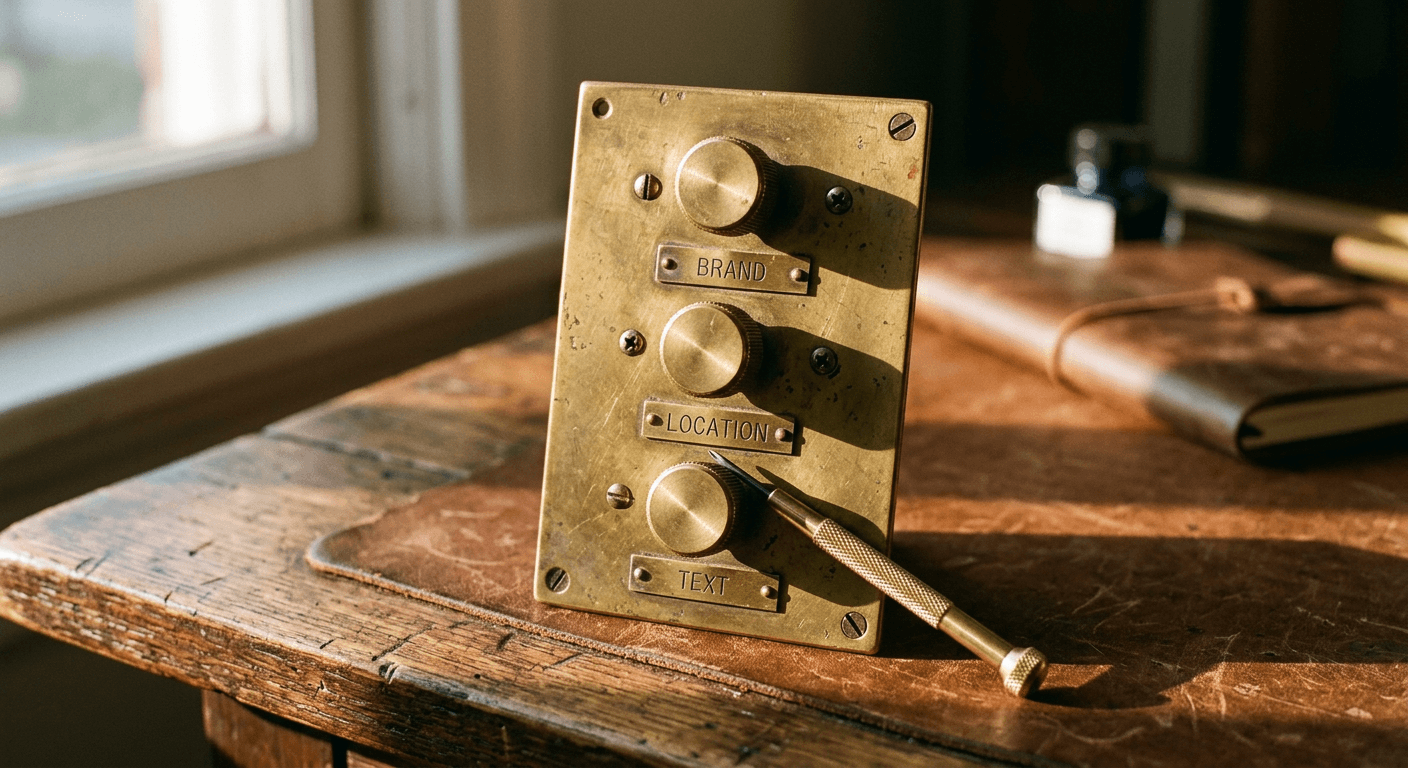
Layered on top of all three are the advanced controls: brand controls to restrict which terms, phrases, or claims can appear in AI-generated text, location controls to manage geographic targeting behavior specifically for the expanded matching and URL selection, and text guidelines, a genuinely useful feature where you can write plain-language instructions, keep language formal, always mention free shipping over $50, never use exclamation points, that steer the tone and content of generated copy without having to write every headline variant by hand.
Google's own stated performance number for all of this is that AI Max for Search campaigns see an average of 7% more conversions or conversion value at a similar CPA or ROAS, when advertisers use the complete feature suite together, search term matching plus text customization plus final URL expansion, compared to using search term matching alone. That specific comparison is worth sitting with for a second: Google is not just saying AI Max beats the old systems, it is saying that using only the matching piece and skipping the text customization and URL expansion pieces leaves real performance on the table relative to using all three together. For an advertiser deciding how thoroughly to lean into AI Max versus treating it as a forced but minimal migration, that 7% figure is a reasonable argument for actually setting up brand controls, location controls, and text guidelines properly rather than just letting the migration happen and moving on.
Six Ways to Respond Before the Automatic Upgrade Hits Your Account
Google is not leaving advertisers with zero agency here, even though there is no true opt-out. The real choice is between shaping this migration deliberately, on your own terms and your own timeline within the windows Google has set, or letting Google's own best-guess defaults apply to your account automatically. Here is how to actually use the time you have left.
1. Audit your account today, not this week
Open every active Search campaign and check for the three triggers: Dynamic Search Ads, Automatically Created Assets, and campaign-level broad match. Write down which campaigns fall into which bucket, since the ACA and broad-match campaigns are on the September 2026 clock while DSA campaigns have until February 2027. If you manage multiple client accounts, this audit is the single highest-leverage thing you can do this week, since agencies are exactly the accounts most likely to have inherited campaigns with these settings turned on years ago by someone who has since left the team.
2. Use the voluntary upgrade tools for ACA and broad-match campaigns before September
For campaigns using Automatically Created Assets or campaign-level broad match, Google is surfacing in-account prompts that let you upgrade to AI Max on your own terms rather than waiting for the automatic September migration to apply its own defaults. Doing this now, even with default settings, at minimum gives you a chance to review what the migration actually did to the campaign before it goes live rather than discovering it after traffic has already started flowing under new rules.
3. For Dynamic Search Ads specifically, use the DSA upgrade tool to port settings deliberately
DSA campaigns tend to carry more custom setup than a simple broad-match toggle, page feeds, dynamic ad targets built around URL rules or categories, and years of accumulated performance history tied to how the campaign is structured. Google's DSA-specific upgrade path is built to let you port that structure into standard AI Max ad groups intentionally, choosing how your existing dynamic ad targets map onto the new structure, rather than accepting whatever automatic mapping Google applies during the February 2027 forced migration. The extra runway to February 2027 exists precisely because this mapping decision benefits from a human actually making it, so use the time rather than treating the later deadline as a reason to deprioritize it.
4. Set brand controls, location controls, and text guidelines before you flip the switch, not after
This is the step that actually determines whether AI Max feels like a controlled upgrade or a surprise. Write actual text guidelines: tone, required disclosures, phrases to avoid, seasonal promotions to reference or not reference. Set brand controls around any sensitive claims, pricing language, or competitor mentions you do not want AI-generated copy to touch. Set location controls if your business has real geographic constraints, a service area, licensing restrictions, inventory that only ships to certain regions, that the expanded matching and URL selection need to respect. None of this takes long to set up once, and all of it is much easier to get right before a campaign goes live on AI Max than to retrofit after AI-generated copy has already been running for a few weeks.
5. Review AI-generated text and URL selections after migration, don't set and forget
Whether you upgraded voluntarily or got swept into the automatic migration, check back on the campaign within the first week or two after it goes live on AI Max. Read the actual headlines and descriptions the system generated. Check which pages final URL expansion is actually sending traffic to. AI Max keeps regenerating text as your site content changes, so a one-time review at launch is not the same as an ongoing check, but that first review is the one most likely to catch an obviously wrong or off-brand output before it accumulates real spend behind it.
6. Decide whether AI Max's fuller feature set actually fits every campaign
Not every campaign that currently has broad match or ACA enabled necessarily needs the full AI Max feature set going forward. If a campaign's real value was narrow, tightly controlled expansion under broad match with a heavy negative keyword list doing most of the precision work, and you would rather not have final URL expansion sending traffic to pages you have not vetted, standard match types plus a more conservative bid strategy remain available and are not going away. AI Max is mandatory for the campaigns using these three legacy features, but nothing forces you to re-enable broad-style expansion on every campaign going forward if a tighter setup genuinely serves the account better after the dust settles.
Why This Update Raises the Stakes on Your Ad Creative and Text
Here is the part that gets underemphasized in most coverage of this migration, and it is the part most directly relevant to how you should actually spend the next few weeks. DSA and ACA already generated some text automatically, so in one sense AI Max is not introducing AI-written copy to advertisers for the first time. What is new is how much more that generated text and the final URL selection now depend on the underlying quality of your site content and your existing ad assets, since AI Max's text customization draws from exactly those inputs, and final URL expansion is only as good as the pages it has to choose from.
A campaign with a thin, generic landing page and a handful of stale responsive search ad headlines gives AI Max very little good material to work with. The generated text ends up sounding as generic as the source material, and final URL expansion has nowhere better to send traffic even when it correctly identifies that a more specific page would serve the searcher better, because that page either does not exist or is not built well enough to convert. A campaign with a well-built site, distinct product or service pages, and a strong existing asset library gives the same system far more to draw from, which is a large part of why Google's own 7% conversion lift number is an average across advertisers rather than a guarantee for any specific account. The accounts already doing the underlying content and creative work well are the ones most likely to see numbers at or above that average, and the accounts coasting on thin assets are the ones most likely to see less.
This applies to visuals as much as text. AI Max campaigns increasingly draw on your broader asset library, the same images and creative that show up across your Business Profile, your site, and your other Google Ads formats, when constructing what a searcher actually sees. A stale or thin image library is a weaker foundation for AI Max the same way thin ad copy is. If your Search account has not had a real creative refresh in a while, this migration is a legitimate forcing function to fix that, not because AI Max technically requires new images to function, but because the system performs better with genuinely good source material to draw from, the same logic Miraflow covered when Google's bidding update ended quiet overperformance on budget-limited campaigns and removed the cushion that let weak creative coast on efficient bidding alone.

A concrete way to act on this: before or right after your campaigns move to AI Max, refresh the hero image on whichever landing pages final URL expansion is likely to send traffic to, and update the product or service imagery feeding your asset library. A prompt like this, run through an AI image generator, produces a usable landing page hero asset in under a minute, something you can plug in immediately rather than waiting on a photo shoot.
A clean landing page hero photograph for an ecommerce product page that AI Max final URL expansion might send Search traffic to, a single well-lit product resting on a neutral warm surface with soft directional daylight, minimal styling, plenty of empty negative space in the upper third for a headline, horizontal composition, photoreal editorial lighting with true material texture, no text baked into the image, no watermark.
The same logic applies to refreshing the broader asset library that AI Max's text and image selection draws from across a campaign, not just one landing page.
A versatile brand asset photograph meant to feed an AI Max Search campaign's text and creative library, a simple lifestyle scene showing the product or service in genuine everyday use, warm natural lighting, true-to-brand color palette, balanced composition that works cropped square or widescreen, photoreal editorial lighting, no text baked into the image, no watermark.
Both of these are the kind of prompt you can run directly inside Miraflow's AI Image Generator, generating several variations at once so you actually have options to test against each other rather than shipping whatever the first draft produces. If any of that same imagery also needs to double as a static social post or a YouTube thumbnail for a companion video campaign, the same generator handles that without starting from scratch, since the underlying need, fast, on-brand imagery without booking a full production shoot, is identical either way.
Common Mistakes to Avoid During the AI Max Transition
The first mistake is assuming "no opt-out" means "no control." It is easy to read that Google will migrate these campaigns automatically and conclude there is nothing left to do but wait. That is wrong. The actual choice available to you is over timing and settings, using the voluntary upgrade tools and setting brand, location, and text guidelines deliberately before the switch, versus accepting Google's own best-guess defaults applied during the automatic September or February migration. Treating the mandatory upgrade as a reason to disengage entirely throws away the one lever you actually have.
The second mistake is letting the DSA extension to February 2027 create false comfort. Five extra months sounds like plenty of runway, and for the actual migration deadline it is. But the Automatically Created Assets and campaign-level broad match campaigns in the same account are not on that extended timeline, they are on the September 2026 one, and the August 3 creation cutoff for new broad-match and ACA settings has already happened. An account with a mix of DSA and ACA or broad-match campaigns needs two different urgency levels applied to two different sets of campaigns, not one blanket "we have until 2027" assumption.

The third mistake is skipping the post-migration review of AI-generated text and page selections. Whether a campaign moved voluntarily or automatically, the generated headlines, descriptions, and the specific pages final URL expansion is choosing deserve an actual look within the first couple of weeks. This is the single easiest mistake to make since it requires no action, just inaction, and it is the one most likely to surface an actual brand-safety or accuracy problem if something does go wrong.
The fourth mistake is confusing AI Max for Search with Performance Max. They are genuinely different products targeting different inventory, AI Max is a Search-campaign feature set, Performance Max is a separate campaign type spanning Search, Display, YouTube, Discover, Gmail, and Maps. An advertiser who read about Performance Max's new negative keyword and reporting controls earlier this year and assumes those same controls automatically cover their DSA or broad-match Search campaigns is checking the wrong settings panel entirely. The two updates are philosophically related, more advertiser control over AI-driven automation, but they live in different parts of the product and need to be reviewed separately.
The fifth mistake is treating agency and API dependencies as someone else's problem. If scripts, bulk uploads through Ads Editor, or third-party tools reference legacy DSA, ACA, or broad-match entity types directly, those integrations are worth checking against the September 2027 API sunset date now, not scrambling to fix them the month legacy support actually disappears. This matters more for agencies managing several accounts through shared tooling than for a single small-business advertiser working entirely in the Google Ads UI, but it is a real, distinct risk worth naming on its own rather than folding into a generic "review your account" mistake.
The sixth mistake is treating the migration as a one-time task rather than an ongoing setting to revisit. AI Max keeps regenerating text and reselecting landing pages as your site content changes, your promotions rotate, and your asset library grows. Text guidelines and brand controls set once at migration time can go stale the same way any other campaign setting can, especially for a business with seasonal messaging or frequent promotional changes. Building a habit of checking generated output quarterly, not just once at launch, keeps the campaign aligned with your actual brand as it evolves.
Rebuilding Your Ad Assets Fast With Miraflow AI
If part of your response to this migration is refreshing the imagery and landing pages feeding your AI Max campaigns, doing that manually, briefing a designer, waiting on drafts, running a round of revisions, is slow at exactly the moment a hard September or February deadline is bearing down on you. Miraflow's AI Image Generator is built for this kind of fast turnaround. Describe the visual you need, generate several options at once, and use image-to-image editing or inpainting to adjust just the part of an existing asset that needs to change, a background, a product angle, a seasonal detail, without redoing the whole image from scratch.
For accounts juggling several product lines or service categories across a handful of landing pages, that speed compounds quickly. Instead of one generic hero image reused across every page final URL expansion might send traffic to, you can generate a real set of page-specific images sized and styled for each destination, matched to whatever that specific page is actually about, which is exactly the kind of specific, well-matched creative that gives AI Max's text customization and URL expansion better material to work with in the first place. If your review of the migration surfaces a broader need to refresh how your brand shows up across paid channels generally, not just this one Search update, Miraflow's AI Image Generator works the same way for Display, Demand Gen, Performance Max, and social creative, so a single fast workflow covers more of the account than just the campaigns directly touched by this migration.
And if reviewing exactly what changed inside your account after the migration feels like more digging than you want to do manually, Miraflow's earlier piece on Google's Ask Advisor AI agent inside Google Ads covers a genuinely useful way to ask Google's own tools account-specific questions directly, which pairs naturally with auditing an AI Max migration. Between the in-account upgrade prompts, the DSA-specific upgrade tool, and a faster creative pipeline through Miraflow, getting ahead of this migration across a full account is realistically an afternoon of work, not a multi-week project, if you start this week rather than waiting for September to arrive on its own.

Frequently Asked Questions
What is AI Max for Search in Google Ads? AI Max for Search is Google's unified system that combines search term matching, an evolution of broad match, AI-written headline and description customization, and final URL expansion, which sends clicks to whichever page on your site best matches a given search. It also includes brand controls, location controls, and text guidelines advertisers can set to keep the AI-generated output on-brand.
Which campaigns are actually being auto-upgraded, and when? Three legacy features trigger the automatic upgrade: Dynamic Search Ads, Automatically Created Assets, and campaign-level broad match. ACA and broad-match campaigns migrate automatically between September 1 and September 30, 2026. Dynamic Search Ads campaigns migrate automatically between February 1 and February 28, 2027, an extended timeline Google added on June 11, 2026 after its original announcement.
Can I opt out of the AI Max upgrade entirely? No opt-out is mentioned anywhere in Google's official announcements. The upgrade is effectively mandatory for any campaign using DSA, Automatically Created Assets, or campaign-level broad match. Your real choice is between upgrading voluntarily on your own terms before the automatic deadline, or letting Google apply its own default settings during the automatic migration window.
I use campaign-level broad match on a Search campaign. Do I need to do anything before September? Yes. That campaign is scheduled for automatic migration sometime between September 1 and September 30, 2026. If you want to set your own brand controls, location controls, and text guidelines rather than accepting Google's defaults, use the in-account voluntary upgrade prompt before your campaign's turn in the automatic rollout comes up.
My campaigns don't use DSA, ACA, or broad match. Does this affect me at all? Not directly. If your Search campaigns rely only on manual exact and phrase match keywords and you never enabled Automatically Created Assets, this specific migration does not touch your account on a forced deadline. It is still worth understanding where Google Ads is heading generally, since the platform's broader direction clearly favors AI-driven matching and creative across every campaign type it offers.
What happens to my historical performance data when a DSA campaign migrates? Google's stated goal for the automatic migration is to carry campaigns over in place using equivalent AI Max settings that minimize disruption, including preserving existing brand inclusions and exclusions. Using the DSA-specific voluntary upgrade tool before the forced deadline gives you more direct control over how your existing dynamic ad targets and historical structure map into the new standard ad group format, rather than relying entirely on Google's automatic mapping.
Is AI Max for Search the same thing as Performance Max? No. They are separate products. AI Max for Search is a feature set specific to Search campaigns. Performance Max is a distinct campaign type that spans Search, Display, YouTube, Discover, Gmail, and Maps inventory together. Both reflect the same general direction Google Ads is moving in, more AI-driven automation paired with more advertiser controls, but they are configured and reviewed separately.
Conclusion
The automatic upgrade to AI Max for Search is not a distant platform trend to read about and file away. Part of it is already in motion, the August 3, 2026 cutoff on new broad-match and Automatically Created Assets settings has already happened, and the automatic migration of existing campaigns using those features begins September 1, 2026, days from now if you are reading this at the end of August. Dynamic Search Ads advertisers have a longer runway to February 2027, but the in-account prompts encouraging that migration start showing up in September too, and treating that extra time as a reason to wait is the single easiest way to end up on the receiving end of Google's default settings instead of your own.
Whichever bucket your account falls into, DSA, Automatically Created Assets, campaign-level broad match, or some mix of all three, the actual work is the same short list: audit which campaigns are affected, use the voluntary upgrade tools while they still hand you the wheel, set brand, location, and text guidelines deliberately, and review what the AI actually generates once it goes live rather than assuming it got everything right. Pair that review with an honest look at the creative and landing pages feeding the system, since AI Max leans harder on real asset quality than DSA, ACA, or broad match ever did on their own. That is a genuinely good use of the next few days, and Miraflow's AI Image Generator is a fast way to make sure the assets AI Max is drawing from are ones you actually chose, not just whatever happened to already be sitting in the account when the migration hit.