Performance Max Asset A/B Testing Explained: Google's New In-Campaign Experiments

Written by
Aerin Kim
Google Ads now runs real A/B tests inside a live Performance Max asset group. Here is how the two testing modes work, eligibility rules, and a full worked setup example.
If you run Performance Max campaigns, you already know the frustration. You upload a batch of headlines, descriptions, images, and maybe a video, Google mixes them into thousands of possible ad combinations, and then you get one blended performance number for the whole asset group. Which specific asset actually drove the conversions? Which one was dead weight? For years, the honest answer was "we don't really know," and advertisers just kept refreshing creative on a schedule instead of an evidence base.
That changed in 2026. Google Ads quietly shipped real, structured A/B testing for Performance Max assets, built directly into the Experiments tab instead of living as a vague "asset performance rating" you had to interpret yourself. This is not the same as testing PMax against a separate Search or Display campaign. It runs inside your existing Performance Max campaign, splits real traffic between two defined creative sets, and gives you a genuine control-versus-treatment read on which assets actually move the needle.
This post walks through exactly how the feature works, the two distinct testing modes Google actually ships under this umbrella (they get lumped together in casual conversation but they answer different questions), how to set one up correctly, the eligibility rules that will silently block you if you miss them, and a full worked example of testing new creative built with the AI Image Generator in Miraflow AI against your existing asset group. If you have been treating Performance Max as a black box you feed and hope, this is the first real instrument panel Google has given advertisers to look inside it.
Two Different Features Are Both Called "PMax Asset Testing"
Before touching the Experiments tab, it's worth being precise about what you're actually testing, because Google Ads ships two related but distinct features under this general idea, and picking the wrong one wastes a testing cycle.
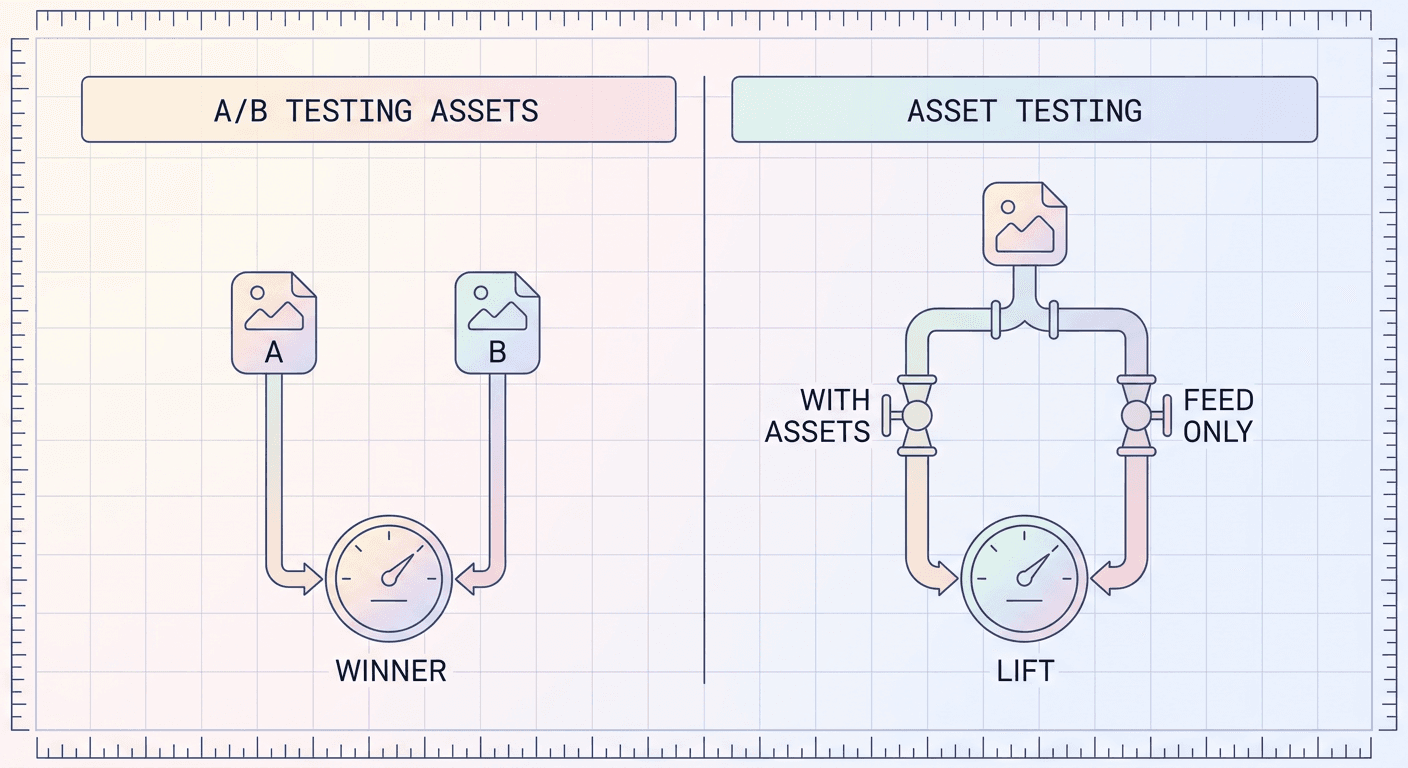
A/B Testing Assets (Beta): Creative Versus Creative
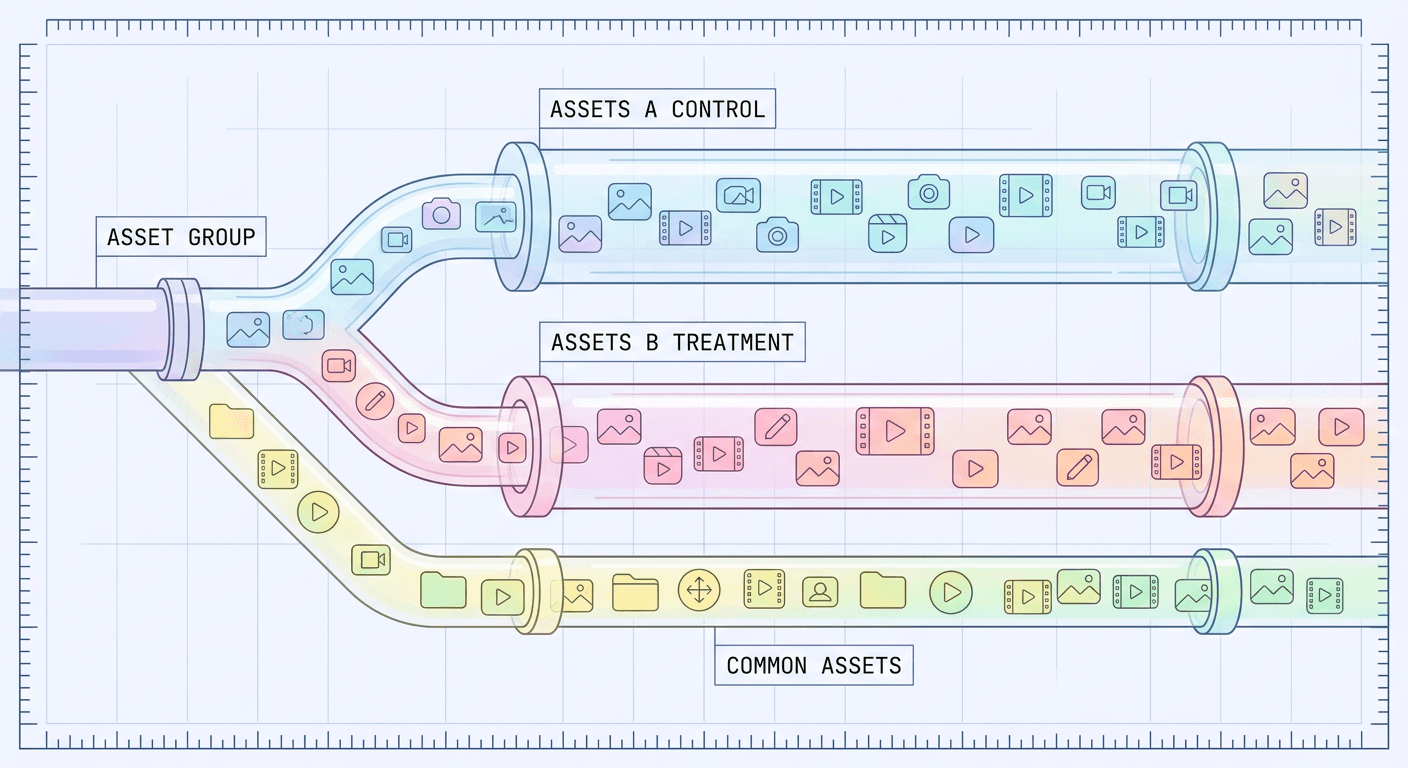
This is the one most advertisers mean when they say "Performance Max A/B test." It compares two different sets of creative assets against each other inside the same asset group, using three buckets:
- Assets A, the control group. Your existing, currently-live assets, used as the baseline you're measuring against.
- Assets B, the treatment group. A different set you want to test, which can be existing assets you haven't emphasized before, or entirely new ones you upload specifically for the experiment.
- Common assets. Anything you don't assign to either group. These keep serving to 100 percent of traffic in both arms of the test, so the experiment isolates the effect of the assets you actually put under test rather than rebuilding your whole asset group from scratch.
Google splits real, live traffic between the A and B arms according to a percentage you set, most commonly a straightforward 50/50 split, and reports back which arm converted better. This is a genuine controlled experiment, not a rolling "asset strength" heuristic.
Asset Testing: Does Having the Asset at All Even Help?
The second mode answers a more foundational question: does adding a category of asset help at all, before you even get to which specific creative wins. Google documents two concrete scenarios here.
The first is a feed-only test. If you're running Performance Max off a Merchant Center product feed with no additional text, image, or video assets layered on top, this test runs one arm as feed-only and a second arm with text, image, and video assets added, so you can see whether investing in creative production is worth it for that specific campaign before you commit a content budget to it.
The second is a video impact test. One arm suppresses both your uploaded video assets and Google's auto-generated video, while the other arm serves your account's videos normally, with every other asset type still running to both arms. This is the cleanest way to answer "is video actually pulling weight in this campaign," a question a lot of advertisers have opinions about but very few have actually measured.
Where A/B Testing Assets answers "which specific creative wins," Asset Testing answers "should I even be investing in this asset type here." Run Asset Testing first if you're not sure creative investment matters for a given campaign, then use A/B Testing Assets once you know it does and you're refining which specific assets to run.
How to Set Up a Performance Max Asset Experiment
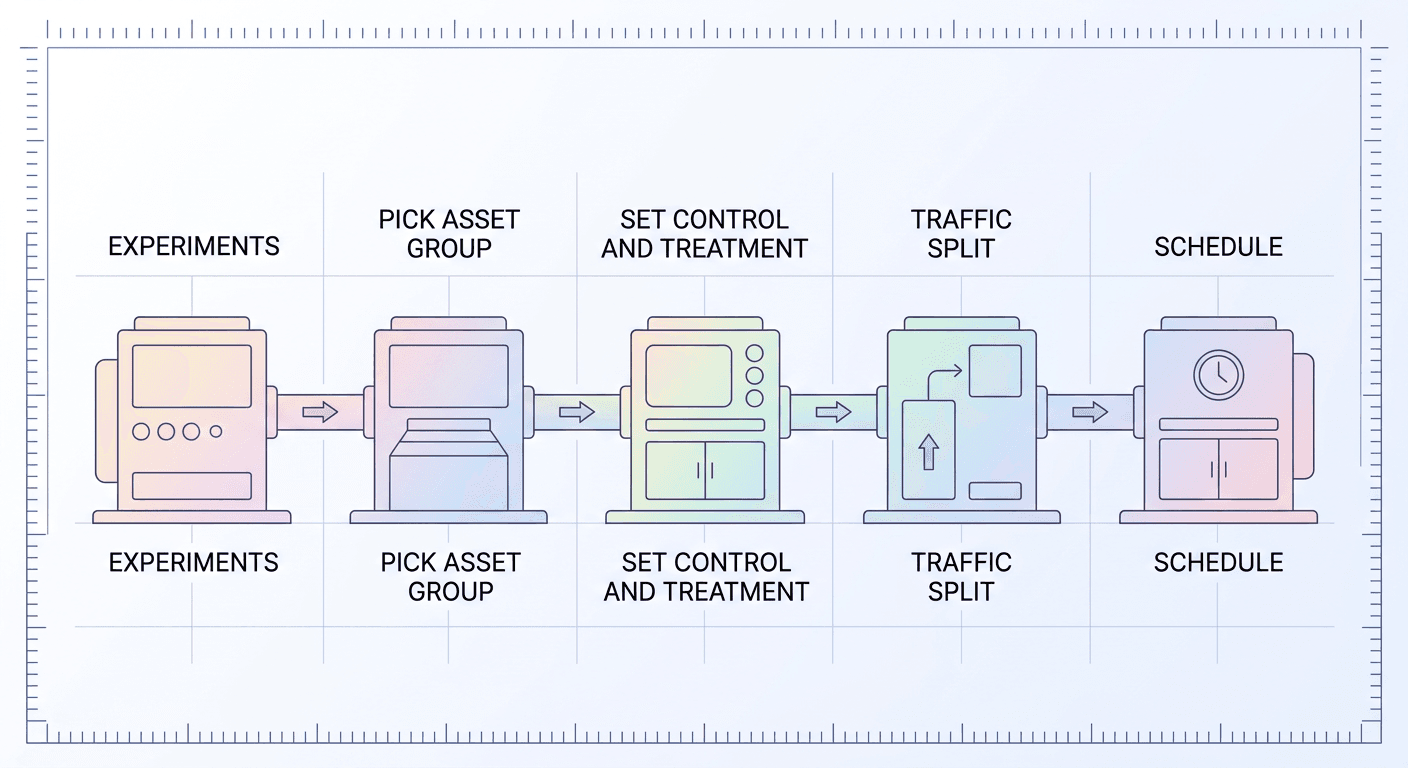
Both testing modes live in the same place and follow a similar setup flow, based directly on the current Google Ads interface:
- Open the Campaigns menu and go to Experiments.
- Click the plus button under All experiments.
- Choose Assets as the test type.
- For A/B Testing Assets, select Assets provided by you as the variable, then Performance Max as the campaign type, then Any assets as the experiment type. For Asset Testing, you'll instead pick the retail-assets or video-impact subtype depending on which question you're answering.
- Select the specific campaign and, critically, the single asset group you want to test. Both modes currently test one asset group per experiment, not a whole campaign with multiple asset groups at once.
- Configure your control and treatment arms. For A/B Testing Assets, this means assigning specific assets into Assets A and Assets B, and confirming which assets are shared as Common Assets. For Asset Testing, this means defining what the treatment arm adds or removes relative to the control.
- Set your traffic split percentage between arms.
- Name the experiment, confirm your start and end dates, and click Schedule.
One quirk specific to Asset Testing worth flagging before you build one: the start date has to be today, there's no scheduling it to kick off next Monday the way you can with a standard experiment. Plan the asset upload and approval timing around that, not the other way around.
Eligibility Rules That Will Quietly Block You
Google gates both modes behind requirements that are easy to miss until your experiment refuses to save, or worse, runs but produces unreliable results:
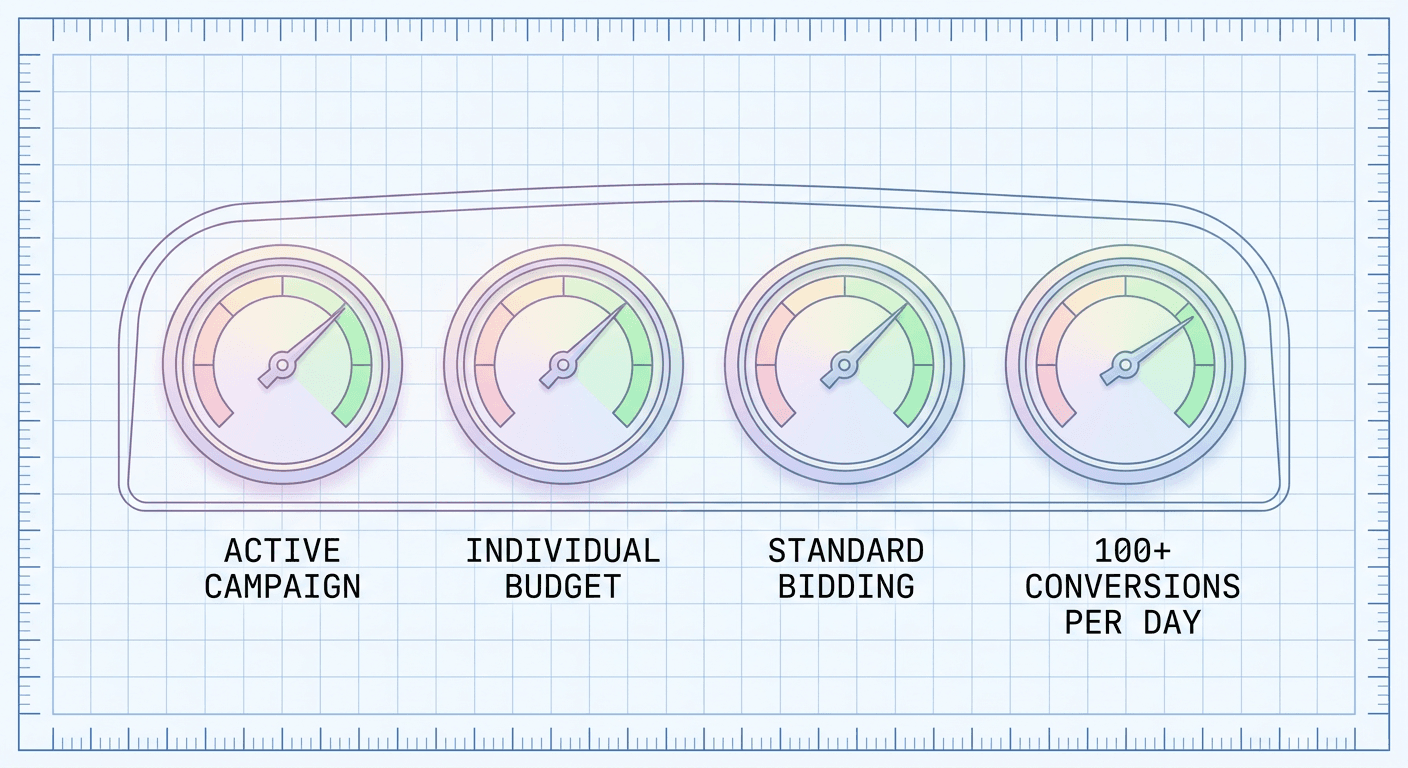
- The base campaign must be active, not paused, at the time you create the experiment.
- It has to use an individual daily budget, not a Shared Budget. If several of your Performance Max campaigns currently pool spend through a shared budget for simpler account management, you'll need to split the one you want to test onto its own budget first.
- It has to use standard Smart Bidding, not Portfolio Bidding, and it can't be running Smart Bidding Exploration at the same time as the test. Portfolio strategies pool signals and budget pacing across multiple campaigns in ways that interfere with isolating a single asset group's performance.
- For reliable statistical results, Google's own guidance points to more than 100 daily conversions on the base campaign. You can technically run a test below that volume, but treat the result as directional rather than conclusive, and plan to extend the test window substantially, more on that below.
- Asset groups with more than roughly 15 assets can run into issues with how the experiment structures the split, so an oversized, cluttered asset group is a good candidate to prune before testing rather than during.
- Any new assets you upload for the treatment arm still need to clear normal Google Ads policy approval before the experiment can start serving them, so build in a buffer day or two if you're testing genuinely new creative rather than reshuffling assets you already have live elsewhere in the account.
If your account runs lean, single-budget Performance Max campaigns already, most of this is a non-issue. If you've been consolidating budgets or leaning on Portfolio Bidding for account-wide pacing, expect to restructure the specific campaign you want to test before Google will let you run the experiment on it.
How Long to Run It and How to Actually Read the Result
Google's own recommendation is a minimum of four to six weeks for an asset experiment, and the platform layers in automated guidance based on your specific campaign's conversion volume and pacing on top of that baseline. Treat four weeks as a floor, not a target. Performance Max campaigns typically need one to two weeks just to exit the initial learning phase after any meaningful asset group change, so a four-week test can spend a quarter of its runtime still stabilizing.
If your base campaign is running below roughly 30 to 50 conversions a month, extend the test window to six to eight weeks or longer. Below that volume, week-to-week noise in conversion counts is large enough relative to the actual difference between your two asset sets that a shorter test will hand you a result that looks decisive but is actually within normal statistical noise. This matters more for local service businesses and higher-consideration B2B accounts than for high-volume ecommerce, where 100-plus daily conversions can make a two-week read genuinely trustworthy.
Once the test window ends, Google gives you three ways to close it out:
- Add treatment assets, which folds your Assets B set into the live asset group going forward. This is the option to pick when the treatment arm won.
- Keep control assets, which is selected by default and simply retains your original Assets A set, effectively declaring the control the winner or the test inconclusive.
- End experiment, which stops the test without applying either arm's changes, useful if something went wrong mid-test (a tracking issue, a budget change elsewhere in the account) and you want to discard the read entirely rather than act on contaminated data.
While the experiment is live, the asset group under test goes into view-only mode. You cannot edit, add, or remove assets in it until the experiment ends, which is Google's way of guaranteeing the test you set up is actually the test that ran. This trips up teams that are used to iterating on live asset groups constantly. Plan any other creative changes to that asset group around the test window, not through it.
A Worked Example: Testing UGC-Style Video Against Static Product Shots
Say you run Performance Max for a mid-size home goods brand. Your current asset group leans heavily on studio product photography, clean white backgrounds, consistent lighting, the kind of imagery that looks correct but has run unchanged for eight months. You suspect a looser, UGC-style video treatment, a set of items shown in a real-looking home environment rather than on a seamless backdrop, might connect better with Performance Max's Display and YouTube inventory specifically, even if you're not sure it will help on Search placements within the same campaign.
Here's how that becomes an actual test rather than a guess:
- Run A/B Testing Assets, not the feed-only Asset Testing mode, since you already have assets live and you're comparing two creative treatments against each other rather than asking whether creative helps at all.
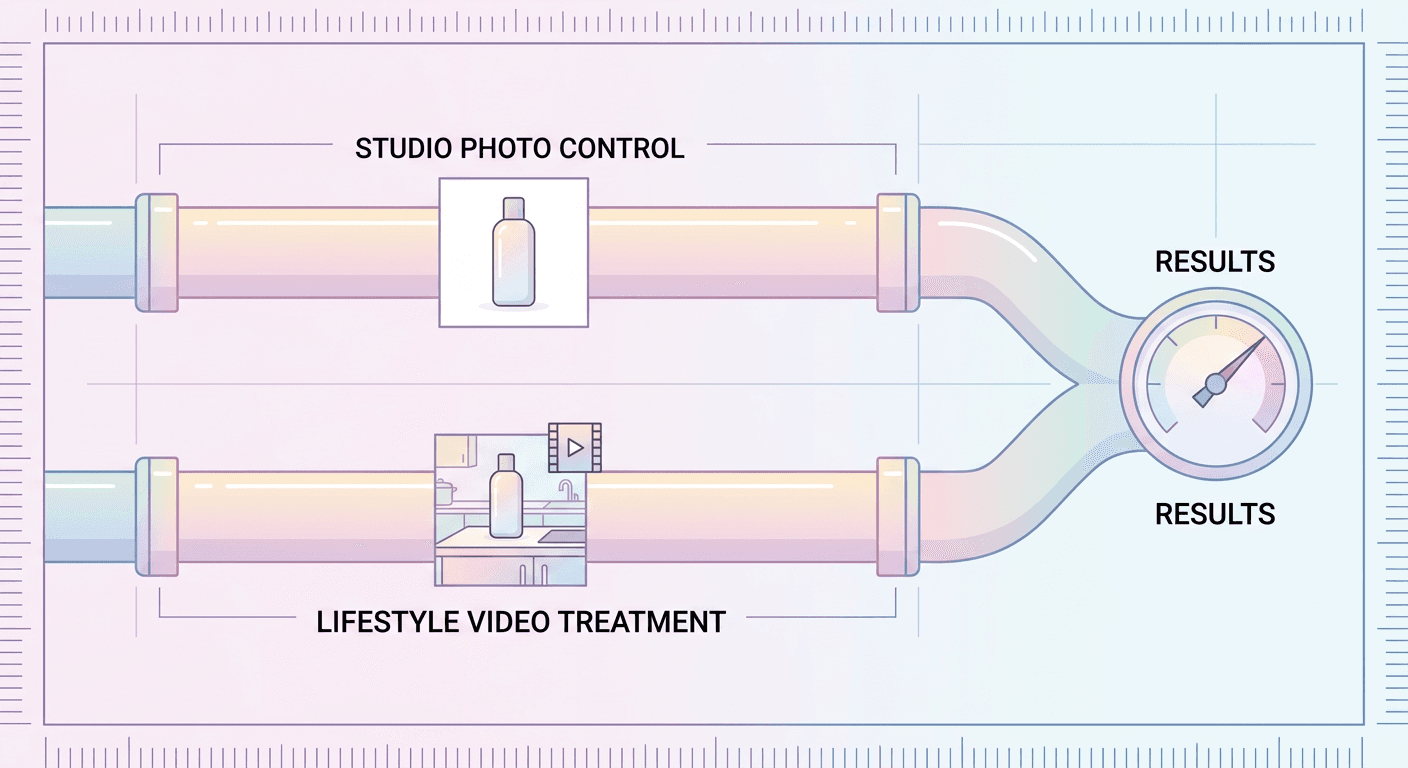
- Assign your current studio photography set as Assets A, the control.
- Generate a treatment set for Assets B using the AI Image Generator in Miraflow AI to produce lifestyle-context product shots (an item shown on a real-looking kitchen counter or living room shelf instead of a white backdrop), and the cinematic AI video generator to build a short handheld-feeling product video from the same concept. Since these are AI-generated rather than a physical shoot, you can produce four or five distinct lifestyle scenes to test in an afternoon instead of scheduling and paying for a studio day.
- Leave your text assets (headlines, descriptions, long headlines) as Common Assets, since the question you're answering right now is specifically about imagery and video, not copy. Isolating one variable at a time is what makes the result interpretable.
- Set a 50/50 traffic split and schedule the test for six weeks, since a home goods brand of this size is a reasonable bet to sit in the 30-to-100-daily-conversion range where the longer window matters.
- When the test ends, if the lifestyle treatment wins, apply it with Add treatment assets. If it's a wash or the control wins, you've still learned something real about your specific audience instead of assuming the newer-looking creative automatically performs better, which is a common and expensive assumption in Performance Max accounts.
This is the actual value of the feature: it turns "we think video probably helps" into "we tested it against our own account's real traffic for six weeks and here is what happened," which is a fundamentally different, more defensible basis for a creative budget decision.
What to Test First If You've Never Run One of These
Not every asset group needs every kind of test immediately. A reasonable sequence for an account new to this feature:
Start with Asset Testing if you're running feed-only or video-light campaigns. Before spending on new creative production, confirm the campaign actually responds to added assets or video at all. Some very high-intent shopping categories genuinely don't move much on creative because the buyer has already decided what they want before they see your ad, and it's cheaper to learn that from a controlled test than from six months of unmeasured content spend.
Move to A/B Testing Assets on your highest-spend asset group first, not your newest or smallest one. The statistical case for testing scales with traffic and conversion volume, so your best-performing existing asset group will produce a trustworthy read in the recommended four-to-six-week window, while a low-volume asset group might need two full months to say anything conclusive.
Test one variable per experiment, image style, or video presence, or headline count and tone, rather than swapping everything in the treatment arm at once. A treatment set that changes the imagery, the video, and the headlines simultaneously and wins tells you the combination worked, not which piece of it mattered, which limits how much you can generalize the winning pattern to your next asset group.
Re-test on a cadence, not once and done. Creative fatigue is real in Performance Max the same way it is in any paid channel; an asset set that won convincingly in March can be worn out by the time your audience has seen it thousands of times by September. Treat this less like a one-time verdict and more like a recurring instrument you run on your top asset groups every quarter.
Common Mistakes Advertisers Make With PMax Asset Testing
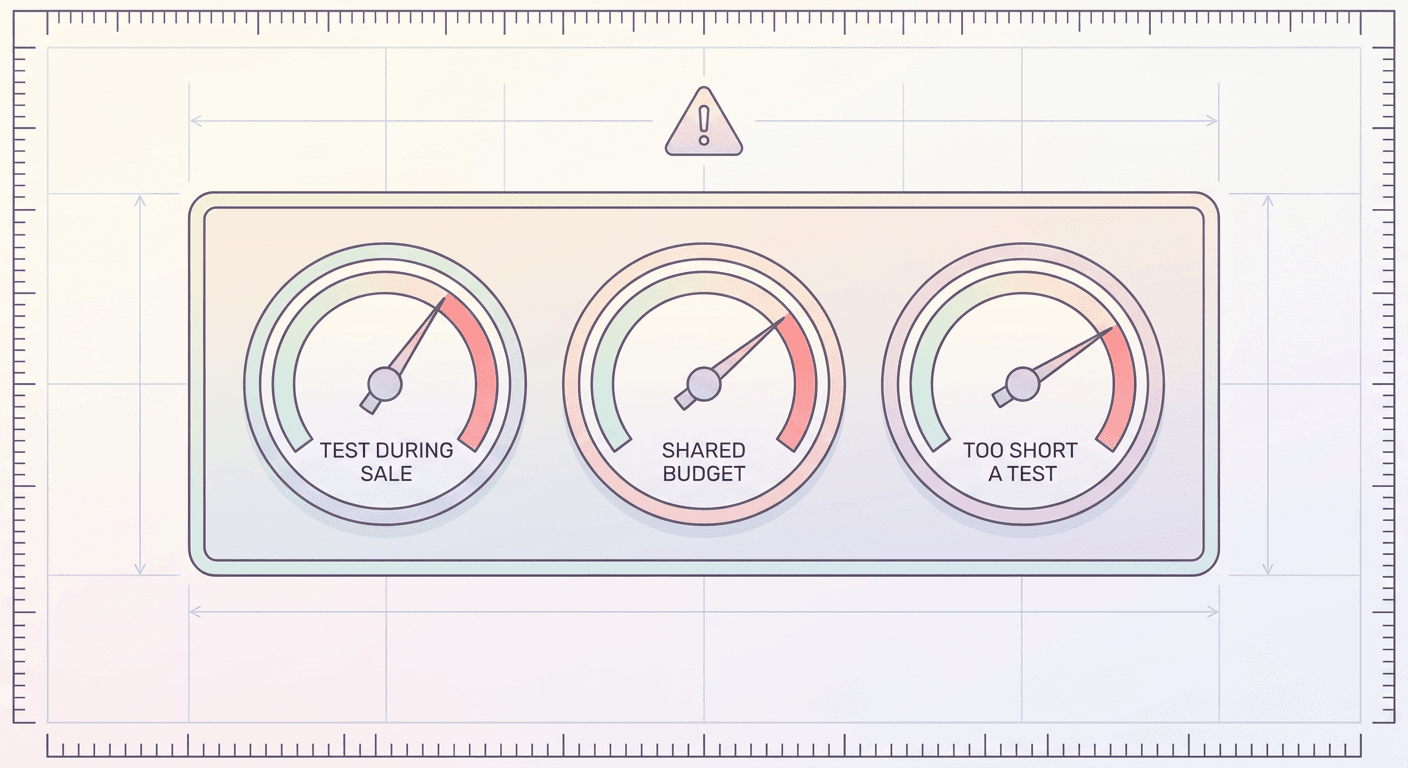
Testing during a budget or seasonal event. Launching an asset experiment the same week you run a site-wide sale, or right before a major seasonal spike, contaminates the read because you can't tell whether a lift came from the treatment creative or from the external demand spike. Schedule tests during a representative, ordinary period for that campaign.
Forgetting the view-only lock exists. Teams used to iterating on Performance Max asset groups daily sometimes try to swap in a new headline mid-test and are surprised to find the group locked. Plan your other creative work around the test window in advance rather than discovering the restriction mid-quarter.
Testing on a shared-budget or Portfolio Bidding campaign without restructuring first, then being confused when the experiment won't save. Check eligibility before you invest time building out the treatment assets, not after.
Under-running the test window to get a faster answer. A two-week read on a campaign doing 40 conversions a month will produce a confident-looking number that is mostly noise. If the business pressure is to move fast, it's better to run the test on a higher-volume asset group first, where a shorter window is legitimately reliable, than to shorten the window on a lower-volume one.
Assuming a winning treatment generalizes to every other asset group in the account without re-testing it there. A lifestyle imagery treatment that wins for a home goods brand's flagship product line doesn't automatically win for a different product category with a different buyer, even inside the same account. Treat each asset group's result as local to that asset group until you've confirmed it elsewhere.
Ignoring Common Assets when interpreting a mixed result. If your treatment used new images but the same headlines as control, and the test came back inconclusive, remember the headlines were shared across both arms the whole time, so the test genuinely says nothing about whether new copy would help. A confusing result is often a sign the test isolated the wrong variable, not that nothing about the asset group can be improved.
Building the Assets Worth Testing
An experiment is only as good as the treatment arm you feed it, and that's the part most accounts underinvest in relative to the setup and analysis. Producing a genuinely different creative direction, not just a slightly different crop of the same product photo, is what makes a test worth running in the first place.
This is where having a fast, in-browser way to generate real creative variety matters. The AI Image Generator in Miraflow AI supports text-to-image, image-to-image, and targeted inpainting, so you can take an existing product photo and swap the background, change the setting, or restyle the lighting without a full reshoot, which is exactly the kind of distinct treatment arm an asset experiment needs to produce a meaningful read. For video assets specifically, the cinematic AI video generator built on Veo3 and Veo3.1 can produce a short product or lifestyle clip from a text prompt in the time it takes to write the brief, which is useful precisely because Asset Testing's video-impact scenario requires you to actually have video in the treatment arm to test against a no-video control. Testing "should we invest in video" only works if producing that video doesn't itself require a multi-week production cycle before the test can even start.
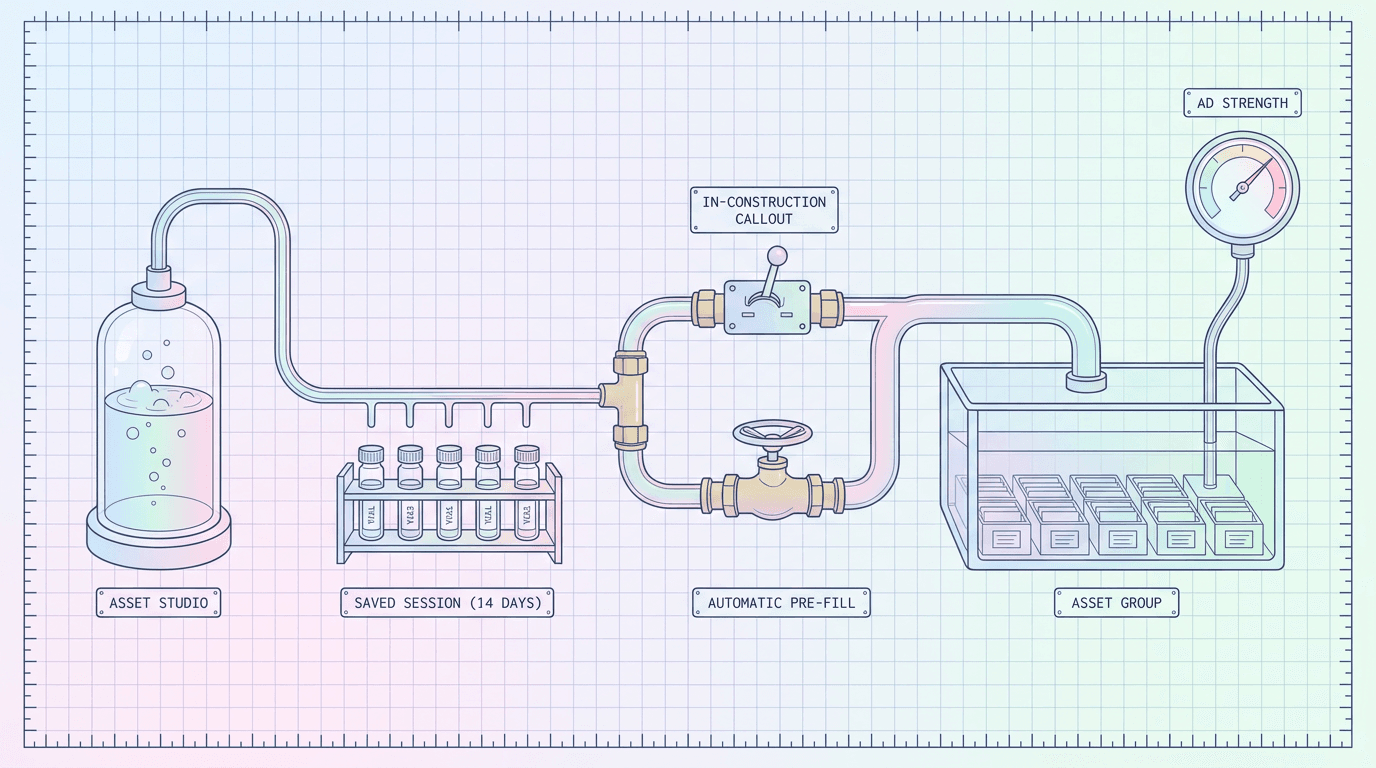
If your asset group is also due for a broader refresh beyond the specific thing you're testing, it's worth reading through the newer Performance Max steering, reporting, and negative keyword controls that shipped earlier in 2026, and how Asset Studio now pre-fills Performance Max asset groups directly, since both change how much manual asset assembly work a test setup actually requires. Local and service-area businesses specifically should also check the Local Customer Optimization toolkit and the recent Performance Max AI video resizing opt-out change, since both interact directly with how your video assets get served and reformatted across placements, which affects what a fair video-versus-no-video test actually measures.
Frequently Asked Questions
Is Performance Max A/B Testing Assets available to every advertiser? It's rolling out as a beta feature directly inside the Experiments tab, so availability depends on your account. If you don't see it yet under Experiments when you select Assets as the test type, check back in the coming weeks, or ask your account team, since Google continues expanding beta access through 2026.
Can I test two asset groups at once in a single experiment? No. Both A/B Testing Assets and Asset Testing currently scope to one campaign and one asset group per experiment. If you want to test creative in multiple asset groups, set up a separate experiment for each one.
What happens to my Common Assets during the test? They keep serving to 100 percent of traffic across both the control and treatment arms, unchanged. They exist specifically so the experiment measures only the assets you actually assigned to Assets A or Assets B, not your whole asset group being rebuilt from scratch.
Do I need Portfolio Bidding turned off permanently, or just during the test? Just during the test on that specific campaign. Portfolio Bidding and Smart Bidding Exploration are excluded only because they interfere with cleanly isolating that one asset group's results while the experiment runs; you can return to your normal bidding structure once the test concludes.
How is this different from a standard Performance Max experiment against a Search or Display campaign? A standard Performance Max experiment, the kind Google Ads has offered for longer, compares your entire Performance Max campaign against a separate campaign type to see whether PMax as a whole outperforms your prior setup. Asset A/B testing and Asset Testing work entirely inside a single existing Performance Max campaign, splitting its own traffic to compare creative choices, not campaign types.
What counts as a large enough win to act on? Google surfaces a statistical significance read for the experiment, but as a practical floor, be skeptical of any result on a campaign under 100 daily conversions unless you ran the full six-to-eight-week extended window. A modest win on a low-volume test is more likely to be noise than a modest win on a high-volume one.
Can I run Asset Testing and A/B Testing Assets on the same asset group back to back? Yes, and it's actually a sensible sequence: run Asset Testing first to confirm a given asset category (video, or added creative on a feed-only campaign) is worth investing in, then run A/B Testing Assets to refine which specific version of that asset category performs best.
Does starting a new experiment reset the asset group's existing performance data or learning phase? The experiment itself doesn't wipe historical data, but introducing new treatment assets, especially ones that clear policy review right before the test starts, can put that portion of the asset group through a fresh short learning period. That's part of why the four-to-six-week minimum exists, to give the system room to exit that phase and still leave a meaningful test window afterward.
Conclusion
Performance Max spent years asking advertisers to trust a black box, and this is the first structured, repeatable way to actually look inside it. A/B Testing Assets and Asset Testing answer two different, equally useful questions, whether a specific creative choice wins, and whether an entire category of asset is worth investing in at all, and running them in that order turns your Performance Max asset group from something you refresh on a schedule into something you actually improve on evidence.
The setup cost is real: you need an eligible campaign structure, a genuinely distinct treatment arm worth testing, and the patience to run it four to six weeks or longer rather than calling it after ten days. But for accounts spending meaningfully on Performance Max, that's a small cost against finally knowing which of your assets are actually earning their place in the rotation instead of just riding along next to the ones that do the real work. Start with your highest-volume asset group, pick one variable to change, and build the treatment set with the AI Image Generator and AI video generator inside Miraflow AI so producing a genuinely different creative direction doesn't become the bottleneck that keeps the test from happening in the first place.