Google Ads Now Auto-Fills Performance Max Asset Groups From Asset Studio

Written by
Aerin Kim
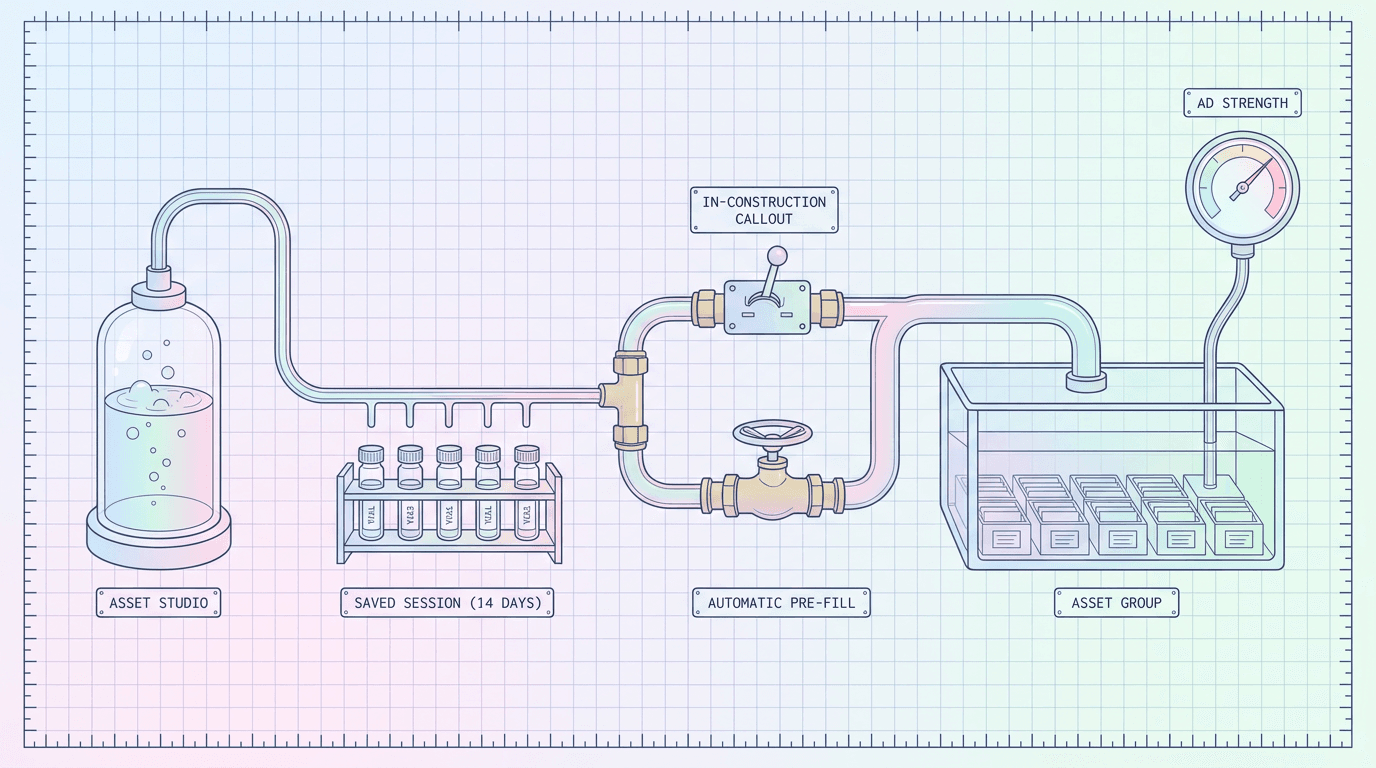
Google Ads now auto-fills Performance Max asset groups straight from Asset Studio. Here is how the two prefill mechanisms work and why it helps reach Excellent Ad Strength faster.
If you have spent any time building Performance Max asset groups by hand, you know the tedious part is never the strategy. It is the assembly line: upload this headline, upload that description, pick a square image, pick a vertical image, remember to add a video, check the Ad Strength meter, watch it say "Average," go add three more headlines, check again. Google just quietly removed a large chunk of that assembly line. Starting around September 2, 2026, Google Ads began automatically pre-filling Performance Max asset groups with AI-generated creative pulled directly from Asset Studio, and the change is less about generating new creative and more about what happens to creative you already generated.
TL;DR
Google Ads now pipes AI-generated assets from Asset Studio straight into live Performance Max asset groups instead of leaving them sitting in a workspace waiting to be manually uploaded one by one. Two mechanisms do this. During manual asset group setup, an in-construction callout offers a one-click way to apply the assets from a recent Asset Studio project. And if you start a campaign directly from the Asset Studio workspace, Google automatically pre-fills the entire asset group, headlines, long headlines, descriptions, images, and video, without you touching an upload button. Saved Asset Studio sessions from the last 14 days are surfaced for this, ranked by recency, so a project you generated last week is still one click away today. Google frames the whole feature around helping asset groups reach "Excellent" Ad Strength, since more usable, varied creative is exactly what that score is measuring.
For advertisers already generating creative outside Asset Studio, this matters because the bottleneck this feature removes, manually rebuilding an asset group asset by asset, was never really about generation. It was about plumbing. You can generate a strong product video in Miraflow's AI Video Generator, a set of scroll-stopping stills with Miraflow's AI Image Generator, or a bold square thumbnail-style image with the YouTube Thumbnail Maker on Miraflow, export the files, and this new pipeline is the part of Google Ads that now gets that creative into a live asset group faster once you route it through Asset Studio. The rest of this post walks through exactly how the two prefill mechanisms work, what Ad Strength is actually scoring when it says "Excellent," and how to build a feed of creative that this pipeline can actually use well, whether you run one local account or forty client accounts.
What Changed: How Asset Studio Now Feeds Performance Max Directly
Before this update, Asset Studio and Performance Max asset groups were connected in name only. You could generate images and video inside Asset Studio, but getting them into a live asset group still meant leaving the workspace, opening the asset group builder, and manually attaching each file to its slot. Generation and deployment were two separate jobs with a human copy-paste step in between. Google's own support documentation on building a Performance Max asset group with generative AI, and its companion page on accessing and managing Asset Studio assets, both describe the newer, tighter connection: Asset Studio is no longer just a generation tool sitting next to Performance Max, it is now a supply line that feeds assets directly into asset groups through two distinct paths. Search Engine Roundtable's coverage of the rollout, Google Ads pre-fills asset groups with AI-generated Asset Studio creative, is a useful second reference if you want to see how the industry first spotted the change.
The In-Construction Callout (Manual Asset Group Setup)
The first path shows up while you are still building an asset group by hand. Google now surfaces what is being called an in-construction callout, a prompt that appears mid-setup and offers to apply the assets from a recent Asset Studio project with one click. Instead of hunting through your files for the headlines, images, and video you generated earlier, the callout recognizes that you have a recent Asset Studio session sitting there and offers to pull it straight into the asset group you are currently building. You are still in the familiar manual builder, but the tedious part, locating and re-attaching each individual asset, is replaced with a single confirmation.
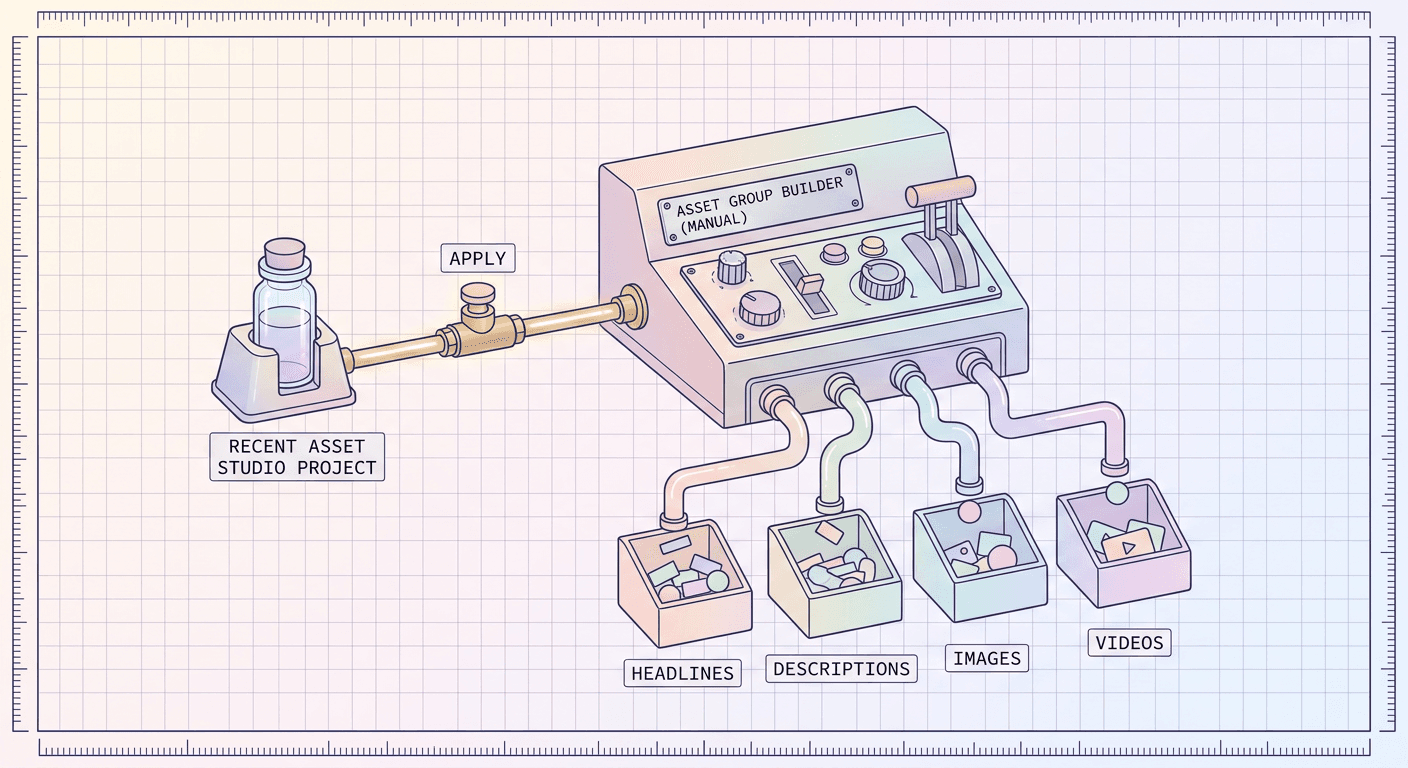
This matters most for advertisers who already have an established habit of building asset groups manually and are not ready to change that workflow entirely. The callout meets you where you already are. If you generated a batch of creative in Asset Studio an hour ago, or three days ago, and then went to build the asset group the normal way, the callout is there waiting instead of forcing you to remember where you left that creative.
Automatic Pre-Fill (Starting From the Asset Studio Workspace)
The second path flips the order of operations entirely. Instead of building the asset group first and then attaching assets, you start the campaign directly from inside the Asset Studio workspace. When you do that, Google automatically pre-fills the resulting asset group with everything Asset Studio generated for that project: headlines, long headlines, descriptions, images, and video, all placed directly into their correct slots without a manual upload step at any point.
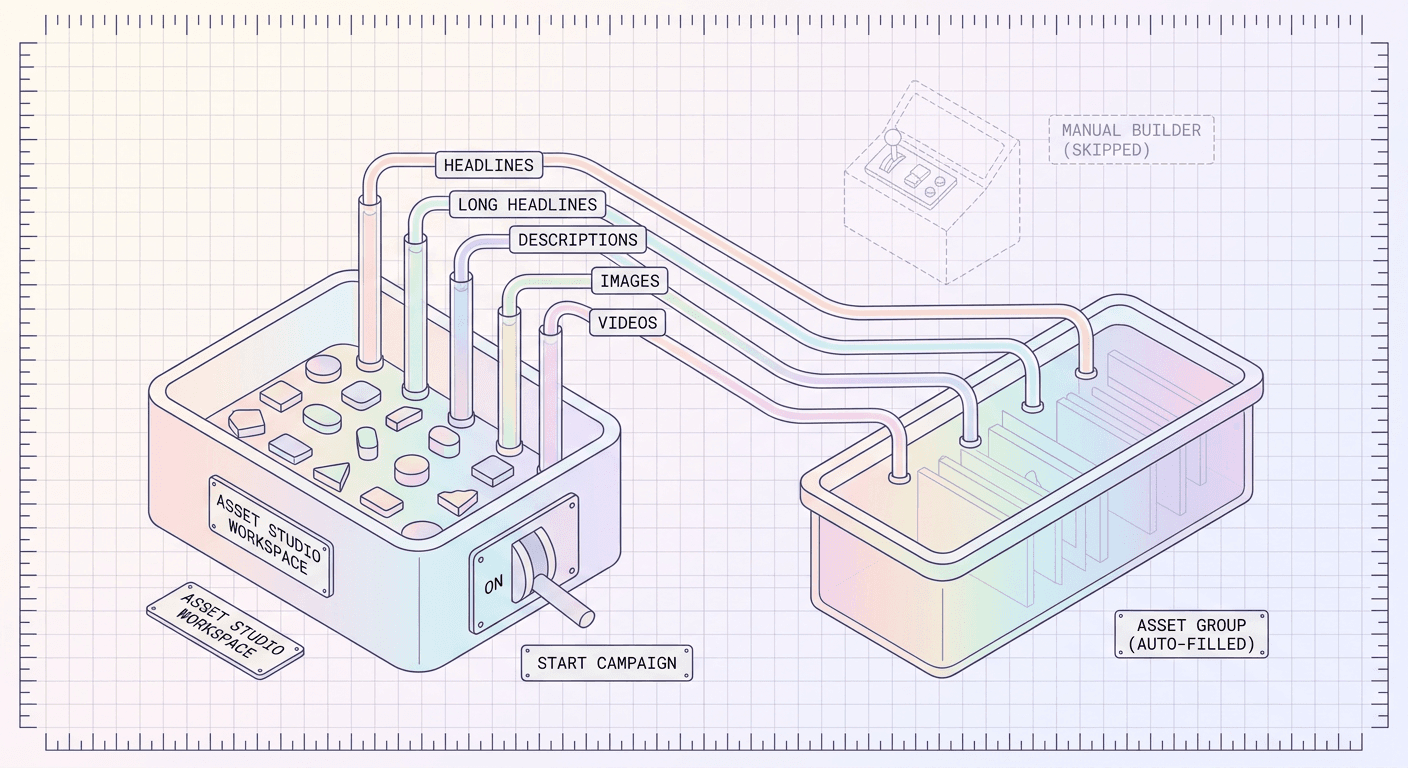
This is the more significant of the two mechanisms because it changes the default order advertisers work in. Historically, campaign structure came first and creative got slotted in afterward. Automatic pre-fill nudges the workflow toward creative-first: you generate and refine assets inside Asset Studio until you are happy with them, then launch straight from that workspace, and the asset group essentially builds itself around what you already made. For a lot of advertisers running AI-generated creative, this is closer to how the work actually happens anyway. You are not staring at an empty asset group wondering what to put in it, you are starting from a finished set of Asset Studio creative and letting Google carry it the rest of the way.
The 14-Day Saved Session Window
Both mechanisms lean on the same underlying memory: Google now keeps saved Asset Studio sessions from the last 14 days available and surfaces them ranked by recency. If you generated three different creative sets over the past week and a half, all three show up as reusable options, most recent first, whether you are looking at the in-construction callout during manual setup or browsing sessions directly inside Asset Studio to start a new campaign.
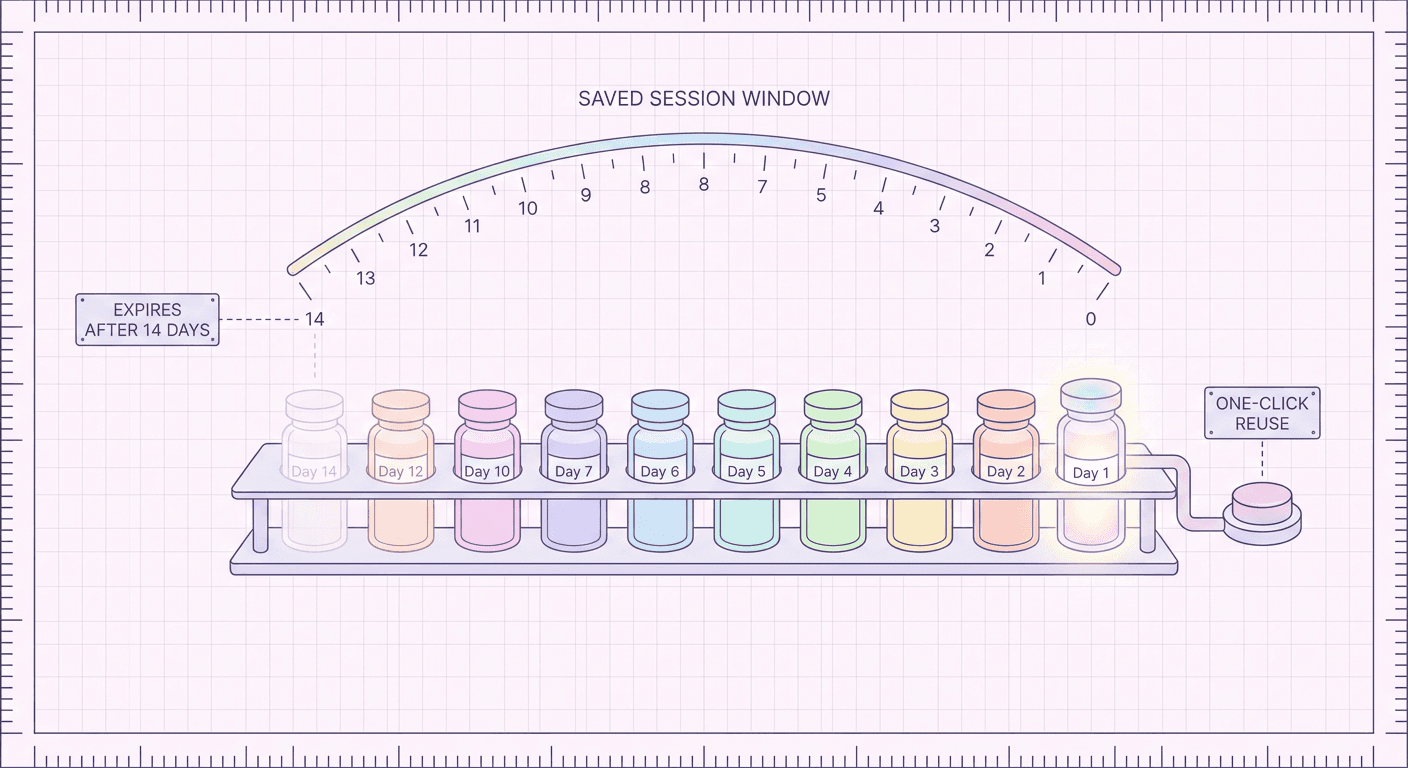
The 14-day window is a meaningful design choice worth understanding, not just noting. It is long enough to cover a normal campaign planning cycle, generate creative one week, review it internally, launch the following week, without losing the work. But it is short enough that Google is not asking you to sort through months of stale creative options. In practice this means a session you generated for a product launch, tested internally, tweaked, and came back to ten days later is still sitting there ready for one-click reuse. A session from six weeks ago is not, which keeps the picker list relevant rather than turning into an unsorted archive.
| Step | Old Manual Workflow | New Asset Studio Prefill Workflow |
|---|---|---|
| Creative generation | Generate images or video in Asset Studio, then note or download which files to use later | Generate images or video in Asset Studio, or import creative made in a tool like Miraflow's AI Video Generator or AI Image Generator |
| Asset group setup | Open the Performance Max builder and create a new asset group from a blank slate | Start the campaign directly from the Asset Studio workspace, or accept the in-construction callout inside the manual builder |
| Asset selection | Manually attach each headline, description, image, and video to its slot one at a time | Headlines, long headlines, descriptions, images, and video are pre-filled directly into the asset group automatically |
| Reusing past creative | Re-locate, re-download, or regenerate assets for every new asset group | Saved Asset Studio sessions from the last 14 days are surfaced by recency for one-click reuse |
| Ad Strength outcome | Rushed manual builds often stay thin, commonly landing at Poor or Average | A fuller, auto-populated starting set makes reaching Good or Excellent more achievable |
| Where the effort goes | Most effort spent on manual upload and attachment mechanics | Effort shifts toward generating varied, deliberate creative up front |
For more context on where this fits inside Google's broader Performance Max roadmap for 2026, it is worth reading alongside two other changes shipping around the same window: the negative-keyword, audience-exclusion, and reporting controls covered in our guide to Performance Max optimization in 2026, and the entirely separate creative-generation capability covered in our post on Gemini Omni building brand-new video ads inside Asset Studio. Those two posts are about what gets generated and how you steer the campaign once it is running. This post is about the plumbing in between: how what gets generated actually reaches a live, ready-to-launch asset group without you carrying it there by hand.
Why This Matters for Ad Strength and Campaign Performance
What Ad Strength Actually Measures
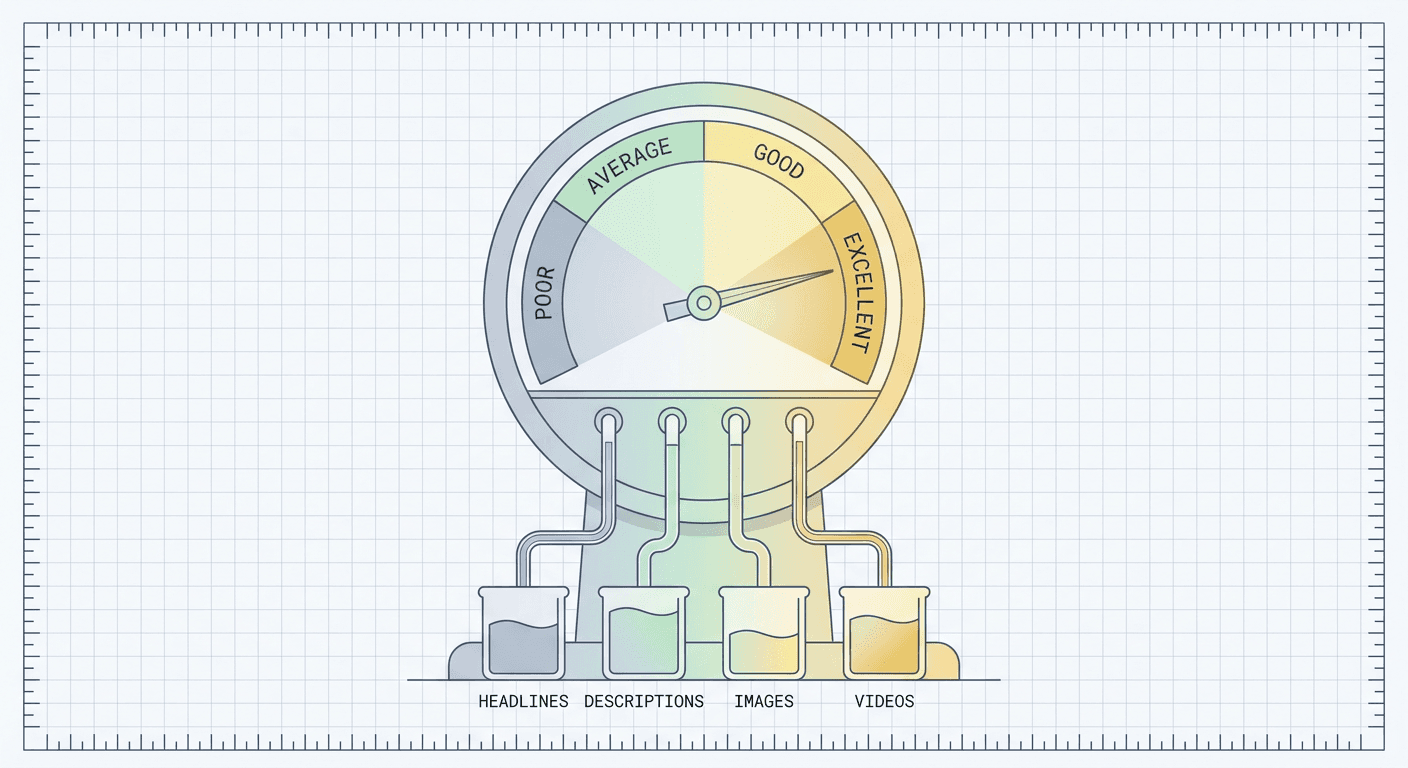
Ad Strength is not a quality score in the sense of judging whether your headline is well written. It is a diversity and coverage score. Google evaluates how many distinct, non-duplicative headlines, long headlines, descriptions, images, and videos an asset group has, how varied that content is from asset to asset, and whether there is enough raw material for the system to build and test meaningfully different ad combinations across Search, Display, YouTube, Gmail, Discover, and Maps. The rating ladder runs Poor, Average, Good, Excellent, and Google explicitly ties the new prefill pipeline to helping asset groups reach that top "Excellent" tier.
This distinction matters because a lot of advertisers treat Ad Strength like a grammar checker and get frustrated when a headline they are proud of does not move the needle. It was never scoring the headline in isolation. It is scoring the asset group as a system: does this group have enough genuinely different pieces that the auto-generated ad combinations Performance Max assembles on the fly will not feel repetitive to the same viewer across multiple placements, and will not run out of fresh material within a few days of the campaign going live.
Why More Assets, Done Right, Improves It
Performance Max builds ads dynamically by combining whatever assets are in an asset group. A group with three headlines and one description has a small number of possible combinations. A group with a dozen distinct headlines, several descriptions written from different angles, multiple images in different aspect ratios, and two or three videos has an enormous number of possible combinations, and more importantly, it has enough genuinely different material that those combinations actually differ from each other in a meaningful way rather than just reshuffling the same three ideas.
This is exactly why the prefill pipeline is a real performance lever and not just a convenience feature. Before this update, a rushed manual build commonly ended up thin: three headlines because that felt like enough, one image because that was the one file on hand, no video because pulling one together felt like a separate project. That thin asset group is precisely the shape that lands at "Average" Ad Strength, not because anything in it is wrong, but because there is not enough distinct material for the algorithm to work with. When Asset Studio auto-populates a full set, multiple headlines written with different angles, a proper spread of image aspect ratios, and video assets included by default rather than as an afterthought, the asset group starts out closer to the volume and variety that pushes Ad Strength toward "Good" or "Excellent" on its own, before you have manually added anything.
The Combinatorial Serving Mechanic
It helps to think about what actually happens after an asset group goes live. Performance Max does not run one fixed ad. It continuously tests combinations of your assets against different placements and audiences, learning which headline pairs best with which image or video for which type of viewer, and shifting delivery toward the combinations that perform. A thin asset group gives this testing process almost nothing to work with, so it converges quickly and then plateaus because there is nowhere left to explore. A fuller, more varied asset group gives the system genuine room to discover winning combinations you would not have guessed yourself, a headline that performs better paired with a specific video than with your other three headlines, an image that outperforms on Discover placements but underperforms on Display. That discovery process is the actual mechanism behind why advertisers with richer asset groups tend to see stronger performance over time, not a vague notion that "more is better," but a concrete testing surface that only exists when there is enough real material to test.
This is also where the separate steering and reporting controls we covered in the Performance Max optimization guide connect back to this post. Those controls, negative keywords, audience signals, and channel-level reporting, let you see and shape where your budget goes. But none of that changes the underlying truth that creative assets, not settings, remain the single biggest performance lever inside Performance Max. Better steering controls tell the algorithm where not to spend and let you understand where it did spend. A richer, better-prefilled asset group gives it something genuinely strong to spend that budget on in the first place.
How to Actually Use This: A Step-by-Step Walkthrough
Path 1: Starting From Asset Studio (Automatic Pre-Fill)
- Open Asset Studio and generate or gather the creative for a specific campaign concept: headlines, long headlines, descriptions, a spread of images, and at least one video if you have one available. This is the point where generating that video inside Miraflow's AI Video Generator and those stills inside Miraflow's AI Image Generator, then exporting them for upload, pays off, since you are building the source material this whole pipeline will run on.
- Review the generated or uploaded assets inside the Asset Studio workspace itself. Delete anything weak, duplicate, or off-brand here rather than letting it ride into the asset group, since the prefill step carries over whatever is sitting in the session at the moment you launch.
- Start the campaign directly from the Asset Studio workspace rather than backing out to the standard Performance Max campaign builder. This is the specific trigger for automatic pre-fill; launching from the regular builder and manually attaching Asset Studio files afterward does not get you the same one-step behavior.
- Let Google auto-populate the resulting asset group with the full set, headlines, long headlines, descriptions, images, and video, then open the asset group and do a final review pass before publishing. Check the Ad Strength meter at this point. If it is not yet at "Good" or "Excellent," this is your cue to add a few more headline or description variants rather than assuming the prefill alone guarantees a top score.
- Publish the campaign, and note the date. That Asset Studio session now sits inside the 14-day reuse window, so if you want to spin up a second asset group testing a slightly different angle for the same product, you can pull the same session back up rather than starting from zero.
Path 2: Using the In-Construction Callout on an Existing Manual Build
- Generate the creative in Asset Studio the same way as above, including Miraflow-generated video and image exports you have uploaded into the session.
- Go to the standard Performance Max asset group builder and start a new asset group the way you normally would.
- Watch for the in-construction callout partway through setup. It will reference your recent Asset Studio project by name or timestamp and offer a one-click apply.
- Confirm the apply action. This fills the relevant asset slots from that Asset Studio session instantly, the same underlying content as automatic pre-fill, just triggered from inside the manual builder instead of from the Asset Studio workspace itself.
- Finish the manual build as usual: add any remaining assets the callout did not cover, set your final URL and business name, check Ad Strength, and publish.
For Agencies Managing Multiple Accounts
The workflow above scales differently depending on how many accounts you touch in a day. A single in-house marketer running one brand's Performance Max campaigns benefits mostly from speed: fewer manual uploads per asset group, faster path to "Excellent" Ad Strength, less time lost to the tedious assembly step. An agency managing a dozen or more client accounts gets a second, larger benefit: consistency. When every account manager on a team is manually uploading assets by hand, asset group quality varies by how careful or rushed each person was that day. A newer account manager might build a thin three-headline asset group under deadline pressure while a senior one builds a full, varied set. Automatic pre-fill and the in-construction callout both reduce that variance, because the baseline asset group coming out of Asset Studio already includes a fuller spread of headlines, descriptions, and creative before anyone manually adds a thing. For an agency, that means a junior team member starting a campaign from Asset Studio produces a structurally similar starting point to a senior strategist doing the same thing, which is a genuine quality-control win across a client roster, not just a convenience for any one account.
Agencies should also treat the 14-day saved session window as a workflow tool, not just a memory aid. If a client approves a batch of creative concepts during a review call, that approved batch stays reusable across every asset group the team builds for that client over the following two weeks, rather than requiring a fresh export and re-upload for every new campaign or test variant.
Best Practices for Feeding This Pipeline Well
An automatic pipeline is only as good as what goes into it. Asset Studio pre-filling a thin, repetitive set of creative into an asset group still produces a thin, repetitive asset group, just faster. Feeding it well is where the real performance gain comes from.
Asset Variety
Generate genuinely different creative concepts, not five near-identical crops of the same shot. A useful mental model: each image or video in the set should be able to stand on its own as a reason someone might click, a different product angle, a different use case, a different emotional hook, rather than five versions of the same idea with minor color changes. Here is a sample prompt structure that works well for generating a distinct, Performance Max-ready video asset in Miraflow's AI Video Generator:
A 6 second cinematic product video for a ceramic pour-over coffee maker on a sunlit kitchen counter. Slow push-in camera move starting wide on the full counter scene, warm morning light streaming through a window on the left, steam gently rising from the pour-over as coffee drips through in real time. Shallow depth of field with the background softly blurred, a folded linen napkin and a single ceramic mug visible out of focus behind the product. Neutral warm color grade, no on-screen text, no people, no logos, product stays centered and fully in focus throughout the entire shot, no warped or distorted geometry on the ceramic surface.
And here is a companion structure for a still image asset generated in Miraflow's AI Image Generator, built to stand apart from a video-first asset rather than duplicate it:
A clean, trustworthy photo-style image for a local plumbing service ad, square 1:1 composition. A plumber's toolbelt and a set of copper pipe fittings arranged neatly on a light wooden workbench, soft even daylight from a nearby window, shallow depth of field with the nearest tool in sharp focus and the workbench edge softly blurred. Muted, professional color palette of warm wood tones, brushed metal, and denim blue. No people, no faces, no readable brand text or logos anywhere in the frame, no clutter or background mess, no warped or distorted tool shapes.
Notice both prompts describe a specific scene, subject, and use case rather than a vague "product ad" instruction. Specific prompts produce assets specific enough to actually differ from each other once they land in the asset group, which is what Ad Strength and the underlying combinatorial testing both need.
Aspect Ratios
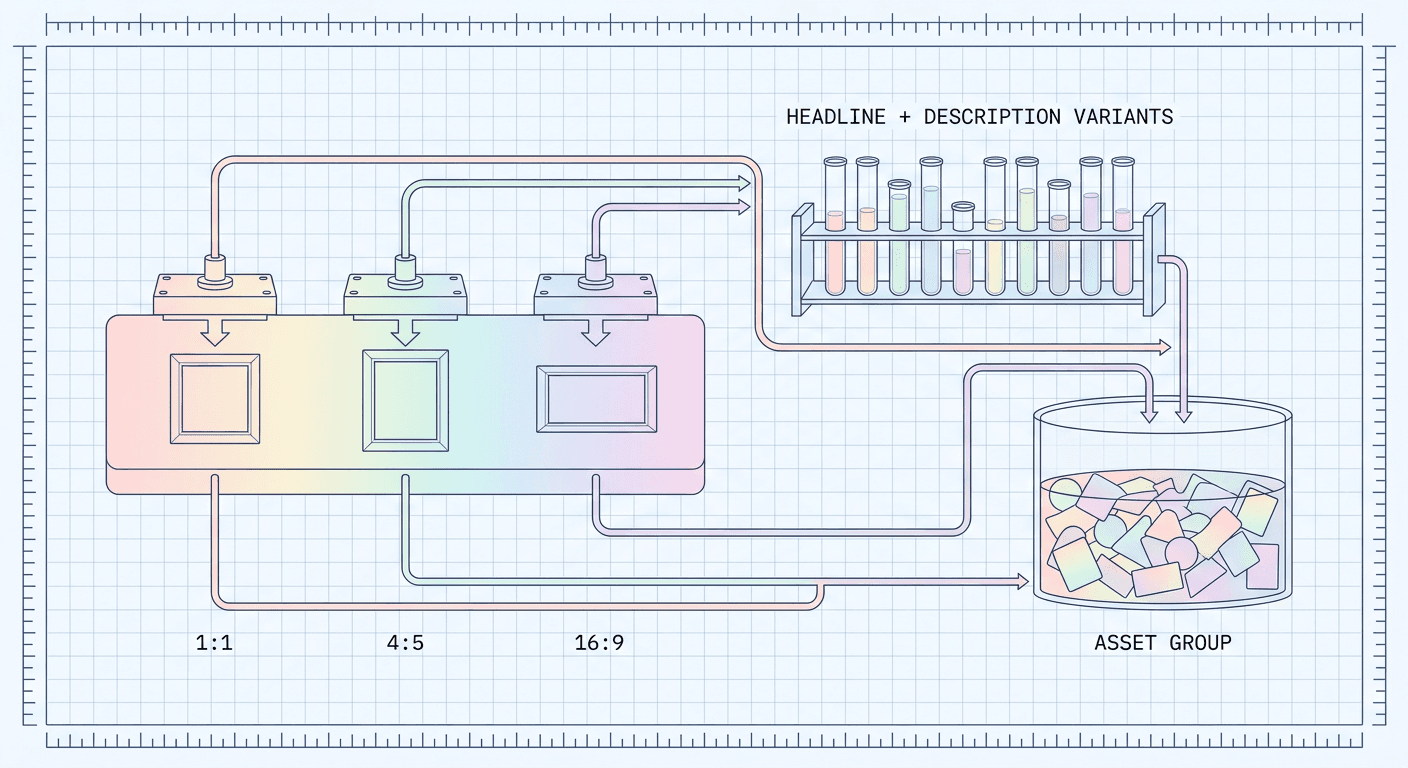
Performance Max asset groups serve across placements that expect different shapes: square and landscape images and video for Search and Display surfaces, vertical video for YouTube Shorts-style placements and Discover feeds. An asset group heavy on one aspect ratio and missing others cannot serve well across the full range of inventory Performance Max reaches, regardless of how good the creative itself is. If you are generating video, Miraflow's AI Video Generator and the vertical short-form workflow in Text2Shorts both make it realistic to produce a proper spread of ratios instead of a single 16:9 hero video and nothing else. A square or near-square still built with the YouTube Thumbnail Maker on Miraflow can double as a bold, high-contrast Display image asset even outside its original purpose, since the same principles that make a thumbnail stop a scroll apply just as well to a Display placement. Google's own generative video resizing feature for Performance Max, which we covered in detail in our guide to AI video resizing and its opt-out deadline, can help fill gaps automatically, but starting with genuinely native assets in the ratios you actually need tends to look more intentional than a resized crop, especially for a hero creative you expect to carry weight in the campaign.
Headline and Description Variation
Write headlines that lead with different angles rather than restating the same value proposition five different ways. A price-led headline, a benefit-led headline, an urgency-led headline, and a social-proof-led headline give Performance Max genuinely distinct material to test against different audiences, rather than five headlines that a viewer would read as interchangeable. The same principle applies to descriptions: vary the length and the specific detail each one leads with, since Google truncates and recombines this text across placements, and a description that only makes sense in full loses value the moment it gets cut short on a smaller placement.
Ecommerce vs Lead Generation Use Cases
The right asset mix differs by business model. Ecommerce advertisers generally benefit from product-forward imagery, lifestyle shots showing the product in use, and short video that demonstrates the product rather than just displaying it statically, since Performance Max ecommerce campaigns lean heavily on Shopping and Display surfaces where a still product photo often outperforms abstract branding. A Miraflow-generated cinematic product video paired with several square and vertical product stills covers that range well, and a short instrumental track from Miraflow's AI Music Generator can round out a demo video that would otherwise rely on silence or a stock track.
Lead generation advertisers, service businesses, local professionals, B2B software, tend to perform better with creative that establishes trust and clarity over pure visual polish: a clear statement of the service, a recognizable setting or context, and descriptions that answer the obvious objection a prospective lead has before they click. A video asset here often works best as a short, direct explainer rather than a purely aesthetic showcase. Because Asset Studio's prefill pulls in whatever mix you generated, a lead-gen advertiser should deliberately generate a service-and-trust-focused set rather than reusing an ecommerce-style creative template out of habit.
Small Local Advertiser vs Agency Scale
A small local advertiser, a single-location business running its own Performance Max campaign, gets the most value from this update simply by using both prefill paths consistently instead of falling back to manual uploads out of habit. The time saved matters more relative to a small team's total marketing bandwidth. For that advertiser, the practical move is to batch-generate a full asset set in Asset Studio once every couple of weeks, covering headline variety, description variety, and a real spread of image and video aspect ratios, then lean on the 14-day saved session window to reuse and remix that batch across any new asset groups or seasonal campaigns launched in that window.
An agency running dozens of accounts benefits more from standardizing the input side of this pipeline: building a repeatable internal checklist for what a "complete" Asset Studio session should include before anyone on the team is allowed to launch a campaign from it, headline count, description variety, aspect ratio coverage, at least one video. Because the prefill pipeline carries forward whatever is in that session, a strong internal standard upstream turns into a structurally strong asset group downstream for every account the team touches, without needing to audit each asset group by hand after the fact.
Common Mistakes
Treating the prefill as a finish line instead of a starting point. The pipeline gets you to a populated asset group fast, but "populated" and "strong" are not the same thing. Always open the resulting asset group and check the Ad Strength meter before publishing rather than assuming automatic pre-fill guarantees "Excellent" on its own.
Feeding it a thin or repetitive Asset Studio session. If the source session only has two headlines and one image, prefill will faithfully carry exactly that thin set into the asset group. The pipeline removes manual upload friction, it does not manufacture variety you never generated in the first place.
Ignoring the 14-day expiration and losing reusable work. Advertisers used to the old manual workflow sometimes keep regenerating creative from scratch out of habit, not realizing a strong session from the past two weeks is sitting there ready for one-click reuse. Check the saved sessions list before starting a fresh generation.
Applying the in-construction callout without reviewing what it actually contains. The one-click apply is fast precisely because it skips a review step. Confirm the specific Asset Studio project the callout is referencing is actually the right one for this campaign, especially on accounts running multiple concurrent creative tests, before accepting it.
Skipping video because it feels like extra work. Video remains one of the highest-leverage asset types for Ad Strength and for reaching YouTube and Discover placements, and it is exactly the asset type most likely to get skipped in a rushed manual build. Generating a short cinematic clip in the AI Video Generator on Miraflow ahead of time removes the excuse to leave that slot empty.
Assuming this replaces the steering and reporting work covered elsewhere. Prefill solves creative assembly, not targeting or measurement. Advertisers still need the negative keyword, audience exclusion, and reporting controls detailed in our Performance Max optimization guide to actually steer and evaluate the campaign this asset group runs inside.
Confusing this feature with Asset Studio's generation capabilities. Prefill is about how already-generated assets reach the asset group, not about generating new creative from a brief. For that separate capability, see our coverage of Gemini Omni generating brand-new video ads inside Asset Studio.
Frequently Asked Questions
Does automatic pre-fill work for existing asset groups, or only new ones? The mechanics Google has described apply to building and populating an asset group at creation time, either by starting the campaign from the Asset Studio workspace for full automatic pre-fill, or by accepting the in-construction callout while manually building a new asset group. For an asset group that is already live, you would still add Asset Studio assets to it directly rather than expecting an existing group to auto-refresh from a new session.
What happens to a saved Asset Studio session after 14 days? Google surfaces saved sessions from the last 14 days, ranked by recency, for one-click reuse in the callout and the workspace picker. Sessions outside that window are no longer surfaced the same way, which is a strong reason to actually use or reuse a strong session within that two-week period rather than letting it sit.
Does using prefill guarantee "Excellent" Ad Strength? No. Prefill makes it meaningfully easier to reach "Excellent" by starting the asset group with a fuller, more varied set of assets than a rushed manual build typically has, but Ad Strength is still evaluated on the actual content of the asset group. A thin or repetitive Asset Studio session will still produce a thin or repetitive prefilled asset group.
Can I still build an asset group fully manually if I prefer? Yes. Neither mechanism removes the standard manual builder. The in-construction callout is an optional offer that appears during manual setup, and you can dismiss it and continue uploading assets by hand if that is genuinely what you want to do.
Does this feature generate new creative, or only move existing creative? It moves existing creative. Prefill takes assets that already exist inside an Asset Studio session and places them into a Performance Max asset group. Generating entirely new video from a text brief is a separate capability, covered in our post on Gemini Omni inside Asset Studio.
Do I need to use Google's own generation tools inside Asset Studio, or can I upload creative made elsewhere? Asset Studio accepts uploaded assets alongside anything generated inside it. Many advertisers generate video and image creative in a dedicated tool like Miraflow, using its AI Video Generator or AI Image Generator, export the files, and upload them into an Asset Studio session specifically so that creative can then move through this same prefill pipeline into a live asset group.
Does this affect Search campaigns that were auto-upgraded to AI Max? Not directly. Asset Studio prefill is a Performance Max asset group mechanic. Search campaigns auto-upgraded to AI Max, which we covered separately in our post on Google Ads auto-upgrading Search campaigns to AI Max, follow their own asset and targeting rules, though the same general principle, that varied, well-made creative outperforms a thin asset set, applies across both.
Is there a limit to how many asset groups can pull from the same saved session? Google has not published a specific cap, and the practical pattern advertisers are using is to reuse a strong session across several related asset groups, for example testing the same product creative with different audience signals or landing pages, rather than treating each session as single-use.
Conclusion
The headline feature here is not that Google Ads can generate creative with AI. It already could, and the actual generation story, including Gemini Omni building entirely new video ads from a brief, is a separate and genuinely bigger leap covered in its own post. What changed on September 2, 2026 is quieter but arguably more useful day to day: the distance between generating creative and having it live inside a Performance Max asset group just got much shorter. The in-construction callout meets advertisers inside their existing manual workflow, automatic pre-fill replaces that workflow entirely for anyone willing to start from Asset Studio, and the 14-day saved session window means none of that generated creative goes to waste between review and launch.
None of this replaces the actual work of making good creative in the first place. A pipeline that moves a thin, repetitive asset set faster still produces a thin, repetitive asset group, just with less friction along the way. The advertisers who benefit most from this update will be the ones who treat Asset Studio as a real creative production step, generating genuine variety in headlines, descriptions, images, and video, whether that creative comes from Google's own generation tools, from Miraflow's AI Video Generator and AI Image Generator, or from a mix of both, and then let this new pipeline carry that work into a live asset group instead of losing time to the manual assembly that used to sit in between.
If your current Performance Max asset groups are stuck at "Average" or "Good," this is a genuinely good moment to rebuild the input side of that process. Generate a fuller, more deliberately varied set of creative inside Miraflow, export it into an Asset Studio session, and let the prefill pipeline carry it the rest of the way toward the asset group your campaign actually deserves.