YouTube Custom Feeds Explained: How Creators Get Found in the New AI-Built Homepage Tabs (2026)

Written by
Aerin Kim
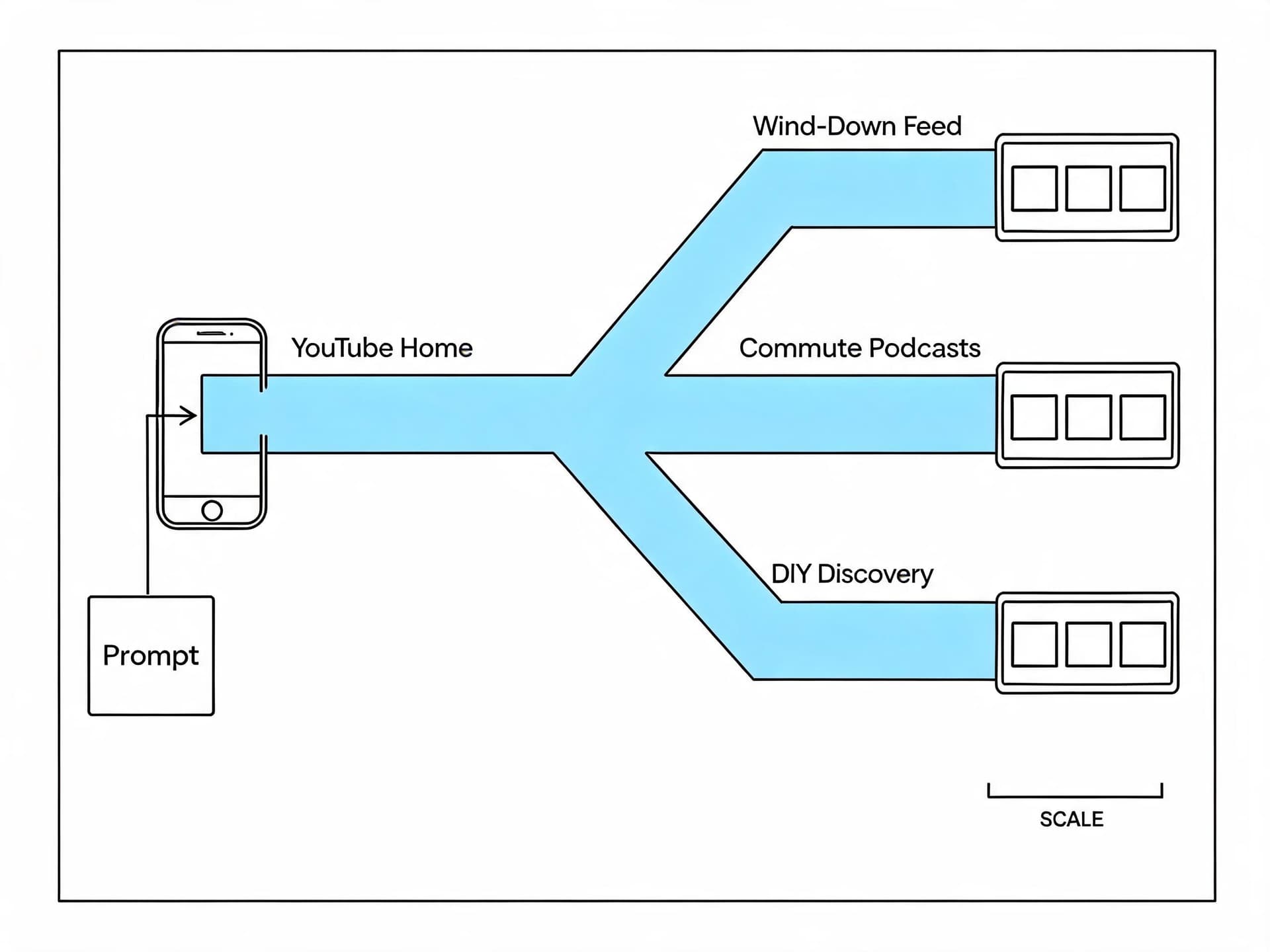
YouTube's new Custom Feeds let viewers build homepage tabs from a typed prompt. Here is exactly how the feature works and what creators should fix to actually show up in one.
If you have opened YouTube in the last couple of weeks and noticed a new tab sitting next to Home, you are not imagining it. YouTube announced Custom Feeds at its Made on YouTube 2026 event on September 23, and the company has started rolling the feature out to signed-in viewers in the United States on web, mobile, and TV this fall. A viewer types a plain-language description of what they want to watch, Gemini builds a dedicated recommendation tab around it, and that tab sits next to the regular Home feed rather than replacing it.
For creators, this is not just another UI tweak to scroll past. It is a second, intent-driven discovery surface running in parallel with the algorithm you already spend hours trying to understand, and almost nobody has published a clear breakdown yet of what it actually changes for the people making the videos. That is the gap this guide fills.
TL;DR: YouTube's Custom Feeds let any signed-in viewer type a prompt like "relaxing commentary videos for winding down before bed" and get a dedicated homepage tab built around it by Gemini. Early coverage and YouTube's own Help Center page agree on the mechanics: one active custom feed per account right now, prompts that expire after 30 days without use, and ranking that still runs through YouTube's normal recommendation system rather than handing viewers direct control. The practical upshot for creators is that clear, specific, intent-matched titles, descriptions, and chapters now do double duty, because they are read by both the recommendation algorithm and whatever natural-language prompt a viewer typed to build their feed. Creators already producing short-form content for YouTube Shorts, Instagram Reels, and TikTok with a tool like Miraflow's Text2Shorts have a real head start here, since generating a script and set of scenes around one stated topic naturally produces the kind of single-subject, clearly-labeled video Custom Feeds seems built to reward.
What YouTube Custom Feeds Actually Are
YouTube has tried versions of viewer-controlled recommendations before. The company tested a feature called "Your Custom Feed" with a small group of users back in November 2025, and it had earlier experimented with letting viewers directly steer the broader Home algorithm, an approach it reportedly shelved after users worried about accidentally wrecking their own recommendations. Custom Feeds is the version that shipped widely, and it is deliberately more contained than that earlier experiment.
Here is what the mechanic actually looks like, based on YouTube's own Help Center documentation and corroborated by outlets including TechCrunch and TechRepublic:
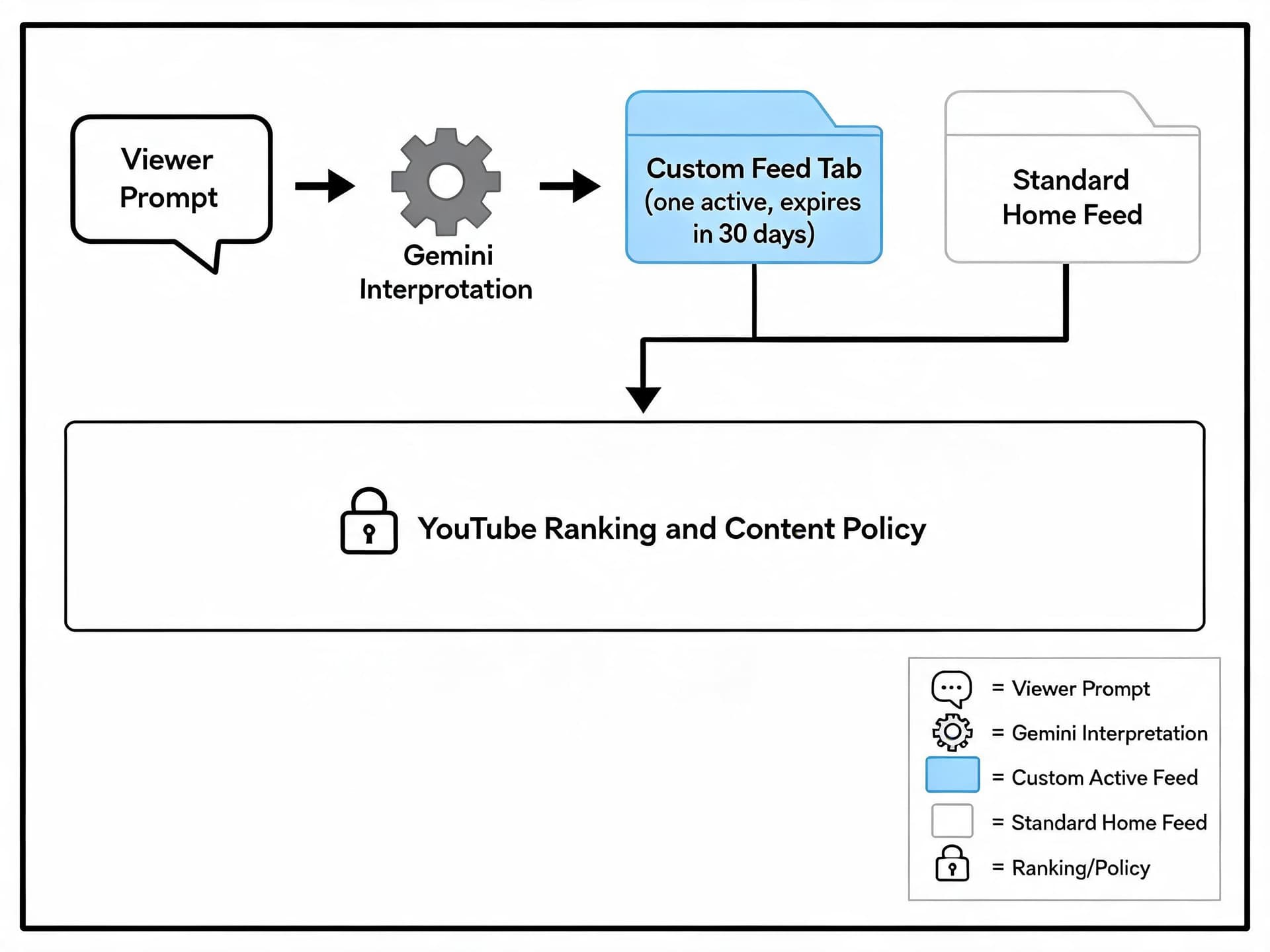
A viewer on the Home tab taps "Your custom feed" near the top of the screen. They either type a prompt describing what they want ("video podcasts I can half-watch on a 30-minute commute" is one of YouTube's own examples) or tap a suggested prompt button. Gemini interprets that description and assembles a feed of videos that match it, which then lives in its own tab alongside the standard Home feed. Refreshing the tab pulls new recommendations built from the same prompt, so it behaves more like a standing search than a one-time result.
A few mechanical details matter more to creators than the breezy press coverage usually mentions. YouTube's support page is explicit that you can maintain one active custom feed at a time right now, not several running in parallel, despite some early articles describing it as an open-ended number of feeds. A feed also expires after 30 days of inactivity, at which point it disappears and the viewer has to type a new prompt to get one again. And critically, YouTube is careful to frame this as Gemini interpreting a request within the existing recommendation system, not viewers getting direct access to the ranking algorithm itself. The platform still decides which videos qualify, which content policies apply, and how videos are actually ordered inside that tab.
| Detail | What YouTube actually confirms |
|---|---|
| Announced | September 23, 2026, at Made on YouTube 2026 |
| Built with | Gemini interprets the typed prompt |
| Active feeds per account | One at a time, per YouTube's Help Center |
| Expiration | 30 days of inactivity, then the feed disappears |
| Availability | Experimental; English language, United States only, as of this writing |
| Ranking control | Still governed by YouTube's normal recommendation and policy system, not handed to viewers |
| Monetization | Views from a custom feed count the same as Home feed views for watch time and monetization |
That last point is worth sitting with. Custom Feeds changes what a viewer can ask for, not how YouTube ranks the answer. Watch time, click-through rate, and session satisfaction still govern what actually appears, which means none of the fundamentals that already matter for discovery on the platform, covered in detail in our breakdown of YouTube's Partner Program bar hike, go away. Custom Feeds adds a new lens on top of them rather than replacing them.
Why YouTube Is Doing This Now
Three things are converging at once, and understanding them explains why this feature landed in September 2026 specifically rather than at any earlier point in YouTube's history.
Competitive pressure from algorithm-fatigue platforms. Bluesky introduced selectable custom feeds back in 2023 and added a natural-language feed-creation tool of its own earlier in 2026, and that "describe what you want" pattern has been spreading. Instagram shipped its own viewer-facing control panel this year with Your Algorithm, which we broke down in our guide to Instagram's Your Algorithm feature, letting users see and adjust some of what is steering their Reels feed. TikTok has leaned the other direction with heavier use of explicit interest signals through comments and search. YouTube's version splits the difference: instead of exposing dials inside the existing feed, it spins up a brand new tab that leaves Home untouched.
AI Overviews and chat-style search changed what "search" means on the platform. Earlier in 2026, YouTube launched Ask YouTube, a conversational search tool, and at the same September event it extended that tool with shopping features that return comparison tables based on a viewer's stated preferences. Custom Feeds and Ask YouTube are really two faces of the same underlying shift: YouTube increasingly treats a viewer's typed sentence, not just their watch history, as a first-class input into what they see next. Once you have built the natural-language interpretation layer for one feature, reusing it for a second one is a much smaller lift.
Watch-time economics still favor making recommendations feel accurate rather than exhaustive. YouTube has always prioritized watch time and viewer satisfaction signals over raw volume of suggestions, and a feed a viewer explicitly asked for is, almost by definition, going to score higher on perceived relevance than one the general algorithm guessed at. If Custom Feeds genuinely increases satisfaction per session, it is a cheap way to lift the platform's core engagement numbers without touching the main recommendation model that every other surface depends on.
None of this is YouTube handing viewers the keys. It is YouTube adding a second entry point into the same car, which is an important distinction for how creators should actually respond.
How This Changes Discovery for Creators, by Channel Size
Custom Feeds does not affect every channel the same way, and treating it as one universal piece of advice misses the more useful breakdown.
For small and newer channels (under roughly 10,000 subscribers): This is the biggest potential upside of the feature. A viewer's custom feed prompt often explicitly asks for something outside their existing subscriptions, YouTube's own examples lean toward discovery framing like "a feed for finding new DIY creators." A small channel making tightly-focused, clearly-labeled videos in a specific niche has a real shot at surfacing in a feed built around that exact niche, even with zero watch history connecting that viewer to the channel. This is functionally a cold-start discovery surface, something small channels have always struggled to get from the standard algorithm, which leans heavily on existing viewer behavior patterns.
For established channels (100,000+ subscribers) with broad content: The risk runs the other way. A channel that covers five different topics loosely under one brand is harder for Gemini to cleanly match against a specific prompt than a single-subject video from a smaller, more focused channel. Established creators with a wide topic spread should expect Custom Feeds to reward their most narrowly-focused individual videos rather than their channel as a whole, which argues for treating each video's title and description as its own standalone pitch rather than leaning on channel-level brand recognition to carry a vague one.
For creators already ranking well in search: There is likely meaningful overlap between what already works for YouTube search (clear, specific titles that match how people phrase queries) and what works for Custom Feeds (clear, specific prompts that describe intent). If your search performance is already strong, you are probably better positioned for Custom Feeds than you might assume, because both systems reward the same underlying clarity.
What Actually Gets a Video Into a Custom Feed
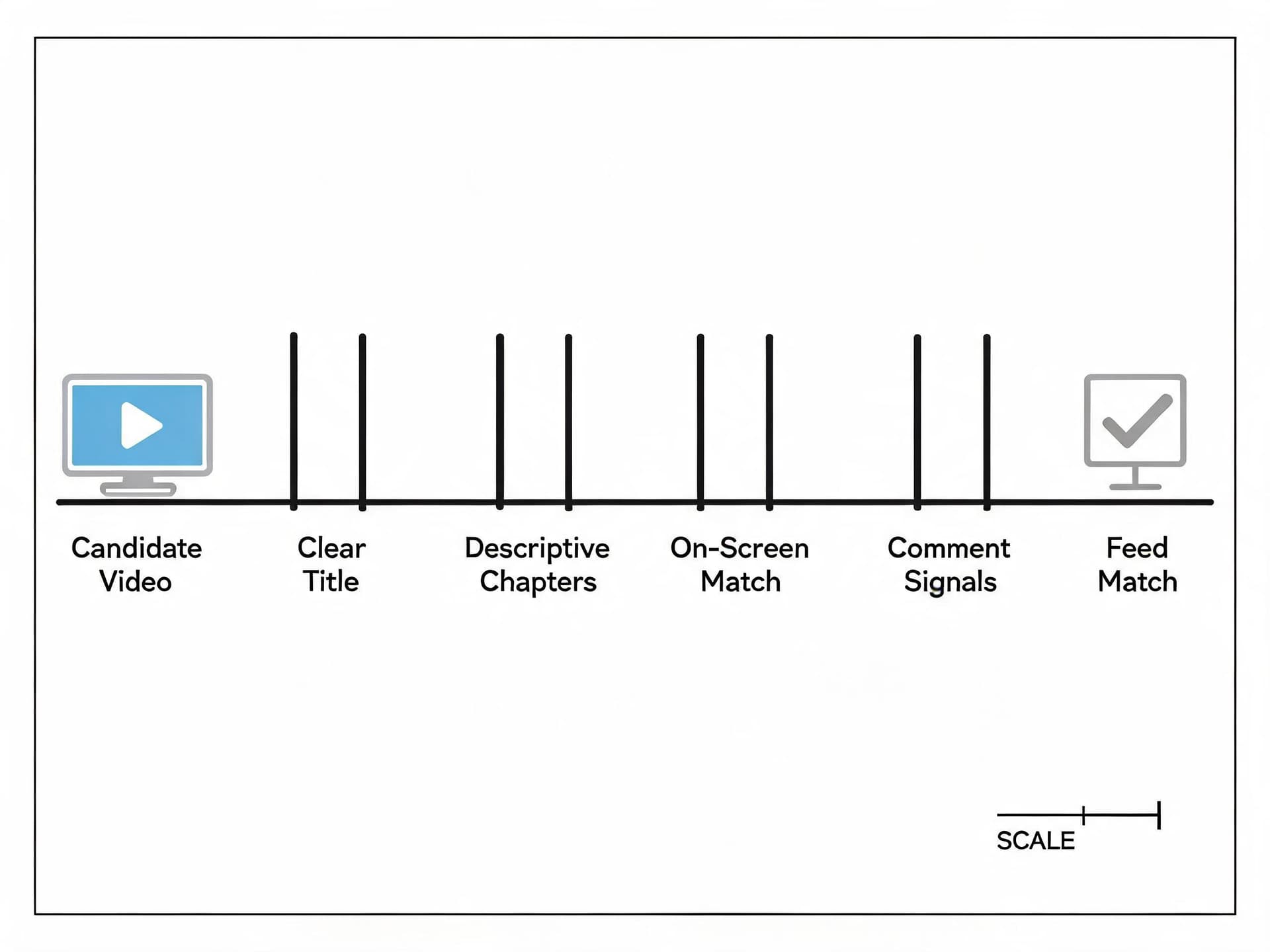
YouTube has not published a technical spec for exactly how Gemini matches videos to a custom feed prompt, and any claim to the contrary should be treated skeptically. But the mechanics YouTube has confirmed, combined with how its other AI-driven tools like Ask YouTube are documented to work, point to a consistent set of signals worth optimizing for.
A clearly stated topic in the title
Custom feed prompts are natural-language descriptions of intent. A title that states its subject plainly, "How I Edit Vertical Video in DaVinci Resolve" rather than "My New Workflow," gives both the standard algorithm and a natural-language prompt-matching system the same clean signal to latch onto. Vague, clickbait-first titles that rely on curiosity rather than topic clarity are the single biggest thing working against inclusion here, because there is no topic for a prompt-matching system to match against in the first place.
One subject per video, not a grab bag
A single-product review or a single-technique tutorial gives any matching system (prompt-based or algorithmic) a clean target. A video that covers five loosely related tips in one sitting is harder to match cleanly against a specific request like "advanced lighting setups for low-budget home studios," because the video is actually five smaller answers stitched together. This mirrors exactly what YouTube says about how its Ask YouTube feature works, mapping a viewer's question to the specific moment a video answers it, and the same logic plausibly extends to feed-level matching.
Chapters and timestamps that describe what happens, not just when
Chapter markers that say "Setup," "Problem," and "Fix" are far less useful to any system parsing content than chapters that say "Why the Audio Was Clipping," "Testing Three Fixes," and "The Setting That Actually Fixed It." Specific, descriptive chapters double as a structured outline of the video's content, which is exactly the kind of signal a matching system can use regardless of whether a human or an AI model is doing the reading.
Visible, on-screen content that matches the stated topic
If your title and description promise a specific demonstration, showing that demonstration on screen (not just describing it in voiceover) matters more under an AI-interpreted system than it did before, because YouTube's own tools are increasingly capable of understanding what is actually shown, not just what is said. A thumbnail and title promising "before and after color grading" that never actually show a clean before/after split on screen creates a mismatch between the promise and the content that any AI-driven matching layer is more likely to catch than a pure watch-history algorithm would have been.
Comments and pinned corrections
Ask YouTube is documented to summarize viewer comments as part of answering a question, and it is reasonable to assume related systems draw on the same signal. A pinned comment correcting a mistake, adding a missing step, or clarifying a detail is not just good community management anymore, it is plausibly part of the content signal a feed-matching system reads.
None of these signals are new advice exactly. Clear titles and specific chapters have always mattered for YouTube search and the general algorithm. What is new is that getting them right now does double duty across a second, intent-driven surface that did not exist a month ago.
A Worked Example: Fixing a Video for Intent-Matching
Take a realistic before-and-after. A creator uploads a 14-minute video titled "My Morning Routine," with a description that reads "come hang out with me today!" and generic, time-stamp-only chapters ("0:00 Intro," "3:20 Part 2," "9:15 Outro"). The content itself is actually a detailed breakdown of a specific productivity system, time-blocking combined with a particular journaling method, wrapped in routine-vlog framing.
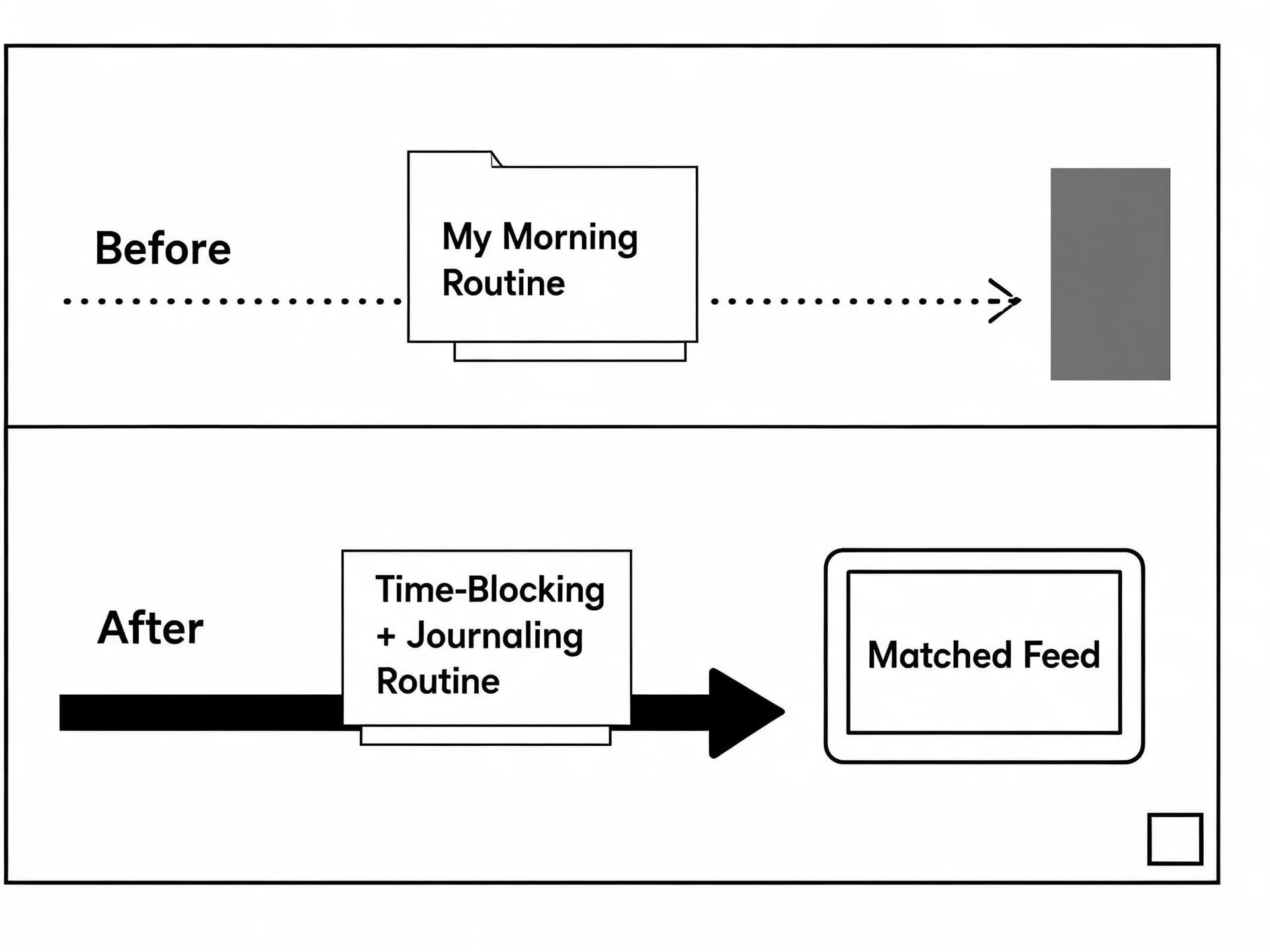
Under the standard algorithm, this video can still perform if the creator has an engaged subscriber base that watches morning-routine content regardless of framing. Under a prompt-matching system, it is nearly invisible. A viewer typing "a feed about time-blocking and productivity journaling methods" has almost nothing in the title, description, or chapters to match against, even though the actual content is a perfect fit.
The fix is not to abandon the vlog framing entirely, since that framing may still be what hooks the creator's existing audience, but to make the specific, matchable topic explicit somewhere in the metadata that both systems read. A revised title like "My Time-Blocking + Journaling Morning Routine (The System That Actually Stuck)" keeps the personal framing while giving a prompt-matching system an actual topic to grab. Chapters that read "0:00 Why My Old Routine Failed," "3:20 The Time-Blocking Method," "9:15 The Journaling Prompts I Use" turn the structure itself into a map of the content. None of this requires reshooting anything. It is purely a metadata and framing fix, the kind of pass that takes fifteen minutes on an already-finished video.
This is also exactly the kind of clarity that AI Clipping on Miraflow is built to surface automatically: when you paste a long video into Miraflow's AI Clipping tool, it transcribes and analyzes the full video, identifies the distinct viral moments inside it, and scores each one, which is a fast way to see which specific, nameable sub-topics are actually buried inside a loosely-framed longer video before you ever touch the title or chapters.
How YouTube Custom Feeds Compares to Instagram and TikTok's Discovery Controls
Every major platform is now giving viewers some form of explicit input into their feed, but the mechanics differ enough that a strategy built for one does not automatically transfer to another.
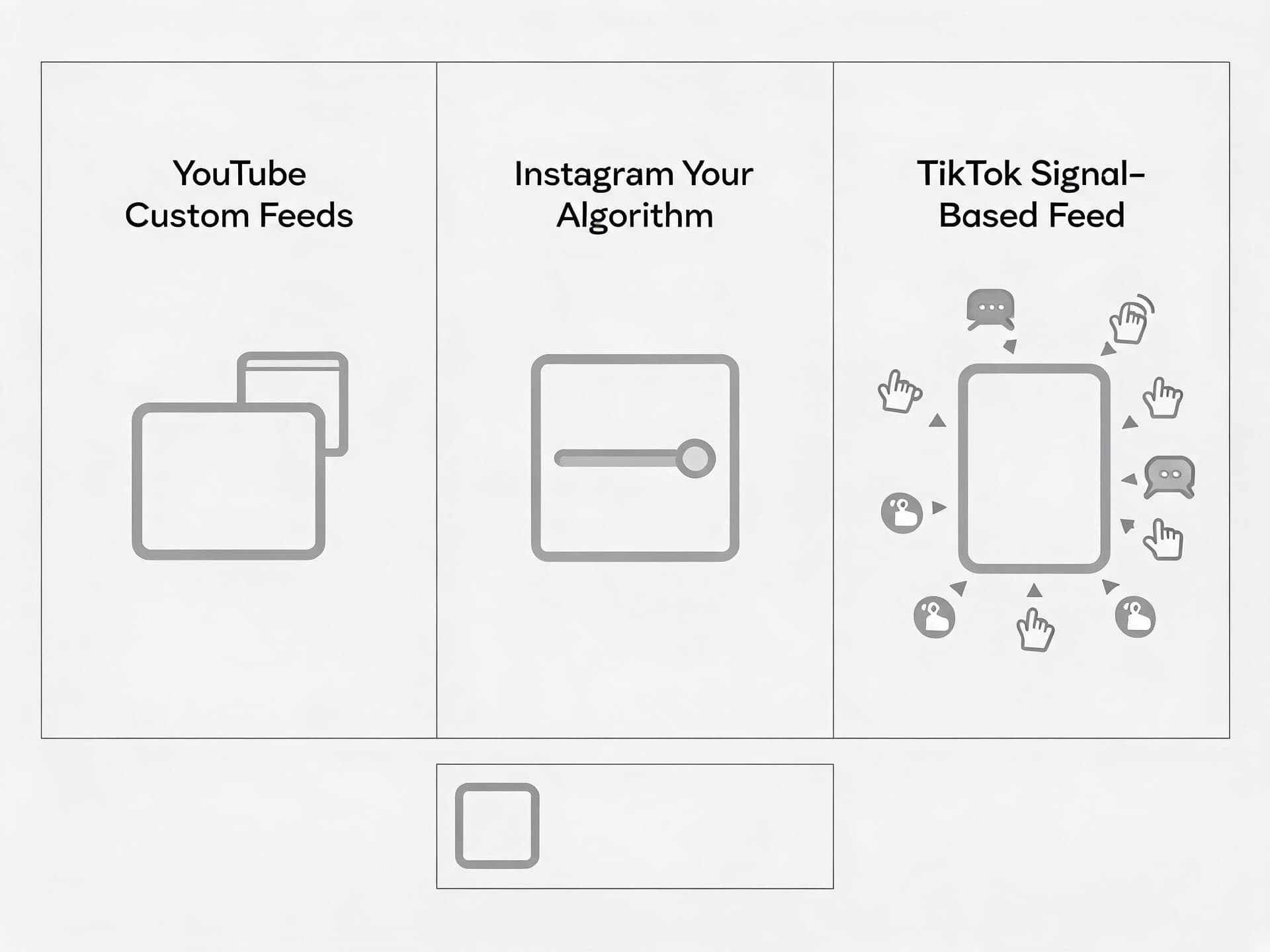
YouTube Custom Feeds work through a single natural-language prompt that spins up a dedicated tab, separate from Home, with one active feed per account and a 30-day expiration if left untouched. The underlying ranking logic stays with YouTube's existing recommendation system.
Instagram's Your Algorithm, covered in our deep dive on Instagram's Your Algorithm feature, works differently: it exposes a more direct, ongoing set of controls inside the existing Reels feed itself rather than spinning off a separate tab, letting viewers see categories of content currently weighted into their recommendations and adjust those weights directly.
TikTok has largely avoided a dedicated "build your own feed" UI and instead leans on existing signals, search behavior, comment interactions, and explicit "not interested" taps, to shape the main For You feed, treating the whole feed as the single surface rather than splitting out a separate intent-driven tab.
The practical takeaway for a creator who publishes across all three platforms, something Miraflow's Text2Shorts is specifically built to support by generating platform-native vertical video for YouTube Shorts, Instagram Reels, and TikTok from one script, is that YouTube and Instagram are both moving toward giving viewers explicit vocabulary to describe what they want, while TikTok still rewards implicit behavioral signals more than stated ones. A single piece of content built with intent-matching in mind (a clear stated topic, a specific hook, a legible structure) tends to travel well across all three, but the YouTube and Instagram versions benefit most directly from spelling that intent out in text metadata, since both platforms now have features that explicitly read it.
Common Mistakes Creators Are Already Making With This
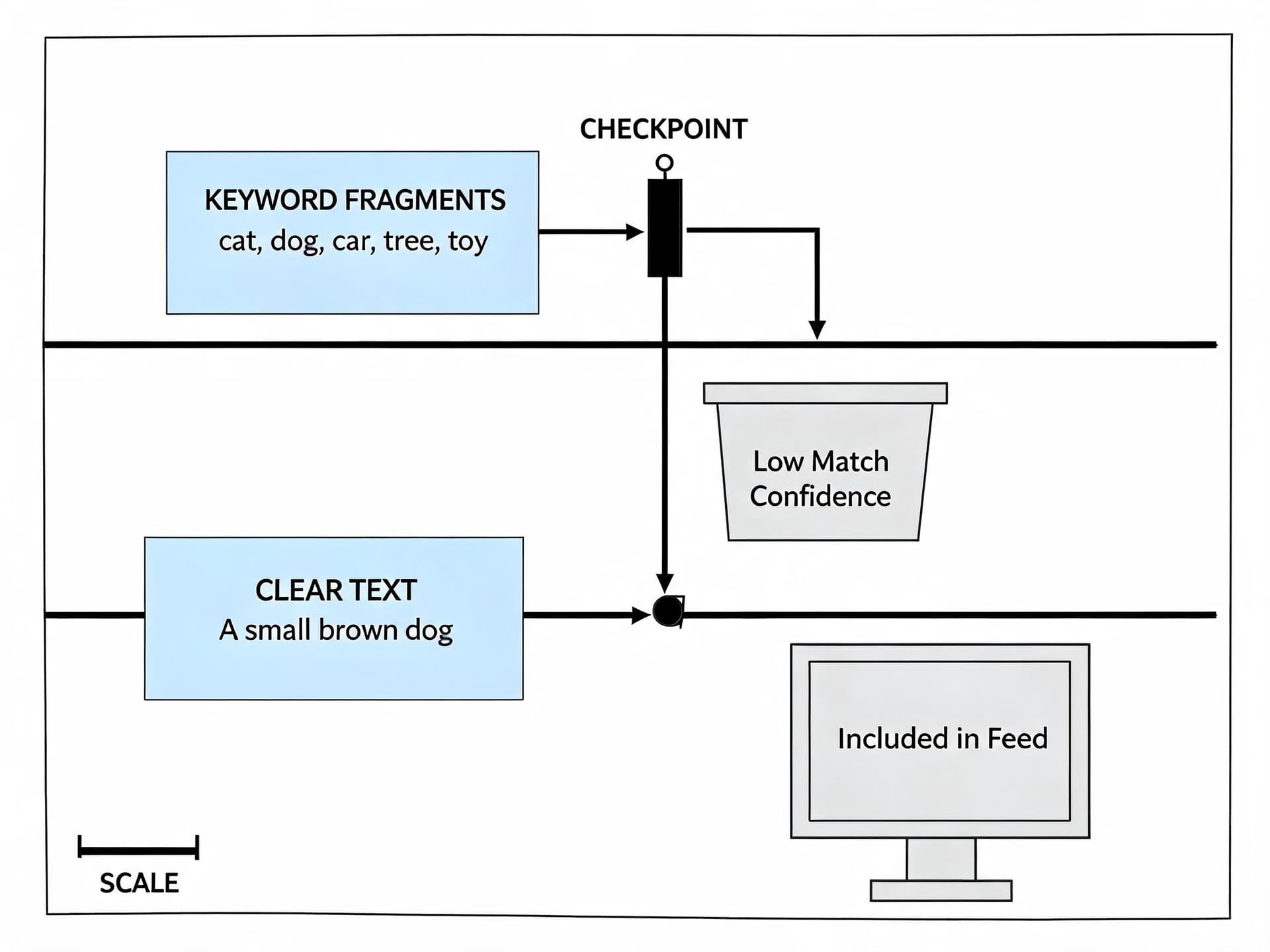
Treating Custom Feeds as a ranking hack. Keyword-stuffing a title or description to try to trip a prompt match is very likely to backfire. YouTube's broader AI tools, including Ask Studio (which we cover in our guide to how Ask Studio works), are built around natural language understanding specifically because it is harder to game than exact keyword matching. A title that reads like a list of search terms rather than a sentence a human would actually say is a worse fit for an AI-interpreted system, not a better one.
Assuming Custom Feeds applies to everyone immediately. The feature requires a signed-in account with watch and search history turned on, an English-language device setting, and a US location, and YouTube itself has not published a firm date for broader international rollout. A creator checking their own channel and seeing no obvious change yet may simply be looking in a region or account configuration where the feature has not landed, not evidence that the feature does nothing.
Ignoring that only one feed exists at a time. Several early articles described Custom Feeds as supporting multiple simultaneous feeds per viewer. YouTube's own Help Center page says otherwise: one active custom feed, expiring after 30 days of inactivity. Planning a content strategy around an assumption that viewers are juggling five parallel niche feeds overstates how entrenched any single custom feed is likely to become for a typical viewer right now.
Forgetting that views still count the same way. YouTube's documentation is explicit that watch time and monetization from a custom feed count exactly as they do from the standard Home feed. There is no separate, lesser-value category of view here, so there is no reason to deprioritize content that seems like a good fit for an intent-driven tab versus the general feed.
Rewriting every old video's title at once. A sudden mass title-and-description rewrite across an entire back catalog is more likely to confuse existing search rankings built up over months or years than to meaningfully boost custom feed inclusion for a brand new, lightly-tested feature. Start with new uploads and a handful of your best-performing existing videos, not your entire library.
Building Content That Actually Fits an Intent-Driven Feed
The through-line across everything above is that a single-subject, clearly-labeled, well-structured video is the one that benefits most from every discovery surface YouTube is building right now, Custom Feeds, Ask YouTube, and the standard algorithm alike. That is also exactly the kind of video that is fastest to produce when you start from a defined topic instead of a vague vlog concept.
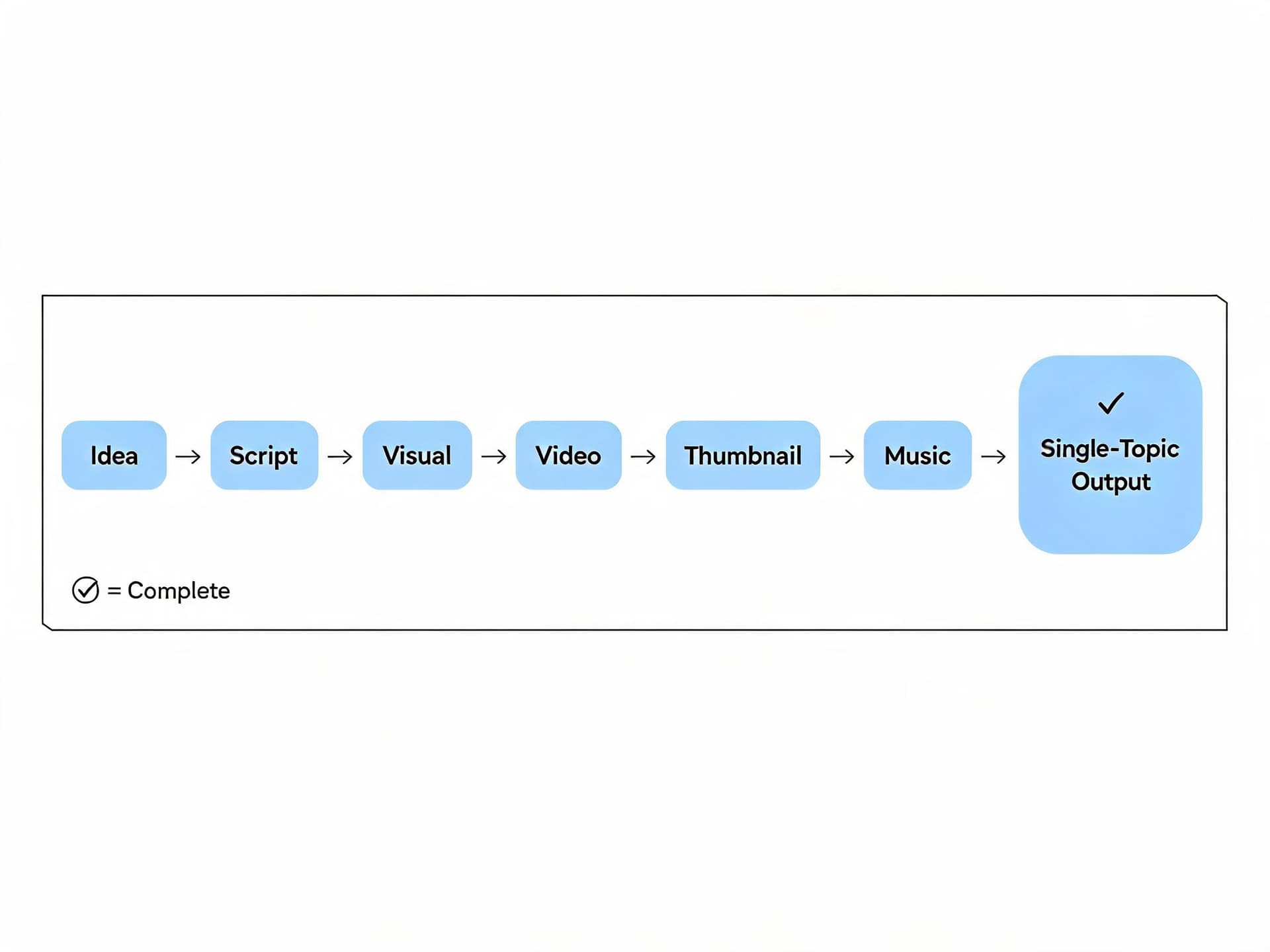
Miraflow's workflow runs idea to script to visual to video to thumbnail to music in one pipeline, which naturally produces that kind of focused output. Inside Text2Shorts, you enter one topic, choose a visual style, and Miraflow generates a script built around that single stated subject, which you can edit before it generates the matching scene visuals and voice-over. Because the whole process starts from one topic instead of a loose creative brief, the resulting video already has the kind of clear, single-subject framing that a prompt-matching system is built to recognize, without any extra metadata cleanup pass required afterward.
For longer-form content you have already filmed, running it through Miraflow's AI Clipping tool breaks a single long video into several shorter, scored clips, each one centered on one identifiable moment rather than the loosely-connected whole. If you are still choosing between clipping tools for this exact workflow, our comparison of Opus Clip alternatives walks through how several options, including Miraflow, handle this differently. And once a video or clip is finished, pairing it with a title and thumbnail built around the same single stated topic, rather than a generic curiosity-gap image, closes the loop. Miraflow's YouTube Thumbnail Maker lets you generate a thumbnail from a prompt or your own uploaded footage and add clear, readable thumbnail text, which is a fast way to make sure the visual promise on the outside of the video matches the specific topic described inside the title and chapters.
If your long-form uploads also feed a podcast-style back catalog, our guide on turning a podcast into viral short-form clips covers the same single-subject clipping logic applied specifically to spoken-word content, which tends to be exactly the kind of material viewers describe wanting in a custom feed prompt ("video podcasts for my commute" is one of YouTube's own stated examples).
Test Prompts to Check Your Own Channel's Visibility
If you have access to YouTube's Custom Feeds feature already, one of the fastest ways to get a feel for how your own content might surface is to type a few intent-based prompts into your own custom feed box and see what comes back, then compare that against your own catalog. Try adapting these with your actual niche in place of the bracketed text.
Show me in-depth [your niche] tutorials from creators I don't already follow
I want calm, slow-paced [your niche] videos for winding down before bed
Give me 10 to 15 minute [your niche] videos I can watch on a commute that I haven't seen yet
Find new [your niche] creators making videos as good as the biggest channels in this space
Run each prompt, scroll through the first page of results, and check two things honestly: would a video from your channel realistically belong in that list based on its current title and description, and if not, what specific wording is missing. This is a cheap, repeatable way to pressure-test your own metadata against the exact kind of language real viewers are now able to type directly into YouTube.
What Might Come Next
A few things are worth watching as Custom Feeds matures past its initial US rollout. YouTube has not said whether the one-feed-at-a-time limit is permanent or an early-stage constraint that loosens as the feature stabilizes, the way many YouTube features launch narrow and expand. International rollout timing is still unannounced, which matters for any creator whose audience sits mostly outside the US. And the shopping-table extension of Ask YouTube, announced at the same event, suggests YouTube is building toward feeds and search results that surface structured information (comparisons, specs, organized recommendations) rather than just a ranked list of videos, which would be a meaningfully bigger shift for product-review and comparison-style channels specifically.
None of that changes the practical advice today. Make your title state your topic. Make your chapters describe what happens, not just when. Make your on-screen content match what your title promises. Those were already good practices before Custom Feeds existed, and now there is a second, growing surface on YouTube that reads them just as literally as a human would.
Frequently Asked Questions
Does Custom Feeds replace the regular YouTube Home feed? No. A custom feed lives in its own tab next to the standard Home feed, which stays exactly as it was. Viewers can switch between the two freely.
How many custom feeds can one viewer have at once? According to YouTube's own Help Center, one active custom feed per account right now. Some early press coverage described multiple simultaneous feeds, but that is not what YouTube's official documentation states.
Does a custom feed expire? Yes. A feed expires after 30 days without use, at which point the viewer needs to enter a new prompt to build another one.
Can creators see which custom feed prompts led viewers to their videos? YouTube has not published any analytics breakdown specific to custom feed traffic as of this writing. Views from a custom feed count the same as views from the standard Home feed for watch time and monetization purposes, but there is currently no separate reporting tag distinguishing the source inside YouTube Studio.
Is Custom Feeds available outside the United States yet? Not as of this writing. YouTube's Help Center describes the feature as experimental, available in English in the United States, with no announced timeline for other regions or languages.
Will keyword-stuffing a title help a video show up in more custom feeds? There is no evidence this helps, and reasoning from how YouTube's other natural-language AI tools are documented to work, it likely hurts. These systems are built around understanding plain-language intent, which rewards a title phrased the way a person would actually describe the video, not a string of search terms.
Does this feature change how YouTube's core recommendation algorithm works? No. YouTube has been explicit that Gemini is interpreting a viewer's stated request within the existing recommendation and ranking system. The platform still determines which videos qualify and how they're ordered. Viewers are not getting direct access to the ranking algorithm itself.
Conclusion
YouTube Custom Feeds is a genuinely new discovery surface, not just a cosmetic addition to the Home tab, and it rewards almost exactly the same fundamentals that already mattered for YouTube search and the general algorithm: a clearly stated topic, one subject per video, descriptive chapters, and on-screen content that matches what the title promises. The creators who adapt fastest will not be the ones chasing a clever prompt-matching trick, since the mechanics genuinely do not support one, they will be the ones who simply get more disciplined about stating their video's actual topic in plain language, in the title, the description, and the chapter markers, the same way a viewer now types their own request into a box at the top of their homepage. Building that discipline into your workflow from the start, rather than retrofitting it after the fact, is exactly where a tool like Miraflow fits in: starting every video from one defined topic through Text2Shorts, clipping existing long-form content into single-subject pieces with AI Clipping, and finishing with a thumbnail from the YouTube Thumbnail Maker that matches the same stated topic end to end.