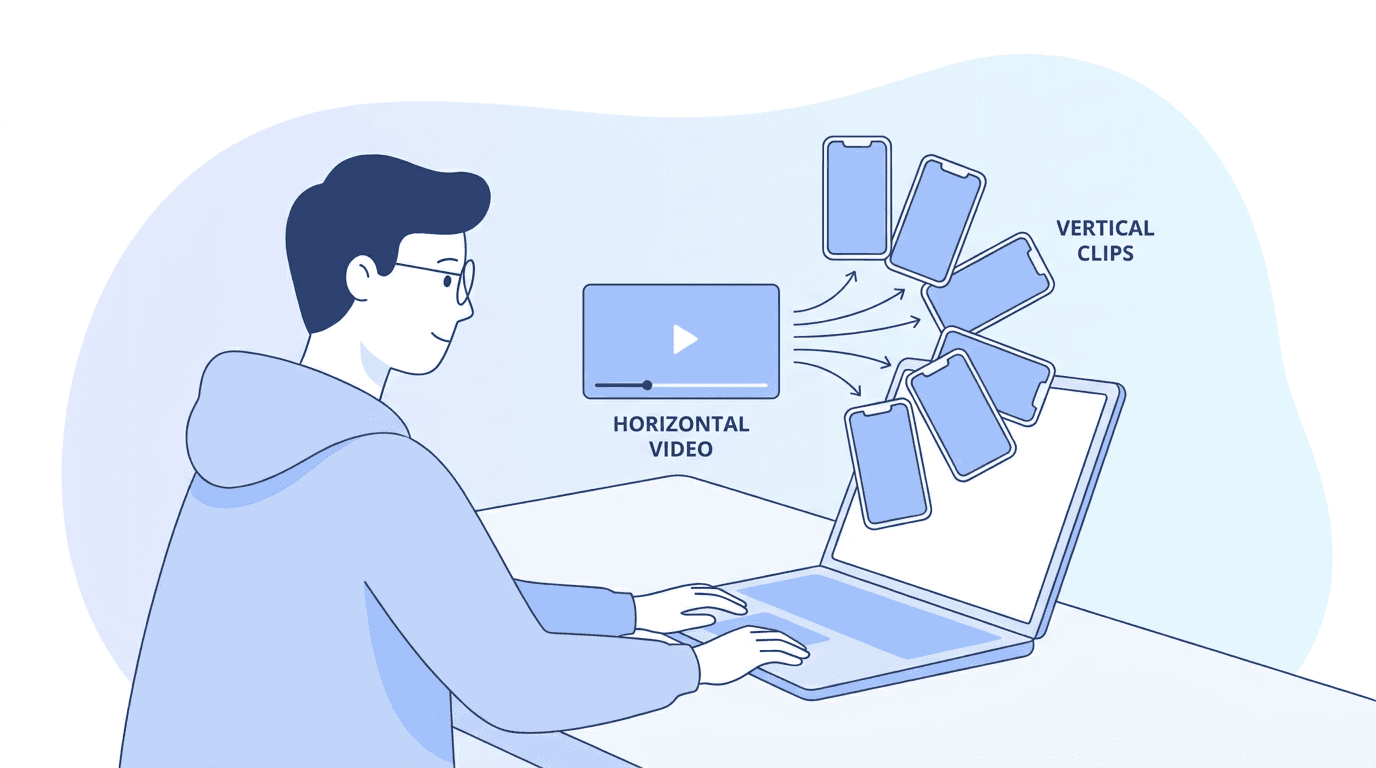
How to Turn a Podcast Into Viral Short-Form Clips With AI in 2026

Written by
Aerin Kim

Turning one podcast episode into a dozen viral clips is mostly an AI workflow now. Here's the real step-by-step process, clip counts, platform lengths, and tool picks for 2026.
You record a genuinely good episode. The guest says something sharp forty minutes in, you both laugh, and the conversation has an actual moment in it. Then the episode goes up on Spotify and Apple Podcasts and gets roughly the same few hundred plays your last dozen episodes got. Meanwhile someone else screenshots a minute of a similar conversation, adds captions, and it pulls a couple million views on TikTok by the end of the week.
That gap almost never comes down to who had the better guest or asked the smarter question. It comes down to what happened to the raw recording after the mics turned off. A ninety-minute episode sitting in a podcast feed is genuinely hard to discover, since nobody stumbles into a podcast app looking for a show they have never heard of. A forty-second vertical clip with the sharpest line up front, captioned, cropped to fill a phone screen, gets shown to people who have no idea your show exists and no plan to subscribe to anything. It just has to be good enough to hold their thumb for a few extra seconds.
Turning a long recording into that kind of clip used to mean paying an editor or spending your Sunday scrubbing a two-hour timeline looking for the good five minutes. By 2026 that job has mostly moved to AI, and it is close to table stakes for any podcast that wants an audience beyond the people who already know to look for it. Miraflow's AI Clipping tool is built specifically around this workflow. Paste a YouTube link or upload a video, and it transcribes the whole thing, finds the moments most likely to work as a standalone clip, scores each one, and hands back several vertical shorts with captions already burned in and the framing already cropped to follow whoever is talking.
This guide walks through the entire process end to end: how AI actually finds a good moment in hours of raw footage, how many clips you should realistically expect from one episode, what length actually works on which platform, how video and audio-only podcasts differ once you start clipping them, and the mistakes that quietly kill a clip's reach before it gets a real chance.
TL;DR: The Short Version
If you only have five minutes, here is the workflow this guide covers in detail.
- Record video whenever you can, not just audio. Even a static two-camera setup gives an AI clipping tool something real to crop and frame.
- Feed the full episode into an AI clipping tool like Miraflow's AI Clipping, Opus Clip, or Descript instead of manually scrubbing a long timeline hunting for moments.
- Expect somewhere between 10 and 30 usable clips out of a typical 45 to 90 minute episode, not a fixed number every time. A handful of strong clips beats a folder full of filler cuts nobody watches past three seconds.
- Match clip length to the platform. A TikTok hook clip and a YouTube Shorts explainer clip are not built the same way, even from the same source moment.
- The single biggest lever on whether a clip gets watched past the first few seconds is the line you open on, not the caption font or the transition you put around it.
Why Podcast Clips Became the Real Growth Channel in 2026
For most of podcasting's history, the show itself was the product and everything else was marketing for it. That has quietly flipped for a lot of creators. The clips are now frequently the bigger audience, and the full episode is what a fraction of that audience eventually graduates into once a clip earns their attention. A guest appearance that gets forty listens in the podcast app can produce a clip that gets watched by a few hundred thousand people who never open a podcast app at all.
Part of this is just platform math. TikTok, Instagram Reels, and YouTube Shorts all reward native vertical video with strong early retention, and none of them care whether that video came from a scripted short or a slice of a two-hour conversation. A well-chosen podcast moment, a strong opinion, an argument, a story with a real turn in it, often performs better than a produced short because it feels unscripted in a way a written script rarely manages. Viewers can tell the difference between someone reciting lines and someone actually reacting to what they just heard, and the second one holds attention longer.
The other part is distribution logic that is easy to underestimate if you have not thought about it directly. How the YouTube algorithm decides who sees your Shorts in 2026 breaks down how much of Shorts distribution runs on watch time and rewatch behavior rather than subscriber count, which matters enormously here. A brand-new channel with zero subscribers can have a clip put in front of a large audience purely because the clip itself performs, something that almost never happens with a long-form podcast episode sitting in a niche category with a small existing audience.
None of this replaces the basics of a good podcast presentation. A strong clip gets a stranger's attention, but a compelling show identity is still what turns a one-time clip viewer into an actual subscriber once they check out your feed on Spotify or Apple Podcasts. Our AI prompts for podcast cover art that stands out on Spotify and Apple is worth a look if your cover art has not been touched since launch day, since a clip that drives someone to check out your show only to land on a forgettable cover art thumbnail loses some of that momentum right at the finish line.
Video Podcasts vs Audio-Only: Why the Source Format Actually Matters for Clipping
This is worth being honest about early, because it changes what a clipping workflow can actually do for you. Edison Research's Infinite Dial 2026 study, one of the longest-running and most cited pieces of podcast audience research in the US, found that video podcast consumption moved ahead of audio-only consumption industry-wide in Q3 2025, a genuine shift after years of audio being the default assumption for the format. Audiences increasingly expect to see the people talking, not just hear them, and a growing share of new listeners are discovering shows on YouTube first rather than in a traditional podcast app.
For clipping specifically, video changes what an AI tool has to work with. A video source gives a clipping tool a face to track, an expression to react to, and body language that reinforces the line being said, all of which make the smart face-tracking crop that tools like Miraflow's AI Clipping apply actually meaningful rather than a static center frame. An audio-only episode can still be clipped well, using a waveform visualization, a static branded background, or automatically generated B-roll, and captions do most of the heavy lifting in that case since there is no face or reaction to hold attention on its own. But if you are recording a new show from scratch in 2026 and clipping is part of the plan, even a simple two-camera or single-camera video setup meaningfully raises the ceiling on what your clips can look like, since the AI has real footage to crop instead of a flat waveform to animate.
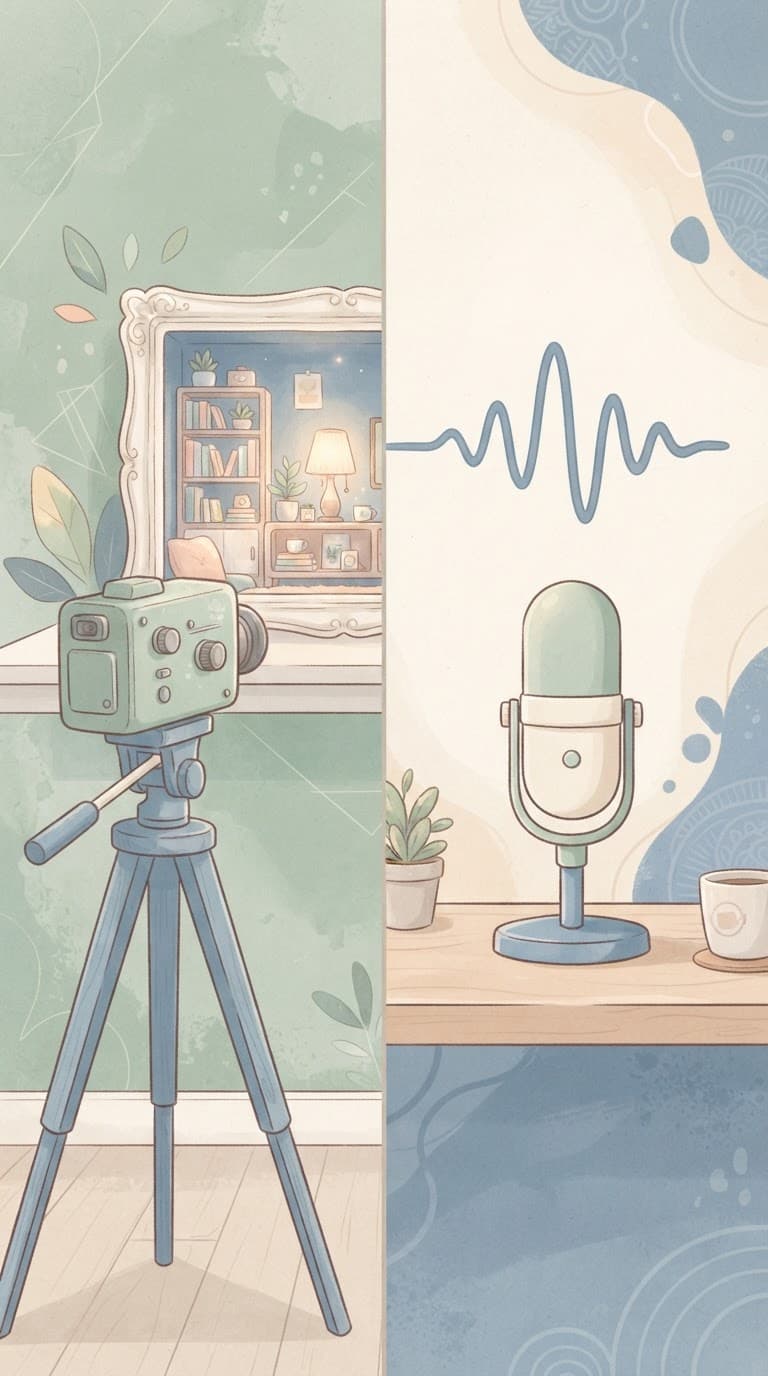
If your show is already audio-only and re-recording is not realistic, do not treat that as disqualifying. Plenty of genuinely viral clips run on a strong quote over a simple animated waveform and clean captions, since the line itself is doing the work. It just means moment selection matters even more, because there is no visual reaction to carry a weaker line.
The Step-by-Step AI Clipping Workflow
Here is what the actual process looks like end to end, whether you are doing it with Miraflow, Opus Clip, or another AI clipping tool. The tools differ in interface and a few controls, but the underlying workflow is close to identical across all of them.
Step 1: Record With Clipping in Mind, Not Just the Full Episode
You do not need a studio to get this right. What matters most is a clean audio track (a decent USB mic beats a laptop mic by a wide margin for how captions and transcription quality turn out), consistent framing if you are on camera, and resisting the urge to talk over your guest during the moments most likely to become clips. A guest's sharpest line getting talked over by your own reaction ruins a clip that would otherwise have worked cleanly. If you record remotely, tools like Riverside record each participant's track locally, which produces a cleaner separated file for an AI clipping tool to work with than a single mixed Zoom recording.
Step 2: Get a Full, Accurate Transcript
Every modern AI clipping tool starts by transcribing the entire episode, and transcript quality is the foundation everything else is built on. A transcript full of misheard names, technical terms, or crosstalk makes moment detection noticeably worse, since the AI is essentially reasoning over text, not directly over audio waveforms, when it scores which moments to surface. This step happens automatically inside a tool like Miraflow's AI Clipping the moment you paste in a YouTube URL or upload your file, but it is worth reviewing the transcript briefly if your show uses a lot of jargon, brand names, or non-English terms the model might not recognize well.
Step 3: Let AI Identify and Score the Viral Moments
This is the actual core of the workflow and the part that used to take a human editor hours of scrubbing. With Miraflow's AI Clipping, once you paste in a YouTube URL or upload a video, it analyzes the entire episode, looking at what was said, how it was said, and where the energy in the conversation shifts, then ranks candidate moments with a viral score so you are not left guessing which clip to trust. This is fundamentally a pattern-matching problem: the model has effectively seen an enormous number of clips that performed and did not, and it is looking for the same shape in your footage, a sharp claim, a story with a clear turn, a moment of genuine disagreement or surprise.

For a closer look at the mechanics behind this specific step, How to Use AI Clipping to Turn Long Videos Into 10 Viral Shorts Automatically walks through the process in more depth, including how the automatic vertical cropping and ranking actually behaves across different kinds of source footage.
It is worth understanding that this scoring is a strong starting point, not gospel. The AI is very good at surfacing candidates a human would have to listen for hours to find manually, but it does not know your audience's inside jokes, running bits, or which guest just landed a bigger media moment that makes a specific quote newly relevant. Treat the ranked list as a shortlist to review, not a queue to publish blindly, a point worth returning to later in this guide.
Step 4: Set Your Clip Parameters Before You Generate
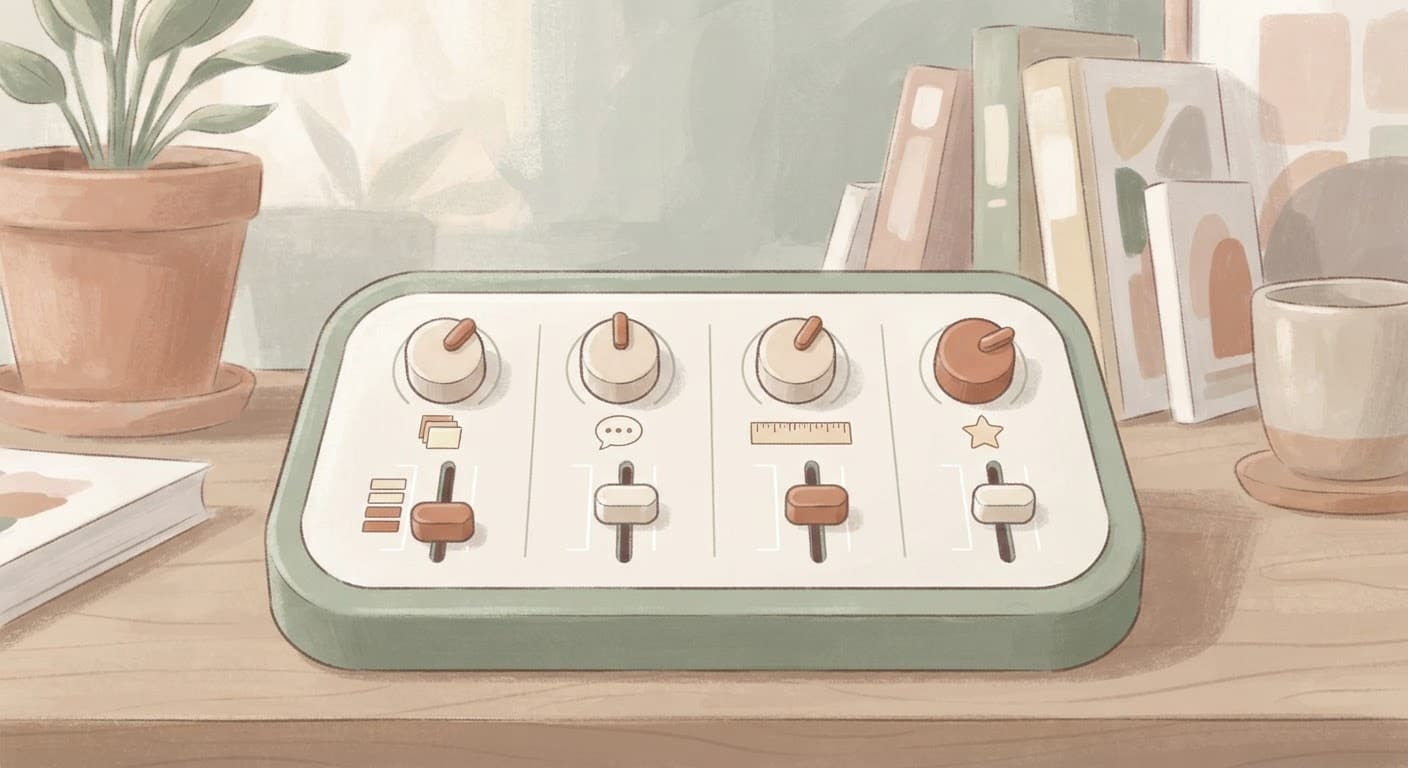
This is where a workflow like Miraflow's actually saves real editing time later, because you set the constraints up front instead of fixing output after the fact. Before generating, you control:
- Max clips, the number of shorts you want back from one long video
- Auto captions, toggled on or off depending on whether you want to style them yourself
- Minimum and maximum clip duration, so a 12-second hook and a 45-second story are not forced into the same length
- Language, with auto-detection across 50+ languages as the default, useful if your show has multilingual guests or you are clipping for an audience outside your primary language
Setting a sensible duration range matters more than it sounds like it should. If you leave the range too wide, the tool will sometimes stretch a strong 20-second moment to fill 60 seconds with weaker surrounding context, which dilutes exactly the thing that made the moment work in the first place.
Step 5: Generate and Review, Don't Just Publish the Top Score
Once you click generate, clips come back auto-cropped to vertical at 1080x1920, ready for TikTok, Reels, and Shorts, with the smart face-tracking crop following whoever is speaking and animated karaoke-style captions already applied. Watch every clip before it goes anywhere. This takes a few minutes and catches the two most common issues: a clip that got cut a beat too early or late relative to the actual punchline, and a clip that is technically accurate to what was said but loses context that made it land in the full conversation.
Step 6: Adjust Captions and Framing Where It Actually Matters
Auto-captions handle the vast majority of the work correctly, but proper nouns, acronyms, and any guest name that is spelled unusually are worth a quick pass. A misspelled name in a caption undercuts credibility in a way that is disproportionate to how small the error actually is, since it is often the first thing a new viewer notices. If your show uses recurring terminology, a quick manual fix here is a five-second task, not a re-edit.
Step 7: Turn Your Best Clip Into a Full YouTube Short With a Real Thumbnail
Not every clip needs to stop at a vertical short. If one clip clearly outperforms the rest once it is live, it is often worth building a slightly longer standalone YouTube Short or even a full upload around that same moment, with a purpose-made thumbnail rather than an auto-generated frame. Miraflow's YouTube Thumbnail Maker is built for exactly this step, letting you generate a thumbnail from a prompt, optionally use your own or your guest's face, and add short punchy text without opening a separate design tool. Since Shorts on YouTube now support custom thumbnails, a strong one can be the difference between a Short that gets skipped in a feed and one that gets tapped on, something covered in more depth in YouTube Shorts Custom Thumbnails Are Here.
Step 8: Post With Platform-Specific Habits, Not One Copy Everywhere
Cross-posting the exact same export to TikTok, Reels, and Shorts works fine as a baseline, but a few small habits noticeably help each platform's own algorithm. On TikTok, native trending sounds layered quietly under a clip can help discovery even when the clip itself is spoken word. On Reels, a caption in the post text that adds context the video does not spell out tends to pull more comments. On Shorts, a strong title matters more than on the other two platforms, since it shows up as visible text in the feed rather than being hidden behind a tap. YouTube Shorts vs TikTok vs Reels: Which Platform Pays More is a useful read if you are trying to decide where to prioritize posting time once you have more clips than you can promote equally everywhere.
How Many Clips Should You Actually Make From One Episode
This is one of the most common questions creators ask once they realize AI clipping can generate more shorts than they know what to do with, and the honest answer is a range rather than a fixed number, because it depends heavily on episode length and how much genuinely clip-worthy material actually happened in the conversation.
For a typical 45 to 90 minute interview-style episode, somewhere between 10 and 30 clips is a realistic and commonly cited range across creators and clipping tools alike. A shorter, tightly focused 20 to 30 minute episode might only yield 5 to 10 genuinely strong clips, and forcing more out of it usually means padding the list with weaker cuts that quietly drag down your average performance and make your account look less consistent to the algorithm than it actually is. A long, wide-ranging 2 to 3 hour conversation with multiple distinct topics can reasonably produce 25 to 40 clips, since there is simply more raw material and more topic shifts that each work as a standalone entry point for a new viewer.
The audience-size breakdown here matters more than most guides mention. A brand-new show with no existing audience benefits from publishing closer to the higher end of that range, since each clip is effectively a separate discovery attempt and volume genuinely helps you find out which topics and moments actually resonate before you have any data of your own. An established show with a loyal audience and a known content style can lean toward fewer, more carefully chosen clips, since posting ten mediocre clips in a week to an audience that already expects your best work risks training your own followers to expect less from you.

A practical way to set your own max clips number inside a tool like Miraflow's AI Clipping is to start slightly generous, somewhere around 15 to 20 for a full-length episode, review everything that comes back, and only publish the ones that would genuinely make you stop scrolling if a stranger posted them. The unused clips are not wasted since they sit ready if a topic becomes newly relevant later, a guest goes viral for something unrelated, or you simply need something to post on a slow week.
It also helps to calibrate expectations for what a single clip actually needs to do before you call it a success. How Many YouTube Shorts Views Do You Need to Go Viral in 2026 is a useful reality check here, since the number that counts as a genuine breakout looks very different for a brand-new podcast clipping account than it does for an established creator, and judging every clip against a single viral bar is one of the faster ways to talk yourself out of a workflow that is actually working.
Clip Length by Platform in 2026
Treating every clip as a generic "short video" and exporting one length for every platform is one of the more common ways creators leave performance on the table, since each platform's algorithm and audience behavior actually reward slightly different lengths.
| Platform | Best length for a hook or hot take | Best length for a story or explainer | Notes |
|---|---|---|---|
| TikTok | 15-45 seconds | 50-90 seconds | Retention drops sharply past 90 seconds; loop-friendly short clips reward fast payoffs |
| Instagram Reels | 20-40 seconds | 40-75 seconds | Reach outside existing followers tends to fall off past roughly 90 seconds |
| YouTube Shorts | 20-45 seconds | 45-60 seconds | Slightly more tolerant of a complete explainer than TikTok or Reels |
TikTok: Shorter Usually Wins, Except When It Shouldn't
TikTok audiences reward fast hooks and a quick payoff more aggressively than the other two platforms. A sharp one-liner or hot take, the kind of clip that works because of a single sentence, tends to perform best in the 15 to 45 second range, since dragging it out past the punchline gives viewers time to scroll away before the loop or replay that boosts these short clips even happens. A clip that needs a bit of setup to land, an anecdote with a real beginning and payoff, can comfortably run 50 to 90 seconds as long as the first few seconds already signal there is a payoff coming.
Instagram Reels: More Forgiving on Length, Less Forgiving on Distribution Past 90 Seconds
Reels technically allows much longer uploads, but Instagram's own distribution tends to favor shorter Reels for reach outside your existing followers, with retention dropping off noticeably past the 90-second mark for content that is not already being sought out. For podcast clips specifically, the 30 to 75 second range tends to be the sweet spot, long enough to include real context around a moment, short enough that the algorithm still treats it as a Reel rather than a longer-form video that gets shown to a narrower audience.
YouTube Shorts: Slightly More Room for a Complete Thought
YouTube Shorts audiences are somewhat more tolerant of a slightly longer clip than TikTok, particularly when the clip is doing real explanation rather than just a punchline. A Short that lands one complete idea in roughly 20 to 45 seconds performs consistently well, and an explainer-style clip that walks through a genuine step-by-step point can justify up to about 60 seconds, especially if the pacing stays tight throughout rather than front-loading energy and trailing off. If you are new to Shorts specifically and still building baseline habits, YouTube Shorts for Beginners: Complete Guide to Starting From Zero in 2026 is a good companion read alongside this length guidance.
This is exactly the kind of platform-by-platform difference the minimum and maximum clip duration controls inside Miraflow's AI Clipping are built to handle, since you can set a tighter 15 to 45 second range for a TikTok-focused batch and a slightly wider 20 to 60 second range for a YouTube Shorts batch from the exact same source episode, rather than exporting one length and hoping it works everywhere.
How to Pick the Right Moment to Clip, Beyond Letting the AI Decide
An AI clipping tool's viral score is a genuinely useful signal, but understanding what it is actually detecting makes you much better at both trusting it when it is right and overriding it when it is wrong.
The Hook Has to Land in the First Few Seconds, Not Build to Something
The single biggest determinant of whether a clip gets watched past its opening moment is whether the first line does real work. A clip that opens with a strong, specific claim, a surprising number, or a sentence that directly contradicts something the viewer probably believes will consistently outperform a clip that opens with a normal conversational lead-in like "so yeah, I think" or "one thing I've noticed is," even if the actual payoff later in both clips is equally strong. Good clipping tools weight this heavily when scoring moments, but it is worth manually checking the first one to two seconds of every clip before publishing, since a slightly earlier or later cut point can be the difference between a clip that opens on the claim and one that opens on the half-second of throat-clearing before it.
Look for a Genuine Story Beat, Not Just Strong Wording
A moment where something actually changes, a guest reveals something unexpected, admits a mistake, or the conversation takes a real turn, tends to hold attention longer than a moment that is just well-phrased but static. This is why a slightly longer clip with a real beginning, middle, and turn often beats a shorter clip built purely around one punchy sentence with no context around it. When reviewing an AI-generated shortlist, prioritize clips where something happens over clips that are only quotable.
Use What You Already Know About Your Audience
If your show has an engaged comment section or you can see which topics get replayed most in your podcast analytics, that data is worth weighing alongside the AI's score, since it captures something the model genuinely cannot see: what your specific existing audience already responds to. A moment that scores moderately on a generic viral scale but touches a topic your audience has reliably engaged with before is often worth prioritizing over a technically higher-scored clip on a topic that has never landed with your specific audience.

Disagreement and Genuine Reaction Travel Well
Clips built around two people genuinely disagreeing, correcting each other, or reacting with visible surprise tend to travel further than clips of one person delivering a monologue, even a well-delivered one. This is part of why interview and conversation-format podcasts tend to clip more reliably than solo-host shows: there is naturally more back-and-forth energy for an AI tool, or a human reviewer, to find and isolate.
AI Podcast Clipping Tools Compared
A handful of tools now do some version of this workflow, and it is worth understanding where each one actually differs rather than assuming they are interchangeable.
| Tool | Finds and scores moments automatically | Best known for | Fits naturally with |
|---|---|---|---|
| Miraflow AI Clipping | Yes, ranked viral score | Clipping plus thumbnails, scripts, and music in one pipeline | Creators who want the whole short-form workflow in one place |
| Opus Clip | Yes, ClipAnything | Large caption and template library | Casual to moderate posting volume |
| Descript | Yes, bundled with editor | Transcript-based full audio/video editing | Creators who also want a complete editing suite |
| Riverside | Limited, focused on recording | High-quality separated remote recordings | Shows that record remote interviews often |
Opus Clip was among the first tools to popularize the paste-a-link-get-viral-clips workflow and remains a strong general option, particularly for creators who want a large library of caption styles and templates to choose from. Its usage is generally structured around monthly processing minutes or credits, which works fine for someone clipping one episode a month and gets expensive fast for anyone repurposing several hours of footage a week, a tradeoff covered in more depth in Best Opus Clip Alternatives in 2026.
Descript approaches this from the opposite direction, starting as a full transcript-based audio and video editor with AI clipping added on top. If you also want to record, multitrack edit, and clean up audio noise in the same tool you use to clip, Descript's all-in-one nature is a genuine advantage. As a dedicated clipping tool on its own, it carries more of a learning curve than a purpose-built clipper.
Riverside focuses primarily on the recording side, capturing each remote participant's audio and video locally so the source file quality is higher before clipping even starts, with clipping features layered on more recently. It is a strong pick specifically for shows that record remote interviews and want better raw footage, less so as a standalone clipping tool for footage recorded elsewhere.
Miraflow's AI Clipping is built around the idea that clipping is one step in a larger content pipeline rather than the entire job. Because it sits inside the same platform as Text2Shorts and the YouTube Thumbnail Maker, a clip that needs a thumbnail, a title card, or even an entirely separate short built from scratch around the same topic does not require exporting to a second or third app. For a creator who already generates scripts or visuals elsewhere in Miraflow, AI Clipping is effectively the other direction of the same pipeline: Text2Shorts builds new short-form video from a topic you type in, while AI Clipping pulls short-form video out of something you already recorded, whether that is a podcast, a livestream, or a long-form YouTube upload.
Common Mistakes Creators Make Repurposing Podcasts Into Shorts
Publishing every clip the AI generates instead of curating. The single most common mistake is treating the AI's output as a finished batch to schedule rather than a shortlist to review. A tool that generates 20 candidates from one episode is doing you a favor by surfacing options quickly, not guaranteeing all 20 deserve to go live. Publishing weak clips alongside strong ones drags down your average watch time, which platforms read as a signal about your account overall, not just that one clip.
Cutting a clip at a fixed length instead of at the natural end of the thought. A clip that gets cut exactly at 30 seconds because that is the number you set, rather than at the moment the point actually finishes, leaves viewers with an unsatisfying half-thought. It is almost always better to let a strong moment run a few seconds longer to its natural conclusion than to chop it early for the sake of hitting a round number.
Ignoring language and caption accuracy until after committing to a workflow. If your audience is not exclusively English-speaking, or you regularly have guests speaking another language, checking auto-detected language support before you build a whole posting habit around one tool saves a painful mid-project switch later. Miraflow's AI Clipping auto-detects across 50+ languages by default, which matters more than it seems like it should the first time a caption comes back visibly wrong for a guest speaking a language the tool was not expecting.
Treating the podcast feed and the clips as competing rather than connected. Some creators worry clips will cannibalize podcast listens. In practice, clips are almost always a top-of-funnel discovery tool rather than a replacement for the full episode. A viewer who finds you through a 40-second clip and later becomes a full-episode listener is a real outcome that would not have happened otherwise, and worth designing your captions and video descriptions around, with a clear pointer to where the full conversation lives.
Skipping the review pass on names, brands, and technical terms in captions. Auto-captions get the vast majority of a transcript right, but a misspelled guest name or garbled brand term in burned-in captions is disproportionately noticeable to new viewers, since it is often the first thing they read. A thirty-second review pass before publishing catches this reliably.
Posting the exact same edit everywhere without adjusting for platform habits. As covered above, TikTok, Reels, and Shorts reward slightly different lengths and posting habits. A single one-size-fits-all export is a reasonable starting point, but creators who take the extra step of setting platform-specific duration ranges, as Miraflow's AI Clipping allows per batch, tend to see more consistent performance across all three rather than one platform quietly underperforming the others.

Getting Started With Miraflow's AI Clipping
If you want to try the workflow described throughout this guide, the actual steps inside Miraflow are short:
- Go to Miraflow's AI Clipping and paste a YouTube URL or upload your episode.
- Set your max clips, minimum and maximum clip duration, and whether you want auto captions on.
- Leave language on auto-detect, or set it manually if you already know your source language.
- Click Generate Clips and let Miraflow transcribe, analyze, and rank the best moments by viral score.
- Review the ranked clips, each already cropped to 1080x1920 with face-tracking and karaoke-style captions applied, and publish the ones that genuinely earn it.
From there, a strong clip can go straight into Miraflow's YouTube Thumbnail Maker for a matching thumbnail if you are building it into a full Short or upload. If you also want to generate entirely new short-form content around a topic your podcast covered, rather than only repurposing what you already recorded, Text2Shorts builds a script, visuals, and voiceover from a prompt, covered in more detail in From Prompt to Reel: Creating 1-Minute AI Shorts With Text2Shorts. Together, the two tools cover both directions of short-form content: pulling clips out of what you already recorded, and building new short-form video from scratch when a topic deserves its own standalone piece.
If you are not on camera during recording and are wondering whether that limits what you can clip, Why YouTube Shorts Work Better Without a Face Cam in 2026 is worth reading, since plenty of genuinely successful clip-based channels are built entirely around voice, captions, and B-roll rather than a visible host.
Frequently Asked Questions
How long does it take to turn a podcast episode into shorts with AI? Most of the actual processing, transcription, moment scoring, and clip generation, happens automatically once you upload or paste a link, typically within a few minutes depending on episode length. The part that still takes real time is your own review pass, watching each generated clip before publishing, which is worth budgeting 15 to 30 minutes for on a full-length episode rather than skipping.
Can I turn an audio-only podcast into video clips, or do I need video footage? Yes, though the result differs from a video-sourced clip. An audio-only episode can still be turned into a clip using a waveform animation, a static branded background, or auto-generated visuals, with captions doing most of the work to hold attention. Features like smart face-tracking crop specifically require an actual video source to work, since there is no face to track in an audio-only file.
How many clips should I actually post per week from one episode? There is no single right number, but a common pattern is posting 2 to 4 clips per platform per week from your current episode's shortlist, saving the remaining reviewed clips as a backlog for slower weeks rather than dumping everything at once. Posting your entire batch in one day tends to split your own audience's attention across near-identical content rather than compounding it.
Do I need to manually edit AI-generated captions, or is auto-captioning good enough to publish directly? Auto-captioning is accurate enough to publish directly in the large majority of cases, and tools like Miraflow's AI Clipping generate animated captions automatically as part of clip generation. The main thing worth a manual check is proper nouns, guest names, and any brand or technical terms specific to your show, since generic auto-transcription occasionally misses unusual spellings that a quick pass catches easily.
Is it worth clipping an old back-catalog episode, or should I only clip new episodes? Back-catalog episodes are genuinely underused. A strong moment does not expire just because the episode is a year old, and an AI clipping tool makes it realistic to run an older, previously unclipped episode through the same process at very little cost, sometimes producing your best-performing clip of the month from an episode you had otherwise written off.
What's the difference between using a dedicated clipping tool versus editing clips manually in something like CapCut? A dedicated AI clipping tool finds and scores the candidate moments for you across an entire episode, which is the genuinely time-consuming part of the process. A manual editor like CapCut is excellent for finishing and stylizing a clip you have already identified, but it does not watch the full episode and tell you which five minutes are actually worth cutting. Many creators use both: an AI tool to find and generate the first pass, then light manual polish where a specific clip needs it.
Conclusion
The mechanics of turning a podcast into short-form clips have genuinely changed in the last couple of years. What used to require a skilled editor scrubbing a timeline for hours now largely runs through an AI workflow that transcribes an entire episode, finds the moments most likely to hold a stranger's attention, and hands back clips already cropped and captioned for TikTok, Reels, and Shorts. The tools still need a human making real decisions, choosing which clips to actually publish, matching length to platform, and catching the moments where the AI's ranking is technically correct but misses something only you know about your own audience. Getting that combination right, AI doing the heavy lifting of scanning hours of footage and a real editorial pass on top of it, is what separates a podcast that quietly disappears into a feed from one whose clips become the actual growth engine. Miraflow's AI Clipping is built to make the first half of that fast, so the time you do spend goes into the choices that actually move the needle.