Google Ads Turned On Local Inventory Ads by Default August 31: Check Your Shopping Campaigns Now

Written by
Aerin Kim
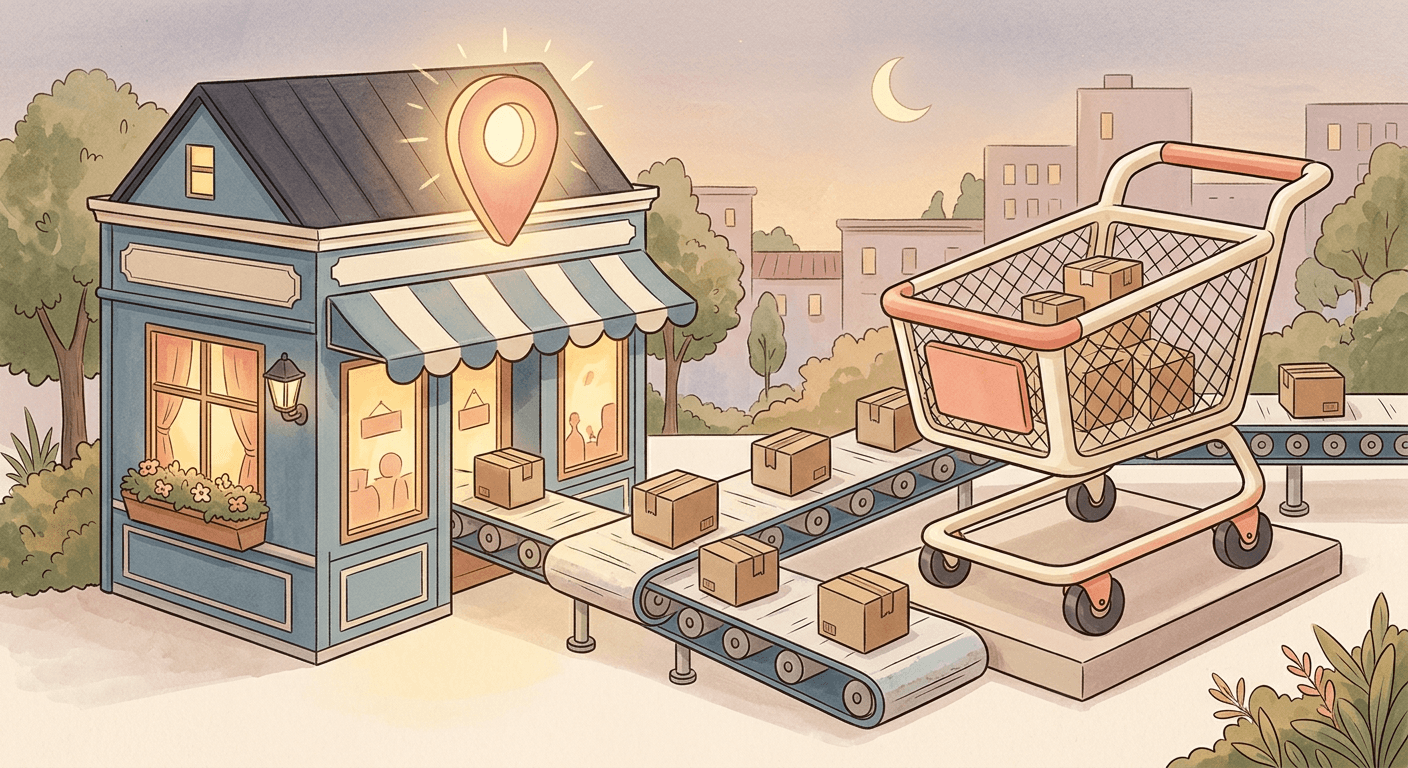
Google made Local Inventory Ads the default for every Shopping campaign on August 31, 2026. Here is exactly what enable_local and the Channel filter now do, and how to check your account today.
If you manage a Shopping campaign for a brand with even one physical store location, something changed in your account yesterday whether you logged in or not. August 31, 2026 was the deadline Google set for Local Inventory Ads to become the default behavior on every Shopping campaign in Google Ads, and that deadline has now passed. If you did not go in and set your inventory filter's Channel attribute before then, your Shopping campaigns are very likely already serving local inventory alongside your regular online listings, pulling from the same budget, without a single settings change on your end.
Here is the short version. Google confirmed in a post on its Ads Developer Blog that starting August 31, 2026, the Campaign.ShoppingSetting.enable_local field on every Shopping campaign gets treated as true, regardless of what an advertiser actually set it to. The old "Local products" toggle that used to let you turn this on or off with one click is gone from campaign settings entirely. Control now lives in a different place: the campaign's inventory filter, specifically its Channel attribute, which decides whether a campaign serves online products, local products, or both. If you want a campaign to stay online-only, you now have to go configure that filter yourself. Nothing does it for you anymore, and the safe default Google ships with is the opposite of online-only.
This matters most for two very different groups of advertisers, and it matters in almost opposite ways. If you run an ecommerce brand with real physical store locations, this default is arguably doing you a favor, since local inventory ads are one of the more reliable ways to convert nearby high-intent shoppers into store visits, but only if you actually manage the shift instead of ignoring it. If you sell entirely online with no brick-and-mortar footprint, this default can quietly reroute part of your existing Shopping budget toward local-inventory serving and attribution logic your account never asked for, and it is worth confirming right now that your feed and Merchant Center setup are not accidentally eligible for it. Either way, the reason to read the rest of this post today rather than next week is that the opt-out window Google gave advertisers already closed. This is not a heads-up about something coming. It is a "go check your account this morning" post.
Miraflow's AI Image Generator is a genuinely useful tool to have open while you do this audit, since a fair number of the fixes below, refreshing product imagery for a newly-live local feed, building distinct creative for an online-only campaign you are locking down, come down to needing new visuals fast rather than waiting on a photo shoot.
What Actually Changed: The enable_local Field and the Channel Attribute
To understand why this default flip matters, it helps to understand what Local Inventory Ads actually are and how the old system used to work. Local Inventory Ads, LIA for short, are Shopping ads that draw on a separate local products feed inside Merchant Center, one that reflects what is physically in stock at a specific store location right now, rather than the standard product feed that powers regular online Shopping ads. When LIA is active on a campaign, Google can show a shopper searching nearby that a product is in stock at a store a few minutes away, complete with store hours, distance, and often a "pick up today" style callout, alongside or instead of a standard online listing.
Until August 31, 2026, turning this on required an explicit action. A campaign's Shopping settings included a "Local products" toggle, and the underlying API field behind that toggle, Campaign.ShoppingSetting.enable_local, defaulted to false unless an advertiser or their agency deliberately set it to true. That made sense as a default for a long time. Local Inventory Ads only work at all if a business has actual store locations connected through Merchant Center with a local feed and the LIA program enabled, so requiring an opt-in kept the feature scoped to businesses that had actually done that setup work.
What changed on August 31 is that Google stopped respecting the false value on that field for standard Shopping campaigns. According to Google's own announcement, on the current Google Ads API version, an attempt to explicitly set enable_local to false now returns an error, ContextError.OPERATION_NOT_PERMITTED_FOR_CONTEXT, rather than silently succeeding. On earlier API versions still in use by some scripts and third-party tools, the call does not error out, but the false value is simply ignored and the field behaves as true anyway. Search Engine Land's coverage of the change confirms the same mechanics independently, including the removed toggle and the version-specific API behavior. Either way, the practical result is identical: there is no longer a supported way to tell a standard Shopping campaign not to serve local inventory using that field. The "Local products" toggle itself has been removed from the campaign settings screen in the Google Ads interface, since a toggle with only one working position is not really a toggle anymore.

Control over online versus local serving has not disappeared, it has moved. The mechanism advertisers now use is the campaign's inventory filter, and specifically its Channel attribute. Every product in a Merchant Center feed can be tagged as available through the online channel, the local channel, or both, and a Shopping campaign's inventory filter can be scoped to include only products matching a specific Channel value. Setting a campaign's inventory filter to Channel equals Online restricts that campaign to online-only products, functionally recreating the old behavior of enable_local = false, just through a different settings path. According to independent reporting corroborating Google's announcement, the equivalent move at the API or bulk-script level is to use CampaignCriterionService with a listing scope criterion setting product_channel to ONLINE, rather than relying on the shopping setting field at all.
This is a real, meaningful shift in where the control lives, not just a relabeling. The old enable_local field sat directly on the campaign's Shopping settings, a place most account managers checked routinely when auditing a campaign. The inventory filter sits in a different part of the campaign structure, one that many advertisers who never used product filtering for other reasons have genuinely never opened. That gap between where advertisers used to look and where the actual control now lives is the single biggest reason this change is catching accounts off guard, more than the substance of the change itself.
Why Google Made This Change
Google's stated rationale, per its own developer blog post and corroborated by outlets including Search Engine Land and PPC Land's reporting on the mandatory rollout, is alignment. Performance Max for Retail has defaulted to serving local inventory automatically for some time already, on the logic that a retail advertiser with connected store locations generally wants their available inventory shown everywhere it can convert, online and in-store, without manually flipping a separate switch for each surface. Standard Shopping campaigns were the odd one out, still requiring that manual opt-in that Performance Max for Retail had already stopped requiring. Bringing Shopping campaigns in line with how Performance Max for Retail already behaves is Google's own framing for why this is happening now, described by at least one outlet's paraphrase of Google's language as reducing friction for merchants who want their store inventory discoverable without a separate manual configuration step.
There is a reasonably defensible product logic behind that framing, and it is worth taking seriously rather than dismissing this purely as Google grabbing more budget by default. A retailer who has gone through the real work of connecting Merchant Center, building a local products feed, and enabling the LIA program clearly wants that inventory to actually show up somewhere. Requiring a second, separate toggle on every individual Shopping campaign on top of all that setup was a genuine point of friction, and it is easy to see how many advertisers who did the Merchant Center work never got around to flipping the campaign-level switch too, effectively leaving value on the table that Google's own systems could see and the advertiser could not act on without extra clicks.
The part that is harder to defend, and the part driving most of the concern in coverage of this change, is that the new default does not distinguish between an advertiser who clearly wants local serving and one who has never touched their Merchant Center local settings at all. The change applies to Shopping campaigns broadly tied to an account with the LIA add-on enabled in Merchant Center, and plenty of accounts have that add-on sitting enabled from a setup step years ago, sometimes configured by an agency or a previous employee, without anyone actively deciding today that every current campaign should serve local inventory by default going forward.

This also is not happening in isolation. It sits inside a genuinely busy August 2026 for Google Ads mechanics changing underneath advertisers with very little day-to-day fanfare. On August 17, 2026, Google changed how Target CPA and Target ROAS bidding behaves for budget-limited campaigns across Search, Shopping, Performance Max, Demand Gen, Display, and Travel campaigns, ending a long-standing pattern where those campaigns often quietly delivered a lower actual cost per acquisition than the target an advertiser had set, a change Miraflow covered in detail in our piece on the August 2026 target bid strategy update. Earlier in August, Google also expanded its Limited Ad Serving policy to cover Search, YouTube, Gmail, the Play Store, and Discover all at once, tightening what qualifies an ad to serve at all, a change we broke down in Miraflow's guide to the Limited Ad Serving policy expansion. Neither of those changes shares a mechanism with the Local Inventory Ads default, one is about bid delivery accuracy and the other is about ad eligibility enforcement, but all three share the same underlying shape: a setting that used to require deliberate advertiser action gets replaced with a system-level default that applies automatically. An account team that is not actively reading Google's own announcements is the group most likely to get surprised by more than one of these at once, in the same month, the same pattern Miraflow flagged when Google began auto-upgrading Search campaigns to AI Max without an opt-out a few weeks later.
Why This Matters Financially, and It Cuts Two Different Ways
This is the section worth reading slowly, because the financial stakes genuinely point in opposite directions depending on what kind of business you run, and treating both cases the same is the most common mistake advertisers will make with this change.
If You Are Online-Only With No Physical Stores
Start here if your business ships everything and has no storefront a customer could walk into. In principle, this default should not affect you at all, since Local Inventory Ads only pull from a local products feed tied to actual store locations, and if you never built one, there is nothing for the local channel to serve. In practice, the risk is narrower but still real, and it comes down to legacy Merchant Center configuration rather than the campaign settings themselves.
If your account has ever had a Business Profile connected to Merchant Center, even a single registered location used for something unrelated like local search presence or a past pilot program, or if an agency previously enabled the LIA add-on as part of a broader setup pass without fully activating a local feed, your account may be closer to eligible for local serving than you think. The practical risk is not that Google invents inventory data out of nothing, it genuinely cannot serve a local ad for a product with no local availability signal, but that a partially configured or forgotten local setup starts contributing to how your campaign's budget and reporting get segmented once the default flips on, creating what one outlet described as an "invisible spend" risk: budget that quietly shifts toward local-inventory serving and reporting rather than your core online funnel, without a clear trigger you would notice from the outside.
The fix here is simple and worth doing today regardless of how confident you are that this does not apply to you: check whether your account has any location or LIA-related configuration lingering in Merchant Center at all, and if it does, or if you are not fully sure, set your Shopping campaigns' inventory filter Channel attribute to Online explicitly rather than assuming the absence of a local feed protects you automatically. An explicit filter costs you nothing and removes the ambiguity entirely.

If You Have Physical Stores
This is genuinely the more interesting case, and it deserves more than a caveat sentence, because for a real omnichannel retailer, this default change can be a net positive if you manage it deliberately rather than just letting it happen passively.
Local Inventory Ads solve a real, specific problem for a retailer with physical locations: a shopper searching for a product nearby with real purchase intent, someone who would genuinely drive to a store today if they knew the product was in stock, historically had no way to see that from a standard online Shopping ad. LIA closes that gap directly, showing store availability, distance, and hours right in the ad. For categories where in-store pickup or same-day availability actually drives purchase decisions, home improvement, electronics, certain categories of apparel and footwear, sporting goods, this is a legitimately strong conversion lever that many retailers under-invested in specifically because it required that extra manual setup step Google has now removed.
The financial upside, though, comes with a real management cost if you want to actually capture it rather than just letting the default apply passively. Independent coverage of this change is direct about the tradeoff: retailers benefit from driving foot traffic while capturing high-intent search demand, but should still separate campaigns by channel to maintain distinct budgets and optimization targets, rather than letting online and local serving blend inside one undifferentiated campaign and budget. Blending the two without deliberate structure creates the same attribution fog for a physical retailer that it creates as a pure risk for an online-only seller, just on top of a real opportunity instead of a pure downside.
Concretely, that means deciding, campaign by campaign, whether you want a given Shopping campaign to serve both channels under one shared budget and one blended optimization target, or whether you would rather run separate campaigns, one filtered to Channel equals Online optimizing for your standard ecommerce conversion, and one filtered to Channel equals Local optimizing more directly for the signals that predict a store visit or local purchase. The second structure takes more setup work but gives you a real, clean read on how much of your Shopping performance is coming from each channel, which is exactly the visibility a blended default campaign will not give you.

There is also a genuine seasonal angle worth planning around if you have physical stores. Local Inventory Ads tend to earn their keep hardest during high-intent windows, a holiday shopper checking same-day availability before a store closes, someone searching for a specific size or color right before an event. If your local feed and store hours data in Merchant Center are stale or incomplete, this is a good moment to clean that up before Q4 shopping volume ramps up, since a local ad promising in-stock availability that turns out to be wrong when a customer arrives at the store creates a worse experience than not showing the ad at all.
Check Your Account Right Now: A Step-by-Step Audit
Here is the actual sequence to run through today, whether you believe this default affects you or not. It takes under fifteen minutes for a typical account with a handful of Shopping campaigns, longer if you manage several client accounts at an agency.
Step one: confirm whether your Merchant Center account has the Local Inventory Ads add-on enabled. Inside Merchant Center, go to Growth in the left navigation, then Manage programs, and look for Local Inventory Ads in the list of available programs. If it shows as active, your account is squarely in scope for this change. If it shows as available but not activated, and you have never touched it, this default flip likely has limited practical effect on you today, but it is worth confirming there is no partial or legacy local feed data sitting connected regardless.
Step two: open each active Shopping campaign's settings and locate the inventory filter. Since the old "Local products" toggle is gone, look specifically for the section labeled Inventory filter within the campaign's settings. This is the section that now controls channel scoping. If you have never opened this section before, that is itself a useful signal, since it means this campaign has been running on whatever the platform default was the whole time, and as of August 31, that default is now serve-both rather than online-only.
Step three: check the current Channel value on that filter for every Shopping campaign you run. A campaign with no Channel restriction set, or one explicitly showing both Online and Local as eligible, is currently able to serve local inventory alongside its online listings if your Merchant Center account has any local feed data at all. A campaign already filtered to Channel equals Online is unaffected by this default flip and needs no action.
Step four: pull a recent performance breakdown and look specifically for a Local segment. Inside your campaign or account-level reporting, check whether impressions, clicks, or conversions attributed to local inventory or in-store visit signals have appeared or increased since late August. A sudden appearance of local-attributed activity in a campaign that previously showed none is the clearest possible signal that the default has already taken effect on that specific campaign.
Step five: for agencies or accounts managed through scripts or third-party bid management tools, check what API version those integrations are calling against. If a script or tool is still submitting enable_local: false against an older API version, that call is not erroring, it is being silently ignored, which means the tool's own reporting or logs may show a setting that no longer reflects what is actually happening on the live campaign. This is exactly the kind of quiet mismatch between what a management tool believes is configured and what Google is actually doing that causes real budget surprises weeks later when nobody thought to double-check.
Step six: document what you find and decide deliberately, campaign by campaign, rather than applying one blanket fix account-wide. An agency managing a mixed roster of pure ecommerce clients and omnichannel retail clients should expect the right answer to differ by client, and even within one retail client's account, the right Channel setting may differ by campaign depending on what that specific campaign is meant to accomplish.
If You Want to Opt Out: The Exact Steps
If your audit above confirms you want a campaign to stay online-only, here is exactly how to do it, both through the interface and through the API for teams managing this at scale.
In the Google Ads interface, open the Shopping campaign you want to restrict, go to its settings, and find the Inventory filter section that replaced the old Local products toggle. Set the Channel attribute to Online. This restricts the campaign to products tagged as available through the online channel in your Merchant Center feed, functionally recreating the old enable_local = false behavior, just configured through inventory filtering rather than a dedicated shopping setting.
For teams managing campaigns programmatically, the equivalent move is to stop relying on Campaign.ShoppingSetting.enable_local entirely, since as of August 31 it no longer has any effect when set to false on current API versions, and instead create a listing scope criterion through CampaignCriterionService with the product_channel field set to ONLINE. This is the durable, forward-compatible way to enforce online-only serving going forward, and it is worth migrating any existing scripts or bulk upload templates away from the old field now rather than discovering the mismatch the next time someone runs an automated campaign setup process.
If you manage this across many campaigns or many client accounts, it is worth building the online-only filter into your standard new-campaign setup template immediately, so every new Shopping campaign your team creates going forward starts with the Channel attribute deliberately set rather than inheriting whatever the platform default happens to be at creation time. Retrofitting existing campaigns is a one-time cleanup task; making sure new campaigns do not need the same fix again next quarter is the part that actually prevents this from recurring.
One nuance worth flagging: setting a campaign's Channel filter to Online does not touch your Merchant Center-level LIA program enrollment itself. If you want to disable local serving more broadly, not just at the individual campaign level, you can also disable the Local Inventory Ads program entirely under Merchant Center's Growth and Manage programs section, though for most advertisers the campaign-level Channel filter is the more precise and less disruptive tool, since it lets you keep the LIA program available for a future campaign that might actually want it while locking down the campaigns that should not use it today.
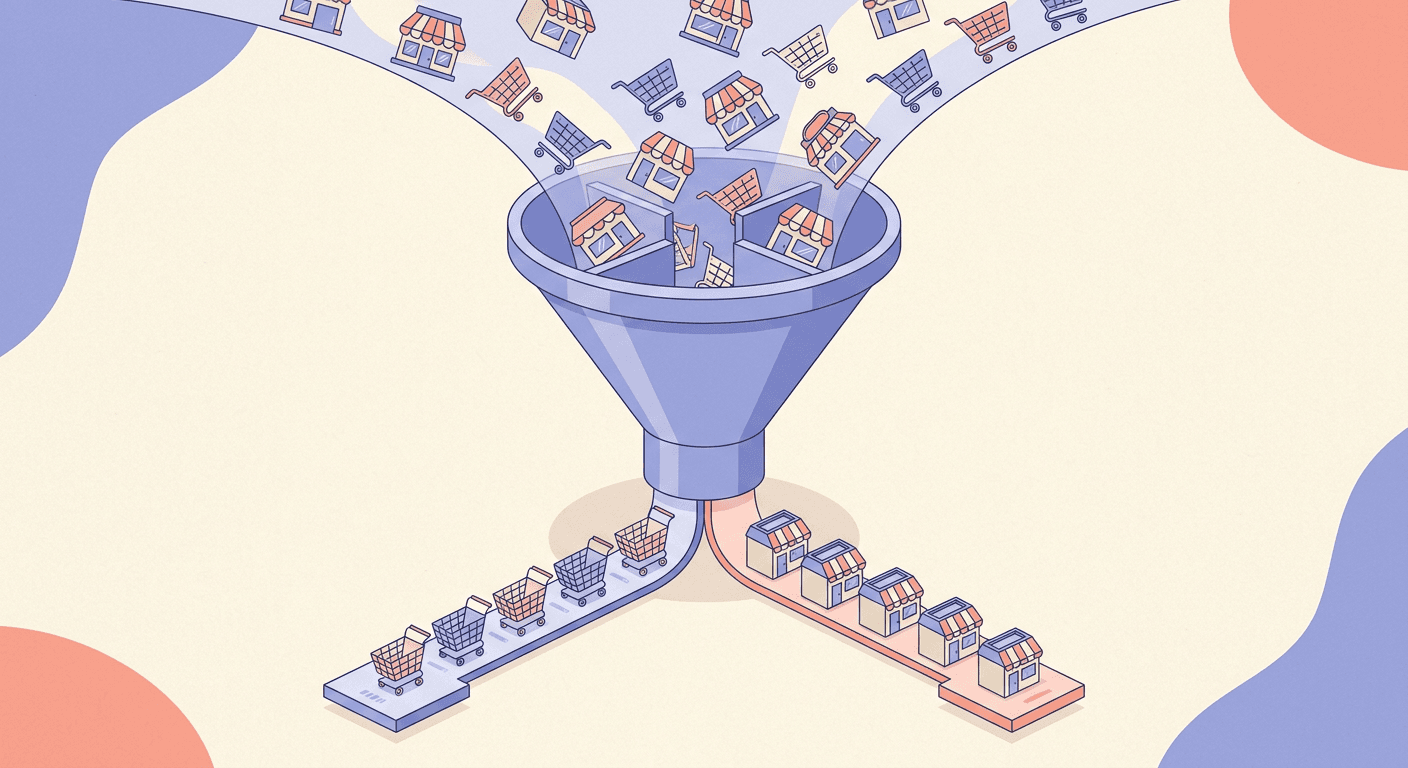
If You Have Physical Stores, This Might Actually Be Good News
It is worth returning to this case with a more constructive framing, because too much of the coverage of this change treats it purely as a risk to manage rather than an opportunity some retailers should lean into on purpose.
If you run physical store locations and have already done the real work of connecting a clean, accurate local products feed to Merchant Center, this default removes a genuinely unnecessary manual step that was likely costing you real local-intent conversions before August 31. Plenty of retailers build out the Merchant Center side of local inventory correctly and then simply never circle back to flip the campaign-level toggle on every Shopping campaign, especially newer campaigns launched by a different team member than the one who originally set up Merchant Center. This default flip effectively closes that gap automatically for anyone in that position, and the honest reaction for that specific advertiser is closer to relief than alarm.
The move now, if this describes your business, is not to opt out defensively but to lean into the opportunity deliberately. That means auditing your local feed's data quality specifically, checking that store hours, current stock levels, and pickup availability are actually accurate and updating frequently enough to be trustworthy, since a local ad is only as good as the freshness of the inventory data behind it. It also means considering the separate-campaign structure described earlier, splitting online and local into their own campaigns with their own budgets and optimization targets, not because the default is untrustworthy, but because a retailer who genuinely wants to grow local-driven store traffic benefits from being able to see that channel's performance cleanly and invest in it directly, rather than having it blended anonymously into a combined Shopping campaign number.
There is also a real creative angle here worth acting on now rather than later. Local Inventory Ads that show accurate, appealing product imagery specific to what is actually in stock at a nearby location tend to perform better than a generic catalog image reused everywhere, particularly for categories where a shopper is deciding between driving to your store versus a competitor's. If your product photography has not been refreshed in a while, or if certain SKUs feeding your local feed only have thin, low-quality catalog images, this is a legitimate moment to fix that. Miraflow's AI Image Generator can generate clean, on-brand product shots and lifestyle imagery quickly, which is useful when a newly-active local campaign surfaces gaps in your image library that were easy to ignore while that inventory was not actively serving in ads.
Common Mistakes to Avoid
The first mistake is assuming this only affects retailers who consciously enabled Local Inventory Ads in the past. The whole point of a default flip is that it applies regardless of past intent. An account with a dormant or partially configured LIA setup from years ago is just as affected as one that actively uses local ads today, and "I never turned this on" is not the same as "this cannot be happening to me."
The second mistake is checking the old settings location and concluding nothing changed because the familiar Local products toggle is simply gone. Its absence is the change, not evidence that nothing happened. The control moved to the inventory filter's Channel attribute, and skipping that section during an audit because it used to be irrelevant to Shopping settings is the single easiest way to miss this entirely.
The third mistake is treating a campaign-level fix as also fixing the Merchant Center level, or vice versa. Setting a campaign's Channel filter to Online stops that specific campaign from serving local inventory, but it does not disable the LIA program at the Merchant Center account level, and disabling the program at the account level is a broader, more disruptive move than most advertisers actually need. Know which lever you are pulling and why.

The fourth mistake is assuming physical-store retailers have nothing to do here since the default supposedly works in their favor. Even a genuinely beneficial default deserves active management, checking feed data quality, deciding on campaign structure, and confirming budgets are allocating the way you actually want, rather than passive acceptance that happens to coincide with a favorable outcome this time.
The fifth mistake is confusing this change with Performance Max for Retail's local behavior, which was already default before this update and is unaffected by it. If you also run Performance Max for Retail campaigns, know that this specific announcement is about standard Shopping campaigns catching up to a default Performance Max for Retail already had, not a new change to Performance Max itself. Reviewing the wrong campaign type during your audit wastes time and can create false confidence that you checked everything when you actually checked the one campaign type this update did not touch.
The sixth mistake is treating older API versions as a safe harbor. Because a false value submitted on an older API version does not throw an error, it is easy to assume the setting is still being honored simply because nothing broke. Silent failure is still failure. Any script, bulk template, or third-party tool still relying on enable_local for online-only enforcement needs to migrate to the product_channel listing scope approach regardless of which API version it currently calls, since the old field's behavior cannot be trusted going forward on any version.
Refreshing Product Imagery for Your Local and Online Feeds With Miraflow
Whichever side of this change you land on, opting out to stay online-only or leaning into local serving deliberately, there is a real, practical creative task attached to both paths, and it is one worth solving quickly rather than letting it sit. An online-only advertiser locking down its Channel filter is still worth using the moment to check that its core product imagery is strong enough to compete on a Shopping surface that is getting more crowded and more automated by the month. A physical-store retailer activating or expanding local serving needs product and lifestyle imagery that actually represents what is available in-store, not a generic stock photo that undersells the in-person experience a nearby customer is being invited to come see.
Miraflow's AI Image Generator supports text-to-image generation, image-to-image editing, and inpainting, which means you can generate a full new product shot from a written description, or take an existing catalog photo and adjust just one detail, a background, a seasonal prop, a color variant, without redoing the whole shoot. For a retailer with dozens of SKUs feeding a local products feed, that speed matters, since manually briefing and waiting on new photography for every product that needs a refresh is simply not realistic on the kind of short timeline a platform default change like this one creates.
The same generator is useful beyond the product feed itself. If part of your response to this change includes updated display banner creative promoting in-store pickup or local availability, or a fresh YouTube thumbnail for a video explaining your local pickup options to customers, the same fast, browser-based workflow covers that too, without needing a separate tool or a separate production process for each format.
A clean, well-lit product photograph for a local inventory ads feed, showing a single retail product on a simple neutral surface with soft natural daylight, sharp focus on true-to-life color and texture, plenty of negative space around the product suitable for a Shopping ad crop, no text baked into the image, no watermark, no props that would misrepresent what is actually in stock.
A second, useful variant for retailers building out local-specific creative:
A warm lifestyle photograph representing an in-store pickup experience, a simple retail storefront exterior with a welcoming open door and soft daytime lighting, no visible signage text, no people's faces shown, balanced composition that works as a square or landscape crop for a display banner or local promotion, photoreal editorial lighting, no watermark.
Both of these are meant to be run directly, generating a few variations at once so you have real options to compare rather than shipping the first result. You can generate them straight from Miraflow's home page alongside any other creative your account needs this week. If you are also reviewing your broader Google Ads account for other changes that landed with little warning this year, Miraflow's coverage of Google's Ask Advisor AI agent inside Google Ads is a useful companion read, since it covers a genuinely practical way to ask Google's own tools account-specific questions rather than digging through settings screens manually every time.

Frequently Asked Questions
What exactly changed on August 31, 2026? Google stopped honoring a false value on the Campaign.ShoppingSetting.enable_local field for standard Shopping campaigns. As of that date, every Shopping campaign is treated as having local inventory ads enabled by default, and the old "Local products" toggle has been removed from campaign settings. Control over online versus local serving now lives in the campaign's inventory filter, through its Channel attribute.
I never set up Local Inventory Ads. Does this actually affect me? Only if your Merchant Center account has any local feed data or the LIA program enabled, even from a legacy or partial setup. If you have never connected a Business Profile or enabled local inventory in Merchant Center at all, there is no local data for the default to draw from. If you are not fully sure, check Merchant Center's Growth and Manage programs section directly rather than assuming.
How do I stop a specific Shopping campaign from serving local inventory now? Open that campaign's settings, find the Inventory filter section, and set the Channel attribute to Online. For teams managing campaigns through the API or scripts, use CampaignCriterionService to set a listing scope criterion with product_channel equal to ONLINE, since the old enable_local field no longer supports disabling this.
Does this affect Performance Max or Demand Gen campaigns too? No. This specific change applies to standard Shopping campaigns. Performance Max for Retail has already defaulted to serving local inventory for some time and is unaffected by this update, and Demand Gen campaigns continue to respect the enable_local field as it worked before.
What happens if I do nothing at all? If your account has any active local feed or LIA enrollment in Merchant Center, your Shopping campaigns will continue serving both online and local inventory from one shared budget with blended reporting, since that is now the platform default. If you have physical stores and want that outcome, no action is strictly required, though a deliberate review of your feed quality and campaign structure is still worth doing. If you do not want that outcome, you need to actively set the Channel filter, since nothing will revert this automatically.
Can I tell whether my campaigns have already started serving local inventory? Yes. Pull recent performance data at the campaign level and look for any local or store-visit attributed activity that was not present before late August. A sudden appearance of local-attributed impressions or conversions in a campaign that previously showed none is a strong signal the default has taken effect on that campaign.
Is there any way to get the old opt-out behavior back through Google Ads Editor or bulk uploads instead of the interface? The same underlying rule applies regardless of which tool submits the change. Any bulk template or Ads Editor workflow still setting enable_local to false needs to be updated to use the inventory filter's Channel attribute or the equivalent product_channel listing scope criterion instead, since the old field path is no longer effective on either interface.
Conclusion
This is one of those Google Ads changes that is easy to miss entirely because nothing in your account visibly broke. No error message appeared, no campaign paused, no obvious red flag showed up in your dashboard. The change is a quiet default flip: the field that used to require an explicit opt-in now defaults to on, the toggle that used to make that obvious is gone, and the replacement control sits in a settings section, the inventory filter's Channel attribute, that many advertisers have simply never had a reason to open before.
The deadline for a proactive opt-out was August 31, 2026, and that date has already passed. That does not mean you are out of options, it means the audit you would have done proactively last week is now a cleanup task you need to do this week instead. Check whether your Merchant Center account has any local feed data connected, open your Shopping campaigns' inventory filters, and decide deliberately, campaign by campaign, whether local serving is something you want or something you need to explicitly filter out. If you have physical stores, treat this as a real opportunity worth managing well rather than either ignoring it or reflexively opting out. If you sell entirely online, a five-minute check today closes the gap for good.
Whichever path applies to your account, the product and lifestyle imagery feeding your Shopping and local feeds is worth a fresh look while you are already in there. Miraflow's AI Image Generator is built for exactly this kind of fast turnaround, and pairing a clean campaign structure with genuinely strong product visuals is a better long-term answer than either passively accepting whatever Google's default happens to be, or opting out of a change that, for the right kind of business, was actually worth keeping.