AI Prompts for Google Ads Display Banners: 15 High-Converting Templates

Written by
Jay Kim
15 copy-paste AI prompts for Google Ads display banners that drive higher CTR. Campaign-specific templates for e-commerce, SaaS, travel, finance, and more — with specs for Responsive Display Ads and static banners.
Your display banner creative is the single visual asset standing between your ad budget and actual results. Across the Google Display Network, which appears across over 2 million websites, apps and Google-owned properties like YouTube and Gmail[4], your banner has to arrest attention, communicate a value proposition, and compel a click — all within a fraction of a second from a viewer who is not looking for you. Since display ads are not shown on demand, the user is not looking for a product and is therefore initially less interested in any offer.[2] Your creative's job is to overcome that indifference instantly.
The performance gap between mediocre and excellent display creative is enormous. A cross-industry benchmark study by Wordstream and Nielsen covering over 14,000 campaigns found that AI-optimized display creatives achieved an average CTR of 0.74%, a 60.9% improvement over the 0.46% industry baseline.[6] That is not a marginal lift. That is the difference between a campaign that justifies its budget and one that burns it. And with 42.7% of users using ad blockers globally[5], the impressions you do earn carry even more weight. Every banner that serves must work hard.
AI image generation has fundamentally changed the economics and speed of display creative production. Instead of commissioning custom photography, cycling through stock libraries that every competitor also uses, or waiting on design teams to produce variations for every ad size, you can generate unique, on-brand visual assets in minutes. For Responsive Display Ads, the AI-generated image is the complete visual asset — Google handles the text, layout, and CTA automatically. For static uploaded banners, the AI-generated visual becomes the background over which you add your headline, offer, and CTA in your design tool.
This post gives you 15 ready-to-copy AI prompt templates for Google Ads display banner images across the campaign types and industries that dominate the Display Network. Each prompt is engineered for the specific aspect ratios, composition principles, and visual conventions that drive performance in display advertising. If you have used similar prompt-based workflows for YouTube thumbnails, Facebook ad creatives, or email header images, the process will feel familiar. But display banners operate under unique constraints around multiple aspect ratios, aggressive file size limits for static ads, Google's image policies for responsive ads, and the reality that most viewers are actively trying to ignore you — all of which require carefully adapted prompts.
Why Display Banner Creative Quality Determines Campaign ROI
Display advertising operates in one of the harshest attention environments in digital marketing. Studies suggest that as many as 86% of users exhibit banner blindness[8], meaning they actively or unconsciously ignore banner ads on the pages they browse. Your creative is the only weapon you have against this phenomenon.
The data confirms that creative quality is the primary lever. Ads with clear CTA buttons increase CTR by approximately 45%.[5] Using red or orange for CTAs boosts clicks by approximately 14–21%.[5] Banner ads containing price points convert approximately 28% better in e-commerce.[5] These are not targeting or bidding optimizations. These are purely creative-driven performance gains.
From a strategic perspective, display ad creative significantly impacts performance. Communicate your key message within 2-3 seconds. Users won't read lengthy copy — focus on one compelling benefit.[1] Every prompt in this post is designed to create images with a single, clear visual concept that communicates instantly, because complexity kills conversion at display ad scale.
The format of your creative also drives massive performance differences. Rich media and animated banners achieve a CTR of 0.18% — 4x the standard banner rate.[3] Video display formats now deliver 73% higher CTR than static banners on average, and carousel display units add 35% engagement lift.[1] While the AI prompts in this post focus on static image generation, the visual quality and uniqueness they enable positions your creative well above generic stock-based banners.
The business case for unique AI-generated creative over stock imagery is also reinforced by Google's own guidelines. Avoid displaying products over digital composite backgrounds, including an all-white background. Instead, use quality photographs that have physical settings with organic shadows and lighting.[10] AI-generated images with rich, contextual settings naturally satisfy this requirement in ways that cut-out product photos on white backgrounds cannot.
Technical Specifications for Google Display Banners in 2026
Google Ads operates with two distinct display creative systems, each with its own specifications. Understanding both is essential for producing compliant, high-performing banners.
Responsive Display Ads (RDAs)
Responsive Display Ads are Google's default and dominant display format, with 72% of image ads now using the responsive format.[4] Instead of designing finished banners at specific pixel dimensions, you upload individual assets — images, logos, headlines, and descriptions — and Google AI arranges these assets in countless combinations across the web, continuously optimizing for performance.[10]
The image assets required for responsive display ads follow specific aspect ratios. Required image asset types are landscape (16:9 aspect ratio) and square (1:1). For landscape, use 1200×628 px recommended (600×314 px minimum). For square, use 1200×1200 px (300×300 px min).[3] Optionally, you can add a portrait image (4:5) 1200×1500 px (320×400 px min) for additional coverage.[3] Portrait unlocks vertical mobile placements on Gmail and Discover feeds and is increasingly used by Google for in-app Display. Adding a portrait asset typically expands reach by 10 to 15% without cannibalizing other formats.[1]
For all prompt templates in this post, generate images at both landscape (16:9) and square (1:1) aspect ratios in the Miraflow AI Image Generator. All images must be JPEG or PNG and ≤ 5 MB (5120 KB) each.[3] RDAs accept up to 15 images, 5 logos, 5 headlines (30 characters each), 5 descriptions (90 characters each), 1 long headline (90 characters), and 1 business name (25 characters).[1] Fill every slot — Google ranks each variant and serves the best-performing combinations.[1]
Critical creative guidelines from Google for RDA imagery: Avoid inserting text on top of an image. When assets are combined, your messaging may become repetitive if overlaid text is too similar to a headline. Overlaid text can be unreadable in smaller ad sizes.[10] This is why every prompt in this post generates text-free images — Google handles all text overlay automatically in RDAs. Additionally, blank space shouldn't take up more than 80% of the image. Your product or service should be the focus. Use single images. Collages aren't recommended.[10]
Static Uploaded Image Ads
For static display banners where you control the complete design, the specifications are more constrained. All image ads must be 150 KB or smaller in file size. Exceeding the 150 KB limit will prevent the ad from uploading or serving.[3] Accepted image file types are JPEG, PNG, and GIF (non-animated).[3]
Five sizes consistently deliver the best results in 2026: 300×250 (Medium Rectangle), 336×280 (Large Rectangle), 728×90 (Leaderboard), 300×600 (Half Page), and 320×50 (Mobile Leaderboard).[3] For AI-generated visual backgrounds for static banners, generate at the highest quality first, then resize and compress for each banner dimension. The AI image provides the visual foundation over which you layer your headline, offer text, CTA button, and logo in your design tool.
Size selection should match campaign objective: use 728×90 or 300×600 for brand awareness, 300×250 or 336×280 for content integration, and 320×50 for mobile targeting.[3]
Performance Max and Demand Gen
Responsive Display and Performance Max campaigns with the full complement of images, logos, videos, and copy consistently outperform minimum-asset campaigns on both reach and conversion efficiency.[1] Google now auto-generates missing images, videos, and copy for Performance Max asset groups.[1] However, defaults bias toward generic stock-like output[1] — override with your own AI-generated assets where brand fidelity matters.
Design Principles That Make Display Banners Convert
Effective display banner design follows principles that are specific to the attention dynamics of the display channel. Understanding these principles ensures the AI-generated visuals you create actually convert in real ad placements.
Visual hierarchy drives engagement. Use size, color, and contrast to guide attention to the most important elements — brand, message, CTA.[1] In display advertising, the message needs to be delivered as quickly and effectively as possible — because attention spans are short — making visual hierarchy very important to online advertising.[2] Every prompt in this post creates imagery with a clear focal point and intentional negative space for text placement.
One message per banner. Display is a place for fast clarity. Use one primary promise (the outcome), one proof point (why believe it), and one CTA.[6] If a user needs to "figure out" your ad, you've already lost.[6] The prompts in this post each create a single visual concept that supports a single campaign message.
Mobile-first design is mandatory. Over 60% of Google Display Network impressions now come from mobile devices.[9] Mobile impressions now account for approximately 70% of all display impressions.[5] Your banner visual must be clear and impactful at mobile screen sizes. Keep text minimal and buttons large enough to tap easily.[5] The visual concept in your AI-generated image must read clearly even at 320×50 mobile leaderboard scale.
Contrasting CTAs drive clicks. Use contrasting colors to highlight key areas, like your CTA button. This strategy has been shown to boost sales by as much as 35 percent.[9] When designing static banners, ensure the CTA button color contrasts sharply against the AI-generated background image.
Fight creative fatigue with variation. Ad fatigue sets in after 2-4 weeks. Rotate new creative variations to maintain engagement and prevent declining performance.[1] AI image generation makes it practical to produce five to ten visual variations per campaign, allowing continuous rotation that keeps creative performance from decaying.
15 AI Prompt Templates for Google Ads Display Banners
Each template includes the campaign type, the visual concept, the ready-to-copy prompt, and customization notes. All prompts are designed for text-free image generation, optimized for the Miraflow AI Image Generator. Generate at both landscape (16:9) and square (1:1) aspect ratios to provide full RDA coverage. For static banners, use the generated image as your visual background layer.
Template 1: E-commerce Product Sale / Discount Promotion
Sale banners must communicate urgency, value, and excitement within the split second they have the viewer's attention. The visual language uses bold colors, dynamic energy, and a clean composition that leaves room for price points and discount percentages, which convert approximately 28% better in e-commerce[5].

Prompt:
vibrant dynamic composition of a modern shopping scene with shopping bags and gift boxes arranged in an artful editorial display, two to three premium matte shopping bags in bold coral red and crisp white sit on a clean surface alongside a neatly wrapped gift box with gold ribbon, warm dramatic directional lighting from the upper right creates rich shadows and bright highlights on the bags and box surfaces, the left side of the frame features a clean bright background area with soft warm gradient providing generous space for discount headline and CTA placement, scattered metallic gold confetti pieces and small star shapes add celebratory energy without cluttering the composition, the background uses a soft warm neutral tone that lets the red bags pop with maximum visual impact, the overall mood is exciting premium and gift-worthy evoking the thrill of finding an incredible deal, the color palette combines bold coral red crisp white metallic gold and warm neutral creating an irresistible shopping aesthetic, sharp commercial photography style with beautiful bokeh in the background, no text no watermarks no typography no letters no logos
Best for: Flash sales, seasonal promotions, Black Friday/Cyber Monday, clearance events, holiday sales, anniversary discounts, site-wide promotions
Template 2: SaaS / Software Free Trial
SaaS display banners need to communicate modernity, efficiency, and the promise of a better workflow. The visual approach signals innovation and simplicity without being cold or overly abstract. This visual language connects to the broader technology content aesthetic that resonates with software audiences.

Prompt:
clean modern composition of an abstract software interface visualization, a sleek translucent floating panel rendered in frosted glass effect hovers at a slight angle in the center-right of the frame showing subtle abstract UI elements like rounded rectangles soft progress bars and small circular indicators in electric blue and bright teal against the frosted surface, the panel casts a soft shadow on a clean gradient background that transitions from deep navy on the right to lighter slate blue on the left, small floating abstract data visualization elements like minimal line charts and subtle dot grids orbit around the main panel adding technological context, the left portion maintains cleaner background space for headline and CTA placement, soft ambient light from behind the panel creates a gentle glow effect around its edges, the overall aesthetic feels like a premium software product floating in a clean digital environment, the color palette uses deep navy slate blue electric blue bright teal and crisp white creating a trustworthy modern technology aesthetic, no text no watermarks no typography no letters no logos
Best for: SaaS free trial offers, software demo invitations, platform launch announcements, feature update promotions, app install campaigns, productivity tool marketing
Template 3: Real Estate / Property Listing
Real estate display banners need to trigger aspiration and the desire to invest. The visual language uses architectural beauty, warm natural light, and premium finishes that make the viewer immediately envision themselves in the space. Real estate display ads achieve the highest CTR at 1.08%, driven by high-intent audiences[4], making this a high-stakes creative category.
Prompt:
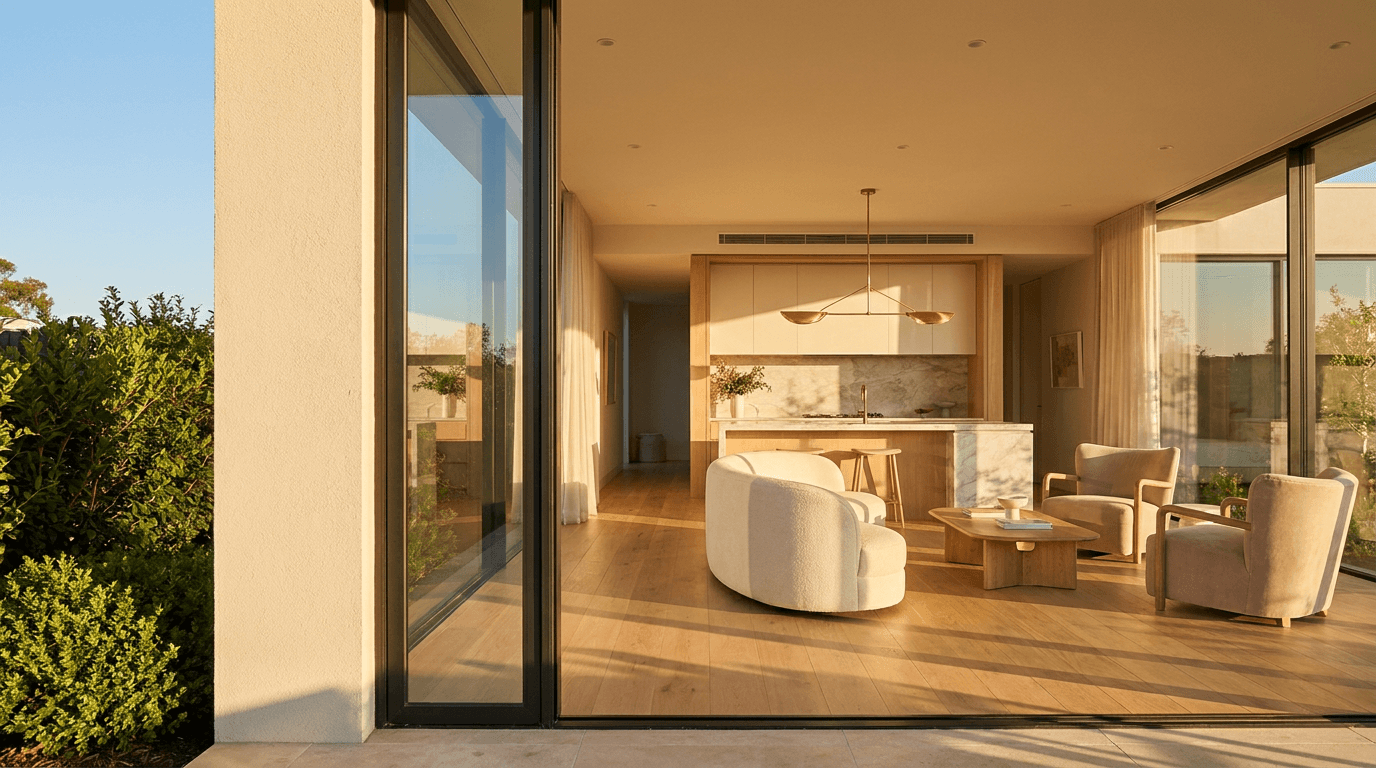
bright aspirational composition of a modern luxury home interior viewed through a large floor-to-ceiling window, the scene shows a beautifully designed open-plan living space with clean modern furniture in warm neutral tones visible through expansive glass, golden hour sunlight streams through the windows creating warm highlights on polished light wood floors and casting long beautiful shadows, the interior features a glimpse of a contemporary kitchen island and a living area with a sculptural pendant light, through the window a hint of lush green landscaping and blue sky is visible adding outdoor appeal, the left third of the frame features a cleaner area with the window frame and wall surface providing space for property headline and CTA, the overall aesthetic communicates premium modern living with warmth and natural beauty, the color palette uses warm whites light wood tones soft green vegetation golden sunlight and touches of warm gray creating a luxurious yet inviting residential aesthetic, architectural photography style with perfect composition and beautiful natural light, no text no watermarks no typography no letters no logos
Best for: Property listings, new development marketing, open house promotions, real estate agent branding, mortgage offer ads, luxury property campaigns, home buyer lead generation
Template 4: Health and Wellness / Supplement
Wellness banners need to communicate vitality, naturalness, and positive transformation. The imagery must feel authentic and aspirational without making medical claims. The visual principles here connect to the same engagement strategies used in effective fitness brand content.
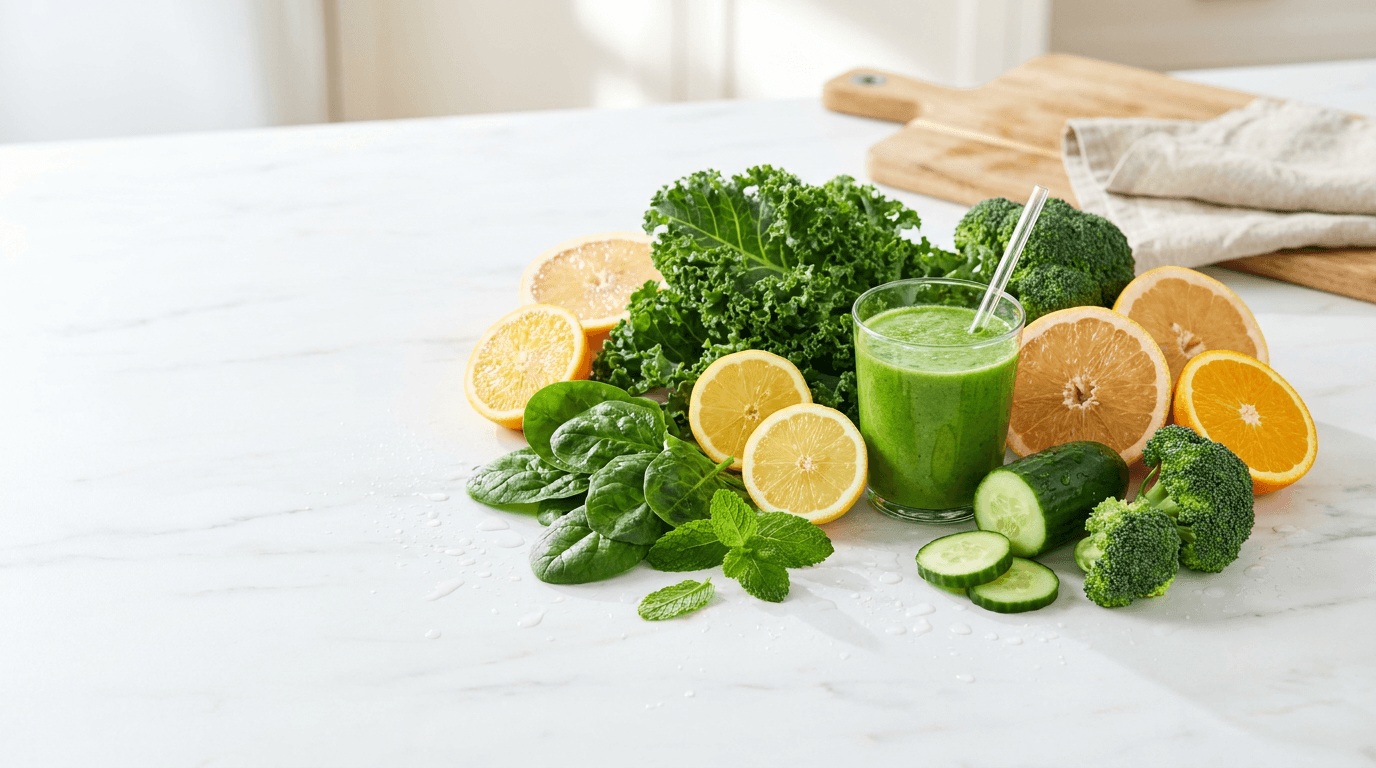
Prompt:
fresh vibrant composition of a wellness lifestyle scene with natural ingredients, a beautiful arrangement of fresh green vegetables leafy greens and citrus fruit slices on a clean light marble surface captured from a slightly elevated angle, bright natural daylight illuminates the ingredients creating crisp shadows and highlighting the vibrant natural colors and textures of the produce, a small clear glass with bright green smoothie sits among the ingredients adding a prepared wellness product element, water droplets on the fresh produce add a sense of freshness and vitality, the composition is arranged with the main elements concentrated in the center-right leaving the left portion cleaner for headline and CTA overlay, the background is bright and airy with soft focus on distant elements, the overall mood is energizing clean and naturally healthy, the color palette uses vibrant greens bright citrus yellow and orange clean white marble and touches of warm wood creating a fresh natural vitality aesthetic, lifestyle food photography style with beautiful natural light, no text no watermarks no typography no letters no logos
Best for: Health supplement ads, wellness product marketing, nutrition coaching, fitness program promotions, organic food brands, vitamin campaigns, health app marketing
Template 5: Financial Services / Fintech
Finance banners must balance authority and trust with accessibility and modernity. The visual language uses structured, premium aesthetics that communicate financial intelligence and growth without feeling intimidating or generic.

Prompt:
sophisticated composition of an abstract financial growth concept with a clean modern aesthetic, a subtle upward-trending translucent line rendered in bright emerald green traces an elegant ascending curve from the lower-left toward the upper-right of the frame, small bright data points mark key positions along the curve with soft glow effects, beneath the curve a subtle translucent green gradient suggests positive territory, the background uses a rich deep navy that transitions to slightly lighter navy on the left providing clean authoritative space for headline and CTA, faint geometric grid lines in very subtle dark blue add mathematical structure beneath the growth visualization, small floating light particles near the ascending portion of the curve suggest momentum and positive energy, a subtle warm gold accent highlight appears at the curve's highest point suggesting achievement, the overall aesthetic feels like a premium financial dashboard or investment growth visualization, the color palette uses deep navy emerald green warm gold accent and crisp white light creating an atmosphere of financial success trust and intelligence, no text no watermarks no typography no letters no logos
Best for: Investment platform ads, banking promotions, financial planning services, loan offers, insurance campaigns, fintech product marketing, wealth management, credit card offers
Template 6: Travel and Hospitality
Travel display banners need to trigger instant wanderlust. The visual language uses stunning destination imagery with warm, inviting light that creates an overwhelming desire to book. Travel creative performs exceptionally well in display because the emotional response is immediate and visceral.
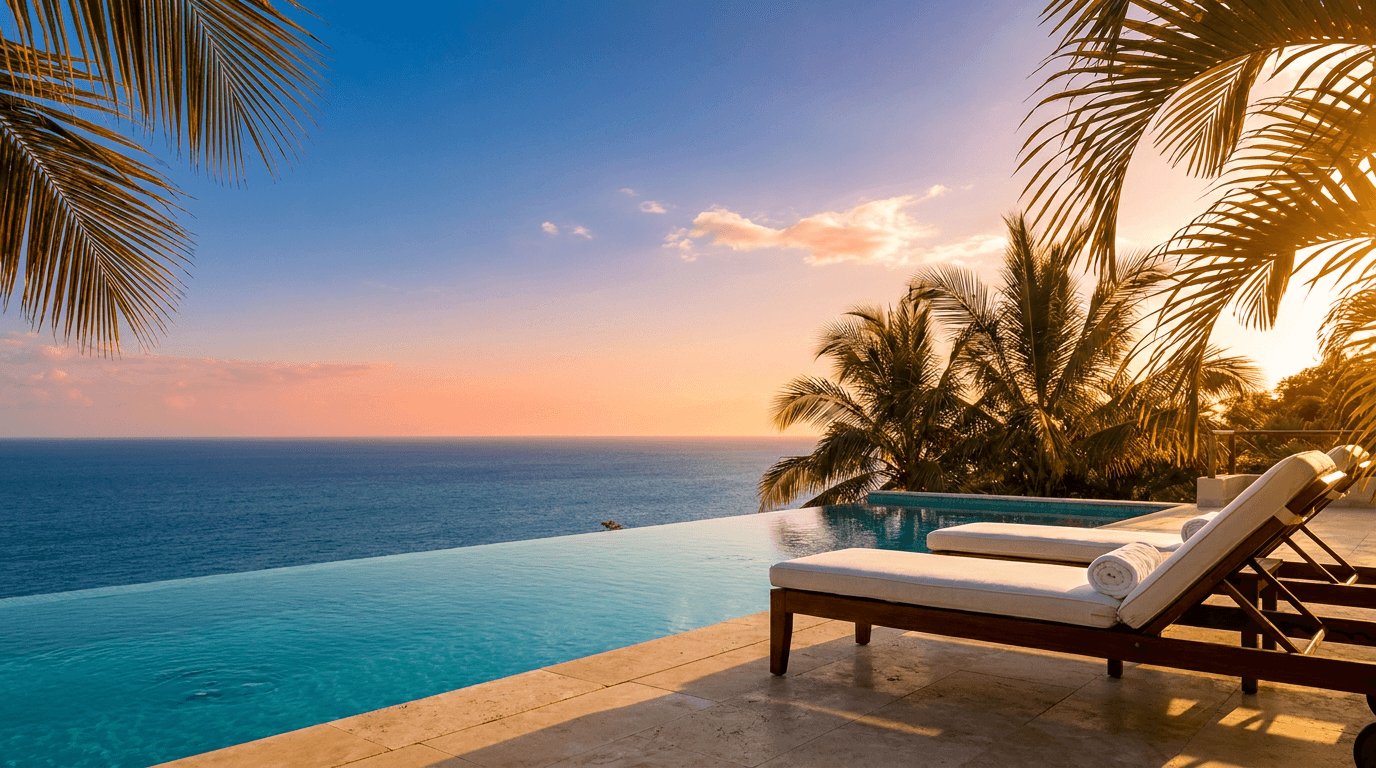
Prompt:
breathtaking composition of a stunning tropical resort infinity pool scene at golden hour, the edge of an infinity pool in the foreground creates a perfectly straight horizontal line where the turquoise pool water appears to merge seamlessly with the deep blue ocean beyond, warm golden sunset light illuminates the scene from the right casting everything in a gorgeous warm glow, two elegant poolside loungers with crisp white cushions sit beside the pool on smooth stone tiles, tropical palm fronds frame the upper corners of the image creating a natural vignette, the sky features a beautiful gradient from warm coral near the horizon through soft pink to deepening blue above with a few wispy golden-lit clouds, the left portion of the composition has slightly more sky and less foreground detail providing cleaner space for destination headline and booking CTA, the overall mood is luxurious serene and deeply aspirational, the color palette uses turquoise pool water deep ocean blue warm golden sunset coral pink and crisp white creating the ultimate vacation aspiration palette, resort photography style with perfect golden hour lighting, no text no watermarks no typography no letters no logos
Best for: Hotel promotions, airline deals, vacation package offers, resort marketing, travel agency ads, cruise promotions, tourism board campaigns, loyalty program travel offers
Template 7: Education and Online Course
Education banners need to communicate growth, opportunity, and the excitement of acquiring new knowledge. The visual approach balances intellectual credibility with approachability, signaling that the content is both valuable and achievable.
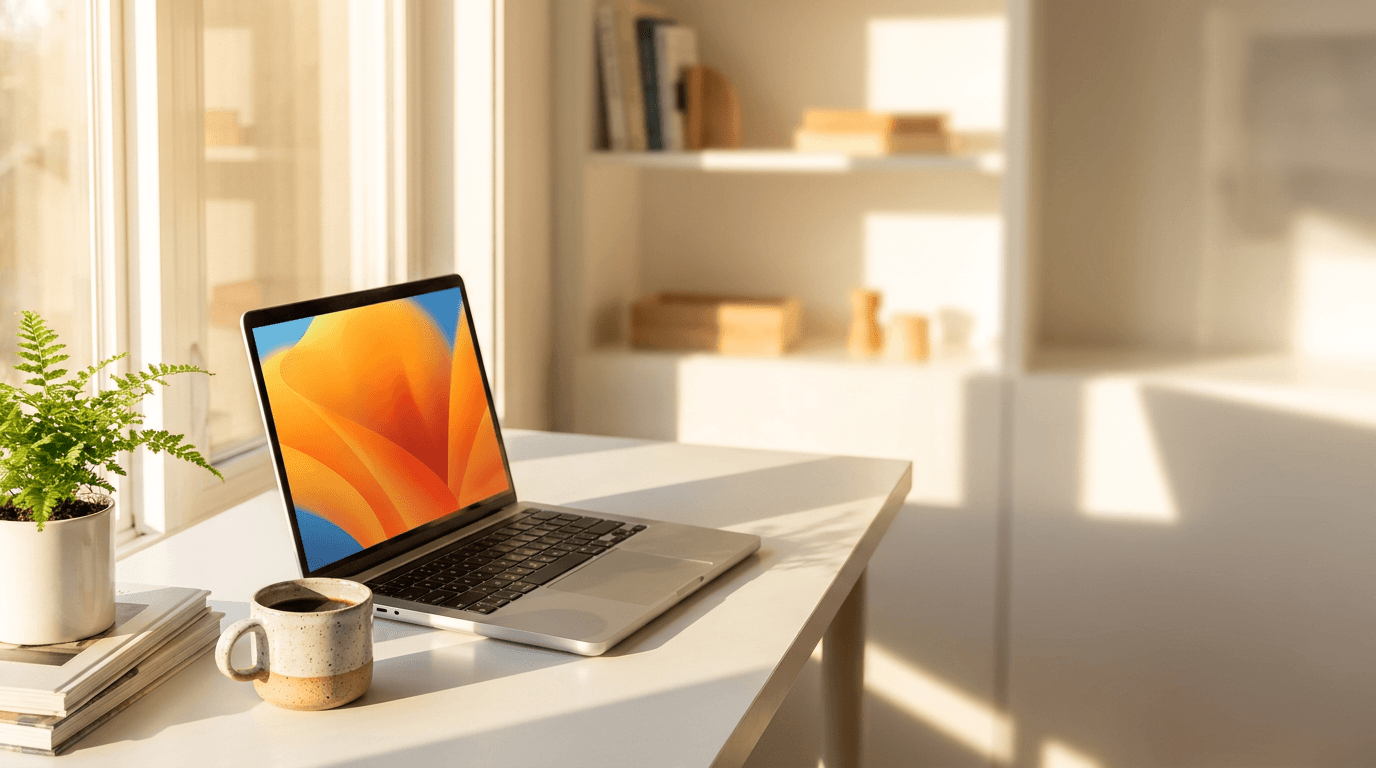
Prompt:
bright inspiring composition of a modern study workspace with warm inviting atmosphere, a clean white desk features an open laptop computer with a colorful abstract screen display alongside a small stack of books and a cup of coffee in a modern ceramic mug, warm natural window light from the left creates beautiful shadows and highlights across the workspace, a small green potted plant adds life and freshness to the desk arrangement, the workspace is neat and aspirational suggesting productive focused learning, the background is softly blurred showing a bright modern interior with white walls and warm wood shelving, the right portion of the frame features more of the blurred bright background providing cleaner space for course headline and enrollment CTA, the overall aesthetic communicates productive modern self-improvement and accessible education, the color palette uses clean whites warm wood tones fresh green bright screen colors and warm natural light creating an environment that inspires learning, lifestyle workspace photography style with beautiful natural window light and shallow depth of field, no text no watermarks no typography no letters no logos
Best for: Online course promotions, workshop registrations, certification programs, e-learning platform ads, educational institution marketing, tutoring service ads, professional development offers
Template 8: Food and Restaurant / Delivery
Food banners need to make the viewer hungry instantly. The imagery must be warm, appetizing, and sensory, creating an immediate emotional connection to the dining experience. The visual approach connects directly to the principles behind great food photography prompts.
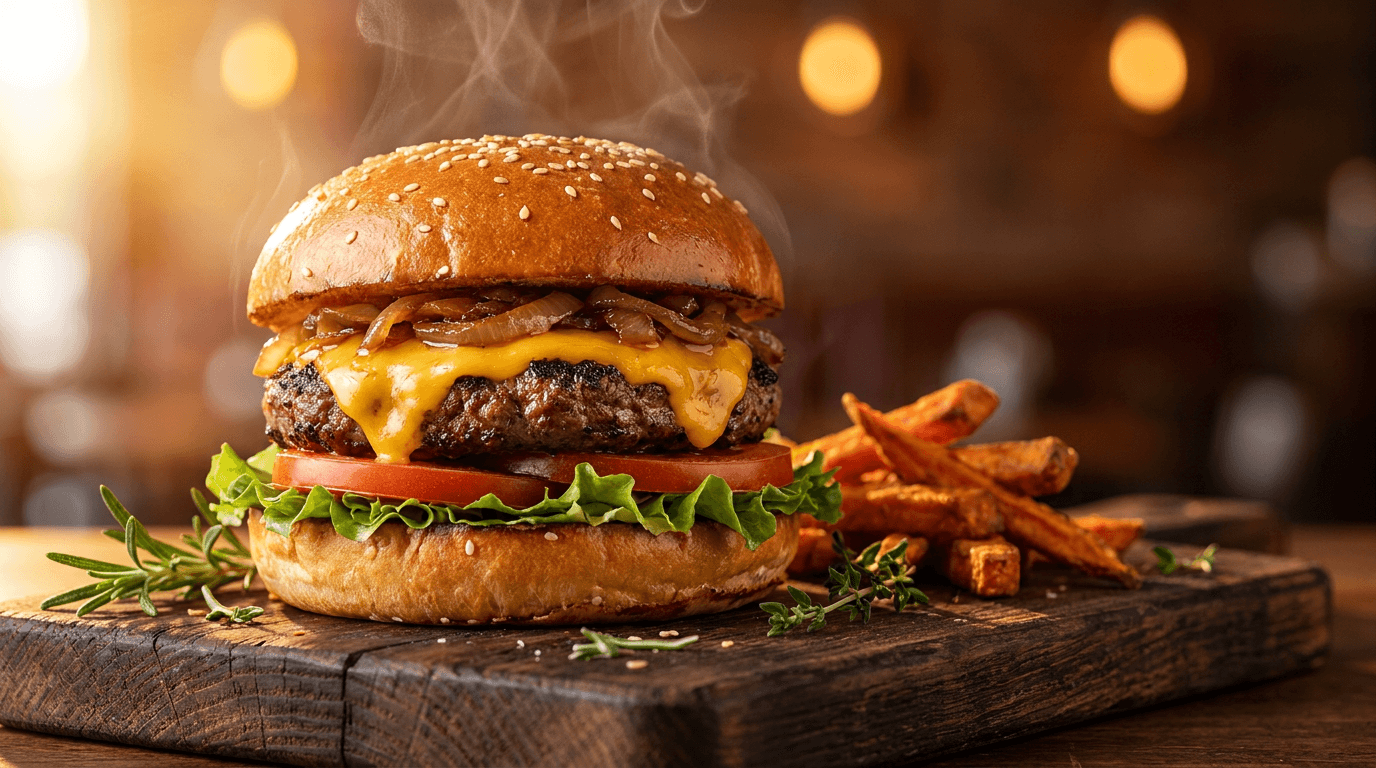
Prompt:
mouthwatering close-up composition of a gourmet burger on a rustic dark wood board, the burger features a perfectly golden toasted brioche bun with sesame seeds a thick juicy meat patty with melted cheese dripping slightly over the edge fresh green lettuce vibrant red tomato and caramelized onions, the burger is captured at eye level with dramatic shallow depth of field, warm directional lighting from the back-left creates a beautiful golden glow highlighting the steam and juiciness, a few rustic scattered sweet potato fries and fresh herbs sit beside the burger on the dark wood surface, the background is warmly blurred showing ambient restaurant lighting with soft warm bokeh circles, the center-right and right portion of the frame features the blurred warm background providing space for restaurant name or order CTA, the overall mood is warm indulgent and craveable, the color palette uses rich golden browns warm amber light vibrant green fresh red and deep warm wood tones creating maximum appetite appeal, professional food photography style with dramatic lighting and tight composition, no text no watermarks no typography no letters no logos
Best for: Restaurant display ads, food delivery promotions, meal kit marketing, fast-casual restaurant campaigns, menu launch ads, catering service promotions, food app install campaigns
Template 9: Automotive
Automotive display banners need to communicate power, design, and aspiration. The visual language uses dramatic lighting, sleek surfaces, and dynamic angles that make vehicles feel desirable and premium. Automotive is a high-spend display category where creative quality directly impacts lead cost.
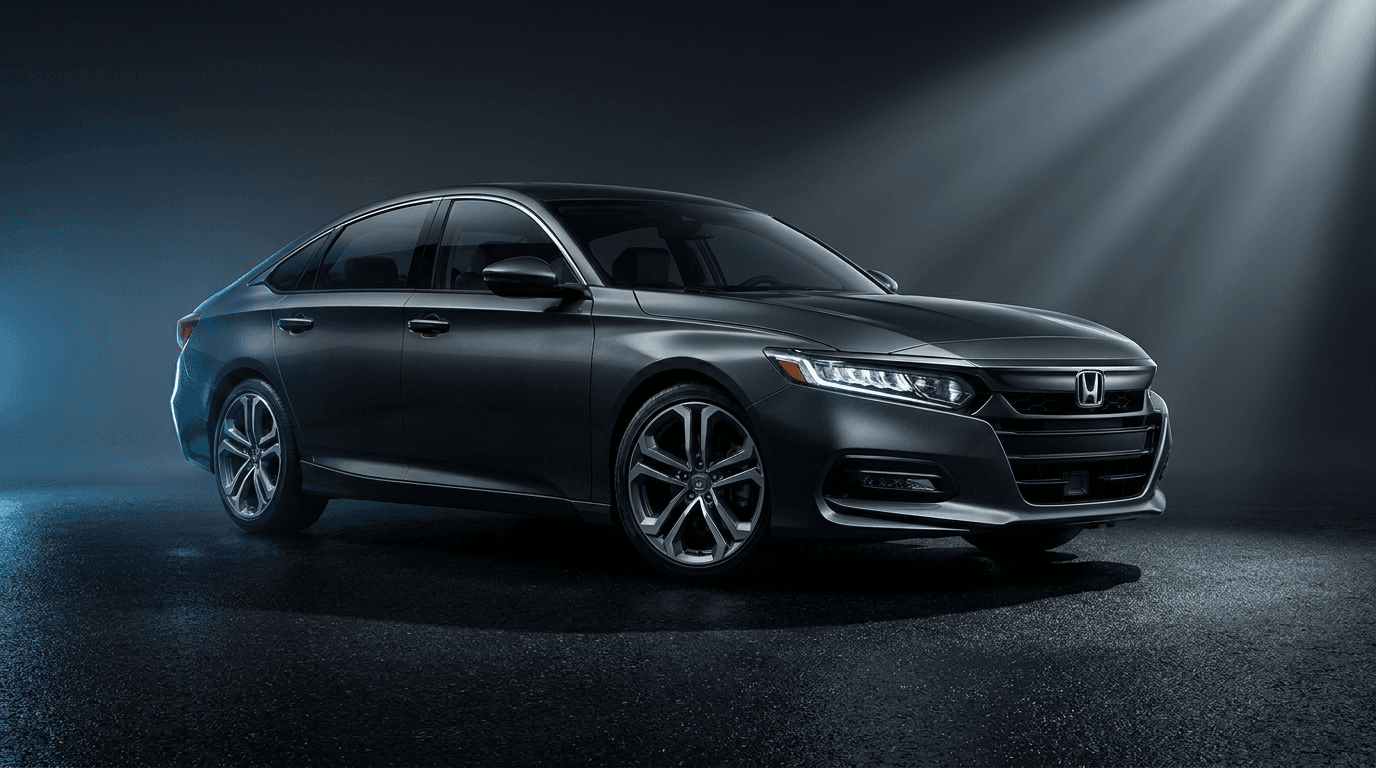
Prompt:
dramatic cinematic composition of a sleek modern sedan captured in a dynamic three-quarter front view, the vehicle features clean contemporary automotive design with smooth body lines sharp LED headlight details and a bold front grille rendered in deep metallic charcoal, the car sits on a clean dark asphalt surface with subtle reflections beneath, dramatic studio-quality directional lighting from the upper right highlights the vehicle's sculpted body panels creating sharp highlights and deep shadows that accentuate the design, a subtle cool blue ambient light from the left adds dimension and a sense of technology, the background is a clean gradient from dark charcoal to deep near-black keeping all focus on the vehicle, the left portion of the composition features slightly more empty dark background providing space for model name headline and dealership CTA, the overall mood is powerful sophisticated and aspirational, the color palette uses deep metallic charcoal bright white highlights cool blue accent and rich black creating a premium automotive photography aesthetic, showroom automotive photography style with dramatic lighting, no text no watermarks no typography no letters no logos
Best for: New vehicle model promotions, dealership campaigns, test drive invitations, lease and finance offers, automotive brand awareness, car launch events, pre-order campaigns
Template 10: Fashion and Apparel
Fashion display banners need to communicate style, desirability, and trend awareness. The visual language uses editorial photography conventions, confident styling, and aspirational settings that make the viewer see themselves in the clothing.
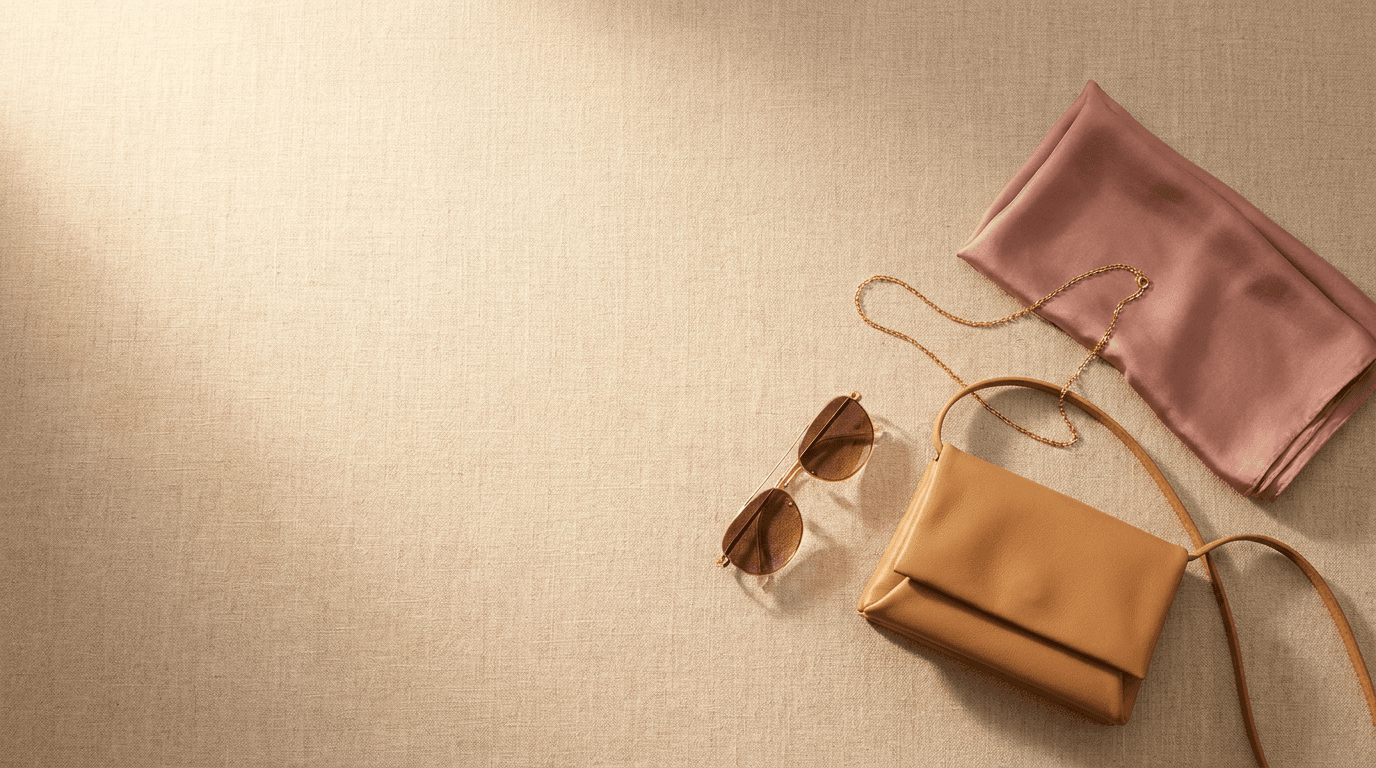
Prompt:
stylish editorial composition of a fashion flat lay arrangement on a clean textured linen surface, three to four carefully styled fashion accessories are arranged with editorial precision including a pair of elegant sunglasses a small leather crossbody bag in warm camel a delicate gold chain necklace and a folded silk scarf in soft dusty rose, warm natural light from the upper left creates beautiful soft shadows and highlights the premium textures and materials, the items are arranged in the lower-right portion of the frame using an asymmetric editorial layout, the upper-left two-thirds of the frame features the clean linen surface with beautiful natural texture and warm light providing generous space for collection headline and shop CTA, the overall aesthetic feels like a premium fashion magazine editorial spread, the color palette uses warm natural linen warm camel leather dusty rose silk gold metal and soft cream creating an elevated fashion aesthetic, editorial flat lay photography style with beautiful natural light, no text no watermarks no typography no letters no logos
Best for: Fashion brand campaigns, seasonal collection launches, accessory promotions, e-commerce fashion ads, style guide promotions, luxury apparel marketing, flash sale fashion ads
Template 11: B2B / Professional Services
B2B display banners need to communicate competence, trust, and results. The visual language is clean, modern, and professional without being sterile. The average B2B SaaS buyer interacts with 266 touchpoints before making a purchase decision[2], and display banners are critical touchpoints throughout that journey.
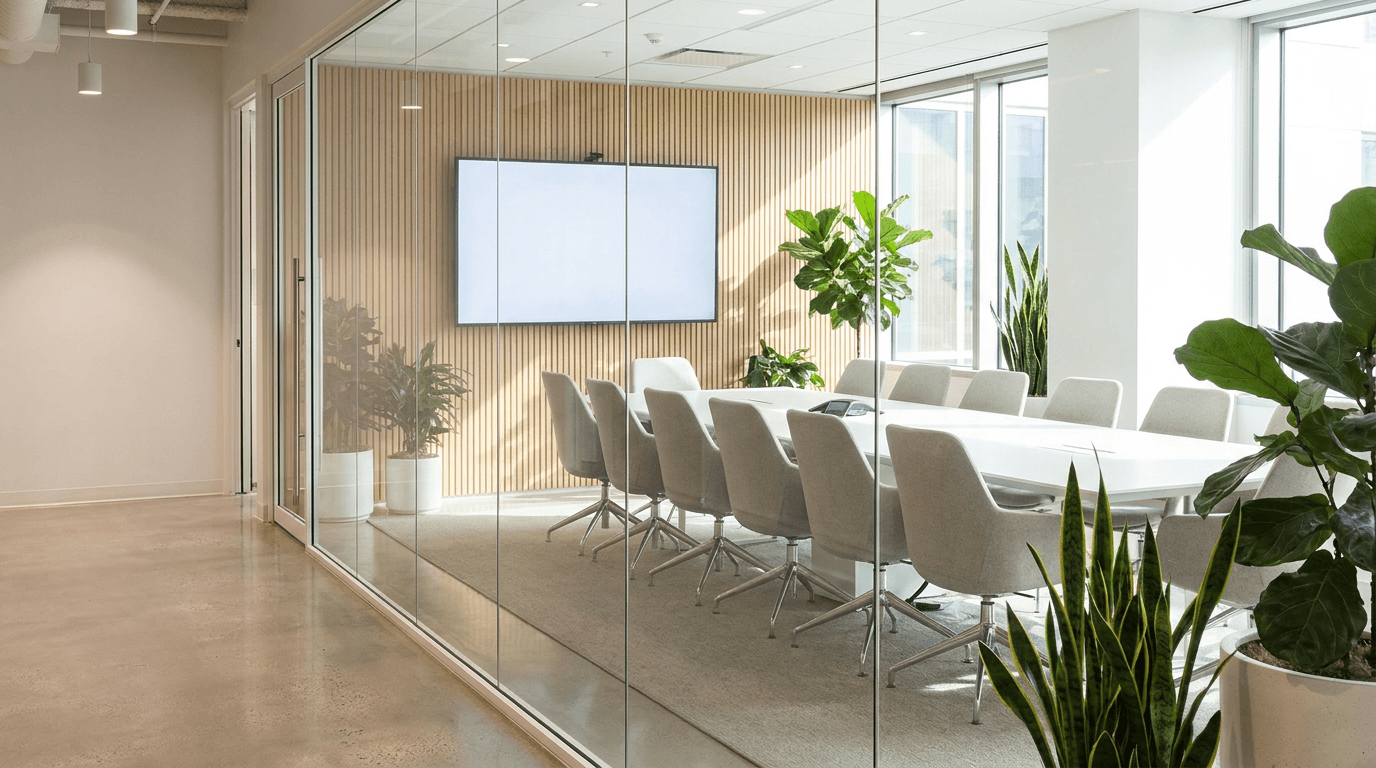
Prompt:
clean professional composition of a modern corporate meeting space viewed through a glass wall, a bright contemporary conference room with a long white table clean modern chairs and a large presentation screen is visible through floor-to-ceiling glass, natural daylight floods the space from large windows creating a bright optimistic atmosphere, the glass wall has subtle reflections adding depth and a sense of looking into a successful operation, green indoor plants add life and warmth to the corporate environment, the composition shows the conference room slightly off-center to the right with the glass wall and corridor space on the left providing cleaner area for business headline and consultation CTA, the overall aesthetic communicates modern professional success transparency and forward-thinking leadership, the color palette uses bright whites light warm grays clean glass reflections natural green plants and subtle warm wood accents creating a premium corporate environment, architectural interior photography style with natural light, no text no watermarks no typography no letters no logos
Best for: Consulting services, enterprise software, B2B lead generation, professional development, corporate training, managed services, business consulting, agency marketing
Template 12: Fitness and Gym
Fitness display banners need to communicate energy, transformation, and motivation. The visual language uses dynamic compositions, strong lighting, and aspirational athletic imagery that makes the viewer want to take action. This category pairs well with fitness brand visual content strategies.

Prompt:
dynamic energetic composition of a modern gym interior with dramatic lighting, a sleek row of dumbbells on a rack is captured at a low dramatic angle with beautiful shallow depth of field, warm tungsten gym lighting creates golden highlights on the chrome and rubber surfaces while cooler ambient light from large windows adds dimension, the foreground features one or two dumbbells in sharp focus with the rest falling into beautiful warm bokeh, the gym floor is clean dark rubber reflecting subtle light, the left portion and background of the frame features the atmospheric blurred gym environment with warm light sources creating soft bokeh circles providing energetic but clean space for gym headline and membership CTA, the overall mood is powerful motivating and premium, the color palette uses deep dark tones warm golden tungsten light cool chrome silver and touches of energetic red or orange from gym equipment details creating a powerful fitness atmosphere, dramatic fitness facility photography style with cinematic lighting, no text no watermarks no typography no letters no logos
Best for: Gym membership promotions, personal training offers, fitness class ads, workout app campaigns, athletic supplement marketing, sports equipment, fitness challenge invitations
Template 13: Tech and Electronics
Tech product banners need to communicate innovation, precision, and the excitement of cutting-edge hardware. The visual approach uses clean minimal styling, dramatic product lighting, and premium surfaces that make technology feel desirable.
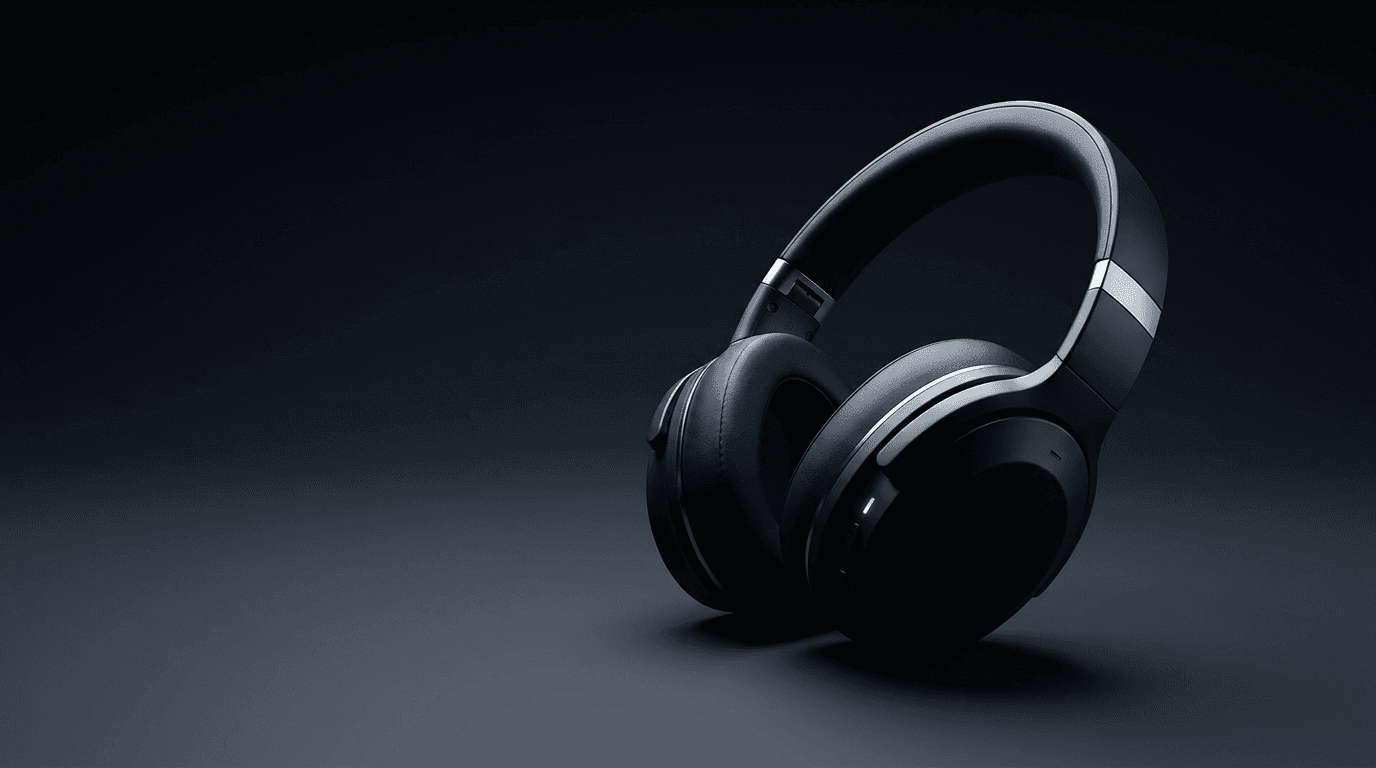
Prompt:
sleek modern composition of a premium wireless headphones product scene on a clean dark surface, elegant over-ear headphones in matte black with subtle silver accents are positioned at a dynamic angle on a smooth dark slate surface, dramatic directional lighting from the right creates sharp highlights along the headphone curves and ear cup edges while the rest falls into rich controlled shadow, the headphones cast a clean precise shadow on the dark surface, a subtle cool blue LED glow emanates from a small indicator on the headphones adding a tech detail, the background is a smooth gradient from very dark charcoal to deep black keeping all attention on the product, the left side of the composition features more of the clean dark background providing space for product name headline and buy CTA, the overall aesthetic feels like a premium tech product launch photograph, the color palette uses matte black polished silver subtle cool blue LED accent and deep dark charcoal creating a premium consumer technology aesthetic, product photography style with dramatic studio lighting, no text no watermarks no typography no letters no logos
Best for: Consumer electronics campaigns, tech product launches, gadget promotions, audio equipment ads, smart device marketing, wearable technology, tech accessory campaigns
Template 14: Luxury and Premium Brand
Luxury display banners must communicate exclusivity, refinement, and taste. Every visual element signals quality and the elevated experience the brand delivers. The palette runs dark and metallic, and the composition uses intentional negative space that communicates confidence.

Prompt:
elegant luxurious composition of a premium abstract texture with rich depth and sophistication, a surface of deep black polished marble fills the frame with subtle veins of warm gold running through the stone in organic flowing patterns, the gold veining is rendered with beautiful metallic shimmer varying in thickness and intensity creating natural depth and movement, dramatic side lighting from the right catches the gold veins creating bright warm highlights that contrast beautifully against the deep polished black surface, the veining pattern concentrates in the center-right of the frame with the left portion showing more expansive polished black surface with only subtle hints of gold providing an exclusive dark canvas for brand headline in gold or white, the marble surface has a perfect polished reflection quality suggesting nero marquina or premium black onyx, the overall aesthetic communicates timeless luxury heritage craftsmanship and understated opulence, the color palette uses only rich deep black and warm metallic gold creating the ultimate expression of luxury exclusivity and elevated taste, macro texture photography style with dramatic side lighting, no text no watermarks no typography no letters no logos
Best for: Luxury brand campaigns, VIP customer targeting, premium product launches, high-end fashion, jewelry promotions, luxury real estate, exclusive membership offers, premium service marketing
Template 15: Retargeting / Cart Abandonment
Retargeting banners serve viewers who have already engaged with your brand, making the creative context fundamentally different from prospecting. The visual language should feel warm, familiar, and gently urgent, with a subtle emotional pull that reminds the viewer of what they left behind. Retargeting increases conversion rates by approximately 150–200%.[5]

Prompt:
warm inviting composition of a beautifully wrapped package or gift box with a sense of anticipation, a elegant medium-sized gift box wrapped in warm kraft paper with a beautiful satin ribbon bow in soft dusty rose sits on a clean white surface, the box is slightly open or the ribbon slightly undone suggesting something waiting to be claimed and opened, warm soft natural light from the left creates gentle shadows and a cozy inviting atmosphere, scattered small flower petals or dried botanicals near the box base add organic warmth and attention to detail, the background is clean and softly bright with a gentle warm cream tone, the right portion of the frame features more of the clean background providing space for return CTA and personalized offer text, the overall mood is personal warm and gently urgent as if something special is waiting for you, the color palette uses warm kraft paper tones soft dusty rose ribbon clean white and gentle cream creating an intimate personal aesthetic that encourages return, lifestyle gift photography style with beautiful soft light, no text no watermarks no typography no letters no logos
Best for: Cart abandonment retargeting, browse abandonment, win-back campaigns, re-engagement ads, wishlist reminders, abandoned checkout recovery, returning visitor offers
Customizing These Templates for Your Brand
These templates provide campaign-type calibrated visual foundations. Transforming them into banners that feel uniquely yours requires adjusting along several key dimensions.
Map your brand colors into the prompt. Every prompt specifies a color palette. Replace those colors with your brand's exact palette to create immediate visual consistency. Maintain consistent colors, fonts, logos, and design language across all display ads to build brand recognition.[1] If your brand uses a specific shade of blue, replace "deep navy" in the prompt with your exact color description. Consistent brand colors across display ads, your website, and social media create compounding recognition that boosts performance over time.
Generate both required aspect ratios. For every campaign, you need at minimum a landscape (16:9) and a square (1:1) image. Run each prompt twice with the appropriate aspect ratio selected. The same visual concept will adapt naturally to different compositions, but review both outputs to ensure the focal point remains strong in each format. For additional reach, generate a portrait (4:5) version as well.
Create multiple variations for Google's optimization. Advertisers see 10% more conversions at a similar CPA when using multiple variations, than with a single set of assets.[2] Generate five to ten variations from each prompt by making small adjustments — changing the lighting direction, swapping accent colors, or adjusting the composition balance. Google's AI will test each variation and surface the best performers. The more quality options you provide, the more room the algorithm has to optimize.
Adapt the visual concept for your specific product. These templates provide genre-level visual concepts. If you are a travel company promoting mountain destinations rather than beach resorts, swap the tropical elements for alpine scenery while keeping the same composition principles — warm lighting, clean areas for text, and an aspirational mood. The AI image inpainting tool can help you modify specific areas of a generated image without regenerating the entire composition.
Producing Static Banners from AI-Generated Images
While Responsive Display Ads use your AI-generated images as standalone assets with Google handling text automatically, static uploaded banners require additional production steps where you layer text and branding onto the generated visual.
For static banner production, generate your AI image at the highest quality, then resize and compose the final banner in your design tool (Figma, Canva, Photoshop, or similar). The visual hierarchy for a static display banner follows a specific pattern. You want the viewer to look at content in the following order: Image, then Value Proposition/Tagline, then Logo, then Additional information, then CTA.[2] Your AI-generated background should support this flow, with the visual focal point drawing the eye first, then guiding it toward the text area.
Your value proposition and CTA should be the most visually distinct elements. You should place your logo on the sidelines, at one of the edges of your ad. Plus, you have to make sure your image doesn't obscure any of the copy.[3] Every prompt in this post creates a clear text-safe area where your headline and CTA will read cleanly against the background.
When exporting static banners, remember the strict 150 KB file size limit. Export as JPEG at 60–80% quality for photographic backgrounds. If the file is still too large, reduce the image dimensions slightly or increase compression. Export images at 72 DPI and use compression to reduce file size without much quality loss.[3]
Overcoming Banner Blindness with AI-Generated Creative
Banner blindness is the single biggest challenge in display advertising. Banner blindness is when website visitors ignore banner ads, either consciously or unconsciously. Instead of noticing or engaging with the ads, people automatically scroll past them or focus only on the main content.[8] The root cause is visual predictability. Users have learned to recognize and ignore the visual patterns of standard banner advertising.
AI-generated imagery is a direct countermeasure. When your display banners use unique, eye-catching visuals that don't look like typical stock-based advertising, they break the pattern recognition that triggers banner blindness. As a rule of thumb, you should avoid stock images.[3] AI-generated visuals ensure no competitor will ever use the same image, and each variation looks fresh and distinct.
Multiple variants of the same ad changing certain elements can help prevent ad fatigue and avoid banner blindness.[2] This is where AI generation becomes particularly valuable. You can produce ten variations of a single campaign concept in a fraction of the time it would take to source or commission ten unique photographs. Rotate these variations every two to three weeks to keep creative performance from decaying.
Creative fatigue specifically refers to users tiring of seeing the same creative elements repeatedly. The solution is to leverage different ad variations and refresh marketing collateral such as visuals, copy, and formats.[9] The prompts in this post are designed to make variation easy — adjust a single element like lighting, color accent, or composition balance and generate a fresh visual that maintains brand consistency while looking distinct.
Optimizing for Performance Max Campaigns
Performance Max (PMax) accounts for roughly 65% of Google Ads spend in 2026.[1] PMax campaigns distribute your creative assets across Search, Display, YouTube, Gmail, Discover, and Maps from a single campaign. The image assets you generate using the prompts in this post serve double duty as both Display Network banners and creative assets across these additional surfaces.
Provide high-quality asset groups — headlines, descriptions, images, videos, and audience signals. The quality of your creative inputs directly determines the quality of PMax outputs.[9] Feed PMax with the full range of AI-generated imagery: landscape, square, and portrait formats, each with multiple variations. The algorithm will test combinations across all Google properties and surface the best performers for each placement and audience segment.
For brands that create video content alongside display imagery, Miraflow's Text2Shorts tool can transform written campaign messaging into short promotional videos that share the same visual energy as your display banners. The AI Music Generator can provide background audio for video assets. Pairing strong display imagery with video in your PMax asset group covers the full range of inventory types that PMax serves across.
Cross-Platform Visual Consistency
Your display banner imagery should connect visually to your broader marketing presence. Users who see your display ads, receive your emails, scroll your Instagram, and watch your YouTube content should experience a cohesive visual brand at every touchpoint. It is important that your ads match your branding so your audience makes an immediate connection to your brand upon seeing your ads.[5]
The AI prompts in this post can be adapted for adjacent formats. The same visual concept that works for a display banner can be reformatted for Instagram post images at 1:1, email header images at 3:1, blog featured images at 16:9, or YouTube thumbnails at 16:9 — maintaining the same campaign aesthetic across every channel. This unified visual approach compounds brand recognition and creates a consistent experience that builds trust with every impression.
Common Mistakes That Kill Display Banner Performance
Understanding the most frequent display creative errors helps you evaluate your AI-generated images critically before they enter your ad campaigns.
Using generic stock imagery. Avoid displaying products over digital composite backgrounds, including an all-white background. Instead, use quality photographs that have physical settings with organic shadows and lighting.[10] AI-generated images with contextual settings, realistic lighting, and intentional composition naturally satisfy Google's quality guidelines and outperform generic stock visuals.
Overcrowded compositions with no breathing room. Maintaining consistency and simplicity in your ad creatives is crucial for effective visual hierarchy. Avoid overwhelming the viewer with too many competing elements or complex layouts. Keep the design clean and uncluttered, focusing on the key message and call-to-action.[6] Every prompt in this post specifies a single visual concept with intentional clear space for text and CTA.
Creating only one banner size. Using multiple sizes in one campaign increases your chances of winning ad slots. Google's algorithms favor advertisers who provide variety. Creating ads in top-performing ad sizes like 300×250, 728×90, and 160×600 gives you access to more placements and better ad performance.[5] Always generate in both landscape and square formats at minimum to maximize your inventory access.
Ignoring mobile context. Both mobile ad sizes require careful design because screen space is limited. Keep text minimal and buttons large enough to tap easily. Top-performing mobile formats focus on simple messages that load quickly.[5] Review every generated image at 320×50 mobile leaderboard scale. If the visual concept is not clear and impactful at that size, regenerate with a simpler composition.
Running the same creative indefinitely. When engagement metrics decline, you may see an increase in the cost of ad delivery, resulting in higher cost-per-click for advertisers. As ad fatigue continues, algorithms may begin to downrank your ads, resulting in fewer overall impressions.[9] Establish a creative refresh cycle of every two to four weeks, using AI generation to efficiently produce fresh variations that maintain brand consistency.
FAQ
What are the best Google Display ad sizes for 2026?
Five sizes consistently deliver the best results in 2026: 300×250 (Medium Rectangle), 336×280 (Large Rectangle), 728×90 (Leaderboard), 300×600 (Half Page), and 320×50 (Mobile Leaderboard).[3] For Responsive Display Ads, provide images in both landscape (16:9) and square (1200×1200, 1:1) at minimum, with an optional portrait (1200×1500, 4:5) for expanded reach.
What is the maximum file size for Google Display ads?
All image ads must be 150 KB or smaller in file size.[3] This applies to static uploaded banners. For Responsive Display Ad images, all images must be JPEG or PNG and ≤ 5 MB (5120 KB) each.[3] The 150 KB limit is the more common constraint for static banner production.
Should I put text on my display ad images for Responsive Display Ads?
No. Avoid inserting text on top of an image. When assets are combined, your messaging may become repetitive if overlaid text is too similar to a headline. Overlaid text can be unreadable in smaller ad sizes.[10] Generate text-free visual backgrounds using the prompts in this post. Google automatically combines your image with your uploaded headlines, descriptions, logo, and CTA. For static uploaded banners, you add text and CTA in your design tool.
What is a good CTR for Google Display ads?
The cross-industry average Google Ads CTR for Display is 0.46%.[10] However, AI-optimized display creatives achieved an average CTR of 0.74%, a 60.9% improvement over the 0.46% industry baseline.[6] Display retargeting CTR averages 0.7–1.2%.[5] Focus on beating your own historical performance rather than chasing a single benchmark number.
How many image variations should I upload for Responsive Display Ads?
RDAs accept up to 15 images.[1] Google recommends starting with at least five images, five short headlines, and five descriptions. Advertisers see 10% more conversions at a similar CPA when using multiple variations.[2] Generate five to fifteen variations from the prompts in this post to give Google's algorithm maximum room to optimize.
How do AI-generated display banners compare to stock photography?
AI-generated banners solve multiple problems that stock photography creates. Every image is unique, so no competitor uses the same visual. The imagery naturally includes contextual settings and realistic lighting that satisfy Google's quality guidelines. Stock images, particularly product photos on white backgrounds, are explicitly flagged by Google's guidelines. As a rule of thumb, you should avoid stock images.[3]
What aspect ratio should I use in the AI image generator?
Generate at both landscape (16:9) and square (1:1) as minimum coverage. The Miraflow AI Image Generator supports both formats. Export landscape at 1200×628 pixels and square at 1200×1200 pixels. Optionally add portrait (4:5) at 1200×1500 for mobile placements. For static banners, generate at the highest quality and resize for each target dimension.
How often should I refresh my display ad creative?
Ad fatigue sets in after 2-4 weeks. Rotate new creative variations to maintain engagement and prevent declining performance.[1] Monitor CTR weekly. When you see CTR declining at consistent spend levels, it is time for a creative refresh. AI generation makes it practical to produce fresh variations on a two-week cycle.
Do I need different images for prospecting vs. retargeting campaigns?
Yes. Prospecting is about qualified reach and building intent. Retargeting is about conversion confidence. If you mix them, performance becomes noisy and you can't scale what's working.[6] Templates 1-14 work well for prospecting, while Template 15 is specifically designed for retargeting. Retargeting creative should feel warmer, more personal, and gently urgent compared to prospecting creative.
Can these prompts be used for Performance Max campaigns?
Yes. The same image assets you generate for Responsive Display Ads serve as the display component of your Performance Max asset groups. Performance Max campaigns with the full complement of images, logos, videos, and copy consistently outperform minimum-asset campaigns.[1] Generate the full range of aspect ratios (landscape, square, and portrait) to cover all PMax inventory surfaces.
Conclusion
Your Google Ads display banner has to stop someone who is not looking for you, in a medium where 86% of viewers are actively trying to ignore ads, at a size that may be as small as 320×50 pixels, within a split second of exposure. The banners that achieve this consistently share a common foundation: bold, simple visual concepts with clear composition, strong lighting, and intentional space for messaging — all wrapped in unique imagery that breaks the visual patterns users have learned to ignore.
The 15 templates in this post give you a production-ready system for generating professional display banner imagery across the campaign types and industries that dominate Google Ads: e-commerce promotions, SaaS trials, real estate listings, health and wellness, financial services, travel and hospitality, education, food and restaurant, automotive, fashion, B2B services, fitness, tech and electronics, luxury brands, and retargeting campaigns. Each template is built around the visual conventions and emotional triggers that viewers in each category respond to, with compositions designed for the aspect ratios and creative guidelines that Google's Display Network and Performance Max campaigns require.
Copy the template that matches your campaign type, customize the colors and imagery for your brand, generate it inside Miraflow AI, and upload it as your display creative. Generate at both landscape and square aspect ratios, create five to fifteen variations per campaign, and refresh every two to four weeks to stay ahead of creative fatigue. Test relentlessly, measure against your own benchmarks, and let Google's AI surface the best-performing combinations from the rich visual library you build. The Display Network reaches over 90% of internet users. Your creative determines whether that reach converts into results.