Asset Experiments in Performance Max: Google Ads' New Way to A/B Test Creative

Written by
Aerin Kim

Google Ads is rolling out asset experiments for Performance Max, letting advertisers A/B test creative variations instead of guessing from one blended result. Here is how to set one up.
Picture the scenario. You just wrapped a full week generating a new round of creative for a client's Performance Max campaign: a handful of new product videos, a stronger set of lifestyle stills, and two headlines you are fairly confident beat the old ones. You upload everything into the same asset group the previous creative was already living in, performance shifts over the following two weeks, and then someone in the client review asks the obvious question. Which asset actually moved the number? There is no honest answer, because Performance Max blended the new creative in with the old, let its bidding model chase whatever combination worked best across the whole mixed pool, and reported back one number for the entire campaign. You know something changed. You have no idea what caused it.
That has been the defining frustration of Performance Max since it launched. Hand Google your assets and your budget, and you get one blended result back with almost no way to isolate what is actually responsible for it. Search campaigns have had real A/B testing through Google Ads experiments for years. Standard Display and Search creative could always be split-tested with reasonable precision. Performance Max, because it deliberately pools every asset into one automated system spanning Search, Display, YouTube, Gmail, Discover, and Maps, never really offered advertisers that same ability to isolate a variable and test it cleanly. You could pause an asset group and start a new one and eyeball the difference, but that is not a controlled test, it is two campaigns running at two different points in time with two different sets of market conditions behind them.
Google is chipping away at exactly that problem with a feature it calls asset experiments for Performance Max, currently rolling out across advertiser accounts. It will not turn Performance Max into a fully transparent, fully controllable channel overnight, and Google has been careful not to promise specific performance lifts from using it. What it does offer is something advertisers running Performance Max have been asking for since the format existed: a real, structured way to test creative variations against a live campaign and see which one actually wins, instead of guessing from a blended result. This post walks through what asset experiments actually do, how to set one up conceptually, what is worth testing first for a small local business versus a large ecommerce advertiser, how to read results now that only one metric is live, and what changes once the promised second metric and broader API access land.
TL;DR
- Asset experiments let you test creative variations inside a live Performance Max campaign instead of guessing from a blended result. You can compare an entirely new asset group against your current one, isolate the impact of adding or removing a single asset, or compare seasonal creative against evergreen creative.
- Assets generated in Asset Studio can be plugged directly into an experiment, so creative you already built for Performance Max does not need to be exported and re-uploaded somewhere else to test it.
- Right now, an experiment tracks one primary performance metric at a time. Google has said a second, optional success metric is coming soon, which will let advertisers judge a test on more than one number at once, for example cost-per-conversion alongside Brand Lift rather than one in isolation.
- The metrics Google specifically names as measurable through this feature are cost-per-view, cost-per-conversion, and Brand Lift.
- Asset experiments are described as currently rolling out, not yet available to every advertiser, with expanded support for the Google Ads API and manager (MCC) accounts expected in a few weeks from the announcement.
- This is part of a broader, ongoing shift in how much control Google is willing to hand back to advertisers inside Performance Max, alongside changes like asset group prefill from Asset Studio and the reporting and steering controls rolled out earlier this year.
What Asset Experiments Actually Do
An asset experiment is, at its core, a controlled comparison running inside a live Performance Max campaign rather than a separate campaign you have to build and traffic-split by hand. Google's announcement describes three distinct ways advertisers can use it, and it is worth understanding each one as its own tool rather than three flavors of the same test, because they answer genuinely different questions.
Test a New Asset Group Against the Current One
The first and broadest option is a head-to-head between an entirely new asset group and the one already running in your campaign. This is the closest thing Performance Max has ever offered to a real creative refresh test. Instead of simply swapping the old asset group out for the new one and hoping performance holds, or watching the metric drift and trying to guess whether the new creative or a seasonal shift caused it, an experiment splits traffic between the two asset groups under the same campaign, the same budget, and the same bidding conditions, and reports back which one actually performed better against your chosen metric.
This matters most when you are considering a genuine creative overhaul rather than a small tweak, a full rebrand of the imagery, a completely different video concept, or a shift in messaging angle you are not confident about yet. Rather than betting the whole campaign on the new direction, you get a real comparison first.
Isolate the Impact of Adding or Removing a Single Asset
The second option works at a much smaller scale. Instead of testing two full asset groups against each other, you can isolate the effect of one specific asset, adding a single new video, removing an underperforming image, or swapping one headline, while holding everything else in the asset group constant. This is the option that answers the exact question from the opening scenario of this post: which single asset actually moved the number, not which entire bundle of ten new assets did.
This granularity is genuinely new for Performance Max. Historically, adding or removing one asset from a live asset group was something you did and then watched the aggregate metric shift, with no clean way to attribute that shift to the specific change you made versus everything else happening in the account and the market at the same time. An isolated single-asset experiment gives you something closer to a real answer.
Compare Seasonal Creative Against Evergreen Creative
The third option is built specifically around a problem retail and ecommerce advertisers deal with constantly: deciding whether a seasonal creative push, holiday imagery, a promotional video, a limited-time offer graphic, actually outperforms the evergreen creative that runs the rest of the year, or whether it is worth the production effort at all. Rather than swapping seasonal creative in blind every November and assuming it helps because that is what everyone does, an experiment lets you actually measure whether the seasonal variant beats the evergreen baseline for your specific business, your specific audience, and this specific season.

Where Asset Studio Fits In
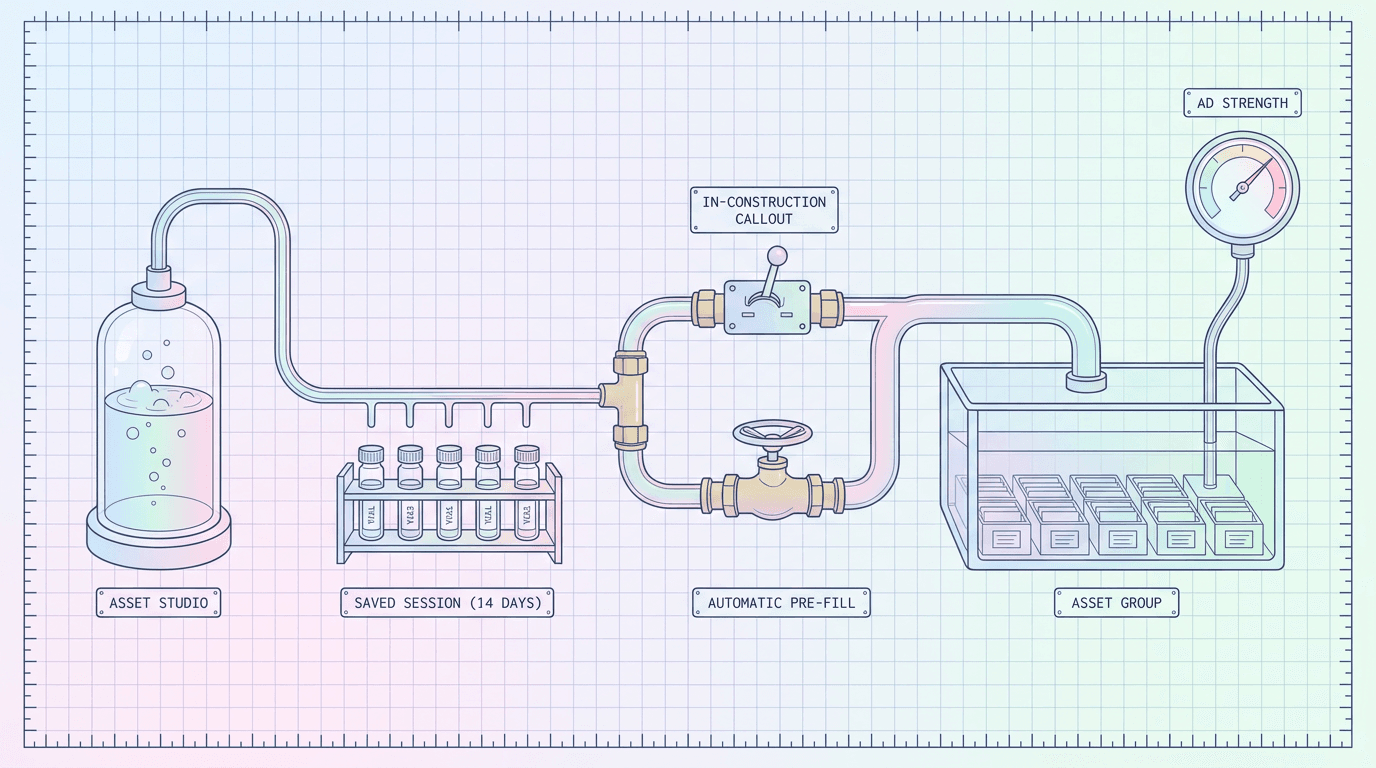
One detail worth calling out on its own: assets generated in Asset Studio, Google Ads' built-in AI creative generation workspace, can be plugged directly into an experiment. If you already have a habit of generating and refining creative inside Asset Studio before it lands in a live asset group, which is a workflow that got considerably smoother after Google added automatic prefill from Asset Studio into Performance Max asset groups earlier in September, that same creative can now feed directly into an experiment without an extra export and re-upload step. In practice this means the natural workflow becomes generate creative, review it, and either prefill it into a fresh asset group or route it straight into an experiment against what is already running, depending on how confident you already are in it.
Why Google Is Doing This Now
Performance Max's black-box reputation has been a real, persistent source of friction for advertisers and agencies since it replaced Smart Shopping campaigns and expanded into a full-funnel automated format. The core trade Google offered was simple: give up granular control over placement, audience, and creative-level reporting, and get better cross-channel performance from a system that can see and optimize across more inventory than a human media buyer realistically can. For a lot of advertisers, especially larger ones with real budget at stake, that trade has never sat entirely comfortably, and the criticism has been consistent for years: you cannot see what is working, so you cannot confidently double down on it or cut what is not.
Asset experiments are part of a real pattern of Google responding to that specific criticism, not a one-off feature. Over the past several months, Performance Max has picked up a meaningful set of controls aimed at giving advertisers back some ability to see inside and steer the system rather than trusting the algorithm blind: campaign-level reporting improvements, negative keyword and audience exclusion controls, and the asset group prefill workflow already mentioned above, all covered in more depth in Miraflow's breakdown of the newer Performance Max reporting and steering controls. Asset experiments extend that same trend into the one area those earlier controls did not touch: creative itself. You could already see more of what was happening inside your campaign and exclude more of what you did not want. You still could not cleanly test one creative idea against another. This closes that specific gap.
There is also a real competitive angle worth naming directly. Meta has offered advertisers structured creative testing for years through its Ads Manager experiments tools and Advantage+ creative optimization, where an advertiser can run a controlled test comparing creative variants and get a statistically meaningful readout on which one performed better, without needing to build and manually split-test separate campaigns. That capability has been a genuine point of comparison advertisers raise when choosing how to split budget between Google and Meta for a campaign that runs on both. A media buyer managing a brand's paid social and paid search budget side by side could test a new hero video's actual impact on Meta in a controlled way well before Performance Max offered anything comparable inside Google's own automated format. Asset experiments do not fully close that gap yet, current support covers a narrower set of comparison types and a single live metric at a time, but it is a real step toward Performance Max being competitive with Meta's testing tools rather than lagging noticeably behind them, and it is a reasonable bet that the metric and access expansions already promised are Google working to close the remaining distance.
How to Set Up an Asset Experiment, Conceptually
Google's own interface for this feature is still expanding as the rollout continues, so exact menu paths and screen names may shift for your account over the coming weeks. What matters more right now is understanding the shape of the setup process, since that structure is what determines whether the test you run actually answers the question you meant to ask.
Step 1: Decide which of the three experiment types actually matches your question. This sounds obvious, but it is the step advertisers most often skip past. A full new-asset-group test answers a broad creative-direction question. A single-asset test answers a narrow, specific attribution question. A seasonal-versus-evergreen test answers a timing and relevance question. Picking the wrong type does not just waste the experiment, it produces an answer to a question you were not actually asking, which is worse than no answer at all because it looks conclusive.
Step 2: Build the variant you want to test against your current creative. For a full asset group test, this means assembling a complete second asset group, ideally with real variety across headlines, descriptions, images, and video, not a thin placeholder set, since a weak variant will lose to almost anything regardless of whether the underlying creative direction is actually good. For a single-asset test, this means preparing the one specific asset, the new video, the replacement image, the alternate headline, that you want isolated. For a seasonal test, it means having both the seasonal creative and a genuine evergreen baseline ready, not comparing seasonal creative against nothing.

Step 3: Choose your primary metric. Right now this is a single choice among the metrics the experiment supports, cost-per-view, cost-per-conversion, or Brand Lift depending on what your campaign is actually optimizing toward and what question you care most about answering. Pick the metric that genuinely reflects the decision you are trying to make. A campaign built around driving awareness and consideration should generally lean on Brand Lift rather than cost-per-conversion, even if conversion data is available, because judging an awareness-oriented creative test purely on a conversion metric will systematically undervalue creative that is doing its actual job well.
Step 4: Set the experiment live and let it run for a genuine evaluation window. Performance Max experiments, like the rest of the platform, need real time and real traffic volume to produce a statistically meaningful result. Judging an experiment after two or three days, before either variant has accumulated enough volume to separate from noise, is one of the most common mistakes advertisers make with any Performance Max change, and it applies just as much here. Plan for at least a few weeks of runtime for most accounts, longer for lower-volume campaigns, before drawing a real conclusion.
Step 5: Read the result against the metric you chose, and decide what happens next. A clear win for the new variant is a signal to apply it as the new baseline. A clear loss tells you the current creative is still doing its job and the new direction needs more work before it earns a spot in the live campaign. A result that is close or inconclusive is itself useful information: it tells you the two variants are roughly equivalent on the metric you tested, which might mean it is safe to keep either one, or that you tested the wrong variable and the real difference lies somewhere else in the creative.
| Full new asset group vs current | Add or remove a single asset | Seasonal vs evergreen creative | |
|---|---|---|---|
| What it answers | Whether a genuinely new creative direction beats what is already running | Whether one specific asset is actually helping or hurting | Whether a seasonal push is worth it for this business right now |
| Best fit | Larger accounts with enough volume to split traffic cleanly | Smaller accounts, or any account testing one contained change | Retail and ecommerce advertisers with a recurring seasonal moment |
| Setup effort | Higher, needs a full second asset group built with real variety | Lower, only the one asset needs to be prepared | Moderate, needs both a seasonal set and a real evergreen baseline |
| Risk if it loses | Larger, since a full new direction is being tested at once | Small, the rest of the proven asset group stays untouched | Moderate, but reusable as a yearly benchmark either way |
What to Test First: Concrete Scenarios
The three experiment types are not equally useful for every business, and the order in which you would reach for them differs meaningfully depending on scale, budget, and what channel mix your Performance Max campaign actually leans on. Two contrasting scenarios make this concrete.
A Small Local Business
Consider a single-location yoga and fitness studio running one Performance Max campaign built around new-member sign-ups, with a modest monthly budget spread across Search, Display, and a bit of YouTube inventory. For a business at this scale, a full new-asset-group experiment is usually the wrong first move. Splitting an already-small budget across two full asset groups thins out the traffic each one receives, stretching the time needed to reach a meaningful result and eating into the budget that would otherwise be driving actual sign-ups during the test window.
The single-asset isolation test is a much better fit here. The studio owner generates one new video, a genuine walkthrough of the space and a class in progress rather than a generic stock-style clip, and tests it as an addition against the current asset group rather than rebuilding the whole thing. This keeps the bulk of the proven asset group intact, limits the downside if the new video underperforms, and answers a specific, actionable question: does this one new video actually help, yes or no, without risking the budget on an unproven full creative overhaul. A seasonal-versus-evergreen test is also a strong fit for a business like this heading into a predictable seasonal moment, a January new-year membership push compared against the evergreen creative that runs the rest of the year, since that is a real, recurring decision the studio has to make annually anyway.
A Large Ecommerce Advertiser
Now consider a mid-size outdoor apparel retailer running a Performance Max campaign that leans heavily on Shopping and Display inventory, with enough monthly budget and conversion volume that splitting traffic across two full asset groups will still produce a statistically usable result within a few weeks. This is exactly the advertiser for whom the full new-asset-group experiment earns its place as the first test worth running, and a genuinely useful worked comparison for a retailer at this scale is product-shot-heavy creative against lifestyle-heavy creative.
The product-shot-heavy asset group leans on clean, well-lit product photography, a jacket on a plain background, a clear view of the zipper detail, a color swatch grid, the kind of imagery that performs reliably on Shopping surfaces where a shopper is already comparing specific items. The lifestyle-heavy asset group instead leans on the product in real use, someone wearing the jacket on an actual hike, a video of it holding up in real rain, imagery built more for Display and YouTube placements where the goal is closer to building desire than closing a comparison. Running these as a true asset-group-versus-asset-group experiment, rather than guessing which style to lean into, answers a question that genuinely differs by category and audience. A technical outdoor brand selling to serious hikers might find the product-shot-heavy group actually wins even on a full-funnel metric, because its audience already knows what it wants and converts faster off a clear, comparison-friendly shot. A more lifestyle-driven apparel brand selling to a broader audience might find the opposite, that the lifestyle-heavy group drives meaningfully better cost-per-conversion because it does more work convincing an undecided shopper. Neither answer is obvious in advance, which is exactly why this is worth testing rather than assuming.

How the Right Test Differs by Channel Mix
The channel mix a Performance Max campaign actually leans on changes which experiment type is most worth running first, and it is worth being specific about why rather than treating all Performance Max campaigns as interchangeable.
A campaign that leans heavily on Search inventory, driven mostly by high-intent query matching rather than visual creative, tends to get more value from testing headlines and descriptions through the single-asset isolation option than from a full creative overhaul, since the text assets are doing more of the actual persuasion work in that channel mix than the imagery is. A campaign that leans heavily on Shopping, where product feed data and product imagery dominate what a shopper actually sees, is the strongest fit for the product-shot-versus-lifestyle comparison described above, precisely because Shopping surfaces are where that specific creative choice has the most room to move the needle. A campaign that leans heavily on Display and YouTube inventory, where video and rich visual storytelling matter most and a shopper is often earlier in their decision, tends to benefit most from the full new-asset-group test when a genuinely new creative direction is on the table, since Display and YouTube performance is disproportionately sensitive to whether the creative itself actually connects, more so than Search or Shopping tend to be.
None of this is a rule that overrides your own account data. It is a reasonable starting point for deciding which experiment to reach for first when you have limited testing bandwidth and want the highest-value question answered first.
How the Coming Second Metric Changes Strategy
Right now, an asset experiment tracks a single primary metric, and that constraint shapes how carefully you need to choose it. If you pick cost-per-conversion and the new asset group wins on that number but happens to be a noticeably weaker brand-building asset, or vice versa, an experiment reporting on only one metric has no way to surface that trade-off. You get a clean answer to a narrower question than the one you might actually care about.
Google has said a second, optional success metric is coming soon, which will let advertisers judge an experiment on more than one number at once rather than one in isolation. The example worth sitting with is cost-per-conversion alongside Brand Lift.
[[TABLE:metric-availability-today]] Once both are visible on the same experiment, a genuinely useful new kind of result becomes possible: a new asset group that wins clearly on Brand Lift but performs roughly the same, or even slightly worse, on cost-per-conversion. Today that result would look like a loss or a wash if cost-per-conversion is the only metric being tracked. With a second metric visible, it becomes a real strategic choice instead of an ambiguous result: is the brand-building upside worth accepting flat or slightly higher near-term conversion cost, a decision that depends entirely on where the business actually is, whether it needs immediate conversion volume or is investing in longer-term brand equity, not something a single number can answer on its own.

Until that second metric actually lands in your account, the practical move is to be deliberate about picking a secondary metric to watch manually outside the experiment interface itself. If your primary experiment metric is cost-per-conversion, keep an eye on Brand Lift or view-through metrics through whatever separate reporting you already have, so you are not making a creative decision based on a genuinely incomplete picture, even while the tool itself only reports back on the one number you chose.
What to Do While Waiting for Full API and MCC Support
As of the announcement, asset experiments are described as currently rolling out, and expanded support for the Google Ads API and manager (MCC) accounts is expected in a few weeks. That timeline detail matters more for agencies and larger advertisers than it might first appear, because it defines a real transition window worth planning for rather than just waiting through.
Right now, without full API access, setting up and monitoring an asset experiment is a manual, per-account, interface-driven task. That is a real constraint for an agency managing a portfolio of client accounts, where the whole point of API and MCC-level access is running the same process consistently across dozens of accounts rather than one at a time by hand. Until that access lands, the realistic move for an agency is to treat this as a pilot phase rather than a full rollout across every client. Pick two or three accounts with enough Performance Max volume to produce a meaningful result quickly, run real experiments manually through the standard interface, and use that pilot to build the internal playbook, which experiment type to reach for by account type, how long to let a test run before judging it, what a genuinely conclusive result looks like versus a noisy one, before the API access arrives and running this at full portfolio scale becomes realistic.
For a single in-house advertiser, the waiting period matters less operationally, since you are only ever managing your own account through the interface either way, but it is still worth using the time to prepare the actual creative variants you want to test rather than waiting for full feature maturity to start thinking about what to test. Generating a strong lifestyle-heavy asset group to run against your current product-shot-heavy one, or producing the one new video you want to isolate-test against your existing asset group, is work that can start today regardless of what access level your account currently has.

It is also worth watching this rollout alongside the other recent shifts in how much automation Google is defaulting advertisers into. The same general months that brought asset experiments also brought Search campaigns being automatically upgraded to AI Max for a large share of advertisers, a genuinely different kind of change, more automation by default rather than more manual control, but part of the same broader story of Google actively reshaping how much an advertiser sees and steers across its ad products this year. Asset experiments sit on the opposite end of that spectrum from an auto-upgrade: they are Google handing back a measure of manual, deliberate control inside a format that has trended toward less of it since launch.
Common Mistakes
Running a full new-asset-group test on a low-volume campaign. Splitting an already-thin budget and traffic pool across two asset groups can leave both sides without enough volume to produce a statistically meaningful result within a reasonable timeframe. For a smaller account, the single-asset isolation test is almost always the better first move, since it keeps the bulk of proven creative live while testing the one specific change.
Picking the wrong experiment type for the actual question being asked. A full asset group test cannot tell you which specific asset drove a result, since it is comparing bundles, not individual pieces. A single-asset test cannot tell you whether a completely different creative direction would perform better, since it only isolates one variable within an otherwise unchanged group. Matching the experiment type to the actual decision you need to make is the step advertisers skip most often under time pressure.
Judging results too early. A real-time bidding and delivery system needs a genuine window to accumulate enough volume for either variant to separate meaningfully from noise. Checking results after a few days and declaring a winner is a common mistake across Performance Max generally, and it applies just as directly here.
Testing a thin, rushed variant against a proven, mature asset group. If the new creative you are testing is genuinely weaker, fewer headlines, less varied imagery, no video where the current group has one, it will likely lose regardless of whether the underlying creative direction was actually a good idea. A losing experiment should tell you something real about the idea being tested, not just reflect that one side had less effort put into it.
Ignoring the metric mismatch between what you are optimizing for and what the campaign actually needs. Choosing cost-per-conversion as the primary metric for a campaign whose real goal is brand awareness, simply because it is the default or the most familiar number, will produce a technically accurate but strategically misleading result.
Assuming the current single-metric result is the whole picture. Until the second metric lands, a clean win or loss on one number is a real answer to a narrower question than the one most advertisers actually care about. Treat today's result as provisional on the dimension you were not able to measure yet, not as the final word on whether the new creative direction is worth pursuing.
Forgetting to actually apply the winning variant once a test concludes. An experiment that produces a clear winner still needs a deliberate follow-up step, promoting the winning asset group or asset to become the new live baseline. Letting a concluded, conclusive experiment quietly expire without acting on the result wastes the entire point of running it.

Where Miraflow Fits Into This Workflow
Everything covered above assumes you already have strong, genuinely distinct creative variants ready to test. That is the part asset experiments do not solve for you, and it is where the actual creative production work still has to happen before any of this becomes useful.
Creators and advertisers running Performance Max campaigns for their own content or products can generate that creative directly inside Miraflow before feeding it into an experiment. A lifestyle-heavy video variant to test against a product-shot-heavy asset group can be built with Miraflow's Cinematic AI Video Generator, producing a polished clip from a written prompt without booking a shoot. The product-forward stills on the other side of that comparison, clean, well-lit shots with real detail on color and texture, can come from Miraflow's AI Image Generator, which also supports image-to-image editing and inpainting for quickly producing a seasonal variant of an existing shot rather than starting from scratch every time a promotional push comes around. For the vertical, short-form video increasingly used in Display and YouTube Shorts-style placements, Text2Shorts on Miraflow turns a topic into a scripted, voiced vertical video end to end. And for the bold, high-contrast still images that tend to hold up well as Display-style Performance Max assets, Miraflow's YouTube Thumbnail Maker works just as well repurposed for scroll-stopping ad creative as it does for its original purpose, since the same design instinct, a bold image that communicates one idea fast, applies to both.
None of that replaces the actual mechanics of setting up and reading an asset experiment correctly, choosing the right comparison type, picking a metric that matches your real goal, and giving the test enough time to produce a genuine answer. But once that groundwork is in place, having a fast way to produce the actual variants worth testing is what turns asset experiments from a nice new feature into something you can realistically run on a recurring basis rather than a one-off exercise every few months. Anyone building out a broader content and creative workflow around this can explore more of what is available from the Miraflow homepage, and the Miraflow blog has more coverage of recent Performance Max changes worth reading alongside this one, including how Gemini Omni is generating brand-new video ads directly inside Asset Studio and the earlier Local Customer Optimization update for store-goal campaigns.
Frequently Asked Questions
What exactly can I test with a Performance Max asset experiment?
Three things, according to Google's own announcement: a full new asset group compared against your current one, the isolated impact of adding or removing a single asset, or seasonal creative compared against evergreen creative. Each answers a different kind of question, and picking the one that matches what you actually want to know matters more than which one sounds more advanced.
Is this feature available to every Google Ads account right now?
Not yet. Google describes asset experiments as currently rolling out, which means availability is expanding gradually across accounts rather than switching on everywhere at once. If you do not see the option in your account yet, that reflects the staged rollout rather than a setup mistake on your end, and it is worth checking back periodically over the coming weeks.
Can I use assets I already generated in Asset Studio for an experiment?
Yes. Assets generated in Asset Studio can be plugged directly into an experiment without needing to be exported and re-uploaded elsewhere first, which is a meaningful convenience if you already generate and refine creative inside that workspace before it goes live.
What metrics can an asset experiment actually measure?
Cost-per-view, cost-per-conversion, and Brand Lift are the metrics Google names specifically. Right now an experiment tracks one of these as its primary metric. A second, optional metric is described as coming soon, which will allow judging a test against two numbers at once instead of one in isolation.
Does Google publish typical results or expected performance lifts from using asset experiments?
No, and it is worth being direct about that rather than inventing a number. Google's own announcement does not give concrete before-and-after performance figures for this feature. The value here is in what you can now measure and control for your own account, not a published benchmark lift you should expect to replicate.
How long should I run an experiment before trusting the result?
Give it a genuine evaluation window, generally a few weeks rather than a few days, so both variants have time to accumulate enough real traffic to separate from ordinary noise. This is the same patience any meaningful Performance Max change requires, and judging a result too early is one of the most common mistakes advertisers make with the feature.
When will full Google Ads API and manager account (MCC) support be available?
Google's announcement describes expanded API and MCC support as coming in a few weeks from when asset experiments were first announced. Until then, setting up and monitoring experiments is primarily a manual, per-account process through the standard interface, which matters most for agencies managing many client accounts at once.
Should a small local business bother with this, or is it mainly built for large advertisers?
Both can use it, but the right entry point differs. A smaller account generally gets more value starting with the single-asset isolation test, since it keeps the bulk of a proven asset group intact while testing one specific change without thinning out an already-modest budget across two full asset groups. A larger advertiser with more volume can more comfortably run a full asset-group-versus-asset-group test from the start.
Conclusion
Performance Max earned its black-box reputation honestly. For years, the trade advertisers made for its cross-channel automation was giving up almost any ability to isolate what was actually working inside the campaign, and creative decisions in particular were made on instinct and hope rather than a real, controlled comparison. Asset experiments do not undo that trade entirely, and Google has been careful not to overpromise specific results from using the feature. What they do offer is a genuine, structured way to answer a question advertisers have been asking since Performance Max replaced Smart Shopping: which creative is actually working, and by how much.
The practical path forward is straightforward even while the feature is still rolling out. Match the experiment type to the real question you are asking, a full asset group comparison for a genuine creative direction change, a single-asset isolation test for a smaller, more contained account, or a seasonal-versus-evergreen comparison for a recurring seasonal decision. Choose a primary metric that actually reflects what the campaign needs to accomplish, watch a secondary signal manually until the promised second metric arrives, and give every test enough real time to produce a trustworthy result rather than judging it after a few noisy days.
Once the creative variants themselves are ready to test, building them faster is where Miraflow's Cinematic AI Video Generator, AI Image Generator, Text2Shorts, and YouTube Thumbnail Maker can genuinely help, turning a creative idea worth testing into an actual asset ready for an experiment without a full production cycle every time. As Google expands API and MCC access over the coming weeks and rolls the feature out to more accounts, the advertisers and agencies who benefit most will be the ones who used this transition window to build the habit of testing deliberately, rather than the ones who wait for the feature to be fully mature before thinking seriously about what they actually want to test.