16 Kling 3.0 Turbo Multi-Shot Prompts for Cinematic AI Video (Copy & Paste)

Written by
Aerin Kim
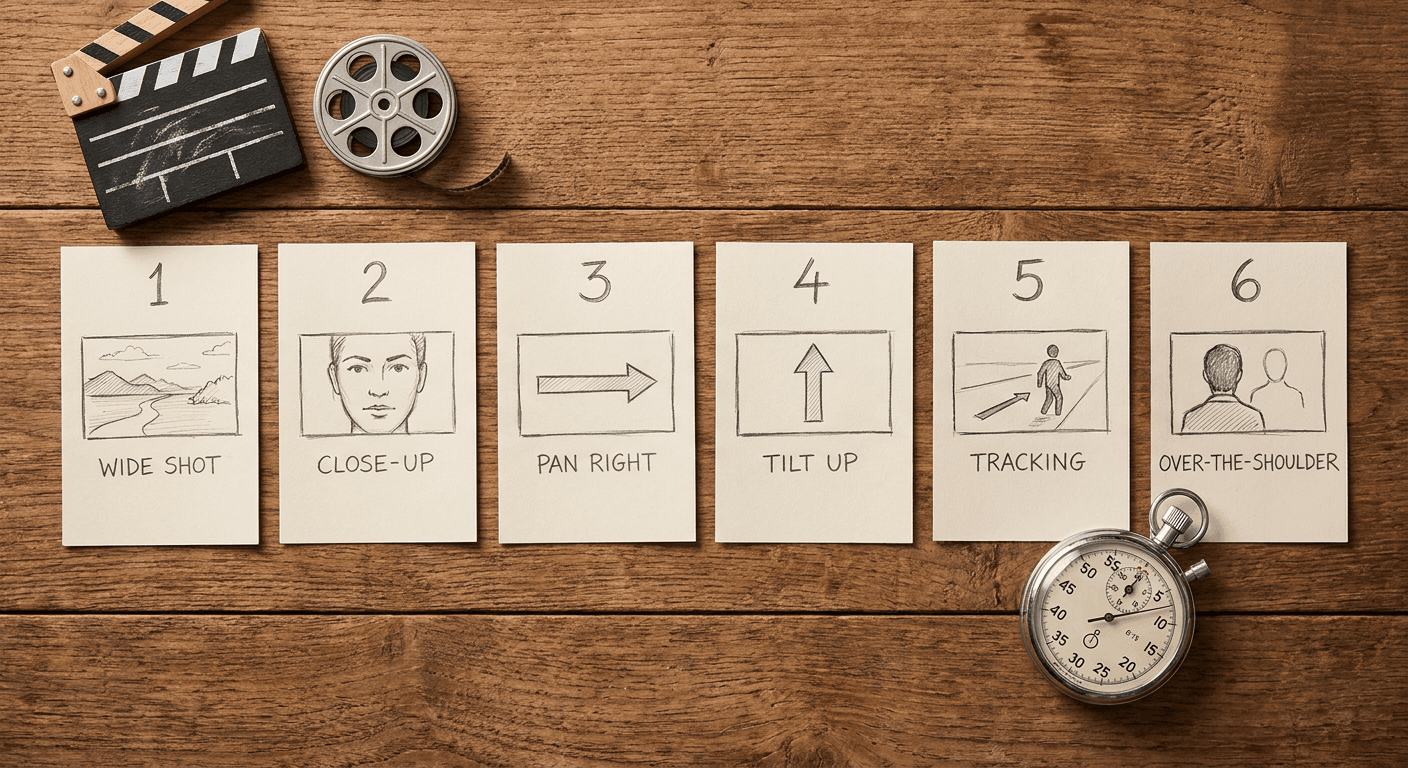
Kling 3.0 Turbo can generate up to six shots with native audio in one pass. Here are 16 ready-to-use multi-shot prompts using the real master prompt plus shot list format Kling expects.
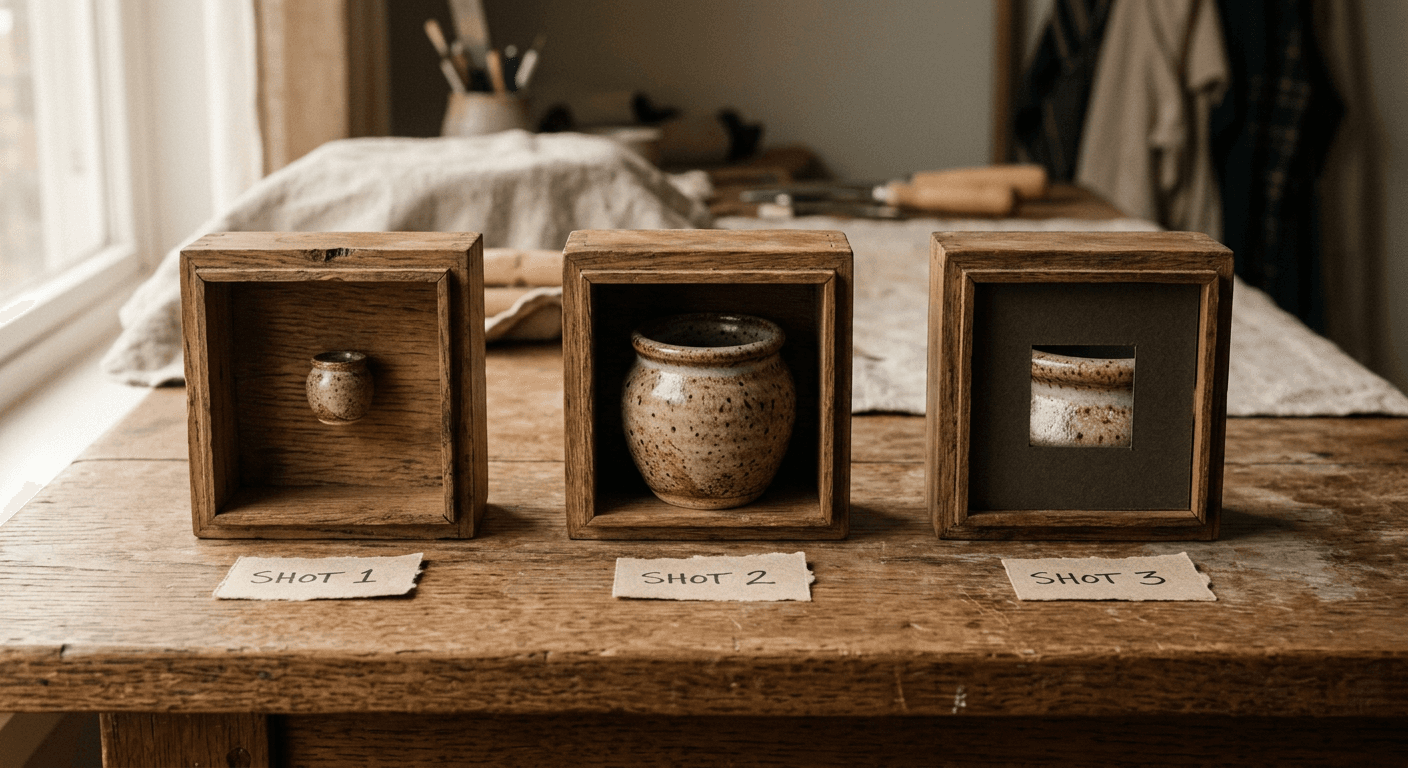
Most AI video prompts still describe one shot. Kuaishou's Kling 3.0 Turbo, the fast-preview mode Kling AI shipped on June 17, 2026 alongside Kling 3.0 Omni, changes what a single prompt can actually do: describe up to six shots, each with its own duration and camera direction, and get back one continuous sequence with matching characters, lighting, and native audio, including lip-synced dialogue in five languages, generated in the same pass. That is a genuinely different way to write a video prompt, closer to a short shot list than a single caption, and most creators still write Kling prompts like they are describing one clip instead of a scene.
This post is 16 ready-to-use multi-shot prompts for Kling 3.0 Turbo, grouped by the kind of content they are built for: product and brand sequences, dialogue-driven story beats, fast-cut social hooks, and cinematic B-roll. Every prompt uses the actual multi-shot syntax Kling expects, a master prompt followed by numbered shots with durations, so you can paste one in and get a real multi-scene sequence back instead of a single generic clip.
TL;DR: How Kling 3.0 Turbo Multi-Shot Actually Works
Kling 3.0 Turbo generates clips from 3 to 15 seconds at 720p or 1080p, with audio, including dialogue and lip sync, included in the same generation pass rather than added afterward. For a multi-shot sequence, the model reads a fixed structure: a master prompt describing the overall scene, followed by individually numbered shots, each with its own duration in seconds and its own camera and action description, separated clearly so the model can plan transitions, framing, and pacing across all of them at once. Every prompt below follows that structure and keeps the total duration inside Kling's supported range, so you can paste one in directly.
If you want to see the format in motion before you start generating, this walkthrough of Kling 3.0's multi-shot mode is a useful reference for how the shot-by-shot structure actually renders:
How These Prompts Fit Into a Real Workflow
Multi-shot sequences like these are built to be a starting point for a finished edit, not the final export. Bring a generated sequence into Text2Shorts on Miraflow AI if your final format is a vertical Short and you want narration, captions, or pacing added on top of the raw footage, or into the cinematic AI video generator in Miraflow AI if you want to generate comparison variations of a single shot before committing to a full multi-shot sequence. If a specific frame from your sequence needs to become a thumbnail, the YouTube Thumbnail Maker in Miraflow AI can turn a still from the clip into a finished thumbnail without leaving the browser.
1) Product and Brand Multi-Shot Sequences
Built for ads and brand content, these sequences move from a wide establishing shot to a close detail shot the way a real commercial storyboard would, instead of one static product shot held for the full duration.
1. The unboxing reveal
Master Prompt: A small ceramic candle jar gets unboxed on a wooden table, revealing warm packaging and a lit wick by the final shot. Shot 1 (Duration: 4s): Wide shot, hands lift the lid off a matte cardboard box, soft tissue paper visible inside, natural window light. Shot 2 (Duration: 4s): Close-up, hands lift the candle jar out of the tissue paper, label facing camera, steam-like light catching the glass. Shot 3 (Duration: 4s): Macro shot, a match lights the wick, flame catching, soft warm glow spreading across the frame. Ambient room tone throughout, a soft paper rustle in shot 1, a quiet match strike sound in shot 3, no dialogue, no on-screen text.
2. The before and after demo
Master Prompt: A cluttered desk transforms into an organized workspace across two shots. Shot 1 (Duration: 5s): Wide shot of a messy desk, papers scattered, static camera, dim overcast light through a window. Shot 2 (Duration: 5s): Same exact desk and camera angle, now organized with neat stacks and a single plant, bright warm light streaming in, a hand adjusting a folder in frame. Match the room and furniture exactly between both shots so only the organization and lighting change. Soft ambient room tone, a light page-shuffle sound in shot 2, no dialogue, no on-screen text.
3. The ingredient close-up sequence
Master Prompt: A sequence of macro shots showing raw ingredients coming together for a recipe video. Shot 1 (Duration: 3s): Macro shot, fresh basil leaves falling slowly onto a wooden cutting board. Shot 2 (Duration: 3s): Macro shot, olive oil pouring in a thin stream into a glass bowl, light catching the oil. Shot 3 (Duration: 3s): Macro shot, a knife slicing a ripe tomato, cross-section revealed in slow motion. Shot 4 (Duration: 3s): Wide shot, all ingredients now arranged together on the board, soft natural light. Gentle kitchen ambience, a soft pour sound in shot 2, a clean knife sound in shot 3, no dialogue, no on-screen text.
4. The lifestyle-to-product pull
Master Prompt: A person walks through a sunlit apartment and the camera pulls to reveal the featured product on a shelf. Shot 1 (Duration: 4s): Medium shot, a person walks calmly through a bright apartment hallway, soft footsteps, warm afternoon light. Shot 2 (Duration: 5s): Camera pans and pushes past the person toward a wooden shelf, settling into a close-up on a simple unbranded skincare bottle catching the light. Consistent apartment lighting and color grade across both shots. Soft ambient room tone, gentle footstep sound in shot 1, no dialogue, no on-screen text, no visible logos.
2) Story and Narrative Multi-Shot Scenes
These use Kling 3.0 Turbo's native dialogue and lip sync to carry a short story beat across two or three shots, useful for narrative Shorts, character intros, and sketch-style content.
5. The reaction reveal
Master Prompt: A person opens a laptop and reacts to unexpected news on the screen. Shot 1 (Duration: 4s): Medium shot, a person sits at a desk and opens a laptop, neutral curious expression, warm indoor lighting. Shot 2 (Duration: 4s): Close-up on the same person's face as their expression shifts to wide-eyed surprise, natural light flickering slightly from the laptop screen glow. [Person, surprised excited tone]: "Wait, seriously?" Keep the same outfit, lighting, and desk setup consistent across both shots. Soft room ambience, a quiet laptop click in shot 1, no on-screen text.
6. The two-person exchange
Master Prompt: Two people have a short exchange across a cafe table, ending on a warm laugh. Shot 1 (Duration: 4s): Medium two-shot across a small cafe table, both people seated, natural window light. [Person A, curious tone]: "So how did it actually go?" Shot 2 (Duration: 4s): Close-up on Person B responding, warm confident expression. [Person B, amused tone]: "Better than I expected, honestly." Shot 3 (Duration: 3s): Medium two-shot again, both people laughing together, same table and lighting as shot 1. Consistent cafe background and lighting across all three shots, gentle ambient cafe murmur throughout, no on-screen text.
7. The phone call cutaway
Master Prompt: A split narrative cutting between two locations during a phone call. Shot 1 (Duration: 4s): Medium shot, a person walks down a city sidewalk holding a phone to their ear, natural daylight. [Person, energetic tone]: "You will not believe where I am right now." Shot 2 (Duration: 4s): Cut to a different indoor setting, a second person sitting on a couch holding a phone, warm lamp light, curious expression. [Person, amused tone]: "Okay, now I have to know." Distinct but consistent lighting for each location across the sequence, soft city ambience in shot 1, soft indoor room tone in shot 2, no on-screen text.
8. The walk-and-talk pitch
Master Prompt: A person walks through an office hallway delivering a short confident pitch directly to camera. Shot 1 (Duration: 5s): Tracking shot from the front, a person walks steadily down a bright office hallway, direct eye contact with camera, confident posture. [Person, confident clear tone]: "Here is the thing nobody tells you about getting started." Shot 2 (Duration: 4s): Camera arrives at an open office space as the person stops walking, gesturing with one hand to complete the thought. [Person, confident clear tone]: "You just have to begin." Consistent hallway and office lighting across both shots, soft office ambience, no on-screen text.
3) Fast-Cut Social Hooks
Built for the first three seconds of a Short or Reel, these sequences pack two to three quick shots into a tight duration specifically to stop a scroll before the viewer's thumb moves.
9. The three-cut hook
Master Prompt: A rapid three-shot hook designed to stop a scroll in the first two seconds. Shot 1 (Duration: 2s): Extreme close-up on wide, alert eyes, sudden sharp focus pull. Shot 2 (Duration: 2s): Quick cut to a hand slamming a laptop shut, sharp motion, dramatic side lighting. Shot 3 (Duration: 3s): Cut to a medium shot, the same person turning directly to face camera, intense focused expression. [Person, urgent tone]: "You need to see this." Fast, punchy pacing between cuts, sharp contrast lighting throughout, a subtle whoosh sound on each cut, no on-screen text.
10. The countdown reveal
Master Prompt: A three-shot countdown building tension before a reveal. Shot 1 (Duration: 2s): Close-up on a hand holding up three fingers, sharp studio lighting. Shot 2 (Duration: 2s): Close-up on the same hand now holding up one finger, slightly tighter framing, tension building. Shot 3 (Duration: 4s): Wide reveal shot, the subject of the countdown fully visible, dramatic lighting shift to bright and celebratory. A rising tension sound building through shots 1 and 2, a bright accent sound on the reveal in shot 3, no dialogue, no on-screen text.
11. The whip-pan transition
Master Prompt: A whip-pan transition connects two contrasting locations in one continuous motion. Shot 1 (Duration: 3s): Medium shot, a person stands in a plain indoor setting, camera whip-pans sharply to the right, motion blur filling the frame. Shot 2 (Duration: 4s): The whip-pan motion continues and settles on the same person now standing in a completely different, more vibrant outdoor setting, matching pose and outfit. Seamless motion-blur transition connecting both shots, a quick whoosh sound synced to the pan, no dialogue, no on-screen text.
12. The freeze-frame callout
Master Prompt: Motion suddenly freezes mid-action for a callout beat, then resumes. Shot 1 (Duration: 3s): Medium shot, a person mid-motion reaching for an object on a shelf, natural indoor lighting. Shot 2 (Duration: 2s): The frame freezes on the reaching motion, a subtle desaturation effect settling over the frozen image. [Person, direct to camera tone]: "Wait, before you scroll." Shot 3 (Duration: 3s): Motion resumes exactly where it froze, the person completes the reach and turns naturally. A sharp freeze sound effect at the start of shot 2, ambient room tone resuming in shot 3, no on-screen text.
4) Cinematic B-Roll Multi-Shot Sequences
These prioritize mood and motion over a specific narrative, useful as standalone B-roll or as an intro sequence layered under narration in an edit.
13. The golden hour city sequence
Master Prompt: A slow, moody sequence of a city at golden hour, no people, pure atmosphere. Shot 1 (Duration: 4s): Wide establishing shot, a city skyline bathed in warm golden hour light, slow gentle camera drift. Shot 2 (Duration: 4s): Medium shot, sunlight glinting off a row of building windows, soft lens flare. Shot 3 (Duration: 4s): Close-up, long shadows stretching across an empty sidewalk, warm light fading slightly toward dusk. Consistent warm golden hour color grade across all shots, soft ambient city hum throughout, no dialogue, no on-screen text.
14. The studio process sequence
Master Prompt: A calm, process-focused sequence showing hands at work in a creative studio. Shot 1 (Duration: 4s): Close-up, hands mixing paint on a wooden palette, soft studio light from a large window. Shot 2 (Duration: 4s): Medium shot, a brush moving across a canvas, slow deliberate strokes. Shot 3 (Duration: 4s): Wide shot, the full studio space visible, the canvas now further along, warm natural light filling the room. Consistent studio lighting and color palette across all shots, soft ambient studio quiet with a faint brush-on-canvas sound, no dialogue, no on-screen text.
15. The nature transition sequence
Master Prompt: A calming sequence transitioning through three natural environments in one continuous mood. Shot 1 (Duration: 4s): Wide shot, mist rolling slowly over a still forest lake at dawn. Shot 2 (Duration: 4s): Medium shot, sunlight breaking through a dense forest canopy, soft dust particles visible in the light beams. Shot 3 (Duration: 4s): Wide shot, a wide open meadow with tall grass swaying gently in the wind. Consistent soft natural color grade across all three shots, gentle ambient nature sound, birdsong and light wind, throughout, no dialogue, no on-screen text.
16. The travel arrival sequence
Master Prompt: A short arrival sequence capturing the first moments of stepping into a new travel destination. Shot 1 (Duration: 4s): Medium shot from behind, a person steps off a train onto a sunlit platform, warm travel-documentary color grade. Shot 2 (Duration: 4s): Wide shot, the same person walking into a bright open plaza, unfamiliar architecture in the background, natural daylight. Shot 3 (Duration: 4s): Close-up, the person pausing to look up, a genuine expression of quiet wonder, soft warm backlight. Consistent warm travel color grade across all shots, soft ambient plaza sound, footsteps and distant chatter, throughout, no dialogue, no on-screen text.
How to Customize These Prompts
Keep the master prompt and the individual shot structure intact, but swap the specific subject, setting, and action for your own. The master prompt is what keeps character appearance, lighting, and setting consistent across shots, so if you change the subject, update it there first, then make sure each numbered shot still refers back to the same subject and setting rather than introducing new, unrelated details shot to shot. Keep each shot's duration realistic for what happens in it, a quick reaction needs 2 to 3 seconds, a walking sequence with dialogue needs 5 or more, and keep the total across all shots inside Kling's 3 to 15 second range for a single generation.
If a sequence needs dialogue, use the bracketed format, character name, then a short tone or emotion note, then the line itself in quotes, and anchor it to a specific action in that shot so the model knows when in the shot the line should land rather than spreading it across the whole clip.
Common Mistakes Creators Make With Multi-Shot Prompts
Writing shots that do not agree on setting or lighting. If shot one is a bright sunlit street and shot two is suddenly overcast with no transition described, the sequence reads as two unrelated clips instead of one scene. Keep environmental details consistent across shots unless a transition is the explicit point of the sequence.
Overloading a single shot with too much action. A 3 to 4 second shot can realistically hold one clear action, a turn, a reveal, a single line of dialogue. Cramming multiple actions into one short shot produces a rushed, unclear result. Split the action across two shots instead.
Forgetting the master prompt. Individual shot descriptions alone do not give the model the overall scene context it needs to keep characters and settings consistent across cuts. Always lead with a master prompt that establishes the full sequence before listing individual shots.
Ignoring total duration limits. Six detailed shots at 5 seconds each is 30 seconds, well past Kling's supported range for a single generation. Plan your shot count and durations together before writing the full prompt, not after.
Where to Generate These
These prompts are written for Kling 3.0 Turbo directly, and creators who want to compare the same scene across models can bring the finished concept into the cinematic AI video generator in Miraflow AI to generate a Veo-based version side by side. Once you have a sequence you like, Text2Shorts on Miraflow AI can turn it into a fully captioned, narrated vertical Short, and the AI Clipping tool in Miraflow AI is worth trying if you are pulling multi-shot sequences out of a longer piece of existing footage instead of generating from scratch. For more on how Kling compares to the video models already covered on this blog, see our breakdowns of Seedance 2.5 vs Veo 3.1 and MiniMax H3 vs Veo 3.1. If native-audio generation specifically is what drew you to Kling 3.0 Turbo, our FLUX 3 Video explained post and its companion FLUX 3 Video prompt pack cover the other major model built around audio-in-the-same-pass generation. You can browse more prompt guides like this on the Miraflow AI blog, and every tool named here lives at miraflow.ai.
Frequently Asked Questions
How many shots can I put in one Kling 3.0 Turbo prompt? Up to six shots in a single generation. Each shot can have its own duration and camera direction, and the model plans transitions, framing, and pacing across all of them together rather than treating each shot independently.
Does Kling 3.0 Turbo generate audio automatically, or do I need to describe it? You need to describe it. Kling 3.0 Turbo is capable of native audio and lip-synced dialogue in the same generation pass, but leaving sound out of your prompt typically produces a quiet or silent clip even though the model supports audio. Always include dialogue in the bracketed format or describe the ambient sound you want.
What languages does Kling 3.0 Turbo support for lip-synced dialogue? English, Chinese, Japanese, Korean, and Spanish, with specific dialect and accent rendering available for several of those languages.
What is the difference between Smart Storyboard and Custom Storyboard mode? Smart Storyboard takes one high-level prompt and lets the model automatically divide it into shots, which is faster for exploration. Custom Storyboard, the format every prompt in this post uses, lets you manually define each shot's duration, camera angle, and action for granular control over the final sequence.
Can I use these prompts with a single reference image instead of text-to-video? Yes. Kling 3.0 Turbo supports image-to-video generation using a first-frame reference, so you can upload a reference image and adapt the shot descriptions to build outward from that starting frame instead of generating from text alone.
Why did my multi-shot sequence come out shorter than I expected? Check that your individual shot durations add up correctly and stay within Kling's 3 to 15 second total range for a single generation. A sequence written with unrealistic per-shot durations, or too many shots for the total time available, often gets compressed or trimmed by the model to fit.
Conclusion
Writing a Kling 3.0 Turbo prompt as a real shot list instead of a single caption is the difference between a generic clip and something that actually looks like it was directed. The 16 sequences above cover four distinct use cases, product reveals, narrative beats, fast social hooks, and cinematic B-roll, all built around the master prompt plus numbered shots structure Kling 3.0 Turbo is designed to read. Start with the sequence closest to what you are already making, swap in your own subject and setting while keeping the shot structure intact, and keep your total duration realistic for how many shots you are asking for. That structure, more than any single clever line of description, is what actually produces a multi-shot sequence instead of a single stretched-out clip.