Seedance 2.5 vs Veo 3.1: Which AI Video Model Wins for Creators in 2026

Written by
Aerin Kim

ByteDance's Seedance 2.5 generates 30-second single-shot AI video with up to 50 reference inputs. Here is how it actually compares to Veo 3.1 for creators, including what is not available yet.
ByteDance officially launched Seedance 2.5 on July 31, and the headline number is hard to ignore: native 30-second single-shot video generation, double the roughly 15-second ceiling of Seedance 2.0 [1]. For creators who already lean on Veo 3.1 for cinematic AI video, the obvious question is whether this is a genuine reason to switch, or a strong release with limits that matter more than the spec sheet suggests.
We pulled the real launch details, including the parts ByteDance was upfront about not having solved yet, and compared them directly against Veo 3.1's current strengths. If you make product ads, real estate walkthroughs or narrative shorts with AI video, here is what actually changed and what did not.
What Seedance 2.5 Actually Does
Seedance 2.5's core upgrade is native single-shot duration. Where most video models, including Seedance 2.0, cap out around 15 seconds of continuous motion before needing a cut, Seedance 2.5 generates a full 30 seconds in one pass, and supports a separate Ultra-Long Video beta mode spotted on ByteDance's Jimeng app that can extend a single generation to 180 seconds by chaining shots while preserving character consistency [1].
The model also accepts a much larger set of reference inputs than most competitors: up to 50 combined inputs across 30 images, 10 video clips and 10 audio clips in a single generation, roughly 3 to 4 times what Seedance 2.0 supported [1].

Clay-Render Referencing: A Genuinely New Idea
One feature stands out as something Veo 3.1 does not currently offer in the same form. Seedance 2.5 supports clay-render referencing, where a creator blocks out a scene using textureless gray 3D models, essentially a rough clay mockup of camera position, subject placement and composition, and the system generates the final shot with lighting that follows physical laws based on that blocking [1].
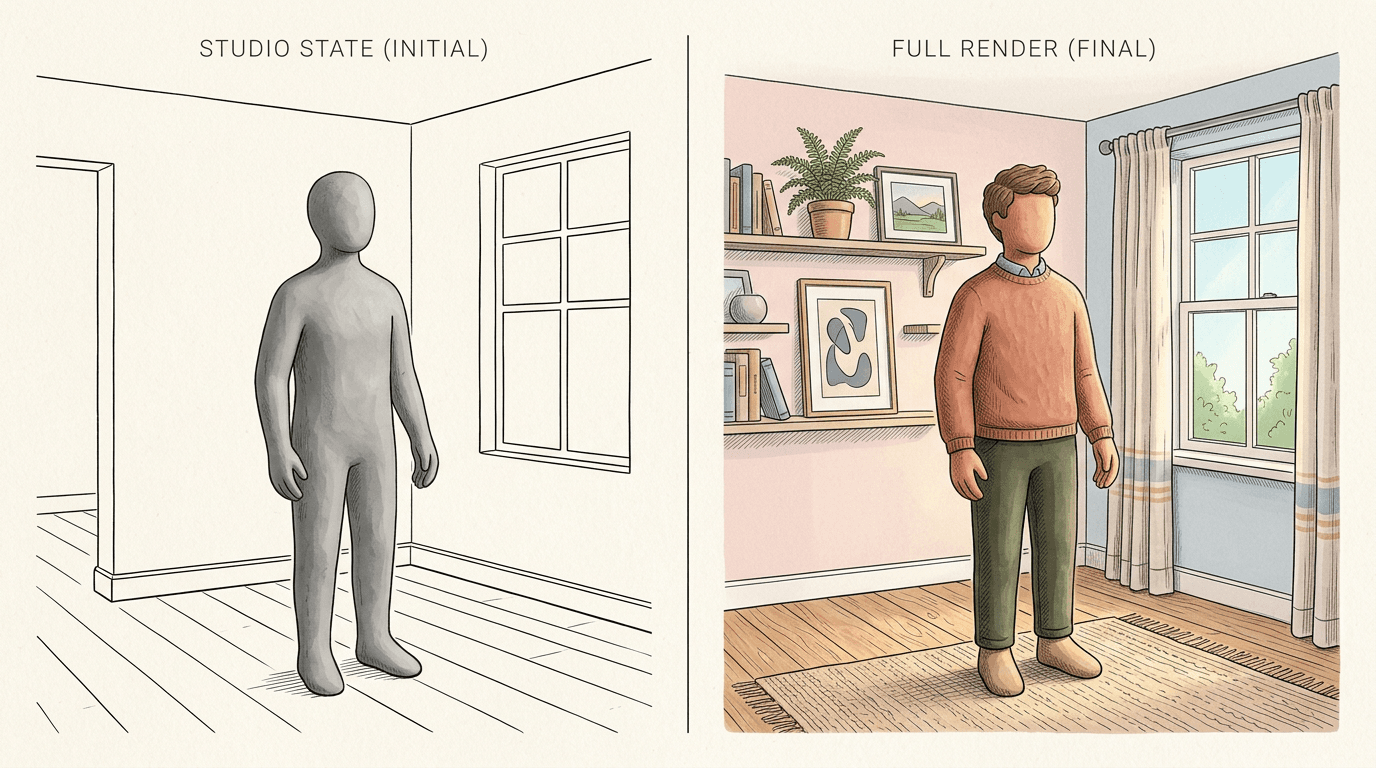
That matters for anyone used to working with a storyboard or a rough 3D previs before committing to a final render, since it gives you a way to lock camera and composition decisions before spending a generation on the finished look. Here is a prompt structured around that workflow:
Camera: slow orbiting shot around a product display.
Subject: a matte black watch on a rotating pedestal, blocked out first as simple gray shapes for camera and lighting, then rendered as a finished photorealistic product shot.
Action: the pedestal rotates slowly while studio light sweeps across the surface following correct physical reflection.
Setting: dark studio with a single warm overhead spotlight.
Style and audio: cinematic commercial style, shallow depth of field, soft ambient hum with a rising musical swell, no dialogue.
Four Editing Modes That Go Beyond a Single Prompt
Seedance 2.5 also ships four distinct editing modes rather than treating every change as a full regeneration: timestamp-level editing that targets a specific moment in the clip, green-screen background replacement, camera-perspective re-editing that adjusts the shot after the fact, and reference-based modifications that pull in a new input mid-edit [1].
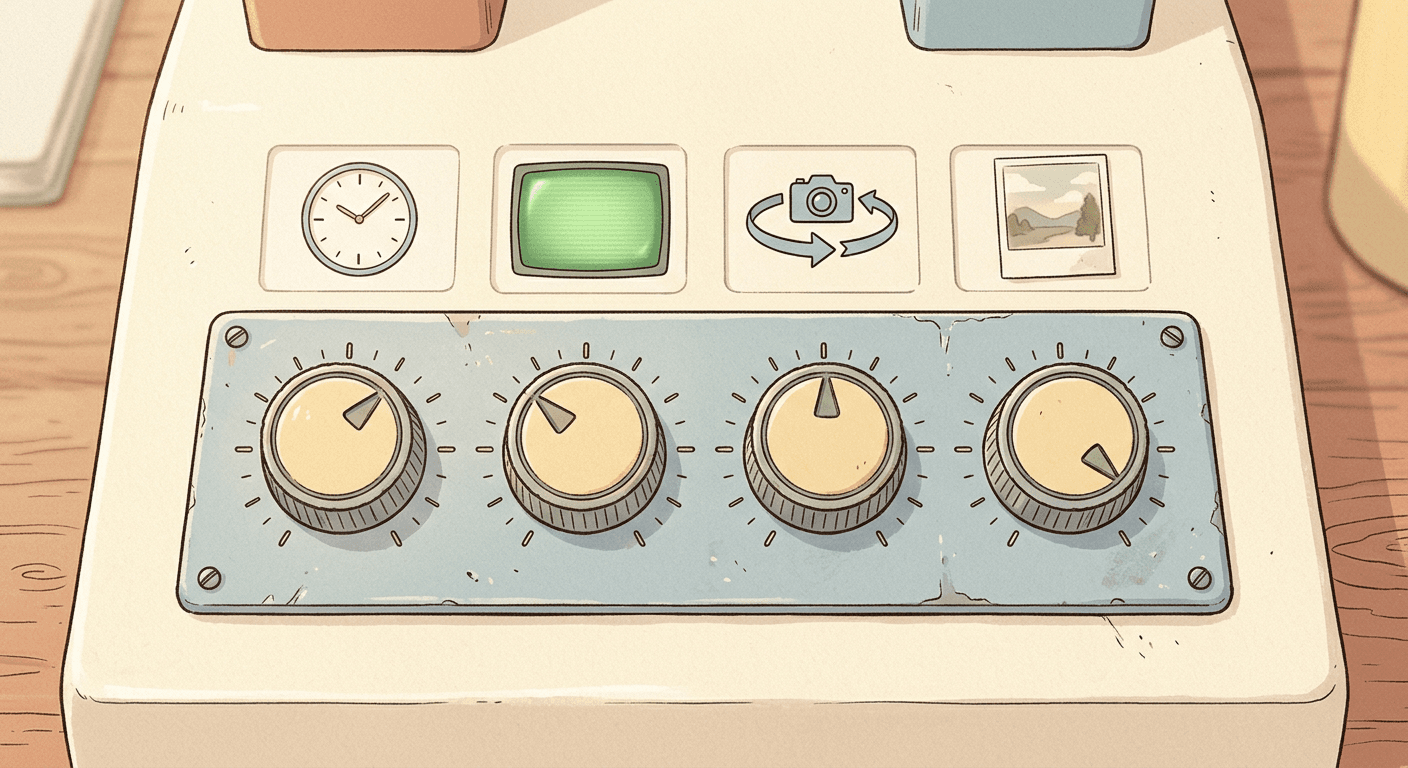
Here is what a timestamp-level edit looks like as a prompt:
Take the existing generated clip and, using timestamp-level editing, change only the background lighting from daytime to golden hour starting at the 3 second mark, keep the subject's position, motion and dialogue completely unchanged for the full duration.
What Seedance 2.5 Does Not Have Yet
This is the part that gets lost when a launch trends on spec sheets alone, and it is worth being direct about it. As of this writing, Seedance 2.5 is live only on Jimeng Web and Doubao Pro, both China-market apps, with API access via BytePlus ModelArk listed as coming soon rather than live [1]. There is no official pricing published yet, and no confirmed resolution specification in ByteDance's own launch materials [1]. ByteDance also directly acknowledged real limitations in its own announcement, specifically around the physical plausibility of complex motions and the stability of scenes involving interactions among multiple subjects [1].
In plain terms, the 30-second single-shot capability and the clay-render workflow are real and genuinely new, but they are not yet something a creator outside China can sign up and pay for today. That is a meaningfully different situation than a global day-one launch, and it should shape how much weight the headline number carries in your own tool decision right now.
Where Veo 3.1 Still Wins Today
Veo 3.1 has the advantage every mature product has over a brand-new regional launch: it is actually available, with well-documented prompting patterns creators have spent months refining. Google's own guidance recommends a structured five-part prompt, camera movement, subject, action, setting, and style with audio, written close to a mini storyboard [2], and Veo 3.1 remains particularly strong at synchronized dialogue, where a character's mouth movement lines up convincingly with generated speech.
| Capability | Seedance 2.5 | Veo 3.1 |
|---|---|---|
| Maker | ByteDance | Google DeepMind |
| Native single-pass length | Up to 30 seconds | Several seconds per shot, extendable |
| Reference inputs | Up to 50 combined: 30 images, 10 video clips, 10 audio clips | Text and image driven prompting |
| Editing modes | Timestamp-level, green-screen, camera re-edit, reference-based | Structured camera, subject, action, setting, audio prompts |
| Audio | Jointly generated in one pass | Synchronized dialogue, sound effects and music |
| Availability as of Aug 10, 2026 | Jimeng Web and Doubao Pro, China market only, API coming soon | Available in Miraflow AI and other consumer video tools globally |
For a deeper walkthrough on structuring prompts across Veo3, Veo3.1 and Sora 2, see how to write effective prompts for Veo3, Veo3.1 and Sora 2. We ran into a similar new-launch-versus-established-model tradeoff when we compared MiniMax H3 against Veo 3.1 after MiniMax's own July 31 release, and the same pattern applies here: a strong new spec sheet is not the same thing as a finished, globally available product yet.
5 Prompt Templates for Both Long-Take and Structured Workflows
These templates work across both approaches, a single long continuous take versus a structured multi-shot sequence, since both models can handle either style depending on how you write the prompt.
Template 1: Long single-take walkthrough
Camera: continuous forward dolly moving through a modern apartment, starting at the front door and ending at a window overlooking the city.
Subject: a bright, minimally furnished apartment with warm natural light.
Action: the camera glides steadily forward through the entryway, living room and into the bedroom without a single cut, curtains gently moving in the breeze.
Setting: golden hour light pouring through large windows throughout.
Style and audio: cinematic real estate style, single continuous shot, warm inviting color grade, soft ambient room tone with gentle instrumental music building toward the end.
Template 2: Multi-shot narrative sequence
Camera: opens on a wide establishing shot, then cuts to a medium shot, then a close-up, following one continuous character.
Subject: a person preparing coffee in a small kitchen at sunrise.
Action: they grind beans, pour water, and lift the finished cup, expression calm and focused throughout all three shots.
Setting: a cozy kitchen with morning light streaming through a window.
Style and audio: documentary style natural lighting, warm color grade, ambient kitchen sounds, soft acoustic music underneath, character and lighting consistent across all three shots.
Template 3: Clay-blocked product shot
Camera: slow orbiting shot around a product display.
Subject: a matte black watch on a rotating pedestal, blocked out first as simple gray shapes for camera and lighting, then rendered as a finished photorealistic product shot.
Action: the pedestal rotates slowly while studio light sweeps across the surface following correct physical reflection.
Setting: dark studio with a single warm overhead spotlight.
Style and audio: cinematic commercial style, shallow depth of field, soft ambient hum with a rising musical swell, no dialogue.
Template 4: Structured dialogue ad
Camera: static medium shot at eye level, no movement.
Subject: a founder in a casual blazer sitting at a wooden desk.
Action: the founder speaks calmly to the camera, occasionally gesturing with one hand.
Setting: a softly lit home office with a blurred bookshelf in the background.
Style and audio: documentary style natural lighting, warm color grade, clear spoken dialogue introducing a new product, quiet room tone in the background.
Template 5: Timestamp-level edit
Take the existing generated clip and, using timestamp-level editing, change only the background lighting from daytime to golden hour starting at the 3 second mark, keep the subject's position, motion and dialogue completely unchanged for the full duration.
Common Mistakes Creators Make Comparing New Video Model Launches
- Treating a headline spec, like a 30-second single-shot limit, as immediately usable the day it is announced, without checking regional availability or API status first.
- Assuming a longer native clip length automatically means less editing work. A single continuous 30-second take still needs the same attention to pacing and composition as a series of cuts.
- Ignoring a model's own stated limitations. ByteDance's direct acknowledgment of motion and multi-subject stability issues is useful information, not marketing fine print to skip past.
- Comparing resolution or clip length numbers without checking whether pricing or output quality has actually been confirmed yet.
- Picking a model based on one feature, like clay-render referencing, without checking whether the rest of the workflow, availability and pricing included, actually fits your current project timeline.
What Most People Get Wrong About Longer Clip Lengths
A jump from 15 to 30 seconds sounds like it should immediately change what is possible, but most short-form platforms still favor tightly paced content with movement and cuts, not a single unbroken 30-second shot for its own sake. Where a longer native single-take genuinely helps is continuous motion that would look jarring if cut, a walkthrough, a slow reveal, or a single unbroken camera move, rather than every type of content benefiting equally from the extra length.
That video walks through a full AI filmmaking workflow with native audio and extended clip generation, useful context for judging what a longer single-take result actually looks like in practice before deciding which model fits your next project.
From Prompt to Finished Video Today
While Seedance 2.5's broader rollout plays out, Veo3 and Veo3.1 are both available right now inside the cinematic AI video generator in Miraflow AI, which turns a structured prompt like the templates above into a finished clip directly in the browser. If you would rather start from a topic than a shot list, Text2Shorts writes the script, generates scene visuals and produces a finished vertical short in one pass, and AI Clipping can pull the best moments out of long-form footage you already have, captions included.
Once a clip is ready, pairing it with a strong thumbnail matters as much as the video itself. Our comparison of Nano Banana Pro and Seedream 5.0 Pro covers which image tool to reach for, and the YouTube Thumbnail Maker in Miraflow AI finishes the job in the same workspace. If your video needs an original soundtrack, see our look at Lyria 3.5 or generate one directly with the AI music generator in Miraflow AI. You can browse more comparisons like this on the Miraflow AI blog, and every tool named here is available from the Miraflow AI home page.
Frequently Asked Questions
Is Seedance 2.5 available outside China right now? Not yet as of this writing. It launched on Jimeng Web and Doubao Pro, both China-market apps, with API access via BytePlus ModelArk listed as coming soon.
How much longer is a Seedance 2.5 clip than Veo 3.1? Seedance 2.5 generates up to 30 seconds natively in a single pass, roughly double Seedance 2.0's prior limit. Veo 3.1 generates shorter per-shot clips that can be extended, rather than one long native single take.
What is clay-render referencing? A workflow where you block out a scene using rough, textureless 3D shapes to set camera position and composition before the system generates the final photorealistic shot with physically accurate lighting.
Does Seedance 2.5 have known issues? ByteDance itself acknowledged limitations around the physical plausibility of complex motions and stability in scenes with multiple interacting subjects.
Should I switch from Veo 3.1 to Seedance 2.5 right now? For most creators outside China, that is not an available choice yet, since global API access has not shipped. Veo3.1 remains the practical, available option today inside Miraflow AI's cinematic video generator.
Which model is better for real estate or product walkthroughs? Seedance 2.5's 30-second single-shot capability is well suited to continuous walkthrough motion once it becomes broadly available. Until then, Veo 3.1's structured prompting handles the same kind of shot reliably today.
Conclusion
Seedance 2.5 is a genuinely ambitious release, and the 30-second single-shot capability paired with clay-render referencing points at real, useful new workflows. But a launch limited to China-market apps with no confirmed global pricing or API access is a different situation than a finished, ready-to-use competitor to Veo 3.1 today. The honest move right now is the same one that has worked for every recent video model launch: keep using what is actually available and proven for your current projects, and revisit Seedance 2.5 once its API access and pricing are confirmed rather than building a workflow around a spec sheet you cannot access yet.