Kling 4.0 Explained: Inside Kuaishou's 30-Second, 10-Keyframe Video Model

Written by
Aerin Kim
Kling 4.0 doubles clip length to 30 seconds, adds 10-keyframe control and 15-input Omni Reference. Here's how the architecture actually works and how it benchmarks against Veo 3.1.
Kuaishou's Kling AI team announced Kling 4.0 on September 28, 2026, and the spec sheet reads less like an incremental update and more like a reset of what a single generation pass can do. Native clip length doubles from 15 seconds to 30. Keyframe control grows from a start frame and an end frame to up to 10 keyframes placed anywhere along the timeline. The reference system, Kling calls it Omni Reference, now accepts up to 15 combined inputs across images, video clips, saved subjects and voice samples in one generation [1]. The early access tier, Kling 4.0 Flash, opened to Kling Ultra annual subscribers on the same day, with the full model due to roll out through October 2026 [1].
That timing is not an accident. Kuaishou filed spinoff plans for its Kling AI unit in May 2026, closed a financing round in July 2026 that valued the unit at roughly 18 billion dollars with Tencent, Alibaba and Baidu among the investors, and is targeting a Hong Kong listing in 2027 [2]. Kling's annualized recurring revenue went from roughly 240 million dollars in December 2025 to roughly 500 million dollars by March 2026, and Kuaishou's own Q2 2026 earnings showed the AI division's revenue up 200 percent year over year [2]. A flagship model launch timed just ahead of an IPO pitch is a familiar pattern in this industry, but it still means Kling 4.0 is a real, shipping product with real usage behind it, not a research preview with no roadmap to general availability.
This post is a mechanism-first breakdown of what actually changed under the hood, how the two headline systems, multi-keyframe control and Omni Reference, actually work, how early testers describe the real output quality, and how Kling 4.0 stacks up against Veo 3.1, Seedance 2.5 and Sora now that all four are fighting over the same creator budget. If you create cinematic AI video for a living, whether inside Kling directly or through a tool like Miraflow's cinematic AI video generator, this is the model update that is about to reset what "good enough" looks like for a 20 to 30 second branded clip.
Step 1: What Kuaishou Actually Shipped
Strip away the marketing language and Kling 4.0 is five concrete upgrades over Kling 3.0, each independently verifiable against Kling's own comparison page [3]:
- Clip length: native single-pass generation goes from 3 to 15 seconds in Kling 3.0 to 3 to 30 seconds in Kling 4.0. This is not a stitched-together extension of several shorter clips, it is one continuous diffusion pass covering the full 30 seconds [3].
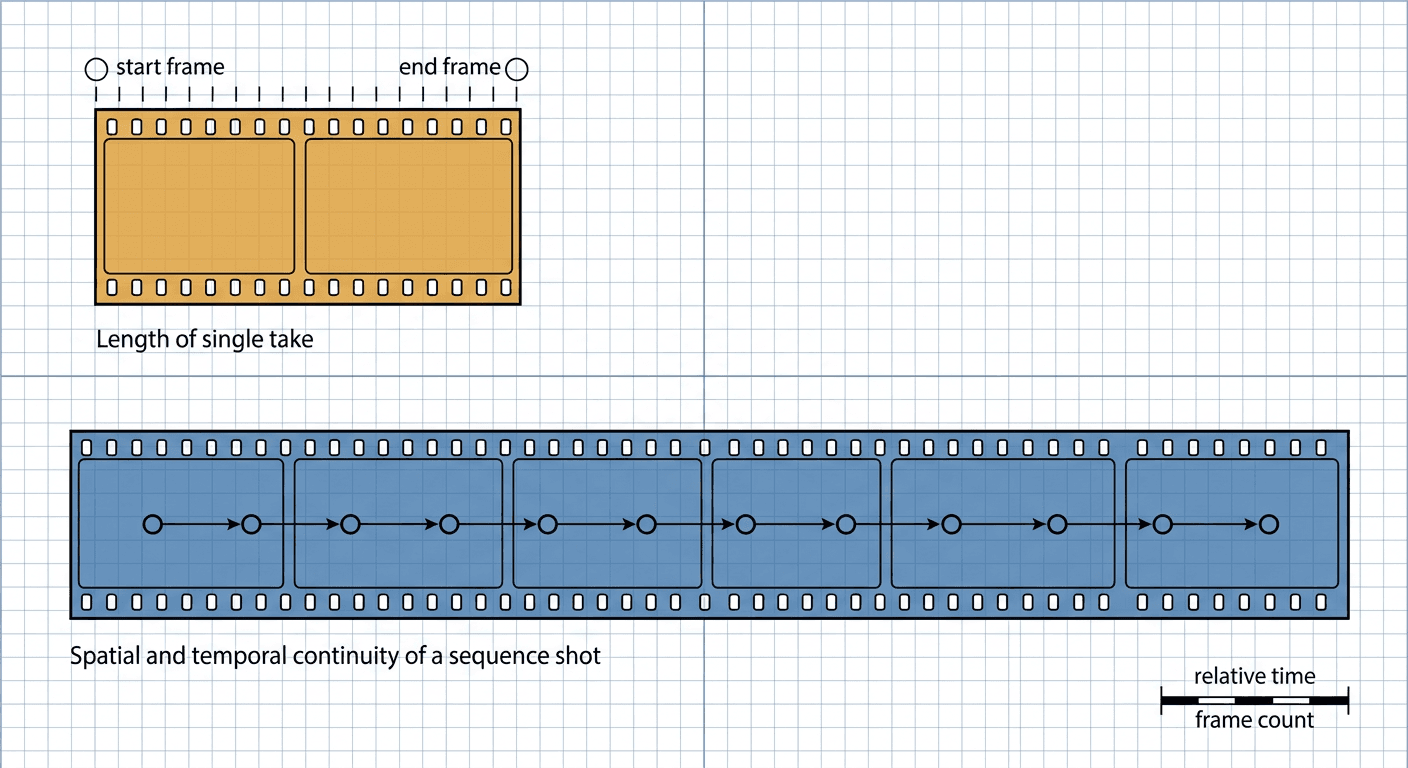
- Keyframe count: Kling 3.0 only let you anchor a start frame and an end frame. Kling 4.0 accepts up to 10 keyframes distributed anywhere along the timeline, which is the difference between describing two points and describing an actual path [3].
- Reference capacity: Kling 3.0 capped references at 7 images or subjects without video, or 4 with one 15-second video. Kling 4.0's Omni Reference accepts up to 15 combined assets, specifically up to 10 images, up to 5 video clips totaling 30 seconds, and up to 7 subjects, of which up to 3 can be video-based, plus voice references [1][3].
- Audio: Kling 3.0 generated single-channel audio. Kling 4.0 generates two-channel stereo audio with lip-synced dialogue across a wider set of languages and accents, from American English to Cantonese [4].
- Color and resolution: both models support 720p, 1080p and 4K output, but Kling 4.0 adds 10-bit HDR at 1080p and 4K, plus a new 21:9 ultrawide aspect ratio for cinematic framing [3].
Two smaller but real changes round this out: prompt length grows to a genuinely large 8,000 tokens, which matters once you are describing 10 keyframes and 15 references in one request instead of a single establishing shot, and text generation now supports Chinese, English, Japanese, Korean, Spanish, Portuguese, German, French and Hindi, up from five languages in Kling 3.0 [3].
Step 2: How Multi-Keyframe Control Actually Works
A start-and-end-frame system, which is what every major video model shipped until recently, only ever answers one question: where do I begin and where do I end. Everything in between is the model's guess, and that guess tends to drift, smear, or invent motion that was never intended, especially past the 10-second mark.
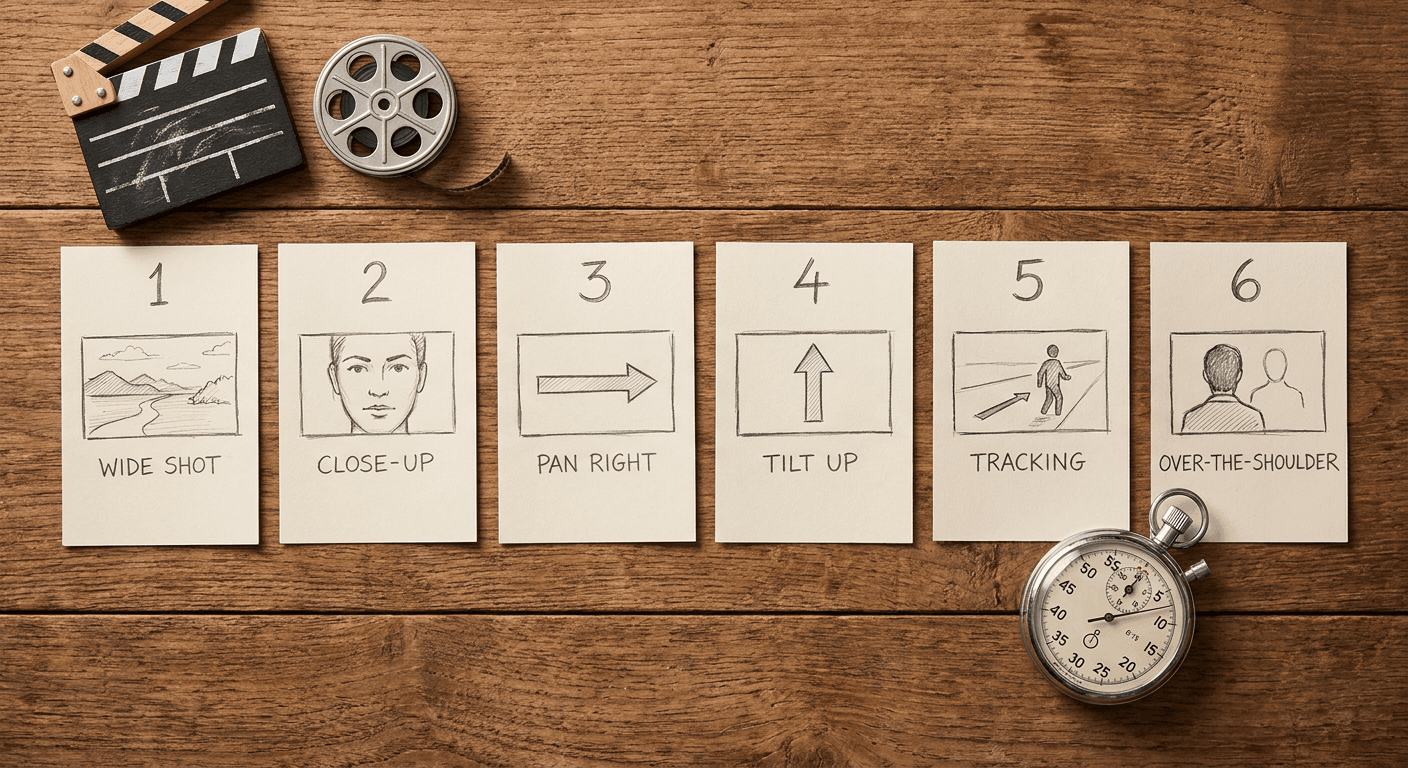
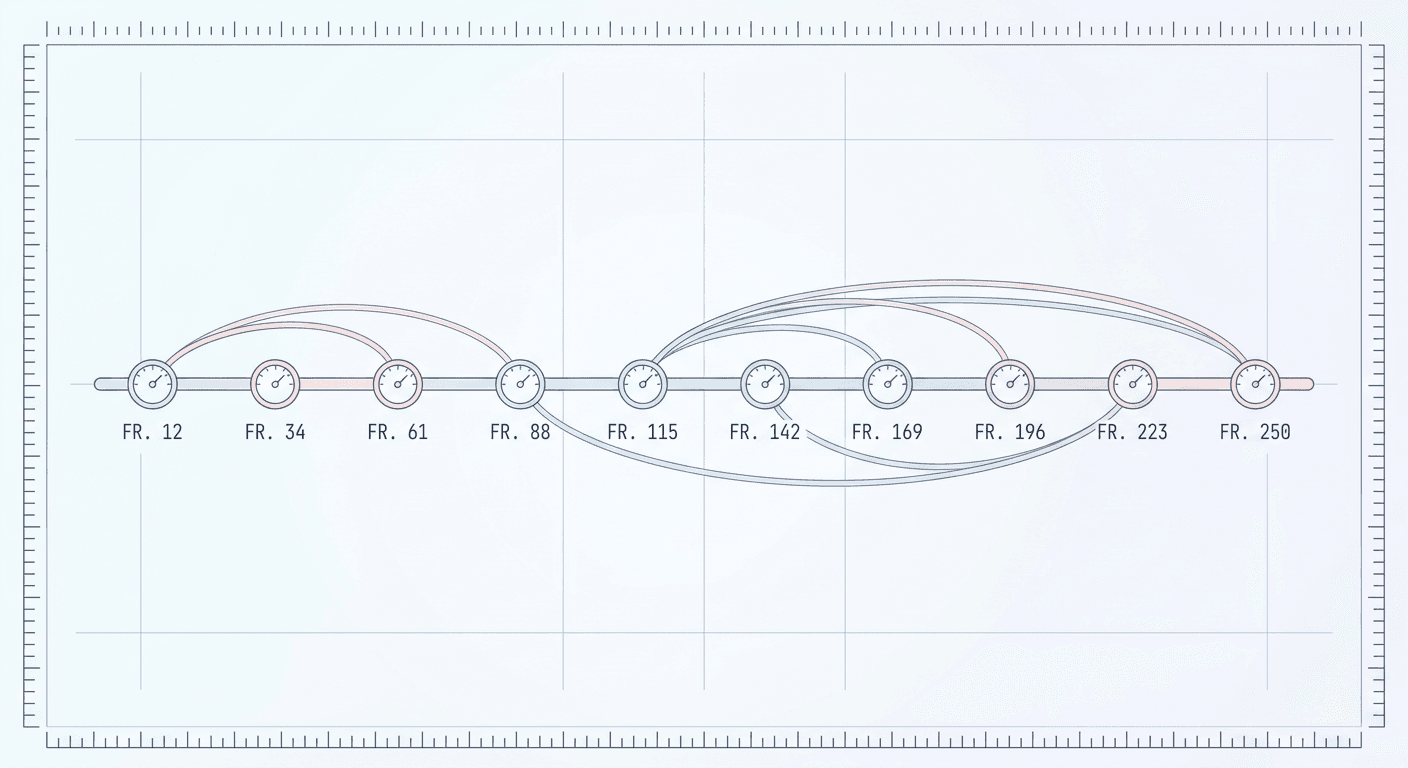
Ten keyframes change the shape of that problem completely. Instead of giving the model two anchor points and hoping the interpolation between them matches your intent, you are giving it a sampled path through the full 30 seconds, roughly one anchor every 3 seconds if you spread them evenly, though nothing requires even spacing. A director blocking a scene does not describe only the opening and closing pose, they describe the beats in between, the turn of the head, the moment a hand reaches for an object, the reaction shot. Ten keyframes let a prompt actually encode that kind of blocking instead of leaving it to chance.
Mechanically, this turns the generation task from unconstrained interpolation into constrained interpolation with checkpoints. The model still has to generate every frame between your keyframes, but it now has many more ground-truth waypoints to generate toward, which is exactly the kind of constraint that reduces drift in long video generation. Early testers specifically flagged that spatial consistency, meaning objects keeping their position and scale across a scene rather than subtly sliding or resizing, improved noticeably in dialogue-heavy sequences compared to Kling 3.0 [4].
The tradeoff is prompt complexity. A 10-keyframe request is a genuinely different authoring task than a single text prompt, closer to storyboarding than to writing a caption. That is also exactly the kind of work a reference image generator is good for: sketching out what each keyframe should look like as a still image before you ever touch the video model. Creators who want to rough out those 10 beats as individual reference stills can do that with Miraflow's AI image generator, using image-to-image edits to iterate on one pose or expression at a time, then feeding the finished stills in as keyframe references.
Here is what a real 10-keyframe request looks like once you write it out in full, structured the way Kling 4.0 expects a multi-keyframe prompt to read, with each beat timestamped and described on its own:
A 28 second continuous cinematic shot of a woman in a tailored charcoal coat walking through a rain-lit city crosswalk at night. Keyframe 1 (0s): wide establishing shot, she steps off the curb, neon signs reflected in the wet pavement. Keyframe 2 (4s): medium shot, she glances up at a billboard, rain beading on her shoulders. Keyframe 3 (9s): close-up, her expression shifts from tired to resolved. Keyframe 4 (13s): tracking shot from behind as she quickens her pace. Keyframe 5 (17s): wide shot, a taxi passes through a puddle in the foreground. Keyframe 6 (20s): medium shot, she reaches the far curb, checks her phone. Keyframe 7 (23s): close-up on her face lit by the phone screen glow. Keyframe 8 (26s): she looks up and smiles slightly. Keyframe 9 (27s): she exhales, breath visible in the cold air. Keyframe 10 (28s): slow push-in on her eyes as she looks directly past camera. Stereo audio: rain ambience, distant traffic, her footsteps growing sharper as she speeds up. 10-bit HDR, 21:9 aspect ratio, naturalistic color grading, no warped hands, no distorted faces, no garbled text on any visible signage.
Step 3: Omni Reference, or How 15 Inputs Become One Consistent Output
The second headline system, Omni Reference, solves a different problem: character and style consistency across a generation, not motion. This is the feature that determines whether the same person, outfit, product, or voice stays recognizably the same from the first frame to the last, instead of subtly drifting into a different-looking person by second 20.
Kling 4.0's Omni Reference fuses four distinct reference types into one generation request [1]:
- Image references (up to 10): character turnarounds, storyboard frames, wireframes, or product photos the model should match visually.
- Video references (up to 5, 30 seconds combined): existing footage the model should draw motion style, camera behavior, or a specific performance from.
- Subject references (up to 7, of which up to 3 can be video-based): a specific person, character, or object the model is told to keep consistent, distinct from the general image references.
- Voice references: audio samples the model should match for dialogue and lip-sync timing.
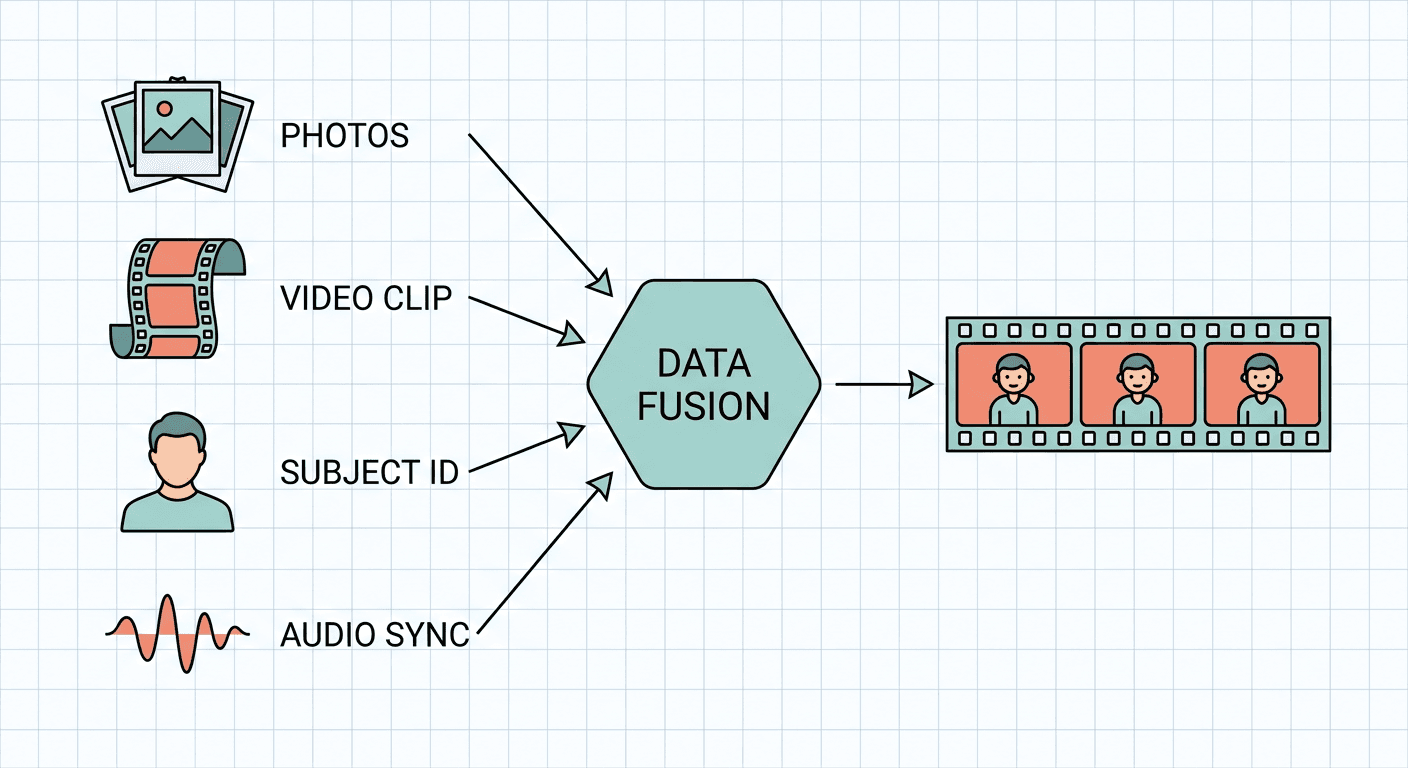
What this buys a creator in practice: generate one character turnaround sheet, feed it in as an image reference alongside a voice sample, and Kling 4.0 will attempt to keep that character's face, outfit and voice stable across a full 30-second scene with 10 keyframes of blocking, rather than requiring a separate generation per shot that you then have to match by hand in editing. Early access testers specifically tested eyeline matching, meaning two characters in a dialogue scene actually looking at each other correctly from shot to shot, and reported it working correctly in their test generations, alongside successful character consistency when combining keyframes with Omni References [4]. The same testers also flagged a real limitation worth knowing before you rely on this in production: the model occasionally adds unreferenced details, in one documented case inventing a gray jacket that was never in the source reference, so a human review pass before anything ships is still necessary, not optional [4].
Step 4: Benchmarking Kling 4.0 Against Veo 3.1, Seedance 2.5 and Sora
| Model | Max single-pass clip length | Keyframe control | Max resolution | Reference inputs | Audio |
|---|---|---|---|---|---|
| Kling 4.0 | 30 seconds | Up to 10 keyframes | 4K, 10-bit HDR | Up to 15 combined (images, video, subjects, voice) | Stereo, lip-synced |
| Kling 3.0 | 15 seconds | Start and end frame only | 4K, 8-bit SDR | Up to 7 images/subjects, 1 video | Single-channel |
| Veo 3.1 | Shorter single-pass window, strong extension workflow | Text and image conditioning | 4K | Image and text conditioning | Native synced audio |
| Seedance 2.5 | Shorter single-pass window, physics-focused | Reference-frame conditioning | Up to 4K | Multi-reference blending | Native synced audio |
A few things stand out from this comparison. Kling 4.0's 30-second native clip length is, as of this writing, the longest single-pass generation among the major consumer-accessible video models, roughly double Veo 3.1's typical output window and well past what most Sora-class models target in one pass. Its 10-keyframe system is also structurally different from Veo 3.1's approach, which leans more heavily on strong text-to-video coherence and Google DeepMind's world-model-adjacent training rather than explicit multi-point keyframe anchoring. Seedance 2.5, which we broke down in detail in Seedance 2.5 vs Veo 3.1, competes more directly on motion realism and physics consistency than on reference flexibility.
None of this makes Kling 4.0 strictly better. Veo 3.1 still has an edge in prompt adherence for complex multi-subject scenes according to creators who have tested both extensively, and Seedance 2.5's dedicated motion-physics training shows in action sequences where Kling has historically been weaker. What Kling 4.0 changes is the ceiling on a single generation's scope and consistency, which matters most for branded content, explainer-style scenes, and dialogue-driven shorts where 10 to 15 seconds was previously forcing a second generation pass and a stitch in editing. If you are regularly comparing video models for a specific use case rather than picking one for life, our breakdown of MiniMax H3 vs Veo 3.1 covers a third angle on this same tradeoff space.
Zooming out past the spec sheet, this launch is really about why four separate labs are racing toward the same two numbers, clip length and reference consistency, within months of each other. Google DeepMind made Gemini Omni Flash its default video model earlier in 2026 and has been pushing Veo 3.1 toward longer, more coherent single-pass generations rather than relying on extension workflows that stitch several short clips together. ByteDance shipped Seedance 2.5 with a dedicated focus on motion physics, correct weight transfer, cloth movement, liquid behavior, aimed squarely at the kind of action and product-demo content where earlier video models visibly cheated physics. Alibaba's Wan 3.0 and MiniMax's open-weight releases pushed the same race from the open-source side, making strong video generation available outside the big-lab subscription tiers entirely. Kling 4.0 is Kuaishou's answer to all three fronts at once: longer clips than Veo 3.1 typically targets, a reference system built to directly address the consistency gap that has made longer AI video look obviously synthetic, and a Flash tier priced to compete with the open-weight options on accessibility even while the full Ultra tier stays premium.
The practical takeaway for a creator is that no single model currently wins every dimension, and that is unlikely to change soon. A realistic 2026 video workflow increasingly means picking the right model per shot type rather than committing to one tool for everything, the same way a photographer might reach for a different lens for a portrait versus a landscape rather than expecting one lens to do both equally well.
Step 5: What Early Testers Are Actually Seeing
Spec sheets describe intent, not output quality, so it is worth separating what Kuaishou claims from what independent early access testers reported after actually generating with Kling 4.0 Flash.
What held up well:
- Lip sync drift, long one of Kling's most persistent complaints going back to Kling 3.0, "appears to be largely fixed" in dialogue-heavy test sequences, according to hands-on testing [4].
- Image-to-video generation successfully invented plausible, consistent character faces and held them steady across a scene, which is a harder task than it sounds since the model has no ground-truth face to copy, only a description or a partial reference [4].
- Spatial consistency, objects keeping their position across a scene instead of subtly sliding, was noticeably improved over Kling 3.0 [4].
What still has rough edges:
- Text-to-video generations sometimes add unprompted details that were never in the request, a known failure mode across nearly every current video model, not unique to Kling [4].
- Character performances can read as emotionally flat in longer sequences, and testers noted a real chance of decoherence, meaning the scene losing visual or narrative consistency, increasing with generation length and complexity [4].
- The early access build caps resolution at 720p, with 1080p, 4K and the 10-bit HDR output arriving with the full October rollout rather than day one [4].
Step 6: Access, Pricing Tiers and the Flash Variant
Kling 4.0 ships in two tiers. The full Kling 4.0 model targets the October 2026 general rollout with the complete feature set described above. Kling 4.0 Flash, the early access tier that opened September 28, 2026, is explicitly positioned as the faster, lower-cost sibling for everyday volume work, capped at 20 seconds and 720p, and aimed at drafts and social batches rather than final hero shots [1][4].
As of launch, full Kling 4.0 access requires a Kling Ultra annual subscription, which is a meaningfully higher commitment than a monthly plan, and reflects how Kuaishou is pricing its flagship tier right as it heads toward a public listing [1]. For creators who are not ready to commit to an annual Ultra plan just to test Omni Reference, Kling 3.0 Turbo remains available and is still a strong option for multi-shot work, which we cover with 16 ready-to-use prompts in 16 Kling 3.0 Turbo Multi-Shot Prompts.
Production Notes: Working With Multi-Keyframe and Omni Reference Workflows
A few practical patterns are worth adopting before you build a real production workflow around Kling 4.0:
Storyboard before you generate. Because 10 keyframes is closer to directing than prompting, sketch your beats as still reference images first. Treat each keyframe as its own small creative decision, not a byproduct of a single long paragraph prompt. Generating and refining those stills individually inside a dedicated image tool, then feeding the finished set in as Omni References, produces far more predictable results than trying to describe 10 beats inline in one text block. A reference still for the opening keyframe of the scene above might look like this:
A cinematic reference still of a woman in a tailored charcoal wool coat standing mid-stride on a rain-lit city crosswalk at night, captured from a low three-quarter angle with a 35mm lens look, shallow depth of field keeping her in sharp focus while neon storefront signs blur softly behind her. Wet asphalt reflects warm red and cool blue neon light in long streaks. Her expression reads tired but composed, rain beading visibly on her shoulders and in her dark hair. Natural skin texture, no retouched or plastic-looking skin, accurate anatomy with correctly proportioned hands, no blurry or distorted facial features, no garbled text on any background signage, no watermark.
Lock your subject reference early and reuse it. Since Omni Reference can carry up to 7 subject references including video-based ones, build a small reference library per character or product once, then reuse it across every generation that character appears in, rather than re-describing appearance from scratch each time. This is the same consistency discipline that makes a character design pipeline work in traditional animation, just applied to a prompt-based workflow.
Review every output for invented details. Given the documented tendency to add unreferenced details like an extra jacket that was never in the source material, build a human review step into any production pipeline before a Kling 4.0 clip ships, the same way you would review any AI-generated asset before it goes live.
Budget for decoherence risk on longer generations. The 30-second ceiling is a genuine capability, but testers specifically flagged rising decoherence risk as generations get longer and more complex. For a straightforward single-subject scene, 30 seconds in one pass is a real win. For a complex multi-subject dialogue scene, it may still be safer to generate in two 15-second passes with a consistent Omni Reference and stitch them, at least until the full model matures past early access.
A worked example of the difference this makes. Picture a 25-second product explainer: a hand picks up a bottle, turns it to show the label, sets it down next to a second product, then the camera pulls back to a full shelf shot. Under a start-and-end-frame system, you can only anchor the opening hand-reach and the final shelf pull-back, leaving the model to guess the label-turn and the product placement in between, which is exactly where earlier models tended to drop the label's text or warp the bottle's shape. Under Kling 4.0's 10-keyframe system, you can anchor the hand-reach, the label fully facing camera, the moment the second product enters frame, and the start of the pull-back as four separate, explicit waypoints, then let the model interpolate only the much shorter gaps between them. The difference is not a vague "better quality," it is a structurally smaller interpolation problem at every step, which is the actual mechanism behind the consistency gains testers reported.
Which Creators Actually Benefit Most From This Upgrade
Not every creator needs Kling 4.0's full feature set, and it is worth being specific about who gets the most value out of each part of the upgrade rather than treating it as a universal improvement.
Branded product and explainer creators get the most immediate benefit from the combination of longer clip length and Omni Reference, since a single 25 to 30 second explainer can now carry a product from unboxing to final shelf shot in one generation with a consistent product appearance throughout, instead of generating three separate 10-second clips and matching lighting and color grading by hand across the cuts in post.
Talking-head and dialogue-driven creators, think narrated tutorials, character-driven shorts, or branded spokesperson content, benefit most from the stereo audio and lip-sync improvements specifically. This is also the group that should be most cautious about the "largely fixed, not flawless" caveat, since viewers notice mouth-sync errors on a talking face far faster than they notice a slightly off hand gesture in a product shot.
Social-first, high-volume creators, posting daily Shorts or Reels rather than a handful of hero pieces a month, are probably better served by Kling 4.0 Flash than the full Ultra tier, at least initially. The 20-second, 720p cap is genuinely fine for most short-form social content, and the lower-cost, faster-iteration profile matters more at that volume than squeezing out the last bit of resolution.
Narrative and cinematic shorts creators, building toward festival-style or portfolio work rather than daily content, are the group the full 30-second, 10-keyframe, 4K HDR tier is actually built for. This is also the group most likely to run into the decoherence risk on longer, more complex generations, so budgeting time for multiple generation attempts and a careful review pass matters more here than anywhere else.
Common Mistakes Creators Make With Multi-Keyframe Video Models
Treating 10 keyframes as 10 independent prompts. Keyframes are waypoints along one continuous motion, not separate shots stitched together. If consecutive keyframes contradict each other in pose, lighting, or framing, the model has to invent an implausible transition to connect them, which is exactly the kind of artifact that reads as obviously synthetic.
Overloading Omni Reference with conflicting subjects. Just because you can combine 15 reference assets does not mean every generation should. More references means more constraints the model has to satisfy simultaneously, and conflicting constraints, like two subject references with contradictory outfit details, tend to produce the invented-detail failure mode described above rather than a clean resolution.
Skipping the Flash tier entirely. Full Kling 4.0 requires an annual Ultra commitment, which is a real cost decision. Testing your actual workflow on Kling 4.0 Flash first, even with its 720p and 20-second ceiling, is a much cheaper way to validate whether multi-keyframe and Omni Reference actually solve your specific production problem before committing to the annual tier.
Assuming lip sync is now perfect. "Largely fixed" in early tester reports is not the same as flawless. Dialogue-heavy content, especially anything client-facing, still deserves a dedicated review pass on mouth movement and timing before it goes out.
Ignoring the token budget until the request fails. An 8,000-token prompt sounds generous until you are describing 10 keyframes with blocking, lighting and camera notes for each, plus 15 reference assets and a voice sample. Drafting the keyframe descriptions separately first, then trimming redundant adjectives before assembling the final request, avoids hitting the ceiling mid-project and having to cut content you actually wanted.
Forgetting that Flash and full Kling 4.0 are not interchangeable for final delivery. Flash is explicitly positioned for drafts and social batches, capped at 720p. Using a Flash-tier generation as final deliverable creative for a client, rather than as a cheap way to validate blocking and pacing before the full-resolution render, is a common way creators end up re-shooting work they thought was finished.
How This Fits Into a Real Creator Workflow
Most creators are not going to run their entire pipeline inside Kling alone. A realistic workflow looks like: rough out character and scene concepts as stills using an AI image generator, storyboard the keyframe beats as individual reference images, generate the hero video clip in Kling 4.0 using those stills as Omni References, then repurpose the finished clip into platform-specific content. That last step is where a tool like Miraflow AI fits in: once you have a finished 30-second cinematic clip, Text2Shorts and AI Clipping can turn it into vertical Shorts, Reels and TikTok cuts with captions already applied, and the YouTube Thumbnail Maker can pull a strong frame from that same clip into a click-worthy thumbnail without leaving the browser.
Frequently Asked Questions
Is Kling 4.0 available to everyone right now? Not yet. Kling 4.0 Flash opened to Kling Ultra annual subscribers on September 28, 2026, as an early access tier capped at 720p and 20 seconds. The full Kling 4.0 model, with 30-second clips, 4K, and 10-bit HDR, is rolling out through October 2026 [1].
How is Kling 4.0 different from just using a longer prompt in Kling 3.0? Kling 3.0 caps native generation at 15 seconds and only supports a start frame and an end frame, regardless of prompt length. Kling 4.0's 30-second ceiling and 10-keyframe system are architectural changes, not something a longer text prompt can replicate on the older model [3].
Does Omni Reference guarantee perfect character consistency? No. Early testers reported strong results in most cases but also documented the model adding unreferenced details that were never in the source material, so a human review pass is still necessary before anything ships in production [4].
Is Kling 4.0 better than Veo 3.1 or Seedance 2.5? It depends on the job. Kling 4.0 currently leads on single-pass clip length and reference flexibility. Veo 3.1 tends to hold an edge on complex multi-subject prompt adherence, and Seedance 2.5 leans stronger on motion physics and realism. See our direct comparisons in Seedance 2.5 vs Veo 3.1 and MiniMax H3 vs Veo 3.1 for more use-case-specific breakdowns.
Why did Kuaishou ship this right now? Kuaishou's Kling AI unit filed spinoff plans in May 2026 and closed an 18 billion dollar valuation round in July 2026 ahead of a targeted 2027 Hong Kong listing. A flagship capability jump timed just before investor-facing milestones is a common pattern in this industry, and it does not make the underlying capability jump any less real [2].
Can I use multi-keyframe style workflows without a Kling subscription? You can approximate the storyboarding half of the workflow, generating individual keyframe reference stills and iterating on consistency, using a general AI image generator like the one in Miraflow AI, then bring those stills into whichever video model you have access to, including Kling 3.0 Turbo in the meantime.
Conclusion
Kling 4.0 is one of the more structurally significant video model updates of 2026, not because any single number is unprecedented but because clip length, keyframe count and reference capacity moved together. A 30-second single pass with 10 keyframes and 15 fused references is a genuinely different authoring surface than a 15-second clip with a start and end frame, closer to directing a scene than prompting one. The early access results back that up on consistency and lip sync, with real, documented caveats around invented details and longer-generation decoherence that any production workflow needs to plan around rather than assume away. Whether or not you have Kling Ultra access yet, the shift toward multi-keyframe, multi-reference generation is clearly where the category is heading, and storyboarding your scenes as individual reference stills before you ever touch a video model is a habit worth building now.
References
[1] Kling AI. "Inside Kling 4.0: A Complete Guide to AI Video Creation."
[2] CryptoBriefing. "Kuaishou Technology's AI Spinoff Unveils Kling 4.0 Video Model Ahead of Hong Kong Listing."
[3] Kling AI. "Kling 4.0 vs 3.0: What's Different in the New Model?"
[4] Morphic. "Kling 4.0: 30-Second AI Video, 10 Keyframes, and 4K."