Remaster Video: Turn Any Old YouTube Video into a Fresh AI-Generated Short in Minutes

Written by
Jay Kim
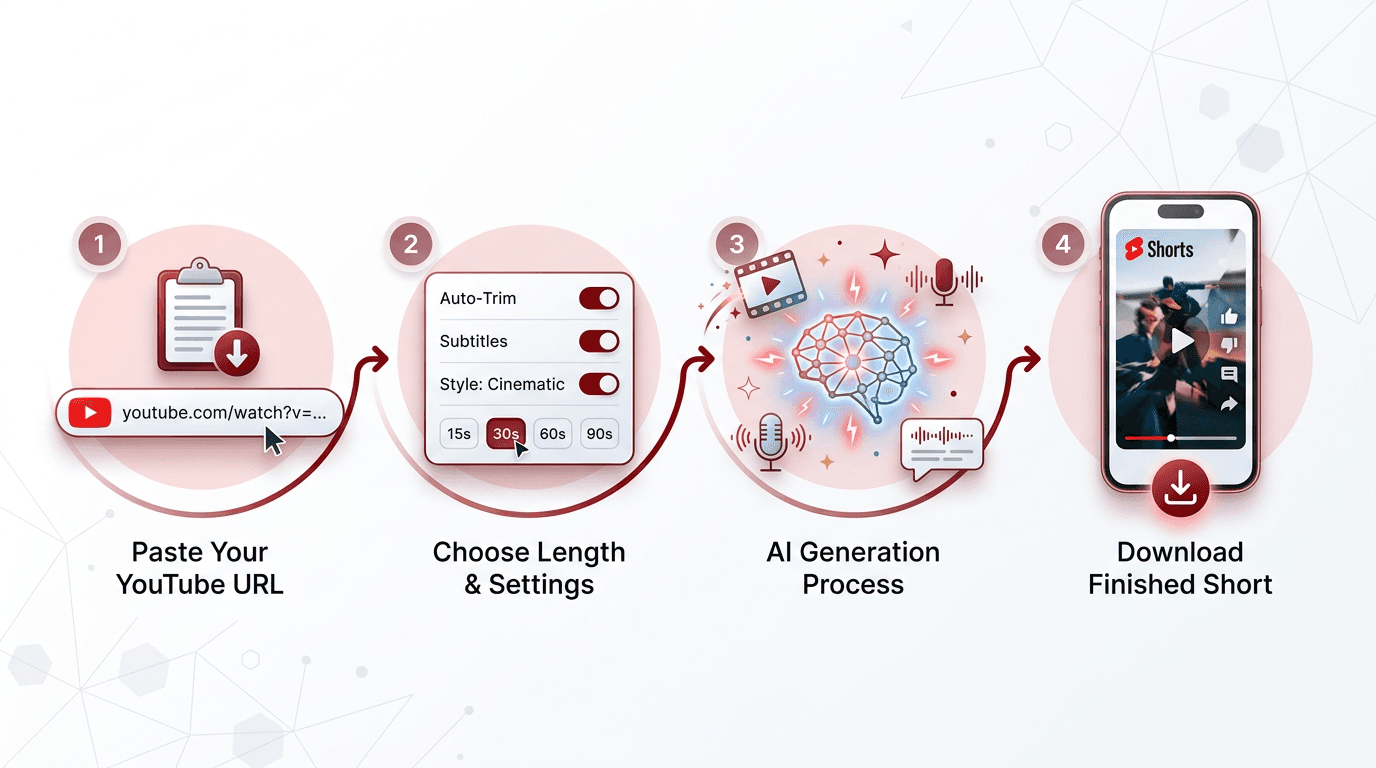
Turn any old YouTube video into a fresh, AI-generated Short in minutes. Paste a YouTube URL, choose your short length (15s, 30s, 60s, or 90s), pick a visual style (animation or realistic), select a narration voice, toggle auto captions, and click Remaster My Video. Miraflow's Remaster Video tool pulls the transcript, rewrites it into a punchy short-form script, generates brand-new cinematic visuals, adds a new AI narration voice, and delivers a ready-to-post Short for YouTube Shorts, Instagram Reels, or TikTok. Perfect for reviving older content, turning long tutorials into bite-sized clips, remastering podcast episodes and interviews, and giving creators with existing YouTube libraries a way to multiply their content without starting from scratch.
You already have content. It is sitting on YouTube right now: tutorials you recorded two years ago, podcast episodes from last season, interviews, product walkthroughs, conference talks, explainer videos, vlogs. Some of it performed well when you published it. Some of it never found its audience. Almost all of it contains ideas, insights, and information that are still valuable today, trapped inside a format and a production style that the algorithm no longer rewards.
Short-form vertical video is where attention lives now. YouTube Shorts, Instagram Reels, TikTok - these platforms prioritize clips that are punchy, visual, and under ninety seconds. But re-editing your old long-form content into Shorts by hand is tedious, time-consuming work. You have to rewatch the original, find the best segments, cut them down, reformat for vertical, add captions, and hope the aging footage still looks good enough to compete in a feed full of polished, recent content.
Miraflow's Remaster Video tool skips all of that. Paste a YouTube URL, choose your settings, click one button, and the AI does everything - it pulls the transcript, rewrites it into a tight short-form script, generates entirely new cinematic visuals, adds a fresh AI narration voice, and delivers a finished, ready-to-post Short. Your old ideas, presented in a completely new package. No editing software. No re-recording. No hours of manual work. Just paste, configure, and download.
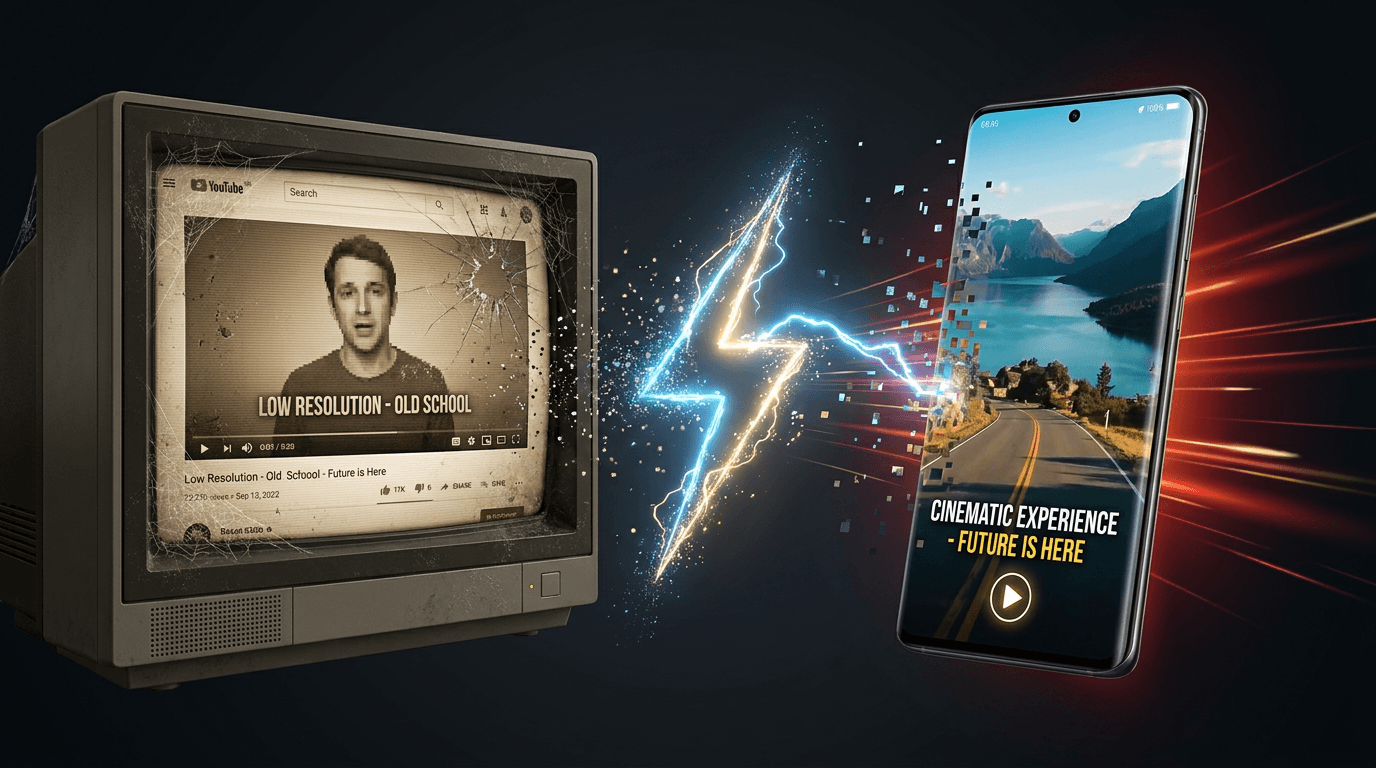
The result is not a trimmed clip of your original video. It is a fully remastered Short with new visuals, new voiceover, and new energy, built from the substance of your existing content but produced to the standard that short-form platforms demand today.
Who This Is For
Remaster Video is built for anyone who has existing YouTube content and wants to extract more value from it without starting over from scratch. That includes:
YouTube creators with a back catalog. If you have dozens or hundreds of videos on your channel, you are sitting on a library of ideas that can be repackaged into Shorts. Every long-form video you have ever published contains multiple potential Shorts — key insights, memorable moments, standalone explanations — and Remaster Video turns them into polished clips without requiring you to touch a timeline.
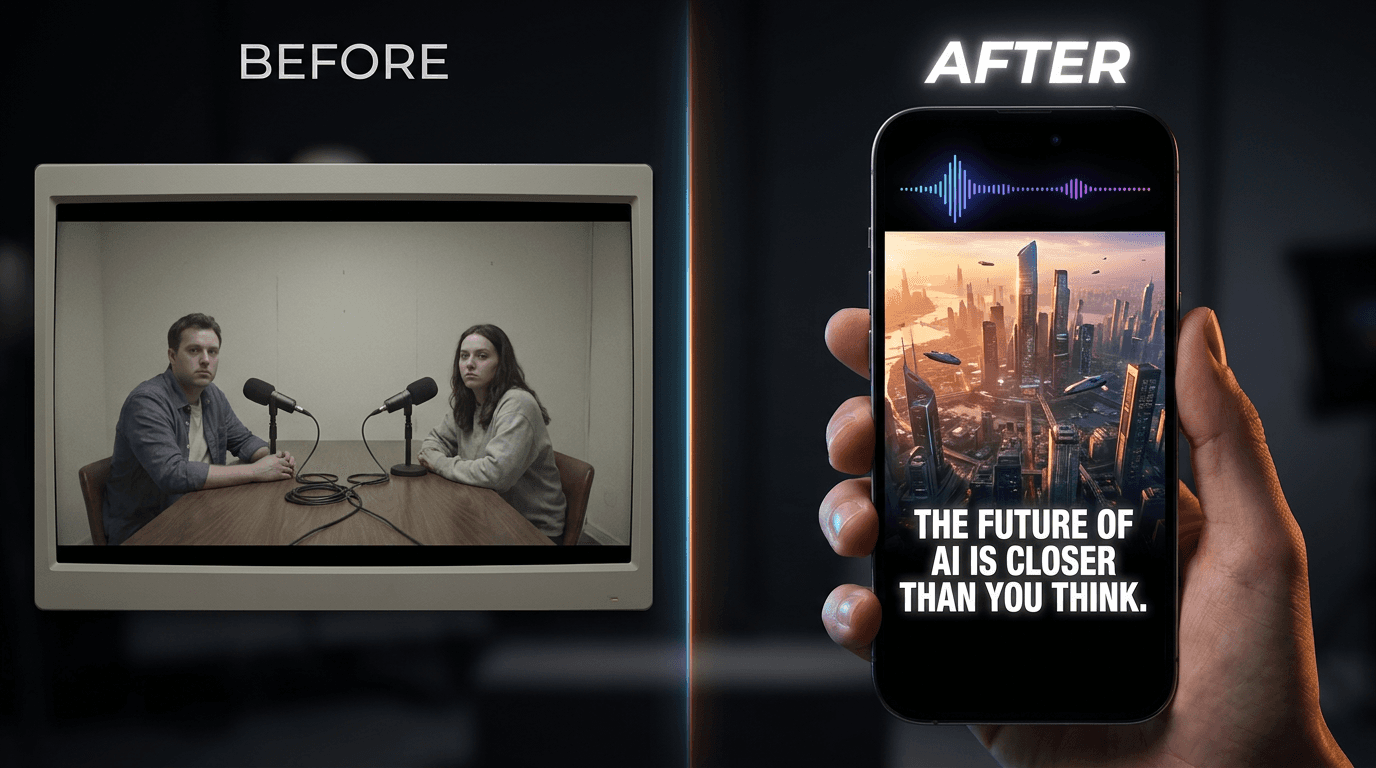
Podcasters and interview hosts. Long-form audio and video conversations are goldmines for short-form content, but the original footage — two people talking into microphones — rarely makes for visually compelling Shorts. Remaster Video solves this by replacing the original visuals entirely with fresh AI-generated imagery that matches the topic being discussed, transforming a static conversation into a visually dynamic clip.
Educators and online course creators. Tutorial videos and educational content have a long shelf life — the information stays relevant for years — but the production quality of older recordings can feel dated. Remastering lets you resurface your best teaching moments with modern visuals and narration without re-recording the lesson.
Content marketers and brand teams. If your company has a YouTube channel with product demos, webinars, thought leadership talks, or customer stories, Remaster Video lets you systematically convert that library into a stream of short-form social content. One thirty-minute webinar can yield multiple Shorts, each one a standalone piece of social content.
Social media managers juggling multiple platforms. You need a constant stream of vertical video for Reels, TikTok, and Shorts, but you do not always have the budget or time to produce original content for every platform. Remastering existing YouTube content gives you a repeatable pipeline — new short-form content from material that already exists.
Anyone reviving a dormant channel. If you stopped posting on YouTube but want to restart, remastering your best older content is a way to re-enter the short-form game immediately — with polished, current-looking Shorts — while you plan and produce new long-form videos.
What Remaster Video Actually Does
Let's be precise about what happens when you remaster a video, because this is not a simple trim-and-crop tool.
It pulls the transcript. The tool reads the captions or transcript from the YouTube video you provide. This is the raw material — the words, ideas, and information contained in your original content.
It rewrites the script. The AI takes the original transcript and rewrites it into a tight, punchy, short-form script optimized for the length you selected (15, 30, 60, or 90 seconds). This is not a random excerpt — the AI identifies the most compelling, self-contained ideas in the original content and restructures them into a script that works as a standalone Short. It tightens the language, sharpens the hook, and paces the information for short-form attention spans.
It generates entirely new visuals. Based on the rewritten script, the AI generates brand-new visuals — either in animation style or realistic cinematic style, depending on your selection. These are not clips from your original video. They are fresh, AI-generated scenes that visually illustrate what the narration is describing. If your original video was a talking-head tutorial about productivity systems, the remastered Short might feature cinematic shots of organized workspaces, flowing task boards, and dynamic visual metaphors — all generated from scratch to match the script.
It adds a new narration voice. The remastered Short gets a new AI-generated voiceover in the narration voice you select. The pacing, tone, and delivery are calibrated for short-form content — tighter and more energetic than a typical long-form narration.
It adds auto captions. If you toggle auto captions on (and you should — the vast majority of short-form video is watched without sound), the tool generates synchronized captions in your chosen language, or auto-detects the language from the video.
It delivers a finished, vertical Short. The output is a complete, ready-to-upload vertical video — properly formatted for YouTube Shorts, Instagram Reels, and TikTok. No post-production required. Download it and post it.
How It Works: Step by Step
The entire process takes less than a few minutes. Here is exactly what to do.
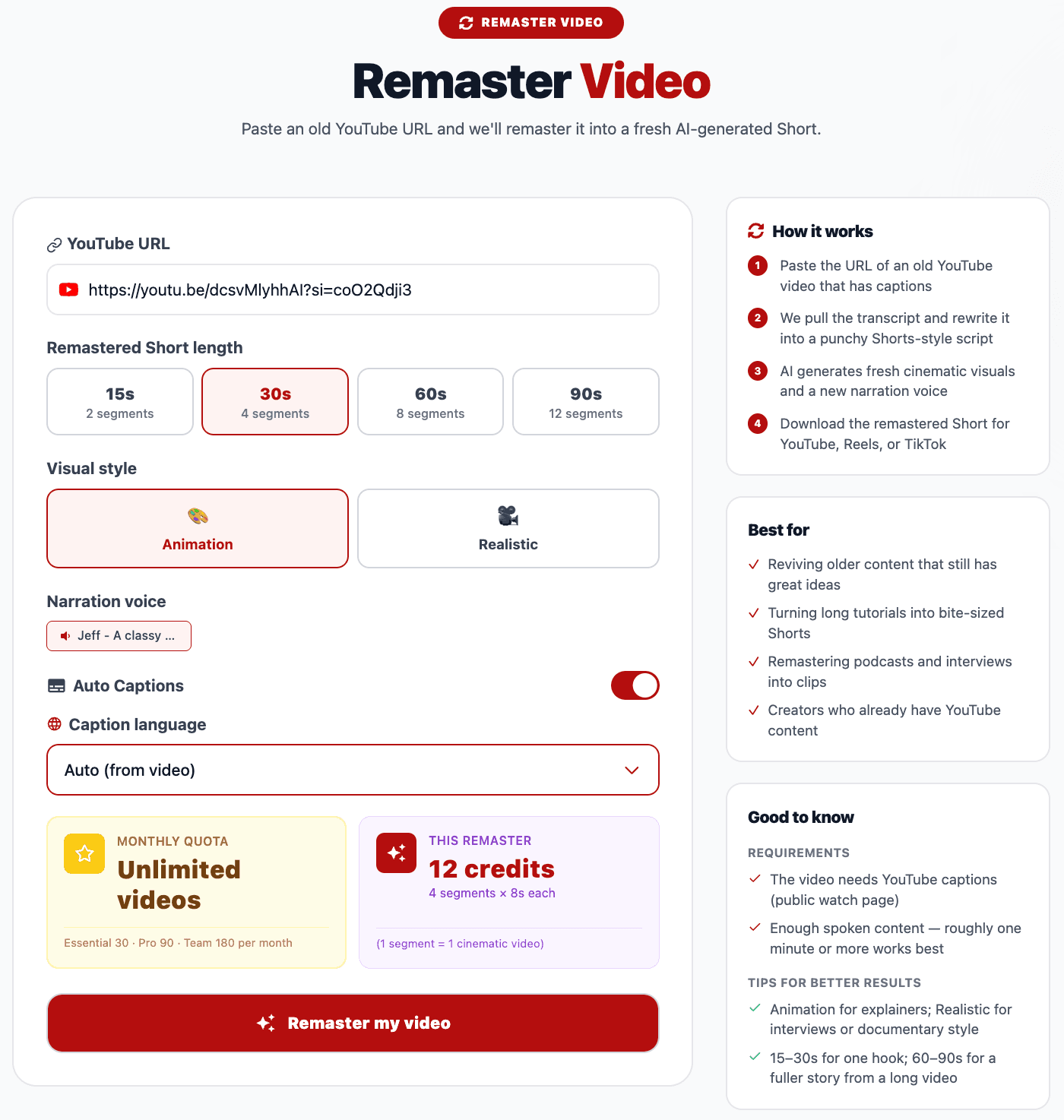
Step 1 — Paste the YouTube URL
Copy the URL of any YouTube video that has captions or subtitles (most YouTube videos do — YouTube auto-generates captions for nearly all spoken-word content). Paste it into the YouTube URL field at the top of the Remaster Video tool.
The video can be any length. A five-minute explainer, a thirty-minute tutorial, a two-hour podcast episode — the tool handles all of them. It will analyze the full transcript and identify the strongest segments to remaster, regardless of the original video's duration.
A few notes on source video selection:
- Videos with clear spoken content work best. The tool relies on the transcript, so videos with clear speech, minimal background noise, and accurate captions produce the best results.
- The original video quality does not matter. Since the tool generates entirely new visuals, it does not matter if your original video was recorded in 720p on a webcam in 2018. The remastered Short will have fresh, high-quality AI-generated visuals regardless of the source footage.
- Content-rich videos yield the best Shorts. Videos packed with ideas, tips, insights, stories, or explanations give the AI more material to work with when selecting and rewriting the script. A video that is mostly filler will produce a weaker Short than a video that is dense with substance.
Step 2 — Select Your Remastered Short Length
Choose how long you want the finished Short to be:
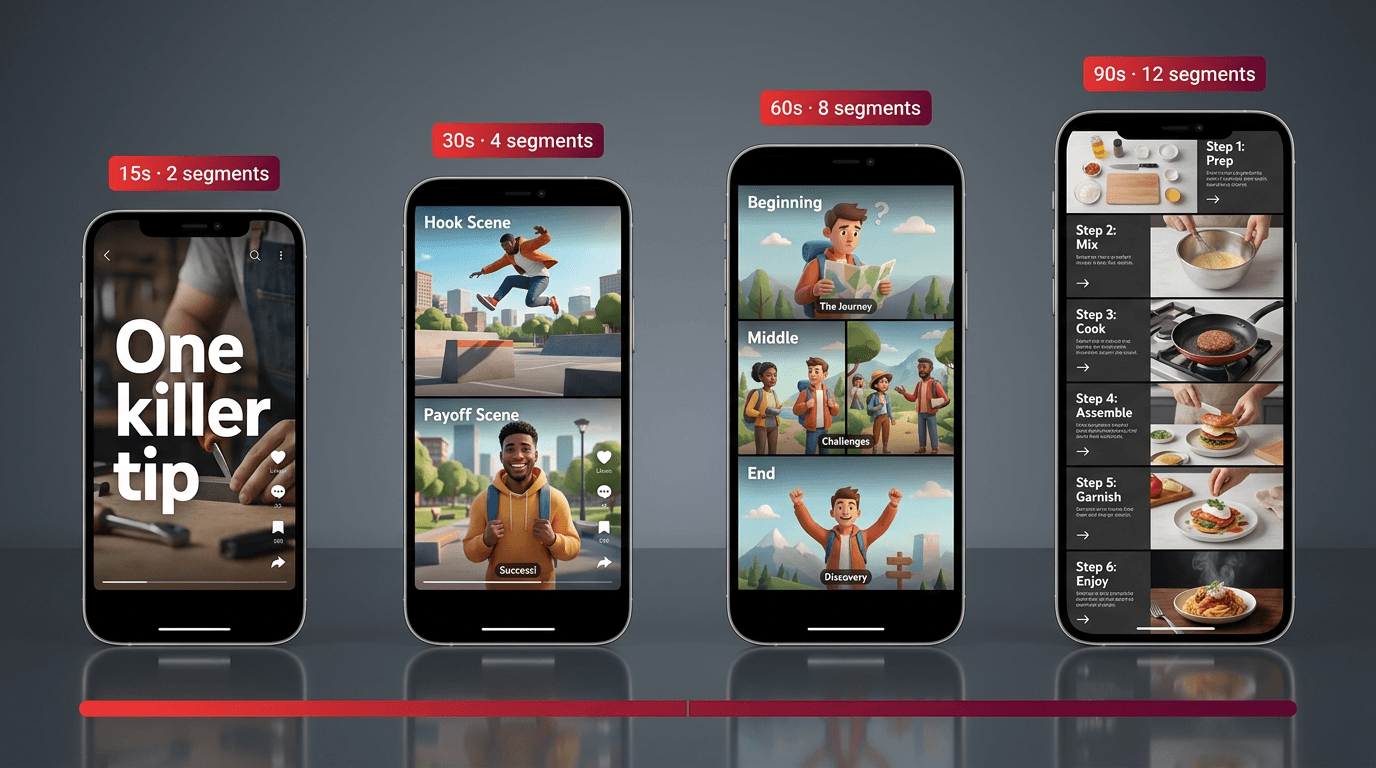
15 seconds (2 segments). Ultra-short, single-idea punch. This is the format for a hot take, a single tip, a bold claim, a surprising fact, or a one-sentence insight that stops the scroll. Fifteen-second Shorts are highly rewatchable and shareable — their brevity is a feature, not a limitation. They work exceptionally well on TikTok and as Instagram Reels, where the shortest content often gets the highest completion rates.
30 seconds (4 segments). The sweet spot for a single idea with enough room to set it up, deliver it, and land it. A thirty-second Short can introduce a problem and present a solution, tell a micro-story, explain one concept clearly, or deliver a quick list of two to three tips. This length is versatile and works well across all three major short-form platforms.
60 seconds (8 segments). Room for depth. A sixty-second Short can walk through a short process, compare two approaches, tell a complete story with a beginning, middle, and end, or deliver a mini-tutorial. This is the length to choose when the idea you are remastering needs a bit more space to breathe — when compressing it to thirty seconds would lose the nuance that makes it valuable.
90 seconds (12 segments). The maximum Short length on most platforms. Ninety seconds gives you space for detailed explanations, multi-step tutorials, longer narratives, or content that builds an argument across several points. This length works best when the content is genuinely compelling enough to hold attention for the full duration — a fascinating story, a detailed how-to, a thorough breakdown.
If you are unsure, start with 30 or 60 seconds. These lengths are forgiving — long enough to communicate a real idea, short enough to hold attention — and they perform consistently well across YouTube Shorts, Reels, and TikTok.
Step 3 — Choose Your Visual Style
The tool offers two visual style options:
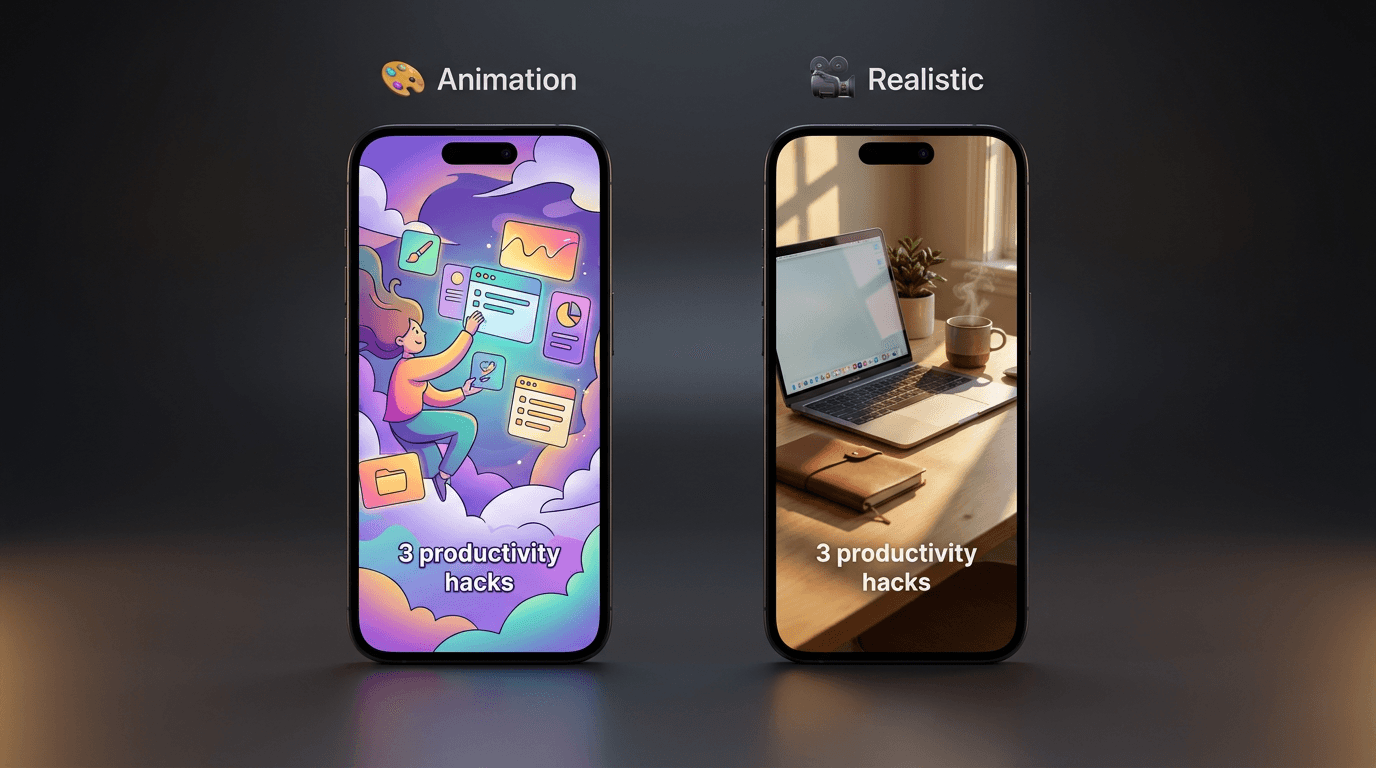
Animation. AI-generated animated visuals — stylized, colorful, and illustrative. Animation style works well for abstract concepts, educational content, storytelling, and topics that are hard to represent with realistic imagery (like explaining a mental model, a business strategy, or a scientific concept). It also gives the Short a distinctive, eye-catching look that stands out in a feed full of live-action footage.
Realistic. AI-generated photorealistic and cinematic visuals — scenes, environments, objects, and imagery that look like they were shot with a camera. Realistic style works well for topics grounded in the physical world — travel, food, fitness, architecture, nature, product-related content, lifestyle — and gives the Short a polished, premium cinematic quality.
Both styles produce professional results. Choose the one that best matches your content's subject matter and your brand's visual identity. If your original video is a whiteboard explainer about startup metrics, animation might be the natural fit. If it is a travel vlog about hiking in Patagonia, realistic will feel more appropriate.
Step 4 — Select a Narration Voice
Choose the AI narration voice that will deliver the rewritten script in your remastered Short. The tool offers a selection of voices — you can preview them before selecting to find the one that matches the tone and personality you want.
Consider the content and the audience when choosing a voice. A warm, conversational voice suits lifestyle and educational content. A high-energy, fast-paced voice suits motivational or hype-style content. A calm, authoritative voice suits business, finance, and technology topics. Preview a few options and pick the one that feels right for the material.
Step 5 — Toggle Auto Captions
Auto captions are toggled on by default, and for good reason. The majority of short-form video on every major platform is consumed with the sound off — viewers scrolling in public, at work, in bed next to a sleeping partner. Captions are not an accessibility nice-to-have (though they are that too). They are a core part of the viewing experience. Shorts with captions consistently outperform Shorts without them in terms of watch time, completion rate, and engagement.
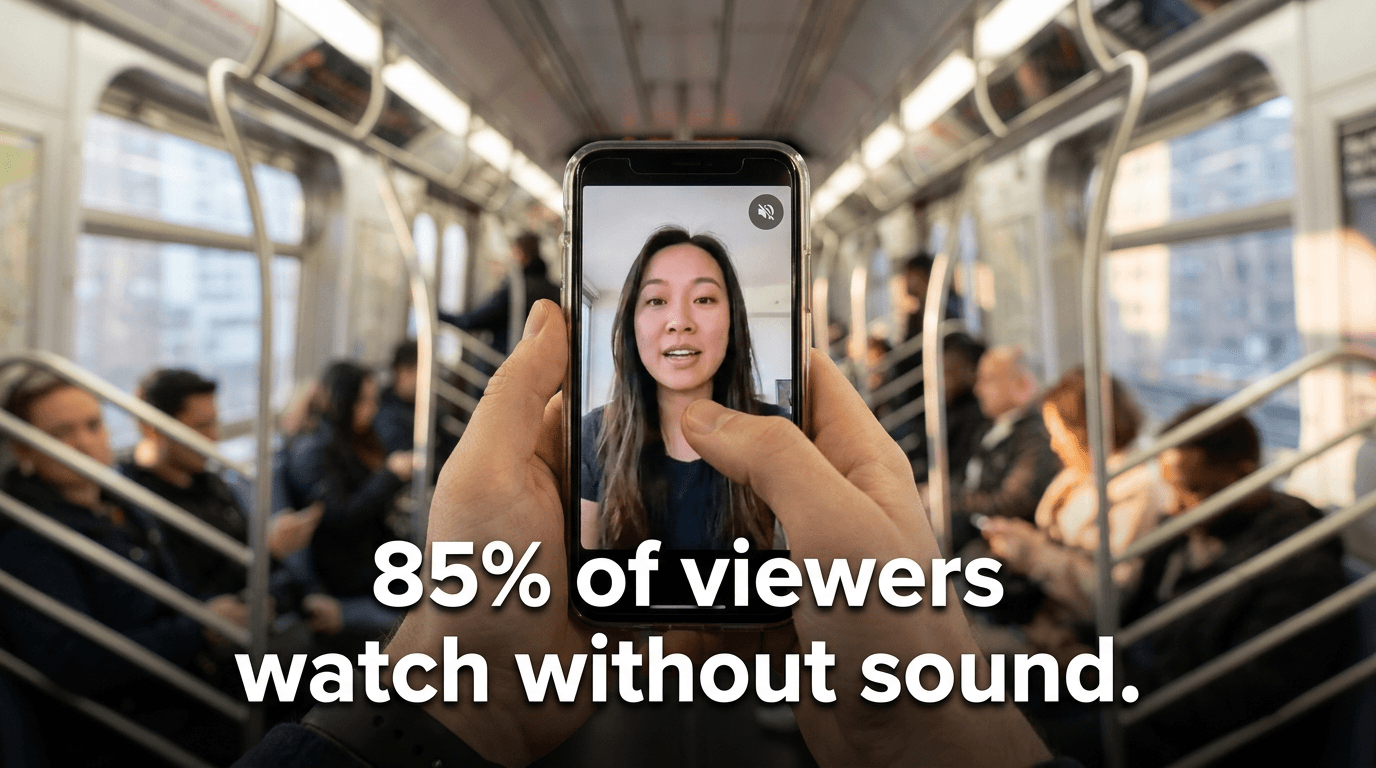
Leave auto captions on unless you have a specific reason to turn them off.
Step 6 — Select Caption Language
The default setting is Auto (from video), which automatically detects the language spoken in the original video and generates captions in that language. For most users, this default is the right choice — it handles English and other languages without any manual configuration.
Step 7 — Click "Remaster My Video"
Hit the button. The AI goes to work — pulling the transcript, rewriting the script, generating visuals, recording the narration, syncing the captions, and assembling the final Short.
The process typically takes less than a few minutes. Longer source videos may take slightly more time since the AI has more transcript to analyze and select from, but even hour-long videos are processed quickly. You do not need to keep the page open and stare at it — come back in a few minutes and your remastered Short will be ready to preview and download.
What Makes a Great Source Video for Remastering
Not all videos remaster equally well. Here is what to look for when choosing which videos from your library to remaster.
Strong, standalone ideas. The best source videos contain moments that work on their own — a single powerful tip, a clear explanation, a surprising insight, a compelling story. The AI is looking for these self-contained nuggets to build the Short around. Videos that are dense with such moments give the AI more to work with.
Clear, well-articulated speech. Since the tool works from the transcript, clear articulation and good audio quality in the original video translate directly to a better rewritten script. Heavy accents, frequent verbal filler, cross-talk, or poor audio can introduce transcript errors that affect the remastered output.
Evergreen content. Videos about topics that remain relevant over time — fundamental concepts, timeless advice, enduring how-tos — are the best candidates for remastering. If your original video references a specific event, software version, or date that is now outdated, the remastered Short may carry that dated reference into the new script.
Existing captions or subtitles. The tool requires captions to pull the transcript. Most YouTube videos have auto-generated captions, but videos with manually uploaded, accurate captions will produce the cleanest transcripts and therefore the best remastered scripts.
Use Cases: What Remaster Video Is Great For
Reviving older content that still has great ideas. Your best video from three years ago might have incredible content locked inside outdated production quality. Remastering extracts the ideas and re-presents them with fresh visuals and narration that meet today's standards. The insights stay the same. The packaging gets a complete upgrade.
Turning long tutorials into bite-sized Shorts. A twenty-minute tutorial contains four to six distinct teaching moments, each of which could be its own standalone Short. Instead of manually scrubbing through the footage to isolate each moment, paste the URL and let the AI identify and repackage the strongest segments.
Remastering podcasts and interviews into clips. Long-form conversations are notoriously difficult to repurpose for short-form — the original footage is usually just people sitting and talking, which does not translate to visually engaging Shorts. Remaster Video solves this completely by replacing the static conversation footage with dynamic, AI-generated visuals that illustrate what is being discussed.
Multiplying your content output without multiplying your effort. If you publish one long-form video per week, Remaster Video lets you generate multiple Shorts from each one — turning a single piece of content into a week's worth of short-form posts across Shorts, Reels, and TikTok. Your content calendar fills itself from material you have already created.
Reaching new audiences on new platforms. Your YouTube subscribers already found your long-form content. But the audiences on TikTok and Instagram Reels may never have encountered your ideas. Remastered Shorts let you bring your best content to entirely new audiences on platforms where your long-form videos cannot reach.
Testing which ideas resonate before creating new content. Remaster a few of your older videos into Shorts and see which topics get the most traction. The ones that perform well as Shorts are telling you something — those are the topics your audience cares about most, and they might be worth creating fresh, dedicated content around.
Repurposing content for multilingual audiences. By selecting a different caption language, you can remaster your English-language content into Shorts with captions in Spanish, French, Portuguese, German, Korean, or other languages — opening your content to global audiences without hiring translators or re-recording anything.
Breathing new life into a dormant YouTube channel. If you have not posted in months (or years), remastering your best older videos into Shorts is the fastest way to reactivate your channel with polished, current-format content while you plan your next original uploads.
Tips for Getting the Best Remastered Shorts
Remaster your top performers first. Start with the videos that already proved themselves — the ones with the most views, the highest engagement, the most positive comments. If the ideas resonated in long-form, they are likely to resonate in short-form too.
Try multiple lengths from the same source video. A single source video can yield a punchy 15-second teaser, a solid 30-second explainer, and a detailed 60-second mini-tutorial — all from different segments of the same transcript. Experiment with different lengths to see which format works best for each piece of content.
Match the visual style to the content. Use realistic style for topics grounded in the physical world (travel, food, fitness, nature, products) and animation style for abstract or conceptual topics (business strategy, psychology, productivity systems, technical concepts). The visual style should serve the content, not fight against it.
Use the 15-second format for hooks and teasers. A 15-second remastered Short that delivers one surprising fact or bold claim from your original video can drive viewers back to your full-length content. Use these ultra-short clips strategically as teasers that create curiosity about the complete video.
Keep auto captions on. Always. This is not optional if you care about performance. Captions dramatically increase watch time, completion rates, and engagement on every short-form platform. The only scenario where you might turn them off is if you are generating raw footage that you plan to add custom-styled captions to in a separate editing tool.
Post remastered Shorts consistently. The short-form algorithm rewards consistency. Rather than remastering ten videos in one day and posting them all at once, create a pipeline — remaster a batch, then schedule them to post on a regular cadence (daily or every other day). Consistency signals to the algorithm that your account is active and worth distributing.
Frequently Asked Questions
Does the original YouTube video need to have captions?
Yes — the tool works by pulling the transcript from the video's captions. The good news is that YouTube auto-generates captions for the vast majority of videos with spoken content, so most YouTube videos are compatible. If your video does not have captions, you can upload captions to YouTube first through YouTube Studio, then remaster.
Does the remastered Short use footage from the original video?
No. The visuals in the remastered Short are entirely AI-generated — brand new images and scenes created to match the rewritten script. The original video's footage is not used at all. Only the transcript (the words and ideas) carries over.
Can I remaster someone else's YouTube video?
The tool can process any public YouTube video with captions. However, you are responsible for ensuring you have the right to use and repurpose the content. Remastering your own content or content you have permission to use is the intended use case.
How long does the remastering process take?
Typically less than a few minutes. The exact time depends on the length of the source video and the selected Short length, but even long source videos are processed quickly. You do not need to watch the process — come back after a few minutes and your Short will be ready.
Can I download the remastered Short and post it on any platform?
Yes. The output is a standard vertical video file that you can upload directly to YouTube Shorts, Instagram Reels, TikTok, or any other platform that supports vertical video.
What if the AI picks the wrong segment from my video?
If the remastered Short focuses on a segment that is not the one you wanted, you can regenerate to get a different interpretation. The AI selects what it determines to be the strongest, most self-contained segment for the chosen length, but regenerating will often surface different parts of the transcript.
Can I remaster a video that is in a language other than English?
Yes. The tool works with any language that YouTube supports captions for. The auto caption language setting will detect the language automatically, or you can manually select the caption language if you want captions in a specific language.
What video lengths can I remaster from?
There is no strict minimum or maximum length for the source video. Short videos (under five minutes) and very long videos (over two hours) both work. The AI adapts to whatever transcript length it receives. That said, longer and more content-rich source videos give the AI more material to select from, which generally produces stronger Shorts.
Is this the same as just clipping a segment from my video?
No — and this is an important distinction. A clip is a trimmed excerpt of your original footage. A remastered Short is a completely new production — new script (rewritten and tightened from your original transcript), new visuals (AI-generated), new narration (AI voice), and new captions. The only thing that carries over is the substance of your ideas. Everything else is rebuilt from scratch.
Can I choose which part of the video gets remastered?
Currently, the AI automatically identifies and selects the strongest segments based on the transcript. For more control over which specific section is remastered, you can provide a shorter source video that contains only the segment you want — for example, by using YouTube's clip feature or timestamped URLs to point the tool toward a specific portion of the video.
Start Remastering — Your Content Deserves a Second Life
Your best content should not age out because the format changed. The ideas in your existing YouTube videos are still valuable — they just need new packaging to compete in today's short-form landscape.
Paste a YouTube URL. Choose your length, style, and voice. Click Remaster My Video. In a few minutes, you will have a brand-new, AI-generated Short — fresh visuals, fresh narration, auto captions, ready to post on YouTube Shorts, Instagram Reels, or TikTok.
Your content library is not a graveyard. It is a goldmine. Start remastering it.