How to Write Effective Prompts for Veo3, Veo3.1, and Sora 2 (Complete Guide)

Written by
Jay Kim
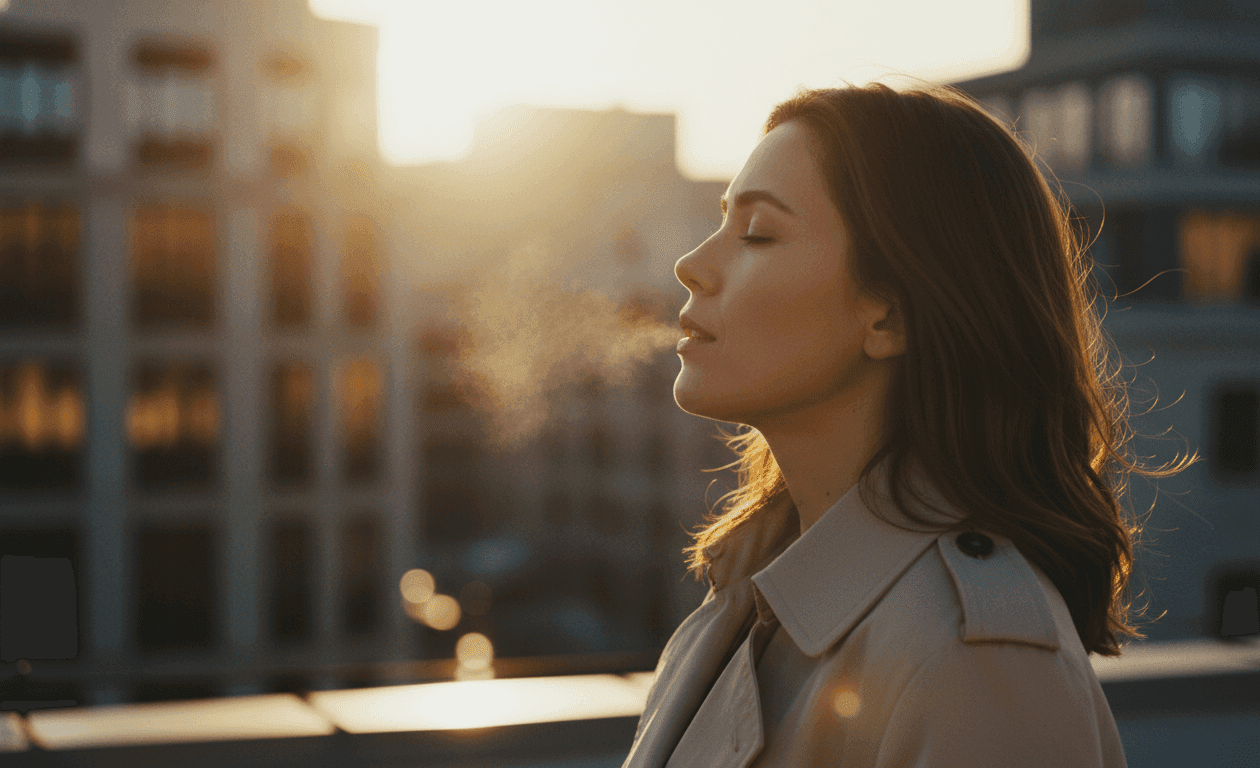
Learn how to write effective prompts for Veo3, Veo3.1, and Sora2. This guide shares expert tips, practical examples, and ready-to-use templates to create cinematic AI videos for free.
Introduction: Why Good Prompts Matter
Creating AI videos that look cinematic and polished starts with one thing: the prompt. The words you choose guide every frame, shape the motion, and set the mood.
In our own experiments with Veo3, Veo3.1, and Sora2, we discovered a simple truth: giving too many instructions can overwhelm the AI, while too few can leave the video feeling empty.
At first, we wrote extremely detailed prompts. Every facial expression, hair strand, lighting cue, and background element made its way into the text. The output felt stiff, cluttered, and unbalanced.
Then we simplified. We focused on the essentials — the subject, the action, the setting, and the mood. The AI filled in the rest naturally, producing a scene that felt alive, cinematic, and engaging.
The takeaway is clear: effective prompting is a balance. Give the AI guidance, but leave space for interpretation. This guide walks you through that process, offers model-specific tips, and provides ready-to-use templates to create videos that look professional.
1. Learning from Mistakes: The Power of Simplification
During our own experiments with Veo3, we tried creating complex cinematic scenes. At first, we packed every detail we could think of into a prompt, thinking it would make the scene richer. The results didn’t match our vision — the scene felt cluttered, and the cinematic mood didn’t come through.
Then we simplified. We focused on the essentials: the subject, the environment, the key actions, and the overall mood. The AI filled in the rest in a natural, visually pleasing way.
Here are two real examples from our experiments:
Example 1: Egyptian Nanny
Prompt used:
"A cozy Egyptian home interior with warm lighting, patterned curtains, and a traditional dining table. The camera angle is from the perspective of someone sitting at the table, looking forward. From the side of the frame, an Egyptian woman in a full modest hijab enters carrying a large tray of food. She gently sets the tray down on the table in front of the viewer. The tray is filled with famous Egyptian dishes: Mahshy (stuffed vegetables with rice and herbs), Macarona Béchamel (Egyptian baked pasta with béchamel sauce), Koshari (a mix of rice, pasta, lentils, chickpeas, and fried onions), Foul and Taameya (fava beans with falafel), Hamam Mahshi (stuffed pigeon with rice and spices), Mombar (stuffed beef sausage with rice). After placing the tray, the woman stands proudly, looking toward the viewer with a warm, motherly smile, and says in Arabic: (Bel hana w el shefa, meaning Bon Appétit). The atmosphere should feel inviting, homely, and authentically Egyptian, with a sense of comfort and tradition."
Notice how the scene comes alive with just the essentials clearly stated. The AI handles the lighting, composition, and natural movement, producing a cozy, authentic atmosphere.
Example 2: Steampunk Adventure
Prompt used:
"A medium shot, steampunk adventure setting: Brass gears click and pistons hiss inside a sprawling cockpit as a captain grips a brass-rimmed wheel. Gauges flicker in the lamplight, and the glass dome above reveals storm clouds rolling across the skies. Captain: 'The winds are shifting—prepare the engines, we're flying into uncharted territory.' (no subtitles)"
This example shows how focusing on key visual and narrative elements creates tension and drama, without overwhelming the AI with too many micro-details.
Key takeaway: Simplifying the prompt while keeping the essence of the scene allows Veo3 to produce cinematic, engaging results.
2. Understanding How Veo3, Veo3.1, and Sora2 Interpret Prompts
| Model | Strengths | Notes |
|---|---|---|
| Veo3 / 3.1 | Smooth cinematic motion, photorealistic visuals | Shorter prompts (3–5 sentences) work best. Avoid clutter and conflicting instructions. |
| Sora2 | Narrative consistency, multi-step sequences, dynamic motion | Longer prompts (5–8 sentences) perform well. Great for multi-character interactions and complex scenes. |
3. The Core Prompt Formula
Effective prompts usually include:
- Subject – Who or what is in the scene
- Setting / Environment – Where it takes place, time of day, surroundings
- Action / Motion – What the subject is doing
- Camera Language – Shot type, angle, movement
- Lighting – Natural, cinematic, high-contrast, soft shadows
- Style / Mood – Cinematic, photorealistic, moody, energetic
- Constraints – Must-haves or must-avoid details (“no text overlay,” “minimal background clutter”)
Example (Veo3 / Veo3.1):
"A woman in her late 20s wearing a beige coat stands on a quiet rooftop at sunset. Warm golden light reflects off nearby buildings. She gently exhales as the wind moves her hair. The camera begins with a wide shot, then slowly dollies into a soft side close-up. Cinematic style with natural colors, soft film grain, and high-dynamic-range lighting. Smooth motion, minimal background distractions."
4. Model-Specific Prompt Tips
Veo3 / Veo3.1
- Keep prompts concise, around 3–5 sentences
- Specify camera movement (dolly, pan, orbit)
- Focus on the mood rather than micro-details
- Avoid overloading the scene with objects
Sora2
- Supports longer prompts, up to 8 sentences
- Maintains consistency in multi-character or narrative sequences
- Handles complex, dynamic motion
- Specify environment and camera stability for coherence
5. Cinematic Prompt Techniques
To make your video feel like a real film:
- Shot type: wide, medium, close-up
- Lens / angle: eye-level, low-angle, overhead
- Color palette: warm, muted, neon, HDR
- Mood: dramatic, calm, emotional
- Lighting: soft key, rim light, volumetric, golden hour
Example: Motorcycle Scene (Cinematic / Landscape)
"A young man rides a vintage motorcycle along a foggy mountain road at dawn. The camera tracks from the side, following the bike with a slow, steady dolly shot. Mist swirls around the rocky cliffs, and soft morning light casts muted, cinematic tones across the scene. The rider wears a leather jacket, helmet reflecting subtle light. Cinematic style, photorealistic textures, soft rim lighting, smooth motion, 16:9 aspect ratio. The mood is adventurous, calm, and cinematic, capturing the thrill of early morning travel through a misty landscape."
6. Vertical Reels / Shorts Prompt Tips
For social media short-form videos like Instagram Reels or YouTube Shorts:
- Aspect ratio: 9:16
- Focus on fast-paced, visually striking actions
- Keep the subject prominent and the camera steady
- Use multiple clips stitched together for longer content
Example: Coffee Shop / Barista Scene (Vertical Short)
"A barista carefully froths milk for a latte in a cozy sunlit café. Wooden tables and hanging plants fill the background. The camera starts overhead for a close-up of the barista’s hands and the steaming milk, then slowly pans to show their focused expression. Morning sunlight filters through large windows, casting warm, soft shadows on the counter. Cinematic style, photorealistic textures, smooth motion, 9:16 aspect ratio, 30-second clip. The atmosphere feels inviting, calm, and artisanal, highlighting the craft of coffee-making."
7. Common Prompting Mistakes
- Adding too many conflicting adjectives
- Overloading the prompt with camera movements or lighting instructions
- Including unnecessary micro-details like individual hairs or pores
- Using vague terms like “nice,” “cool,” or “awesome”
Focus on clarity and strategic guidance. Let the AI fill in creative details while you set the tone and mood.
8. Copy-Paste Prompt Templates
These templates are crafted for Veo3, Veo3.1, and Sora2. Each one includes subject, action, environment, camera, lighting, and mood — ready to produce cinematic-quality AI videos.
Cinematic Template
"A person walks through a neon-lit city street at night. Reflections shimmer on wet pavement from neon signs. The camera starts wide, slowly dollying in as the subject pauses to glance at a shop window. Rain drizzles gently, creating subtle ripples in puddles. Soft backlighting highlights the silhouette, cinematic colors with neon blues and pinks, photorealistic textures, slight motion blur to enhance realism. The scene feels moody, reflective, and cinematic, capturing the quiet energy of a nighttime city."
Vertical Short-Form Template (Reels / Shorts)
"A young woman dances alone in a sunlit studio with wooden floors and tall windows. The camera begins overhead for a close-up of her hands and feet, then pans around her in a slow orbit. Sunlight streams through the windows, casting soft shadows. Colors are vibrant and warm. Smooth motion, 9:16 aspect ratio, cinematic style, photorealistic textures. The mood is energetic and joyful, emphasizing movement and rhythm. Background remains minimal to keep focus on the dancer."
Product / Commercial Template
"A smartwatch sits on a polished marble table, angled slightly toward the camera. Soft studio lighting illuminates the watch face and metallic edges, casting gentle reflections. Camera slowly pans around the watch to showcase every detail. The background is neutral, slightly blurred for cinematic bokeh. Colors are accurate and vibrant, photorealistic textures, cinematic framing. The mood is sleek, professional, and premium, suitable for an online commercial or product showcase."
Outdoor Scene Template
"A family enjoys a sunny picnic in a large park. The camera captures a wide shot, showing a blanket with food and toys scattered around. Green trees sway gently in the breeze, sunlight filters through the leaves, creating dappled patterns. Children run in the background, parents laugh and interact. Cinematic style, natural colors, soft depth-of-field, gentle lens flare. Motion is smooth, photorealistic textures, capturing a warm, happy, and relaxed atmosphere."
People-Focused Dialogue Scene Template
"Two friends sit at a café table near a large window, chatting and laughing. Medium shot framing, camera slightly angled from one side to capture both expressions. Warm natural light from the window highlights faces and casts soft shadows. Background is softly blurred to keep focus on the subjects. Cinematic style, photorealistic textures, subtle lens flare, steady camera. Mood is casual, cheerful, and intimate, emphasizing the personal connection between the characters."
Fantasy / Adventure Scene Template
"A brave knight stands on a cliff overlooking a stormy ocean, holding a gleaming sword. Waves crash below, lightning flashes in the distance. Camera angle is low and wide to emphasize scale and drama. Cinematic lighting with dynamic contrast, soft mist and haze for atmosphere. The knight’s armor glints in the storm light. Photorealistic textures, smooth motion, epic and intense mood, cinematic style capturing a heroic, adventurous tone."
Domestic / Lifestyle Scene Template
"A cozy living room with warm lighting, patterned rugs, and a wooden coffee table. A person sits on the sofa reading a book, a cat curls up on their lap. The camera starts with a medium shot and slowly dollies closer. Sunlight filters softly through the window. Cinematic style, photorealistic textures, warm and inviting mood. Background is homey but uncluttered, emphasizing comfort and authenticity."
9. Creative Lessons: When Less is More
One of our biggest takeaways: effective prompting is about creative tension.
- Start with detailed prompts, then simplify
- Trust the AI to interpret mood and style
- Allow room for unexpected results
Sometimes, the best cinematic shots come from prompts that leave space for AI interpretation. Over-directing can stifle creativity, while under-directing may give you bland results. Balancing guidance and freedom is key.
10. Try Your Prompts for Free on Miraflow.ai
Now that you’ve seen how to write cinematic prompts, you can bring your ideas to life for free with Veo3 and Veo3.1 on miraflow.ai.

Generate videos directly in your browser without installing software. You can choose aspect ratios (16:9 or 9:16), select video quality (1080p or 720p), upload first/last frame images, or pick from 100+ avatars to guide your scenes.
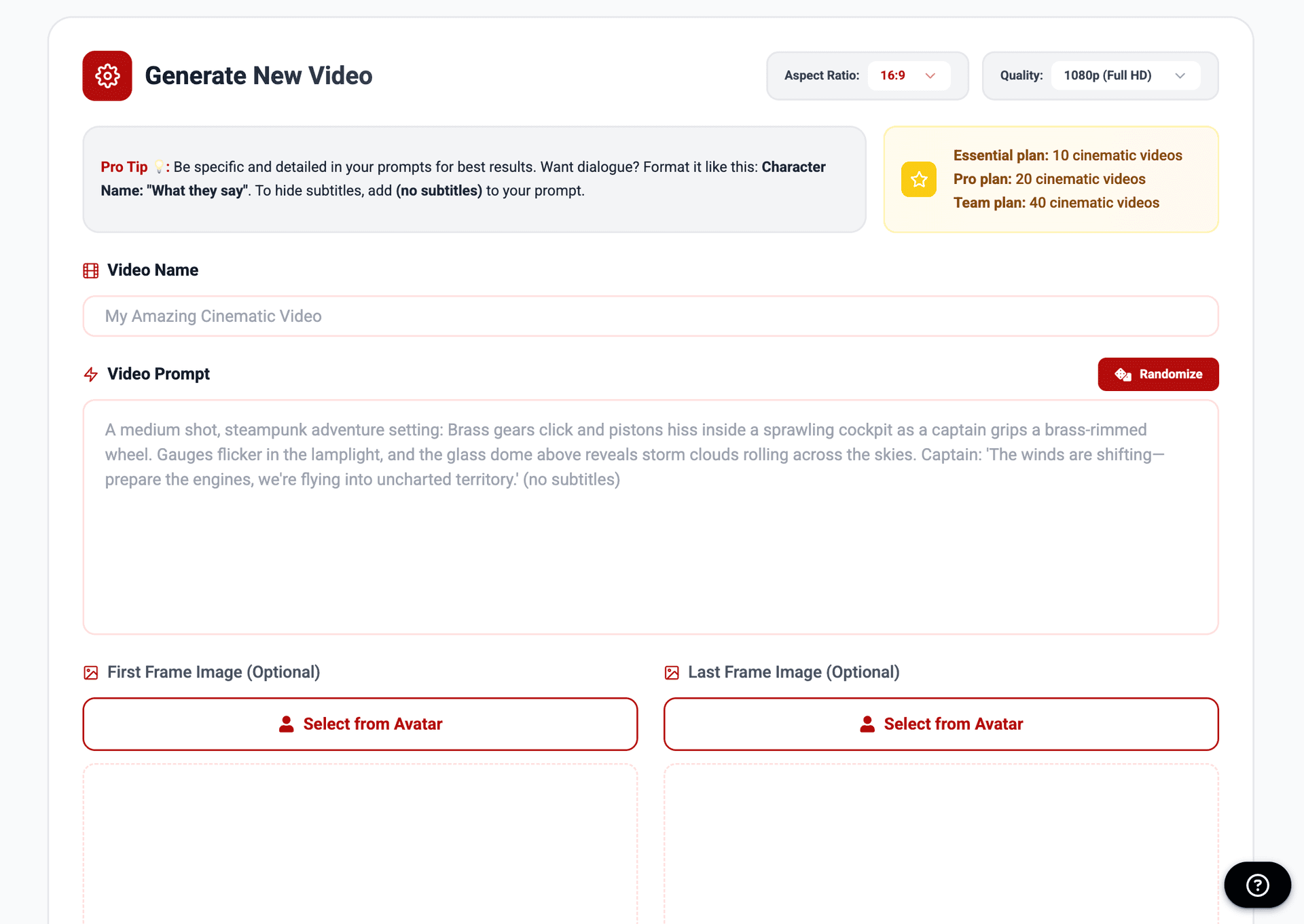
Sign up for free credits and start creating. Share your videos with the community, see what others are making, and experiment with different prompts in real time.
For a step-by-step guide to generating Veo3 / Veo3.1 videos for free, check out our full tutorial here: How to Create Veo3 / Veo3.1 Videos for Free in Miraflow.
Conclusion: Prompt Like a Filmmaker, Not a Technician
Writing prompts for Veo3, Veo3.1, and Sora2 is not about micromanaging every pixel. It’s about guiding the AI with clarity while leaving room for creative interpretation.
Use the templates as a starting point, adjust for your vision, and keep experimenting. The difference between a generic video and a cinematic masterpiece starts with the words you write.
Now it’s your turn: Open miraflow.ai and start experimenting.