Sora API Shutdown: Where to Migrate Your Video Workflow Now

Written by
Aerin Kim
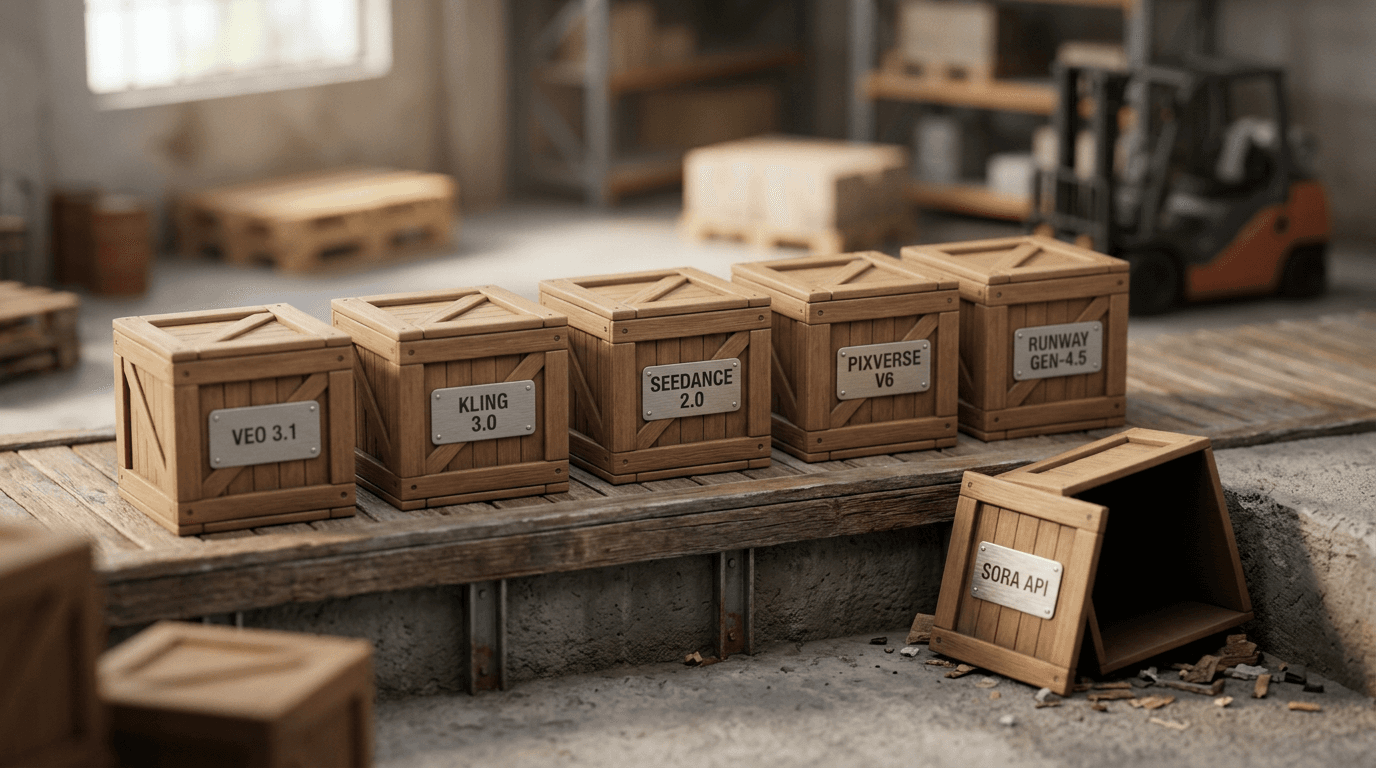
OpenAI's Sora API shuts down completely on September 24, 2026. Here is a practical migration guide to Veo 3.1, Kling 3.0, Seedance 2.0, PixVerse V6, and Runway Gen-4.5, with real pricing and steps.
If you have anything in production that still calls the Sora API, you have 13 days left. OpenAI's Videos API, along with the sora-2 and sora-2-pro model snapshots behind it, goes dark on September 24, 2026, and unlike a normal deprecation window, there is no quiet grace period after that date. Requests stop resolving, and OpenAI has confirmed that account data tied to Sora gets permanently deleted with no recovery option once the cutoff hits.
This is not another explainer about why Sora got shut down. That story already has a full writeup on this blog if you want the cost breakdown and the collapsed Disney deal behind it. This post is about the 13 days you actually have left and what to do with them: which models are realistic replacements right now, what each one actually costs and does well, and the exact steps to move a Sora-dependent workflow somewhere that will still be running on September 25.
TL;DR: The Sora API shuts down completely on September 24, 2026. If you built a video pipeline around it, either point that pipeline at a new API (Veo 3.1, Kling 3.0, Seedance 2.0, PixVerse V6, or Runway Gen-4.5, each covered in detail below) or skip the API rebuild entirely and generate the same kind of cinematic clip directly in the browser with Miraflow's Cinematic AI Video Generator, which runs on Google's current-generation video models and needs no API key, no billing setup, and no code. For creators who only ever used Sora through a third-party tool's interface rather than the raw API, this second path is usually the faster one.
The actual deadline: what breaks on September 24
OpenAI announced the shutdown on March 24, 2026. The consumer Sora app and sora.com closed first, on April 26, 2026, which is old news to anyone who used Sora casually through the app. The date that matters now is the second one: the Sora API, the part that developers, agencies, and a long list of third-party creator tools actually integrate with, is scheduled to stop working entirely on September 24, 2026. Both dates were covered by TechCrunch and NBC News when OpenAI made the announcement, and OpenAI's own help center article on the discontinuation is the source for what actually happens on the API side. Here is specifically what that means if you have live integrations:
- The Videos API endpoint itself is deprecated, not just individual models. Calls to it fail after September 24, regardless of which model alias you were targeting.
- Every sora-2 and sora-2-pro model snapshot, including any pinned version string you may have hardcoded, is removed at the same time. There is no fallback snapshot to pin to instead.
- OpenAI has not published a suggested replacement in its own deprecation table. Developers are migrating on their own, which is the entire reason this guide exists.
- Data tied to Sora generations, including videos still sitting in an account and any prompt history, is deleted permanently after the cutoff. If you have not downloaded assets you still need, that is the first thing to do this week, not September 23.
- Billing and usage for the Videos API also stops being tracked once it is pulled, so any automated reporting or cost dashboards built around it need to be updated or they will simply go quiet.
Reported estimates put Sora's daily operating cost at roughly $1 million a day against roughly $2.1 million in total lifetime in-app revenue over its run, a gap that, alongside mounting deepfake and copyright complaints and a licensing deal with Disney that reportedly collapsed without money changing hands, is widely cited as the reason OpenAI pulled the plug rather than kept iterating. That backstory is worth understanding, but it does not change what you need to do in the next two weeks, and the full version of it is already covered in why OpenAI shut down Sora if you want the complete picture. The rest of this guide is entirely about where to go next.

Who actually needs to act right now
Not every Sora user has the same amount of work ahead of them, and it is worth being honest about which bucket you are in before you start rebuilding anything.
If you called the Videos API directly from your own code, a script, an n8n or Zapier workflow, or a custom app, you have real migration work: new API credentials, a different request and response shape, and probably some retesting of prompts that were tuned specifically for Sora's quirks. That work is doable in an afternoon per integration point if you follow the steps further down, but it does not do itself.
If you used a third-party tool that happened to run on Sora under the hood, check whether that tool has already announced its own migration. Many creator platforms that wrapped the Sora API are quietly switching their backend to Veo 3.1 or Seedance 2.0 already, and you may not need to do anything except notice the announcement. If your tool has gone quiet about it, assume you will need to move yourself.
If you were generating cinematic clips manually through Sora's own interface for social content, product mockups, or storytelling, your fastest path is usually not rebuilding an API integration at all. A browser-based tool that already runs on a current model, like Miraflow's Cinematic AI Video Generator, gets you back to producing usable clips the same day, without writing a single line of migration code.
Comparing the real alternatives
Five models are the ones creators and developers are actually being pointed toward as Sora winds down: Veo 3.1 from Google DeepMind, Kling 3.0 from Kuaishou, Seedance 2.0 from ByteDance, PixVerse V6, and Runway Gen-4.5. None of them is a perfect one-to-one clone of Sora 2's exact style, and that is worth saying plainly rather than pretending otherwise. What they are is five real, currently shipping, actively maintained models that cover almost everything Sora workflows were built to do, at a range of price points and skill levels.
| Model | Maker | Best For | Access & Pricing | Notes |
|---|---|---|---|---|
| Veo 3.1 | Google DeepMind | Cinematic quality, native audio, 4K | Gemini API from about $0.05 to $0.60 per second by tier and resolution, or no-code via Miraflow's Cinematic AI Video Generator | 8-second native clips, extendable to roughly 148 seconds chained |
| Kling 3.0 | Kuaishou | Long single-shot and multi-shot narrative clips | Kling API from about $0.084 to $0.168 per second, aggregators often about 30% cheaper | Up to 15 seconds per generation, native 4K, multilingual audio |
| Seedance 2.0 | ByteDance | Reference-driven character, style, and camera consistency | Roughly $0.034 to $0.78 per second depending on resolution and provider | Accepts text, image, audio, and video references together, up to 12 files per request |
| PixVerse V6 | PixVerse | Camera-control-heavy short clips on a budget | Own API about $0.10 to $0.15 per second, app from about $10/month | 1 to 15 second clips, native audio, 20+ named camera controls |
| Runway Gen-4.5 | Runway | Professional and agency production pipelines | Credit plans from $12 to $76/month, plus a separate API, 60 credits per 5-second clip | Deep integration with Runway's existing editing and motion tools |
The rest of this section goes through each one in the depth an actual migration decision deserves: what it is genuinely good at, what it costs, and how to actually start using it today, whether that means writing API code or opening a browser tab.
Veo 3.1 (Google DeepMind)
Veo 3.1 is Google DeepMind's flagship video model, and as of its January 2026 update it produces native 4K output at 3840x2160, alongside 720p and 1080p, in both 16:9 landscape and 9:16 vertical framing. A single generation runs up to 8 seconds, but Veo 3.1 supports an extend workflow that chains generations into one continuous shot running roughly two and a half minutes, which covers most short-form and product-demo use cases that Sora clips were originally built for. It also generates native audio alongside the video, including dialogue, ambient sound, and music, rather than requiring a separate audio pass, which matters if your old Sora workflow leaned on Sora 2's built-in sound.
Pricing through Google's Gemini API is per second of output and scales with both speed tier and resolution. The Standard tier runs $0.40 per second at 720p or 1080p and $0.60 per second at 4K. A faster tier drops that to $0.10 per second at 720p, $0.12 at 1080p, and $0.30 at 4K. A lighter tier goes as low as $0.05 per second at 720p and $0.08 at 1080p. You are only billed for videos that actually generate successfully, so a failed generation does not cost you anything.
There are two realistic ways to start using Veo 3.1 this week. If you are comfortable with an API key and request signing, Google's Gemini API docs walk through the Veo 3.1 endpoint directly, and it is the closest thing to a drop-in code-level replacement for a Sora API integration, with a comparable request shape (prompt in, video out) once you adjust for the different parameter names. If you would rather skip the API rebuild entirely, or you are not a developer at all, Miraflow's Cinematic AI Video Generator produces this same kind of clip directly in the browser: type a prompt, choose your settings, and get a finished cinematic video back with no API key, no rate-limit handling, and no billing dashboard to set up. For creators whose whole "integration" with Sora was really just typing prompts into a web interface, this is the closer replacement, not the raw API.
A useful way to sanity-check whether Veo 3.1 can replicate what you were doing in Sora is to run one of your actual old prompts through it. Here is a detailed cinematic prompt worth testing if your Sora workflow leaned on slow, atmospheric product or storytelling shots:
A weathered leather-bound travel journal sits open on a rustic wooden table in warm golden-hour light streaming through a nearby window, its pages slowly turning on their own as a steaming ceramic mug of coffee sits beside it, camera slowly pushes in from a wide tabletop shot to a close-up on the turning pages, soft ambient string music swelling underneath, warm cinematic color grade, shallow depth of field, no watermark, no distorted text on the pages.
If your Sora workflow specifically depended on lip-synced dialogue rather than voiceover narration, that is the other thing worth testing early, since it is the capability creators notice missing fastest when a replacement model turns out to be video-only:
Two friends sit across a small cafe table having an animated conversation, one gesturing with their hands while speaking the line Wait, you actually finished it already, and the other laughing and replying Yeah, stayed up all night for it, natural lip-synced dialogue audio, ambient cafe chatter and an espresso machine hissing softly in the background, warm afternoon window light, medium two-shot camera angle, shallow depth of field, no distorted faces or extra fingers.
If either of those comes back close to what you used to get from Sora, you have your answer for that part of the workflow. Prompt phrasing that worked well on Sora 2 does not always carry over cleanly, since each model interprets camera language and pacing cues a little differently, and how to write effective prompts for Veo3, Veo3.1, and Sora 2 is worth reading before you assume a prompt that worked on Sora will produce the same result elsewhere unchanged.
Kling 3.0 (Kuaishou)
Kuaishou released Kling 3.0 on February 5, 2026, built on what the company calls a multi-modal visual language architecture, meaning text, images, audio, and video are processed through one unified system rather than bolted-together components. In practice, that shows up as native 4K output, built-in multilingual audio, and generations that run up to 15 seconds per request, roughly double what a single Veo 3.1 clip covers before you need the extend workflow. In June 2026, Kuaishou added Kling 3.0 Turbo on top of the base model, which supports multi-shot prompting, generating up to six distinct shots within a single request, useful for a short narrative sequence you would previously have stitched together from several separate Sora generations.
Kling's official API pricing runs from about $0.084 per second in standard mode with no video input up to about $0.168 per second in Pro mode with a video reference included. Third-party API aggregators that resell access to Kling, the kind of platform many developers already use to avoid managing multiple vendor relationships, typically price it around 30 percent below the official rate.
To start using Kling 3.0, developers can go directly through Kuaishou's own open platform and API documentation, which is the most control but also the most setup: account verification, API keys, and request formatting specific to Kling. For a faster path, several established API aggregator platforms already offer Kling 3.0 access alongside other models under one account and one API key, which is worth considering if you expect to test more than one alternative model before settling on one, since it avoids juggling separate billing relationships for each.

Kling 3.0 is the strongest pick on this list specifically for creators whose Sora workflows depended on longer single continuous shots or multi-part sequences, since its native 15-second ceiling and multi-shot Turbo mode both cover ground that Veo 3.1's 8-second base clip does not without extending.
Seedance 2.0 (ByteDance)
ByteDance shipped Seedance 2.0 on April 15, 2026, and its standout feature is input flexibility rather than raw output length. It is the first major video model to accept four input modalities in a single generation request at once: text, images, audio, and video, with up to 12 reference files combined in one call. That matters most for character, style, and camera-movement consistency, since you can feed it reference images or clips of a character or product and Seedance 2.0 will carry that look and motion style into the new generation far more reliably than a text-only prompt manages alone.
Output resolution goes up to 2K, with clip durations from 4 to 15 seconds across 16:9, 9:16, and 1:1 aspect ratios, covering both landscape and vertical formats without a separate workflow for each. Pricing is billed as output duration multiplied by a per-second resolution rate, running from roughly $0.067 per second at 480p up to about $0.78 per second at 4K through ByteDance's own API, with some third-party providers pricing standard resolutions as low as $0.034 per second, which puts high-volume Seedance 2.0 usage well below what Sora 2 cost at comparable resolution.
Access works the same two ways as the other API-first models here: ByteDance's own developer platform for direct integration, or a third-party aggregator if you want Seedance 2.0 alongside other models under one account. If your prior Sora usage already involved reference images or product shots you fed in to guide generations, Seedance 2.0's four-input design is the closest philosophical match to that workflow of anything on this list, and it is worth reading Seedance 2.5 versus Veo 3.1 for a deeper head-to-head if reference-driven consistency is your main requirement, since ByteDance's newer 2.5 release extends the same reference-input approach further.
PixVerse V6
PixVerse launched V6 on March 30, 2026, and it is built specifically around creator-friendly camera control rather than raw benchmark chasing. It adds native audio synthesis, more than 20 named cinematic camera controls (dolly, crane, whip pan, and similar moves you can select rather than describe in a prompt and hope the model interprets correctly), and multi-shot storytelling support. Clip length runs from 1 to 15 seconds with per-second billing, a change from the older fixed 5, 8, and 10 second presets that earlier PixVerse versions used, and output goes up to 1080p.
Pricing through PixVerse's own API runs about 18 credits per second at 1080p without audio and 23 credits per second with audio included, which works out to roughly $0.10 to $0.15 per second depending on your plan tier, with a $100 per month entry point for API access specifically. The consumer-facing app is considerably cheaper for casual, non-API use, starting around $10 per month. Third-party aggregator platforms also offer PixVerse V6 on a pay-as-you-go basis starting around $0.025 per second, a meaningfully lower floor than going direct if you do not need a monthly commitment.

Start with the consumer app if you were a manual Sora user producing clips one at a time and camera control mattered more to you than raw duration or resolution. Move to the API, either direct or through an aggregator, once you have confirmed the output quality and camera behavior match what your workflow actually needs, since the $100 monthly API floor is a real commitment compared to the app tier.
Runway Gen-4.5
Runway is the option on this list built most explicitly for professional and agency production work rather than social content at volume, and its pricing structure reflects that. Runway runs on a credits system across four individual plans: Free at $0 with 125 one-time credits, Standard at $12 a month with 625 monthly credits, Pro at $28 a month with 2,250 monthly credits, and Max at $76 a month with 9,500 monthly credits, all at annual billing rates. Gen-4.5 specifically consumes 60 credits per 5 seconds of video, which works out to roughly 450 videos a year on the Pro plan and around 1,900 a year on Max, a useful way to translate the credit system into something closer to an actual production budget.
A separate API is available through Runway's developer platform for teams that want to integrate Gen-4.5 into their own tools rather than working inside Runway's own app, with its own API-specific pricing listed apart from the consumer subscription tiers.

Runway's ecosystem also includes tools well beyond raw generation, editing, motion brush controls, and inpainting among them, that agencies already building multi-tool pipelines may already be using elsewhere, which makes Gen-4.5 an easier fit if Runway is already part of your stack rather than a brand-new vendor relationship. If you are weighing Runway specifically against a full-pipeline alternative rather than a single model, Higgsfield's review breaks down pricing and positioning for another tool aimed at that same production-pipeline audience, worth a look if Gen-4.5's price point feels steep for your volume.
How to migrate your Sora-dependent workflow
Follow these steps in order rather than jumping straight to picking a new model. The biggest risk in the next 13 days is not choosing the "wrong" alternative, it is losing assets or breaking something silently because the actual scope of the migration was never mapped out.
Step 1: Inventory everything that touches the Sora API. List every script, workflow automation, third-party tool integration, and scheduled job that calls the Videos API or references a sora-2 or sora-2-pro snapshot. This is easy to underestimate, since a Sora call buried inside a Zapier or n8n automation someone set up months ago is exactly the kind of thing that fails silently on September 24 with no one noticing until a client or downstream process breaks.
Step 2: Download and archive anything you still need. OpenAI has confirmed that account data, including generated videos and prompt history, gets deleted permanently once the API is pulled, with no recovery window afterward. If there are finished clips or prompt records you still reference, this is the week to pull them down, not the day before the deadline.
Step 3: Match each use case to the closest model, not the cheapest one. Go back to the comparison table above and match your actual requirement, longer single shots, reference-image consistency, dialogue audio, camera control, or production-pipeline integration, to the model built for it, rather than defaulting to whichever has the lowest per-second price. A workflow that needed Sora's dialogue audio and gets migrated to a video-only model will look like it migrated successfully right up until someone notices the audio is missing.
Step 4: Test with a small batch before switching everything over. Take 5 to 10 of your actual old Sora prompts and run them through your top one or two candidate models before committing. This is also the point to test whether Miraflow's Cinematic AI Video Generator covers your case without any code at all. For manual, browser-based Sora usage this step alone might be your entire migration, since there is no API integration to rebuild if you were never calling the API directly in the first place.
Step 5: Rebuild the integration, or skip straight to a no-code path. If you are staying API-first, update your credentials, adjust your request and response parsing for the new model's format, and update any error handling that assumed Sora's specific rate limits or response codes. If you are moving away from a raw API integration entirely, this step might just mean bookmarking a browser tool and updating your team's process document to point there instead of a script.
Step 6: Update everything downstream of the video itself. A lot of Sora-based pipelines fed the generated clip into other tools next, a thumbnail, a caption pass, a soundtrack, a repackaging into a vertical short. If your pipeline included any of that, check whether it still works with output from your new model's file format and resolution. Creators reworking their whole short-form pipeline at the same time often bundle this migration with a move to Miraflow's Text2Shorts for scripting and generating vertical shorts end to end, Miraflow's AI Clipping tool for turning existing long-form footage into shorts without generating new video at all, the YouTube Thumbnail Maker for the still image that goes with the new clips, and Miraflow's AI Music Generator for a soundtrack if your new model's output doesn't include the audio Sora used to generate natively.
Step 7: Do not put all your eggs back in one basket. The entire reason this migration is urgent is that a single vendor pulled an API with limited notice. Where it is practical, keep your workflow flexible enough to switch models again, either by using an aggregator platform that gives you access to more than one model under one account, or by keeping your prompts and process documented in a way that is not locked to one vendor's exact API shape.

Common mistakes creators and developers are making right now
Waiting until September 23 to test anything. A migration you have never actually tested tends to surface problems at the worst possible time, a prompt that behaves differently, an output format your downstream tooling does not expect, a rate limit you did not know the new provider enforced. Testing now, while the Sora API is still up as a working comparison point, is the only way to catch those issues before they become an outage.
Assuming a Sora prompt is a Veo 3.1 prompt, or a Kling prompt, or any other model's prompt. Every model interprets camera direction, pacing, and scene description slightly differently, and a prompt tuned specifically to Sora 2's quirks over months of use will not always transfer cleanly on the first try. Budget time to re-tune your best-performing prompts rather than assuming a copy-paste swap will produce identical results.
Not exporting existing Sora assets before the data deletion. This is the single most avoidable mistake on this list, since OpenAI has stated plainly that account data does not come back after the cutoff. If a client-facing video, a portfolio piece, or a reference asset only exists inside your Sora account right now, treat downloading it as more urgent than picking a replacement model.
Choosing purely on price per second without checking real capability fit. The cheapest option on the table above is not automatically the right one if it caps out at a shorter duration than you need, does not support the reference inputs your workflow depends on, or drops native audio you were relying on. Price matters, but only after a model actually covers what you need it to do.
Rebuilding a full API integration when you never needed one. Plenty of Sora users were prompting through a web interface, not writing code against the Videos API directly. If that describes your workflow, the fastest fix is often switching to a browser-based tool like Miraflow rather than learning a new API from scratch, and treating this as a bigger engineering project than it actually is just burns days you do not have.
Migrating the video model but forgetting everything downstream. A new model with a different output resolution, aspect ratio, or file format can quietly break a caption tool, a thumbnail workflow, or an editing step further down your pipeline that assumed Sora's exact output specs. Check the whole chain, not just the generation step.
Frequently Asked Questions
When exactly does the Sora API shut down? September 24, 2026. OpenAI's own deprecation documentation lists the Videos API and all sora-2 and sora-2-pro model snapshots as removed on that date, with no announced replacement or extended grace period.
Is the Sora consumer app still available? No. The Sora app and sora.com closed earlier, on April 26, 2026. The API has continued running separately since then, which is why developers with live integrations still have something to migrate away from right now, but that ends on September 24 as well.
What happens to videos I already generated in Sora? OpenAI has confirmed that account data associated with Sora, including generated videos and prompt history, is permanently deleted after the shutdown with no recovery option. Download anything you still need before the cutoff rather than after.
Which alternative is closest to Sora 2's overall style and feel? There is no exact match, since each model was trained differently and has its own visual signature. Veo 3.1 and Kling 3.0 both generate native audio alongside video the way Sora 2 did, which tends to be the closest feel for creators who relied on Sora's built-in sound and dialogue rather than adding audio in a separate step afterward.
Do I need to learn a new API to keep making the kind of videos I made in Sora? Not necessarily. If you were prompting through a web interface rather than writing code against the raw Videos API, a browser-based tool like Miraflow's Cinematic AI Video Generator gets you back to producing clips without any API work at all. Save the API rebuild for workflows that were genuinely calling Sora programmatically as part of an automated pipeline.
Is there a cheaper option for high-volume generation than Sora was? Seedance 2.0 and PixVerse V6 both price meaningfully below what Sora 2 cost at comparable resolution when accessed through third-party aggregator pricing, which matters if your workflow generates a large number of clips regularly rather than a handful of polished pieces.
Can I reuse my exact old Sora prompts on a new model? You can start from them, but expect to adjust. Camera language, pacing cues, and scene description conventions differ enough between models that a prompt tuned specifically for Sora 2 over time usually needs retuning rather than a direct copy-paste, which is worth budgeting time for during testing rather than assuming on day one.
Will Sora come back or get sold to another company? Nothing has been announced publicly suggesting a revival or acquisition, and OpenAI's own communication has focused entirely on winding the product down rather than transitioning it elsewhere. Planning around a return is not a realistic migration strategy for the next 13 days.
Conclusion
Thirteen days is a tight window, but it is enough time to actually handle this rather than scramble on September 24. Start by pulling down anything in your Sora account you cannot afford to lose, then match your real use case, whether that is long single-shot narrative clips, reference-driven consistency, dialogue-heavy audio, camera-control precision, or full production-pipeline integration, to whichever of Veo 3.1, Kling 3.0, Seedance 2.0, PixVerse V6, or Runway Gen-4.5 actually fits it, using the comparison above rather than picking on price alone. Test before you commit, and update everything downstream of the video generation step itself, not just the generation call.
For anyone whose Sora usage was really about getting a finished cinematic clip without maintaining code against an API, the simplest move available right now is skipping the rebuild entirely. Miraflow's Cinematic AI Video Generator produces the same kind of clip directly in the browser today, and pairs naturally with Text2Shorts and AI Clipping if the rest of your content pipeline needs rebuilding at the same time. Whatever path fits your workflow, the one option that is no longer on the table after September 24 is doing nothing.