20 AI Cakeify Prompts for the Viral Cake-Reveal Trend (Copy & Paste, 2026)

Written by
Aerin Kim
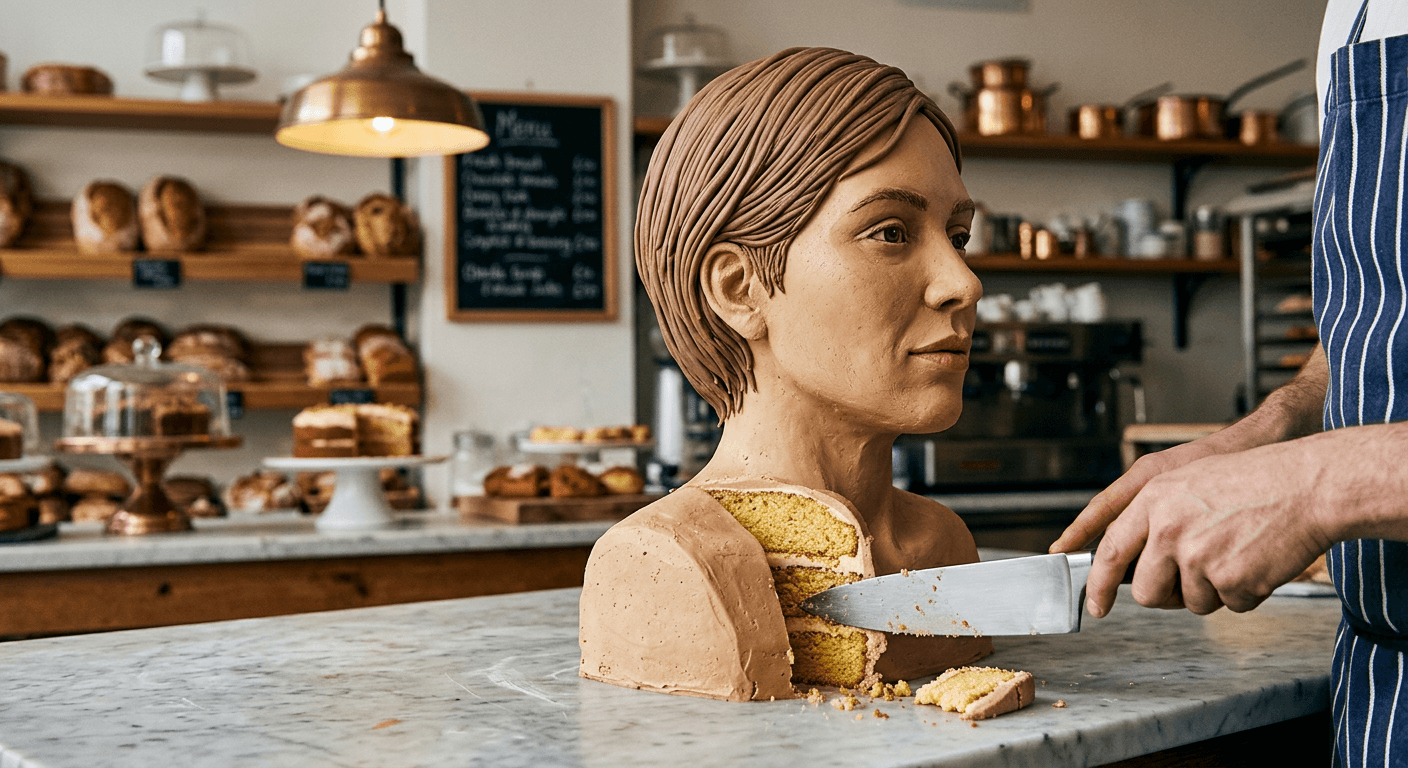
The Cakeify trend turns any photo into a cake version of itself, then cuts it open. Here are 20 grouped prompts plus the two-tool Miraflow workflow to make it.
Cakeify, sometimes written Cakeify It, is one of the AI video trends that actually earned its spread instead of fading in a week. The idea is simple to describe and strangely satisfying to watch: take a photo of a person, a pet, or an everyday object, turn it into a photorealistic cake version of that exact subject, then cut into it with a knife to reveal a soft sponge and frosting interior underneath a fondant or buttercream shell that still looks exactly like the original thing. The trend spans face cakeify, pet cakeify, and object cakeify variants, and it keeps showing up across TikTok and Instagram discovery pages heading into the back half of 2026, alongside a steady stream of "how to cakeify an image" and "how to make face cake ai" searches.
The reason this one has legs where a lot of one-off effects do not is that the reveal itself carries real tension. A viewer sees a familiar object, briefly doubts what they are looking at, then watches the knife confirm it really is cake underneath. That three-beat structure, recognize, doubt, confirm, is the same mechanic behind oddly satisfying content generally, and it works on almost any subject you can photograph.
You do not need the original app this trend started on to make it. This post uses a two-step Miraflow workflow instead: generate the photorealistic cakeified still first with Miraflow's AI Image Generator, then animate that still into the actual cut-reveal clip with Miraflow's Cinematic AI Video Generator. The image-to-image and inpainting tools in the AI Image Generator are exactly what a subject-preserving transformation like this needs, since the whole trick only works when the cake genuinely still reads as the original subject, not a generic dessert. Below are 20 numbered prompts split across five groups, covering faces, pets, everyday objects, food-into-cake, and the cut-reveal animation step itself, each written with the lighting, camera framing, and cake material detail this specific trend depends on.
1) Self-Portrait and Face Cakeify Prompts
Face cakeify is the format most people try first, since it is the closest to the trend's original template and the easiest to judge on likeness. A weak result here usually comes from vague material description, "make it a cake" alone gives the model nothing to hold onto for skin tone, hair texture, or how the cut edge should actually look. The four prompts below name the exact buttercream and fondant treatment each time, which is what keeps the likeness readable even after the transformation.
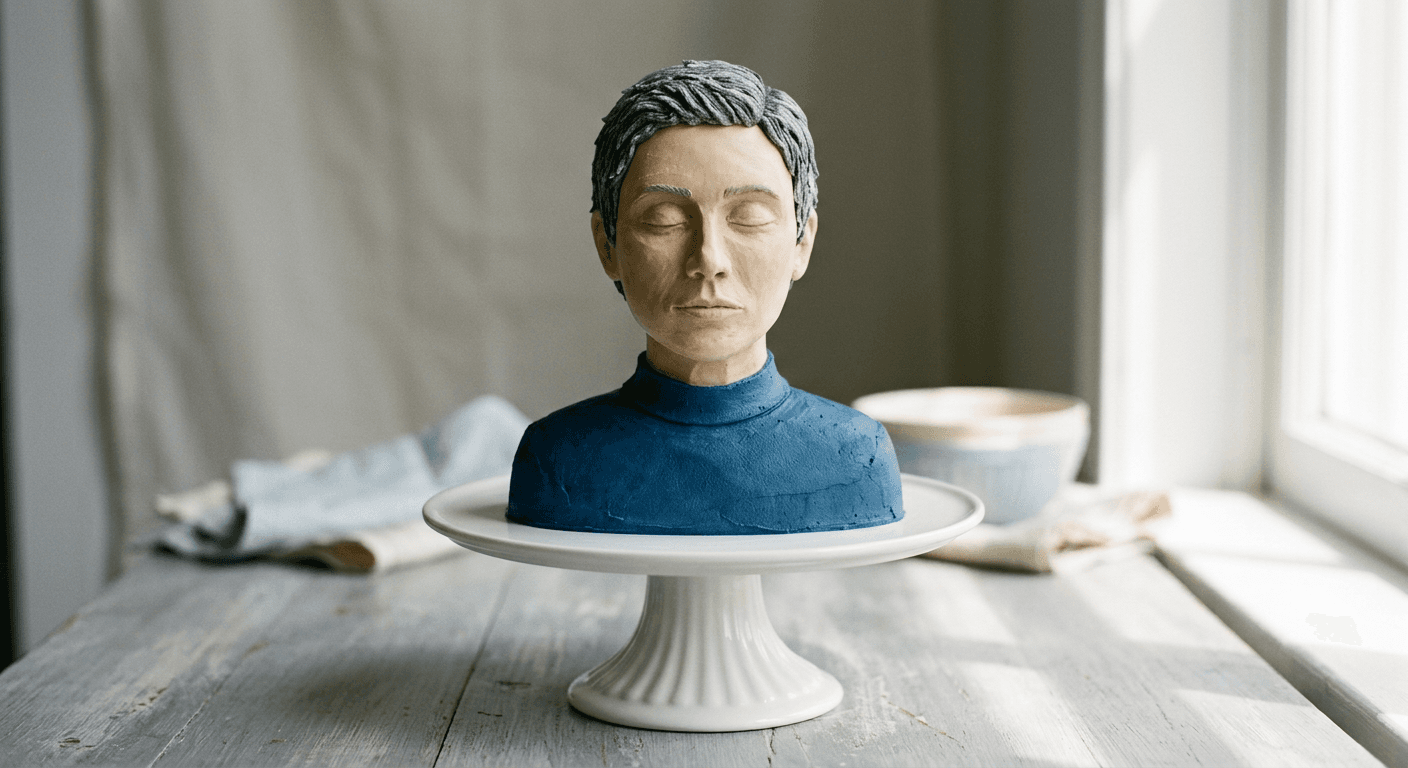
Prompt 1: Classic portrait bust cake
A head-and-shoulders sculpted cake version of the subject, finished but not yet cut, meant as the establishing shot before the reveal.
Turn the subject in the reference photo into a photorealistic head-and-shoulders bust cake, smooth matte buttercream finish matched to their real skin tone, finely piped fondant hair strands styled to match the reference photo, standing intact and uncut on a plain round cake stand, warm bakery-style overhead pendant light from directly above and slightly to the left, medium tabletop shot with shallow depth of field softly blurring the background, no melted or warped shape, no plastic-looking or flat lighting, no garbled or illegible text anywhere in frame.
Prompt 2: Birthday candle bust cake
The same bust format with a small cluster of lit birthday candles, useful for a birthday-specific post rather than a plain reveal.
Turn the subject in the reference photo into a photorealistic head-and-shoulders bust cake with a small cluster of five lit birthday candles arranged just above the shoulders, soft matte buttercream skin-tone finish, fondant hair matched to the reference photo, warm candlelight glow mixing with a soft overhead studio light from the right, close tabletop shot with shallow depth of field, no melted or warped shape, no plastic-looking or flat lighting, no garbled or illegible lettering on any candle or topper.
Prompt 3: Side-profile half-cut reveal
A profile view already mid-cut, with one clean vertical slice removed to show the interior cross-section in the same frame as the still-intact face.
Turn the subject in the reference photo into a photorealistic side-profile bust cake, one clean vertical slice already removed from the front half to reveal a fine golden sponge crumb layered with pale buttercream filling, the untouched profile still clearly matching the reference photo's likeness, soft window light from the left catching both the intact fondant surface and the exposed crumb, medium shot with shallow depth of field, no melted or warped shape, no garbled or illegible text, no extra or distorted fingers if a hand appears near the knife.
Prompt 4: Elegant matte fondant finish
A more formal, wedding-cake-style treatment with a smooth pale matte fondant shell instead of buttercream, for a subtler and more upscale version of the same effect.
Turn the subject in the reference photo into a photorealistic head-and-shoulders bust cake finished in a smooth pale matte fondant shell instead of buttercream, fine sculpted fondant hair with a subtle satin sheen, standing on an elegant tiered cake stand, soft diffused window light from the right with gentle directional shadow, medium tabletop shot with shallow depth of field, no melted or warped shape, no plastic-looking or flat lighting, no garbled or illegible text.
All four assume a clear, front-facing reference photo as the input, the same photo-to-cake workflow the whole trend runs on. A well-lit, unobstructed face photo carries far more of the final likeness than any amount of extra prompt detail, so it is worth spending a few extra seconds picking a good source image before generating. Creators who already built a photo-to-figurine workflow around the AI action figure trend will recognize the same principle here: the reference photo does most of the work, the prompt shapes the material and scene around it.
2) Pet Cakeify Prompts
Pet cakeify tends to outperform face cakeify on shares, since a recognizable pet cake reads as more purely fun and less self-conscious than a portrait of yourself getting cut into. Fur texture is the detail that makes or breaks this group: a pet cake that reads as smooth and plastic-looking instead of piped or textured like actual buttercream fur loses the illusion immediately.
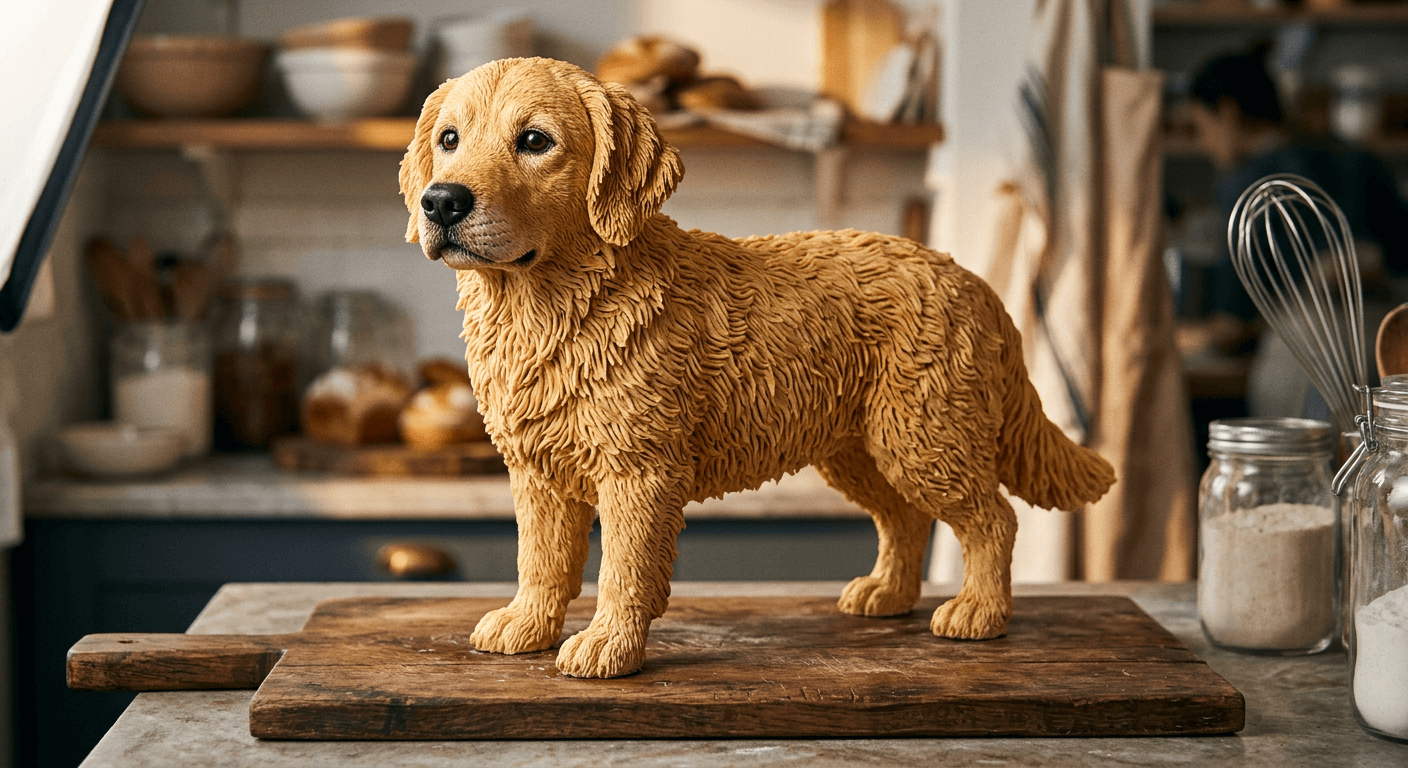
Prompt 5: Full-body dog cake
A full standing-pose dog cake sculpture with piped buttercream fur texture, shown intact before any cutting.
Turn the pet in the reference photo into a full-body standing-pose photorealistic dog cake, realistic piped buttercream fur texture matching the pet's real coat color and pattern, fondant nose and eyes with a glossy sugar-glaze sheen, standing intact and uncut on a rustic wooden cake board, warm low-angle side light from a bakery softbox, close tabletop shot with shallow depth of field, no melted or warped shape, no plastic-looking or flat lighting, no garbled or illegible text.
Prompt 6: Seated cat cake
A seated cat pose cake with a smoother short-fur buttercream finish and a small fondant collar detail.
Turn the cat in the reference photo into a seated-pose photorealistic cat cake, smooth short-fur buttercream texture matching the cat's real coloring, a small fondant collar detail around the neck, standing intact on a plain white cake board, soft even studio light from directly above with gentle shadow beneath the paws, medium tabletop shot with shallow depth of field, no melted or warped shape, no plastic-looking or flat lighting, no garbled or illegible text on the collar.
Prompt 7: Perched bird cake
A small perched bird cake, useful for parrots, parakeets, or similar pets, with fondant feather detailing and a thin wire-supported perch.
Turn the bird in the reference photo into a small perched photorealistic bird cake, fine fondant feather detailing layered to match the bird's real plumage colors, resting on a thin edible-look wire perch anchored in a round cake base, warm angled light from the upper right catching individual feather edges, close tabletop shot with shallow depth of field, no melted or warped shape, no plastic-looking or flat lighting, no garbled or illegible text.
Prompt 8: Paw cut-reveal macro
A close macro shot focused specifically on one paw of the pet cake being cut into, showing the crumb and frosting layering at a smaller, more textural scale than a full-body reveal.
Extreme close macro shot of one paw of a photorealistic pet cake, cut open at the paw with a small kitchen knife to reveal a fine golden sponge crumb layered with pale buttercream filling, the surrounding piped fur texture still fully intact, warm angled light from the left highlighting both the fur texture and the exposed crumb, very shallow depth of field blurring everything outside the cut, no melted or warped shape, no extra or distorted fingers on the hand holding the knife, no garbled or illegible text.
Pet photos with a plain, non-distracting background produce the cleanest results here, since the model has an easier time isolating the fur pattern and pose without also trying to reinterpret a busy backyard or living room. If the source photo has a cluttered background, the masking tools inside Miraflow's AI Image Generator let you isolate the pet before running the cakeify prompt, the same inpainting approach that works well for the miniature-scale subjects in our AI miniature diorama prompt pack.
3) Everyday Object Cakeify Prompts
Object cakeify is where the trend gets genuinely surprising, since there is no face or fur to anchor recognition, only the object's exact shape, color, and material logo-adjacent detail. A sneaker, a phone, a handbag, even a car, all work as long as the prompt nails the object's proportions and any distinctive design lines before layering the cake material on top.
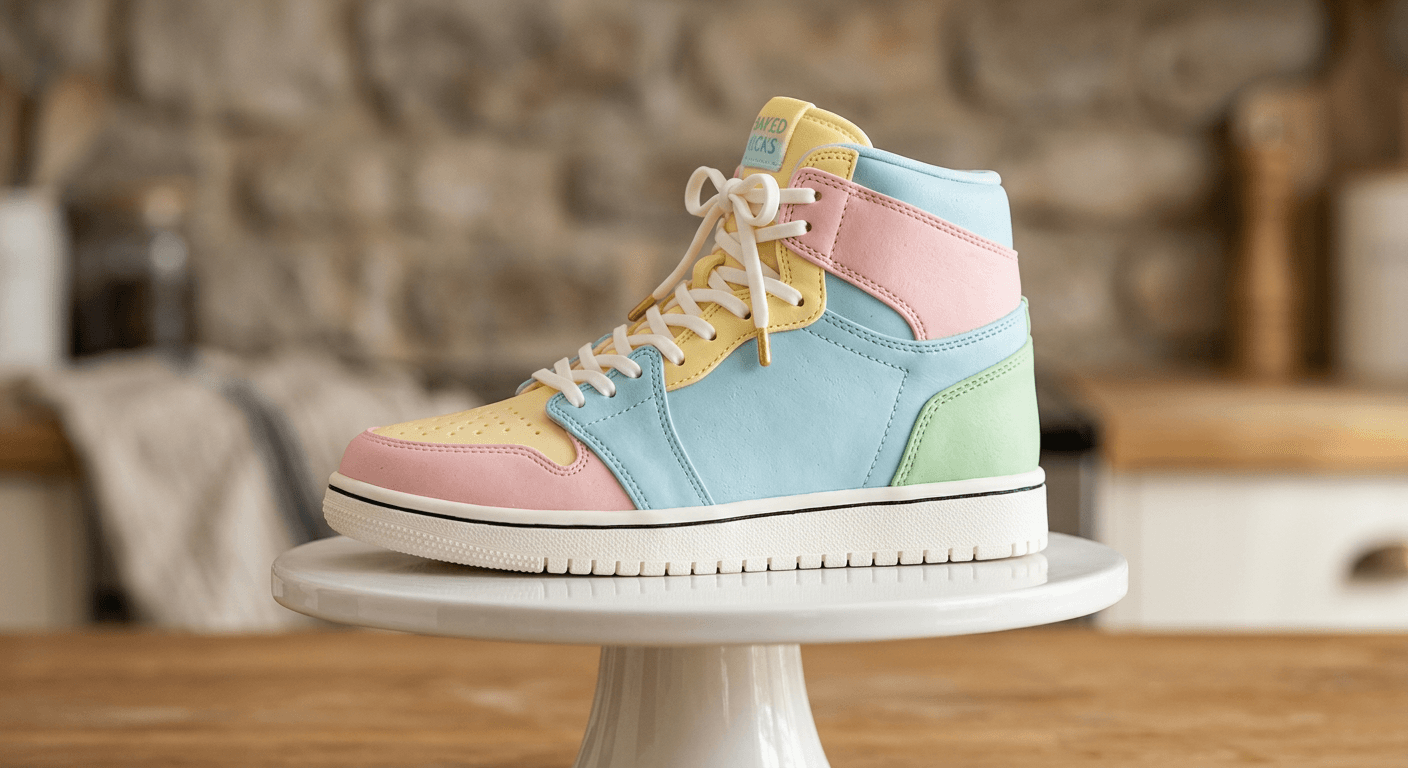
Prompt 9: Sneaker cake
A single sneaker sculpted entirely from cake, matching the shoe's exact silhouette, panel lines, and lacing, displayed on a clean pedestal.
Turn the sneaker in the reference photo into a photorealistic cake sculpted to match its exact silhouette, panel lines, and lacing, matte fondant sole with visible tread grooves, smooth buttercream body panels colored to match the real shoe, fine piped fondant lace detailing, displayed on a plain round pedestal, warm overhead studio softbox light directly above, close product-photography framing with shallow depth of field, no melted or warped shape, no plastic-looking or flat lighting, no garbled or illegible text on any lace tag.
Prompt 10: Smartphone cake
A smartphone-shaped cake standing upright on a small stand, screen rendered as a smooth dark fondant panel with a soft reflective sheen.
Turn the smartphone in the reference photo into a photorealistic cake standing upright on a small display stand, screen rendered as a smooth dark fondant panel with a soft reflective sugar-glaze sheen, matte fondant body edges matching the phone's real color and camera bump detail, warm side light from a bakery softbox catching the glossy screen reflection, close tabletop shot with shallow depth of field, no melted or warped shape, no plastic-looking or flat lighting, no garbled or illegible text on the screen.
Prompt 11: Miniature car cake
A small-scale car sculpted from cake with rounded fondant body panels and edible sugar-glass style windows, shown on a cake board sized to match.
Turn the car in the reference photo into a small-scale photorealistic cake sculpted to match its body shape and proportions, rounded matte fondant body panels colored to match the real vehicle, translucent sugar-glass style windows, sitting on a cake board sized to match the model, warm overhead pendant light from directly above with soft shadow beneath the wheels, medium tabletop shot with shallow depth of field, no melted or warped shape, no plastic-looking or flat lighting, no garbled or illegible text on any plate or badge.
Prompt 12: Handbag cake
A structured handbag cake with fondant stitching detail along the seams and a sculpted sugar-paste clasp, standing upright like the real object.
Turn the handbag in the reference photo into a structured photorealistic cake standing upright like the real object, fine fondant stitching detail along the seams matching the bag's real design, a sculpted sugar-paste clasp and handle, matte buttercream body panels colored to match the reference photo, soft window light from the right with gentle directional shadow, medium tabletop shot with shallow depth of field, no melted or warped shape, no plastic-looking or flat lighting, no garbled or illegible text on the clasp.
Object cakeify prompts benefit the most from naming the object's specific brand-neutral design features (a rounded toe cap, a particular strap width, a screen-to-body ratio) rather than just the object category, since a generic "sneaker cake" prompt tends to drift toward a shoe shape that barely resembles the source photo. The same logic that makes Miraflow's AI Image Generator good at preserving a face through a stylization pass applies here too, feed it a clear, well-lit reference photo of the object and let the prompt describe the cake material rather than re-describing the object from scratch.
4) Food-Into-Cake and Meta Cakeify Prompts
This is the trend's meta variation: instead of a person, pet, or object becoming a cake, a dessert or food item becomes a cake version of itself. A donut cakeified into a giant cake donut, a burger cakeified into a cake burger, a plate of sushi cakeified into cake sushi. It plays on the same recognition-doubt-confirmation structure as the rest of the trend, just with an extra layer of irony since the subject was already food.
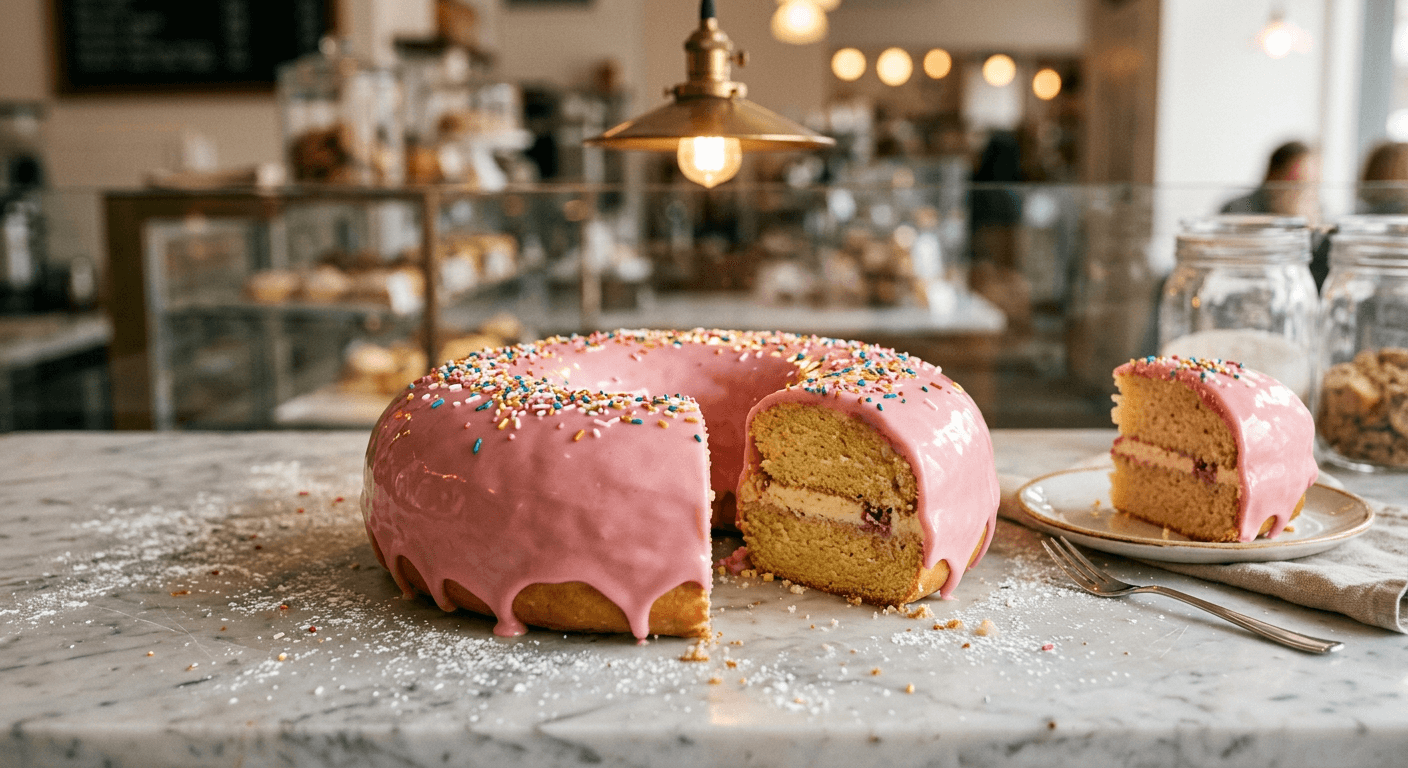
Prompt 13: Giant donut cake
A single oversized donut sculpted entirely as a cake, glossy fondant glaze standing in for the real donut's icing, with a distinct cut wedge already removed to show the sponge underneath.
Sculpt the donut in the reference photo into an oversized photorealistic cake version of itself, glossy fondant glaze matching the real donut's icing color and drip pattern, a single clean wedge already removed to reveal a fine golden sponge crumb layered with pale buttercream filling underneath, resting on a marble bakery counter dusted lightly with powdered sugar, warm bakery pendant light from directly above and slightly behind, close macro-leaning shot with shallow depth of field, no melted or warped shape, no plastic-looking or flat lighting, no garbled or illegible text.
Prompt 14: Burger cake
A full stacked burger sculpted as a layered cake, with each component, bun, patty, cheese, lettuce, rebuilt from a different sponge or frosting color to mimic the real ingredient's look.
Sculpt the burger in the reference photo into a full stacked photorealistic cake version of itself, each component rebuilt from a different sponge or frosting color to mimic the real bun, patty, cheese, and lettuce, matte fondant bun with a glossy sesame-seed sugar detail on top, sitting on a wooden serving board, warm angled light from the left catching the layered texture, medium tabletop shot with shallow depth of field, no melted or warped shape, no plastic-looking or flat lighting, no garbled or illegible text.
Prompt 15: Sushi platter cake
A small platter of sushi pieces, each one individually sculpted as a tiny cake with rice-textured sponge and fondant fish or vegetable toppers.
Sculpt the sushi in the reference photo into a small platter of photorealistic cake versions of each piece, rice-textured sponge base for each piece, fondant fish or vegetable toppers colored to match the real ingredients, glossy sugar-glaze sheen standing in for a soy-glaze finish, arranged on a dark slate serving board, soft overhead studio light directly above, close tabletop shot with shallow depth of field, no melted or warped shape, no plastic-looking or flat lighting, no garbled or illegible text.
Prompt 16: Latte cup cake
A takeaway coffee cup cake with a fondant lid and a realistic latte-art pattern piped in buttercream across the "foam" surface, cut open at an angle to reveal the sponge below.
Sculpt the coffee cup in the reference photo into a photorealistic cake version of itself, a fondant lid and cup sleeve matching the real cup's design, a realistic latte-art pattern piped in buttercream across the foam surface, cut open at a slight angle to reveal a fine golden sponge crumb layered with pale buttercream filling below the foam layer, warm side light from a bakery window, close tabletop shot with shallow depth of field, no melted or warped shape, no plastic-looking or flat lighting, no garbled or illegible text on the cup sleeve.
The food-into-cake group photographs especially well against a plain bakery counter or marble surface, since the visual joke depends on the viewer briefly reading the object as the real food item before the cut confirms it is cake. A busy background competes with that read and slows the joke down.
5) Cut-Reveal Video Animation Prompts
A static cakeified image is only half the trend. The part that actually gets shared is the short video clip of the knife going in and the interior being revealed, which is why this group is written specifically for Miraflow's Cinematic AI Video Generator rather than the image tool. Feed it the still you already generated in one of the four groups above as the starting frame, then use one of these four prompts to animate the cut.
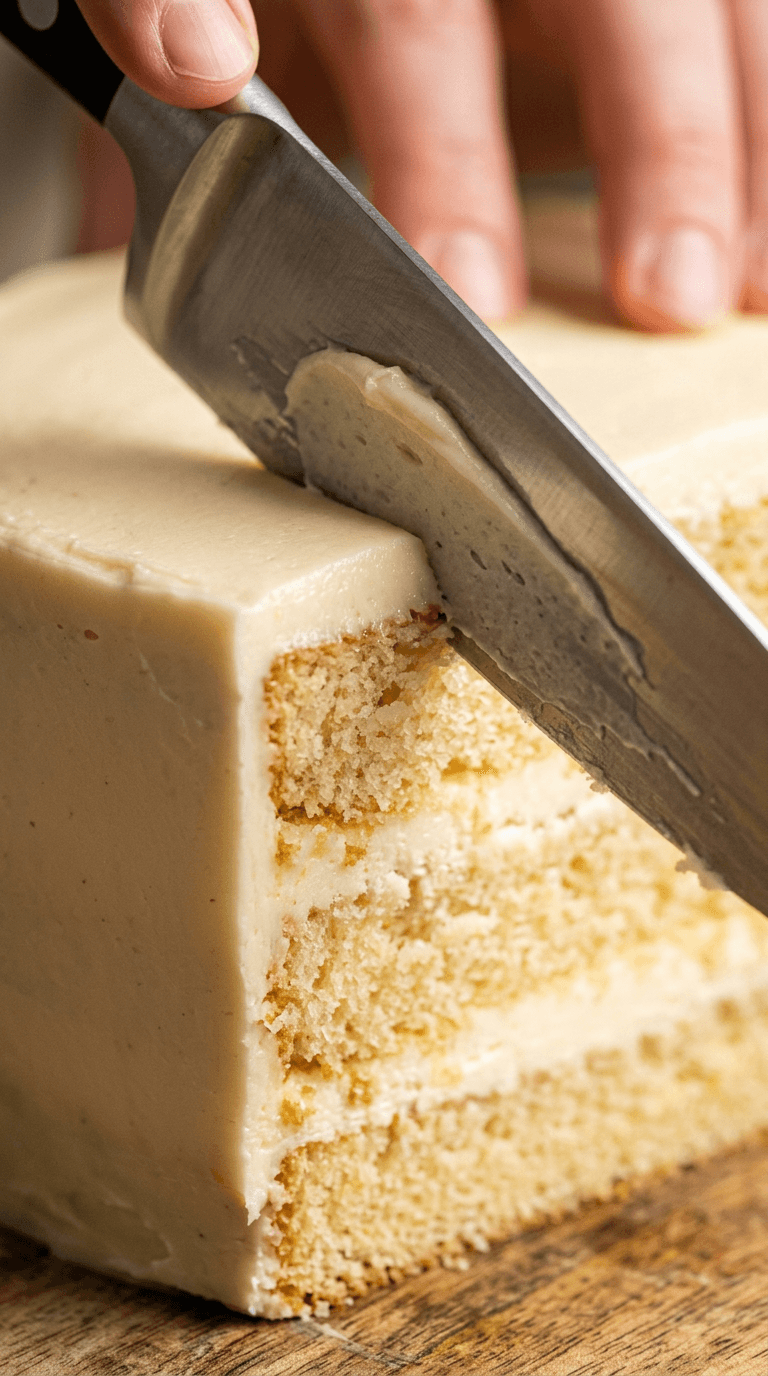
Prompt 17: Face cake knife-cut reveal
Animates a slow, deliberate knife cut across the top of a finished face or bust cake still, ending on the exposed sponge cross-section.
Animate the uploaded cakeified bust still with a slow, deliberate single knife cut moving horizontally across the top third of the cake, the blade catching a soft bakery-pendant light highlight as it moves, ending on a still frame of the freshly exposed golden sponge and buttercream cross-section, camera held in a fixed medium shot matching the still's original angle with shallow depth of field, gentle three to four second pacing, no melted or warped shape, no extra or distorted fingers on the hand holding the knife, no garbled or illegible text.
Prompt 18: Pet cake server-lift reveal
Animates a cake server lifting a wedge out of a pet cake still, tilting the wedge toward camera to show the interior clearly before the clip ends.
Animate the uploaded cakeified pet still with a cake server sliding under one section and lifting a clean wedge upward and toward the camera, tilting slightly to reveal the crumb and frosting cross-section clearly before the clip ends on a held frame, warm side softbox light consistent with the still's original lighting direction, fixed medium camera framing matching the still's original angle with shallow depth of field, no melted or warped shape, no extra or distorted fingers on the hand holding the server, no garbled or illegible text.
Prompt 19: Object cake slice-open reveal
Animates a clean single slice through an object cake still (a sneaker, a phone, a handbag), with the two halves separating slightly to expose the interior.
Animate the uploaded cakeified object still with a single clean vertical knife slice through the center, the two halves separating a few centimeters apart to expose the interior sponge and buttercream layering, camera framing and light direction matching the still's original angle exactly, shallow depth of field, smooth three-second motion ending on a held frame of the open cross-section, no melted or warped shape, no extra or distorted fingers on the hand holding the knife, no garbled or illegible text.
Prompt 20: Top-down cut montage
A faster-paced overhead angle animating the knife entering straight down through the top of any cakeified still, built for a quick loopable clip rather than a slow reveal.
Animate the uploaded cakeified still from a straight overhead top-down angle with the knife entering straight down through the center of the cake in a quick, confident motion, ending on a held top-down frame showing the sponge and buttercream layering around the cut, bright even overhead studio light matching a top-down angle, fast two-second pacing built for a short looping clip, no melted or warped shape, no extra or distorted fingers on the hand holding the knife, no garbled or illegible text.
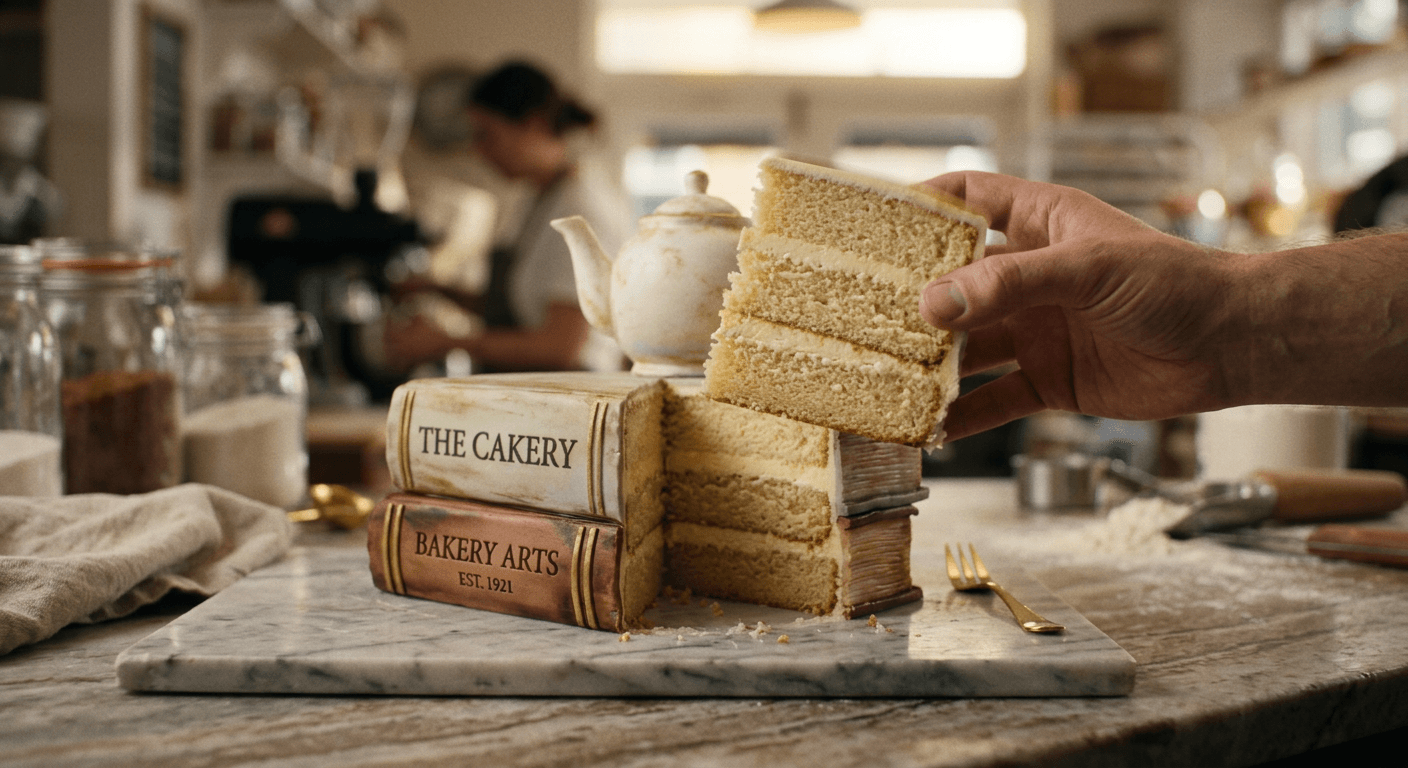
One detail worth getting right before animating: the angle of the still you feed into Miraflow's Cinematic AI Video Generator should roughly match the camera angle you want the cut to happen from. A three-quarter angle still animated with a straight-on top-down cut prompt tends to produce a knife motion that looks like it is cutting through empty air rather than the actual cake surface, since the model has to reconcile two different implied camera positions.
How to Customize These Prompts
Start from a genuinely clear source image, whether that is a face, a pet, or an object photo, since every prompt above leans on that reference for the likeness the trend depends on. From there, the variables worth changing are the cake's frosting color and flavor (a chocolate ganache drip instead of plain buttercream, a pastel fondant instead of white), the plating or display surface (a marble counter, a rustic wooden board, a patterned cake stand), and how much of the cut is already visible in a still versus saved entirely for the video step.
Keep the structural phrasing intact when you adapt a prompt: the specific light source and direction, the camera distance and depth of field, and the exact material description for both the exterior shell and the interior crumb. These are the details that separate a cake that reads as real, tactile food from one that reads as a flat, plastic-looking prop, and they are the first things to drop when someone shortens a prompt down to just the subject and "cake style."
Mixing groups works well too. Take the profile half-cut framing from Prompt 3 and apply it to a pet cake, or take the meta food-into-cake idea from Group 4 and apply it to a small object like a keychain or a piece of jewelry. The underlying formula, photorealistic exterior shell plus a visible sponge-and-frosting interior at the cut edge, holds across almost any subject you can photograph clearly.
Common Mistakes Creators Make With This Trend
Flat, even overhead lighting is the single biggest reason a cakeify result reads as a plastic prop instead of real food. Actual bakery and food photography almost always uses a warm, angled light source, an overhead pendant, a softbox from one side, window light through a doorway, because that angled light is what catches the texture in piped buttercream or a glossy fondant sheen. A flat, shadowless light flattens all of that texture out and the cake stops looking edible.
A mismatched cut angle between the source photo and the reveal is the second most common failure. If the original reference photo was shot straight-on but the cut-reveal prompt asks for a three-quarter or overhead angle, the knife's implied entry point and the cake's actual silhouette stop lining up, which breaks the illusion the moment a viewer looks closely. Keep the still's camera angle and the video prompt's cut direction consistent, as covered in the video group above.
Overcrowded interior detail is a subtler mistake but a real one. It is tempting to ask for multiple frosting colors, a filling, sprinkles inside the sponge, and a drip layer all in the same cut cross-section, but a genuinely satisfying reveal usually reads better with two or three clean, distinct layers rather than a busy, muddled interior. The oddly satisfying appeal of this trend comes from clarity at the cut edge, not maximalism.
Skipping the animation step entirely and posting only the static cakeified image is the mistake that misses the point of the trend altogether. The still image is a strong result on its own, but the actual "cakeify" moment, the reveal, is inherently a video beat. A post that shows only the finished cake without the cut reads as a nice cake photo rather than a cakeify trend post, and it misses the engagement the reveal itself generates. Running the still through Miraflow's Cinematic AI Video Generator after generating it is not an optional extra step for this particular trend, it is the step that makes the format work.
Generating and Animating Your Cakeify Posts on Miraflow
The two-step workflow behind every prompt in this post lives entirely inside Miraflow. Start with Miraflow's AI Image Generator, which handles the image-to-image transformation needed to turn a real reference photo into a photorealistic cakeified still, and use its inpainting and masking tools when you only want to adjust one region of a result, swapping a frosting color, fixing a garbled cake-topper letter, or cleaning up a background, without regenerating the whole image from scratch. Once you have a still you like, move it into Miraflow's Cinematic AI Video Generator and apply one of the four cut-reveal prompts from Group 5 to produce the actual knife-cut clip.
Both tools run directly in the browser with no separate software to install, so the full path from a phone photo to a posted reveal clip stays inside one workspace. You can browse more prompt packs like this one on the Miraflow AI blog, and every tool named in this post lives at miraflow.ai.
Frequently Asked Questions
What exactly is the Cakeify trend? Cakeify, also called Cakeify It, is an AI video and image trend where a photo of a person, a pet, or an object is transformed into a photorealistic cake version of that same subject, then cut into with a knife to reveal a sponge-and-frosting interior underneath a fondant or buttercream exterior that still looks like the original thing.
Do I need the original app this trend started on? No. These prompts describe the technique itself rather than app-specific syntax, so they work in any capable image-to-image and video tool, including the two-step workflow with Miraflow's AI Image Generator and Miraflow's Cinematic AI Video Generator described throughout this post.
Can I cakeify something other than a face or a pet? Yes. The object and food-into-cake groups above show that almost anything with a clear, recognizable shape works, a sneaker, a phone, a handbag, even a donut turned into a cake version of itself.
Why does my cake result look plastic instead of real? This is almost always a lighting problem. Flat, even, shadowless lighting is the top cause, listed first in the common mistakes section above. Naming a specific warm, angled light source in the prompt, an overhead bakery pendant or soft side window light, fixes most of these results.
Do I need to generate the video, or is the still image enough? The still image works as a standalone post, but the reveal is the part of this trend that actually makes it a cakeify post rather than a cake photo. Posting only the static image is one of the common mistakes covered above, since it skips the moment that drives most of the engagement.
What kind of reference photo works best? A clear, well-lit, front-facing photo with the subject fully visible and not obstructed by a busy background. This matters just as much for pets and objects as it does for faces, since the model needs enough clean detail to preserve a recognizable shape through the cake transformation.
Conclusion
Cakeify works because the payoff is built into the format itself: a viewer recognizes a familiar subject, briefly doubts what they are looking at, then watches the cut confirm it really was cake all along. The 20 prompts above cover that structure across faces, pets, everyday objects, and food-into-cake variations, plus the four video prompts that turn a finished still into the actual reveal clip. Generate the cakeified still with Miraflow's AI Image Generator, animate the cut with Miraflow's Cinematic AI Video Generator, and keep the source photo's angle, the lighting direction, and the cake's material detail specific rather than generic. Those three things are what separate a convincing cakeify post from one that reads as an obvious AI generation.