20 AI Earth Zoom Out Prompts (Copy & Paste) for the Viral Space Zoom Trend 2026

Written by
Aerin Kim

The Earth Zoom Out effect has cleared over a billion views and roughly 250,000 monthly searches. Here are 20 ready-to-use prompts to create it with Miraflow's AI video tools.
TL;DR
If you have scrolled TikTok or Instagram Reels in the last few months, you have seen it: a video starts on an ordinary photo, a person on a porch, a coffee cup on a table, a couple at a wedding, and then the camera never cuts. It just keeps pulling back. Past the rooftops, past the neighborhood, past the coastline, up through the clouds, until the whole planet is hanging quietly in a field of stars. The hashtag #EarthZoomOut has cleared more than 1.2 billion views, and the search term "AI earth zoom out" alone is pulling in an estimated 250,000 searches a month worldwide, according to tool breakdowns from Higgsfield's own effect page and independent trend trackers covering the format. It broke out through Higgsfield's dedicated zoom-out effect tool and has since become close to a standard move in every AI video creator's kit.
The good news is you do not need a visual effects background to make one of these. You need a strong starting image and a prompt that tells a text-to-video or image-to-video model exactly how the camera should move, how fast, and what it should reveal at each stage of the pull-back. This post gives you 20 ready-to-use prompts across four categories, personal and portrait moments, travel and landmarks, product and brand reveals, and bigger cinematic setups, plus the specific settings that make the difference between a zoom that looks smooth and one that looks like a broken GIF.
You can generate every one of these directly with Miraflow's Cinematic AI Video Generator, which supports the kind of long, continuous camera movement this effect depends on, starting from either a text prompt or an existing photo.
Why the Earth Zoom Out Trend Actually Works
Before the prompt list, it is worth understanding why this specific camera move performs so well, because that understanding is what lets you adapt these 20 templates instead of just copying them literally. The human eye is wired to track scale changes and fast movement more attentively than almost any other visual cue, which is exactly why a shot that starts intimate (a face, a cup, a pair of hands) and ends at planetary scale creates such a strong hook in the first two seconds, the window that decides whether someone keeps scrolling or keeps watching.
The trend also solves a real production problem for creators. A genuine continuous zoom from ground level to orbit used to require either expensive satellite footage licensing or a skilled VFX artist stitching plates together. AI video models collapse that into a single generation, which is why it spread so fast among creators who post daily and cannot spend six hours on one transition. It sits alongside other single-shot motion trends we have covered before, like the AI Alive living photo trend, where the appeal is the same illusion of impossible, uncut camera movement rather than a hard cut between still images.
Creators are combining the raw zoom-out clip with two more steps that noticeably improve results: looping the clip (playing it forward then reversed so the video can seamlessly restart) and adding a custom score that builds in intensity as the pullback accelerates. Both are covered in the customization section below.
1) Personal and Portrait Zoom Outs
These are the highest-volume category on the trend right now because they turn an ordinary personal photo into something that feels like a movie poster moment. Start each of these with a real photo through Miraflow's AI Image Generator or your own upload, then feed it into the Cinematic AI Video Generator with the prompt below.
1. The everyday hero moment
This is the one to start with if you are testing the effect for the first time, because an ordinary porch or doorway photo already has the layered depth (subject, house, yard, street) the model needs to build a believable pull-back through. It works on nearly any candid photo without needing a dramatic pose.
A continuous unbroken camera zoom out, starting on a medium close shot of a person standing on a porch at golden hour, warm late-afternoon light. Over roughly six seconds the camera pulls back and rises smoothly: first revealing the full house and front yard, then the surrounding street and neighborhood from a low aerial angle, then the whole town from high altitude with visible roads and rivers, then the coastline and landmass from near-orbit, finally settling on a wide shot of the full earth curving against black space with soft cloud cover and a thin atmospheric blue glow, stars sharpening into view around it. Smooth constant acceleration throughout, no jump cuts, photorealistic lighting and detail retained at every stage, no warping or melting of the subject during the transition.
2. The birthday candle blow-out
The lit candles give the model a strong, specific light source to carry through the earliest frames of the zoom, which is what makes the transition into the wider dusk shot of the house feel continuous instead of abrupt. Pair this one with a genuine photo from the moment rather than a staged AI-generated candle shot for the strongest authenticity.
A continuous unbroken camera zoom out beginning on a close shot of a birthday cake with lit candles just being blown out, warm indoor lighting and a soft puff of smoke rising from the wicks. The camera pulls back smoothly over about six seconds, revealing the table and celebrating group around it, then the house exterior at dusk with warm windows glowing, then the neighborhood from a low aerial view, then the city lights spreading out below, then the curve of the earth at night from orbit with visible city light clusters glowing against the dark landmass, ending on the full planet against a star field. Smooth even acceleration, no abrupt jumps, warm light temperature maintained through the early stages before shifting naturally to cooler space tones at the final shot.
3. The victory moment
Sports and competition content gets a natural intensity boost from this effect because the accelerating pull-back mirrors the emotional build of the moment itself. This is the template to reach for on a race finish, a game-winning shot, or any celebratory pose with raised arms.
A continuous unbroken camera zoom out starting on a tight shot of a runner crossing a finish line tape, arms raised, bright stadium lighting. Over roughly seven seconds the camera rises and pulls back, revealing the full stadium and crowd, then the surrounding city skyline at sunset, then the wider metropolitan area from a high aerial view, then the coastline and full landmass, ending on a clean view of the earth from orbit with visible cloud formations and a soft atmospheric glow at the rim. Camera speed builds noticeably in the final third for a dramatic finish, sharp photorealistic detail maintained at every intermediate stage, no distortion of the runner's pose during the earliest part of the pull-back.
4. The pet close-up
Pet content performs unusually well with this effect because the contrast between an intimate close-up of an animal's face and the planetary final shot is inherently funny and shareable. Keep the starting photo well lit and in focus, since fur detail is one of the first things to blur if the source image is soft.
A continuous unbroken camera zoom out beginning on an extreme close-up of a dog's face mid-happy-expression in a sunny backyard, shallow depth of field with soft bokeh on the grass behind it. The camera pulls back over about six seconds, revealing the full yard and house, then the surrounding suburban block from a low aerial angle, then the town and its road network from higher altitude, then the coastline, then a clean orbital view of the full earth with visible clouds and a thin blue atmosphere line, stars appearing around it in the final second. Smooth continuous motion, no cuts, bright natural daylight tone maintained through the early stages, no warping of the animal's features during the transition.
5. The wedding first look
Slow the pacing down for this one compared to the others. A wedding moment benefits from a gentler, more elegant pull-back rather than an aggressive fast zoom, which is why this prompt explicitly asks for gentle pacing rather than the acceleration used in the sports and celebration templates.
A continuous unbroken camera zoom out starting on a close two-shot of a couple during a first look moment outdoors, soft warm late-afternoon light and a shallow depth of field on the background. Over roughly seven seconds the camera rises and pulls back smoothly, revealing the full venue and garden, then the surrounding estate grounds from a low aerial view, then the wider countryside, then the coastline and landmass, ending on a soft, cinematic view of the full earth from orbit with warm sunlight catching the visible cloud cover. Gentle, elegant pacing throughout rather than an aggressive fast pull, soft light quality preserved as long as physically plausible before naturally shifting to space lighting in the final shot, no distortion of the couple during the earliest frames.
2) Travel and Landmark Zoom Outs
Travel content gets an outsized boost from this effect because the payoff, seeing an entire coastline or mountain range from orbit, matches what the content is already about. These work especially well as the closing shot of a longer travel Short built with Miraflow's Text2Shorts.
6. The city skyline reveal
Night skylines give this effect one of its strongest visual payoffs, since the transition from street-level neon to a glittering aerial light pattern to city lights visible from orbit is a natural, physically coherent progression the model handles well.
A continuous unbroken camera zoom out starting on a street-level shot looking up at a single illuminated skyscraper at night, neon reflections on wet pavement. Over roughly seven seconds the camera rises and pulls back, revealing the full skyline glittering below, then the wider metropolitan sprawl of light from a high aerial view, then the coastline outlined by city lights against the dark ocean, then the curve of the earth at night from orbit with clusters of city lights visible across the dark landmass, ending on the full night-side planet against a dense star field. Smooth continuous rise and pull-back, consistent night lighting tone maintained until the final orbital shot, no flattening or warping of the skyline's architecture during the early stages.
7. The beach vacation wide shot
Bright, high-contrast daylight scenes like this one tend to produce the cleanest results, since the model has strong, unambiguous color and light information to carry through each stage of the pull-back. This is a reliable choice if you want a lower-risk first attempt at a travel zoom.
A continuous unbroken camera zoom out beginning on a close shot of bare feet standing at the edge of turquoise water on a tropical beach, bright midday sun and visible sand texture. Over roughly six seconds the camera rises and pulls back, revealing the full beach and palm-lined shoreline, then the island's coastline from a low aerial view, then the surrounding ocean and archipelago from higher altitude, then the wider sea and landmass, ending on a clean orbital view of the earth showing the turquoise shallow-water color still faintly visible against the deep blue ocean far below, clouds and atmosphere glow at the rim. Bright natural daylight maintained through the early and mid stages, smooth constant motion, no distortion of the water or sand texture during the pull-back.
8. The mountain summit
The layered cloud cover typical of a real summit shot gives the camera pull-back a natural sense of altitude gain even before it leaves the atmosphere, which makes this one of the more visually convincing templates in the pack.
A continuous unbroken camera zoom out starting on a close shot of a hiker standing at a mountain summit with arms raised, crisp thin-air lighting and visible cloud layers below the peak. Over roughly seven seconds the camera pulls back and rises, revealing the full mountain range stretching to the horizon, then the wider valley and river system from a high aerial view, then the surrounding landmass and coastline, ending on a clean orbital view of the earth with visible mountain ranges and cloud cover, thin atmospheric glow at the rim, stars sharpening into view. Crisp high-altitude lighting quality maintained through the mid stages, smooth continuous motion, no distortion of the hiker's silhouette during the earliest frames.
9. The open road trip
Use this template as a hook shot at the start of a road trip vlog. The long straight highway gives the model a clear leading line to maintain through the early part of the zoom, which keeps the transition feeling stable rather than chaotic.
A continuous unbroken camera zoom out starting on a shot from just behind a car driving down a long straight desert highway at sunset, warm orange light and long road shadows. Over roughly seven seconds the camera rises and pulls back, revealing the full highway stretching toward the horizon, then the surrounding desert landscape from a low aerial view, then the wider region with visible roads branching outward, then the coastline and landmass, ending on a clean orbital view of the earth with the warm sunset terminator line visible crossing the surface. Smooth continuous rise, warm golden-hour tone preserved as long as physically plausible before shifting to space lighting, no distortion of the car or road during the earliest stage.
10. The historic landmark
This template deliberately avoids asking for any specific named monument or readable inscription, since models are inconsistent at rendering real-world architectural landmarks accurately from a text description alone. Use a real photo of the landmark you want featured as your starting image rather than trying to generate the landmark itself from scratch.
A continuous unbroken camera zoom out starting on a close shot of a hand touching the weathered stone surface of a famous ancient landmark, warm midday light and visible stone texture and carved detail. Over roughly seven seconds the camera pulls back and rises, revealing the full monument and surrounding plaza, then the surrounding historic district from a low aerial view, then the wider city and landscape, then the coastline, ending on a clean orbital view of the earth from space with visible cloud cover and atmosphere glow. Smooth continuous motion, sharp preservation of architectural detail during the early and mid stages, no warping of the stone carving texture during the transition, no readable inscriptions required, keep any carved marks generic and non-specific.
3) Product and Brand Zoom Outs
This is the category that turns a viral effect into a marketing asset. A product reveal that pulls back from a close macro shot to a full planetary view reads as premium and expensive even though it costs nothing but a generation credit. Build the base product image with Miraflow's AI Image Generator, which supports the image editing and inpainting you need to get product colors and labels exactly right before the zoom-out pass.
11. The product unboxing pull-back
This is the template to run when you want a product ad that does not look like a product ad. Keeping the packaging label unspecified in the prompt avoids garbled text on the box, so add your real logo and label afterward in a quick editing pass, or generate the base product shot with your actual label already baked in using Miraflow's AI Image Generator before running the zoom.
A continuous unbroken camera zoom out starting on an extreme macro shot of a product being lifted out of its open packaging box, soft studio lighting and shallow depth of field with a clean reflective tabletop surface. Over roughly six seconds the camera pulls back and rises, revealing the full desk and studio setup, then the building exterior from a low aerial view, then the surrounding city block, then the wider metropolitan area, ending on a clean orbital view of the full earth with visible clouds and a soft atmosphere glow at the rim. Smooth continuous motion, clean neutral studio lighting maintained through the early stages, sharp preservation of the product's shape and surface detail, no warping of the packaging or product during the transition, no legible label text required.
12. The coffee shop storefront
Local businesses get real mileage out of this one. A cup-to-storefront-to-skyline pull-back doubles as a location ad, showing the product and the neighborhood in a single continuous shot instead of two separate pieces of content.
A continuous unbroken camera zoom out starting on a close shot of a steaming cup of coffee on a cafe counter, warm interior lighting and soft morning light through a nearby window. Over roughly seven seconds the camera pulls back and rises, revealing the full cafe interior, then the storefront exterior and street from a low aerial view, then the surrounding neighborhood block, then the wider city, ending on a clean orbital view of the earth with visible cloud cover and a soft atmospheric glow. Warm cozy interior lighting preserved through the early stages before naturally shifting to daylight and then space lighting, smooth continuous motion, no distortion of the cup or counter surface during the earliest frames.
13. The tech gadget launch
Dramatic single-light product photography, the kind already common in tech launch marketing, translates especially well into this effect because the strong rim light gives the model an obvious visual anchor to hold onto through the earliest frames of the pull-back.
A continuous unbroken camera zoom out starting on a close hero shot of a sleek tech device lit dramatically on a dark reflective surface, a single strong rim light tracing its edges against a near-black background. Over roughly six seconds the camera pulls back and rises, revealing the full studio setup with soft fill light now visible, then the building exterior at night with illuminated windows, then the surrounding city skyline, then the wider metropolitan light sprawl, ending on a clean orbital night view of the earth with city lights visible across the dark landmass. Dramatic rim lighting maintained through the early stage before shifting naturally to the night skyline's ambient glow, smooth continuous motion, sharp preservation of the device's geometry, no legible screen or logo text required.
14. The restaurant dish reveal
Steam and warm ambient light are doing a lot of work in this template, since they signal freshness and give the model a physically consistent light source to track as the camera lifts away from the table.
A continuous unbroken camera zoom out starting on an overhead macro shot of a plated dish on a restaurant table, steam gently rising, warm ambient restaurant lighting and shallow depth of field on the surrounding table setting. Over roughly six seconds the camera pulls back and rises, revealing the full table and dining room, then the restaurant exterior and street from a low aerial view, then the surrounding city block, then the wider city, ending on a clean orbital view of the earth with visible clouds and atmosphere glow. Warm appetizing lighting preserved through the early stages, smooth continuous motion, sharp preservation of the dish's texture and color, no distortion of the plating during the transition.
15. The fashion lookbook
Fabric texture is the detail most likely to blur first if your starting image is low resolution, so use the sharpest, most detailed product or lookbook photo you have available as the base for this one.
A continuous unbroken camera zoom out starting on a close fashion-editorial shot of a single garment's fabric texture and stitching detail under soft directional studio light. Over roughly seven seconds the camera pulls back and rises, revealing the full outfit on a mannequin or model silhouette in a clean studio, then the studio building exterior at dusk, then the surrounding fashion district street, then the wider city skyline, ending on a clean orbital view of the earth with a soft warm sunset terminator line crossing the visible surface. Soft editorial lighting preserved through the early stages, smooth continuous motion, sharp preservation of fabric texture and stitching detail, no distortion of the garment during the transition, keep any figure generic and non-specific.

4) Cinematic Story and Creator Setup Zoom Outs
The last five are built for bigger, more narrative uses, intros, channel trailers, and creator brand moments, where the zoom out is doing storytelling work rather than just a reveal.
16. The night-to-day time-lapse zoom
This is the most technically demanding prompt in the pack because it asks the model to run a lighting time-lapse and a camera pull-back at the same time. Expect to regenerate this one more often than the others to get a clean result, and consider it an advanced template rather than a first attempt.
A continuous unbroken camera zoom out and time-lapse combined, starting on a close shot of a single lit window in a house at dusk, warm interior light glowing against a darkening sky. Over roughly eight seconds the camera pulls back while the lighting cycles smoothly from dusk to full night to dawn to daylight, revealing the neighborhood, then the city skyline transitioning from lit-at-night to sunrise-lit, then the wider region, then the coastline, ending on a clean orbital day-side view of the earth with sharp cloud detail and a bright atmospheric rim glow. Smooth continuous motion and smooth continuous lighting transition running in parallel, no jump cuts, no flattening of architectural or landscape detail during the transition.
17. The underwater to orbit zoom
The surface break, the moment the camera exits the water into open air, is the hardest single beat in this entire pack for a model to render cleanly, so treat this as an advanced template as well. When it lands, it is consistently one of the most-replayed clip types on the trend.
A continuous unbroken camera shot starting fully submerged underwater near a coral reef, sunlight filtering down through the water in visible rays, small fish moving through frame. Over roughly eight seconds the camera rises smoothly up through the water's surface, breaking through into open air above the ocean, then continues rising and pulling back to reveal the full coastline and island, then the wider ocean and landmass from a high aerial view, then a clean orbital view of the earth showing the reef's turquoise shallow water still faintly visible against the deep ocean blue far below. Physically plausible water refraction and light rays maintained until the surface break, smooth continuous motion throughout, no warping of the coral or fish during the ascent.
18. The concert stage moment
Haze and a single dramatic spotlight give this template the same kind of strong visual anchor that works well in the gadget-launch prompt above. Use this as an event recap opener or a music release teaser.
A continuous unbroken camera zoom out starting on a close shot of a spotlight hitting a microphone stand center stage, haze in the air catching the beam, dark concert venue background. Over roughly seven seconds the camera pulls back and rises, revealing the full stage and crowd with their phone lights visible, then the venue exterior at night with the marquee glowing, then the surrounding city block, then the wider skyline, ending on a clean orbital night view of the earth with city lights visible across the landmass. Dramatic stage lighting and haze preserved through the early stage before shifting to the city's ambient night glow, smooth continuous motion, no distortion of the stage setup during the transition.
19. The gaming setup intro
Streamers and gaming channels can use this as a channel intro or stream-start bumper. The colorful RGB lighting is intentionally called out in the prompt because it gives the model a distinct, trackable light signature to carry into the darker early-transition frames.
A continuous unbroken camera zoom out starting on a close shot of a mechanical keyboard and mouse lit by colorful RGB lighting on a clean desk setup, dark room with monitor glow as the only other light source. Over roughly seven seconds the camera pulls back and rises, revealing the full desk setup and dual monitors, then the room and house exterior at night, then the surrounding neighborhood, then the wider city, ending on a clean orbital night view of the earth with visible city light clusters. Vivid RGB lighting preserved through the early stage before shifting naturally to the city's ambient glow, smooth continuous motion, sharp preservation of the keyboard and desk detail, no legible on-screen text required.
20. The creator home studio intro
This closes the pack as a general-purpose channel or personal-brand intro, useful for any creator who wants a single reusable opening shot rather than a one-off trend post. Regenerate it seasonally, a winter version, a summer golden-hour version, to keep a recurring intro feeling fresh.
A continuous unbroken camera zoom out starting on a close shot of a ring light and microphone set up in a small home content-creation corner, warm soft key lighting on the setup. Over roughly seven seconds the camera pulls back and rises, revealing the full room and desk setup, then the house exterior at golden hour, then the surrounding neighborhood from a low aerial view, then the wider town, then the coastline, ending on a clean orbital view of the earth with soft warm sunset lighting crossing the visible surface. Warm soft key lighting preserved through the early stage before shifting naturally to golden-hour exterior light and then space lighting, smooth continuous motion, sharp preservation of the setup's detail during the transition.
How to Customize These Prompts for Better Results
Copy-pasting any of the 20 prompts above will get you a usable clip, but a few adjustments make a real difference depending on what you are shooting.
Match your starting image to the final aspect ratio you need. If the finished video is going to a vertical Shorts or Reels slot, generate or crop your starting photo to a 9:16 frame before you run it through the zoom-out prompt. Models tend to introduce more warping and artifacting when they have to both zoom out and change aspect ratio in the same pass. Miraflow's AI Image Generator lets you set the target aspect ratio on the source image directly, which avoids this entirely.
Control your pacing with explicit timing language. Every prompt in this pack includes a phrase like "over roughly six seconds" or "accelerating in the final third." Models respond meaningfully to timing cues written in plain language, even though they cannot literally measure seconds, because that phrasing shapes how much the model compresses the visible scale change into the available frames. Vague prompts like "zoom out slowly" tend to produce either an abrupt jump-cut feeling pullback or one that barely moves at all.
Loop it for a seamless restart. A trick used constantly on the trend's biggest posts: generate the clip, then in any basic video editor duplicate the clip, reverse the duplicate, and stitch reversed-then-forward or forward-then-reversed. This turns a one-way zoom into a clip that can loop endlessly on a Reel or Short without an obvious cut point, which platforms tend to reward with longer average watch time.
Layer in a rising score. Pair the visual acceleration with music that builds the same way. Miraflow's AI Music Generator can produce an instrumental track with a rising arrangement in well under a minute if you describe the build explicitly, for example "cinematic orchestral track that starts sparse and quiet and builds to a full swelling climax over 8 seconds," which matches the visual pacing far better than a stock loop that peaks at a random point.
Reuse the same base image across styles. If a zoom-out clip performs well, generate two or three variants from the identical starting photo with different camera speeds or times of day (a sunset version, a night version with visible city lights, a dawn version). This is a fast way to A/B test which variant a platform's algorithm favors without shooting new source material.
Common Mistakes Creators Make With This Effect
Starting too far zoomed in. If your starting frame is an extreme close-up, the model has to compress an enormous amount of visible scale change into a short clip, which is where you get warping, especially around faces and hands. A medium shot that already shows some environment around the subject gives the model a smoother scale ramp to work with.
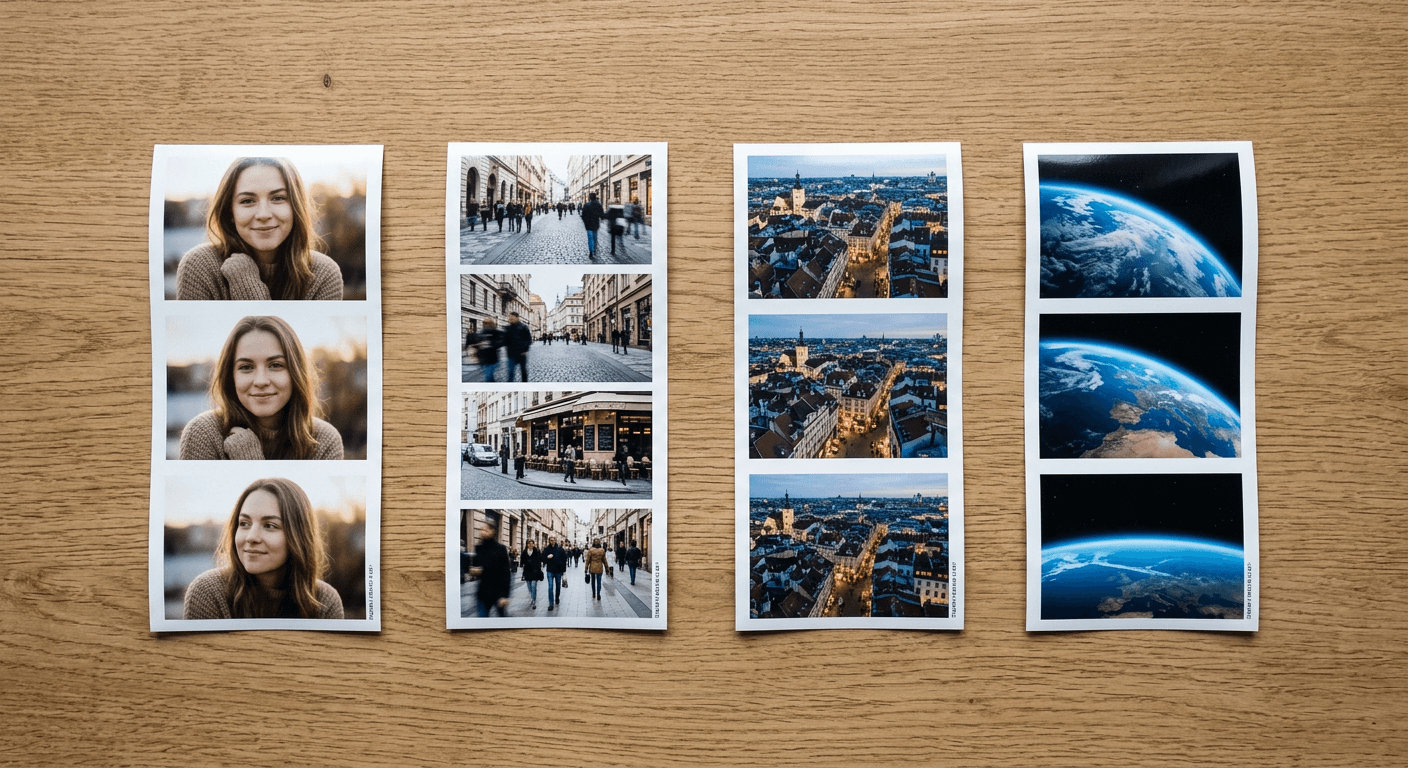
Forgetting the mid-point beats. The strongest zoom-outs on this trend are not a single smooth blur from ground to space. They pass through two or three recognizable checkpoints, street level, then rooftop level, then a wide aerial view of the neighborhood, before the final space shot. Naming those checkpoints explicitly in your prompt, the way every template above does, gives viewers something to visually track instead of a formless blur.
Using a low-resolution or busy starting photo. Cluttered backgrounds multiply the artifacting problem described above, because the model has to keep more visual elements coherent while also compressing scale. A cleaner starting composition, even a simple portrait against a plain background, produces a cleaner zoom.
Ignoring platform aspect ratio until after generation. As covered above, cropping a finished 16:9 zoom-out clip down to 9:16 after the fact often cuts off the exact detail the effect depends on, the subject at the center of frame as the camera pulls back. Set your aspect ratio before you generate, not after.
Skipping the loop and music pass. A raw single-generation zoom-out clip is a fine starting point, but the posts actually clearing hundreds of thousands of views are almost always the looped, scored version, not the raw output straight out of the video generator.
Generating These With Miraflow
Every prompt in this pack is written to work directly inside Miraflow's Cinematic AI Video Generator, which supports the kind of sustained, single-shot camera movement this effect requires. Start with a photo built or edited in Miraflow's AI Image Generator, generate your zoom-out clip, then drop it into Text2Shorts if you want to package it with a script, voiceover, and captions for a full Short rather than a standalone clip. If you are building a series around this effect for a YouTube channel, Miraflow's YouTube Thumbnail Maker can pull a frame straight from your zoomed-out space shot to build a thumbnail that already has the payoff visible before anyone clicks.
Frequently Asked Questions
What AI video tool is best for the Earth Zoom Out effect? The effect was popularized by Higgsfield's dedicated zoom-out tool, but any video model capable of sustained camera movement over several seconds can produce it with the right prompt, which is exactly what the 20 templates above are written for. Miraflow's Cinematic AI Video Generator, built on Veo-family models, handles the long continuous camera move this trend depends on. If you are weighing Higgsfield against an all-in-one option, our Higgsfield AI review breaks down pricing and where a full-pipeline tool saves you a step.
How long should an Earth Zoom Out clip be? Most viral examples run 5 to 8 seconds for the raw zoom, then get looped (played forward and reversed back to back) to create a longer, seamless clip for a full Reel or Short. Trying to stretch a single zoom-out generation past around 10 seconds tends to introduce more visible artifacting as the model runs out of confident detail to generate at extreme scale.
Do I need a real photo of myself, or can I use an AI-generated image? Either works. Many of the highest-performing posts use a real photo for the personal-moment categories (weddings, birthdays, victories) because the authenticity is part of the appeal, while the product and cinematic categories perform just as well starting from a fully AI-generated base image.
Why does my zoom-out look choppy or warped partway through? This is almost always one of two things: the starting image was too close-up or too cluttered, or the prompt did not include explicit mid-point checkpoints for the camera to pass through. Revisit the "Common Mistakes" section above, specifically the points on starting distance and mid-point beats, before assuming the model itself is the problem.
Can I use this effect for a business or brand video, not just personal content? Yes, and the product and brand category above is written specifically for that. A macro product shot that pulls back to reveal the storefront, then the city, then the planet, is an increasingly common technique in ad creative precisely because it reads as high production value while costing a fraction of what a real aerial shoot would.
Is this trend still growing or has it peaked? As of September 2026, trend trackers still list the Earth Zoom Out effect among the formats with the most active momentum, alongside the 80s photo trend's video adaptation. Search volume around 250,000 monthly queries for the core term suggests sustained rather than fading interest, though as with any viral format, the creators still getting strong reach are the ones adding a distinct twist, a specific story, a specific product, a specific place, rather than posting a generic unbranded version.
Conclusion
The Earth Zoom Out effect works because it delivers a genuinely satisfying payoff in the first few seconds of a scroll, and because AI video generation has made a shot that used to require real VFX budget available to anyone with a strong starting photo and a well-written prompt. Use the 20 templates above as starting points, adjust the pacing and mid-point checkpoints to fit your own subject, and pair the finished clip with a matching rising music track and a seamless loop before you post. Build the full pipeline, image, zoom-out video, and Short, inside Miraflow's AI Image Generator, Cinematic AI Video Generator, and Text2Shorts to go from a single photo to a finished, publish-ready clip in one place.