20 AI Prompts for the 'I Never Told You This But' Trend (Copy & Paste)

Written by
Aerin Kim

The 'I Never Told You This But' duo trend is spreading fast across TikTok, Reels, and Shorts in 2026. Here are 20 grouped AI prompts, including a solo-creator version, to copy and paste.
A trend that started among Brazilian and Portuguese-speaking creators on YouTube Shorts and TikTok in late July 2026 has spread fast enough to hit Instagram Reels within weeks, and the format is deceptively simple: two people take turns saying "I never told you this but I like you better with..." followed by something absurd, a specific eyebrow shape, clown makeup, no hair, and the other person instantly changes their look to match before firing back an even more ridiculous request of their own. It is fast, funny, and escalates in a way that keeps viewers watching to see how far it goes.
What makes this trend different from a lot of duo formats is that it genuinely requires two people filming together, or at least it used to. AI now handles the entire workflow instead: generating two consistent characters, writing escalating dialogue lines, animating the instant visual changes, and syncing natural-sounding voiceovers for both sides, which means a solo creator can produce the full back-and-forth without needing an actual partner to film with.
Below are 20 ready-to-use prompts for this trend, grouped into five categories, built for the AI Image Generator in Miraflow AI for the character and transformation visuals, and Text2Shorts in Miraflow AI for turning the escalating dialogue into a finished, voiced short.
How This Trend Actually Works
Every version of the format follows the same rhythm: one person delivers a line that sounds like a genuine compliment but is actually an absurd request, the other person changes something about their appearance to match it, immediately, then delivers their own escalating line back. The cycle repeats three to five times, each round more ridiculous than the last, until the video ends on the most extreme version of either person.
The two things that make this land are speed and consistency. The visual change has to feel instant, a hard cut rather than a slow transformation, and the person has to stay recognizably the same person across every single change, or the joke stops working. That second requirement, keeping one consistent identity across a rapid sequence of very different looks, is exactly the kind of task current-generation image and video models handle well when given a clear single reference photo to work from.
For a broader look at the step-by-step workflow behind producing a fast-cut AI reel like this one, from generating a character through to the finished edit, this video walks through the general process, which maps directly onto the duo format below even though it is not specific to this exact trend.
1) Quick-Change Escalation Prompts
These four prompts focus on the core mechanic of the trend, one dramatic, instant visual change per line, and are meant to be used as a repeating sequence rather than a single image.

Prompt 1: Eyebrow chaos escalation
Using the reference photo, generate a hard instant-cut style image of the subject with dramatically exaggerated bushy eyebrows, everything else about the face and outfit unchanged, sharp candid framing, natural lighting, photorealistic skin and hair texture, expression a mix of amused and mock-offended.
Prompt 2: Instant clown makeup reveal
Using the reference photo, generate a hard instant-cut style image of the subject with full clown makeup applied, red nose, white face paint, exaggerated painted smile, everything else about the outfit and setting unchanged, bright even lighting, photorealistic makeup texture, playful exaggerated expression.
Prompt 3: Bald cap instant reveal
Using the reference photo, generate a hard instant-cut style image of the subject with a completely bald head, everything else about the face and outfit unchanged, natural lighting, photorealistic skin texture on the scalp, expression caught mid-laugh or mock shock.
Prompt 4: Wig cycling sequence
Using the reference photo, generate a hard instant-cut style image of the subject wearing an obviously fake, brightly colored costume wig, everything else about the face and outfit unchanged, natural lighting, photorealistic fabric and hair texture on the wig, playful exaggerated expression.
Run each of these through the AI Image Generator in Miraflow AI using the same reference photo for every step in the sequence, so the underlying face stays consistent while only the specified detail changes each time.
2) Character-Consistent Duo Prompts for Solo Creators
This group is built specifically for creators without an actual partner to film with. Instead of two real people, one figure is AI-generated as a separate, consistent character who appears across the whole sequence.

Prompt 5: AI-generated friend character, matching energy
Generate a new, fully distinct character, different hair color, face shape, and style from the reference photo's subject, designed to read clearly as a separate person, natural candid framing, warm lighting, photorealistic detail, friendly energetic expression, positioned as if reacting to someone off camera.
Prompt 6: Split-screen solo duo, same person twice
Using the reference photo twice, generate a vertical split-screen image, the left half showing the subject delivering a line with a smug expression, the right half showing the same subject reacting with mock surprise, consistent lighting and color grading across both halves, photorealistic detail, a thin vertical divider line down the center.
Prompt 7: Voice-distinct alter-ego duo
Using the reference photo, generate two versions of the same subject styled to look like distinct alter-egos, one with a neat, put-together styling and expression, one with a wilder, more chaotic styling and expression, both photorealistic, natural lighting, positioned side by side as if mid-conversation.
Prompt 8: Video call framing for a remote-feeling duo
Generate an image framed like a two-person video call grid, one tile showing the subject from the reference photo, the other tile showing a distinct AI-generated second character, both centered and looking toward their own camera, soft indoor lighting in both tiles, photorealistic detail, casual candid expressions.
For the split-screen and alter-ego versions, generate the visuals in Miraflow's image generator first, then bring both characters into Text2Shorts to add two distinct AI voices reading the escalating script, which is what actually sells the illusion of two separate people once the video is edited together.
3) Couple and Sibling Prompts
For creators filming with an actual partner, sibling, or friend, this group leans into the specific dynamic of a real relationship rather than a generic duo.
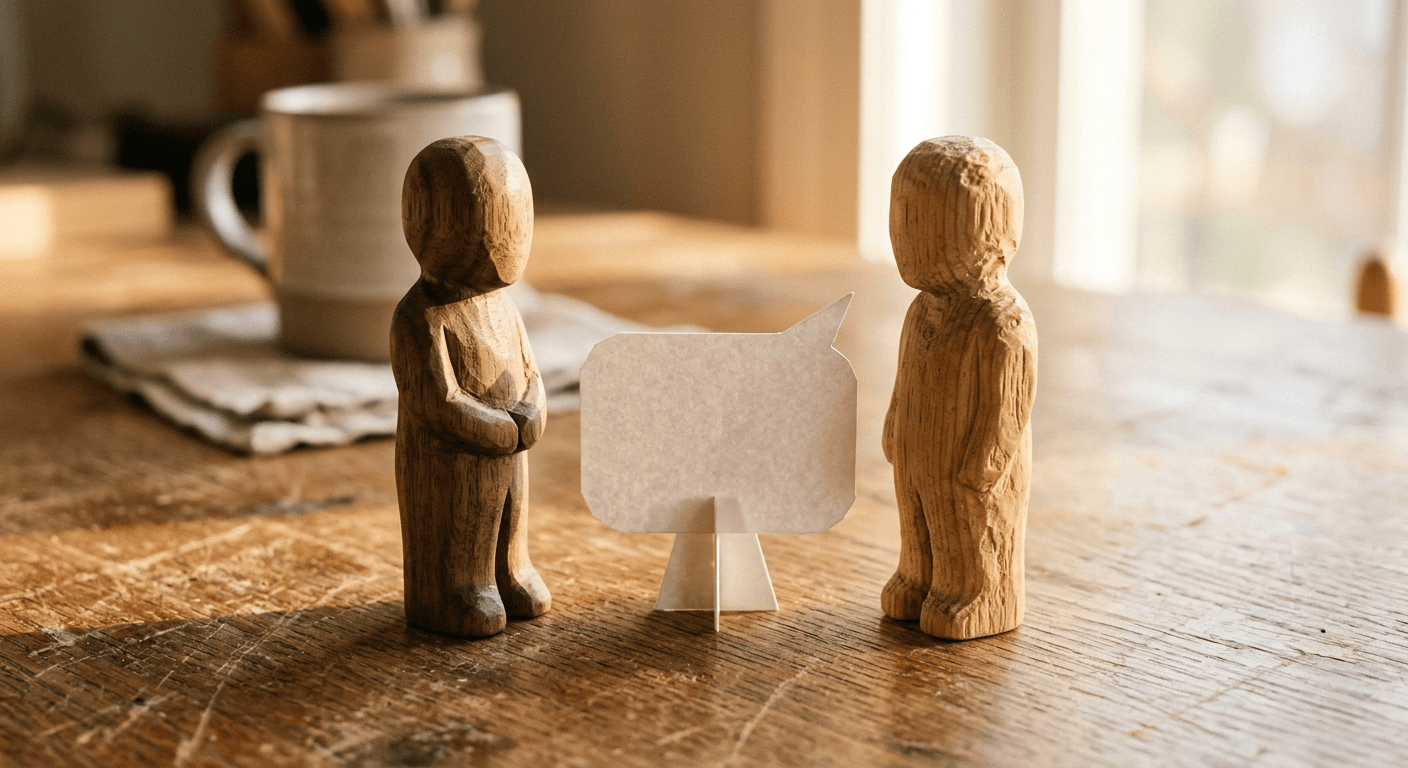
Prompt 9: Real couple, playful teasing tone
Using two reference photos, generate a candid image of both subjects standing close together, one delivering a playful teasing line with a smirk, the other reacting with an exaggerated eye roll, warm natural lighting, photorealistic skin and fabric texture, genuine relaxed body language.
Prompt 10: Sibling rivalry escalation
Using two reference photos, generate a candid image of both subjects standing side by side with an exaggerated competitive energy, arms crossed, playful smug expressions aimed at each other, bright natural daylight, photorealistic detail, casual everyday clothing.
Prompt 11: Best friend chaos version
Using two reference photos, generate a candid image of both subjects mid-laugh, one gesturing animatedly as if making an outrageous request, the other with a hand over their mouth in mock disbelief, warm indoor lighting, photorealistic detail, genuine chaotic energy.
Prompt 12: Roommate everyday-life version
Using two reference photos, generate a candid image of both subjects in a casual living room setting, one holding up a household object as part of an absurd request, the other reacting with playful exasperation, soft natural window light, photorealistic detail, relaxed everyday styling.
These four work best when the escalating requests reference something specific and true about the actual relationship, an inside joke, a real habit, since that specificity is what separates a version that feels genuine from a generic template anyone could post.
4) Parent-Child Prompts
A gentler, still funny variant of the trend has spread specifically among parents and children, since the format naturally suits an exaggerated, playful dynamic between the two.

Prompt 13: Young child version, gentle and silly
Using two reference photos, generate a warm candid image of an adult and a young child, the child delivering an exaggerated silly request with a big grin, the adult reacting with playful mock horror, soft natural light, photorealistic detail, gentle wholesome tone.
Prompt 14: Adult child and parent role reversal
Using two reference photos, generate a candid image of an adult child and their parent, the roles reversed so the parent is reacting to a request the way a child normally would, exaggerated pouting expression on the parent, amused expression on the adult child, warm lighting, photorealistic detail.
Prompt 15: Multi-generational three-way version
Using three reference photos, generate a candid group image of a grandparent, a parent, and a child standing together, each with a slightly different exaggerated reaction expression, warm natural lighting, photorealistic detail, genuine multi-generational family energy.
Prompt 16: Pet stand-in for a solo parent version
Using one reference photo of a person and one of their pet, generate a candid image of both together, the pet wearing a small absurd prop accessory as its own version of the escalating transformation, the person reacting with delighted disbelief, warm natural light, photorealistic detail on both the person and the pet's fur and prop.
The pet stand-in version swaps in a pet for the second participant, generating a matching "transformation" for the animal each round, which reads as more absurd and often performs especially well since it leans fully into the joke instead of a straight imitation of the original format.
5) Script and Voiceover Prompts for Text2Shorts
The visuals only work if the escalating dialogue lands, and these four prompts are built for generating the actual script and voice performance rather than the image itself.

Prompt 17: Escalating absurd request script generator
Write a 4-round escalating dialogue script for two speakers in the style of the 'I never told you this but' trend. Each round should start with 'I never told you this but I like you better with...' followed by an increasingly absurd request, and a short reaction line from the other speaker before they deliver their own escalating request. Keep each line under 10 words, deadpan comedic tone, no explanation, just the script.
Prompt 18: Deadpan delivery style direction
Rewrite this escalating dialogue script for a completely deadpan, flat delivery style, as if both speakers are treating the increasingly absurd requests as completely normal. Remove exclamation points and dramatic phrasing. Keep the comedic timing intact through understatement rather than exaggeration.
Prompt 19: Two distinct voice tones for a solo-generated duo
Generate two distinct voice direction notes for a solo-creator version of this script, one for a slightly higher-energy, quicker-paced voice and one for a calmer, more sarcastic-paced voice, so the two characters remain clearly distinguishable by tone alone even without seeing both speakers on screen at once.
Prompt 20: Sound effect and timing cues for hard-cut changes
Add timing and sound effect cues to this escalating dialogue script, marking exactly where a hard-cut whoosh or snap sound effect should land right as each visual transformation happens, so the audio hit lines up precisely with the instant visual change rather than trailing slightly behind it.
Paste these directly into Text2Shorts in Miraflow AI as the starting script, then edit or regenerate individual lines until the escalation timing feels right before generating the final voiced short.
How to Customize These Prompts for a Stronger Result
Start with one clear, front-facing reference photo per person, since the model needs enough consistent facial detail to preserve identity across every single change in the sequence. From there, the two details worth tuning most are specificity, a named object, color, or style beats a vague description every time, and pacing, since the trend depends on the change reading as instant rather than gradual. If a generated result drifts too far from the original person across the sequence, regenerate that step using the same original reference photo rather than the previous step's output, since chaining changes off each other compounds any drift instead of correcting it.
For the solo-creator versions specifically, give the AI-generated second character a genuinely distinct look and voice from the start, rather than a near-identical variant of the same person, since a duo that looks too similar undercuts the joke that two different people are reacting to each other.
Common Mistakes Creators Make With This Trend
- Making the visual change too gradual. The entire joke depends on a hard, instant cut, not a slow morph or dissolve between looks.
- Using a blurry or low-detail reference photo, which makes it harder for the model to preserve a consistent identity across four or five rapid changes in a row.
- Writing generic escalating lines instead of something specific and slightly absurd. "I like you better with different hair" undersells the format compared to a specific, unexpected request.
- Skipping the voiceover sync for solo-creator versions. Two visually distinct characters with the same flat narration voice breaks the illusion of two separate people much faster than an imperfect visual does.
- Posting only the straight couple or friend version. The pet stand-in, parent-child, and split-screen solo versions in the groups above tend to stand out more since fewer creators have tried them yet.
Where to Generate These
The AI Image Generator in Miraflow AI handles the character-consistent image-to-image generation every version of this trend depends on, upload a reference photo, run it through the sequence of prompts above, and keep the same reference for every step to preserve identity. Once the visuals are ready, Text2Shorts turns the escalating script into a finished vertical short with synced voiceover for both characters, entirely in the browser. If you want a thumbnail that captures the most extreme final look for the video itself, the YouTube Thumbnail Maker in Miraflow AI is built for exactly that kind of high-contrast, expressive still image. Other reference-photo trends worth rotating alongside this one include our AI figurine and toy box prompt pack, the meet your younger self trend prompts, and the pet-to-human transformation prompt pack, all of which use a similar single-reference-photo workflow. You can browse more prompt guides like this on the Miraflow AI blog, and every tool named here lives at miraflow.ai.
Frequently Asked Questions
Do I need a partner to try this trend? No. The character-consistent duo prompts above are built specifically for solo creators, generating a separate AI character and a distinct second voice so the video reads as two people without needing anyone else to film with.
What is the best type of reference photo to use? A clear, front-facing, well-lit photo with the full face visible. The model needs enough consistent detail to preserve identity across several rapid changes in a row, and a blurry or heavily filtered photo makes that harder.
Why does my character look like a slightly different person after a few changes? This usually happens when each new change is generated from the previous step's output instead of the original reference photo. Regenerate each step from the same original photo to avoid compounding drift.
How long should the finished video be? Most versions of this trend that perform well land between 15 and 25 seconds, enough for three to five escalating rounds without dragging.
Can I do this with a pet instead of a second person? Yes, and it is one of the better-performing variants precisely because it leans fully into the joke. The pet stand-in prompt above is built for exactly this version.
Is this the same as the meet your younger self trend? No, though both rely on a single consistent reference photo and image generation. The younger self trend shows one person at two different ages in one scene, while this trend is a fast-cut escalating exchange between two participants, real or AI-generated.
Conclusion
The I Never Told You This But trend spreads as fast as it does because it is genuinely funny to watch escalate, and because it no longer requires an actual second person to make. The 20 prompts above cover the core quick-change mechanic, a fully solo-creator version, real couple and sibling dynamics, a parent-child variant, and the script and voiceover work that ties the whole thing together. Start with a clear reference photo, keep every change instant rather than gradual, and write lines specific enough to feel like a real inside joke instead of a generic template, and this is one of the easier viral formats to produce well right now.