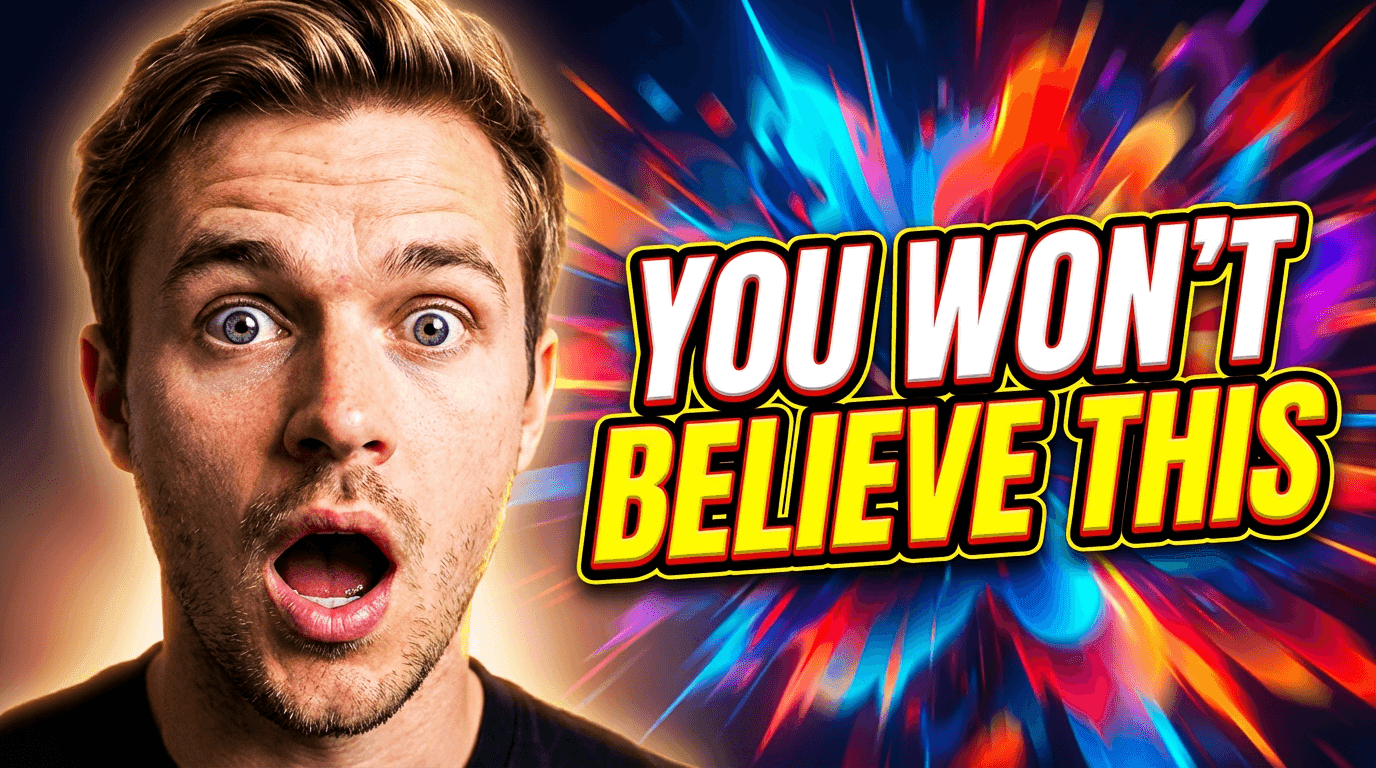
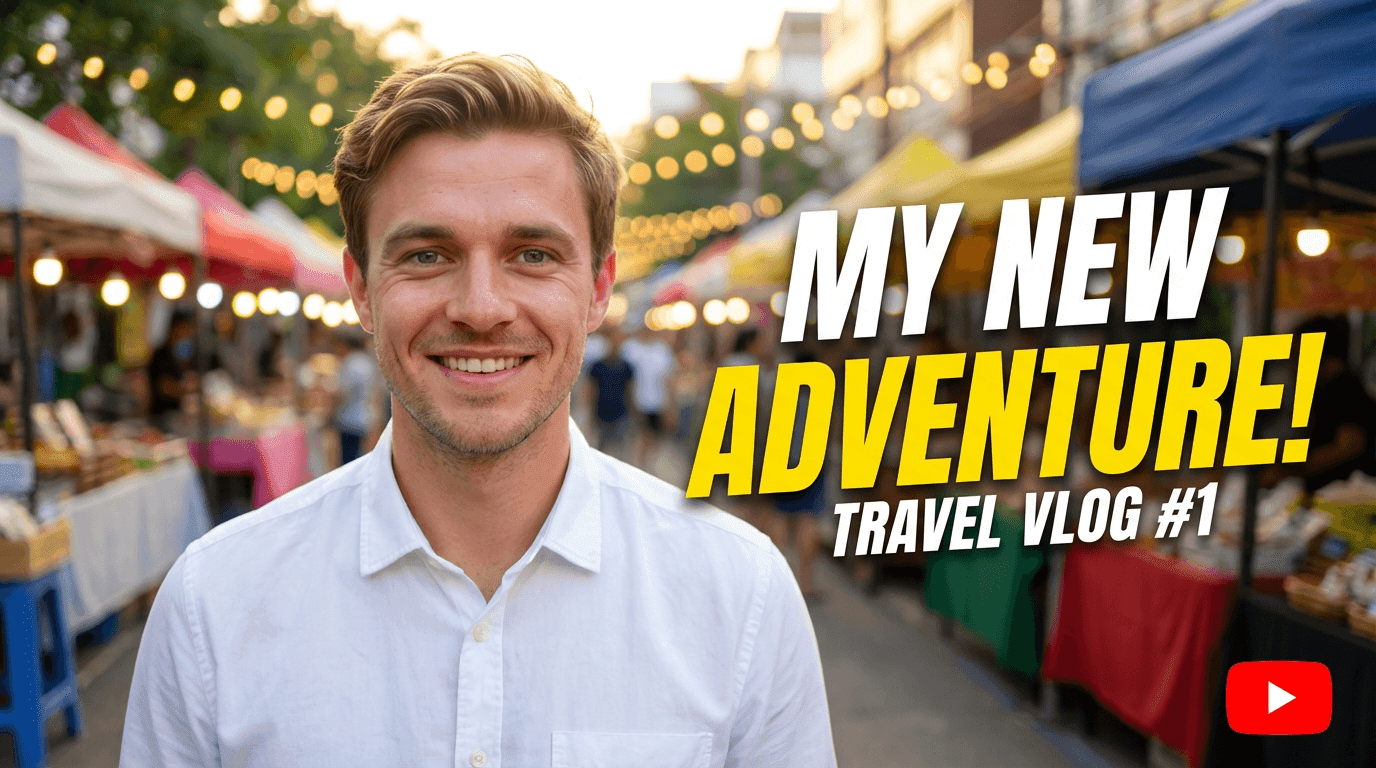
10 AI Prompts for YouTube Thumbnails That Stop the Scroll

Written by
Jay Kim

Get 10 copy-and-paste AI prompts for YouTube thumbnails designed to stop the scroll and force the click. Use them directly in Miraflow's YouTube Thumbnail Maker — no design skills needed.
Most YouTube thumbnails don't fail because they look bad. They fail because they look like everything else.
When a viewer is scrolling through their homepage or a search result page, their brain is filtering out the familiar and flagging the unexpected. A thumbnail that blends in — even a well-designed one — gets skipped. A thumbnail that creates visual tension, breaks a pattern, or triggers curiosity in under a second gets the click.
That's the difference between a thumbnail that performs and one that doesn't. And it's exactly what these prompts are built for.
This post gives you 10 copy-and-paste AI prompts for YouTube thumbnails designed specifically to stop the scroll — each one built around a proven visual technique you can use directly in Miraflow's YouTube Thumbnail Maker, for both 16:9 videos and 9:16 Shorts.
TL;DR – How to Use These Prompts
- Paste any prompt into Thumbnail Prompt inside YouTube Thumbnail Maker on Miraflow
- Add short, punchy words (like "Don't Do This" or "The Real Answer") into Thumbnail Text so they render as bold overlay text
- Set the right aspect ratio before generating:
- 16:9 Video for standard YouTube uploads
- 9:16 Shorts for vertical Shorts content
- Upload your face or product using Upload reference image if you want yourself or your product in the shot
- Keep the structure of the prompts intact — that's what makes them produce consistent, scroll-stopping results
Brand new to Miraflow's Thumbnail Maker? Read the full walkthrough first: How to Generate YouTube Thumbnails with AI: Step-by-Step
What "Stopping the Scroll" Actually Means
Before the prompts, it's worth understanding the mechanism. A thumbnail stops the scroll when it does at least one of these three things in under a second:
1. Creates visual contrast — something in the frame is dramatically brighter, darker, or more colorful than what surrounds it in the feed.
2. Triggers a curiosity gap — the image implies something is happening or about to be revealed, but doesn't show the full picture. The viewer has to click to resolve the tension.
3. Uses pattern interruption — most thumbnails in a niche look similar. A thumbnail that breaks the visual convention of that niche stands out immediately, even if the viewer can't explain why.
Every prompt below is built around one or more of these three mechanisms. They're not just "good-looking" thumbnails — they're engineered to interrupt the scroll.
1. Neon Accent Contrast Thumbnail
Best for: tech, gaming, productivity, tools, software content.
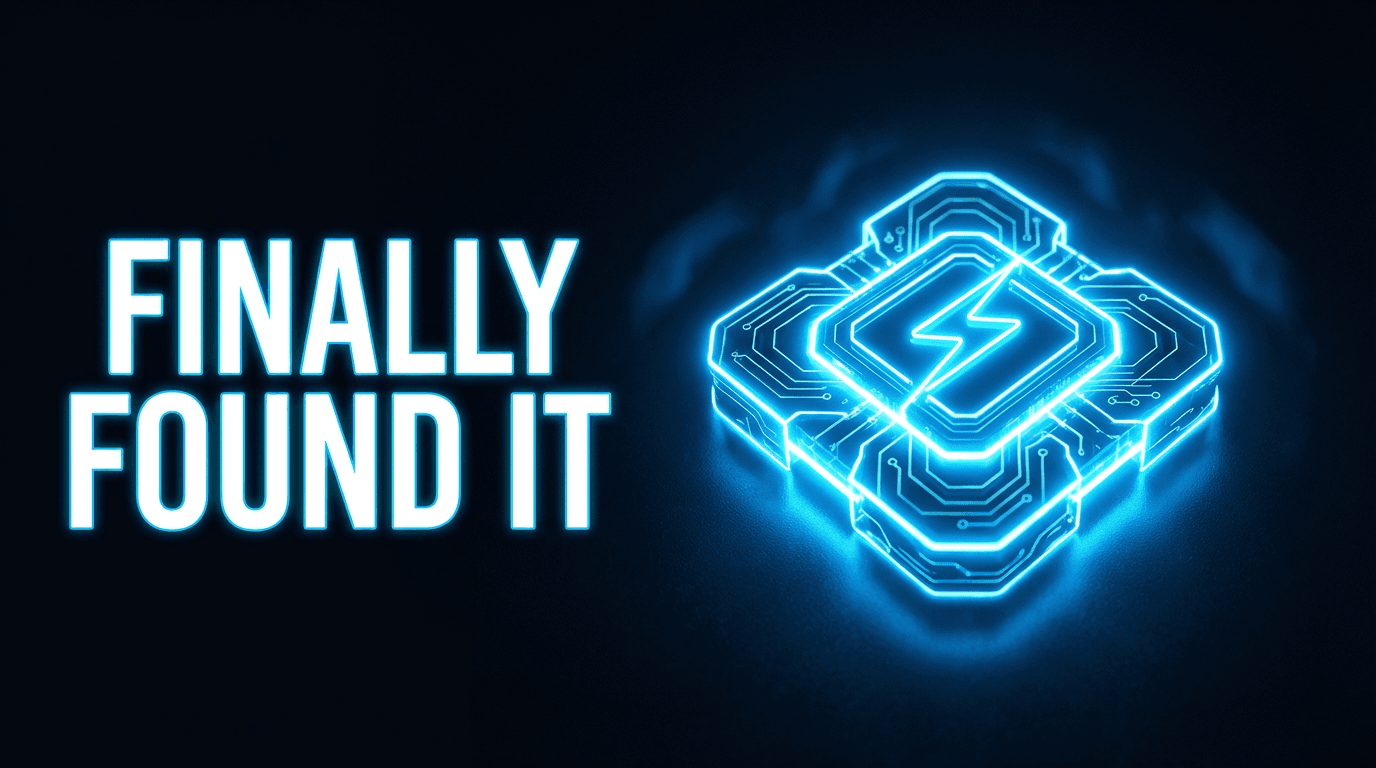
AI Prompt (Thumbnail Prompt):
YouTube thumbnail: dark, near-black background with a single focal subject — a gadget, icon, or abstract shape — lit by a vivid neon accent light in electric blue or hot pink. The neon glow bleeds slightly into the background, creating a halo effect. Strong contrast between the dark background and the illuminated subject. Clean composition with the subject slightly off-center. Space on one side for bold white or neon-colored text. Cinematic, high-tech, scroll-stopping style. Sharp edges, no clutter.
If uploading your own image, add:
"Use the uploaded product or subject as the main focal point, preserving its shape while adding neon accent lighting and a dark background."
Thumbnail Text ideas:
- "This Changes Everything"
- "Finally Found It"
- "The Real One"
2. Isolated Subject on Pure Background Thumbnail
Best for: product reviews, tool showcases, minimalist educational content, "the answer is X" videos.
AI Prompt (Thumbnail Prompt):
YouTube thumbnail: a single subject — a product, object, or illustrated figure — placed dead center against a completely clean, flat background in a single bold color: bright red, cobalt blue, or vivid yellow. No gradients, no texture, no supporting elements. The subject should be crisp, sharp, and slightly oversized relative to the frame — like it's too big to be contained. Dramatic drop shadow below for grounding. Space above or below for minimal bold text. Deliberately simple, maximally striking, scroll-stopping minimalist style.
If uploading your own product photo, add:
"Use the uploaded product as the isolated subject, preserving its details and removing any existing background. Place it on a flat bold color background."
Thumbnail Text ideas:
- "Just Use This"
- "The Answer"
- "Stop Overcomplicating It"
3. Diagonal Energy Thumbnail
Best for: fitness, motivation, business growth, "level up" content, high-energy tutorials.
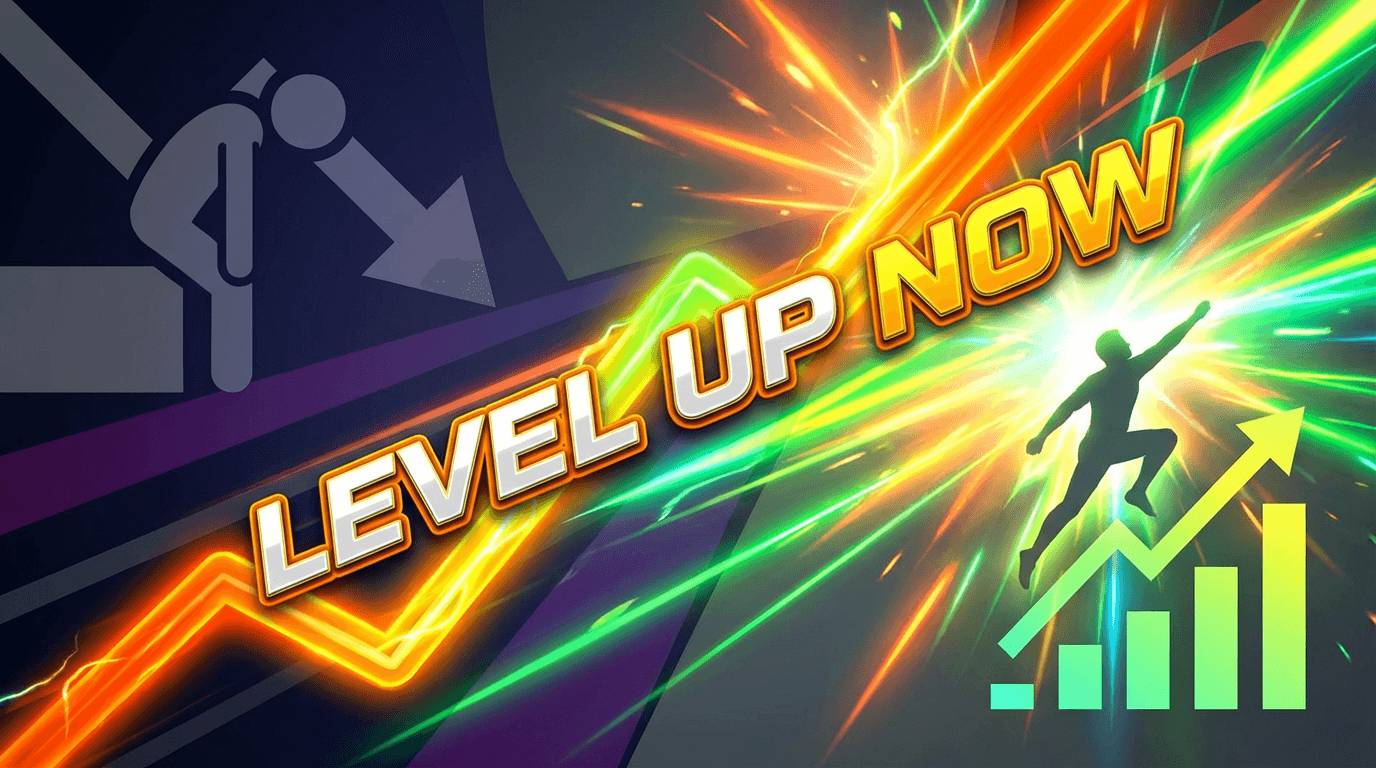
AI Prompt (Thumbnail Prompt):
YouTube thumbnail: bold diagonal composition with a strong upward-right angle cutting across the frame — like an energy line or dynamic directional force. Left side of the diagonal: dark, flat, low-energy. Right side of the diagonal: bright, vivid, high-contrast. The transition between the two sides feels like momentum or movement. Central subject — a figure, chart, or icon — positioned along the diagonal. Bright accent colors: orange, yellow, or electric green. Space for bold text near the top or along the diagonal line. High-energy, action-forward, scroll-stopping style.
Thumbnail Text ideas:
- "This is the Shift"
- "Level Up Now"
- "From Stuck to This"
4. Extreme Close-Up Detail Thumbnail
Best for: tutorials, product reviews, food content, craft or art videos, "look closer" style content.
AI Prompt (Thumbnail Prompt):
YouTube thumbnail: extreme macro close-up of a single detail — a texture, surface, hand gesture, eye, or product feature — filling most of the frame. The detail should be so close that it creates slight visual discomfort or intense curiosity: the viewer wants to know what they're looking at. Shallow depth of field, crisp center focus, soft blur at the edges. High contrast, rich color saturation. Small amount of space at the bottom for short bold text. Visually unusual, detail-obsessed, curiosity-triggering style.
Thumbnail Text ideas:
- "Look Closer"
- "Did You Notice This?"
- "Most People Miss This"
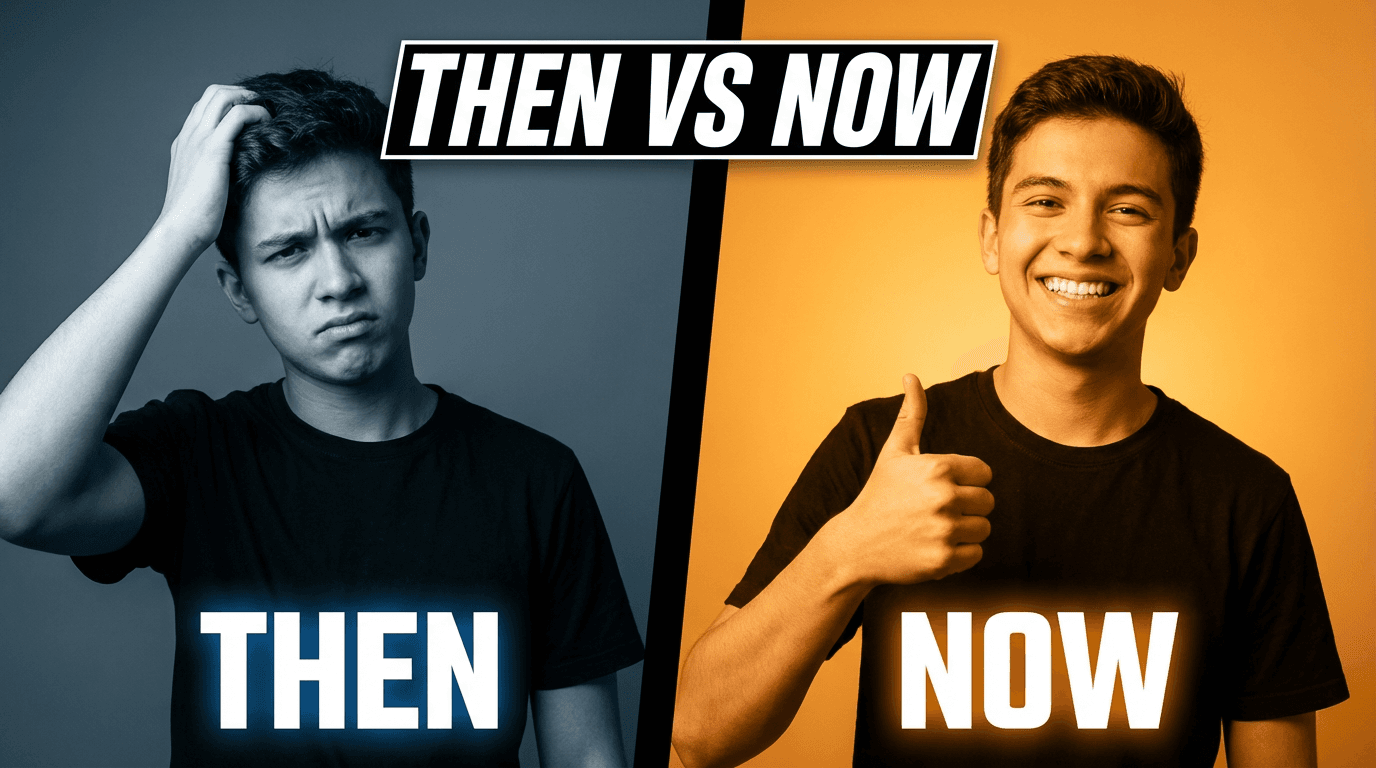
5. Two-Face Comparison Thumbnail
Best for: "right vs wrong" content, opinion pieces, "what I thought vs reality", expectation vs outcome videos.
AI Prompt (Thumbnail Prompt):
YouTube thumbnail: split-screen with two distinct face expressions side by side — on the left, a confused, frustrated, or defeated expression with cool, desaturated lighting; on the right, a confident, excited, or satisfied expression with warm, vivid lighting. A bold vertical divider separates the two halves. Each side has a different background color to reinforce the emotional contrast. Space at the top or bottom for bold text bridging the two states. High contrast, emotionally readable at a glance, modern YouTube commentary style.
If uploading your own photo, add:
"Use the uploaded person as the face in both panels, showing two contrasting expressions — frustrated on the left, confident on the right."
Thumbnail Text ideas:
- "Then vs Now"
- "Wrong vs Right"
- "Before I Knew This"
6. Oversized Arrow or Pointer Thumbnail
Best for: tutorials, "watch this" moments, mistake-correction videos, "here's the thing" content.
AI Prompt (Thumbnail Prompt):
YouTube thumbnail: bold, oversized graphic arrow or hand-drawn pointer dominating the center of the frame, pointing toward a key element — a product, a face, a number, or a blank space that creates curiosity. Bright, clean background with high contrast. The arrow or pointer should feel almost too large — deliberately exaggerated, like it's urgently directing attention. Bright red or orange accent color for the arrow. Clean composition with no clutter. Space for short bold text near the element being pointed at. Direct, visual, urgency-driven, scroll-stopping style.
Thumbnail Text ideas:
- "This Right Here"
- "Pay Attention"
- "You're Missing This"
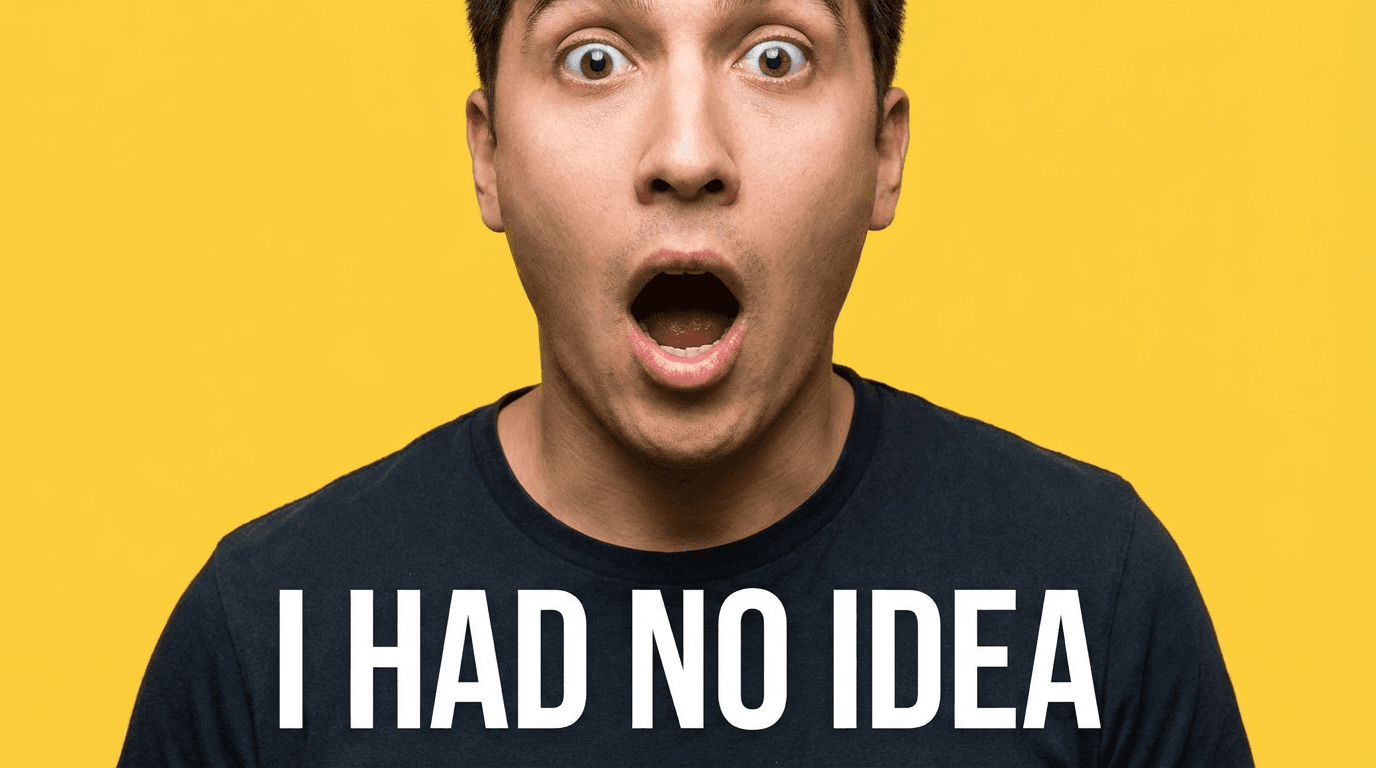
7. Single Bold Emotion Thumbnail
Best for: storytime, personal content, confessional videos, "I need to tell you something" style content.
AI Prompt (Thumbnail Prompt):
YouTube thumbnail: tight portrait crop — from shoulders to just above the head — of a person with one single, unmistakably clear emotion filling the entire expression: pure disbelief, pure joy, or pure dread. No ambiguity in the expression. The emotion should be readable at thumbnail size on a phone. Bright, simple background behind the subject in a single bold color that emotionally matches or contrasts the expression. No props, no distracting elements. Space at the bottom or side for minimal bold text. Raw, honest, emotionally immediate style.
If uploading your own photo, add:
"Use the uploaded person as the main subject with one clear, strong emotional expression. Keep the background clean and bold."
Thumbnail Text ideas:
- "I Wasn't Ready"
- "That Was a Mistake"
- "I Had No Idea"
8. Interrupted Pattern Thumbnail
Best for: myth-busting, contrarian takes, "everyone is wrong about X", paradigm-shift content.
AI Prompt (Thumbnail Prompt):
YouTube thumbnail: a row or grid of identical objects or icons arranged uniformly — all the same color, size, and style — except for one element that is visibly, dramatically different: a different color, size, orientation, or type. The anomaly is centered or slightly off-center and is the clear focal point. Clean, light background. The composition creates immediate visual tension between the pattern and the outlier. Space at the top for short bold text. Minimal, graphic, curiosity-triggering pattern-interruption style.
Thumbnail Text ideas:
- "One Thing Is Different"
- "Nobody Does This"
- "The Odd One Out"
9. Color Burn / Dramatic Light Thumbnail
Best for: cinematic content, documentary-style videos, deep-dive essays, high-stakes topics.
AI Prompt (Thumbnail Prompt):
YouTube thumbnail: cinematic, high-contrast image with a single strong directional light source — like a spotlight, sunbeam, or hard studio light — dramatically illuminating the main subject from one side while leaving the other side in deep shadow. High color contrast with rich, saturated tones in the lit area. The overall mood should feel serious, weighty, and cinematic — like a movie still. Space in the darker half of the frame for bold text in a contrasting light color. Dramatic, film-quality, moody scroll-stopping style.
If uploading your own photo, add:
"Use the uploaded person as the main subject with dramatic one-sided lighting, deep shadow on one side, and rich cinematic color grading."
Thumbnail Text ideas:
- "The Hard Truth"
- "This Is Why"
- "Nobody Talks About This"
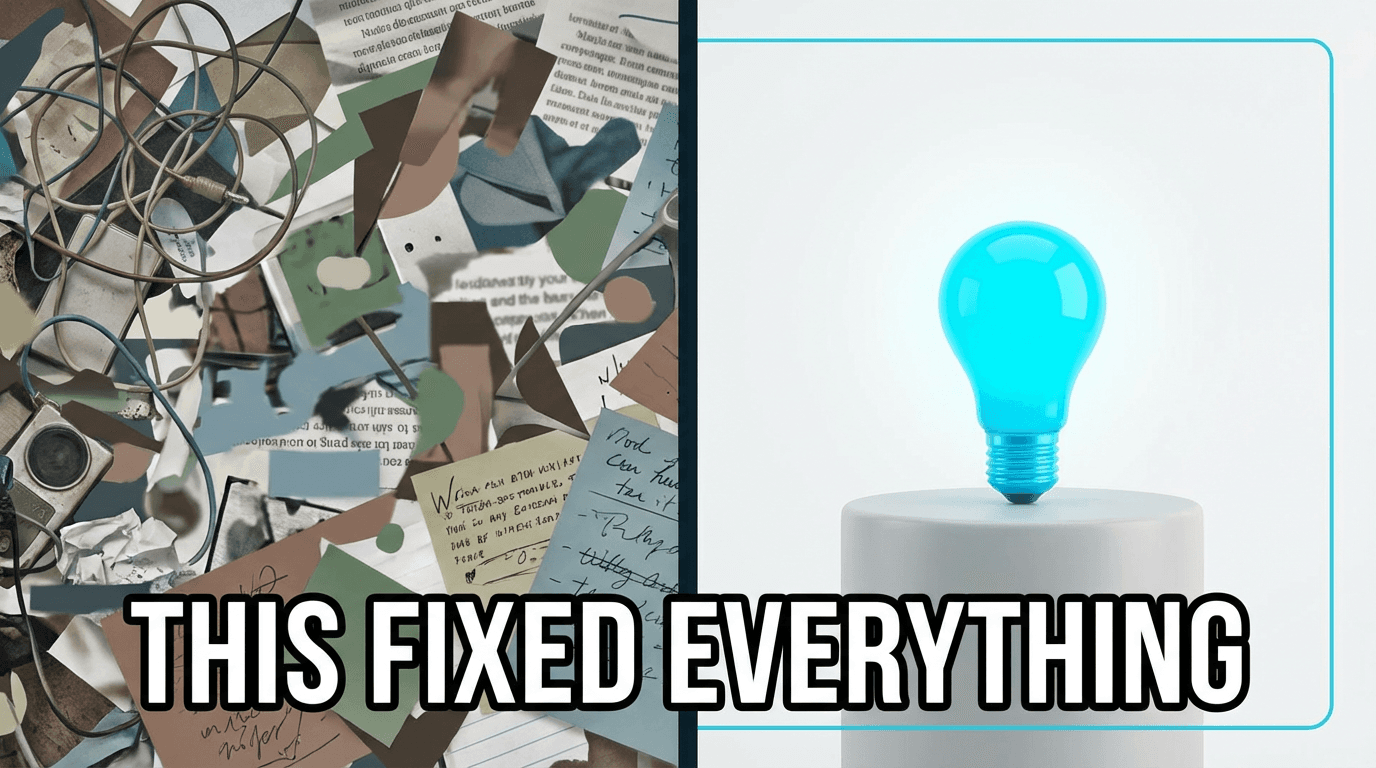
10. Chaos vs. Calm Split Thumbnail
Best for: productivity, organization, workflow, "before I found this tool" content, systems and processes.
AI Prompt (Thumbnail Prompt):
YouTube thumbnail: split-screen layout divided by a bold vertical line. Left side: visually chaotic — cluttered, busy, messy composition with too many overlapping elements, muted or clashing colors, and a sense of disorder. Right side: completely calm — minimal, spacious, clean, with one perfectly placed element on a clean background and a single accent color. The contrast between chaos and calm should be immediately readable at small size. Space at the top or bottom for bold text. High contrast, visually satisfying, before-and-after energy without the cliché split.
Thumbnail Text ideas:
- "Stop Working Like This"
- "The Cleaner Way"
- "This Fixed Everything"
How to Adapt These Prompts for Your Channel
Every prompt above follows the same four-part structure. Once you see it, you can use it to build your own scroll-stopping prompts from scratch:
- Visual tension mechanism — contrast, curiosity gap, or pattern interruption
- Subject — the main focal element in the frame
- Lighting and color — the emotional and visual tone of the image
- Composition notes — where things are placed, and where the text lives
To make any prompt your own:
- Replace the subject with something specific to your content — "a DSLR camera", "my desk setup", "a smoothie bowl"
- Adjust the color palette to match your brand or niche
- Dial the mood up or down — more cinematic for serious content, more playful for casual content
- Keep the tension mechanism intact — that's the scroll-stopping engine inside every prompt
Using These Prompts Inside Miraflow's YouTube Thumbnail Maker
Here's the exact workflow to go from prompt to published thumbnail:
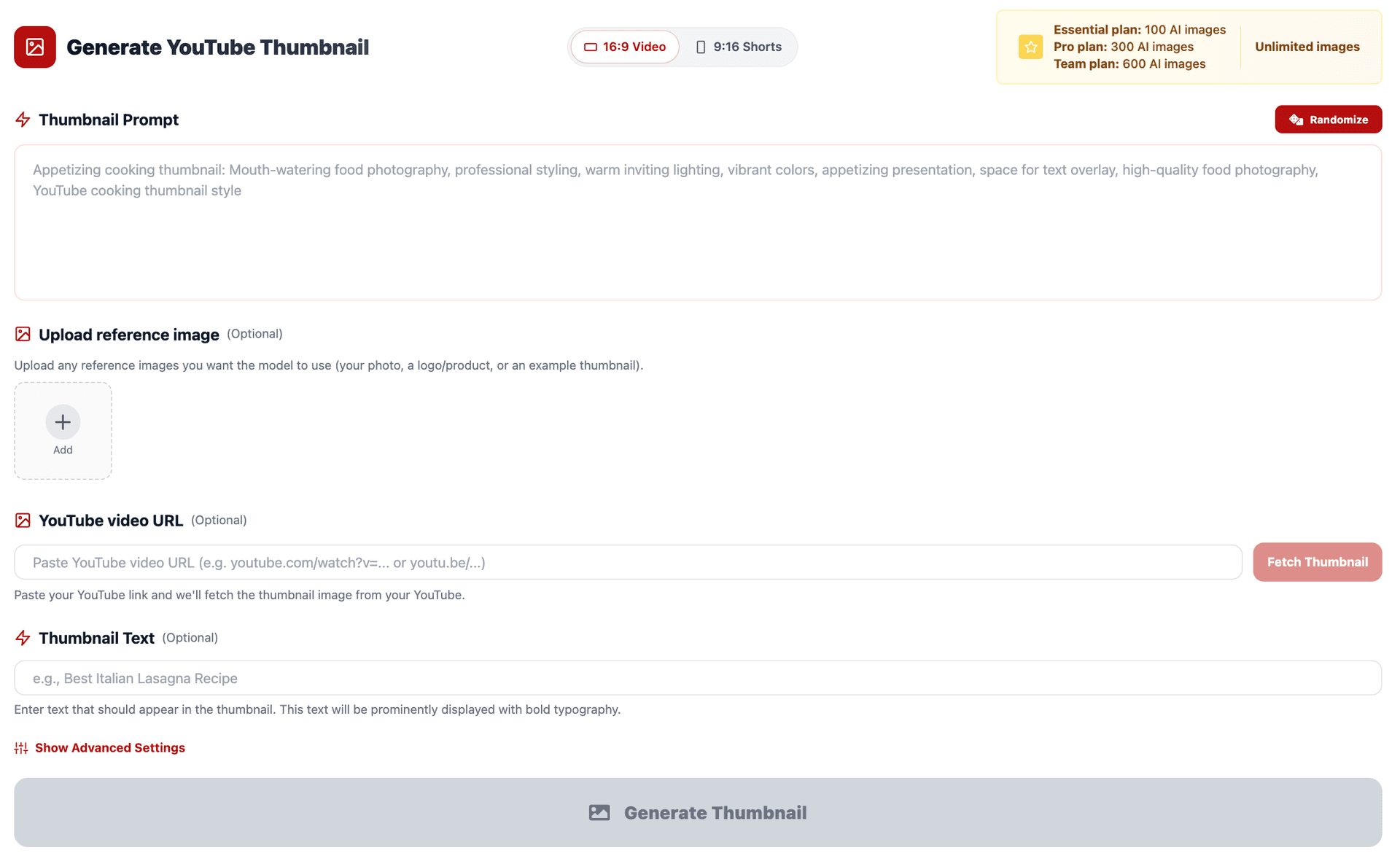
- Go to YouTube Thumbnail Maker on Miraflow AI
- Type your prompt directly into the field, or use Upload reference image to include your own face or product
- Set the Aspect Ratio:
- 16:9 Video for standard YouTube uploads
- 9:16 Shorts for vertical Shorts content
- Paste one of the prompts above into Thumbnail Prompt
- Add your short phrase into Thumbnail Text — 2–5 words that render as bold overlay text in the design
- (Optional) Open Show Advanced Settings and add a Negative Prompt like:
blurry, low quality, messy text, distorted face, cluttered background, flat lighting
- Click Generate Thumbnail and review your results in My Thumbnails
- Download your favorite and upload it to YouTube
Pro tip: After generating, view the thumbnail at phone size before you finalize it. The scroll-stopping quality of a thumbnail only shows up at the size viewers actually see it — small, fast, and competing with dozens of other images. If it doesn't grab you in under a second on a phone screen, generate another variation.
Use the Randomize button if you want the AI to introduce new creative directions within the same prompt structure. Sometimes the best thumbnail comes from a direction you didn't anticipate.
Conclusion
The thumbnails that get clicks aren't always the most polished. They're the ones that create a moment of visual interruption — something that makes a viewer's thumb pause, even for a fraction of a second, before they consciously decide to click.
With the 10 AI prompts above, you have a library of scroll-stopping visual techniques ready to use: neon contrast, pattern interruption, extreme close-ups, emotional portraits, dramatic lighting, and more. Each one is built around a real mechanism — not just a style preference.
Paste them into Miraflow's YouTube Thumbnail Maker, customize for your niche, and start generating thumbnails that don't just look good — they stop the scroll.