AI Prompts for Phone Case Product Images: 15 E-Commerce Visuals (Copy & Paste)

Written by
Jay Kim

15 copy-paste AI prompts for phone case e-commerce product images. Covers white background heroes, in-hand lifestyle shots, flatlay, material detail, and more for every platform.
The phone case market is one of the most competitive product categories in e-commerce. Thousands of sellers are competing for the same search terms on Amazon, Etsy, and Shopify, and in most cases the product itself is not the deciding factor. The images are. A well-designed phone case with mediocre photography consistently underperforms against a comparable product with professional, varied, conversion-optimized imagery across every major platform.
The challenge for most phone case sellers is producing enough high-quality images to fill a complete product listing without a photography studio, a professional photographer, or the time and cost that come with both. A standard e-commerce listing needs a hero image, multiple secondary product shots, lifestyle images showing the case in context, and detail close-ups that communicate material quality. Producing that full set for every design variant across an entire catalog is a significant production challenge.
This post gives you 15 ready-to-use AI prompt templates for phone case e-commerce product photography, covering white background hero shots, in-hand lifestyle images, desk flatlays, fashion coordination scenes, material detail close-ups, multi-colorway displays, and more. Every prompt is designed to be copy-pasted directly into an AI image generator and produce results that meet the image quality standards of major e-commerce platforms.
Why Product Images Are the Primary Conversion Driver for Phone Cases
Unlike categories where customers can evaluate a product through specifications or reviews alone, phone cases are a purchase driven almost entirely by how something looks and feels. Buyers cannot physically touch the case before buying. Everything they need to know about material quality, design clarity, fit, and lifestyle compatibility has to be communicated through the images in the listing.
This creates a specific hierarchy of image importance. The hero image on a white background determines whether a browser clicks through from a search results page. The secondary product shots from different angles determine whether a viewer trusts the product quality enough to read the description. The lifestyle images determine whether the viewer emotionally connects the product to their own daily life. The material detail close-ups determine whether a buyer on the edge of a decision sees enough quality evidence to add to cart.
Each of these image types performs a distinct conversion role, and a listing that has a strong hero but weak lifestyle imagery or missing detail shots consistently converts at a lower rate than one where all four categories are covered. Most successful phone case sellers on high-volume platforms use a minimum of six to eight images per listing, with the most competitive listings using nine or more.
According to research on e-commerce product listings, high-quality product photography is consistently cited as one of the most influential factors in purchase decisions for online shoppers, particularly in categories where tactile quality matters. For phone cases, where the material feel and design precision are selling points that words alone cannot convey, this means every image in the listing is doing active conversion work.
Understanding this role structure changes how you approach generating images with AI tools. Rather than generating whatever looks visually appealing, you build a set of images that collectively cover every visual question a buyer needs answered before they feel confident enough to purchase.
The Phone Case E-Commerce Image Set
A complete phone case e-commerce image set covers five distinct visual categories, each serving a specific conversion function in the listing.
The primary hero image is the first image buyers see in search results, and on most major platforms it needs to meet specific technical requirements. Amazon requires a pure white or off-white background for primary images. Shopify and DTC stores have more flexibility but perform best with a clean, professional primary image that communicates the product clearly at thumbnail scale.
Secondary product shots show the case from multiple angles and communicate the physical construction of the product. Viewing angle shots that show the case side profile, the button cutouts and port openings, and the corner protection structure give buyers confidence that the case is well-made and fits their phone correctly.
Lifestyle images place the product in recognizable real-world contexts. A phone case on a desk beside a coffee cup, held naturally in a hand, or matching a fashion flatlay tells buyers what lifestyle this product belongs to and helps them visualize owning it.
Material detail shots communicate quality through close-up texture rendering. A macro shot of the case corner showing the soft-touch surface finish, the precision of the port cutouts, or the grain of a leather-style material gives buyers the tactile confidence they cannot get from holding the product in a store.
Collection and variant display images show multiple colorways or design variants together, which communicates breadth of choice and helps buyers who are comparing options within a range make their selection.
The 15 prompts below are organized to cover all five of these categories with multiple options in each.
15 AI Prompt Templates for Phone Case E-Commerce Photography
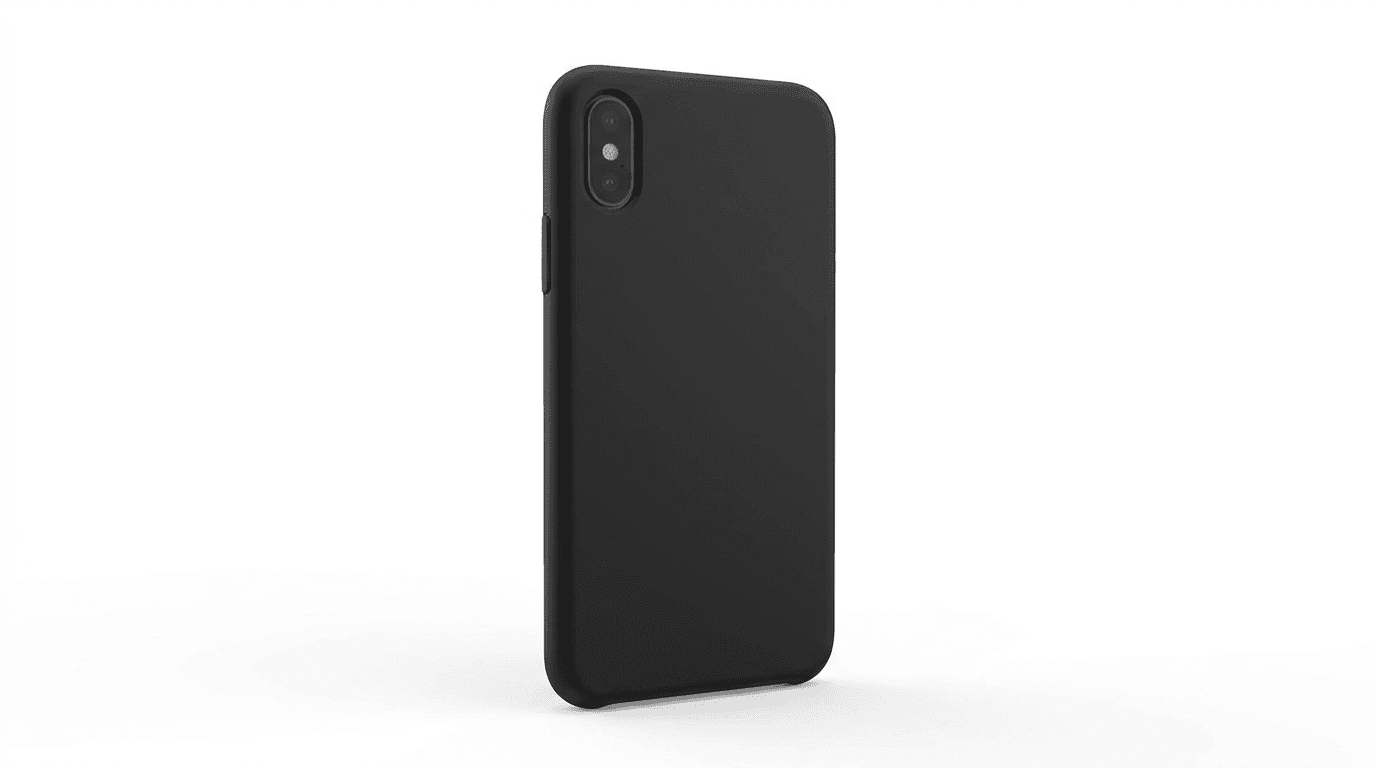
1. Clean White Background Hero Shot
The primary listing image for Amazon and major marketplace platforms. This needs to meet white background requirements while communicating the case design and material quality clearly.
Prompt
Smartphone fitted with a phone case displayed back-up at a slight three-quarter elevation angle showing the full back design and left side case edge, pure white seamless studio background with a very soft minimal drop shadow beneath the phone, perfectly even flat studio lighting from directly above with no harsh shadows or color cast, the case back design is fully visible and in sharp focus across its entire surface, ultra-realistic case material texture rendering showing whether the surface is matte soft touch, clear polished hard shell, or textured patterned, the case edge thickness and side profile is visible in the composition, port cutouts on the bottom edge of the case are cleanly aligned and visible, no lifestyle props no accessories no background elements, front screen of the phone is dark and unlit, professional marketplace product photography standard, e-commerce hero image quality
2. Three-Quarter Technical Angle
This secondary product shot communicates both the design and the physical construction quality of the case from a perspective that gives buyers a clear sense of the product's three-dimensional form.
Prompt
Smartphone in a phone case photographed from a slightly elevated three-quarter angle showing the full back design surface and the complete left side case edge profile, clean pale neutral grey gradient studio background, single soft directional studio light from the upper left creating gentle specular highlights along the case edge that reveal the material finish quality, the case port cutouts on the bottom are precisely visible and cleanly cut, raised camera ring protection clearly visible in the back corner, the side button covers show the case material wrapping precisely over the phone hardware, ultra-realistic case construction and material rendering, the viewing angle simultaneously communicates the full design and the physical case engineering, professional e-commerce secondary product photography, no lifestyle props
3. Natural In-Hand Lifestyle Shot
An in-hand lifestyle image is one of the highest-converting secondary images for phone cases because it shows the product at a natural scale and communicates how it looks and fits during actual use.
Prompt
Casual lifestyle photograph of a person holding a smartphone in a phone case naturally in one hand at a comfortable carrying or browsing position, the back of the phone facing toward the camera showing the case design clearly and in sharp focus, the hand grip is relaxed and authentic rather than posed or stiff, warm natural daylight environment with the background softly out of focus in neutral warm tones suggesting an indoor or light outdoor setting, natural warm skin tones on the hand, the case fits precisely on the phone with no visible gaps at the corners or edges, editorial lifestyle product photography, ultra-realistic skin texture and phone case material rendering, no face visible in the frame, only the hand and phone from the wrist down, professional e-commerce lifestyle photography quality
4. Desk and Workspace Flatlay
Workspace flatlay images are highly effective for phone case listings because the desk context is one of the most universally relatable environments where buyers use their phones every day.
Prompt
Overhead flatlay of a smartphone in a phone case placed face-down on a clean light natural oak wood desk surface with the case design clearly visible, a clean white ceramic coffee mug, a pair of wireless earbuds in their case, and a simple open notebook with a pen arranged naturally in the surrounding space, soft natural window light from the left side creating gentle texture across the wood grain, warm natural wood and cream tones throughout, the phone case is the clear visual center of the composition with the supporting workspace objects suggesting a productive daily context, ultra-realistic case material and wood grain surface texture, minimal composition with generous open desk surface visible around the objects, professional e-commerce lifestyle product photography quality, no text no logos
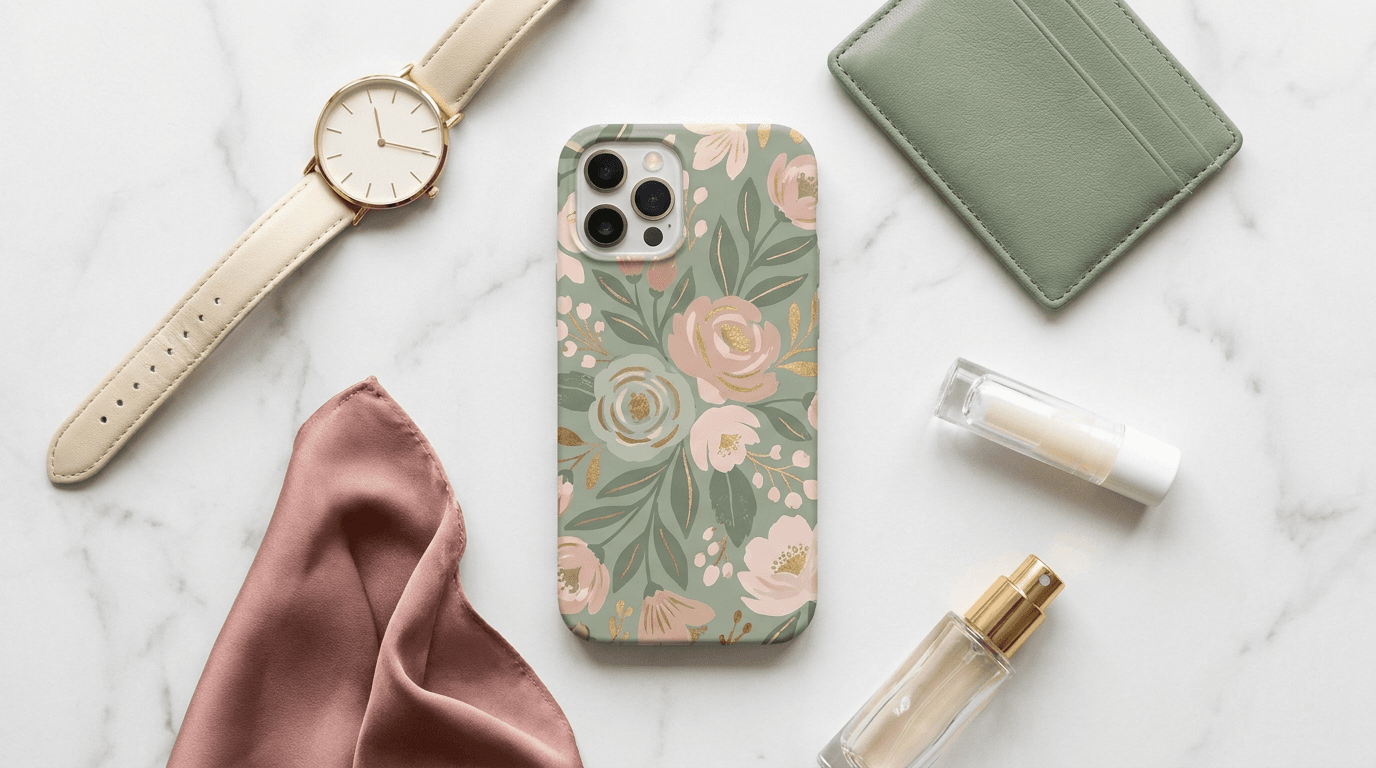
5. Fashion Accessories Coordination Flatlay
For design-forward or fashion-positioned phone cases, this image communicates the case as a style accessory rather than purely a protective device, which is highly effective for buyers who choose their case based on aesthetic and coordination.
Prompt
Overhead flatlay composition of a smartphone in a phone case face-down showing the design, placed centrally among coordinating fashion accessories including a minimalist watch or beaded bracelet, a small leather cardholder wallet, a silk scrunchie or folded fabric swatch, and a lip balm or small perfume bottle, all arranged on a clean white marble or white linen surface, the accessories share a complementary color palette with the phone case design, soft diffused natural light from above with minimal shadows, the phone case design is the dominant element in the composition, editorial fashion lifestyle flatlay photography, ultra-realistic material texture rendering on each object, clean and curated styling that positions the case as a personal style statement, professional e-commerce lifestyle photography quality, no text no logos
6. Café Table In-Use Lifestyle
Café and coffee shop lifestyle contexts perform consistently well for phone case listings because the setting is aspirational, immediately recognizable, and one of the primary real-world environments where people interact with their phones.
Prompt
Lifestyle photograph of a smartphone in a phone case resting face-down on a warm wood café table surface showing the case design, a ceramic flat white coffee cup with latte art sitting naturally beside the phone, a few pages of an open magazine or small notebook partially visible at the frame edge, warm ambient café light from a nearby window casting a gentle natural glow across the scene, the café background is softly blurred suggesting warm wood tones and gentle activity, warm amber and natural wood tones throughout, the phone case design is clearly visible and in sharp focus, ultra-realistic case material and ceramic cup texture rendering, editorial lifestyle product photography, casual and relatable café atmosphere, professional e-commerce lifestyle image quality, no text no logos
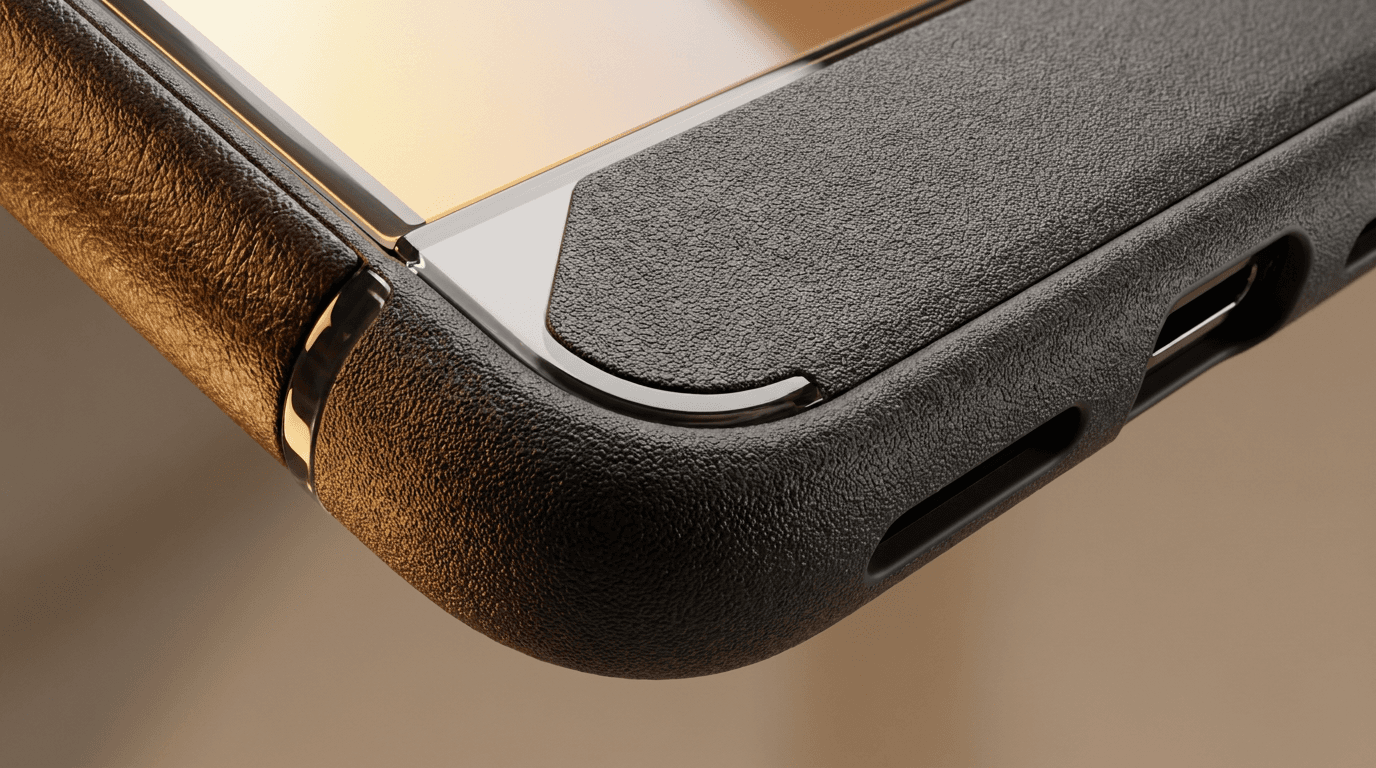
7. Material and Construction Detail Close-up
A macro detail shot that communicates the physical quality and material feel of the case through texture rendering. This image answers the tactile question that buyers cannot resolve by handling the product in person.
Prompt
Extreme close-up macro photograph focusing on the corner and edge construction detail of a phone case on a smartphone, the camera angle emphasizes the case thickness, edge material quality, and corner protection structure, a single warm directional light source raking across the surface from the side revealing every texture detail whether soft matte pebbled grip, clear high-gloss polished surface, flexible TPU edge material, or leather grain texture, the port cutout edge precision is visible at the bottom, the raised bezel lip above the screen is clearly visible as a construction detail, ultra-realistic material surface rendering with every texture and finish detail, warm neutral studio tones, editorial product craftsmanship photography, this image communicates physical material quality through the visual texture alone, professional e-commerce detail photography quality, no text no logos
The AI image generator on Miraflow AI supports image-to-image generation, which means you can upload a real photo of your phone case and apply the lighting, background, and compositional treatment described in these prompts around your actual product. This is the most reliable approach when you need the specific design elements of your case to appear with complete accuracy in the generated image.
8. White Marble Premium Product Shot
Marble surface product photography communicates a premium, design-conscious positioning for DTC brands and Shopify stores where brand aesthetic matters as much as the product itself.
Prompt
Smartphone in a phone case displayed face-down on a white Carrara marble surface with natural soft grey veining, the phone at a slight three-quarter elevation angle showing the full case back design and partial side profile, single soft diffused studio spotlight from directly above creating elegant directional lighting with a clean minimal shadow on the marble surface, the marble texture and the case design together create a premium visual pairing, white and light grey tones with the case design as the sole color element in the frame, editorial premium brand product photography, ultra-realistic marble vein texture and case material surface rendering, minimal and sophisticated composition, professional DTC brand campaign quality, no text no logos
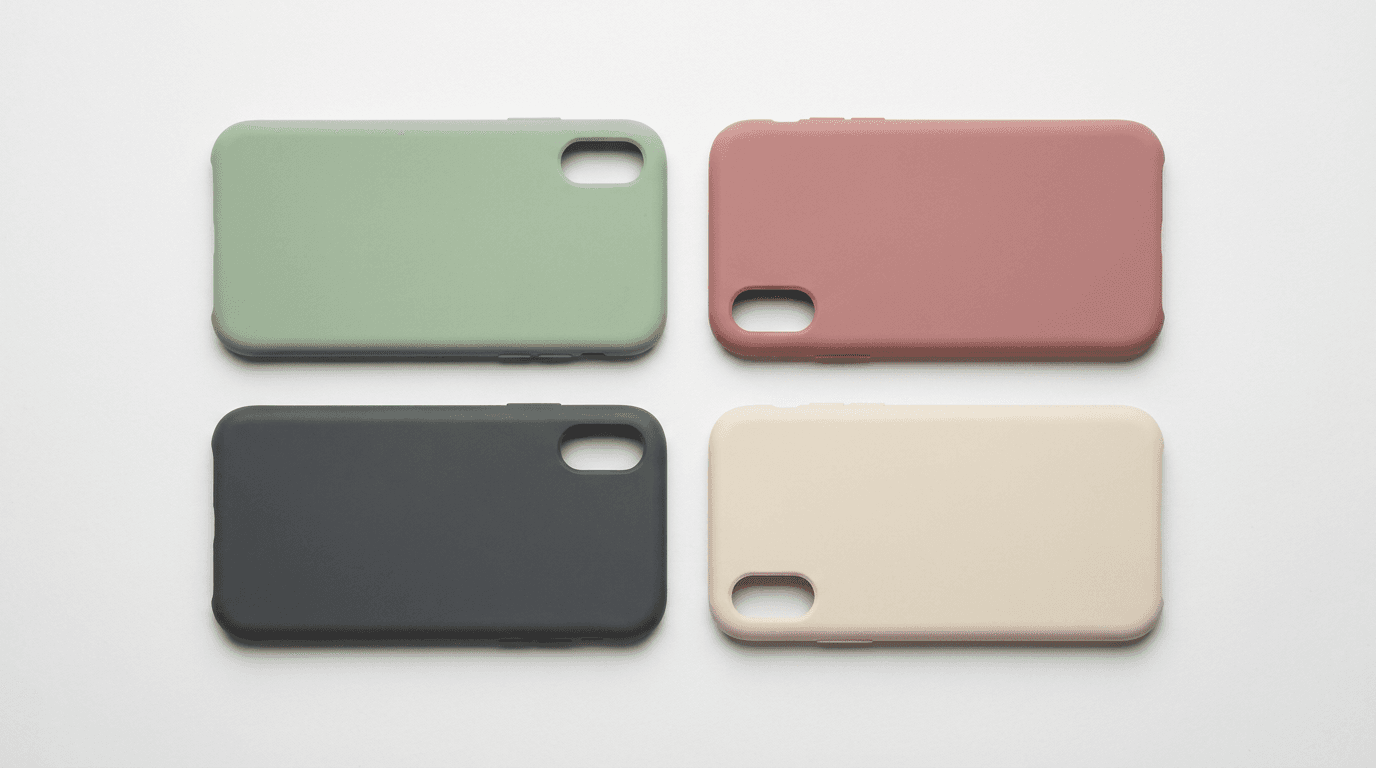
9. Multiple Colorways Display Grid
Showing multiple color or design variants of the same case in a single organized image communicates product range and helps buyers compare options within a collection. This image type is particularly useful for listings with multiple SKUs sharing the same base case design.
Prompt
Overhead flatlay grid of four phone cases removed from phones and arranged in a precise two-by-two or two-by-three grid formation on a clean white or very pale grey seamless surface, each case placed at the same consistent angle showing the full back design, equal and precise spacing between each case, each case in a different color or design variant of the same base style, soft perfectly even diffused overhead studio lighting with no directional shadows, ultra-realistic case material and design rendering on each individual case, clean graphic composition that communicates the range of available variants at a glance, professional e-commerce product catalog photography, flat lay product collection display quality, no text no logos
10. Nightstand Bedroom Lifestyle
Bedroom and nightstand lifestyle images capture one of the most relatable daily moments in phone use and work particularly well for cases positioned around sleep wellness, minimalist design, or premium everyday living.
Prompt
Lifestyle product photograph of a smartphone in a phone case placed face-down on a natural wood bedside table surface showing the case design, a small bedside lamp casting a warm amber pool of light across the surface, a glass of water and a slim paperback book stacked beside the phone, the soft bedroom background beyond the nightstand is dark and gently blurred suggesting a calm evening atmosphere, warm amber lamp light contrasting with the soft dark bedroom background, the phone case design is clearly visible in the warm lamp glow, ultra-realistic case material texture rendering in warm ambient light, editorial bedroom lifestyle photography, intimate and calm atmosphere communicating the case as part of a considered daily routine, professional e-commerce lifestyle image quality, no text no logos
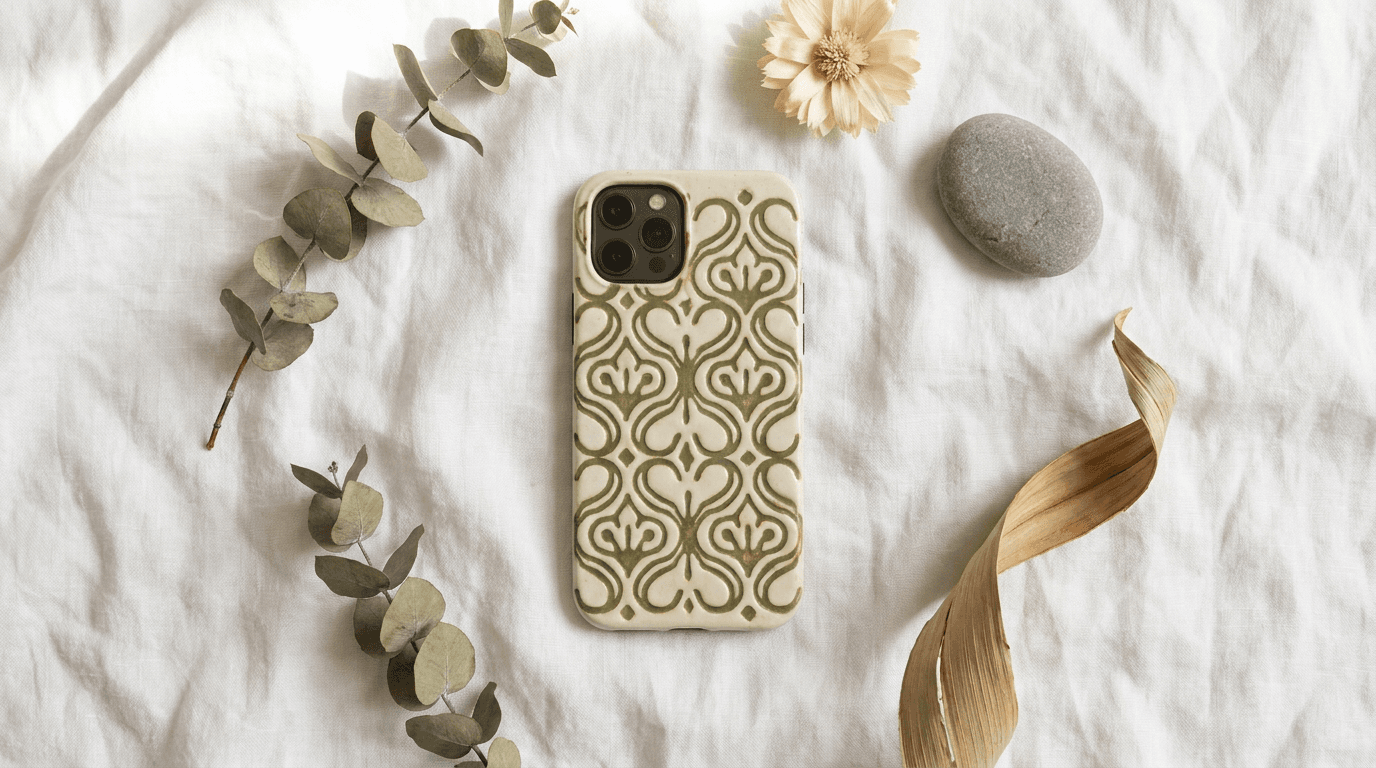
11. Natural Botanical Flatlay
This visual treatment works particularly well for cases featuring nature-inspired, botanical, floral, or organic designs, matching the case aesthetic to a curated natural prop arrangement that reinforces the design language.
Prompt
Overhead flatlay of a smartphone in a phone case placed face-down on a clean white linen fabric surface showing the case design centrally, natural botanical props arranged loosely in the surrounding space including a sprig of dried eucalyptus, a dried flower or two in soft muted tones, a smooth rounded river pebble, and a piece of dried palm leaf, the props are complementary in tone and style to the case design without cluttering the composition, soft natural window light from the upper left creating gentle surface texture, warm cream and natural botanical tones, editorial artisan lifestyle product photography, ultra-realistic linen fabric weave and case material texture, minimal composition with generous linen surface visible around the arrangement, professional Etsy and DTC brand product photography quality, no text no logos
12. Outdoor Table Lifestyle
Outdoor lifestyle context images show the product in natural daylight environments and communicate the case as part of an active, social outdoor life rather than purely an indoor accessory.
Prompt
Lifestyle product photograph of a smartphone in a phone case placed face-down on a sunlit outdoor café or patio table surface showing the case design clearly, bright warm natural summer sunlight creating genuine outdoor lighting atmosphere, a cold glass drink with condensation partially visible at the lower edge of the frame, dappled shade from a parasol or overhead foliage creating shifting warm light patterns on the table surface, the background is a warm sunny outdoor blur suggesting a bright social setting, warm golden natural light tones throughout, the phone case design is in sharp focus and clearly visible, ultra-realistic natural sunlight rendering on the case material surface, editorial outdoor lifestyle photography, professional e-commerce lifestyle image quality, no text no logos
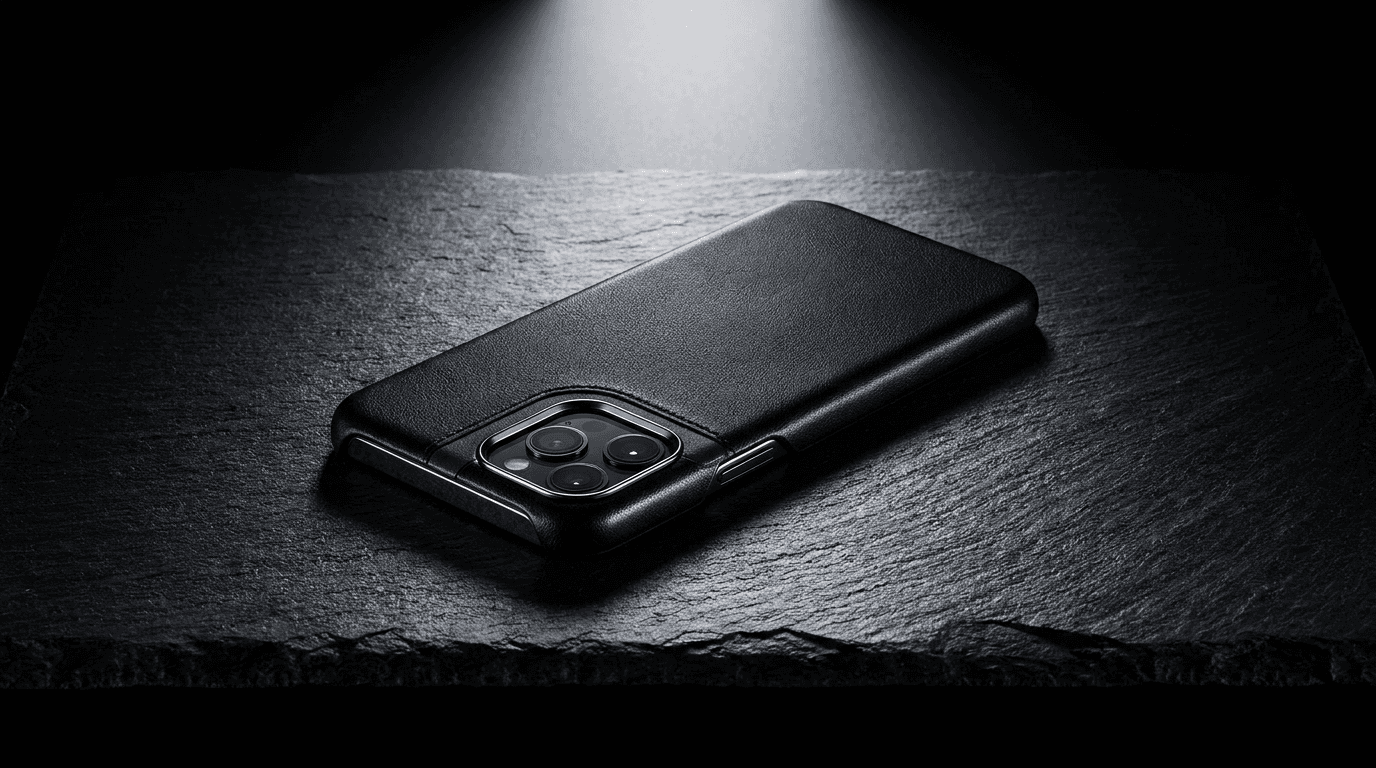
13. Dark Premium Studio Shot
For premium, luxury, or dark-positioned phone cases, a dark studio aesthetic communicates a distinct brand register that stands apart from the lighter lifestyle majority of phone case imagery and signals a higher price point.
Prompt
Single smartphone in a premium phone case displayed face-down on a dark slate stone or black marble surface, single focused cold overhead studio spotlight creating precise and deliberate specular highlights along the case edges and across the surface material, deep dark background fading to near-black at the frame edges, the case material quality whether genuine leather, matte black hard shell, or premium clear material with visible texture is the primary visual subject with every surface detail lit and visible, ultra-minimal shadow beneath the phone, deep charcoal and near-black tones throughout with one accent color from the case design as the sole warm element catching the spotlight, editorial dark luxury product photography, ultra-realistic premium material rendering, professional luxury brand e-commerce photography quality, no text no logos
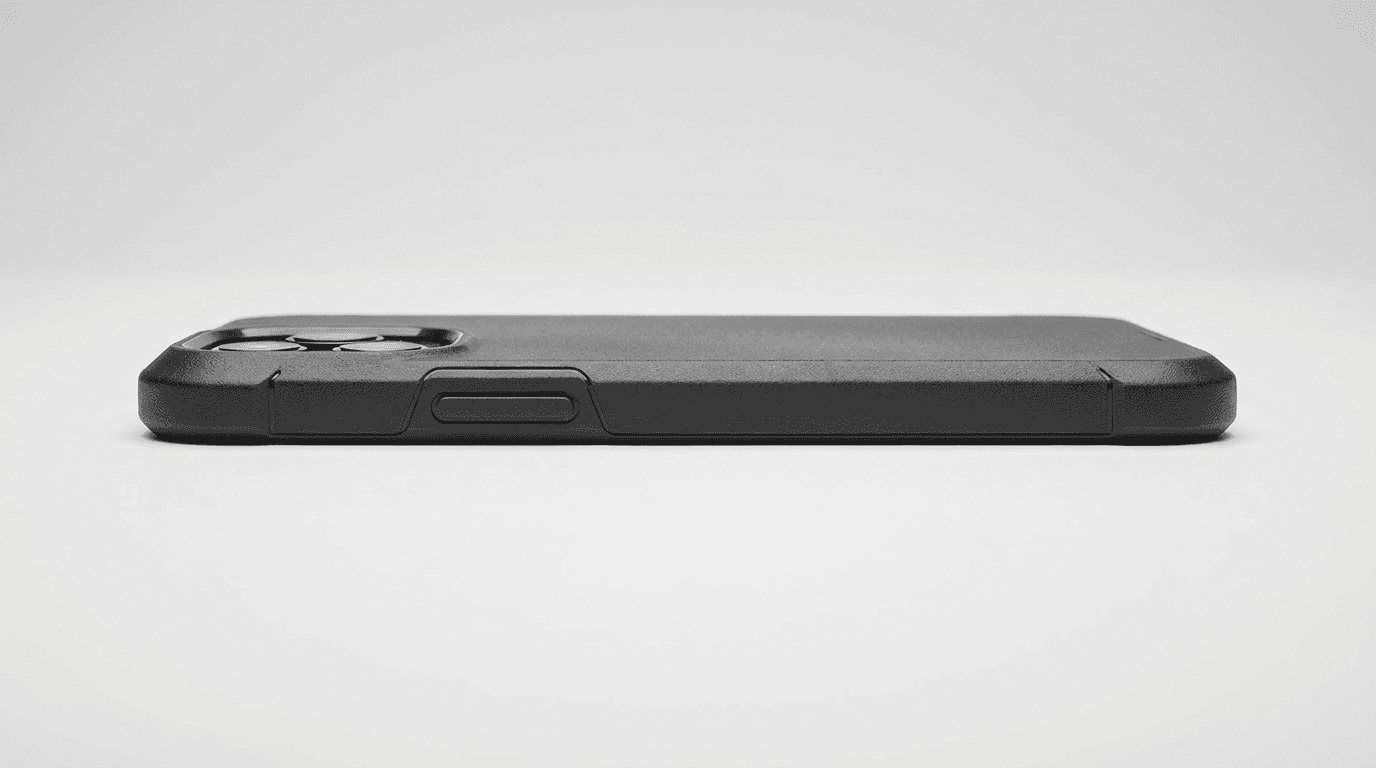
14. Side Profile Construction Shot
This specialized angle communicates the physical engineering of the case, showing camera ring protection, raised screen bezel, port access, and material edge finish all in a single composition. It is particularly important for listings that sell on protection features alongside design.
Prompt
Smartphone in a phone case photographed from a direct side profile angle showing the complete left or right edge of the case, the camera ring raised protection bump is prominently visible at the back corner, the case side material wraps cleanly over the phone volume and mute buttons showing the button cover quality, the case edge thickness and the material color are clearly visible in this profile view, clean neutral light grey studio background, single even studio light from directly in front creating a clean silhouette quality on the profile shape, the exact case thickness and construction depth are visible and measurable from this angle, ultra-realistic case edge material and construction rendering, professional technical product photography, e-commerce feature communication image quality, no text no logos
15. Universal Phone Case E-Commerce Template
This flexible starting prompt works for any case style, material, design, or brand positioning. Replace the bracketed sections with your specific product details and preferred visual treatment.
Prompt
[Describe your specific phone case material, color, and design here, for example: clear hard shell case with pressed floral design, matte black leather-grain soft case, translucent frosted pink silicone case] fitted precisely on a [iPhone 15 Pro, Samsung Galaxy S24, or specify your target phone model] smartphone, displayed on a [pure white seamless background, white marble surface, light oak wood desk, white linen fabric, dark slate surface], single [perfectly even overhead studio light, soft natural window light from the left, single focused spotlight from above] creating [minimal professional shadows, warm natural texture lighting, dramatic material highlighting], the back of the phone is the primary visual subject with the case design in sharp focus, [choose composition angle: overhead flatlay, slight three-quarter elevation, direct side profile, in-hand lifestyle], ultra-realistic case material surface texture and phone hardware rendering, professional e-commerce product photography quality, no text no logos in the image
Platform-Specific Image Requirements for Phone Cases
Different e-commerce platforms have different technical requirements and audience expectations for product photography, and knowing these helps you generate the right type of image for each platform rather than using one image everywhere.
Amazon
Amazon requires that the primary listing image has a pure white or very light background with the product filling at least 85 percent of the frame. No lifestyle props, text overlays, or colored backgrounds are permitted in the primary image. Secondary and lifestyle images have more flexibility. Prompts 1 and 2 from this list are optimized for Amazon primary image requirements. For Amazon secondary images, prompts 3, 4, 7, and 14 work well.
Shopify and Direct-to-Consumer Stores
DTC brand stores have much more visual freedom and often perform better with brand-specific aesthetics that communicate a consistent visual identity. Marble surface shots, dark premium studio images, and editorial lifestyle flatlays all perform well for Shopify product pages because the visual quality signal contributes to the overall brand trust the store is building. Prompts 8, 13, and 5 from this list are well suited for DTC brand stores.
Etsy
Etsy buyers respond strongly to artisan, handmade, and organic aesthetic signals in product photography. The natural botanical flatlay, warm café lifestyle shots, and warm wood surface images consistently perform well on Etsy for design-focused phone cases. Prompts 11 and 6 are specifically designed with the Etsy visual language in mind.
Instagram and Pinterest Shopping
Social commerce platforms reward lifestyle images that feel like organic social content rather than formal product photography. In-hand lifestyle shots, coordination flatlays, and outdoor lifestyle images work best for Instagram Shopping and Pinterest because they integrate naturally into the visual context of those feeds. Prompts 3, 5, and 12 generate images that fit this format.
Building a Complete Product Image Set Efficiently
Most phone case sellers need images for dozens of design variants rather than a single product, and the challenge of maintaining consistent image quality and style across a large catalog is one of the primary reasons sellers underinvest in product photography.
AI image generation changes this by making it practical to generate a complete image set for every design variant at scale. The key is treating each prompt as a template that you customize for each product rather than writing a new prompt for every image.
For a catalog approach, define your four or five core image types from the prompts in this list, such as a white background hero, a desk flatlay, a marble surface shot, a material detail close-up, and a fashion coordination flatlay, and save these as your brand's standard image templates. Then for each new design variant, customize the case description in each template prompt and run a batch of generations for all five image types simultaneously.
This produces a consistent visual system across your entire catalog because every product appears in the same compositional treatments with the same lighting style and surface materials. Consistency at this level is one of the clearest signals of professional brand quality that buyers pick up on, even when they cannot articulate what they are noticing.
The Miraflow AI image generator supports both text-to-image and image-to-image workflows, which means once you have established a strong visual template for your first design, you can use the image-to-image feature to apply the same aesthetic treatment to new design variants while keeping the compositional style consistent across the catalog.
Extending Phone Case Content Beyond Product Photography
Strong product images are the foundation of an e-commerce strategy, but the brands that grow fastest in competitive categories like phone cases also build content ecosystems beyond the product listing itself. AI tools make it possible to extend a product visual into a complete content strategy without separate production work for each format.
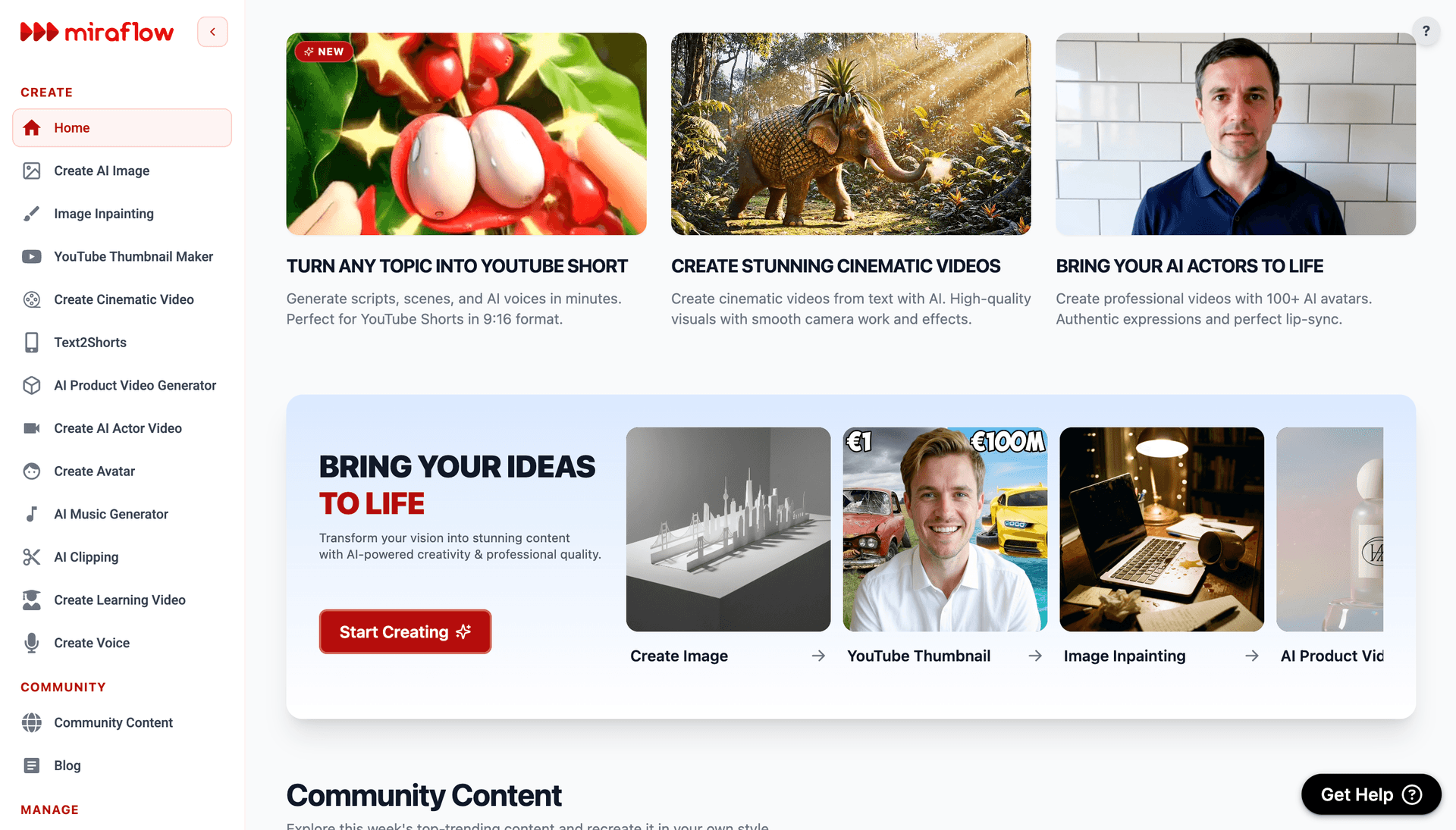
The Cinematic AI Video Generator on Miraflow AI lets you take the visual concept from any of these product prompts and extend it into a short video clip for social media and advertising use. A product reveal video, a rotating product display animation, or a lifestyle scene video using the same aesthetic as your product photography creates a richer brand presence on Instagram, TikTok, and YouTube than still images alone.
Short-form video content is one of the primary organic discovery channels for phone case brands on social platforms, and Text2Shorts on Miraflow AI generates complete vertical short videos from a topic description in a single workflow. Content around design drops, seasonal collections, styling ideas, and behind-the-scenes brand stories all drive audience growth on TikTok and Instagram Reels for accessory brands.
For phone case brands building a YouTube presence around unboxing, collection showcases, or style content, consistent thumbnail quality directly affects channel growth. The YouTube Thumbnail Maker on Miraflow AI lets you apply the same visual aesthetic from your product photography to your video thumbnails, creating a consistent brand identity across the channel and product listings simultaneously.
If your brand is producing video content like new collection reveals or design process videos, AI Clipping on Miraflow AI automatically finds the most engaging moments from longer recordings, crops them for vertical format, and adds animated captions. This turns a single brand video into multiple short-form social clips without additional editing.
For brand content that uses video, background music contributes significantly to how professional and brand-consistent the content feels. The AI Music Generator on Miraflow AI produces original tracks in under a minute in any described style, which means you can generate a light upbeat acoustic track for lifestyle content or a clean minimal electronic track for premium product reveals without licensing concerns.
The full Miraflow AI platform covers the complete content pipeline from product image generation through video, shorts, thumbnails, and music, which is particularly useful for phone case brands that need to produce high-volume content across multiple formats and platforms throughout the year.
Adapting These Prompts for Different Case Types and Materials
Phone cases span a wide range of materials and design types, and knowing how to adjust these prompts for each category makes a significant difference in how accurately the generated images represent your specific product.
Clear and transparent cases benefit from prompts that emphasize the phone hardware showing through the case. Adding "phone chassis and camera module clearly visible through the transparent case material" and "light refracting through the clear case edges" produces accurate clear case rendering. The design layer visible through the back should also be described if the case has a printed interior.
Leather and leather-grain cases need specific material descriptors to produce realistic results. Adding "genuine leather grain texture with visible pore pattern," "natural color variation in the leather surface," and "stitched edge detail along the case perimeter" produces convincing leather material rendering.
Silicone soft-touch cases benefit from descriptors like "flexible matte silicone surface with soft pebbled texture," "slightly yielding material visible at the corner curves," and "the case edges show the characteristic softness of flexible silicone material."
Printed hard shell cases with graphic designs need the design to be described specifically. Rather than saying "printed case," describe the design itself: "full-back printed graphic in warm watercolor botanical tones," "geometric abstract print in navy and gold on a white base," or "photographic landscape print covering the full back surface." The more specific the design description, the more accurately the generator renders the visual.
MagSafe and magnetic attachment cases can be represented by adding "circular MagSafe alignment ring visible as a subtle ring pattern centered on the back of the case" to any prompt where this feature is a selling point.
Common Mistakes in Phone Case E-Commerce Photography Prompts
The phone model looks wrong or generic. Specifying the phone model explicitly makes a significant difference: add "fitted on an iPhone 15 Pro with the characteristic triple camera module cluster in the upper left corner" or "fitted on a Samsung Galaxy S24 Ultra with the rectangular camera array" to any prompt. The camera cluster is the most recognizable design element that tells buyers which phone model the case is designed for.
The case does not look fitted or aligned properly. Add "case fits precisely on the phone with no visible gaps at the corners, ports are precisely aligned, no material bunching at the edges" to ensure the rendered case looks like it genuinely fits rather than floating over the phone outline.
The design on the back is not sharp or readable. Add "the case back design is in sharp focus across its entire surface, print edges are crisp and clear, colors are accurate and fully saturated" to prioritize design clarity in the render. For listings where the design is the entire selling proposition, this instruction is the most important one in the prompt.
The image does not meet the white background requirement for Amazon. Add "pure white seamless background with RGB value 255 255 255, no color gradients no shadows reaching the frame edges, clean white extending to all four corners of the image" to ensure the background meets marketplace technical requirements.
The lifestyle image looks too staged or styled. Add "candid natural lifestyle atmosphere," "casual and unposed arrangement of objects," and "the scene looks like a real moment rather than a product shoot" to any lifestyle prompt. Overly perfect arrangements read as artificial to buyers and reduce the relatability of the lifestyle image.
Material quality looks generic rather than premium. Add specific material quality language to every prompt: "ultra-realistic surface texture rendering," "visible material depth and finish," and "the physical quality of the case material is evident from the image" push AI generators toward premium material rendering rather than flat, uniform results.
How Different Image Types Affect Conversion at Different Stages
Understanding where each image type does its conversion work helps you prioritize which prompts to use first and how to sequence images within a product listing.
The hero image works on the search results page before the buyer has seen your listing. It needs to communicate the design and product category clearly at thumbnail scale. For phone cases, this means the back of the case with the design visible, on a clean background, at a size that makes the design recognizable even in small search result grids.
The secondary product shots work in the first few seconds after a buyer clicks through to the listing page. They answer the construction and quality questions: does this actually fit? How thick is it? What do the edges look like? What are the cutouts like? This is where prompts 2, 7, and 14 do their most important work.
The lifestyle images work in the middle of the consideration phase when the buyer is deciding whether to proceed or bounce. Seeing the product in a familiar real-world context, held in a hand or sitting on a desk they recognize, bridges the imagination gap between a product on screen and a product in their life. Prompts 3, 4, 6, 10, and 11 serve this role.
The detail close-ups work late in the consideration phase for buyers who are almost ready to purchase but want one more confirmation of quality. A macro shot that shows the precise material and construction quality converts high-intent buyers who are on the edge of a decision. Prompt 7 is specifically designed for this role.
For more guidance on visual content strategy for e-commerce brands and creators, the Miraflow AI blog covers image generation techniques, platform-specific content strategies, and visual branding approaches in depth. You can also find comprehensive e-commerce product photography guidance and conversion optimization research at Shopify's e-commerce blog, which covers both technical requirements and strategic image set planning for online sellers.
FAQ
Do I need to generate a separate set of images for every phone model the case supports?
For the hero and primary listing images, it is worth generating model-specific images for the most popular phone models your case supports, since buyers want to see the case on their specific device. For lifestyle images, a single set that does not focus on the camera module detail can work across multiple phone models. If you are supporting ten or more phone models, prioritize generating model-specific images for the two or three highest-volume models and use the lifestyle images across the full range.
Can I generate images for a case I have not yet manufactured?
Yes. AI image generation is particularly useful for pre-launch product validation and marketplace listing setup. You can generate complete product image sets from descriptions before physical samples exist, which allows you to test listing performance and gather pre-orders before committing to production inventory. The image-to-image feature in the Miraflow AI image generator is useful for refining these pre-production images once physical samples become available.
How do I show the actual design of my case accurately?
Describe the design as specifically as possible in the prompt, including the style, color palette, subjects, and any distinctive elements. For maximum accuracy, using the image-to-image feature with your actual design artwork as the reference image produces the most reliable results. This takes the design from your artwork file and applies it to the phone case in the generated scene while adding the lighting and environmental context described in the prompt.
What aspect ratio should I generate for e-commerce product images?
Most major platforms, including Amazon, Etsy, and Shopify, display product images at a 1:1 square ratio in the main product gallery, though the actual image can be wider. Generating at 1:1 square format ensures your product fills the available display space without being letterboxed. For lifestyle images used in social media or advertising, generate at 4:5 for Instagram feed or 9:16 for Stories and Reels as needed.
How many images should a phone case listing have?
On Amazon, listings with seven or more images consistently outperform those with fewer in click-through and conversion rates. On Shopify product pages, between six and ten images is the standard for high-performing listings. The complete set should include at least one hero, two or three secondary product shots from different angles, two lifestyle images, and one detail close-up. For competitive categories, adding a colorways display image and an infographic-style feature callout image brings the total to eight or nine.
Can AI-generated product images be used on Amazon listings?
Yes. AI-generated images that accurately represent the product are permitted on Amazon under their seller policies, provided they meet all technical requirements including the white background standard for primary images and the product representation accuracy requirement. Amazon's primary concern is that images accurately represent what is being sold, not how those images were produced. Always review the most current Amazon product image requirements before publishing.
How do I maintain visual consistency across many design variants in a catalog?
Create a set of four or five core template prompts, such as the ones in this list, that define your brand's standard image types. Save these templates with only the case description section left as a variable. When adding a new design to your catalog, copy each template, update the case description with the new design details, and generate the full image set for that variant. This systematic approach produces a consistent visual identity across a large catalog because all products appear in identical compositional treatments and lighting styles.
How do I use these images in paid advertising campaigns?
All of the image types in this list are suitable for paid advertising use across Meta, TikTok, Google Shopping, and Pinterest ads. Lifestyle images and in-hand shots typically outperform pure product shots in social advertising because they generate higher engagement before the viewer reads the ad text. For conversion-focused retargeting campaigns, product-only images on clean backgrounds are more effective because they are immediately recognizable to buyers who have already seen the product. Using both image types at different stages of the paid campaign funnel produces the best overall results.
Conclusion
Phone case e-commerce is a visual-first business where image quality is often the most significant factor separating listings that convert consistently from those that struggle to stand out. A complete product image set that covers hero photography, secondary product shots, lifestyle context images, and material detail close-ups gives every potential buyer the visual information they need to move from browsing to purchasing.
The 15 prompt templates in this post cover every major visual type in a professional phone case e-commerce image set, from Amazon-compliant white background heroes and three-quarter technical shots to desk workspace flatlays, fashion coordination scenes, premium marble product photography, and material quality close-ups. The core principles behind every effective prompt in this list are the same: specify the phone model accurately, describe the case material and design in detail, define the lighting quality and background surface explicitly, and match the visual treatment to the platform and audience you are targeting.
All of these prompts work directly in the AI image generator on Miraflow AI, where text-to-image generation, image-to-image workflows using your actual product as a reference, and inpainting for targeted refinements are all available in the browser without any installation. From there, the full Miraflow AI platform gives you the tools to extend your product images into social media video content, short-form brand content, YouTube thumbnails, and campaign music, covering the complete content pipeline your brand needs to compete effectively across every platform.