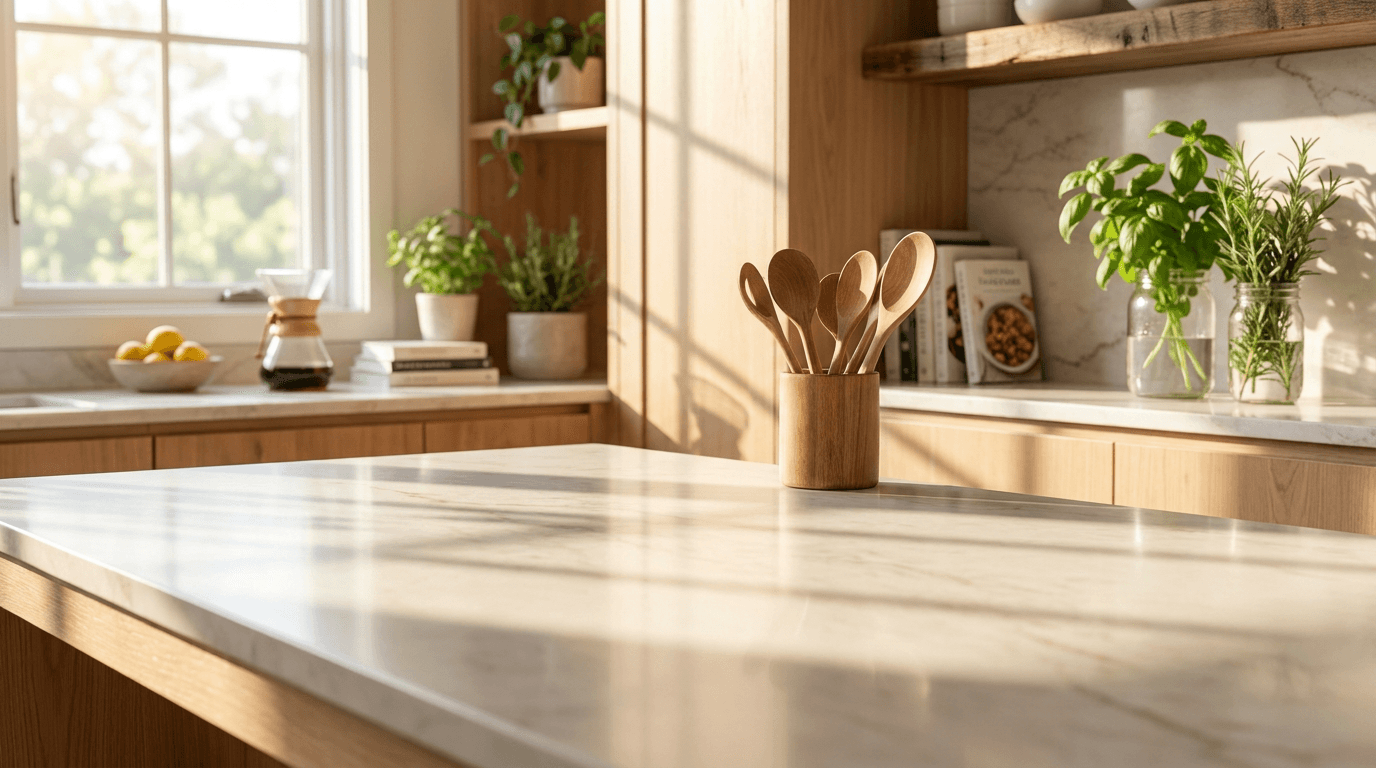
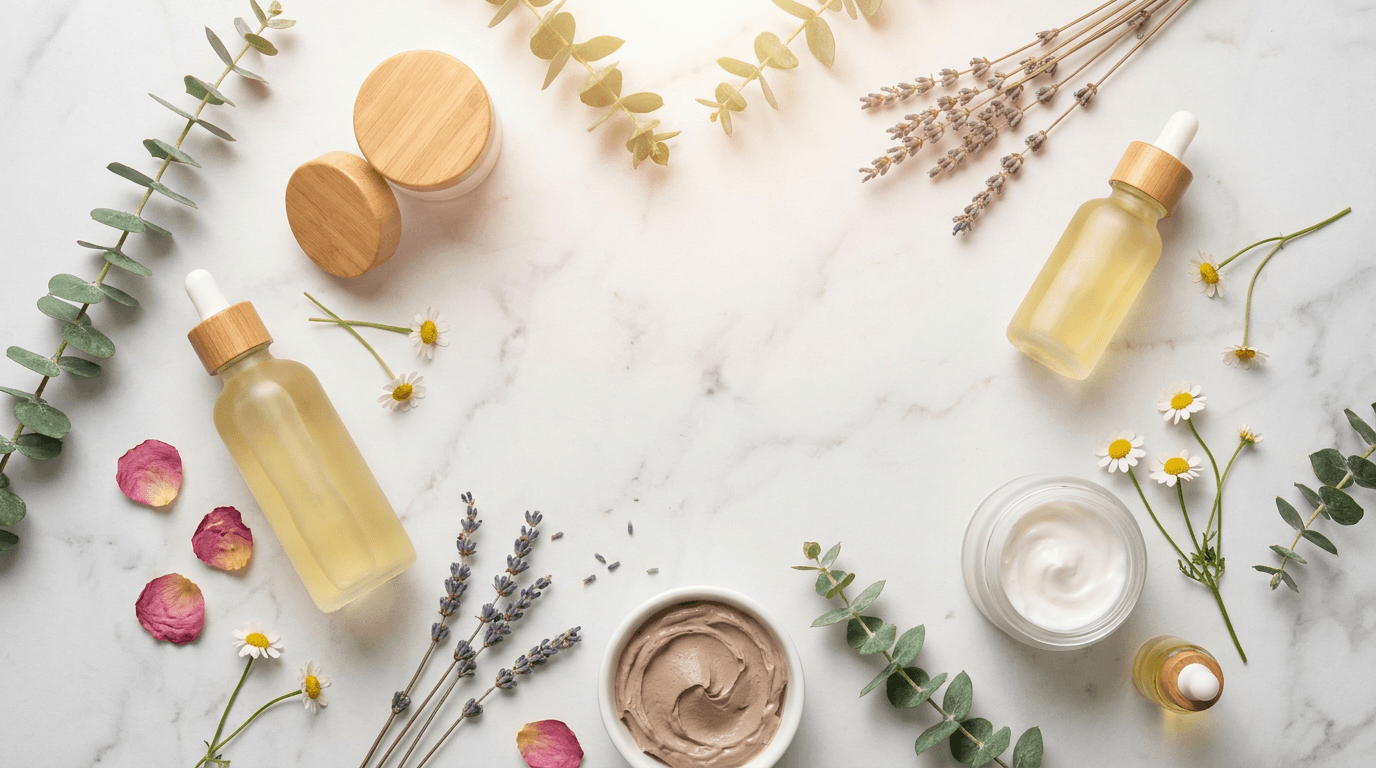
20 AI Prompts for Amazon FBA Product Images — Boost CTR & Conversions (Copy & Paste)

Written by
Jay Kim

20 ready-to-use AI prompts for generating professional Amazon FBA product image backgrounds and lifestyle scenes. Fully compliant with Amazon's 2026 image requirements — just copy, paste, and create images that boost CTR and conversions.
You sourced a product, negotiated with your supplier, shipped inventory to an FBA warehouse, optimized your listing keywords, and launched your first Sponsored Products campaign. Your impressions looked decent. Then you checked your click-through rate: 0.18 percent. For every thousand shoppers who saw your listing in search results, fewer than two clicked. Your product sat on page two while a competitor selling the same category of product — at a higher price — dominated page one. The difference was not keywords, not reviews, not pricing. It was the main image. Their product popped off the screen, sharp against a clean white background, filling the frame. Yours looked dim, small, and forgettable at thumbnail size.
According to eCommerce industry data, listings with professional product images sell up to 2.5x more than those with poor visuals, and images that support zoom can increase conversion rates by at least 30% or more.[7] That is not a marginal improvement — it is the difference between a profitable product and a failed launch. Listings with high-quality, compliant images convert at 2-3x the rate of those with mediocre visuals[6], and Amazon does not just prefer good images — they'll actively suppress your listing if you break their rules.[6]
This is the fundamental challenge of selling on Amazon in 2026: 9.7 million sellers were registered, with approximately 2 million actively selling on Amazon.[8] Amazon attracts 390 million monthly active users in the U.S. alone. This makes it one of the most competitive ecommerce marketplaces for brands looking to scale.[5] In this environment, your product images are not a design afterthought — it's actually a conversion problem.[3]
This guide gives you 20 copy-and-paste AI prompts engineered specifically for Amazon's image requirements, listing strategy, and conversion-driven ecosystem, along with the exact specs, compliance rules, and optimization strategies you need to make every product photo work harder — without ever stepping foot in a professional studio.
Why Product Images Are the Highest-Leverage Performance Factor on Amazon
Amazon is a visual-first marketplace, and the data makes this overwhelmingly clear. Amazon search results show one main image, part of the title, price, rating, and Prime badge. Shoppers decide whether to click in two seconds. They do not read bullets yet. They do not scroll to A+ Content. They scan the image and ask: Does this look like what I want?[3]
Images drive 65-70% of the purchase decision.[3] That single data point should reframe how every Amazon FBA seller thinks about their product photos. Their eyes land on the pictures, and their brain makes the buying decision before they even touch the description. Studies show over ninety percent of online buyers say visual appearance is the number one factor in their decision to purchase.[4]
The financial impact compounds through Amazon's algorithm. A stronger hero image improves CTR, which directly lowers your effective cost-per-click in Sponsored Products. A better image sequence improves CVR, which improves ROAS without changing a single bid. Amazon's algorithm rewards listings with better engagement metrics, which lifts ad efficiency. And because CVR is a ranking signal, better images lift organic position over time too.[3]
The economics of AI-enhanced product photography have democratized access to studio-quality imagery. AI has changed the speed and cost equation dramatically. Lifestyle scenes, infographic overlays, background swaps, seasonal variations — what once took weeks now takes hours. What once cost $500 to $1,500 per SKU now costs a fraction of that.[3] AI product photography tools run $10-50/month in subscription fees, with an effective per-image cost of $0.05-0.25. Traditional photography costs $75-150 per image all-in when you include retouching, studio rental, and coordination. For a 200-SKU brand needing 6 images each, that is roughly $90,000 traditional vs. $600/year with AI.[8]
The Amazon FBA opportunity in 2026 remains massive. Nearly 30,000 FBA sellers earned over $1 million in annual sales in 2026. Small and medium businesses (SMBs) accounted for 58% of all Amazon sales. The average FBA seller generated $160,000 in annual revenue, with a median of $35,000.[1] In Q4 2025, third-party sellers accounted for 61% of paid units sold on Amazon[8], and approximately 82% of active Amazon marketplace sellers use Fulfillment by Amazon (FBA).[9]
Within this competitive landscape, image quality is one of the few performance levers you fully control. Your product images are one of the few elements you fully control on Amazon. They influence click-through rates, conversion rates, and customer trust.[2]
Amazon Product Image Specs for 2026
Getting your image specifications right on Amazon is not optional. Amazon has strict product image requirements to maintain listing quality and buyer trust. Main images must have a pure white background, show the product fully, and be at least 1,000 pixels on the longest side. Additional images can boost conversions by showing scale, lifestyle use, and close-up details. Non-compliance can lead to suppressed listings, costing you visibility and sales.[2]
Here is a complete breakdown of every specification you need to know.
Main Image (Hero Image) Requirements:
Amazon product image requirements mandate a pure white background (RGB 255,255,255), a minimum 1000px on the longest side, and the product filling at least 85% of the image area for main images.[3] Specifically: Pure white background (RGB 255,255,255). Product should fill 85% or more of the frame. No text, logos, watermarks, or inset images. Minimum image size: 1,000 pixels on the longest side for zoom function (recommended: 2,000+ pixels).[2] Must be the actual product (no illustrations, placeholders, or mockups).[2]
Recommended Resolution:
Amazon product images must be at least 1000 × 1000 pixels to enable zoom. However, for best results in 2026, sellers should use detail page images that are 2000 x 2000 pixels, with a pure white background for the main image and high-resolution visuals across all image slots.[5] Amazon's zoom function needs at least 1000px on the longest side to activate, but 2000x2000 delivers actually crisp zoom on both desktop and mobile.[6] You can go larger, but there's no meaningful visual improvement beyond 2000px for most products.[6]
Aspect Ratio:
Square images are strongly recommended because non-square images display with white padding in search results, making your product look smaller than competitors.[6] Your image should generally be 1:1 (square), as Amazon typically displays product images this way.[7]
File Format:
The Amazon image size must not exceed 10 MB. Amazon photos will only be accepted in four file types: TIFF, JPEG, GIF, and PNG.[4] JPEG remains the preferred choice for most product photography, offering excellent compression while maintaining visual quality.[8]
Number of Images:
Most listings allow up to 9 images, but only 7 display by default on desktop.[2] Amazon recommends having at least six images and one product video.[4] Listings with 7+ images convert at 2.4 times the rate of single-image listings, but only when those images follow a strategic sequence.[9]
Additional Image Rules:
Unlike the main image, additional images do not require a white background, but they must still accurately represent the product and maintain high visual quality.[5] Can include lifestyle shots, close-ups, infographics, size comparisons, or additional angles.[5]
File Naming Convention:
Amazon requires specific naming patterns that include your product's ASIN or UPC, followed by a variant code. For example, a main image might be named "B08XYZ1234.MAIN.jpg" while additional views use "B08XYZ1234.PT01.jpg" for the first alternate angle.[8]
The AI Image Generator on Miraflow supports custom aspect ratios, so you can generate images at Amazon's recommended 1:1 square ratio without needing to crop or resize afterward.
What Happens If Your Images Don't Comply
The consequences of non-compliance on Amazon are severe and immediate. Non-compliant main images trigger suppression, removing your listing from search without warning.[3] Any deviation, such as off-white or light grey, can result in listing suppression. Wrong image = suppressed listing = lost sales.[2]
The most common rejection reasons are a non-white background on the main image (even slightly off-white triggers it), text or watermarks visible on the main image, the image being under 1000px (which disables zoom), or including props and accessories not sold with the product.[6]
Text or promotional content on the main image — "Best Seller!", "50% Off!", feature callouts — all of that belongs on secondary images or infographics, never the main photo. Borders, frames, and drop shadows need to go too; the product should sit on clean white with zero embellishment. And if your main image shows multiple products or props, pare it back to just the exact item the customer receives. Nothing sold separately, no accessories unless they're included.[6]
This means your main image strategy is fundamentally different from other platforms. On Shopify or your own website, you have creative freedom. On Amazon, your main image must be a clean product-on-white photograph — no exceptions.
Amazon's 2026 AI Image Policy: What Sellers Need to Know
Before diving into the prompts, understanding Amazon's position on AI-generated images is critical for staying compliant.
In 2026, Amazon has clarified its stance on AI-generated imagery, creating a hybrid model for sellers. Amazon allows the use of AI tools to enhance and edit product photos, provided the final image accurately represents the physical product. You can use AI to generate lifestyle backgrounds, create infographic overlays, or perform background swaps. This dramatically reduces the cost and time associated with traditional photoshoots. However, you cannot use AI to generate the product itself from scratch if it misrepresents the item's physical characteristics. The core product shown must be a true photographic representation (or a highly accurate 3D render).[2]
Using AI to create a completely fabricated main image that misleads buyers will result in immediate listing suppression and potential account suspension.[2]
Under the 2026 policy framework, Amazon permits certain AI-assisted image enhancements while prohibiting others. Permitted uses include background removal, color correction, lighting adjustments, and AI-powered resizing.[1] Even when using AI tools, sellers remain responsible for ensuring images accurately represent products. Misleading visuals can result in policy violations regardless of the tools used to create them.[1]
Amazon permits combining AI-generated and traditionally photographed images within the same listing. Sellers commonly use traditional photography for the main product image while employing AI tools for lifestyle contexts, color variations, or supplementary gallery images. The key requirement is ensuring AI-generated content includes proper disclosure and accurately represents the physical product being sold.[1]
The prompts in this guide are designed for generating backgrounds, lifestyle contexts, and scene environments — not the product itself. Your real product photograph gets composited into these AI-generated scenes, keeping you fully compliant with Amazon's 2026 policies.
The Amazon Listing Image Stack Strategy
Understanding the strategic purpose of each image slot is essential before generating anything. Amazon's internal data, shared at their 2025 Accelerate conference, confirmed that the optimal image order is: lifestyle context image (slot 2), product dimensions and scale comparison (slot 3), material or ingredient closeups (slots 4-5), usage or care instructions (slot 6), and brand story or packaging shot (slot 7).[9]
Here is the proven image stack formula that the prompts in this guide are designed to fill:
Image 1 — Main Image (Hero Shot): Pure white background (RGB 255,255,255), product filling 85%+ of frame, no text, no props. The main image is what shoppers see in search results. It drives click-through rate before anything else. Getting it wrong doesn't just mean a rejected image — it means reduced CTR on every impression your listing earns.[3] Your main image appears as a small thumbnail in search results and category pages. At these reduced sizes (typically 160-200 pixels), intricate details disappear. Design your main image composition to read clearly even when dramatically scaled down. Test this by viewing your images on actual mobile devices or using thumbnail simulators. Products should be instantly recognizable at thumbnail size without requiring users to tap for a larger view.[8]
Image 2 — Lifestyle Context: The product in use in its natural environment. This is where AI-generated backgrounds add the most value.
Image 3 — Scale and Dimensions: Product next to reference objects showing size, or with dimension callouts.
Image 4 — Feature Infographic: Key features highlighted with clean text overlays and icons. Highlight features, dimensions, and benefits in simple, easy-to-read overlay graphics (only in additional images, not the main image).[2]
Image 5 — Close-Up Detail: Texture, material quality, craftsmanship shown in macro detail.
Image 6 — Usage or How-To: Product being used step-by-step, or care/assembly instructions.
Image 7 — Brand Story or Packaging: What the customer receives, packaging, included accessories, or brand values.
Images 8-9 — Additional lifestyle, seasonal, or variation shots.
The prompts below are organized by these gallery positions so you can generate exactly what each slot needs.
For product-specific imagery across multiple e-commerce platforms, the 20 AI prompts for e-commerce product images guide provides additional prompts designed for various marketplace requirements.
20 AI Prompts for Amazon FBA Product Images (Copy & Paste)
Each prompt is designed for Amazon's recommended 2000 × 2000 pixel square format. You can paste these directly into the AI Image Generator on Miraflow, set the 1:1 aspect ratio, and generate immediately.
Lifestyle Scene Backgrounds (Image 2)
1. Modern kitchen scene for home and kitchen products
Best for: Kitchen gadgets, food storage containers, utensils, small appliances, cutting boards, and kitchen accessories — Amazon's consistently high-demand Home & Kitchen category.
Prompt:
bright modern kitchen scene with a clean white quartz countertop and soft white subway tile backsplash, warm natural morning light streaming from a large window on the right, a small wooden cutting board and fresh green herbs in a clear glass jar slightly blurred in the background, clean bright whites with natural wood and green accents, generous clear center countertop space for product placement, professional lifestyle product photography with shallow depth of field on background elements
2. Outdoor adventure scene for sports and outdoor products
Best for: Water bottles, camping gear, fitness accessories, hiking equipment, outdoor tools, and active lifestyle products.

Prompt:
bright outdoor nature scene with warm golden sunlight and a clean natural stone surface or weathered wooden picnic table, soft green foliage and blurred trees creating a natural bokeh background, fresh morning golden light filtering through leaves, active and energetic outdoor atmosphere with natural greens warm wood tones and bright blue sky, generous clear center space on the surface for product placement, outdoor lifestyle product photography with warm bokeh and shallow depth of field
3. Clean bathroom shelf for beauty and personal care
Best for: Skincare, grooming tools, personal care accessories, hair care products, and bath accessories — the category with the highest profit margins on Amazon FBA.
Prompt:
bright modern bathroom scene with a clean white marble or stone shelf against soft neutral tile wall, a small green succulent in a minimalist white ceramic pot on the left, a neatly folded white towel softly blurred in the background, warm natural light from the right creating a fresh spa-like atmosphere, clean and bright with white marble and green accents, generous open space on the shelf center for product placement, lifestyle product photography with shallow depth of field
4. Home office desk for electronics and accessories
Best for: Phone accessories, laptop stands, desk organizers, keyboards, headphones, chargers, and tech gadgets.
Prompt:
bright modern minimalist desk scene with a clean white or light wood surface, a sleek closed laptop partially visible at the back edge slightly blurred, a small potted plant in a white pot on the right side, warm natural light from a large window creating bright even illumination, modern workspace aesthetic with white warm wood and soft green accents, generous clear center space on the desk for product placement, professional lifestyle photography with shallow depth of field on background
5. Cozy living room for home décor and lifestyle products
Best for: Candles, throw blankets, decorative items, storage baskets, coasters, and home fragrance products.

Prompt:
bright cozy living room scene focused on a clean coffee table surface in warm natural wood or white, a soft cream knit throw blanket draped over a modern sofa arm visible softly blurred in the background, warm afternoon golden light creating an inviting atmosphere, a small stack of neutral-toned books on one side, warm earth tones with cream beige and soft sage green, generous open table space in the center for product placement, lifestyle home photography with shallow depth of field
Scale and Dimension Backgrounds (Image 3)
6. Hand holding context for size reference
Best for: Any product where customers need to understand physical size — supplements, small gadgets, beauty tools, phone accessories, and compact items.
Prompt:
close-up of a clean hand with natural nail color reaching toward the center of the frame against a soft neutral light background, bright even studio lighting with no harsh shadows, hand positioned naturally as if about to pick up or hold a small object, warm natural skin tones against clean white to light cream background, professional product scale reference photography, sharp focus on hand with soft even background, generous center space for product overlay
7. Flat surface with measurement grid for dimension context
Best for: Products where exact dimensions matter — storage containers, organizers, phone cases, bags, and any item where customers frequently ask about size.

Prompt:
clean bright overhead view of a light gray matte surface with a subtle minimalist measurement grid or ruler visible along two edges, soft even overhead lighting with no harsh shadows, precise and clean aesthetic suitable for product dimension demonstration, metric and imperial markings faintly visible, generous clean center space for product placement, professional technical product photography surface, clean whites and light grays only
Infographic Backgrounds (Image 4)
8. Clean feature callout background with split sections
Best for: Any product infographic highlighting 3-4 key features with icons and brief text — the most conversion-impactful secondary image type on Amazon.
Prompt:
clean modern split-section background with three horizontal bands in alternating soft white and very light warm gray, subtle thin dividing lines between sections, bright even lighting with no shadows, professional infographic layout background suitable for feature callout overlays and text, modern and clean with warm neutral tones, generous space in each section for icon and text placement, commercial product infographic aesthetic
9. Comparison layout background for versus imagery
Best for: Showing your product's advantages over generic alternatives — a high-converting infographic strategy for competitive niches on Amazon.

Prompt:
clean modern split background divided vertically into two equal halves, left half in very light warm gray and right half in clean white, subtle thin dividing line down the center, bright even professional lighting with no shadows, designed for side-by-side product comparison graphics, generous clean space on both sides for product and text overlay placement, modern minimalist infographic aesthetic, warm neutral tones only
Detail and Texture Backgrounds (Image 5)
10. Macro-ready neutral background for close-up shots
Best for: Close-up shots of product materials, stitching, textures, labels, or fine details that build quality perception and support Amazon's zoom functionality.

Prompt:
extreme close-up macro photography background with soft creamy out-of-focus neutral tones, warm beige to golden smooth bokeh, soft directional light from the left creating gentle gradation from light to slightly darker, professional macro product photography aesthetic with very shallow depth of field, warm and clean with plenty of space for sharp product detail to pop against soft background
11. Dark premium surface for luxury and high-end products
Best for: Watches, jewelry, leather goods, premium supplements, high-end grooming products, and any item positioned at a premium price point on Amazon.
Prompt:
dark matte black or deep charcoal slate surface with subtle natural stone texture, dramatic side lighting from the left creating a rich moody atmosphere with defined shadow gradient from light to deep black, warm golden accent highlights catching the surface edges, professional luxury product photography aesthetic, rich deep tones with warm metallic light accents, generous clean center space for product placement
Usage and How-To Backgrounds (Image 6)
12. Step-by-step instruction background with numbered sections
Best for: Products requiring assembly, products with a specific use method, or products where showing the process increases buyer confidence and reduces returns.

Prompt:
clean bright background divided into three equal sections arranged horizontally, each section in alternating very light warm gray and white, subtle numbered circles or dots in the upper left of each section in very light soft blue, bright even overhead lighting creating a flat clean aesthetic suitable for step-by-step instruction overlay, generous space in each section for product and text placement, professional how-to infographic background
13. Before and after split background
Best for: Cleaning products, organizational tools, skincare results, restoration products, and any item where showing transformation drives the purchase decision.
Prompt:
clean modern background split vertically into two equal halves with a subtle curved dividing line, left half in slightly cool neutral gray tone suggesting before state, right half in warm bright white suggesting improved after state, soft gradient transition at the dividing line, bright even professional lighting, generous clean space on both sides for comparison imagery and text overlay, professional product transformation photography background
Brand Story and Packaging Backgrounds (Image 7)
14. Unboxing scene for package presentation
Best for: Any FBA product where showing what the customer receives reduces returns and builds trust — especially gift items, sets, and bundles.

Prompt:
bright clean overhead view of a neutral kraft paper or clean white surface with a partially open minimalist box visible at the edge, soft tissue paper or packing material slightly visible, warm natural light from above creating soft shadows, clean and organized unboxing moment aesthetic with warm whites natural kraft tones and minimal elements, generous center space for product and packaging display, professional product unboxing photography
15. Brand values and sustainability background
Best for: Eco-friendly products, natural and organic items, and products where brand story and values drive purchase decisions.
Prompt:
bright natural scene with a clean light wooden surface, a few small fresh green leaves and a small potted plant softly arranged at the edges, warm natural sunlight creating an organic earth-friendly atmosphere, natural earth tones with warm wood green and soft cream, generous clean center space for product and brand message placement, professional natural lifestyle photography with shallow depth of field, clean and authentic
Seasonal and Holiday Backgrounds
16. Holiday gift scene for Q4 seasonal promotions
Best for: Gift-worthy products during Q4 peak season, holiday bundles, and seasonal promotions — the most important sales period for Amazon FBA sellers.
Prompt:
warm cozy holiday scene on a rustic wooden surface with a few small pinecones and a small sprig of fresh pine at the edges, tiny warm golden fairy lights creating soft bokeh in the blurred background, rich warm festive atmosphere with deep brown green gold and cream tones, generous clean center space for product placement, festive but uncluttered with natural earthy holiday elements, professional seasonal product photography styling
17. Summer outdoor scene for seasonal products
Best for: Pool accessories, outdoor recreation items, summer skincare, barbecue tools, and seasonal lifestyle products.
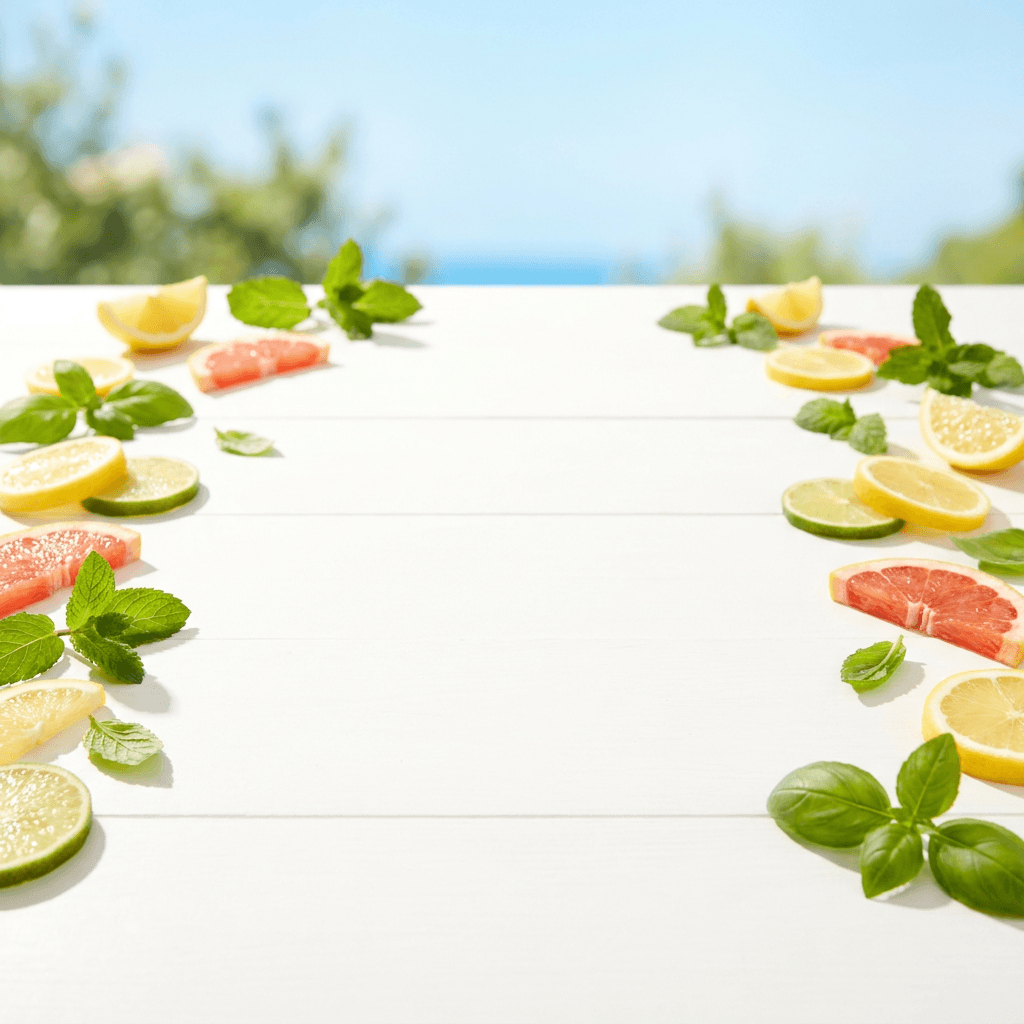
Prompt:
bright fresh summer scene with a clean white surface and vibrant natural light, a few scattered fresh citrus slices and green leaves at the edges for color, bright blue sky visible softly blurred in the background, fresh cheerful outdoor summer atmosphere with vibrant greens soft yellows and clean white tones, generous open center space for product placement, professional summer seasonal lifestyle photography
Variation and Collection Display Backgrounds
18. Flat-lay surface for product collection or bundle display
Best for: Product bundles, multi-pack listings, color variant displays, and complete set overviews.
Prompt:
clean bright white surface photographed directly from above with soft even overhead lighting and no harsh shadows, very subtle warm tone, minimal and clean with faint natural shadow areas where products would cast gentle shadows, professional flat-lay product photography surface, generous open center space for arranging multiple products, bright and inviting commercial catalog aesthetic
19. Textured fabric surface for fashion and accessories flat-lay
Best for: Jewelry displays, fashion accessories, apparel flat-lays, and lifestyle product groupings.

Prompt:
overhead view of a clean natural linen fabric surface in warm cream color with subtle woven texture, soft folds creating gentle organic depth without being messy, even diffused overhead lighting with soft natural shadows, warm neutral tone with slight golden undertone, professional styled flat-lay surface for product arrangement, generous clean center space, commercial fashion product photography background
A+ Content Background
20. Wide-format A+ Content hero banner background
Best for: Amazon A+ Content banner modules for brand-registered sellers — the enhanced content section that appears below bullet points and drives incremental conversions.

Prompt:
clean modern wide-format background with a soft warm gradient from very light cream on the left to clean white on the right, subtle organic texture adding gentle visual warmth without competing with overlaid content, bright and clean with warm neutral professional tones, suitable for product feature highlights and brand storytelling text overlay, maximum clean usable horizontal space
How to Use These Prompts with Your Real Amazon Product Photos
For Amazon FBA sellers, these AI-generated images serve as backgrounds and lifestyle contexts that you composite your real product photographs into. The product itself must always be a real photograph. Here is the workflow.
Step 1: Photograph your product on a plain white background. You do not need expensive equipment. A smartphone with a good camera, a white poster board, and natural window light from an overcast day produce results that work. Shoot near a large window. Use a piece of white foam board as both a surface and backdrop. Shoot multiple angles: front, back, side, top, detail close-ups.
Step 2: Prepare your main image first. Your Image 1 must be a real photograph on pure white (RGB 255,255,255). Use a background removal tool to ensure the white is absolutely pure — Amazon's algorithms detect even slightly off-white backgrounds. When shooting products for Amazon, frame them to fill 85% of the image area. This guideline ensures products appear substantial without touching frame edges, which can trigger rejection. The remaining 15% provides breathing room and professional presentation.[8]
Step 3: Generate your lifestyle and secondary backgrounds. Use prompts 1-5 (lifestyle scenes) to generate contextual backgrounds for your additional image slots. The AI Image Generator on Miraflow accepts custom aspect ratios, so generate at 2000 × 2000 pixels to match Amazon's recommended dimensions.
Step 4: Composite using AI background removal. Extract your product from its plain background using an AI background removal tool, then place it into the AI-generated scene. This is where the magic happens — your real product in a professional lifestyle setting, fully compliant with Amazon's requirement that the product be an accurate photographic representation.
Step 5: Create your infographic images. Use prompts 8-9 and 12-13 for clean infographic backgrounds, then overlay your product photos, feature callouts, icons, and text using a design tool. These secondary images can include text and graphics — they are your chance to visually communicate bullet points that shoppers skip.
Step 6: Optimize and upload. Compress all images to JPEG at quality 85, ensure all files are under 10 MB (aim for under 500 KB for fast loading), name using Amazon's required convention, and upload through Seller Central.
How to Customize These Prompts for Your Amazon Product Category
The 20 prompts above cover the most popular Amazon FBA product categories. Here is how to adapt them to your specific niche.
For Beauty & Personal Care sellers: Use prompt 3 (bathroom shelf) as your primary lifestyle background. Beauty & Personal Care leads the pack at 25–35% net profit margins. Products are small, lightweight (low FBA fulfillment fees), and return rates are low.[5] Visual quality is critical in this category because purchase decisions are emotionally driven. Use prompt 11 (dark premium surface) for luxury-positioned beauty lines, and prompt 10 (macro background) for ingredient and texture close-ups.
For Home & Kitchen sellers: Prompts 1 (kitchen), 5 (living room), and 14 (unboxing) give you contextual scenes matching where buyers will use your products. Home & Kitchen typically hits 18–25% profit margins — a wide range depending on product category size and competition density.[5] Size communication is especially important here — use prompt 7 (measurement grid) to show exact dimensions and reduce returns.
For Sports & Outdoors sellers: Use prompt 2 (outdoor scene) and prompt 17 (summer outdoor) for primary lifestyle shots. Modify with environment-specific descriptors matching your product's use case — "campsite," "gym floor," "hiking trail," or "pool deck."
For Electronics & Accessories sellers: Use prompt 4 (desk workspace) for primary lifestyle shots and prompt 11 (dark premium surface) for premium positioning. Add descriptors like "modern," "minimal," "sleek," and "clean lines" to match the tech aesthetic.
For Supplements & Health sellers: Use prompt 1 (kitchen counter) modified with "healthy morning routine" descriptors, and prompt 15 (natural values) for brand storytelling. Include prompt 7 (measurement grid) to communicate actual supplement size versus expectations.
For Pet Supplies sellers: Modify prompt 5 (living room) to include pet-related props like a small dog bed or pet toy at the edges of the frame. Pet Supplies rounds out the top tier at 20–28%. Passionate customers, strong brand loyalty, and consumable products create predictable monthly revenue with healthy profit margins.[5]
For Shopify store owners who also sell on Amazon, the AI prompts for Shopify product photography guide covers complementary visual strategies for your DTC channel.
The Mobile-First Reality of Amazon in 2026
Mobile optimization is not optional for Amazon sellers. Over 70% of Amazon traffic comes from mobile devices in 2026, making mobile image optimization crucial for sales success.[8] 79% of Amazon browsing now occurs on mobile devices, yet 62% of sellers still optimize images[9] primarily for desktop viewing. Mobile screens render product details at roughly 25% of desktop size, which means your images must communicate key selling points through bold, simplified compositions that work at thumbnail scale.[9]
Here are the specific mobile optimization principles for your Amazon product images:
Your main image must work at thumbnail size. Test your primary image at 500x500 pixel display size on your own phone, ensure text overlays exceed 48pt minimum font size, and verify that your hero product occupies at least 60% of the visible frame when displayed in mobile search results.[9]
On mobile, images are everything. Your image stacks are incredibly important, especially as more shoppers go mobile. On a mobile device the first thing a customer sees when clicking on the listing is your image stack, and if they scroll just slightly, they see the buybox–no listing description or A+ content in site. And it's not just a matter of having an image stack[10] — it needs to tell the complete product story visually.
Infographic text must be readable on mobile. When creating infographic images (prompts 8-9, 12-13), ensure all text is at least 48 pixels in height at the 2000x2000 source size. Text that looks clean on desktop becomes illegible on a 4-inch phone screen.
Test every image on your phone before uploading. Pull up your listing on the Amazon Shopping app. Swipe through every image. If you cannot understand each image's message in two seconds at phone size, it needs to be simplified.
Amazon A+ Content Image Strategy
A+ Content is available to brand-registered sellers. Amazon's internal data shows that listings with A+ Content see 3-10% higher conversion rates and 5-8% increase in traffic. It doesn't directly impact ranking, but better conversion = more sales velocity = indirect ranking boost.[3] Brands using A+ Content see up to a 5–10% lift in conversion rates, according to Amazon internal benchmarks.[10]
A+ Content uses different image dimensions than your product gallery. A+ Content modules are wide-format — much wider than square listing images. The 970px width is standard for desktop. Each module type has its own dimensional requirements based on the layout selected.[9] Amazon requires a minimum resolution of 72 DPI, but this is often too low for modern Retina displays (iPhones/Macs). Draft at 2x Scale: If a module asks for 970px width, design your source file at 1940px width and export it down.[2]
Accepted Formats: JPG (Recommended), PNG, BMP. Note: Avoid PNGs for huge photos as they slow down load times; use compressed JPGs for photos and PNGs for graphics with flat colors. Max File Size: 2 MB per image (aim for under 500KB for faster mobile loading).[2]
Prompt 20 in this guide generates wide-format backgrounds specifically for A+ Content banners. For other A+ modules, generate square backgrounds using the lifestyle prompts (1-5) and crop to the specific module dimensions required.
What separates good A+ Content from forgettable A+ Content? Storytelling. Lead with your brand story (why you exist, what problem you actually solve), then walk through features with supporting visuals, then close with social proof if you have it. Use all 5 available modules — Amazon gave you the space, so use it. Keep text on images minimal and let the provided text fields do the heavy lifting. Stay consistent with fonts, colors, and style across all your modules and across all your listings.[6]
For creators who also make YouTube content about their products, the AI prompts for YouTube thumbnails guide covers complementary visual strategies for video content.
How Amazon's AI Shopping Assistant Reads Your Images
Amazon's AI shopping ecosystem has evolved rapidly. The assistant replaces Rufus, which Amazon launched in 2024 as its AI shopping assistant. More than 300 million customers used Rufus in 2025.[1] As of May 2026, Amazon is making Alexa a more powerful shopping companion by folding its Rufus assistant into Alexa+.[1] Alexa for Shopping combines deep product knowledge, in-depth information from across the web, and powerful shopping capabilities with your personal preferences, shopping history, and conversations.[9]
For sellers, this matters because Rufus includes Visual Label Tagging, product photography and infographic content feed directly into how Rufus evaluates a listing. Images that show the product in use, communicate key features visually, and provide contextual lifestyle settings give Rufus richer data than white-background product shots alone.[10]
Rufus reads your images, so make sure they are clear, high-quality, and directly relevant to your product. Use text overlays to highlight key features and make it easy for the AI to understand what's in the picture. This ensures your product is recognized correctly by the system.[5]
This means your infographic images (prompts 8-9, 12-13) serve a dual purpose: they convert human shoppers AND provide structured visual information to Amazon's AI recommendation engine. Feature callouts, dimension labels, and material descriptions embedded in your secondary images are now indexed as searchable data.
A/B Testing Your Amazon Product Images
One of the most powerful tools available to brand-registered Amazon sellers is the ability to A/B test product images directly within Seller Central.
Manage Your Experiments is a tool that lets you test different versions of your product images, titles, bullet points, descriptions, and A+ Content—including Brand Story—to see what resonates with customers and drives the most sales. Use these data-backed insights to optimize your product detail page and help convert potential customers into buyers. During an experiment, customers who view your product detail page are randomly split into groups and presented with different versions of the content you're testing. Once we've gathered enough data to offer statistically significant results, you'll see how each version performed using metrics like units sold, sales, conversion rate, units sold per unique visitor, and sample size. You'll also see the projected one-year impact of the winning content on your sales.[1]
This brand owner tool can help increase sales by up to 25%.[2]
The Manage Your Experiments feature now includes A/B testing of product images. For the first time, you can test alternate versions of your main product image and see what images may drive higher conversion rates with customers. At no additional cost, you can use A/B tests to help optimize your product images which can generate confidence with customers and help drive purchase decisions.[3]
Here is how to structure your image tests:
Test main image variations first. Your main image has the highest leverage because it determines CTR from search results. One brand increased its conversion rate by 18% simply by testing a new primary image that emphasized product size comparison.[8] Test different angles, different product arrangements, and different lighting approaches — all on the required white background.
Run tests for at least 4-8 weeks. We recommend running experiments for 8 to 10 weeks to allow enough time to generate statistically significant results. If using the pre-selected "to significance" setting for duration, which runs experiments until there's enough data to declare a winner, you can sometimes get results as soon as four weeks.[1]
Test lifestyle background variations. Generate two different lifestyle scenes for the same product using different prompts (e.g., prompt 1 kitchen scene vs. prompt 5 living room scene for a cutting board) and measure which context drives higher conversion.
Track beyond conversion rate. Post-test analysis should focus on conversion rate (CVR), not just sales volume, and integrate findings into broader Amazon listing optimization strategies.[8] Also monitor return rate — a lifestyle image that increases conversions but misrepresents the product's context will increase returns.
Image Alt Text: The Hidden Ranking Signal Most Amazon Sellers Ignore
Here's a optimization technique that 90% of sellers completely miss: alt text for images. Every image in your listing can include up to 100 characters of alt text. Amazon reads this text. It contributes to your search ranking. And most sellers leave it completely empty. Think about that—you're uploading six, seven, eight images, each one representing an opportunity to improve your SEO, and you're throwing that opportunity away by leaving the alt text field blank.[7]
Primary keyword + specific image description + key product feature. Each alt text serves the algorithm while accurately describing the image content. Over time, this small optimization compounds into measurably better search visibility.[7]
Write descriptive alt-text for each image, explaining what the image shows. This helps Amazon understand the content of your images and improves search visibility.[5]
Images influence both shopper behavior and AI-driven indexing. Using keyword-rich ALT text supports accessibility and helps Amazon's AI better understand and index your product images.[10]
When you upload your AI-generated background composites and infographic images, write unique, keyword-rich alt text for every single image. Include the product name, key material, primary use case, and what the specific image shows. For example: "stainless steel insulated water bottle 32oz outdoor hiking lifestyle" or "premium leather wallet front view detail stitching close-up."
Avoiding Common Amazon Product Image Mistakes
Even with AI-enhanced images, certain mistakes can severely hurt your listing performance or get your listing suppressed entirely.
Non-white background on the main image. The background should be white. Pure white is the only way to go for amazon product images. Not off-white, light gray, eggshell white, only white-white (RGB value of 255, 255, 255).[7] Skipping the white background risks your amazon fba listing getting pulled without warning.[7]
Product too small in the frame. Your product must occupy at least 85% of the image area. A product that appears small in the search results looks less valuable than a competitor's that fills the space.[1]
Text or promotional content on the main image. Text overlays, "Best Seller" badges, feature callouts, and promotional claims are strictly prohibited on the main image. They belong on secondary images only.
Low resolution that disables zoom. Without zoom functionality, your customers lose the ability to closely inspect your product, reducing their confidence in purchasing it.[7] Always upload at 2000x2000px minimum.
Inconsistent lighting across images. Inconsistent lighting that makes product colors appear different between images triggers returns and erodes BSR.[9] When photographing your product for multiple composites, use the same lighting setup for every shot to maintain color consistency.
Using the same images as every other seller. For dropshippers and wholesale sellers, using the manufacturer's generic images means your listing looks identical to every competitor. AI-generated lifestyle backgrounds instantly differentiate your visual presentation.
Not testing on mobile. More than seventy percent of Amazon traffic is on phones. Pull up your listing right now. Do the images tell the full story in less than five seconds? If not, you know what to fix.[4]
Ignoring alt text. Most sellers leave it completely empty.[7] Fill in keyword-rich, descriptive alt text for every image.
For creators managing both Amazon and Pinterest content, the AI prompts for Pinterest pins that drive saves guide covers complementary vertical-format visual strategies.
Batch Workflow for Generating Amazon FBA Images at Scale
Managing a catalog of multiple ASINs requires an efficient batch workflow. Here is how to systematically generate and optimize images across your entire product line.
Step 1: Audit your current catalog. Check Seller Central for ASINs with fewer than 7 images, low CTR, low conversion rates, or high return rates. Use Amazon MCP to ask Claude "Which of my products have the lowest conversion rates?" and target those for image improvements first.[2] These are your priority ASINs for image upgrades.
Step 2: Select your prompt templates. Choose 4-5 prompts from this guide that match your product category and brand identity. These become your repeating visual templates that create catalog consistency.
Step 3: Generate all backgrounds in one session. Open the AI Image Generator on Miraflow and generate all your background images in a single session. For each ASIN, generate at least one lifestyle background (prompts 1-5), one infographic background (prompts 8-9), and one detail/texture background (prompt 10 or 11).
Step 4: Photograph all products in batch. Set up your lighting once — near a large window on an overcast day or with a basic softbox — and photograph all your products against a plain white background in one session. Shoot at least 5 angles per product: front, back, left side, right side, and close-up detail.
Step 5: Process your main images first. Remove backgrounds, ensure pure white RGB 255,255,255, resize to 2000x2000, ensure the product fills 85%+ of the frame. These go directly to Seller Central.
Step 6: Composite secondary images. Place your extracted product photos into the AI-generated lifestyle scenes. Create infographic overlays with feature callouts, dimensions, and benefit text. Build comparison images and how-to graphics.
Step 7: Compress, name, and upload. Set JPEG quality to 85. You'll typically see 40-60% file size reductions while keeping the sharpness Amazon demands.[6] Name every file using Amazon's required convention (ASIN.VARIANT.jpg). Upload through Seller Central's inventory file template for bulk processing.
This batch approach turns product image creation from a scattered, per-ASIN task into a focused production session that can cover your entire catalog in a single weekend.
Building Visual Brand Consistency Across Your Amazon Catalog
Brand consistency on Amazon directly impacts buyer perception and trust, especially for brand-registered sellers building a recognizable presence.
If you sell multiple products, keep a uniform style so your brand is instantly recognizable.[2] Maintain consistent lighting, framing, and color across all images.[5]
Here is how to build visual consistency using the prompts in this guide:
Lock in your lifestyle scene style. If your brand targets a modern, minimalist audience, use prompts 1 (kitchen) and 4 (desk) consistently. If your brand is warm and natural, use prompts 5 (living room) and 15 (natural values) across all products. The repeated visual context becomes your brand signature.
Standardize your lighting direction. All prompts in this guide specify the light direction. Pick one direction (left or right) and use it across all generations. When you photograph your products, match that lighting direction so composites look natural.
Create a consistent infographic template. Use prompts 8-9 to generate a standard infographic background, then create a repeatable template with your brand colors, fonts, and icon style. Apply this same template across every ASIN.
Use the same accent colors. If your brand uses specific colors, modify every prompt to include those colors in the scene description. This creates visual coherence when a shopper browses your Amazon storefront or brand store.
For product-specific studio-quality imagery, the 15 AI prompts for product photos guide goes deeper into lighting, angle, and material-specific prompt engineering.
Measuring the Impact of Your AI-Enhanced Amazon Product Photos
After implementing AI-enhanced images across your Amazon listings, track these specific metrics to evaluate the impact.
Click-Through Rate (CTR). This is the primary metric for your main image. Monitor CTR through Seller Central's Business Reports. If your CTR is below category median, check your hero image first — it's almost always the lever.[3]
Conversion Rate (Unit Session Percentage). Compare your conversion rate to category benchmarks, which typically range between 10-15% for well-optimized listings. If you're below 10%, optimization is critical.[7] Conversions lift by ten to twenty percent, sometimes overnight.[4]
Return Rate. Amazon's own 2025 product photography guidance says better images help customers evaluate what they are buying and keep return rates in check. When the images show the real size, the actual color, and what comes in the box, fewer customers feel misled after delivery.[3] Lower return rates directly improve your profit margins and seller performance metrics.
ACOS and ROAS. Better images improve conversion rate, which directly improves your advertising efficiency without changing a single bid. Better CTR lowers your effective CPC. Better CVR improves ROAS.[3]
Best Seller Rank (BSR). Higher conversion rates drive more sales velocity, which improves your organic ranking through Amazon's algorithm. Amazon's A10 algorithm determines which products appear in search results and in what order. Products that convert searchers into buyers get rewarded with higher rankings, creating a flywheel effect.[3]
Track for at least 30 days after updating images on any ASIN. Compare pre- and post-update metrics in Seller Central's Business Reports using consistent date ranges.
Cross-Platform Repurposing of Amazon Product Images
The images you generate for Amazon can be efficiently repurposed for other channels that drive external traffic to your listings.
Amazon PPC Ad Creatives. Your lifestyle images (prompts 1-5) work directly as Sponsored Brands and Sponsored Display ad creatives. Amazon's advertising platform accepts standard product images for these placements.
Social Media Ads Driving to Amazon. Your square-format images (generated at 2000 × 2000) are already Instagram and Facebook ad-ready. External traffic to Amazon listings, when it converts, signals product relevance to Amazon's algorithm and can boost organic ranking.
Amazon Posts. Brand-registered sellers can publish lifestyle content through Amazon Posts, which appears in product feeds and brand pages. Your AI-generated lifestyle composites (prompts 1-5) provide a steady stream of fresh visual content for this channel.
Amazon Brand Store. Your brand store is your custom storefront on Amazon. Use consistent lifestyle imagery across your brand store pages to create an immersive shopping experience that reinforces brand identity.
Google Shopping. Your clean main images (pure white background) are ideal for Google Shopping feeds, which can drive high-intent traffic to your Amazon listings.
For creators managing content across LinkedIn, the AI prompts for LinkedIn post images guide covers professional-focused visual strategies for building your brand's authority.
Advanced Prompt Techniques for Amazon-Specific Images
As you become more comfortable with AI image generation for Amazon, these advanced techniques will help you extract higher-quality results.
Match your product's price positioning visually. If you sell premium products at higher price points, use prompt 11 (dark premium surface) and add descriptors like "editorial quality," "luxury presentation," and "premium brand aesthetic." If you sell everyday consumer products, use brighter, more accessible settings. A premium price point requires premium-looking imagery.[3]
Align imagery with your target keywords. If you're targeting "for outdoor use," your lifestyle image should show outdoor use — not a studio shot.[3] Match your lifestyle scene choice to the search terms that drive the most traffic to your listing.
Create seasonal variants of your best backgrounds. Take your most successful background prompt and create seasonal versions by swapping color palettes and prop descriptions. Your kitchen counter scene becomes a holiday kitchen scene with "warm golden fairy lights" and "fresh cinnamon sticks" for Q4.
Generate multiple versions and test. The cost of AI image generation is negligible per image. Generate 3-5 variations of each background, composite your product into each, and use Manage Your Experiments to test which converts best. Run AI-generated images through a test listing alongside your current photos for two weeks before replacing all imagery. Monitor click-through rate and conversion rate separately — some categories respond better to AI lifestyle scenes while others perform better with studio backgrounds. Make data-driven decisions rather than blanket replacements.[4]
Use context-appropriate props in your prompts. When generating lifestyle scenes, include props that reinforce your product's value proposition. A water bottle scene with hiking gear in the blurred background reinforces durability. A skincare product near fresh flowers and soft towels reinforces self-care. The context does the selling.
The Amazon FBA Opportunity in 2026
The scale of the opportunity for Amazon FBA sellers who invest in visual quality is enormous. In 2025, Amazon generated $716.9 billion in net sales.[8] Q4 2025 Amazon data reveals 61% third party seller share, $830B GMV.[3] In 2026, nearly 30,000 FBA sellers surpassed $1 million in annual sales, while over 200,000 earned more than $100,000.[1]
AI has not replaced the need for strategic thinking about your product images. The tools have matured, the cost savings are proven, and the conversion rate improvements are documented across multiple retail benchmarks. The question facing sellers today isn't whether to adopt AI photography — it's how quickly they can implement it before competitors do.[3] The brands winning on Amazon in late 2026 won't be those with the biggest studios — they'll be the ones who mastered the automated retouching workflows that let a two-person team produce imagery at the pace of a 50-person creative department.[4]
The sellers who win are not the ones with the most images — they are the ones with the most strategically planned images. Knowing which lifestyle context fits your target customer, which infographic layout communicates your key differentiator, and which images to keep versus discard is still a human skill. AI has lowered the cost of execution to near zero. What remains is the cost of judgment.
Conclusion
Amazon is a marketplace where product images are not just visual decoration — they are your silent sales team. On Amazon, images do most of the selling. They earn the click in search, build trust in seconds, and answer objections before a shopper reads a single bullet point. When done well, they increase conversion rate and reduce returns. When done poorly, they quietly cost you sales.[1]
The 20 prompts in this guide cover every image position in your Amazon listing stack: lifestyle scene backgrounds for secondary images, scale and dimension reference backgrounds, infographic layout backgrounds, detail and texture macro backgrounds, usage and how-to instructional backgrounds, brand story and packaging scenes, seasonal and holiday backgrounds, collection display surfaces, and A+ Content banner backgrounds. Each prompt is formatted for Amazon's recommended 2000 × 2000 pixel square format, designed to comply with Amazon's 2026 AI image policies, and built to work alongside your real product photography.
For FBA sellers, these prompts generate the professional backgrounds and lifestyle contexts that differentiate your listing from every competitor using the same supplier photos — without renting a studio, hiring a photographer, or spending thousands per SKU. For brand-registered sellers, they also create the A+ Content imagery that builds brand story and drives incremental conversion.
Start by selecting three to five prompts that match your product category, generate a batch of background images using the AI Image Generator on Miraflow, composite your real product photos into the scenes, optimize for file size and alt text, and update your lowest-converting ASINs this week. With Amazon's mobile-first audience, algorithm-driven ranking system, and the direct relationship between image quality and conversion rate, every visual improvement you make compounds into more organic ranking, lower ad costs, and higher profits over time.
Stop letting generic supplier photography and amateur images limit your Amazon FBA performance. Start generating product images that match the quality your product deserves. Head to Miraflow and create your first batch of Amazon product backgrounds today.
Frequently Asked Questions
What are Amazon's main image requirements in 2026?
Amazon product image requirements mandate a pure white background (RGB 255,255,255), a minimum 1000px on the longest side, and the product filling at least 85% of the image area for main images.[3] No text, logos, watermarks, or inset images. Minimum image size: 1,000 pixels on the longest side for zoom function (recommended: 2,000+ pixels).[2] Must be the actual product (no illustrations, placeholders, or mockups).[2]
What is the best image size for Amazon product photos?
Amazon product images must be at least 1000 × 1000 pixels to enable zoom. However, for best results in 2026, sellers should use detail page images that are 2000 x 2000 pixels.[5] You can go larger, but there's no meaningful visual improvement beyond 2000px for most products.[6] Use square (1:1) aspect ratio for all listing images.
How many images should an Amazon listing have?
Most listings allow up to 9 images, but only 7 display by default on desktop.[2] Amazon recommends having at least six images and one product video.[4] Listings with 7+ images convert at 2.4 times the rate of single-image listings.[9] Fill all available slots with purposeful, strategically planned images.
Can I use AI-generated images on Amazon?
Amazon allows the use of AI tools to enhance and edit product photos, provided the final image accurately represents the physical product. You can use AI to generate lifestyle backgrounds, create infographic overlays, or perform background swaps. This dramatically reduces the cost and time associated with traditional photoshoots. However, you cannot use AI to generate the product itself from scratch if it misrepresents the item's physical characteristics.[2]
What file format should I use for Amazon product images?
The Amazon image size must not exceed 10 MB. Amazon photos will only be accepted in four file types: TIFF, JPEG, GIF, and PNG.[4] JPEG remains the preferred choice for most product photography, offering excellent compression while maintaining visual quality.[8] Compress JPEG files to quality 85 for the best balance of quality and file size.
What is a good conversion rate on Amazon?
Compare your conversion rate to category benchmarks, which typically range between 10-15% for well-optimized listings. If you're below 10%, optimization is critical.[7] Conversion rates vary significantly by category and price point. Listings with high-quality, compliant images convert at 2-3x the rate of those with mediocre visuals.[6]
What happens if my Amazon image doesn't meet requirements?
Non-compliant main images trigger suppression, removing your listing from search without warning.[3] Amazon may suppress your listing until compliant images are uploaded.[2] Common triggers include non-white backgrounds, images under 1000px, text on main images, and props not included in the purchase.
How do I A/B test Amazon product images?
Manage Your Experiments is a tool that lets you test different versions of your product images, titles, bullet points, descriptions, and A+ Content to see what resonates with customers and drives the most sales.[1] You need a Professional selling account and Brand Registry enrollment. We recommend running experiments for 8 to 10 weeks to allow enough time to generate statistically significant results.[1]