20 AI Prompts for Etsy Listing Photos That Sell (Copy & Paste Ready)

Written by
Jay Kim
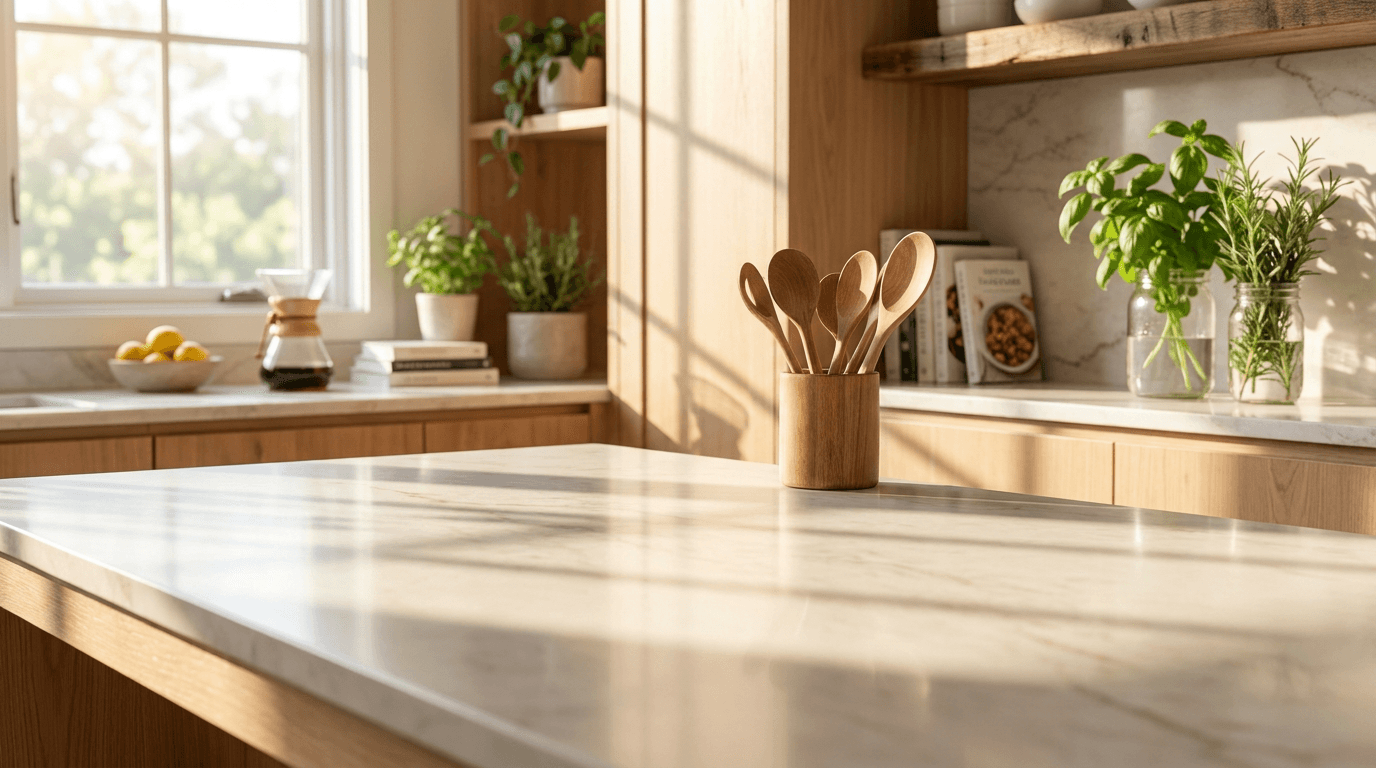
20 ready-to-use AI prompts for generating professional Etsy listing photo backgrounds and lifestyle scenes. Copy, paste, and create scroll-stopping product images for every niche.
You spent weeks handcrafting a beautiful set of ceramic mugs, listed them on Etsy with photos snapped on your kitchen counter under yellow overhead lighting, wrote a keyword-rich title, and waited. Three weeks later, those mugs had 47 views and zero sales. Meanwhile, a seller in your exact niche with the same type of product posted listings featuring bright, naturally lit hero shots on clean backgrounds, lifestyle images showing the mug on a styled desk beside a book, and close-up texture shots that let buyers practically feel the glaze through their screen. That shop sold out in a week. The product quality was comparable. The difference was the photos.
In Etsy's customer research, shoppers have told us that product photos are critical to their purchase decision. In fact, it's their most important factor in deciding to buy, even more important than the shipping cost, customer reviews, or even the price of the item itself.[6] That finding alone should reframe how every Etsy seller thinks about their listing images. In Etsy's buyer surveys, 90 percent of shoppers said the quality of the photos were "extremely important" or "very important" to a purchase decision.[6]
This is the fundamental reality of selling on Etsy in 2026: buyers scroll past hundreds of listings every session and make split-second judgments based almost entirely on imagery.[2] If your photos do not immediately communicate quality, uniqueness, and professionalism, your listing is invisible — regardless of how excellent your product actually is.[2]
This guide gives you 20 copy-and-paste AI prompts engineered specifically for Etsy's image requirements, listing photo strategy, and conversion-driven marketplace, along with the exact specs, design principles, policy guidelines, and optimization strategies you need to make every listing photo work harder.
Why Etsy Listing Photos Are the Most Important Factor in Your Shop's Success
Etsy is not a passive browsing platform. Over 102 million people worldwide buy and sell on the Etsy marketplace. 93.5 million active buyers shopped on Etsy in 2025.[5] As of 2026, the platform hosts over 100 million active listings.[1] With that level of competition, your listing photos are doing the work of an entire sales team. They must stop the scroll, earn the click, build trust, answer questions, and close the sale.
A normal Etsy conversion rate sits between 1% and 5%, while top-tier sellers consistently achieve above 5%. The first product photo is the single most important factor in driving clicks and securing sales.[5] This means that a single improved listing image can meaningfully shift your revenue without changing your product, pricing, or marketing strategy.
Internal split testing shows that listings with highly stylized, professional main photos have a 314% higher click-through rate than those with standard, flat white backgrounds.[4] And listings with properly sized images see 30-40% higher click-through rates from search results compared to those with undersized or blurry photos.[10]
On Etsy, the algorithm directly rewards better photos. Etsy evaluates how shoppers interact with your listing. Higher click-through rate, add-to-cart rate, favorites, and purchases increase your listing quality score. Listings with stronger performance get more visibility over time.[1] Etsy's search algorithm uses listing quality as a ranking signal, and conversion rate is a core component of that score. Listings that convert well get ranked higher in search results.[6]
This creates a virtuous cycle: better photos lead to higher click-through rates, which lead to higher quality scores, which lead to more visibility, which lead to more sales. And it starts with the image.
Etsy Listing Photo Specs for 2026
Getting your image dimensions right on Etsy is not optional. Getting your Etsy image sizes wrong costs you sales. Blurry zoom, cropped thumbnails, pixelated banners — buyers notice, and they click away.[5]
Here is a complete breakdown of the specifications you need to know.
Etsy recommends listing photos have a width and height of at least 2000 pixels or more.[9] However, for the sharpest possible display, the best size is 3000 x 2250px (4:3 ratio) for landscape photos or 3000 x 3000px for square photos. This gives you sharp zoom on retina screens while keeping the file size manageable.[5]
The minimum exists for a specific technical reason. The 2000px minimum exists for zoom. When a shopper clicks on your listing photo, Etsy enables a zoom feature.[5] If your image is below 2000px on any side, the zoom produces a blurry, pixelated result. That kills buyer confidence instantly, especially for products where texture and detail matter — think fabric prints, jewelry, or engraved items.[5]
For aspect ratio, the situation is more nuanced than on other platforms. On desktop, Etsy has changed to a square (1:1) ratio for thumbnails, as they said that "We've learned that buyers are more likely to make a purchase when a shop displays square photos." To complicate things, the Etsy app uses an aspect ratio that's close to 4:5 landscape.[4] This means your images display differently depending on where the buyer is browsing.
Etsy may show your listings' main images in different aspect ratios depending on page, device, and browser. In most cases, Etsy recommends using landscape or square images. However, the platform recently started testing portrait format across some devices. This means that your listings' main images might be cropped differently than expected, especially if the product sits too close to the edges. To keep things future-proof, use a clean, centered photo with plenty of space around your product.[5]
The safest approach for your first listing image: the best aspect ratio and size for your listing photo is in a 2,000 x 2,000px square format. That's the best way to future proof your listing photo to be displayed properly in various contexts on Etsy and the Etsy app.[4]
For file format, JPG is best for 95% of listings — smallest file size, fast loading, good quality at 80-90% compression. Use PNG only for graphics with text overlays or transparency.[1] Max file size 1MB, JPEG preferred.[5]
For color mode, upload images in RGB color mode at a minimum of 72 DPI to maintain accurate colors across different screens and devices. Avoid CMYK files intended for print, as they display incorrectly on Etsy, shifting reds toward orange and blues toward purple.[3]
You can upload up to 10 images plus 1 video per listing.[10] Some sellers report that Etsy has expanded this to up to 20 photos per listing in 2026. Listings with 7-10 photos convert significantly better than those with 1-3.[1]
The AI Image Generator on Miraflow supports custom aspect ratios, so you can generate images at Etsy's square 1:1 or landscape 4:3 ratio without needing to crop or resize afterward.
How Etsy's Algorithm Evaluates Your Listing Images
Understanding how Etsy's search algorithm works in 2026 is essential for creating listing photos that drive visibility and sales.
The algorithm rewards listings that match buyer intent and earn engagement. When your photos, titles, tags, pricing, and shipping all align with how shoppers behave on the app, visibility becomes consistent instead of random.[1]
The algorithm operates in two stages. First, Etsy checks your titles, tags, categories, attributes, and light description context to determine relevancy. This is straightforward Etsy SEO. If you don't match what the shopper typed, your listing never enters the ranking pool.[1]
Second, and this is where photos matter most, Etsy's 2026 algorithm places greater weight on how buyers respond to your listing once they find it. A high click-through rate from search results and strong add-to-cart signals now accelerate ranking gains faster than in previous years.[8]
Your listing's first image directly controls your click-through rate. When titles match buyer intent and photos stop the scroll, the algorithm has what it needs to push your listing further.[1] Over 70% of Etsy searches happen on mobile in 2026. Etsy's algorithm reflects this — listings with mobile-optimized photos (clean, zoomed-in hero images) show stronger click-through performance and rank accordingly.[8]
The 2026 algorithm also introduced significant changes. Etsy introduced a soft cap of 70 characters for titles. If your title exceeds this limit, the algorithm considers it "keyword stuffed." Listings with concise, readable titles are pushed to the top of the search results. Data shows that listings with titles under 70 characters saw a 34% increase in mobile click-through rates almost immediately after the update.[2]
Consistency and activity also factor into the algorithm. The 2026 algorithm rewards consistency. Etsy wants to know that your shop is active, healthy, and constantly providing new inventory for buyers to browse. According to the official Etsy Seller Handbook, an active shop that regularly adds new items receives a slight but continuous boost in overall shop visibility.[2]
What Makes an Etsy Listing Photo Convert
The design principles that drive conversions on Etsy are different from other platforms. Etsy values authenticity, craftsmanship, and a personal connection between buyer and seller. Here is what the data and best practices reveal.
Clean, product-focused first images. Rules for mobile-optimised primary photos: the product should occupy at least 70 percent of the frame. Background should be a single, contrasting colour — not a busy lifestyle scene (save that for photo 2). Avoid text overlays on the primary photo unless the text is extremely large and high-contrast.[9] Your first image has about two seconds to do its job. If it's attractive but vague, you're already losing buyers. Lead with a clean, well-lit photo that shows the full product clearly.[10]
Natural, diffused lighting. Natural light produces the sharpest results: photograph near a large window during the golden hour or on an overcast day for diffused, shadow-free light.[9] Etsy's seller handbook is emphatic on this point: Good lighting is key to good photography. It makes it easier for shoppers to accurately see the details and colors of your products. When lighting your products, the key is to avoid harsh light, whether it's direct sunlight, a strong fluorescent indoor bulb, or a flash on your camera.[6]
Lifestyle context in secondary images. There is no white background requirement on Etsy. Sellers are actively encouraged to use lifestyle photography, styled backdrops, props, and creative compositions.[8] Etsy buyers respond well to lifestyle photos that show products in context.[10]
Consistent visual branding across the shop. Consistency isn't just about looks; it's a powerful branding tool. A cohesive style across your product photos makes your Etsy shop appear polished, trustworthy, and memorable. It helps buyers recognize your brand instantly, boosting recall and encouraging repeat purchases in a visually driven marketplace.[1]
Centered product with ample negative space. Avoid putting important details too close to the edges of your photos; Leave some empty 'white space' around your product. Keeping the product centred prevents parts of it getting cropped off accidentally.[4]
For product-specific imagery across multiple e-commerce platforms, the 20 AI prompts for e-commerce product images guide provides additional prompts designed for various marketplace requirements.
Etsy's AI Image Policy: What You Need to Know
Before using AI-generated images for your Etsy listings, you must understand the platform's rules. Etsy takes authenticity seriously, and violating these guidelines can result in listing removal or account penalties.
Etsy has established clear boundaries regarding AI usage in product imagery. The platform does not prohibit AI-enhanced images outright, but it requires that these images accurately represent the physical product being sold.[1]
The most critical rule: Can you use AI to create product images entirely from scratch? No, Etsy requires sellers to include at least one photograph showing the actual physical product. Completely AI-generated product images that have no basis in reality violate Etsy's authenticity requirements and may result in listing removal. AI tools should enhance authentic photographs rather than replace them entirely. You can use AI for background scenes, lifestyle contexts, and enhancement effects, but the core product representation must come from genuine photography.[1]
For AI-generated art sold as digital products, the rules are different. When artists use these AI tools, they still make creative decisions and contributions to guide the AI and carefully curate the output to produce unique, finished works for sale. After carefully considering the complex issues surrounding AI-generated content, Etsy has decided to continue to allow sellers to use their original prompts in combination with AI tools to create the artwork they sell on Etsy.[2]
Disclosure is required. Seller-prompted AI creations are creations that were generated using AI tools based on a seller's original prompts. Sellers must disclose within their listing description if an item is created with the use of AI.[3]
The most successful Etsy sellers in 2026 are not choosing between traditional and AI photography — they are strategically combining both. Real product photos serve as the authentic foundation; AI enhancement adds the contextual atmosphere that distinguishes compelling Etsy listings from generic catalog images.[2]
This means the prompts in this guide serve two primary purposes. First, they generate lifestyle backgrounds and contextual scenes that you can composite your real product photos into. Second, for sellers of digital products, print-on-demand items, and AI-created artwork, these prompts generate the listing images themselves.
The 10-Photo Strategy for Every Etsy Listing
Before diving into the prompts, you need to understand how to use all of Etsy's photo slots strategically. Etsy provides 10 photo slots for a reason. Listings that utilize all 10 slots generally perform better in the search algorithm because they provide a better user experience. Leaving slots empty is leaving money on the table.[4]
Image 1 is your hero shot (appears in search). Follow with lifestyle, detail, scale, and packaging shots. Most shoppers only look at the first 3-5 images. Image 1: Hero shot — clean background, product centered. Image 2: Lifestyle — product in use or context. Images 3-10: Details, scale, packaging, variations.[1]
Here is the proven photo slot formula that the prompts in this guide are designed to fill:
Slot 1 — Hero shot: Clean, well-lit product on a simple background. This is your thumbnail in search results and must communicate the product instantly at tiny sizes.
Slot 2 — Lifestyle context: The product in use or in its natural environment. This is where AI-generated backgrounds add the most value.
Slot 3 — Scale reference: Product next to a hand, ruler, or common object so buyers understand size.
Slot 4 — Detail close-up: Texture, finish, craftsmanship, material quality shown up close.
Slot 5 — Additional angle: Different perspective showing features not visible in the hero shot.
Slot 6 — Variation display: All color, size, or material options shown together.
Slot 7 — Second lifestyle shot: Different context or use case.
Slot 8 — Packaging: What the buyer will actually receive, especially important for gifts.
Slot 9 — Size chart or info graphic: Dimensions, care instructions, or key features.
Slot 10 — Process or behind-the-scenes: Showing the handmade process builds trust on Etsy.
The prompts below are organized by these slot types so you can generate exactly what each position needs.
20 AI Prompts for Etsy Listing Photos (Copy & Paste)
Each prompt is designed for Etsy's recommended dimensions. For hero shots and general listings, generate at 2000 x 2000 pixels (1:1 square). For landscape images, use 3000 x 2250 pixels (4:3). You can paste these directly into the AI Image Generator on Miraflow, set the appropriate aspect ratio, and generate immediately.
Hero Shot Backgrounds (Slot 1)
1. Clean white studio background
Best for: Jewelry, small handmade items, ceramics, candles, and any product where clarity at thumbnail size matters most.

Prompt:
clean bright product photography background, pure white seamless surface curving gently from horizontal to vertical, soft even lighting with no harsh shadows, subtle gradient from slightly warm white on the surface to bright white in the background, professional studio lighting with large soft diffused light source from upper left creating gentle directional shadow, clean and minimal, ready for product placement, commercial product photography aesthetic
2. Warm neutral linen background
Best for: Handmade soap, natural skincare, artisan food items, organic products, and items with an earthy brand identity.
Prompt:
overhead view of a clean natural linen textile surface in warm cream or oatmeal color with subtle woven texture visible, soft diffused natural light from the upper right creating gentle fabric shadows in the folds, warm and inviting neutral tone with slight golden undertone, minimal wrinkles creating organic texture without being messy, professional styled flat-lay surface ready for product placement, generous clean center space, commercial product photography background
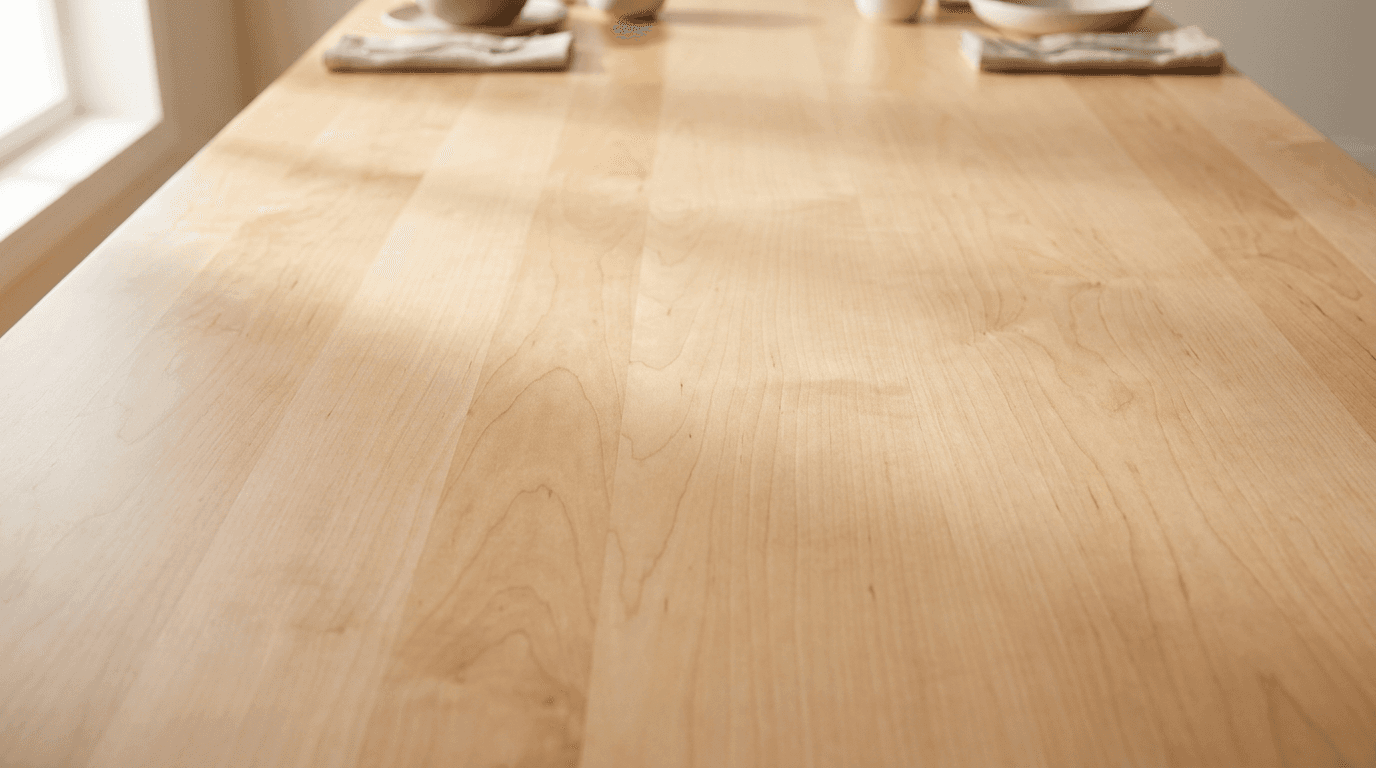
3. Light wood surface background
Best for: Kitchen items, cutting boards, wooden crafts, artisan tools, and rustic or farmhouse-style products.
Prompt:
clean light oak or maple wood table surface photographed from above at a slight angle, warm natural wood grain visible with smooth polished finish, soft natural window light from the left side creating gentle directional warmth, clean and uncluttered with warm beige and honey tones, professional product photography surface with plenty of open center space for product placement, subtle wood grain texture without heavy knots or dark marks, styled commercial photography aesthetic
Lifestyle Context Backgrounds (Slot 2)
4. Cozy home desk scene for stationery and planners
Best for: Planners, notebooks, stickers, desk accessories, pens, and stationery products.

Prompt:
bright modern home desk scene with a clean white or light wood surface, a small potted succulent in a neutral ceramic pot in the background left, a warm cup of coffee in a simple white mug slightly blurred in the background right, soft natural morning light streaming from a large window creating warm golden highlights, clean and organized workspace aesthetic with warm neutral tones of cream white and soft sage, generous clear center space on the desk surface for product placement, lifestyle product photography with shallow depth of field on background elements
5. Bathroom shelf scene for skincare and soap
Best for: Handmade soap, bath bombs, skincare, candles, and body care products.
Prompt:
bright clean bathroom shelf scene with a warm wooden shelf against white tile, a small green plant in a simple pot on the left side, soft fluffy white towel folded in the background, warm diffused natural light from the right creating a fresh spa-like atmosphere, clean whites warm wood and soft sage green accents, generous open space in the center of the shelf for product placement, bright and airy with a warm calming mood, lifestyle product photography with soft focus background
6. Kitchen counter scene for food and kitchen items
Best for: Handmade ceramics, cutting boards, kitchen textiles, artisan food products, and cooking accessories.
Prompt:
bright modern kitchen counter scene with warm white marble or light stone surface, a small wooden utensil holder with a wooden spoon visible in the soft background, fresh herbs in a simple glass jar slightly blurred at the back, warm morning sunlight from a nearby window creating bright clean illumination with soft shadows, clean kitchen aesthetic with warm whites natural wood and green accents, generous clear center counter space for product placement, professional lifestyle kitchen photography
7. Living room coffee table scene for home décor
Best for: Candles, coasters, small sculptures, decorative objects, and home accessories.
Prompt:
bright living room scene focused on a clean coffee table surface in warm natural wood or white, a soft cream-colored knit throw blanket draped over a sofa arm visible in the blurred background, warm afternoon natural light creating a cozy inviting atmosphere, a small stack of neutral-toned books on one side of the table, warm earth tones with cream sage and natural wood accents, generous open table space in the center for product placement, lifestyle home décor photography with shallow depth of field
8. Outdoor garden scene for plant accessories and outdoor items
Best for: Garden markers, plant pots, outdoor décor, garden tools, and nature-inspired products.

Prompt:
bright outdoor garden scene with a warm weathered wooden table or bench surface, soft green foliage and blurred colorful flowers in the background, warm golden afternoon sunlight filtering through leaves creating dappled light patterns, fresh and natural atmosphere with rich green warm wood and soft floral color accents, generous clear center space on the wooden surface for product placement, outdoor lifestyle product photography with shallow depth of field and warm bokeh in background
Detail and Texture Backgrounds (Slot 4)
9. Macro texture photography background
Best for: Close-up shots of jewelry details, fabric texture, ceramic glaze, woodgrain, or any product where material quality matters.
Prompt:
extreme close-up macro photography background with soft warm out-of-focus neutral tones, creamy smooth bokeh in warm beige and golden tones, soft directional light from the left creating gentle gradation, professional macro product photography aesthetic with shallow depth of field, warm and clean with plenty of breathing room for sharp product detail to stand out against soft background
10. Dark moody surface for luxury items
Best for: Fine jewelry, leather goods, high-end candles, premium gifts, and products with a luxury positioning.

Prompt:
dark slate or charcoal gray stone surface with subtle natural texture, dramatic directional side lighting from the left creating a rich moody atmosphere with defined shadows, warm golden accent highlights catching the surface edges, clean dark background fading to soft black, professional luxury product photography aesthetic, rich deep tones with warm metallic light accents, generous clean center space for product placement
Flat-Lay Styling Backgrounds (Slots 6-7)
11. Gift-ready flat-lay arrangement
Best for: Gift sets, curated bundles, holiday products, and items marketed as presents.
Prompt:
overhead flat-lay scene on a warm cream or white surface with natural kraft paper partially visible at the edge, a sprig of dried eucalyptus and a small coil of natural twine arranged decoratively in one corner, soft warm overhead lighting creating minimal shadows, warm neutral gift-wrapping aesthetic with brown cream and sage green accents, generous open center space for product arrangement, clean and inviting holiday gift photography styling
12. Craft supplies flat-lay background
Best for: Craft supply listings, DIY kits, art materials, and maker tool products.
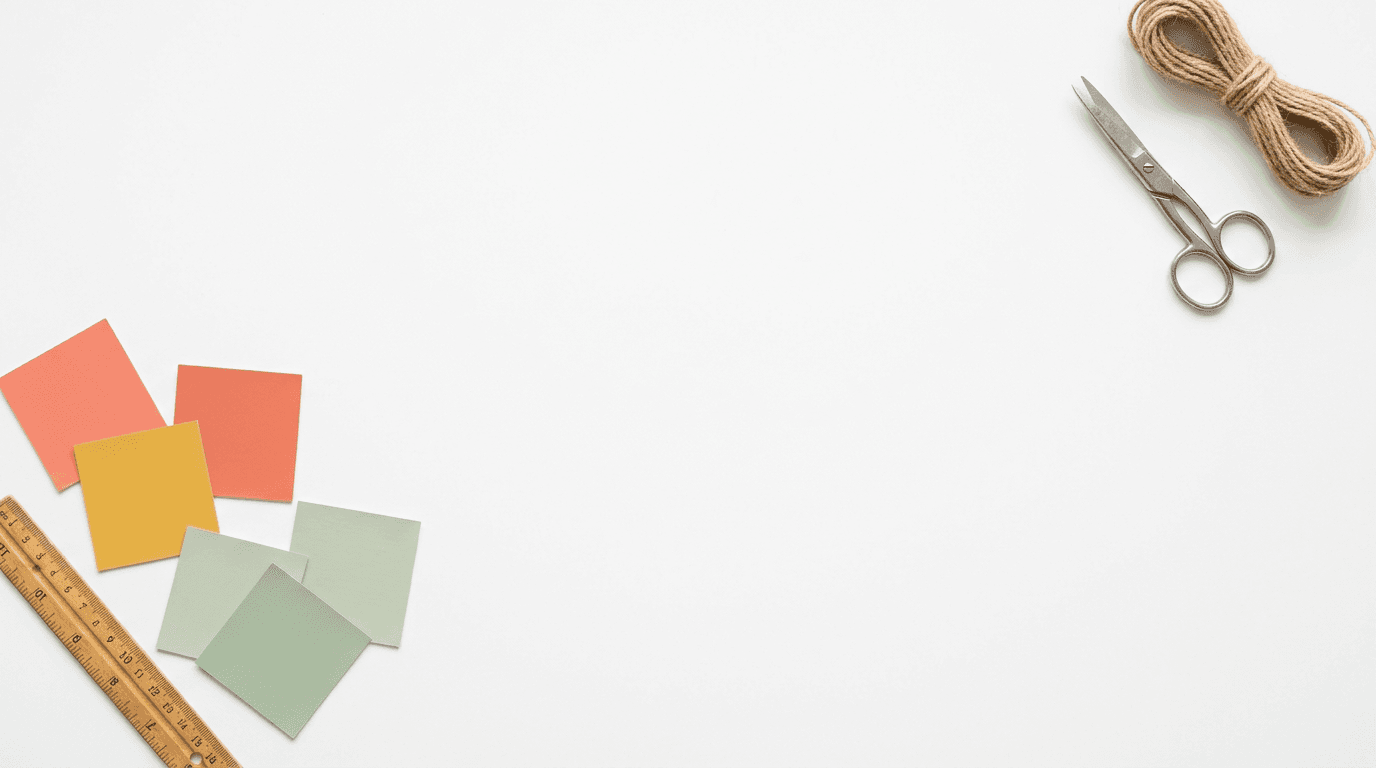
Prompt:
overhead flat-lay of a clean white desk surface with a few colorful paint swatches and a small wooden ruler arranged in one corner, small scissors and a length of natural twine at the opposite edge, bright even overhead lighting with no harsh shadows, cheerful creative workspace aesthetic with warm pops of coral golden yellow and sage against clean white, generous open center space for product display, styled craft photography
Wearable Product Backgrounds (Slot 2 or 7)
13. Jewelry display on skin-tone background
Best for: Rings, necklaces, bracelets, earrings, and other jewelry shown in lifestyle context.

Prompt:
close-up of an elegant feminine hand resting naturally on a warm neutral linen surface, soft warm natural light from the side highlighting the skin and surface textures, neutral nail color, relaxed natural pose with fingers slightly curved, warm skin tones against cream linen background with soft golden light accents, professional jewelry lifestyle photography aesthetic, shallow depth of field with the hand in sharp focus and background softly blurred
14. Clothing lifestyle background with model context
Best for: Scarves, hats, bags, clothing accessories, and wearable textile products.
Prompt:
bright outdoor lifestyle scene of a person walking on a tree-lined path in warm afternoon sunlight, seen from the waist up from behind or slightly to the side, wearing simple neutral clothing in cream and soft earth tones, warm golden light filtering through autumn or spring foliage, clean and aspirational lifestyle aesthetic with warm natural tones, face not visible or turned away, professional fashion lifestyle photography with shallow depth of field
Digital Product and Print Mockup Backgrounds
15. Wall art frame mockup scene
Best for: Digital art prints, printable wall art, photography prints, and any framed art product.

Prompt:
bright modern minimalist living room wall scene with a clean white wall and a simple thin natural wood or black picture frame hanging centered, a small green plant on a modern side table visible below the frame, warm natural afternoon light from a window creating soft shadows on the wall, clean and bright with warm neutral tones of white cream and natural wood, frame interior left blank as clean white or very light gray, professional interior mockup photography
16. Digital download mockup on tablet or device
Best for: Digital planners, printable templates, digital stickers, and downloadable design files.
Prompt:
bright clean overhead view of a modern tablet device laying flat on a warm light wooden desk surface, a small coffee cup and a pen beside it, the tablet screen showing a clean blank white display, warm natural morning light from a window creating fresh bright illumination, modern and professional workspace aesthetic with warm wood white and soft accent colors, styled digital product mockup photography
For creators who also make YouTube content about their products, the AI prompts for YouTube thumbnails guide covers complementary visual strategies for video content.
Seasonal and Holiday Backgrounds
17. Winter holiday styling scene
Best for: Holiday gifts, ornaments, winter accessories, festive home décor, and seasonal products.

Prompt:
warm cozy winter holiday scene on a rustic wooden surface with a few pinecones and a small sprig of fresh pine or fir at the edges, tiny warm golden fairy lights creating soft bokeh in the blurred background, rich warm atmosphere with deep brown green gold and cream tones, generous clean center space for product placement, festive but not cluttered with natural earthy holiday elements, professional holiday product photography styling
18. Spring and summer fresh scene
Best for: Floral items, garden products, spring décor, fresh-themed products, and seasonal accessories.
Prompt:
bright fresh spring scene with a clean white surface and a few scattered fresh flower petals in soft pink and white at the edges, a small glass vase with fresh wildflowers slightly blurred in the background corner, bright airy natural light creating a fresh cheerful atmosphere, soft pastel tones of blush white and spring green against clean white, generous open center space for product placement, professional spring seasonal product photography
Wedding and Special Occasion Backgrounds
19. Wedding and bridal styling scene
Best for: Wedding favors, bridal accessories, invitation suites, wedding décor, and personalized wedding gifts.
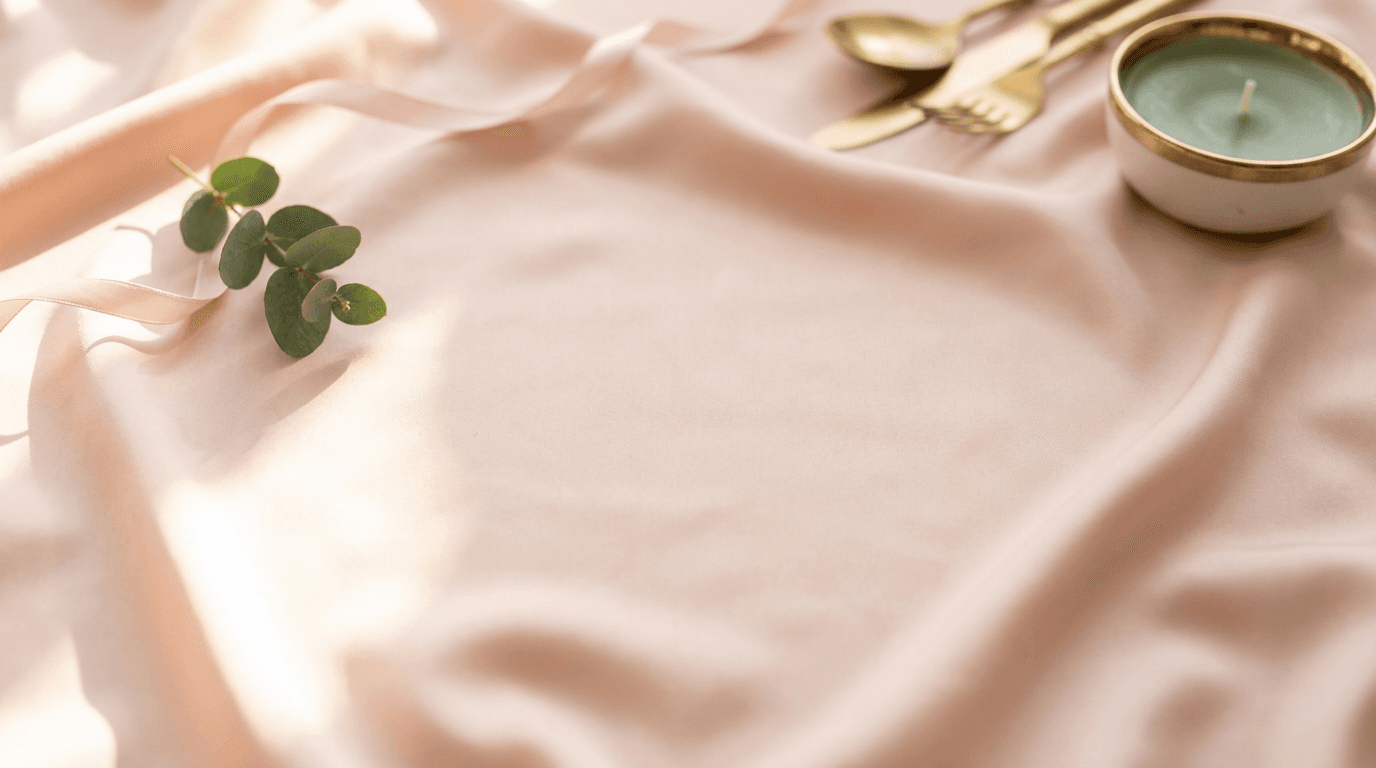
Prompt:
elegant romantic flat-lay scene on a soft blush or ivory silk fabric surface with gentle natural folds, a small sprig of fresh greenery and a thin satin ribbon in blush pink arranged delicately at the corner, soft warm natural light from the side creating gentle highlights on the silk, romantic and refined atmosphere with warm blush ivory gold and sage tones, generous clean center space for product arrangement, professional wedding styled photography with shallow depth of field
Infographic and Info Card Backgrounds (Slot 9)
20. Clean info card background for size charts and features
Best for: Size guides, care instruction cards, feature highlight graphics, and informational listing images.

Prompt:
clean minimal background with a soft warm gradient from light cream at the top to very soft warm blush or pale sage at the bottom, subtle organic watercolor texture adding gentle visual warmth without competing with text, bright and clean with warm neutral tones, professional graphic design background suitable for product information overlay, maximum clean usable space for text and graphics
How to Use These Prompts with Your Real Product Photos
For sellers of physical, handmade products, these AI-generated images serve as backgrounds and lifestyle contexts, not as product photos themselves. Here is the workflow for combining AI-generated backgrounds with your actual product photography.
Step 1: Photograph your product on a plain background. Take your real product photo against a clean, evenly lit surface. A white poster board near a window works perfectly for most products. Your best friend is indirect natural light. Find a large window in your home. Turn off all the artificial lights in the room to avoid color casting. Place a table near the window. If the sun is beaming directly through the glass, tape a white bedsheet or a piece of parchment paper over the window. This acts as a diffuser, softening the light and eliminating harsh, ugly shadows.[4]
Step 2: Generate your lifestyle background. Use one of the prompts above (prompts 4-8 for lifestyle scenes) to generate the contextual background you want your product placed in.
Step 3: Composite using AI background removal. Use an AI background removal tool to extract your product from its plain background, then place it into the AI-generated scene. The result is a realistic lifestyle image featuring your actual product in a professional setting.
Step 4: Keep your hero shot real. Sellers must include at least one photograph showing the actual physical product in natural lighting. This requirement establishes a baseline of authenticity that AI tools can enhance but not replace entirely.[1] Your Slot 1 hero shot should always be a real, unmanipulated photo of your product.
Step 5: Organize your gallery strategically. Place unenhanced product photo first, followed by enhanced images and mockups.[1] This ensures compliance with Etsy's policies while giving you the visual flexibility to create compelling secondary images.
The AI Image Generator on Miraflow accepts reference images alongside text prompts, allowing you to upload your product photo and generate a matching lifestyle scene around it.
How to Customize These Prompts for Your Product Category
The 20 prompts above cover a broad range of Etsy product categories. Here is how to adapt them to your specific niche.
For jewelry sellers: Use prompt 10 (dark moody surface) as your primary alternative to white backgrounds. Jewelry pops against dark surfaces, and the warm side lighting creates the sparkle and reflection that jewelry buyers look for. For lifestyle shots, use prompt 13 (jewelry display) and add details about the type of jewelry in the scene. Soft and diffused light works best as jewelry photography lighting, where you only need to focus on minimal editing. By maintaining this, natural light works the best to capture warm lifestyle shots for Etsy.[5]
For home décor sellers: Prompts 7 (living room), 5 (bathroom), and 6 (kitchen) give you contextual scenes that match where buyers will use your products. Swap the specific decor elements to match your brand palette. If your products are modern, specify "clean modern Scandinavian" in the prompt. If they are rustic, specify "warm farmhouse" style.
For digital product sellers: Prompts 15 (wall art frame), 16 (tablet mockup), and 20 (info card background) are specifically designed for digital downloads. These are especially valuable because if you run a print-on-demand business, you face a completely different set of visual challenges. You do not have the physical product in your hands. You rely entirely on digital mockups to sell your designs.[4]
For clothing and textile sellers: Use prompt 14 (clothing lifestyle) and modify it for indoor or outdoor settings. Add specific fabric descriptions that match your products. For flat-lay shots of folded clothing, modify prompt 2 (warm linen background) to include the appropriate surface and props.
For seasonal products: Rotate between prompt 17 (winter holiday) and prompt 18 (spring/summer) based on your seasonal inventory. Start creating seasonal listing photos at least 90 days before the seasonal peak, following the same principle that works for Pinterest seasonal content.
For creators managing both Etsy and Pinterest content, the AI prompts for Pinterest pins that drive saves guide covers complementary vertical-format visual strategies.
Optimizing Your First Image for Thumbnail Performance
Your first listing image is the most critical because it determines whether anyone clicks on your listing in the first place. Your first listing photo is the most critical image. It is the one displayed in Etsy search results, category pages, and ads. Buyers decide whether to click on your listing based almost entirely on this single image.[6]
On mobile, where the majority of Etsy traffic comes from, this image appears tiny. Over 65 percent of Etsy traffic comes from mobile devices. On a phone screen, your listing thumbnail is approximately 150 x 188 pixels — tiny. At this size, cluttered backgrounds, small text overlays, and products photographed from far away become invisible.[9]
Here are the specific optimization principles for your first image:
Product must fill the frame. The product should occupy at least 70 percent of the frame.[9] When you generate hero shot backgrounds using prompts 1-3, ensure the product placement area in the center is large enough that your product dominates the composition.
Center the product for crop safety. Your product should be centred within the middle 70 percent of the frame to survive any crop variation.[9] Since Etsy crops images to square, portrait, and landscape formats depending on where they appear, keeping your product dead center protects it from being cut off.
Keep backgrounds simple and contrasting. Avoid text overlays on the first image, dark or busy backgrounds that compete with the product, and photos that look identical to other sellers.[10]
Test at thumbnail size before publishing. Test every photo by viewing it at thumbnail size — zoom your browser to 25 percent.[9] If you cannot immediately identify the product and understand what it is at that size, the image needs to be simpler and more product-focused.
Building Visual Brand Consistency Across Your Etsy Shop
Brand consistency directly impacts buyer behavior and algorithm performance on Etsy. Building consistent visual branding across your shop means establishing a signature color palette, mood, and photographic style that carries through your entire storefront. Consistent visual identity makes your shop immediately recognizable and builds buyer trust over repeated visits.[2]
Here is how to build visual consistency using the prompts in this guide.
Choose one or two background types and use them everywhere. If your brand is warm and natural, use prompts 2 (linen) and 3 (wood) for all your listings. If your brand is clean and minimal, use prompt 1 (white studio) consistently. The backgrounds become your visual signature.
Lock in your lighting direction. All prompts in this guide specify the light direction. Pick one direction (left or right) and keep it consistent across all generations. Inconsistent lighting across listings makes your shop look disjointed.
Standardize your accent colors. Each prompt includes color descriptors for background elements. Replace these with your brand's specific palette across all prompts. If your brand uses sage green and warm cream, modify every prompt to include those specific colors.
Maintain the same styling tone. Color Tones and Mood: Decide on a tone for your photos: warm and cozy, bright and airy, cool and minimal.[1] Once you pick your tone, carry it through every image you generate. This consistency is what separates professional-looking shops from amateur ones.
Use the same prop language. When prompts mention background props, standardize them. If you use eucalyptus in one lifestyle shot, use it in all of them. If you use wooden surfaces, keep the wood tone consistent. This repetition builds brand recognition.
Batch Generating Etsy Images for Efficient Listing Creation
With over 100 million active listings[1] competing for attention, volume and consistency matter. Here is a batch workflow for generating a full set of listing images efficiently.
Step 1: Audit your current listings. Identify which listings have fewer than 7 photos, which have poor-quality images, and which are your lowest-converting listings. These are your priority improvements.
Step 2: Select your prompt templates. Choose 5-6 prompts from this guide that match your product category and brand identity. These become your repeating visual templates.
Step 3: Generate all backgrounds in one session. Open the AI Image Generator on Miraflow and generate all your background images back to back. For each product, generate at least one hero background (prompts 1-3), two lifestyle backgrounds (prompts 4-8), one detail background (prompt 9 or 10), and one seasonal or styled background.
Step 4: Photograph all products in batch. Set up your lighting once and photograph all your products against a plain background in a single session. Photo shoots are time consuming and labor intensive, but you can save time and create consistency by photographing multiple items at once.[6]
Step 5: Composite and export. Combine your real product photos with the AI-generated backgrounds, add text overlays for info cards, and export everything at Etsy's recommended dimensions.
Step 6: Upload strategically. Organize your images using the 10-slot strategy outlined above. Ensure your hero shot is a real product photo in slot 1, with AI-enhanced lifestyle and context images in secondary slots.
This batch approach turns listing image creation from a scattered, per-listing task into a focused production session that can cover your entire shop in a single afternoon.
Using AI-Generated Mockups for Print-on-Demand and Digital Products
For print-on-demand (POD) and digital product sellers, AI-generated images serve an even more central role. When you start a POD business, you likely use the standard mockups provided by your production partner. You place your design on a flat, wrinkled t-shirt on a stark white background. Here is the painful reality: those flat mockups kill conversion rates.[4]
Professional, AI-generated lifestyle mockups can directly increase your conversion rate by helping buyers visualize the product.[5] The data backs this up: Internal data shows that replacing a standard, generic mockup with a contextual, high-quality lifestyle image can drastically increase your click-through rate.[5]
For POD sellers, use the prompts in this guide to generate realistic lifestyle scenes, then composite your design mockups into those scenes. For example, generate a living room wall scene (prompt 15), then place your art print mockup into the frame. Generate a desk scene (prompt 4), then place your planner design into the composition.
For digital download sellers, generate multiple mockup contexts. A single digital art print should be shown framed on a wall (prompt 15), as a close-up of the print texture (prompt 9), and alongside complementary items in a styled flat-lay (prompt 11). Each context helps different buyer types visualize the product.
For YouTube and TikTok content creators selling digital products on Etsy, the AI prompts for TikTok cover images guide covers vertical-format mockup techniques.
Naming Your Image Files for SEO
A commonly overlooked optimization on Etsy is image file naming. IMG_1234.jpg tells Etsy nothing about your product. Rename to descriptive keywords like handmade-silver-ring-turquoise.jpg.[1]
Rename from IMG_1234.jpg to descriptive keywords. Etsy's search algorithm reads image file names. Use lowercase with hyphens: handmade-silver-necklace.jpg.[1]
When you download your AI-generated background images and final composite images, rename every file with descriptive, keyword-rich names before uploading to Etsy. Include the product type, key material, color, and use case. For example: "handmade-ceramic-mug-coffee-table-lifestyle.jpg" or "boho-macrame-wall-hanging-living-room.jpg."
This small step takes seconds per image but gives Etsy's search algorithm additional context about your listing, which can improve your relevancy for visual search queries.
Adding Video to Your Etsy Listings
While this guide focuses on still images, Etsy's listing video feature is a powerful companion to your photo strategy. Etsy allows up to 10 photos plus one video. Listings with video receive higher engagement and stand out in search results.[9]
Etsy allows one video per listing (5-15 seconds, maximum 100MB). Listings with video receive higher engagement — the video thumbnail appears in search results on some Etsy interfaces, providing visual differentiation from static-image competitors. Video works best for: showing scale and dimension (rotating the product, holding it), demonstrating functionality (opening a planner, wearing jewellery, lighting a candle), and showing texture or material quality that photos cannot capture.[9]
Keep videos simple: no music, no text overlays, no editing transitions. A steady hand-held rotation of the product in natural light is more effective than an overproduced clip.[9]
For video content beyond Etsy listing clips, the Text2Shorts generator on Miraflow can turn your product descriptions into short-form video content for social media promotion of your Etsy shop.
Avoiding Common Etsy Listing Photo Mistakes
Even with AI-enhanced images, certain mistakes can severely hurt your listing performance.
Inconsistent aspect ratios across listings. Uploading photos with inconsistent aspect ratios creates a jagged, unprofessional gallery.[9] Standardize all your images to the same dimensions before uploading.
Products too close to the edges. If your product's handles, clasps, or decorative edges sit near the frame's edge, Etsy's automatic cropping in search results may hide them until shoppers click through to the full listing.[3] Always keep your product centered with ample space around it.
Using the same image for multiple listings. Using the same single photo for multiple listings — buyers assume duplicate products and lose trust.[9] Generate unique backgrounds and compositions for each product, even if the products are similar.
Cluttered or distracting backgrounds. Photographing on a cluttered or distracting background — the buyer cannot focus on the product.[9] The prompts in this guide are designed with generous clean center space precisely to avoid this problem.
Images below 2000 pixels. Images under 2000px wide appear pixelated on modern high-resolution phone screens.[10] Every generated image should meet or exceed the 2000-pixel minimum on all sides.
Watermarks that obscure the product. Including watermarks that obscure the product — Etsy discourages watermarks and buyers find them off-putting.[9]
Never checking how photos look on mobile. The most common mistake: never checking how photos look on mobile before publishing.[9] After uploading, check your listing on your phone to verify that images look sharp, products are clearly visible, and nothing critical is cropped out.
Measuring the Impact of Your AI-Enhanced Listing Photos
After implementing AI-enhanced images across your Etsy shop, track these metrics to evaluate the impact.
Conversion rate by listing. In 2026, most Etsy shops still convert somewhere between 1% and 5%, and for many categories, 2-3% is a healthy benchmark.[2] Compare individual listing conversion rates before and after updating photos. Sellers report results like: "I was stuck around 1.9%, added listing videos and clearer size photos, now I hover around 3.6%."[2]
Click-through rate from search. Your clickthrough rate measures how often people see your listing in search results and click on it. A 2% CTR on Etsy is roughly average, meaning 2 out of every 100 search impressions result in a click.[6] Improved listing photos should push this metric upward.
Favorites and add-to-cart rate. These are intermediate signals that tell you the photos are working. Buyers who favorite your listing are responding positively to the visual presentation. The algorithm uses these signals to determine whether to show your listing to more buyers.
Category-specific benchmarks. Not all categories convert equally. Digital products convert at 5-10% (low friction). Jewelry converts at 2-4% (higher consideration). Custom items convert at 1-2% (higher commitment).[1] Compare your results against your specific category, not against overall averages.
Time-to-impact. Realistic timeline: Week 1-2 (audit listings, fix obvious gaps), Week 3-4 (implement changes, expect 0.5-1% improvement), Month 2 (test variations, another 0.5-1%), Month 3+ (compound improvements, sustained 2-4% gain).[1]
Track for at least 30 days after updating photos on any listing. The algorithm needs time to re-evaluate your listing's quality score based on the new engagement metrics.
Advanced Prompt Techniques for Etsy-Specific Images
As you become more comfortable with AI image generation for Etsy, these advanced techniques will help you extract higher-quality results.
Specify the Etsy aesthetic context. Adding phrases like "Etsy-style lifestyle photography," "handmade product aesthetic," or "artisan market visual" tells the AI to generate images that match Etsy's distinctive visual culture, which leans warmer, more personal, and more crafted than generic e-commerce photography.
Match your product's price point visually. If you sell premium products at higher price points, use prompt 10 (dark moody surface) and add descriptors like "luxury presentation," "premium materials visible," and "editorial quality." If you sell affordable everyday items, use brighter, more accessible settings with casual styling.
Create "shopping situation" context. Describe the moment when a buyer would use or encounter your product. "Morning coffee moment" for mugs, "gift-opening at the holidays" for gift items, "bedtime self-care routine" for skincare. This emotional context in your lifestyle shots helps buyers see themselves in the scene.
Use texture-specific descriptors for material authenticity. Include phrases like "visible natural linen weave," "warm brushed brass metal surface," or "organic cotton fabric with soft drape" to make backgrounds feel authentic and tactile. Etsy buyers expect to see handmade quality in every visual element.
Generate color-accurate backgrounds. If your product is a specific color, generate backgrounds that complement without competing. Use color theory: warm products against cool-toned backgrounds create visual separation, while analogous colors (similar hues) create harmony.
For product-specific studio-quality imagery, the 15 AI prompts for product photos guide goes deeper into lighting, angle, and material-specific prompt engineering.
Cross-Platform Repurposing of Etsy Listing Images
The images you generate for Etsy can be efficiently repurposed for other channels that drive traffic to your shop.
Pinterest. Etsy and Pinterest are natural partners. Your lifestyle images (generated from prompts 4-8) can be cropped or reformatted to Pinterest's 2:3 vertical ratio with text overlay added. 81% of Etsy buyers report that the Etsy marketplace has items they can't find anywhere else[5], making Pinterest an ideal discovery channel for unique Etsy products.
Instagram. Your square-format images (generated at 2000 x 2000) are already Instagram-ready. Use your lifestyle scenes as feed posts, and your hero shots work for Instagram Shopping tags.
Etsy Ads. When running Etsy's internal advertising, the same images that perform well organically will perform well in ads. Test different lifestyle backgrounds against each other to find your highest-performing visual for paid promotion.
Social media stories. Crop your 4:3 landscape images to 9:16 vertical for Instagram Stories, TikTok, and Facebook Stories. The warm, naturally lit aesthetic works well across all these platforms.
For creators managing content across LinkedIn as well, the AI prompts for LinkedIn post images guide covers professional-focused visual strategies.
The Etsy Marketplace Opportunity in 2026
The scale of the opportunity for Etsy sellers who invest in visual quality is enormous. 8.76 million sellers used Etsy in 2025, up 7.72% YoY. In a typical month, Etsy receives 459 million visits.[5] Mobile users (through the Etsy app) purchased 45% of consolidated GMS in 2025, up 7.14% YoY.[5]
The buyer demographics favor sellers who present their products professionally. Most Etsy shoppers (64.7%) are under 44 years old. 28.9% of Etsy users are between the ages of 25 and 34 years. 17.5% of Etsy users are aged 18 to 25, and 18.3% are aged 35 to 44. Female shoppers account for 58.4% of Etsy users.[5] This audience is visually sophisticated and expects professional-quality imagery.
81% of Etsy buyers report that the Etsy marketplace has items they can't find anywhere else. 85% of buyers say that shopping on Etsy means they can support small businesses. 66% of buyers shop on Etsy as they consistently offer high-quality products.[5] These buyers are intentional and loyal, but they need visual proof that your product meets their quality expectations.
The biggest advantage of AI-enhanced workflows is economic: you can test fifteen different visual concepts before committing to one, without any per-shoot cost. This iteration speed is what separates top Etsy sellers from struggling ones.[2]
Conclusion
Etsy is a visual marketplace where product photography is not just a nice-to-have but the primary driver of clicks, conversions, and algorithmic visibility. Unlike shopping in a boutique or a department store, when you browse online, you can't pick up the product. You can't touch it, hold it in your hands, or feel the texture with your fingers. All you have is the photographs.[6]
The 20 prompts in this guide cover every image slot in your Etsy listing: hero shot backgrounds, lifestyle context scenes, detail and texture backgrounds, flat-lay styling, wearable product contexts, digital product mockups, seasonal scenes, and informational backgrounds. Each prompt is formatted for Etsy's recommended 2000 x 2000 pixel square or 3000 x 2250 pixel landscape format, designed with the clean, well-lit, warm aesthetic that Etsy buyers respond to, and built to work alongside your real product photography.
For physical product sellers, these prompts generate the professional backgrounds and lifestyle contexts that elevate your real product photos from amateur to polished. For digital product and POD sellers, they create the compelling mockup environments that help buyers visualize your designs in real-world settings.
Start by selecting three to five prompts that match your product category, generate a batch of background images using the AI Image Generator on Miraflow, composite your real product photos into the scenes, and update your lowest-converting listings this week. With Etsy's conversion-driven algorithm, every visual improvement you make compounds into more visibility and more sales over time.
Stop letting inconsistent lighting, cluttered backgrounds, and flat product-only photography limit your Etsy shop's performance. Start generating listing images that match the quality your handcrafted products deserve. Head to Miraflow and create your first batch of Etsy listing backgrounds today.
Frequently Asked Questions
What is the best Etsy listing photo size in 2026?
Etsy recommends listing photos have a width and height of at least 2000 pixels or more.[9] For optimal quality, the best size is 3000 x 2250px (4:3 ratio) for landscape photos or 3000 x 3000px for square photos.[5] The best aspect ratio for versatility is a 2,000 x 2,000px square format[4], which survives Etsy's various cropping behaviors across desktop, mobile, and search results.
Can I use AI-generated images for my Etsy listings?
Etsy does not prohibit AI-enhanced images outright, but it requires that these images accurately represent the physical product being sold.[1] For physical products, Etsy requires sellers to include at least one photograph showing the actual physical product.[1] AI-generated backgrounds and lifestyle contexts are acceptable when combined with real product photos. For digital products and AI-created art, sellers must disclose within their listing description if an item is created with the use of AI.[3]
How many photos should my Etsy listing have?
Use all 10 slots Etsy provides. Listings with 7-10 photos convert significantly better than those with 1-3.[1] Minimum recommended is 5 photos covering hero shot, lifestyle, detail, scale reference, and packaging.[1]
What is a good conversion rate on Etsy?
In 2026, most Etsy shops convert somewhere between 1% and 5%, and for many categories, 2-3% is a healthy benchmark.[2] A good Etsy conversion rate is 2–3% for established sellers, with 3–5% considered strong and anything above 5% placing you in the top tier.[6]
Should my first listing photo have a white background?
Not necessarily. There is no white background requirement on Etsy. Sellers are actively encouraged to use lifestyle photography, styled backdrops, props, and creative compositions.[8] However, your first image should be clean and product-focused. The product should occupy at least 70 percent of the frame. Background should be a single, contrasting colour.[9]
What file format should I use for Etsy listing photos?
JPG is best for 95% of listings — smallest file size, fast loading, good quality at 80-90% compression. Use PNG only for graphics with text overlays or transparency.[1] Max file size 1MB, JPEG preferred.[5]
Does Etsy's algorithm consider photo quality?
Yes. Over 70% of Etsy searches happen on mobile in 2026. Etsy's algorithm reflects this — listings with mobile-optimized photos show stronger click-through performance and rank accordingly.[8] Etsy's search algorithm uses listing quality as a ranking signal, and conversion rate is a core component of that score. Listings that convert well get ranked higher in search results.[6]
How long does it take to see results from improved listing photos?
Realistic timeline: Week 1-2 (audit listings, fix obvious gaps), Week 3-4 (implement changes, expect 0.5-1% improvement), Month 2 (test variations, another 0.5-1%), Month 3+ (compound improvements, sustained 2-4% gain).[1] Give the algorithm at least 30 days to re-evaluate your listing after updating images.