20 AI Prompts for E-Commerce Product Images (No Photographer Needed)

Written by
Jay Kim
Professional product photography costs thousands. These 20 copy-paste AI prompts generate studio-quality e-commerce product images across every shot type you need, no photographer required.
Product photography is one of the biggest hidden costs for small e-commerce businesses. A professional photographer, a studio rental, lighting equipment, multiple shooting sessions for seasonal content, and post-processing fees add up to thousands of dollars before a single product image goes live. For independent sellers, Shopify store owners, and direct-to-consumer brands scaling on a budget, that cost is often the single biggest bottleneck between launching a product and marketing it properly.
AI image generation has changed this equation significantly in 2026. With the right prompts, you can generate product images that look professionally photographed, placed in contextually relevant lifestyle settings, and styled for specific audiences, without booking a photographer or renting a studio. The challenge is that generic AI prompts produce generic results. Most sellers who try AI product photography get images that look obviously generated, awkwardly lit, or poorly composed for commercial use.
This guide gives you 20 copy-paste prompts specifically designed for e-commerce product images, organized by product category and shot type, with notes on how each one works and how to adapt it to your specific product.
Why Product Photography Quality Directly Affects Conversion
Before getting into the prompts, it is worth understanding why this matters beyond just aesthetics. Product images are the primary decision driver for online purchases because buyers cannot physically examine what they are buying. Research consistently shows that image quality, variety, and contextual relevance have a direct impact on add-to-cart rates and purchase completion.
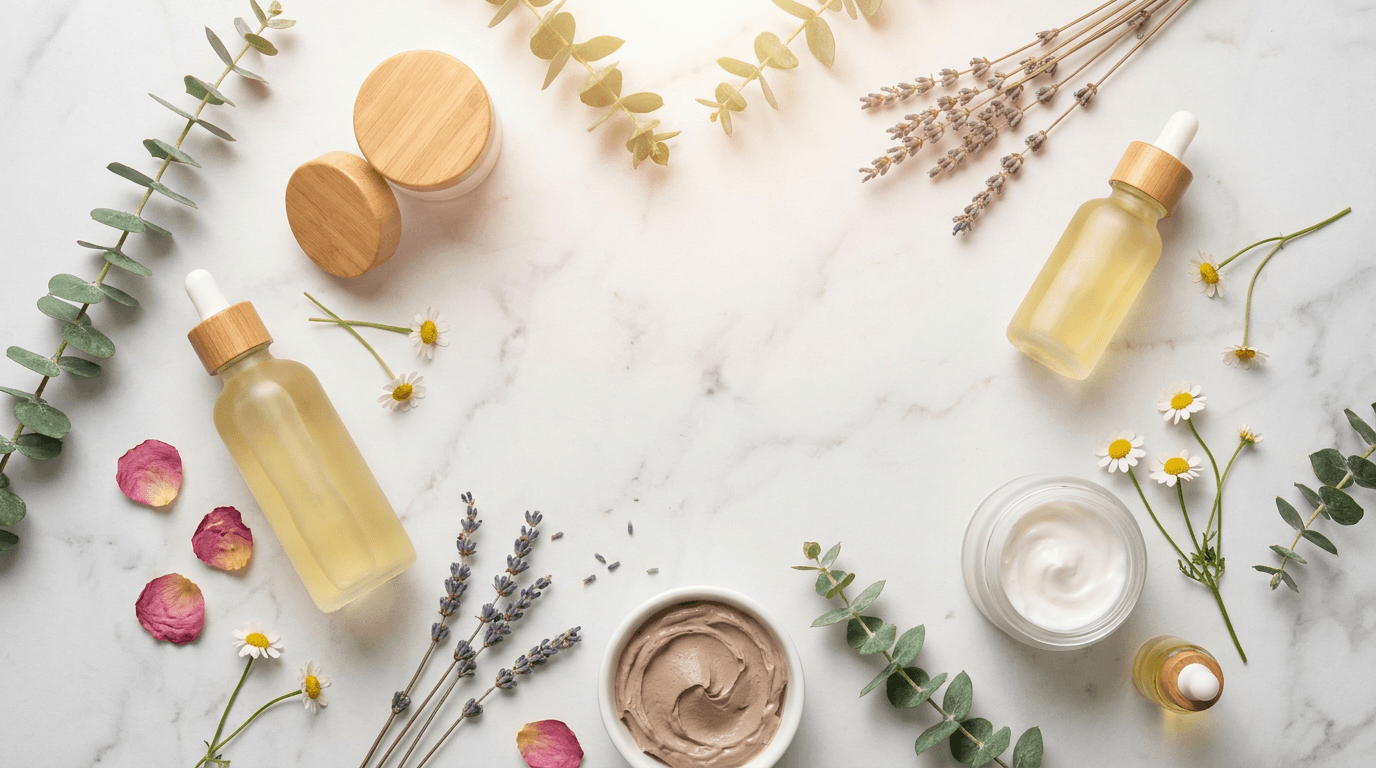
The specific qualities that drive conversion in e-commerce product images are:
Surface texture visibility Buyers want to understand what a product feels like before they can touch it. Images that show texture clearly, the grain of leather, the softness of fabric, the gloss of a ceramic finish, reduce purchase uncertainty and increase conversion.
Scale context Buyers need to understand a product's size relative to familiar objects or environments. Lifestyle shots that place products in real contexts communicate scale in ways that isolated white background shots cannot.
Use case clarity Images that show the product being used or in its natural environment help buyers visualize ownership. A candle looks more appealing on a bathroom ledge with soft ambient lighting than it does centered on a white background.
Professional credibility The production quality of product images signals the quality of the brand. Low-quality product photography makes even good products look cheap. High-quality images, whether photographed or AI-generated, signal brand investment and product confidence.
All 20 prompts in this guide are built around these conversion-driving principles.
How to Use These Prompts
Every prompt in this guide is written to work as a direct text-to-image generation input. You can use them in Miraflow AI's image generator by pasting the prompt directly into the text-to-image field and generating. The image-to-image feature is particularly useful for product photography: if you already have a basic product photo, you can upload it and apply these prompts as style and environment transformations rather than generating entirely from scratch.
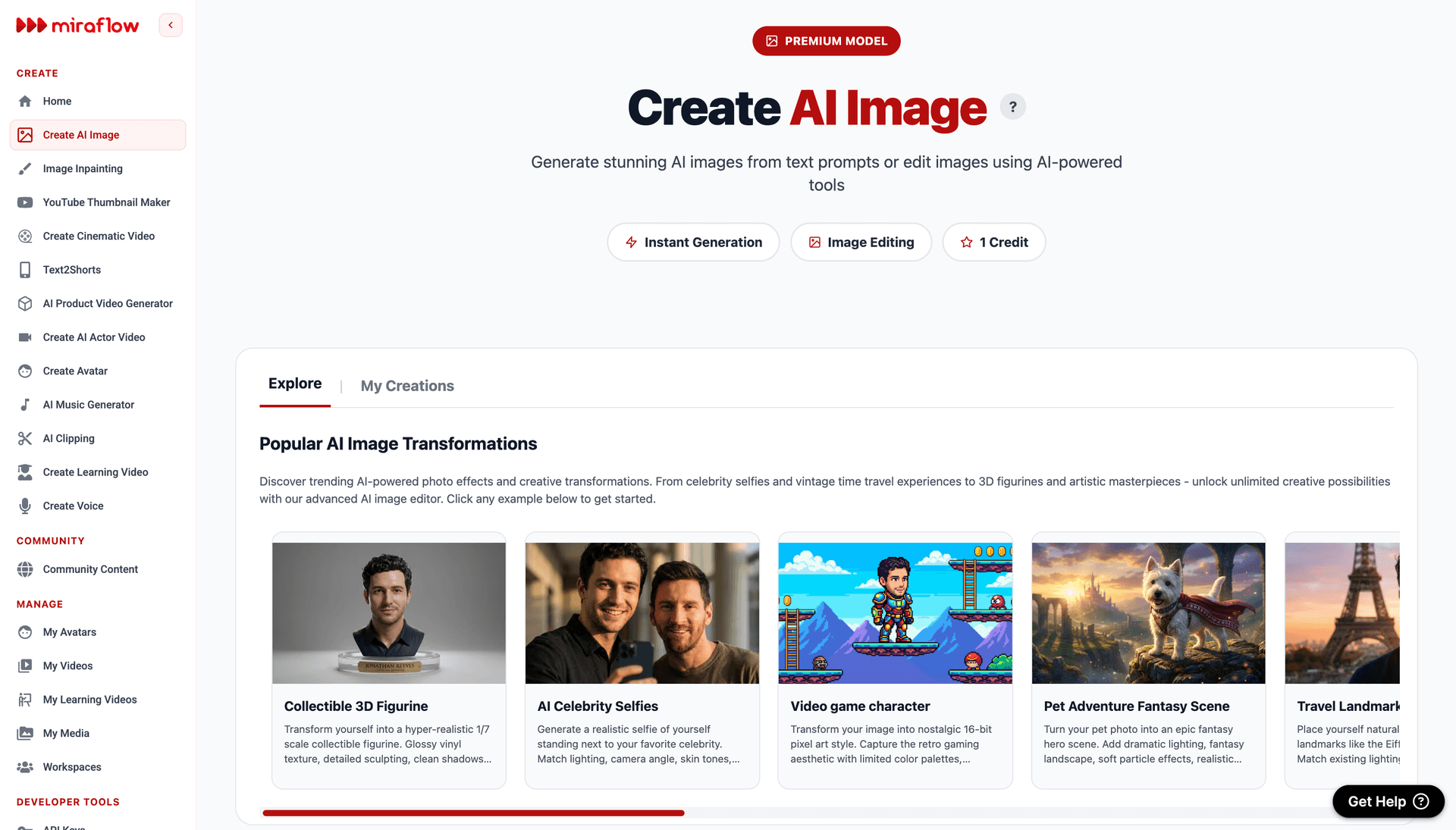
The inpainting tool is also valuable for product images specifically. If a generated image has the right environment and lighting but the product placement or one specific element is off, you can mask that region and regenerate just that part while keeping the rest of the image intact.
Wherever you use these prompts, adapt the product description portion to match your specific item. The structural elements of each prompt, the lighting, environment, styling, and technical photography references, are the parts that produce professional results. The product description is what you swap out.
Category 1: Clean Studio Product Shots
These prompts produce the clean, isolated product imagery that works best for primary listing images on Amazon, Shopify, Etsy, and other e-commerce platforms where the product needs to be the clear focal point.
Prompt 1: Premium white background hero shot
For any product that needs a clean, catalog-style primary image.
Prompt
premium [product name] centered on a pure white background, soft diffused studio lighting from above and slightly camera left creating minimal shadow beneath the product, sharp focus across the entire product surface showing texture detail clearly, commercial product photography style, slight reflection on the surface below suggesting high-end studio setup, no props no clutter, perfectly centered composition with breathing room around all edges, photorealistic
Prompt 2: Gradient studio background
For products where a pure white background feels too clinical and a slight tonal variation adds visual interest.
Prompt
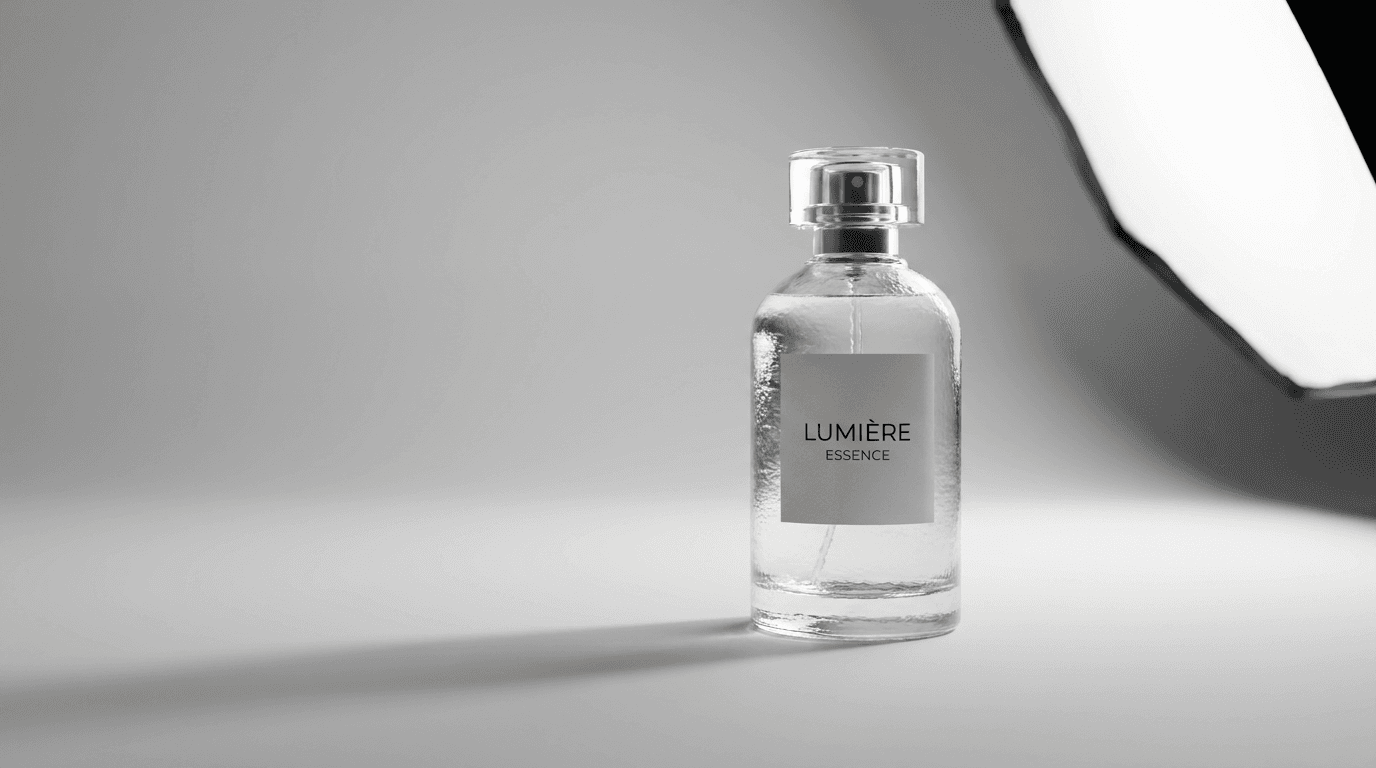
[product name] centered against a soft light grey gradient background, studio lighting with large softbox from camera right and subtle fill from camera left, clean commercial photography, sharp product focus with texture and surface detail visible, slight elongated shadow at base of product, high-end product catalog aesthetic, negative space on left side for text placement, photorealistic
Prompt 3: Textured neutral background
For products where a tactile background surface adds premium feel without distracting from the product.
Prompt
[product name] placed on a light cream linen textured surface, matching neutral linen background behind it, overhead softbox lighting with warm slight color cast, shadow detail visible beneath the product, artisan product photography aesthetic, surface texture visible both on the background and beneath the product, tight composition with product filling most of the frame, photorealistic commercial photography
Category 2: Lifestyle Context Shots
Lifestyle shots dramatically increase the conversion power of product pages by helping buyers visualize the product in their own lives. These prompts place products in specific environmental contexts that match their intended use case.
Prompt 4: Home interior lifestyle
For home goods, decor, kitchen products, and anything used in domestic environments.
Prompt
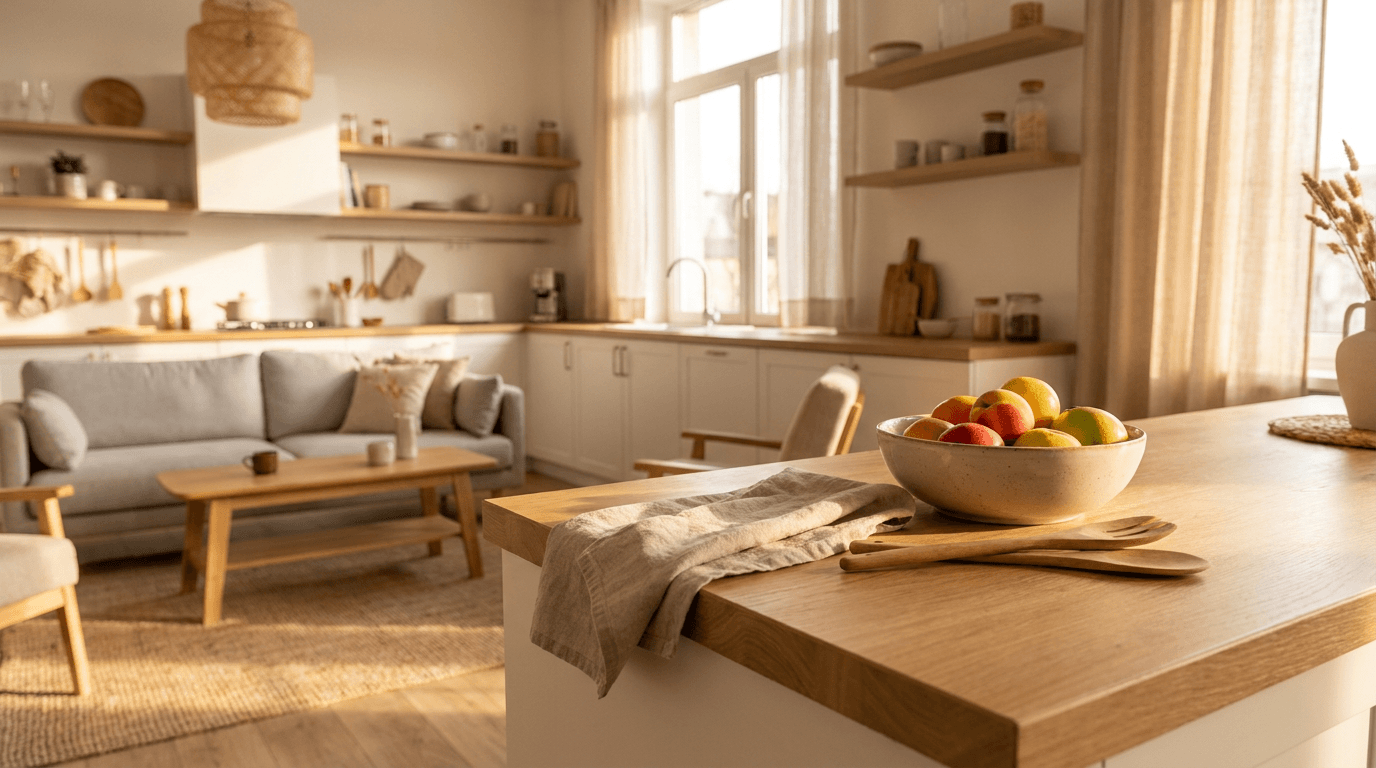
[product name] styled in a modern Scandinavian living room interior, warm afternoon light coming through a large window from camera right, clean minimal furniture visible in the slightly blurred background, product in sharp focus in the foreground, natural wood and neutral textile elements supporting the composition, lifestyle interior photography style, photorealistic, no text no logos
Prompt 5: Kitchen countertop context
For food products, kitchen tools, cookware, and wellness supplements.
Prompt
[product name] on a clean marble kitchen countertop, morning light from a window casting soft directional shadows, complementary props visible at the edges of frame suggesting a real kitchen in use, slight depth of field blurring the background kitchen environment, food and lifestyle photography style, warm neutral color palette, photorealistic, no text no real branding visible
Prompt 6: Bathroom shelf styling
For skincare, beauty, wellness, and personal care products.
Prompt
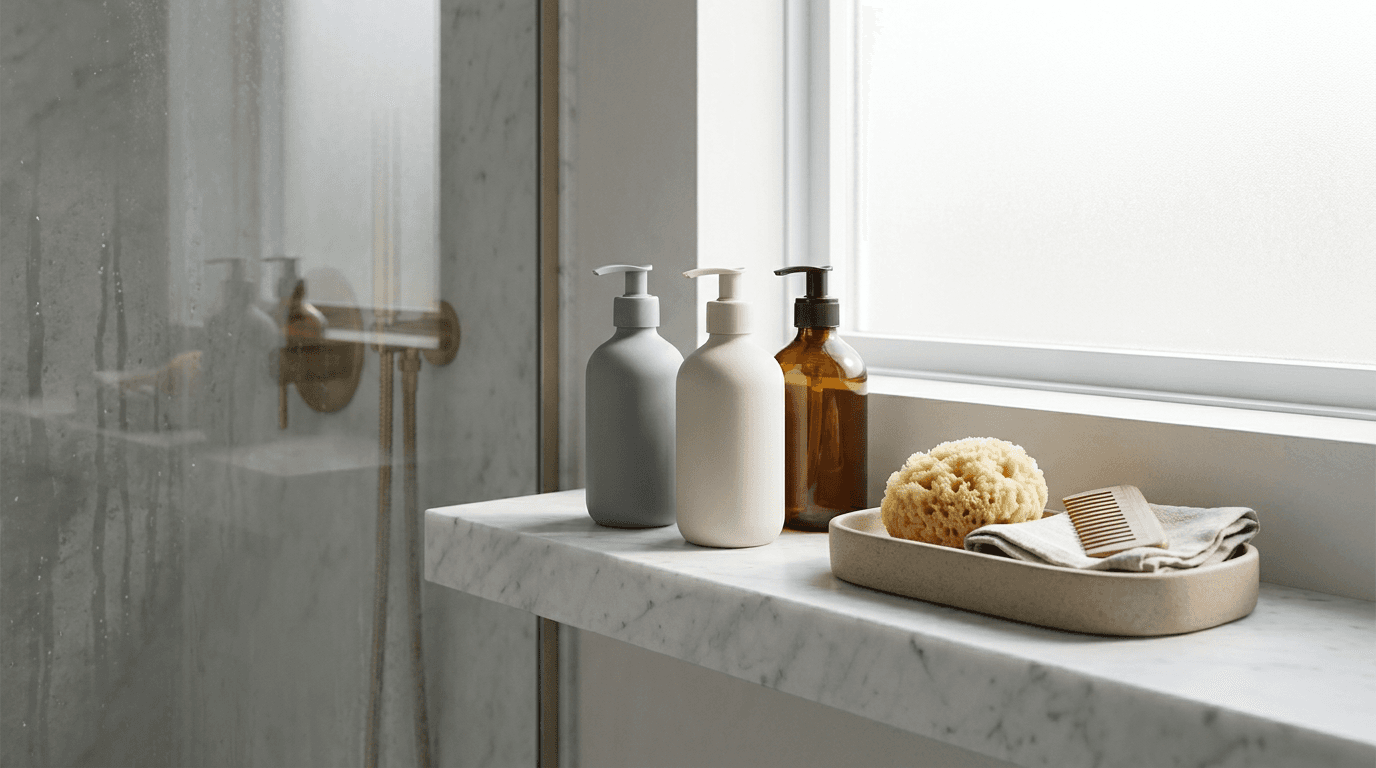
[product name] arranged on a white marble bathroom shelf beside a small ceramic tray with a few simple complementary items, soft diffused natural light, clean minimalist aesthetic, slight steam suggestion in background soft focus suggesting a warm bathroom atmosphere, luxury lifestyle photography, cool neutral tones with warm accent, photorealistic, no text no logos
Prompt 7: Outdoor adventure context
For outdoor gear, sportswear, travel products, and active lifestyle items.
Prompt
[product name] placed on a natural rock surface in an outdoor mountain setting, soft overcast natural light providing even illumination across the product, background showing blurred forest and mountain landscape suggesting adventure context, editorial outdoor product photography style, earthy natural color palette, photorealistic, no text no logos
Prompt 8: Desk workspace context
For tech accessories, stationery, office products, and productivity tools.
Prompt
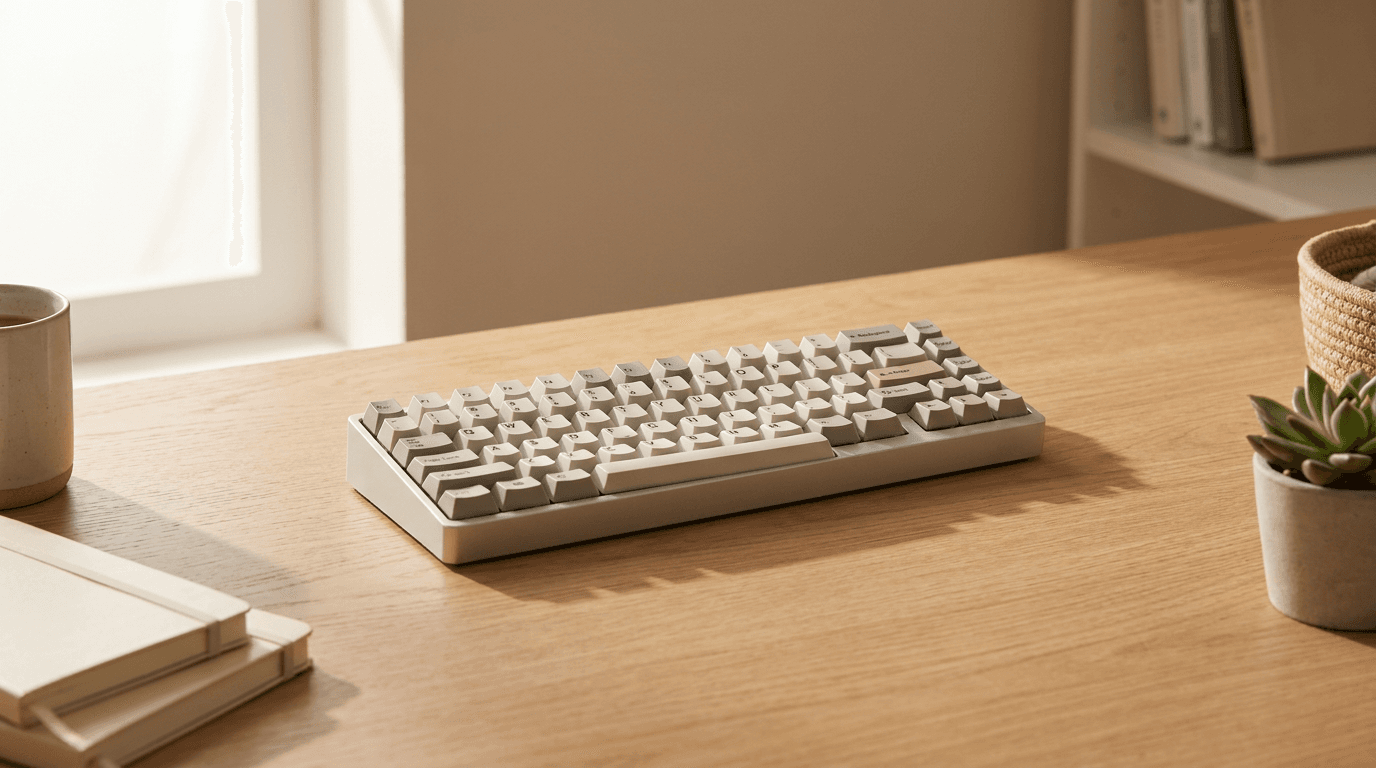
[product name] on a clean minimal wooden desk workspace, afternoon natural light from a window camera left casting a soft shadow, a few complementary items partially visible at frame edges creating context without distraction, professional home office aesthetic, warm neutral tones, shallow depth of field on background, workspace lifestyle photography, photorealistic, no text no logos
Category 3: Flat Lay Product Shots
Flat lay photography, shooting from directly above with products and complementary items arranged on a surface, is one of the most widely used formats for social media and e-commerce. These prompts produce flat lay compositions optimized for different product categories.
Prompt 9: Skincare flat lay
For beauty products, skincare sets, and cosmetics.
Prompt
overhead flat lay of a skincare product set arranged on a white marble surface, fresh botanicals and dried flowers scattered naturally around the products, warm soft overhead lighting creating minimal shadows, editorial beauty photography style, elegant and clean composition with intentional negative space, slight texture visible in the marble surface, photorealistic, no text no logos
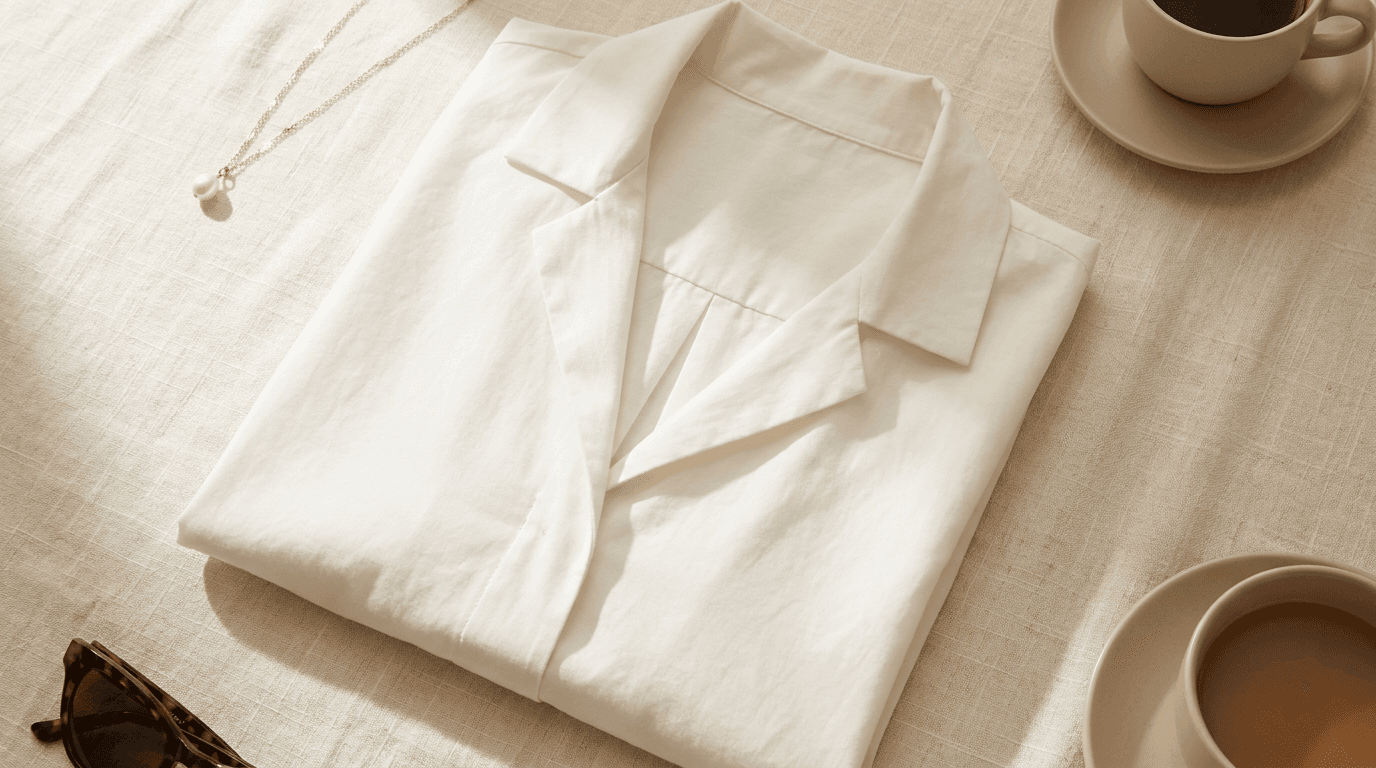
Prompt 10: Fashion and apparel flat lay
For clothing, accessories, shoes, and fashion items.
Prompt
overhead flat lay of a [clothing item or accessory] arranged on a soft cream linen surface, natural daylight from a window to the left, slight natural shadow detail from fabric texture, complementary accessories partially visible at the composition edges, fashion editorial photography style, warm neutral and ivory color palette, photorealistic, no text no logos no real branding
Prompt 11: Food and beverage flat lay
For packaged food, beverages, supplement products, and specialty food items.
Prompt
overhead flat lay of [product name] arranged on a light wood surface surrounded by key ingredients and complementary natural elements suggesting the product's flavor or origin story, warm natural overhead light with slight shadow depth, food styling photography aesthetic, appetite-appealing warm color tones, sharp focus across all elements, photorealistic, no text no logos
Prompt 12: Tech and accessories flat lay
For electronics, cables, cases, and tech product bundles.
Prompt
overhead flat lay of [tech product] and its accessories neatly arranged on a dark grey or black textured surface, clean editorial product photography style, soft directional overhead studio lighting creating slight dimensional shadow detail on each item, precise organized composition with intentional spacing between items, premium tech product aesthetic, photorealistic, no text no logos
Category 4: Detail and Texture Close-Up Shots
Close-up shots are critical for products where material quality, craftsmanship, or functional details are part of the purchase decision. These prompts produce macro-style detail shots that communicate quality.
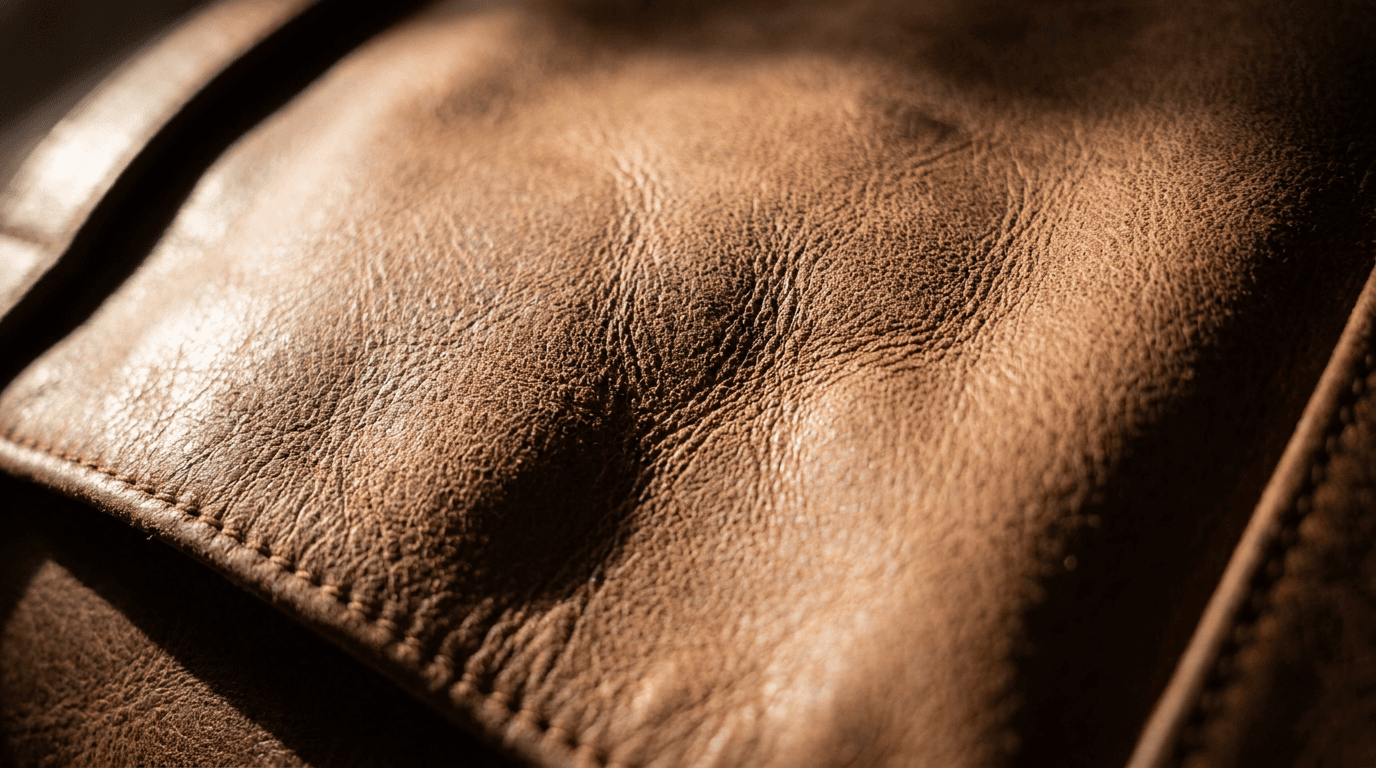
Prompt 13: Material and texture detail
For leather goods, textiles, jewelry, ceramics, and handcrafted products.
Prompt
extreme close-up macro photograph of the surface texture of [product name], single directional light from camera left creating dramatic texture depth and shadow detail across the surface, ultra-sharp focus revealing material quality and craftsmanship detail, commercial product macro photography, warm neutral tones, slight bokeh falloff at the edges suggesting the product continues beyond the frame, photorealistic
Prompt 14: Product label and packaging detail
For packaged goods, cosmetics, food products, and any product where the packaging design is a selling point.
Prompt
close-up product photograph focusing on the front face of [product packaging], clean studio lighting from slightly elevated camera left angle creating dimensional depth on the packaging surface, sharp focus on the packaging design and material texture, commercial packaging photography style, neutral background softly blurred behind the product, photorealistic, no text modification needed as the packaging design is the subject
Prompt 15: Functional detail shot
For products with specific functional features, mechanisms, or design details worth highlighting.
Prompt
tight product detail shot showing the [specific functional feature] of [product name], precise macro photography style, single softbox light creating clean dimensional shadow that highlights the functional detail, sharp focus on the feature area with gentle depth of field falloff around it, commercial product photography communicating engineering or design quality, photorealistic
Category 5: Seasonal and Campaign Product Shots
Seasonal content multiplies the value of product photography because it gives you contextually relevant visuals for major shopping events without requiring new physical photography sessions. These prompts produce season-specific product images from the same product descriptions.
Prompt 16: Holiday gift presentation
For any product being positioned as a gift during holiday shopping seasons.
Prompt
[product name] styled as a gift presentation on a surface with subtle festive seasonal elements, warm amber candlelight and soft string light bokeh visible in the background suggesting a cozy holiday atmosphere, the product itself in sharp focus as the clear hero, lifestyle gift photography aesthetic, warm rich color palette with deep tones, photorealistic, no text no logos
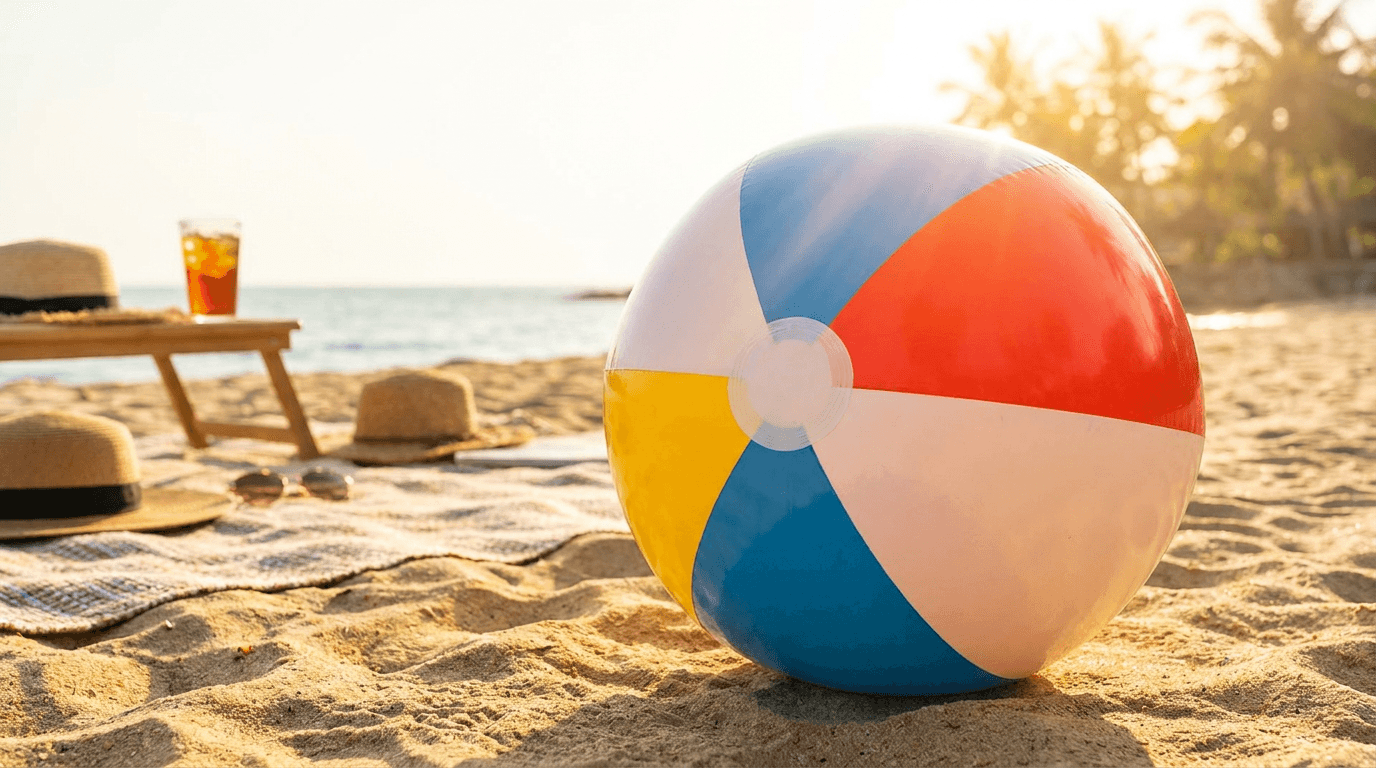
Prompt 17: Summer lifestyle shot
For seasonal summer-relevant products or any product that benefits from outdoor summer lifestyle context.
Prompt
[product name] placed in a bright summer outdoor lifestyle setting, golden afternoon sunlight creating warm directional illumination, summery complementary elements visible at the edges of the composition without dominating, editorial outdoor lifestyle photography style, high-key bright exposure with saturated warm tones, photorealistic, no text no logos
Prompt 18: Minimal winter or cold season product shot
For products relevant to winter gifting, cold weather use cases, or cozy indoor winter contexts.
Prompt
[product name] styled in a cozy winter interior setting, soft warm lamplight and candle glow creating an intimate atmosphere, slightly cool exterior light visible through a window in the background suggesting winter outside, warm interior color palette contrasting with cool exterior tones, lifestyle editorial photography style, photorealistic, no text no logos
Category 6: Social Media Optimized Product Shots
These prompts produce images specifically optimized for Instagram, Pinterest, and TikTok thumbnail use, where the composition and visual energy need to work at mobile screen sizes and in feed environments.
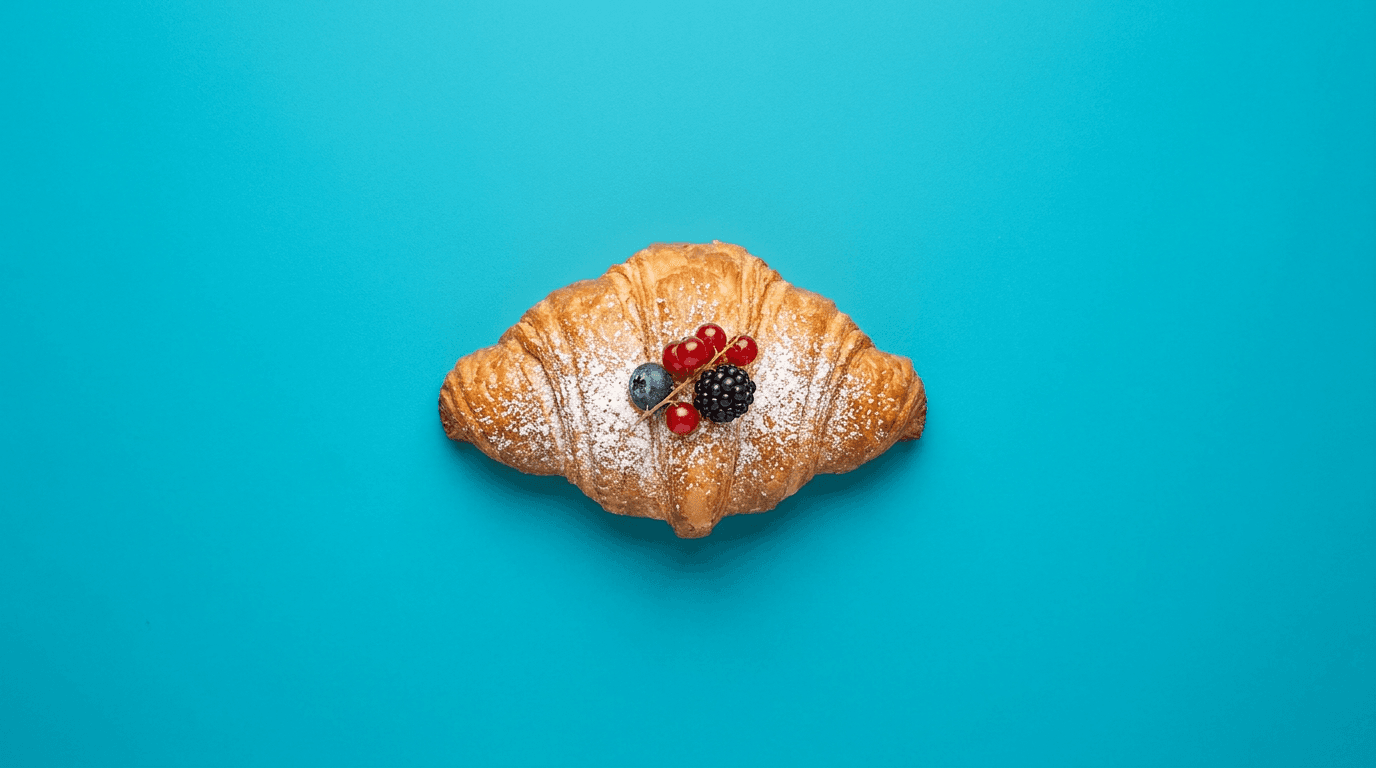
Prompt 19: Instagram square product post
For products being featured in Instagram feed posts requiring high visual impact at small sizes.
Prompt
[product name] styled in a perfectly square composition on a bright clean surface, bold color contrast between the product and background creating immediate visual pop, overhead or slightly elevated perspective, single hero product with minimal complementary elements, bright even lighting with no heavy shadows, commercial social media product photography optimized for mobile viewing, photorealistic, no text no logos
Prompt 20: Pinterest vertical product pin
For products being featured on Pinterest or in any vertical social media format where the extended vertical composition is an asset.
Prompt
tall vertical composition of [product name] styled in a lifestyle context, multiple complementary elements arranged vertically to fill the extended format naturally, warm natural lighting with depth through the vertical frame, editorial Pinterest-style product photography, aspirational lifestyle aesthetic with the product as the clear hero throughout the vertical composition, photorealistic, no text no logos
How to Adapt These Prompts for Your Specific Products
The 20 prompts above are built around a consistent structural approach that you can adapt for almost any physical product by swapping in the right product-specific details. Here is a practical adaptation guide for the most common e-commerce product categories.
For skincare and beauty products Replace [product name] with a specific product description including the container type (glass serum bottle, matte black pump bottle, recyclable kraft packaging). Add material descriptors like "frosted glass" or "metallic lid" to the surface texture details. Include the product's color story in the complementary elements description.
For fashion and apparel Clothing photography requires specific attention to draping, texture, and fit context. Add fabric descriptor terms like "soft jersey fabric with visible texture" or "crisp cotton with sharp fold details" to any prompt. For flat lays, specify whether the item should be folded, rolled, or laid flat, since each creates a different visual effect.
For food and beverage products Appetite appeal is the primary goal. Add specific sensory descriptors to your prompts: "warm steam rising from the surface," "condensation on the cold glass," "golden caramelized crust visible." These sensory details prompt the generator to produce images that trigger appetite response rather than just product recognition.
For tech products and electronics Precision and cleanliness are the primary quality signals for tech products. Use clean, minimal backgrounds, dark or neutral surfaces, and lighting that creates dimensional shadow detail on product edges. Avoid cluttered compositions and overly warm color palettes, which read as consumer rather than technical.
For handmade and artisan products Texture and craftsmanship are the value proposition. Use prompts that emphasize visible material texture, natural lighting that creates dimensional surface depth, and lifestyle contexts that suggest the product fits into a considered, quality-oriented lifestyle.
Using Image-to-Image for Your Existing Product Photos
If you already have basic product photos taken with a smartphone or a simple white background setup, the image-to-image feature in AI generators gives you a way to dramatically improve them without reshooting. You provide your existing product photo as the visual input and use these prompts as the style and environment transformation target.
This workflow is particularly powerful for e-commerce sellers who have product photos that are technically accurate but visually uninspiring. The AI keeps the product's actual appearance (shape, color, and distinctive features) while transforming the background, lighting, styling, and overall aesthetic to match the professional photography standard described in your prompt.
Miraflow AI's image generator supports both text-to-image and image-to-image workflows within the same interface, and the inpainting tool adds the ability to make targeted region-specific edits. For e-commerce sellers working with a library of existing product photos, the combination of image-to-image transformation and inpainting-based refinement covers the full range of product image improvement needs without any reshooting.
What Makes Product AI Images Fail (And How to Avoid It)
Over-generating visual complexity Many beginners add too many props, complementary elements, and environmental details to their product prompts, which results in images where the product competes with its surroundings rather than commanding the viewer's attention. Product images should have a clear visual hierarchy: the product first, the environment second. Use modifiers like "product as clear hero," "minimal complementary elements," and "negative space around the product" to maintain that hierarchy.
Ignoring the product's specific material properties Generic product prompts produce generic results because the generator does not know the specific material and surface properties of your actual product. Adding specific material descriptors to every prompt dramatically improves how accurately the generated image represents what your product actually looks and feels like.
Using the wrong color temperature for the product category Warm, amber-toned lighting works beautifully for food, beauty, and lifestyle products. It looks wrong for tech, medical, and professional products, which benefit from cooler, cleaner, more neutral lighting. Matching the color temperature of your lighting description to your product category is one of the most impactful prompt adjustments you can make.
Generating only one type of shot The most conversion-effective product pages use multiple shot types: a clean hero image, at least one lifestyle context shot, a detail shot showing material quality, and a flat lay or styled image for social media use. Planning your AI prompt sessions around generating all four shot types for each product, rather than just a single image, produces a more complete and more persuasive visual product story.
Not specifying photorealism explicitly Without the word "photorealistic" or specific camera and lens references in your prompt, many AI generators default to a slightly stylized, illustrative quality that looks distinctly non-photographic. Adding "photorealistic," "commercial photography style," or specific camera references like "shot on Canon 5D with 100mm macro" anchors the output in photographic reality.
Building a Complete Product Visual Library With AI
For e-commerce sellers building a scalable visual content strategy, AI product photography becomes most valuable when it is treated as a systematic library-building process rather than a one-off image generation task.
A practical product visual library for each SKU includes:
- One clean hero image on a neutral background for the primary listing image
- Two to three lifestyle context shots showing the product in use
- One detail shot showing material or craft quality
- One flat lay for social media use
- One seasonal or campaign image for major shopping events
Using the 20 prompts in this guide, you can generate a complete five-to-seven image library for each product in a single session. Generating multiple variations of each prompt type gives you options to select the best from each batch, which is consistently more efficient than iterating on a single prompt until it is perfect.
For creators also producing short-form video content to promote their products, the same product descriptions used in these image prompts can be adapted for video production. Miraflow AI's Text2Shorts generates scripted product Shorts from a product description, which means you can move from static product imagery to animated product video content within the same platform workflow.
For brands producing cinematic product ads, the cinematic video generator produces original video clips from prompts that can be used as product ad components or social media video content alongside your static product images.
Prompt Pack: 5 Additional Prompts for Specific Product Niches
Jewelry and accessories
Prompt
premium [jewelry piece] placed on a soft black velvet surface, single spot light from directly above creating brilliant highlights on metal and gemstone surfaces, slight reflection visible in the velvet texture, luxury jewelry editorial photography, deep dark background with focused illumination on the piece, macro perspective showing craftsmanship detail in settings and metalwork, photorealistic
Pet products
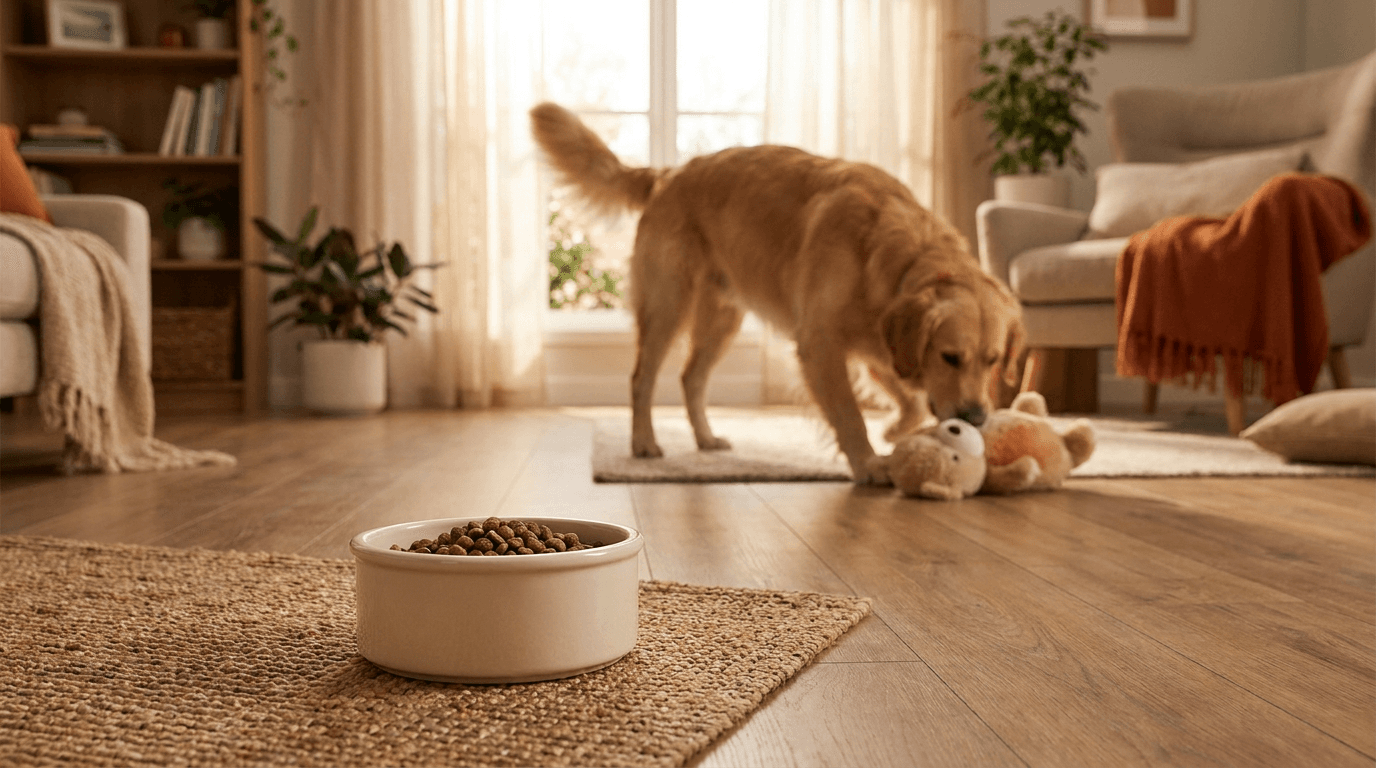
Prompt
[pet product] photographed in a bright home interior with a happy pet naturally interacting with it in the background slightly blurred, warm natural window light, candid lifestyle pet photography aesthetic, the product itself in sharp foreground focus with the lifestyle context clearly visible, warm family-friendly color palette, photorealistic, no text no logos
Supplements and health products
Prompt
[supplement product] placed on a clean minimal surface with fresh natural ingredients that suggest the product's key active components arranged naturally around it, clean bright overhead lighting, health and wellness lifestyle photography, crisp clean aesthetic with natural green and white tones, sharp focus on the product and ingredients, photorealistic, no text no logos
Baby and children's products
Prompt
[baby or children's product] styled in a bright, soft nursery environment, warm diffused natural light, clean pastel color palette with soft textiles visible in the background, lifestyle photography suggesting safe and gentle quality, the product as the clear hero with cozy nurturing context, photorealistic, no text no logos
Candles and home fragrance
Prompt
[candle or fragrance product] on a natural wooden surface with the candle lit, warm amber flame glow as the primary light source supplemented by soft window light, slight haze of fragrance visible in the warm air around the flame, luxury home fragrance lifestyle photography, moody warm intimate atmosphere, rich amber and cream color palette, photorealistic, no text no logos
All of these can be generated directly inside Miraflow AI's image generator, where the image-to-image feature also lets you start from a reference photo of your actual product and apply these aesthetic transformations to it.
How This Fits Into a Full E-Commerce Content Strategy
Product images are one part of a complete e-commerce content strategy, but the visual language established in your product photography should carry through consistently across all of your marketing channels. When your product images, social media posts, YouTube thumbnail if you have a channel, and short-form video content all share a consistent aesthetic, you build brand recognition that compounds across every touchpoint.
Miraflow AI supports this kind of end-to-end visual consistency. The image generator produces product photos and social media visuals. The thumbnail maker creates YouTube and video thumbnails that match your product aesthetic. The Text2Shorts tool turns product descriptions into social media short-form videos. All of these outputs can be styled with consistent visual references across your prompts, which means every piece of content reinforces the same brand aesthetic.
For e-commerce brands using YouTube to drive awareness, the YouTube Shorts best practices for 2026 covers how to build a short-form video strategy that complements your product imagery and drives viewers toward purchase. And for brands wanting to understand how AI-generated visuals affect CTR on promotional content, YouTube CTR in 2026 covers the relationship between visual quality and click performance in detail.
Conclusion
Professional product photography no longer requires a photographer, a studio, or a significant budget. With well-structured AI prompts and a clear understanding of what makes product images convert, e-commerce sellers can generate a complete professional visual library for each product in a fraction of the time and cost of traditional product photography.
The 20 prompts in this guide cover the full range of shot types that e-commerce product pages and social media channels need: clean studio shots for primary listing images, lifestyle context shots that help buyers visualize ownership, detail shots that communicate material quality, flat lays for social platforms, and seasonal campaign images for shopping events. Together they give you a complete toolkit for building product visual libraries that compete with professionally photographed brand content.
The key to making AI product photography work is specificity. Generic prompts produce generic images. Prompts that describe the specific material properties of your product, the precise lighting setup, the environmental context, and the photographic style reference produce images that look like they were captured by a professional photographer who understood exactly what the product needed to sell.
For creators who want to go deeper on AI image prompting techniques, the Nano Banana prompt guide covers advanced prompting strategies for generating viral-quality visuals, and the AI prompts for YouTube thumbnails guide provides the same copy-paste format applied to high-CTR thumbnail generation.
FAQ
Can AI-generated product images be used on Amazon and other major e-commerce platforms? Most major e-commerce platforms including Amazon, Etsy, and Shopify allow AI-generated product images as long as they accurately represent the actual product being sold. The key requirement is that the images should not misrepresent the product's appearance, color, size, or features. Using image-to-image AI generation with your actual product photo as the input, rather than generating purely from a text description, helps ensure the output accurately reflects your real product.
How do I make AI product images look more professional? The most impactful improvements come from specifying camera and lens references, describing precise lighting setups, adding material-specific texture descriptors, and using the word "photorealistic" or "commercial photography style" in your prompts. Avoiding over-complex backgrounds and ensuring the product maintains clear visual hierarchy over its surroundings also significantly improves professional quality.
What is the best AI tool for generating e-commerce product images? An AI image generator that supports detailed text-to-image prompting and also offers image-to-image functionality is ideal for e-commerce product photography. Miraflow AI's image generator supports both workflows and includes an inpainting tool that allows targeted region-specific editing, which is particularly useful for refining product images without regenerating entire compositions.
Can I use AI to improve my existing product photos? Yes, the image-to-image feature in AI generators lets you upload an existing product photo and apply style, environment, and lighting transformations to it while preserving the product's actual appearance. This is particularly useful for sellers who have accurate but visually uninspiring product photos that need better styling or more professional background environments.
How many product images should I generate for each product? A complete product visual library for each SKU typically needs a clean hero image, two to three lifestyle context shots, one detail or texture shot, and one social media optimized image. Generating multiple variations of each prompt type (three to five per prompt) and selecting the best from each batch gives you both the variety needed for a complete product page and options to choose from for each shot type.
Are AI-generated product images as effective as photographed ones for conversion? When AI product images are well-prompted to achieve photographic realism, contextual relevance, and strong visual hierarchy, they can perform comparably to professionally photographed images. The key factors affecting conversion are image quality, accuracy of product representation, lifestyle context relevance, and variety of shot types, all of which are achievable with the right prompting approach regardless of whether the image was photographed or generated.
How do I ensure my AI product images accurately represent my actual product? The most reliable approach is using image-to-image generation with your real product photo as the visual input. This anchors the output to your actual product's appearance while allowing the AI to transform the styling, environment, and lighting around it. For text-to-image generation, being highly specific about your product's actual colors, materials, and distinctive design features in your prompt helps the generator produce accurate representations.