20 AI Prompts for TikTok's 'Right Round Hangover' Prank Photo Trend (Copy & Paste, 2026)

Written by
Aerin Kim
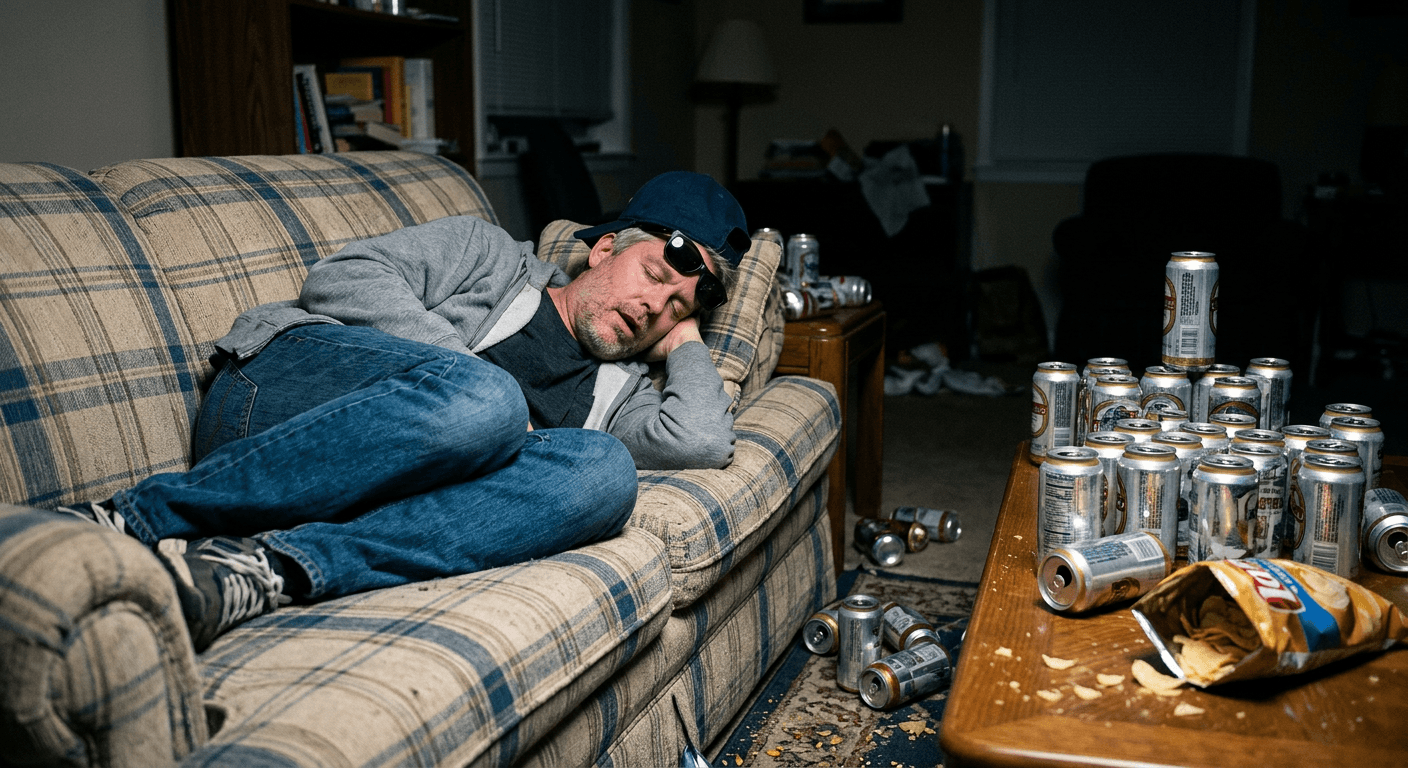
TikTok's Right Round Hangover prank stages a full 'Hangover' movie aftermath around a sleeping victim. Here are 20 AI prompts to fake the chaos without cleaning up a real room.
You already know the sound before the video even loads. A slow zoom on someone dead asleep, a beat of silence, then Flo Rida's "Right Round" hits at the exact moment the camera flash goes off and the shot reveals a scene that looks like the guest of honor slept through an actual Vegas bachelor party. Beer cans stacked in a pyramid by the couch arm, a portable grill smoking two feet from the recliner, candy wrappers fanned out like evidence at a crime scene, a backwards cap and a pair of sunglasses perched perfectly on a sleeping face that has no idea any of this happened. This is the Right Round Hangover prank, and as of late September 2026 it is one of the fastest-resurging formats on TikTok and Instagram Reels, built on a joke that is almost a decade old getting a second life through paparazzi-style staging and a genuinely funny "aftermath" premise.
The problem is that staging this for real is a pain. Someone has to actually buy the beer cans, actually haul a portable grill into a living room, actually convince a spouse, a roommate, or a grandparent to lie still while a whole fake party gets built around them, and then actually clean every bit of it up before anyone gets hurt or the real living room stays trashed for the rest of the night. The best version of this trend, the genuinely impossible one, a confetti cannon explosion, a full circus tent pitched around a napping toddler, a fake chalk-outline crime scene made of snack wrappers, is completely out of reach if you are actually staging props in a real room. That is exactly the gap the AI Image Generator in Miraflow AI closes. Upload one real, ordinary photo of someone asleep, mask the space around them, and describe the aftermath scene you want. The room never gets touched, nothing gets bought, nothing gets cleaned up, and the chaos can go as far over the top as you want because nobody has to actually carry a grill through a doorway.
This post is a straight prompt pack, not a trend explainer padded out to hit a word count. Below are 20 copy-paste AI prompts grouped by five practical categories: classic hangover-aftermath scenes, deliberately impossible chaos you could never physically stage, family-safe versions for kids and grandparents, pet and sibling variations, and reveal-ready shots built specifically for the paparazzi flash cut. Every prompt is written for image-to-image editing with masking, starting from a real photo of a real sleeping person rather than generating a stranger from scratch, because that is what actually sells the prank when the video gets posted.
Why the Right Round Hangover Trend Is Blowing Up Right Now
"Right Round" has been a reliable TikTok resurgence song for years, it is fast, recognizable within half a second, and built around a drop that is perfect for a hard visual cut. What has changed is the specific format riding it. Trend-tracking coverage from outlets like Newengen's ongoing TikTok and Instagram trend trackers has flagged Right Round Hangover as one of September 2026's standout viral formats, describing it as TikTok's trending excuse to trash a room around someone who is just trying to nap, and noting the format has already crossed over from TikTok into Instagram Reels, which is the usual sign a format has enough staying power to outlast a single week's news cycle. TikTok's own Discover pages for "Right Round," "Right Round Flo Rida Trend," and "Flo Rida Right Round Sound" show sustained, active posting volume under the sound, not a single viral clip that faded, which is the kind of visible platform activity that separates a real resurging trend from a one-off video.
The format's core joke is contrast. The sleeper is completely unconscious and completely unaware, while everyone and everything around them looks like it survived an actual bender. A dad naps through what looks like a full tailgate. A toddler sleeps through what looks like a candy store exploded. A grandparent naps through a scene staged to look like a frat house morning after. The joke does not really depend on the sleeper being an adult or the props being literal alcohol either, plenty of the highest-performing versions swap beer cans for juice boxes and cookie crumbs for a kid or grandparent version and the format holds up exactly the same, because the joke was never really about drinking, it was always about someone sleeping through visible, undeniable chaos that supposedly happened around them.
That contrast is also exactly why the physical version of this prank is so limited. A real living room can only hold so many real beer cans before it stops being funny and starts being an actual mess somebody has to deal with at 2am. A real portable grill cannot actually run inside a house. A real confetti cannon leaves glitter in the carpet for a month. Every genuinely impossible, genuinely viral-worthy version of this prank runs headfirst into the cost and cleanup of staging it physically, which is exactly where AI image generation earns its place in this trend rather than being a gimmick tacked onto it.
How AI Actually Solves the Staging Problem
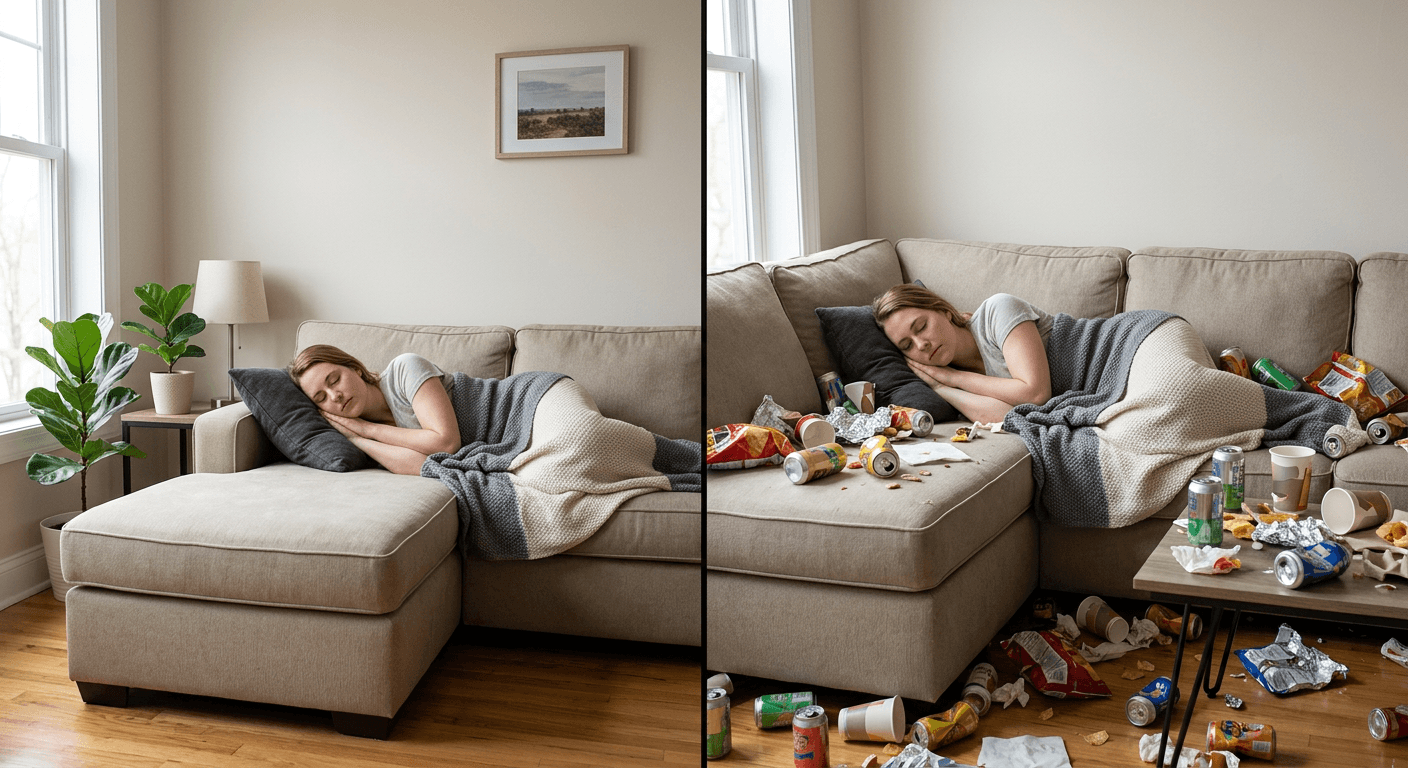
The mechanic that makes this work is image-to-image editing with masking, not text-to-image generation from a blank prompt. Starting from scratch would produce a generic-looking stranger in a generic-looking room, which defeats the entire point of a prank that depends on the sleeper being recognizably the actual person who got pranked. Masking solves this differently: you take a completely real, completely ordinary photo, someone genuinely asleep on a couch, in a recliner, in a hammock, then paint a mask around the areas you want changed while leaving the sleeper's face, body, and pose untouched. The AI Image Generator in Miraflow AI then fills only the masked region with whatever aftermath scene the prompt describes, which means the actual sleeping person in the final image is still a real, unaltered photo of them, and only the surrounding "evidence" is generated.
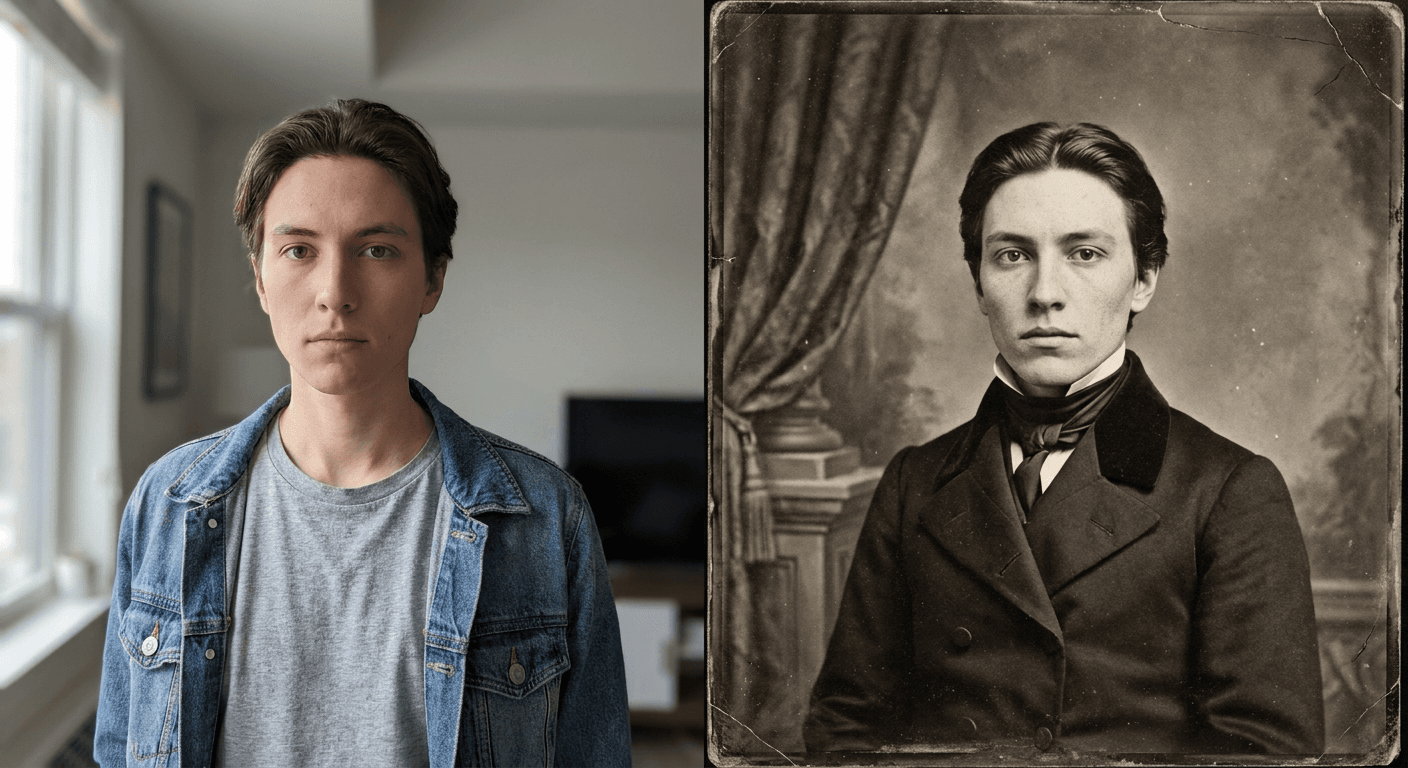
This distinction matters more than it sounds like it should for how convincing the final prank photo reads. A fully AI-generated scene, sleeper included, tends to drift on small details, a face that is almost right but not quite, a body proportion that looks slightly off, the exact kind of thing a friend or family member who knows what that person actually looks like asleep will clock in under a second. Masking around a real photo keeps the one element that has to be perfectly convincing, the actual person, completely untouched, while giving the AI full creative freedom on everything else, which is exactly the part of the scene nobody is scrutinizing that closely anyway. It is the same underlying logic that made the ancestor photo prank trend work last month, a real reference photo sells a prank far harder than a generated stranger ever can.
1) Classic Hangover Aftermath Prompts
These five prompts recreate the original "Hangover" movie aesthetic as closely as possible: beer cans, a portable grill, sunglasses and a backwards cap on the sleeper's face, and the general sense that a full party happened three feet away while somebody napped through the entire thing. Start here if you want the most recognizable, most immediately readable version of the format.
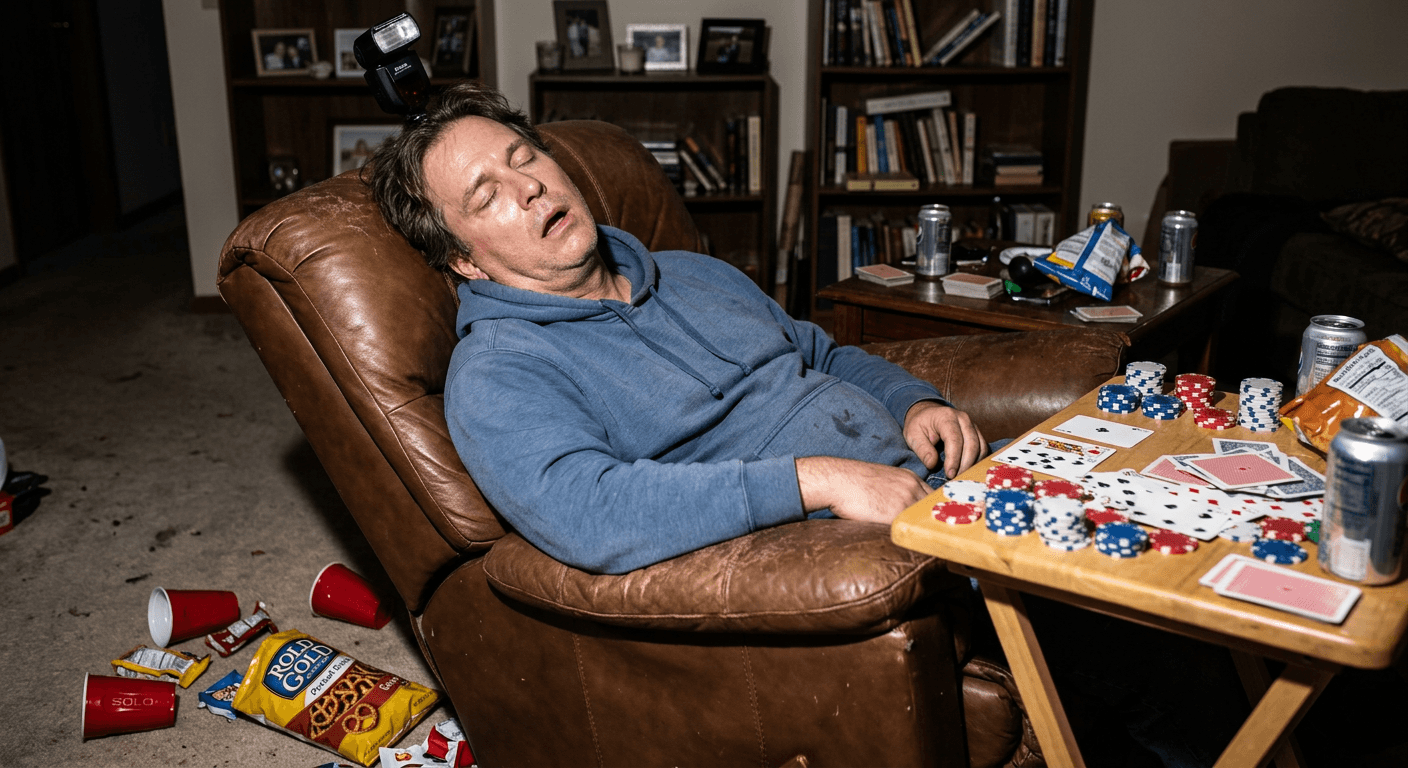
Prompt 1: Classic couch aftermath with beer cans and backwards cap
Using the reference photo, keep the sleeping person's face, pose, and clothing exactly as they appear, and mask only the surrounding couch, coffee table, and floor area. Fill the masked area with a classic party-aftermath scene: a dozen or more crushed and standing empty beer cans arranged across the coffee table and floor, a torn-open bag of chips spilled nearby, a backwards baseball cap and a pair of sunglasses resting naturally on the sleeper's face, hard direct camera-flash lighting matching the reference photo's angle with visible shadow falloff behind each can, photorealistic detail, shallow depth of field on the background.
Prompt 2: Poker night recliner chaos
Using the reference photo, keep the sleeping person exactly as they appear, and mask only the recliner's side table, armrests, and surrounding floor. Fill the masked area with a poker-night aftermath: scattered playing cards fanned across the side table, stacks of poker chips knocked slightly askew, two or three crushed red plastic cups on the floor, an open bag of pretzels tipped on its side, hard direct flash lighting with sharp shadow falloff, realistic worn leather texture on the recliner, photorealistic detail.
Prompt 3: Backyard hammock aftermath with a smoking portable grill
Using the reference photo, keep the sleeping person exactly as they appear in the hammock, and mask only the backyard area surrounding them. Fill the masked area with an outdoor aftermath scene: a small portable charcoal grill a few feet away with a faint wisp of smoke still rising, a cooler tipped on its side with ice spilled onto the grass, a pair of flip-flops kicked off nearby, empty beer cans scattered in the grass, warm late-afternoon sunlight as the primary light source with soft natural shadows, photorealistic detail, realistic grass and metal grill texture.
Prompt 4: Fast food couch-fort chaos
Using the reference photo, keep the sleeping person exactly as they appear on the couch, and mask only the couch cushions and coffee table around them. Fill the masked area with a fast food aftermath scene: several crumpled fast food bags and empty fry containers stacked precariously, ketchup packets scattered across the cushion, two drink cups balanced unevenly on top of the pile, a TV remote half-buried under the debris, hard direct flash lighting with crisp shadow falloff on the nearest wrappers, photorealistic detail, realistic paper and grease-stain texture.
Prompt 5: Man-cave energy drink and tool chaos
Using the reference photo, keep the sleeping person exactly as they appear seated in a garage or man-cave chair, and mask only the workbench and floor area around them. Fill the masked area with a man-cave aftermath scene: several crushed energy drink cans lined up along a workbench, loose tool parts and wrenches scattered across the floor, a greasy pizza box left open with one slice missing, a pair of sunglasses resting on the sleeper's face, harsh overhead garage lighting mixed with a direct flash highlight, photorealistic detail, realistic metal and cardboard texture.
2) Over-the-Top and Impossible Chaos Prompts
This is the category that actually justifies using AI instead of real props. None of these four scenes are staging you could reasonably pull off in a real room without days of setup, a real budget, and a genuinely absurd cleanup, which is exactly why they read as the most impressive version of the trend when they show up in someone's feed. A confetti cannon that actually went off in a living room leaves a mess for weeks. A full circus tent is not something most people own. A fake chalk-outline crime scene made of snack wrappers needs actual evidence-marker props most people do not have lying around. All three, plus a flooded-with-pool-toys version, are a five-minute mask-and-generate job instead of a weekend project.
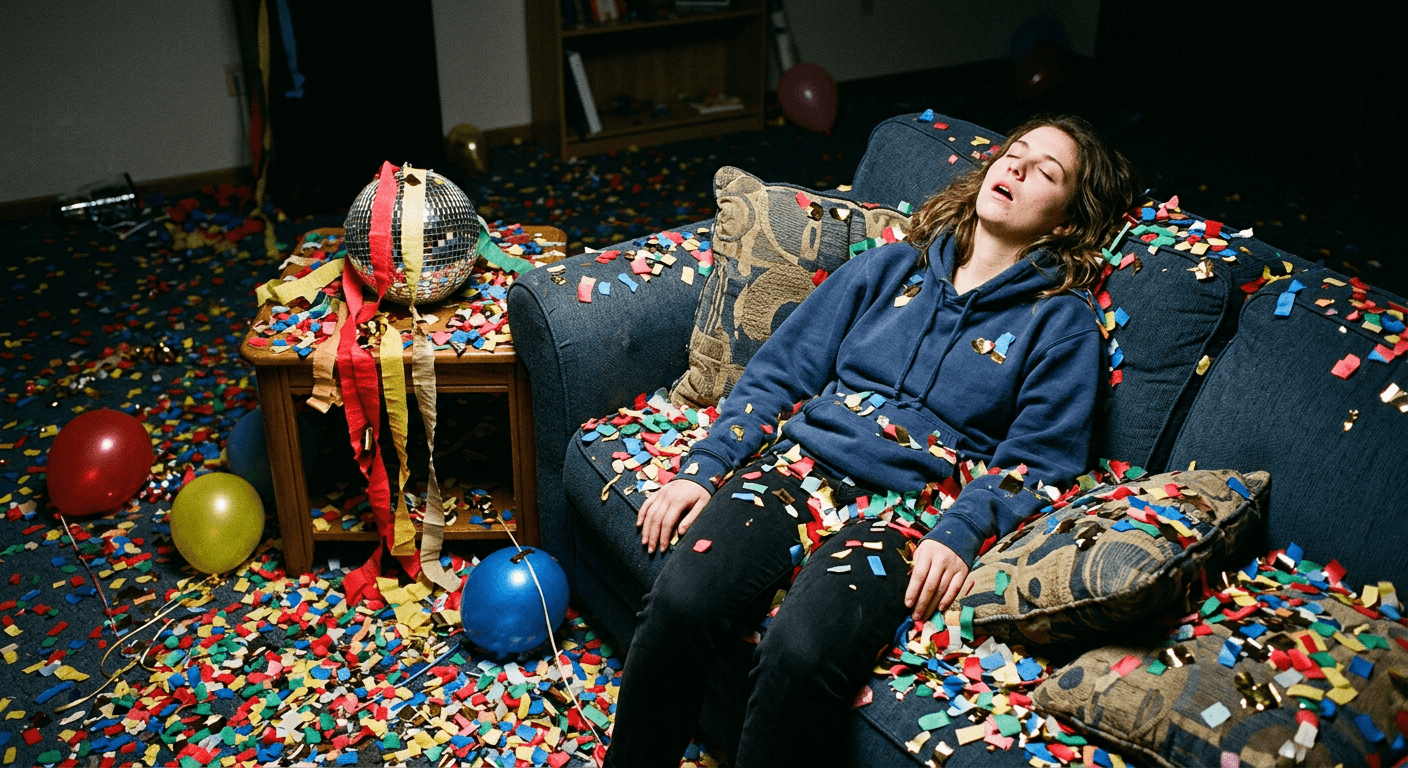
Prompt 6: Confetti cannon explosion aftermath
Using the reference photo, keep the sleeping person exactly as they appear sitting upright on the couch, and mask only the surrounding room. Fill the masked area with an exaggerated confetti-cannon aftermath: a thick layer of colorful paper confetti covering every visible surface of the floor and furniture, torn streamers draped over a knocked-over small disco ball, a few half-deflated balloons resting nearby, hard direct flash lighting creating bright glossy highlights on the nearest confetti pieces and falling into soft shadow toward the back of the room, photorealistic detail, no cartoon or illustrated confetti, real paper texture.
Prompt 7: Indoor pool-float flood aftermath
Using the reference photo, keep the sleeping person exactly as they appear on the couch, and mask only the surrounding living room floor and furniture. Fill the masked area with a deliberately impossible indoor pool-party flood aftermath: several oversized inflatable pool floats including a flamingo and a ring float filling most of the visible floor space, scattered pool noodles, a shallow layer of water pooling realistically around the furniture legs with visible reflections, direct flash lighting with sharp highlights on the wet vinyl surfaces of the floats, photorealistic detail, realistic wet-floor reflections and glossy inflatable vinyl texture.
Prompt 8: Circus tent chaos aftermath
Using the reference photo, keep the sleeping person exactly as they appear seated or lying in the same pose, and mask only the space surrounding them. Fill the masked area with a full miniature circus-tent aftermath built to impossible scale for an indoor room: red and white striped canvas tenting draped from the ceiling, a tipped-over popcorn cart with spilled popcorn, scattered juggling pins, a couple of oversized inflatable circus-performer figures propped in the background, direct flash lighting with strong shadow falloff on the striped canvas folds, photorealistic detail, realistic fabric and inflatable vinyl texture.
Prompt 9: Snack-wrapper "crime scene" aftermath
Using the reference photo, keep the sleeping person exactly as they appear, and mask only the floor area around them. Fill the masked area with a playful mock crime-scene aftermath made entirely of snack packaging: a chalk-style outline drawn using arranged empty chip bags and candy wrappers in the rough shape of a fallen figure a few feet away, small numbered evidence tent markers placed next to individual wrappers, a strip of yellow caution tape with a joke phrase draped loosely across a chair, hard direct flash lighting with crisp shadows, photorealistic detail, realistic crinkled plastic wrapper texture, no real blood or gore imagery of any kind.
3) Family-Safe and PG Versions for Kids and Grandparents
The format holds up just as well, and often performs better on family accounts, when the "party" props get swapped for something age-appropriate. A kid's version trades beer cans for juice boxes and cookie crumbs. A grandparent version trades a poker table for a newspaper and butterscotch wrappers. These four prompts keep the same visual joke, undeniable chaos around a completely unaware sleeper, without a single alcohol reference in the scene.
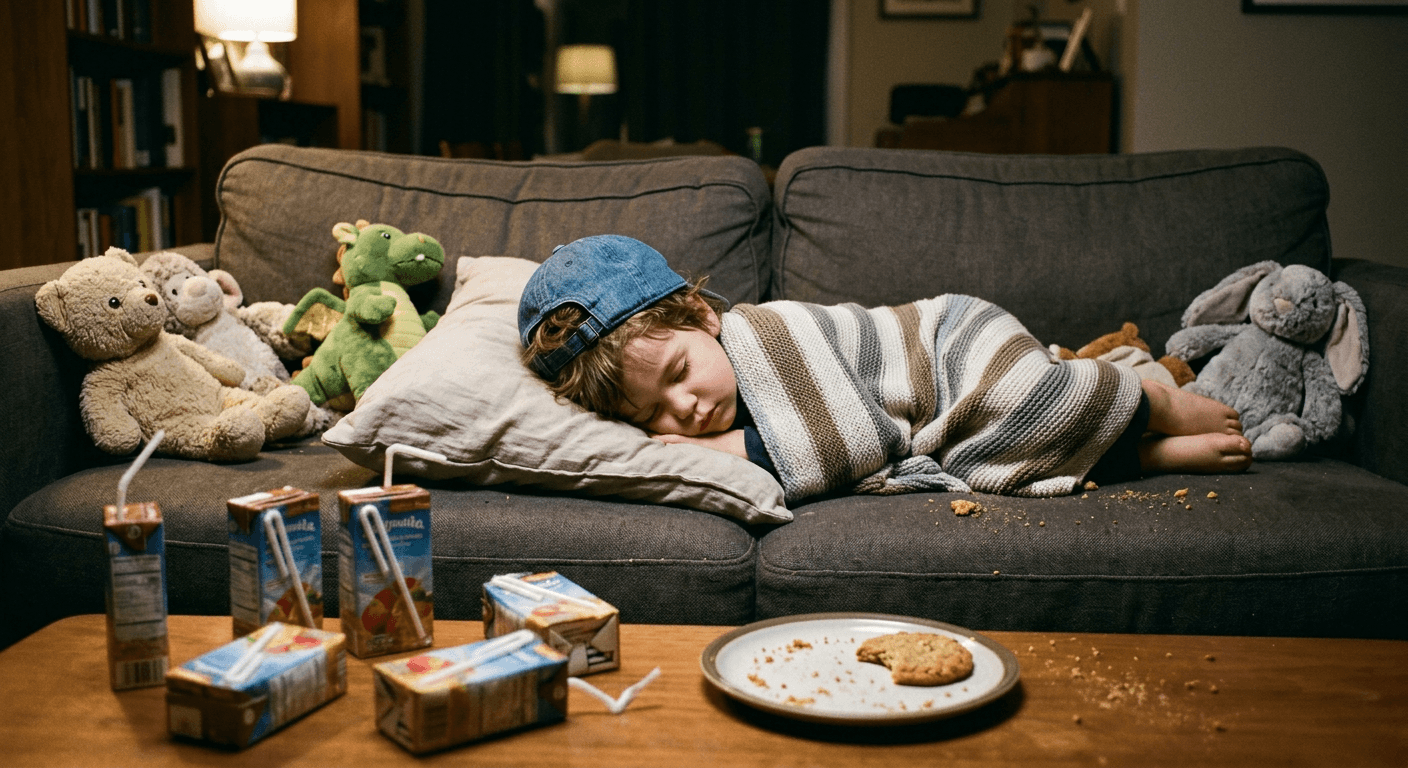
Prompt 10: Kid's juice box and cookie crumb aftermath
Using the reference photo, keep the sleeping child exactly as they appear, and mask only the couch cushions and floor around them. Fill the masked area with a family-safe aftermath scene: several juice boxes with bent straws scattered across the coffee table, visible cookie crumbs dusted across a small plate and the nearest cushion, a handful of stuffed animals tossed casually around the child, a small backwards cap resting gently on the child's head, warm soft flash lighting, photorealistic detail, gender neutral styling, no alcohol or adult props of any kind.
Prompt 11: Grandpa's recliner candy wrapper aftermath
Using the reference photo, keep the sleeping grandparent exactly as they appear in the recliner, and mask only the side table and floor area around them. Fill the masked area with a gentle aftermath scene: a folded newspaper spread open on the side table, several butterscotch and hard-candy wrappers scattered nearby, a pair of reading glasses resting slightly askew near the chair arm, a cardigan draped over the armrest, soft warm flash lighting with gentle shadow falloff, photorealistic detail, realistic paper and fabric texture, no alcohol props.
Prompt 12: Birthday cake smash aftermath around a napping kid
Using the reference photo, keep the sleeping child exactly as they appear, and mask only the surrounding party space. Fill the masked area with a birthday party aftermath: a partially smashed birthday cake with visible crumbs and frosting streaks on a nearby table, a few deflated balloons on the floor, torn wrapping paper and an open present box nearby, a paper party hat resting near the child, warm direct flash lighting with soft highlights on the frosting, photorealistic detail, gender neutral styling, no alcohol props.
Prompt 13: Grandma's unraveled yarn and teacup aftermath
Using the reference photo, keep the sleeping grandparent exactly as they appear in their chair, and mask only the surrounding floor and side table. Fill the masked area with a cozy chaos aftermath scene: several balls of yarn fully unraveled and tangled across the floor and chair legs, knitting needles crossed on a small table, two teacups with visible tea rings left on saucers, a soft throw blanket half slipped off the chair, warm soft flash lighting, photorealistic detail, realistic yarn fiber and ceramic texture, no alcohol props.
4) Pet and Sibling Variations
Not every household has a napping dad to prank. These four prompts move the same joke onto a sleeping dog, a sleeping cat, a pair of napping siblings mid-sleepover, and a gentler baby-nap version built for an account that wants the joke without anything remotely resembling alcohol or mess-adjacent chaos anywhere in frame.
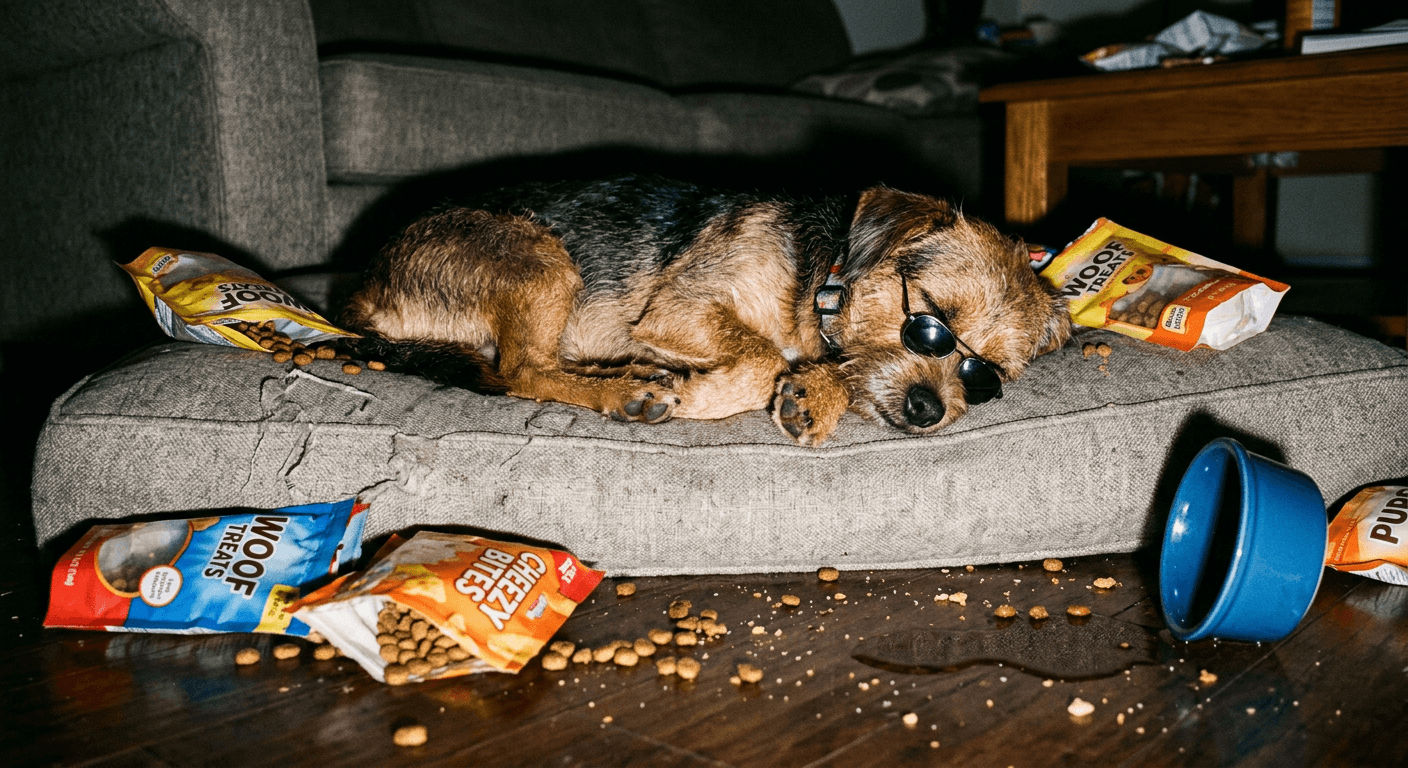
Prompt 14: Dog "party foul" aftermath with tiny sunglasses
Using the reference photo, keep the sleeping dog exactly as it appears curled up on the couch, and mask only the surrounding cushion and floor area. Fill the masked area with a dog-sized party-foul aftermath: several torn-open dog treat bags with kibble scattered across the cushion, a tipped-over water bowl leaving a small realistic puddle on the floor, one visibly chewed slipper, a tiny pair of sunglasses balanced gently on the bridge of the dog's nose, direct flash lighting with crisp shadow falloff, photorealistic detail, realistic fur and kibble texture.
Prompt 15: Cat mid-nap chaos with tipped houseplants
Using the reference photo, keep the sleeping cat exactly as it appears curled up asleep, and mask only the surrounding shelf and floor area. Fill the masked area with a cat-scale chaos aftermath: one or two small potted houseplants knocked over with visible spilled soil, a scattering of small cat treats forming a loose trail across the floor, a ball of yarn partially unraveled nearby, soft direct flash lighting with gentle shadow falloff, photorealistic detail, realistic fur, soil, and ceramic pot texture.
Prompt 16: Sibling sleepover popcorn aftermath
Using the reference photo, keep both sleeping children exactly as they appear in a shared sleepover pose, and mask only the surrounding blanket-fort and floor area. Fill the masked area with a sleepover aftermath: a partially collapsed blanket fort draped over a couple of chairs, spilled popcorn scattered across the floor and blankets, a flashlight left on and rolled onto its side, a couple of empty juice pouches nearby, soft warm flash lighting, photorealistic detail, gender neutral styling, no alcohol props.
Prompt 17: Gentle baby-nap pastel aftermath
Using the reference photo, keep the sleeping baby exactly as they appear in their crib or bassinet, and mask only the surrounding nursery furniture and floor. Fill the masked area with a gentle, extra-soft pastel aftermath scene: a few rattles and soft plush toys scattered nearby, a small stack of burp cloths slightly askew, a pacifier resting just outside the baby's reach, soft warm nursery lighting rather than a harsh flash, photorealistic detail, gender neutral styling, no alcohol or unsafe objects of any kind near the baby.
5) Caption and Right Round Audio Pairing Prompts
The reveal is the actual content here, not the static photo. The three prompts below are built specifically for the exact frame that lands on the "Right Round" beat drop: a paparazzi-style camera flash mid-reveal, a before-and-after split built for a "wait for it" caption, and a tight zoom on the backwards cap and sunglasses for a quick insert shot right before the drop. Pair the flash-reveal image with a caption like "he said he was just going to rest his eyes for a minute" or "POV: you left the room for five minutes," post it with "Right Round" as the sound rather than an original audio track since the trending sound is doing real discovery work for the algorithm right now, and cut the before/after split in right as the bass hits for the cleanest sync.
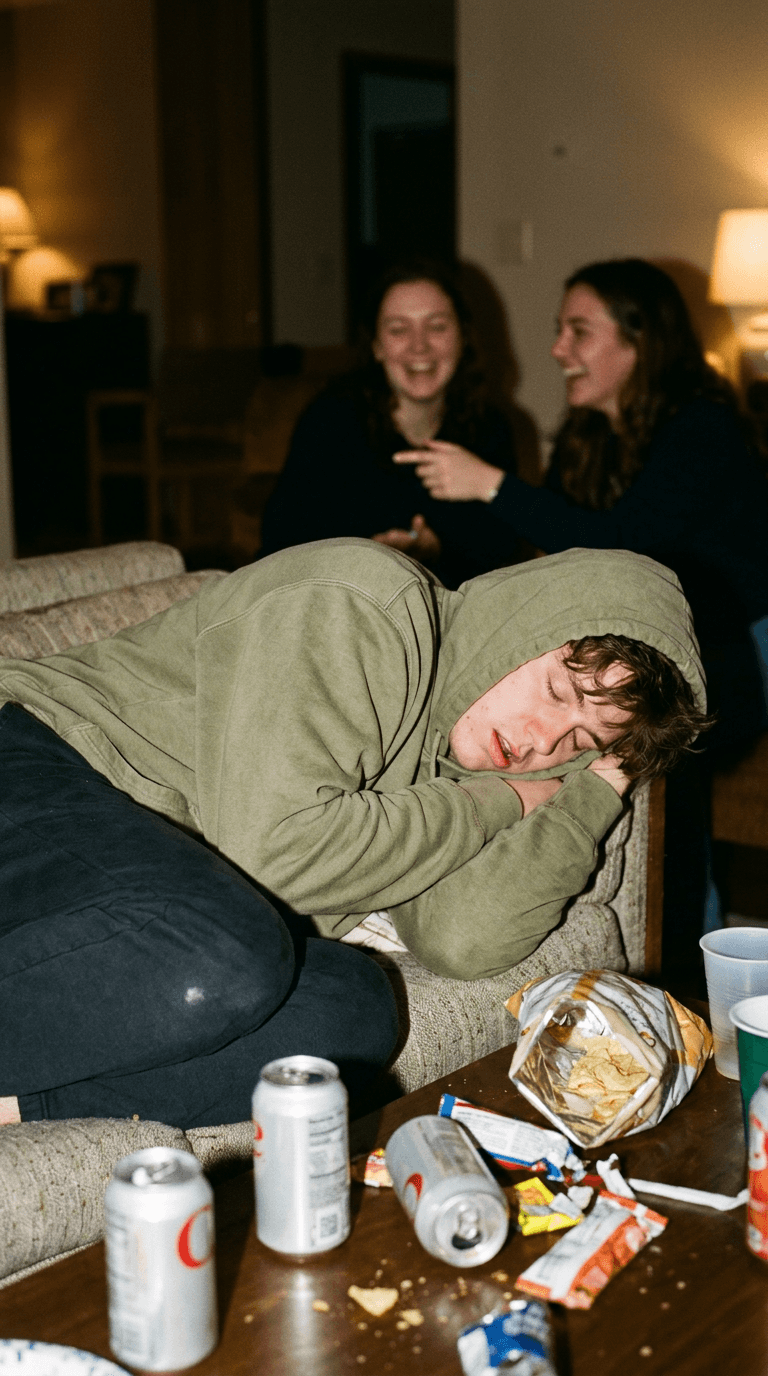
Prompt 18: Paparazzi flash freeze-frame reveal
Using the reference photo, keep the sleeping person exactly as they appear, and mask only the immediate surrounding area. Fill the masked area with the exact chosen aftermath scene, and render the entire masked region as though captured in the single instant a direct on-camera flash fired, hard bright highlights on the nearest surfaces, strong shadow falloff receding into the background, a faint suggestion of motion blur on any blurred figures further back in frame, photorealistic detail, designed as the exact freeze-frame moment for a video reveal cut.
Prompt 19: Before-and-after split-frame reveal
Using two versions of the same reference photo, the original untouched sleeping photo and the masked aftermath version, compose a clean split-frame image with a thin vertical seam dividing the two halves, left side showing the plain original photo with natural soft lighting, right side showing the full generated aftermath scene lit with a hard direct flash, consistent camera angle and consistent sleeper appearance across both halves, photorealistic detail, built for a 'wait for it' style reveal cut with a clear before and after transition point.
Prompt 20: Backwards cap and sunglasses close-up insert shot
Using the reference photo, create a tight close-up crop focused on the sleeper's face, keeping their actual features exactly as they appear, showing the backwards cap and sunglasses balanced naturally in place with shallow depth of field blurring everything beyond the immediate facial area, a single hard flash highlight catching the lens of the sunglasses, photorealistic detail, designed as a quick zoom-in insert shot to cut into a reveal video right before the audio drop.
How to Customize These Prompts
Every prompt above shares the same basic structure on purpose: preserve the sleeper exactly as they appear in the real reference photo, mask only the surrounding space, and describe the aftermath scene in specific, concrete detail rather than a vague "make it look messy." A few adjustments make a real difference in how well the final photo actually plays.
Match the chaos level to how your account actually posts. A brand-new account testing this format for the first time usually gets a stronger initial reaction from a recognizable, grounded version, the classic couch or grill scene, since it reads instantly to anyone scrolling past. Save the confetti cannon and circus tent versions for once the format is already working for the account, since the pure-fantasy versions tend to reward an audience that already understands the joke rather than winning over a cold one.
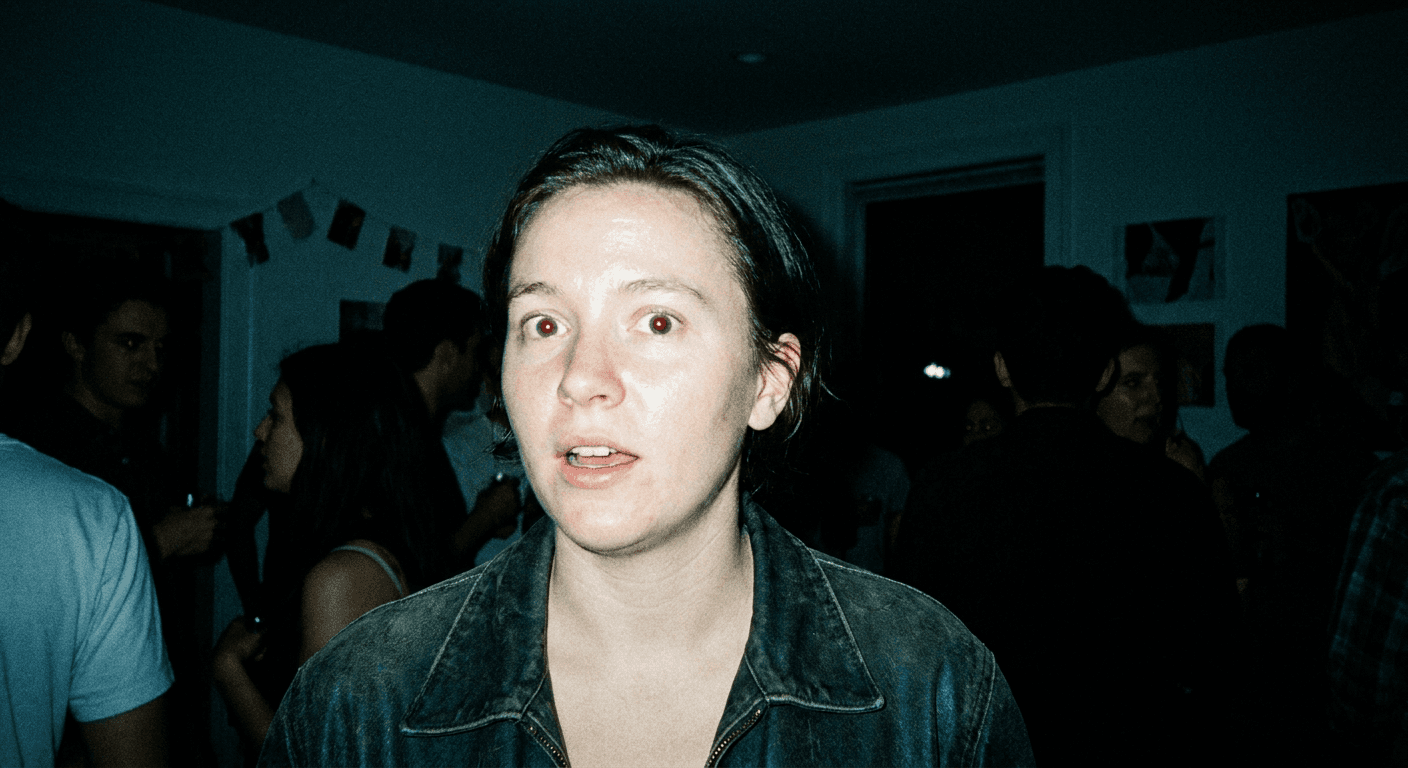
Describe the light source explicitly. The single detail that sells the paparazzi framing more than anything else is a genuine camera-flash light source, hard, direct, slightly overexposed on the nearest surfaces, with real shadow falloff behind the props. A scene lit with soft ambient light instead reads as a regular photo of a messy room, not a "caught in the act" reveal shot, which is the actual joke of the format.
Keep the mask tight around the sleeper, not the whole frame. Masking too broadly risks the tool subtly altering the sleeper's pose, clothing color, or facial features along with the background, which breaks the resemblance the whole prank depends on. A mask that hugs close to the person and opens up everywhere else keeps the one element that has to be perfect, perfect, while giving full creative range everywhere the mask actually covers.
Layer in one specific, personal detail per generation. A generic beer-can pile reads as generic. A beer-can pile plus a specific detail, the sleeper's actual favorite snack brand, a inside-joke prop, a pet's actual toy tossed into the chaos, reads as a scene built specifically around that person, which is what turns a template prank into a genuinely funny one for people who actually know the sleeper.
Generate two or three variations before picking a favorite. Prop placement, lighting intensity, and how convincingly the mask blends into the untouched sleeper can shift meaningfully between attempts on the same prompt. Comparing a few outputs side by side before choosing usually surfaces one version with noticeably cleaner blending at the mask edge than the others.
Common Mistakes Creators Make With This Trend
A handful of specific mistakes show up repeatedly in attempts at this trend that fall flat or look obviously fake.
- Masking too loosely and letting the tool alter the sleeper. If the mask brush strays onto the person's actual face, hair, or clothing, even slightly, the tool can shift small details there along with the background, and a friend or family member who knows exactly what that person looks like asleep will notice immediately. Keep the mask boundary tight and check the sleeper region against the original photo before posting.
- Using flat, even lighting instead of a real flash light source. A generated aftermath scene lit softly and evenly reads as a regular messy-room photo, not a paparazzi reveal. Every prompt in this pack calls for a hard, direct flash light source with real shadow falloff for exactly this reason, and skipping that detail is the single most common way these images end up looking like AI slop instead of a convincing candid photo.
- Overcrowding the frame past the point of believability. There is a real difference between "impressively chaotic" and "physically impossible even for a generated fantasy scene." A pile of beer cans stacked twelve high with zero regard for gravity reads as obviously fake in a way a merely excessive, but still physically plausible, pile does not, even in the deliberately over-the-top category.
- Picking props that do not match the claimed relationship or setting. A grandparent's living room staged with a full kegerator and neon bar signage breaks the illusion before the joke even lands, the same way an implausible era breaks the ancestor photo prank. Keep the specific props grounded in what that actual room and that actual person would plausibly have nearby.
- Forgetting the actual room's real furniture and background details. The mask should only replace props and mess, not the room's actual couch fabric, wall color, or window. A generated aftermath that swaps out the recognizable real room along with the mess loses the "this happened in my actual living room" credibility that makes the reveal land.
- Skipping variations and posting the first result. The first generation is rarely the cleanest blend at the mask edge. Posting a version with a visible seam or an obviously mismatched lighting direction between the real photo and the generated chaos undercuts the entire prank in the first three seconds of the video.
Generating These Inside Miraflow
Once you have picked a prompt from the groups above, the actual generation takes a few minutes inside the AI Image Generator in Miraflow AI, directly in the browser with no separate editing software required.
- Upload the real reference photo. A clear, well-lit photo of the actual sleeping person works best, taken from a normal angle you would naturally shoot from if you walked into the room and saw them asleep. This is the one part of the final image that has to stay completely real, so start with a photo you are happy to have as the base.
- Switch to image-to-image editing and open the masking tool. Rather than generating a new image from a blank prompt, the masking workflow lets you paint over only the region you want changed, everything around the sleeper, while leaving them untouched.
- Mask the space around the sleeper, not the sleeper themselves. Keep the mask boundary close to their outline, covering the couch cushions, the floor, the side table, whatever surrounding area the aftermath scene needs to fill, while carefully avoiding their face, hair, and visible skin.
- Paste in your prompt from this pack, or write your own following the same structure. Describe the specific props, the light source, the mood, and the physical materials you want in that masked region, the more concrete the detail, the more convincing the fill.
- Generate a few variations and compare the mask blending. Look specifically at the edge where the real photo meets the generated region, the cleanest result usually has matching lighting direction and no visible seam between real and generated pixels.
- Download the result and cut it into your reveal video. From here, Text2Shorts can help script and voice a quick reveal-style vertical video around the image if you want narration over the paparazzi cut, and if you are pulling clips from a longer filming session, AI Clipping can automatically find and caption the funniest reaction moments for you.
Because the sleeper in the final image is a real, unaltered photo and not a generated face, the resemblance holds up under exactly the kind of close scrutiny a prank reveal tends to get from people who actually know the person, which is the entire reason masking beats generating the whole scene from scratch for this specific trend.
Frequently Asked Questions
What is the Right Round Hangover prank trend? It is a TikTok and Instagram Reels format where a creator builds a full "Hangover" movie-style aftermath scene, beer cans, candy wrappers, a portable grill, sunglasses, and a backwards cap, around someone who is genuinely asleep, then reveals the scene paparazzi-style with a camera flash cut to Flo Rida's "Right Round" as the trending audio. The joke depends on the sleeper being completely unaware of the chaos supposedly staged around them.
Do I actually need to buy real props and stage the mess? No, and that is the entire point of using AI image generation for this format. Staging real beer cans, a real portable grill, or a real confetti explosion in a living room is expensive, messy, and often not physically practical at all for the more over-the-top versions. Masking a real sleeping photo and generating the aftermath scene around the person gets the same visual joke with zero cleanup and zero real props.
Will the AI-generated version look obviously fake? It depends heavily on how tightly the mask is drawn and how specific the light-source detail in the prompt is. A tight mask that leaves the sleeper completely untouched, combined with a prompt that specifically calls for a hard, direct camera-flash light source matching the real photo's lighting angle, produces a result that reads as a genuine candid photo rather than an obviously composited image. Loose masking and flat, generic lighting are the two most common reasons a result looks fake.
Can I use this trend on a kid or grandparent without it looking inappropriate? Yes, and the family-safe prompts in this pack are built specifically for that. Swapping beer cans for juice boxes, candy wrappers, or newspaper and butterscotch wrappers keeps the exact same visual joke, undeniable chaos around a completely unaware sleeper, without a single alcohol reference anywhere in the generated scene.
What is the best light source detail to include in the prompt? A hard, direct camera-flash light source aimed roughly from where the "photographer" would be standing, with visible shadow falloff behind the nearest props and slight overexposure on the closest surfaces. This single detail does more to sell the paparazzi-reveal framing than any prop choice, since it is what separates "a photo of a messy room" from "a photo that just caught something in the act."
How many prompt variations should I generate before picking one? Generate at least two or three per prompt. Prop placement, lighting intensity, and how cleanly the generated region blends into the real, untouched sleeper can shift meaningfully between attempts on the exact same prompt, and comparing a few outputs usually surfaces one with a visibly cleaner seam at the mask boundary than the others.
Does the trending "Right Round" audio matter for reach, or can I use a different song? Using the actual trending sound matters more than it might seem for a paparazzi-reveal format like this one. Both TikTok and Instagram tend to surface content using a currently trending audio to a wider discovery audience than the same video cut with an unrelated or original track, and "Right Round" specifically is showing sustained posting activity on both platforms right now, which is exactly the kind of signal worth riding while the format is still resurging rather than waiting until it cools off.
Conclusion
The Right Round Hangover prank works because the joke is simple and the contrast is instant, a completely unaware sleeper next to a scene that looks like a full party happened around them, and it barely needs an explanation once the camera flash hits. What actually limits most creators is not the joke, it is the physical staging: real beer cans, a real portable grill, real confetti, and a real cleanup afterward that eats into the exact spontaneity the format depends on. The 20 prompts above cover five real approaches to that problem, grounded classic aftermath scenes, deliberately impossible chaos no one could actually stage, family-safe versions, pet and sibling variations, and reveal-ready shots built for the actual beat drop, so there is a real starting point here whether the goal is one quick prank video or a whole reaction-video series testing multiple aftermath styles. Start with one genuinely real photo of someone actually asleep, mask the space around them inside the AI Image Generator in Miraflow AI, and generate a few variations before picking the one with the cleanest blend and the most convincing flash-lit chaos. For more single-photo prank formats built on the same real-reference-photo technique, the ancestor photo prank pack, the Digital Circus cartoon-in-real-life trend, and the Insane Asylum prompt quest are all worth trying next, and if the paparazzi camera-flash look itself is what you are chasing, the AI flash filter prompt pack goes deeper on that specific lighting style. You can browse more prompt packs like this one on the Miraflow AI blog, and every tool mentioned here lives at Miraflow.