The Viral 'Digital Circus' Cartoon-in-Real-Life AI Photo Trend: 18 Prompts to Try (2026)

Written by
Aerin Kim
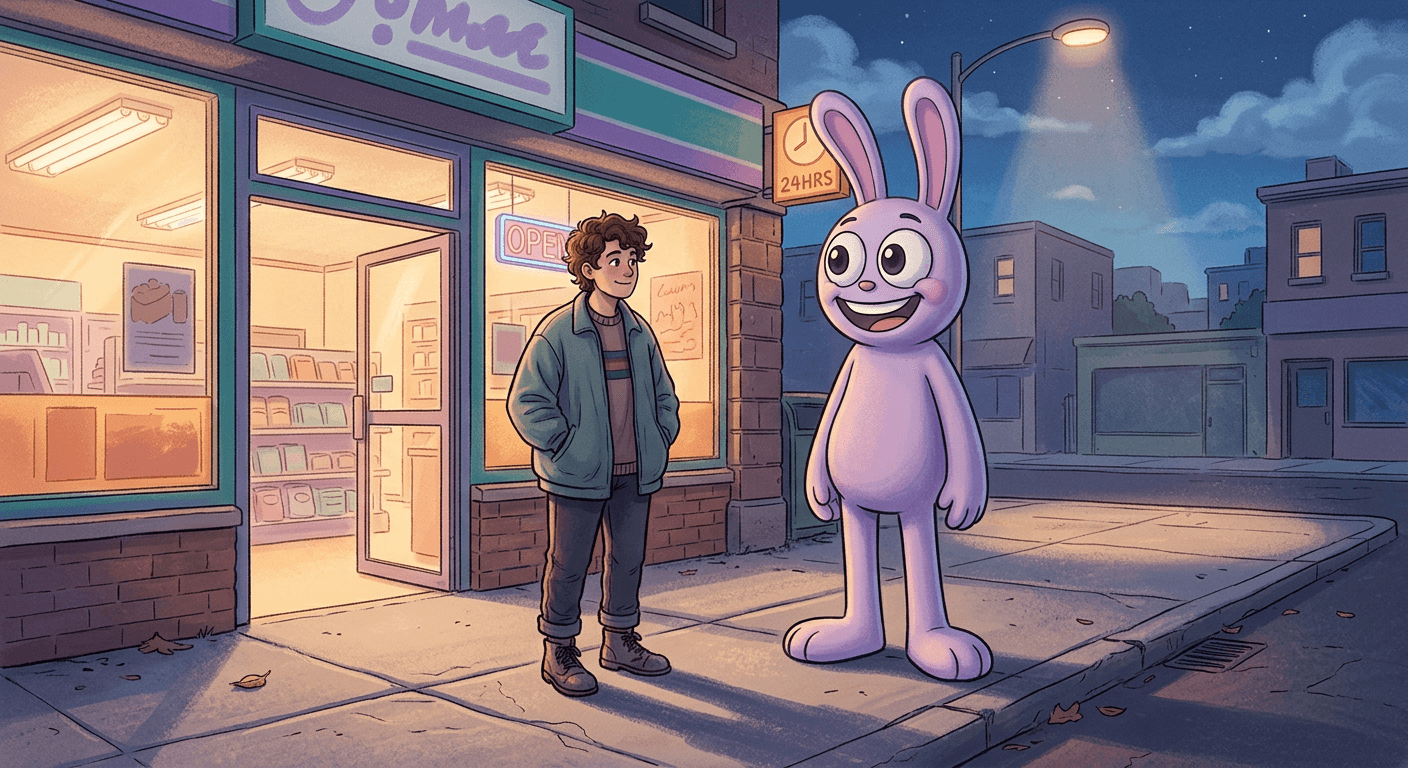
A tall purple cartoon mascot is showing up beside creators in convenience-store selfies and living-room photos everywhere. 18 copy-paste AI prompts to build your own eerie, weirdcore mascot composite, plus video versions for Shorts.
If your feed has spent the last few weeks filling up with photos of a tall, purple, big-eyed cartoon rabbit standing next to real people outside gas stations at midnight, you are not imagining it and you are not the only one seeing it everywhere. It is one of the fastest-spreading AI photo trends of September 2026, and the format is almost always the same: one selfie, one AI image edit, and a cartoon mascot that looks like it was always standing right there in the frame.
TL;DR: creators are compositing a slender, purple, big-eyed 3D cartoon mascot into ordinary photos and short clips, usually at night outside a convenience store or in a candid "imaginary friend" pose, with a deliberately eerie, weirdcore mood. You can build your own version of this look, using an original mascot design rather than any copyrighted character, directly inside the AI Image Generator in Miraflow AI from a single photo. This post gives you 18 copy-paste prompts, grouped into nighttime scenes, daytime candid scenes, group photos, and motion versions for Shorts, plus the exact wording that makes the composite look believable instead of pasted on.
The character fueling this specific wave is a purple rabbit-like mascot from a popular animated web series about performers trapped inside a glitchy digital circus, which just wrapped up a major chapter of its story and pulled a fresh round of attention back onto the show right as the school year started. That renewed attention is exactly why the trend is peaking in September rather than fading, and it is also why this post treats the actual character and show as someone else's intellectual property rather than something to reproduce here. Every prompt below describes an original, generic 3D-cartoon mascot archetype in its own words, tall, slender, pastel purple, round-eyed, and toy-smooth, so you get the same visual effect and the same eerie mood without asking an AI model to recreate a trademarked character design pixel for pixel.
Why This Trend Is Peaking Right Now
Three things are lining up at once to make late September 2026 the actual peak window for this specific style of AI composite, not just a random viral blip.
A real show moment is driving search volume. The series behind this mascot recently aired a finale-adjacent chapter that got real mainstream coverage, including a retrospective piece on YouTube's own creator blog looking back at the studio's origins. A finale or major story beat almost always produces a short, sharp spike in fan-made content, and this generation of fans has AI image tools instead of just fan art pencils, so the spike shows up as a photo-editing trend instead of a wave of drawings.
The "uncanny mascot next to a real person" format is inherently more shareable than a straight filter. A cartoon sticker slapped onto a selfie reads as a filter. A convincingly lit, correctly shadowed, physically present cartoon character standing next to you at night reads as a small piece of visual magic, and that gap between "obviously fake" and "wait, how did they do that" is exactly what makes a format spread fast on TikTok and Instagram specifically. Creators are not just posting the result, they are posting the reaction to the result, which doubles the content this trend produces per generation.
It fits the exact aesthetic that has been quietly building all year. Weirdcore, the loosely defined mood of ordinary, mundane settings, a gas station, a suburban street, a bedroom, made slightly wrong through an uneasy color grade, a too-still pose, or a figure that should not be there, has been a recurring undercurrent across AI photo trends throughout 2026. This mascot trend is really weirdcore's most viral single expression yet, because it swaps an abstract feeling of wrongness for a specific, recognizable, big-eyed character standing where it should not be.
If any of that description sounds familiar from earlier this year, it should. The same underlying mood, an ordinary photo made subtly unsettling through composition and lighting rather than gore, is the backbone of our liminal space AI photo prompts and the Insane Asylum TikTok prompt trend. This mascot format is best understood as that same weirdcore engine with a specific, currently-viral character riding on top of it.
A smaller creator gets more out of this trend than a large one, at least right now. Once a format like this is already saturating a big account's audience, posting yet another version of it reads as chasing a trend rather than adding to it. A newer or smaller account, on the other hand, benefits from exactly the opposite dynamic, the trend's own hashtag and sound pages are still actively surfacing fresh attempts to new viewers, and a well-executed composite can pull in an audience that has never seen the creator's other content before. If your account is already established in a completely unrelated niche, cooking, fitness, finance, this format works best as a one-off novelty post rather than a pivot, since an audience that follows you for recipe videos is unlikely to stick around for a full weirdcore mascot content series.
Brand and business accounts should treat this one differently from a normal viral trend. A personal account riffing on a fan-driven meme is a very different legal position from a business account doing the same thing to sell a product or drive traffic to a storefront. If you run a brand account and want the same "uncanny friendly mascot" energy without touching anyone else's IP at all, building out one of the fully original mascot archetypes from the customization section below as your own recurring character is the safer and, longer term, more valuable move, since it becomes an asset you actually own rather than a reference to someone else's.
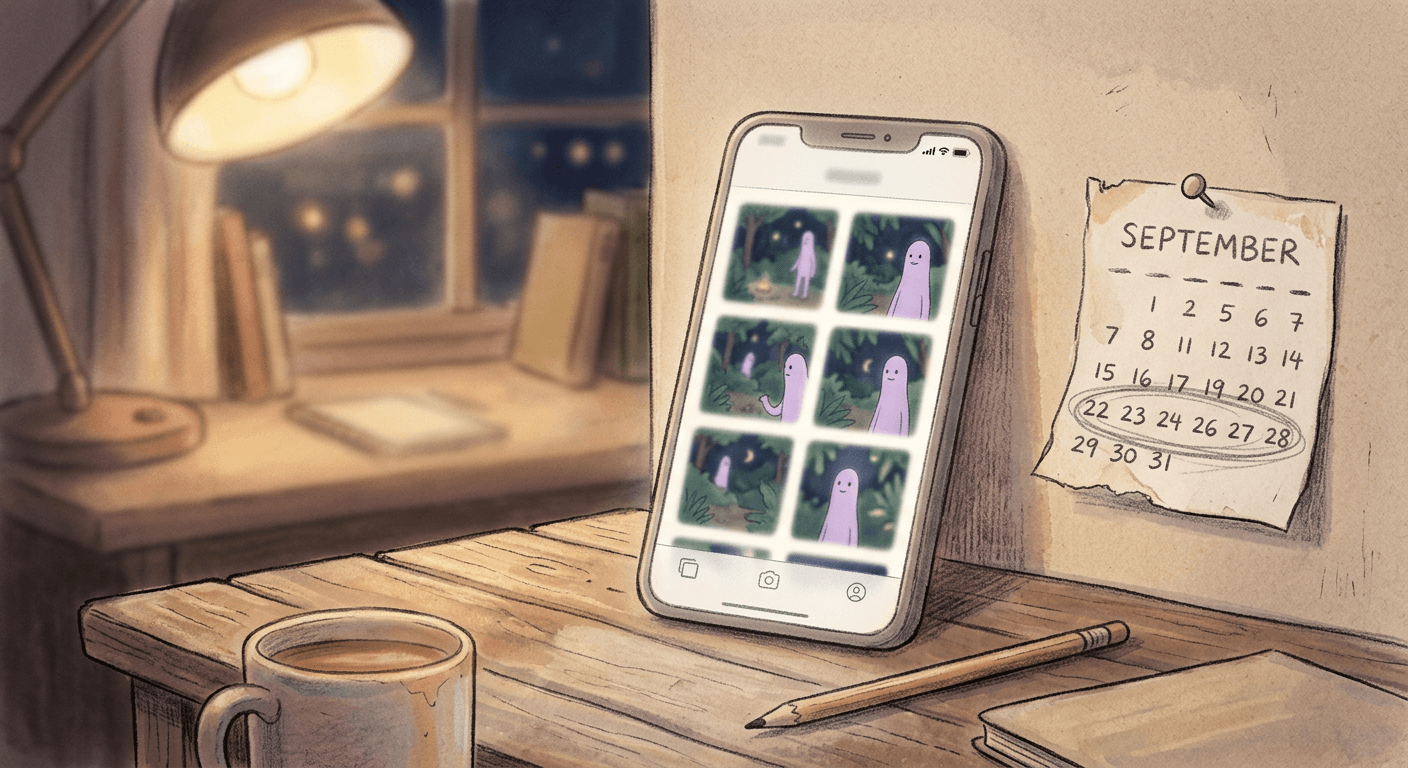
What Actually Makes a Mascot-in-Real-Life Composite Convincing
Scroll through a hundred attempts at this trend and you will notice the good ones share a specific set of ingredients, and the flat, obviously-pasted ones are almost always missing at least one of them.
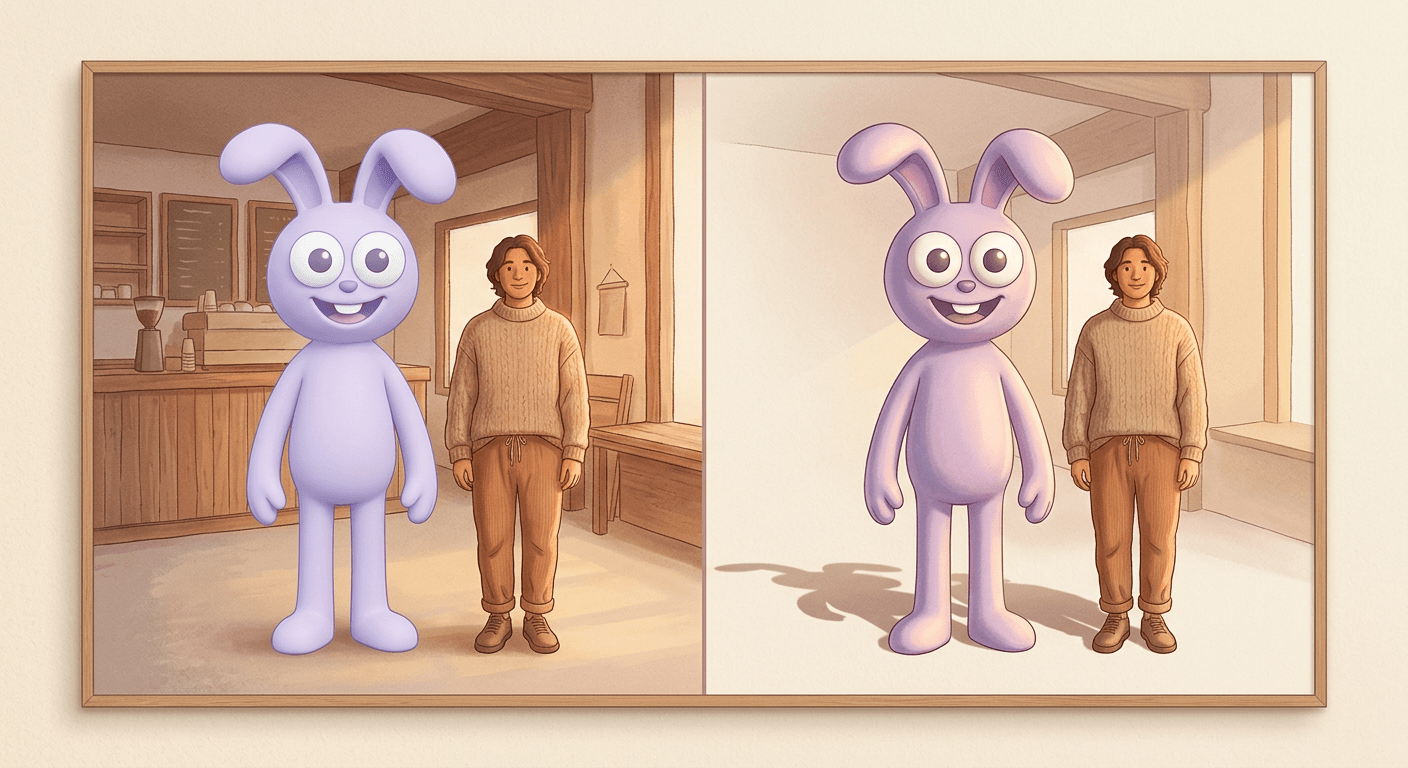
Matched light source and color temperature. If the human subject is lit by warm fluorescent light from a storefront window, the mascot standing next to them needs that exact same warm cast falling across its body, not a neutral studio light that makes it look like a separate layer dropped on top. This single detail is the difference between "this looks composited" and "this looks like it was actually photographed there," and it is worth naming explicitly in every prompt rather than assuming the model will infer it.
A believable shadow that falls in the same direction as the human subject's shadow. A cartoon character standing on real pavement under a real streetlight casts a shadow the same way a physical object would. Skipping this detail is the single fastest way to make an otherwise good composite look like a sticker.
Correct scale and ground contact. The mascot needs to be standing on the actual ground plane of the photo, feet or base making real contact with the pavement, floor, or grass, at a size that makes physical sense next to the human in frame. A character that floats slightly above the ground or is scaled just a little too large or small breaks the illusion instantly, even if every other detail is right.
A specific, described mood, not just "eerie." The weirdcore effect comes from naming an actual emotional register, quietly unsettling, deadpan and still, softly melancholic, rather than leaving the model to guess. Pairing a genuinely warm, friendly-looking mascot face with a cold, still, slightly-too-quiet scene is what produces the specific uncanny effect this trend is known for, and that contrast has to be spelled out.
Identity preservation for the human subject. The same principle behind a strong AI headshot applies here. Describe the mascot, the lighting, and the scene in detail, and separately instruct the model to preserve the real facial structure of the person from their reference photo, the same approach covered in more depth in our guide to consistent AI characters across multiple images.
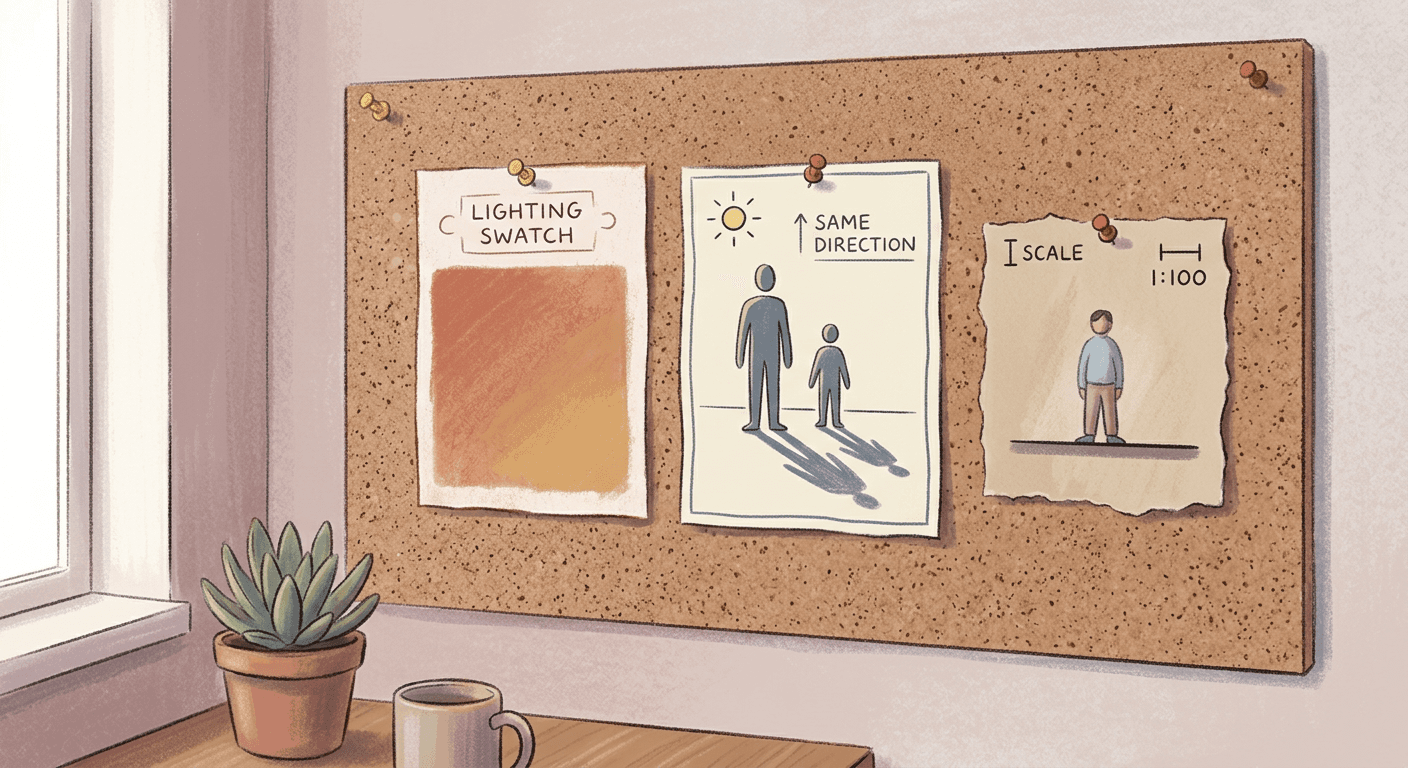
Every prompt below builds those five ingredients in, so you are not starting from a blank page. Generate any of them directly inside the AI Image Generator in Miraflow AI, which handles the image-to-image workflow this entire trend depends on, upload a clear selfie, apply the prompt, and adjust the mascot's pose or the scene until the lighting actually matches.
1) Nighttime and Weirdcore Convenience-Store Scenes
This is the trend's signature format: a night scene, a storefront or gas station, and the mascot standing just a little too still and a little too close, lit by the same cold fluorescent glow as everything else in frame.
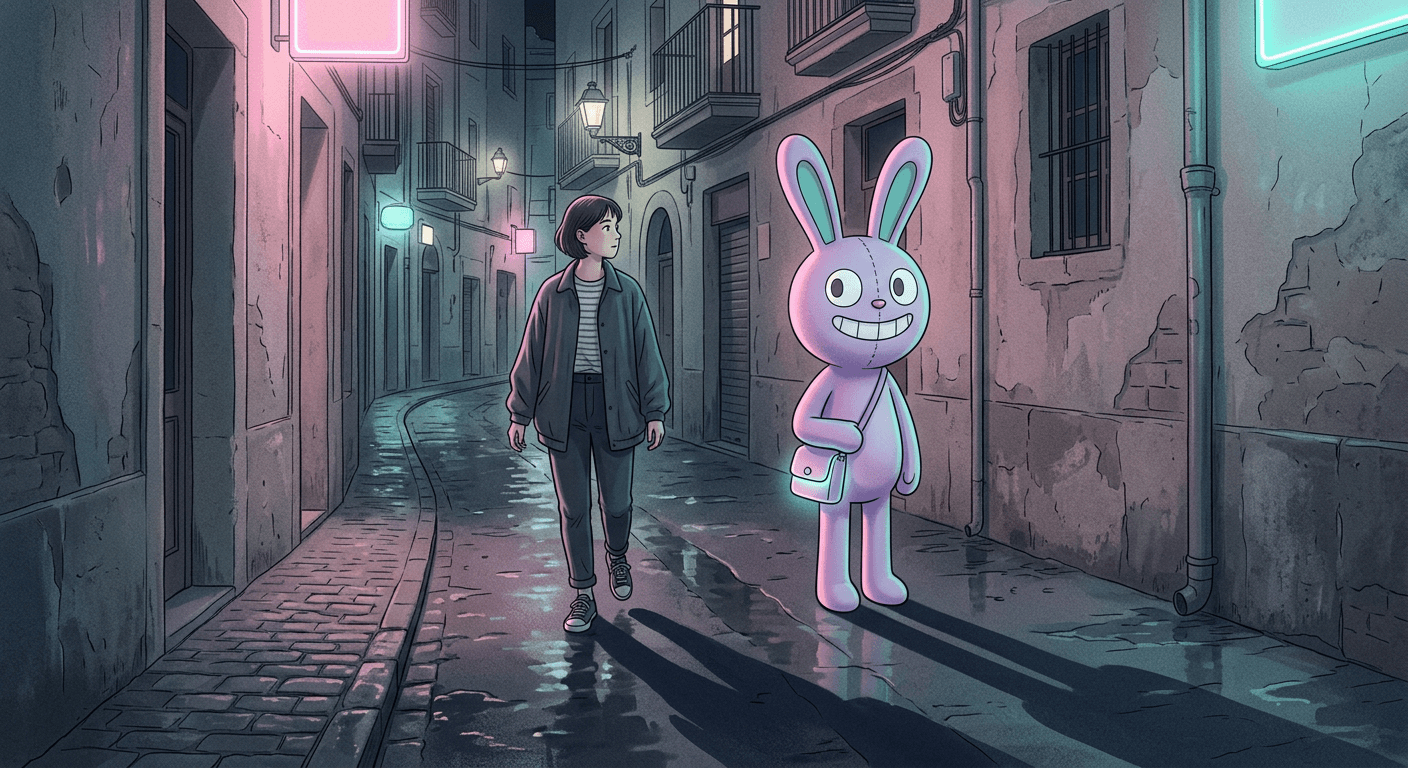
Prompt 1: Convenience Store Night Companion
Preserve exact facial structure from the reference photo. Composite the subject standing on the sidewalk directly outside a small convenience store at night, a tall, slender, pastel-purple cartoon rabbit-like mascot character with oversized round eyes, a wide friendly cartoon grin, and smooth, toy-like 3D-rendered proportions standing very still beside them, feet flat on the pavement. Match the mascot's lighting exactly to the store's warm fluorescent glow spilling through the window behind both figures, and give the mascot a soft shadow falling in the same direction and length as the subject's own shadow. Cool blue night sky above, a faint neon sign glow reflected on the wet pavement, medium wide shot, slightly quiet and still mood. No blurry or distorted details, no warped hands, no readable signage text, no logos.
Prompt 2: Neon Alley Weirdcore Encounter
Composite the subject walking through a narrow alley at night lit by a soft pink and teal neon glow bleeding in from an unseen sign just out of frame, a tall, slender, pastel-purple cartoon rabbit-like mascot character with oversized round eyes, a wide friendly cartoon grin, and smooth, toy-like 3D-rendered proportions standing motionless a few steps behind them with an unnervingly calm posture. Match the neon color cast across both the subject and the mascot equally, add a long matching shadow stretching from the mascot's feet across the wet pavement in the same direction as the subject's shadow. Slightly desaturated color grading, deliberately quiet composition, no blurry or distorted details, no warped hands, no readable signage text, no logos.
Prompt 3: Gas Station Pump Glow Portrait
Preserve exact facial structure from the reference photo. Composite the subject standing beside a gas pump at a nearly empty gas station at night, a tall, slender, pastel-purple cartoon rabbit-like mascot character with oversized round eyes, a wide friendly cartoon grin, and smooth, toy-like 3D-rendered proportions standing on the opposite side of the same pump facing the camera with a calm friendly expression. Match the cold white overhead canopy lighting exactly across both figures, add matching shadows falling straight down beneath both the subject and the mascot. Wide shot showing the empty forecourt behind them, slightly cinematic color grading, no blurry or distorted details, no warped hands, no readable signage text, no logos.
Prompt 4: Motion-Blur Face Variant
Composite the subject standing outside a dimly lit storefront at night with their face and upper body rendered in soft directional motion blur as if caught mid-turn, while a tall, slender, pastel-purple cartoon rabbit-like mascot character with oversized round eyes, a wide friendly cartoon grin, and smooth, toy-like 3D-rendered proportions standing beside them remains perfectly sharp, still, and in crisp focus, its expression calm and unmoving. Match the warm storefront light source across both figures despite the blur, keep a matching soft shadow beneath the mascot only. Slightly unsettling, deliberately quiet mood, no distortion beyond the intended motion blur on the human subject only, no readable signage text, no logos.
Prompt 5: Empty Parking Lot Streetlight Scene
Composite the subject standing in the middle of an empty parking lot at night, a tall, slender, pastel-purple cartoon rabbit-like mascot character with oversized round eyes, a wide friendly cartoon grin, and smooth, toy-like 3D-rendered proportions standing a short distance away under the same single overhead streetlamp, both figures lit by the same cold sodium-orange pool of light with everything beyond the light's edge fading into near darkness. Add matching shadows radiating outward from both figures beneath the shared light source, wide shot emphasizing the empty space around them. Muted, quiet color grading, no blurry or distorted details, no warped hands, no readable text, no logos.
The motion-blur variant in Prompt 4 deserves a specific note: a growing share of this trend deliberately blurs the human subject's face while keeping the mascot perfectly sharp, which flips the expected relationship between "real" and "fake" in the frame and is a large part of why that specific version reads as unsettling rather than cute. If you want to go deeper on that exact blur-and-motion language, our AI motion blur photo prompts cover the technique on its own, outside this specific trend.
2) Daytime Candid "Imaginary Friend" Scenes
Not every version of this trend happens at night. A large share of the highest-performing posts flip the mood entirely, keeping the same tall purple mascot but placing it in warm, ordinary daylight settings, which produces a gentler, more "imaginary friend" feeling instead of a horror-adjacent one.
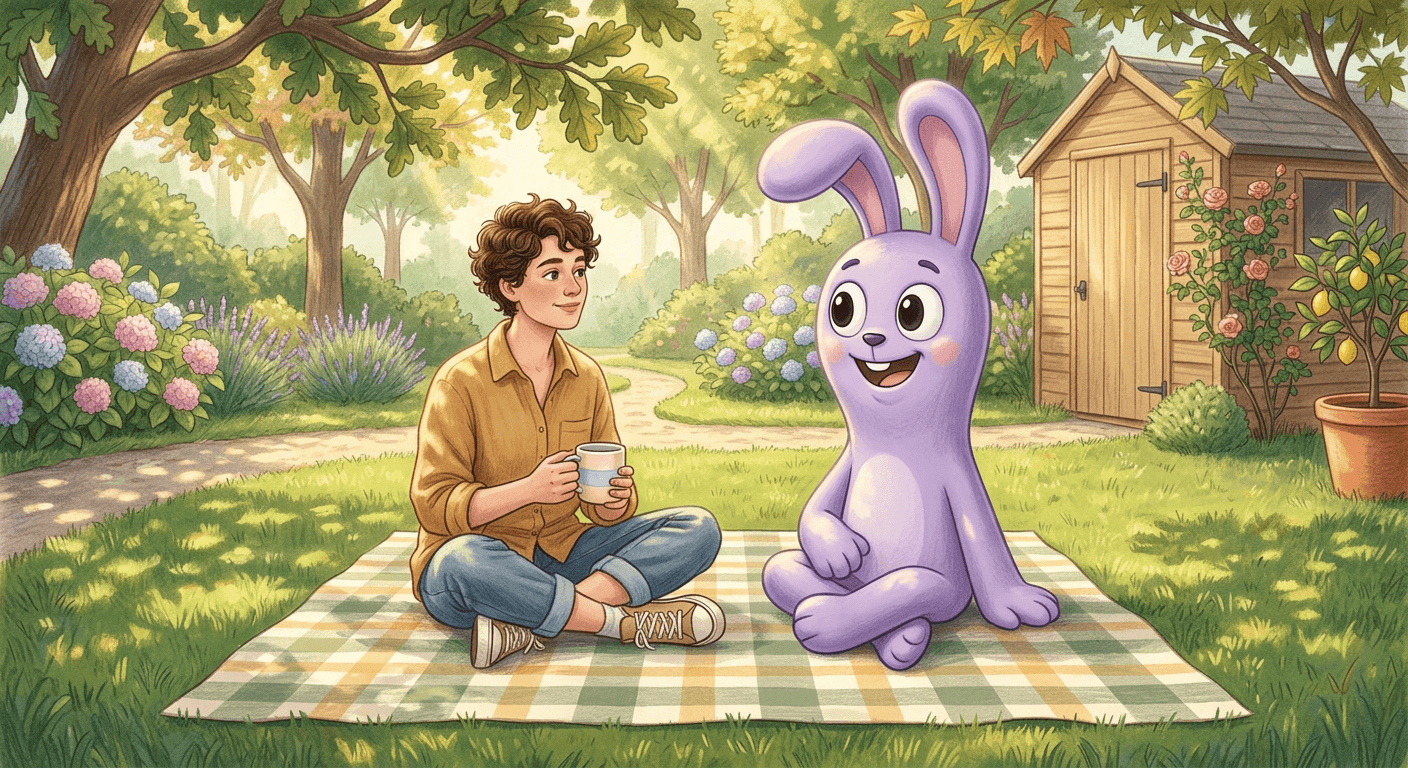
Prompt 6: Backyard Picnic Companion
Preserve exact facial structure from the reference photo. Composite the subject sitting cross-legged on a checkered picnic blanket in a sunny backyard, a tall, slender, pastel-purple cartoon rabbit-like mascot character with oversized round eyes, a wide friendly cartoon grin, and smooth, toy-like 3D-rendered proportions sitting beside them in a relaxed, friendly pose on the same blanket. Match the warm dappled sunlight filtering through nearby leaves across both figures, add soft matching shadows on the grass beneath each of them. Cheerful, gentle mood, natural color grading, no blurry or distorted details, no warped hands, no readable text, no logos.
Prompt 7: Living Room Couch Buddy
Preserve exact facial structure from the reference photo. Composite the subject sitting relaxed on a living room couch watching television, a tall, slender, pastel-purple cartoon rabbit-like mascot character with oversized round eyes, a wide friendly cartoon grin, and smooth, toy-like 3D-rendered proportions sitting beside them on the same couch cushion in a casual pose, angled slightly toward the screen. Match the warm indoor lamp light and the cool flicker of the television glow across both figures equally, keep the mascot's proportions correctly scaled to the couch and cushions around it. Cozy, ordinary domestic mood, no blurry or distorted details, no warped hands, no readable text, no logos.
Prompt 8: Sidewalk Bus Stop Wait
Composite the subject sitting on a bus stop bench on an ordinary daytime street, a tall, slender, pastel-purple cartoon rabbit-like mascot character with oversized round eyes, a wide friendly cartoon grin, and smooth, toy-like 3D-rendered proportions sitting on the same bench a comfortable distance away, both facing forward as if waiting for the same bus. Match the overcast, even daylight across both figures with no strong directional shadows, keep the mascot's scale correct relative to the bench and the subject beside it. Calm, deadpan, slightly mundane mood, no blurry or distorted details, no warped hands, no readable text, no logos.
Prompt 9: Kitchen Counter Cameo
Composite the subject standing at a kitchen counter pouring a drink, a tall, slender, pastel-purple cartoon rabbit-like mascot character with oversized round eyes, a wide friendly cartoon grin, and smooth, toy-like 3D-rendered proportions standing on the floor just beside the counter at a correctly scaled height, watching with a calm friendly expression. Match the warm overhead kitchen lighting across both figures, add a soft matching shadow beneath the mascot on the kitchen floor. Ordinary, gently domestic mood, no blurry or distorted details, no warped hands, no readable text, no logos.
Prompt 10: Bedroom Mirror Reflection
Preserve exact facial structure from the reference photo. Composite the subject standing in front of a bedroom mirror taking a casual photo, and show a tall, slender, pastel-purple cartoon rabbit-like mascot character with oversized round eyes, a wide friendly cartoon grin, and smooth, toy-like 3D-rendered proportions appearing only inside the mirror's reflection standing behind the subject's reflected position, not physically present anywhere else in the actual room. Match the reflected mascot's lighting exactly to the room's ambient light as seen in the mirror, keep the reflection angle physically consistent with the mirror's placement. Calm, slightly curious mood, no blurry or distorted details, no warped hands, no readable text, no logos.
The mirror reflection variant in Prompt 10 is worth calling out on its own, since it is one of the harder shots to get physically right. The mascot needs to appear only in the mirror's reflection, not standing in the actual room, which forces the model to handle a genuine reflection angle rather than a simple paste, and it is the single detail most likely to come back wrong on a first generation. If it does, regenerate rather than trying to prompt-engineer your way around it in one pass, since reflection geometry is one of the areas where a second attempt on the same prompt often lands better than a heavily rewritten version of the first.
3) Group Photos and Social Scenes
The mascot trend also travels well in group content, since a second or third real person in frame gives the composite more to react to, and reaction shots are a natural fit for this format's inherently shareable "wait, how" energy.
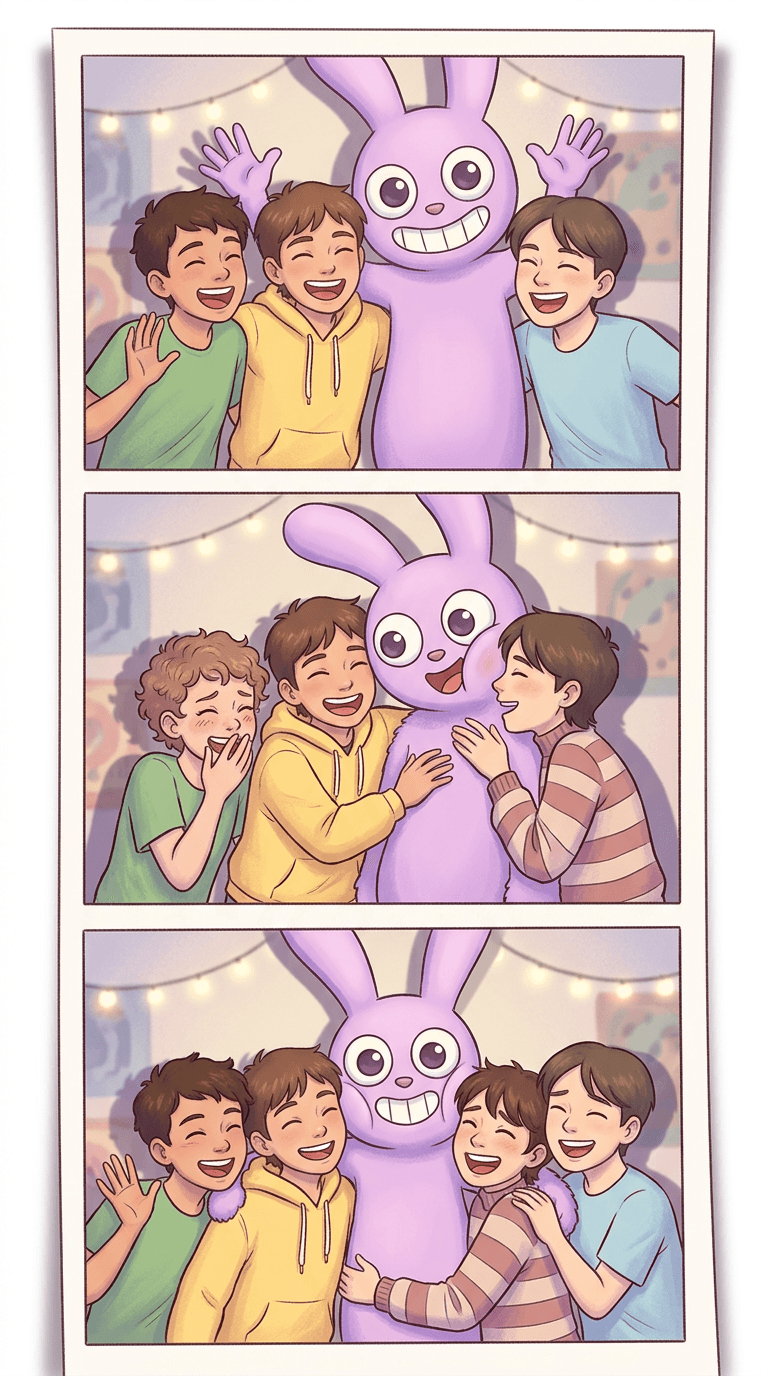
Prompt 11: Friend Group Photobooth Strip
Composite three friends standing close together laughing for a photobooth-style flash photo, a tall, slender, pastel-purple cartoon rabbit-like mascot character with oversized round eyes, a wide friendly cartoon grin, and smooth, toy-like 3D-rendered proportions squeezed in between two of them with an exaggerated cheerful pose matching the group's energy. Match the bright, even flash-style lighting across every figure including the mascot, keep consistent soft shadows behind the whole group. Bright, playful, candid mood, no blurry or distorted details, no warped hands or faces, no readable text, no logos.
Prompt 12: Birthday Party Photobomb
Composite a small group gathered around a birthday cake with lit candles, a tall, slender, pastel-purple cartoon rabbit-like mascot character with oversized round eyes, a wide friendly cartoon grin, and smooth, toy-like 3D-rendered proportions leaning into the frame from one side as if photobombing the shot, its face lit warmly by the candle glow like everyone else's. Match the candlelight's warm flicker and color temperature across the mascot exactly as it falls on the real subjects, keep correct scale relative to the table and the people around it. Warm, celebratory, slightly cheeky mood, no blurry or distorted details, no warped hands, no readable text, no logos.
Prompt 13: Road Trip Car Window Companion
Composite the subject sitting in the passenger seat of a car with the window rolled down, a tall, slender, pastel-purple cartoon rabbit-like mascot character with oversized round eyes, a wide friendly cartoon grin, and smooth, toy-like 3D-rendered proportions visible just outside the window keeping pace alongside the moving car against a blurred highway background. Match the warm late-afternoon sunlight across both the interior of the car and the mascot outside it, add a subtle motion blur to the background only, keeping the mascot itself in sharp focus. Adventurous, slightly surreal mood, no blurry or distorted details on the main subjects, no warped hands, no readable text, no logos.
Prompt 14: Concert Crowd Cameo
Composite the subject standing in a crowd at a small concert venue, a tall, slender, pastel-purple cartoon rabbit-like mascot character with oversized round eyes, a wide friendly cartoon grin, and smooth, toy-like 3D-rendered proportions standing just beside them in the crowd, correctly scaled to blend in among the other concertgoers, lit by the same colored stage lighting washing over the whole crowd. Match the shifting pink and blue stage light color cast across the mascot exactly as it falls on the real crowd around it, keep consistent scale and perspective. Energetic, slightly surreal mood, no blurry or distorted details, no warped hands or faces, no readable text, no logos.
Group shots like these work especially well as a paired "before and after" post, the plain group photo first, then the same photo with the mascot composited in, since the side-by-side comparison is what actually sells the effect to anyone scrolling past quickly.
4) Motion and Video Versions for Shorts
A still image is genuinely half the format right now. The most-shared version of this trend on TikTok and Reels is a short clip: the mascot walking into frame, blinking, or standing perfectly still while the human subject reacts, and that motion is exactly what a still photo cannot do on its own.
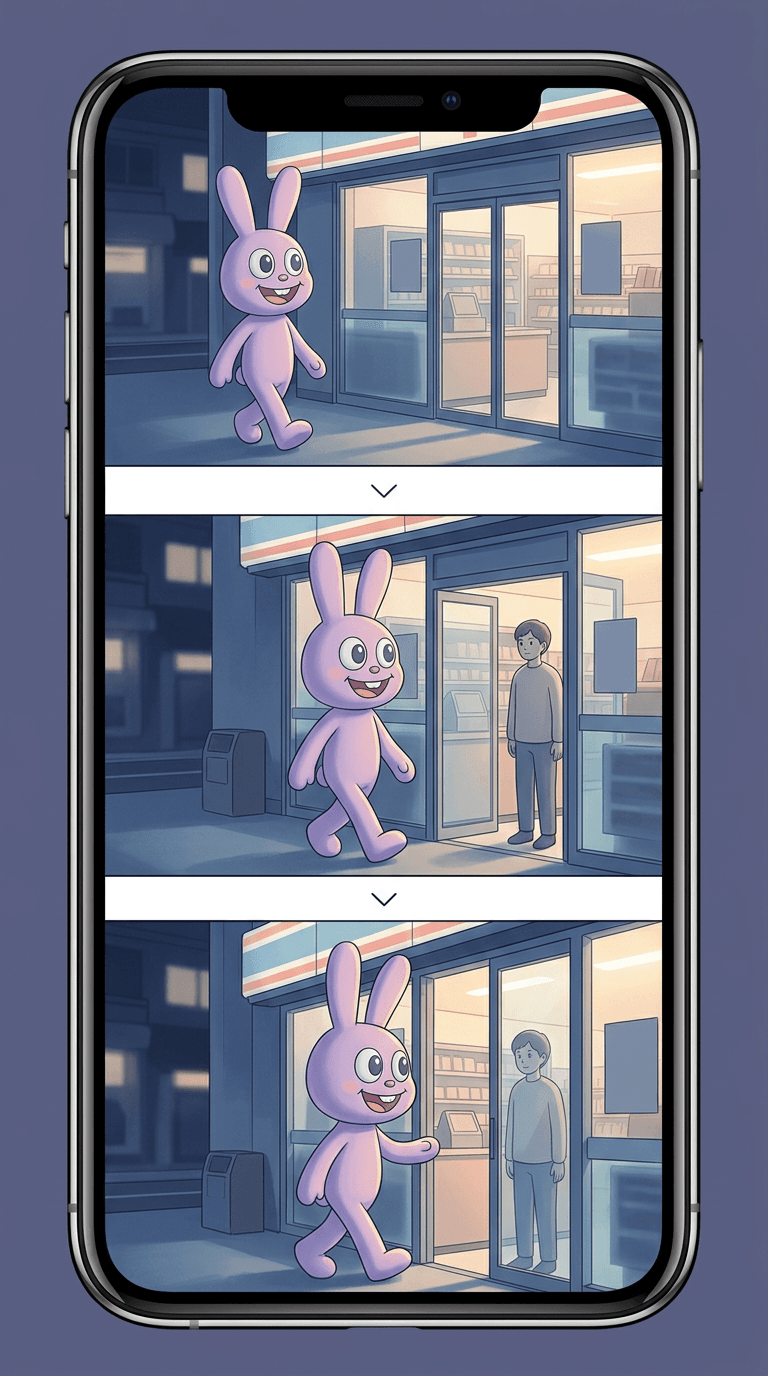
Prompt 15: Slow Walk-In Reveal Clip
A short cinematic video clip: the camera holds steady on the subject standing outside a dimly lit convenience store at night. After a beat, a tall, slender, pastel-purple cartoon rabbit-like mascot character with oversized round eyes, a wide friendly cartoon grin, and smooth, toy-like 3D-rendered proportions slowly walks into frame from just outside the light, taking three or four unhurried steps until it comes to a stop beside the subject, its shadow growing and shifting realistically as it moves under the same storefront light source. Quiet, deliberate pacing, no jump cuts, no distorted motion, no readable signage text, no logos.
Prompt 16: Blinking Startle Loop
A short cinematic video clip: the subject stands still beside a tall, slender, pastel-purple cartoon rabbit-like mascot character with oversized round eyes, a wide friendly cartoon grin, and smooth, toy-like 3D-rendered proportions in a dim nighttime scene, both facing the camera. The mascot slowly blinks once, holds a completely still pose for a beat, then tilts its head very slightly to one side. Keep the lighting and shadow consistent across the entire clip, calm and quiet pacing with no sudden camera movement, no distorted motion, no readable text, no logos.
Prompt 17: Convenience Store Door Chime Entrance
A short cinematic video clip set at the entrance of a convenience store at night: a glass door swings open from the inside, a soft chime sound implied by the door's motion, and a tall, slender, pastel-purple cartoon rabbit-like mascot character with oversized round eyes, a wide friendly cartoon grin, and smooth, toy-like 3D-rendered proportions steps out through the doorway into the frame where the subject is already standing on the sidewalk. Match the warm interior light spilling out through the open door onto the mascot as it exits, transitioning to the cooler night light as it fully steps outside. Smooth, unhurried motion, no distorted movement, no readable text, no logos.
Prompt 18: Selfie-to-Reveal Transition Clip
A short cinematic video clip: the subject holds up a phone taking a normal selfie in an ordinary daylight room, alone in frame. The camera then pushes in slightly and, in one smooth transition, a tall, slender, pastel-purple cartoon rabbit-like mascot character with oversized round eyes, a wide friendly cartoon grin, and smooth, toy-like 3D-rendered proportions is revealed standing directly behind the subject in the reflection or background where nothing was visible a moment before. Keep the lighting on the mascot consistent with the room's existing light source through the transition, smooth and deliberate pacing, no jarring cuts, no distorted motion, no readable text, no logos.
These four are written as video generation prompts rather than single-frame image prompts, describing motion, timing, and a beat-to-beat sequence rather than one static composition. You can generate this exact kind of clip directly with the Cinematic AI Video Generator in Miraflow AI, which turns a written scene like the ones above into an actual moving clip, or take a still composite you already generated and animate it into a full vertical Short with Text2Shorts, which handles the script, pacing, and voice around the visual so you end up with a finished post instead of a single clip.
If you want to see the broader "living photo" technique this format borrows from, animating a still image into a short loop of subtle motion, our AI Alive living photo prompts guide covers that underlying technique in more depth, outside this specific mascot trend.
How to Customize These Prompts
The single most important customization is not changing anything about the scene at all, it is changing the mascot itself. Every prompt above already uses a generic, original mascot description rather than naming any specific copyrighted show or character, and you should keep doing that when you adapt these for your own content, both because it keeps the output usable and because a model asked to reproduce a specific trademarked design exactly is the one place this trend can get a creator into real trouble if the resulting content gets used commercially.
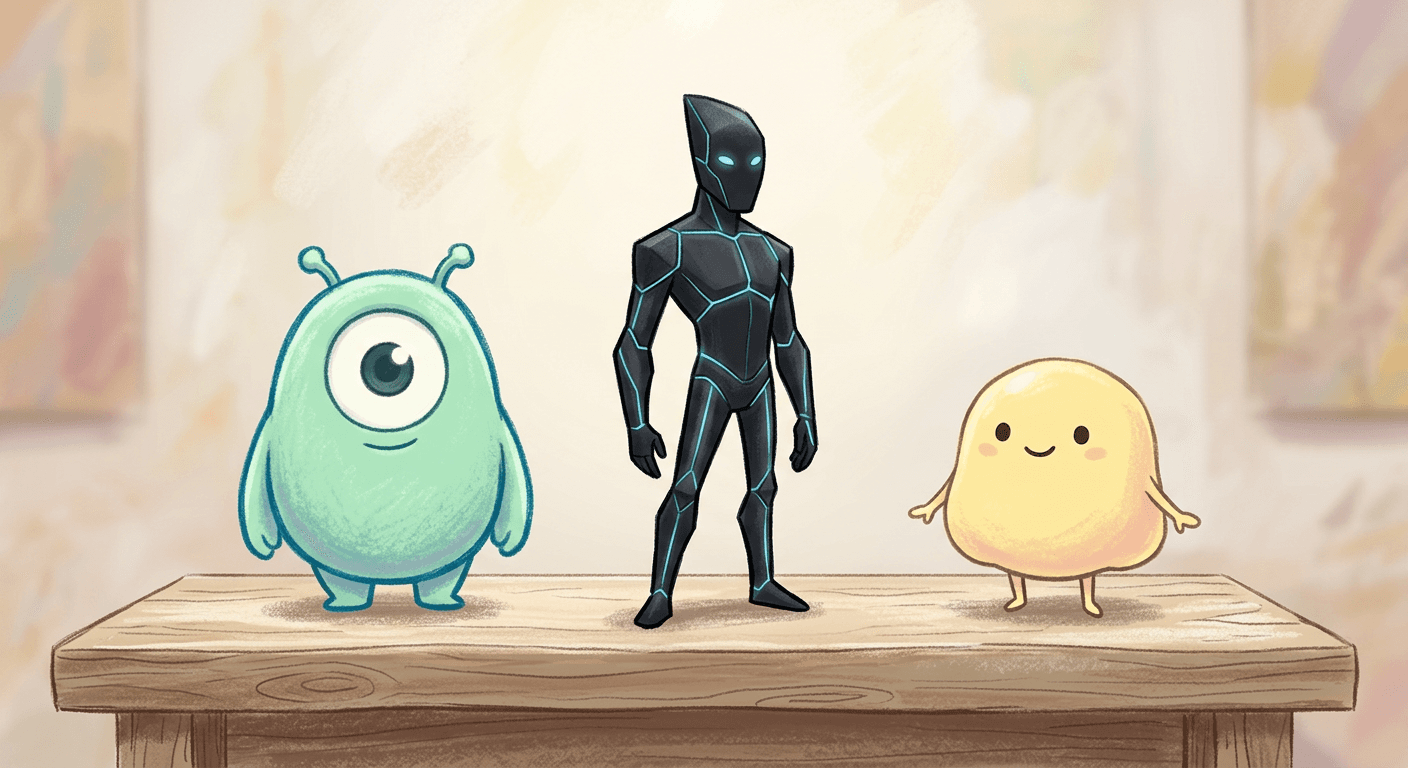
A few original mascot archetypes worth trying in place of the tall purple rabbit used above, each dropped into the exact same scene and lighting language from any prompt in this post:
A short, round, mint-green cartoon creature with stubby limbs and a single oversized eye works well for a gentler, less eerie tone. A tall, angular, matte-black cartoon figure with glowing white outline seams and no visible face reads as considerably more unsettling in the same convenience-store scene. A soft, pastel-yellow cartoon blob character with a simple smiling face and tiny stick arms swaps the whole mood toward cute rather than weirdcore, which works better for the daytime and group-photo prompts than the nighttime ones.
Beyond swapping the mascot, the other variables worth adjusting are the specific location, keep the same lighting-matching language but change the setting from a convenience store to a subway platform, a laundromat, or a school hallway, and the mascot's pose, standing still versus mid-wave versus mid-walk changes the entire emotional read of an otherwise identical scene. If you are building a whole content series around one original mascot design, our guide to creating your own original character for the Italian Brainrot trend walks through a similar process of designing a consistent, wholly original character from scratch rather than borrowing one.
A quick worked example of how this actually plays out: take Prompt 1, the convenience store night companion, and run it three times changing only the mascot description each time, first with the tall purple rabbit-style archetype used throughout this post, then with the angular matte-black glowing-seam figure, then with the soft pastel-yellow blob character. The scene, the lighting instruction, and the shadow instruction all stay identical across the three generations. What changes is the emotional read entirely, the purple version reads as familiar-but-uncanny, the black glowing figure reads as genuinely unsettling, and the yellow blob reads as almost comforting, which is a useful way to confirm for yourself that the mascot's specific design, not the scene or lighting setup, is what's actually driving the mood of the finished image. Running that same three-way test on your own reference photo before committing to a full content series is a fast way to figure out which original mascot design actually fits your account's existing tone.
Common Mistakes Creators Make With This Trend
Naming the specific show or character directly in the generation prompt. This is the single biggest legal and quality problem at once. A prompt that tries to name a trademarked character by name is both a copyright risk if you plan to monetize the result and, in practice, often a worse-looking generation, since models frequently produce a garbled, off-model approximation when asked to reproduce a specific IP exactly rather than following a clean, detailed original description.
Mismatched lighting between the human subject and the mascot. This is the fastest way to make a composite look like a sticker rather than a photograph. If your reference selfie was shot in warm indoor light, describe that exact warm cast falling on the mascot too, rather than letting the model default to neutral studio lighting on the added character.
Skipping the shadow instruction. A mascot with no shadow, or a shadow falling the wrong direction relative to the human subject's own shadow, is the second fastest tell that breaks the illusion, and it is genuinely easy to fix by naming the light source and shadow direction explicitly in the prompt.
Going too subtle with the weirdcore mood. A slightly-off photo with no clear point of unease just looks like a bad photo. The trend works because the wrongness is specific, a character standing too close, too still, or too calmly for the scene, not a vague, unexplained grainy filter over an otherwise normal photo.
Forgetting the motion version entirely. A single still image is a fine post, but the highest-performing versions of this trend on TikTok specifically lean on a few seconds of motion, a slow walk-in, a blink, a door chime, because that motion is what actually sells the presence of the character rather than a flat pasted-on look.
Using a blurry or heavily angled reference selfie. The same rule that governs every photo-to-character AI workflow applies here. A clear, front-facing, well-lit selfie preserves your actual face through the stylization far better than a dark, angled, or low-resolution one, the same lesson covered in our Pixar-style AI portrait prompts guide for a different but closely related transformation.
Turning Your Composite Into a Moving Clip
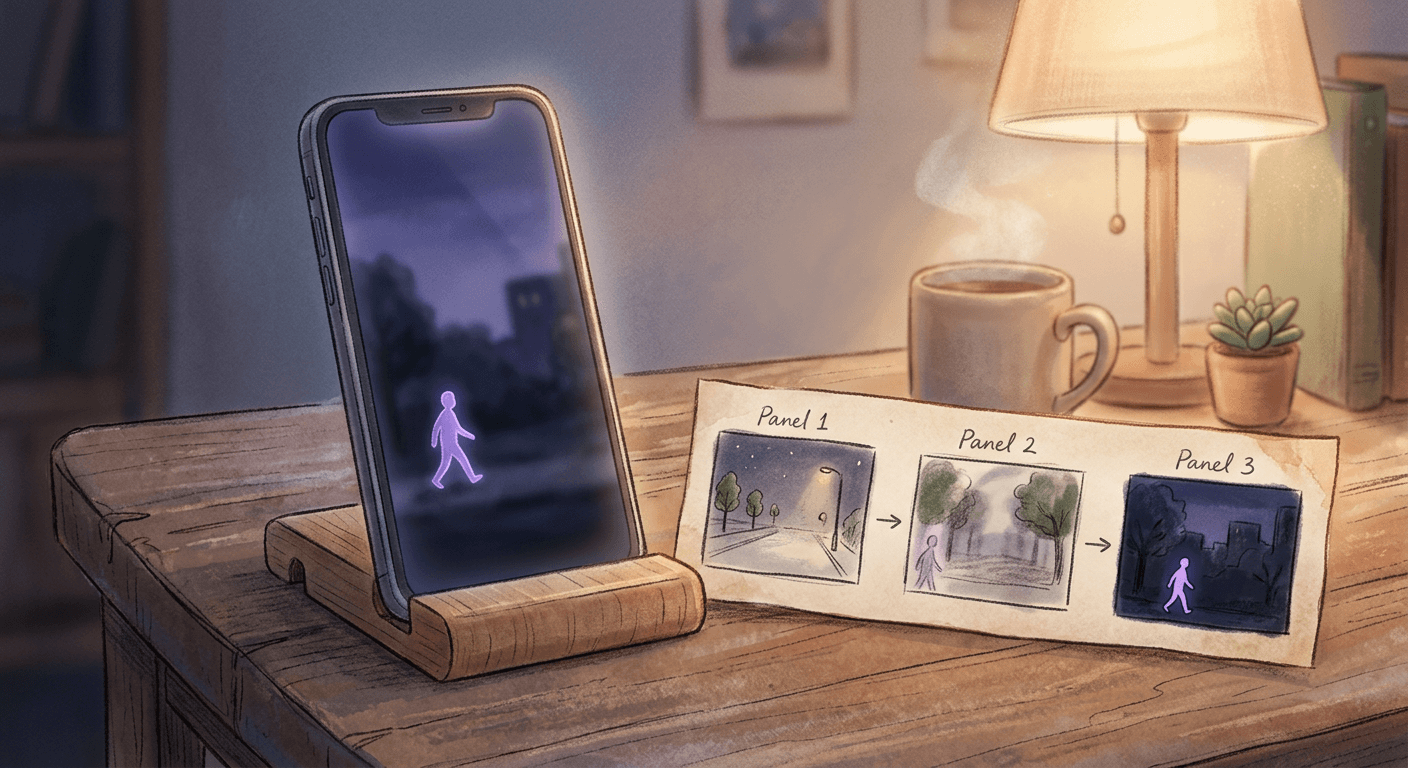
Once you have a still composite you're happy with, the next natural step for this specific trend is motion, since a mascot that blinks, turns its head, or takes one slow step toward the camera is dramatically more shareable than the same static image. The Cinematic AI Video Generator in Miraflow AI can generate that kind of short cinematic clip directly from a written scene description, the same walk-in, blink, or door-chime beats described in the video prompts above, without needing any actual footage of the mascot to start from.
If you would rather turn the whole concept into a complete short with a voiceover and a hook, not just a silent moving clip, Text2Shorts can take the trend itself as your topic, generate a script explaining or reacting to the composite, choose a visual style that matches the mood you're going for, and assemble scenes, voice, and pacing into a finished vertical video ready for TikTok, Reels, or YouTube Shorts. And if you already have longer video sitting on your channel where a similar eerie or weirdcore moment shows up naturally, running it through AI Clipping can surface and auto-caption the strongest few seconds into a fresh vertical Short without filming anything new.
For the still images themselves, once you have a composite you like, Nano Banana 2 realistic photo prompts is a useful next read if you want to push the photorealism of the human side of the shot even further, and our broader roundup of the best Nano Banana 2 prompts for 2026 covers other currently-viral formats worth trying alongside this one. You can browse the full library of prompt guides like this on the Miraflow AI blog, and every tool named in this post lives at miraflow.ai.
Frequently Asked Questions
What show is this trend actually based on? It's based on a purple, big-eyed rabbit-like mascot from a popular animated web series about characters trapped inside a glitchy digital circus, which recently had a major story chapter air and pulled fresh attention back onto the show. The character and show are someone else's copyrighted work, which is exactly why every prompt in this post describes an original, generic mascot archetype instead of naming or exactly reproducing that specific design.
Can I actually get in trouble for recreating the exact character? If you generate an image that closely reproduces a specific copyrighted character design and then use it commercially, sell merchandise with it, monetize the content heavily, or represent it as official, you are taking on real copyright risk. Using an original mascot description like the ones in this post, inspired by the same general aesthetic without reproducing the specific trademarked design, is both safer and, in most model generations, a cleaner result.
Do I need CapCut specifically to make these? No. CapCut and Gemini or ChatGPT-style image editing are simply the tools that happened to popularize this trend first, since they were already on most creators' phones. The actual technique, image-to-image editing from a single reference photo with a detailed scene description, works the same way inside the AI Image Generator in Miraflow AI.
Why does my mascot look pasted on instead of actually standing in the scene? Almost always a lighting or shadow mismatch. Go back through the prompt and make sure it explicitly names the light source and color temperature and describes a shadow falling in the same direction as the human subject's own shadow, since those two details do more work than anything else in this format.
What makes the motion-blur face variant specifically unsettling? It reverses the expected relationship between what looks real and what looks fake in the frame. Normally the cartoon element is the obviously artificial part of a photo. Blurring the human subject's face while keeping the mascot perfectly sharp and still flips that, and that reversal is what a lot of viewers find genuinely eerie rather than just novel.
Can I do the daytime version without it looking eerie at all? Yes. The daytime and group-photo prompts in this post lean warmer and gentler by design, and swapping in a softer, rounder original mascot design like the pastel-yellow blob character described in the customization section pushes the whole result toward cute rather than weirdcore.
How many of these should I actually post? Pick two or three that fit your account's existing tone rather than posting all 18 at once. A nighttime weirdcore shot and a video reveal clip together tend to perform well as a matched pair, since the video gives people who liked the photo a reason to click through to your profile for more.
Will this trend still be worth posting in a few weeks? Trends built around a specific show moment usually have a shorter shelf life than a format-only trend like the figurine or chibi styles, since interest tends to fade once the immediate finale-adjacent attention passes. That is exactly why the daytime and group-photo prompts in this post are worth trying even if you are a little late to the nighttime version, they lean on the more durable "uncanny friendly mascot" idea rather than the specific show moment, so they age better once the initial spike settles down.
Does this work with a pet instead of a person in the shot? Yes, and it often looks even more charming, since a real pet reacting to or ignoring an obviously fictional cartoon companion reads as genuinely funny rather than eerie. Swap the human subject description in any of the daytime or group prompts above for your pet, keep the same lighting and shadow-matching instructions, and consider leaning toward one of the gentler, rounder original mascot designs from the customization section for this specific use case.
Conclusion
This trend works because it takes a genuinely well-loved, currently buzzy cartoon character's core visual idea, a tall, expressive, big-eyed presence, and asks a real question every good weirdcore post depends on: what happens when something that friendly-looking shows up somewhere it should not be, standing a little too still, lit a little too matter-of-factly. The 18 prompts above cover the nighttime convenience-store version that started the wave, the gentler daytime "imaginary friend" variation, group and social versions, and the motion clips that are already outperforming plain stills on TikTok. Build your own original mascot version directly inside the AI Image Generator in Miraflow AI, keep the lighting and shadow details specific, and once you have a still you like, bring it to life with the Cinematic AI Video Generator or a full script and voice with Text2Shorts before this exact wave crests.