Claude Code Routines Explained: Your AI Now Works While You Sleep (Complete Setup Guide 2026)

Written by
Jay Kim
Claude Code Routines let your AI work while you sleep. Configure a prompt, repo, and connectors once — then run it on a schedule, via API, or from GitHub events on Anthropic's cloud. Complete setup guide with triggers, pricing, limits, and the 7 workflows already winning.
There is a quiet frustration every developer knows. You have a repetitive task that would be perfect for AI — nightly bug triage, auto-reviewing pull requests, posting deployment summaries to Slack — but getting it to actually run automatically means wrangling cron jobs, keeping a terminal open, or spinning up extra infrastructure.
Anthropic just solved that with Claude Code Routines, now live in research preview as of April 14, 2026.[10]
A routine is a Claude Code automation you configure once — including a prompt, repo, and connectors — and then run on a schedule, from an API call, or in response to an event.[4] Routines run on Claude Code's web infrastructure, so nothing depends on your laptop being open.[4]
That last sentence is doing all the heavy lifting. Your laptop can be closed. Your terminal can be off. You can be asleep. The routine keeps running on Anthropic's cloud.

This launched alongside a complete redesign of the Claude Code desktop app (for Mac and Windows)[9] that turns the entire application into a parallel agent dashboard. Together, these two releases represent Anthropic's biggest product swing at GitHub Copilot and Cursor in six months.[10]
This is the complete breakdown of what Claude Code Routines are, how they work, how they compare to cron jobs and GitHub Actions, exactly how to set them up, the daily limits and pricing you need to know, and the seven workflows that are already emerging as the highest-value use cases.
What Are Claude Code Routines? The 60-Second Explanation
Before diving into the technical details, here is the simplest way to think about it.
Think of a Routine as a "continuously running micro-service" — the Prompt is the business logic, Repositories are the code dependencies, Connectors are the external API permissions, and the trigger is the schedule or webhook.[8]
A routine in Claude Code is a saved, reusable automation. You configure it once with three ingredients: a prompt (what you want Claude to do), a repository (the codebase it has access to), and your connectors (external tools like Slack, Linear, or Asana). From there, the routine runs on its own — no open laptop, no active session required.[10]
This is a meaningful shift. It moves Claude Code from a tool you use interactively in a terminal to something closer to a persistent background service — an AI that keeps working on your codebase whether you're watching or not.[10]
The key concept that separates routines from everything that came before is where they run. This shifts part of the management that previously fell to developers themselves to Anthropic's infrastructure. Tasks that previously depended on local scripts or external tools now run entirely within Claude Code's cloud environment and remain active even if a developer shuts down their system.[4]
Why Routines Exist: The Problem They Solve
Developers already use Claude Code to automate the software development cycle, but until now, they've managed cron jobs, infrastructure, and additional tooling like MCP servers themselves.[4]
That overhead added up fast. Want Claude to review every PR automatically? You needed a cron job. Want it to triage alerts from Datadog? You needed a webhook receiver running on your own server. Want it to groom your issue backlog every night? You needed your laptop open, a terminal running, and a prayer that your WiFi stayed connected until morning.
Routines remove the overhead entirely: You define the automation once. Anthropic's infrastructure runs it. No servers to provision, no cron jobs to debug, no MCP configuration to duplicate across every new automation you want to add.[6]
The advancement is not in the AI capability. It is in the trigger infrastructure. Claude Code could already do all of these tasks in an interactive session. Routines is what makes those tasks run without you.[6]
That distinction matters more than it sounds. The AI was already capable enough. The bottleneck was the plumbing — and routines are the plumbing.
The Three Trigger Types: Schedule, API, and GitHub
Every routine starts with a trigger. Each routine can have one or more triggers attached to it: Scheduled — run on a recurring cadence like hourly, nightly, or weekly. API — trigger on demand by sending an HTTP POST to a per-routine endpoint with a bearer token. GitHub — run automatically in response to repository events such as pull requests or releases. A single routine can combine triggers.[1]

That last detail is important and easy to miss. A single routine can have multiple triggers active at the same time. You can fire the same configuration every night, when a Sentry alert comes in, and when a PR is opened: three different sparks, same execution logic.[7]
Trigger 1: Scheduled Routines
This is the most intuitive trigger type — the one that replaces your cron jobs.
Give Claude Code a prompt and a cadence (hourly, nightly, or weekly) and it runs on that schedule.[4] Anthropic's example: "Every night at 2am: pull the top bug from Linear, attempt a fix, and open a draft PR."
Scheduled routines run hourly, daily, on weekdays, or weekly. Times are entered in your local timezone and converted automatically.[9]
There are practical constraints to know. Minimum interval: 1 hour. Cron expressions that fire more frequently than hourly are rejected. This is a rate-limiting decision, not a technical one — routines aren't for sub-minute polling.[10]
Runs may start a few minutes after the scheduled time due to stagger. The offset stays consistent per routine — if your routine is staggered to run at 9:04 instead of 9:00, it'll keep doing that.[10]
The /schedule command in the CLI creates scheduled routines conversationally. If you were already using /schedule for local scheduled tasks, the same command now creates cloud routines instead. Nothing to migrate.[9]
For custom intervals like "every two hours" or "first Monday of the month," pick the closest preset in the web UI, then run /schedule update in the CLI to set a specific cron expression.[9]
Trigger 2: API Routines
This is the trigger that turns routines into infrastructure for your entire stack.
You can also configure routines to be triggered by API calls. Every routine gets its own endpoint and auth token. POST a message, get back a session URL. Wire Claude Code into your alerting, your deploy hooks, your internal tools — anywhere you can make an HTTP request.[4]
The practical power here is enormous. This means you can wire Claude directly into your existing alerting systems, deployment pipelines, or internal tools. A real use case already emerging: a Datadog alert fires, triggers a Claude routine, which pulls traces, correlates them with recent deployments, and drafts a triage summary before your on-call engineer has even opened their laptop.[10]
The API endpoint format follows a standard pattern. The modal shows your routine's URL (format: https://api.anthropic.com/v1/claude_code/routines/trig_01XXX/fire).[[10]](https://findskill.ai/blog/claude-code-routines-setup-guide/)
A few things to watch out for when working with the API trigger. The text field is freeform string only — if you send JSON, you need to parse it in your prompt. This trips up a lot of first-time API callers.[10]
The /fire endpoint ships under the experimental-cc-routine-2026-04-01 beta header. Request and response shapes, rate limits, and token semantics may change while the feature is in research preview.[1]
Trigger 3: GitHub Routines (Webhooks)
This is where routines feel most like a native part of the development workflow.
Subscribe a routine to automatically kick off in response to GitHub repository events. Claude will create a new session for every PR matching your filters and run your routine.[4]
What makes GitHub triggers uniquely powerful is session continuity. Claude opens one session per PR and will continue to feed updates from that PR to the session, so it can address follow-ups like comments and CI failures.[4]
The range of supported GitHub events is comprehensive. The full standard range: pull request, pull request review, review comment, push, release, issue, issue comment, sub-issue, commit comment, discussion, discussion comment, check run, check suite, merge queue, workflow run, workflow job, workflow dispatch, repository dispatch.[7]
For PRs you can filter by author, title, body, branch, labels, draft state, merged state and from-fork.[7]
There is a critical setup detail that catches people. GitHub App install confusion — /web-setup grants clone access, does NOT install the app. If GitHub triggers aren't firing, check the app install status at github.com/settings/installations.[10]
During the research preview, GitHub webhook events are subject to per-routine and per-account hourly caps. Events beyond the limit are dropped until the window resets. See your current limits at claude.ai/code/routines.[1]
Anthropic plans to expand webhook-based routines to trigger from more event sources[4] in the future — so GitHub is just the beginning.
Claude Code Routines vs. Cron Jobs vs. GitHub Actions: What to Use When

This is the question every developer is asking right now, and the answer is more nuanced than "routines replace everything."
Routines are somewhat similar to other forms of scheduled tasks, such as cron jobs, GitHub Actions, or AI agents, but not entirely. Cron jobs and GitHub Actions run set scripts at set times or following specified events, generally without dynamic input from an AI model. Claude Code routines prompt an AI model on a schedule or a pre-defined trigger or webhook and can take different actions depending on the context they encounter and the connectors that have been made available.[2]
So a routine could be thought of as a dynamic cron job or a trigger-driven, short-lived agent.[2]
The fundamental distinction comes down to whether the task requires judgment or just execution. The important difference vs cron is: cron runs code you wrote. A routine runs a Claude Code session you designed, with repo access and your rules, producing some output (and potentially taking actions through connectors).[5]
For mechanical, repeatable tasks (build, test, deploy), Actions remains faster and more predictable. For tasks requiring judgment (review checklist, alert triage, code porting between languages), routines are more powerful because they adapt[7] execution to context.
Here is the practical decision framework. The mental model: scheduled tasks are for work that needs your local filesystem and tools. Routines are for work that should happen regardless of whether your machine is on. GitHub Actions are for CI/CD pipelines already embedded in your repository workflow.[9]
The sweet spot for routines is tasks that are too fuzzy for a script but too repetitive for a human. Instead of writing brittle logic for things like "triage these alerts" or "scan the backlog for low quality issues" or "tell me which docs drifted," you can package your policy and your expectations, and let Claude do the interpretive work on a schedule or trigger.[5]
Routines also have a structural advantage over GitHub Actions for cross-system work. The API trigger gives any corporate system a way to call Claude as a service, without having to live inside GitHub. Monitoring, ticketing, internal Slack bots, Jenkins pipelines: everything can trigger a routine with an HTTP POST.[7]
Complete Setup Guide: How to Create Your First Routine
Setting up a routine can be done in two ways: through the web UI or through the CLI. Here is the step-by-step process for both.
Method 1: Web UI
Go to claude.ai/code/routines and click New routine.[7] From there, you configure the three ingredients — prompt, repository, and connectors — and attach your trigger(s).
In the Select a trigger section choose Schedule, API, GitHub event or a combination. For the API, after saving the modal shows the URL and a Generate token button. Copy the token immediately, it won't be visible again.[7]
By default all configured MCP connectors are included. Remove those not needed to reduce the access surface. Then click Create and, if you want to see the routine in action immediately, use Run now from the detail page.[7]
Method 2: CLI
Alternatively, from an active CLI session type /schedule, or pass the description directly: /schedule daily PR review at 9am. The CLI creates schedule triggers only: API and GitHub must be[7] added from the web.
Routines are essentially the next-gen version of /schedule, and with this update, existing scheduled tasks now automatically become routines.[4]
Environment Configuration
Before creating routines that need specific dependencies, you need to configure the cloud environment.
Every routine runs in a cloud environment that controls three things: Network access — which outbound domains Claude can reach. Environment variables — API keys, tokens, secrets available in the session. Setup script — install commands that run before each session. Anthropic ships a Default environment. For anything that needs specific dependencies or secrets, create a custom environment at Settings → Environments before creating the routine. You can't edit environments from within the routine form.[10]
This is a common gotcha for first-time users. Environments can't be edited during routine creation — set up the environment first, then create the routine. Reversing this means starting over.[10]
Security matters here too. Scope network access and env vars to what the routine actually needs. A docs-drift routine shouldn't have your production Stripe key.[10]
Testing Before You Go Live
Yes. Click Run now on the routine's detail page at claude.ai/code/routines to start a run immediately. From the CLI, use /schedule run.[9]
When a routine fires via the API, a successful request returns a JSON body with the new session ID and URL. Open the session URL in a browser to watch the run in real time, review changes, or continue the conversation manually.[1]
Additional Configuration Details
What model do routines use? The routine creation form includes a model selector. The selected model runs on every execution. You can change it at any time by editing the routine.[9]
Can routines push to any branch? By default, routines can only push to claude/-prefixed branches. Enable "Allow unrestricted branch pushes" per repository in the routine settings if you need to push elsewhere. This default prevents accidental modifications to protected branches.[9]
Sessions don't reuse — every GitHub event starts a fresh session.[10]
Plan Limits and Pricing: What You Actually Get
This is the section that determines whether routines fit your workflow or break your budget.
Routines draw down subscription usage limits in the same way as interactive sessions. In addition, routines have daily limits: Pro users can run up to 5 routines per day, Max users can run up to 15 routines per day, and Team and Enterprise users can run up to 25 routines per day. You can run extra routines beyond these limits with extra usage.[4]
An important nuance that trips people up: The daily limit counts routine runs, not routines you can create. You can configure 20 routines on Pro, but only 5 of them can trigger each day. Combined with standard plan usage limits, this becomes the real constraint for power users.[10]
Daily quota is shared with regular Claude Code usage — a routine run counts against your same bucket as interactive sessions. Five heavy routines on Pro can burn through your day's Claude Code capacity.[10]
When a routine hits the daily cap or your subscription usage limit, organizations with extra usage enabled can keep running routines on metered overage. Without extra usage, additional runs are rejected until the window resets. Enable extra usage from Settings > Billing on claude.ai.[1]
For context on what Claude Code costs in general at the enterprise level, per-developer costs vary widely based on model selection, codebase size, and usage patterns such as running multiple instances or automation. Across enterprise deployments, the average cost is around $13 per developer per active day and $150-250 per developer per month, with costs remaining below $30 per active day for 90% of users.[1]
Here is a practical assessment for different user types. If you're a developer running your own side projects: Pro at $20/month gives you 5 routines/day. That's enough for nightly bug scan + weekly docs update + PR review trigger + deploy verification. Probably the best $20/month you'll spend this year.[10]
If you're on a platform team: Set up routines for common flows (PR review, release verification, on-call triage). Team plan at $25/seat gets you 25 runs/day, which covers a small team. But actually check your usage limits — routines draw from the same pool as your interactive sessions.[10]
The Seven Workflows That Are Already Winning
Anthropic published early adopter patterns alongside the launch, and the community has already coalesced around seven high-value use cases. The common thread: each example pairs a trigger type with the kind of work routines are suited to: unattended, repeatable, and tied to a clear outcome.[1]

1. Nightly Backlog Maintenance
A schedule trigger runs every weeknight against your issue tracker via a connector. The routine reads issues opened since the last run, applies labels, assigns owners based on the area of code referenced, and posts a summary to Slack so the team starts the day with a groomed queue.[1]
2. Alert Triage
Your monitoring tool calls the routine's API endpoint when an error threshold is crossed, passing the alert body as text. The routine pulls the stack trace, correlates it with recent commits in the repository, and opens a draft pull request with a proposed fix and a link back to the alert. On-call reviews the PR instead of starting from a blank terminal.[1]
3. Bespoke Code Review
A GitHub trigger runs on pull_request.opened. The routine applies your team's own review checklist, leaves inline comments for security, performance, and style issues, and adds a summary comment so human reviewers can focus on design instead of mechanical checks.[1]
4. Deploy Verification
Your CD pipeline calls the routine's API endpoint after each production deploy. The routine runs smoke checks against the new build, scans error logs for regressions, and posts a go or no-go to the release channel before the deploy window closes.[1]
5. Docs Drift Detection
A schedule trigger runs weekly. The routine scans merged PRs since the last run, flags documentation that references changed APIs, and opens update PRs against the docs repository for an editor to review.[1]
6. Library Port
A GitHub trigger runs on pull_request.closed filtered to merged PRs in one SDK repository. The routine ports the change to a parallel SDK in another language and opens a matching PR, keeping the two libraries in step without a human re-implementing each change.[1]
7. Feedback Resolution
A docs feedback widget or internal dashboard posts the report, Claude opens a session against the repo with the issue in context, and drafts the change.[4]
The first three on this list — backlog maintenance, alert triage, and code review — are the workflows that deliver the clearest immediate ROI for most teams because they replace real developer hours spent on tasks that are repetitive yet require contextual judgment.
The Desktop Redesign: Why It Shipped the Same Day
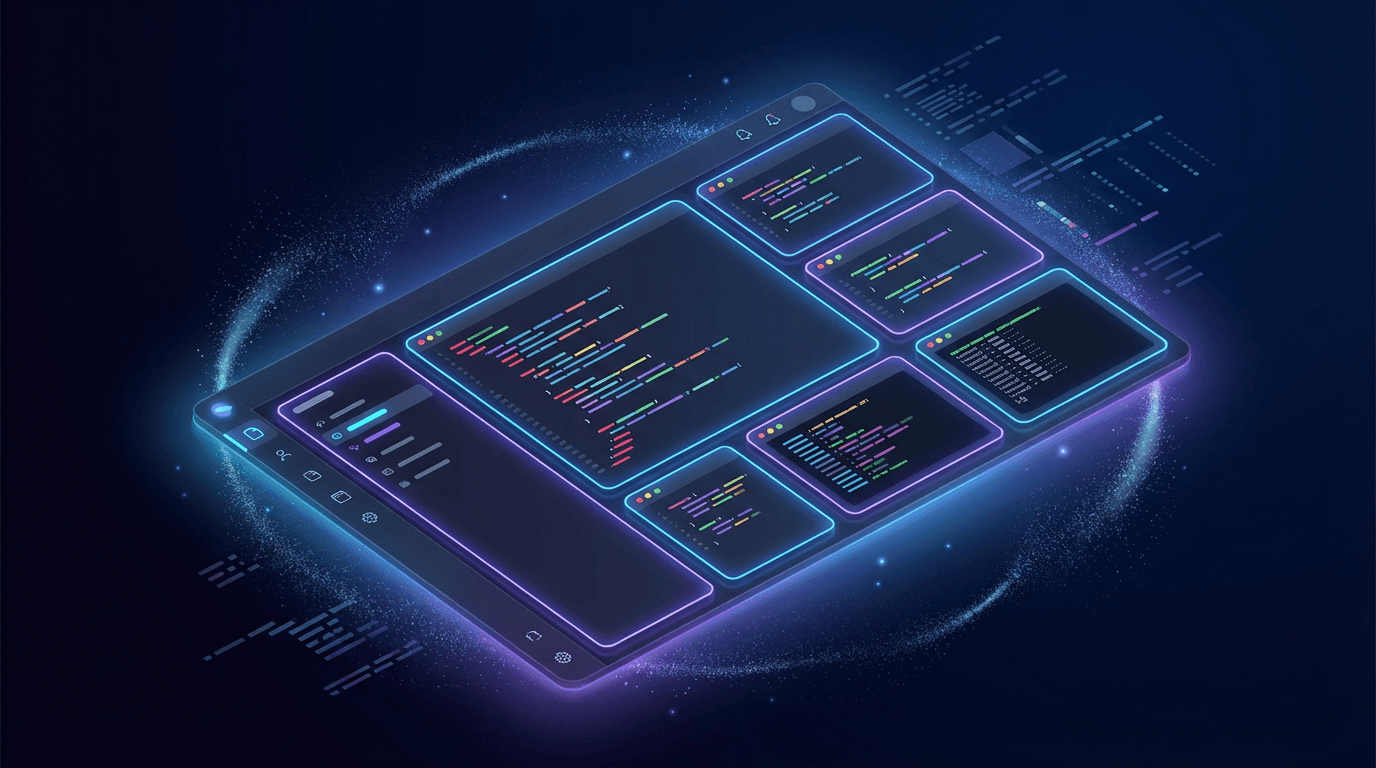
Routines did not launch alone. Anthropic released a redesign of the Claude Code desktop app, built to help you run more Claude Code tasks at once.[1]
It includes a new sidebar for managing multiple sessions, a drag-and-drop layout for arranging your workspace, an integrated terminal and file editor, plus performance and quality-of-life improvements.[1]
The timing is not a coincidence. Together, routines handle the unattended work and the desktop handles the attended work. Combine Desktop redesign with Routines (launched same day). Routines run the unattended, recurring work. Desktop orchestrates the interactive work. Together they cover 80% of what your team does manually today.[10]
The desktop redesign reflects a philosophical shift in what "coding" means in 2026. For many developers, the shape of agentic work has changed. You're not typing one prompt and waiting. You're kicking off a refactor in one repo, a bug fix in another, and a test-writing pass in a third, checking on each as results come in, steering when something drifts, and reviewing diffs before you ship. The new app is built for how agentic coding actually feels now: many things in flight, and you in the orchestrator seat.[1]
The key additions in the desktop redesign include a multi-session sidebar that puts every active and recent session in one place, integrated terminal for running tests or builds alongside your session, in-app file editor for opening files and making spot edits directly, a faster diff viewer rebuilt for performance on large changesets, and expanded preview for opening HTML files or PDFs in-app.[1]
Three view modes — Verbose, Normal, and Summary — let you dial the interface from full transparency into Claude's tool calls to just the results.[1]
At launch, the redesigned Claude Code desktop app supports macOS and Windows only. Anthropic has stated Linux support is coming in the following weeks. The terminal CLI continues to work on Linux as it always has.[5]
There is a token consumption consideration worth noting. If you're on Pro ($20/month) and use Claude Code daily: The new desktop is better, but plan for 2-3x token burn if you use multi-session heavily.[10]
The Strategic Picture: What Anthropic Is Really Doing
The Register's framing of routines as "mildly clever cron jobs" undersells what is actually happening here. The salient detail here is "without bouncing to your editor" — Anthropic wants to own the interface through which developers interact with Claude. It would rather not have customers access its AI service through a VS Code plugin or third-party harness like OpenCode (already excommunicated from subsidized subscription usage).[2]
These updates suggest that for the modern enterprise, the developer's role is shifting from a solo practitioner to a high-level orchestrator managing multiple, simultaneous streams of work. For years, the industry focused on "copilots" — single-threaded assistants that lived within the IDE and responded to the immediate line of code being written. Anthropic's latest update acknowledges that the shape of "agentic work" has fundamentally changed. Developers are no longer just typing prompts and waiting for answers; they are initiating refactors in one repository, fixing bugs in another, and writing tests in a third, all while monitoring the progress of these disparate tasks.[9]
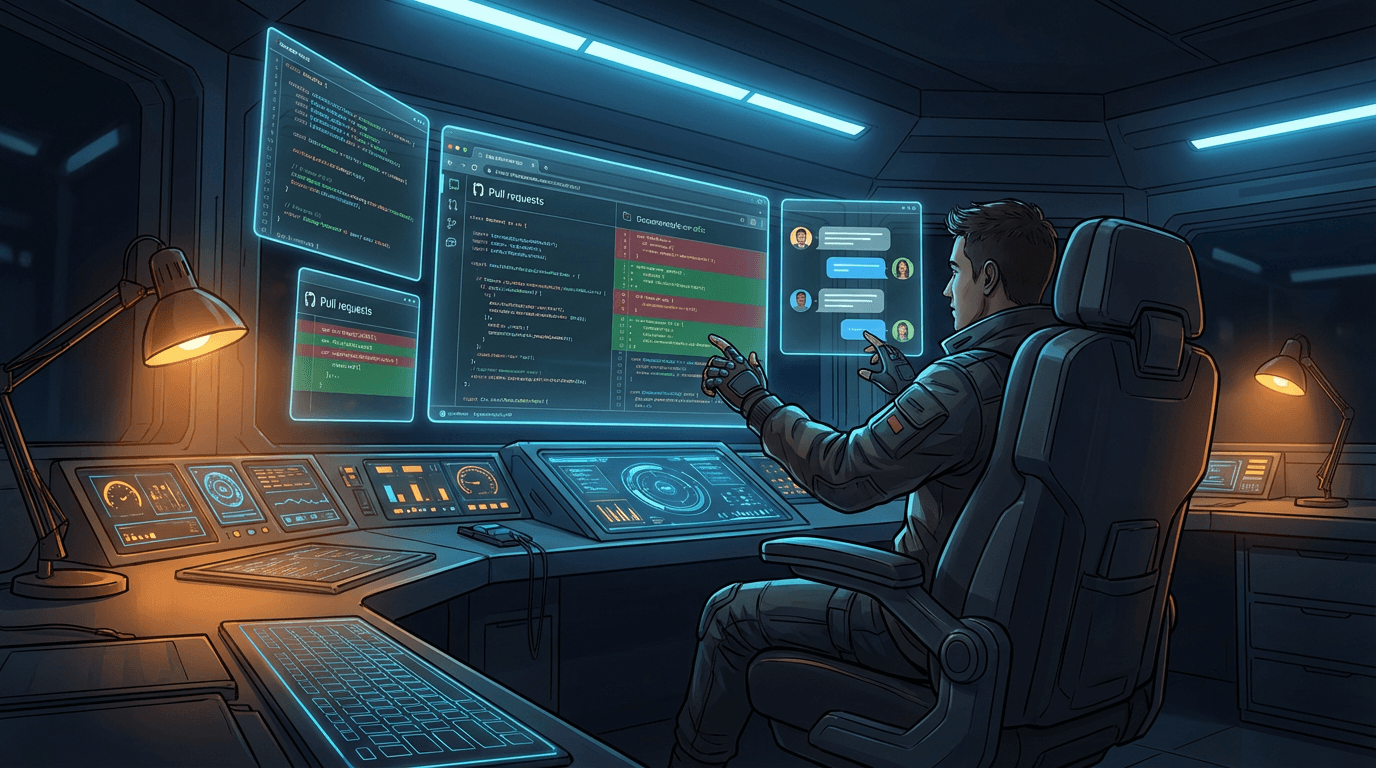
Anthropic developer Felix Rieseberg noted on X that this version was "redesigned from the ground up for parallel work," emphasizing that it has become his primary way to interact with the system. This shift suggests a future where "coding" is less about syntax and more about managing the lifecycle of AI sessions. The enterprise user now occupies the "orchestrator seat," managing a fleet of agents that can triage alerts, verify deploys, and resolve feedback automatically. By providing the infrastructure to run these tasks in the cloud and the interface to monitor them on the desktop, Anthropic is defining a new standard for professional AI-assisted engineering.[9]
The competitive context matters too. Claude Code has been Cursor's main competitor for the serious agentic coding use case. The Cursor 3 launch in April 2026 also brought parallel agents and a multi-session interface.[8] But Cursor does not have routines. It does not have cloud execution. It remains an IDE, not an automation platform. That is the gap Anthropic is opening.
Known Limitations and Gotchas
Routines are in research preview. That means rough edges exist and the feature set will evolve. Here is what to watch for right now.
Routines are in research preview. Behavior, limits, and the API surface may change.[1]
Setting up the new Routines feature also followed a steep learning curve. The interface does not immediately surface how to initiate these background automations; discovery required asking Claude directly and referencing the internal documentation to find the /schedule command.[9] Once identified, however, the process was remarkably efficient. By using the CLI command and configuring connectors in the browser, a routine can be operational in under two minutes, running autonomously on Anthropic's web infrastructure without requiring the desktop app to remain active.[9]
API /fire endpoint may return errors during peak hours. Anthropic has acknowledged rate limiting during research preview.[10]
Claude Code on the web must be enabled on the account. Routines run on Anthropic cloud infrastructure, not on your machine: without the web version activated there are no cloud sessions for them to start on. If you only use the desktop CLI, Desktop scheduled tasks remain the persistent local alternative.[7]
Technically, a routine could be given permissions to do very powerful things through connectors, but in research preview you should avoid fully autonomous merging. Draft PRs and human approvals are the sane default.[5]
Are routine runs visible to teammates? Routines belong to your individual account and are not shared with teammates. However, the actions a routine takes through your connected accounts (GitHub commits, Slack messages, Linear tickets) are visible to anyone with access to those services, since they appear under your identity.[9]
How to Start: A Practical Recommendation
If you are a developer or engineering lead evaluating routines, here is the most productive way to get started.
Pick one piece of work you do repeatedly that doesn't need your local machine. A nightly issue triage. A post-deploy smoke check. A PR review checklist. Create a routine for it at claude.ai/code/routines, run it once manually to verify the output, then let it run on its own.[9]
If you're already using scheduled tasks for recurring local work, consider which of those could move to routines. Anything that doesn't depend on your local filesystem is a candidate.[9]
Docs drift detection or PR risk summaries are high value, low blast radius, and they build trust because humans can verify the output quickly.[5] These are the best starting points because they let you validate the quality of routine outputs without risking anything in production.
If you are planning a production dependency on routines today, do it carefully. Treat it like an integration you can turn off quickly.[5]
The progression most teams are following: start with a scheduled routine for something low-risk (docs drift, backlog summary), then add an API trigger for something operational (alert triage), then graduate to GitHub webhooks for the high-value workflow (automated code review). Each step builds confidence that the outputs are reliable before you increase the blast radius.
Quick Reference: Routines vs. Desktop Scheduled Tasks vs. /loop
Claude Code now offers three different ways to schedule recurring work, and picking the wrong one wastes time. Here is the decision table.
Routines live at claude.ai/code/routines, run on Anthropic's cloud, 5-25 runs/day cap.
Cowork Scheduled Tasks live in Claude Desktop's Schedule page, run on your laptop, need Desktop open. /loop runs immediately in your current CLI session, no persistence.
Pick Routines for unattended/event-driven work. Pick Cowork Tasks for anything needing local filesystem access. Pick /loop for single-session iteration.[10]
Frequently Asked Questions
What are Claude Code Routines?
Claude Code Routines are saved AI automations that combine a prompt, one or more code repositories, and connected tools — packaged once and run automatically. They execute on Anthropic's cloud servers on a schedule, from an API call, or in response to a GitHub event, with no need for your laptop to be switched on.[3]
How do I create a routine?
Create and manage them at claude.ai/code/routines, or from the CLI with /schedule.[1] The web UI supports all three trigger types; the CLI supports schedule triggers only.
What plans support routines?
Available to Claude Code users on Pro, Max, Team, and Enterprise plans with Claude Code on the web enabled.[6]
What are the daily limits?
Pro users can run up to 5 routines per day, Max users can run up to 15 routines per day, and Team and Enterprise users can run up to 25 routines per day.[4] Usage beyond that can be billed as metered overage if extra usage is enabled.[2]
How is this different from cron jobs or GitHub Actions?
GitHub Actions and cron jobs run fixed, pre-written scripts — the same steps every time, regardless of what they find. Claude Code Routines use an AI model to read the situation and decide how to respond based on context. For mechanical, repeatable tasks like building and testing, GitHub Actions is faster. For tasks that need judgment — like reviewing code for security issues or triaging production alerts — Routines are more powerful because they adapt to what they encounter.[3]
Do routines count against my regular Claude Code usage?
Routine execution draws from the same subscription limits as your interactive sessions.[10]
Do I need to be a developer to use routines?
Routines are built for developers and technical teams working with code repositories.[3]
Can I test a routine before letting it run automatically?
Yes. Click Run now on the routine's detail page at claude.ai/code/routines to start a run immediately.[9]
What happens if I was already using /schedule?
If you've been using /schedule in the Claude Code CLI, your existing scheduled tasks are automatically converted to routines with no migration needed.[10]
Will routines support triggers beyond GitHub?
Anthropic has confirmed more event sources beyond GitHub are coming soon.[10]
What is the minimum schedule interval?
One hour. Forget per-minute polling: for that /loop still exists inside a session.[7]
Is the Claude Code desktop redesign required to use routines?
No. By using the CLI command and configuring connectors in the browser, a routine can be operational in under two minutes, running autonomously on Anthropic's web infrastructure without requiring the desktop app to remain active.[9]
References
- Introducing routines in Claude Code | Claude Blog
- Automate work with routines — Claude Code Docs
- Redesigning Claude Code on desktop for parallel agents | Claude Blog
- Claude Code routines promise mildly clever cron jobs — The Register
- Anthropic's Claude Code gets automated 'routines' and a desktop makeover — SiliconANGLE
- We tested Anthropic's redesigned Claude Code desktop app and 'Routines' — VentureBeat
- Claude Code can now do your job overnight — The New Stack
- Claude Code Routines Explained (Automate Without Cron Jobs) — Low Code Agency
- Claude Code Routines Setup: Schedule, API, GitHub Triggers — FindSkill.ai
- Claude Code Routines: Anthropic's New Cloud Automation — Pasquale Pillitteri
- Automate work with routines - Claude Code Docs
- Manage costs effectively - Claude Code Docs
- Redesigning Claude Code on desktop for parallel agents | Claude
- Run prompts on a schedule - Claude Code Docs
- Anthropic debuts 'routines' in Claude Code to automate ...
- Claude Code: Rate limits, pricing, and alternatives | Blog — Northflank
- Claude Code routines promise mildly clever cron jobs • The Register
- Anthropic Rebuilds Claude Code Desktop App Around Parallel Sessions - MacRumors
- Claude Code for desktop has received a redesign with support for parallel sessions and automated "routines"
- Claude Code Limits: Quotas & Rate Limits Guide
- Anthropic Redesigns Claude App on Desktop for Parallel Agents - Thurrott.com
- Claude Code Just Got Routines — And It Changes Everything About How AI Works For You - WorthvieW
- Anthropic introduces routines in Claude Code - Techzine Global
- Introducing routines in Claude Code | Claude
- Claude Code can now do your job overnight - The New Stack
- Anthropic's Claude Code gets automated 'routines' and a desktop makeover - SiliconANGLE
- Claude Code Desktop Redesign: Parallel Sessions in a Single Window (April 2026)
- Anthropic adds repeatable routines to Claude Code: How to use
- Claude Code Routines Explained: How Anthropic Automates Scheduled, API, and GitHub Tasks
- Claude Code Desktop Redesign 2026: Hands-On First Take
- Claude Code Routines Launch: Latest Update Now Available Across All Paid Plans — Features, Docs, and Business Impact | AI News Detail
- Claude Code Pricing 2026: Plans, Token Costs, and Real Usage Estimates - Verdent Guides
- Claude Code Routines Explained (Automate Without Cron Jobs)
- Blink
- Claude Code Desktop Update: Run Multiple Sessions Side by Side with New Sidebar — Latest 2026 Analysis | AI News Detail
- Anthropic Adds Repeatable Routines To Claude Code | Let's Data Science
- Claude Code Routines: Anthropic's New Cloud Automation (Schedule, API, GitHub)
- Claude Code Routines Research Preview: Automate Prompts and Repos with Scheduled and Event Triggers | AI News Detail
- What is Claude Routines? 5 Key Points for New Users to Understand Claude Code Cloud Automation - Apiyi.com Blog
- Claude Code Desktop Redesign 2026: Parallel Sessions Review
- Claude Code Routines: Automating Development Workflows with AI-Powered Cloud Execution | TechPlanet
- We tested Anthropic’s redesigned Claude Code desktop app and 'Routines' -- here's what enterprises should know
- Claude Code Routines: Put Your AI Agent on Cloud Autopilot
- Claude Code Routines Setup: Schedule, API, GitHub Triggers | FindSkill.ai — Learn AI for Your Job
- Claude Code Routines: Run AI Automations Without Keeping Your Laptop Open – Build With AI
- Claude Code gets more automation with routines - ITdaily
- Claude Code Desktop Redesign: Hands-On Review (April 2026) | FindSkill.ai — Learn AI for Your Job