Google Ads Is Retiring Standalone Display Campaigns Into Demand Gen: The Full Migration Guide

Written by
Aerin Kim
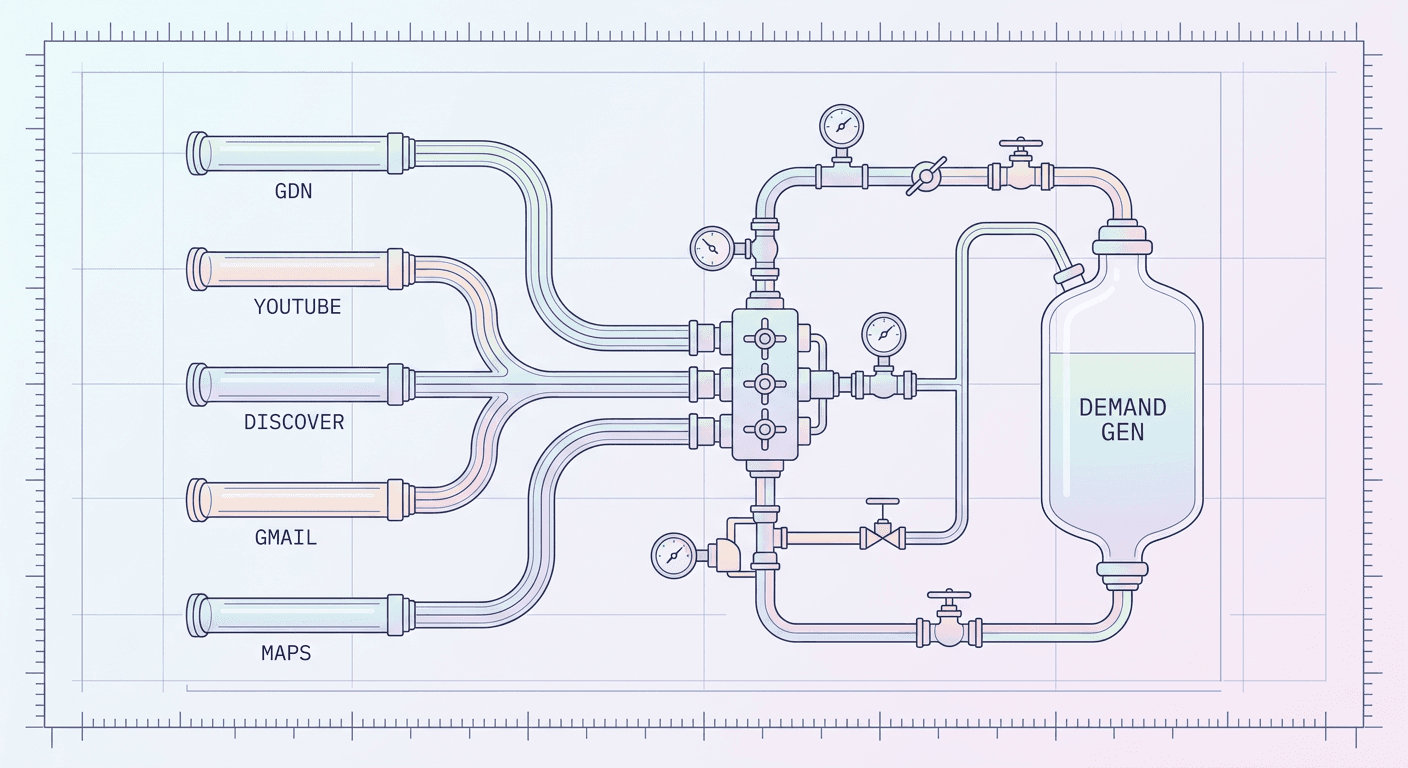
Google is folding standalone Display campaigns into Demand Gen. Here is exactly what changes, how the migration tool works, its gotchas, and who should move now.
If you manage a Google Ads account with a standalone Display campaign sitting quietly in the background, doing its job, rarely touched, you are about to get an in-account notice about it whether you go looking for one or not. Google announced in May 2026 that standalone Display campaigns are being absorbed into Demand Gen, and a migration tool for eligible advertisers began rolling out in phases starting June 2026. Trade press tracking the rollout, including WordStream, has reported a target of around January 2027 for the point where creating a new standalone Display campaign is no longer possible at all. Google's own documentation describes this more loosely, as a phased rollout where the ability to create new Display campaigns goes away \"later\" in the timeline, with remaining eligible campaigns then migrated automatically without any action required from the advertiser.
Here is the sentence worth reading twice before anything else in this post: your ability to serve ads on the Google Display Network is not changing. That is Google's own language from its support documentation, and it is the single most misunderstood part of this entire update. What is going away is the standalone Display campaign type, the wrapper around GDN inventory that let you build a campaign targeting only the Display Network with nothing else attached. The Display Network itself, the millions of sites and apps that show banner and native ads across the web, keeps running exactly as it does today. It just becomes one inventory source living inside a Demand Gen campaign, alongside YouTube, Discover, Gmail, and Maps, instead of its own dedicated campaign type.
That distinction matters because it changes what you actually need to do. This is not a story about GDN reach shrinking or display advertising becoming less viable. It is a story about a campaign-type consolidation, similar in shape to what Google did when it started auto-upgrading Search campaigns to AI Max for Search and what Performance Max has been doing to single-channel campaign types for years. The mechanics of this specific migration, the tool, its gotchas, the new features you inherit, and the accounts that should move now versus wait, are what the rest of this post actually walks through.
What's Actually Changing (and the One Thing Advertisers Keep Getting Wrong)
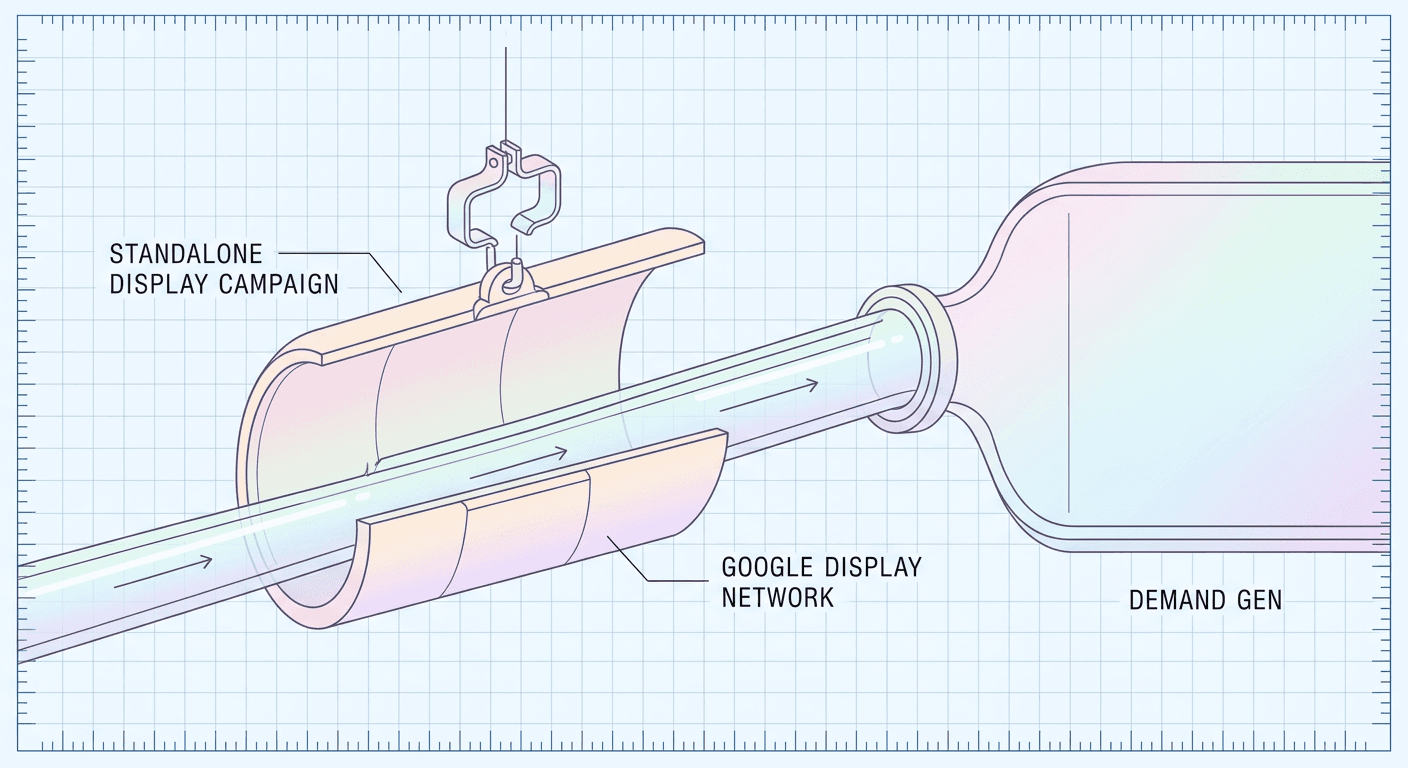
The headline claim making the rounds is some version of \"Google is killing Display ads.\" That framing is wrong in a way that matters for how you plan the next few months. What Google announced, in its own support documentation titled \"Google Display Ads campaigns have a new home in Demand Gen,\" is the retirement of one specific campaign type, standalone Display, not the retirement of Display inventory or Display advertising as a concept.
To understand why this distinction is easy to miss, it helps to separate two things that have always been bundled together under the word \"Display\": the inventory (the actual web pages, apps, and placements where a banner or native ad can show up) and the campaign type (the specific configuration screen in Google Ads where you set budgets, targeting, and creative for that inventory). For years, those two things were inseparable. If you wanted to reach GDN inventory with dedicated control, you built a standalone Display campaign. There was no other path to that inventory that didn't also route through Performance Max, which bundled Display in with several other channels you couldn't isolate.
What's changing is that the campaign type wrapper is being removed, while the inventory itself is simply being relocated to live inside Demand Gen instead. Practically, this means the same publisher network, the same placements, the same general reach you get today from a standalone Display campaign continues to exist. You will still be able to show ads on that inventory. You just configure, target, and report on it from inside a Demand Gen campaign rather than a dedicated Display campaign going forward.
Why the Confusion Happens
Part of why so many advertisers read this as \"GDN is dying\" is that Google has, in fact, been steadily deprecating other things around Display over the past few years, expanded text ads, some legacy placement-exclusion tools, older reporting views, so a headline about Display campaigns being \"retired\" lands on an audience already primed to assume the worst. The other part is genuinely confusing terminology: Google itself still calls the ad format \"Display ads\" and the network \"the Google Display Network\" inside Demand Gen's UI, so an advertiser skimming a change like this can reasonably wonder whether the thing they've relied on for years is disappearing. It isn't. What disappears is your ability to build a campaign that touches only GDN inventory and nothing else, since a Demand Gen campaign by design also has access to YouTube, Discover, Gmail, and the beta Maps surface, even if you never touch those other channels' settings.
The Timeline, Stated Honestly
Google's own documentation is intentionally loose on hard dates here, and it's worth being precise about what's confirmed versus what's industry-reported, because getting this wrong in either direction leads to bad planning.
Confirmed, from Google directly: the announcement landed in May 2026. A migration tool began a phased rollout to eligible advertisers starting June 2026, meaning not every account got access on day one, Google staged it out gradually. At some later point in this same rollout, the ability to create brand-new standalone Display campaigns will be removed entirely, and any remaining eligible Display campaigns still running at that point will be migrated to Demand Gen automatically, with zero action required from the advertiser.
Reported, not officially locked: WordStream's coverage of the change and other trade press tracking the rollout have cited a target of roughly January 2027 for that full retirement point, the moment new standalone Display campaign creation stops being possible. Treat that date as industry-tracked timing worth planning around, not as an official Google deadline carved in stone the way a hard product sunset date usually is. Google's own phrasing keeps calling this a phased rollout with the creation cutoff coming \"later,\" which is exactly the kind of soft, non-committal language companies use when a plan is still capable of shifting a few weeks in either direction as the rollout data comes in. Search Engine Journal's reporting on the retirement frames it the same way, as a confirmed direction with a soft, still-firming timeline rather than a single locked date.
The practical takeaway: if your account already has access to the migration tool, you have real optionality right now, you can move on your own schedule, test on a smaller campaign first, and be fully transitioned well before any forced cutoff arrives. If your account doesn't yet show the tool, it is reasonable to expect it within the next few months given the phased June 2026 rollout start, and building a rough internal plan now, rather than waiting for a forced migration to make the decision for you, is the safer posture.
Migration Tool vs. Manual Transition
Advertisers have two real paths to Demand Gen from here, and they are not equally good for most accounts. Understanding both, and specifically the mechanics and gotchas of the tool Google actually built for this, is the part of this post worth bookmarking.
Option 1: Google's Own Migration Tool (the Recommended Path)
Google built a dedicated in-product tool for this exact transition, and for the overwhelming majority of advertisers it is the better option, for one specific reason: performance history. When you migrate a live campaign using the official tool, it preserves 42 days of performance history from the original Display campaign and carries that history over into the new Demand Gen campaign. That preserved history is what keeps a migrated campaign from getting treated as a brand-new, cold-start entity by Google's automated bidding systems. Instead of a full new learning phase, typically the multi-week stretch where a fresh campaign's bidding algorithm is essentially flying blind while it gathers enough conversion signal to stabilize, a properly migrated campaign's learning phase reset shrinks to roughly one to two days. That is a genuinely significant difference if your Display campaign carries a meaningful daily budget and you can't afford a multi-week dip in efficiency while an algorithm relearns from scratch.
Here is how the tool actually works, step by step, based on Google's own support documentation:
- Go to the Campaigns tab in your Google Ads account and filter the campaign list down to Display campaigns specifically, so you're only looking at the campaigns eligible for this migration.
- Select the campaign or campaigns you want to migrate. You can select more than one at a time.
- Open the Edit dropdown and choose \"Upgrade to Demand Gen.\" This is the actual trigger for the migration.
- Wait a few minutes. Google's documentation describes the migration itself as taking only a few minutes to complete once triggered, not a multi-day process.
- Batch size matters for larger accounts. Google recommends migrating in batches of up to 100 campaigns at a time rather than attempting to select and migrate an entire account's worth of Display campaigns in one pass, which matters directly for agencies managing dozens of client accounts, covered in more depth in the strategic section below.
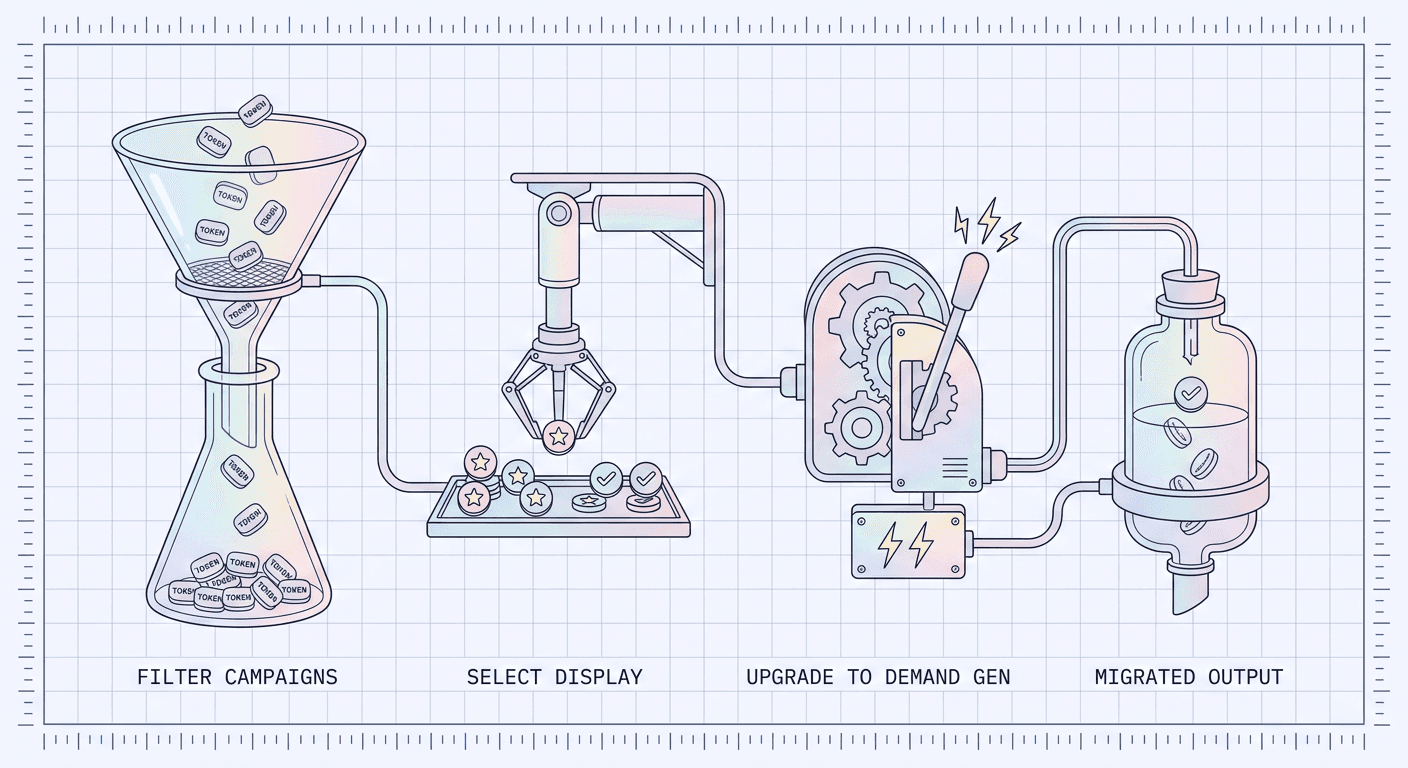
That's the whole mechanical flow, and on paper it looks almost too simple for a change this consequential. The real substance is in what happens automatically during that migration, several of which are gotchas advertisers do not expect and cannot undo after the fact.
The Gotchas Nobody Reads Until It's Too Late
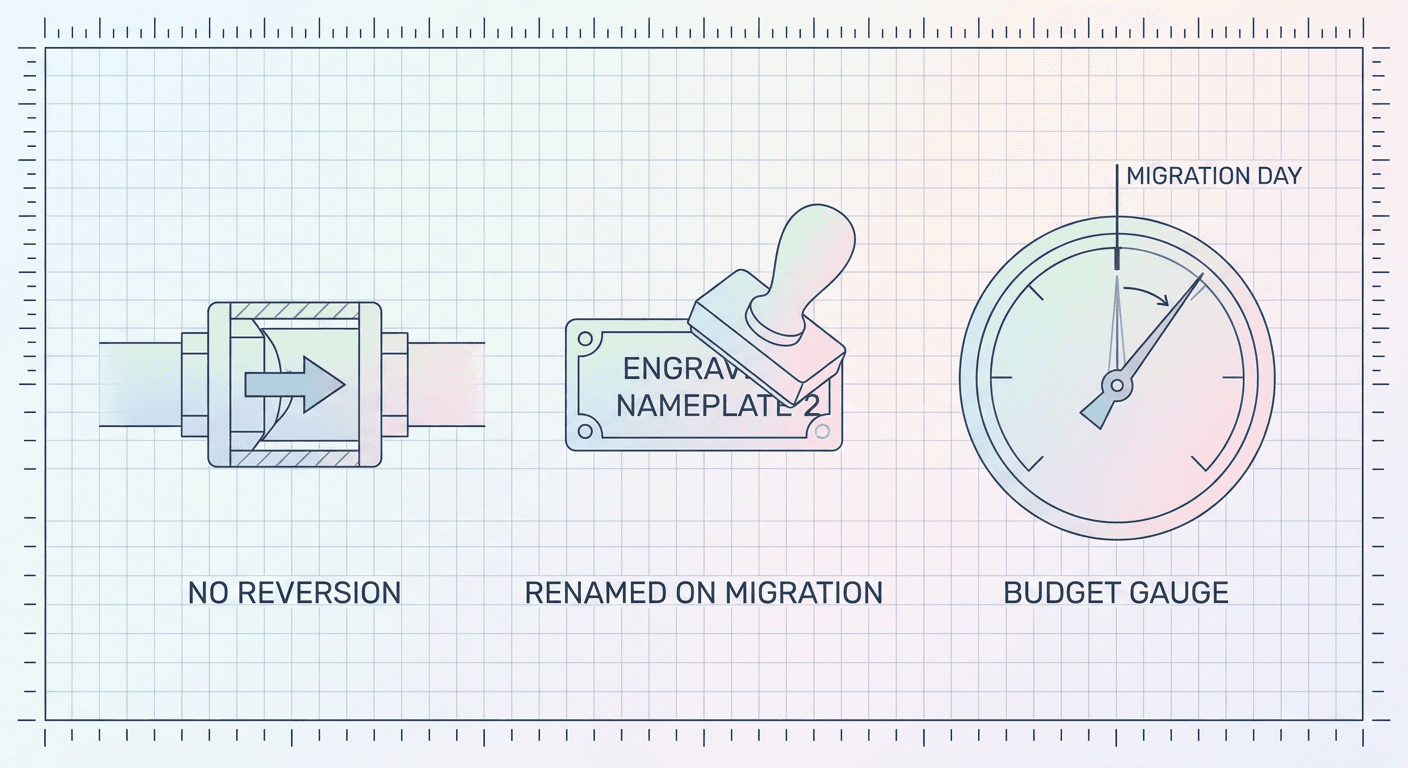
It is a one-way door. Once a campaign has been migrated to Demand Gen using this tool, it cannot be reverted back to a standalone Display campaign. There is no undo button, no rollback option, no way to ask Google to put it back the way it was. This single fact should shape your entire rollout strategy: never run your first migration on your best-performing or highest-spend Display campaign. Pick a smaller, lower-stakes campaign to migrate first, watch how it behaves for a couple of weeks, confirm the settings and performance land where you expect, and only then move your larger campaigns using the same process you've now validated.
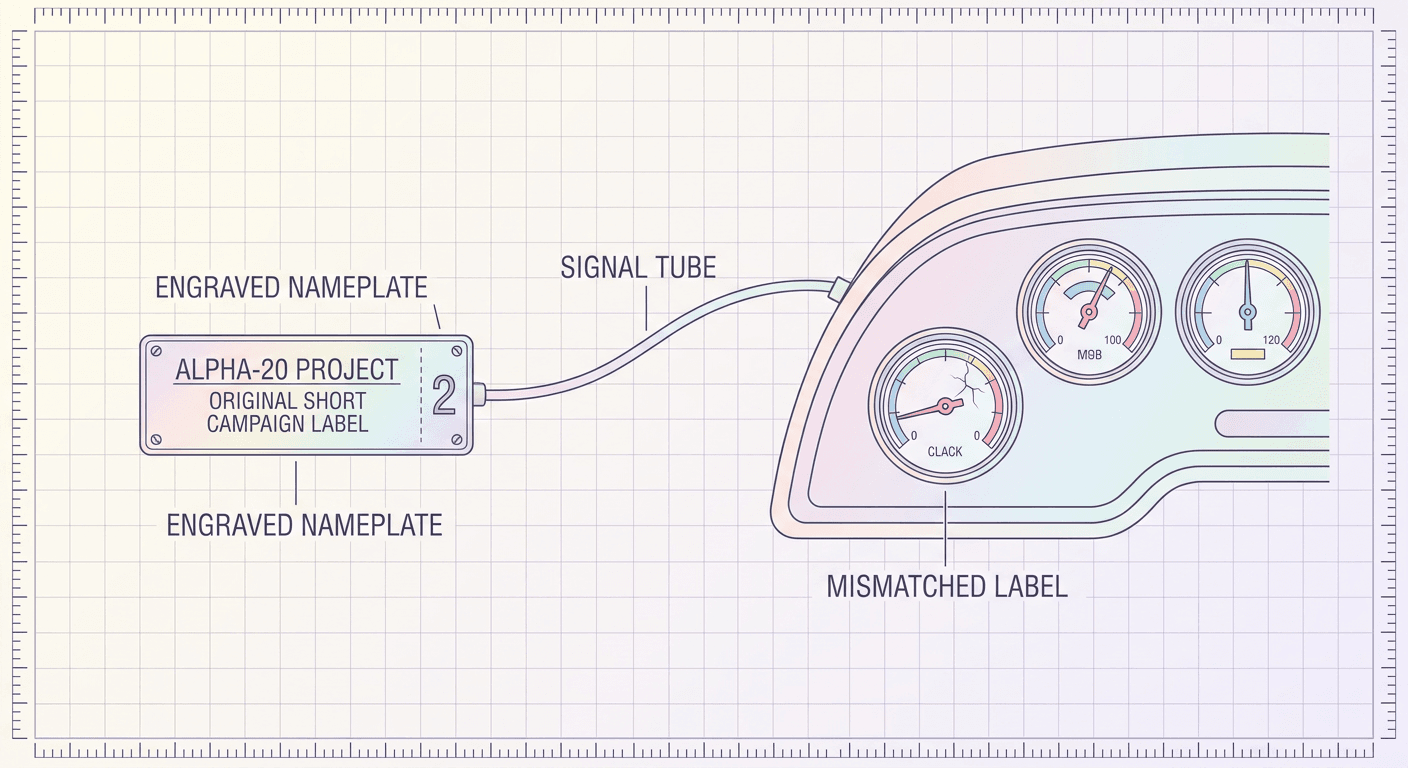
The migrated campaign gets a new name with a \"#2\" suffix appended. If your original campaign was named \"Display – Retargeting – US,\" after migration it becomes something like \"Display – Retargeting – US #2.\" This sounds trivial until you consider how many teams have dashboards, saved reports, automated scripts, or naming-convention-based filters built around exact campaign name strings. A script that pulls performance for a campaign by matching its exact name will silently stop finding data the moment that name changes, and a dashboard built on a saved filter can quietly go blank or start showing zeros without throwing an obvious error. Flag every campaign name before migration, and update any downstream reporting, scripts, or Data Studio-style filters immediately after, not whenever someone happens to notice a gap in a monthly report.
Google Display Network is opted in by default during migration, and you cannot deselect it. This one is actually reassuring rather than alarming once you understand the earlier nuance about GDN not going away: since the entire point of this migration is to carry your existing GDN reach forward, the tool automatically keeps GDN inventory switched on inside the new Demand Gen campaign and doesn't give you an option to turn it off during the migration itself. If you genuinely want to stop using GDN inventory going forward, that's a setting you'd adjust after the migration completes, inside the new Demand Gen campaign's channel settings, not something the migration flow itself exposes.
Campaign budget resets on migration day. Any unspent budget from the day of migration carries forward into the new campaign, so you don't lose leftover daily spend outright. But whatever spend had already been recognized against that day's budget before you triggered the migration is not retroactively recounted or folded back in. In practice this means migration day itself can look like a slightly odd, partial spending day in your reporting, worth a mental note so it doesn't read as an anomaly when you're reviewing week-over-week numbers later.
Performance history transfers, but only the 42 days. If your Display campaign has been running for two years, you don't get two years of historical signal carried into the new campaign, you get the most recent 42 days. That's still enough to meaningfully shorten the learning phase reset, but it's worth knowing the actual scope so you're not expecting a full historical performance graph to appear unbroken inside the new campaign's reporting.
Option 2: The Manual Transition
The alternative to using Google's migration tool is doing this yourself, manually, by gradually shifting budget out of your existing Display campaigns and into new or existing Demand Gen campaigns you build and manage separately. This is a real, legitimate path, and for a specific kind of account it can actually make more sense than the automated tool.
The manual approach means building a Demand Gen campaign from scratch, mirroring your Display campaign's targeting, creative, and budget intent as closely as you can inside Demand Gen's actual settings, then slowly moving spend over, dialing the old Display campaign's budget down as you dial the new Demand Gen campaign's budget up over a period of one to a few weeks, rather than flipping a switch on a single day. You lose the 42-day performance history transfer entirely this way. Whatever bidding algorithm runs the new campaign starts genuinely cold, the same multi-week learning phase reset you'd get building any new campaign type from nothing.
Why would anyone choose that over a tool that preserves history and takes minutes? A few real reasons. If your existing Display campaign's targeting relies heavily on manual placement lists, specific site and app exclusions, or topic and content targeting configured with a level of granularity that doesn't map cleanly onto Demand Gen's audience-first targeting model, rebuilding manually gives you the chance to genuinely rethink that targeting for how Demand Gen actually works, rather than carrying over a Display-era targeting mindset into a channel that increasingly leans on Google's own AI signal-matching rather than manual placement control. Manual rebuilding also gives you full control over campaign naming from day one, since you're creating the new campaign yourself rather than inheriting an auto-generated \"#2\" suffix. And if you'd rather run the old and new campaigns in parallel for a longer side-by-side comparison before fully committing, the manual path naturally supports that in a way the one-way migration tool doesn't.
Which Approach Actually Makes Sense
For the large majority of standard Display campaigns, retargeting, prospecting on interest or in-market audiences, straightforward banner and native placements without heavy manual site-list curation, the migration tool is the better call. The preserved performance history and the shortened one-to-two-day learning phase reset are worth more than the manual approach's extra control, especially for budget-sensitive campaigns where a multi-week cold-start dip in efficiency has a real cost. Save the manual path for the specific case covered in more depth in the strategic section below: campaigns that lean hard on granular manual placement or topic targeting that genuinely needs rethinking for Demand Gen's audience-first model, not for the default case.
What Demand Gen Adds That Standalone Display Didn't Have
This is the part of the migration worth getting genuinely excited about rather than just tolerating. Demand Gen isn't a rebrand of Display with a new name slapped on it, it's a materially more capable campaign type, and understanding exactly what's new changes how you should actually run the migrated campaign day to day, not just what button you click to get there.
| Capability | Standalone Display | Demand Gen |
|---|---|---|
| Inventory reach | Google Display Network only | GDN plus YouTube, Discover, Gmail, and Maps (beta) |
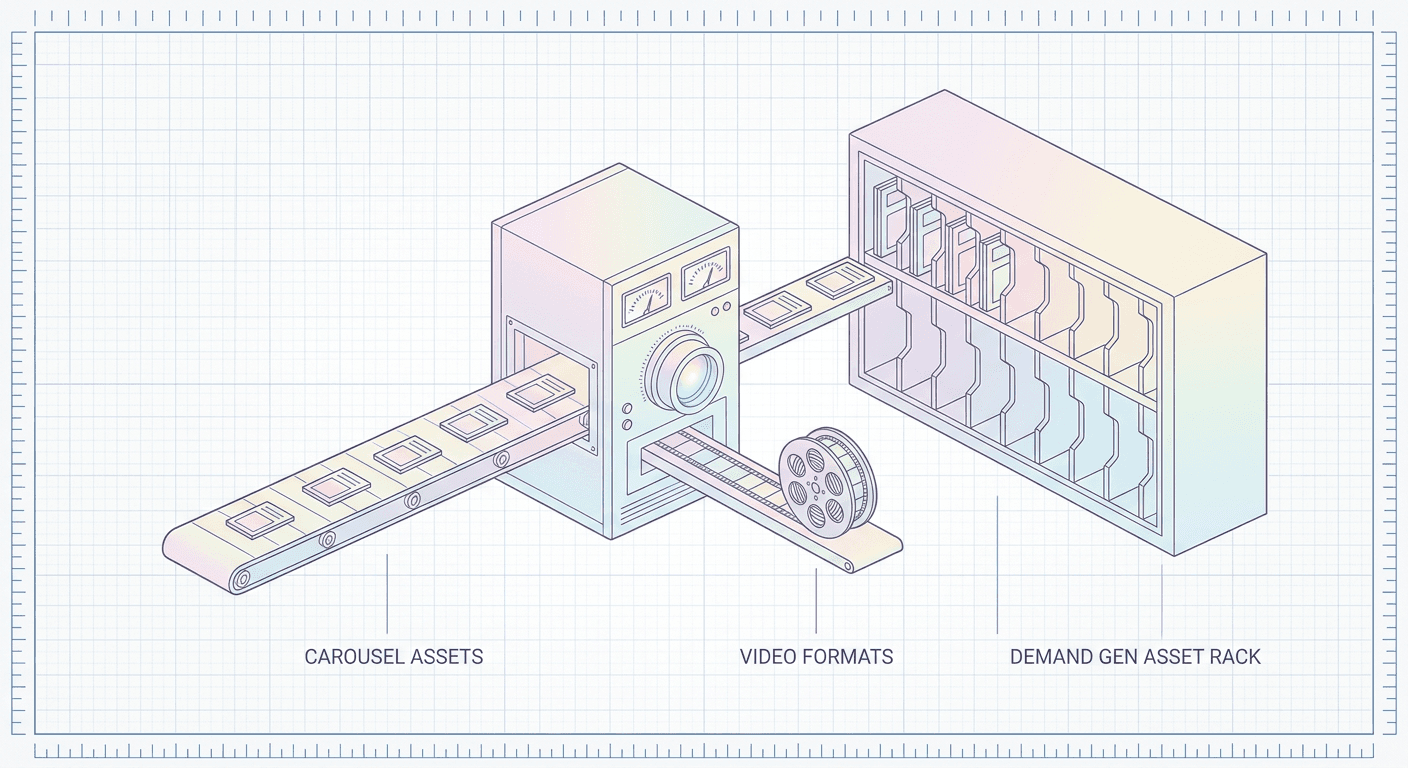
| Ad formats | Static and responsive display, limited video | Static, carousel, and expanded video (In-Feed, Skippable In-Stream, Shorts) |
| Audience targeting | Interest, in-market, remarketing, manual placement/topic | All of the above plus Lookalike segments built from seed audiences |
| Generative AI asset tools | Not built in | Built into the asset creation workflow |
| Reporting | Aggregate campaign-level performance | Broken out by format: In-Feed, Skippable In-Stream, Shorts |
| Bidding options | Standard bid strategies, daily budgets only | Standard strategies plus Target CPC and Flighted total budgets |
| Campaign creation | Being phased out (industry-reported target around January 2027) | Ongoing, the destination campaign type for this migration |
New Inventory: YouTube, Discover, Gmail, and Maps
A standalone Display campaign's reach stopped at GDN. A Demand Gen campaign's reach extends across YouTube (both in-feed and Shorts placements), Discover (Google's personalized content feed on Android and the Google app), Gmail's promotions tab, and, in beta, Google Maps. This is not a minor bonus, it's a fundamentally larger addressable audience for the exact same budget and creative investment you were already making on Display alone. An advertiser who never ran YouTube or Discover placements before, because setting them up meant building and managing entirely separate campaign types, now reaches that same audience automatically as part of the same campaign that used to be Display-only. This is the single biggest reason the \"GDN is dying\" framing is backwards: your reach is expanding, not shrinking, and it's expanding into some of Google's highest-attention surfaces without asking you to learn a new campaign type from scratch.
Carousel Ad Formats
Standalone Display never supported carousel ads, the swipeable, multi-card format familiar from Instagram and Facebook feeds. Demand Gen does. A carousel lets you show multiple products, multiple angles of the same product, or a sequential story across several cards in a single ad unit, which matters a lot for ecommerce advertisers who previously had to compress an entire catalog message into one static banner. If your Display creative today is a single product shot, migrating to Demand Gen is a real opportunity to build out a proper carousel showing a full product line or a step-by-step use case, not just a one-to-one swap of your existing banner into a new wrapper.
Expanded and Additional Video Ad Formats
Standard Display supported some video, but Demand Gen's video capability is meaningfully broader, spanning skippable in-stream, in-feed, and Shorts-native formats, each suited to a different viewing context and each reported on separately (more on that below). This is where the migration genuinely opens a new creative lane rather than just widening an old one. A short vertical video built for Shorts placement behaves completely differently from a 15 to 30 second in-stream ad shown before YouTube content, and Demand Gen is built to run both from the same campaign.
Generative AI Image Tools Built Into Asset Creation
Demand Gen's asset creation workflow includes generative AI image tools directly inside the campaign build flow, letting you generate or adapt creative variations without leaving Google Ads. That's a useful convenience layer for quick iteration, though most serious advertisers will still want a dedicated image generation workflow for actually producing the volume and specificity of assets a full carousel or multi-format campaign needs. Miraflow's AI Image Generator is built for exactly that heavier lifting, producing multiple on-brand product and lifestyle variations at once for carousel cards, plus image-to-image editing and inpainting when you need to adjust one specific detail in an existing asset, a background, a product color, a seasonal element, rather than regenerating the whole image from nothing.
Lookalike Audience Segments
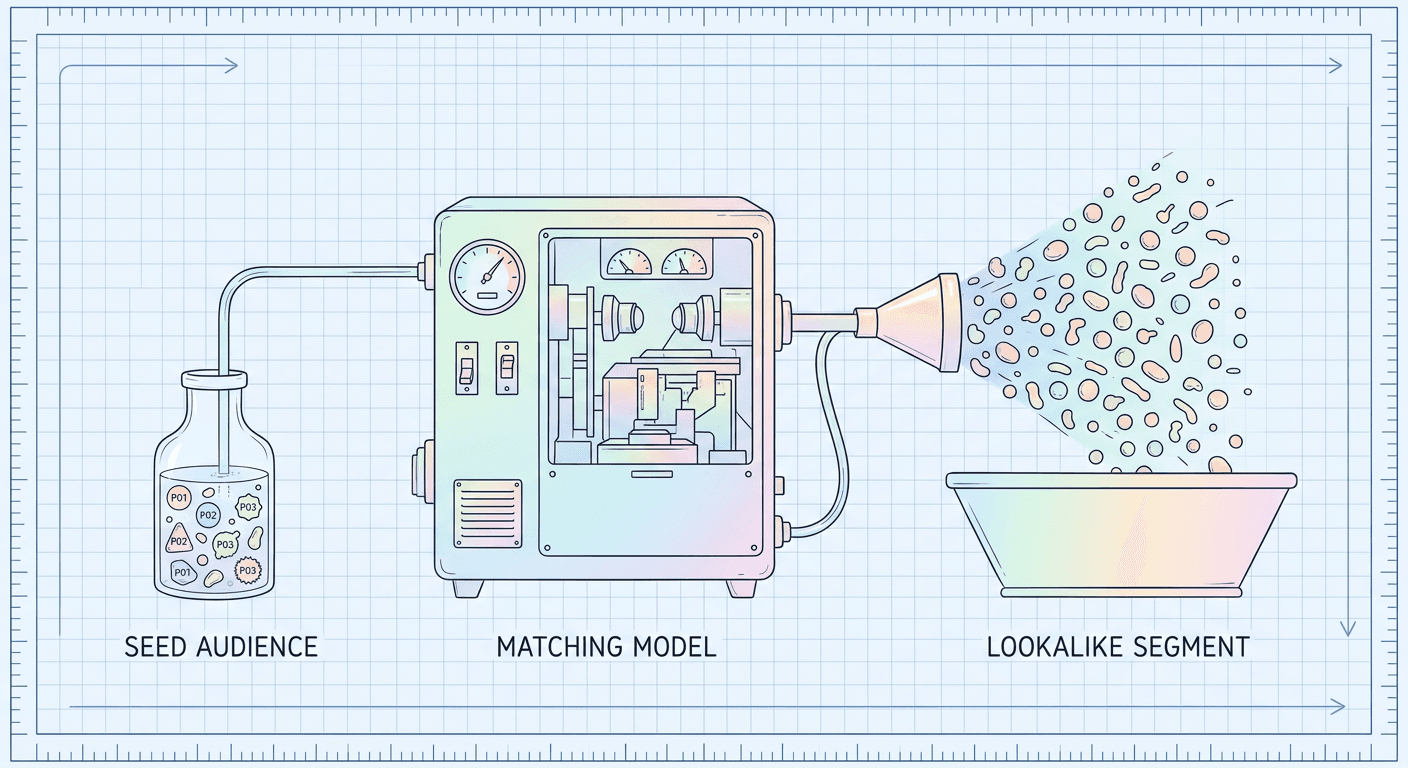
This is genuinely new, not a rename of something Display already had. A Lookalike segment lets you feed Google a seed audience, your existing customers, your website converters, your highest-value purchasers, and Google's own modeling finds new users who share behavioral and demographic patterns with that seed group, then targets them automatically. Standalone Display never offered this. Display targeting relied on interest categories, in-market audiences, remarketing lists, and manual placement or topic targeting, all useful, but none of them are the same mechanism as Lookalike modeling, which is closer to what advertisers on other platforms would recognize as a \"lookalike audience\" built from a real customer list rather than a pre-built interest category Google defined in advance. For an advertiser who has spent years accumulating a solid customer list or converter data, this is arguably the single most valuable new targeting lever the migration unlocks, since it lets that first-party data actively expand your prospecting reach instead of only being usable for direct remarketing.
New Reporting Broken Out by Format
Standalone Display reporting mostly treated your campaign as one undifferentiated pool of impressions and clicks across whatever placements it ran on. Demand Gen reports separately by format: In-Feed, Skippable In-Stream, and Shorts each get their own performance breakdown. That granularity matters operationally. A campaign that looks mediocre in aggregate might actually be a strong In-Feed performer dragged down by a weak Shorts variant, and without format-level reporting you'd have no way to know which lever to pull. Once migrated, budget your review time to actually look at this breakdown rather than only checking the campaign-level summary out of old Display-era habit.
New Bidding Options: Target CPC and Flighted Budgets
Target CPC is a straightforward addition, letting you bid toward a specific target cost per click rather than only the conversion-focused or maximize-clicks strategies Display campaigns typically ran. It's a useful option for campaigns where raw click volume at a controlled cost matters more than immediate conversion optimization, an awareness-stage campaign, for instance.
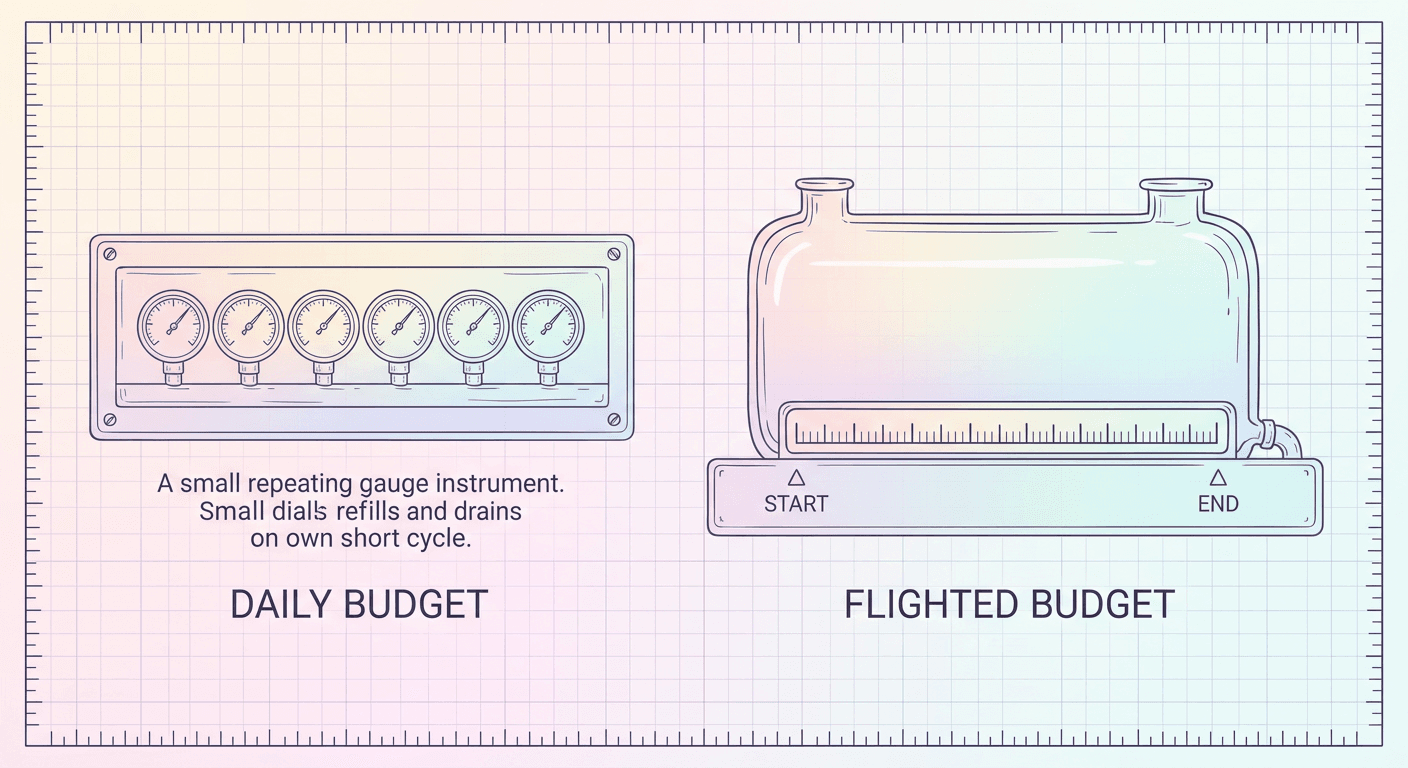
\"Flighted\" campaign total budgets are the more interesting addition. A standard daily budget caps how much you can spend on any given day, and your total spend over a campaign's life is really just that daily number multiplied by however many days the campaign happens to run, an indirect and somewhat clumsy way to control total spend over a defined period. A Flighted budget flips that: you set a single fixed total budget across a defined date range, say $10,000 across a six-week product launch window, and Google's pacing system manages the day-to-day spend distribution to land on that total by the end date, rather than you guessing at a daily number that might overspend or underspend the period depending on how traffic and competition fluctuate week to week. This is genuinely useful for any campaign tied to a fixed calendar event, a seasonal sale, a product launch, a limited-time promotion, where the thing you actually care about is total spend across the whole window landing where you planned, not a daily number that happens to average out correctly if nothing unusual happens along the way.
Who Should Migrate Now vs. Who Should Wait
The honest answer depends heavily on what kind of account you're running, and treating this as a single universal recommendation undersells how differently it plays out across account types.
The Small Local-Business Advertiser
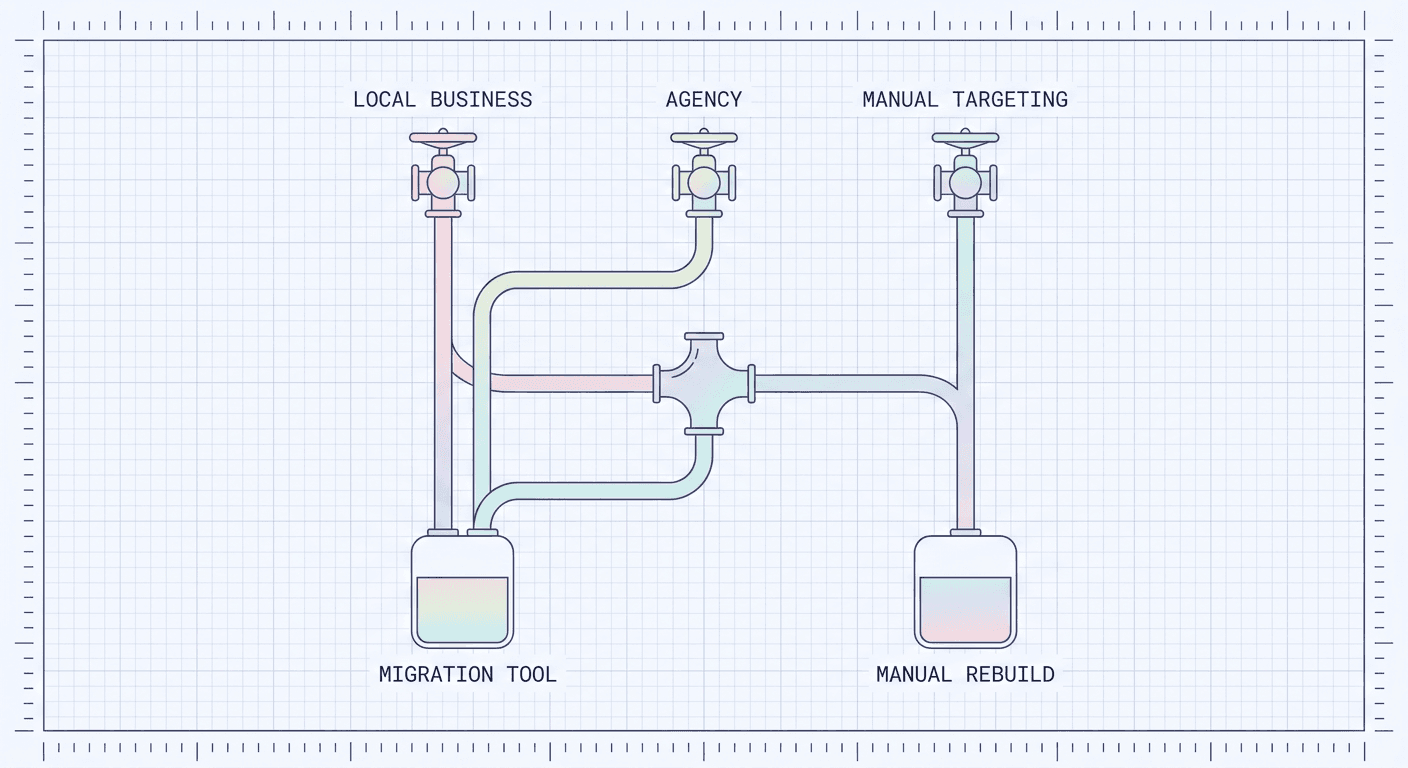
If you're a single-location or small multi-location local business running one or two straightforward Display retargeting or prospecting campaigns, standard interest and remarketing targeting, no heavy manual placement curation, migrate now using the official tool. The setup is simple enough that there's little real risk, the preserved performance history and shortened learning-phase reset genuinely protect your smaller budget from a costly cold-start dip, and you get immediate access to YouTube, Discover, Gmail, and Lookalike targeting built from your existing customer list, which for a local business with a real, identifiable customer base can meaningfully expand reach without any added management overhead. There is little strategic reason to wait here. Pick your smallest or lowest-stakes campaign first per the one-way-door caution above, confirm it behaves as expected for a week or two, then migrate the rest.
The Agency Managing Dozens of Accounts
Agencies face a genuinely different calculus, mostly around sequencing and client communication rather than whether to migrate at all. Google's own recommendation of batches up to 100 campaigns at a time is a meaningful operational detail here, since an agency migrating dozens of client accounts in one sitting needs an actual rollout plan, not a single afternoon of clicking through every account. A sensible sequence: pick one or two lower-stakes client accounts as an internal pilot, confirm the migration tool's behavior matches expectations across a full billing cycle, document the naming-convention change so every account manager on the team knows to expect and account for the \"#2\" suffix in reporting, then roll out to the rest of the client roster in planned batches rather than reactively, client by client, whenever someone happens to notice the in-account prompt. Agencies also carry a specific risk the small local-business case doesn't: client-facing dashboards and monthly reports often reference exact campaign names, so the naming change needs to be communicated to clients proactively, not discovered by a client mid-quarter wondering why a familiar campaign name vanished from their report.
The Advertiser Who Leans Heavily on Manual Display Placement or Topic Targeting
This is the case where waiting, or choosing the manual transition path over the automated tool, genuinely makes more sense. If your Display strategy today depends on carefully curated placement exclusion lists, specific site and app allowlists you've refined over years, or granular topic and content targeting tuned to avoid particular categories of inventory, that level of manual control doesn't map one-to-one onto Demand Gen, which leans more heavily on audience signals and Google's own AI-driven placement decisioning than on advertiser-specified placement lists. Migrating this kind of campaign through the automated tool carries the real risk of your carefully tuned placement logic getting flattened into Demand Gen's more automated targeting model in ways you don't fully control or anticipate. For this specific case, the manual rebuild path, recreating your intent deliberately inside Demand Gen's actual targeting options rather than relying on an automated carryover, is worth the tradeoff of losing the 42-day performance history and accepting a longer learning-phase reset. Alternatively, use the automated tool on a genuinely low-stakes test campaign with similar targeting logic first, specifically to observe how your placement and topic preferences translate into the new campaign, before deciding whether the automated path is safe enough for your higher-stakes, more heavily curated campaigns.
Common Mistakes to Avoid
Migrating your top-performing campaign first, before you've tested the process on anything smaller. Given the one-way-door nature of this migration, treating your best campaign as the test case is the single most avoidable mistake here. Pick a smaller, lower-stakes campaign first, confirm the tool behaves the way you expect across a full week or two of real spend, then move your bigger campaigns using the exact process you've already validated.
Not noticing the \"#2\" naming change and losing track of campaigns in downstream reporting. Any dashboard, Data Studio-style report, saved filter, or automated script referencing a campaign by its exact name will silently break or return empty results the moment that name changes. Audit every downstream system that references campaign names by string before you migrate a single campaign, not after someone flags a gap in a quarterly report.
Assuming GDN reach shrinks because the campaign type is going away. This is the confusion this whole post opened with, and it's worth repeating as a mistake in its own right because it leads advertisers to either panic-pause perfectly healthy campaigns or start second-guessing Display's viability as a channel entirely, when the actual change is additive, not subtractive. Your GDN reach is preserved and automatically included in the migrated campaign; you're gaining YouTube, Discover, Gmail, and Maps on top of it, not trading GDN away for something smaller.
Treating the migration as purely a settings change and skipping the creative refresh it actually calls for. Carousel formats, expanded video, and format-level reporting all reward advertisers who build creative specifically for the new formats rather than dropping the exact same static banner into a Demand Gen campaign and calling it done. A Display banner that worked fine as a single static image says nothing about whether you have a strong carousel sequence or a Shorts-native vertical video ready to go, and skipping that creative work leaves real performance upside on the table exactly the way running AI Max for Search with thin ad copy leaves performance on the table, a pattern covered in more depth in Miraflow's piece on Google's AI Max auto-upgrade.
Forgetting that the migrated campaign's budget resets on migration day. A partial or oddly-shaped spend day right after migration is expected behavior, not a bug worth escalating to support. Build that expectation into how you read week-over-week performance in the days immediately following a migration so it doesn't get misread as an actual performance drop.
Ignoring Lookalike segments because Display never had them. It's easy to migrate a campaign, leave every targeting setting as close to the old Display configuration as possible, and never actually turn on the one genuinely new targeting lever the migration unlocks. If you have any real seed audience, a customer list, a converter list, a high-value purchaser segment, testing a Lookalike segment against your existing audience targeting is close to free to try and is the clearest net-new capability this migration hands you.
Building Demand Gen's Expanded Asset Requirements With Miraflow
The honest throughline across everything Demand Gen adds, carousel formats, expanded video, format-level reporting that rewards format-specific creative, is that it asks more of your creative pipeline than standalone Display ever did. A single static banner that carried a Display campaign for two years is not going to carry a Demand Gen campaign's carousel cards, in-feed video, and Shorts placement all at once. That's a real production workload increase, and it's the part of this migration most advertisers underestimate until they're actually staring at an empty carousel card wondering what goes in slots three through five.
Miraflow's AI Image Generator is a fast way to close that gap for the image side of Demand Gen's asset requirements. Generate several distinct product angles, lifestyle scenes, or seasonal variations at once for a carousel sequence, rather than trying to stretch one existing product photo across five cards. Image-to-image editing and inpainting let you adjust a single detail, a background color, a seasonal prop, a specific product variant, without redoing an entire shoot, which matters when you're trying to populate a full carousel quickly rather than waiting on a traditional production timeline.
For the video side, specifically the skippable in-stream, in-feed, and Shorts formats Demand Gen supports that standalone Display never touched, Miraflow's Cinematic AI Video Generator turns a written prompt into a finished video clip, useful for building genuinely native creative for each format rather than repurposing a single generic video cut down to fit three different placements. A vertical, fast-cut clip built for Shorts and a longer, slower in-stream spot are different creative jobs, and having a fast way to produce both from the same underlying product or brand concept, rather than commissioning two entirely separate productions, is exactly the kind of workflow speed this migration rewards.
If your Demand Gen build also needs supporting visuals for a companion campaign, a thumbnail for a linked YouTube placement, for instance, the same AI Image Generator doubles as a YouTube Thumbnail Maker without switching tools, since the underlying need, fast and accurate on-brand imagery without a full production cycle, is the same regardless of which surface the asset ultimately runs on. And if you're rebuilding your Display banner library into something Demand Gen-ready as part of this migration, Miraflow's earlier prompt pack on Google Ads Display banner creative is a useful starting point for the base imagery, even as you adapt those concepts into carousel and video formats Display never supported. For a broader look at how Google's AI-driven asset tools inside Ads itself are evolving alongside this, Miraflow's coverage of Gemini Omni inside Google Ads Asset Studio is a natural companion read, since it covers Google's own native video generation tooling that now sits right alongside Demand Gen's asset requirements.
This migration is, at its core, part of the same broader pattern running through Google Ads in 2026: campaign types built around a single channel and manual configuration getting folded into AI-driven, cross-channel campaign types instead. It's the same underlying shift behind Performance Max's expanding controls and Performance Max's asset-level A/B testing, and it's the same shift behind Search campaigns auto-upgrading to AI Max. None of these are isolated, one-off product decisions, they're the same underlying strategy applied to different corners of the Ads platform, and an advertiser who's already adapted to one of these consolidations has a real head start on understanding what to expect from the next one.
Frequently Asked Questions
Is Google actually shutting down the Google Display Network? No. Google's own language is explicit: your ability to serve ads on the Google Display Network stays the same. What's being retired is the standalone Display campaign type, the dedicated campaign configuration that only touched GDN inventory. GDN itself becomes one inventory source inside Demand Gen campaigns, alongside YouTube, Discover, Gmail, and Maps, rather than disappearing.
When do I actually need to migrate by? Google hasn't published a single hard deadline. Its own documentation describes the ability to create new standalone Display campaigns going away \"later\" in a phased rollout that started with the migration tool in June 2026, with remaining eligible campaigns then migrated automatically with no advertiser action needed. Trade press, including WordStream, has reported a target of around January 2027 for the full creation cutoff, worth treating as a planning target rather than a confirmed Google deadline.
Should I use the migration tool or build a new Demand Gen campaign manually? For most standard Display campaigns, the migration tool is the better choice because it preserves 42 days of performance history and shrinks the learning-phase reset to roughly one to two days instead of a full cold start. Consider the manual path only if your existing campaign leans heavily on granular manual placement or topic targeting that doesn't map cleanly onto Demand Gen's more audience-driven targeting model.
Can I migrate a campaign and then change my mind and go back to Display? No. Migration through Google's tool is one-way. Once a campaign has been upgraded to Demand Gen, it cannot be reverted to a standalone Display campaign. Always test the process on a smaller, lower-stakes campaign before migrating anything you can't afford to get wrong.
Why did my campaign's name change after migration? Google's migration tool automatically appends a \"#2\" suffix to the original campaign name when it upgrades a campaign to Demand Gen. Check any dashboards, reports, or scripts that reference campaigns by exact name before migrating, since a name change can silently break automated reporting that depends on an exact string match.
Will I lose my remarketing lists or audience data when I migrate? The migration tool is built to carry your existing setup, including performance history, into the new campaign rather than starting from nothing. It's still worth reviewing your audience and targeting settings inside the new Demand Gen campaign shortly after migration to confirm everything landed the way you expect, the same way you'd review any AI-driven campaign after a significant configuration change.
Does Demand Gen cost more to run than standalone Display? Google hasn't published a specific pricing change tied to this migration, and there's no confirmed statement that Demand Gen inherently costs more per click or per impression than standalone Display did. Bidding still runs through the same strategies you're used to, plus the new Target CPC and Flighted budget options, so your actual costs depend on your bid strategy and competition in your specific inventory and audience, not a blanket platform-wide price change tied to the migration itself.
What happens to campaigns that never get manually migrated? Based on Google's own documentation, remaining eligible Display campaigns get migrated to Demand Gen automatically once the rollout reaches that stage, without requiring the advertiser to take action. The tradeoff for waiting on an automatic migration rather than migrating voluntarily is losing the ability to choose your own timing, test on a smaller campaign first, or review the process on your own schedule before it happens to your full account.
Conclusion
The headline fact worth carrying away from this entire migration is the one Google states most plainly and advertisers misread most often: the Google Display Network isn't going anywhere. What's changing is the campaign-type wrapper around it, standalone Display campaigns folding into Demand Gen, where GDN becomes one inventory source alongside YouTube, Discover, Gmail, and Maps rather than its own isolated campaign type. That's a consolidation, not a retirement of the inventory or the reach you've built there.
The practical path forward is straightforward even if the details deserve real attention. Google's own migration tool, reachable from the Campaigns tab by filtering to Display campaigns and choosing \"Upgrade to Demand Gen\" from the Edit dropdown, is the right call for most standard campaigns, since it preserves 42 days of performance history and shrinks what would otherwise be a full cold-start learning phase down to roughly one to two days. Just remember it's a one-way door: test on something smaller before you migrate anything you can't afford to get wrong, and expect the \"#2\" naming change to ripple into any dashboard or script that references campaigns by exact name. Save the manual, from-scratch rebuild path for the specific case where your existing Display targeting leans on granular manual placement or topic control that genuinely needs rethinking for Demand Gen's more audience-driven model.
Once you're migrated, the real opportunity isn't just checking a box, it's actually using what Demand Gen adds that Display never had: Lookalike segments built from your real customer data, carousel formats for multi-product storytelling, video across in-feed, in-stream, and Shorts placements, and Flighted budgets for anything tied to a fixed calendar window. Building the creative those new formats actually need is the real work behind a successful migration, and it's exactly where Miraflow's AI Image Generator and Cinematic AI Video Generator can carry a meaningful share of that production load, letting you populate a full carousel or build native video for three different placements in a fraction of the time a traditional production cycle would take. This migration is coming to your account on Google's timeline whether you plan for it or not, and the advertisers who treat it as a real creative opportunity rather than a settings change to click through will be the ones who actually see the upside Demand Gen's expanded reach and formats were built to deliver.