The Ultimate Nano Banana Prompt Guide: Viral Prompts That Actually Work

Written by
Jay Kim

Learn how to write Nano Banana prompts that go viral. This guide shares proven prompt structures, 10+ real examples, and practical tips for better AI images.
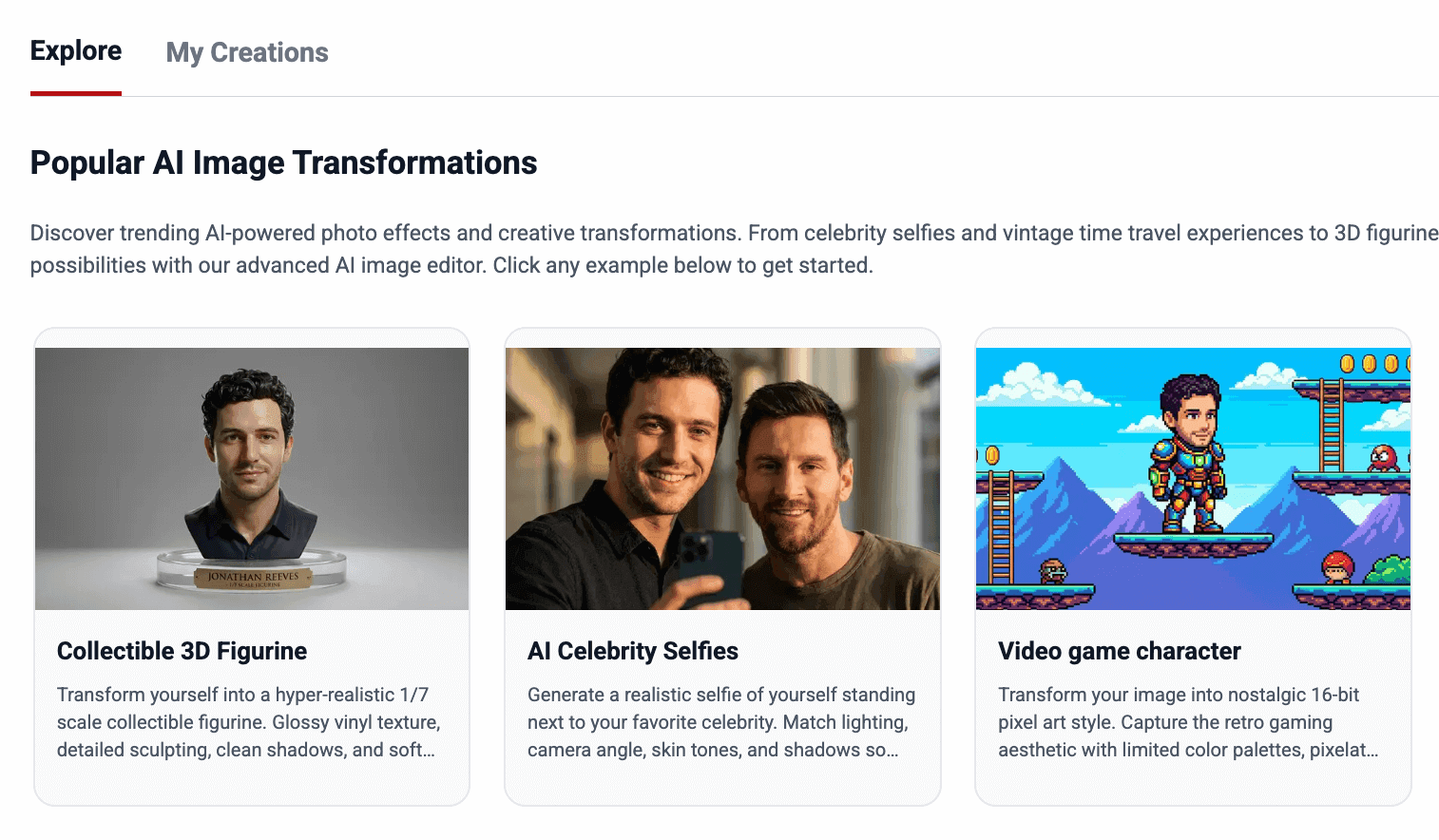
Nano Banana has quickly become one of the most shareable AI image tools online. Scroll through X, Reddit, or Instagram and you’ll see the same patterns again and again: tiny figurines, nostalgic film photos, cinematic portraits, and playful edits that feel oddly real.
What separates a forgettable result from a viral one usually comes down to a single thing: the prompt.
In this guide, we’ll break down how Nano Banana responds to prompts, why certain styles consistently perform well, and — most importantly — share 10+ proven prompt examples you can copy, tweak, and reuse.
Why “Viral” Nano Banana Prompts Feel Different
Most viral prompts do two things at once:
- They specify a familiar visual template (figurine in blister pack, film portrait, magazine cover, selfie with celeb, etc.)
- They leave just enough freedom for the model to “fill in” style and polish without breaking the structure
An intuitive analogy:
A great prompt isn’t a novel. It’s a shot list + art direction. Viral prompts act like you’re telling a crew: what’s in frame, what lens, what lighting, what material, what vibe. Not how you want people to feel.
How Nano Banana Interprets Prompts
Nano Banana works best when prompts feel like visual instructions, not abstract ideas. Instead of telling it what you want emotionally (“make it cool,” “make it cinematic”), describe what the camera sees.
Strong Nano Banana prompts usually include:
- A clear subject
- A concrete setting
- Visual style or medium
- Camera angle or framing
- Lighting and texture cues
- What not to include (optional)
Think like a photographer or art director, not a storyteller.
How to Write Nano Banana Prompts Efficiently
One mistake many people make with Nano Banana is trying to write a “perfect” prompt from scratch every time. In reality, the fastest way to get good results is to reuse strong structures and adjust only what matters.
Instead of thinking in sentences, think in visual blocks.
Start with a base prompt that already works — like a figurine, portrait, or film-style template — then change just three or four elements: the subject, the setting, the camera, and the mood. This keeps the prompt clear while letting you explore different ideas quickly.
A simple workflow that works well:
- Pick one proven prompt format
- Change the subject or reference image
- Adjust the environment or setting
- Fine-tune lighting or camera angle
- Generate, review, tweak, repeat
Small changes often produce big differences. You don’t need to rewrite everything.
Focus on What the Camera Sees
Nano Banana responds best when prompts describe visible details, not intentions.
Instead of:
“Make it cinematic and emotional”
Try:
“Soft side lighting, shallow depth of field, calm expression, muted colors”
If you can imagine the shot as a still frame from a movie or a photograph, you’re on the right track.
Reuse Keywords That Consistently Work
Some terms repeatedly produce better results across different prompts:
- Photorealistic
- Soft natural light
- Shallow depth of field
- Cinematic color grading
- Editorial photography style
- Clean background
You don’t need all of them every time. Pick two or three that fit the scene.
When to Add Constraints (and When Not To)
Constraints help when you want control:
- “No text”
- “No watermark”
- “Clean background”
- “No extra people”
But adding too many restrictions can limit creativity. If the output feels stiff or over-controlled, try removing half the constraints and regenerate.
Nano Banana often performs better when it has a little room to interpret.
Save What Works
When a prompt produces a strong result, save it.
Most creators who consistently get good Nano Banana outputs keep:
- A small prompt library
- A few go-to lighting styles
- One or two favorite camera setups
This speeds everything up and keeps results consistent.
Prompt Formula That Works Consistently
You don’t need to follow this rigidly, but most viral prompts loosely follow this order:
Subject → Setting → Action → Style → Camera → Lighting → Mood → Constraints
You’ll see this pattern repeated in the examples below.
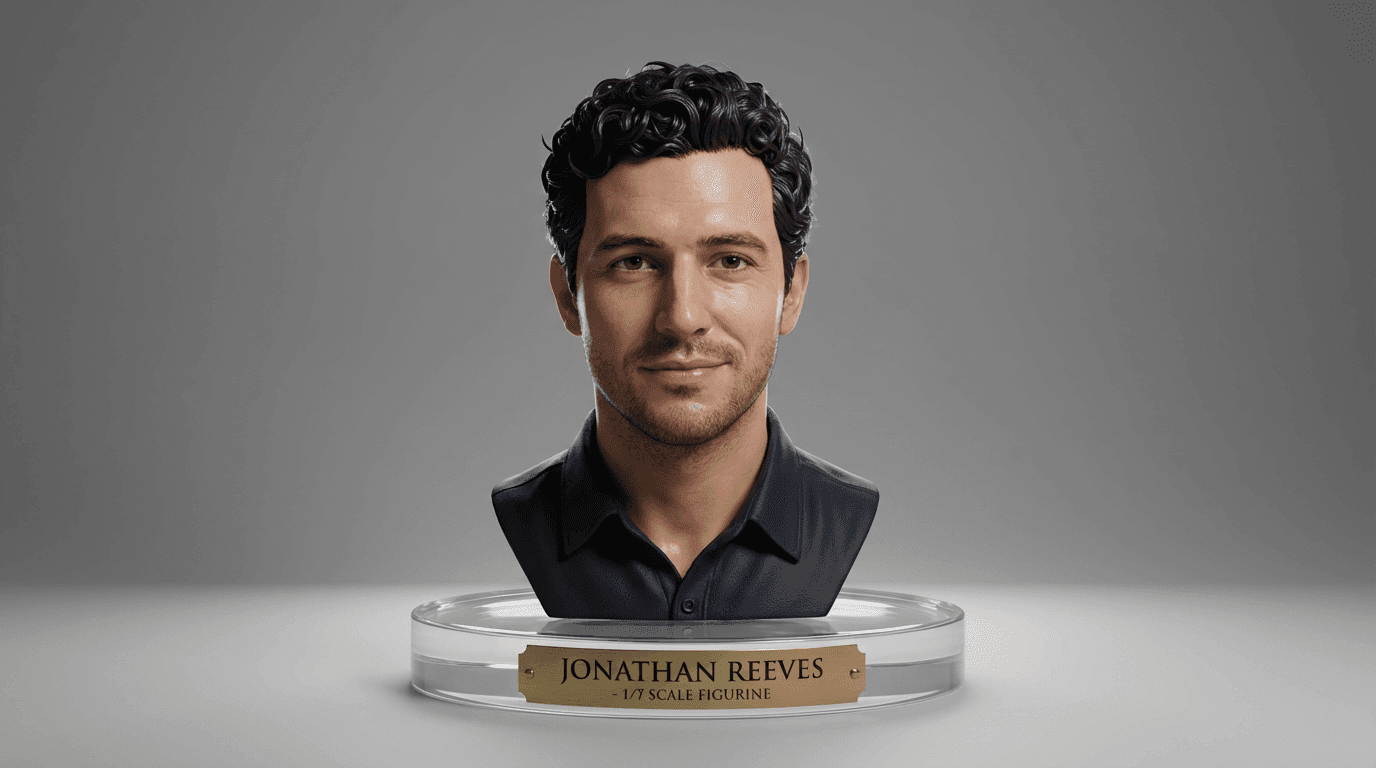
1. Collectible 3D Figurine
Perfect for turning portraits into premium product-style visuals.
Nano Banana Prompt:
Create a hyper-realistic 1/7 scale collectible figurine of the subject from the uploaded photo.Glossy vinyl texture with detailed sculpting and clean edges.Soft studio lighting with balanced shadows.Place the figure on a clear acrylic base with an engraved nameplate.Product display lighting, photorealistic finish.
Why it works
Product-style language such as “scale,” “studio lighting,” and “display” helps Nano Banana produce clean geometry and realistic materials.
2. AI Saree / Fashion Makeover
Perfect for cinematic cultural fashion transformations.
Nano Banana Prompt:
Transform the uploaded portrait into a cinematic Bollywood-inspired fashion look.Dress the subject in a rich silk saree with detailed embroidery and elegant jewelry.Warm golden-hour lighting with soft highlights.Shallow depth of field and natural skin tones.Cinematic color grading, polished and graceful.

Why it works
Clear wardrobe direction combined with lighting and color cues gives the model enough freedom while keeping the look grounded.
3. Hugging My Younger Self
Perfect for emotional, nostalgic storytelling.
Nano Banana Prompt:
Merge the two uploaded photos so the adult subject is hugging their childhood self.Seamless composition with matched lighting and shadows.Realistic proportions and natural body interaction.Warm, nostalgic color tone with a soft background.Photorealistic and emotionally natural.
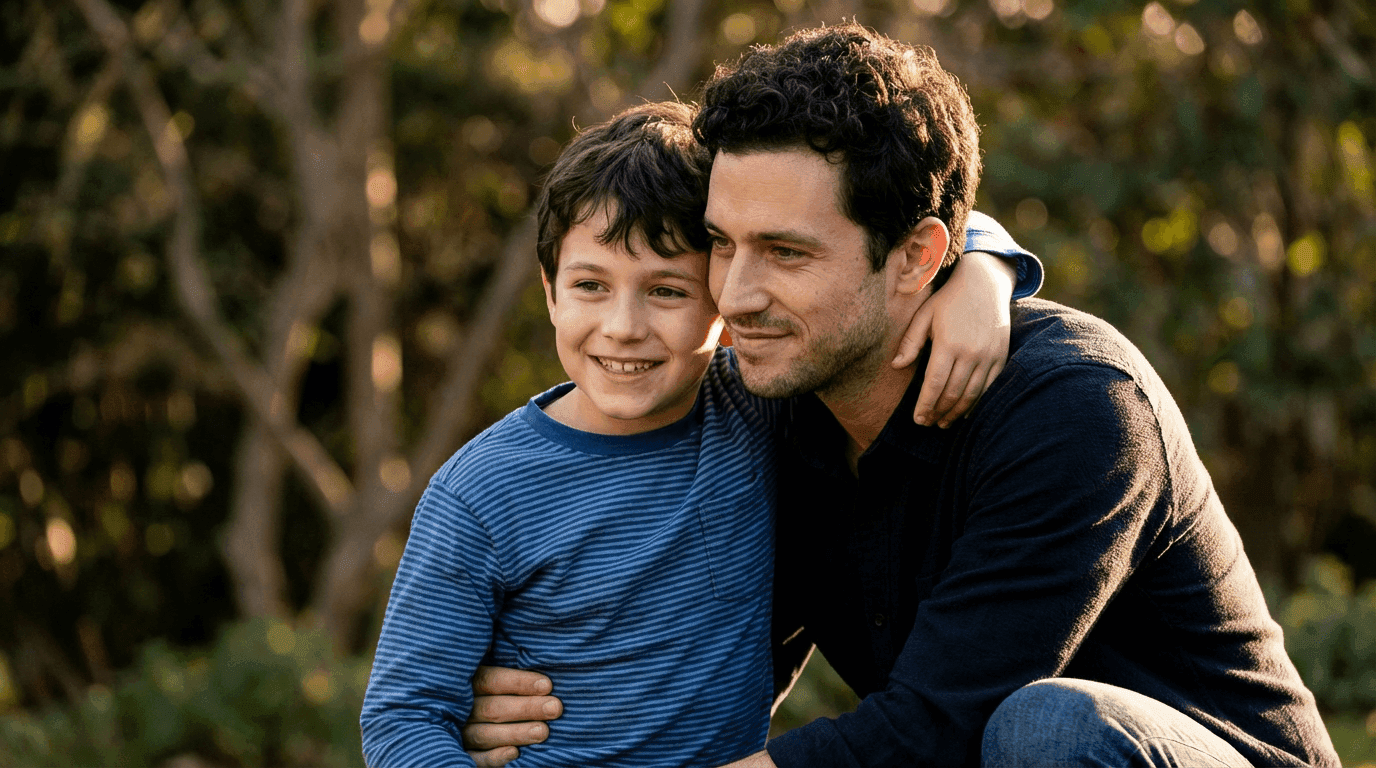
Why it works
Nano Banana excels when emotional intent is described simply and supported by lighting and tone cues.
4. Time-Travel Aesthetic (90s / 80s / 70s)
Perfect for retro-style portraits.
Nano Banana Prompt:
Turn the photo into a vintage 1990s studio portrait.Add subtle film grain and retro color tones.Authentic decade-specific outfit and hairstyle.Soft vignette and analog texture.Preserve facial identity and natural expression.
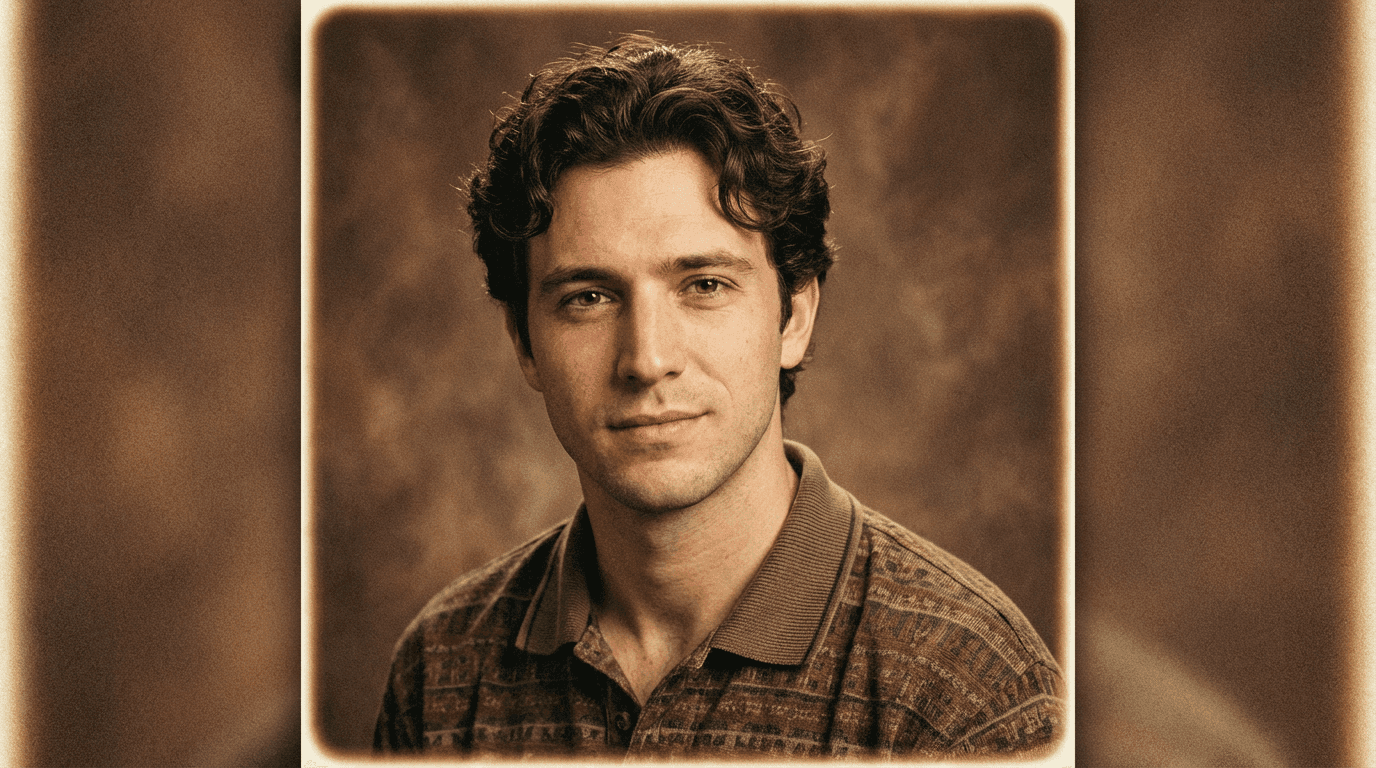
Why it works
Era-specific cues guide styling without overwhelming the model with technical jargon.
5. AI Object & Background Removal
Perfect for product shots, profiles, and clean visual assets.
Nano Banana Prompt:
Remove the background completely and isolate the main subject.Keep edge details clean and natural, including fine elements like hair or fur.Preserve original lighting, colors, and texture.Replace the background with pure white or transparent.Photorealistic result with no visible artifacts.
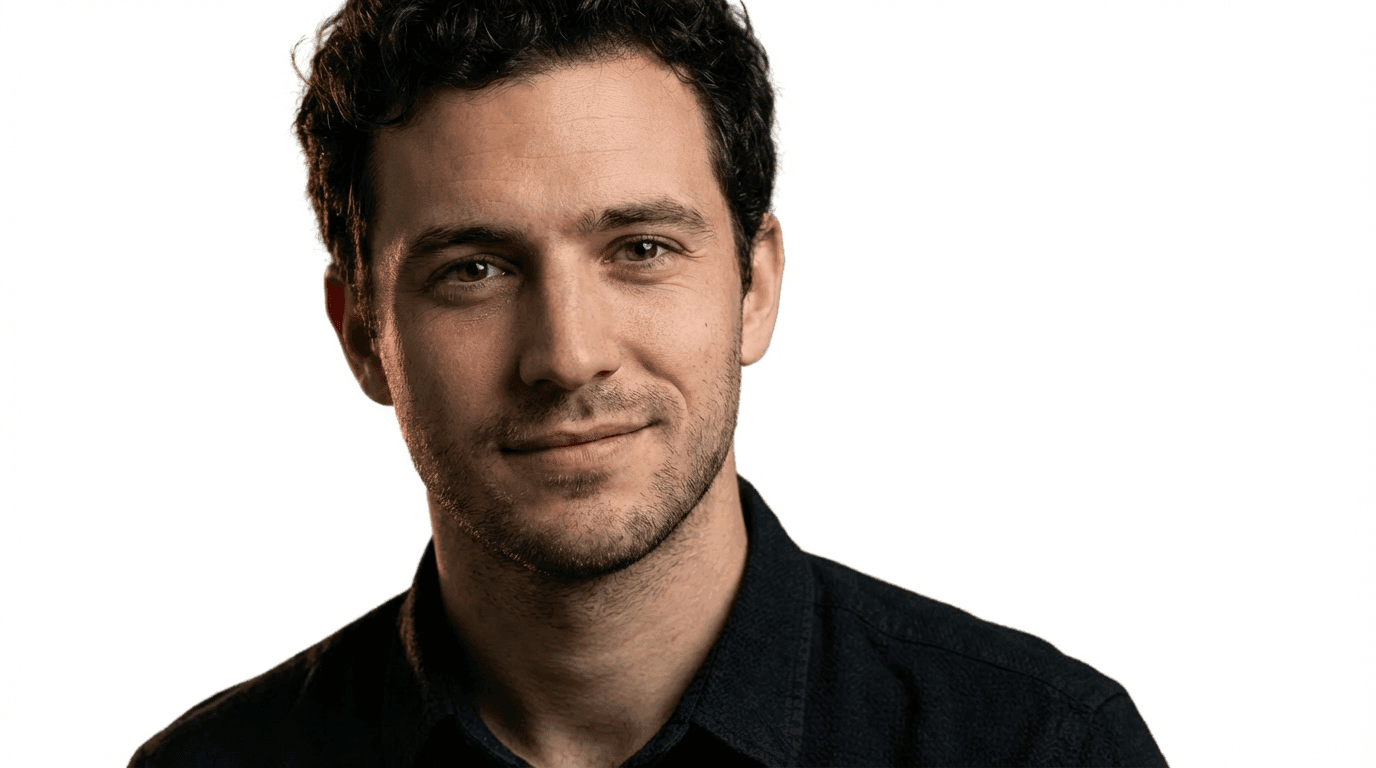
Why it works
Clear, task-focused instructions help Nano Banana maintain sharp edges and accurate subject detail without introducing unwanted visual noise.
6. Viral Before / After Glow-Up
Perfect for social media transformations.
Nano Banana Prompt:
Create a clean before-and-after composition.Original image on the left, glow-up version on the right.Enhanced lighting, smoother skin, refined styling on the right side.Elegant wardrobe and subtle makeup.Preserve overall identity and facial structure.
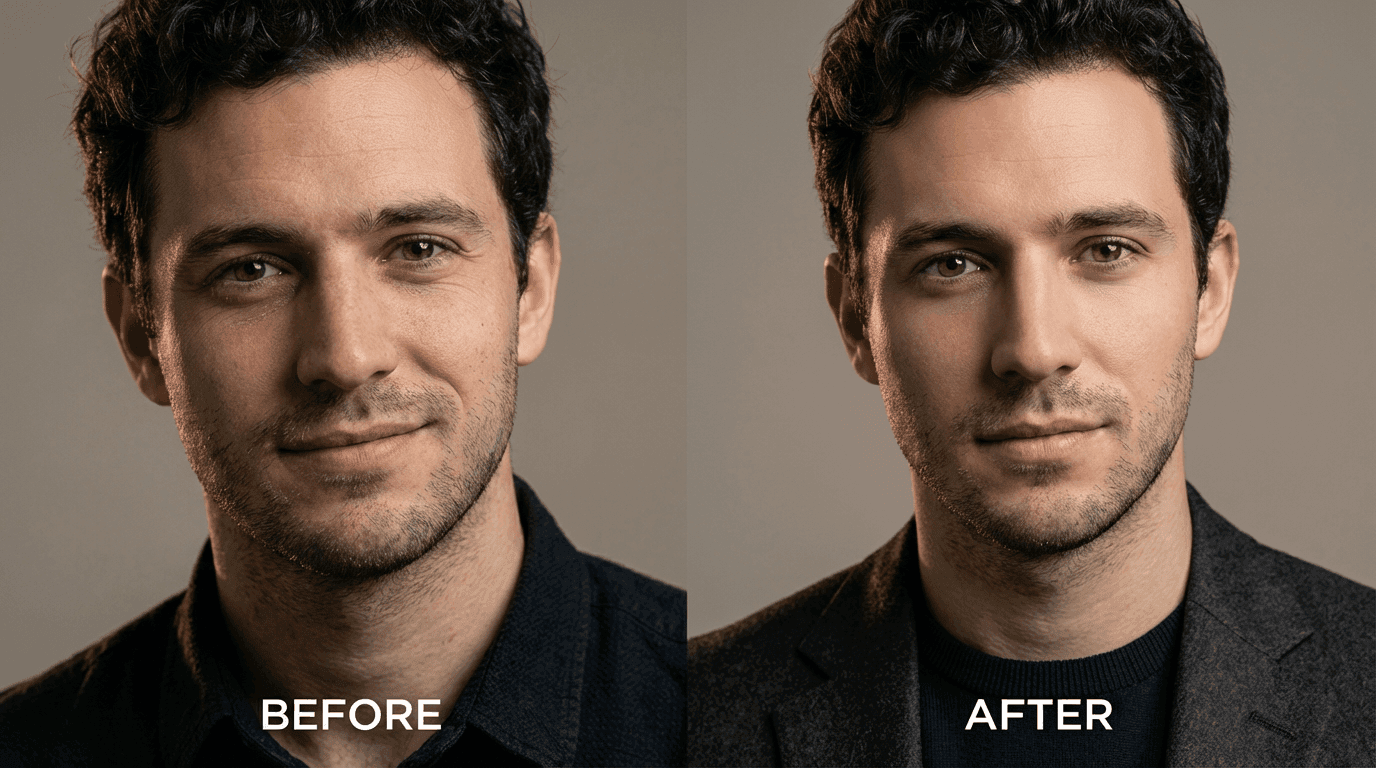
Why it works
Clear layout instructions help Nano Banana maintain consistency across both sides.
7. Video Game Character (Retro Pixel Style)
Perfect for nostalgic, gamer-friendly, highly shareable visuals.
Nano Banana Prompt:
Turn the uploaded person into a 16-bit video game character inside a classic 2D platformer level.Dress the character in colorful pixelated armor with subtle glowing accents.Place them on floating pixel platforms with retro clouds and distant mountains in the background.Use bright arcade colors, crisp sharp outlines, and cartoon-like proportions.Classic pixel art style with a clean, high-contrast finish.
Why it works
Nano Banana responds well to clearly defined visual styles. Pixel art provides strong constraints on shape, color, and detail, which helps the model produce consistent, recognizable retro game aesthetics.
8. Storyboard / Comic Panels
Perfect for short visual storytelling.
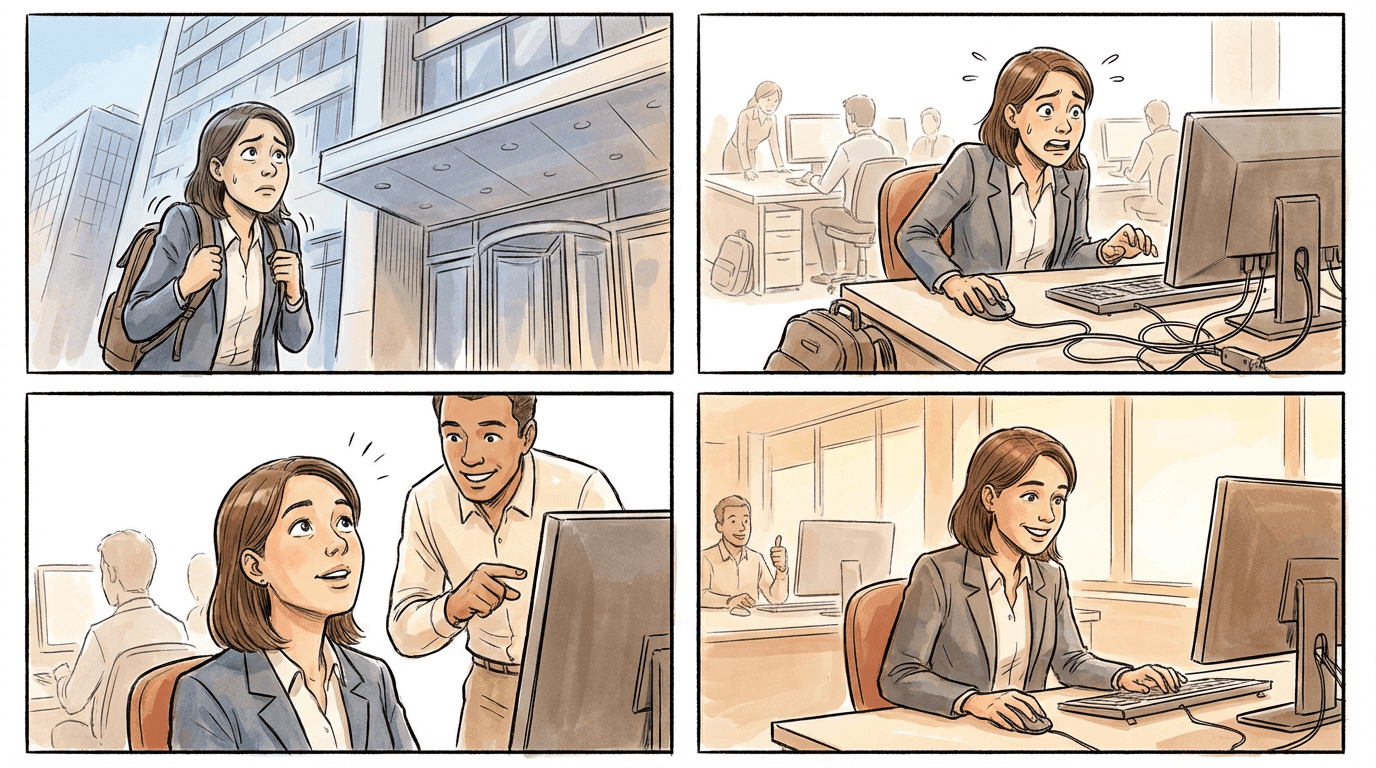
Nano Banana Prompt:
Generate a four-panel sequential storyboard for the described scenario.Panel 1: introduction.Panel 2: build-up.Panel 3: climax.Panel 4: resolution.Keep characters, lighting, and color palette consistent across all panels.
Why it works
Explicit panel structure helps Nano Banana maintain narrative flow and visual continuity.
9. Travel Landmark Postcard
Perfect for travel-style visuals and postcards.
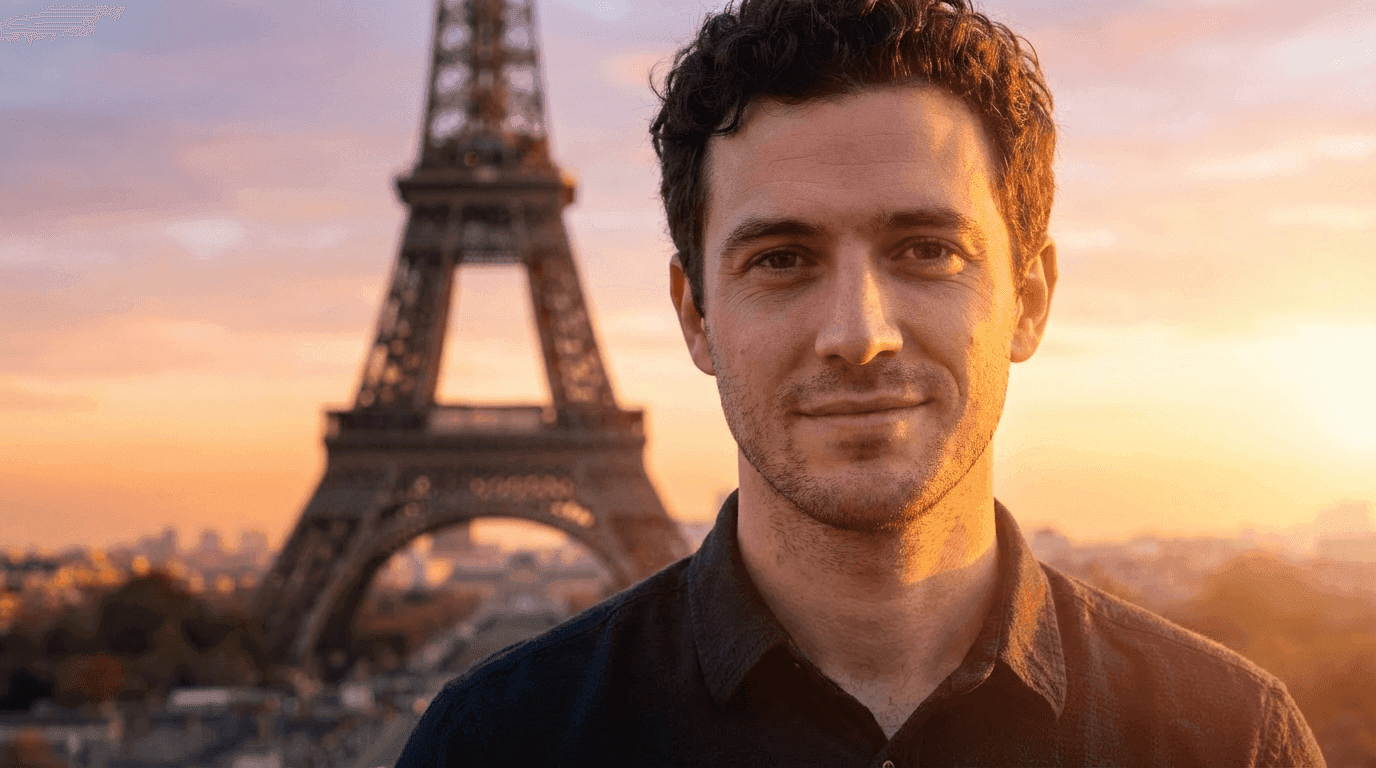
Nano Banana Prompt:
Place the uploaded person naturally in front of the Eiffel Tower at sunset.Match lighting direction, shadows, and perspective.Add a warm evening glow with subtle lens haze.Soft background bokeh for a postcard look.Photorealistic and balanced composition.
Why it works
Perspective and lighting alignment are key to making composite travel images feel real.
10. Editorial Fashion Magazine Shoot
Perfect for luxury and branding visuals.
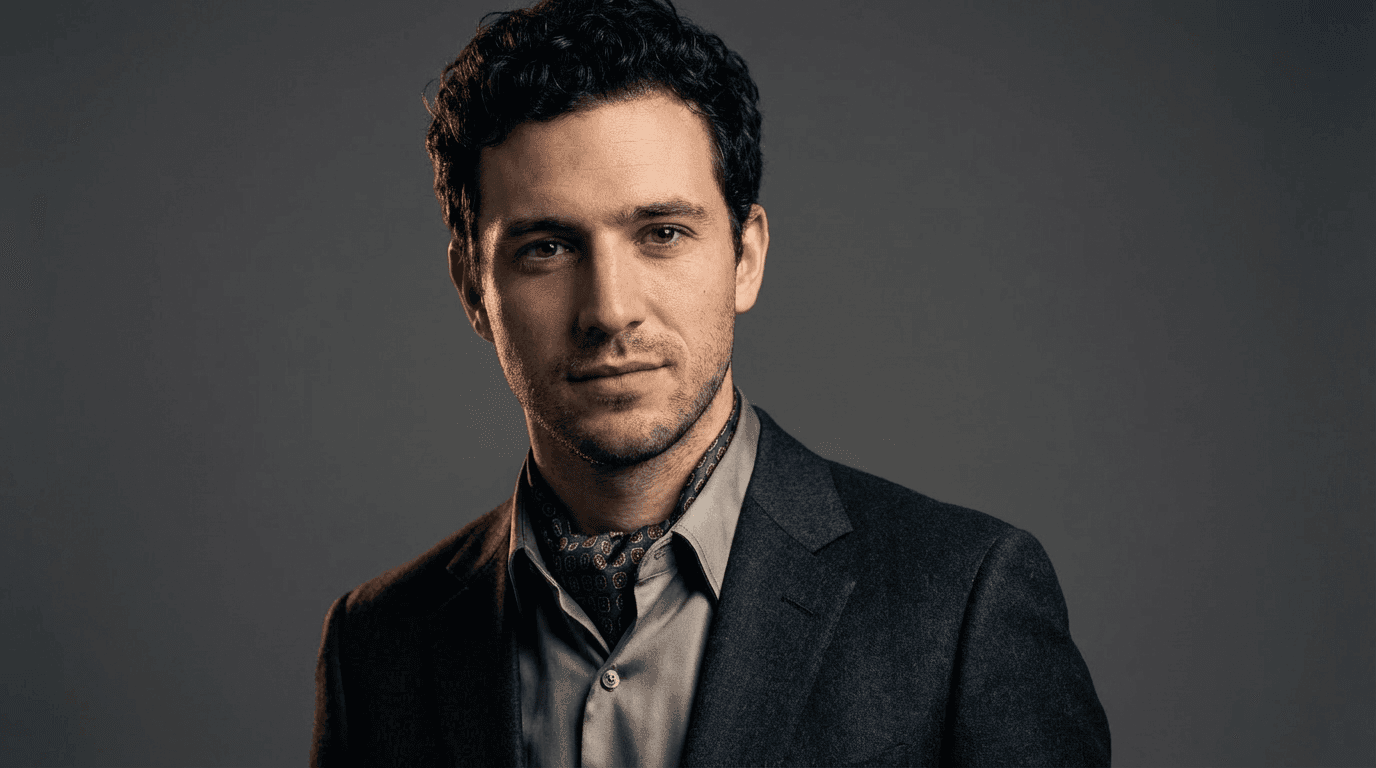
Nano Banana Prompt:
Convert the portrait into a high-fashion editorial photoshoot.Elegant wardrobe with clean silhouettes.Studio lighting with soft key light and subtle rim light.Minimal backdrop with dramatic shadows.Editorial color grading and glossy magazine finish.
Why it works
Combining wardrobe, lighting, and finish cues guides the model toward premium results.
11. Pet Adventures & Fantasy Scenarios
Perfect for playful, shareable content in pet and reel-focused communities.
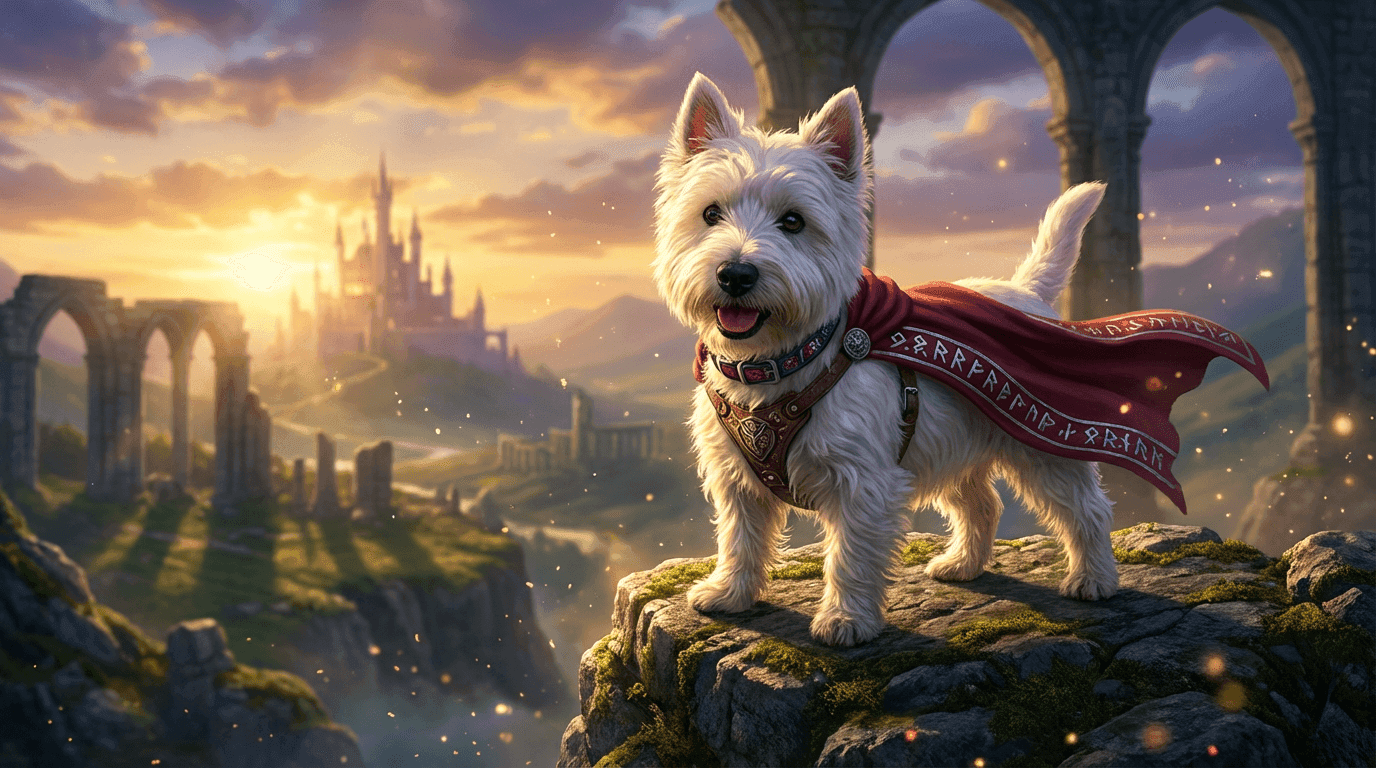
Nano Banana Prompt:
Turn the uploaded pet into the main hero of a fantastical adventure.Place the pet in an epic environment such as a dramatic mountain range, open sky, or magical landscape.Add dynamic motion cues like wind, clouds, or subtle particles to create a sense of action.Use cinematic lighting with soft highlights and gentle shadows.Maintain realistic fur texture, facial features, and proportions.Whimsical, fun, and cinematic style with a photorealistic finish.
Why it works
Nano Banana handles animals especially well when fantasy elements are layered on top of realistic textures. Clear action and environment cues help create playful scenes that feel imaginative but still believable.
12. AI Celebrity Selfie
Perfect for realistic fantasy selfies.
Nano Banana Prompt:
Generate a realistic selfie of the uploaded person standing next to Lionel Messi.Match lighting, camera angle, and skin tones for both subjects.Align shadows and perspective naturally.Add subtle depth of field.Natural, casual selfie style.
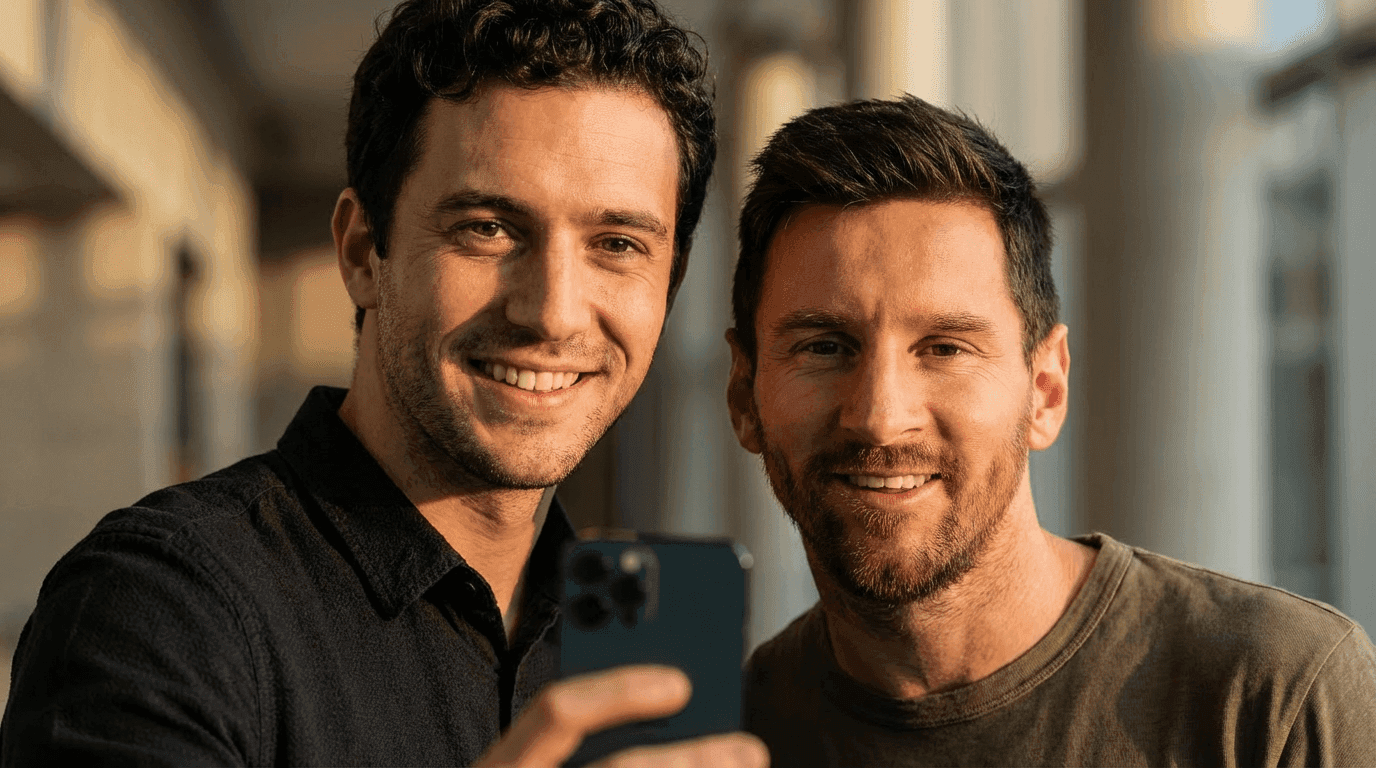
Why it works
Camera and lighting alignment cues prevent the “cut-and-paste” look.
Common Nano Banana Prompt Mistakes
Avoid these if you want clean results:
- Stacking too many styles in one prompt
- Giving emotional instructions without visuals
- Forgetting to specify camera or framing
- Asking for realism and cartoon at the same time
If a prompt feels confusing to read, it usually confuses the model too.
Try Nano Banana Image Generation for Free on Miraflow AI
Once you understand how to write effective Nano Banana prompts, the next step is seeing how they actually perform. Small changes in wording, lighting, or camera direction can completely change the result — and the fastest way to learn is by generating and comparing outputs.
You can create Nano Banana images for free directly on 👉 Miraflow AI
Miraflow AI lets you generate Nano Banana images straight from your browser, with no setup, downloads, or local installation. Just paste your prompt, upload a reference image if needed, and generate. Free credits allow you to experiment without upfront cost, making it easy to test ideas before refining them further.
The interface is built for experimentation, which matters when working with Nano Banana. You can iterate quickly, adjust prompt details like lighting or composition, and regenerate to compare results side by side.
With Miraflow, you can:
- Generate Nano Banana images directly in your browser at no cost
- Upload reference images to preserve facial features or identity
- Try different prompt styles, including figurines, editorial portraits, retro film looks, and cinematic scenes
- Refine prompts by adjusting camera angle, lighting, or mood
This setup makes it easy to apply the examples in this guide. Start with one of the viral prompt templates, generate an image, then make small changes to see how Nano Banana responds.
For creators, this workflow builds intuition quickly. Instead of guessing what might work, you see the results immediately and improve your prompts through hands-on iteration. If you’re new to Nano Banana, Miraflow AI also makes it easy to explore what others are creating and gather inspiration for your own prompts.
Final Thoughts
Nano Banana responds best to prompts that are clear, visual, and intentional. Many of the most viral images come from prompts that look simple at first glance, but are carefully structured underneath.
Use the examples in this guide as starting points. Swap the subject, change the setting, adjust the lighting — but keep the overall structure. Once you discover a format that works well, reuse it and refine it over time.
If you want to put these ideas into practice right away, head to Miraflow AI and start generating Nano Banana images for free. Experimenting directly with your own prompts is the fastest way to understand what Nano Banana does best — and where your creative edge comes from.