
Multilingual Training Videos: AI Localization Guide for Global Teams

Written by
Sam Cho
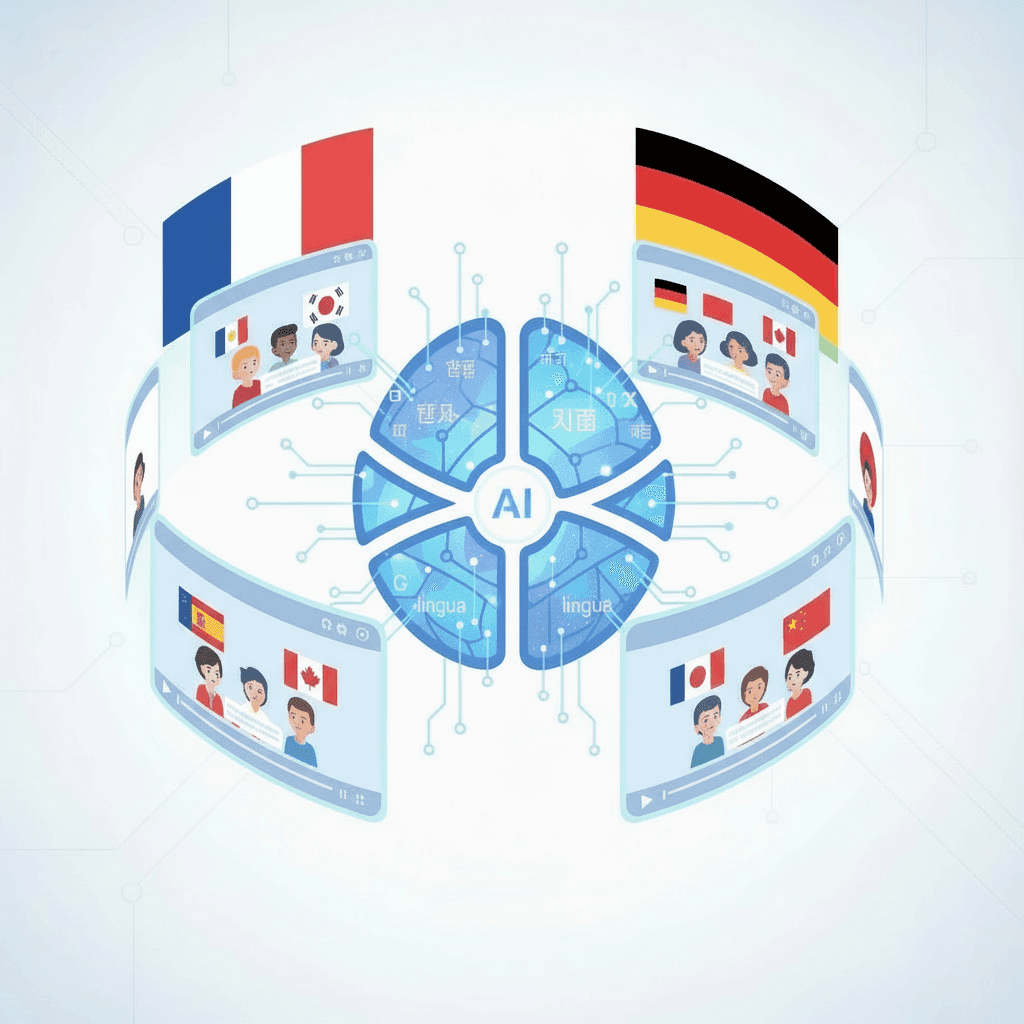
Create multilingual training videos with AI localization. Cut translation costs by 70% and deploy training in 40+ languages in days, not months. Guide for global L&D teams.
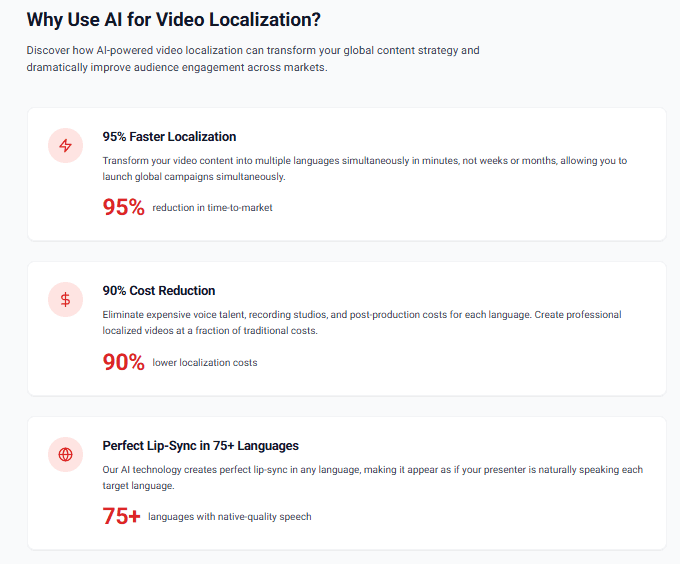
Multilingual training videos are learning materials translated and adapted into multiple languages to train employees across different countries and regions. Global companies use these videos to ensure consistent training quality regardless of where employees work or what language they speak. AI video localization allows organizations to create training in 40+ languages in days instead of the months required for traditional translation and re-filming.
Is AI video translation accurate? Yes. Modern AI localization platforms achieve 95%+ accuracy for business and training content, with native speaker review bringing that to 99%. Companies like Amazon, Siemens, and Unilever use AI localization to train hundreds of thousands of employees across dozens of languages.
[Content Localization] Bryan Johnson (Italian)
Why Multilingual Training Videos Matter for Global Companies
Multilingual training videos matter because employees learn better in their native language. Research from the Journal of Applied Psychology shows training retention drops by 40% when delivered in a non-native language, even for employees with intermediate proficiency. You can't train effectively if people don't fully understand the content.
Legal compliance is another driver. Many countries require training in local languages. France mandates workplace training in French. Quebec requires French-language training for companies above certain size thresholds. The EU's Working Time Directive requires health and safety training in languages workers understand. Providing English-only training in these jurisdictions creates legal liability.

The practical benefits extend beyond compliance. Global companies with multilingual training programs report 60% faster time-to-productivity for non-English speaking employees compared to English-only training. Workplace safety incidents decrease by 35% when safety training is available in workers' native languages, according to 2025 OSHA international data.
Employee engagement also improves. Employees who receive training in their preferred language show 73% higher completion rates than those forced to use secondary languages. When you invest in localized training, you're signaling that all employees matter, not just English speakers at headquarters.
The business case is straightforward: localized training reduces errors, improves safety, accelerates productivity, and demonstrates respect for your workforce. Companies expanding internationally can't afford to ignore language barriers.
Traditional vs AI-Powered Video Localization
Traditional video localization involves translating scripts, hiring native-speaking voice talent, and either re-filming with local presenters or recording voiceovers with lip-sync editing. The process typically takes 8-12 weeks per language and costs $5,000-$15,000 for a 10-minute training video.
Here's what traditional localization requires:
Translation Phase (1-2 weeks)
- Transcribe original video
- Translate script to target language
- Cultural adaptation review
- Technical term verification
- Back-translation quality check
Production Phase (4-6 weeks)
- Cast native-speaking voice talent or on-camera presenters
- Schedule recording sessions
- Record voiceovers or re-film content
- Edit video with new audio
- Sync timing with on-screen elements
- Quality review and revisions
Review Phase (2-3 weeks)
- Native speaker review for accuracy
- Subject matter expert approval
- Legal compliance verification
- Technical quality check
- Final edits and corrections
For a company needing training in 10 languages, this means 3-6 months and $50,000-$150,000 per training module. That timeline assumes everything goes smoothly with no revision cycles or scheduling conflicts.
AI-powered video localization compresses this timeline dramatically. Upload your source video, select target languages, and generate localized versions in 24-48 hours. The same 10-language project costs $5,000-$20,000 total and completes in under a week.
The technology works by:
- Automatically transcribing source audio
- Translating text using neural machine translation trained on business content
- Generating natural-sounding speech in target languages
- Syncing new audio to video timing
- Applying voice modulation to match original tone and pacing
Quality improves continuously. AI models trained on millions of translated documents and hours of multilingual audio produce increasingly natural results. The 95%+ accuracy for business training content in 2025 represents a significant improvement over the 85% accuracy rates from just three years ago.
How AI Video Localization Works
AI video localization combines several technologies to transform training videos from one language to another while preserving meaning, tone, and timing. Here's the technical process:
Speech Recognition and Transcription
The system first converts spoken audio into written text using automatic speech recognition. Modern ASR models accurately transcribe business content with 98%+ accuracy, including technical terminology and industry jargon.
The transcription identifies speaker changes, timestamps for each segment, and contextual cues like emphasis or tone. This metadata helps maintain natural delivery in translated versions.
Neural Machine Translation
The transcribed text goes through neural machine translation models trained specifically on business and training content. Unlike generic translation tools, these models understand workplace terminology, compliance language, and instructional phrasing.
NMT systems consider full sentence context, not just word-by-word translation. This produces natural-sounding results that maintain the original meaning and instructional intent. For technical terms without direct translations, the system flags terms for human review.
Cultural Adaptation
Translation alone isn't enough. Effective localization adapts content for cultural context. AI systems trained on regional business practices suggest modifications for:
- Date and time formats
- Currency and measurement units
- Business etiquette and communication styles
- Examples and scenarios that resonate locally
- Color symbolism and visual elements
This adaptation happens automatically for standard elements, with suggestions flagged for human review on culturally sensitive content.
Text-to-Speech Synthesis
Translated text converts to speech using neural text-to-speech engines that produce natural-sounding voices in target languages. These engines generate speech with appropriate:
- Native pronunciation and accent
- Natural rhythm and pacing
- Emotional tone matching source content
- Gender-appropriate voices matching original presenters
- Professional delivery suitable for corporate training
TTS quality has improved dramatically. The robotic voices of five years ago have been replaced by synthesis that most listeners can't distinguish from human recordings.
Audio Synchronization
The system automatically syncs new audio to video timing, adjusting speech pace to match visual elements like on-screen text, demonstrations, or slide transitions. If the translated audio runs longer or shorter than the original, the system adjusts pacing while maintaining natural delivery.
For videos with on-screen text, optical character recognition extracts text that also gets translated and composited back into the video at the same position and style as the original.
Quality Assurance
Automated quality checks verify:
- Audio and video sync accuracy
- Translation completeness (no missing segments)
- Technical term consistency
- Proper nouns handled correctly
- Audio quality and clarity
- File format and encoding standards
The output includes confidence scores indicating sections that may benefit from human review, typically flagging idioms, cultural references, or highly technical content.
Creating Multilingual Training Videos: Step-by-Step Process
Here's how to implement AI video localization for your training content:
Step 1: Prepare Your Source Video
Start with high-quality source material in your primary language. Clear audio with minimal background noise produces better translations. If your original video has poor audio quality, fix that first before localizing.
Organize source files logically with consistent naming conventions. Training-Safety-Module1-English.mp4 is easier to manage than Video_Final_v3_FINAL.mp4 when you're creating versions in 10 languages.
Step 2: Identify Target Languages
Determine which languages your employees need based on workforce distribution. Prioritize languages spoken by the largest employee populations first.
Consider regional variations. Spanish speakers in Mexico use different terminology than those in Spain. Portuguese in Brazil differs from Portugal. Chinese training may need both Simplified and Traditional versions.
Survey your workforce or review HR data to understand language preferences. Some employees may prefer training in languages other than their country's dominant language.
Step 3: Review and Prepare Scripts
If available, start with written scripts rather than having the AI transcribe from audio. Pre-written scripts allow you to prepare terminology glossaries, flag culturally sensitive content, and mark technical terms that require special handling.
Create a glossary of company-specific terms, product names, and technical vocabulary. This ensures consistent translation across all training modules and prevents the AI from translating terms that should remain in English (like proprietary software names).
Step 4: Generate Localized Versions
Upload your video to an AI video generation platform for learning and development with localization capabilities. Select your target languages and any customization options like voice gender, speaking pace, or formality level.
The platform processes your video and produces localized versions in the selected languages. Processing time varies by video length and number of languages but typically completes within 24 hours for standard training videos.
Similar to how we covered creating employee onboarding videos, the localization process benefits from clear source material and structured content.
Step 5: Conduct Native Speaker Review
Have native speakers from your organization review localized videos for accuracy and cultural appropriateness. Focus review on:
- Technical term accuracy
- Natural-sounding delivery
- Cultural appropriateness of examples
- Completeness of translation
- Audio-visual sync quality
Reviewers don't need translation expertise. They're checking whether the training makes sense and sounds natural to native speakers in their region.
Step 6: Make Revisions and Corrections
Based on feedback, update terminology glossaries, adjust cultural references, or regenerate specific segments. Most revisions involve terminology consistency rather than wholesale re-translation.
Document common issues to improve future localizations. If the AI consistently mistranslates specific technical terms, add them to your master glossary for all future projects.
Step 7: Deploy and Track Engagement
Distribute localized videos through your learning management system with proper language tagging so employees automatically receive training in their preferred language.
Track completion rates and quiz scores by language to identify quality issues. If Spanish speakers score significantly lower than other language groups on the same training, investigate whether the translation or cultural adaptation needs improvement.
Step 8: Maintain and Update
When you update source training, localized versions need updates too. AI localization makes this manageable by automating the translation of changed content while preserving already-approved translations for unchanged sections.
Schedule regular reviews of localized content as languages evolve and business terminology changes. Annual reviews prevent training from sounding outdated or using terminology that's fallen out of favor.
Cost Comparison: Traditional Translation vs AI Localization
Here's a realistic cost comparison for creating a 10-minute training video in 10 languages:
Traditional Localization Costs
Per Language:
- Translation services: $800-$1,200 (based on word count)
- Voice talent recording: $500-$1,500 (studio time and talent fees)
- Video editing and sync: $1,200-$2,500 (editor time)
- Native speaker review: $400-$800 (SME time)
- Revisions and corrections: $500-$1,000 (changes and re-edits)
- Project management: $600-$1,000 (coordination overhead)
Total per language: $4,000-$8,000 10 languages: $40,000-$80,000 Timeline: 10-16 weeks
Additional costs often missed:
- Subtitle creation if needed: $300-$500 per language
- Hosting multiple video versions: $50-$200/month
- Rush fees if deadlines are tight: 25-50% premium
- Revision cycles when stakeholders request changes: $1,000-$3,000 per round
AI Localization Costs
Base Platform Fees:
- AI localization per language: $300-$800 (varies by video length)
- Native speaker review: $200-$400 (internal staff time)
- Revision processing: $100-$200 (regenerating corrected segments)
- Platform subscription or credits: $200-$500/month (varies by volume)
Total per language: $800-$1,900 10 languages: $8,000-$19,000 Timeline: 1-2 weeks
The cost savings become more dramatic at scale. A company localizing 50 training modules into 10 languages would spend $2-4 million using traditional methods versus $400,000-$950,000 with AI localization. That's 70-76% cost reduction.
Time savings matter too. Traditional localization takes 10-16 weeks, meaning your global workforce waits months for training. Product launches get delayed because training isn't ready. Compliance deadlines get missed because translation takes too long.
AI localization completes in 1-2 weeks, letting you deploy training globally without delays. When regulations change or products update, you can have revised training in all languages within days instead of restarting a multi-month localization process.
Multilingual Video Best Practices for Maximum Engagement
Follow these practices to create effective multilingual training:
Use Clear, Simple Source Language
Start with source content that's easy to translate. Complex sentence structures, idioms, and cultural references don't translate well. Write your original training in clear, direct language that works across cultures.
Avoid sayings like "hit it out of the park" or "touch base" that don't translate literally. Use "exceed expectations" and "follow up" instead. The clearer your source content, the better your translations.
Consider Visual Content Carefully
Some visual elements need localization:
- On-screen text and labels
- Currency symbols and number formats
- Date and time displays
- Measurement units
- Screenshots of user interfaces
Other elements may need replacement:
- Images showing text or signage
- Cultural symbols or hand gestures
- Examples featuring specific locations
- Brand imagery that varies by region
Plan for visual localization when creating source videos. Simple, text-light visuals translate more easily than busy screens full of written content.
Account for Text Expansion
Translated text often requires more space than English. German translations run 30% longer on average. French and Spanish typically expand 15-20%. Russian can be 15% shorter. This affects:
- On-screen titles and captions
- Button labels in software demonstrations
- Slide layouts with text
- Timing for reading comprehension
Build extra space into visual layouts so translations don't overflow or require smaller fonts.
Provide Cultural Context When Needed
Some concepts require explanation in certain cultures. Legal frameworks differ by country, so compliance training may need additional context for different regions. Management hierarchies work differently across cultures, affecting leadership training.
Work with regional subject matter experts to identify where additional context improves understanding without completely rewriting content for each market.
Maintain Consistent Terminology
Use the same terminology across all training modules in each language. If you call it a "safety incident" in one video and a "workplace accident" in another, employees get confused about whether these are different concepts.
Create and maintain terminology glossaries in each language. Share these with translators, reviewers, and content creators so everyone uses standard terms.
Test with Actual Employees
Pilot localized training with small employee groups in each language before full rollout. Collect feedback on:
- Clarity and comprehension
- Cultural appropriateness
- Technical accuracy
- Audio and video quality
- Engagement and relevance
Real employees catch issues that reviewers miss because they experience the training in context of actually doing their jobs.
Offer Multiple Language Options
Some employees prefer training in their second language, especially in technical fields where English terminology dominates. Don't force language choices based on location or native language alone.
Let employees choose their preferred training language. You might be surprised how many non-native English speakers select English for technical training because that's the language they use professionally.
Track Performance by Language
Monitor completion rates, quiz scores, and time-to-completion by language. Significant variations indicate translation quality issues or content that doesn't work in certain cultural contexts.
If Korean employees consistently score lower than other languages on the same training, investigate whether the translation, examples, or cultural framing needs adjustment.
Update All Languages Simultaneously
When you update training content, update all language versions at the same time. Rolling out changes to English first and slowly updating other languages creates confusion when employees compare notes across locations.
AI localization makes simultaneous updates practical. Generate new versions in all languages within days of finalizing English updates.
Document Localization Decisions
Keep records of translation choices, cultural adaptations, and feedback from native speakers. This documentation speeds up future localizations and ensures consistency across your training library.
Note why certain terms stayed in English, how you adapted culturally specific examples, and what worked well in different regions. Future trainers benefit from this institutional knowledge.
Ready to scale your training globally without scaling your budget? Miraflow AI provides AI video localization in 40+ languages, turning your training content into multilingual programs in days instead of months, with 70% cost savings compared to traditional translation services.