TikTok Creator Chat Room Explained: Eligibility, Setup, and Strategy for 2026

Written by
Aerin Kim

TikTok's Creator Chat Room lets eligible creators build a 300-person private community space with fans. Here is exactly who qualifies, how it works, and how to use it well in 2026.
If the busiest part of your TikTok account is a comment section you cannot realistically keep up with, you already have the raw material a Creator Chat Room is built for. A video with real reach pulls in hundreds or thousands of replies within a day, and no amount of pinning, hearting, or replying puts a real dent in that volume. Somewhere inside that pile is the actual list of people who would show up for you consistently, watch every upload, vote on your next idea, and tell you honestly when a rough cut is not working yet. TikTok's answer to giving that specific group, not your whole audience, a real space of its own is Creator Chat Room, a feature that turns your most engaged followers into a standing group you can actually talk to.
TL;DR: Creator Chat Room is a group-chat-style space, capped at 300 members, that an eligible creator can open specifically for their most engaged followers. It is meaningfully different from regular TikTok DMs or a normal Group Chat because it is built around an ongoing, two-way community rather than one-off messaging, and members can post in it without waiting for the creator to prompt them first. To open one, you need to be at least 18 years old, have at least 10,000 followers, and have either a Subscription or a LIVE Fan Club active on your account. Once eligible, you can run up to 20 of these rooms with up to 5 appointed moderators helping manage each one. The single most useful way to actually use a room, covered in detail below, is running a pre-publish feedback loop: dropping a rough cut generated with Miraflow's Text2Shorts or a couple of thumbnail options from Miraflow's AI Image Generator straight into the room and letting your most engaged fans vote before you commit a full production cycle to the final version.
What Creator Chat Room Actually Is and How It Works
TikTok first confirmed Creator Chat Room in a Newsroom post announcing new tools for creators, describing it as a dedicated space that brings together an eligible creator and the followers who share the strongest interest in their content, built specifically to deepen that relationship rather than manage it at scale [1]. Functionally, it behaves like a very large group chat. Members can send text messages, share TikTok videos directly into the thread, and drop in emojis, stickers, and GIFs the same way they would in any messaging app conversation. What makes it a distinct feature rather than just a bigger Group Chat is who can be in it and how it is meant to be used: it exists specifically for a creator's most engaged followers, not an open invite to anyone who happens to find the room, and TikTok has been explicit that the use cases center on community building rather than customer support or announcements.
The practical difference shows up immediately once you are inside a live room. A regular Group Chat or DM thread is symmetrical: whoever is in it can post, but there is rarely a defined structure to it beyond a shared thread. Creator Chat Room adds real structure on top of that same messaging layer. The creator owns the room, appoints moderators, and sets the tone, but the room itself is meant to function as a genuine two-way conversation space with up to 300 people in it at once, not a one-to-many feed the creator posts into and everyone else silently reads.
How Members Actually Get Into a Room
There are three ways a follower ends up inside a Creator Chat Room: through an active Subscription, during one of the creator's LIVE broadcasts, or through a direct invite from the creator themselves. That mix matters more than it looks at first glance, because it means the room is not purely pay-gated. A creator running a free LIVE Fan Club, rather than a paid Subscription, can still build a genuinely engaged member base by inviting top Fan Club members and active LIVE regulars directly, while a creator who has built a Subscription tier gets an automatic, always-current pipeline of paying members flowing into the room without manually inviting each one. In practice, most creators running a room end up using a blend: Subscription or Fan Club membership as the baseline qualifying signal, plus a smaller number of direct invites reserved for the followers who show up constantly in comments and LIVE chat even without a paid tier.
Why "Not a Broadcast Channel" Is a Real, Deliberate Design Choice
It would have been simpler for TikTok to ship this as a one-way announcement feed, the same way Instagram's Broadcast Channels work, where only the creator can post and everyone else can react with polls or emoji but never actually speak into the thread. TikTok chose the opposite structure on purpose. Community members can post in a Creator Chat Room without being prompted by the creator first, which is the single detail that separates it from a glorified newsletter with a chat skin. A fan can start a conversation, ask a question, share their own reaction video, or respond to another fan's comment without waiting for the creator to open the floor.
That design choice has a real cost and a real benefit, and it is worth naming both honestly. The cost is that a genuinely open, always-postable room needs actual moderation, since 300 people with standing permission to post at any time will eventually include someone testing the room's limits, whether that is off-topic spam, an argument between two members, or content that violates TikTok's Community Guidelines. The benefit is that the room can develop a life of its own between a creator's active check-ins, which is exactly the behavior that makes a private community feel worth paying for or worth being invited into in the first place. A follower who only ever receives messages from a creator, and can never actually speak into the same space, experiences something closer to a fan-club newsletter than a community. Creator Chat Room is deliberately built to avoid becoming that.
Eligibility Requirements: Do You Actually Qualify
TikTok's Newsroom announcement lays out three specific conditions to open a Creator Chat Room, and all three have to be true at the same time, not just one or two of them.
- Age: you must be at least 18 years old. This is a hard account-level restriction, not a settings toggle, and it applies regardless of how large or engaged your audience is.
- Follower count: you need at least 10,000 followers on your account.
- An active monetization signal: you need either a Subscription or a LIVE Fan Club currently active on your account. Neither one alone being merely eligible is enough; TikTok requires one of the two to actually be turned on and running, since the room is explicitly framed as a layer on top of an existing paid or community-tier relationship with your audience, not a standalone feature anyone with 10,000 followers can flip on.
Once those three conditions are met, the cap on the room itself is 300 members, and TikTok allows a creator to run up to 20 separate Creator Chat Rooms. Twenty rooms sounds like a lot until you consider how creators with genuinely large, varied audiences might actually use that ceiling: separate rooms segmented by content type (one for a cooking channel's recipe testers, a separate one for behind-the-scenes vlog content), by language or region for a creator with a truly global audience, or by membership tier if a creator runs multiple Subscription levels and wants a higher tier to get its own smaller, quieter room rather than sharing the same 300-person space as every paying member. Each room can have up to 5 appointed moderators, which matters more than it sounds at a 300-member scale, since a single creator realistically cannot read every message in an active room of that size while also producing content.
How to Actually Turn It On
Once your account clears all three eligibility conditions, the feature surfaces inside Creator Tools. From your profile, open the menu (the three-line or three-dot icon in the top right), select Creator Tools, and look for a Chat Rooms option. If your account is eligible, you will see the option to create a new room there; if it is missing, the most common reason is one of the three conditions above not currently being active, most often a lapsed Subscription or Fan Club rather than the follower count or age requirement, since those two rarely change unexpectedly. From that setup screen you name the room, set basic ground rules members see before joining, and choose your appointed moderators before opening it up.
An Edge Case Worth Planning For: What Happens at the 300-Member Ceiling
A follower count of 10,000 is a low floor, and plenty of creators who qualify for a Creator Chat Room have Subscription or Fan Club numbers well past 300 people. That means for a lot of eligible creators, the room fills up almost immediately, and the real operating decision is not whether to open a room but how to decide who gets in and what happens once it is full. This is exactly the scenario the 20-room ceiling exists for: rather than treating 300 as a hard wall that locks everyone else out, a creator with 800 active Subscription members can run two or three rooms and rotate or split membership by join date, engagement level, or content focus. The alternative, treating the first 300 people to join as a permanent, closed club while everyone who subscribes afterward gets nothing, tends to create resentment among newer paying members fast, so it is worth deciding your rotation or expansion plan before the room actually fills, not after.

How Creator Chat Room Is Actually Different From TikTok DMs and Group Chats
TikTok already had two ways for a creator and a fan to message each other before this feature existed: a direct message thread, and a standard Group Chat that anyone, creator or not, can start with a handful of people. It is worth being precise about what Creator Chat Room adds on top of those, because the differences are structural, not cosmetic.
| Feature | TikTok DMs | Standard Group Chat | Creator Chat Room |
|---|---|---|---|
| Max participants | One-to-one | A small informal handful | Up to 300 |
| Who can start it | Anyone | Anyone | Only an eligible creator (18+, 10,000+ followers, active Subscription or LIVE Fan Club) |
| How members join | Direct message | Invite from any member | Subscription, during a LIVE, or direct creator invite |
| Posting pattern | Either side posts freely | Anyone in the group posts freely | Members can post without being prompted, not a broadcast-only channel |
| Moderation tools | Block and report | Block and report | Up to 5 appointed moderators, block, ban, report, Community Guidelines enforcement |
| Best for | A single personal conversation | A casual small group | Long-term creator-fan community building at scale |
A regular DM thread caps out as a one-to-one conversation. It works well for a single fan reaching out, but it does not scale into anything resembling a community, and a creator with thousands of engaged followers cannot realistically run a personal relationship through individual DM threads with each one. A standard Group Chat solves the scale problem partially, letting a handful of people talk together, but it carries no eligibility gate, no creator-specific tooling, and no built-in connection to a Subscription or Fan Club tier. Anyone can start a Group Chat with anyone, which is exactly why it works fine for a friend group but does not carry the same weight as a space a creator has to actually qualify for and intentionally build.
Creator Chat Room sits in a different category from both. It requires the creator to clear a real bar (age, follower count, an active paid or community tier) before it exists at all, it caps at a size large enough to hold a genuine cross-section of a creator's most engaged base rather than a handful of close friends, and it comes with creator-specific tooling, appointed moderators, room-level settings, a direct tie to Subscription or Fan Club membership, that a plain Group Chat has never had. The clearest way to think about the difference: a DM is a conversation, a Group Chat is a hangout, and a Creator Chat Room is closer to a clubhouse with a door policy, its own house rules, and staff who can actually enforce them.
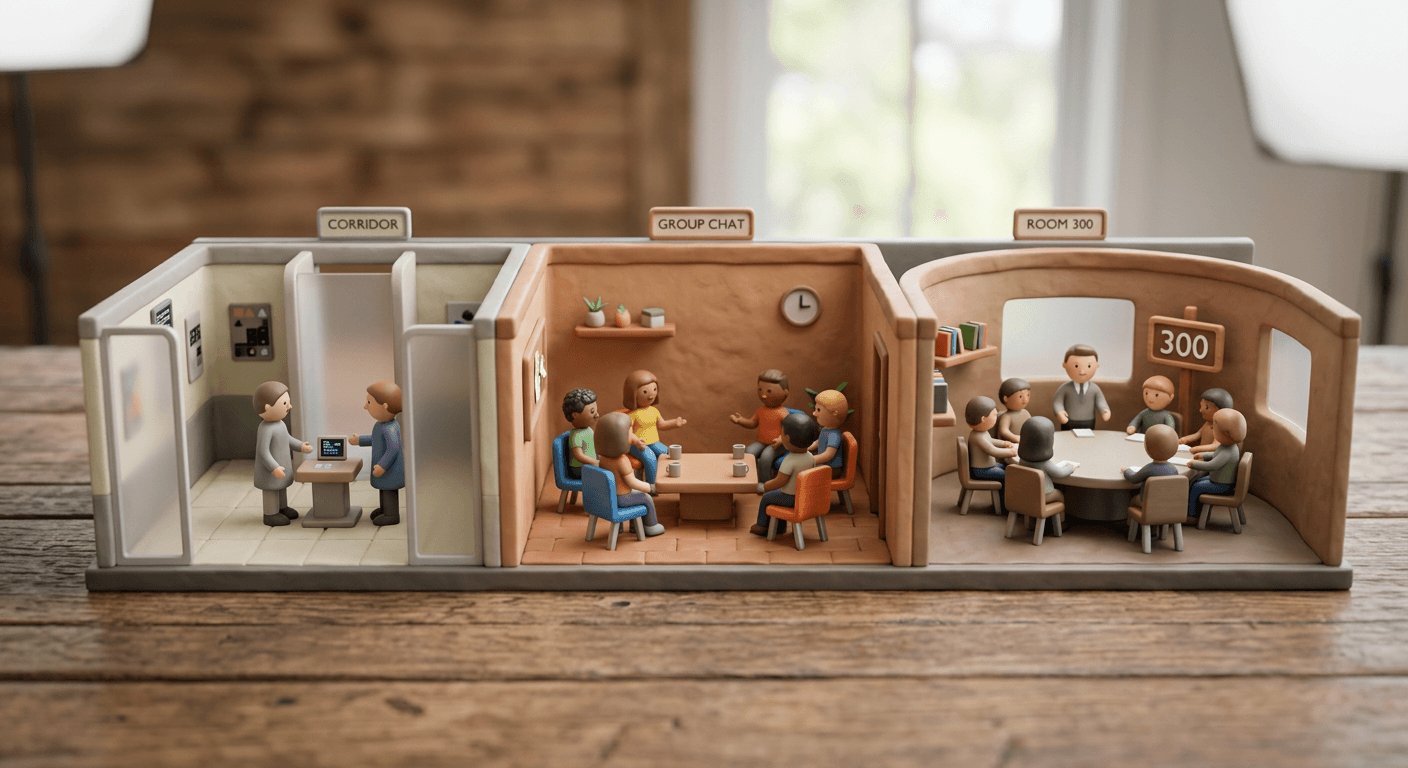
Why the Moderation Layer Is Not Optional Detail
Because members can post unprompted and the room can run up to 300 people, TikTok built Creator Chat Room with the same safety tooling as its existing Group Chat feature: appointed moderators can block and ban members from the room, and any member can report content or an account directly. Everything posted inside a room still has to abide by TikTok's Community Guidelines, and the platform has stated this applies exactly the same way it applies everywhere else on TikTok. This is a meaningfully different posture than a private Discord server or an unmoderated group chat on a messaging app with no built-in reporting path back to the platform. A creator who has run a Discord community before will likely find the moderation controls here more limited than a full Discord setup with custom bots and role permissions, but also considerably simpler to actually operate day to day, since the block, ban, and report tools live in the same app the room itself runs in rather than requiring a separate moderation bot to configure.
The Retention and Monetization Logic: Why TikTok Is Building This Now
Creator Chat Room did not appear in isolation. It landed alongside a broader shift in how TikTok structures creator-fan monetization that has been building since TikTok replaced LIVE Subscriptions with a restructured Fan Club and Super Fan system, separating community-building from paid-tier perks into two distinct products. That change matters for understanding Creator Chat Room specifically, because the room's eligibility requirement, a Subscription or an active LIVE Fan Club, ties it directly into that same retention infrastructure rather than treating it as a standalone perk. Our full breakdown of how TikTok monetization actually works in 2026 covers that broader shift toward creators stacking multiple income streams, of which Fan Club and Subscription-driven perks like Creator Chat Room are one meaningful piece.
The underlying logic is straightforward once you look at where creator income on TikTok actually comes from right now. Native TikTok monetization programs, the Creator Rewards Program, LIVE Gifts, and similar in-app tools, make up a relatively small share of total creator earnings compared to brand partnerships and TikTok Shop affiliate commissions. That imbalance is a problem for TikTok's own platform stickiness: a creator whose income depends mostly on brand deals and Shop commissions has less structural reason to stay loyal to TikTok specifically over a competing platform, since those revenue streams are portable in a way that a built-in TikTok feature is not. Subscriptions and Fan Club perks, Creator Chat Room chief among the newer ones, are TikTok's lever for making the platform itself, not just the audience a creator happens to have built there, part of what a creator would lose by leaving.
Why Gating the Room Behind a Real Value-Add Is the Point, Not a Bug
It would be easy to read the Subscription-or-Fan-Club requirement as an arbitrary technical gate, but it is doing real work. A private community space that anyone could join for free carries no cost to abandon and, more importantly, gives a paying Subscription or Fan Club member nothing tangible beyond what a free follower already gets. Tying room access to an active paid or community tier makes the room itself part of the actual value proposition of subscribing, which is the same logic behind why Patreon-style membership tiers on other platforms almost always include some kind of direct-access perk, a Discord role, a members-only livestream, on top of just the content itself. A creator who treats their Creator Chat Room as genuinely exclusive, reserved specifically for people who have taken the extra step of subscribing or joining the Fan Club, gives their paid tier a reason to exist beyond early access to videos that will become public within days anyway.
The Competitive Context: Closing a Real Gap With Discord and Private Communities
Creator communities built around a shared interest in one specific creator have existed for years, just not natively inside the platform where that creator actually publishes. Discord has been the default home for this for most of the last decade: countless creators run a Discord server alongside their TikTok, YouTube, or Twitch presence specifically because none of those platforms offered a comparable built-in space. That arrangement has always had real friction built into it. A fan has to leave TikTok entirely, create or already have a Discord account, find the invite link, and learn a genuinely different app's interface and norms just to participate in a creator's community. Every one of those steps loses some percentage of interested fans before they ever send a first message.
Creator Chat Room collapses that friction to zero by keeping the entire community inside the app the fan already has open. It also gives TikTok something a third-party Discord server never could: direct visibility into engagement inside that private community, and a natural on-ramp from a fan's very first Subscription or Fan Club interaction straight into the room, no separate invite link or account creation required. Whether Creator Chat Room actually displaces creator Discord servers at scale remains to be seen, since Discord's moderation tooling and bot ecosystem are considerably more mature, but the strategic intent is clearly to make TikTok itself, rather than a linked third-party app, the place where a creator's most loyal fans actually spend time talking to each other and to the creator.

A Worked Example: Running a Pre-Publish Content Feedback Loop
Of the use cases TikTok itself names, gathering direct feedback on video ideas before publishing is the one with the clearest, most repeatable workflow behind it, and it pairs naturally with a fast content pipeline. Here is what that actually looks like end to end.
Say you are deciding between two directions for your next video: a straightforward tutorial format or a narrative, story-driven cut of the same underlying information. Instead of guessing, or posting a vague "which should I make next" text prompt into your comments where only a fraction of your audience will ever see it, you generate a quick draft of each version. Text2Shorts inside Miraflow can take a topic, generate a script, and produce a rough vertical video for each direction in a single workflow, fast enough that you are comparing two real drafts rather than two abstract pitches. Alongside the video drafts, you generate two or three thumbnail or cover options using Miraflow's AI Image Generator, giving your room something visual to react to immediately, before anyone has to sit through a full video to have an opinion.
You drop both rough cuts and the thumbnail options directly into your Creator Chat Room, with a short note asking which direction people would actually want to watch. Because members can post without being prompted, you get an actual conversation rather than a silent vote: someone might point out that the tutorial version buries the most interesting part four sentences too late, someone else might say the narrative cut runs too long before it gets to the point. If you have appointed moderators, one of them can informally tally reactions or pin the clearest feedback thread so it does not get buried once fifteen more messages come in behind it. Within a day, sometimes within an hour if your room is genuinely active, you have real signal: not just which version people liked, but specific, actionable notes on why, delivered by the exact audience segment most likely to actually watch and share the finished video once it goes public.
That feedback loop changes what "finishing" a video means. Instead of committing a full production cycle to your best guess and finding out after publishing whether it landed, you spend a small amount of draft-generation time up front and let your most engaged 300 people de-risk the decision before you invest real editing time into the winning direction. It is worth being honest about the tradeoff here too: this only works if your room's members actually see the value in giving real feedback rather than rubber-stamping whatever you post, which is exactly why treating the room as a genuine two-way space matters more than treating it as a survey tool.
The same loop extends naturally past the initial publish decision. Once the winning video goes live and performs well, the conversation inside the room about it, a strong reaction someone shared, a follow-up question that came up repeatedly, a specific moment members kept referencing, is itself a source of new content. Running that room conversation, or an earlier LIVE Q&A tied to the same topic, through Miraflow's AI Clipping tool can turn a longer recording into several new captioned Shorts built around the exact moments your most engaged fans already reacted to, closing the loop from private feedback back into public content without starting the next idea from a blank page.

Common Mistakes Creators Make With Creator Chat Room
A feature this new tends to get misused in a handful of predictable ways before creators settle into what actually works. A few of these are worth naming specifically because they are easy to fall into without noticing.
- Over-moderating the room into silence. Appointing five moderators and giving them an aggressive mandate to remove anything even mildly off-topic sounds like good hygiene, but a room where every tangent gets deleted and every joke gets a warning teaches members that spontaneous posting is not actually welcome, which directly undercuts the entire reason TikTok let members post unprompted in the first place. Moderation should target genuine Community Guidelines violations and real disruption, not steer the room's tone into something closer to a customer service queue.
- Under-moderating and letting a small number of people dominate or derail it. The opposite failure is just as common. A 300-person room with zero active moderation tends to develop the same dynamic any large unmoderated group does: a handful of the loudest or most argumentative members end up shaping the room's tone for everyone else, and quieter members who might have contributed real value simply stop engaging or leave. Appointing moderators and giving them a light, consistent hand, rather than either extreme, is what actually keeps a 300-person room feeling worth staying in.
- Using it as a pure broadcast channel instead of a real conversation space. This is the single most common way a Creator Chat Room ends up feeling exactly like the Instagram Broadcast Channel it was deliberately built to be different from. A creator who only ever posts announcements into the room, never responds to what members post back, and treats it as a one-way notification feed is throwing away the actual feature TikTok built. If your room's message history is 90 percent creator posts and 10 percent member replies, that ratio is worth treating as a warning sign, not a metric of how active you personally are in the space.
- Not gating the room behind a real value-add, so it churns. A room that offers nothing a fan could not already get from your public videos and comment section gives a Subscription or Fan Club member no real reason to keep paying once the initial curiosity wears off. Genuine exclusivity, actual behind-the-scenes content, real early access, pre-publish votes that visibly shape what you make next, is what keeps a paid-tier room from becoming a line item a fan quietly cancels a month in. If members cannot point to something specific they get from the room that they would lose by leaving, expect the churn rate on whatever tier gates it to climb.
- Ignoring the 300-member ceiling until it is already a problem. As covered above, plenty of eligible creators clear 300 engaged Subscription or Fan Club members quickly. Waiting until the room is already full and fans are asking why they cannot get in to decide on a rotation policy or a second room creates avoidable frustration that a five-minute decision made in advance would have prevented entirely.
- Treating every room the same regardless of what it is actually for. A creator running multiple rooms under the 20-room ceiling but giving them all identical rules and identical content misses the actual advantage of having more than one room available. A room segmented by content type, membership tier, or region can run a genuinely different tone and cadence than a general catch-all room, and collapsing that distinction wastes the flexibility TikTok built in.
Bringing Miraflow Into Your Creator Chat Room Workflow
The pre-publish feedback loop above is the clearest natural fit between Creator Chat Room and a fast content pipeline, but it is worth being specific about where each tool actually saves real time rather than just naming them in passing. Text2Shorts handles the heaviest lift, turning a topic into a scripted, voiced vertical video without a full production cycle, which is exactly what makes it realistic to generate two competing directions for a video instead of committing to just one guess. Miraflow's AI Image Generator covers the thumbnail and cover-option side of the same loop, letting you drop two or three real visual choices into your room rather than describing them in text and asking members to imagine which one would actually catch their attention on the For You page. And once a room conversation, a LIVE Q&A, or a behind-the-scenes recording generates a genuinely good moment, AI Clipping can turn that longer recording into ready, captioned Shorts scored for viral potential, a natural way to surface the room's best moments to your wider public audience instead of letting them stay locked inside a private thread only 300 people ever see.
None of this requires restructuring your entire workflow around Creator Chat Room. It works as an added step at the two points where creators already lose the most time: deciding what to make next, and deciding which version of a finished asset to actually publish. Feeding both of those decisions into a room full of the people most likely to actually watch and share the result is a genuinely different kind of signal than guessing alone or reading a scattered handful of top comments.

Where This Fits Into Your Broader TikTok Strategy
Creator Chat Room is one piece of a bigger set of changes in how TikTok treats its most engaged creators and their communities in 2026. If you are still building toward the 10,000-follower and Subscription or Fan Club thresholds this feature requires, our guide to TikTok's algorithm in 2026 and our complete TikTok best practices guide cover the growth fundamentals that get an account to the point where a room like this becomes worth opening at all. If monetization is the more pressing question, our breakdown of how much TikTok actually pays creators through RPM and our wider look at TikTok monetization strategies in 2026 cover where a Subscription or Fan Club tier, the prerequisite for a Creator Chat Room, actually fits into a creator's income. And if you want your room's conversations to actually connect back to discoverability once you turn feedback into finished videos, our guide to TikTok SEO and Creator Search Insights is worth pairing with whatever you learn inside the room itself. It is also worth keeping an eye on how TikTok's other recent comment and messaging changes interact with this feature; our breakdown of TikTok's newest comment section features, including Voice Comments and Comment Polls, covers tools that work well alongside a Creator Chat Room rather than competing with it, since a poll or a voice reply inside your public comments can be exactly what surfaces the next question worth bringing into the private room. You can browse the rest of our TikTok coverage on the Miraflow AI blog if you are building out a fuller strategy rather than reacting to one feature at a time.
Frequently Asked Questions
Who is eligible to open a TikTok Creator Chat Room? You need to be at least 18 years old, have at least 10,000 followers, and have either a Subscription or a LIVE Fan Club currently active on your account. All three conditions have to be true at once.
How many people can be in one Creator Chat Room? Each room is capped at 300 members. A creator can run up to 20 separate rooms, so an account with more than 300 engaged Subscription or Fan Club members is not limited to a single room.
Can members post in the room whenever they want, or only when the creator asks? Community members can post without being prompted by the creator first. This is a deliberate design choice that distinguishes Creator Chat Room from a one-way broadcast channel, and it is the reason the room needs real, ongoing moderation rather than none at all.
How do followers actually get into a room? Through an active Subscription, during one of the creator's LIVE broadcasts, or through a direct invite from the creator. It is not an open, publicly joinable room.
How many moderators can a creator appoint? Up to 5 moderators per room, who can block and ban members and help enforce the room's rules, alongside the same reporting tools available anywhere else on TikTok.
Is a Creator Chat Room the same thing as a regular TikTok Group Chat? No. A standard Group Chat has no eligibility requirement and anyone can start one with a handful of people. A Creator Chat Room requires the creator to meet TikTok's specific eligibility bar, ties into an active Subscription or Fan Club, supports up to 300 members instead of a small informal group, and comes with creator-specific moderation tooling a plain Group Chat does not have.
Does opening a Creator Chat Room cost anything? TikTok has not described a separate fee to open the room itself; the requirement is having an active Subscription or LIVE Fan Club running on your account already, which is the same paid or community tier many creators use for other monetization purposes.
What happens if I lose my Subscription or Fan Club status after opening a room? TikTok's own eligibility framing ties the feature to having one of these active, so letting both lapse is the most common reason a previously available Creator Chat Room option can disappear from Creator Tools. Keeping at least one of the two running is worth checking if the option ever stops showing up where you expect it.
Conclusion
Creator Chat Room is TikTok's clearest bet yet that the future of creator-fan retention runs through private, two-way community spaces rather than just a bigger public following. The eligibility bar, 18 and older, 10,000 followers, an active Subscription or LIVE Fan Club, is specific and checkable, the 300-member cap with a 20-room ceiling gives creators real room to scale a community without losing what makes it feel exclusive, and the decision to let members post without being prompted is what actually separates this from a broadcast channel with a chat skin. The creators who get the most out of it will be the ones who treat it as a genuine conversation space worth moderating carefully, gate it behind real value their fans would miss if it disappeared, and use it for exactly the kind of decision it is built for, like running a pre-publish feedback loop with a rough draft from Text2Shorts or a couple of thumbnail options from Miraflow's AI Image Generator, rather than treating a 300-person room full of your most engaged fans as just another place to post the same announcement you already put in your caption.