10 YouTube Thumbnail Trends in 2026 You Should Be Using

Written by
Jay Kim
Discover the 10 biggest YouTube thumbnail design trends in 2026 — with AI prompts for each one you can use directly in Miraflow's YouTube Thumbnail Maker.
Thumbnails that crushed it two years ago look dated today.
YouTube's visual meta keeps shifting — and what earns clicks in 2026 looks noticeably different from what worked in 2023. Less clutter. More cinematic. Bolder text. Cleaner compositions that hold up on a 4-inch phone screen in a crowded feed.
The good news: you don't have to reverse-engineer the trends from scratch. This post gives you the 10 biggest YouTube thumbnail trends in 2026 — and for each one, a ready-to-use AI prompt you can paste directly into Miraflow's YouTube Thumbnail Maker to generate that exact style in under a minute.
TL;DR – What's Trending in YouTube Thumbnails Right Now
- The biggest shift in 2026 is less clutter, more impact: fewer elements, bigger text, stronger contrast.
- Cinematic and dark aesthetics are up sharply — high-production, moody visuals pull more clicks than generic bright backgrounds.
- Extreme close-up faces are outperforming mid-shots and full-body compositions in most niches.
- Minimalist text-first thumbnails are making a comeback as a way to stand out against visually noisy feeds.
- AI-generated backgrounds — surreal scenes, abstract gradients, stylized environments — are now mainstream, not a niche trick.
- Use these prompts in Thumbnail Prompt inside YouTube Thumbnail Maker on Miraflow. Set 16:9 Video for standard uploads and 9:16 Shorts for vertical content.
How These Trend Prompts Work Inside Miraflow's Thumbnail Maker
For each of the 10 trends below, you'll find a ready-to-use AI prompt you can paste into Thumbnail Prompt in Miraflow's YouTube Thumbnail Maker.
Two ways to use them:
- Use them as-is for a fully AI-generated composition — just paste and generate.
- Or upload your own face or product via Upload reference image, then add a line like "Use the uploaded person as the main subject in the thumbnail." to place yourself inside the trend style.
You can also:
- Click the Randomize button to get fresh variations between generations.
- Open Show Advanced Settings → Negative Prompt and add "blurry, low quality, messy text, distorted faces, cluttered background" to improve output quality across all prompts.
1. Cinematic Film-Style Thumbnails
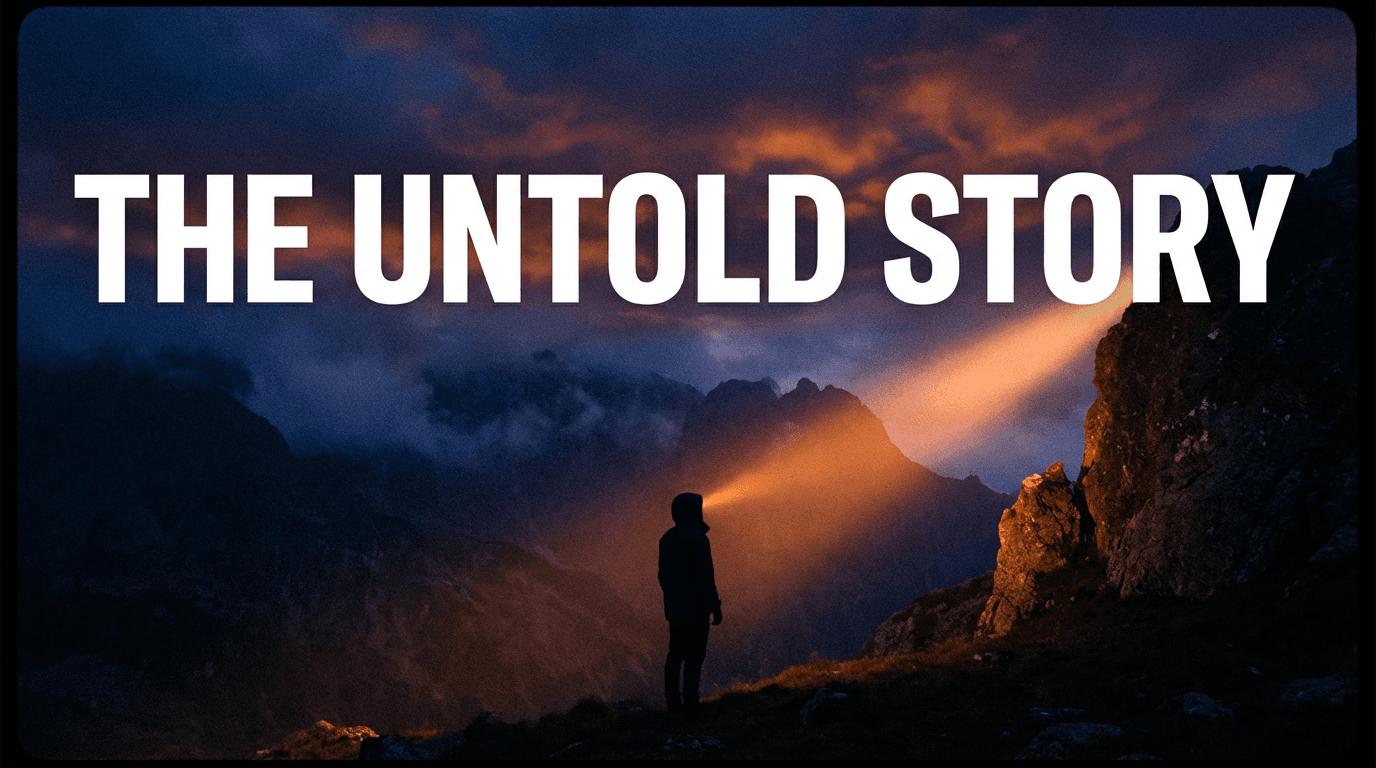
Viewers are trained by streaming platforms to associate dark, dramatic, high-production visuals with quality content. Thumbnails that look like movie posters or prestige drama stills signal "worth watching" before a single frame plays.
Best for: documentaries, storytelling vlogs, finance, travel, true crime, gaming.
AI Prompt (Thumbnail Prompt):
YouTube cinematic thumbnail: dramatic wide shot of a person or scene, lit with deep shadows and a single strong key light from one side. Dark, moody color grade — deep blues and warm oranges. Cinematic letterbox proportions, subtle film grain texture. Background is slightly blurred or atmospheric. High contrast, professional, movie-poster feel. Space in the upper third for bold white text. No clutter, clean and powerful.
If using Image Compositing:
Add: "Use the uploaded person as the main subject, applying cinematic lighting and dark film-grade color treatment around them."
Thumbnail Text ideas:
- "The Untold Story"
- "Everything Changed"
- "I Didn't Expect This"
2. Extreme Close-Up Face Thumbnails
The trend toward extreme close-ups isn't slowing down. A single massive face — with a clear, intense expression — communicates emotion instantly, even at the small card size on mobile. The face is the entire thumbnail.
Best for: commentary, reaction content, personal vlogs, mental health, relationship advice, self-improvement.
AI Prompt (Thumbnail Prompt):
YouTube extreme close-up face thumbnail: face fills 90% of the frame, cropped just above the forehead and below the chin. Intense, wide-eyed expression — shocked, excited, or deeply concerned. Studio-bright front lighting with a slight colored glow from behind in warm orange or cool blue. Soft blur on the background behind the subject. High contrast, sharp facial details. A small amount of space on one side for very short bold text. Modern YouTube commentary style.
If using Image Compositing:
Add: "Use the uploaded person's face as the extreme close-up subject, filling most of the frame with a strong expression and bright directional lighting."
Thumbnail Text ideas:
- "I Can't Believe This"
- "No One Talks About This"
- "Finally."
3. Neon Glow / Dark Background Aesthetic
Dark thumbnails with vivid neon accents — electric blues, hot pinks, acid greens — stand out sharply against the bright, beige, and busy thumbnails that dominate most feeds. This trend leads in tech and gaming and is spreading fast into finance, education, and personal brand content.
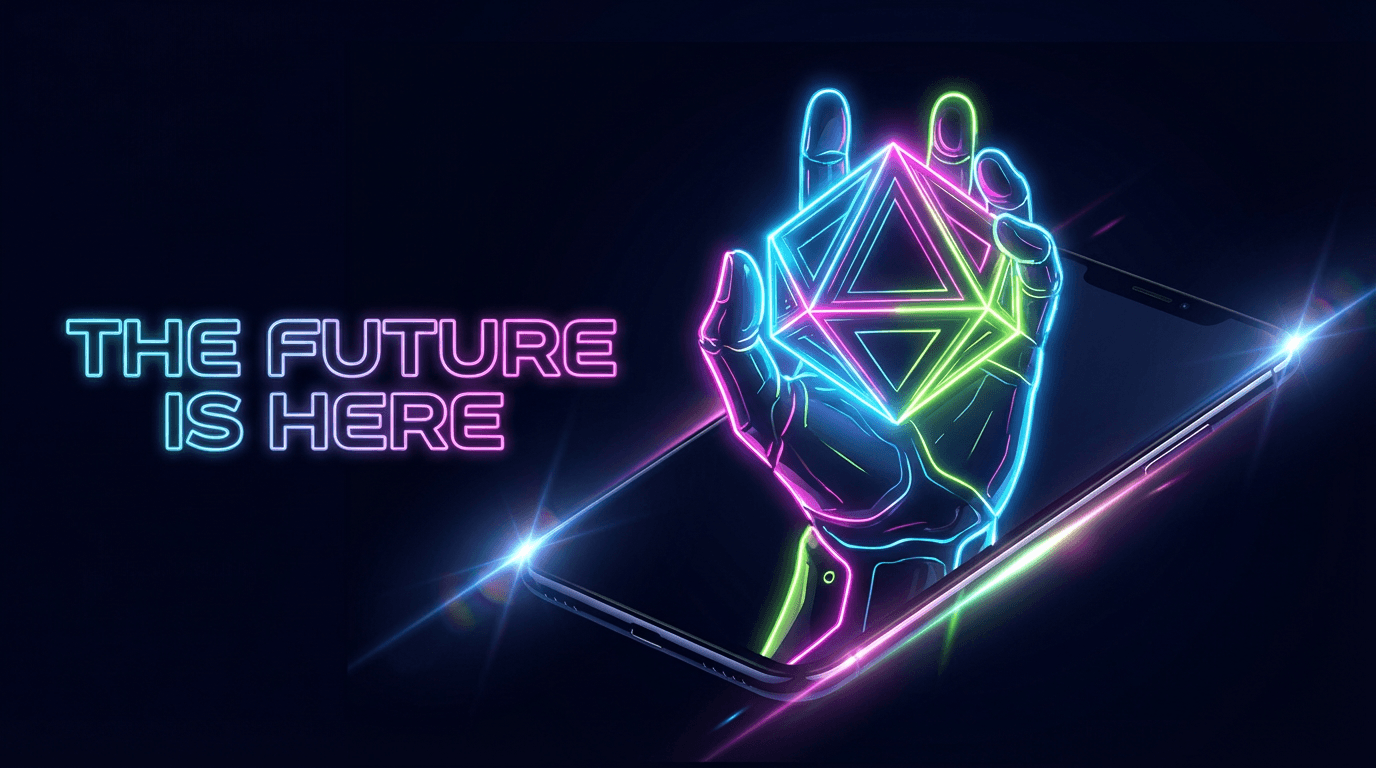
Best for: tech, gaming, productivity, AI tools, futurism, finance, software tutorials.
AI Prompt (Thumbnail Prompt):
YouTube neon glow thumbnail: near-black or deep navy background. A single subject or object in the center, lit by vivid neon accent lights from the edges. Neon color palette of electric blue, hot pink, or acid green creating glowing outlines. Subtle lens flare and light reflection on surfaces. High contrast between the dark background and the glowing elements. Futuristic, sharp, modern. Space on one side for bold neon-tinted text. Clean composition, minimal clutter.
If using Image Compositing:
Add: "Use the uploaded person or product as the center subject, surrounded by neon glow edge lighting against a dark background."
Thumbnail Text ideas:
- "This Changes Everything"
- "The Future Is Here"
- "No One Is Talking About This"
4. Minimalist Text-First Thumbnails
When every creator is using bright colors, shock faces, and busy compositions, going in the opposite direction works as a pattern interrupt. Bold headline, clean background, almost no imagery — it reads like an editorial headline and earns clicks because it stands out.
Best for: thought leadership, business, education, writing, newsletters, strategy content, niche audiences.
AI Prompt (Thumbnail Prompt):
YouTube minimalist text-first thumbnail: clean, near-empty background — a solid color or subtle gradient in beige, off-white, or soft grey. One large, bold central text area dominating most of the frame. Minimal to no imagery behind the text. Simple editorial design that resembles a book cover or magazine headline. No decorative elements. High contrast between the text and background. Modern, intellectual, premium feel.
Thumbnail Text ideas:
- "The Honest Truth"
- "Stop Playing Small"
- "This Is Why You're Stuck"
For this style, the Thumbnail Text field in Miraflow is especially important — type your exact headline in there so it renders as bold, prominent text inside the generated design.
5. Split-World / Contrast Thumbnails
Contrast thumbnails — showing two very different realities, people, or outcomes side by side — have been a YouTube staple for years, but the 2026 version is sharper and more polished. Clean dividers, balanced lighting on both halves, and a clear visual story that reads immediately even at small scale.
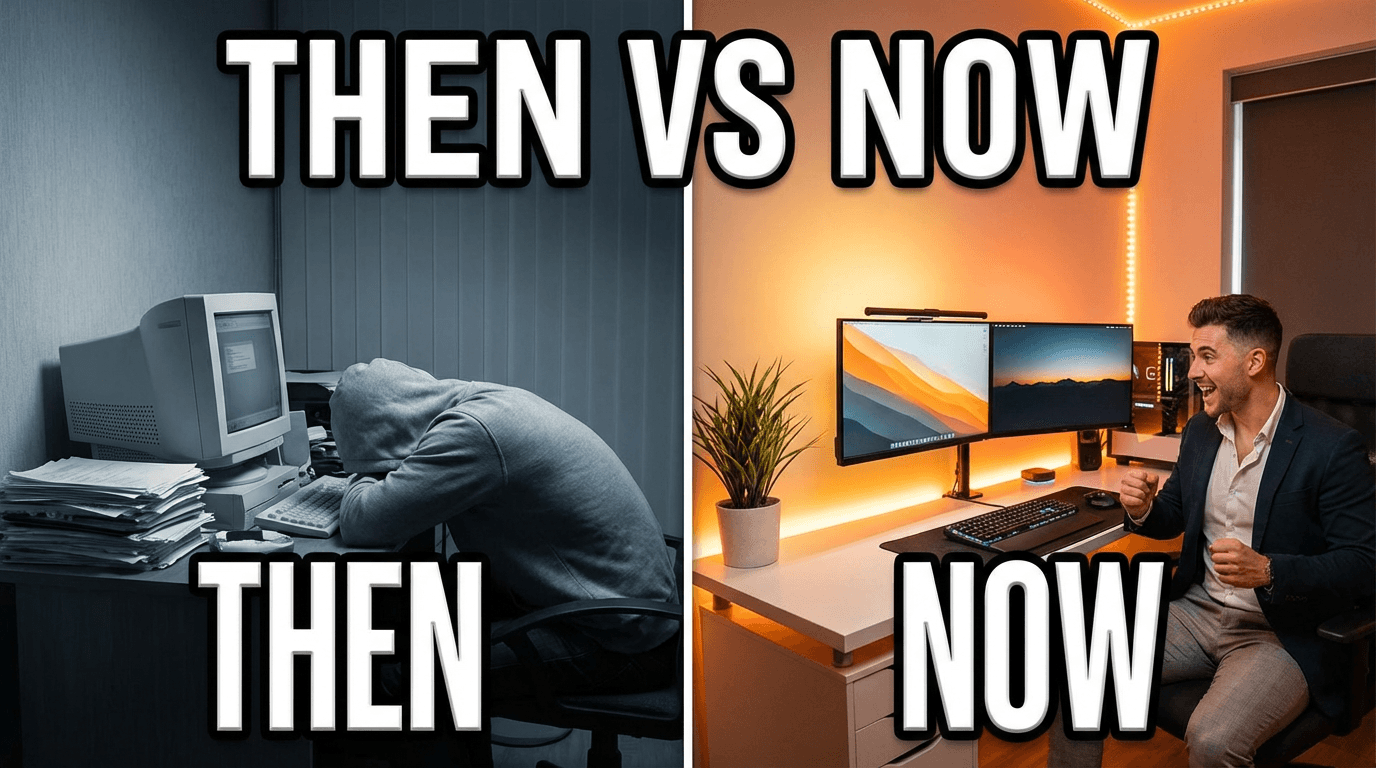
Best for: comparison videos, challenge content, rich vs poor, before/after, pros vs cons, decision-style content.
AI Prompt (Thumbnail Prompt):
YouTube contrast split thumbnail: frame perfectly divided into two halves by a clean vertical or diagonal divider. Left side: a dull, limited, or negative scenario with muted desaturated colors and flat lighting. Right side: a vibrant, elevated, or positive scenario with rich warm saturated colors and strong lighting. Both sides have matching composition and mirrored framing for visual symmetry. Space at the top for bold text. High contrast, polished, modern YouTube style.
If using Image Compositing:
Add: "Use the uploaded person as the main subject on one or both sides of the split, showing contrasting expressions, outfits, or settings."
Thumbnail Text ideas:
- "Rich vs Broke"
- "Then vs Now"
- "Which One Are You?"
6. 3D Floating Object / Product Thumbnails
A single product or object — isolated, floating in space, dramatically lit — has moved well beyond tech content. Cooking tools, books, fitness gear, apps, and any kind of product or recommendation benefit from this hyper-clean, premium treatment that makes one item feel like the entire story.
Best for: product reviews, gear roundups, book recommendations, app reviews, cooking tools, fitness equipment.
AI Prompt (Thumbnail Prompt):
YouTube 3D floating object thumbnail: a single object centered in the frame, floating in mid-air against a clean gradient background — dark on one side, slightly lighter on the other. Dramatic studio lighting from above and slightly to the side. Subtle shadow and glow reflection below the object suggesting it is floating. No background clutter. The object looks sharp, hyper-real, and premium. Space on one side for bold text. Modern product photography aesthetic, minimal and striking.
If you upload your own product photo:
Add: "Use the uploaded product as the floating main object, preserving its shape and colors while adding dramatic studio lighting and a clean gradient background."
Thumbnail Text ideas:
- "Is This Worth It?"
- "Game Changer"
- "I Switched to This"
7. Retro / Film Grain Aesthetic
Film grain, faded colors, retro typography, and vintage photo textures are trending as a deliberate counter to the clean digital look of most thumbnails. This style works as a pattern interrupt and reads as authentic and human — it feels crafted rather than templated.
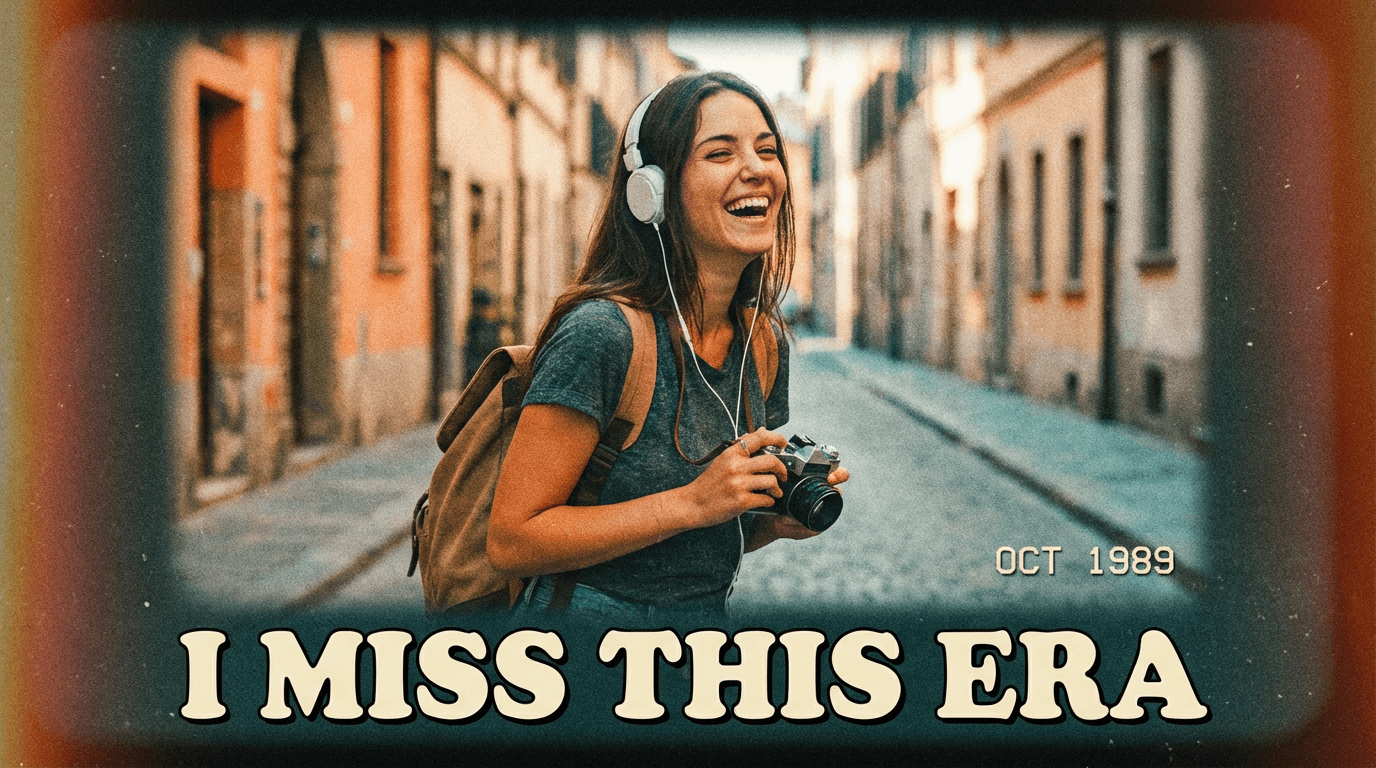
Best for: nostalgia content, personal stories, music, lifestyle vlogs, fashion, food, travel.
AI Prompt (Thumbnail Prompt):
YouTube retro film thumbnail: vintage film photography aesthetic with visible grain texture, slightly faded and washed-out colors. Warm orange and teal color grade, soft vignette on the edges, subtle lens imperfections. Subject placed slightly off-center with a natural, candid composition. Space at the top or bottom for bold text in a retro serif or distressed style. Feels like an analog photograph from the 1980s or 90s. Authentic, warm, cinematic.
If using Image Compositing:
Add: "Use the uploaded person as the main subject, applying retro film grain, faded color grading, and a vintage vignette treatment around them."
Thumbnail Text ideas:
- "I Miss This Era"
- "Before It All Changed"
- "The Old Way Was Better"
8. Surreal AI Background Thumbnails
AI-generated thumbnails with surreal or hyper-realistic fantasy environments — impossible landscapes, dramatic cosmic skies, stylized futuristic cities — are now a mainstream aesthetic. They communicate scale and production value without requiring a location shoot or studio budget.
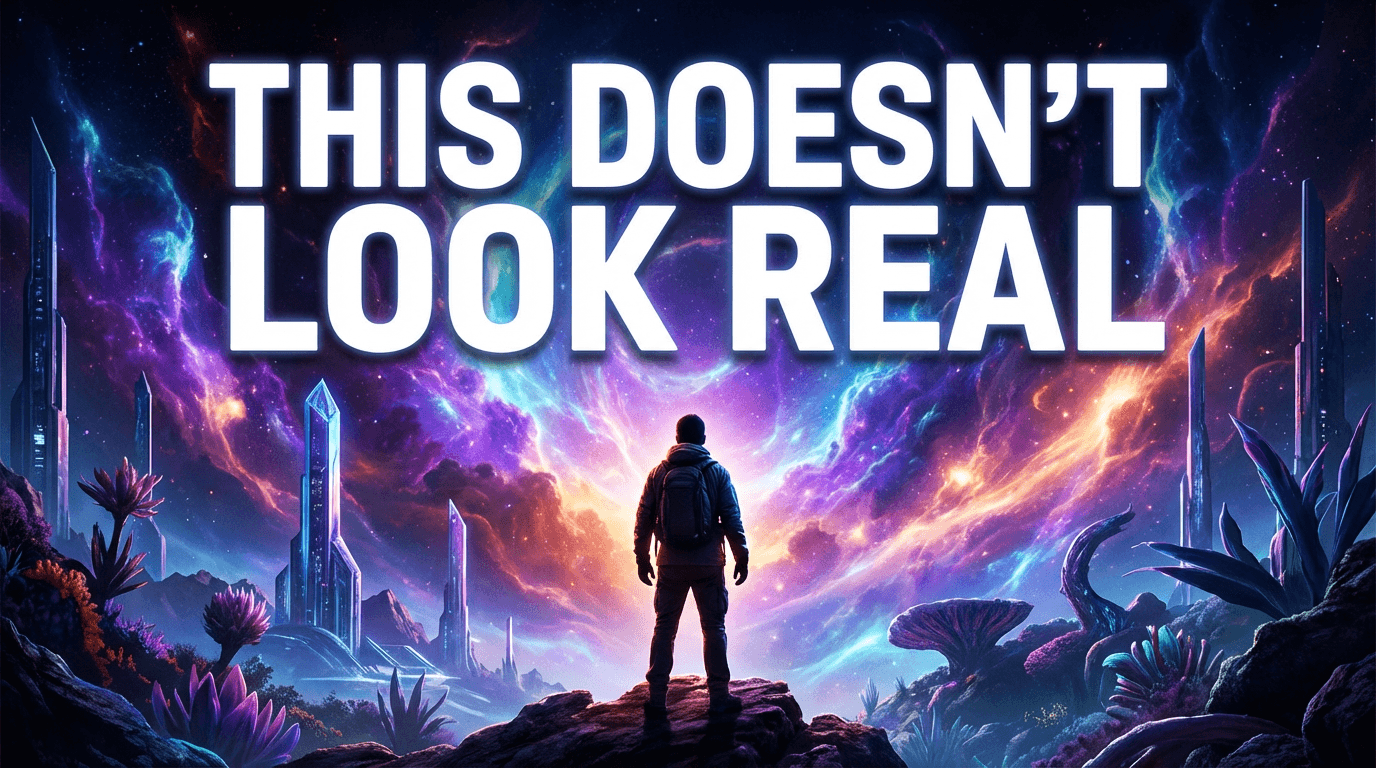
Best for: education, science, travel, motivation, gaming, storytelling, self-improvement.
AI Prompt (Thumbnail Prompt):
YouTube surreal background thumbnail: a person or subject placed in front of a dramatic, fantastical AI-generated environment — a glowing cosmic landscape, a hyper-real futuristic cityscape, or an otherworldly natural scene. The background is vivid and impossible-looking but photorealistic in quality. Strong atmospheric lighting from the environment that hits the subject naturally. The subject stands out sharply against the epic scene. Space for bold text overlay. High-production, awe-inspiring, cinematic feel.
If using Image Compositing:
Add: "Place the uploaded person into the surreal environment as the main subject, matching the environmental lighting naturally to their figure and clothing."
Thumbnail Text ideas:
- "I Went Here"
- "This Doesn't Look Real"
- "What If Everything Changed"
9. Monochrome + One Color Pop
Black and white — with a single vivid accent color — is a technique that has moved from editorial photography into YouTube thumbnails. The contrast is immediate: your eye goes straight to the one colored element, and that's where your text or face lives.
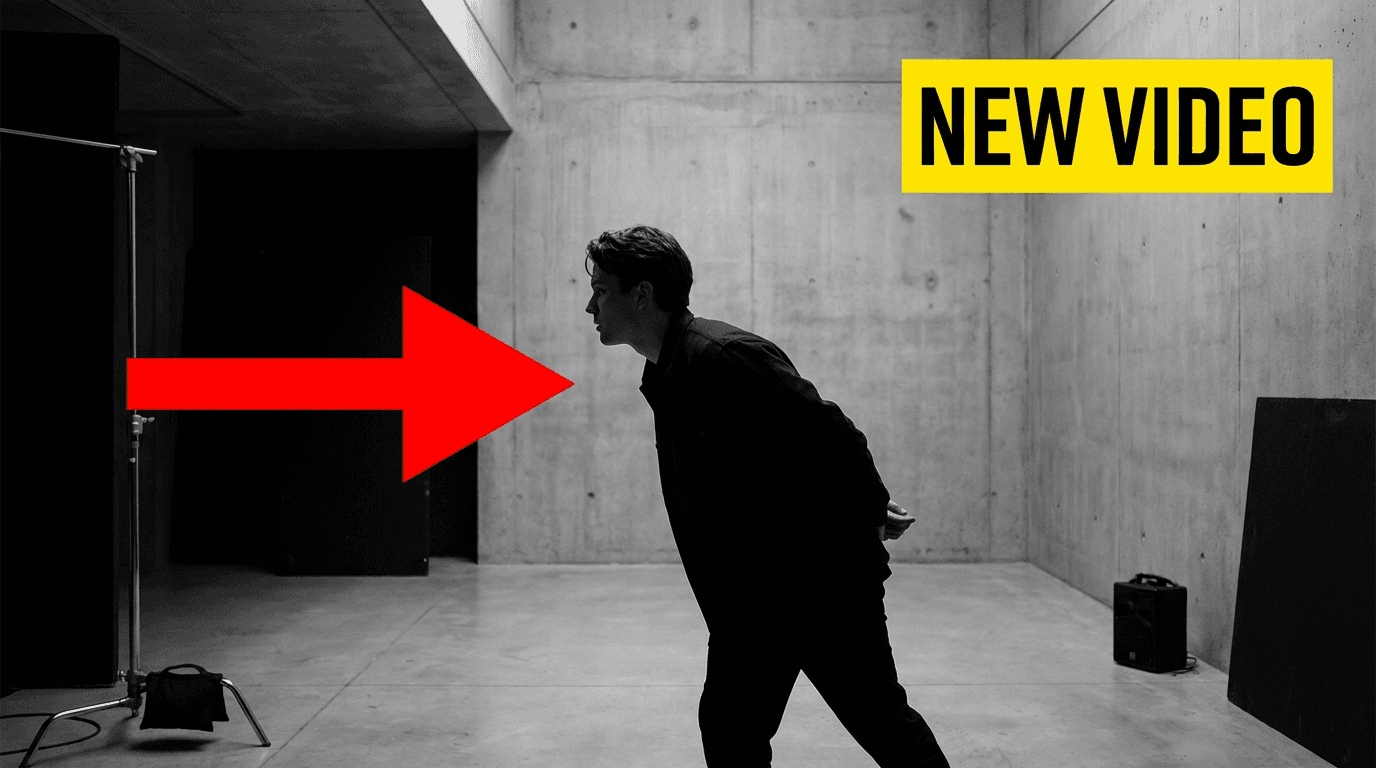
Best for: business, strategy, personal brand, motivation, minimalist creators, fashion, finance.
AI Prompt (Thumbnail Prompt):
YouTube monochrome plus color pop thumbnail: entirely black and white except for one single element in vivid, saturated color — a bright red arrow, a bold yellow text block, a neon green icon, or a vivid color highlight on one part of the subject. High contrast, editorial, graphic feel. The black-and-white elements create a calm base while the color pop draws the eye instantly. Clean composition with space for bold text. Modern and striking.
If using Image Compositing:
Add: "Use the uploaded person in black and white as the main subject. Add a single vivid color pop element — like a bright accent on their clothing or a colored graphic beside them — to direct attention."
Thumbnail Text ideas:
- "One Rule Changed Everything"
- "The Only Thing That Matters"
- "This Is the Difference"
10. Mobile-First Vertical Thumbnails for Shorts
Shorts thumbnails in 2026 are not an afterthought — they are a full design discipline. Creators who treat their Shorts thumbnail as a dedicated 9:16 vertical composition, rather than a cropped version of a landscape thumbnail, see measurably higher click rates in the Shorts feed, search, and channel shelf.
Best for: Shorts-first channels, repurposed TikTok or Reels content, vertical creators.
AI Prompt (Thumbnail Prompt):
YouTube Shorts vertical thumbnail in 9:16 format: full-bleed vertical composition designed for mobile. Subject fills the center of the frame from waist to just above the head, leaving clear space above and below for bold text. Background is vivid and high-contrast — a bright gradient, abstract color shapes, or a saturated solid color. Large bold text placement near the top third of the frame. Clean edges, minimal clutter, strong contrast. Designed to be read immediately at phone-screen thumbnail size.
If using Image Compositing:
Add: "Use the uploaded person as the centered vertical subject in a 9:16 composition, with bold mobile-first layout and a vivid high-contrast background."
Thumbnail Text ideas:
- "You Need to See This"
- "Wait for It"
- "3 Seconds That Change Everything"
In Miraflow, switch to Aspect Ratio → 9:16 Shorts before generating this one to get the correct vertical format automatically.
How to Layer Two Trends for Stronger Results
The highest-performing thumbnails in 2026 don't pick a single trend — they combine two. The rule is simple: pair one trend that adds visual richness with one that adds restraint.
A few combinations that work well right now: Cinematic + Extreme Close-Up gives you dark moody lighting with a massive face filling the frame — dominant in documentary and storytelling niches. Neon Glow + Minimalist Text delivers a striking dark background with very few visual elements beyond the glowing headline — ideal for tech and productivity. Retro Aesthetic + Contrast Split creates a vintage-toned before/after with film grain on both panels — strong for lifestyle and personal growth. Surreal Background + Monochrome Subject puts a desaturated person in front of a vivid AI-generated environment, making the thumbnail look intentionally crafted rather than generated.
Pick the trend that fits your niche first. Once you've used it a few times and confirmed it's working for your audience, layer a second trend on top to deepen the visual impact.
How to Generate These Trend Styles in Miraflow
Here's how to use any of the 10 prompts above in Miraflow's YouTube Thumbnail Maker:
- Go to YouTube Thumbnail Maker on Miraflow.
- Set your Aspect Ratio:
- 16:9 Video for standard YouTube thumbnails
- 9:16 Shorts for vertical Shorts thumbnails (required for Trend #10)
- Paste the AI prompt from your chosen trend into Thumbnail Prompt.
- Add your short headline to Thumbnail Text — 3 to 5 words works best. This renders as bold text directly inside the generated design.
- (Optional) Click Upload reference image if you want your face, a product, or an example thumbnail in the output. Include the image compositing line from the relevant trend above.
- (Optional) Open Show Advanced Settings and add a Negative Prompt like: "blurry, distorted face, low quality, messy text, cluttered background, overexposed"
- Click Generate Thumbnail. Your results will appear in My Thumbnails — download whichever version you prefer and upload directly to YouTube.
Once you've run a few generations, try this: generate 2–3 variations of the same trend and compare them side by side at phone-screen size. The version that still reads clearly at the smallest scale is almost always the strongest choice for your video.
Conclusion
Thumbnail trends move fast — and the visual language that earns clicks in 2026 is noticeably different from even two years ago.
The 10 trends above — cinematic, extreme close-up, neon glow, minimalist text, contrast split, 3D floating object, retro film, surreal AI background, monochrome color pop, and mobile-first Shorts — represent where creator attention is flowing right now.
You don't have to manually design any of them. Paste the prompt for the trend you want into Miraflow's YouTube Thumbnail Maker, add your headline, and generate. Each prompt is built to produce thumbnails that look YouTube-native — not AI-generic — in that trend's specific style.
Pick one trend that fits your niche. Generate a few variations. See which one earns more clicks. Then build your thumbnail style around what works — and stay ahead of the feed.