22 AI Concert Jumbotron & Fan-Cam Prompts for the Viral Stadium Trend (Copy & Paste)

Written by
Aerin Kim

The AI concert jumbotron trend is taking over TikTok and Reels in 2026. Here are 22 copy-paste prompts to turn your selfie into a stadium fan-cam moment, plus how to animate it.
If your For You page has turned into wall-to-wall footage of ordinary people appearing on a giant concert screen with a sea of glowing lightsticks behind them, you have already met the AI concert jumbotron trend. Someone uploads a normal selfie, and a few seconds later they are the one on the jumbotron, styled and lit like a headliner, caught mid-song by a phone camera from somewhere in the crowd. No stage, no soundcheck, no actual concert ticket required.
This guide is a working prompt pack, not a trend explainer you skim once and forget. You will get 22 copy-paste prompts covering the exact variations creators are actually posting right now: tight idol-style jumbotron close-ups, wide sea-of-lightsticks stadium shots, genre swaps for pop, rock, and EDM crowds, day versus night lighting, solo versus group photos, and prompts built specifically to animate the still image into a moving fan-cam clip.
TL;DR: How to Make an AI Jumbotron Photo
The fastest path is a selfie plus an image-to-image model that can hold your face steady while it rebuilds everything around it. Inside Miraflow AI's AI Image Generator, you upload a clear photo, drop in one of the prompts below, and the image-to-image mode keeps your identity locked in while it builds the stadium, the screen, the lighting, and the crowd from scratch. The inpainting feature in the same tool is useful for touch-ups afterward, swapping the outfit color, adding a stage graphic to the screen, or cleaning up a background detail without regenerating the whole image.
If you want the finished shot to actually move instead of sitting still, three of the prompts near the end of this pack are written specifically for Miraflow's cinematic AI video generator, which can animate a still jumbotron image into a slow zoom or a quick beat-synced pulse. And if the end goal is a full, edited vertical video with music and pacing rather than a single clip, Text2Shorts can build the whole thing around your concept in one pass. More on how those three tools fit together later in the post.
Why the AI Jumbotron Trend Is Everywhere Right Now
This trend did not start with concerts. It started at a baseball game. In early May 2026, a short AI-generated clip showing a young woman watching a KBO baseball match from the stands went viral on X, racking up more than 15 million views in under two weeks. The clip looked like a completely ordinary broadcast fan cam until people noticed a detail that gave it away, and once it was confirmed as AI-generated, the reaction online was not outrage so much as curiosity about how to make one. Within days, Kling AI, the tool widely credited with powering that first wave of clips, jumped to the number one spot in the App Store across dozens of countries.
From there the format spread fast, and it spread sideways. Creators started dropping themselves into NFL jumbotrons, NBA courtside shots, F1 paddocks, and Wimbledon's Centre Court. By the time the 2026 FIFA World Cup rolled around, AI-generated stadium crowd clips were racking up hundreds of millions of views across Instagram and TikTok, enough that fact-checkers at outlets covering the tournament started running clips through deepfake-detection tools just to confirm what was and was not real. The concert jumbotron variant is the natural next branch of that same tree: instead of a crowd shot, the AI puts your face on the giant screen above the stage, styled like an idol or headliner mid-performance, with glowing lightsticks, neon stage lighting, and that unmistakable "caught on the big screen" framing.
The K-pop version specifically took off first, since K-pop fandoms already had the visual language built in: lightsticks, coordinated fan chants, and jumbotron cutaways are a normal part of how those shows are filmed and shared in the first place. "Caught on the LED screen" style posts were pulling tens of thousands of views within days of the format catching on, and it did not take long for creators outside K-pop fandoms to realize the same prompt structure works just as well for a pop headliner, a rock band, or a festival main stage. That is part of why this pack does not just give you K-pop prompts. A jumbotron is a jumbotron whether the genre on stage is a boy group ballad or a guitar solo, and the categories below cover both.
There is also a cultural tailwind helping this format land. Real, non-AI jumbotron moments, most famously the viral kiss-cam clip from a Coldplay show in 2025 that turned into a genuine news story, had already made "caught on the jumbotron" a widely understood cultural reference before the AI version of it existed. When a trend borrows a format the internet already finds inherently watchable, the AI version has a much shorter runway to virality, and that is exactly what happened here.
What Makes a Jumbotron Prompt Actually Work
Before jumping into the prompt list, it helps to understand why some AI jumbotron attempts look convincing and others look like a random person pasted onto a random background. The difference usually comes down to five ingredients, and every prompt in this pack is built around all five.
The screen, not the stage. The single most common mistake is describing a prompt like the subject is standing on stage. The trend is specifically about being on the screen above the stage, seen through a camera in the crowd. That means describing a visible bezel or frame edge, a slight pixel or scan-line texture on the screen face, and framing that suggests the shot was taken from a distance, not up close on the performer.
Consistent, motivated lighting. A jumbotron under stage lighting has one dominant light source hitting the face, usually a saturated color like magenta, electric blue, or amber, and it should look consistent across the whole face and shoulders rather than patchy or flat. Real concert lighting rarely looks neutral or evenly lit, and prompts that specify a dominant color cast read as far more convincing than ones that leave lighting vague.
A believable crowd, kept soft. The crowd and lightsticks matter, but they should almost always stay out of focus relative to the screen. A sharp, highly detailed crowd competing with the subject's face for attention is one of the fastest ways to break the illusion, which is why nearly every prompt below specifically calls for blur, haze, or soft focus in the crowd layer.
Broadcast texture, not a clean photo. Real fan-cam footage of a jumbotron has grain, slight motion blur, mild lens distortion, and sometimes visible compression artifacts from filming a screen with a phone. A perfectly crisp, noise-free image tends to look synthetic precisely because it is too clean for what it is supposed to be.
Identity preservation. Every prompt in this pack explicitly instructs the model to keep the uploaded face's real structure, skin tone, and features intact. This matters more here than in almost any other AI photo trend, since the entire appeal of the format depends on it obviously being you up on that screen, not a generic AI face wearing your general vibe.
1) Classic Idol-Style Jumbotron Close-Up Prompts
These four prompts are the core of the trend, the tight broadcast-style close-up on the giant screen that made the K-pop version of this format take off first. Start here if you want the most recognizable version of the effect.
1. Neon Pink and Purple Idol Close-Up
Turn this uploaded selfie into a realistic K-pop style concert jumbotron close-up. Keep the exact facial structure, skin texture, and features from the reference photo unchanged. Frame the shot as if photographed on a smartphone from several rows back in a packed indoor arena, aimed at a massive LED jumbotron screen mounted high above the stage. The subject fills most of the screen in a tight broadcast close-up, styled with soft stage makeup, glossy skin under bright light, and a fitted stage outfit in black with subtle silver trim. Lighting on the screen face is neon pink and purple with a slight magenta color cast bleeding onto the skin. The physical bezel and thin black frame of the jumbotron are visible at the edges of the shot. In front of the screen, out-of-focus silhouettes of the crowd and a dense scatter of glowing lightsticks are visible at the bottom of the frame, slightly blurred from motion. Add subtle handheld camera shake, mild motion blur, visible pixel grid texture on the LED surface, and a touch of digital grain to sell the phone-in-a-dark-arena look. Vertical 3:4 composition, warm skin tones preserved despite the colored stage light.
2. Warm Gold Ballad Moment
Using the uploaded photo, generate a candid fan-cam style jumbotron capture from a live arena show. Preserve the person's real face and expression completely, just add a natural, relaxed half-smile as if caught mid-song. The giant screen shows the subject from the chest up, under warm gold and amber stage light instead of cool tones, like a ballad or acoustic moment in the set. Hair should look slightly wind-blown from stage fans, with a faint sheen of sweat and stage light catching the cheekbones. The jumbotron bezel is faintly visible at the corners, and the screen has a very slight curve distortion at the edges like a real LED wall. Below the screen, a blurred wash of raised phone flashlights and a few visible lightsticks with soft color bloom. Add authentic broadcast-camera compression artifacts, a hint of chromatic aberration at the frame edges, and light film grain. Shot looks like it was captured secretly on an iPhone from the upper deck, slightly tilted, not perfectly level.
3. Extreme Close-Up Key Change
Transform the uploaded selfie into an extreme jumbotron close-up shot, cropped tight from forehead to collarbone, the kind used during a key change or emotional peak in a stadium show. Keep identity, skin tone, and facial proportions accurate to the source photo. Lighting is a dramatic single-color spotlight in electric blue with a thin rim of white backlight outlining the jaw and shoulders. Add a subtle wireless in-ear monitor visible in one ear and a thin headset microphone curving along the cheek, styled neutrally so it works for any performer. The LED screen shows visible individual pixel clusters up close, with a slight scan-line flicker typical of a phone recording a screen. Crowd elements are almost entirely out of frame except for a faint colored glow bleeding in from the bottom edge. Add fine broadcast grain, a very light vignette at the corners, and natural asymmetry in the framing as if the fan filming was reacting in real time. Vertical 9:16 composition suited for a Reel or Short.
4. Rock and Alt-Pop Jumbotron
Generate a jumbotron moment from the uploaded photo styled for a rock or alt-pop headline show rather than a pop idol set. Keep the real face from the reference image, but style the subject in a black leather jacket over a plain fitted tee, with slightly messy hair and minimal makeup for a more raw, unfiltered look. The screen glows in a moody mix of deep red and violet stage light with visible haze catching the beams behind the performer on screen. The jumbotron frame edge and mounting rig are partially visible at the top of the shot, suggesting a large outdoor or arena rig rather than an indoor screen. In the crowd below, add raised fists and a few phone lights instead of coordinated lightsticks, with visible motion blur from people jumping. Add authentic sensor grain, a slightly desaturated color grade except for the stage lighting itself, and subtle lens flare from a stage light catching the camera lens. Horizontal 16:9 composition, framed like a fan filming from the pit.
2) Wide Stadium and Lightstick Sea Prompts
If the tight close-up is the trend's signature shot, the wide version is its second most shared format, the pull-back that shows just how massive the crowd and the screen actually are. These work especially well as an opening shot in a longer edit, right before cutting to a close-up.
5. Full Arena Wide Shot
Create a wide establishing shot from the uploaded selfie showing the subject on a massive jumbotron screen above a completely packed stadium bowl. Keep the face on screen accurate to the reference photo, but render it small relative to the frame, the way a real fan photo captures the whole scene rather than just the screen. Below and around the screen, render thousands of tiny points of light from a sea of lightsticks in mixed pink, blue, and white, swaying together in rough unison. The stadium architecture should include visible tiered seating, structural lighting rigs, and haze drifting across the upper bowl. Add a slight upward camera angle as if the shot was taken from the floor looking up, with visible barrel distortion at the edges typical of a wide phone lens. Include soft atmospheric haze that catches the stage lighting in visible beams. Add natural grain and a touch of motion blur in the crowd area while keeping the jumbotron screen itself the sharpest element in the frame. Horizontal 16:9 composition.
6. Outdoor Festival Triple Screen
Using the uploaded photo, generate a nighttime outdoor festival wide shot with the subject's face on a huge outdoor jumbotron screen flanked by two smaller side screens. Preserve the real facial likeness from the source image. The main screen glows with cool blue-purple stage light, while the two side screens show slightly different camera angles of the same performance to sell the multi-camera broadcast feel. In front of the screens, render a massive open-field crowd under string lights and moving spotlight beams, with a dense cluster of raised phone lights near the front replacing lightsticks for a festival rather than idol-concert feel. Sky above is dark with faint stars and a warm orange glow along the horizon from stage lighting bounce. Add visible atmospheric haze, lens flare from the stage lights, and light grain across the whole image. Wide horizontal 16:9 composition, framed like a drone or elevated crowd shot rather than a close phone photo.
7. Encore Moment Wide Angle
Generate a wide indoor arena shot from the uploaded selfie, focused on the moment right as the jumbotron cuts to the subject's face during an encore. Keep the real face and expression from the reference photo. Render the arena roof structure and hanging light rigs above the screen, with the screen itself glowing bright white and pink in contrast to the darker upper bowl. Crowd below should be a dense, slightly blurred mass holding up lit phone screens and a scattering of lightsticks, with a few clearer silhouettes of people with arms raised closer to camera. Add subtle lens distortion suggesting an ultra-wide phone lens, mild motion blur across the crowd, and visible grain and slight color banding on the screen itself, the kind that shows up when a phone camera captures an LED display. Horizontal 16:9 composition with the jumbotron slightly off-center to feel like a candid capture rather than a posed shot.
8. Pyro and Confetti Peak Moment
Using the uploaded photo, create a wide stadium shot at the exact moment pyrotechnics or confetti cannons fire below the jumbotron showing the subject's face. Keep the likeness accurate to the reference image. Add bursts of warm sparks or floating confetti caught mid-air in the lower third of the frame, lit by the same pink and blue stage wash as the screen above. The crowd should read as a dense wall of raised arms and lightsticks stretching to the edges of the frame, with visible haze drifting through the beams of moving stage lights. The jumbotron screen glows brightest in the frame, slightly overexposed at the edges the way a real LED wall blows out a phone sensor. Add fine grain, a subtle warm color cast from the pyrotechnics, and slight motion blur in the confetti and crowd areas while keeping the screen face relatively sharp. Horizontal 16:9 composition, framed like a peak-moment fan photo.
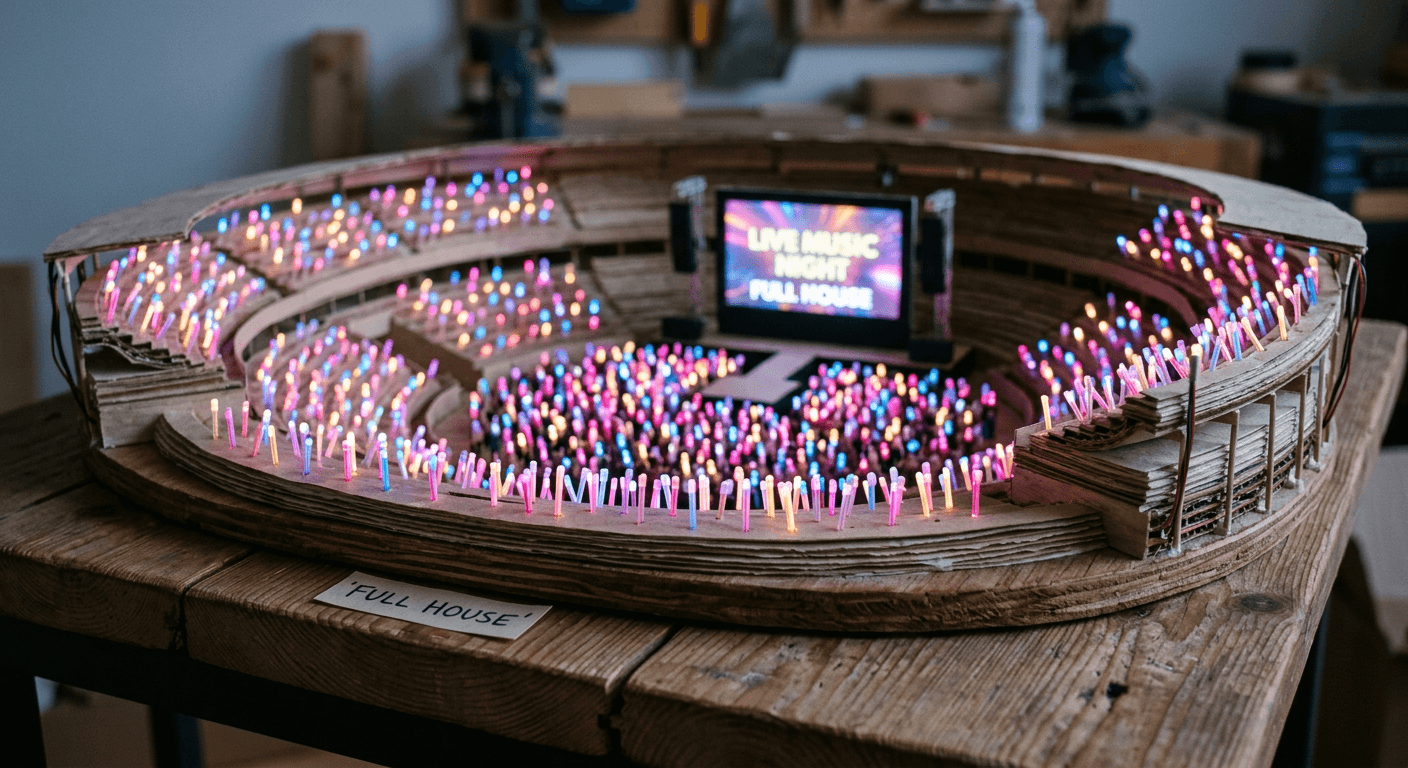
3) Pop, Rock, and EDM Festival Jumbotron Prompts
This is where the trend stops being just a K-pop thing. The underlying prompt structure works for any genre, and if your feed or fandom is not built around lightsticks and idol groups, these four give you the same jumbotron effect styled for a pop main-stage set, an arena rock show, a festival EDM night, and a quiet acoustic set.
9. High-Energy Pop Headliner
Turn the uploaded selfie into a bright, high-energy pop headliner jumbotron shot. Preserve the real face from the reference photo exactly. Style the subject in a sequined or metallic-finish jacket that catches the stage light, with bold but tasteful stage makeup and styled hair with visible movement, as if mid-choreography. Lighting is a saturated mix of hot pink and electric blue with occasional white strobe highlights freezing part of the motion. The jumbotron bezel is faintly visible, and the screen shows a slight motion blur trail on one side of the face to suggest quick movement during a dance break. Below the screen, render a tight, energetic crowd holding synchronized lightsticks in the tour's signature color, all glowing the same shade. Add fine broadcast grain, a touch of chromatic aberration at the frame edges, and natural asymmetric framing as if filmed by an excited fan. Vertical 9:16 composition for a Short or Reel.
10. Arena Rock Guitar Solo
Using the uploaded photo, generate a moody arena rock jumbotron capture during a guitar solo or instrumental break. Keep the real face and features from the reference image unchanged. Style with a plain black tank top or open flannel, minimal styling, and a slightly sweaty, unpolished look under harsh white spotlight with deep red side lighting. The screen should show visible lens flare from a spotlight positioned just behind the performer, and faint silhouettes of stage equipment like amp stacks or a drum riser blurred in the background of the screen shot itself. In the crowd below, render raised fists and lighter flames or phone flashlights rather than coordinated lightsticks, with visible motion blur from moshing or jumping. Add heavy film grain, slightly crushed shadows for contrast, and a desaturated color grade outside of the stage lighting itself. Horizontal 16:9 composition, framed like a shaky handheld phone shot from the crowd.
11. EDM Festival Laser Moment
Transform the uploaded selfie into an EDM festival jumbotron moment at night. Keep the person's real face and proportions accurate to the source photo. Style with reflective or holographic fabric, glow-in-the-dark face paint accents, and a light dusting of glitter catching the stage lasers. Lighting on screen is a fast-shifting mix of neon green, cyan, and violet from laser beams sweeping across the frame, with visible light streaks crossing the screen face. The jumbotron sits above a massive LED stage backdrop rather than a traditional arena screen, with the structure's edges and rigging visible at the top of the frame. Crowd below is a dense field of raised hands and glow accessories rather than lightsticks, lit by pulsing colored strobes. Add heavy atmospheric haze, visible laser beam streaks, strong lens flare, and fine grain. Horizontal 16:9 composition, framed like a shot taken from an elevated platform or drone near the front of house.
12. Stripped-Back Acoustic Set
Using the uploaded photo, create a stripped-back acoustic or singer-songwriter jumbotron shot, the quiet opposite of a big pop or EDM moment. Keep the real face from the reference image with a calm, natural expression. Style simply, in a plain jacket or sweater with no heavy stage makeup, closer to how the person actually looks day to day. Lighting is a single warm spotlight in soft amber with almost no colored gels, giving the screen a cinematic, intimate glow rather than a saturated concert wash. The jumbotron bezel and a hint of the venue's rafters are visible at the edges, suggesting a smaller theater rather than a full stadium. Crowd below is calmer, phones raised but mostly still, with a few soft lightsticks glowing gently rather than a full sea of color. Add subtle film grain, a warm analog color grade, and a soft vignette. Horizontal 16:9 composition, framed like a still, quiet fan photo from a seated section.
4) Day Show vs Night Show Lighting Prompts
Most jumbotron posts default to nighttime neon, but the lighting logic changes completely for a daytime festival set, and that variation is genuinely underused right now, which makes it a good way to stand out. These four cover the full lighting range from bright afternoon sun to deep-night arena darkness.
13. Bright Afternoon Festival Set
Generate a daytime outdoor festival jumbotron shot from the uploaded selfie, set at an afternoon set rather than a nighttime show. Keep the real face and features from the reference photo exactly. Natural sunlight should dominate the scene, with the jumbotron screen glowing just enough to be visible against the bright sky, its colors slightly washed out by the daylight the way real outdoor screens look at noon. Style the subject casually, in a light jacket or graphic tee suited for a hot festival afternoon, with sunglasses pushed up or held rather than worn. Crowd below is visible more clearly than at night, with sunhats, raised phones, and a few lightsticks that look faint and washed out in the daylight. Add natural lens flare from direct sun, light haze, and subtle grain, avoiding the heavy neon color cast used in nighttime versions of this shot. Horizontal 16:9 composition.
14. Golden Hour Transition
Using the uploaded photo, create a late-evening golden hour jumbotron shot right as a festival set transitions from daylight into full night lighting. Keep the person's real likeness accurate to the reference image. Half the frame should carry warm golden sunset tones bouncing off the crowd and stage structure, while the jumbotron screen itself has just switched on and glows with cool blue-pink stage light, creating a visible contrast between the warm sky and the cool screen glow. Style the subject in layered festival wear, a light jacket over a simple top, hair slightly tousled from wind. Crowd below shows a mix of raised phones catching the last daylight and a handful of lightsticks just starting to glow as the light fades. Add soft lens flare from the low sun, subtle grain, and natural color grading that keeps both light sources visually distinct. Horizontal 16:9 composition.
15. Deep-Night Arena Darkness
Transform the uploaded selfie into a deep-night indoor arena jumbotron shot, the darkest and most saturated version of this look. Preserve the real face from the reference photo. The arena beyond the screen should read as near-black except for scattered pinpricks of colored light from lightsticks and the glow bouncing off the ceiling rigging. The jumbotron itself is the single brightest element in the frame, lit in vivid magenta and electric blue with strong contrast against the surrounding darkness. Style the subject in a darker outfit that lets the stage lighting do the visual work, minimal reflective detail so it does not overexpose. Add heavy but clean digital grain typical of a phone shooting in low light, a soft glow bloom around the brightest parts of the screen, and slight underexposure in the crowd area to sell the true darkness of a late-night arena show. Vertical 9:16 composition for a Reel or Short.
16. Sunrise After an All-Night Set
Using the uploaded photo, generate a sunrise or early-morning jumbotron shot from an overnight festival set, an unusual but very shareable variant of this trend. Keep the real face and proportions from the reference image. Warm pink and orange sunrise light should be visible along the horizon behind the stage, mixing unusually with the jumbotron's own cool stage lighting still running from the overnight set. Style the subject looking a little worn from an all-night show, hair slightly messy, minimal makeup, but energetic expression. Crowd below is thinner than a peak-hour shot, with visible tired but happy faces, a few lightsticks still glowing faintly against the brightening sky. Add natural film grain, soft haze catching the low sunrise light, and a color grade that blends warm sky tones with the screen's cooler glow rather than letting one dominate. Horizontal 16:9 composition.
5) Duo and Group Fan-Cam Prompts
Not every version of this trend has to be a solo shot. These three prompts are built for two people or a small group, whether that means best friends caught together on the crowd-cam, a couple, or a small friend group reacting to a big moment in the show.
17. Two-Person Candid Jumbotron
Using two uploaded photos, generate a jumbotron shot showing both people together on the giant screen as if caught by the camera mid-song, styled like two friends attending the same show rather than performers. Preserve both real faces and proportions accurately from the reference photos, positioned side by side with natural, candid expressions, one slightly turned toward the other laughing. Lighting on screen is a shared wash of pink and purple stage light so both faces read consistently under the same source. The jumbotron bezel is faintly visible at the frame edges. Crowd below shows a scatter of lightsticks and raised phones, slightly blurred. Add natural handheld camera shake, fine grain, and a slight vertical crop that leaves a little headroom above both subjects, the way a real fan-taken photo rarely frames people perfectly. Vertical 3:4 composition.
18. Group Crowd-Cam Segment
Using the uploaded group photo, transform it into a jumbotron crowd-cam moment where the whole group is shown together on the arena screen during a crowd-reaction segment rather than a close-up. Keep each person's real face accurate to the reference photo, arranged naturally as they appear in the source image rather than in a stiff lineup. Lighting is a broad, even wash of blue and pink stage light across the whole group, with the jumbotron frame visible at the edges of the shot. Add a small on-screen graphic bug in the corner suggesting a broadcast overlay style crowd-cam segment, rendered subtly and generically without copying any real logo or network branding. Crowd elements around the group on screen are minimal since the group itself fills most of the frame. Add fine grain, mild motion blur, and natural uneven framing as if the shot was taken quickly on a phone. Horizontal 16:9 composition.
19. Group Reaction to a Surprise Moment
Using the uploaded photos of a small group, generate a jumbotron shot styled like the exact instant the giant screen catches everyone reacting to a surprise moment in the show, such as a costume change or guest appearance. Preserve each person's real likeness from the reference photos with genuine, varied reactions, one with hands over their mouth, one mid-cheer, one laughing. Lighting is bright and slightly overexposed white light mixed with colored spill from the stage below, the kind of blown-out look a jumbotron gets during a big reveal moment. The screen bezel and a sliver of the surrounding dark arena are visible at the frame edges. Crowd elements are minimal, mostly just a soft colored glow bleeding in from below. Add fine broadcast grain, a touch of motion blur from the excitement of the moment, and natural candid framing rather than a posed composition. Horizontal 16:9 composition.
6) Cinematic Fan-Cam Video Prompts
A still jumbotron photo gets the point across, but the format really clicks when it moves, since real fan-cam footage is always video, never a static image. These three prompts are written to animate one of the still images above using Miraflow's cinematic AI video generator, with each one built around a slightly different pacing so you can match it to the rest of your edit.
20. Slow Emotional Push-In
Animate this jumbotron still image into a short cinematic fan-cam clip. Start on a slow, steady zoom into the giant screen showing the subject's face, mimicking the way a fan's phone camera slowly pushes in during an emotional moment in a show. Keep the subject's face stable and identity consistent throughout the motion, only allowing natural micro-expressions, a slow blink, a small head turn. Animate the crowd below with gentle swaying motion and the lightsticks pulsing softly in time, as if reacting to the music. Let the stage lighting on the screen shift subtly in intensity, a slow breathing pulse of pink and purple rather than a hard cut. Add a very light handheld camera drift, a few pixels of natural shake, so the shot never feels perfectly locked off. Keep the clip around four to six seconds, ending on the tightest part of the zoom. Vertical 9:16 output suited for a Reel or Short.
21. Wide-to-Close Establishing Shot
Animate this wide stadium jumbotron image into a short establishing clip for a concert-recap style video. Begin wide, showing the full screen and the sea of lightsticks below, then slowly tilt and push in toward the jumbotron over the course of the clip, settling on the subject's face at the end. Keep the identity and features on screen stable and consistent through the motion. Animate the lightstick field with a soft wave-like sway, as if the crowd is moving together, and let a light haze drift slowly across the frame, catching the moving stage beams. Add subtle handheld camera motion throughout, avoiding a perfectly smooth mechanical glide, so it reads like a real fan filming rather than a drone shot. Keep the clip around five to seven seconds so it works as an opening shot before cutting to a closer moment. Horizontal 16:9 output for a longer recap edit, or crop to 9:16 for Shorts.
22. Fast Beat-Synced Pulse
Animate this close-up jumbotron image into a short, punchy clip built for a fast-cut Short or Reel. Start already tight on the subject's face on screen, hold for a beat, then add a quick, energetic zoom pulse timed to an implied beat drop or key change, as if the editor cut the zoom to the music. Keep the face and identity fully stable through the motion, only allowing natural expression changes. Let the stage lighting flash briefly brighter on the pulse moment, then settle back to its base glow. Keep any crowd or lightstick elements at the very edges of frame softly blurred and secondary to the face. Add light broadcast grain and a subtle chromatic pulse on the flash moment. Keep the clip short, around three to four seconds, so it can be looped or cut rapidly against other footage inside a Text2Shorts style edit. Vertical 9:16 output.
How to Customize These Prompts for Your Own Look
Treat every prompt above as a starting template rather than a fixed script. A few dimensions are worth adjusting deliberately rather than leaving on autopilot.
Swap the genre signals without changing the structure. Every prompt keeps the same underlying formula, screen bezel, dominant light color, crowd blur, broadcast grain, only the styling and lighting words change between a pop, rock, or EDM version. If you want a country, hip-hop, or orchestral concert version instead, keep the technical language intact and just swap the outfit and prop details to match, a fringe jacket and warm amber light for country, gold chains and cooler white light for a hip-hop headline set, formalwear and a single spotlight for an orchestral hall.
Change the lightstick color to match a real fandom's official color, or invent your own. Most K-pop fandoms have an official lightstick color, and matching it makes the shot read as more specific and intentional rather than generic. If you are not building this around a real fandom, picking one dominant lightstick color instead of a rainbow mix usually looks more convincing, since real crowds rarely glow in every color at once.
Adjust the framing before adjusting anything else. If a result looks a little off, the framing distance is usually the first thing to change before touching lighting or styling. A tight close-up hides more flaws than a wide shot, since there is simply less scene for the model to get wrong, so if a wide stadium prompt is not landing, try the same styling on one of the close-up prompts first.
Use inpainting for small fixes instead of regenerating from scratch. If the face is right but the screen graphics, an earpiece, or a stray prop looks off, Miraflow's image inpainting lets you mask just that region and regenerate it without touching a result you already like. This is also the easiest way to add a text overlay to the screen itself, a venue name, a fake set list graphic, or a "LIVE" bug, without rerolling the whole composition. For more on how inpainting works for targeted edits like this, the guide to Nano Banana image inpainting on Miraflow walks through the masking workflow in more detail.
Layer this trend with other AI photo trends you already know. If you have played with the AI action figure trend or the flash filter digicam look, those same before-and-after instincts apply here. A jumbotron shot next to an action-figure version of the same photo, or a flash-filter selfie next to its jumbotron transformation, makes for a stronger multi-image post than any single photo on its own.
| What you want to end up with | Best Miraflow tool | Why it fits this trend |
|---|---|---|
| A single jumbotron or fan-cam still image to post as a photo | AI Image Generator (image-to-image and inpainting) | Upload your selfie, keep your face locked in, and let the model rebuild the stadium, screen, and lighting around it |
| A moving fan-cam clip with a slow zoom and crowd motion | Cinematic AI Video Generator | Turns the finished still into a short cinematic clip with camera drift, pulsing lightsticks, and crowd sway |
| A finished vertical Reel or Short with music, pacing, and captions | Text2Shorts | Builds the full short around your concept, script, voice, and scene visuals in one pass |
| Turning a long recap or vlog into multiple short clips | AI Clipping | Finds the highest-energy moments in a longer video and auto-crops them into vertical clips with captions |
Common Mistakes That Make the Jumbotron Effect Look Fake
Uploading a low-resolution or heavily filtered selfie. The model needs real detail to preserve, pores, hair strands, natural asymmetry. A selfie that has already been smoothed by a beauty filter gives the model less to work with, and the result often looks noticeably more plastic than a jumbotron shot built from an unfiltered, well-lit photo.
Forgetting the screen entirely and describing a stage instead. This is the single most common failure mode. If a prompt just says "on stage at a concert" without mentioning a screen, bezel, or broadcast framing, the model tends to generate a performance shot rather than a jumbotron shot, and the two look completely different. Every prompt in this pack explicitly names the screen for exactly this reason.
Letting the crowd compete with the subject for detail. A hyper-detailed, sharply rendered crowd right next to a sharp face on screen reads as two separate images stitched together rather than one coherent scene. Keep the crowd soft, blurred, or partially out of frame, the way a real camera focused on a distant screen would actually render it.
Mismatched lighting between the face and the environment. If the prompt calls for cool blue arena lighting but the reference photo was taken in warm indoor light, some models will blend the two awkwardly instead of fully committing to the new lighting. Being explicit about the dominant color and intensity of the new light source, the way each prompt above does, helps the model override the original lighting rather than fight it.
Writing a vague, one-line prompt and expecting a specific result. "Put me on a jumbotron" is not a prompt, it is a topic. The prompts in this pack run long on purpose, specifying framing distance, lighting color, crowd behavior, camera artifacts, and styling, because each of those details is doing real work. A shorter version of any of these prompts will still generate something, just something far more generic.
Skipping the video step and posting a still image on a platform built for motion. A jumbotron still works fine as a static post, but TikTok, Reels, and Shorts all reward motion, and a slow zoom or crowd-sway animation using the video prompts above tends to outperform a flat image on those specific platforms.
Turning a Jumbotron Photo Into a Full Fan-Cam Video With Miraflow AI
The image is only step one for creators who actually want this to perform on video-first platforms, and Miraflow AI's toolset covers the whole pipeline instead of just the first step.
Start in the AI Image Generator with one of the 22 prompts above, using image-to-image mode with your selfie as the reference so the model keeps your face locked in while it builds the scene around it. Once you have a still you like, feed it into the cinematic AI video generator, which supports Veo3 and Veo3.1 for the animation step, and use one of the three video prompts from the last category to turn the still into a moving clip with a slow push-in, an establishing pull-back, or a fast beat-synced pulse.
From there, Text2Shorts is the fastest way to turn that clip into a fully edited vertical video rather than a single raw shot. Enter your concept, pick a visual style, let it generate a script you can edit or regenerate, and it will build out the rest of the scene visuals, voice, and pacing around your jumbotron footage so you end up with something closer to a finished Reel or Short than a single generated clip. For a closer look at how that full script-to-video pipeline works, From Prompt to Reel: Creating 1-Minute AI Shorts with Text2Shorts walks through the process end to end.
If you already have longer concert-style or reaction footage sitting around, AI Clipping is worth a look too. Paste in a longer video, and it finds the highest-energy moments automatically, auto-crops them to vertical, adds captions, and ranks each resulting clip by a viral score, which is a fast way to pull several jumbotron-adjacent shorts out of one longer recording instead of manually scrubbing through footage looking for the best few seconds.
None of this requires anything installed locally. Everything from the first image to the final captioned Short runs directly inside Miraflow AI in the browser, which matters for a trend like this one where the whole appeal is turning around a finished post in a few minutes, not setting up a local rendering pipeline before the trend moves on to whatever comes next.
Frequently Asked Questions
Is the AI jumbotron trend the same thing as the AI baseball fan-cam trend? They come from the same underlying idea, using AI to place a real face convincingly into broadcast-style footage of a live event, but they are two different variations. The fan-cam version puts you in the crowd at a sports event, while the jumbotron version puts your face on the giant screen above a concert stage. The concert version grew directly out of the sports version after the format proved it could go viral, and the prompt techniques that make each one convincing, screen bezels, crowd blur, broadcast grain, are nearly identical between the two.
Do I need a professional photo to get a good result? No, but the quality of the source selfie matters more than most people expect. A clear, well-lit, front-facing photo without heavy filters gives the model real detail to preserve. A blurry, low-resolution, or heavily edited selfie tends to produce a jumbotron shot that looks noticeably softer or more generic than one built from a sharp, natural photo.
Can this work with a group photo instead of just one person? Yes. The duo and group prompts in this pack are written specifically for two or more people in a single reference photo, and they work the same way as the solo prompts, just with instructions to preserve every face in the group rather than one.
Why does my result look like a random person instead of me? This usually happens when the prompt does not explicitly instruct the model to preserve identity, or when the source photo is too small, too dark, or too filtered for the model to lock onto real facial detail. Every prompt in this pack includes an explicit identity-preservation instruction for exactly this reason, and starting from a clear, well-lit selfie makes a bigger difference than almost anything else in the prompt itself.
Is it possible to make this look like a specific real artist or K-pop idol instead of myself? This pack is written around using your own photo as the reference, which is the version of the trend that is actually spreading right now, since the appeal is seeing yourself in that moment. Generating a convincing likeness of a real, named public figure without their involvement raises different concerns and is not what these prompts are built for.
What is the fastest way to go from selfie to a posted video? Generate the still image first using one of the 22 prompts inside the AI Image Generator, then animate it with one of the three video prompts using the cinematic AI video generator, and if you want it fully edited with music and pacing, run the concept through Text2Shorts instead of posting the raw clip.
Does this trend only work for K-pop fans, or can any music fan use it? Any music fan can use it. The K-pop version got there first because the visual language, lightsticks, jumbotron cutaways, coordinated fan colors, was already built into how those shows are filmed and shared. The pop, rock, EDM, and acoustic prompts in this pack use the exact same underlying jumbotron structure, just with genre-appropriate styling and lighting swapped in.
Why do some AI jumbotron photos look obviously fake while others fool people completely? The convincing ones almost always get the technical details right: a visible screen bezel instead of a stage, one dominant motivated light color instead of flat even lighting, a soft blurred crowd instead of a sharp competing one, and visible grain or motion blur instead of a suspiciously clean image. The fake-looking ones are usually missing two or three of those elements at once, which is why every prompt in this pack builds all of them in from the start rather than leaving them to chance.
Conclusion
The AI concert jumbotron trend works because it borrows a moment almost everyone already recognizes, the split second a camera operator picks your face out of a crowd of thousands, and makes it available to anyone with a selfie and a few minutes to spare. It grew out of a baseball broadcast that fooled millions of viewers, jumped across sports leagues and continents in a matter of weeks, and landed on concert stages because K-pop fandoms already had the exact visual vocabulary the format needed.
The 22 prompts in this pack cover the real range creators are actually posting, tight idol-style close-ups, wide stadium pulls, genre swaps beyond K-pop, day and night lighting variations, group shots, and the video prompts to make the whole thing move. Start with whichever category matches your feed, generate the still inside Miraflow's AI Image Generator, animate it with the cinematic AI video generator, and build the finished vertical edit with Text2Shorts if you want more than a single clip. Trends like this one move fast, and the creators who post in the first wave while it is still fresh in the algorithm's eyes are the ones who tend to see the biggest numbers, so it is worth generating your first jumbotron shot today rather than waiting for the format to feel played out.