20 AI Double-Exposure Travel Poster Prompts for the ChatGPT Images 2.0 Trend (Copy & Paste)

Written by
Aerin Kim
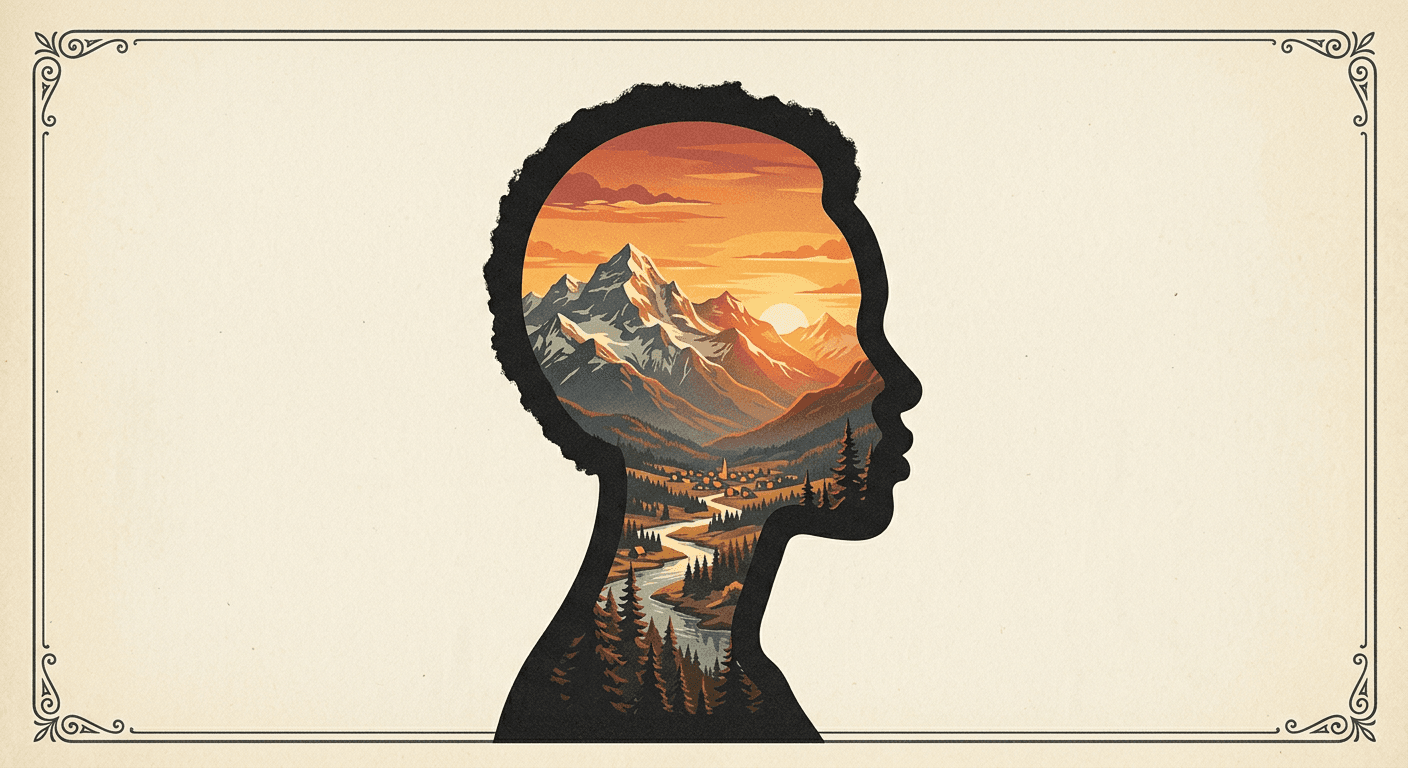
20 copy-paste double-exposure travel poster prompts for the viral ChatGPT Images 2.0 trend, grouped by landmark, nature, vintage, neon, and milestone styles.
If your feed has been full of vintage travel posters lately, a silhouette of someone's head and shoulders filled in with mountains, skylines, or ocean waves instead of skin and hair, you have already seen the double-exposure travel poster trend. It started as a handful of ChatGPT Images 2.0 posts and spread fast across Instagram Reels and TikTok through August 2026, because the format solves the two things that make an AI photo trend actually spread: it uses a real photo of the poster's face, not a text-only description, and the result looks like something you would frame, not something you would scroll past.
The trend leans on a real capability shift, not just a new filter. ChatGPT Images 2.0, OpenAI's current image model, reasons about a prompt before it generates, which is what lets it hold a recognizable silhouette, correct proportions, hairline, shoulders, in place while filling the inside of that shape with an entirely different scene. Earlier image models blending a portrait with a landscape usually either lost the likeness or produced a messy, half-transparent ghosting effect. This generation of models keeps the outline sharp enough that the poster reads as one deliberate composition instead of two images stacked on top of each other.
This post has 20 ready-to-use double-exposure travel poster prompts, grouped by the specific look each one produces, plus how to actually run them and what to fix if your first attempt comes out flat. You can generate these directly with Miraflow's AI Image Generator, which supports image-to-image generation, so you upload your own photo and the destination scene blends into your actual silhouette instead of a generic stand-in figure.
Why This Trend Is Working Right Now
Most viral AI photo trends fade in a week or two once everyone has seen the same fifteen variations. Double-exposure travel posters have more staying power for a simple reason: the destination is the variable, not the effect. Someone posting a Tokyo skyline version today does not compete with someone posting a Sahara desert version tomorrow, because the underlying template is identical and the output is always personal to whoever's silhouette is in it. That is the same structural reason the AI decade progression trend and the meet your younger self trend kept producing new posts long after they first went viral, one prompt template, infinite personal variations.
It also fits a print-ready, poster-shaped aspect ratio naturally, which means the output looks intentional as a standalone image rather than needing text or a caption to explain what it is. That is worth keeping in mind as you write your own variations: describe the composition like you are art-directing an actual travel poster, foreground silhouette, midground landmark, background sky treatment, rather than just naming a location and hoping the model figures out the layout.
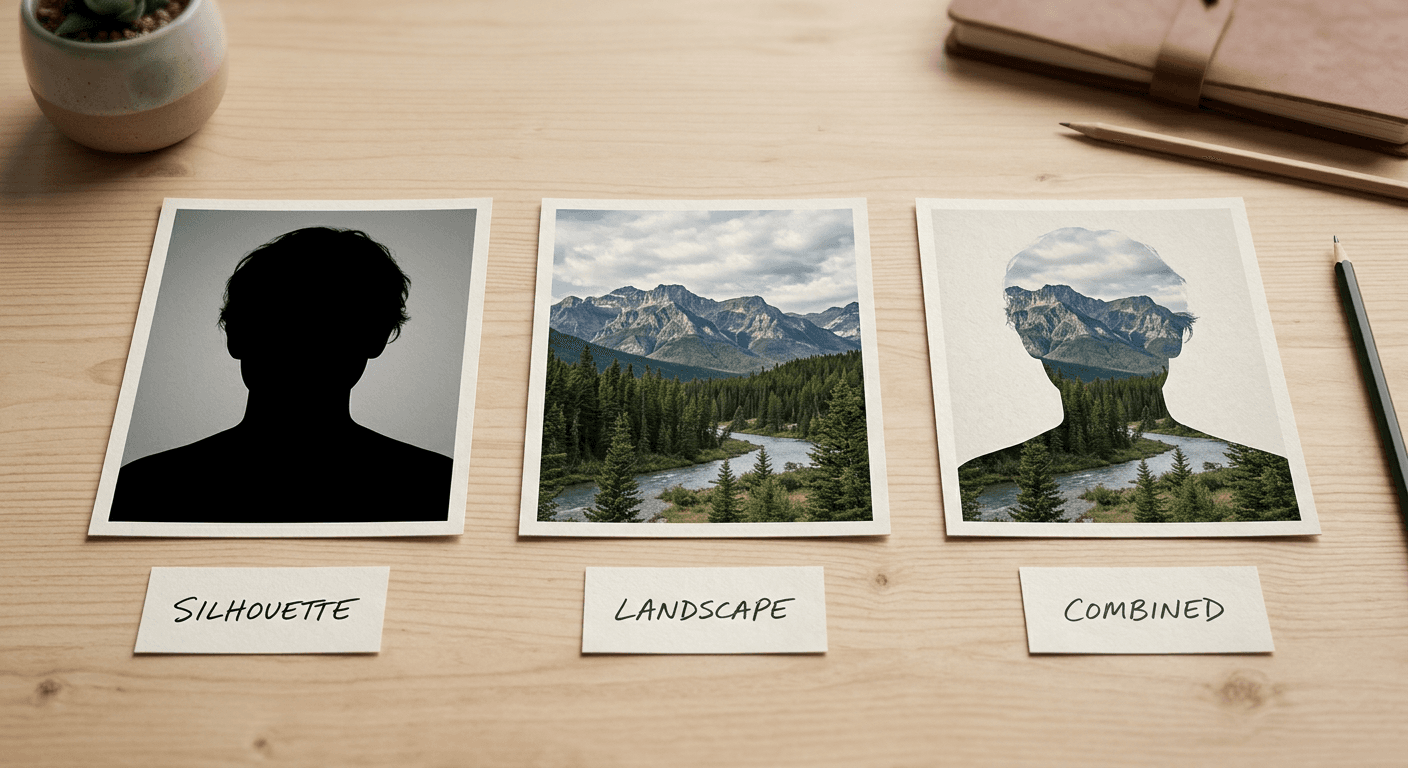
For a look at how creators are actually running this prompt style step by step, here is a walkthrough covering the upload-a-photo-and-blend workflow end to end.
How to Use These Prompts
Each prompt below is written to be copied in full and pasted into an image generator that supports image-to-image editing. Upload one clear, well-lit photo of yourself or whoever the poster is for first, ideally a straight-on or slight three-quarter angle shot with visible shoulders, then paste the prompt underneath the upload. On Miraflow's AI Image Generator, the image-to-image mode is what preserves your actual silhouette instead of generating a generic person, which is the difference between a poster that looks like you and one that looks like a stock photo with your face pasted on.
1) Landmark and Skyline Double Exposures
These lean on instantly recognizable architecture, which is what makes them work as a "guess the destination" share on Stories.
Prompt 1: Paris Skyline Silhouette
Create a double-exposure travel poster from my uploaded photo. Keep my exact head-and-shoulders silhouette, hairline, and shoulder shape sharp and clearly recognizable in flat matte black. Fill the inside of the silhouette with a detailed Paris skyline at dusk, the Eiffel Tower lit up, warm rooftops, a soft lavender and gold sky. Background stays plain cream with a thin printed poster border. Vintage travel poster style, clean sharp silhouette edge, no text.
Prompt 2: New York City Night Skyline
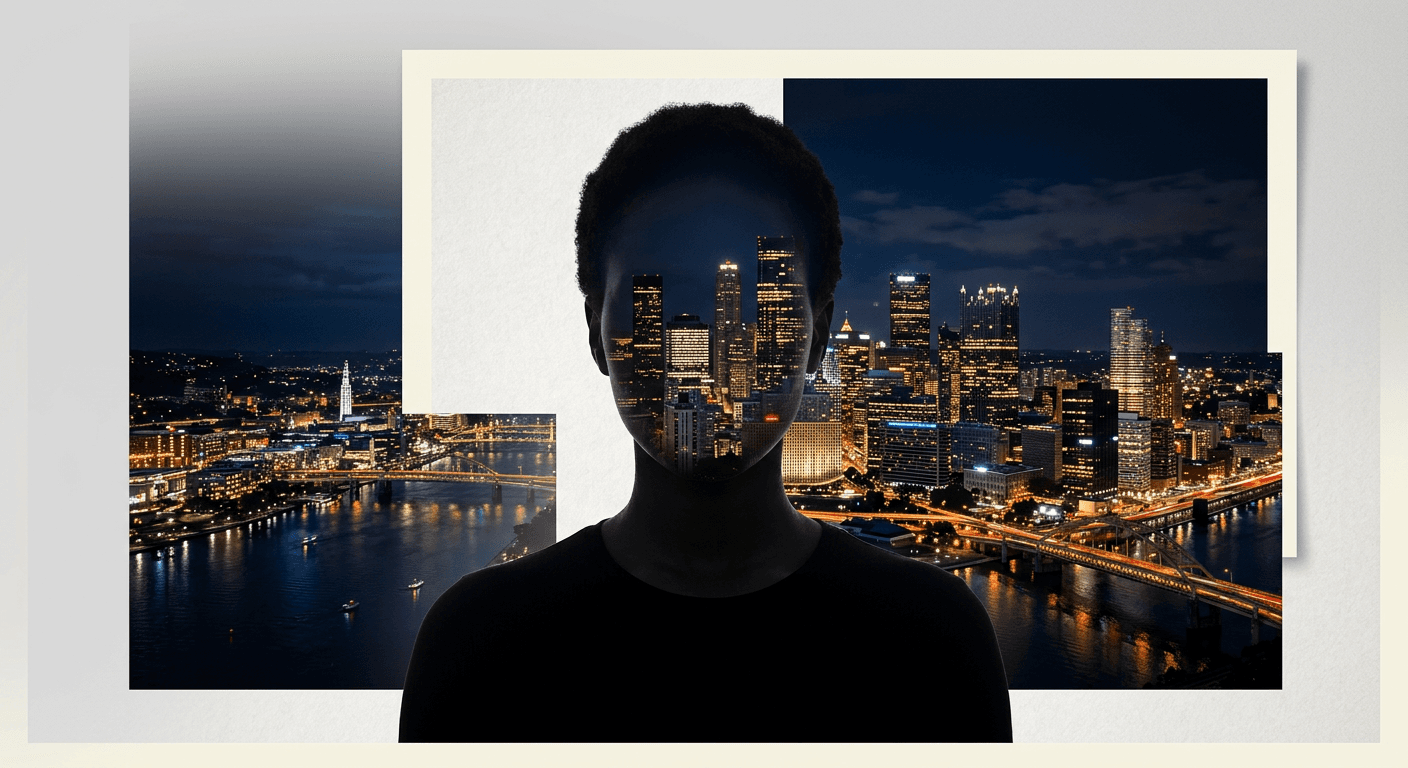
Create a double-exposure travel poster from my uploaded photo. Preserve my exact silhouette shape in flat matte black, sharp and recognizable. Fill the silhouette with a detailed New York City night skyline, illuminated skyscrapers, a hint of the Brooklyn Bridge, deep navy sky. Plain dark background with a thin printed poster border. Sharp clean silhouette edge, no text, no logos.
Prompt 3: Tokyo Neon District
Create a double-exposure travel poster from my uploaded photo. Keep my silhouette sharp and recognizable in flat matte black. Fill the inside with a detailed Tokyo neon district at night, glowing signage in pink, cyan and violet, narrow street reflections on wet pavement. Plain dark background with a thin printed poster border. Sharp clean silhouette edge, no readable text, no real logos.
Prompt 4: Santorini Blue-Domed Coastline
Create a double-exposure travel poster from my uploaded photo. Preserve my exact silhouette shape in flat matte black. Fill the silhouette with a detailed Santorini coastline, white and blue-domed buildings on a cliffside, deep blue sea below, bright midday sky. Plain cream background with a thin printed poster border. Sharp clean silhouette edge, no text.
Prompt 5: London Bridge and Fog
Create a double-exposure travel poster from my uploaded photo. Keep my silhouette sharp and recognizable in flat matte black. Fill the inside with a detailed London scene, Tower Bridge partly veiled in soft fog, muted grey and blue tones, a hint of warm lamplight. Plain grey background with a thin printed poster border. Sharp clean silhouette edge, no text.
2) Nature and Landscape Double Exposures
Landscape versions tend to perform better for accounts whose audience is outdoorsy or wellness-focused rather than explicitly travel-focused, since the silhouette reads more as a mood than a specific trip.
Prompt 6: Misty Mountain Range
Create a double-exposure travel poster from my uploaded photo. Preserve my exact silhouette shape in flat matte black. Fill the silhouette with a detailed misty mountain range at sunrise, layered peaks fading into fog, soft pink and blue morning light. Plain cream background with a thin printed poster border. Sharp clean silhouette edge, no text.
Prompt 7: Autumn Forest Canopy
Create a double-exposure travel poster from my uploaded photo. Keep my silhouette sharp and recognizable in flat matte black. Fill the inside with a detailed autumn forest canopy seen from below, red and gold leaves, sunlight filtering through branches. Plain cream background with a thin printed poster border. Sharp clean silhouette edge, no text.
Prompt 8: Ocean Waves at Golden Hour
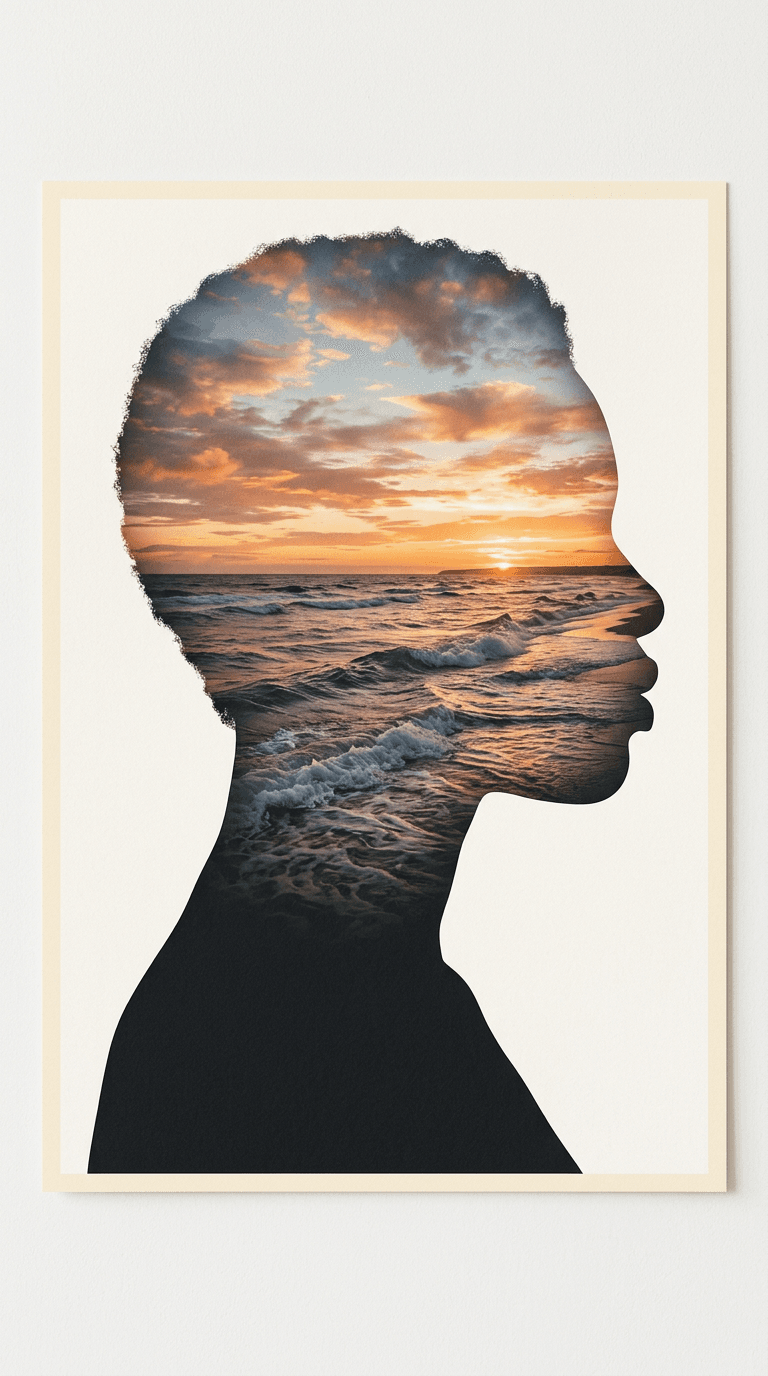
Create a double-exposure travel poster from my uploaded photo. Preserve my exact silhouette shape in flat matte black. Fill the silhouette with detailed ocean waves rolling toward a golden hour horizon, warm orange and pink sky reflected on the water. Plain cream background with a thin printed poster border. Sharp clean silhouette edge, no text.
Prompt 9: Desert Dunes at Dusk
Create a double-exposure travel poster from my uploaded photo. Keep my silhouette sharp and recognizable in flat matte black. Fill the inside with detailed desert sand dunes at dusk, long shadows, warm amber and violet sky. Plain cream background with a thin printed poster border. Sharp clean silhouette edge, no text.
Prompt 10: Aurora Borealis Sky
Create a double-exposure travel poster from my uploaded photo. Preserve my exact silhouette shape in flat matte black. Fill the silhouette with a detailed aurora borealis sky over snow-covered pine trees, ribbons of green and violet light. Plain deep navy background with a thin printed poster border. Sharp clean silhouette edge, no text.
3) Vintage Travel Poster Style Double Exposures
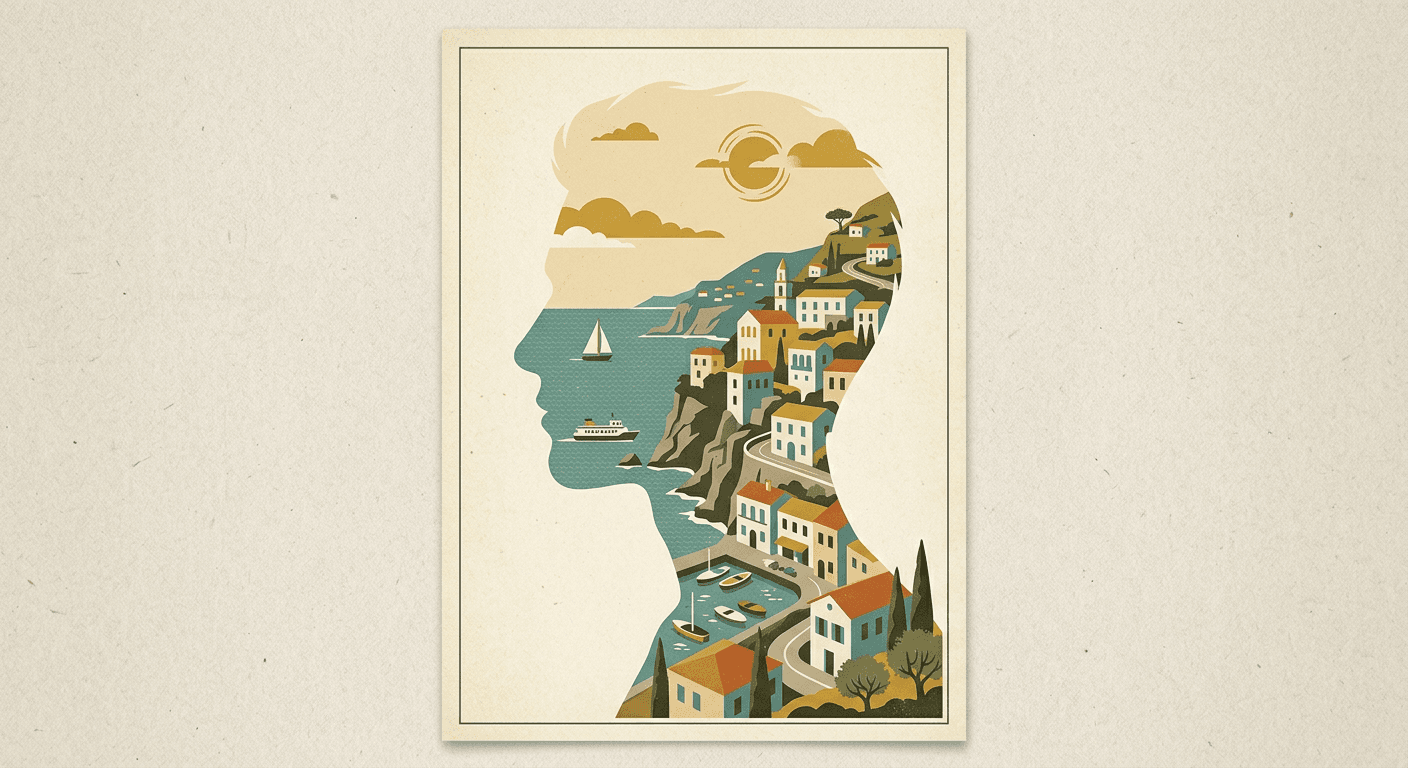
This group leans into the literal poster aesthetic, muted retro color grading, a slight paper-texture feel, and a border treatment, which is closer to what people mean when they specifically ask for the "vintage travel poster" version of this trend.
Prompt 11: 1960s Airline Poster Palette
Create a double-exposure travel poster from my uploaded photo in a 1960s airline poster style. Keep my silhouette sharp and recognizable in flat matte black. Fill the inside with a coastal cliffside town scene in a muted retro palette of dusty teal, mustard and cream, subtle paper grain texture. Thin printed poster border, no text.
Prompt 12: Sun-Bleached Postcard Tone
Create a double-exposure travel poster from my uploaded photo with a sun-bleached vintage postcard tone. Preserve my exact silhouette shape in flat matte black. Fill the silhouette with a faded palm-lined boardwalk scene, warm washed-out color grading like an old photograph. Thin printed poster border, no text.
Prompt 13: Woodblock Print Travel Poster
Create a double-exposure travel poster from my uploaded photo styled like a Japanese woodblock print. Keep my silhouette sharp in flat matte black. Fill the inside with a detailed Mount Fuji and cherry blossom scene rendered in flat woodblock print color layers and fine linework. Thin printed poster border, no text.
Prompt 14: Art Deco Train Poster
Create a double-exposure travel poster from my uploaded photo in an Art Deco train poster style. Preserve my exact silhouette shape in flat matte black. Fill the silhouette with a detailed vintage steam train winding through mountains, bold geometric Art Deco color blocks in teal, gold and rust. Thin printed poster border, no text.
4) Night Life and Neon Double Exposures
For creators whose audience skews toward nightlife, music, or city content, a neon-forward version reads more current than the softer daylight destinations above.
Prompt 15: Neon City Street Reflection
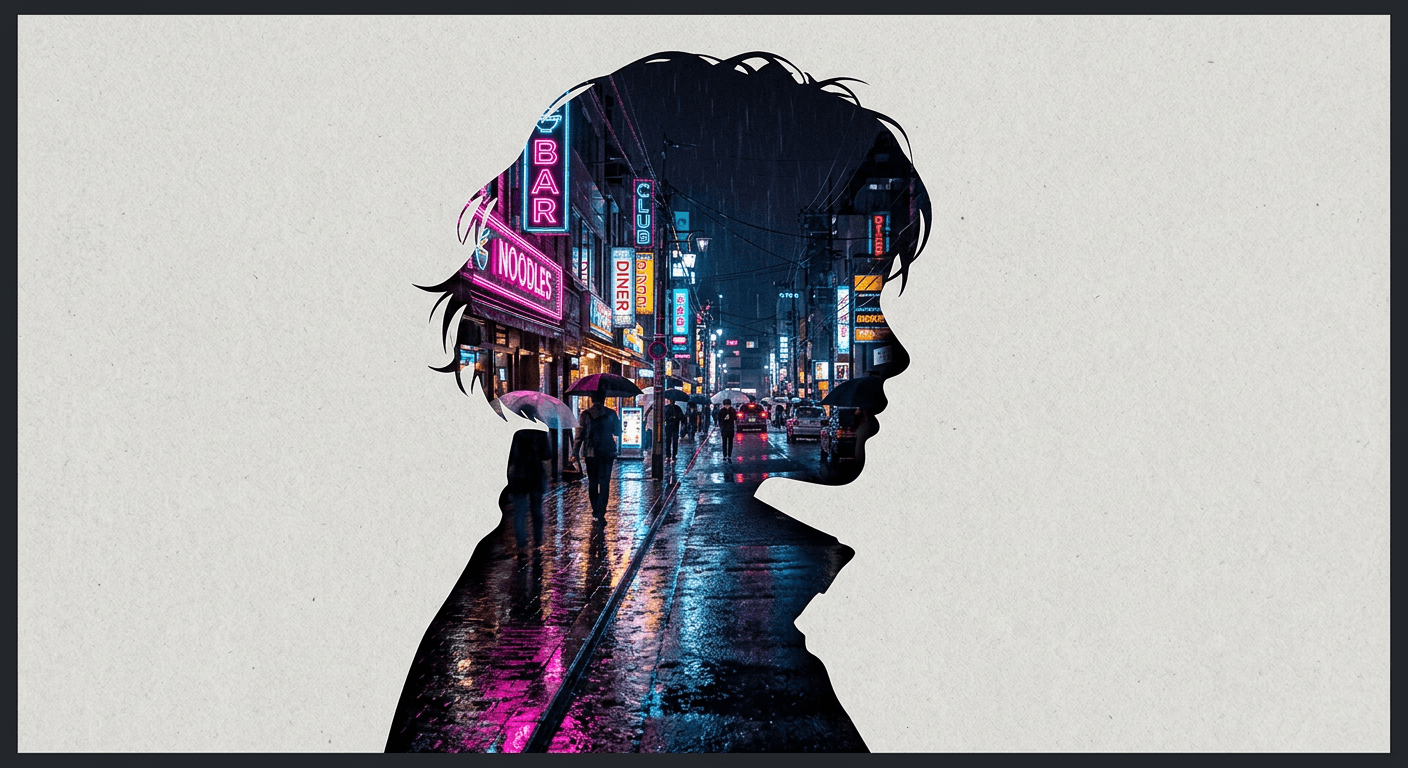
Create a double-exposure travel poster from my uploaded photo. Keep my silhouette sharp and recognizable in flat matte black. Fill the inside with a detailed neon city street at night, glowing pink and blue signage reflected in wet pavement. Plain dark background with a thin printed poster border. Sharp clean silhouette edge, no text.
Prompt 16: Rooftop Bar Skyline Glow
Create a double-exposure travel poster from my uploaded photo. Preserve my exact silhouette shape in flat matte black. Fill the silhouette with a detailed rooftop bar scene overlooking a glowing city skyline at dusk, string lights, warm and cool light contrast. Plain dark background with a thin printed poster border. Sharp clean silhouette edge, no text.
Prompt 17: Rain-Soaked Neon Crosswalk
Create a double-exposure travel poster from my uploaded photo. Keep my silhouette sharp and recognizable in flat matte black. Fill the inside with a detailed rain-soaked neon crosswalk at night, umbrellas in silhouette, reflections streaking across wet asphalt. Plain dark background with a thin printed poster border. Sharp clean silhouette edge, no text.
5) Personal Milestone Double Exposures
These swap a generic destination for a moment that actually happened, which is what turns the format from a pure aesthetic post into something people save and print.
Prompt 18: Graduation Skyline Overlay
Create a double-exposure travel poster from my uploaded photo. Preserve my exact silhouette shape in flat matte black. Fill the silhouette with a detailed university campus skyline at golden hour, a clock tower silhouette in the distance, warm celebratory light. Plain cream background with a thin printed poster border. Sharp clean silhouette edge, no text.
Prompt 19: Road Trip Highway Horizon
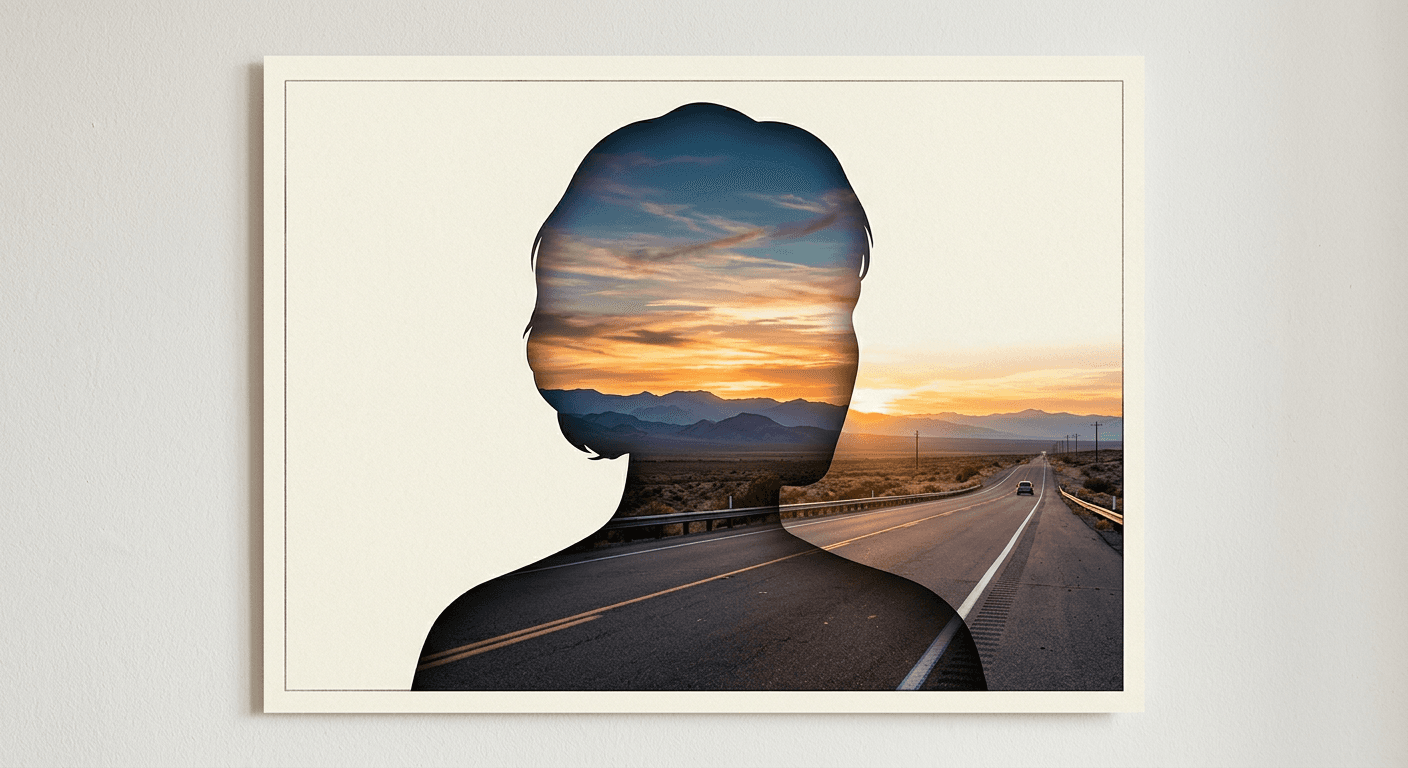
Create a double-exposure travel poster from my uploaded photo. Keep my silhouette sharp and recognizable in flat matte black. Fill the inside with a detailed open highway stretching toward a warm sunset horizon, distant mountains, telephone poles along the road. Plain cream background with a thin printed poster border. Sharp clean silhouette edge, no text.
Prompt 20: Wedding Venue Silhouette
Create a double-exposure travel poster from my uploaded photo. Preserve my exact silhouette shape in flat matte black. Fill the silhouette with a detailed garden wedding venue at golden hour, string lights strung between trees, soft warm glow. Plain cream background with a thin printed poster border. Sharp clean silhouette edge, no text.
How to Customize and Adapt These Prompts
The fastest way to make any of the 20 prompts above feel less templated is to swap one specific, personal detail into the scene description instead of only changing the location name. Naming an actual landmark you visited, a specific time of day, or a detail from the real trip, "the hostel rooftop, not just Lisbon", pushes the output away from looking like everyone else's version of the same city.
Pay attention to silhouette framing before you touch the scene description at all. A tight head-and-shoulders crop reads as a portrait with a landscape inside it. Pulling back to a half-body silhouette against a full skyline reads more like an actual poster composition, which matters if you are printing the result rather than posting it as a square Story.
If your first result comes out with the destination scene bleeding outside the silhouette instead of staying contained inside it, the fix is almost always in the source photo, not the prompt. A photo with a plain, high-contrast background behind you gives the model a much cleaner edge to work with than a busy background it has to separate you from first.
Common Mistakes Creators Make With This Trend
The most common mistake is picking a destination scene with a similar color palette to the source photo, a beach shot against light-colored clothing, for example, which flattens the contrast that makes the double exposure read clearly. Choosing a scene with strong contrast against your photo's lighting, a dark cityscape against a lighter portrait, or a bright desert against a darker one, keeps the silhouette legible.
The second mistake is over-specifying the pose instead of the scene. These prompts work best when you describe the destination and lighting in detail and let the model keep your existing pose from the uploaded photo, rather than also trying to direct a new pose in text, which tends to fight against the identity-preservation the model is doing.
The third mistake is skipping a second reference photo when the first attempt does not look like you. Image-to-image quality on a likeness-preserving trend like this one depends heavily on the source photo's lighting and angle. If round one looks generic, retrying with a different source photo usually fixes more than editing the prompt does.
Generating These With Miraflow
All 20 prompts above are built to run directly in Miraflow's AI Image Generator, which supports both text-to-image and image-to-image generation along with inpainting for masking and editing just part of an image afterward. Upload your source photo, paste a prompt from the list, and generate. If the destination scene needs a small fix afterward, a stray reflection, an object you want removed, Miraflow's masking tools let you edit just that region without regenerating the whole poster from scratch.
Once you have a poster you like, it works well as a YouTube thumbnail base for a travel or lifestyle channel too. Miraflow's YouTube Thumbnail Maker can take that same generated image and add bold thumbnail text on top, which is a faster path to a finished thumbnail than starting from a blank canvas. If you are building a whole video around the destination in the poster, Text2Shorts can turn the trip itself into a short-form script and video, and creators doing a lot of both often keep the two workflows running side by side, our guide on building passive income with faceless AI YouTube Shorts covers how that full pipeline fits together as an actual content strategy.
Frequently Asked Questions
What app is being used for the double-exposure travel poster trend? Most of the viral examples are generated with ChatGPT Images 2.0, OpenAI's current image model, though the same prompt style works on any image generator with strong image-to-image editing, including Miraflow's AI Image Generator.
Do I need a professional photo for this to work? No. A clear, well-lit phone photo with a plain background behind you works better than a busy, low-contrast photo, regardless of camera quality.
Why does my silhouette look blurry or half-transparent instead of sharp? This usually means the destination scene's color palette is too close to your source photo's lighting. Picking a scene with stronger contrast against your photo, and using a source photo with a plain background, both help sharpen the silhouette edge.
Can I use this trend for a business or personal brand account, not just a personal travel post? Yes. Real estate agents, travel creators, and event photographers have adapted the same format around listings, destinations, and venues instead of personal travel. Swapping the destination scene for whatever you are promoting keeps the same visual hook.
Is this the same as the AI action figure or knitted world trends? No, those are separate visual trends. If you want to see the full range of what's trending right now, our AI action figure and toy box prompts and AI knitted world prompts cover two of the other formats that have been popular in 2026.
How long does it take to generate one of these? Generation time depends on the tool, but on Miraflow it typically takes well under a minute per image, quick enough to try several destination variations from the same source photo in one sitting.
Conclusion
The double-exposure travel poster trend works because it is genuinely simple to run and genuinely personal in the result, one clear photo, one detailed scene prompt, and a silhouette that still looks like you. The 20 prompts above cover landmarks, nature, vintage poster styling, night scenes, and personal milestones, enough range to post more than one version without repeating yourself. Start with whichever category matches your account's usual content, generate it inside Miraflow's AI Image Generator, and adjust the scene description before the pose, since that is where most of the trend's visual impact actually comes from.