18 AI iPhone Lockscreen Wallpaper Prompts for the Viral Golden-Hour Trend (Copy & Paste)

Written by
Aerin Kim
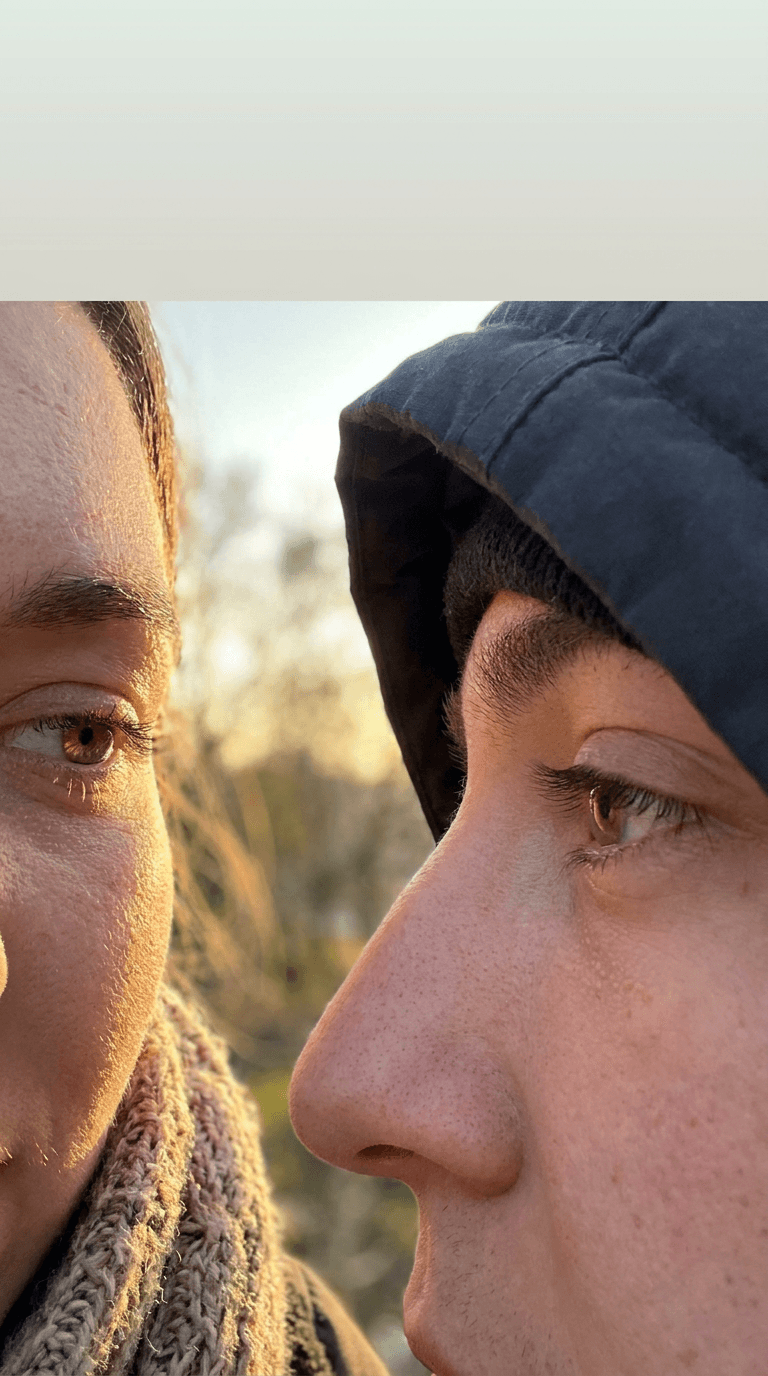
18 copy-paste prompts for the viral AI lockscreen wallpaper trend: couple close-ups, solo golden-hour shots, friend groups, night city scenes, and widget-friendly layouts.
If your phone's lockscreen still looks like a default wallpaper, you are behind one of the biggest photo trends running through Instagram and TikTok right now. Creators are generating ultra-realistic, iPhone-style lockscreen wallpapers, extreme close-up couple portraits with warm golden-hour light, solo cinematic self-portraits, and night-city scenes, all built to look like an actual screenshot of someone's real phone, clock space and all. The effect works because it looks accidental, like you stumbled onto someone's private lockscreen, not like a generated image.
This post is a copy-paste prompt library built around that exact trend, organized into five categories so you can match the format to what you are actually trying to make: couple close-ups, solo golden-hour portraits, friend group wallpapers, night-city scenes, and minimalist layouts that leave room for your clock and widgets. Every prompt is built for a 3:4 or 9:16 vertical frame, since that is what actually fits a phone lockscreen without cropping. You can generate every one of these directly with the AI Image Generator in Miraflow AI, which supports reference images if you want your own face or a real photo of you and someone else as the starting point.
Why the Lockscreen Wallpaper Trend Is Working Right Now
This format is spreading fast for a simple reason: it looks like a real photo, not an AI generation. The best examples use natural skin texture, visible eyelashes, and warm, slightly imperfect golden-hour light instead of the flat, overly smooth look that makes most AI portraits obviously fake at a glance. Paired with a composition that leaves open space at the top of the frame, exactly where an iPhone clock sits on a real lockscreen, the image reads as a screenshot before it reads as generated art.
It is also genuinely useful content, not just a novelty. A wallpaper someone actually sets as their lockscreen gets seen dozens of times a day, which makes this one of the rare AI image formats with built-in daily reuse instead of a single scroll-past view. That is part of why couple and friend-group variations in particular have been driving so many shares and saves.
1) Couple Close-Up Lockscreen Prompts
The flagship version of this trend is an extreme close-up of two faces nearly touching, each showing only one eye in frame, with warm cinematic light and natural skin detail. These four prompts cover the core format and a few variations on it.
Prompt 1: Classic golden-hour close-up
This is the original viral format almost every version of this trend traces back to.
Ultra-realistic iPhone lockscreen wallpaper, extreme close-up of two faces nearly touching cheek to cheek, only one eye of each person visible in frame, natural skin texture with visible pores and fine detail, individually defined eyelashes, warm golden-hour sunlight casting soft directional light and gentle lens flare across the frame, shallow depth of field with a softly blurred outdoor background, vertical 3:4 composition with open empty space at the very top of the frame for a phone clock, photographed like a real candid photo, no added text, no watermark, no filter overlay
Prompt 2: Blue hour, softer mood
Swapping golden hour for blue hour gives the same format a cooler, more intimate feel.
Ultra-realistic iPhone lockscreen wallpaper, extreme close-up of two faces close together outdoors just after sunset, soft blue-hour ambient light with faint warm highlights from distant string lights, natural skin texture, relaxed genuine expression, shallow depth of field, vertical 3:4 composition with clear open space at the top of the frame for a clock widget, photographed like a real phone camera shot, no text, no logos
Prompt 3: Silhouette against the sun
A more dramatic variation that still reads as a real photo rather than an illustration.
Ultra-realistic iPhone lockscreen wallpaper, two people in profile facing each other with foreheads almost touching, backlit by a large low sun directly behind them creating a warm rim-light glow around their hair and shoulders, faces mostly in soft shadow with just enough detail visible, vertical 9:16 composition, cinematic golden lens flare, open space at the top third of the frame, photographed like a real outdoor portrait, no text overlays
Prompt 4: Rainy window version
A cozy indoor variation of the same close-up format for creators who want something other than an outdoor golden-hour look.
Ultra-realistic iPhone lockscreen wallpaper, extreme close-up of two faces close together near a rain-streaked window, soft warm indoor lamp light mixing with cool blue light from outside, visible water droplets slightly out of focus in the foreground, natural skin texture, vertical 3:4 composition with open space at the top for a clock, photographed like a real candid indoor photo, no text, no watermark
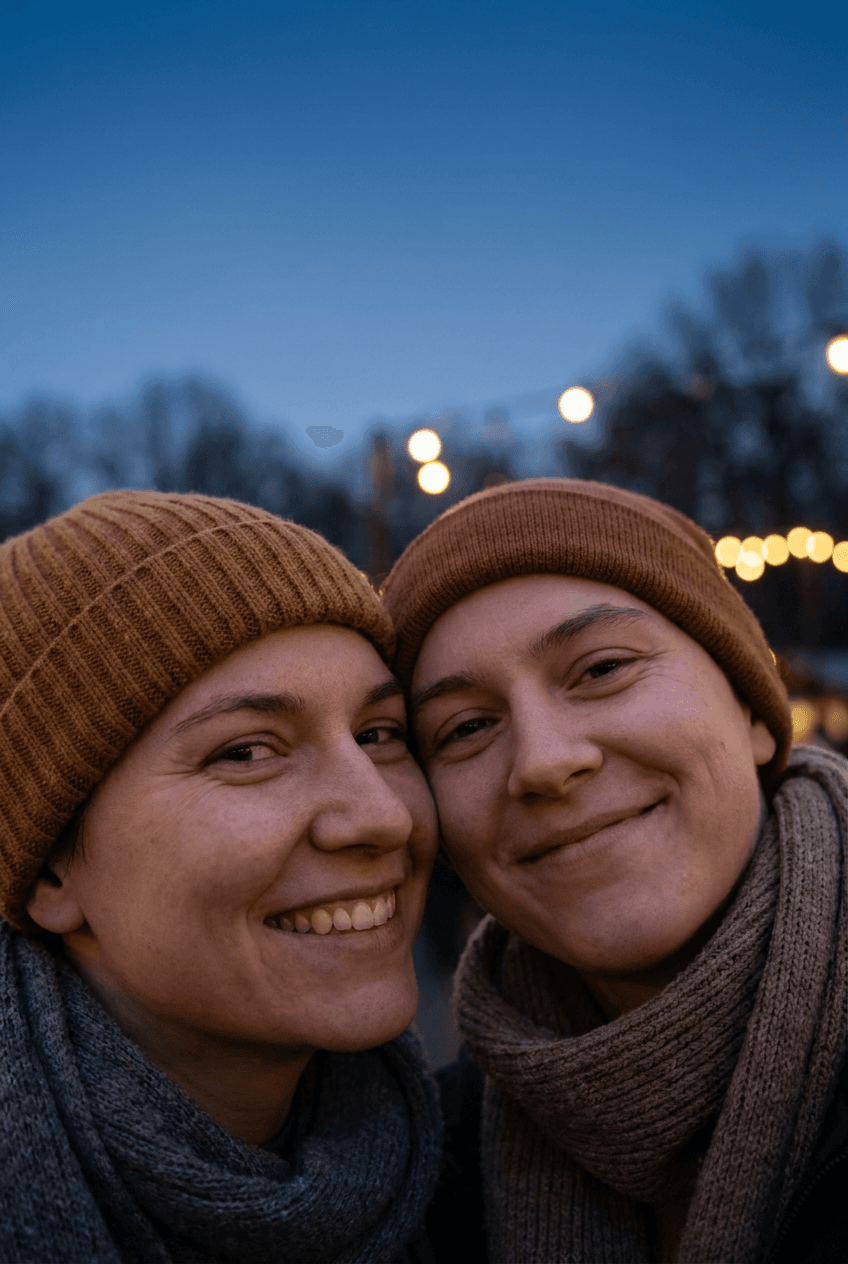
The wallpaper above was generated directly with Nano Banana Pro using Prompt 1 above, to show what the format actually looks like at full resolution before you commit to generating your own.
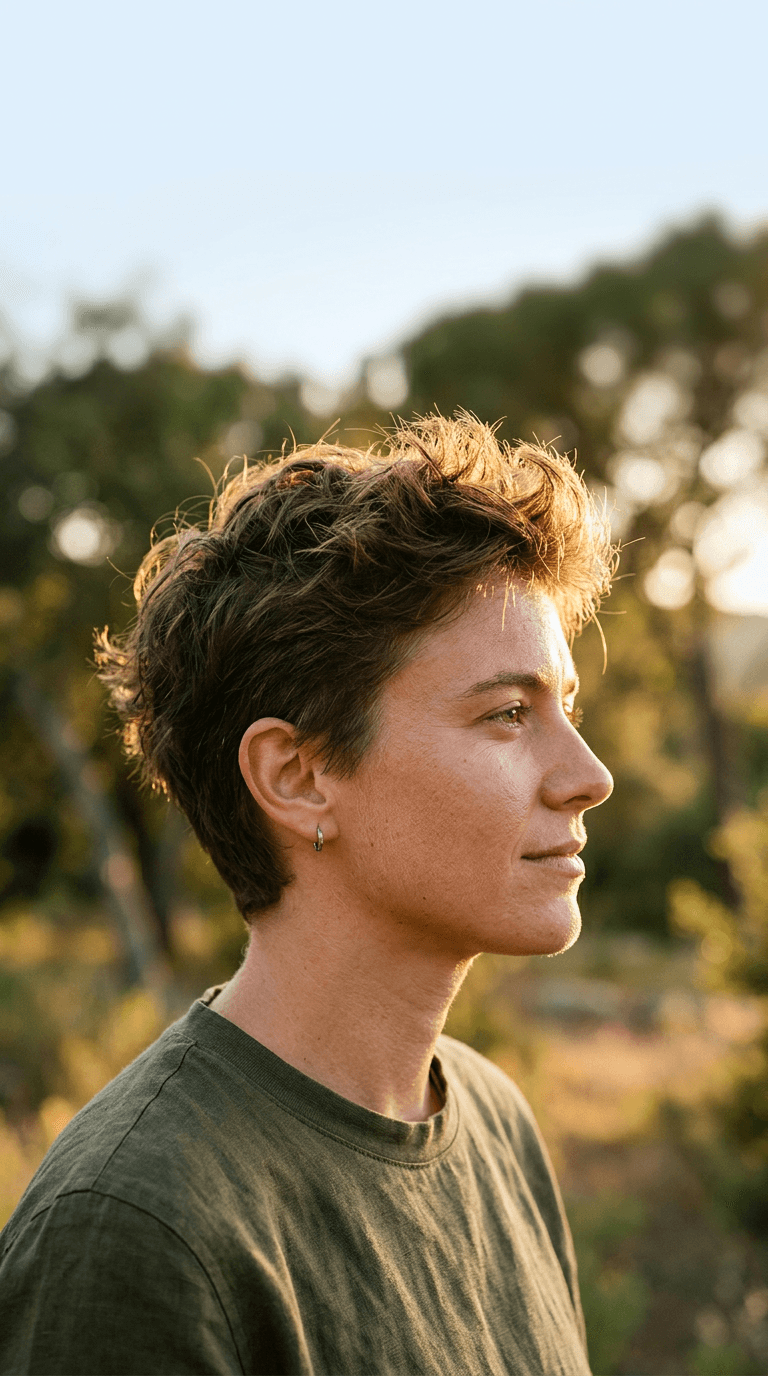
2) Solo Golden-Hour Lockscreen Prompts
Not everyone wants a couple wallpaper. This group adapts the same realistic, warm-light aesthetic into a solo portrait format that still leaves lockscreen-friendly empty space.
Prompt 5: Solo profile against warm light
Ultra-realistic iPhone lockscreen wallpaper, close-up side profile portrait of one person looking off camera, warm late-afternoon sunlight raking across their face, natural skin texture, hair catching golden backlight, shallow depth of field with a softly blurred outdoor background, vertical 3:4 composition with open empty space across the top third of the frame for a clock, photographed like a real phone camera portrait, no text, no filter overlay
Prompt 6: Eyes-closed, wind in hair
Ultra-realistic iPhone lockscreen wallpaper, close-up portrait of one person with eyes closed and head tilted slightly back, strands of hair caught mid-motion in a gentle breeze, warm golden-hour sunlight, natural skin texture and soft freckles, shallow depth of field, vertical 9:16 composition, open space at the top for a clock widget, photographed like a real outdoor portrait, no text, no logos
Prompt 7: Reflection in sunglasses
A detail-focused variation that still keeps the top of the frame clear.
Ultra-realistic iPhone lockscreen wallpaper, extreme close-up on a pair of sunglasses reflecting a warm sunset skyline, a sliver of the wearer's face visible at the edge of frame, natural skin texture, warm orange and pink tones in the reflection, shallow depth of field, vertical 3:4 composition with open space at the top of the frame, photographed like a real close-up phone photo, no text, no watermark
Prompt 8: Hand holding a warm drink, face softly out of focus
A lifestyle-style variant for creators who want a wallpaper that is not purely a face close-up.
Ultra-realistic iPhone lockscreen wallpaper, close-up of a hand holding a warm ceramic mug near an out-of-focus face in the background, golden-hour window light, visible steam rising softly from the mug, natural skin and ceramic texture, vertical 3:4 composition with open space at the top for a clock, photographed like a real cozy morning phone photo, no text, no logos
3) Friend Group Lockscreen Prompts
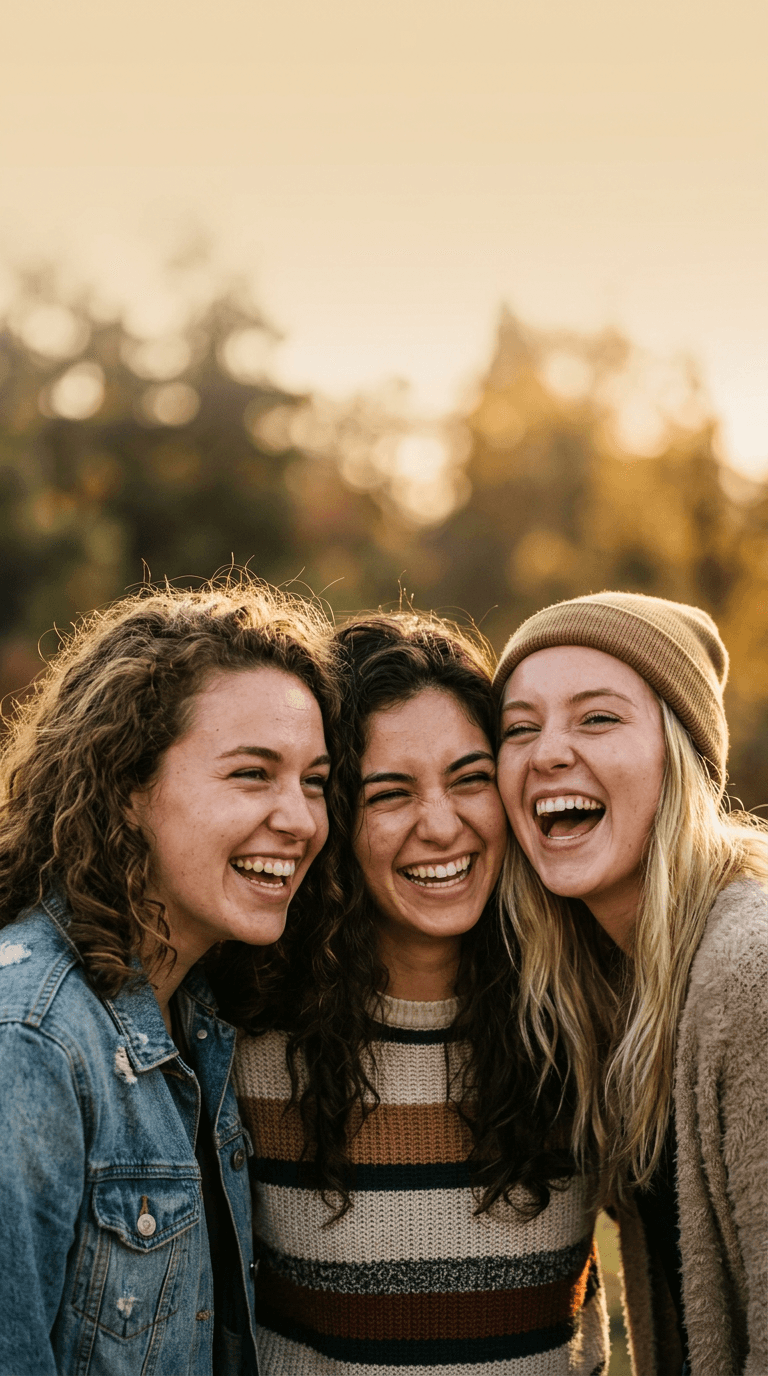
A newer variation of the same trend applies the close-up, golden-hour treatment to a group of friends instead of a couple, which works well for creators posting about squads, roommates, or a friend trip.
Prompt 9: Three-person huddle close-up
Ultra-realistic iPhone lockscreen wallpaper, close-up of three friends with heads huddled together laughing, warm golden-hour sunlight, natural skin texture and genuine candid expressions, shallow depth of field with a softly blurred outdoor background, vertical 3:4 composition with open space at the top for a clock, photographed like a real candid group photo, no text, no filter overlay
Prompt 10: Overhead group shot on a picnic blanket
Ultra-realistic iPhone lockscreen wallpaper, overhead close-up of a small group of friends lying on a picnic blanket looking up at the camera, warm late-afternoon light, natural skin texture, genuine smiles, vertical 9:16 composition with open space at the very top of the frame, photographed like a real phone camera shot from above, no text, no logos
Prompt 11: Back-to-back split composition
A graphic variation that still reads as a real, unedited photo rather than a designed collage.
Ultra-realistic iPhone lockscreen wallpaper, two friends standing back to back in profile, warm golden-hour rim light outlining both silhouettes, natural skin texture where visible, soft lens flare between them, vertical 3:4 composition with open space at the top of the frame for a clock, photographed like a real outdoor portrait, no text, no watermark
4) City Night Lockscreen Prompts
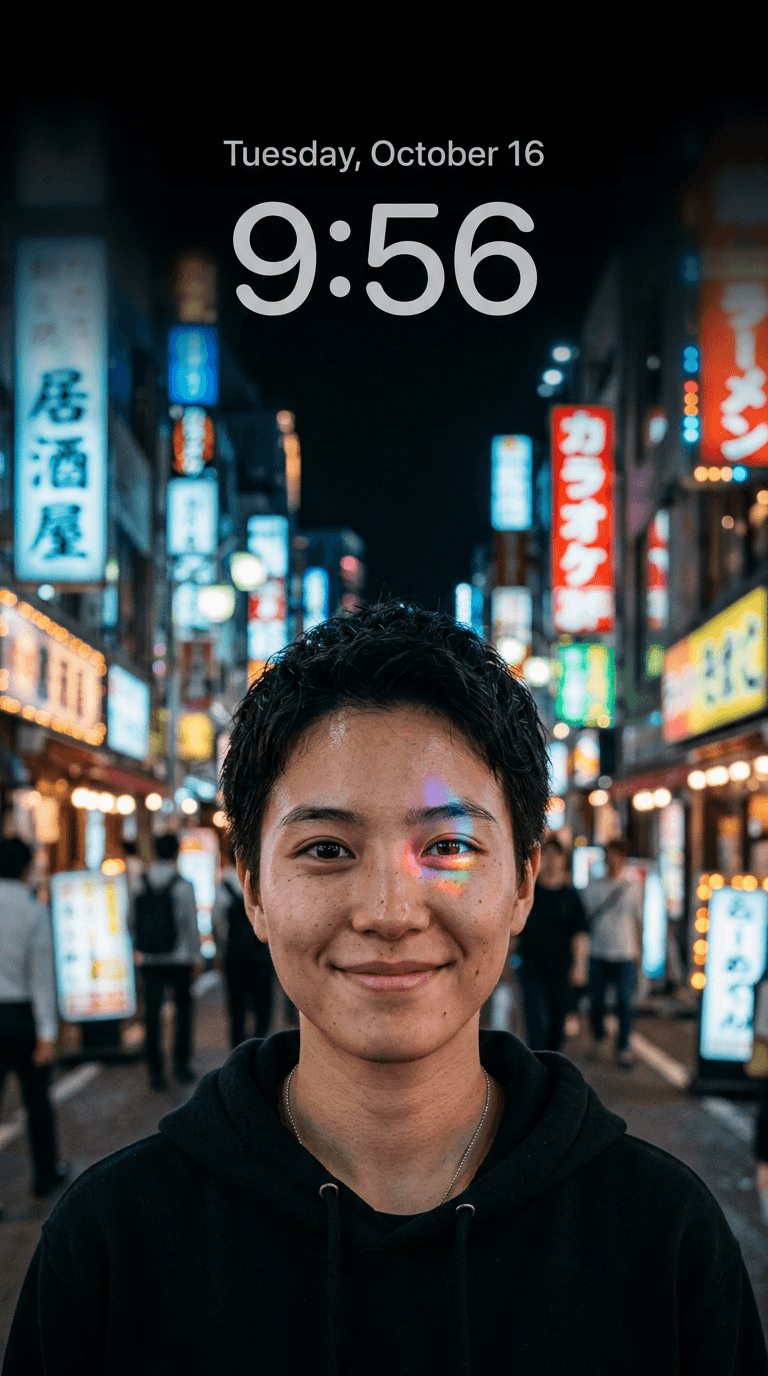
Not every version of this trend is warm and golden. This group swaps daylight for a moody night-city look while keeping the same realistic, screenshot-like feel and open top space.
Prompt 12: Neon reflection close-up
Ultra-realistic iPhone lockscreen wallpaper, close-up portrait at night with colorful neon signage reflected softly on the skin and in the eyes, natural skin texture, shallow depth of field with blurred city lights in the background, vertical 3:4 composition with open space at the top of the frame for a clock, photographed like a real low-light phone camera shot, no text, no logos
Prompt 13: Rooftop skyline silhouette
Ultra-realistic iPhone lockscreen wallpaper, silhouette of one person standing on a rooftop at dusk against a glowing city skyline, warm window lights beginning to turn on across the buildings, deep blue sky fading to orange at the horizon, vertical 9:16 composition with open space at the top third of the frame, photographed like a real phone camera shot, no text overlays
Prompt 14: Rain-soaked street reflections
Ultra-realistic iPhone lockscreen wallpaper, close-up of wet pavement reflecting colorful neon storefront signs at night, a single blurred figure with an umbrella visible in the background, vertical 3:4 composition with open space at the top of the frame for a clock, photographed like a real street photography shot, no text, no watermark
Prompt 15: Car window city lights
Ultra-realistic iPhone lockscreen wallpaper, close-up through a car window at night, city lights softly blurred and streaking in the background, a hand resting on the window ledge in sharp focus, warm and cool light mixing on the glass, vertical 3:4 composition with open space at the top for a clock, photographed like a real phone camera shot from inside a moving car, no text, no logos
5) Minimalist Widget-Space Lockscreen Prompts
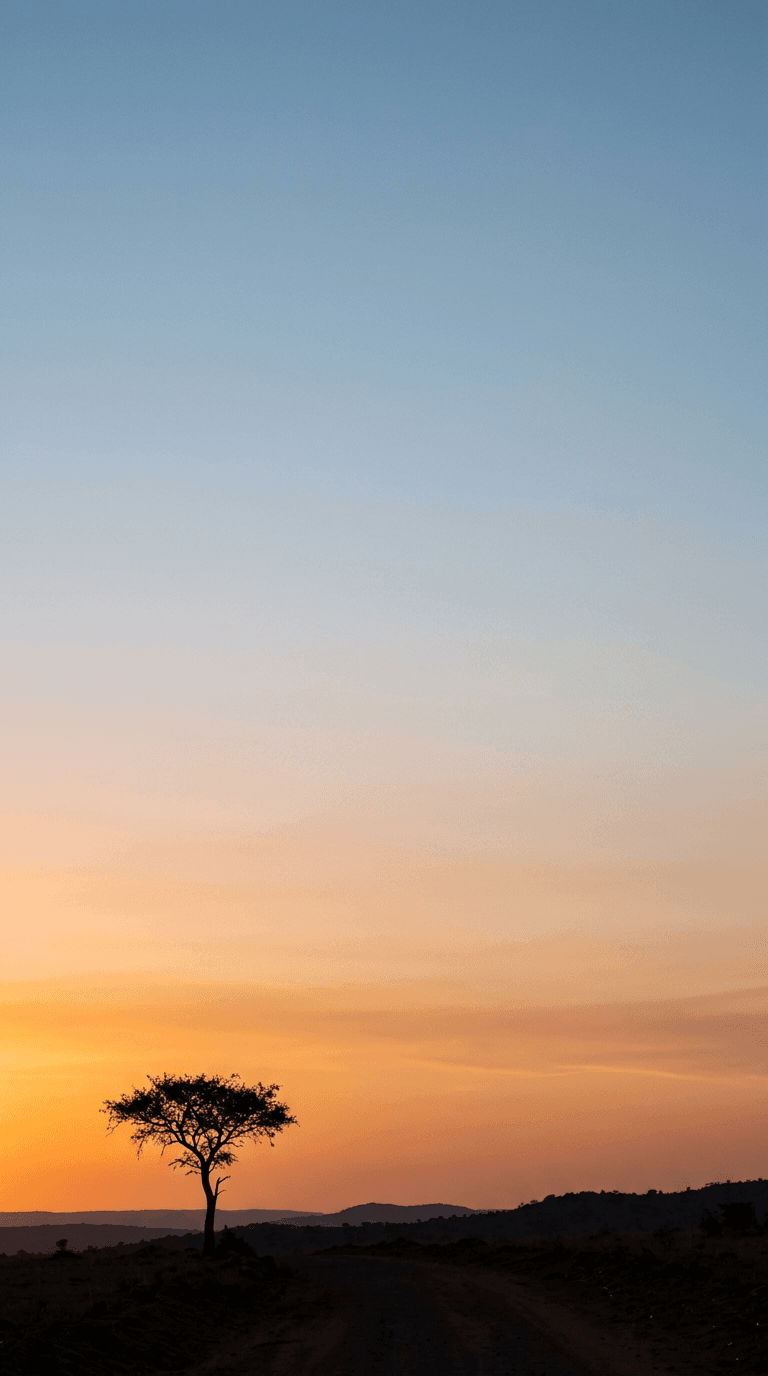
The last group is built for creators who care more about function than a face-forward composition, wallpapers with a clean, mostly empty upper two-thirds so your clock, weather widget, and notifications stay readable.
Prompt 16: Soft gradient sky, empty foreground
Ultra-realistic iPhone lockscreen wallpaper, wide open sky at golden hour with soft gradient color from warm orange near the horizon to soft blue higher up, a small silhouetted tree or figure only in the bottom quarter of the frame, the top two-thirds of the frame left clean and empty for widgets, vertical 9:16 composition, photographed like a real landscape phone photo, no text, no logos
Prompt 17: Macro texture with negative space
Ultra-realistic iPhone lockscreen wallpaper, extreme macro close-up of a single object like a dew-covered leaf or a textured stone in the bottom third of frame, soft warm natural light, the top two-thirds of the frame left as a smooth out-of-focus gradient background for widget readability, vertical 3:4 composition, photographed like a real macro phone photo, no text, no watermark
Prompt 18: Minimal desk corner
Ultra-realistic iPhone lockscreen wallpaper, a small corner of a wooden desk with a plant and a warm lamp glow in the bottom portion of frame, soft shadow gradient rising into a clean, mostly empty upper two-thirds of the frame for widget space, warm cozy indoor lighting, vertical 9:16 composition, photographed like a real still-life phone photo, no text, no logos
How to Customize These Prompts for Your Own Wallpaper
These prompts work as written, but a few small edits make the result feel like it is actually yours instead of a generic version of the trend.
- Swap in a specific setting you actually recognize, a real beach, a specific street, your own kitchen window, instead of leaving the background generic. Specific real-world detail is what separates a convincing result from an obviously generic one.
- Describe hair color, hair length, and skin tone explicitly if you are generating a portrait of yourself or someone else, since the model has no way to match a specific person without either a description or a reference photo.
- If you are using your own photo as a reference, say so directly in your workflow and keep the pose and expression close to the source image rather than asking for a dramatically different pose, since that keeps the likeness consistent.
- Adjust the empty space instructions to match where you actually keep your clock. Most people keep it near the top, but some lockscreen layouts put widgets lower, so describe the space accordingly.
- If a result looks too smooth or airbrushed to pass as a real photo, add a line specifically asking for visible skin texture and imperfect, natural lighting, since that single instruction fixes most of the "obviously AI" tell in this particular trend.
Reference images make a real difference here specifically because this trend depends on looking authentic. Inside the AI Image Generator in Miraflow AI, you can upload an actual photo of yourself, or of you and a friend, as a reference alongside the prompt, which keeps the final result looking like an actual candid photo of a real person instead of a generic AI face. If you want to explore a completely different visual identity first, our guide to AI prompts for the "meet your younger self" trend uses a similar reference-photo approach and is worth a look for the same technique applied to a different concept.
Common Mistakes Creators Make With This Trend
A few recurring issues show up when people try this format for the first time.
- Forgetting to leave open space at the top of the frame, which is the single detail that makes the image read as an actual lockscreen instead of just a portrait.
- Using a horizontal or square aspect ratio instead of a vertical one, which forces an awkward crop once the image is actually set as a wallpaper.
- Over-describing a "perfect" face, which pushes the model toward the same overly smooth, waxy look this trend is specifically trying to avoid. Natural texture is the entire point.
- Skipping a real setting description and defaulting to a vague "outdoors" background, which produces a generic, forgettable result compared to a specific, recognizable location.
- Generating only one version and settling for it. Small prompt tweaks, light direction, distance, angle, produce meaningfully different results, and this is a format worth generating four or five variations of before picking a favorite.
Bringing These Wallpapers Into Your Content, Not Just Your Lockscreen
Wallpaper-format images are not only useful as an actual phone background. The same close-up, warm-light aesthetic works well as an Instagram carousel cover, a TikTok video thumbnail, or a "get ready with me" style post opener, since the format is already built around a strong, personal, high-detail focal point. Generating a batch of these inside Miraflow AI means you can reuse the same reference photo across the whole set instead of starting from scratch each time, and if you end up wanting to turn one of these into a short video instead of a static image, the cinematic AI video generator and Text2Shorts in Miraflow AI both carry the same idea, an image concept into a finished video, without leaving the browser.
If your account leans more toward thumbnails and titles than personal photo trends, our breakdowns of hero-object thumbnail prompts and proof-of-human thumbnail prompts built to beat AI blindness both use a related realism-first approach, just aimed at a click-through goal instead of a lockscreen. And if you want more trend-driven prompt packs like this one, our guides to the decade progression photo trend and the face sticker sheet trend are both built the same way, real trend research first, prompts second.
Frequently Asked Questions
What aspect ratio actually works best for an iPhone lockscreen? 3:4 or 9:16 vertical both work well. 9:16 fills the screen edge to edge on most modern iPhones, while 3:4 leaves a little more breathing room, which some people prefer for the top clock area specifically.
Do I need a reference photo for the couple close-up format to look like me? No, but it helps significantly if you want the result to resemble a specific real person rather than a generic AI-generated face. Uploading a real photo as a reference inside the AI Image Generator in Miraflow AI keeps facial features consistent with the actual person.
Why do my results look too smooth or fake? This is almost always a prompt issue, not a model limitation. Add explicit language about visible skin texture, natural imperfect lighting, and a candid rather than posed expression, all of which push the result away from the overly airbrushed default look.
Can I use this format for something other than couples or friend groups? Yes. The macro and minimalist prompts in the last section work well for anyone who wants the realistic, warm-light aesthetic without a face in frame at all, and the solo portrait section covers the same look for a single subject.
Is this trend only for Instagram, or does it work for TikTok too? Both. The format originated mostly on Instagram Reels and Stories but has spread widely to TikTok as a slideshow and video-opener format as well, especially paired with a "day in my life" or aesthetic-focused caption.
Conclusion
The AI lockscreen wallpaper trend works because it commits fully to looking like a real photo, natural skin texture, imperfect golden-hour light, and a composition that leaves space exactly where a phone clock actually sits. The eighteen prompts above cover the couple close-up format that started the trend along with solo, friend group, night-city, and minimalist variations, so you have a real starting point no matter which version fits your content. Generate a few variations, swap in a real reference photo and a specific setting, and you will have a wallpaper, and a piece of content, worth reusing every single day your phone screen turns on. Every prompt above is ready to run directly inside the AI Image Generator in Miraflow AI.