15 'Proof of Human' AI Thumbnail Prompts to Beat AI Blindness (2026)

Written by
Aerin Kim
Viewers now spot AI-generated thumbnails on sight and scroll past them. Here are 15 copy-paste 'Proof of Human' prompts that keep the realism viewers reward, built for Miraflow's Thumbnail Maker.
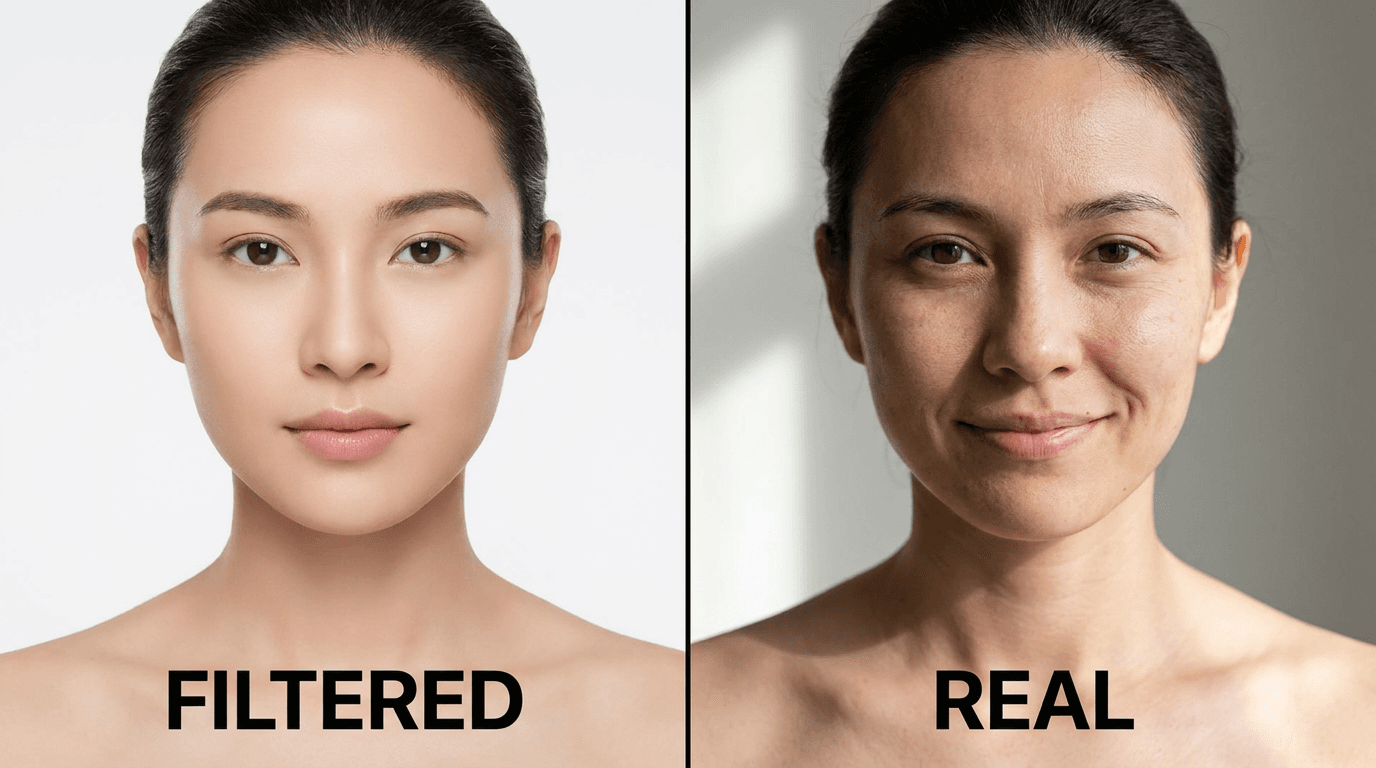
If your thumbnail click-through rate has been quietly sliding even though your titles and topics have not changed, there is a real, specific reason for that, and it is not the algorithm punishing you. Viewers have gotten good at spotting AI-generated thumbnails on sight, and once they spot one, a growing number of them scroll straight past it. Creator circles have started calling the countertrend "Proof of Human," a shift toward thumbnails that keep visible skin texture, asymmetric expressions, and genuinely candid framing instead of the flawless, airbrushed look that used to be the whole point of using AI in the first place [1].
This is not a call to stop using AI for your thumbnails. It is the opposite. It is a specific, learnable set of prompt techniques that make an AI-generated thumbnail read as a real photo of a real person having a real reaction, not a smoothed-over render, so you keep the speed and consistency of generating thumbnails with a tool like Miraflow's YouTube Thumbnail Maker without paying the click-through cost of looking obviously synthetic.
What "AI Blindness" Actually Is
"AI blindness" is the pattern-recognition skill viewers have picked up without meaning to. After two years of AI-generated content flooding every feed, most people can now clock a synthetic image in under a second, even if they could not explain exactly what tipped them off. It is the same kind of learned skill as recognizing a stock photo, except it developed much faster because so much more AI imagery has passed in front of so many eyes in such a short window.
The problem for creators is that YouTube's thumbnail grid is a scroll-past environment by design. A viewer's brain is making a keep-scrolling-or-stop decision in a fraction of a second, and a thumbnail that reads as synthetic gives that decision an easy, near-instant "skip" answer before the title, the topic, or the channel even register. A hyper-polished AI face used to signal quality. Increasingly, it signals exactly the opposite, and coverage of 2026 thumbnail design has been explicit that authenticity, not polish, is the trend actually winning attention right now [1].
The Specific Visual Tells That Trigger It
Before the fix, it helps to know precisely what viewers are unconsciously scanning for, because these are the exact things the prompts below are built to avoid.
- Perfectly symmetric, poreless skin. Real human skin has visible texture, pores, faint blemishes, and asymmetry. A face with none of that reads as rendered rather than photographed.
- Identical, uniform catchlights in both eyes. A real flash or window light creates a catchlight that is not perfectly centered or perfectly matched between both eyes. AI defaults tend to place an unnaturally clean, identical highlight in each eye.
- Too-even, shadowless lighting. Real rooms and real faces have some falloff and some shadow. A face lit with no shadow anywhere at all is one of the fastest tells.
- Overly symmetric, camera-aware expressions. A posed, centered, direct-to-camera half-smile with both eyebrows raised evenly is a very common AI default, and viewers now recognize it as a template rather than a moment.
- Backgrounds that are too clean or too generically blurred. A real room has clutter, texture, and specific detail. A background that is a smooth, featureless gradient behind an otherwise sharp subject is a strong synthetic signal.

How to Prompt for "Proof of Human" Instead
The fix is not a single magic phrase, it is a small set of prompt instructions that consistently push generation away from every tell above. Four things matter most:
Name the imperfection directly. Instead of leaving skin texture to the model's default, explicitly prompt for visible pores, a faint blemish, or slight under-eye texture. This is the single highest-leverage change in the entire list.
Break symmetry in the expression and framing. Ask for an asymmetric expression, a head slightly off-axis, one eyebrow raised higher than the other, or a gaze that is not dead-center on the lens. Real candid photos are almost never perfectly symmetric.
Specify a real, single light source instead of "soft studio lighting." A phrase like "window light from the left, visible shadow on the right side of the face" reads as photographed. "Soft even studio lighting" is exactly the phrase that tends to produce the shadowless, flat look viewers now flag as fake.
Add one small, specific, real-world detail to the background. A coffee mug, a monitor reflection, a strand of loose hair, a slightly wrinkled shirt collar. One concrete, unglamorous detail does more to sell realism than any lighting instruction on its own.
Every prompt below applies these four moves directly. If you are starting from your own real photo rather than generating a face from scratch, Miraflow's AI Image Generator supports image-to-image editing, so you can upload an actual photo of yourself and apply the reaction, framing, or lighting change without losing your real likeness in the first place, which is the single most reliable way to stay on the right side of this trend. Its inpainting tool is also useful here for a narrower fix: mask just the eyes or the skin on a thumbnail that came out slightly too smooth, and regenerate only that region instead of the whole image.

1) Reaction and Expression Thumbnail Prompts
Reaction thumbnails carry the most risk of looking synthetic, since an exaggerated expression is exactly where AI defaults toward a too-clean, too-symmetric look. These five prompts are built specifically to keep the reaction believable.
Prompt 1: Shocked reaction, asymmetric
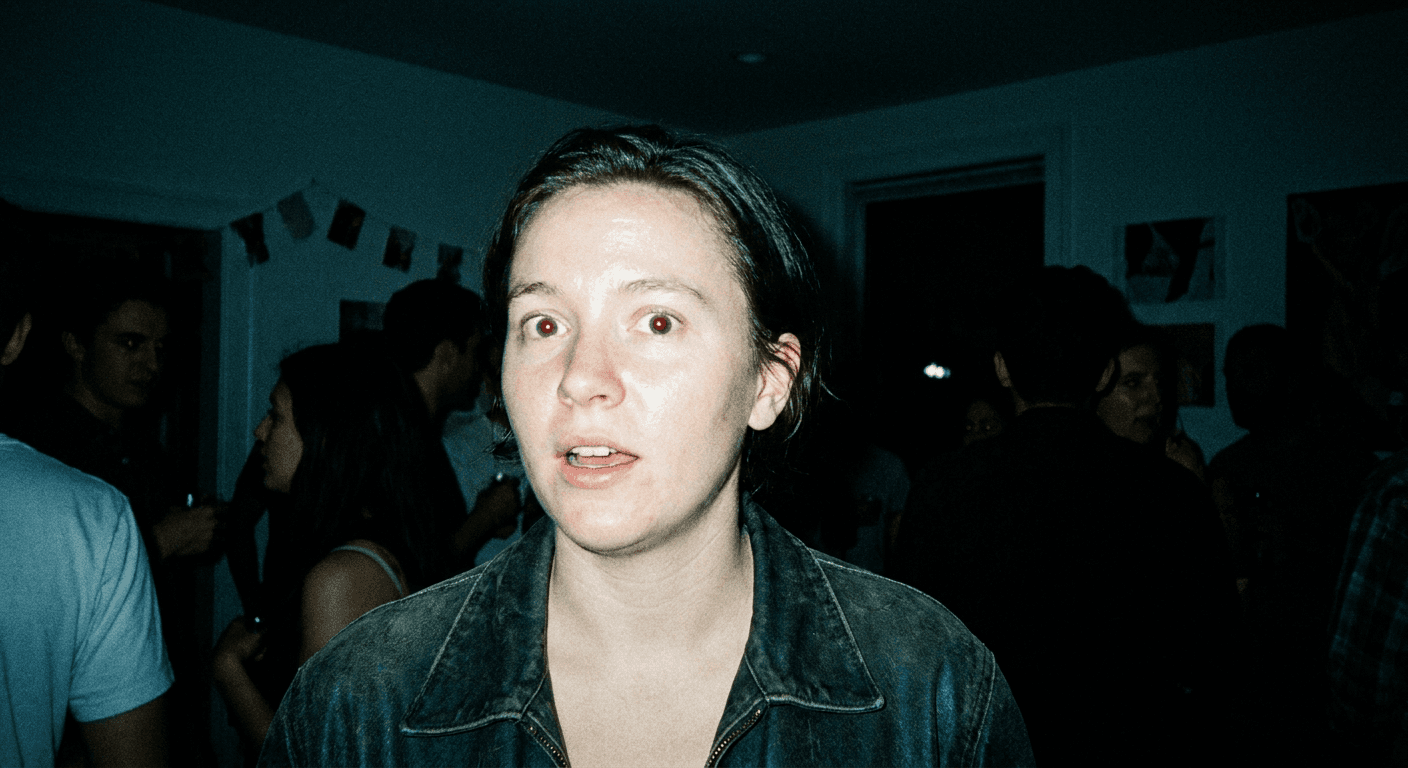
Candid photograph of a person reacting with genuine shock, mouth slightly open and asymmetric, eyebrows raised unevenly, visible skin texture and pores across the cheeks, gaze angled just off the lens rather than centered, single-source lighting from the left casting a soft real shadow on the right side of the face, blurred cluttered background with a monitor edge visible, photorealistic detail, candid unposed framing.
Prompt 2: Genuine laugh, mid-motion
Candid photograph of a person mid-genuine-laugh, head tilted slightly back, eyes naturally crinkled and not perfectly symmetric, visible skin texture including a faint laugh line, hair slightly out of place from the motion, warm window light from one side with a real shadow falling across the neck, softly blurred living room background, photorealistic detail, unposed spontaneous framing.
Prompt 3: Skeptical raised eyebrow
Candid photograph of a person giving a skeptical look, one eyebrow raised higher than the other, lips pressed into a slight asymmetric line, visible skin texture and a faint under-eye shadow, gaze directed slightly to the side rather than straight at the lens, single hard side light creating a defined shadow across half the face, plain but slightly textured wall behind them, photorealistic detail, candid unposed moment.
Prompt 4: Focused concentration, working
Candid photograph of a person deeply focused on a task just out of frame, brow slightly furrowed and asymmetric, visible skin texture and a faint sheen of concentration, head angled down and to the side rather than at the camera, single desk-lamp light source casting a warm directional glow with real shadow, blurred desk clutter visible behind them, photorealistic detail, unposed candid framing.
Prompt 5: Excited, leaning toward camera
Candid photograph of a person leaning in toward the camera with genuine excitement, mouth open mid-word, asymmetric grin, visible skin texture and pores, one hand blurred slightly from motion near the frame edge, natural window light from one side with a soft real shadow, lightly cluttered background with visible depth, photorealistic detail, candid unposed energy.
2) Hands-On and Product-Demo Prompts
Tutorial and review channels lean heavily on hands holding a product or pointing at a screen. Hands are historically one of the hardest things for AI generation to render convincingly, which makes getting this category right especially valuable.

Prompt 6: Holding a product up to camera
Photograph of a pair of hands holding a small unbranded gadget up toward the camera at a natural angle, visible knuckle texture and a faint skin crease, fingers gripping unevenly rather than in a perfectly staged symmetric hold, single window-light source casting a real shadow beneath the hands and product, blurred desk background with a coffee mug visible, photorealistic detail, no readable text or logos on the gadget.
Prompt 7: Pointing at a highlighted screen detail
Photograph of a hand pointing at a highlighted detail on a laptop screen, visible finger texture and a faint reflection of the screen glow on the skin, the hand's angle slightly off from a perfectly centered pose, single-source desk lamp light mixing naturally with the screen's own glow, blurred desk clutter in the background, photorealistic detail, no readable on-screen text, no visible logos.
Prompt 8: Comparing two items side by side
Photograph of two hands holding two similar unbranded items side by side for comparison, natural uneven grip on each item, visible skin texture across both hands, single-source side lighting creating real shadows beneath each item, softly blurred neutral background, photorealistic detail, no readable text or logos on either item.
Prompt 9: Unboxing mid-action
Photograph of hands mid-unboxing, lifting a product partially out of an open box, visible motion blur on the fingertips from the action, natural uneven grip, visible skin texture on the hands and wrists, single overhead light source casting a real shadow into the open box, blurred desk background with packing paper visible, photorealistic detail, no readable text or logos on the box.
3) Candid Environment and Lifestyle Prompts
These prompts move the authenticity signal from the face into the surrounding scene, useful for vlog-style, day-in-the-life, or behind-the-scenes thumbnails where the setting does as much storytelling work as the expression.
Prompt 10: Desk setup mid-work, natural clutter
Photograph of a person working at a desk, caught in a candid mid-task moment rather than posed, visible skin texture and a slightly asymmetric expression of concentration, real desk clutter including a mug, notebook, and tangled cable in soft focus behind them, single window-light source casting a natural shadow across the desk, photorealistic detail, unposed candid framing.
Prompt 11: Walking outdoors, caught mid-stride
Photograph of a person caught mid-stride walking outdoors, slight natural motion blur on the trailing foot, visible skin texture and windblown hair, asymmetric candid expression mid-conversation, real daylight from one direction casting a natural shadow on the pavement, softly blurred street background with genuine environmental detail, photorealistic detail, unposed candid framing.
Prompt 12: Kitchen counter, mid-task
Photograph of a person mid-task at a kitchen counter, visible skin texture and a faint flour smudge or steam detail relevant to the task, asymmetric candid expression not looking at the camera, single window-light source from the side casting a real shadow across the counter, softly blurred kitchen clutter behind them, photorealistic detail, unposed candid framing.
4) Before-and-After and Split-Frame Authenticity Prompts
Split-frame and before-after thumbnails are a proven high-CTR format on their own, and they get an extra credibility boost when both halves read as genuinely photographed rather than one clean side and one obviously AI side.

Prompt 13: Before and after, same pose
Photoreal split-frame photograph divided by a thin vertical line, left half and right half show the same person in the same seated pose at two different real moments, consistent visible skin texture and natural facial asymmetry on both sides, matching single-source window lighting across the whole frame, candid unposed expressions on both sides, photorealistic detail, no readable text.
Prompt 14: Two-person reaction split
Photoreal split-frame photograph divided by a thin vertical line, left half shows a person with a neutral candid expression, right half shows the same person moments later with a genuine surprised reaction, visible skin texture and natural asymmetry maintained on both sides, consistent single-source lighting across the frame, softly blurred matching background on both halves, photorealistic detail, no readable text.
Prompt 15: Progress timeline, three panels
Photoreal three-panel photograph divided by thin vertical lines showing the same person or object at three progressive stages of a real process, consistent visible texture and natural lighting continuity across all three panels, single-source directional light maintained throughout, softly blurred consistent background across panels, photorealistic detail, no readable text.
How to Customize These Prompts
Every prompt above follows the same underlying formula: subject and action, one named skin or texture detail, one asymmetric or off-center framing note, one specific single-source lighting instruction, and one concrete background detail. Keep that four-part structure intact and you can swap in almost any topic, niche, or setting and still get a result that clears the AI blindness test. If a generated result still feels slightly too smooth, add a more specific texture note ("faint freckle near the left cheekbone," "slightly chapped lower lip") rather than a vague one, specificity is what actually moves the output, not just the word "realistic" repeated more times.
For a deeper technique breakdown of realistic, non-AI-looking photography more broadly, our AI flash filter prompt pack covers a related but distinct photographic technique, and the anti-AI film grain prompts tackle the same underlying "make it look less AI" problem from a texture-and-grain angle instead of a skin-and-expression angle. If faces and emotional range specifically are your bottleneck, our dedicated prompts for YouTube thumbnail faces and emotions is worth pairing with this pack.
Common Mistakes Creators Make With This Trend
- Overcorrecting into an unflattering result. The goal is realistic, not unattractive. A visible pore or a slightly asymmetric smile reads as authentic. Deliberately ugly lighting or an unflattering angle just reads as a bad photo, which hurts CTR for a completely different reason.
- Using the word "realistic" alone and expecting it to work. As covered above, the specific, named details, texture, asymmetry, single-source lighting, one background detail, are what actually change the output. A bare "make it look realistic" instruction rarely moves the result on its own.
- Fixing the face but leaving a synthetic-looking background. Viewers scan the whole frame, not just the face. A perfect, textured, candid-looking face in front of a smooth gradient background still reads as fake overall.
- Applying the same fixed formula to every thumbnail on a channel. If every thumbnail uses the identical asymmetric-smile, window-light-from-the-left formula, that consistency itself starts to read as a template rather than genuine variety. Rotate which specific detail you lean on from video to video.
- Skipping a real reference photo when one is available. Generating a face entirely from a text prompt is harder to make convincing than starting from an actual photo of yourself and adjusting the reaction, lighting, or framing with image-to-image editing.

Making These Inside Miraflow's YouTube Thumbnail Maker
Once you have a prompt from this pack that fits your video, Miraflow's YouTube Thumbnail Maker is built to take it the rest of the way. You can enter the prompt directly, optionally upload your own face or a reference photo so your real likeness carries through into the result, and add your thumbnail text on top once the base image is generated. If you already have an existing thumbnail that is underperforming, the tool also supports uploading it directly by pasting your YouTube link, so you can regenerate just the parts that need the authenticity fix instead of starting over from nothing.
For creators managing thumbnails across a lot of videos at once, Miraflow's AI Image Generator is the same underlying engine with more manual control, useful when you want to batch a consistent "Proof of Human" look across an entire back catalog rather than one video at a time. And if your workflow starts from a long video rather than a finished script, Miraflow's AI Clipping tool can pull the actual candid reaction moments out of your raw footage automatically, which is often a faster starting point for an authentic thumbnail than generating a reaction from scratch.
Frequently Asked Questions
What exactly is the "Proof of Human" thumbnail trend? It is a shift in 2026 thumbnail design away from hyper-polished, obviously AI-generated faces toward thumbnails that keep visible skin texture, asymmetric expressions, and candid framing, specifically because viewers have gotten fast at recognizing and scrolling past the older, overly smooth AI look.
Does this mean I should stop using AI to make thumbnails? No. It means adjusting how you prompt AI generation, naming specific texture, asymmetry, lighting, and background details, so the result reads as photographed rather than rendered. You get the same speed and consistency benefits of an AI thumbnail workflow without the click-through penalty of an obviously synthetic look.
Why do hands matter so much in this style of thumbnail? Hands are historically one of the harder things for AI image generation to render convincingly, so a hands-on thumbnail that gets hand anatomy and grip right is a strong authenticity signal on its own, on top of whatever the face is doing.
Can I apply these prompts to a photo of myself instead of generating a face from nothing? Yes, and it is usually the better approach. Uploading a real photo and using image-to-image editing in a tool like Miraflow's AI Image Generator to adjust the expression, lighting, or framing keeps your actual likeness while still applying the authenticity techniques in this pack.
How is this different from just using a real, unedited photo? A real photo already solves the AI blindness problem by definition. These prompts matter when you need a reaction, angle, or framing you do not have a real photo for yet, a specific product demo pose, a specific split-frame comparison, or a reaction shot for a video you have not filmed. The goal is making the generated version indistinguishable from a real one you could have taken yourself.
Will this trend still matter next year? The specific term "Proof of Human" may fade the way most trend names do, but the underlying dynamic, viewers getting faster at recognizing synthetic media and rewarding content that reads as genuinely human, is likely to keep intensifying rather than reverse, which makes these prompting habits worth building now rather than treating as a temporary fix.
Conclusion
The core insight behind "Proof of Human" thumbnails is simple even if the trend name is new: viewers are not rejecting AI-generated thumbnails because they know a tool made them, they are rejecting the specific, learnable visual tells that make a thumbnail look synthetic in the first place. Fix those tells, visible skin texture, broken symmetry, single-source lighting, one concrete background detail, and an AI-generated thumbnail can hold attention exactly as well as a real photo, because to a scrolling viewer's eye, it effectively is one. Try the 15 prompts above inside Miraflow's YouTube Thumbnail Maker, starting with whichever category matches your next video, and keep the four-part formula in mind any time you write a new one from scratch. For the wider landscape of what is working in thumbnail design this year, our 10 YouTube Thumbnail Trends in 2026 roundup is a good next read, and you can browse more thumbnail and CTR breakdowns on the Miraflow AI blog. You can also explore the full toolset at Miraflow.