20 AI Prompts for Pinterest Pins That Drive Saves (Copy & Paste Ready)

Written by
Jay Kim
20 ready-to-use AI prompts for generating Pinterest pin images that drive saves and traffic. Copy, paste, and create scroll-stopping vertical pins for every niche.
You spent an hour writing an in-depth blog post about fall home décor ideas, published it, created a quick Pinterest pin with a dimly lit stock photo of a candle, and waited. The pin got 43 impressions and zero saves. Meanwhile, a creator in your exact niche pinned a bright, warm-toned, vertically composed image with a clean text overlay and clean design, and it accumulated hundreds of saves within its first week, driving steady traffic to their site for months. The difference was not the content. It was the pin image.
Pinterest is not a social network. It is a visual search engine where users decide to click based on the visual.[4] The platform is now best understood as a visual search and shopping engine that happens to have social features — not the other way around.[6] And the save, Pinterest's most important engagement metric, is fundamentally an act of visual curation. People save pins they want to return to, reference later, or share with others, and that decision happens in a fraction of a second based almost entirely on how the image looks.
Users save more than 1.5 billion Pins every week, indicating substantial intent-driven activity around products and ideas.[2] Every one of those saves started with an image compelling enough to stop a thumb mid-scroll. With AI image generation, you can now create that level of visual quality for every single pin without a photographer, a design team, or hours in Canva.
This guide gives you 20 copy-and-paste AI prompts engineered specifically for Pinterest's vertical format, visual search algorithm, and save-driven engagement model, along with the technical specs, design principles, and optimization strategies you need to turn every pin into a traffic-generating asset that works for months.
Why Pinterest Saves Matter More Than Any Other Metric
On most social platforms, a like is the primary engagement currency. On Pinterest, the save (formerly called "repin") is what matters. Saves are a key indicator of relevance and future engagement. Saved pins get re-circulated and indexed better.[4] When someone saves your pin, they are telling Pinterest's algorithm that this content is worth showing to more people with similar interests, creating a compounding distribution effect that can last for months.
On Instagram and TikTok, engagement is a snapshot: a post gets most of its reach in the first 24-48 hours. On Pinterest, engagement is cumulative. A Pin posted today can still generate daily impressions and clicks three months later. This makes Pinterest content an investment with long-term returns.[7]
This evergreen nature means the effort you invest in creating a high-quality pin image pays dividends far beyond the day you post it. Ideal for Evergreen Content: Think recipes, decor ideas, gift guides, or tutorials—content that remains relevant year-round. Relevance Grows Over Time: As saves, clicks, and repins grow, Pinterest often gives the pin more visibility, not less.[4]
The save rate benchmarks tell you exactly where you need to aim. Pins typically earn a 0.2–0.5% save rate, with food, DIY, and fashion content climbing to 1–2% on average.[9] The prompts in this guide are designed to generate images that consistently push your save rate toward the upper end of these ranges by leveraging the visual characteristics Pinterest's audience responds to most strongly.
Pinterest Pin Image Specs for 2026
Getting your dimensions right is not optional on Pinterest. Pinterest pin dimensions aren't optional recommendations. They're algorithmic requirements that determine whether your content gets distributed or buried.[1]
The optimal pin size is straightforward: 1000 x 1500 pixels (2:3 aspect ratio) is the optimal size. This vertical format maximizes mobile screen space, gets 67% more engagement than square pins, and is preferred by Pinterest's algorithm.[1]
Here is a complete breakdown of every dimension you need to know:
For standard image pins, use 1000 x 1500 pixels in a 2:3 aspect ratio. Pinterest pins perform best at 1000x1500 pixels (2:3 aspect ratio). This vertical format maximizes mobile feed space and receives significantly more engagement than square or horizontal formats.[3] This should be your default for every pin you create.
For Idea Pins (multi-page format), Idea Pins should be 1080 x 1920 pixels (9:16 aspect ratio) for full-screen vertical display. This matches the standard vertical video format used across social platforms.[3]
For long-form pins like infographics, you can go up to 1000 x 2100 pixels (1:2.1 ratio), but be aware that pins taller than 1:2.1 ratio (e.g., 1000x2100px) will be cropped in the feed.[3] The bottom gets cropped in the feed. Users have to click into the pin to see the whole thing, which kills your impression-to-click ratio.[5]
For file format, Pinterest supports JPG, PNG, and WebP formats for pin images. JPG works best for photographs, while PNG is better for graphics with text overlays. Maximum file size is 20MB, but keeping under 5MB is recommended.[3]
The minimum width matters too. Minimum recommended width is 1000 pixels.[3] Anything below this will look soft and pixelated on high-resolution mobile screens, and where 81% of Pinterest users browse[4], a blurry pin is an invisible pin.
The AI Image Generator on Miraflow supports custom aspect ratios, so you can generate images at Pinterest's exact 2:3 vertical ratio without needing to crop or resize afterward.
How Pinterest's Algorithm Evaluates Your Pin Images
Understanding what Pinterest's algorithm looks for in visual content is essential for writing prompts that generate high-performing pin images. Unlike platforms that prioritize recency, Pinterest's algorithm operates more like a search engine's ranking system.
Pinterest's algorithm follows a simple logic: reward high-quality, fresh content that resonates. For this, it weighs four main signals—quality, engagement, relevance and freshness—to decide which Pins deserve visibility.[1]
The quality signal is heavily visual. The most successful Pins use high-resolution, vertically oriented images or videos. High-ranked Pins generate saves, comments, zooms and click-throughs.[1] When Pinterest evaluates a pin, it literally analyzes the image itself. Pinterest now uses computer vision to read images directly, picking up colours, materials, style, and overall aesthetic, and feeding that into ranking alongside traditional text metadata.[2]
This means Pinterest's AI is not just reading your title and description. In 2026, text is secondary to Visual Entities. Pinterest's advanced AI "Lens" scans every pixel of your Pin to identify objects, textures, and even brand aesthetics without needing a single word of text.[7] Your pin image itself becomes a ranking signal, which means the visual quality, subject matter, and style of your AI-generated image directly influence how many people see it.
Freshness is another critical factor. The January 2026 update introduced several key changes, including a fresh content 24-48 hour boost. This means that new content will receive a significant boost in visibility and engagement for the first 24-48 hours after posting.[10] This is where AI-generated images give you a massive advantage: you can create genuinely new, unique visuals for every pin instead of recycling the same images with minor tweaks.
Engagement (especially saves) and keyword relevance remain central ranking signals.[6] Every prompt in this guide is designed to generate the kind of image that triggers saves, which in turn tells the algorithm to distribute your pin more widely.
What Makes a Pinterest Pin Image Drive Saves
Pinterest's visual ecosystem has specific design characteristics that correlate with higher save rates. These principles are built into every prompt in this guide.
Warm tones outperform cool tones. Research shows pins with warm tones (red, orange, brown) get more saves than cool tones (blue, green).[4] And the impact is measurable: Color psychology combinations drive 23% higher save rates. Warm tones like red and orange boost excitement, while cool tones like blue and green build trust.[6] Pinterest even publishes annual color palette reports based on engagement data, confirming that their in-house creative and insights teams worked hand-in-hand to map the trends and color clusters against first-party platform Pin color data. Looking at actions like saves, we were able to see which colors are driving engagement over time.[2]
Brightness and contrast matter enormously. The bright pink color delivered 35% more clicks compared to the worst ad, and 26% more clicks compared to the second spot ad. Not only that, but it also generated 37% more outbound clicks compared to the worst-performing ad.[8] Bright, well-lit images with clear contrast between foreground and background stop the scroll in Pinterest's visual feed.
Clean, bold design with clear focal points. Pinterest is visual first, so design matters. Strong pins have three things in common: Bright, clear images with minimal clutter. Readable text overlays using bold, simple fonts. Clarity and curiosity in the title.[7]
Text overlays should be minimal and readable. Text overlay best practices: use a large, readable font (40–100 points depending on image size). High contrast so text is readable against the background. Be specific and actionable — "10 Budget Bathroom Ideas" instead of "Bathroom Ideas." Keep it to 3–8 words.[8]
Contextual, lifestyle imagery outperforms isolated subjects. Product pins perform best when they show the item in use rather than isolated on a white background. This contextual presentation helps users visualize ownership.[6]
These design principles shape every prompt below. When you generate images using these prompts, they already incorporate warm color palettes, bright lighting, clean composition, and clear focal points, the visual formula that drives Pinterest saves.
For creators who also need visual content for LinkedIn, the AI prompts for LinkedIn post images guide covers professional-focused visual strategies with different design principles.
20 AI Prompts for Pinterest Pins That Drive Saves (Copy & Paste)
Each prompt is designed specifically for Pinterest's 2:3 vertical format at 1000 x 1500 pixels. You can paste these directly into the AI Image Generator on Miraflow, set the aspect ratio to 2:3 vertical, and generate immediately. Every prompt produces bright, warm-toned, vertically composed images optimized for saves.
Home Décor and Interior Design
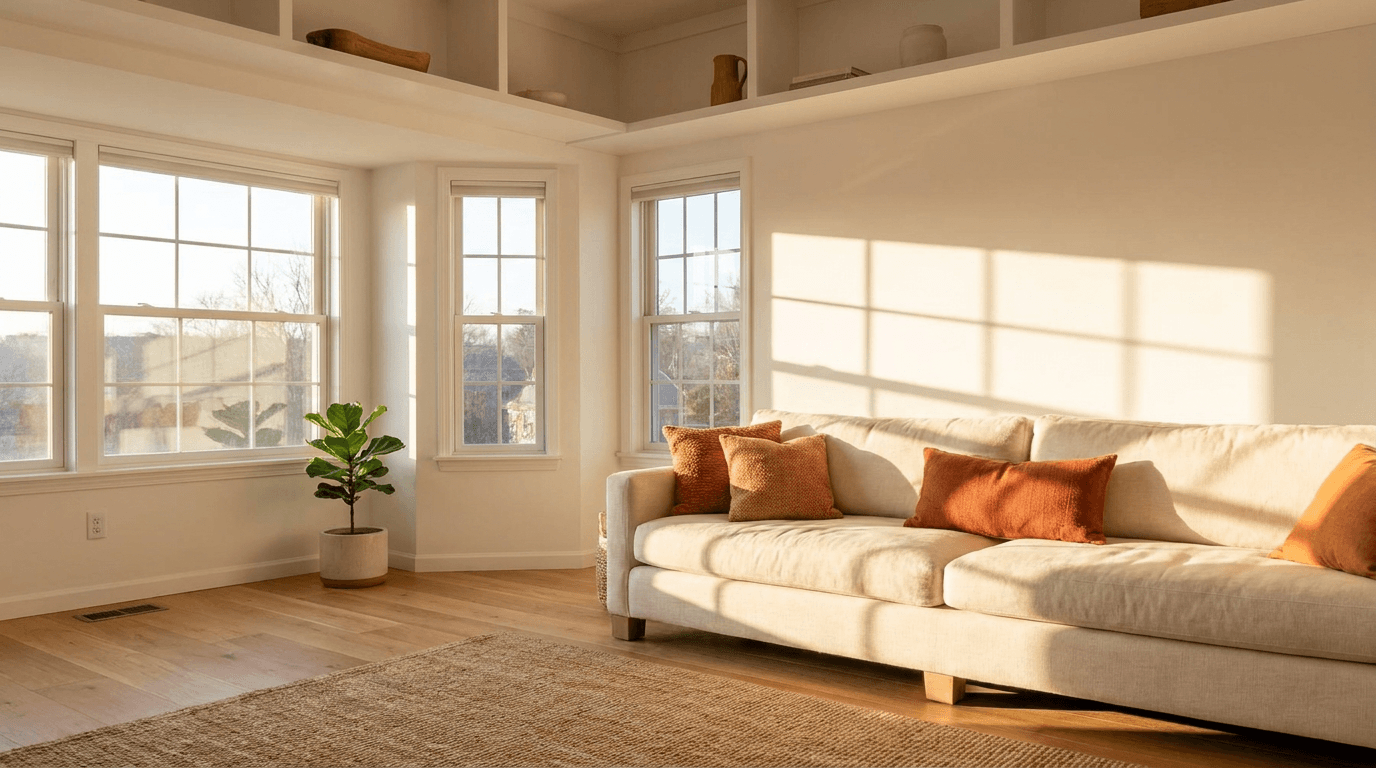
1. Cozy living room inspiration
Best for: Pins about interior design ideas, room makeovers, or seasonal decorating tips.
Prompt:
bright airy living room with warm natural light streaming through large windows, plush cream-colored sofa with terracotta and burnt orange throw pillows, woven jute rug on light oak hardwood floors, a small potted fiddle leaf fig in the corner, warm golden afternoon sunlight casting soft shadows, clean minimalist Scandinavian aesthetic with warm earth tones, vertical composition with the sofa centered in the lower two-thirds leaving bright airy space above, lifestyle interior photography
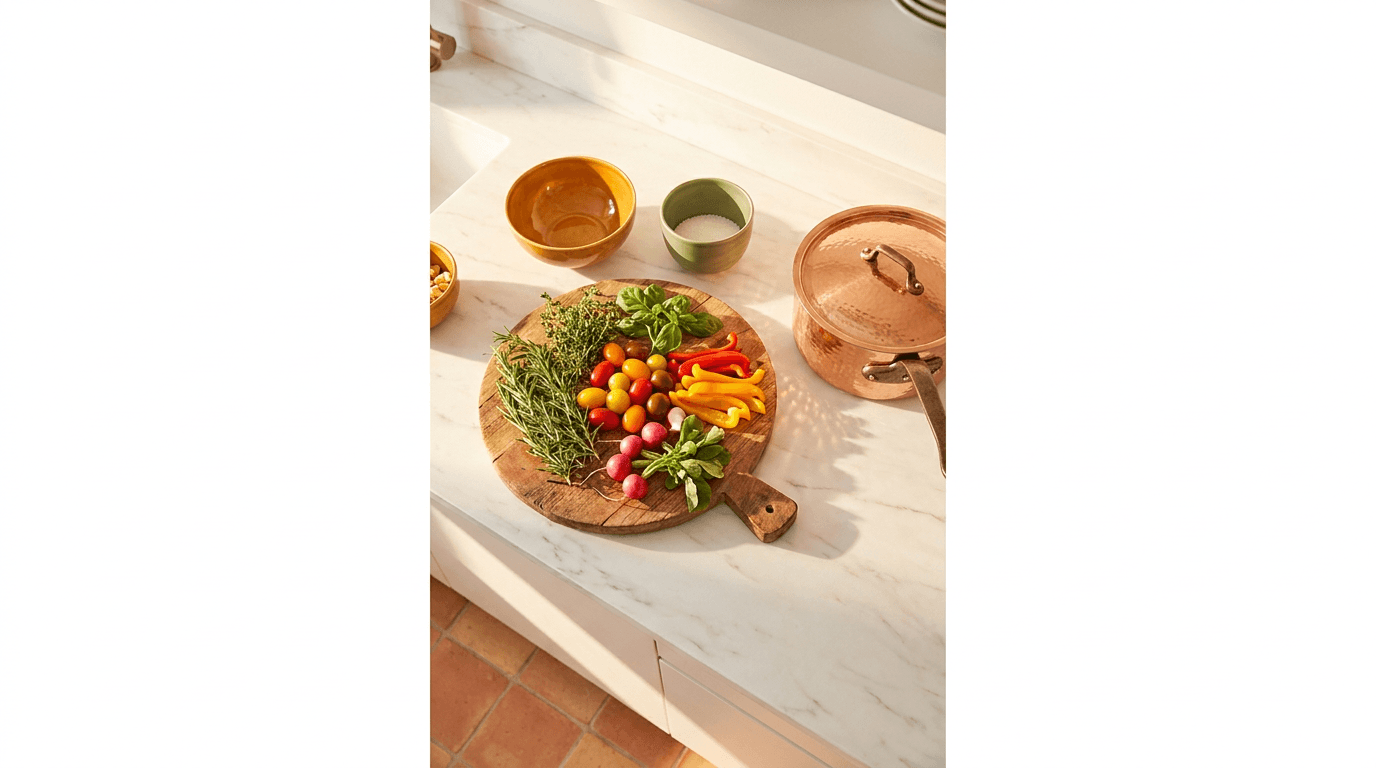
2. Kitchen styling and organization
Best for: Pins about kitchen organization, recipe posts, or cooking tips.
Prompt:
overhead view of a bright modern kitchen countertop with a rustic wooden cutting board holding fresh herbs and colorful vegetables, a copper pot on a white marble surface, warm morning light from the left creating soft golden highlights, terracotta tiles visible at the edge, bright and inviting with warm amber and sage green accents against clean white, styled food photography aesthetic, vertical composition with generous breathing room at top and bottom
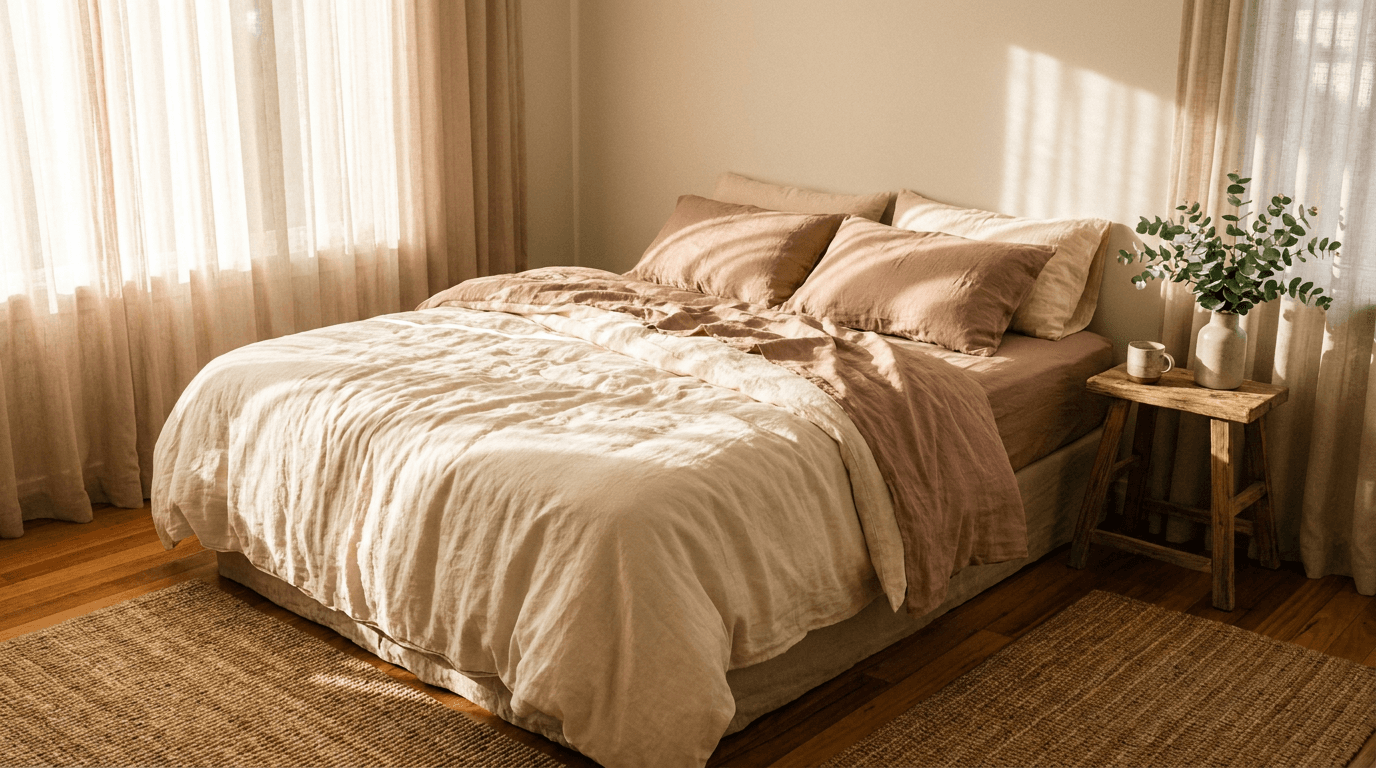
3. Bedroom sanctuary styling
Best for: Pins about bedroom décor, sleep tips, or morning routine content.
Prompt:
serene bedroom with unmade linen bedding in soft warm cream and dusty rose tones, morning sunlight filtering through sheer curtains creating a warm golden glow, a small wooden nightstand with a ceramic mug and a fresh eucalyptus sprig in a simple vase, warm wood floors with a soft woven rug, peaceful and inviting atmosphere with warm muted earth tones, lifestyle interior photography with shallow depth of field, vertical composition focused on the bed in the center
Food and Recipe Content
4. Styled recipe hero shot
Best for: Recipe pins, food blog posts, or cooking tutorial content.
Prompt:
close-up of a beautifully plated pasta dish with fresh basil and a drizzle of olive oil on a warm ceramic plate, rustic wooden table surface with a linen napkin and vintage fork beside it, warm overhead golden light with soft shadows, scattered cherry tomatoes and fresh herbs around the plate, rich warm tones of red orange and golden brown, styled food photography with shallow depth of field, vertical composition with the plate in the center-lower third and warm negative space above for text overlay
5. Baking and desserts flat-lay
Best for: Baking recipe pins, dessert roundups, or holiday baking content.
Prompt:
overhead flat-lay of freshly baked golden brown cookies on a parchment-lined baking sheet with a small bowl of chocolate chips and a wooden spoon, scattered flour dust on a warm dark wooden surface, warm soft lighting from above, fresh eggs and a stick of butter visible at the edges, rich warm golden and brown tones with bright highlights on the cookies, styled baking photography aesthetic, vertical composition with the baking sheet centered and ingredients arranged around it
6. Healthy smoothie or beverage
Best for: Health and wellness pins, smoothie recipe posts, or nutrition content.
Prompt:
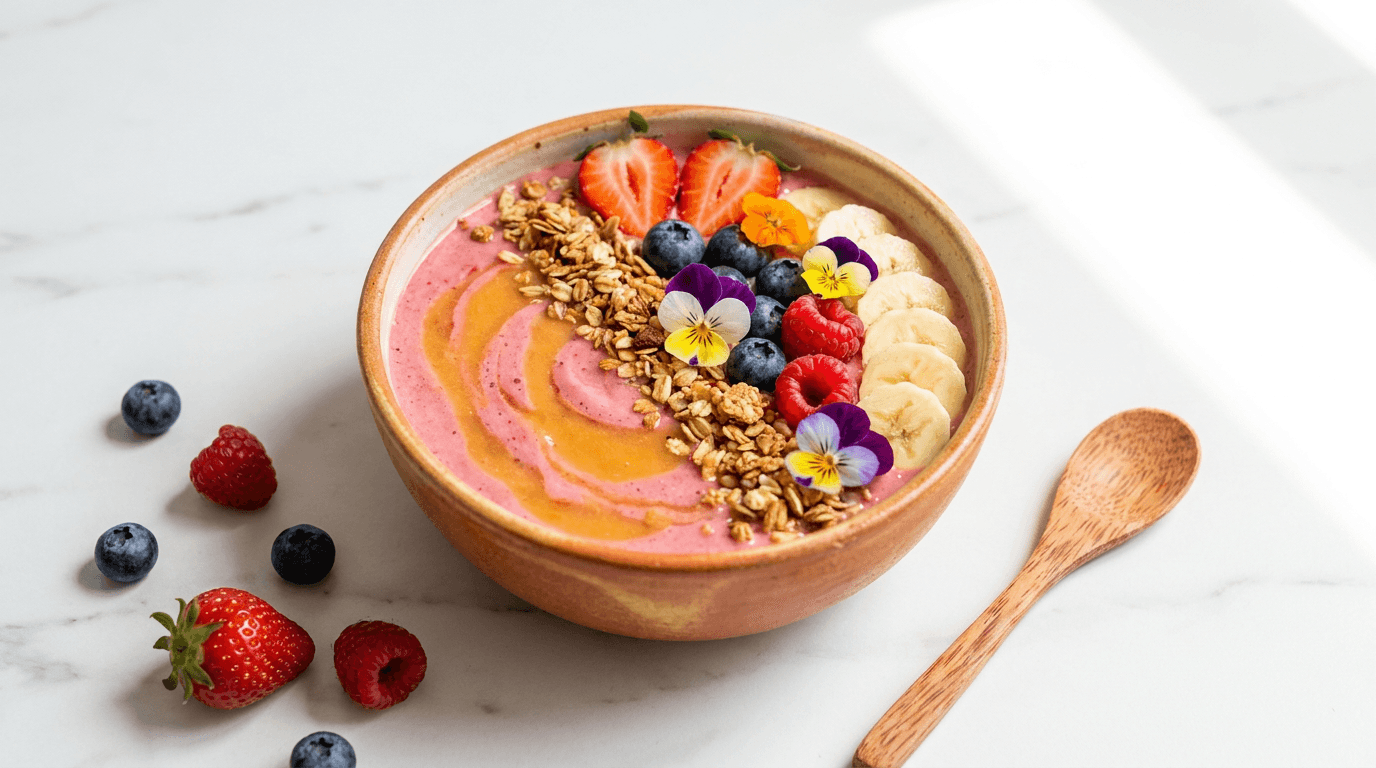
bright vibrant smoothie bowl in a warm ceramic bowl topped with colorful fresh berries sliced banana and granola arranged in a beautiful pattern, clean white marble surface with a small wooden spoon and scattered berries, bright natural morning light from the right creating fresh clean shadows, vibrant pinks oranges and warm gold tones against clean white background, styled wellness photography with sharp focus, vertical composition with the bowl in the lower center and bright airy space above
Fashion and Style
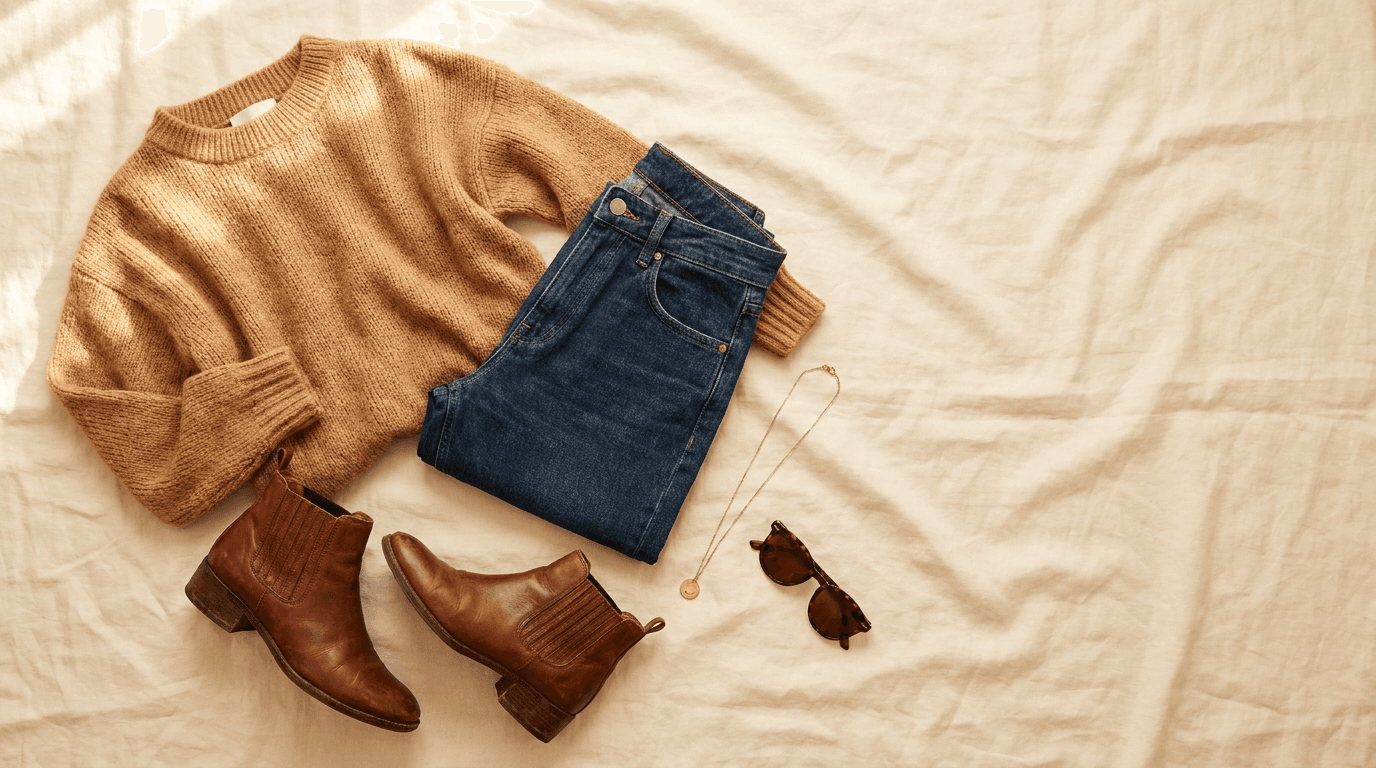
7. Outfit inspiration flat-lay
Best for: Fashion styling tips, seasonal outfit ideas, or capsule wardrobe content.
Prompt:
aesthetic outfit flat-lay on a warm cream linen surface with a cozy knit sweater in warm camel or terracotta, high-waisted jeans neatly folded, leather ankle boots, a small gold necklace and sunglasses arranged with intention, warm soft directional light from the upper left, earth tones with warm golden brown and cream accents, styled fashion photography with clean negative space, vertical composition with items arranged in a flowing diagonal from top to bottom
8. Accessories and jewelry close-up
Best for: Jewelry pins, accessory roundups, or gift guide content.
Prompt:
close-up of delicate gold jewelry pieces arranged on a warm marble surface with soft pink and cream dried flowers beside them, warm golden light catching the metal creating bright highlights and soft sparkle, shallow depth of field with the foreground piece in sharp focus, warm champagne gold and blush pink tones against soft neutral background, elegant styled product photography, vertical composition with the main jewelry piece positioned in the center
For e-commerce brands looking for product-specific imagery, the 20 AI prompts for e-commerce product images guide provides additional product photography prompts.
DIY and Crafts
9. Craft supplies and workspace
Best for: DIY tutorial pins, craft project ideas, or creative hobby content.
Prompt:
bright colorful craft workspace with neatly arranged supplies including paint brushes in a ceramic jar, small pots of acrylic paint in warm coral peach and golden yellow, colorful washi tape rolls and scissors on a clean white desk, bright natural light from a nearby window, cheerful and organized creative space with warm vibrant accent colors against clean white, styled workspace photography, vertical composition with supplies arranged from bottom to top creating visual flow
10. Handmade project close-up
Best for: Pins showing finished DIY projects, handmade gifts, or craft tutorials.
Prompt:
close-up of hands carefully arranging dried flowers into a small glass vase on a warm wooden surface, soft warm afternoon light from the side creating golden highlights on the petals, dried lavender roses and eucalyptus in warm dusty pink sage and natural tones, shallow depth of field with the arrangement in sharp focus and a soft blurred warm background, intimate lifestyle craft photography, vertical composition with the arrangement centered in the frame
Health and Wellness
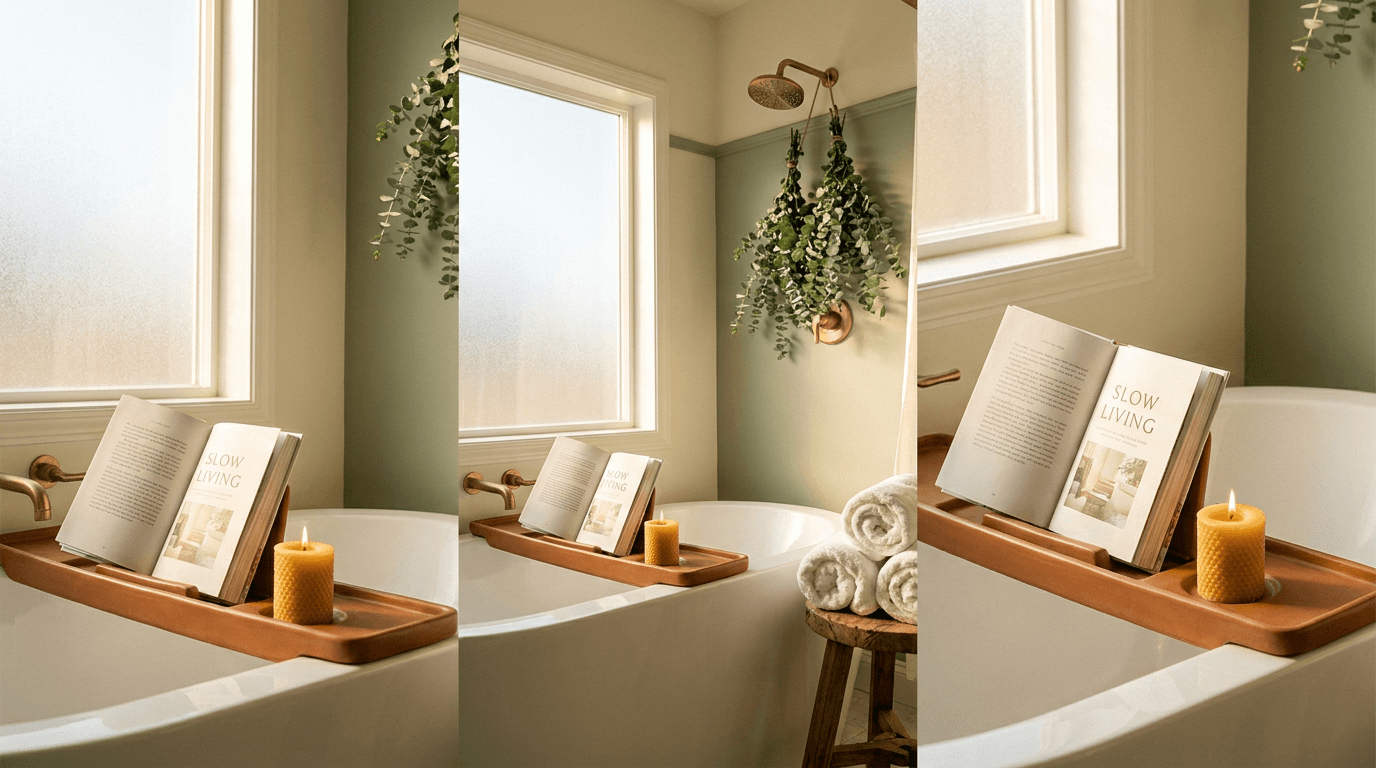
11. Self-care and relaxation
Best for: Self-care routine pins, wellness tips, or mental health content.
Prompt:
bright serene bathroom scene with a warm ceramic bathtub caddy holding a book and a candle, fresh eucalyptus hanging from a shower head in the background, warm golden light filtering through frosted glass, fluffy white towels rolled on a wooden stool, warm spa-like atmosphere with cream sage and warm wood tones, clean and peaceful lifestyle photography, vertical composition with the caddy as the focal point in the center and bright airy space above
12. Fitness and movement
Best for: Workout pins, exercise routine content, or active lifestyle posts.
Prompt:
bright clean image of a yoga mat rolled out on a warm wooden floor with a water bottle and small hand weights beside it, warm morning sunlight streaming in from a large window creating long golden shadows, a green plant in the corner adding a fresh natural element, warm natural tones with bright clean whites and soft sage accents, motivational yet calm atmosphere, lifestyle fitness photography, vertical composition with the mat running lengthwise and equipment arranged in the lower third
Travel and Lifestyle
13. Travel destination inspiration
Best for: Travel guide pins, destination roundups, or trip planning content.
Prompt:
stunning warm-toned travel scene of a charming Mediterranean village street with terracotta buildings and warm sandstone walls, bright bougainvillea flowers in vibrant pink cascading over a rustic doorway, cobblestone path leading the eye deeper into the scene, warm golden hour sunlight casting long dramatic shadows, rich warm oranges corals and golden tones against bright blue sky, professional travel photography with leading lines, vertical composition with the path drawing the eye from bottom to top
14. Travel packing and planning
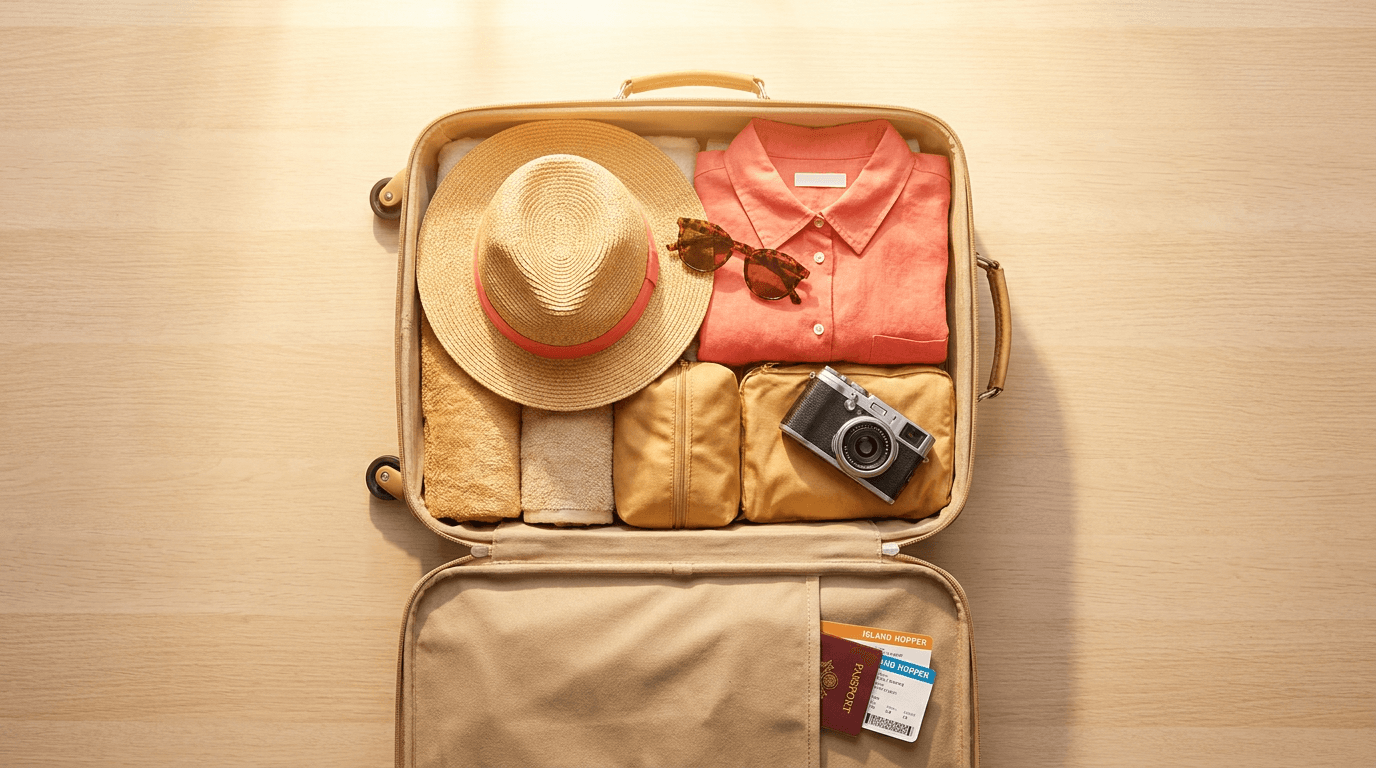
Best for: Packing list pins, travel tip content, or trip planning guides.
Prompt:
overhead flat-lay of a neatly organized suitcase being packed with summer essentials including a straw hat sunglasses a folded linen shirt and a small camera, warm passport and boarding pass visible at the edge, bright warm natural light from above, warm neutral tones with pops of coral and golden tan against a clean light surface, organized and aspirational travel aesthetic, styled flat-lay photography, vertical composition with the open suitcase filling the center frame
Business and Productivity
15. Clean workspace and productivity
Best for: Productivity tip pins, work-from-home content, or business strategy posts.
Prompt:
bright clean modern desk setup with a laptop and a warm cup of coffee in a ceramic mug, a small notebook with a quality pen beside it, a fresh green plant in a warm terracotta pot, warm natural morning light from a large window illuminating the workspace, clean white desk with warm wood and terracotta accents, bright and motivating atmosphere, professional lifestyle workspace photography, vertical composition with the desk arrangement in the lower two-thirds and bright wall space above
16. Goal setting and planning
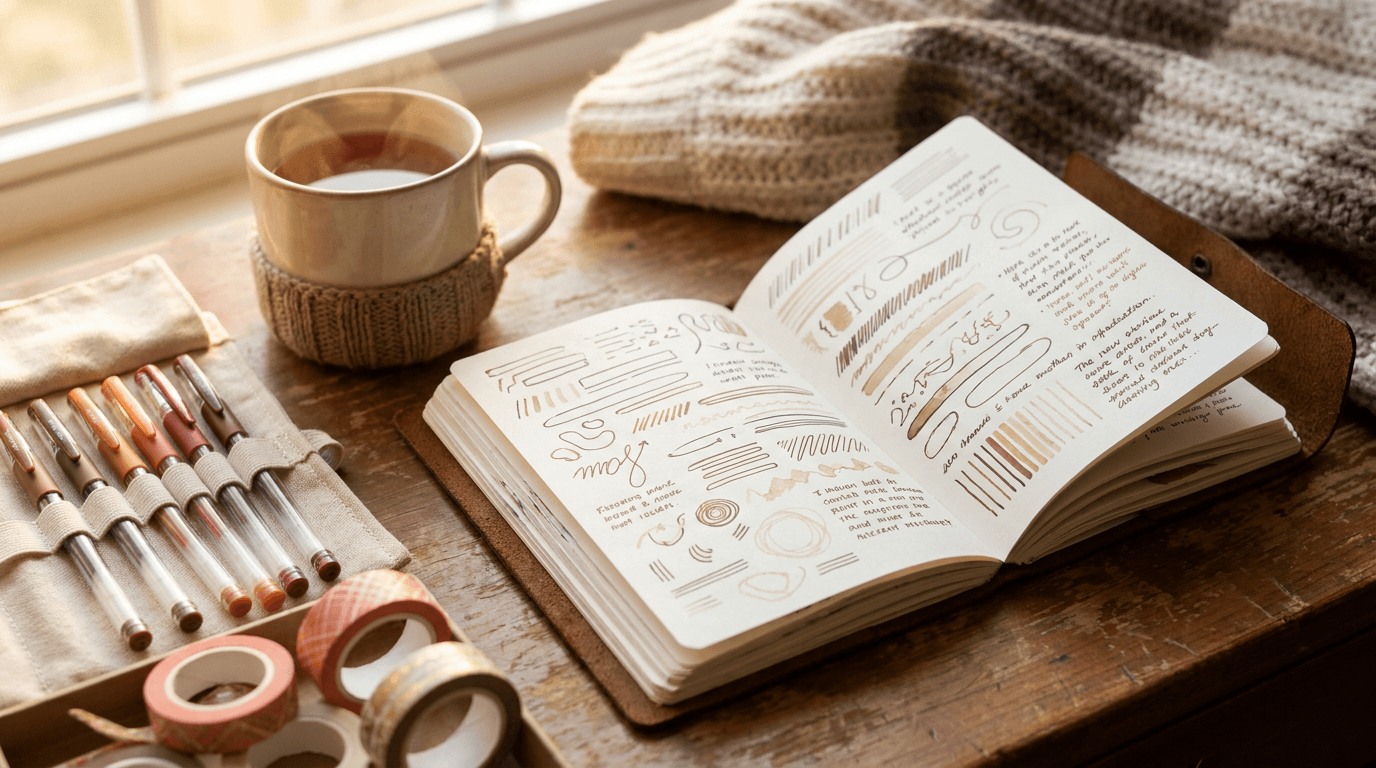
Best for: Goal-setting pins, planner content, or new year planning posts.
Prompt:
close-up of an open planner or journal on a warm wooden desk with neat handwriting visible as abstract marks, a warm cup of tea beside it, colorful gel pens and washi tape arranged nearby, soft warm golden morning light from the left side, warm cozy planning atmosphere with rich brown cream and soft coral accents, styled stationery photography with shallow depth of field, vertical composition with the open planner centered and accessories framing it
The AI prompts for TikTok cover images guide covers vertical-format visual principles that complement Pinterest content for cross-platform creators.
Seasonal and Holiday Content
17. Fall and autumn inspiration
Best for: Fall décor pins, autumn recipe roundups, or seasonal style content.
Prompt:
warm inviting fall scene with a rustic wooden porch railing draped with a cozy knit blanket, a steaming mug of spiced cider, small orange pumpkins and scattered fall leaves in rich amber and burgundy tones, soft warm golden afternoon light filtering through autumn trees in the background, rich saturated fall color palette of burnt orange deep red warm gold and rustic brown, lifestyle autumn photography with warm nostalgic atmosphere, vertical composition with the cozy arrangement in the lower two-thirds
18. Holiday gift guide styling
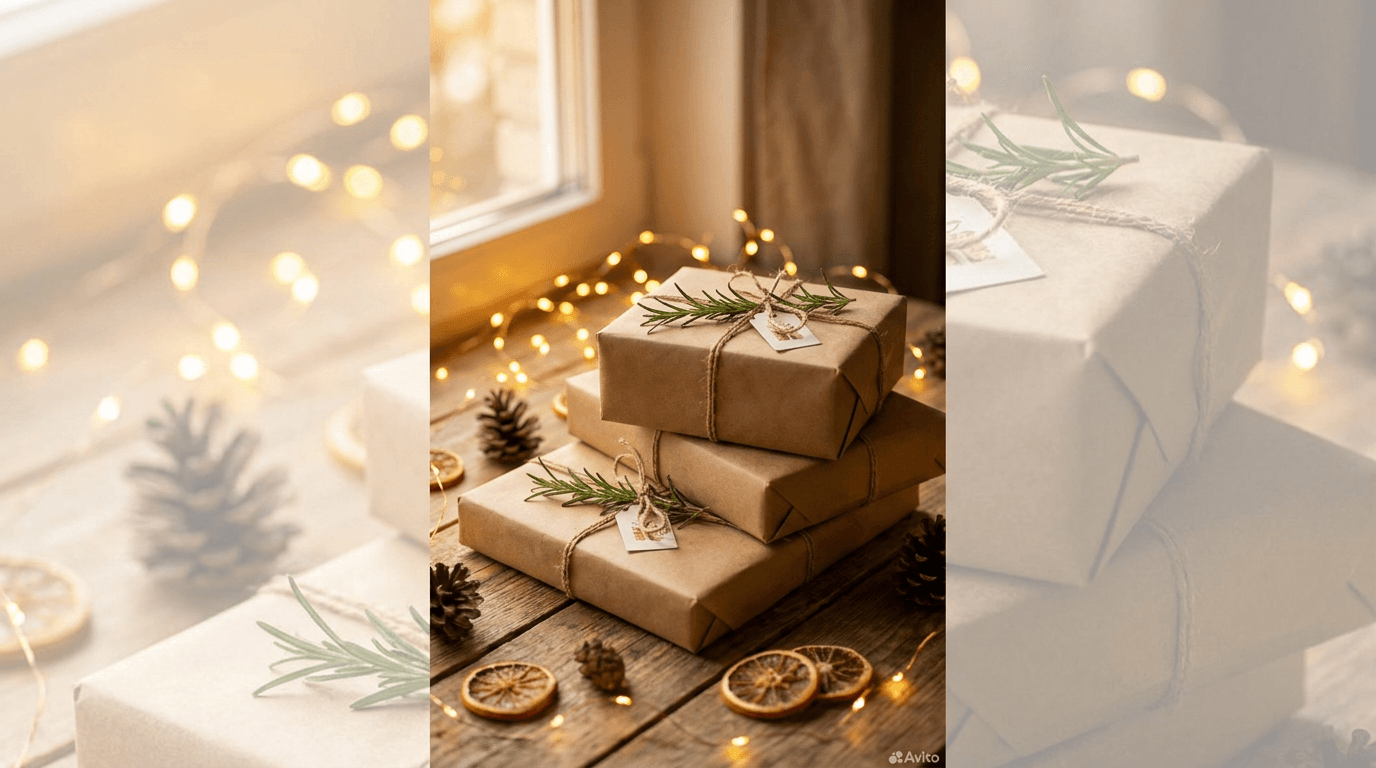
Best for: Gift guide pins, holiday shopping content, or seasonal product roundups.
Prompt:
beautifully wrapped gifts in warm kraft paper with natural twine and fresh rosemary sprigs arranged on a warm wooden surface, small golden fairy lights woven between the packages creating warm bokeh, a few pinecones and dried orange slices scattered nearby, warm soft golden lighting with rich cozy atmosphere, natural holiday aesthetic with warm brown gold green and cream tones, styled holiday gift photography, vertical composition with the gifts stacked and arranged from bottom center upward
Wedding and Events
19. Wedding planning and inspiration
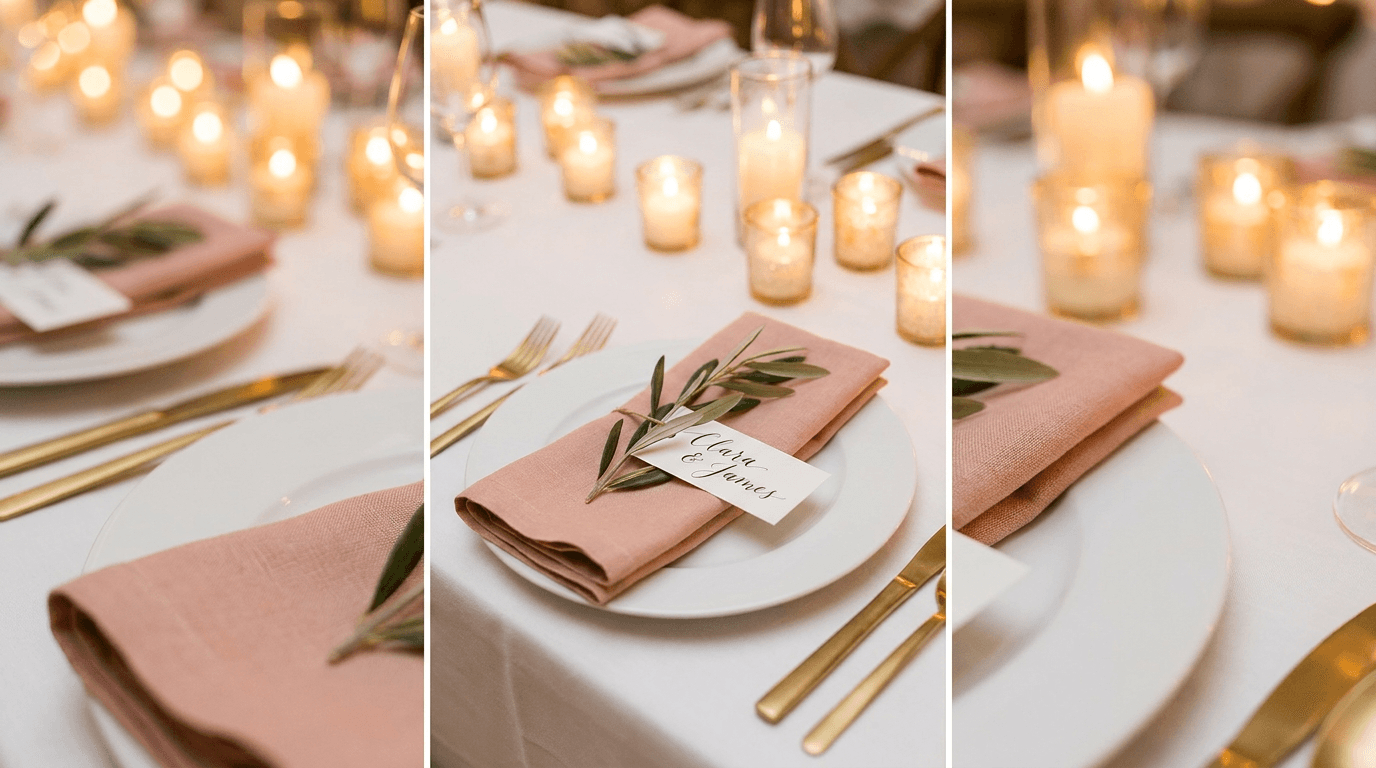
Best for: Wedding planning pins, event styling ideas, or bridal content.
Prompt:
elegant wedding table setting detail with a warm blush pink napkin folded on a white porcelain plate, a small sprig of fresh greenery and a handwritten calligraphy place card, soft golden candlelight from votives in the background creating warm bokeh, clean white tablecloth with warm metallic gold cutlery, romantic and refined atmosphere with warm blush gold and sage tones, styled wedding detail photography with shallow depth of field, vertical composition with the place setting centered
Education and Infographic Backgrounds
20. Clean infographic and list background
Best for: Educational pins, tip lists, checklist content, or step-by-step guides that need text overlay.
Prompt:
clean warm abstract background with a soft gradient from warm cream at the top to soft dusty rose at the bottom, subtle organic shapes or soft watercolor washes in warm peach and golden tones adding gentle visual texture without competing with text, bright and airy with plenty of clean space for text overlay, modern feminine design aesthetic with warm muted tones, professional graphic background suitable for Pinterest infographic, vertical composition with maximum clean usable space, no patterns that compete with text
How to Customize These Prompts for Your Niche
The prompts above cover Pinterest's highest-performing content categories, but the real power comes from adapting them to your specific niche and brand identity.
Replace the color palette with your brand colors. Every prompt includes specific warm color descriptors. Replace these with your brand's color palette while keeping the warm tone foundation. If your brand uses sage green and warm cream, change "terracotta and burnt orange" to "sage green and warm cream" across all your prompts. The key is maintaining warmth and brightness regardless of the specific hues.
Swap the subject matter for your niche. The compositional structure and lighting in each prompt work independently of the specific objects. If you are in the fitness niche, take the flat-lay composition from prompt 7 (fashion) and replace the clothing items with workout gear. If you are in the pet niche, take the lifestyle setting from prompt 1 (living room) and add a cozy pet bed or dog toys. The lighting, composition, and color temperature remain the same.
Match the seasonal timing. The 90-Day Rule: Start pinning content related to a trend 90 days before the seasonal peak. The Momentum Effect: By the time the general public starts searching for "Summer Patio Ideas" in June, your April pins have already accumulated the "Engagement History" needed to hold the #1 spot.[4] Adjust the seasonal elements in your prompts to align with upcoming seasons. Generate fall content in July, holiday content in September, and spring content in January.
Use reference images for brand consistency. The AI Image Generator on Miraflow accepts reference images alongside text prompts. Upload an image of your existing brand aesthetic, product, or visual style and use a prompt from this guide to generate new visuals that maintain that consistency.
Optimizing Pin Images for Pinterest's Visual Search AI
Pinterest's visual search AI represents both an opportunity and a design consideration for AI-generated pin images. In 2026, Pinterest's AI (Pinterest Lens) "watches" your images. It identifies objects, textures, and even the "vibe" of your photography.[4]
This means that the objects, materials, and settings in your AI-generated images are being analyzed and categorized by Pinterest's computer vision system. When you generate an image of a cozy living room with specific furniture styles, Pinterest's AI will categorize your pin alongside similar interior design content and surface it to users who have searched for or engaged with similar visuals.
To optimize for visual search, follow these principles when customizing the prompts. First, ensure your main subject is clearly visible and not obscured by competing elements. Visual Clarity: Ensure your main product or service is the focal point. If you are a service-based business, use high-contrast infographics.[4]
Second, use realistic, identifiable objects rather than abstract shapes when your content is about specific products or ideas. Pinterest's visual AI can identify objects like sofas, dresses, kitchen tools, and plants, and it uses those identifications to connect your pin with relevant search queries.
Third, consider what search terms your target audience uses and ensure the visual elements in your image match those queries. If people search for "boho living room ideas," your generated image should include visual elements that Pinterest's AI would classify as bohemian: macramé, natural textures, earth tones, and layered textiles.
Pinterest ranks content not just based on the data points visible, but also the quality of the visuals. They "employ a pre-trained image classifier to predict the top classes of visual content."[8] This means generating images that visually resemble top-performing pins in your niche gives you an algorithmic advantage.
Adding Text Overlays to Your AI-Generated Pin Images
Text overlays on Pinterest pins serve a fundamentally different purpose than on other platforms. On Pinterest, the text overlay functions as a headline that tells the user what value they will get by clicking or saving the pin. It is the difference between a pretty image someone scrolls past and a purposeful pin someone saves for later.
The prompts in this guide generate text-free images intentionally, because AI-generated text in images often contains errors. Instead, generate the image first, then add text overlays in a separate step using a design tool.
Add concise text overlays (2-6 words) that communicate the pin's value. Use high-contrast fonts that are legible on mobile.[4] Your text should be specific and benefit-driven. "10 Budget Kitchen Hacks" will get saved far more often than "Kitchen Ideas" because it promises specific, countable value.
Keep critical info, such as text and graphics, in the upper half of your design so it's visible in previews and mobile feeds.[2] When composing your text overlay, position the most important words in the upper half of the pin where they are always visible, even in feed previews where the bottom of the pin might be partially hidden by Pinterest's UI elements.
Text overlays placed in the outer 10% of the frame often get covered by Pinterest's UI elements (profile, CTAs). Keep the focal area centered with margins of roughly 100px on all sides.[5]
For images where you want text integrated into the generation process itself, the YouTube Thumbnail Maker on Miraflow supports entering headline text as part of the AI generation, and the resulting images can be reformatted to Pinterest's 2:3 ratio.
Creating Multiple Pin Variations for Maximum Distribution
One of the most important Pinterest strategies for 2026 is creating multiple distinct pin designs for each piece of content. Create 3-5 completely different pin designs for each blog post or product - the top 1% of pins drive 50%+ of all traffic, so volume of distinct designs is how you increase your odds of going viral.[5]
According to Tailwind's 2026 Benchmark Study analyzing over 1.2 million pins, fresh pins (Creates) drive 90%+ of website traffic compared to saves or repins.[5] This data means generating new, unique images is the single most impactful thing you can do for Pinterest traffic, and AI image generation makes this scalable.
Here is how to use the prompts in this guide for multi-variation pinning. For a single blog post about fall home décor, you might generate one image using prompt 1 (cozy living room) with autumnal elements, a second using prompt 17 (fall inspiration) for a porch scene, a third using prompt 20 (infographic background) for a tips-based pin, and a fourth using prompt 2 (kitchen styling) with seasonal ingredients. Each image links to the same blog post but captures different visual search queries and appeals to different aesthetic preferences.
Simply changing the text overlay on the same background image isn't enough. Pinterest wants genuinely new visual content.[5] This is where AI-generated images are dramatically more efficient than traditional design. Each generation produces a genuinely unique image, satisfying Pinterest's freshness requirements without the hours of manual design work.
Space your pins strategically. Wait 72 hours between pins to the same URL to avoid any spam flags.[5]
Using Pinterest's Trending Colors in Your AI Prompts
Pinterest publishes annual color trend reports based on actual engagement data, and aligning your pin colors with these trends gives you a measurable advantage.
For 2026, Pinterest's 2026 "Pinterest Palette" report is based on search and engagement trends in the app over the past year. Based on this analysis, Pinterest has selected five colors that it thinks will generate more interest this year.[5] The 2026 palette includes colors like Persimmon (warm orange), Wasabi (bold green), Plum Noir (deep purple), Jade (serene green), and Cool Blue. This year's selections, Pinterest says, are based on "bold, imaginative detours."[5]
To incorporate trending colors into your prompts, simply add the specific color to the prompt's color descriptors. For example, in prompt 1, you might replace "terracotta and burnt orange throw pillows" with "warm persimmon and deep plum throw pillows" to align with the 2026 palette. The warm base lighting and composition remain the same, but the accent colors match what Pinterest's data shows is trending.
They "employ a pre-trained image classifier to predict the top classes of visual content." If we apply what we learned from this test to organic content: look at the dominant colors, but try to use brighter and lighter tones in your designs.[8] When adapting trending colors to your prompts, push them slightly brighter than you might instinctively choose. Bright, vibrant tones consistently outperform muted or dark versions of the same hue on Pinterest.
For further color inspiration based on engagement data, the AI prompts for before-after YouTube thumbnails pack covers high-contrast color pairing techniques that translate well to Pinterest.
Building a Consistent Visual Brand on Pinterest
Brand consistency on Pinterest is not just about looking professional. It directly impacts how the algorithm treats your content. If your pins scatter across too many themes, Pinterest can't anchor you to anything. But if your topics reinforce each other — layer by layer — the algorithm begins to see you as a source, not a participant. And that's when distribution changes.[5]
Consistent formatting builds recognition and encourages repeat engagement.[6] When users see your pin in search results and recognize the visual style from a previous pin they found valuable, they are significantly more likely to save and click.
Here is how to build visual consistency using the prompts in this guide.
Choose your signature lighting style and stick to it. All prompts in this guide use warm, golden, natural light. If this matches your brand, use it consistently. If your brand is cooler or more modern, adjust the lighting descriptors in all prompts simultaneously so every pin feels cohesive.
Lock in 2-3 accent colors. Pick two or three accent colors that appear in every pin. Replace the accent color descriptors in each prompt with your consistent palette. Over time, your pins become instantly recognizable in search results.
Standardize your composition approach. Choose whether your pins will always be overhead flat-lays, front-facing lifestyle shots, or close-up detail shots, and stick primarily to that angle. Mixing angles is fine, but having a dominant compositional style builds visual brand recognition.
Apply the same text overlay style. Use the same font, size ratio, and text position on every pin. This is the most immediately recognizable branding element and does not require changing your AI-generated images, just your post-generation text overlay process.
Batch Generating Pinterest Images for Consistent Pinning
Consistency is the engine of Pinterest growth. Brands published an average of 10 posts per week on Pinterest in 2025, up nearly 43% compared to 2024.[1] Three to seven new pins per week per topic cluster — consistently — is the sweet spot for 2026.[5]
This volume requirement is exactly where AI image generation transforms your Pinterest workflow from unsustainable to effortless. Here is a batch workflow for generating a month of Pinterest images in a single session.
Step 1: Map your content calendar. List out your blog posts, products, or content pieces that need Pinterest pins for the next 30 days. Identify the content category for each (home décor, recipe, fashion, business, etc.).
Step 2: Select your prompt templates. Choose four to five prompts from this guide that match your content categories. These become your rotating visual templates.
Step 3: Generate all images in one session. Open the AI Image Generator on Miraflow, set the aspect ratio to 2:3, and generate all images back to back. For each content piece, generate 3 to 5 variations using different prompts but maintaining consistent brand colors.
Step 4: Add text overlays in batch. Apply your headline text to all images using the same font, size, and positioning template. Each variation should have a slightly different headline angle while linking to the same content.
Step 5: Store and organize. Save all finished pins in the My Media section on Miraflow organized by content piece and variation number. This library becomes your scheduling asset.
Step 6: Schedule strategically. Space out your pin variations. Pin the first variation on day one, the second three days later, the third a week later, and so on. This maintains freshness signals while giving each variation time to be individually evaluated by the algorithm.
This workflow turns pin image creation from a daily struggle into a focused 45-minute monthly session, and the visual consistency of your output improves dramatically when all images are generated with the same creative direction.
Optimizing Pins for Idea Pins and Carousel Formats
While standard image pins are the foundation of Pinterest strategy, Idea Pins and carousel formats offer significantly higher engagement. Idea Pins achieve 0.5–1% engagement rates, outperforming Standard Pins (0.15–0.25%) by up to four times because Pinterest's algorithm prioritizes native, multi-page storytelling over static images.[9]
To create Idea Pin content using AI-generated images, generate a series of related images using the same prompt family with small variations for each page. For example, a "5 Fall Living Room Ideas" Idea Pin might use five variations of prompt 1, each with a different color palette or furniture arrangement, creating a cohesive visual story across pages.
For Idea Pins, adjust the dimension in your prompts from "1000x1500" to "1080x1920" to match the full-screen 9:16 format. Idea pins display full-screen on mobile, so the 9:16 ratio fills the entire viewport. This is the same dimension used for Instagram Stories, TikTok videos, and YouTube Shorts — so if you're already creating vertical video content, you can cross-post to Pinterest with the same assets.[4]
For carousel pins, the size is 1000 x 1500 pixels per image (2:3 aspect ratio), with 2-5 cards. Carousels often have higher save rates than single-image pins because users can see multiple angles/options.[1] Generate matching images with the same color palette and lighting but different subjects or angles to create a compelling swipe-through experience.
Cross-Platform Repurposing of Pinterest Pin Images
The vertical 2:3 images you generate for Pinterest can be efficiently repurposed across other platforms, maximizing the return on every generation.
A 1000 x 1500 Pinterest pin translates naturally to Instagram Story dimensions with minimal cropping. The same image works as a Facebook Story or a vertical ad unit. For platforms that prefer square formats, the center section of your Pinterest pin image typically contains the focal point and can be cropped to 1:1 for Instagram feed posts.
For video content, the backgrounds generated from prompt 20 (infographic background) can serve as title cards or transition screens in short-form video. The Text2Shorts generator on Miraflow can turn your Pinterest content ideas into short-form video content for TikTok and YouTube Shorts, giving you a multi-format content ecosystem from a single content idea.
For creators managing both Pinterest and YouTube, the AI prompts for YouTube thumbnails guide covers landscape-format visual principles that complement the vertical-first approach in this guide.
Adding AI-Generated Music to Pinterest Video Pins
Video content on Pinterest is growing rapidly. Pinterest reports that video views have increased over 240% year-over-year.[4] Video Pins as ads generate 3.2x more engagement than static Pins and lead to 2.4x higher brand lift.[7]
If you are creating video pins alongside your image pins, pairing them with the right background music elevates the production quality and drives longer watch times. The AI Music Generator on Miraflow lets you generate copyright-free tracks tailored to your content. For Pinterest's aspirational, discovery-focused audience, describe moods like "warm acoustic lifestyle, gentle guitar with soft ambient textures, inspiring and cozy atmosphere" to generate tracks that match the warm, inviting aesthetic that drives saves.
The AI music for YouTube guide covers additional track generation techniques that work equally well for Pinterest video pins.
Avoiding Common Pinterest Image Mistakes
Even with AI-generated images optimized for Pinterest, certain mistakes can significantly reduce your pin's performance.
Using horizontal or square formats. Pins with incorrect dimensions (especially horizontal or square) get significantly reduced distribution in Pinterest's algorithm. They may appear cropped, pixelated, or tiny on mobile devices, resulting in 40-60% lower impressions and engagement.[1] Every prompt in this guide specifies 1000x1500 vertical format for this reason.
Dark, low-contrast images. Pinterest's feed is a bright, visual masonry grid. Dark images disappear. The prompts in this guide specify warm, bright lighting with clear contrast because these are the visual characteristics that stop the scroll on Pinterest.
Overly complex compositions. Too much text can make your pin look crowded. Keep it simple and easy to read.[2] Pinterest users make save decisions in fractions of a second. If your pin image has too many competing elements, the value proposition is unclear and the pin gets scrolled past.
Recycling the same image. Avoid reposting identical images repeatedly. Instead, create new visual variations with different layouts or messaging.[6] AI generation gives you the ability to create genuinely unique images every time, which is exactly what the freshness algorithm rewards.
Ignoring mobile preview. On mobile (where most Pinterest users browse), poorly sized pins get cut off, pixelated, and become unreadable. Pinterest's algorithm detects poor user experience and reduces distribution significantly.[1] After generating an image, always preview how it will appear on a phone screen before publishing.
Forgetting keyword-optimized descriptions. Even with the perfect AI-generated image, creating visually beautiful pins with no keyword strategy means Pinterest rewards content that is findable and keyword-optimised first — aesthetics alone won't rank anything.[8] Every pin needs a keyword-rich title and description alongside its visual.
Measuring the Impact of Your AI-Generated Pinterest Pins
After implementing AI-generated images across your Pinterest strategy, track these metrics to evaluate performance and refine your approach.
Save rate. This is your primary metric. Benchmarks include save rate (0.2–0.5%), cost per click ($0.50–$1.50), follower growth (2–5% monthly), and conversion rates (2–4% for most brands, 5–8% for luxury and home goods).[9] Compare your AI-generated pin save rates against these benchmarks and against your previous pin performance.
Impressions over time. Niche-focused accounts achieve 8–10% monthly follower growth and generate 100k–500k impressions by posting 3–5 high-quality pins that the algorithm redistributes for weeks.[9] Track whether individual pins continue generating impressions weeks and months after posting. Strong AI-generated images should maintain steady impression growth as the algorithm redistributes them.
Click-through rate. Saves indicate algorithmic value, but clicks indicate traffic value. Track which visual styles, compositions, and color palettes generate the highest click-through rates, then double down on those prompt variations.
Traffic from Pinterest to your site. Use analytics to track how much referral traffic each pin generates. Referral quality from Pinterest is 33% higher than Instagram. Because Pinterest traffic is Intent-Driven. On Instagram, people browse for entertainment; on Pinterest, they search for solutions.[7]
Pin-level performance comparison. Compare the performance of your AI-generated pin variations against each other. Identify which prompt styles, color palettes, and compositions consistently produce your highest-performing pins, then allocate more of your generation sessions toward those winning formulas.
Track these metrics for at least 60 days after switching to AI-generated images. Pinterest's cumulative engagement model means you need more time to see meaningful trends than on faster-moving platforms.
Advanced Prompt Techniques for Pinterest-Specific Images
As you refine your Pinterest image strategy, these advanced techniques will help you extract even more performance from the AI generation process.
Specify the Pinterest niche context. Adding phrases like "styled home décor photography," "editorial food photography," or "aspirational lifestyle aesthetic" tells the AI exactly what visual context to generate. Pinterest users have trained eyes for niche-specific aesthetics, and images that match their expectations get saved at higher rates.
Use the "text overlay zone" technique. For pins that will include text, add "generous clean space in the upper third for text overlay" to your prompt. This creates a natural zone for your headline without the text competing with the visual elements of the image.
Layer atmospheric descriptors for the "Pinterest aesthetic." Pinterest has a distinctive visual aesthetic that its users respond to: warm, aspirational, slightly dreamy, well-lit, and inviting. Add descriptors like "warm golden hour atmosphere," "bright and airy with soft natural shadows," or "dreamy soft-focus background with sharp foreground detail" to push your images toward this aesthetic.
Specify texture and material details. Pinterest's visual search AI recognizes specific materials and textures. Including descriptors like "natural linen texture," "warm weathered wood grain," "smooth marble surface," or "woven rattan basket" helps Pinterest categorize your image more accurately and surface it for relevant searches.
Use seasonal light descriptors. "Warm autumn afternoon light" generates a very different mood than "bright spring morning light." Matching your lighting to the season of your content creates visual harmony that Pinterest users respond to instinctively.
For product-specific images, the 15 AI prompts for product photos guide goes deeper into lighting, composition, and material-specific prompt techniques.
Pinterest in 2026: The Opportunity for AI-Generated Visual Content
The scale of Pinterest's opportunity in 2026 is enormous. Global MAUs reached 631 million, up 11% year over year, a record for the tenth consecutive quarter.[1] 80% of weekly Pinners have made a purchase via Pinterest. 75% of Pinners are in active purchase mode versus 28% on Facebook and 41% on Instagram.[6]
This audience is not passively scrolling. They are actively searching for ideas, planning purchases, and curating boards that inform their buying decisions. Users save an average of 6.7 Pins per visit. This intent-driven behavior shows active engagement rather than passive scrolling.[3]
For creators and brands using AI-generated images, the timing is ideal. Pinterest has faced pushback from users who feel their feeds are being flooded with AI-generated images. The platform has responded with controls that let users reduce AI content in their recommendations, and new labels for Gen AI or altered content. For brands, the takeaway is that authentic, human-created content is being valued more, not less.[2] This means the quality bar matters. Generic, obviously AI-generated images will underperform, but carefully prompted, niche-specific, brand-consistent AI images that look like professional lifestyle photography will outperform everything else because they combine the quality of professional photography with the freshness and volume the algorithm demands.
The prompts in this guide are designed specifically to produce images that feel authentic and professional, not generic or obviously AI-generated. The specific materials, lighting styles, and compositional approaches are drawn from the visual characteristics of top-performing pins in each niche.
Conclusion
Pinterest rewards visual quality more directly than any other platform. Every save, click, and close-up is triggered first by the image, which means the quality of your pin images is not a nice-to-have. It is the foundation of your entire Pinterest strategy.
The 20 prompts in this guide cover Pinterest's highest-engagement niches: home décor, food and recipes, fashion, DIY, wellness, travel, business, seasonal content, weddings, and educational infographics. Each prompt is formatted for Pinterest's recommended 1000 x 1500 pixel vertical format, designed with the warm tones, bright lighting, and clean composition that drive saves, and structured to generate images that Pinterest's visual search AI can accurately categorize for relevant searches.
For marketers, this means a different content strategy. Instead of publishing multiple posts daily for short-lived reach, it is more effective to create fewer but high-quality Pins that continue to perform for months.[7] AI-generated images let you create that level of quality at the volume Pinterest demands, without the cost of professional photography or the time investment of manual design.
Start by selecting three prompts that match your primary content pillars, generate a batch of images using the AI Image Generator on Miraflow, add text overlays with keyword-rich headlines, and publish your first set of pins this week. With Pinterest's cumulative engagement model, every pin you publish today is an asset that can drive traffic and sales for months to come.
Stop letting generic stock images and rushed Canva designs limit your Pinterest performance. Start generating pin images that match the visual quality your best content deserves. Head to Miraflow and create your first batch of Pinterest pin images today.
Frequently Asked Questions
What is the best Pinterest pin image size in 2026?
1000 x 1500 pixels (2:3 aspect ratio) is the optimal size. This vertical format maximizes mobile screen space, gets 67% more engagement than square pins, and is preferred by Pinterest's algorithm.[1] All prompts in this guide are formatted for this exact dimension.
Do pin images really affect saves on Pinterest?
Yes. The image is the single most important factor driving saves. Pinterest measures each Pin's quality and engagement, as well as how well a Pin captures attention and drives action over time. It also looks at how many people save your Pins, zoom in on images or click through to your site.[1] Bright, well-composed, warm-toned images with clear focal points consistently outperform generic or dark imagery.
What colors get the most saves on Pinterest?
Pins with warm tones (red, orange, brown) get more saves than cool tones (blue, green).[4] Color psychology combinations drive 23% higher save rates.[6] Bright, vibrant versions of warm colors outperform muted or dark versions.
Should I add text to my Pinterest pin images?
Text overlays are highly effective on Pinterest when done correctly. Add concise text overlays (2-6 words) that communicate the pin's value. Use high-contrast fonts that are legible on mobile.[4] Generate a text-free image using the prompts in this guide, then add text overlays in a separate step for maximum control and accuracy.
How many pin variations should I create for each piece of content?
Create 3-5 completely different pin designs for each blog post or product.[5] AI image generation makes this scalable. Generate multiple variations using different prompts from this guide, each linking to the same content, and space them at least 72 hours apart when pinning.
What file format should I use for Pinterest pins?
Pinterest supports JPG, PNG, and WebP formats. JPG works best for photographs, while PNG is better for graphics with text overlays. Maximum file size is 20MB, but keeping under 5MB is recommended.[3]
How long does it take for a Pinterest pin to gain traction?
It usually takes 2–4 weeks for new pins to gain traction. Some rank quickly in just a few days; others take months. Pinterest is a long-term strategy. After 3–6 months of consistent effort, you should see significant, compounding changes in visibility and traffic.[8]
Can I use the same AI-generated image on Pinterest and other platforms?
Yes, but consider reformatting. A 1000 x 1500 Pinterest pin works as an Instagram Story or Facebook Story with minimal adjustment. For square-format platforms, crop to the center section. The biggest difference: Pinterest favors vertical while most other platforms favor square or landscape. If you're cross-posting to Pinterest from other platforms, you'll usually need to reformat.[4]