AI Prompts for Instagram Post Images: 20 Ready-to-Use Templates

Written by
Jay Kim
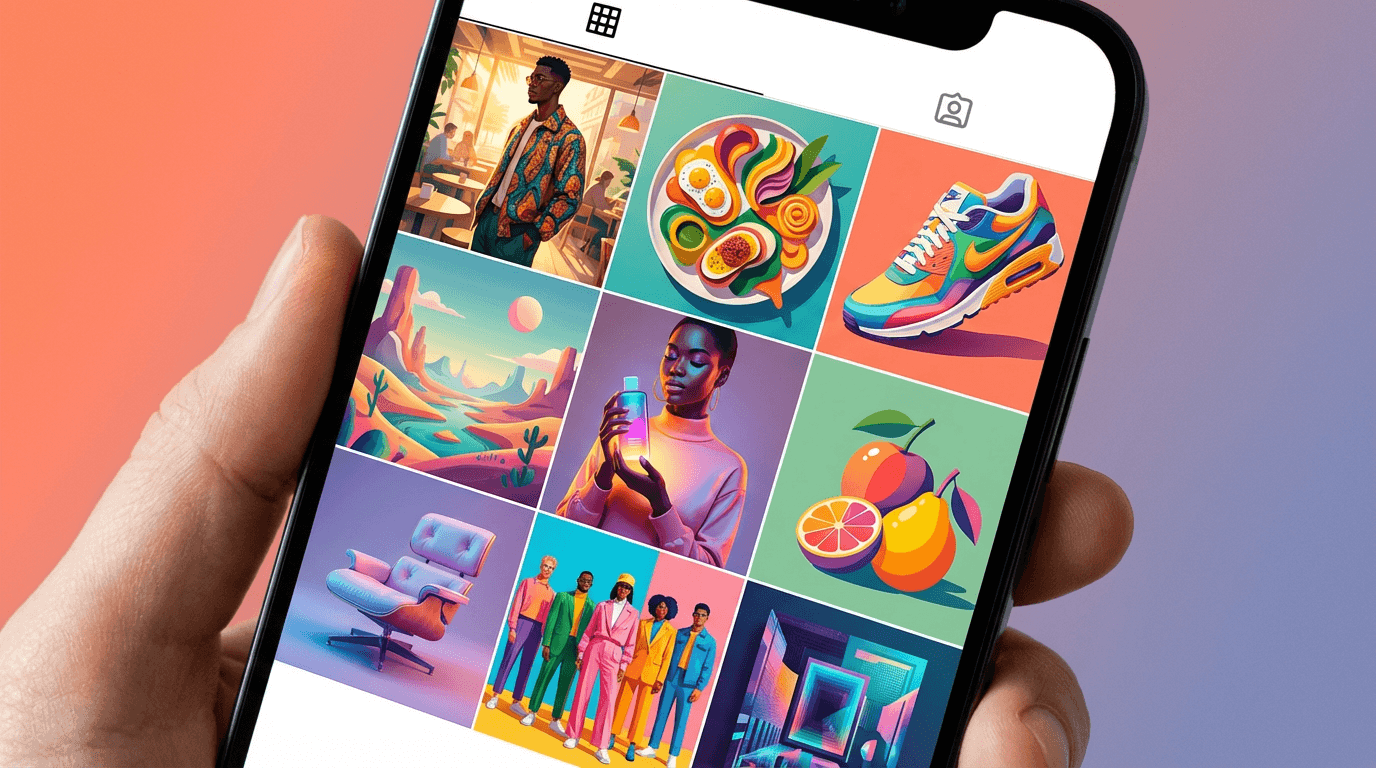
20 ready-to-use AI prompts for Instagram post images. Copy-paste templates for lifestyle, product, food, fashion, travel, and brand content in 2026.
If you are posting on Instagram regularly but struggling to create scroll-stopping visuals, the problem is rarely your content idea. It is almost always the image.
Instagram is a visual-first platform. The image is what earns the pause, the double-tap, and the save. A mediocre photo with a great caption still underperforms compared to a striking visual with an average caption. That is just how the feed works.
The challenge for most creators and marketers in 2026 is not coming up with post ideas. It is producing high-quality images fast enough to stay consistent. Hiring a designer for every post is expensive. Stock photos feel generic. And shooting original content for every single post is not realistic when you are publishing multiple times per week.
AI image generation solves this. But only if the prompts are good.
A vague prompt like "beautiful Instagram photo" gives you something generic and unusable. A well-structured prompt that describes the subject, composition, lighting, and mood gives you something that looks like it came from a professional shoot.
This guide gives you 20 ready-to-use AI prompts for Instagram post images across the most common content categories. Each prompt is designed to produce visuals that match what performs well on Instagram in 2026. You can copy them directly, adjust the details to match your brand, and generate images without needing design skills or expensive tools.
Why AI-Generated Instagram Images Work in 2026
Instagram's algorithm favors content that generates engagement quickly after posting. The image is the single biggest factor in whether someone stops scrolling. If the visual does not earn attention in the first fraction of a second, nothing else matters. Not the caption, not the hashtags, not the posting time.
AI-generated images work well on Instagram for several reasons.
First, they can be tailored precisely to the content. Instead of searching through stock libraries hoping to find something that loosely matches your topic, you describe exactly what you need. The subject, the color palette, the composition, the lighting. Everything can be specified to match your brand and message.
Second, AI images allow visual consistency. One of the biggest signals of a professional Instagram account is a cohesive feed. When every image shares a similar color tone, lighting style, and composition approach, the overall profile looks polished and intentional. AI prompts make this easy because you can reuse the same style descriptors across different images.
Third, the speed is unmatched. Generating an image from a prompt takes seconds. Compared to scheduling a photoshoot, editing in Photoshop, or even searching stock libraries, AI generation dramatically reduces the time between idea and published post.
The key is writing prompts that produce images Instagram audiences actually respond to. That means understanding what visual styles perform well on the platform, and translating those styles into clear, descriptive prompt language.
What Makes an Instagram Image Perform Well
Before jumping into the prompts, it helps to understand what separates high-performing Instagram images from forgettable ones.
Instagram audiences respond strongly to images that have a clear focal point. Posts where the eye immediately knows where to look outperform busy, cluttered compositions. This is why product flat lays with clean backgrounds, portraits with blurred backgrounds, and minimalist compositions tend to generate higher engagement.
Color consistency matters more than most creators realize. Accounts that maintain a cohesive color palette across their feed tend to attract more followers and higher engagement per post. When generating AI images, specifying your brand colors or a consistent color temperature (warm tones, cool tones, muted pastels) helps maintain that visual thread.
Lighting quality is another major factor. Images with soft, natural-looking light, golden hour warmth, or clean studio lighting feel professional and trustworthy. Harsh, flat, or unnatural lighting makes images feel low-effort, regardless of how good the subject is.
Finally, authenticity and relatability drive saves and shares. The most engaged-with Instagram content in 2026 feels genuine rather than overly polished. Images that look like elevated versions of real life, rather than artificial renders, perform best.
These principles are built into every prompt template below.
How to Structure AI Prompts for Instagram Images
The prompts in this guide follow a consistent structure that produces reliable results across different AI image generators. Understanding this structure helps you modify the templates or create your own from scratch.
Every strong Instagram image prompt includes these elements: subject, setting, composition, lighting, color palette, mood, and style.
The subject is what the image is about. A person, a product, a scene, a food item. Be specific. Instead of "a woman," write "a woman in her late 20s wearing a cream linen blazer."
The setting is the environment. A cafe, a studio, a street, a kitchen. Include details that ground the scene without cluttering it.
The composition describes how the image is framed. Overhead shot, close-up, wide shot, centered subject, rule-of-thirds placement. This controls how the final image looks in a square or 4:5 Instagram format.
The lighting sets the visual tone. Golden hour, soft studio light, natural window light, neon accents. Lighting is often the difference between an amateur-looking result and a professional one.
The color palette keeps things cohesive. Warm earth tones, muted pastels, vibrant neons, monochrome. Specifying colors helps the AI produce results that match your brand.
The mood describes the feeling. Calm, energetic, luxurious, playful, moody. This guides subtle creative choices the AI makes.
The style anchors the overall look. Photorealistic, editorial, lifestyle photography, product photography, flat lay. This tells the AI what visual tradition to follow.
If you have experience writing prompts for other platforms like YouTube thumbnails, many of the same principles apply. The guide on AI prompts for YouTube thumbnails covers similar prompt structuring techniques that translate well to Instagram visuals.
20 Ready-to-Use AI Prompts for Instagram Post Images
Each prompt below is designed for a specific Instagram content category. They are written to produce images that work in 4:5 or 1:1 aspect ratios, the two most common formats on Instagram. Copy them directly, swap in your own details, and generate.
1. Lifestyle Flat Lay
Perfect for wellness, productivity, or daily routine content.
Prompt
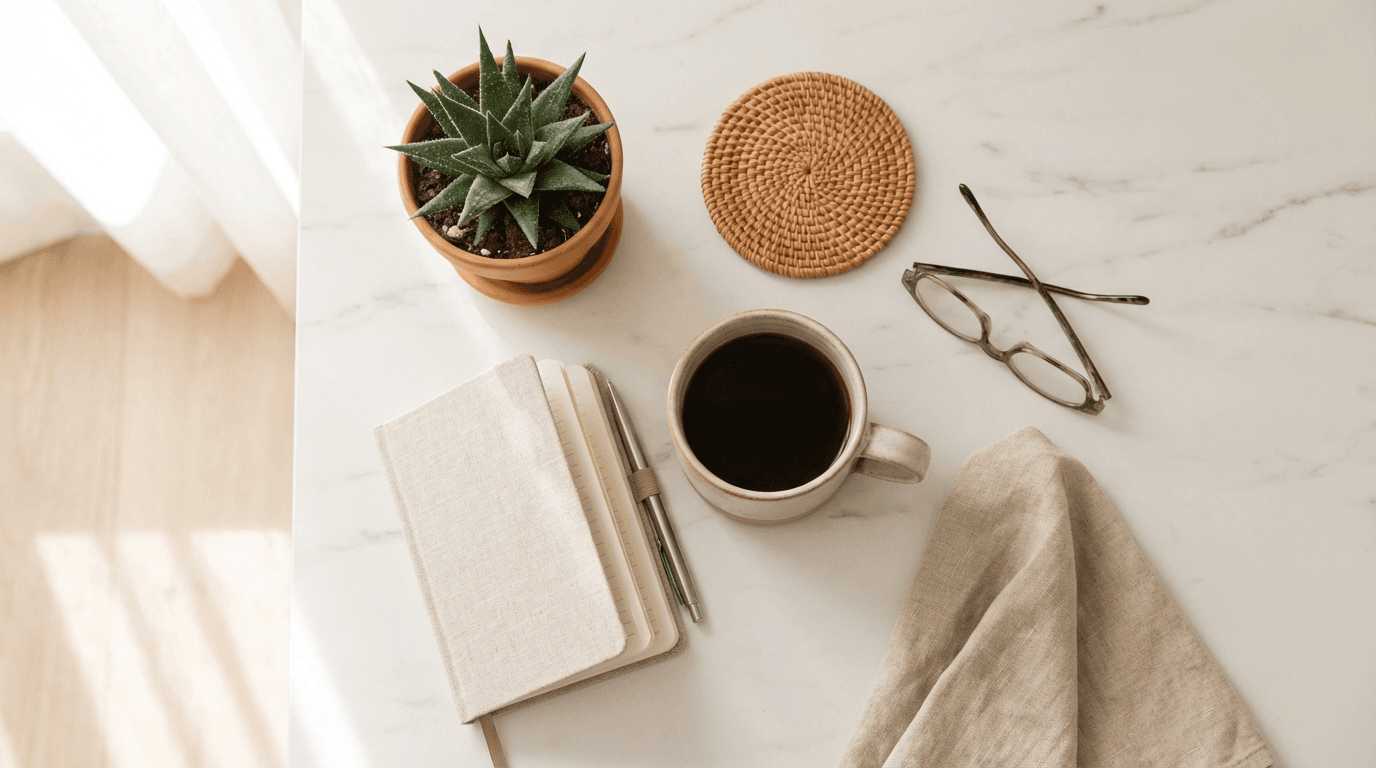
overhead flat lay of a minimalist morning routine on a white marble surface, a ceramic coffee mug with latte art, an open journal with a pen, a small succulent plant, and a pair of wireless earbuds, soft natural window light from the left casting gentle shadows, warm neutral tones with cream and beige accents, clean composition with breathing room between objects, lifestyle photography style, photorealistic textures, 4:5 aspect ratio
2. Product Hero Shot
Perfect for product launches, small business promotions, or e-commerce content.
Prompt
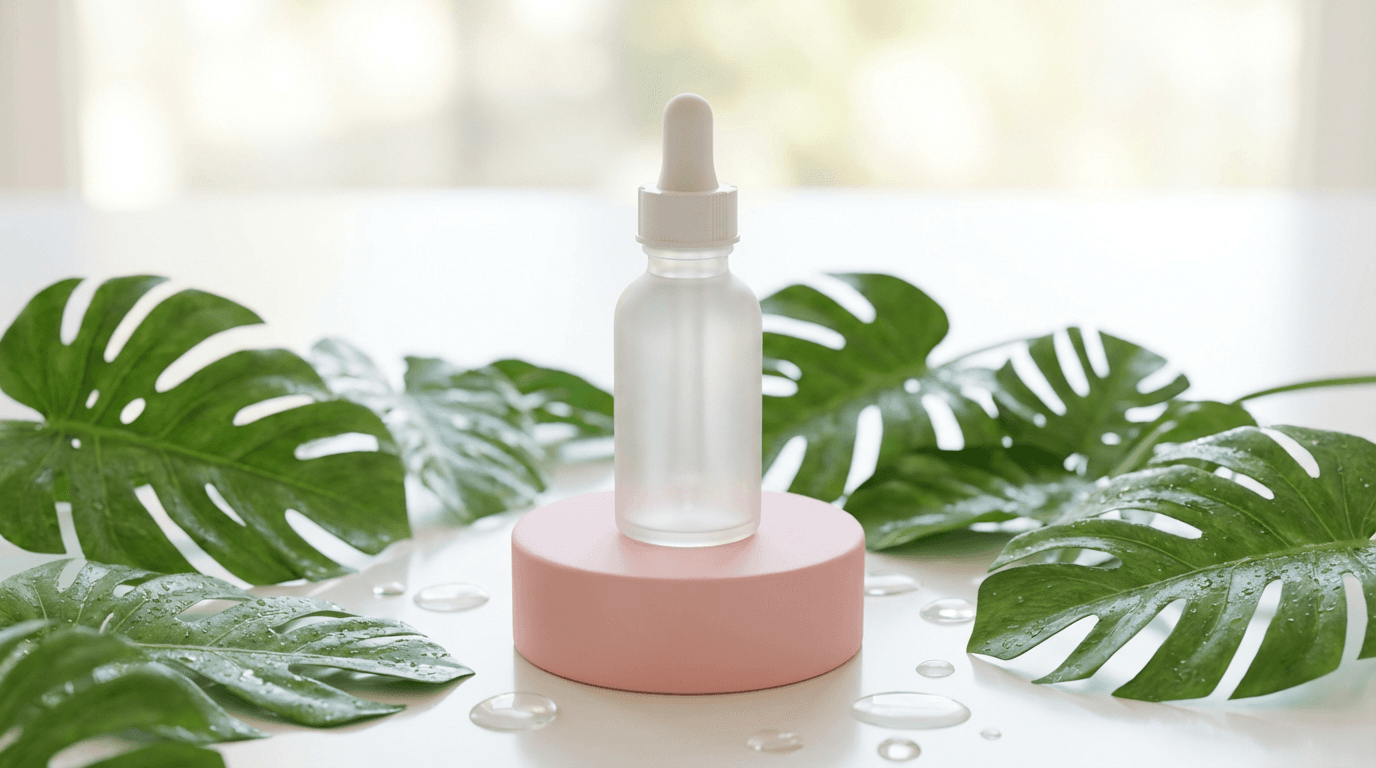
a single skincare bottle with a minimalist label centered on a soft pink pedestal, surrounded by fresh green leaves and water droplets on the surface, clean studio lighting with soft highlights on the bottle, pastel pink and green color palette, shallow depth of field blurring the background slightly, premium product photography style, photorealistic finish, bright and airy mood, 4:5 aspect ratio
3. Cafe and Coffee Aesthetic
Perfect for food bloggers, cafe content, and lifestyle brands.
Prompt
close-up of a hand holding a ceramic cup of cappuccino with intricate latte art, seated at a wooden cafe table near a large window, soft morning sunlight streaming in creating warm highlights on the cup and hand, blurred background showing plants and exposed brick, warm brown and cream tones, cozy and inviting mood, lifestyle photography style, photorealistic textures, shallow depth of field, 4:5 aspect ratio
4. Fitness and Wellness
Perfect for fitness coaches, gym content, and health brands.
Prompt
a person in athletic wear doing a yoga stretch on a mat in a bright modern studio with floor-to-ceiling windows, morning sunlight flooding the space, clean white walls and wooden floors, the subject is centered with arms extended overhead, soft natural lighting with warm highlights, muted earth tones with pops of sage green, calm and focused mood, lifestyle fitness photography style, photorealistic, 4:5 aspect ratio
5. Quote Card Background
Perfect for motivational quotes, tips, and text overlay posts.
Prompt
soft abstract gradient background blending warm peach into dusty rose into soft lavender, smooth and clean with no objects or distractions, subtle light texture like soft fabric or watercolor paper, bright and calming mood, minimal composition designed as a background for text overlay, pastel color palette, photorealistic soft textures, 1:1 aspect ratio
6. Food Photography
Perfect for recipe posts, restaurant promotions, and food content.
Prompt
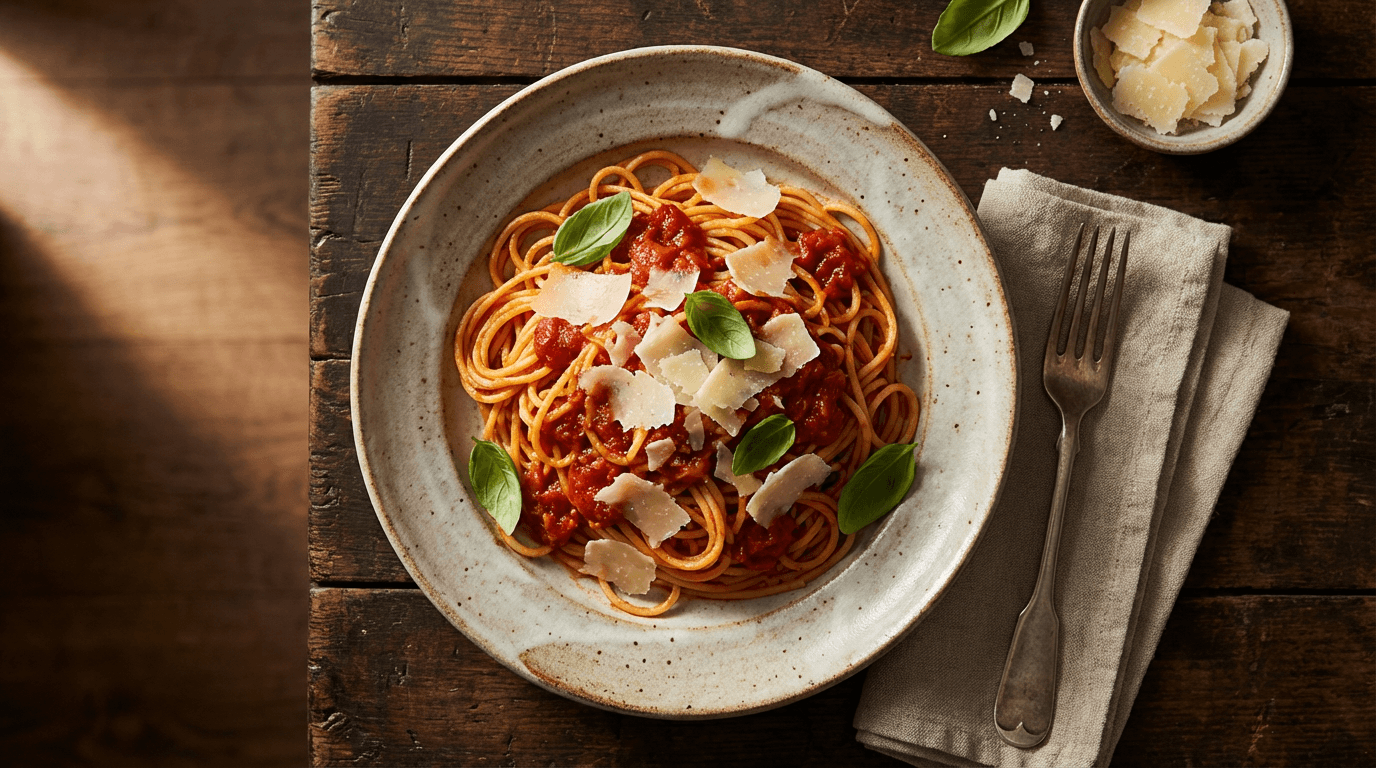
overhead shot of a beautifully plated pasta dish on a rustic ceramic plate, fresh basil leaves and grated parmesan scattered around, a linen napkin and vintage fork beside the plate on a dark wooden table, soft warm side lighting creating gentle shadows, rich warm tones with deep greens and golden highlights, appetizing and inviting mood, editorial food photography style, photorealistic textures, 4:5 aspect ratio
7. Travel and Destination
Perfect for travel content, tourism brands, and wanderlust posts.
Prompt
a person standing at the edge of a scenic overlook facing a vast mountain valley at golden hour, wearing a casual linen outfit with a small backpack, shot from behind to show the landscape, warm golden light bathing the mountains and creating long shadows, soft atmospheric haze in the distance, earth tones with warm amber and soft green, adventurous and serene mood, travel photography style, photorealistic, 4:5 aspect ratio
8. Behind the Scenes / Workspace
Perfect for personal brands, freelancers, and creator content.
Prompt
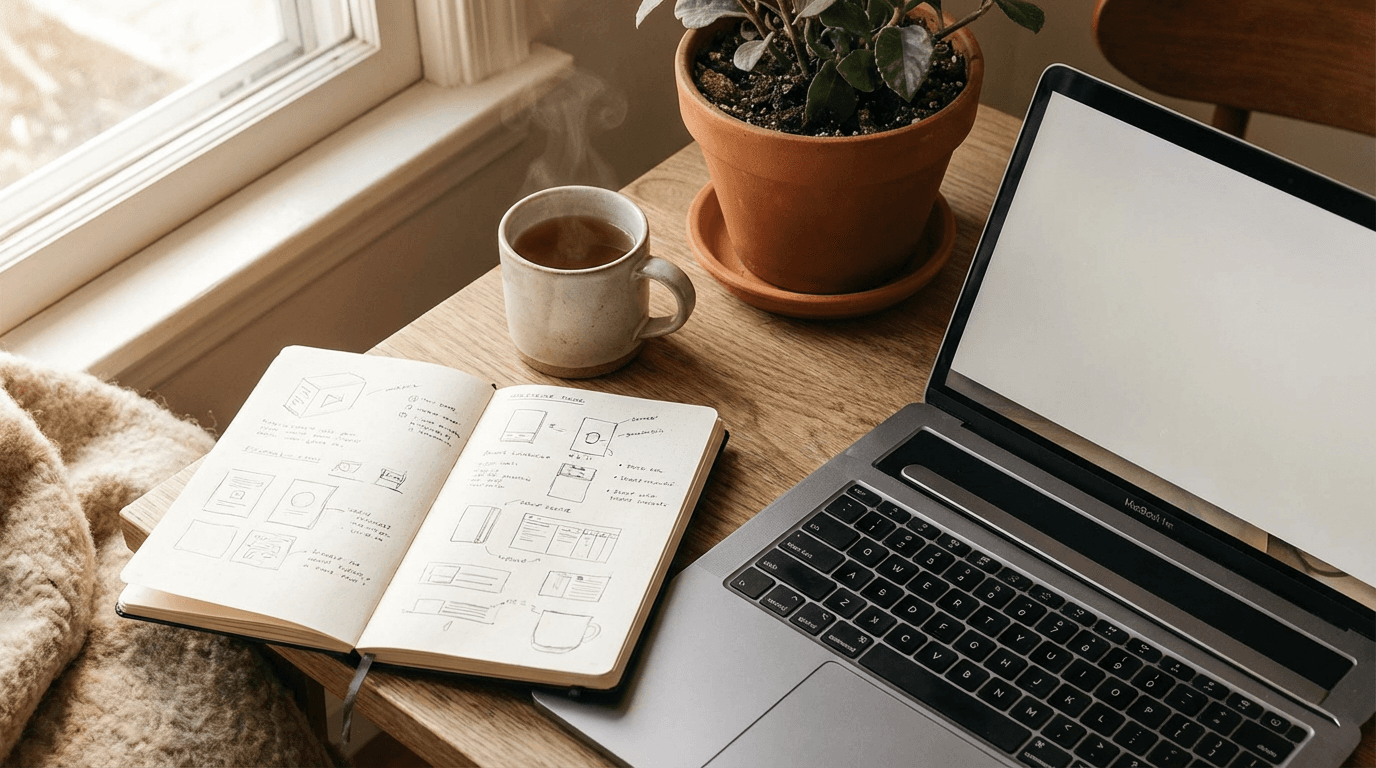
a creative workspace from a slightly elevated angle showing a laptop open on a clean wooden desk, a notebook with color swatches, a cup of tea, and a small potted plant, soft natural light from a nearby window, warm and organized feel with neutral and warm tones, shallow depth of field focusing on the desk surface, cozy productive mood, lifestyle photography style, photorealistic textures, 4:5 aspect ratio
9. Fashion Outfit Post
Perfect for fashion brands, style influencers, and lookbook content.
Prompt
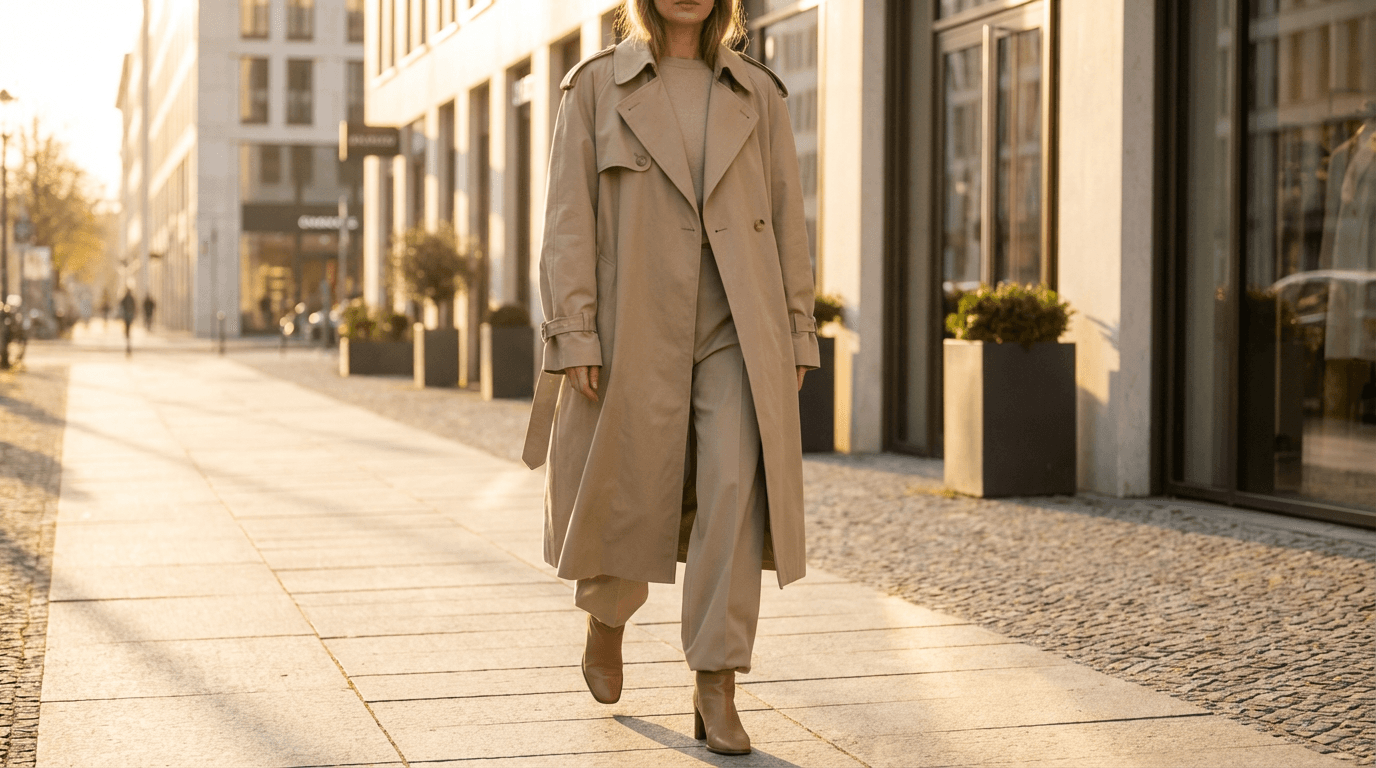
full-length shot of a person wearing a structured beige trench coat over a white t-shirt and dark tailored trousers, standing on a clean urban sidewalk with soft-focus architecture in the background, golden hour side lighting creating warm highlights and gentle shadows, neutral and warm color palette with cream and tan tones, confident and effortless mood, editorial street style photography, photorealistic textures, 4:5 aspect ratio
10. Pet Content
Perfect for pet accounts, pet product brands, and animal lovers.
Prompt
close-up portrait of a golden retriever sitting on a soft cream-colored blanket, looking directly at the camera with warm brown eyes, soft natural indoor light from a window, blurred cozy living room background with warm tones, shallow depth of field keeping the focus on the dog's face, warm and joyful mood, lifestyle pet photography style, photorealistic fur texture, 4:5 aspect ratio
11. Seasonal / Holiday Theme
Perfect for seasonal promotions, holiday campaigns, and timely content.
Prompt
a cozy autumn flat lay on a knitted cream blanket featuring a pumpkin spice latte in a ceramic mug, a small pumpkin, dried orange slices, cinnamon sticks, and a knit scarf, overhead shot with soft warm lighting, rich autumn palette of burnt orange, deep brown, cream, and gold, warm and nostalgic mood, seasonal lifestyle photography style, photorealistic textures, 1:1 aspect ratio
12. Minimalist Brand Aesthetic
Perfect for clean brand identities, luxury products, and design-focused accounts.
Prompt
a single elegant perfume bottle centered on a smooth white surface, casting a soft shadow to the right, clean studio lighting with one soft key light from the upper left, monochrome white and soft gray palette with a subtle warm tint, minimal composition with lots of negative space, premium and refined mood, high-end product photography style, photorealistic glass and metal textures, 4:5 aspect ratio
13. Educational / Infographic Background
Perfect for carousel posts, tips, and educational content.
Prompt
clean modern background with soft geometric shapes in light blue and white, subtle gradient from top to bottom, organized grid-like layout suggestion with soft rounded rectangles and circles, bright and professional feel, designed as a background for educational content overlay, cool blue and white color palette, smooth textures, 4:5 aspect ratio
14. Real Estate / Interior Design
Perfect for real estate agents, interior designers, and home decor brands.
Prompt
wide interior shot of a modern living room with a large sectional sofa in light gray, a round wooden coffee table, and a tall fiddle leaf fig plant in the corner, floor-to-ceiling windows showing a city skyline at dusk, warm ambient lighting from table lamps mixed with cool blue evening light from outside, neutral palette with warm wood and soft green accents, sophisticated and inviting mood, architectural interior photography style, photorealistic, 4:5 aspect ratio
15. Skincare / Beauty Close-Up
Perfect for beauty brands, skincare routines, and self-care content.
Prompt
extreme close-up of a person applying a clear serum drop to their cheek with a glass dropper, soft dewy skin with natural highlights, clean studio lighting with soft diffused key light, blurred pastel background in soft pink and white, fresh and glowing mood, beauty editorial photography style, photorealistic skin texture and product clarity, 4:5 aspect ratio
16. Event / Party Atmosphere
Perfect for event promoters, nightlife content, and celebration posts.
Prompt
a lively outdoor garden party scene at twilight with string lights hanging overhead, a long wooden table set with candles, flowers, and glassware, guests blurred softly in the background laughing and socializing, warm golden fairy light glow mixed with soft blue dusk sky, rich warm tones with amber and soft violet, festive and elegant mood, lifestyle event photography style, photorealistic textures, shallow depth of field, 4:5 aspect ratio
17. Book / Reading Content
Perfect for book influencers, reading clubs, and literary content.
Prompt
a person sitting in a cozy window seat holding an open book, natural soft light streaming through sheer curtains, a cup of tea on the windowsill beside them, warm muted color palette with cream, soft brown, and dusty blue, the background is softly blurred showing bookshelves and plants, peaceful and contemplative mood, lifestyle photography style, photorealistic textures, 4:5 aspect ratio
18. Tech / App Showcase
Perfect for SaaS brands, app launches, and tech content.
Prompt
a smartphone placed upright on a clean white desk with a soft shadow beneath it, the screen is blank and glowing softly, a small plant and a pair of wireless earbuds placed nearby, clean studio lighting with bright even illumination, modern cool-toned palette with white, silver, and soft blue, sleek and professional mood, tech product photography style, photorealistic, 4:5 aspect ratio
19. Sustainability / Eco-Friendly
Perfect for sustainable brands, eco-conscious content, and green living posts.
Prompt
a collection of zero-waste essentials arranged neatly on a natural wood surface, including a bamboo toothbrush, a reusable cotton bag, a glass water bottle, and a small bar of soap, soft natural lighting from above with gentle shadows, earthy green and warm brown color palette, clean and intentional composition with space between items, mindful and eco-conscious mood, lifestyle photography style, photorealistic textures, 1:1 aspect ratio
20. Personal Brand / Portrait
Perfect for coaches, consultants, founders, and personal brand content.
Prompt
a confident person sitting casually in a modern chair in a bright studio space, wearing smart-casual clothing in neutral tones, soft three-point studio lighting with a warm key light and cool fill, clean light gray background with subtle depth, the subject is slightly off-center for a natural feel, warm and approachable mood, editorial portrait photography style, photorealistic skin and fabric textures, 4:5 aspect ratio
How to Customize These Prompts for Your Brand
These 20 templates are designed as starting points. The real power comes from adapting them to match your specific brand identity and content needs.
The easiest way to customize is to change three elements while keeping everything else the same.
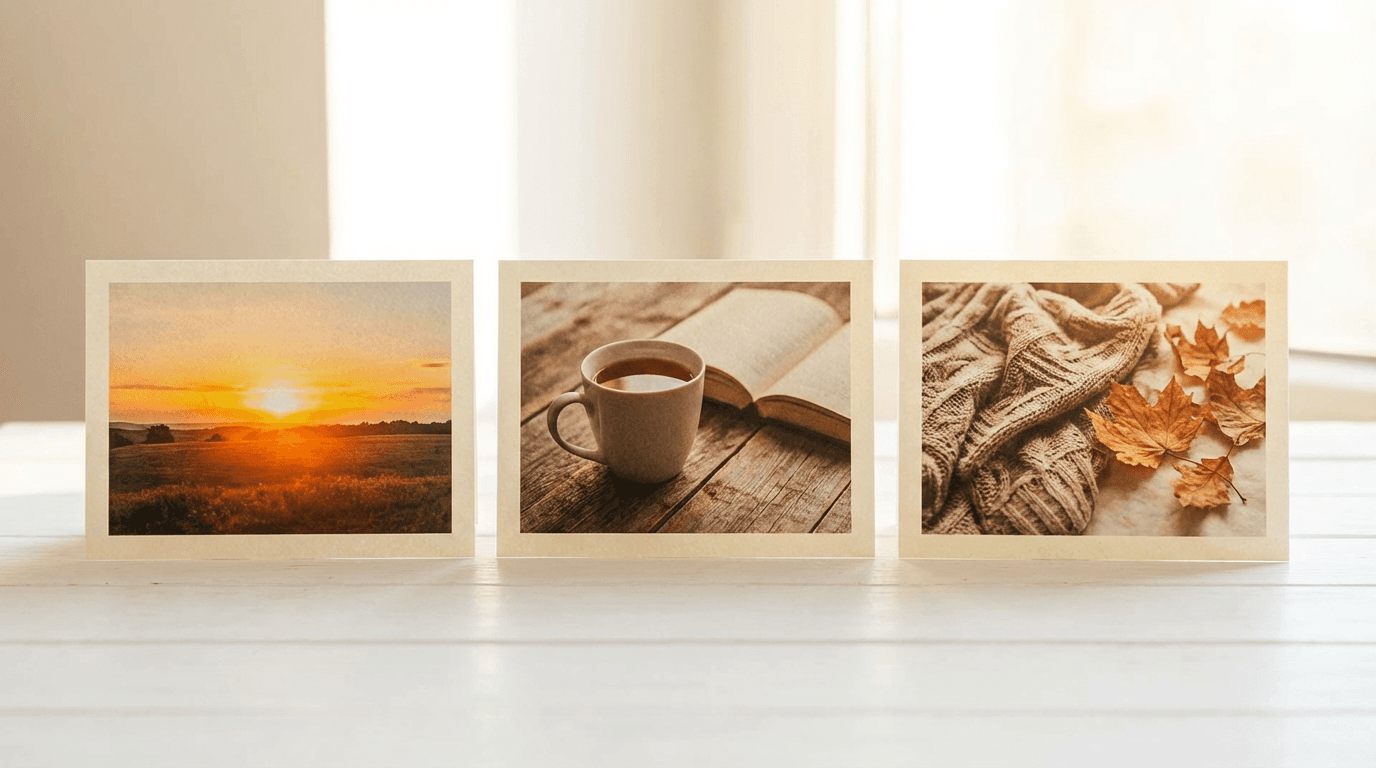
First, swap the subject. If the template shows a skincare product, replace it with your specific product or item. If it shows a generic person, add details that match your target audience or brand aesthetic.
Second, adjust the color palette. Every brand has signature colors or a visual tone. If your brand uses cool blues and whites, replace warm earth tones with your color family. Keeping the color palette consistent across all your AI-generated images creates a cohesive Instagram feed.
Third, modify the mood. A luxury brand might shift the mood toward "elegant, refined, and exclusive." A playful consumer brand might adjust toward "vibrant, energetic, and fun." The mood descriptor subtly influences every creative decision the AI makes.
For creators who want to go deeper into prompt customization, the Nano Banana prompt guide covers advanced techniques for structuring visual prompts, including how to balance specificity with creative freedom.
5 Common Mistakes That Ruin AI Instagram Images
Even with good prompts, certain mistakes consistently produce unusable results. Avoiding these will save you time and credits.
Mistake 1: Using vague descriptors. Words like "beautiful," "nice," or "aesthetic" tell the AI almost nothing useful. Replace them with specific visual descriptions. Instead of "beautiful lighting," write "soft golden hour side lighting with warm highlights."
Mistake 2: Overloading the prompt with too many subjects. Instagram images work best with a clear focal point. If your prompt includes 10 different objects, the composition will feel cluttered. Stick to one main subject with two to three supporting elements.
Mistake 3: Ignoring aspect ratio. Instagram supports square (1:1), portrait (4:5), and landscape (1.91:1) formats. Portrait 4:5 takes up the most feed space and generally performs best for engagement. Always specify the aspect ratio in your prompt to avoid awkward cropping.
Mistake 4: Forgetting to specify lighting. Without lighting instructions, AI models default to flat, even illumination that looks artificial. Always include at least one lighting descriptor. "Soft natural window light," "golden hour warmth," or "clean studio lighting" are reliable starting points.
Mistake 5: Mixing conflicting styles. Asking for "photorealistic" and "cartoon" in the same prompt confuses the model. Pick one visual style and commit to it. If you want variety across your feed, use different prompts with different styles rather than combining them.
Many of these mistakes apply to visual content creation in general. The guide on how to write effective prompts for Veo3, Veo3.1, and Sora 2 covers similar principles for video prompts that translate directly to image generation.
Matching Your Instagram Image Style to Your Content Pillars
Most successful Instagram accounts organize their content around three to five content pillars. These are recurring themes or topics that the account consistently covers. Each pillar should have a distinct but cohesive visual style.
For example, a fitness coach might have these content pillars: workout tips, nutrition, client transformations, motivational content, and behind-the-scenes. Each pillar can have its own prompt template with a shared color palette and lighting style but different subjects and compositions.
Here is how you might structure prompt templates around content pillars.
For educational content, use clean backgrounds with subtle geometric elements and bright, professional lighting. This signals "information" and works well with text overlays for carousel posts.
For personal or behind-the-scenes content, use warm natural lighting, lifestyle settings, and a slightly more relaxed composition. This signals "authenticity" and builds connection with followers.
For product or promotional content, use clean studio-style lighting, focused compositions with shallow depth of field, and premium textures. This signals "quality" and drives purchase intent.
For inspirational or community content, use expansive settings, warm golden lighting, and spacious compositions. This signals "aspiration" and encourages saves and shares.
Maintaining this structure across your feed creates a rhythm that followers recognize, even subconsciously. It also makes content planning faster because you are working from established visual frameworks rather than starting from zero every time.
How to Build a Consistent Instagram Feed with AI Images
Consistency is what separates accounts that look professional from accounts that look random. When a potential follower lands on your profile, they decide within seconds whether to follow based largely on how your grid looks as a whole.
AI-generated images make consistency easier because you control every visual variable through the prompt. But consistency requires intention. Here are the specific elements to keep consistent across your prompts.
Keep the same color temperature across all images. If your brand aesthetic is warm, use "warm tones" or "golden light" in every prompt. If it is cool and modern, use "cool blue tones" or "clean white lighting" consistently.
Use the same style descriptor in every prompt. If you choose "lifestyle photography style, photorealistic textures," use that exact phrase across all your templates. This anchors the visual output in a consistent tradition.
Maintain similar composition approaches. If most of your images use a centered subject with shallow depth of field, keep that pattern. Occasional variety is fine, but the majority of your images should share a compositional logic.
For creators who also generate YouTube content, the principle of visual consistency applies across platforms. The guide on building a consistent YouTube thumbnail style with AI covers techniques for maintaining brand cohesion that work just as well for Instagram.
Turning Instagram Images into Reels and Shorts
Static images are just the starting point. Many high-performing Instagram accounts repurpose their visual style into short-form video content as well. The same aesthetic you build with AI images can extend into Reels and video content.
One effective workflow is to establish your visual brand through static posts, then create Reels that match the same color palette, lighting, and mood. This creates a seamless experience across your entire profile.
Creators using Text2Shorts can generate vertical short-form videos that complement their Instagram image content. The tool lets you enter a topic, and it automatically generates a script, visuals, and final video. For creators who want the video content to match their static image aesthetic, the visual prompt editing step allows you to align the video scenes with your established brand look.
The guide on creating 1-minute AI Shorts with Text2Shorts walks through the full workflow from idea to finished Reel.
Adding Music to Your Instagram Content
Instagram Reels with original or well-matched music tend to perform better in the algorithm. If you are creating video content to complement your static posts, the audio layer matters.
Creators can generate custom background music using the AI Music Generator on Miraflow AI. You describe the mood, style, and instruments you want, and the tool generates a track in under a minute. This is especially useful for branded content where you want a specific audio feel that stock music libraries cannot provide.
For a deeper look at creating music for social media, the guide on AI music prompts for YouTube, Reels, and TikTok includes prompt templates organized by mood and content type.
Generating Instagram Images with Miraflow AI
All 20 prompt templates in this guide can be generated directly inside the AI Image Generator on Miraflow AI. The tool supports text-to-image generation, multiple aspect ratios including 1:1 and 4:5, and reference image uploads for maintaining character or brand consistency.
The workflow is straightforward. Paste your prompt into the image prompt field, select your preferred aspect ratio, and click generate. If you want to make adjustments, you can edit the prompt and regenerate, or use the image inpainting feature to modify specific parts of the image without regenerating the entire thing.
For creators who also produce YouTube content, the same tool supports YouTube thumbnail generation with templates and text overlay options. This means you can produce both Instagram visuals and YouTube thumbnails from the same platform, keeping your entire visual content pipeline in one place.
How to Optimize Instagram Posts for Search and Discovery
Instagram increasingly functions as a search engine, especially for younger users who search for products, recommendations, and tutorials directly within the app. Optimizing your posts for Instagram search can significantly increase your reach.
Use descriptive alt text on every image. Instagram allows you to add alt text to images, and this text is used for both accessibility and search indexing. Describe what is in the image using natural language that includes relevant keywords.
Write captions that include searchable terms. Instagram search now indexes caption text more heavily than in previous years. Including specific, relevant phrases in your caption helps your post appear in search results for those terms.
Use hashtags strategically. In 2026, Instagram recommends using three to five highly relevant hashtags rather than 30 generic ones. Focus on hashtags that your target audience actually searches for and follows.
Geo-tag your posts when relevant. Location tags help your content appear in location-based searches and the Explore page for users in or interested in that area.
These optimization techniques work alongside strong visuals to maximize the reach of every post. According to Instagram's creator resources, the algorithm considers both content quality and metadata signals when deciding how widely to distribute a post.
Frequently Asked Questions
What aspect ratio should I use for Instagram post images?
Portrait 4:5 is the best performing format for Instagram feed posts because it takes up the most screen real estate in the feed. Square 1:1 also works well and is the cleanest format for grid consistency. Landscape formats display smaller in the feed and generally receive less engagement.
Can I use AI-generated images for commercial Instagram posts?
Yes. Most AI image generation platforms, including Miraflow AI, allow commercial use of generated images. However, always check the specific terms of service for the tool you are using. Avoid generating images that mimic specific brand logos, real product packaging, or identifiable real people without permission.
How many Instagram posts should I publish per week?
Most successful accounts in 2026 post between three and five times per week on the main feed, supplemented by daily Stories and two to three Reels per week. Consistency matters more than volume. It is better to post three high-quality images per week than seven mediocre ones.
Should I always use photorealistic prompts for Instagram?
Photorealistic works well for most content categories, but illustration, 3D render, and stylized art can also perform well depending on your brand and audience. Test different styles and track which ones generate the most engagement for your specific followers.
Can I edit AI-generated images after creating them?
Yes. Tools like the image inpainting feature on Miraflow AI allow you to select specific parts of an image and regenerate only that region. This is useful for swapping colors, changing objects, or refining details without starting over. The guide on Nano Banana image inpainting covers this workflow in detail.
How do I maintain visual consistency across AI-generated images?
Reuse the same style, lighting, and color palette descriptors across all your prompts. Create a "base prompt" that contains your brand's visual DNA, then modify only the subject and composition for each new post. Save prompts that produce good results and reuse them as templates.
Do AI images perform differently than real photos on Instagram?
High-quality AI images that look photorealistic perform comparably to real photos in terms of engagement. The key factor is visual quality and relevance, not whether the image was photographed or generated. Instagram users respond to images that look good and feel authentic to the brand, regardless of how they were made.
What if the AI-generated image does not match my prompt perfectly?
Regenerate with slight modifications. Small changes to the prompt, like adjusting one lighting descriptor or simplifying the composition, often produce significantly different results. Iteration is normal and expected. Most creators generate two to five versions before finding one they are happy with.
Start Creating Instagram Images Today
The gap between accounts with professional-looking feeds and accounts with generic visuals is shrinking fast. AI image generation gives every creator access to the same visual quality that used to require photographers, designers, and expensive editing software.
Use the 20 templates in this guide as your starting library. Customize them for your brand, maintain consistency across your feed, and iterate on what works. The creators who will grow the fastest on Instagram in 2026 are the ones who combine strong content ideas with polished, intentional visuals produced at scale.
If you want to generate these images right now, head to Miraflow AI and start experimenting. Paste any of the prompts above, choose your aspect ratio, and see the results in seconds. From there, you can expand into video content, thumbnails, and music, all from the same platform.