10 AI Prompts for YouTube Shorts Thumbnails That Stop the Scroll

Written by
Jay Kim
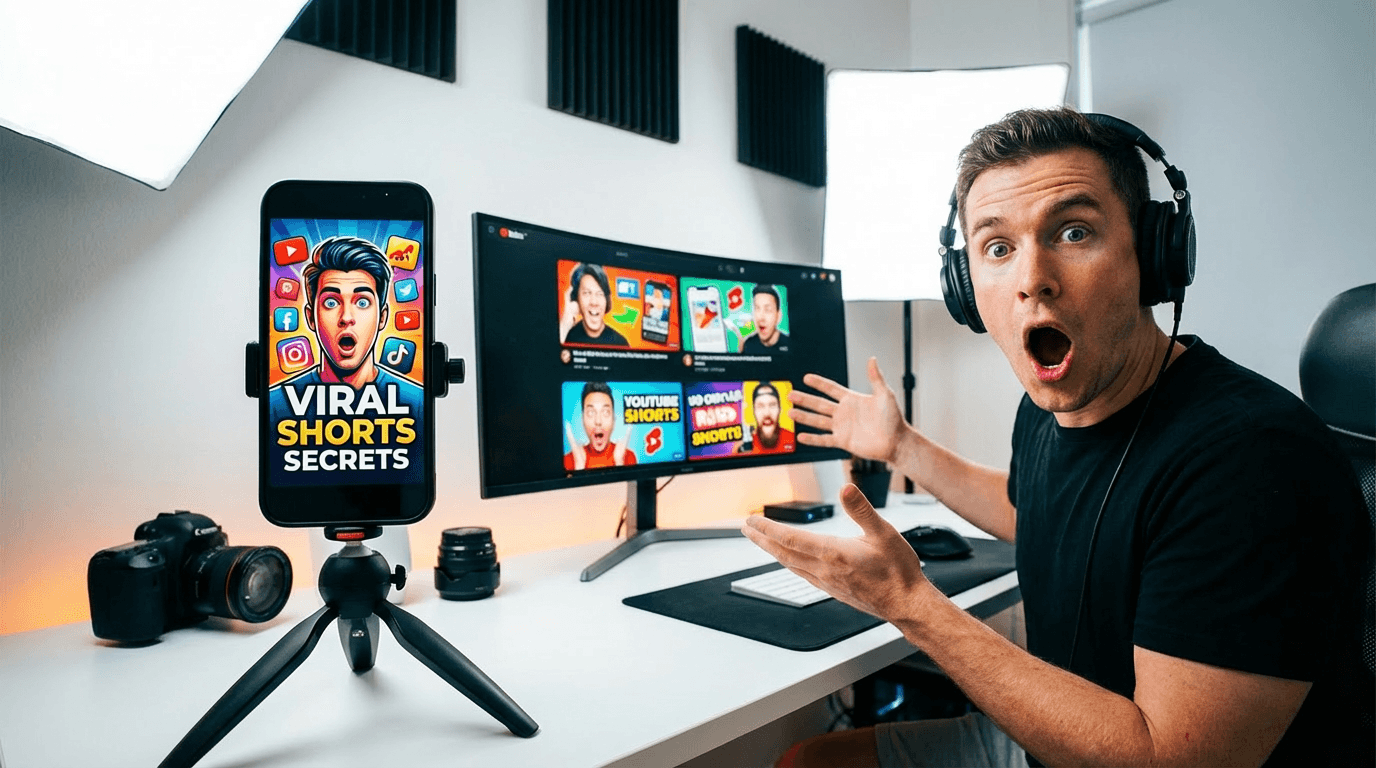
Get 10 copy-and-paste AI prompts for YouTube Shorts thumbnails that stop the scroll. Designed for Miraflow's YouTube Thumbnail Maker and ready to use in 9:16 vertical format.
YouTube Shorts is one of the fastest-growing formats on the platform — but most creators treat the thumbnail as an afterthought.
Here's the thing: Shorts thumbnails work differently from regular video thumbnails. They're vertical, they're viewed on mobile, and they compete in a feed where the viewer's thumb is already moving. You have less than a second to stop the scroll before they're gone.
That's where AI prompts for YouTube Shorts thumbnails come in. Instead of wrestling with a vertical canvas every time you post, you describe the visual you want and let AI generate it for you — fast, consistent, and built for mobile.
This post gives you 10 copy-and-paste AI prompts for YouTube Shorts thumbnails that you can use directly in Miraflow's YouTube Thumbnail Maker, all optimized for the 9:16 vertical format.
TL;DR – How to Use These AI Shorts Thumbnail Prompts
- Use these prompts in Thumbnail Prompt inside YouTube Thumbnail Maker on Miraflow
- Always set Aspect Ratio → 9:16 Shorts before generating — this is critical for vertical format
- Put short punchy words (like "Watch This" or "Do It Now") into Thumbnail Text so they render as bold overlay text
- Upload your own face or product using the Upload reference image option if you want yourself in the shot
- Customize colors and mood for your niche, but keep the core structure of each prompt intact
New to Miraflow's Thumbnail Maker? Get the full walkthrough first: How to Generate YouTube Thumbnails with AI: Step-by-Step
Why Shorts Thumbnails Are Different (And Why Most Creators Get Them Wrong)
Before the prompts, here's what makes a Shorts thumbnail distinct from a regular 16:9 thumbnail — and why you can't just crop a regular thumbnail and call it done.
Vertical canvas (9:16). Everything needs to be designed top-to-bottom, not left-to-right. Your subject, text, and visual hierarchy all need to work in portrait orientation.
Mobile-first viewing. Shorts are almost always watched on a phone. Small details disappear. High contrast, bold shapes, and strong focal points are everything.
Feed context. In the Shorts feed, your thumbnail appears as a cover frame before the viewer taps in. It needs to communicate the video's value in a single glance — often without the viewer reading the title.
Less space for text. Because the frame is tall and narrow, you have less horizontal space for overlay text. Keep Thumbnail Text to 2–4 words maximum.
The 10 prompts below are built with all of these constraints in mind. They're designed specifically for 9:16 — not adapted from horizontal designs.
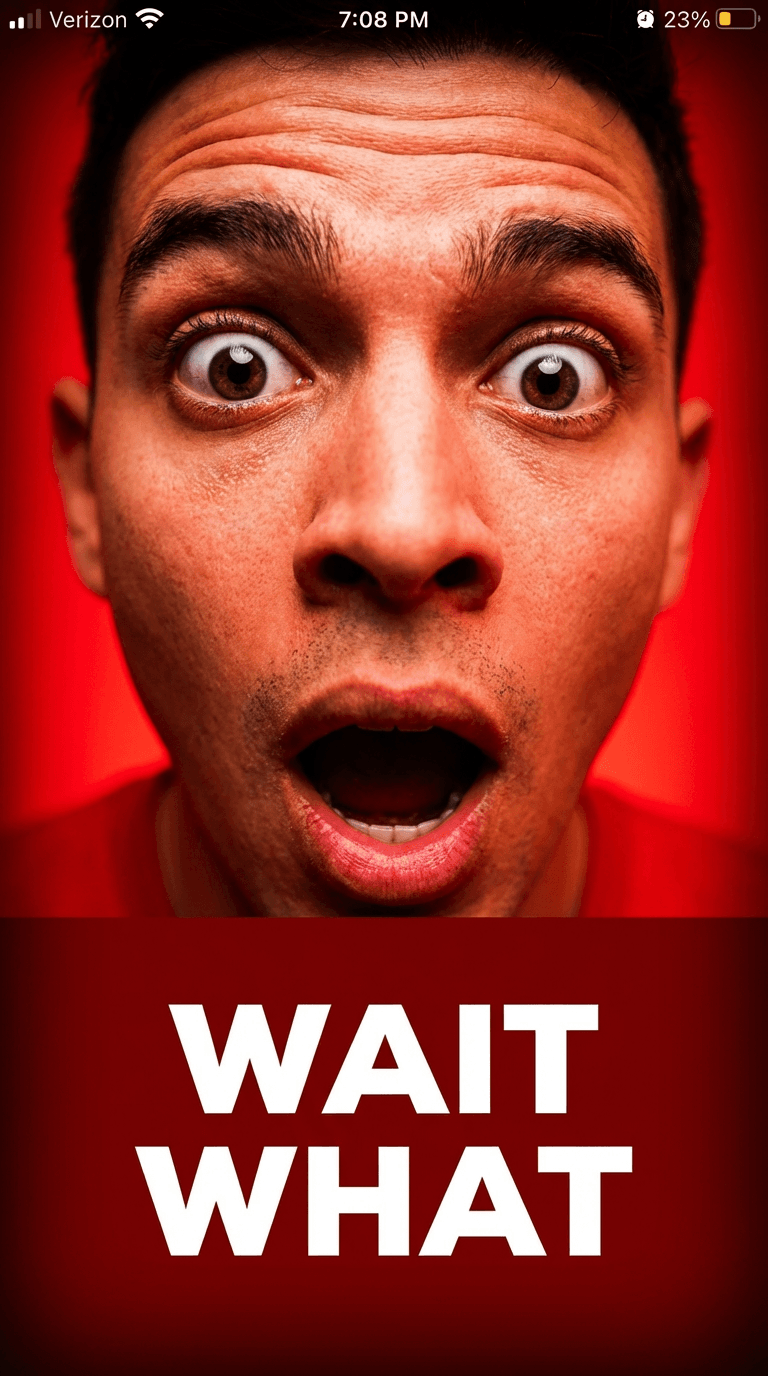
1. Bold Face Reaction Shorts Thumbnail
Best for: reaction content, "I tried X", storytime, commentary Shorts.
AI Prompt (Thumbnail Prompt):
YouTube Shorts thumbnail in vertical 9:16 format: extreme close-up of a face with a strong, exaggerated expression — wide eyes, raised eyebrows, open mouth suggesting shock or surprise. The face fills most of the upper two-thirds of the frame. Bright, saturated background in red or yellow behind the subject. High contrast lighting, sharp facial details, slight vignette at the edges. Space at the bottom third for bold white text. Mobile-first, scroll-stopping, modern Shorts style.
If uploading your own photo, add:
"Use the uploaded person as the main face, preserving their features with the same dramatic expression and bright background lighting."
Thumbnail Text ideas:
- "Wait What"
- "I Can't Believe This"
- "No Way"
2. Minimal Text-Forward Shorts Thumbnail
Best for: tips, facts, motivational content, quick-take Shorts.
AI Prompt (Thumbnail Prompt):
YouTube Shorts thumbnail in vertical 9:16 format: bold, minimal design with a clean solid or gradient background — deep navy, vibrant coral, or rich emerald. One large, oversized typographic element or number centered in the frame as the main visual anchor. No clutter, no complex imagery. Strong color contrast between background and foreground. Subtle texture or grain overlay for depth. Space at the top and bottom for short bold text. Modern, editorial, mobile-optimized Shorts style.
Thumbnail Text ideas:
- "3 Seconds"
- "Do This"
- "Remember This"
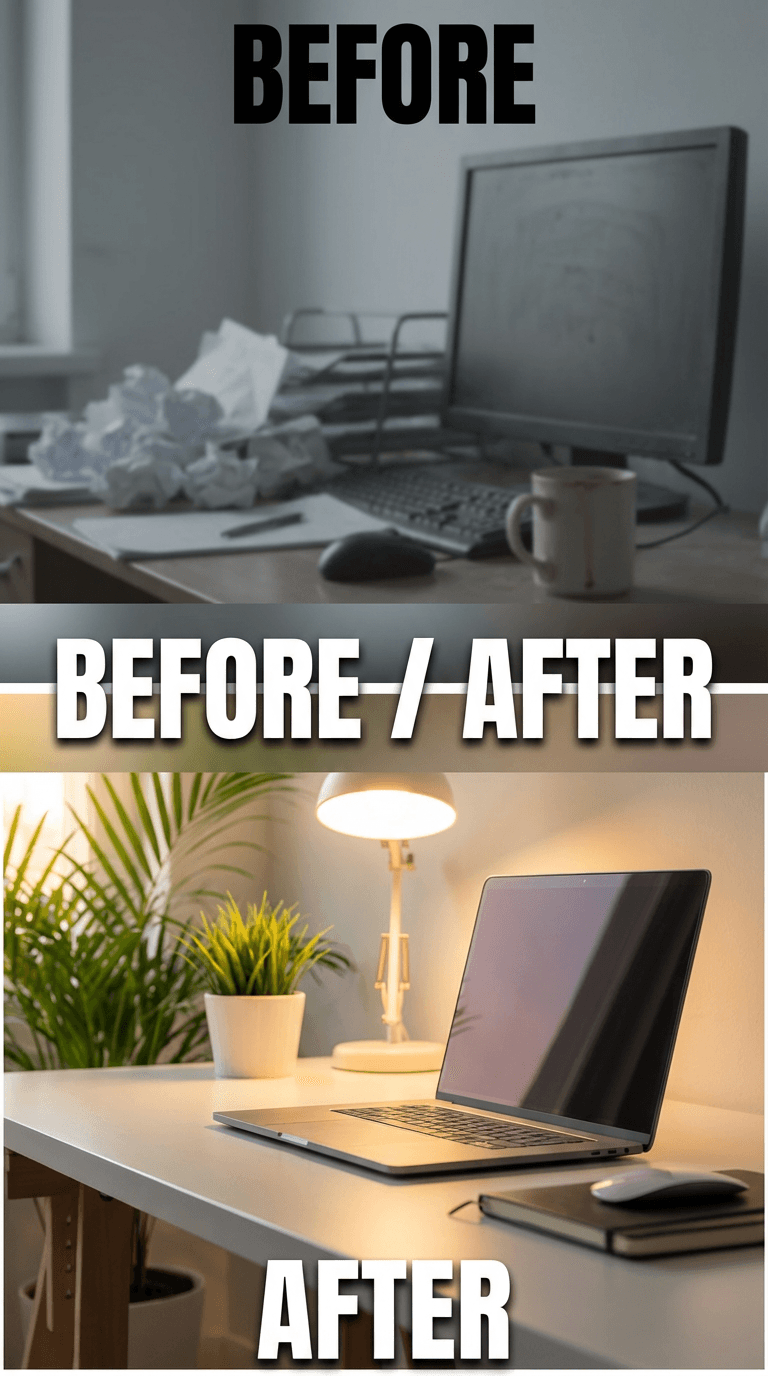
3. Before / After Vertical Split Shorts Thumbnail
Best for: transformation content, makeovers, edits, fitness results, tutorials.
AI Prompt (Thumbnail Prompt):
YouTube Shorts thumbnail in vertical 9:16 format: top-and-bottom split layout showing a before state at the top and an after state at the bottom, divided by a thin horizontal line or bold label. Top half: dull, flat, desaturated. Bottom half: vivid, polished, high contrast. The transition between the two halves should feel dramatic and obvious at a glance. Clean minimal background elements, no clutter. Space for short bold text near the dividing line or at the top. Vertical transformation style, modern Shorts aesthetic.
Thumbnail Text ideas:
- "Before / After"
- "The Difference"
- "This Changed It"
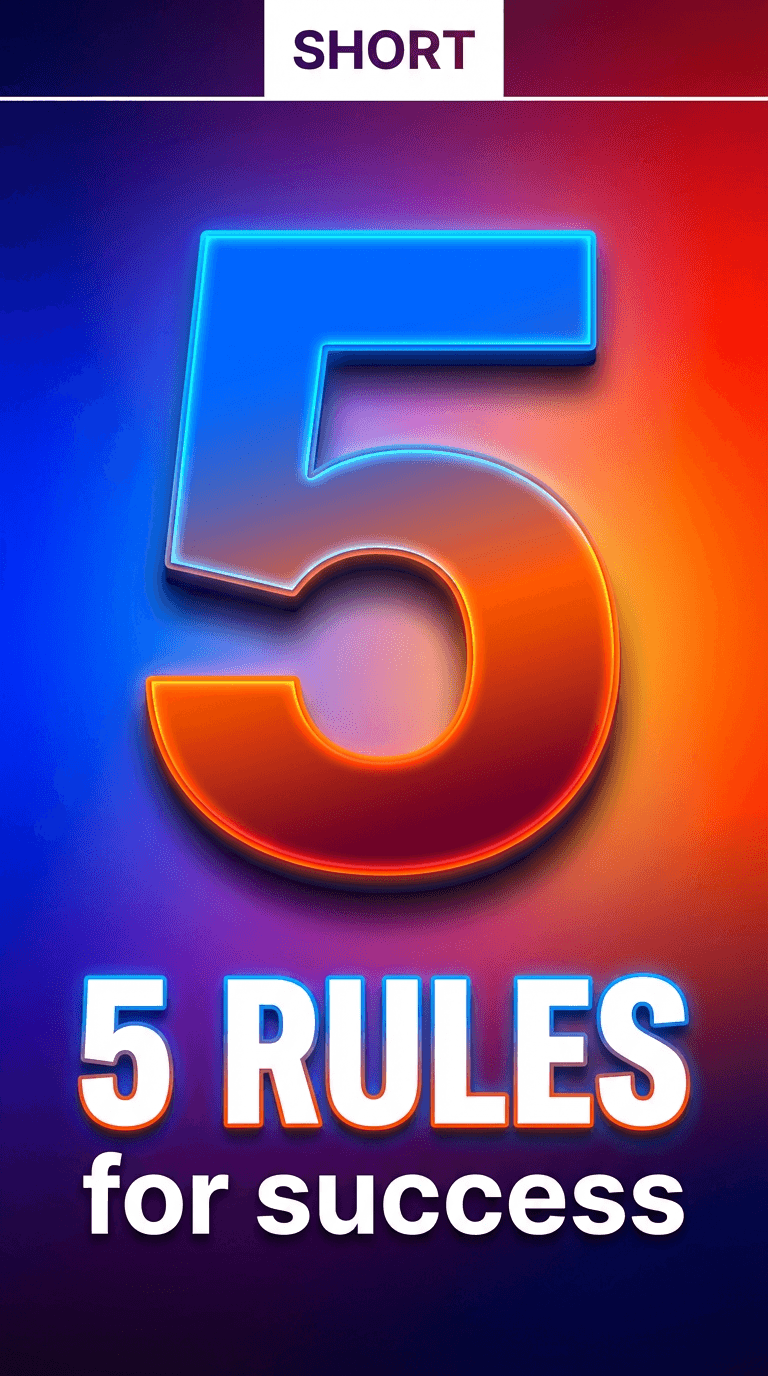
4. Countdown / Number Hook Shorts Thumbnail
Best for: list Shorts, tip countdowns, "X things you need to know" content.
AI Prompt (Thumbnail Prompt):
YouTube Shorts thumbnail in vertical 9:16 format: a large bold number — like 3, 5, or 7 — centered and oversized, taking up most of the vertical frame. Bright gradient background in blue and purple or orange and red. The number should have a slight glow or shadow effect to make it pop off the background. Clean and minimal around the number, with no visual clutter. Space near the top for a short label and space near the bottom for a subtitle phrase. Bold, graphic, mobile-readable Shorts style.
Thumbnail Text ideas:
- "5 Rules"
- "3 Mistakes"
- "7 Seconds"
5. Product Close-Up Shorts Thumbnail
Best for: product showcases, unboxings, reviews, affiliate Shorts.
AI Prompt (Thumbnail Prompt):
YouTube Shorts thumbnail in vertical 9:16 format: a single product centered vertically in the frame, shot close-up against a clean dark or gradient background. Soft studio lighting with a subtle glow around the product edges. The product takes up the majority of the vertical canvas. Slight shadow beneath for grounding, glossy or matte surface detail clearly visible. Space at the top for a short label and bottom for a punchy verdict phrase. Premium product photography style, mobile-optimized, clean and minimal.
If uploading your own product photo, add:
"Use the uploaded product image as the main subject, preserving its colors and details with studio lighting and clean background."
Thumbnail Text ideas:
- "Worth It?"
- "Don't Buy Yet"
- "Best of 2026"
6. Hook Text Overlay Shorts Thumbnail
Best for: educational Shorts, "did you know" content, myth-busting, quick facts.
AI Prompt (Thumbnail Prompt):
YouTube Shorts thumbnail in vertical 9:16 format: clean, high-contrast background — either a bold solid color or a simple blurred environment. The main visual focus is a large, bold text hook phrase centered in the upper half of the frame, styled like an attention-grabbing social media caption. Supporting visual elements below — a simple icon, arrow, or abstract shape — reinforce the message. No faces, no clutter. Feels like a text-first viral social post designed for mobile. Bright, readable, scroll-stopping Shorts style.
Thumbnail Text ideas:
- "Nobody Tells You This"
- "You're Doing It Wrong"
- "This Is Why"
7. Creator Authority Shorts Thumbnail
Best for: advice Shorts, strategy content, personal brand, thought leadership.
AI Prompt (Thumbnail Prompt):
YouTube Shorts thumbnail in vertical 9:16 format: medium to close-up portrait of a creator centered vertically, looking directly into the camera with a calm, confident expression. Clean gradient background behind them — muted tones like soft blue, warm grey, or deep green. Professional soft key lighting on the face, subtle shadow for depth. The subject takes up the top two-thirds of the frame. Space at the bottom third for bold white or yellow text. Authoritative but approachable creator style, mobile-first.
If uploading your own photo, add:
"Use the uploaded person as the main subject with confident expression, professional lighting, and a clean gradient background."
Thumbnail Text ideas:
- "My Honest Take"
- "What I'd Do"
- "The Real Answer"
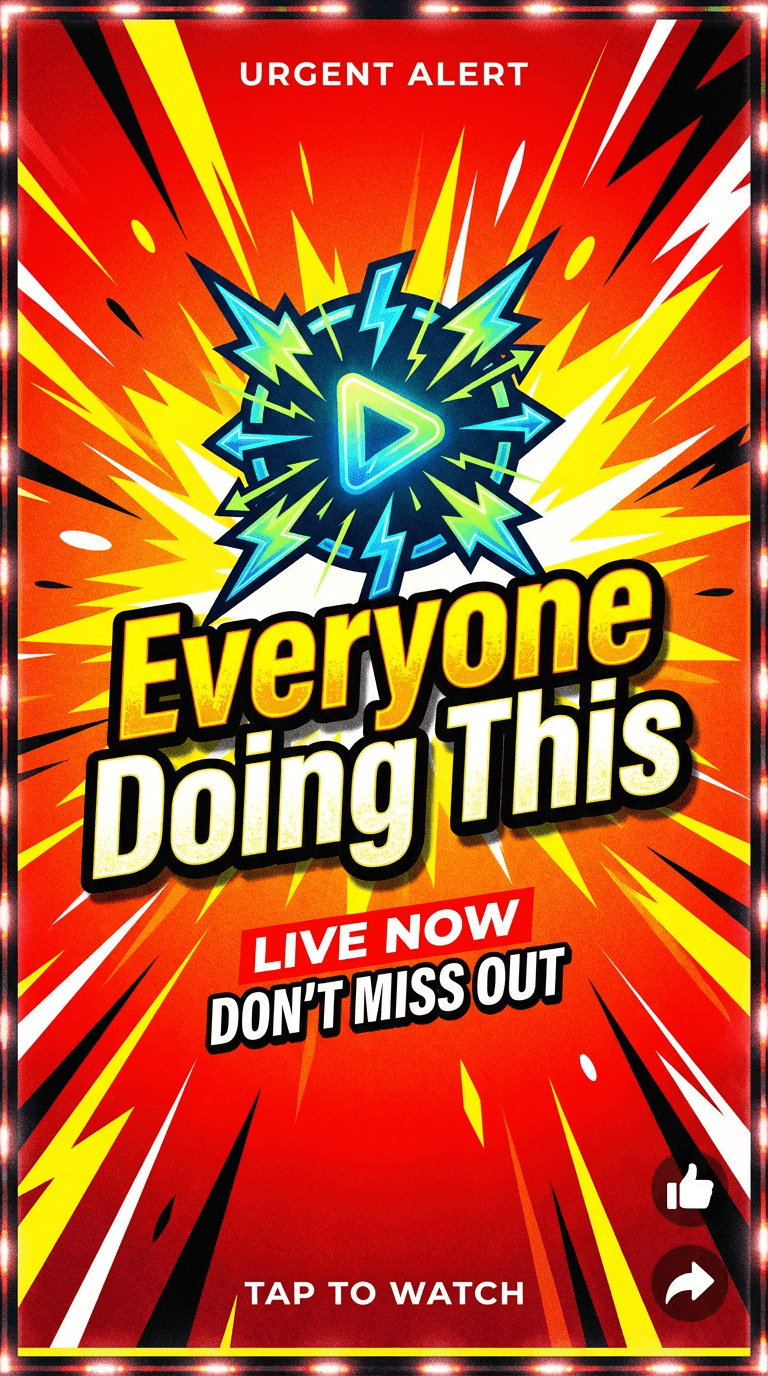
8. Trending / Viral Moment Shorts Thumbnail
Best for: trend commentary, "everyone is doing X", pop culture Shorts, news-style content.
AI Prompt (Thumbnail Prompt):
YouTube Shorts thumbnail in vertical 9:16 format: energetic, high-contrast design with a bold red or orange background and dynamic diagonal or burst graphic elements suggesting urgency and movement. A central icon, symbol, or abstract figure in the middle of the frame. The overall feel should suggest something happening right now — timely, urgent, impossible to ignore. Bright accent colors, slight noise or grain texture for a raw, social-native feel. Space at the top and bottom for short punchy text. Viral social content style, bold and mobile-optimized.
Thumbnail Text ideas:
- "Everyone's Doing This"
- "Right Now"
- "It's Happening"
9. Tutorial Step Shorts Thumbnail
Best for: how-to Shorts, quick tutorials, single-tip content, "how I do X" videos.
AI Prompt (Thumbnail Prompt):
YouTube Shorts thumbnail in vertical 9:16 format: clean instructional design with a simple step or action shown visually — a hand interacting with an object, a zoomed-in detail of a process, or a clear before-state awaiting a change. Bright, clean background in white or soft yellow. Simple flat-style icons or arrows pointing to the key area of focus. No clutter, high readability at small size. Space at the top for a short bold instruction or question. Friendly, approachable tutorial style, mobile-first.
Thumbnail Text ideas:
- "Try This Now"
- "One Step Fix"
- "How I Do It"
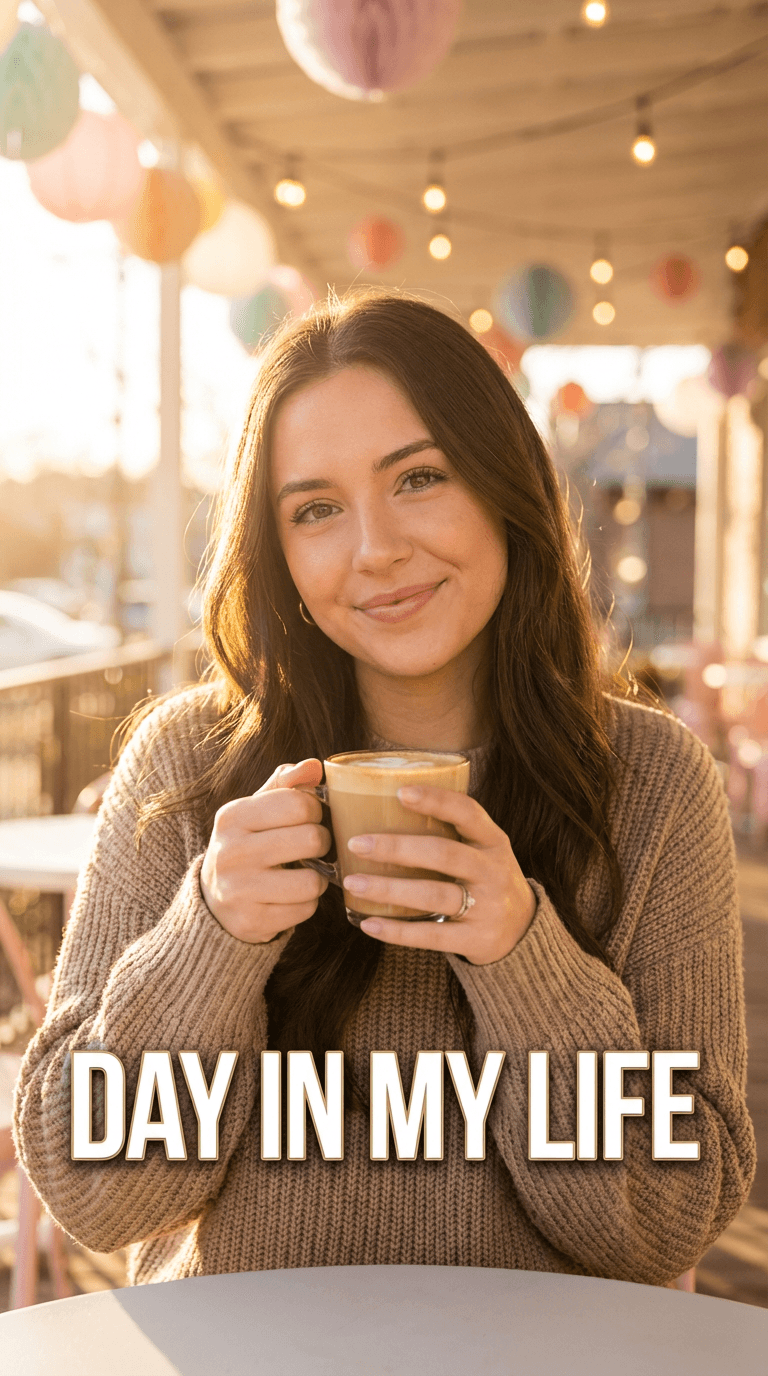
10. Lifestyle / Aesthetic Shorts Thumbnail
Best for: lifestyle Shorts, aesthetic content, day-in-my-life, fashion, food, travel.
AI Prompt (Thumbnail Prompt):
YouTube Shorts thumbnail in vertical 9:16 format: visually rich, mood-forward portrait or scene composition — warm golden hour lighting, soft pastel tones, or a vivid editorial color palette depending on the niche. The frame feels aspirational and lifestyle-forward, like a polished Instagram Reel cover. Clean background or environmental context behind the subject. Shallow depth of field for a cinematic feel. Space near the top or bottom for minimal, elegant text. Modern lifestyle creator aesthetic, vertical and mobile-optimized.
If uploading your own photo, add:
"Use the uploaded person or scene as the main subject, enhancing the lighting, color grading, and background to match a polished lifestyle Shorts aesthetic."
Thumbnail Text ideas:
- "My Morning"
- "This Look"
- "Day in My Life"
How to Adapt These Prompts for Your Shorts Channel
These prompts are built to work out of the box — but the best results come when you make them your own. Every prompt follows the same four-part structure:
- Subject — what's visually in the center of the vertical frame
- Lighting & color — bright and bold, moody and dark, soft and pastel, etc.
- Composition — where the subject sits in the 9:16 canvas, and where text goes
- Style reference — "modern Shorts style", "lifestyle creator aesthetic", "mobile-first"
To customize for your channel:
- Replace the subject with something specific to your content — "a skincare product", "my setup", "a plate of food"
- Adjust the color palette to match your brand colors
- Change the mood — energetic and bold for gaming or fitness, soft and warm for lifestyle or beauty
- Keep the 9:16 vertical framing instructions in every prompt — this is what tells the AI to design for portrait, not landscape
Using These Prompts Inside Miraflow's YouTube Thumbnail Maker
Here's the exact workflow to go from prompt to finished Shorts thumbnail:
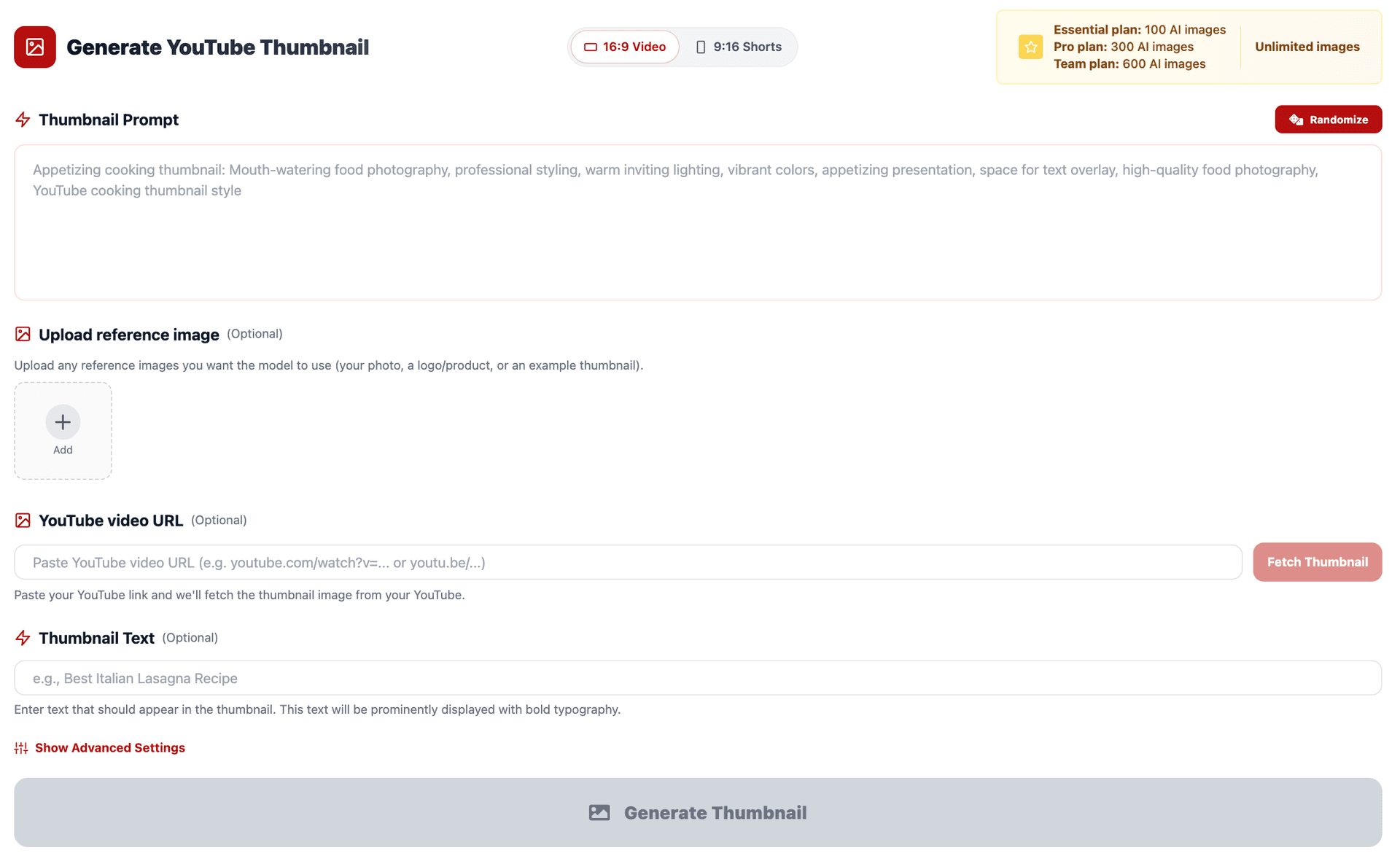
- Go to YouTube Thumbnail Maker on Miraflow AI
- Set Aspect Ratio → 9:16 Shorts first — do this before anything else
- Choose your style:
- Type directly into the prompt field if you're starting from scratch
- Use Upload reference image if you want your own face or product in the thumbnail
- Paste your chosen prompt into Thumbnail Prompt
- Add a short 2–4 word phrase into Thumbnail Text — this renders as bold overlay text on the design
- (Optional) Open Show Advanced Settings and add a Negative Prompt like:
blurry, low quality, distorted face, cluttered background, messy text, horizontal layout
- Click Generate Thumbnail and review your results in My Thumbnails
- Download and upload directly to YouTube as your Shorts cover image
Pro tip: Always view your generated thumbnail on your phone before publishing. Shorts thumbnails are almost exclusively seen on mobile screens — what looks fine on a desktop can be hard to read or visually weak on a 6-inch display. Generate 2–3 variations and pick the one that reads instantly at phone size.
Conclusion
YouTube Shorts is moving fast, and most creators are still uploading with a random frame as their cover image.
A strong Shorts thumbnail — designed specifically for 9:16, built for mobile, and optimized for a one-second decision — is one of the lowest-effort, highest-impact improvements you can make to your Shorts channel right now.
With the 10 AI prompts above, you have a ready-made library for every type of Shorts content: reactions, tutorials, lifestyle, product showcases, tips, and more. Paste them into Miraflow's YouTube Thumbnail Maker, set your aspect ratio to 9:16, and generate a scroll-stopping cover in minutes.
No design experience. No blank canvas. Just results.