20 AI Squish Effect Prompts for the Viral Squishy Video Trend (Copy & Paste, 2026)

Written by
Aerin Kim

AI Squish (or Squish It) is the 2026 trend turning any rigid subject into soft, bouncing memory foam on video. Here are 20 grouped, copy-paste prompts to try it yourself.
TL;DR
AI Squish, also called Squish It, is one of the trends actually spreading across TikTok and Instagram right now in 2026. The idea is simple and a little hypnotic: take any rigid subject, a face, a pet, a sneaker, a car, even a whole skyscraper, and animate it squishing inward like soft memory foam or jelly under invisible pressure, then slowly springing back into its original shape. It has that oddly-satisfying, ASMR-style quality that makes people watch a clip three times in a row without quite knowing why.
Creators are making these clips with a mix of text-to-video and image-to-video AI models, along with CapCut templates built around the same effect. Below are 20 ready-to-use AI Squish prompts, grouped by subject, written for Miraflow's Cinematic AI Video Generator, which turns a written prompt, or a real uploaded photo, directly into a short cinematic clip you can post the same day.
What Is the AI Squish Trend, and Why Is It Everywhere Right Now
The AI Squish effect works on a simple premise. You start with something that should not be squishable at all, a person's face, a parked car, a bottle of moisturizer, a whole building, and the video makes it behave like a stress ball. Fingers or an unseen force press down, the subject deforms with a soft, elastic give, holds the compressed shape for a beat, then springs back to its original form with a small satisfying bounce. The best versions of this clip lean hard into that recovery moment, since the spring-back is what separates a genuinely satisfying squish from a video that just looks like something melting.
The trend sits inside a bigger wave of tactile, sensory AI video effects that took off through 2026, the same family that includes melting effects and inflate effects, all built around watching a familiar object behave in a way it physically cannot. What makes AI Squish specifically stick is how broadly it scales. A creator can point it at their own selfie for a squishy-face style clip, at a pet for an easy engagement post, at a product for a branded UGC-style ad, or at something absurd like a skyscraper or a school bus for pure novelty. Almost nothing about the format requires special equipment or editing skill, which is exactly the kind of low floor, high shareability combination that tends to spread fast on short-form video.
A commonly reported version of the prompt formula behind this effect is roughly: subject as a soft squishable toy, fingers pressing down, squeezing effect, slow motion, oddly satisfying. That basic structure works, but on its own it is thin. It does not tell a model what material the subject should behave like, how long the press and release should take, where the camera should sit, or what a bad result actually looks like. The 20 prompts further down this post build out that same core idea into something specific enough to actually get a clean, controllable result instead of a random roll of the dice.
It also performs best in a specific shape: short vertical clips, roughly under 15 seconds, framed for a phone screen rather than a widescreen video. That format constraint matters as much as the visual concept itself, since a squish effect that takes 30 seconds to develop loses the quick, snackable rewatch value that makes this kind of clip spread in the first place. If you have already been experimenting with other AI photo-to-video formats, this trend sits in the same neighborhood as the living photo effect covered in our TikTok AI Alive breakdown, just with a much more physical, tactile kind of motion instead of ambient drift.
How to Make an AI Squish Video With Miraflow's Cinematic AI Video Generator
The fastest way to actually produce this effect is to go straight from a written prompt to a finished clip, and that is exactly what Miraflow's Cinematic AI Video Generator is built for. Paste in one of the 20 prompts below, or your own customized version, and it generates a short cinematic video directly from the text, no timeline editing, keyframing, or animation software required.
That said, there is a real quality difference worth knowing about before you start. Pure text-to-video works fine for subjects the model already understands well, like a generic sneaker or a generic car, but it has to invent every detail of the subject from scratch. Starting from a real uploaded photo instead, true image-to-video generation, generally gets a far more convincing squish-and-spring-back result, because the model has an actual subject to anchor the deformation to rather than guessing at proportions, texture, and detail on its own. This matters most for anything with a recognizable identity attached to it: your own face, your specific pet, an actual product with real packaging, or a car you want to look like your car. Upload a clear, well-lit photo into the Cinematic AI Video Generator on Miraflow before applying a squish prompt whenever the subject needs to stay recognizable, and reserve pure text-to-video for the more generic or novelty subjects further down this list, like an oversized food prop or an unspecified city block.
The workflow itself is short. Pick or shoot a clear photo of your subject, choose one of the prompts below and adjust the subject description to match your actual photo, generate the clip, and review the spring-back moment specifically, since that is the part most likely to need a second pass if the first result looks more like melting than squishing. Once you have a clip you like, it is ready to post as-is, or to build into something bigger, more on that near the end of this post.
1) Self-Portrait and Face Squish Prompts
This is the version most people mean when they say squishy face trend, and it is also the category where starting from a real uploaded selfie makes the single biggest difference in Miraflow's Cinematic AI Video Generator, since the model needs an actual face to preserve through the deformation rather than inventing one.
Prompt 1: Close-Macro Cheek Press
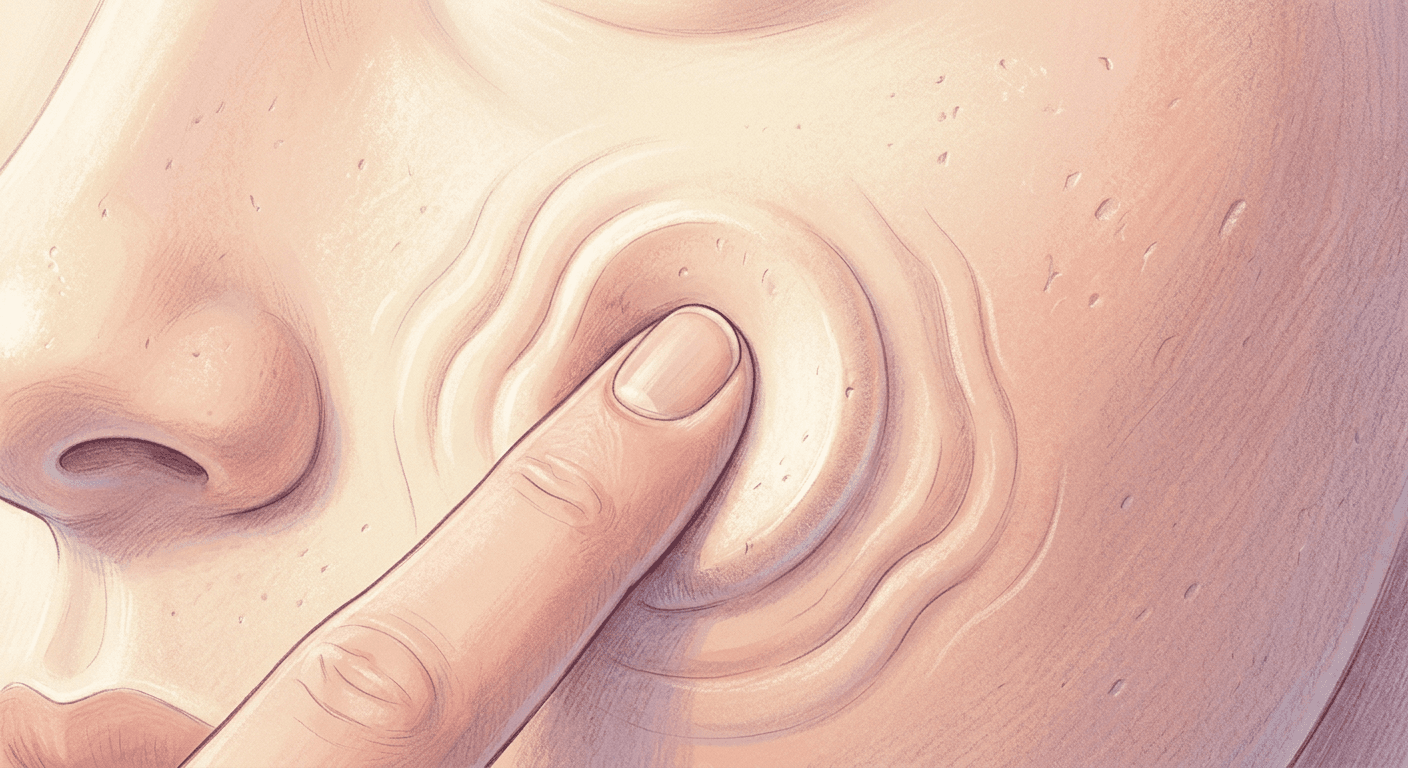
A tight macro close-up on a single point of contact, a fingertip pressing into the cheek, built for the purest version of the oddly-satisfying ASMR feel.
Animate this selfie into an 8 second slow-motion clip. Treat the skin and cheek as a soft, dense memory-foam material with a slight matte sheen, not glossy silicone. Frame it as an extreme macro close-up on the single point where a fingertip presses into the cheek, with the rest of the face and background softly out of focus behind a shallow depth of field. The finger presses down slowly over the first 3 seconds, sinking a visible dimple into the cheek with a gentle jelly-like wobble spreading outward from the point of contact, holds for a beat, then lifts away as the cheek springs back to its original smooth shape over the final 2 seconds, with a faint residual wobble settling out. Light the shot with a single soft window light from camera left, catching a subtle highlight on the raised edge of the dimple. No permanently warped or torn-looking indentation left behind, no motion blur smearing the skin texture beyond recognition, no melting effect where the material slides or drips instead of squishing and recovering.
Prompt 2: Full-Face Jelly Wobble Portrait
A wider head-and-shoulders shot where the entire face takes on a jelly-like wobble under two-handed pressure, good for a clean, recognizable-face intro clip.
Animate this front-facing portrait photo into a 10 second clip. Render the whole head and face with a translucent, jelly-like wobble density, like a firm gelatin mold, while keeping the hair and clothing behaving normally and staying still. Frame it as a medium head-and-shoulders shot with the face centered and in sharp focus, shallow depth of field softly blurring a plain studio background. Two soft hands enter from both sides and press gently into the cheeks over 3 seconds, the whole face compresses inward and wobbles in slow ripples, holds briefly at full compression, then the hands lift away and the face springs back to its exact original proportions over 3 seconds with two or three decreasing wobble ripples before settling still. Light with a soft overhead studio softbox casting even, flattering light with minimal shadow. No permanently distorted or asymmetrical face shape left after the spring-back, no motion blur smearing the eyes or mouth beyond recognition, no melting or dripping motion in place of a squish-and-recover.
Prompt 3: Side-Profile Two-Hand Squeeze
A side-profile shot with both hands squeezing the face inward from front and back, emphasizing squish depth rather than wobble.
Animate this side-profile photo into a 7 second slow-motion clip. Give the face and jaw a soft, stress-ball silicone give, dense enough to hold its shape but visibly compressible. Frame it as a three-quarter side profile, medium-close shot with a narrow depth of field keeping only the face sharp against a blurred neutral background. Two hands press in from the front and back of the face simultaneously over 2 seconds, visibly narrowing the profile and pushing a soft bulge upward near the cheekbone, hold the compression for one second, then release so the face slowly expands back out to its original profile shape over 3 seconds with a small overshoot and settle. Light the scene with a warm key light from slightly behind the subject, rim-lighting the edge of the profile. No permanently flattened or torn-looking profile shape after release, no motion blur smearing the facial features beyond recognition, no melting effect where the face sags downward instead of springing back.
Prompt 4: Slow Blink and Full-Head Bounce
A calmer, more ASMR-leaning version where the whole head bounces gently like a stress ball while the eyes hold a slow blink.
Animate this headshot photo into a 6 second clip with a gentle stress-ball silicone texture across the whole head and neck. Frame it as a centered close-up portrait shot, softly lit and in full focus, with a plain pastel background gently out of focus behind it. An unseen downward pressure compresses the entire head vertically over 2 seconds, flattening it slightly while the eyes close in a slow blink, holds for half a second, then the head bounces back upward past its original height by a small amount before settling into its exact starting shape over the final 2 seconds, with one small secondary bounce. Light with soft diffused light from directly above, keeping shadows minimal and even. No permanently squashed or asymmetrical head shape once it settles, no motion blur smearing the eyes or hairline beyond recognition, no melting effect replacing the bounce-back motion.
2) Pet Squish Prompts
Pet accounts have taken to this trend fast, mostly because a squished cheek or a compressed curled-up body reads as instantly cute rather than unsettling, the opposite of how a warped human face can sometimes land.
Prompt 5: Dog Snout Macro Press
A close macro shot on a dog's snout and cheek fur being pressed, tuned for the classic satisfying pet-squish clip.
Animate this photo of a dog into an 8 second slow-motion clip. Give the fur and cheek beneath it a soft, plush memory-foam density, thick enough to visibly dent under pressure while individual fur strands stay defined rather than smearing together. Frame it as an extreme macro close-up on the snout and one cheek, shallow depth of field blurring the ears and background completely. A hand presses gently into the cheek over 2 seconds, the fur and skin compress into a soft dimple with the surrounding fur bunching slightly, holds briefly, then releases so the cheek slowly puffs back out to its original round shape over 3 seconds with a small secondary settle. Light with warm natural light from a window just above camera height. No permanently dented or torn-looking fur after the release, no motion blur smearing the fur texture beyond recognition, no melting effect where the fur droops instead of springing back, keep the dog's expression calm and unbothered throughout.
Prompt 6: Curled-Up Cat Full-Body Squish
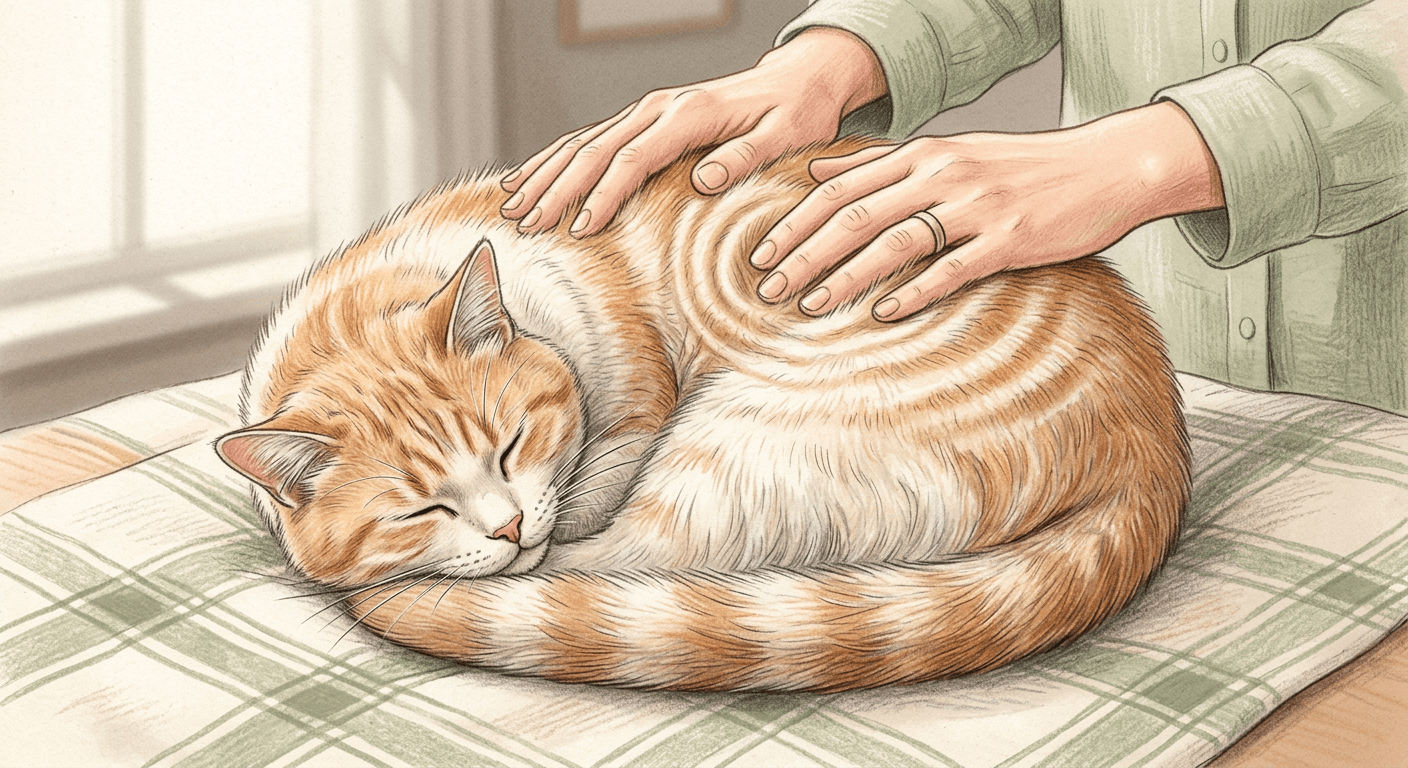
A wider shot of a curled-up cat's whole body compressing and re-inflating like a soft round cushion, good for a calmer ASMR loop.
Animate this photo of a curled-up cat into a 9 second clip. Treat the cat's curled body as a single soft, rounded cushion with a jelly-like wobble density beneath the fur, keeping individual whiskers and facial features sharp and undistorted. Frame it as a medium overhead or three-quarter shot of the whole curled body, softly blurred background with the cat itself in full focus. Two hands press down evenly on the top of the curled body over 3 seconds, the round shape compresses and flattens slightly with a slow wobble spreading through the curve, holds for a beat, then the hands lift and the body slowly re-inflates back to its original rounded curl over 3 seconds with a gentle overshoot and settle. Light with soft afternoon window light from one side, casting a soft shadow beneath the cat. No permanently flattened or lopsided body shape once it settles, no motion blur smearing the fur or face beyond recognition, no melting effect where the body sags flat instead of springing back.
Prompt 7: Small Pet Full-Body Stress Ball
A hamster, bunny, or similarly small pet treated as a literal palm-sized stress ball, squeezed gently in a closed hand.
Animate this photo of a small pet into a 7 second slow-motion clip. Give the entire body a dense stress-ball silicone give, firm enough to bounce back quickly rather than a loose jelly wobble. Frame it as a close palm-level shot, the pet resting in an open hand, shallow depth of field keeping the pet sharp while the background blurs completely. The hand closes gently around the pet over 2 seconds, the body compresses evenly from all sides without any part looking pinched or trapped, holds for one second, then the hand opens as the body springs back to its exact original shape over 2 seconds with a light quick bounce. Light with a soft single overhead light, keeping the hand and pet evenly lit with no harsh shadows. No permanently pinched or misshapen body after the spring-back, no motion blur smearing the fur or eyes beyond recognition, no melting effect in place of the compress-and-bounce motion, keep the pet's posture calm throughout.
Prompt 8: Paw Pad Macro Press
An extreme close-up isolated on a single paw pad being pressed, one of the more purely textural entries in the set.
Animate this photo of a paw into a 6 second clip. Render the paw pad with a soft, dense memory-foam texture beneath a thin layer of fur at the edges, dense enough to hold a visible fingerprint-shaped dent. Frame it as an extreme macro shot isolated entirely on the paw pad, filling most of the frame with an extremely shallow depth of field blurring everything beyond the pad itself. A single finger presses slowly into the center of the pad over 2 seconds, a smooth round dimple forms with a faint ripple at its edge, holds briefly, then the finger lifts as the pad slowly rounds back out to its original shape over 3 seconds. Light with a warm, low-angle lamp light from one side, creating a soft highlight on the curved edge of the pad. No permanently dented or torn-looking pad surface after the release, no motion blur smearing the texture beyond recognition, no melting effect where the pad sinks and stays flat instead of springing back.
3) Product and UGC Squish Prompts
Brands have started picking this up fast because it doubles as a genuinely fun product demo, showing off a sneaker's cushioning or a bottle's material without a single word of copy. Starting from a real product photo through the Cinematic AI Video Generator on Miraflow keeps packaging and labels intact instead of the model inventing a generic bottle shape from scratch.
Prompt 9: Sneaker Sole Squish
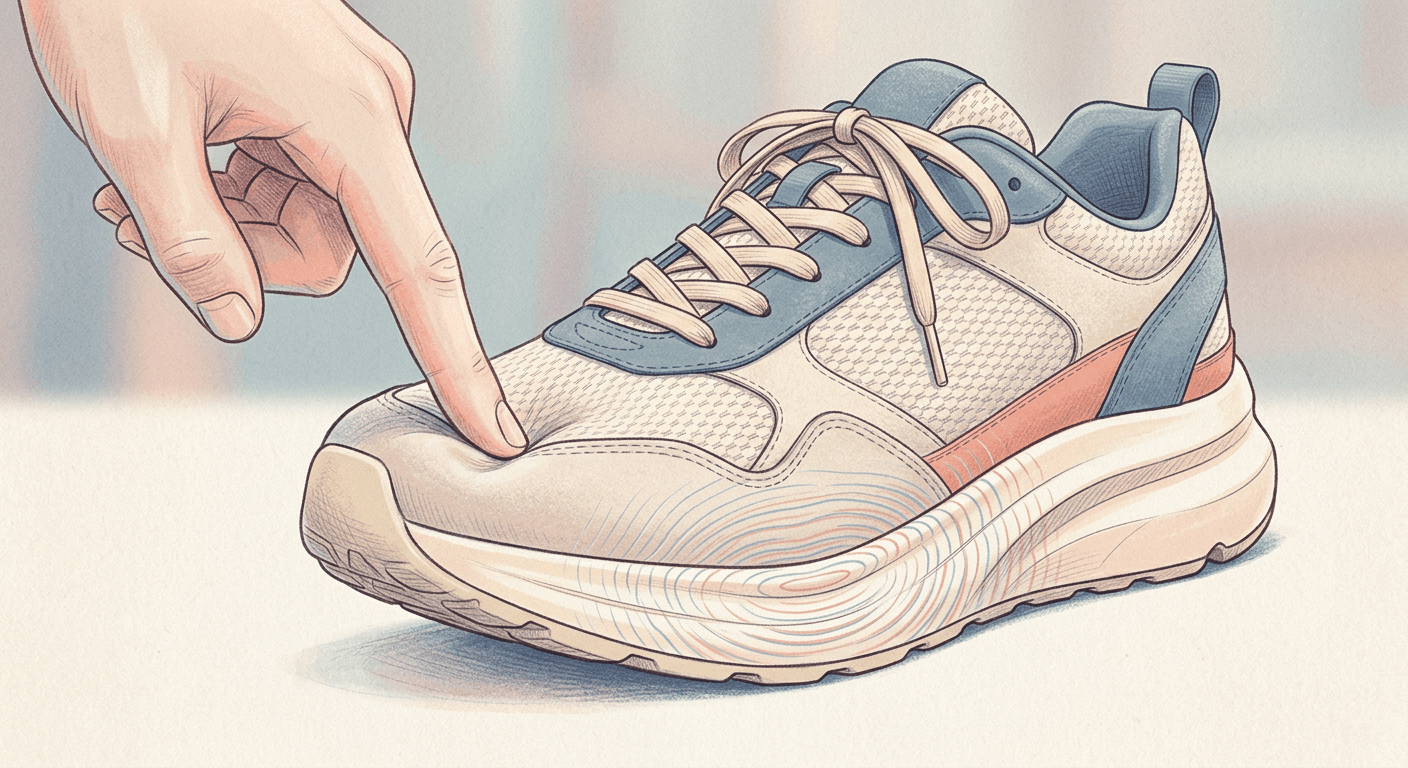
A UGC-style product shot treating a sneaker's midsole as a squishable cushion, useful for footwear brands leaning into the trend.
Animate this photo of a sneaker into a 7 second product clip. Give the midsole a soft, dense memory-foam texture while the upper fabric and laces stay firm and undeformed. Frame it as a three-quarter product shot at a slight low angle, shallow depth of field with the midsole in sharp focus and the background softly blurred. A hand presses down on the toe of the midsole over 2 seconds, the foam visibly compresses and dimples inward with a slight wobble spreading along the sole, holds for a beat, then the hand lifts as the midsole slowly re-expands back to its original shape over 3 seconds with a small springy overshoot. Light with a clean studio softbox from slightly above and in front. No permanently flattened or torn-looking sole after the spring-back, no motion blur smearing the sole texture or laces beyond recognition, no melting effect where the foam slumps instead of squishing and recovering, no garbled or distorted brand text if any lettering is visible on the sole.
Prompt 10: Phone Screen and Body Squish
A playful UGC-style clip treating a phone's whole body as a soft toy, popular for tech accounts leaning into the oddly-satisfying trend.
Animate this photo of a smartphone into a 6 second clip. Render the entire phone body and screen with a jelly-like wobble density, soft enough to visibly bend under pressure while the on-screen graphic stays legible and undistorted at rest. Frame it as a straight-on close product shot, shallow depth of field with the phone centered and sharp, the background blurred. A hand presses down on the center of the phone over 2 seconds, the body bows and wobbles under the pressure with a slight ripple moving outward to the edges, holds briefly, then the hand lifts as the phone slowly flattens back to its original flat rectangular shape over 3 seconds with a small residual wobble. Light with an even overhead studio light, minimal shadow. No permanently bent or warped phone shape after the spring-back, no motion blur smearing the screen or edges beyond recognition, no melting effect where the phone droops instead of squishing and recovering, no garbled or illegible on-screen text or icons.
Prompt 11: Skincare Bottle Squish
A beauty-brand-friendly clip treating a skincare bottle as a soft squeeze toy, with the label kept legible throughout.
Animate this photo of a skincare bottle into a 6 second clip. Give the bottle a soft, stress-ball silicone give, dense enough to hold its printed label crisp and undistorted at rest, with the cap staying rigid and unaffected. Frame it as a clean tabletop product shot, close and centered with a shallow depth of field softly blurring the background. A hand squeezes the middle of the bottle over 2 seconds, the body pinches inward and wobbles gently at the compressed point, holds for one second, then the hand releases as the bottle slowly rounds back out to its original shape over 3 seconds with a light overshoot before settling. Light with soft, bright window light from one side, a gentle highlight running along the bottle's curve. No permanently pinched or cracked-looking bottle shape after the spring-back, no motion blur smearing the label beyond recognition, no melting effect where the bottle sags instead of squishing and recovering, no garbled or illegible label text at any point in the motion.
Prompt 12: Product Packaging Box Squish
A UGC unboxing-style clip that squishes the outer packaging box itself, useful for a brand wanting a novelty teaser before a real unboxing.
Animate this photo of a product packaging box into a 6 second clip. Treat the cardboard as a soft, dense memory-foam material rather than rigid cardboard, thick enough to dent visibly while the printed panel design stays crisp at rest. Frame it as a straight-on product shot, medium-close with the full front panel in sharp focus and a softly blurred plain background. Two hands press into opposite corners of the box over 2 seconds, the box visibly compresses and bows inward with a slight wobble across the printed panel, holds briefly, then the hands release as the box slowly re-expands back to its original rectangular shape over 3 seconds with a small springy overshoot. Light with a soft even studio light from directly above. No permanently crushed or torn-looking box shape after the spring-back, no motion blur smearing the box edges beyond recognition, no melting effect where the box slumps instead of squishing and recovering, no garbled or misspelled packaging text at any point during the motion.
4) Everyday Object and Architecture Squish Prompts
This is where the trend gets genuinely spectacular. Watching an entire car or a full skyscraper behave like a stress ball is the kind of clip that reads as pure novelty even to viewers who have already seen a dozen squished-face videos that week, and it is the category that benefits most from a wide, patient camera move inside Miraflow's Cinematic AI Video Generator, so the deformation actually has room to travel across the whole subject.
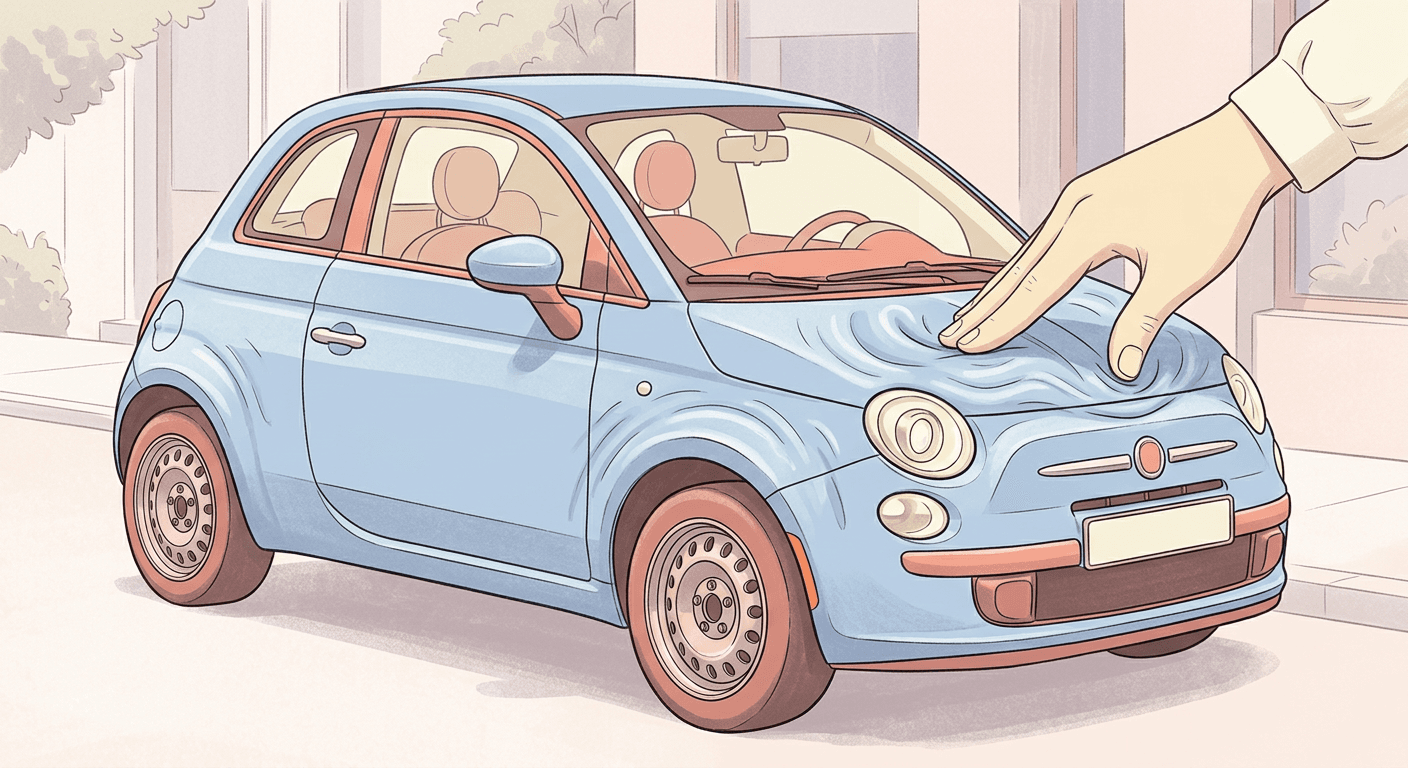
Prompt 13: Car Hood and Body Squish
A wide product-style shot treating an entire car body as a giant soft toy, one of the more shareable novelty entries.
Animate this photo of a car into a 9 second clip. Render the entire car body, from hood to roofline, with a soft, dense memory-foam texture, thick enough to visibly dent under pressure while the wheels and windows stay rigid and unaffected. Frame it as a wide three-quarter exterior shot with the whole car in focus and a softly blurred background, giving enough width to see the deformation travel across the body. An oversized unseen hand presses down on the center of the hood over 3 seconds, the hood and surrounding panels sink into a wide soft dimple with the deformation rippling toward the doors, holds for one second, then releases as the entire body slowly pushes back out to its original shape over 4 seconds with a visible ripple settling from the center outward. Light with bright overcast daylight, even and shadowless across the body. No permanently dented or crumpled-looking body panel after the spring-back, no motion blur smearing the car's shape beyond recognition, no melting effect where the metal appears to liquefy instead of squishing and recovering.
Prompt 14: Whole Living Room Squish
A surreal wide shot compressing an entire furnished room like a soft cushion, one of the more visually ambitious prompts in the set.
Animate this photo of a living room into a 10 second clip. Treat the entire room, walls, ceiling, and furniture together, as a single soft, jelly-like structure with a slow, heavy wobble density, while keeping small objects like books and lamps recognizable and undistorted. Frame it as a wide establishing shot of the whole room, everything in focus with an even depth of field. An unseen downward pressure compresses the entire room vertically over 3 seconds, the ceiling lowers and the walls bow gently inward with a slow ripple moving through the furniture, holds for one second, then the room slowly expands back up to its original height and proportions over 4 seconds with a soft settling wobble. Light with warm ambient interior lighting from a window and a floor lamp. No permanently collapsed or warped room geometry after the spring-back, no motion blur smearing the furniture or walls beyond recognition, no melting effect where the room appears to dissolve instead of squishing and recovering.
Prompt 15: Skyscraper Squish
A dramatic wide city shot bending an entire skyscraper like a soft tower, aimed at the more spectacle-driven end of the trend.
Animate this photo of a skyscraper into a 10 second clip. Render the entire building as a soft, dense memory-foam structure from base to rooftop, thick enough to visibly bow under pressure while the individual windows stay sharp and evenly spaced at rest. Frame it as a wide low-angle city shot with the full height of the building in view and the surrounding skyline softly blurred behind it. An oversized unseen hand presses into the middle of the building's facade over 3 seconds, the tower bows inward and narrows slightly at the point of contact with a slow wobble traveling up and down its height, holds for one second, then releases as the building slowly straightens back to its original vertical shape over 4 seconds with a gentle sway settling out. Light with soft late-afternoon sunlight from one side, casting long warm shadows across the facade. No permanently bent or collapsed building structure after the spring-back, no motion blur smearing the windows or facade beyond recognition, no melting effect where the building appears to liquefy instead of squishing and recovering.
Prompt 16: Armchair Furniture Squish
A cozy tabletop-scale shot treating an armchair as an oversized squish toy, a calmer everyday-object option for the set.
Animate this photo of an armchair into a 7 second clip. Give the cushions and frame a soft, dense memory-foam texture throughout, thick enough to dent visibly under pressure while the wooden legs stay rigid and unaffected. Frame it as a medium three-quarter shot of the whole chair, shallow depth of field with the chair sharp and the room around it softly blurred. Two hands press down into the seat cushion over 2 seconds, the cushion sinks into a wide soft dimple with the backrest wobbling gently in response, holds for one second, then the hands lift as the cushion slowly puffs back up to its original rounded shape over 3 seconds with a small springy overshoot. Light with warm indoor lamp light from one side. No permanently flattened or lopsided cushion shape after the spring-back, no motion blur smearing the chair's upholstery texture beyond recognition, no melting effect where the cushion sags instead of squishing and recovering.
5) Novelty and Humor Squish Prompts
The last group leans fully into the comedy of the trend, exaggerated deformation, oversized objects, and a bit of visual absurdity, the kind of clip built purely to get a laugh and a rewatch. It pairs well with the same oversized-tiny-world sensibility covered in our miniature diorama prompt pack, just animated instead of static.
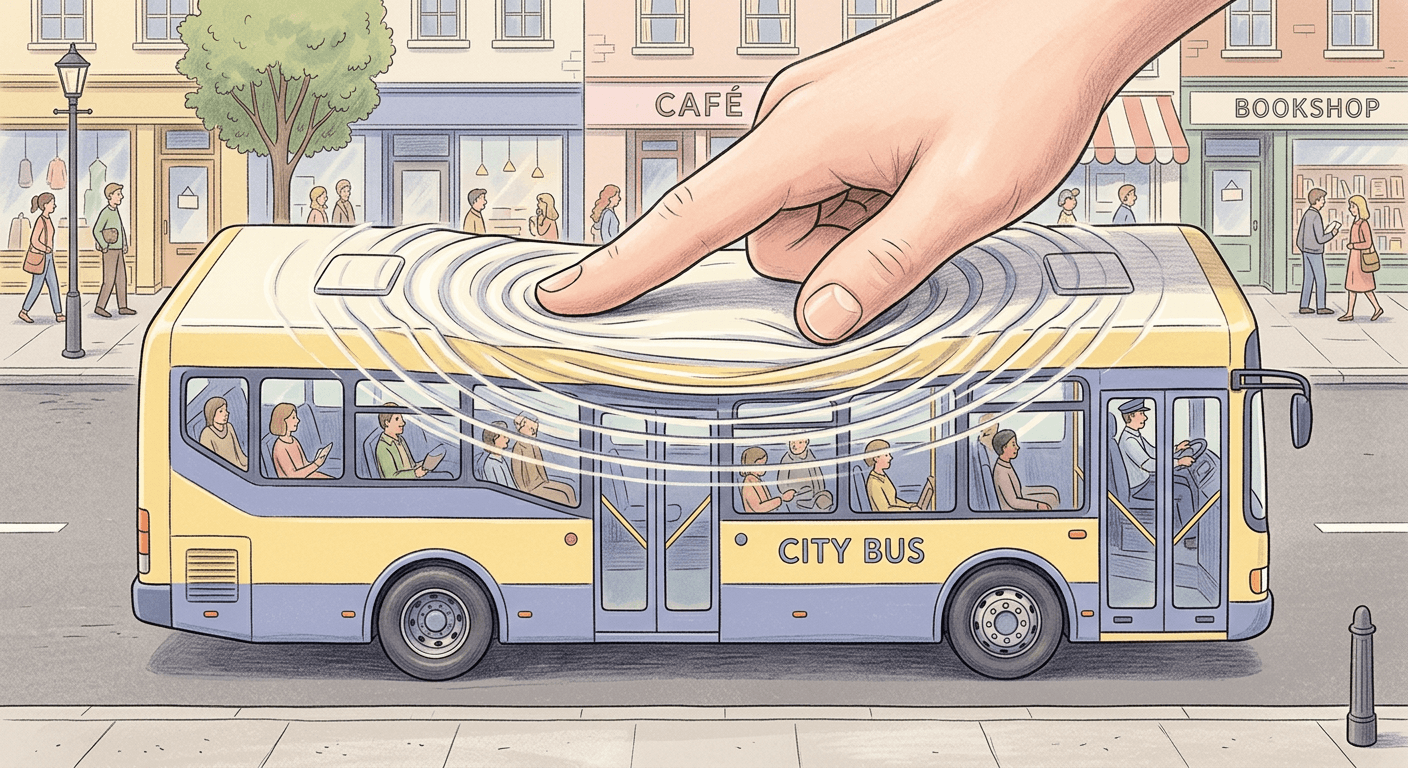
Prompt 17: Exaggerated Full-Body Human Squish
A wide, comedic full-body version of the effect where a person's entire body compresses and bounces back like a giant stress toy.
Animate this full-body photo into a 9 second slow-motion clip. Render the entire body with an exaggerated, dense stress-ball silicone give, soft enough to compress dramatically at the point of contact while the face stays recognizable and only mildly deformed. Frame it as a wide full-body shot with the whole figure in focus against a softly blurred plain background. An oversized unseen hand presses down on the top of the head over 3 seconds, the whole body compresses downward like an accordion with a comedic exaggerated wobble spreading through the limbs, holds for one second, then releases as the body slowly springs back up to its exact original height and proportions over 3 seconds with one exaggerated overshoot bounce before settling. Light with bright even studio light from the front. No permanently squashed or disproportionate body shape once it settles, no motion blur smearing the limbs or face beyond recognition, no melting effect where the body sags downward instead of squishing and recovering.
Prompt 18: Giant Vehicle Squish
An over-the-top novelty clip squishing an entire bus or truck like an oversized toy, built for maximum shareability.
Animate this photo of a bus or truck into a 10 second clip. Render the entire vehicle body with a soft, dense memory-foam texture, thick enough to compress dramatically under pressure while the wheels stay rigid and the windows stay sharp at rest. Frame it as a wide side-on shot with the entire vehicle in view and a softly blurred street background behind it. A giant unseen hand presses down onto the roof of the vehicle over 3 seconds, the roof and sides compress inward with an exaggerated wobble rippling from front to back, holds for one second, then releases as the vehicle slowly expands back out to its original boxy shape over 4 seconds with a comedic overshoot bounce before settling. Light with bright midday sunlight, even and shadowless across the vehicle's body. No permanently crushed or lopsided vehicle shape after the spring-back, no motion blur smearing the body panels or wheels beyond recognition, no melting effect where the metal appears to liquefy instead of squishing and recovering.
Prompt 19: Oversized Food Object Squish
A playful macro-to-wide novelty clip treating a giant food prop, like an oversized donut or burger, as a soft toy.
Animate this photo of an oversized food prop into an 8 second clip. Give the entire object a soft, jelly-like wobble density, dense enough to hold its shape between compressions while any icing, sesame seeds, or surface detail stay crisp and undistorted at rest. Frame it as a close three-quarter shot with the object filling most of the frame and a shallow depth of field softly blurring the background. Two hands press into opposite sides of the object over 2 seconds, it visibly compresses and wobbles with the deformation spreading across its surface, holds for one second, then the hands release as the object slowly puffs back out to its original rounded shape over 3 seconds with a light bouncy overshoot. Light with warm, bright studio light from above. No permanently flattened or torn-looking surface after the spring-back, no motion blur smearing the surface texture beyond recognition, no melting effect where the object appears to ooze or drip instead of squishing and recovering.
Prompt 20: Miniature City Block Squish
A wide, surreal closer where an entire small city block compresses and re-inflates like a soft diorama, a strong closing or novelty clip.
Animate this photo of a city block into a 10 second clip. Treat the whole block, buildings, sidewalks, and streetlights together, as a single soft, dense memory-foam structure with a slow, heavy wobble density, while keeping individual cars and signage recognizable and undistorted. Frame it as a wide elevated three-quarter shot looking down over the block, everything in focus with an even depth of field. An unseen downward pressure compresses the whole block evenly over 3 seconds, the buildings sink and lean gently inward with a slow ripple traveling from the center outward, holds for one second, then the block slowly expands back up to its original layout and heights over 4 seconds with a soft settling wobble. Light with soft golden-hour sunlight from a low angle, casting long gentle shadows across the block. No permanently collapsed or tilted building geometry after the spring-back, no motion blur smearing the buildings or streets beyond recognition, no melting effect where the block appears to dissolve instead of squishing and recovering.
How to Customize These Prompts
Every prompt above follows the same underlying structure, and understanding that structure matters more than memorizing any single template. Each one names a specific material and density for the subject, spells out the press and the spring-back as two separate timed motions, sets a camera framing and depth of field, names a light source, and closes with a plain-language list of failure modes to avoid. Once you see that pattern, adapting any prompt to a new subject is mostly a matter of swapping the subject description and the material language while leaving the rest of the structure intact.
Start by matching the material to the subject. A face or a bottle of skincare reads better with a memory-foam or silicone description, since those materials imply a controlled, even give. A curled-up pet or an oversized food prop reads better with a jelly-like wobble, since that material implies looser, more visible movement. Mismatching the two, describing a car as jelly, or a face as heavy foam, tends to produce a less believable result, since the model has fewer real-world references for that specific combination.
Adjust the timing to match how dramatic you want the effect to feel. A shorter compression, around 2 seconds, with a quick spring-back reads as snappy and playful, closer to squeezing an actual stress ball. A longer compression, closer to 3 or 4 seconds, with a slower recovery reads as more deliberate and ASMR-leaning, the style that tends to work best for the closer macro shots in the self-portrait and pet groups above.
Camera distance is the other lever worth adjusting deliberately. A tight macro shot, like the cheek press or paw pad prompts, works well when the texture and the point of contact are the whole point of the clip. A wide shot, like the car or skyscraper prompts, works better when you want the viewer to see the deformation travel across the entire subject, since a macro framing on a subject that large would lose the scale that makes the clip impressive in the first place.
If you are working from a real photo, whether that is a selfie, a pet photo, or a product shot, run it through Miraflow's Cinematic AI Video Generator rather than describing the subject from scratch in text. The same customization principle applies to other AI video and photo trend prompt packs too, our AI decade progression prompt pack uses the same swap-the-subject, keep-the-structure approach for a completely different visual effect, which is a useful pattern to recognize across prompt-pack posts generally, not just this one.
Common Mistakes Creators Make With the AI Squish Effect
Picking a subject with too much fine surface detail. A subject covered in small, intricate detail, tight fabric weave, fine engraving, dense text, tends to read as broken or shattered when it deforms rather than soft and elastic, since the model has to distort every tiny detail individually instead of moving a few larger, simpler surfaces. Smoother, simpler subjects, a plain sneaker sole, a rounded bottle, a clean car panel, hold up far better under the squish motion.
Forgetting to describe the spring-back half of the motion. This is the single biggest gap between a genuine squish clip and one that accidentally looks like a melting effect instead. If your prompt only describes the press and never describes the recovery, the model has no reason to animate a bounce-back at all, and the clip ends on a permanently deformed subject that reads as broken rather than satisfying. Every one of the 20 prompts above explicitly times out the recovery as its own separate beat for exactly this reason.
Using the wrong aspect ratio for the target platform. This trend performs as a short vertical clip, and a widescreen 16:9 export cropped down after the fact often loses the exact part of the frame where the deformation is happening. Generate at a vertical composition from the start when the destination is TikTok, Reels, or Shorts, rather than fixing the aspect ratio in a separate editing pass afterward.
Starting from a low-resolution or heavily cropped source photo. A blurry, small, or tightly cropped photo gives the model far less real detail to anchor the deformation to, which shows up as smearing, texture loss, or an unrecognizable result once the subject starts moving. This matters even more here than in a typical image-to-video clip, since the squish motion actively stretches and compresses whatever detail is present in the source. A sharp, well-lit, reasonably close photo with the full subject visible produces a noticeably cleaner result. If your starting photo needs a quick fix first, a different background, a cleaner crop, Miraflow's AI Image Generator can touch it up before you animate it.
Overloading the prompt with too many simultaneous motions. A prompt that asks for the subject to squish, rotate, change color, and have the camera pan all at once usually produces a muddled result compared to one that commits to a single clear press-and-release motion with a fixed camera. The same discipline that helps with motion-based prompts generally, keeping the described motion focused and specific rather than stacking effects, applies just as directly here as it does in our AI motion blur prompt pack, even though the two effects look nothing alike on screen.
Finishing the Clip With Miraflow's Cinematic AI Video Generator and Text2Shorts
Once you have a squish clip you like out of Miraflow's Cinematic AI Video Generator, it is already close to postable on its own, short, vertical, and built around one clean loopable motion. But a raw clip without a hook, captions, or sound rarely performs as well as one packaged into a complete short.
That is where Text2Shorts comes in. It takes a finished clip like your squish video and builds the rest of a short around it, generating a script, adding voiceover and pacing, and applying captions so the whole thing is ready to post on YouTube Shorts, Instagram Reels, or TikTok without any separate editing step. For a product-focused squish clip, that might mean a short voiceover explaining the material or feature the squish is showing off. For a personal or pet-focused clip, it might just mean clean auto-captions and a short hook line at the top, since the squish motion itself is usually the whole hook.
You can browse more prompt guides and trend breakdowns like this one on the Miraflow AI blog, and every tool mentioned in this post, the Cinematic AI Video Generator, the AI Image Generator, and Text2Shorts, lives at miraflow.ai.
Frequently Asked Questions
What is the AI Squish trend exactly?
AI Squish, also called Squish It, is a 2026 AI video trend where a rigid subject, a person, a pet, a product, a car, even a building, is animated squishing and deforming like soft memory foam or jelly under invisible pressure, then springing back to its original shape. It has an oddly-satisfying, ASMR-style quality that has made it spread widely on TikTok and Instagram.
What tools do creators use to make AI Squish videos?
Reported tools across the trend include Veo 3, Kling 3, Sora 2, and Hailuo, along with dedicated CapCut templates built around the same effect. Any image-to-video or text-to-video tool that can follow a detailed motion prompt can produce the effect, including Miraflow's Cinematic AI Video Generator.
Do I need a photo to make one of these, or can I use pure text-to-video?
Either works, but a real uploaded photo generally produces a more convincing result, especially for anything that needs to stay recognizable, your own face, a specific pet, a specific product. Pure text-to-video works fine for more generic or novelty subjects, like an unspecified city block or an oversized food prop, where nothing specific needs to be preserved.
Why does my squish clip look like melting instead of squishing?
This almost always comes down to the prompt only describing the press and never describing the recovery. Without an explicit spring-back instruction, the model has no reason to animate the subject returning to its original shape, so the clip ends on a permanently deformed subject that reads as melted rather than squished. Add a clear, separately timed recovery beat to fix it.
What length and aspect ratio works best for this trend?
Short vertical clips under about 15 seconds, framed for a phone screen, are what is currently performing best. Generate at a vertical composition from the start rather than cropping a widescreen clip down afterward, since cropping after the fact can cut off exactly the part of the frame where the deformation happens.
Can I use this effect on a product for brand or marketing content?
Yes. The product and UGC group above is built specifically for that, a sneaker, a phone, a skincare bottle, or packaging, all treated with a material and motion that keeps any label or logo text legible through the deformation.
Is this the same as the melting effect trend?
They are related but distinct. A melting effect shows a subject dissolving from the top down into a pool of liquid, a one-way transformation with no recovery. The squish effect is a two-part motion, a press-and-release with a clear spring-back, which is exactly what gives it that satisfying, elastic quality the melting effect does not have.
What is the easiest prompt to start with?
Prompt 1, the close-macro cheek press, is the simplest structural template in the set, one point of contact, one clear compression, one clear spring-back, which makes it the easiest to judge and adjust before trying a wider or more novelty-driven subject.
Conclusion
The AI Squish trend has caught on in 2026 because it works on almost anything and rewards a rewatch in a way a lot of AI video effects do not. The 20 prompts above cover the full range creators are actually using it for, self-portraits and pets for personal content, products and packaging for brand and UGC work, and everyday objects and full architecture for pure novelty and humor.
The pattern behind a good squish prompt is consistent across every one of them: name a real material, time out the press and the spring-back as two distinct motions, frame the camera on purpose, light it with a specific source, and rule out the failure modes in plain language. Start with a clear photo, run it through Miraflow's Cinematic AI Video Generator, and package the finished clip with Text2Shorts when it is ready to post. Pick the subject that fits what you are actually posting this week, and let the spring-back do the rest of the work.