Nano Banana 2.1 vs Nano Banana Pro: Which Should You Actually Use in 2026

Written by
Aerin Kim
Google shipped Nano Banana 2.1 on October 6, 2026, half the price of its predecessor. Here is the real price, resolution, and use-case breakdown against Nano Banana Pro.
If you generate AI images for a living, or even just for one YouTube channel, you probably opened your Gemini dashboard this week and saw a model you didn't choose: Nano Banana 2.1. Google shipped it on October 6, 2026, and switched it on immediately with no beta window, no waitlist, nothing. One day your API calls to the "fast" Nano Banana tier were hitting Nano Banana 2. A few days later they were quietly routing to 2.1, built on Gemini 3.6 Flash, and your per-image bill looked different without you changing a single line of code.
At the same time, Nano Banana Pro, the Gemini 3 Pro Image model, is still sitting right there in the same product family, still more expensive, still the model most creators reach for when a thumbnail or a hero shot absolutely has to look right on the first try. Now there are two current, actively supported Nano Banana tiers instead of one obvious default, and almost nobody has a clear answer for which one they should actually be calling in their workflow.
This post is that answer. Not a feature list copied from a release note, but a real side-by-side on the four things that actually change your day-to-day output: what each one costs per image at each resolution, how many reference photos and characters each one can hold steady, what each one is actually good at producing, and which one fits your specific situation, whether that is a solo channel pushing out a thumbnail a day, a brand commissioning a handful of hero shots a month, or an agency batch-generating hundreds of social assets a week.
TL;DR: The Decision in One Paragraph
Pick Nano Banana 2.1 when you are generating in volume, iterating fast, or producing social content where "good enough on the first try, cheap enough to regenerate five times" beats "perfect on attempt one." Pick Nano Banana Pro when the output is a hero shot, a print-bound marketing asset, a multilingual campaign graphic, or anything where in-image text has to render flawlessly and you are not going to regenerate it a dozen times to get there. The two models are not really competing for the same job. 2.1 is Google's answer to volume and cost. Pro is still Google's answer to quality ceiling. The rest of this post is the actual numbers behind that one paragraph, because "it depends on your use case" is true but useless without them.
What Actually Shipped With Nano Banana 2.1
Nano Banana 2.1 carries the API model id gemini-nano-banana-2.1 and runs on Gemini 3.6 Flash, Google's fast and efficient image tier rather than the heavier Pro reasoning stack. It went generally available the same day it was announced, October 6, 2026, with no staged rollout, which is part of why so many creators found it already live in their account before they had read a single word about it.
The headline capability jump over the outgoing Nano Banana 2 is less about a brand new trick and more about fixing a problem that was genuinely annoying creators who shoot wide or panoramic frames. Nano Banana 2 had a visible tiling and seam problem at 2K and 4K on wide compositions, a faint vertical banding where the model had clearly stitched separate generation passes together. Nano Banana 2.1 fixes that specific artifact at 2K and 4K, which matters a lot more than it sounds if your workflow includes wide YouTube banners, letterboxed cinematic frames, or anything panoramic, since that seam was exactly the kind of flaw a viewer notices immediately even if they can't name what's wrong with the image.
On the reference side, Nano Banana 2.1 can combine up to 14 separate reference images in a single prompt and hold up to 4 distinct characters consistent across that combination. That is a real, usable number for most creator workflows: a podcast duo, a three-person panel, a product plus a model plus a background plate. It tops out below Nano Banana Pro's 5-person consistency ceiling, which matters specifically for full five-person group shots, covered in more detail further down.
Output comes in three tiers: 1K by default, with 2K and 4K available as explicit options. 1K as the default, rather than 2K or 4K, is a quiet signal of what this model is actually built for. Google is not expecting most 2.1 calls to be print-bound hero assets. It is expecting high-frequency, lower-stakes generation where 1K is genuinely sufficient, and 2K or 4K get requested only when a specific output actually needs them.
Where Nano Banana Pro Still Leads
Nano Banana Pro did not stand still just because a cheaper sibling showed up. It is still built on Gemini 3 Pro Image, Google DeepMind's heavier reasoning-and-generation stack, and that extra reasoning is exactly where its advantages come from. Pro runs a thinking pass before it renders, working out composition, subject hierarchy, and text placement ahead of time, which is the real reason text baked directly into a Nano Banana Pro image comes out legible far more consistently than a faster model's first attempt, and why it renders correctly across more non-English scripts and font styles than a lighter model typically manages on the first pass.
Pro also still carries Google Search grounding, letting it generate a visual that reflects something verifiably real, a specific landmark, a current weather condition, an accurate real-world detail, rather than a plausible-looking guess. That is not a capability 2.1 has, since a fast, lightweight tier built for volume is not the model you'd want spending extra latency on a search round-trip before every single generation.
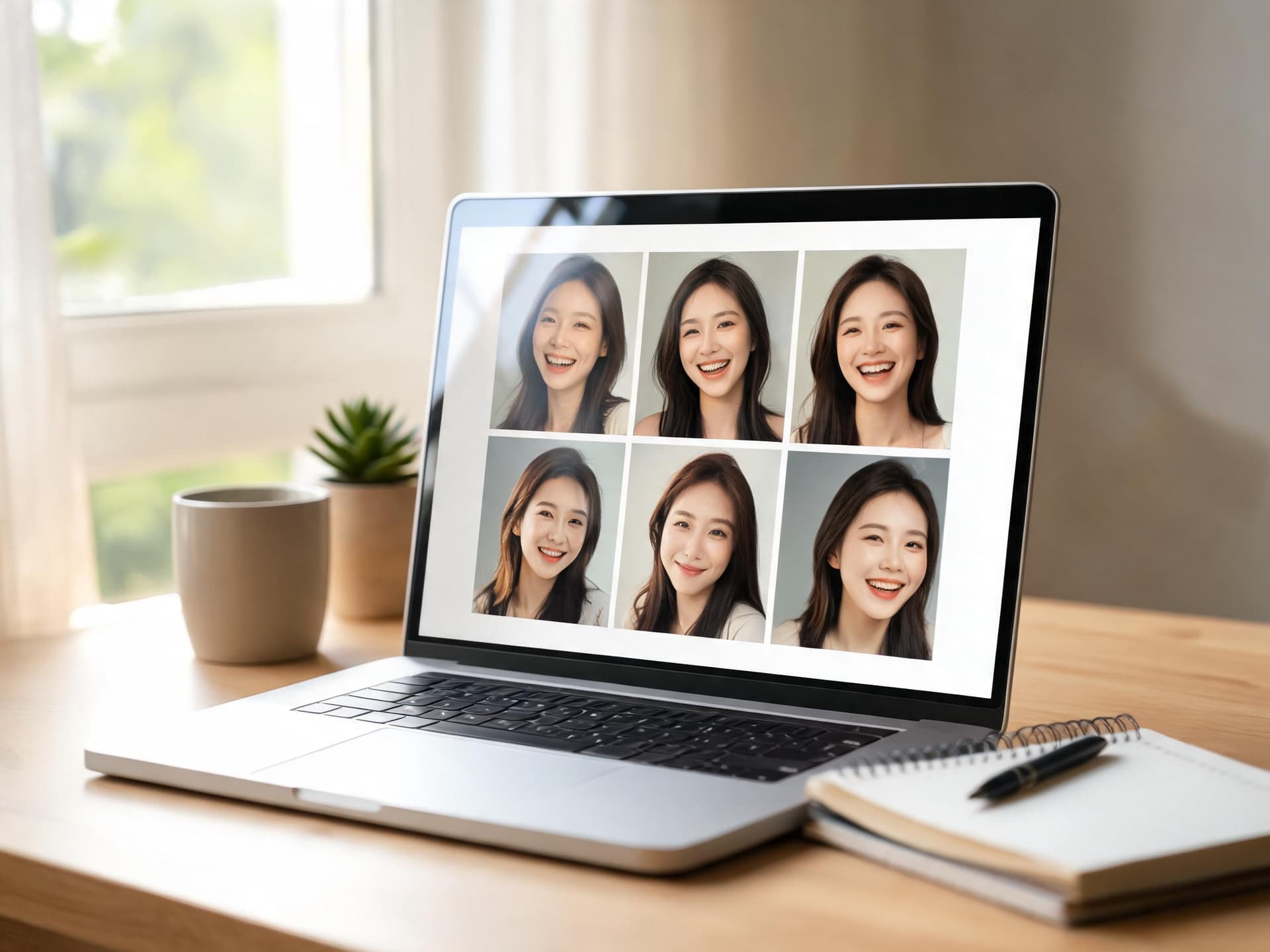
On identity consistency, Pro is built for up to 5 distinct people held steady in one frame, against 2.1's 4. That one-person gap sounds small until you are actually building a five-person team thumbnail or a full family-channel group shot, where that fifth face is exactly the one that starts to visibly drift on a model not built to hold it. Our multi-person thumbnail prompt pack for Nano Banana Pro goes deep on why that specific identity-blending failure happens and how to prompt around it, and it is the clearest reason a 5-person group shot still belongs on Pro rather than 2.1.
Output tops out at 2K and 4K, with no 1K default tier, reinforcing the same positioning from the other direction: Pro assumes you are generating something worth a higher resolution floor, not something you are regenerating ten times to get a usable social post.
Price Per Image, Side by Side
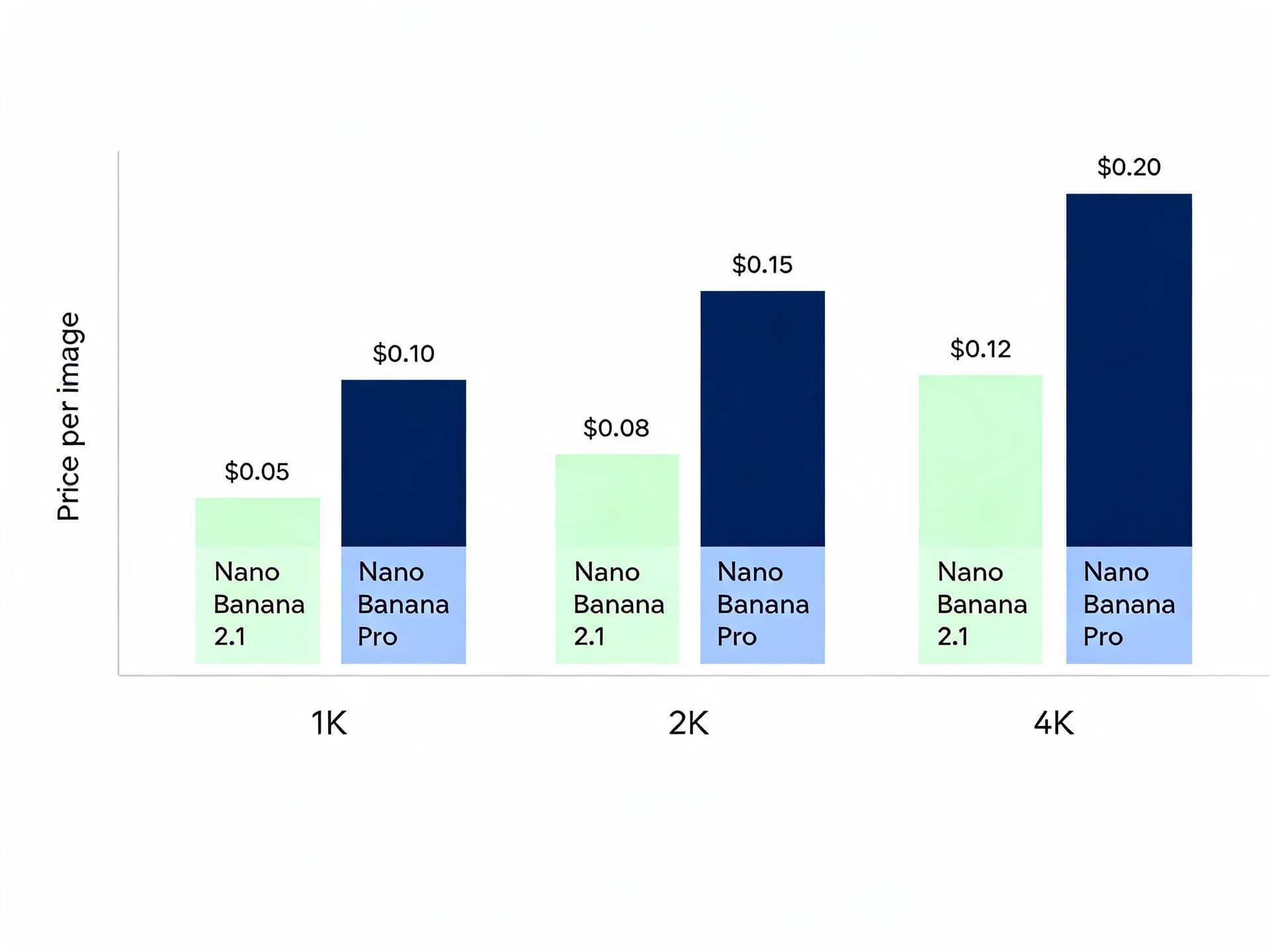
Numbers make this comparison concrete in a way capability descriptions never fully do, so here is what each tier actually costs per image on Google's standard Gemini API pricing, broken out by resolution.
| Spec | Nano Banana 2.1 | Nano Banana Pro |
|---|---|---|
| Base model | Gemini 3.6 Flash | Gemini 3 Pro Image |
| Release | October 6, 2026, GA | Earlier 2026, GA |
| Output resolution | 1K (default), 2K, 4K | 2K and 4K |
| Max reference images | Up to 14 | Up to 14 |
| Max consistent characters | Up to 4 | Up to 5 |
| Price per image, 1K (standard) | ~$0.0336 | Not offered at 1K |
| Price per image, 2K (standard) | ~$0.0504 | ~$0.134 (reported) |
| Price per image, 4K (standard) | ~$0.076 to $0.113 (reported) | ~$0.24 (reported) |
| Batch API discount | Roughly half again off standard | Roughly half again off standard |
| In-image text rendering | Good for short, legible text | Strongest, multilingual |
| Google Search grounding | Not included | Included |
| Best for | Volume, batch, fast iteration | Hero shots, premium or print assets |
A few things jump out once the prices are next to each other instead of scattered across two different pages. At 2K, a Nano Banana Pro image costs roughly two and a half times what a 2.1 image costs. At 4K, Pro still costs roughly twice as much as 2.1, even though the gap narrows slightly at the top resolution tier. For a single hero shot, that difference is nothing, a few cents either way. For a workflow generating hundreds of images a week, it compounds into a real line item on your monthly API bill, and it is the entire reason 2.1 exists as a separate tier rather than simply becoming the new default for everything.
The batch API discount applies to both models and is worth knowing about regardless of which one you pick: send a job through Batch instead of the standard synchronous endpoint and the per-image price drops by roughly half again, on top of whichever tier's base price you started from. If your workflow can tolerate asynchronous turnaround, generating overnight instead of waiting on a live response, that discount stacks with 2.1's already-lower base price for the cheapest realistic per-image cost either model can produce right now.
One more number worth sitting with: 2.1's own 1K price is about half of what Nano Banana 2, its immediate predecessor, charged for the same tier before it was deprecated. Google is not framing 2.1 as a quality upgrade over 2 so much as a cost-and-artifact-fix upgrade, which lines up exactly with the seam-fixing and pricing changes covered above.
Resolution and the Real Output Ceiling
Resolution numbers on a spec sheet do not tell you what actually shows up on screen, so it helps to separate "what resolution can this model output" from "what resolution does this job actually need."
A YouTube thumbnail gets compressed and resized down to a small tile in search results, the sidebar, and mobile feeds, well under 1K in its final displayed size most of the time. Generating that thumbnail at 4K buys you almost nothing a viewer will ever notice, and it costs more than twice as much per image to get there. That is the single clearest case for 2.1's 1K default being the right call rather than a limitation: you are paying for resolution the end format is going to throw away anyway.
A print-bound marketing asset, a trade-show banner, a poster, packaging mockups, behaves completely differently. Here the full 4K ceiling is the whole point, since a print output genuinely reveals detail a screen never does, and a regenerate-until-it's-right workflow on something destined for a print run is a much bigger mistake to make at scale than it is on a thumbnail you can swap out in thirty seconds. This is where Pro's higher 4K price is the correct trade rather than an unnecessary one.
References, Characters, and What Actually Stays Consistent
Both models accept multiple reference images in a single prompt, 14 for each, which is a genuinely large working set, enough for a product shot plus several angles of a person plus a background plate plus a couple of style references all in one call. The real difference shows up once you ask either model to hold several distinct human identities steady at the same time rather than just blending visual references into one scene.
Nano Banana 2.1 holds up to 4 characters consistent. Nano Banana Pro holds up to 5. For a two-person podcast thumbnail, a three-friend group shot, or a four-person family channel banner, both models are equally capable, and 2.1's lower price makes it the more sensible default for that entire range. The gap only matters once a fifth real, named person enters the frame, a full team channel, a five-person panel, a large family. At that point Pro's extra headroom is the difference between every face staying individually recognizable and the fifth face starting to visibly borrow features from someone else in the shot, the exact identity-blending failure mode that made multi-person group thumbnails such a stubborn problem for earlier, lighter models in the first place.
If your channel format never goes past four people in one frame, which covers the large majority of collab, duo, and small-group content, this specific capability gap is not a reason to pay Pro's price. If you are building a recurring five-person panel show or a full family vlog with every member in frame every episode, it is.
Speed and Turnaround for Real Workflows
Latency rarely shows up on a spec page, but it is the thing you actually feel every single generation. Because 2.1 runs on the lighter Gemini 3.6 Flash stack without Pro's pre-render thinking pass or Search grounding round-trip, it returns noticeably faster per call. That speed difference barely matters when you are generating one hero image a week. It matters enormously when you are generating fifty social variants in an afternoon, iterating on a thumbnail five times before publish, or running a batch job against a backlog of a hundred product photos, where every extra second per call multiplies by however many images are in the queue.
This is really the same trade-off as the pricing section from a different angle. Pro's thinking pass is what produces its stronger prompt-following and cleaner text rendering, but that reasoning step costs real time as well as real money. 2.1 skips most of that reasoning in exchange for speed, and for high-volume, lower-stakes generation, that is almost always the right trade.
Which Should You Pick: By Creator Type
"It depends on your use case" is true but not actually useful without naming the use cases. Here is the breakdown by the three creator profiles that cover almost everyone reading this.
The Solo YouTuber Doing Daily Thumbnails
If you are publishing close to daily and generating a new thumbnail concept for every upload, Nano Banana 2.1 is the right default almost every time. You are going to generate several variants per thumbnail before picking a winner, the final asset gets compressed down to a small tile regardless of what resolution you started at, and the cost difference between 2.1 and Pro multiplied across 300-plus thumbnails a year is a real amount of money for very little visible benefit at that output size. Generate at 1K, pick your best variant from three or four attempts, and reserve Pro for the occasional milestone thumbnail, a 100th-episode special, a channel rebrand, where the extra polish and text rendering genuinely earn the higher cost. The YouTube Thumbnail Maker in Miraflow AI is built around exactly this daily-iteration workflow, letting you upload a reference face, add thumbnail text, and regenerate quickly without leaving the browser.
The Brand Doing a Handful of Premium Hero Shots
If you are commissioning a small number of high-stakes images a month, a hero product shot, a campaign key visual, a launch graphic that is going to run across a paid media budget, the math inverts completely. You are generating maybe five to twenty images a month, not hundreds, so the per-image price difference between 2.1 and Pro is a rounding error against the actual budget behind the campaign it supports. What you actually need is Pro's stronger prompt-following, its more reliable multilingual text rendering if the campaign runs in more than one market, and its Search grounding if the visual needs to reflect something verifiably real. Paying roughly two to two and a half times more per image is a non-issue when the image itself is carrying real production weight, and it is the wrong place to economize.
The Agency Batch-Generating Hundreds of Social Assets
If you are running social content for multiple client accounts and generating in genuine volume, hundreds of variants a week across different formats and platforms, 2.1 paired with the Batch API discount is close to the cheapest realistic way to produce that volume at acceptable quality right now. Stack 2.1's already-lower base price with Batch's roughly 50 percent discount on top, and you are generating at a fraction of what the same volume would cost on Pro at standard pricing. The trade-off is accepting that any individual image in that volume might need a quick regeneration rather than being flawless on the first attempt, which is a completely reasonable trade when you are producing social posts meant to be scrolled past in two seconds, not hero assets meant to be studied.

A Quick Way to Test the Gap Yourself
Rather than taking any spec sheet's word for it, the fastest way to actually feel the difference is to run the same prompt through both tiers and look at the results side by side. These two prompts are built to expose exactly where the gap shows up.
Test 1: A wide panoramic composition
This is the clearest test of 2.1's seam-fixing improvement over Nano Banana 2, and a reasonable stand-in for how either model handles a wide thumbnail or banner format.
wide panoramic YouTube banner composition, 16:9, a creator's desk setup stretching across the full width of the frame with a monitor, keyboard, and softly lit plants on either side, consistent even lighting and color grading across the entire width with no visible seam or tiling break, sharp detail from edge to edge, natural desk and device texture, no readable text, no logos
Test 2: Multilingual text baked into the image
This is where Pro's thinking pass and stronger text rendering tend to separate most clearly from 2.1's faster, lighter pass.
bright minimalist product poster on a soft gradient background, a short bold headline rendered directly into the image in clean legible lettering in your target non-English language and script, product centered below with soft studio shadow, correctly spelled and sharp characters with no distorted or garbled strokes, plenty of empty space around the text, commercial advertising style
Generate both prompts on each tier, at the same resolution, and compare the raw outputs before reading anything else into the result. The difference is usually obvious within the first side-by-side look, and it tells you more about your own actual use case than any generic benchmark number will.
Common Mistakes Creators Make Comparing These Two
A handful of the same mistakes keep showing up whenever a cheaper new tier launches next to an existing premium one.
- Switching everything to the cheaper tier the day it launches, without testing it on your actual content first. 2.1 is genuinely good for volume work, but a format that depends heavily on flawless text rendering or a fifth consistent face should stay on Pro regardless of price, and the only way to know which bucket your specific format falls into is to actually test both on your real prompts, not assume from the price tag alone.
- Comparing a single generation on each model instead of several. Both models have real run-to-run variance. Judging a tier off one output, especially a bad one, is the fastest way to reach the wrong conclusion about which model actually fits your workflow.
- Ignoring the resolution your output format actually needs. Generating a thumbnail at 4K on either model, when the final display size is a fraction of that, is paying for detail nobody will ever see. Match the resolution tier to where the image actually ends up, not to whatever the highest available option happens to be.
- Forgetting the Batch API discount exists. If your workflow can tolerate asynchronous turnaround at all, not every call needs an instant response, Batch pricing is a real, stacking discount on top of whichever tier you're already using, and skipping it leaves real savings on the table.
- Assuming the newer, cheaper model is automatically the better all-around choice. 2.1 is not a strict upgrade over Pro any more than Pro is a strict upgrade over 2.1. They are built for different jobs, and picking a permanent winner without naming your actual task, the mistake our Nano Banana Pro vs Seedream 5.0 Pro comparison warns about too, is where most of these comparisons go wrong.
Generating Both Inside Miraflow
You do not need to juggle two separate API accounts or two different billing dashboards to try both tiers against your own content. The AI Image Generator in Miraflow AI handles text-to-image, image-to-image, and masked region editing directly in the browser, which covers the actual generation workflow either tier is used for, whether that's a fast batch of social variants or a single polished hero shot. For thumbnail-specific work, the YouTube Thumbnail Maker in Miraflow AI lets you upload a reference face, add baked-in text, set negative prompts, and regenerate quickly, which is exactly the kind of repeated, lower-stakes iteration 2.1 is built for.
Once your visuals are locked, the same idea carries past a single static image. Text2Shorts can turn a finished visual concept into a narrated vertical video for Shorts, Reels, or TikTok, and the cinematic AI video generator extends the same idea further into full cinematic clips. If you're repurposing a longer video afterward, AI Clipping finds and cuts the strongest moments automatically with captions already applied, and if the project needs a soundtrack, Miraflow's AI Music Generator rounds out the same idea-to-finished-asset pipeline in one place.
If you're also tracking how Nano Banana Pro stacks up against other current image models, our breakdowns of Nano Banana Pro vs Seedream 5.0 Pro and Meta Muse Image vs Nano Banana Pro cover the same kind of head-to-head decision for two other common matchups. For creators specifically chasing speed and volume, our Nano Banana 2 Lite batch generation prompt pack and our guide to Nano Banana 2's video reference feature are worth reading next, and our Proof of Human thumbnail prompt pack covers the texture and lighting details that help any output from either tier read as a real photo instead of an obviously synthetic one.
Frequently Asked Questions
Is Nano Banana 2.1 just a cheaper version of Nano Banana Pro? Not exactly. They are built on different underlying stacks, Gemini 3.6 Flash for 2.1 and Gemini 3 Pro Image for Pro, and Pro keeps real capabilities 2.1 does not have, including Google Search grounding, a fifth consistent character, and a more reliable multilingual text-rendering pass. 2.1 is better understood as the volume-and-cost tier that replaced Nano Banana 2, not a stripped-down clone of Pro.
Did Nano Banana 2.1 replace Nano Banana 2 completely? Yes. Nano Banana 2.1 launched on October 6, 2026 as a direct replacement for the outgoing Nano Banana 2 tier, fixing its tiling and seam artifacts at 2K and 4K and cutting its per-image price roughly in half at the same resolution.
Which one is cheaper for high-volume social content? Nano Banana 2.1, by a meaningful margin. At 2K it costs roughly 60 percent less per image than Nano Banana Pro, and stacking the Batch API's roughly 50 percent discount on top of 2.1's already-lower base price produces the cheapest realistic per-image cost either tier can currently offer.
Can Nano Banana 2.1 handle a five-person group thumbnail? Not as reliably as Nano Banana Pro. 2.1 is built to hold up to 4 distinct characters consistent in one frame, while Pro is built for up to 5. A full five-person panel or family-channel shot is the clearest remaining case where Pro's extra headroom is worth its higher price.
Do I need to use the exact same prompt style for both models? Mostly yes. Descriptive, specific prompts that name lighting, composition, and material detail work well on both. The main practical difference is that Pro's prompt-following and text rendering tend to hold up better on a longer, more detailed instruction, while 2.1 rewards a slightly more concise prompt given its faster, lighter generation pass.
Is the 4K pricing for Nano Banana 2.1 fully confirmed? The 1K and 2K prices are consistently reported at $0.0336 and $0.0504 per image on the standard API tier. The 4K figure has been reported slightly differently across sources, generally somewhere between about $0.076 and $0.113 per image, likely reflecting a pricing page update shortly after launch, so it is worth double-checking the current figure on Google's own Gemini API pricing page before budgeting a large 4K batch.
Can I try both tiers without managing two separate API setups? Yes. The AI Image Generator in Miraflow AI and the YouTube Thumbnail Maker in Miraflow AI both run directly in the browser, letting you generate and compare outputs without setting up or billing a separate developer account for each model.
Conclusion
Nano Banana 2.1 and Nano Banana Pro are not really fighting over the same job, the same way Google's own pricing and positioning make clear the moment you put the actual numbers side by side. 2.1 is the fast, roughly half-price answer for high-volume, lower-stakes generation, daily thumbnails, social batches, quick iteration where a flawless first attempt matters less than being able to afford a fifth regeneration. Pro is still the answer when the output is a hero shot, a print-bound asset, a multilingual campaign graphic, or anything that needs a fifth consistent face in the frame. The smartest move in 2026 is not picking a permanent winner between them. It is matching the tier to the actual job in front of you, the same way a professional would pick a different camera body for a quick social post versus a client's hero campaign, and keeping both in your toolkit for whichever one that day's work actually calls for.