Nano Banana 2 Prompt Templates for YouTube Thumbnails (2026)

Written by
Jay Kim

Need better YouTube thumbnails in 2026? These Nano Banana 2 prompt templates help you create clearer, higher-CTR thumbnail concepts with stronger faces, layouts, contrast, and readable text.
If your YouTube thumbnails look polished but still do not feel clickable, this is usually the real problem:
The prompt is asking for an image, not a thumbnail.
A good thumbnail is not just “a nice picture.” It needs one clear subject, a fast emotional read, simple composition, room for text if needed, and enough contrast to stand out in a crowded feed. YouTube’s own help docs say viewers usually see the thumbnail and title first, and recommend audience-aware design, rule of thirds, readable text, and avoiding designs that are too complex.
That is why Nano Banana 2 is interesting for thumbnail work in 2026. Google positions Gemini 3.1 Flash Image Preview, commonly referred to as Nano Banana 2, as a high-quality, low-latency image generation and conversational editing model. Google’s official prompting guide also says Nano Banana 2 is strong for accurate visuals, sharp text rendering, translations, vibrant lighting, richer textures, and precision control over composition and aspect ratios. Those are exactly the kinds of controls thumbnail prompts benefit from.
This guide gives you practical prompt templates, not vague inspiration. You can copy, paste, and swap in your topic, niche, emotion, and text direction to create thumbnail concepts faster.
Why this matters in 2026
Thumbnail competition is higher now because more creators can generate clean visuals quickly. That means generic “shocked face with arrows” prompts are easier to imitate and easier to ignore. What wins more often is a clearer promise, stronger composition, and a thumbnail that matches the exact audience the video is for. YouTube explicitly says your thumbnail should help viewers understand what the video is about, target the right audience, and avoid overly complex design.
Nano Banana 2 is a better fit for this kind of work than a generic image model prompt style because Google’s guidance emphasizes precise control: be specific about subject, lighting, and composition; use positive framing; and use quotes when you need exact text rendering. Google also says Nano Banana 2 supports mainstream thumbnail-friendly aspect ratios such as 16:9 and adds extra wide and tall ratios for other creative assets.
What makes a thumbnail prompt work better
A thumbnail prompt usually works best when it includes five things:
- the main subject
- the emotion or action
- the composition
- the background simplicity
- whether text space or exact words are needed
That structure is not random. It lines up with YouTube’s advice to keep the design easy to understand and with Google’s prompt guidance to be concrete about subject, lighting, composition, and exact wording when text matters.
The base prompt formula
Use this when you want a strong starting point.
Prompt
Create a high-click YouTube thumbnail concept for a video about [topic].
Requirements:
- Main subject: [person / product / object / scene]
- Emotion or action: [shocked / curious / excited / focused / dramatic reveal / before-after]
- Composition: clear focal point, simple background, strong contrast, thumbnail-friendly 16:9 framing
- Audience: [beginners / casual viewers / advanced users / creators / business owners]
- Leave clean space for thumbnail text on [left / right / top / bottom]
- Make the design easy to understand at small size
- Avoid clutter
- Use bright, clear lighting and strong separation between subject and background
- Style: realistic, modern, highly clickable YouTube thumbnail
Common mistakes creators make
These mistakes usually reduce clicks even when the image quality is good:
1. Prompting for a poster instead of a thumbnail
Posters can be detailed. Thumbnails usually need faster visual decoding.
2. Making the scene too busy
YouTube specifically warns against overly complex thumbnail design.
3. No clear text area
If you plan to add words later, the prompt should reserve space for them.
4. No emotional cue
Casual viewers often respond better to clear action and readable emotion than to subtle beauty shots. YouTube’s own examples emphasize relatable actions and emotions, especially for broader audiences.
5. Writing vague prompt language
Google’s Nano Banana prompting guide recommends concrete detail on subject, lighting, and composition instead of vague decoration.
24 Nano Banana 2 prompt templates for YouTube thumbnails
Below are copy-paste templates grouped by thumbnail type.
1) Reaction-face thumbnails
1. Shocked creator reaction
Prompt
Create a realistic YouTube thumbnail of a creator staring at a laptop with a shocked expression, wide eyes, slightly open mouth, bright studio lighting, strong contrast, clean blurred room background, laptop angled toward camera, clear empty space on the right for headline text, highly clickable 16:9 composition
2. Confused problem-solving face
Prompt
Create a high-click YouTube thumbnail with a creator looking confused while holding one hand up as if questioning a result, simple modern workspace background, bright clean lighting, one clear subject, natural but exaggerated facial expression, left-side text space, thumbnail-friendly 16:9 framing
3. Excited breakthrough reaction

Prompt
Create a realistic YouTube thumbnail of a creator reacting to a breakthrough moment, excited face, pointing toward glowing result on a screen, vivid but clean lighting, modern desk setup, uncluttered background, strong color separation, clear space at top left for short text
4. Side-by-side emotion contrast
Prompt
Create a split-style YouTube thumbnail with the same creator looking frustrated on the left and excited on the right, clear emotional contrast, simple background, strong lighting, clean composition, highly readable at small size, space for a short headline across the top
2) Result and transformation thumbnails
5. Before-and-after makeover
Prompt
Create a thumbnail showing a dramatic before-and-after transformation for [topic], messy weak version on the left, polished impressive version on the right, bright clear contrast, easy to read instantly, no cluttered background, realistic thumbnail composition, 16:9
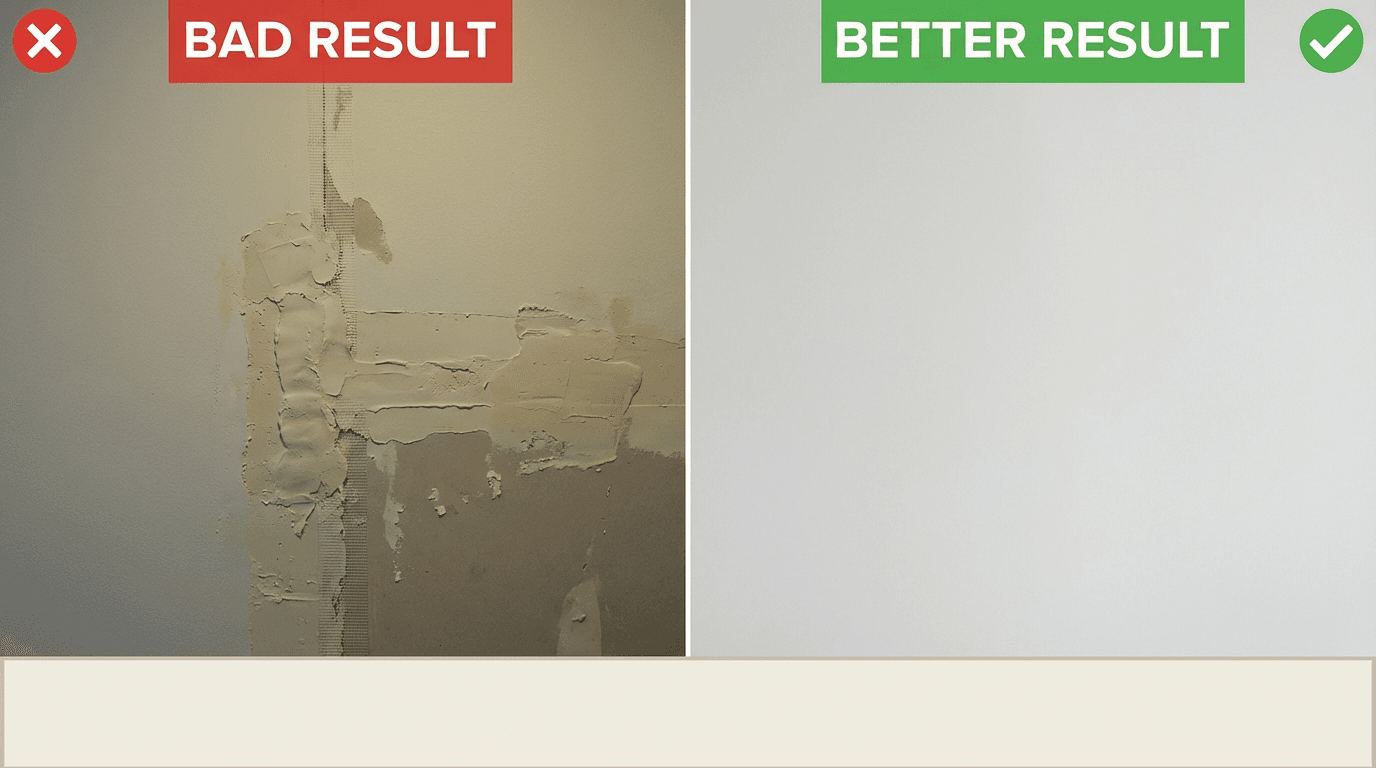
6. Bad result vs good result
Prompt
Create a clean comparison thumbnail for [topic], one obviously bad result and one clearly better result, strong visual contrast, modern lighting, simple background, viewer should understand the difference in under one second, leave room for text at the bottom
7. Hidden improvement reveal
Prompt
Create a YouTube thumbnail for a video about improving [topic], show the same subject with a subtle but dramatic improvement reveal, use lighting and framing to make the improved version stand out, modern clean background, right-side text area, realistic clickable style
8. Progress jump thumbnail
Prompt
Create a thumbnail showing progress from beginner to advanced in [topic], visually show a dramatic jump in quality or outcome, bold contrast, clean layout, simple background, easy to understand at small size, premium YouTube thumbnail style
3) Comparison thumbnails
9. X vs Y face-off
Prompt
Create a YouTube thumbnail comparing [X] vs [Y], both options clearly visible on opposite sides, one central dividing line, strong contrast, simple modern background, clean composition, leave top-center space for a short versus headline, realistic and highly clickable
10. Tool comparison for creators
Prompt
Create a thumbnail for a creator tool comparison, show two different tools or workflows facing each other, one person reacting in the middle, bright lighting, bold contrast, uncluttered layout, easy to understand instantly, YouTube thumbnail composition
11. Cheap vs premium comparison
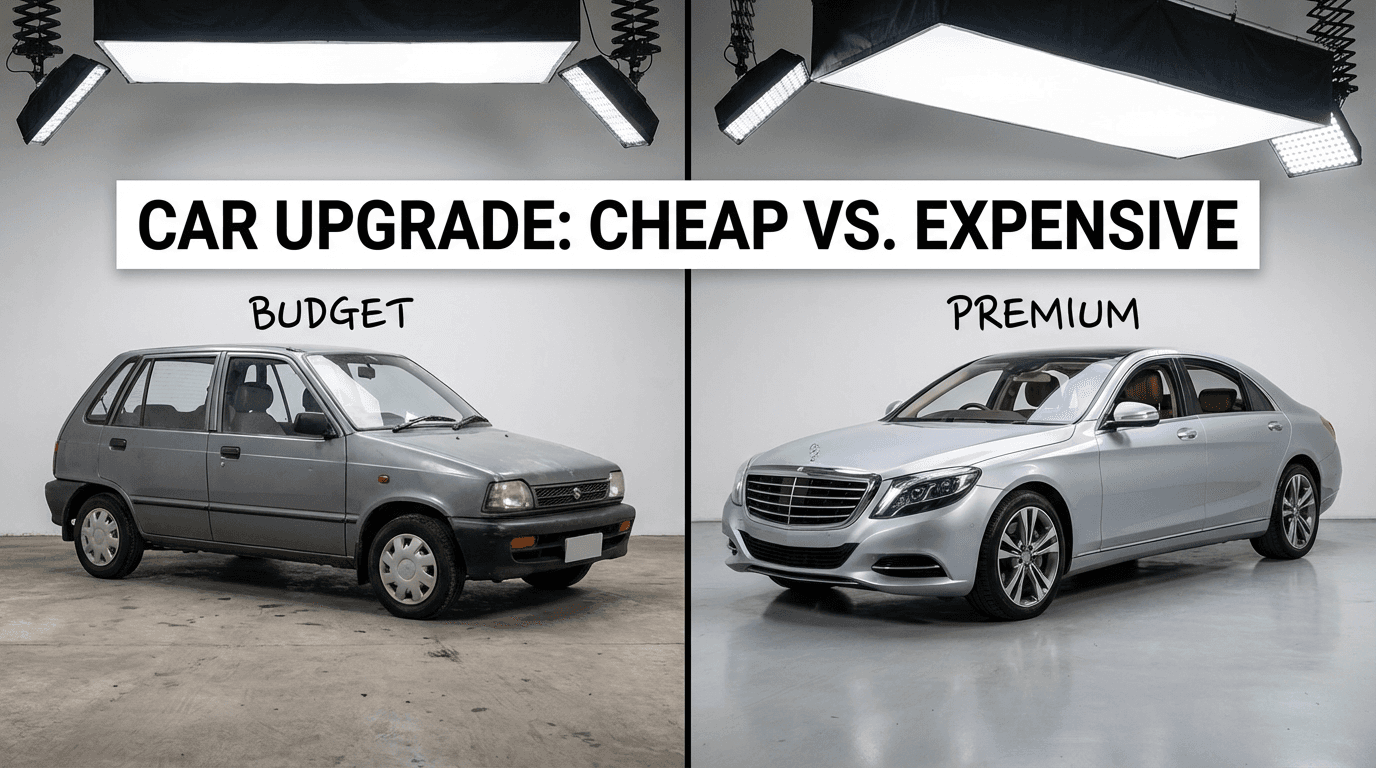
Prompt
Create a realistic thumbnail comparing budget vs premium options for [topic], cheap version on left, premium version on right, clear difference in quality and styling, modern studio lighting, simple background, clear text space across top
12. Old way vs new way
Prompt
Create a thumbnail showing the old frustrating way of doing [topic] versus the new faster way, strong emotional contrast, one clear visual story, simple background, bright modern lighting, 16:9, easy to understand at a glance
4) Tutorial and explainer thumbnails
13. Step-by-step tutorial thumbnail
Prompt
Create a YouTube thumbnail for a tutorial about how to [topic], one person demonstrating the key action, clear focal object, bright high-contrast lighting, clean background, practical modern style, leave text space on the left, simple enough to read on mobile
14. “Do this” teaching thumbnail
Prompt
Create a thumbnail for a how-to video where the viewer should copy one specific action, show the action clearly, use close framing, strong hand or face gesture, clean background, modern creator setup, highly understandable thumbnail composition
15. Beginner guide thumbnail
Prompt
Create a realistic thumbnail for a beginner guide to [topic], friendly helpful creator expression, one clear object or screen example, bright clean lighting, simple background, welcoming but clickable visual style, text space at top right
16. Mistake-fix tutorial thumbnail
Prompt
Create a thumbnail for a video about fixing a common mistake in [topic], show a wrong version and a corrected version, one expressive creator reaction, clear arrows or directional composition, simple background, strong contrast, highly clickable 16:9 framing
5) Business, money, and growth thumbnails
17. Revenue or growth reveal
Prompt
Create a high-click YouTube thumbnail about growth in [topic], creator looking surprised at a large upward graph on a screen, clean workspace background, bright dramatic lighting, simple composition, big visual emphasis on growth, empty space for text on the left
18. Business strategy thumbnail
Prompt
Create a modern YouTube thumbnail for a business strategy video about [topic], confident founder-style creator, one key chart or object in foreground, clean office background, premium lighting, clear composition, realistic and credible rather than gimmicky
19. “I tried it” experiment thumbnail
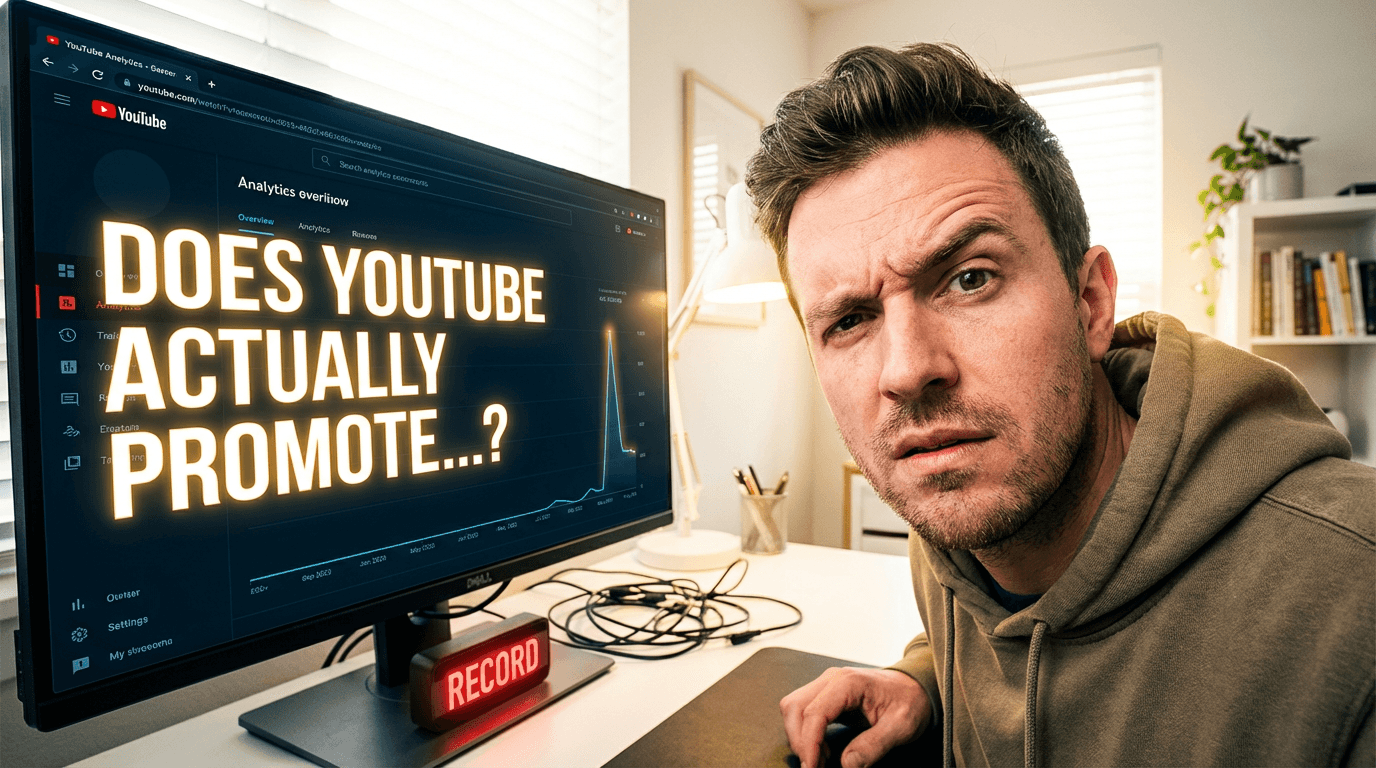
Prompt
Create a thumbnail for an experiment video about testing [topic], creator with curious skeptical expression, main object or screen result clearly visible, bright contrast, uncluttered room background, highly clickable but believable thumbnail style
20. Hard truth thumbnail
Prompt
Create a thumbnail for a bold opinion video about [topic], serious creator expression, strong direct eye contact, simple dark-to-bright contrast background, one clear supporting object, minimal clutter, room for a short powerful headline
6) Product, AI, and tool thumbnails
21. AI tool demo thumbnail
Prompt
Create a realistic YouTube thumbnail for an AI tool demo, creator pointing at a polished generated result on screen, bright modern lighting, clean background, high contrast, clear screen content, text space on the right, simple and highly clickable
22. Product feature reveal
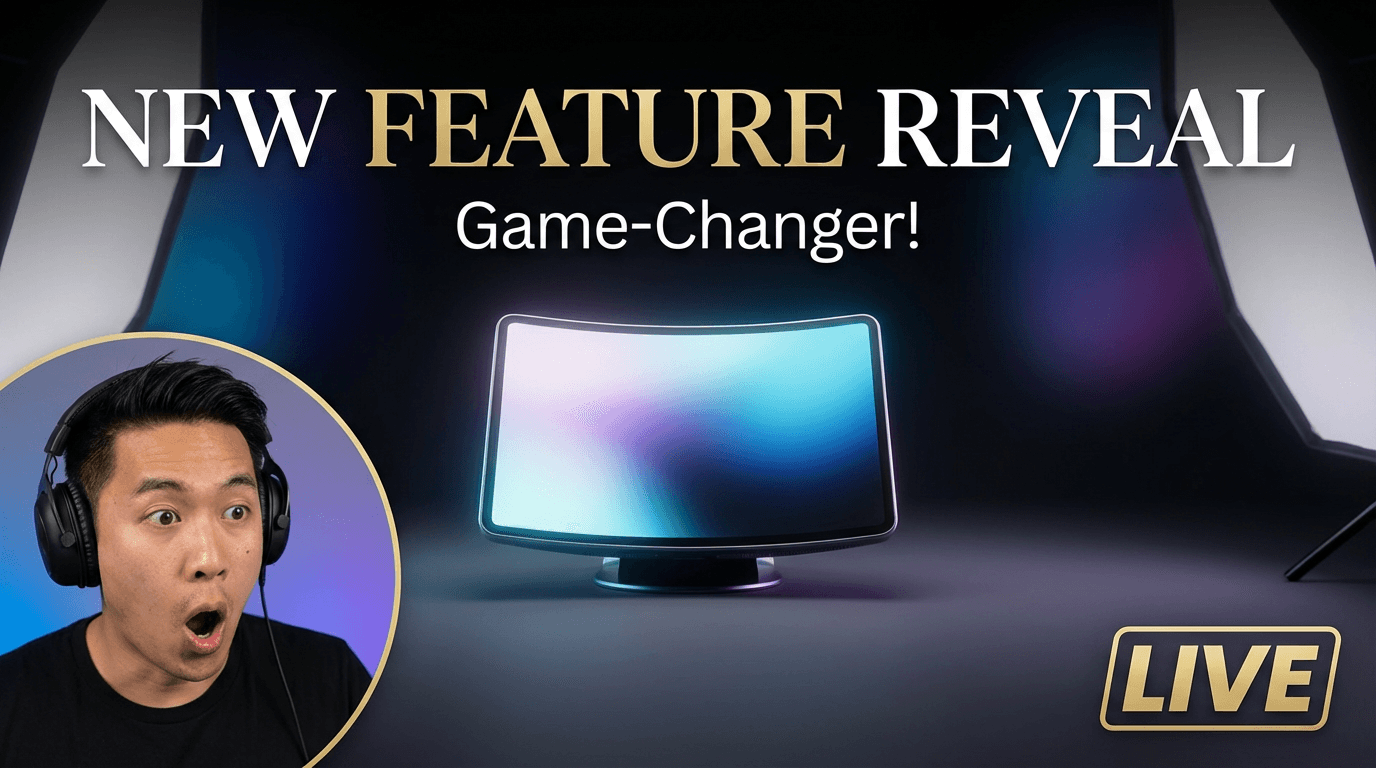
Prompt
Create a thumbnail for a product feature reveal, one clear product centered, creator reaction off to one side, premium lighting, simple background, elegant but bold composition, strong visual hierarchy, 16:9 YouTube thumbnail style
23. Screen-based workflow thumbnail
Prompt
Create a thumbnail showing a laptop screen with a clear workflow result for [topic], creator leaning in with focused expression, bright lighting, uncluttered desk, modern clean room background, leave top-left space for short thumbnail text
24. Faceless thumbnail concept
Prompt
Create a faceless YouTube thumbnail for a video about [topic], one central object or scene, dramatic but clean composition, strong contrast, simple background, no clutter, easy to understand at small size, leave bottom-right space for headline text
Prompt add-ons that usually improve thumbnail outputs
These short additions make templates more usable.
For clearer composition
Prompt add-on
make the focal point obvious at a glance, simplify background details, keep only one main visual story
For better mobile readability
Prompt add-on
design so it still reads clearly on a small phone screen, use strong contrast and large subject framing
For stronger text area
Prompt add-on
leave clean negative space for 2 to 4 words of headline text without covering the main subject
For more clickable emotion
Prompt add-on
make the facial expression instantly readable and emotionally clear without becoming cartoonish
For realistic polish
Prompt add-on
use realistic skin, fabric, lighting, and reflections, avoid overprocessed plastic textures
For exact words in the image
Prompt add-on
include the exact text "[YOUR WORDS HERE]" in sharp readable lettering
Google’s official Nano Banana prompting guide says text rendering is a strength for Nano Banana 2 and specifically recommends putting desired text in quotes when you need exact words.
A better thumbnail prompt formula
If you want more control, use this structure:
Prompt
Create a YouTube thumbnail for [video topic].
Audience: [who this video is for]
Main promise: [what the viewer gets]
Main subject: [person / object / screen result / product]
Emotion: [shock / curiosity / confidence / fear / relief / excitement]
Layout: [left subject right text / centered subject / split comparison / before-after]
Background: simple, clean, not distracting
Lighting: bright, high contrast, premium
Text handling: leave space for text / include exact words in quotes
Style: realistic, highly clickable, 16:9 thumbnail composition
What most people misunderstand about thumbnail prompts
Most people think the secret is adding more hype words.
Usually it is not.
A better thumbnail prompt is usually more specific, not more dramatic. YouTube’s own advice points to clear targeting, readable text, simple composition, and current style awareness, while Google’s Nano Banana guide emphasizes concrete detail on subject, lighting, and composition.
So instead of this:
epic viral thumbnail masterpiece best quality trending clickbait
Use something like this:
Create a realistic YouTube thumbnail for a beginner video about [topic], one creator with a surprised but believable expression, strong contrast, simple background, clear screen result visible, leave text space on the right, easy to understand on mobile, 16:9
How to use these templates in a real workflow
A practical workflow looks like this:
- choose one thumbnail type
- paste the template
- add your topic, niche, and target emotion
- generate 3 to 5 variations
- keep the clearest concept, not just the prettiest image
- add or refine text
- test alternate crops or updated versions later
YouTube specifically recommends experimenting with thumbnail updates over time, especially as styles shift in your community.
You can build that workflow inside the AI image generator in Miraflow AI, then adapt the best outputs into YouTube thumbnails, blog visuals, and other creator assets.
FAQ
What makes a good Nano Banana 2 thumbnail prompt?
Usually the best prompts specify the main subject, emotion, composition, simplicity of the background, and whether text should be included or reserved. Google’s own prompting guidance emphasizes concrete detail on subject, lighting, and composition.
Is Nano Banana 2 good for YouTube thumbnail prompts in 2026?
Yes. Google describes Nano Banana 2 as a high-quality, low-latency image generation and conversational editing model, and its official prompting guide highlights accurate visuals, sharp text rendering, localization, richer textures, and composition control. Those are all useful for thumbnail work.
Should I put text directly into the generated thumbnail?
Sometimes. If you need exact words in the image, Google recommends using quotes around the desired text. But many creators still prefer generating the image first and adding final text separately for tighter control. The first part is directly documented by Google; the second is a practical workflow choice.
Do YouTube thumbnails need to be simple?
Usually yes. YouTube explicitly recommends avoiding thumbnail designs that are too complex and says readable text matters if text is added.
Does audience targeting matter in thumbnail prompts?
Yes. YouTube says thumbnails should reflect who the video is targeting. Familiar faces may work better for subscribers, while universal actions and emotions can work better for broader audiences.
How can this blog post get better average position in Google?
There is no guaranteed trick, but Google’s own docs consistently point to people-first content, descriptive titles, useful meta descriptions, representative images, descriptive alt text, and crawlable internal links with clear anchor text.
Conclusion
If your thumbnail prompts are weak, the problem is usually not the model.
It is the brief.
Nano Banana 2 works better when you tell it exactly what a thumbnail needs: one clear subject, readable emotion, simple composition, strong contrast, and intentional space for text or comparison.
Start with the templates above, generate a few directions, and keep the version that communicates the video fastest. That is usually the thumbnail that has the best chance to earn the click.