AI Prompts for Nano Banana 2 (Viral Prompt Pack 2026)

Written by
Jay Kim
Discover AI prompts for Nano Banana 2 in 2026 with copy-paste templates for thumbnails, product visuals, viral images, and cinematic reference shots.
If you are trying Nano Banana 2 in 2026, the biggest problem usually is not access.
It is prompt quality.
A lot of creators type one vague sentence, get one decent image, then fail to reproduce the same look again. That is frustrating if you are making YouTube thumbnails, blog visuals, product ads, or reference images for video.
Nano Banana 2 matters because Google now positions it as a fast, high-efficiency image generation and editing model, officially tied to Gemini 3.1 Flash Image Preview. Google announced it on February 26, 2026 and describes it as the speed-focused counterpart to higher-end image generation options.
This guide is built to solve the real creator problem:
- what kinds of prompts work best
- how to structure prompts for viral-looking visuals
- which prompt styles fit thumbnails, Shorts visuals, product ads, and trend content
- how to make prompts more reusable
- how to increase click potential with better visual intent
You will get:
- practical prompt formulas
- copy-paste prompt packs
- niche-specific prompt examples
- CTR-minded visual advice
- an FAQ section for long-tail search coverage
Why Nano Banana 2 matters in 2026
Nano Banana 2 is not just another image model name.
Google’s current documentation describes Nano Banana 2 as the Gemini 3.1 Flash Image Preview model, designed for high-volume, lower-latency image generation and conversational editing. Google also says it combines fast generation with stronger production-ready image workflows than earlier fast image options.
That matters because creators in 2026 are under pressure to make more assets, faster:
- YouTube thumbnails
- Shorts visuals
- promo images
- blog hero images
- product images
- before-and-after concepts
- AI video reference images
The winning workflow is no longer just write prompt, generate image, hope for the best.
The better workflow is:
- pick a content goal
- choose a proven prompt structure
- generate 3 to 5 variations
- keep only the most clickable or useful version
- reuse that structure later
This is similar to the way creators now think about AI prompts for YouTube thumbnails, best AI prompts for YouTube thumbnails in 2026, and YouTube CTR benchmarks in 2026. A prompt is no longer just text. It is packaging.
What makes a Nano Banana 2 prompt work well
The best prompts usually do five things clearly.
1. Define the subject
Not just person or product.
Say exactly what the main thing is.
Bad:
- a creator
Better:
- a young creator reacting to a laptop analytics graph at a clean desk
2. Define the visual purpose
What is this image for?
Examples:
- YouTube thumbnail
- blog hero image
- product ad
- cinematic reference image
- Shorts background visual
This keeps the output aligned with your goal.
3. Define the composition
This is where a lot of prompts fail.
You need instructions like:
- close-up face on left
- object on right
- centered product shot
- top-down flat lay
- empty top-right space for text
4. Define the lighting and style
Do not just say cinematic.
Say what kind of cinematic.
Examples:
- bright studio lighting
- warm morning sunlight
- dramatic moody neon
- clean premium e-commerce lighting
5. Add constraints
This is one of the most important upgrades.
Examples:
- no real logos
- no text inside image
- no clutter
- no tiny unreadable UI details
- no duplicate objects
Google’s image generation docs emphasize detailed prompting and support for text-plus-image workflows, which is exactly why clear instructions and constraints matter more now.
The best prompt formula to start with
If you want one reusable structure, start here.
Simple viral prompt formula
subject + action + setting + composition + lighting + visual goal + constraints
Example:
Prompt
young creator reacting to a laptop with a rising analytics graph, sitting at a clean modern desk, close-up face on left side and laptop on right side, bright studio lighting, designed like a high-CTR YouTube thumbnail, no text, no real logos, no clutter
This is simple enough to use quickly and specific enough to generate better images.
30 AI prompts for Nano Banana 2 in 2026
Below is a real prompt pack, split by use case.
A. YouTube thumbnail prompts
These work especially well if you also care about topics like YouTube CTR in 2026, YouTube thumbnail makeovers in 2026, and YouTube video hooks in 2026.
1. Analytics growth thumbnail
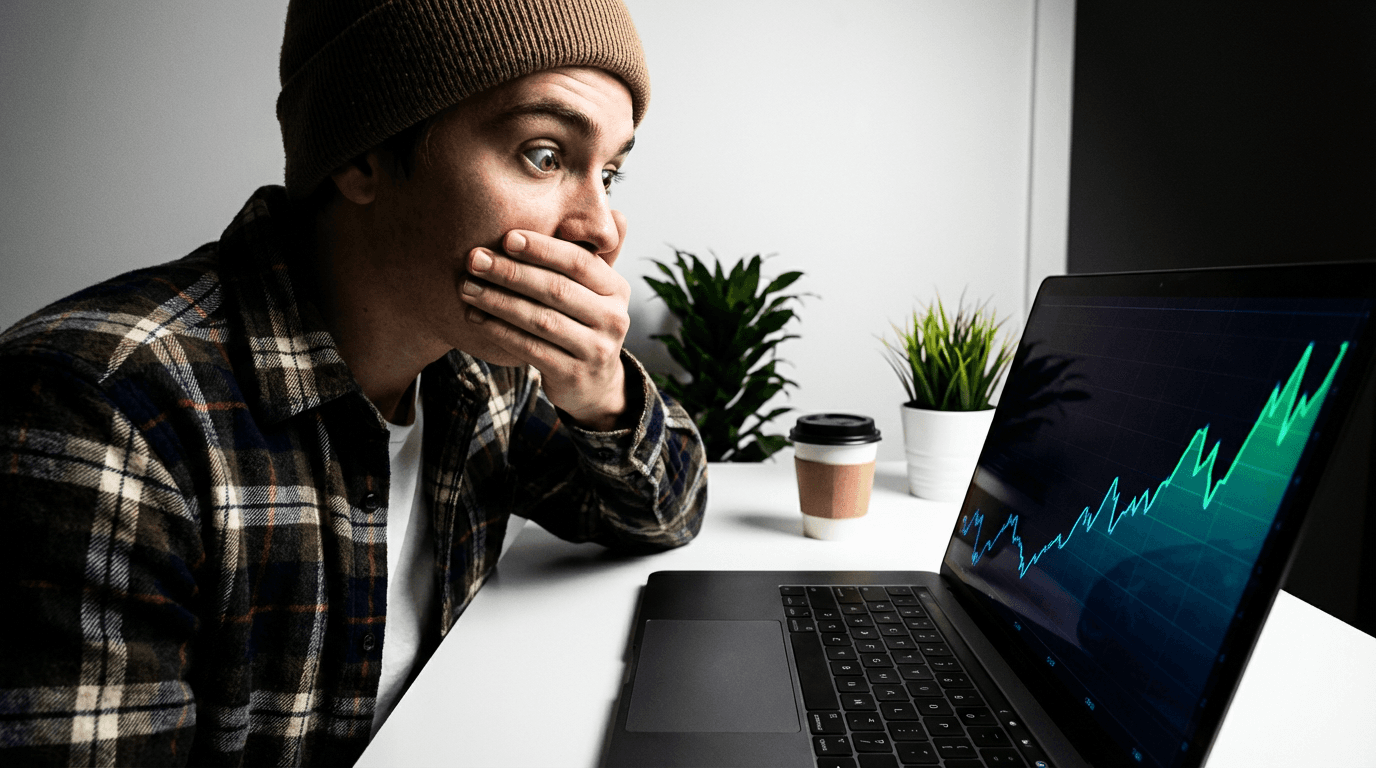
Prompt
young creator looking shocked at a laptop with a sharply rising analytics graph, close-up face on left, laptop on right, bright white desk setup, strong contrast, thumbnail-style composition, no text, no logos
2. Low views problem thumbnail
Prompt
creator with frustrated expression staring at a laptop showing a flat or dropping graph, clean modern desk, bright background with subtle red accents, high-contrast thumbnail composition, no text, no logos
3. Thumbnail test comparison
Prompt
creator with skeptical expression looking between two thumbnail panels side by side, left thumbnail darker and weaker, right thumbnail brighter and cleaner, white background, comparison-style YouTube thumbnail visual, no text, no logos
4. AI tool reveal thumbnail
Prompt
creator looking impressed at a futuristic image generation interface on laptop, blue and white modern background, clean lighting, high click-through thumbnail composition, no text, no logos
5. Shorts strategy thumbnail
Prompt
creator reacting to a vertical phone screen showing a bright short-form video layout, clean desk background, vibrant but minimal composition, thumbnail-ready framing, no text, no logos
6. Creator workflow thumbnail
Prompt
creator at desk surrounded by floating visual icons representing script, image, video, thumbnail, and music, bright clean workspace, modern creator economy vibe, no text, no logos
7. Prompt guide thumbnail
Prompt
creator pointing at floating prompt cards and image results, bright background, close-up face, simple clean design, educational thumbnail composition, no text, no logos
8. Viral image challenge thumbnail
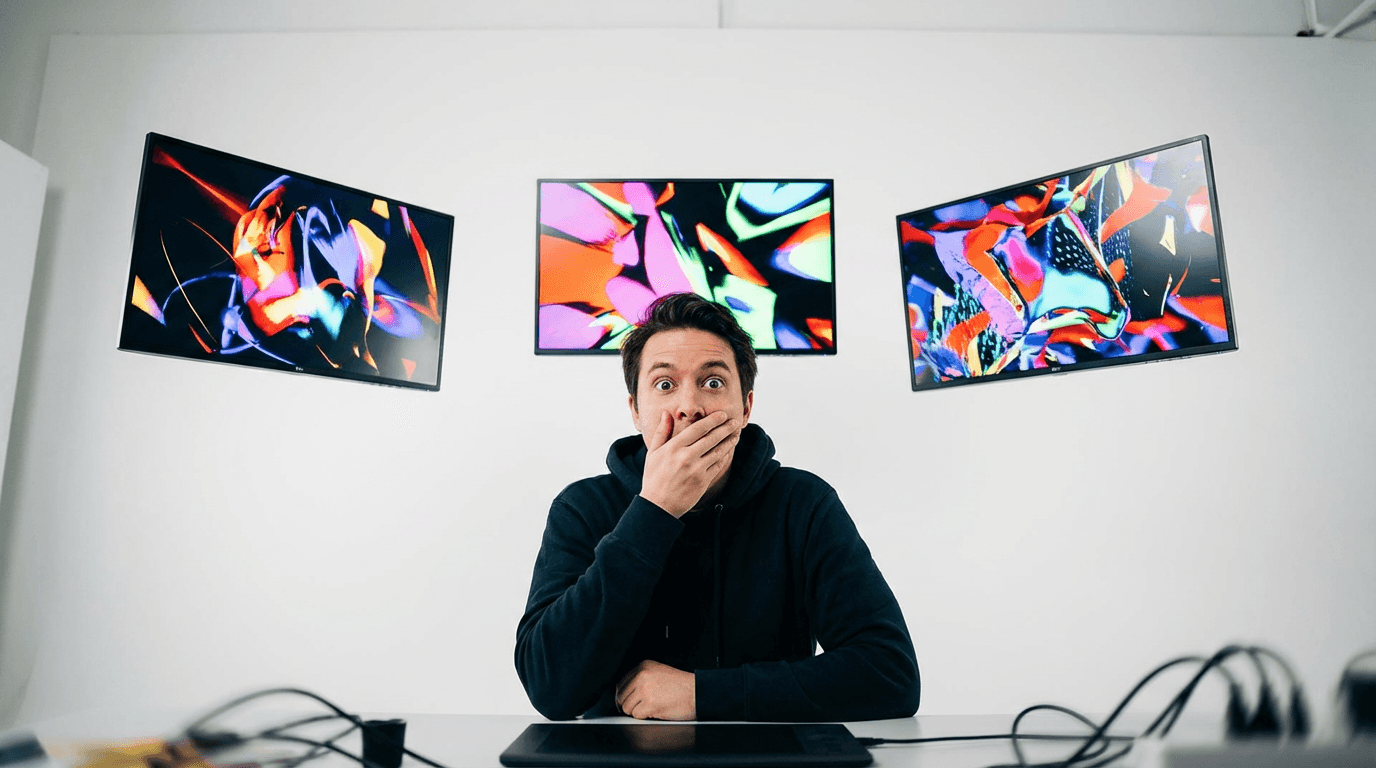
Prompt
creator with surprised reaction looking at three striking AI-generated images in floating frames, bold contrast, clean white background, no text, no logos
9. Product ad tutorial thumbnail
Prompt
clean skincare bottle on desk beside creator with confident expression, premium studio lighting, simple product-and-host thumbnail composition, no text, no logos
10. Before-and-after thumbnail
Prompt
split-screen room makeover scene with creator reacting in foreground, left side dull and messy, right side bright and aesthetic, thumbnail composition, no text, no logos
B. Viral image prompts for Shorts, Reels, and trend content
These pair naturally with AI Shorts formats that go viral in 2026, The new creator stack for AI Shorts, Reels, and TikTok, and Nano Banana seasonal trend prompts.
11. Futuristic creator desk
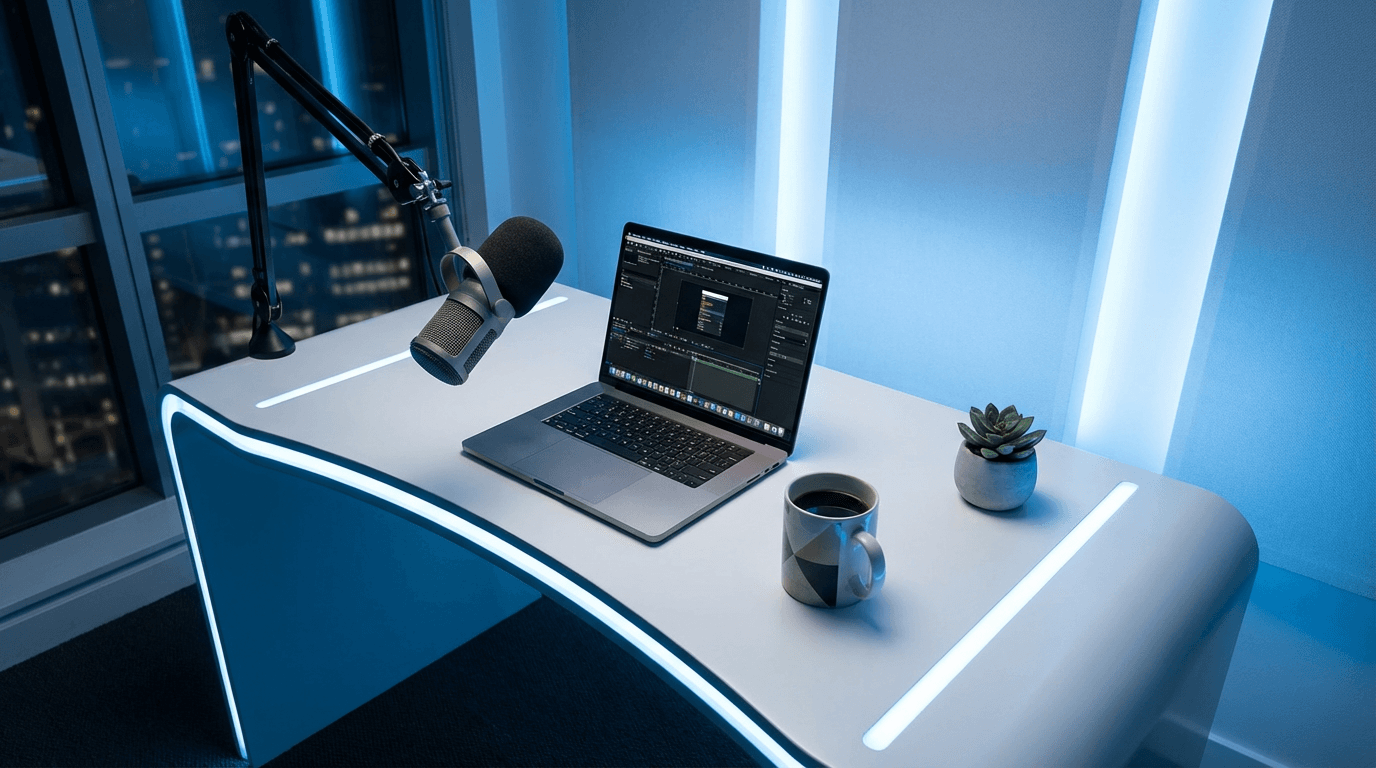
Prompt
clean futuristic creator desk with laptop, microphone, coffee, soft blue lighting, bright premium studio look, designed for trendy creator content visuals, no text, no logos
12. AI productivity aesthetic
Prompt
minimal aesthetic desk with laptop, planner, headphones, coffee, warm daylight, top-down composition, visually satisfying productivity content style, no text, no logos
13. Viral before-and-after visual
Prompt
split image showing dull workspace transforming into bright high-end creator setup, strong contrast between left and right, realistic modern style, no text, no logos
14. Faceless creator scene
Prompt
minimal creator workspace with laptop, camera, notes, and glowing screen, no person visible, high-end clean visual for faceless channel branding, no text, no logos
15. Study channel visual

Prompt
aesthetic study desk with books, laptop, pen, warm lamp, calm organized composition, realistic lifestyle image for study content, no text, no logos
16. Viral quote-card background image
Prompt
bright modern gradient room background with subtle desk and soft depth, intentionally clean center area for later text overlay, no actual text, no logos
17. Productivity challenge visual
Prompt
calendar, timer, laptop, and coffee on a modern desk, dynamic composition showing focused work session, bright energetic lifestyle look, no text, no logos
18. AI tool comparison visual
Prompt
two glowing interface panels side by side above a clean desk, one blue and one orange, clear comparison composition for creator tools content, no text, no logos
19. Creator burnout visual
Prompt
messy creator desk with too many tabs, cold screen glow, tired mood but bright readable composition, realistic content creator burnout concept, no text, no logos
20. Creator comeback visual
Prompt
bright refreshed creator desk with clean setup, upward graph on laptop, morning sunlight, optimistic return-to-growth concept, no text, no logos
C. Product and brand image prompts
These are useful for ecommerce, ad creatives, and product pages, and they pair well with AI product video generator API tutorial.
21. Premium skincare bottle
Prompt
premium skincare bottle on reflective surface, centered composition, soft studio lighting, white and cream luxury background, realistic commercial product photo style, no text, no logos
22. Sneaker product shot
Prompt
white sneaker on clean pedestal with soft shadow, bright premium e-commerce lighting, simple background, realistic product ad composition, no text, no logos
23. Beverage can ad image
/
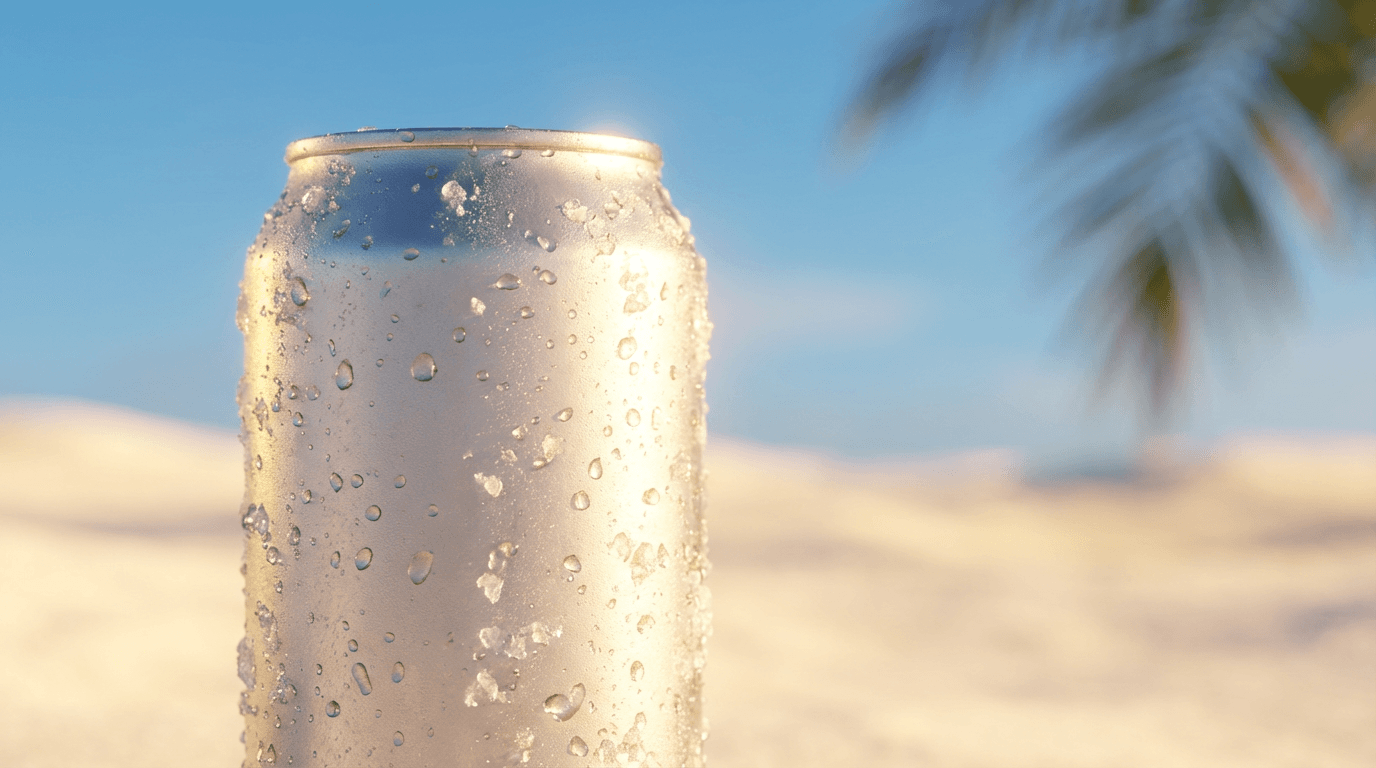
Prompt
cold beverage can with water droplets, bright summer lighting, minimal background, highly clickable product advertisement style, no text, no logos
24. Tech gadget product image
Prompt
sleek wireless earbuds case open on clean white desk, bright premium studio lighting, minimal shadows, high-end commercial product style, no text, no logos
25. Jewelry close-up
Prompt
minimal gold ring on soft reflective surface, close-up premium commercial photography, warm bright lighting, luxury product layout, no text, no logos
D. Reference image prompts for cinematic videos
These are useful if you want to generate a still first, then turn that visual into a cinematic clip later.
They pair naturally with How to use Veo3 for free and How to write effective prompts for Veo3, Veo3.1, and Sora 2.
26. Cinematic night desk
Prompt
late-night creator desk with laptop, microphone, coffee mug, and warm desk lamp, cool blue window light in background, wide cinematic shot, realistic and moody, no text, no logos
27. Product reveal still
Prompt
premium product centered on a dark glossy surface, dramatic spotlight from above, cinematic composition, elegant shadow falloff, no text, no logos
28. Storytelling room setup
Prompt
clean bedroom studio with laptop, camera tripod, soft practical lights, wide cinematic interior shot, realistic but polished, no text, no logos
29. Mood board style visual
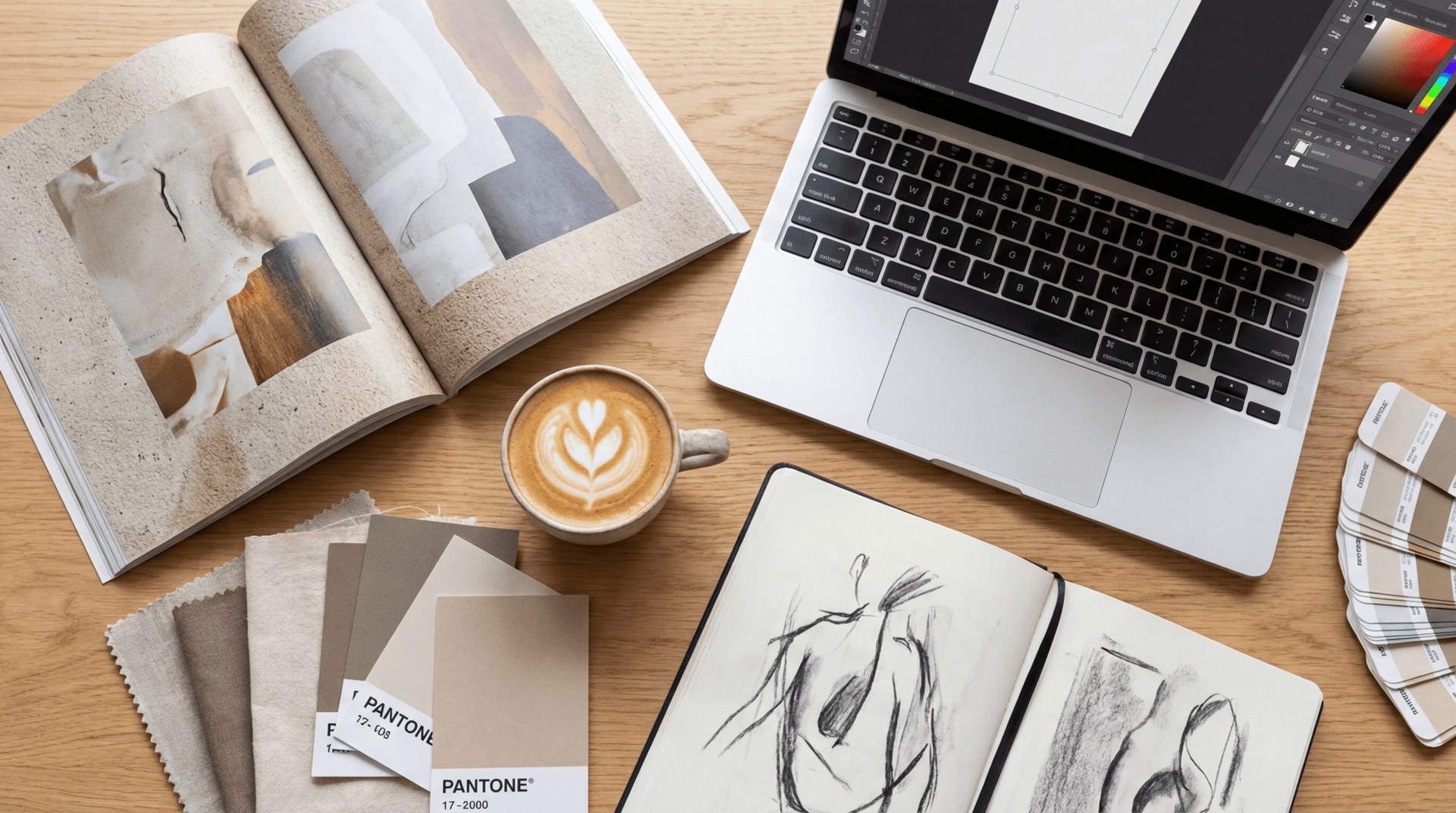
Prompt
curated desk with magazine, laptop, coffee, sketchbook, and color swatches, carefully arranged for a creative mood board look, bright but premium, no text, no logos
30. Travel intro reference image
Prompt
creator backpack and laptop on bright airport lounge seat by large window, clean cinematic travel setup, daylight flooding in, realistic composition, no text, no logos
Why these prompts work
A lot of image prompts fail because they try to be too clever.
The prompts above work because they are:
- specific
- visual
- goal-driven
- layout-aware
- easy to adapt
They also work because they match strong creator use cases in 2026:
- YouTube packaging
- short-form visual assets
- product visuals
- reference stills for video
This gives the post stronger chances of ranking for both broad and long-tail queries like:
- nano banana 2 prompts
- nano banana 2 thumbnail prompts
- nano banana 2 product image prompts
- viral AI prompts 2026
- nano banana prompts for YouTube thumbnails
That wider keyword spread can help average position over time.
Common mistakes creators make with Nano Banana 2 prompts
1. Being too vague
Bad:
Prompt
make a viral thumbnail for YouTube
Better:
Prompt
creator reacting to a laptop with rising analytics graph, close-up face on left, bright white desk background, thumbnail-style composition, no text, no logos
2. No composition guidance
If you do not say where the subject goes, you lose control over the layout.
3. No visual goal
Always define what the image is for.
A thumbnail prompt and a product ad prompt are not the same.
4. Too many conflicting styles
Do not pile on:
- ultra-realistic
- cartoon
- luxury
- moody
- playful
- sci-fi
- documentary
Pick one or two lanes.
5. No negative constraints
This is one of the easiest ways to improve outputs.
Add things like:
- no text
- no real logos
- no clutter
- no duplicate objects
- no unreadable UI details
How to structure prompts for better results
If you want a reusable structure, use this format.
Prompt structure template
subject + action + setting + composition + lighting + goal + constraints
Example:
Prompt
young creator reacting to a laptop with a rising analytics graph, sitting at a clean modern desk, close-up face on left and laptop on right, bright studio lighting, designed as a high-CTR YouTube thumbnail, no text, no logos, no clutter
This works across many formats because it forces you to think clearly.
How this can improve clicks and average position
You asked specifically for techniques that can improve impressions, clicks, and average position.
Here are the practical SEO and CTR advantages of this topic.
1. Strong keyword trend match
This post can rank for multiple related searches:
- nano banana 2 prompts
- AI prompts for nano banana 2
- nano banana 2 viral prompts
- nano banana 2 thumbnail prompts
- nano banana 2 product image prompts
That gives the post both broad and specific ranking paths.
2. Prompt-pack format improves CTR
Titles with:
- AI prompts
- copy-paste
- viral prompt pack
- 2026
often get strong CTR because the value is immediate.
3. More internal topical authority
This post strengthens your broader prompt cluster with related content like:
- Nano Banana prompt guide viral prompts
- How to use Nano Banana for free on Miraflow AI
- AI prompts for YouTube thumbnails
- Nano Banana seasonal trend prompts
4. FAQ can capture extra long-tail search
This topic naturally attracts questions like:
- what is Nano Banana 2
- how do I prompt Nano Banana 2
- what prompts work best for thumbnails
- can I use Nano Banana 2 for product photos
That helps the page rank for more question-style searches.
Using these prompts in a real workflow
A simple creator workflow in Miraflow AI could look like this:
- choose the content goal
- thumbnail, blog visual, product photo, reference image
- choose one prompt from the pack above
- generate 3 to 5 variations
- pick the most clickable or cleanest option
- if needed, turn the best image into:
- a YouTube thumbnail
- a blog hero visual
- a social promo asset
- a cinematic video reference image
This keeps the workflow fast and realistic instead of overly technical.
FAQ: Nano Banana 2 prompts in 2026
What is Nano Banana 2?
Nano Banana 2 is Google’s current fast, high-efficiency image generation and editing model, officially tied to Gemini 3.1 Flash Image Preview. Google positions it as a speed-focused image option for high-volume use cases.
What kinds of prompts work best for Nano Banana 2?
The best prompts are specific and structured.
They usually include:
- subject
- action
- setting
- composition
- lighting
- visual goal
- constraints
Is Nano Banana 2 good for YouTube thumbnails?
Yes, especially for early concept generation, prompt testing, and thumbnail asset creation.
It works best when the prompt clearly defines:
- the face or subject
- where objects go
- the emotional tone
- whether there should be empty space for title overlays
Can I use Nano Banana 2 for product images?
Yes.
Product prompts usually work best when they describe:
- the product clearly
- a commercial lighting style
- a clean background
- premium composition
- realistic constraints like no logos or no clutter
Should I write long prompts or short prompts?
Short prompts can work, but structured prompts usually work better if you need consistency.
A good prompt is not about being long. It is about being clear.
Can I use these images as reference images for video generation?
Yes, that is one of the most useful workflows.
A clean still image can help guide the look of a later cinematic AI video shot, especially for product scenes, creator desk setups, interiors, or branded environments.
Conclusion
If you want better results from Nano Banana 2 in 2026, do not just collect prompts.
Collect prompt structures.
That is what actually scales.
A good viral prompt pack should help you make:
- better thumbnails
- stronger product visuals
- more usable blog images
- cleaner reference images for video
Start with a few categories:
- thumbnails
- creator visuals
- products
- cinematic stills
Then keep the ones that generate results you would actually publish.
Related reads
If you want to build a stronger prompt and visual workflow around this, read these next:
- Nano Banana prompt guide viral prompts
- How to use Nano Banana for free on Miraflow AI
- Nano Banana image inpainting on Miraflow AI
- AI prompts for YouTube thumbnails
- Best AI prompts for YouTube thumbnails in 2026
- Nano Banana for YouTube intros, end screens, and channel art
- How to use Veo3 for free
- How to write effective prompts for Veo3, Veo3.1, and Sora 2
For official reference, Google’s image generation docs and model pages are worth checking if you want the latest details on naming and capabilities.