YouTube Traffic Sources in 2026 How to Turn Browse Search and Suggested Into a System

Written by
Jay Kim

YouTube traffic sources in 2026 show exactly how viewers discover you. Learn how to turn browse, search, suggested, and Shorts into a repeatable growth system.
If you are serious about growing on YouTube in 2026, you cannot just look at total views anymore.
YouTube wants to know where those views come from
Browse features, search results, suggested videos, Shorts feed
The traffic sources panel in YouTube Studio is basically your channel’s map. It shows how well you plug into search, how often the recommendation system picks you up, and whether viewers are discovering you through playlists, channels, or external links.
In this guide we will go through
- What each main traffic source means in 2026
- How browse, search, and suggested really work
- How to package videos for high CTR for each source
- A simple system you can run weekly in YouTube Studio
- How Miraflow AI can speed up the packaging part at the end
Treat this as a traffic source playbook. The goal is not random viral hits, but a repeatable system that feeds you new viewers every day.
The main YouTube traffic sources in 2026
YouTube Studio groups views by where they came from. The Reach tab shows a section called how viewers find your videos, with breakdowns like YouTube search, browse features, suggested videos, external, channel pages, and more.
For growth, the most important organic sources are
- Browse features
- YouTube search
- Suggested videos
- Shorts feed
- Playlists and channel pages
- External traffic
Browse features
Browse features includes
- Home feed
- Subscriptions feed
- Watch later and some other browsing surfaces
This is the algorithm saying
Here is what we think you will enjoy right now
Browse is heavily driven by
- Viewer history
- Watch time and satisfaction
- How your videos perform with similar audiences
YouTube search
YouTube search is any view that comes from someone typing into the search bar and choosing your video.
Search traffic is high intent. People already want a solution or answer, and they are more likely to watch longer if you match that intent.
Suggested videos
Suggested is traffic from videos recommended next to or after another video, plus links in descriptions.
Suggested is not about your niche in isolation. It is about the viewer
- What they already watched
- Which videos are often watched together
- Which content keeps similar viewers engaged in long sessions
Shorts feed
For vertical content, the Shorts feed is its own traffic system. The Shorts algorithm looks at watch time, engagement, and how often viewers continue swiping rather than backing out.
Playlists and channel pages
This is internal navigation, for example
- Clicking a playlist
- Browsing your channel tab
- Clicking videos from your channel page
Playlists and channel pages do not always bring huge new reach, but they are powerful for turning curious viewers into regulars.
External
External traffic includes embeds and links from
- Social media
- Messaging apps
- Blogs and websites
It is useful for launches and specific campaigns, but for long term growth, you normally want more organic traffic from browse, search, suggested, and Shorts.
Why traffic source mix matters in 2026
In 2025 and 2026, most algorithm explainers repeat the same point
YouTube optimises for viewer satisfaction, measured by watch time, CTR, and how often viewers come back, not just clicks.
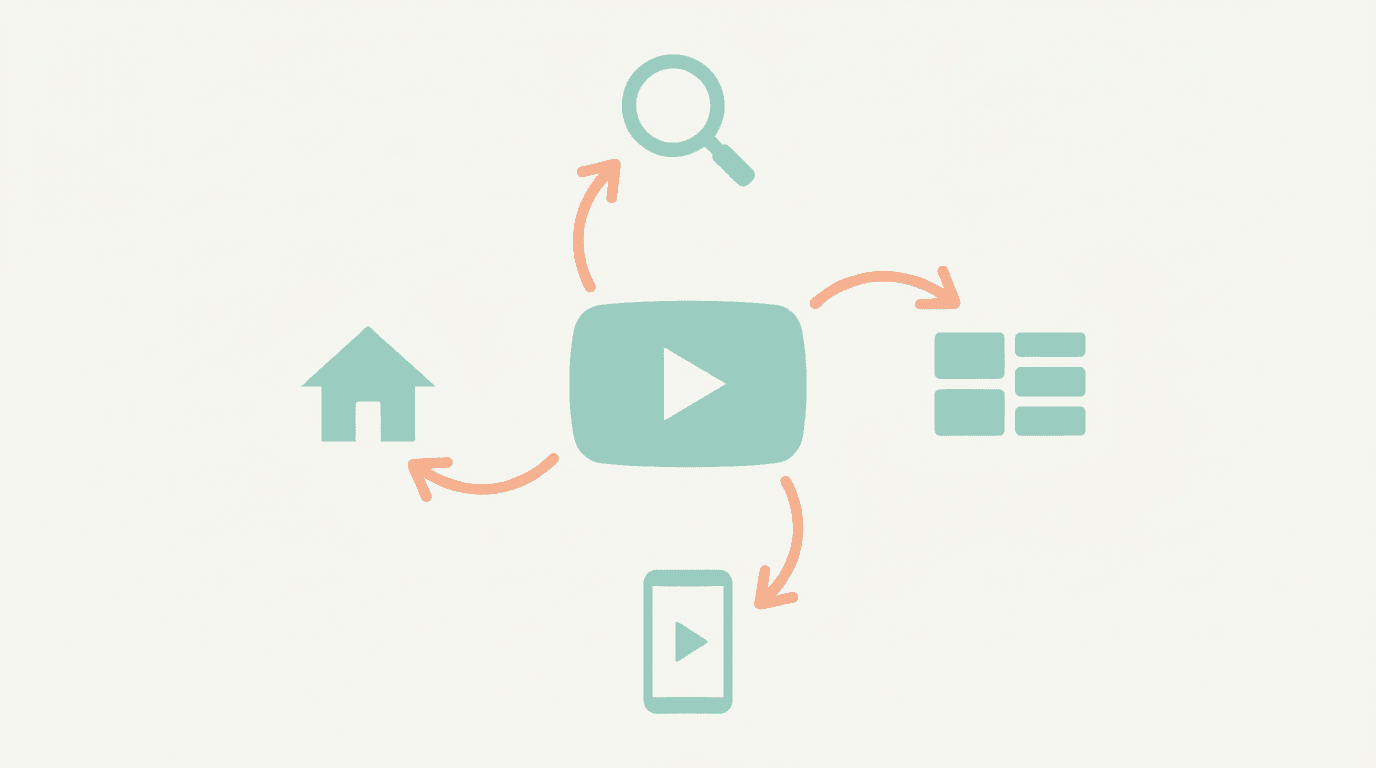
Your traffic mix tells you how you fit into that system.
A few patterns
- Heavy search, weak browse and suggested
- Your SEO is working, but the recommendation system does not love your packaging or retention yet
- Heavy browse, weak search
- The algorithm has a good sense of your audience, but your topics or keywords may be too vague or competitive
- Almost no browse, search, or suggested
- You might be relying too much on external traffic or shorts that do not translate into longer sessions
Also notice that YouTube shut down the old Trending page in 2025 and shifted even more towards personalised feeds, Shorts, and charts.
That means
If you can align with Browse, Search, and Suggested, you are aligning with where discovery actually happens in 2026.
YouTube search in 2026, how to win intent based traffic
Search is the cleanest traffic source to understand and control.
People type something like
- how to fix X
- best Y in 2026
- Z tutorial for beginners
You show up if
- Your topic matches that intent
- Your title and description use similar language
- Viewers who click you actually stay and watch
Step 1, pick search friendly topics
Good search topics are
- Specific
- Solution focused
- Not tied to news that dies in a week
Examples
- how to edit with CapCut for YouTube in 2026
- AI music generator for YouTube no copyright
- best YouTube export settings in 2026
Use YouTube’s own search suggestions to see real phrases viewers type, and look at the top results for patterns in title structure and video length.
Step 2, structure titles for search and clicks
Search titles that work in 2026 usually include
- Main keyword near the start
- Version or year if relevant
- Clear promise
Patterns you can reuse
- how to X in 2026 full tutorial
- X for beginners in 2026 step by step
- best X settings for Y in 2026
Avoid stuffing unnecessary adjectives. Make the result extremely clear.
Step 3, optimise for watch time, not just ranking
Search will test you. If people click then bounce fast, you slide down the results.
To keep search traffic
- Confirm the query in the first sentence
- Show a quick preview of the result or final look
- Avoid long intros or unrelated stories
- Give the viewer checkpoints so they know where they are in the process
Browse features in 2026, building a home feed presence
Browse features are YouTube’s home, subscriptions, and other browse surfaces.
Here, viewers are not searching. The algorithm is asking
Given this person’s history, what are they most likely to watch right now
Hootsuite and other analytics guides describe how browse traffic is highly dependent on
- Viewers previously engaging with your content
- Your ability to keep viewers watching
- How similar audiences respond to your new uploads
Signals that help you in browse
- Strong CTR on home feed
- Good average view duration
- Regular uploads, at a pace you can sustain
- Clear channel identity
To improve browse performance
- Pick a lane
- Shorts education, AI tools, study, faceless automation
- Make your thumbnails visually consistent
- Avoid uploading totally unrelated experiments that confuse the algorithm about who your audience is
If one video suddenly picks up browse traffic, look at
- Topic
- Title pattern
- Thumbnail idea
Then build related videos and playlists around that, so the algorithm has more similar content to recommend.

Suggested videos, the sideways traffic machine
Suggested traffic is views from the recommended section next to and below other videos, plus some links in descriptions.
LinkedIn breakdowns in 2025 emphasise that suggested is about the viewer, not you. YouTube looks at what that person has watched, what is often watched next, and which videos maximise session time for that profile.
How to increase your suggested traffic
1, Choose adjacency
- Ask which videos in your niche you want to sit next to
- Study their topics, runtimes, titles, and thumbnails
- Create complementary videos, for example
- reaction to their result
- deeper tutorial on one step
- case study applying their method
2, Match viewing context
Suggested often comes after videos with similar
- Topic
- Tone
- Length
If someone just watched a ten minute case study, a two minute random story likely will not get suggested next. A ten to twelve minute deeper breakdown has a better chance.
3, Package for the same viewer
Your titles and thumbnails should
- Use language that resonates with people who watch those other videos
- Promise something that logically follows the previous video
For example
- After a generic video about YouTube monetisation, your suggested friendly title could be
which bridges perfectly into your existing content on Shorts RPM. - YouTube Shorts RPM in 2026 Typical Ranges by Niche
Shorts feed, traffic source for fast discovery
Shorts are often the fastest way to get impressions on a new channel in 2026, especially when long form is still cold. Many algorithm guides recommend using Shorts to feed initial data into the system.
The Shorts feed cares about
- How quickly people skip
- How often they watch to the end
- How often they rewatch or like
- Whether they tap through to your channel or long form videos
To build a Shorts lane that feeds other sources
- Stick to one core lane per Shorts series
- fast AI tips
- YouTube experiments
- study hacks
- Use a strong hook in the first two seconds
- Keep most Shorts between 8 and 30 seconds unless the format clearly needs longer
- Use pinned comments and description links to point to a related playlist or full video
A lot of Miraflow AI users are already using Text2Shorts to build these series, then using AI Music Generator and Thumbnail Maker to keep a consistent feel across vertical and long form traffic.
Turning traffic sources into a system, not randomness
Here is a practical weekly process you can run in YouTube Studio.

Step 1, choose a time window
Once a week
- Go to Analytics, then Reach
- Set the date range to last 28 days
Look at the traffic source types table.
Note down, for that window
- Percentage from search
- Percentage from browse features
- Percentage from suggested videos
- Shorts feed contribution
- External and playlists
Step 2, pick one focus source for the next month
Trying to maximise all sources at once usually fails.
Choose one primary target based on current reality
- If search is already strong
- Keep that stable, experiment with more browse friendly topics for home feed
- If browse is strong but search is weak
- Make a cluster of search friendly tutorials to help new people discover you
- If suggested is basically zero
- Choose one or two channels or videos you want adjacency with and structure new videos around those viewing paths
Step 3, drill into that source’s details
Click the traffic source you want to focus on, for example YouTube search or Suggested videos.
Check
- Which videos pull most of that traffic
- Their CTR, average view duration, and impressions
- Search terms or specific videos that send you suggested traffic
This is where you get your next video topics.
Step 4, plan two to three related videos
Pick two or three videos that already perform well for that source.
For each
- Plan an upgrade or extension
- deeper version
- case study using the same concept
- updated 2026 version
- Keep titles and thumbnails related so viewers recognise the connection
Over time, you build small content clusters that dominate specific search terms, browsing behaviours, or suggested paths.
Packaging for higher CTR across browse, search, and suggested
Click through rate is the entry ticket your traffic source needs in order to send more views. Analytics guides in 2025 keep repeating that CTR and watch time together drive most of the boost in recommendations.
Core title patterns for each major source
YouTube search
- how to X in 2026 step by step
- X tutorial for beginners full guide
- best X for Y in 2026
Browse features
- outcome driven, curiosity based
- I tried X for thirty days in 2026
- This changed my YouTube traffic overnight
- From zero views to real traffic the system that worked
Suggested videos
- connect to what they just watched
- If the previous video was generic monetisation
- YouTube Shorts Monetization in 2026 How Much Do Shorts Really Pay
- If the previous video was a generic AI tools overview
- Best Free AI Music Generator for Shorts Reels and TikTok in 2026
Shorts feed
- write very short, punchy titles
- stop doing this with thumbnails
- one cut that fixes your watch time
Descriptions can carry more detail if needed.
Thumbnail ideas that support each source
Search
- Show the tool or result clearly
- Use one object and maybe your face
- Optional two to three word text, such as
- full tutorial
- fix this
Browse
- Emotion and story
- big facial expression or strong visual metaphor
- Contrast between background and subject
- Obvious angle even at tiny size
Suggested
- Try to echo the visual language of videos you want to sit next to
- similar framing
- similar colour energy
- familiar symbol or object
Shorts
- For Shorts feed, the first frame is your thumbnail
- Make sure the opening second uses strong composition, not a random blur
Using Miraflow AI to execute this faster
Once you know which traffic source you are targeting, Miraflow AI helps with the packaging work.
Simple workflow
- Use Text2Shorts to draft multiple hooks and title ideas for one topic
- Turn winning hooks into Shorts plus one long form video to feed multiple sources
- Use YouTube Thumbnail Maker to design thumbnails that match the source you target, search friendly or browse driven
- Use the AI Image Generator to create clean visual metaphors for traffic sources, analytics, and case studies
- Use AI Music Generator to build consistent background tracks for playlists and series, so viewers recognise your lane immediately
You still choose the strategy. Miraflow AI just compresses production time so you can run the traffic source system every week instead of once in a while.