20 AI Baby Dance Video Prompts for the Viral 2026 TikTok Trend (Copy & Paste)

Written by
Aerin Kim
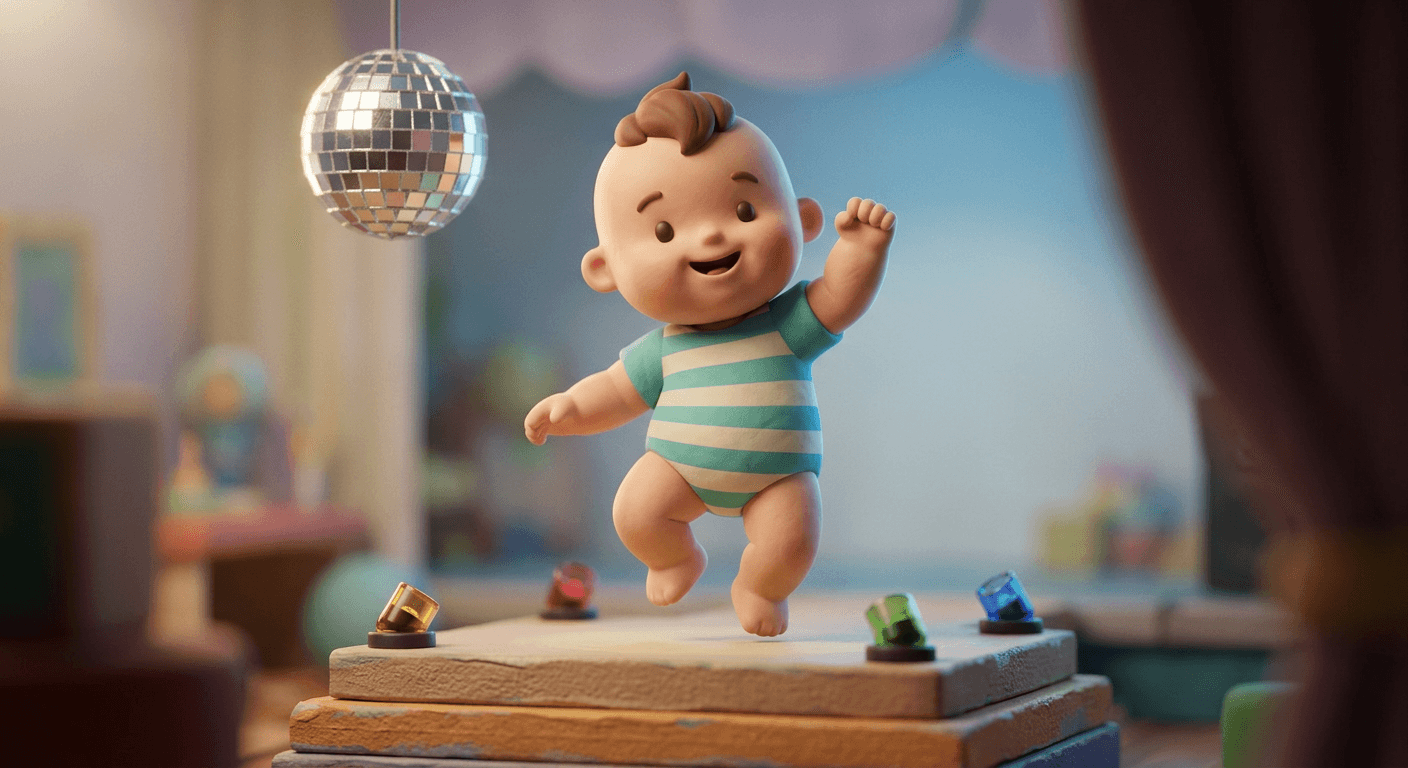
The AI baby dance trend has taken over TikTok in 2026. Here are 20 copy-paste dance video prompts, built as tasteful toy-figurine dioramas instead of real baby photos, ready for Miraflow's video tools.
If your For You page has suddenly filled up with babies and toddlers throwing full choreographed dance routines to a bouncing bass line, arms popping, hips swaying, camera slow-zooming in for the big finish, you have run into the AI baby dance trend, and by September 2026 it is one of the fastest-spreading video formats on TikTok. The mechanic is simple enough to explain in one sentence: a creator uploads a single still photo of a baby or toddler, runs it through an AI video tool often marketed as something like the "AI Sway Dance Filter," and gets back a fully animated dance clip of that same photo's subject moving to a trending sound. No filming, no choreography, no actual dancing baby required, just one photo in and a finished performance out.
The trend has already splintered into recognizable sub-styles the way most viral TikTok formats do once enough creators start remixing it. A Miami-flavored version set to a bouncing Yung Miami adjacent sound, generally referred to in comment sections as the "Spend Dat" style, leans into a shoulder-heavy bounce and a slow-motion hip sway. A separate variant took off on TikTok Brasil with a faster, more percussive funk-influenced step pattern. A third, tagged around "That's the Jawn," favors a looser, more playful arm-swing routine. Individual clips inside these variants have been reported crossing a million views, and hashtag pages like #babydancefilter now sit alongside broader tags such as "baby dance viral trend 2026" and "ai dancing baby app" as people search for the exact tool creators are using.
TL;DR
This post gives you 20 copy-paste video generation prompts built around the AI baby dance trend, grouped into five styles: cute solo dances, the viral sound-specific variants (Miami bounce, Brazilian funk, and the "That's the Jawn" swing), group and duo dances, holiday and seasonal versions, and a pet-and-object crossover angle that is already spinning off from the original trend. Because this trend fundamentally works by animating a single still image into motion, it maps almost exactly onto what the Cinematic AI Video Generator in Miraflow AI is built for, turning one reference image into a short, directed video clip. Every prompt below is written for that exact still-to-motion workflow, and once you have a finished clip, Text2Shorts can turn it into a captioned, music-scored vertical video ready to actually post to TikTok, Reels, or YouTube Shorts.
One important note before the prompts: the real-world trend works by uploading an actual photo of a real baby. This post takes a deliberately different, safer approach. Every prompt and every example image here is built around a soft, toy-proportioned figurine baby, a rounded, matte-clay collectible-style figure rather than a photorealistic child, staged on a tiny tabletop diorama set. That gives you the exact same choreography, camera work, and comic timing the trend is known for, without generating or sharing a photorealistic AI image of a real child. It is also, frankly, a cuter and more shareable aesthetic in its own right, closer to a stop-motion short than a filtered selfie, and it holds up better as reusable content since a figurine does not change or age the way a real photo reference does.
Why the AI Baby Dance Trend Is Spreading So Fast
Baby and pet content has always performed disproportionately well on short-form video, and this trend stacks that existing advantage on top of two things AI video tools only recently got good at: preserving a recognizable subject through a full-body animation, and keeping a dance routine's timing tight enough to actually land on the beat. Earlier attempts at this kind of image-to-video animation tended to produce a subject that drifted out of likeness within a few seconds or moved with an uncanny, rubbery looseness that broke the joke. The current wave of tools handles limb movement, weight shift, and beat-matched timing well enough that the result reads as a genuinely funny, well-timed performance rather than a glitchy animation experiment, which is exactly the gap that made this format shareable instead of a novelty that fizzles after one watch.
The other reason this spreads so well is structural. A baby dancing to a viral sound is inherently low-stakes and universally relatable content, a parent, an aunt, a family friend, anyone with a baby photo on their phone can participate without needing a real dance skill, a real choreography lesson, or even a real willing toddler. That is the same mechanic that made the AI action figure and toy box trend and the AI alive living photo trend spread as fast as they did, one photo in, one shareable transformation out, no skill floor required. The baby dance trend adds a layer those two do not have though, real choreography and real music timing, which is why it leans so heavily on video generation rather than a single still image.
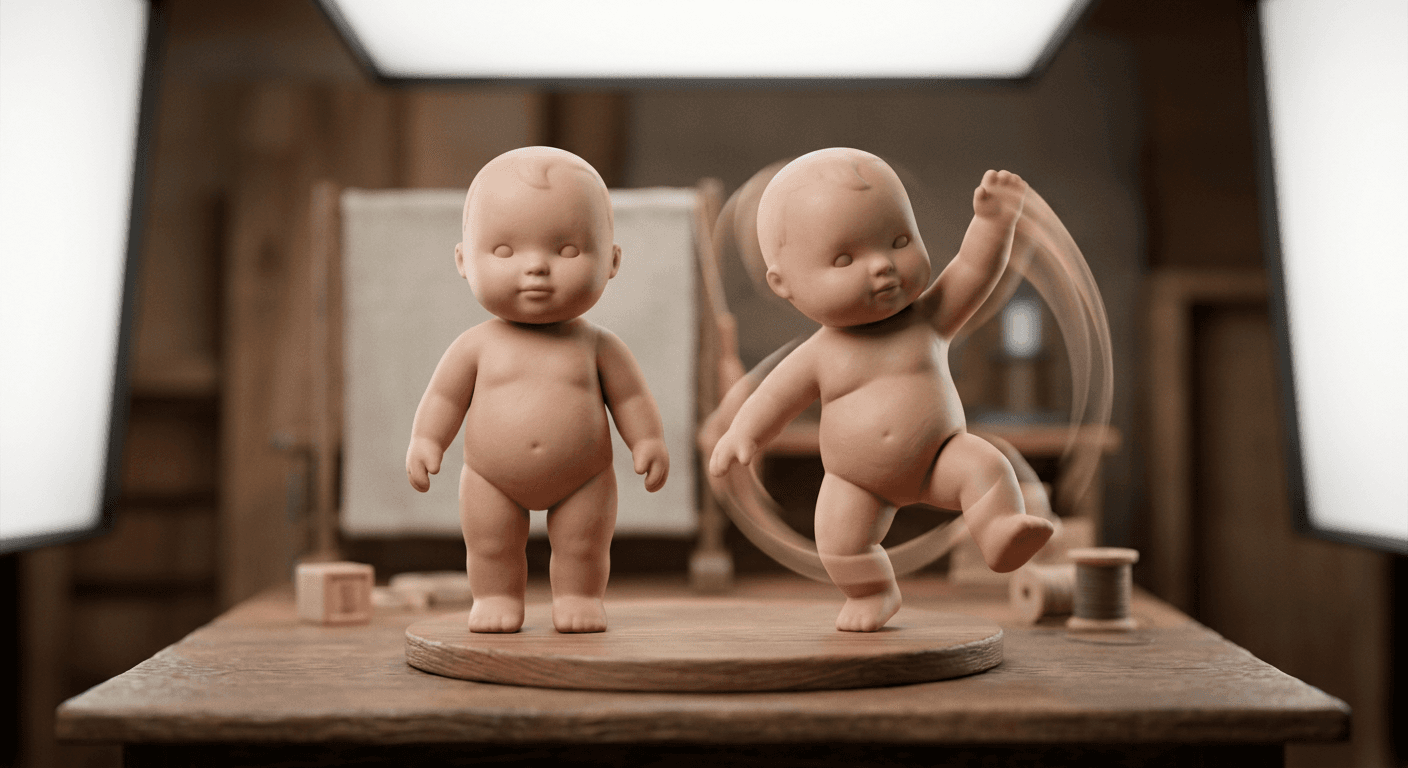
Because the underlying mechanic is animating a single reference image into a timed performance, the safest and most controllable way to recreate this trend is a two-step pipeline. First, generate a still image of your toy-proportioned figurine baby using an image model, something like the AI Image Generator in Miraflow AI handles well for a clean, well-lit diorama-style still. Second, feed that still into the Cinematic AI Video Generator with one of the 20 dance prompts below to bring it to life. That same still-then-motion approach is the one our miniature diorama prompt pack recommends for animating a tiny world, and it applies just as well here, since a stronger starting still image gives the video model far less room to drift off-model once real movement is involved.
1) Solo Baby Dance Diorama Prompts
These four are the closest match to the trend's original, simplest format, one figure, one spotlight, one dance move, no other characters or props competing for attention.
Prompt 1: Cute rhythmic sway with a happy bounce
Animate this toy-proportioned figurine baby into a short, cheerful dance clip. The figure sways side to side with a soft rounded matte-clay body, both arms swinging gently at shoulder height in time with an upbeat rhythm, head tilting playfully toward each side on the sway, a wide happy expression rendered in a simple stylized way rather than photoreal detail. Camera holds a steady eye-level medium shot centered on the figure with a slow, barely perceptible push-in over the full clip. Soft three-point studio lighting with a warm key light from the left and a gentle rim light keeping the figure separated from the softly blurred tabletop backdrop. Pace the sway to land a full side-to-side cycle roughly every one second, run the clip for about five seconds with a small extra bounce on the final beat as a clear ending pose, shallow tilt-shift depth of field throughout, no distorted limbs, no warping, no watermark.
Prompt 2: Peekaboo spin with a surprised reveal
Animate this toy-proportioned figurine baby performing a peekaboo spin dance move. The figure starts with both hands covering its face, does a quick quarter turn spin on the spot with arms tucked in close, then snaps its hands away in a surprised reveal pose with arms flung outward and knees slightly bent, as if popping into frame. Camera stays locked on a slightly low angle looking up at the figure to make the reveal feel bigger, with a quick snap-zoom in on the exact frame the hands come away from the face. Warm three-point studio lighting with a soft overhead key light and a brief warm flash-style highlight timed to the reveal moment. Time the full sequence to about four seconds, hands-covering pose for the first one and a half seconds, the spin taking three quarters of a second, and the reveal held for the remaining time, shallow tilt-shift depth of field, no distorted limbs, no watermark.
Prompt 3: Clapping bounce on the downbeat
Animate this toy-proportioned figurine baby doing a rhythmic bounce-and-clap dance move. The figure bounces straight down and up from the knees on every beat, bringing both hands together in a soft clap at the top of each bounce, torso staying upright and stable through the movement, head bobbing slightly in sync. Camera is a steady medium-wide shot with no movement, letting the repeated bounce read clearly across the whole frame. Soft three-point studio lighting with an even, slightly overhead key light and a subtle floor bounce light reducing hard shadows under the figure. Set the bounce tempo to a firm downward beat roughly every half second, repeating for six full bounces across a clip of about four seconds, ending on an upward bounce with hands held together as a clean final pose, shallow tilt-shift depth of field, no distorted hands, no watermark.
Prompt 4: Slow-motion twirl with a dramatic finish
Animate this toy-proportioned figurine baby performing a slow-motion twirl with a dramatic finish. The figure lifts onto the balls of its feet and rotates a full turn at a deliberately slow, floating pace, arms extended gently out to the sides like a small dancer, matte-clay fabric of the outfit trailing softly behind the turn, landing the rotation facing camera with arms lowering into a calm resting pose and a slight forward lean as a finishing beat. Camera performs a slow orbiting move around the figure that matches the rotation speed, keeping the figure centered throughout, finishing on a gentle push-in as the pose lands. Warm three-point studio lighting with a soft rim light tracing the outline of the figure through the turn. Run the full turn across roughly three seconds at a deliberately slow pace, followed by a one second hold on the finishing pose, shallow tilt-shift depth of field, no distorted limbs, no watermark.
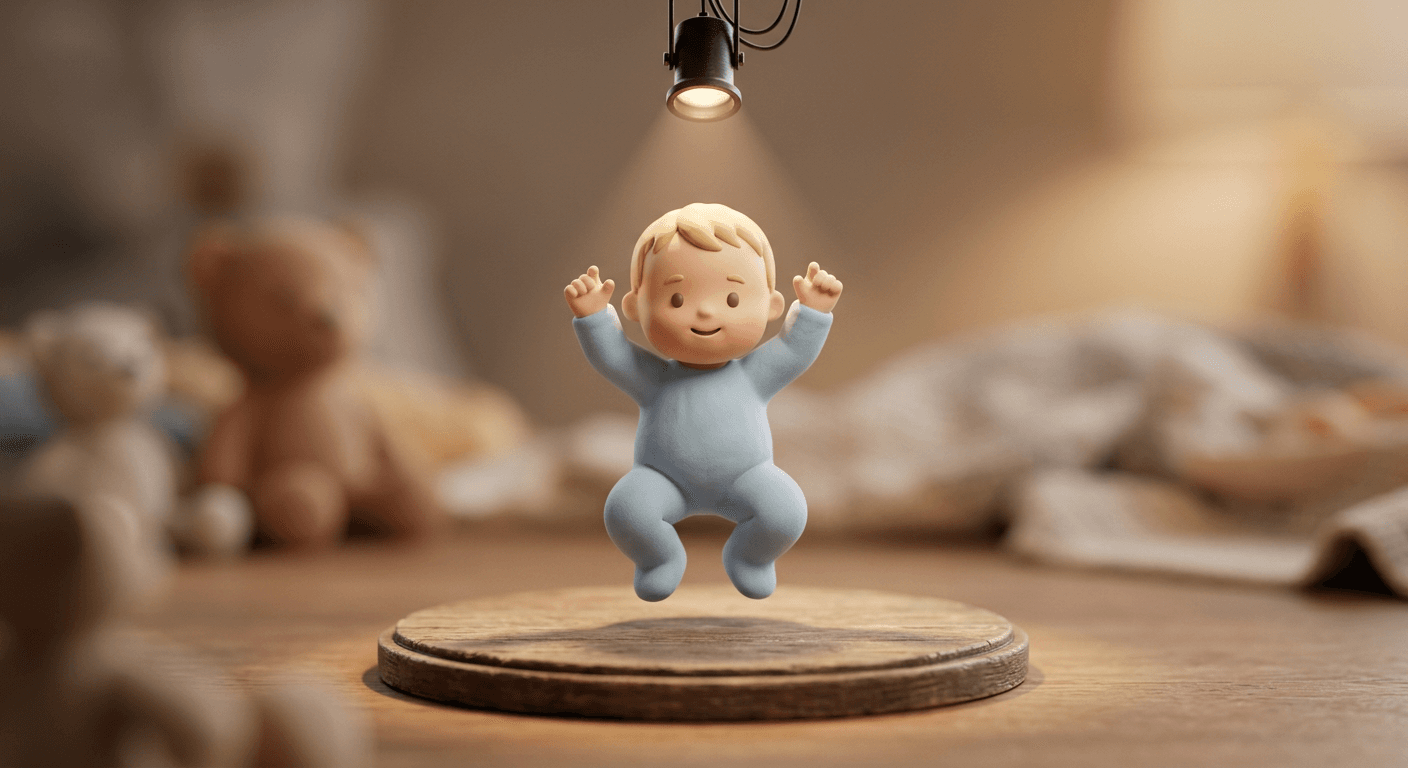
A tight, well-lit still image with the figure centered and its full body visible is what makes these four land cleanly once motion is added. If the figure's arms or legs are partially cropped in the source still, the video model has to guess the missing geometry once it starts moving them, and that guess is usually where a dance clip starts looking off.
2) Viral Sound-Specific Style Prompts
This is where the trend's actual sub-styles live. Each of the first three prompts below targets one of the specific viral variants circulating right now, the Miami bounce, the Brazilian funk step, and the "That's the Jawn" swing, and the fourth is a reusable template for whatever sound is trending by the time you read this, since a viral audio's specific choreography shifts week to week even when the underlying dance archetype stays similar.
Prompt 5: Miami bounce style, "Spend Dat" energy
Animate this toy-proportioned figurine baby performing a Miami-style bounce dance in the mood of the viral Spend Dat sound. The figure dips one shoulder down while lifting the other in a rolling shoulder bounce, hips shifting subtly side to side underneath, knees staying loose and slightly bent throughout, arms held relaxed and low rather than raised, head tilting with a laid-back, confident sway. Camera holds a steady low three-quarter angle with a very slow lateral drift to the side, giving the shot a music-video feel. Warm three-point studio lighting with a pink and orange-toned key light suggesting a nightlife color palette, a soft rim light keeping the figure readable against the blurred backdrop. Time the shoulder bounce to a rolling triplet feel roughly every three quarters of a second, running the full sequence for about six seconds with the bounce intensity building slightly toward the end, shallow tilt-shift depth of field, no distorted limbs, no watermark.
Prompt 6: Brazilian funk step variant
Animate this toy-proportioned figurine baby performing a fast, percussive Brazilian funk-style step. The figure alternates quick weight shifts from foot to foot in a tight rhythmic pattern, knees popping in small quick bounces on each shift, arms held loosely bent at the elbows and pumping slightly in time with the footwork, torso staying compact and controlled rather than swinging wide. Camera is a tight, energetic medium shot with quick, subtle handheld-style micro shake to sell the fast tempo, no full camera movement otherwise. Bright, punchy three-point studio lighting with a slightly higher contrast key light and a crisp rim light to keep the fast footwork readable. Set the footwork tempo to a quick double-step roughly every third of a second, running the sequence for about five seconds with a sharp final freeze on the last beat, shallow tilt-shift depth of field, no distorted feet or blurred smearing beyond a light natural motion blur, no watermark.
Prompt 7: "That's the Jawn" loose arm-swing variant
Animate this toy-proportioned figurine baby performing a loose, playful arm-swing dance in the style of the That's the Jawn variant. The figure swings both arms in wide loose arcs across the body, alternating which arm leads, shoulders rolling naturally with the swing, feet shifting in a relaxed, unhurried step underneath rather than a tight bounce, head nodding easily along with the motion. Camera holds a relaxed medium shot with a very gentle side-to-side drift that mirrors the arm swing without ever cutting the figure out of frame. Warm three-point studio lighting with a soft, even key light and minimal contrast for a relaxed, easygoing mood. Time the arm swing to a loose, laid-back tempo of roughly one full swing cycle per second, running the sequence for about five seconds and ending on a relaxed shoulder shrug as the final beat, shallow tilt-shift depth of field, no distorted arms, no watermark.
Prompt 8: Trending-sound template, swap in this week's beat
Animate this toy-proportioned figurine baby dancing to [describe this week's trending sound and its signature step here, for example a slow head-bob two-step or a fast shoulder shimmy]. The figure performs [the specific move] with matte-clay limbs moving smoothly and naturally, knees staying slightly bent for stability, keeping the overall silhouette readable at toy scale throughout the movement. Camera holds a steady medium shot with [a slow push-in / a gentle orbit / a locked-off frame, pick one] that matches the energy of the sound. Soft three-point studio lighting with a key light and rim light kept consistent with the rest of this prompt pack. Set the movement tempo to roughly [state the BPM or a beat interval like every half second], running the full sequence for about [state a duration between four and eight seconds] and ending on a clear, held final pose timed to the last strong beat, shallow tilt-shift depth of field, no distorted limbs, no watermark.
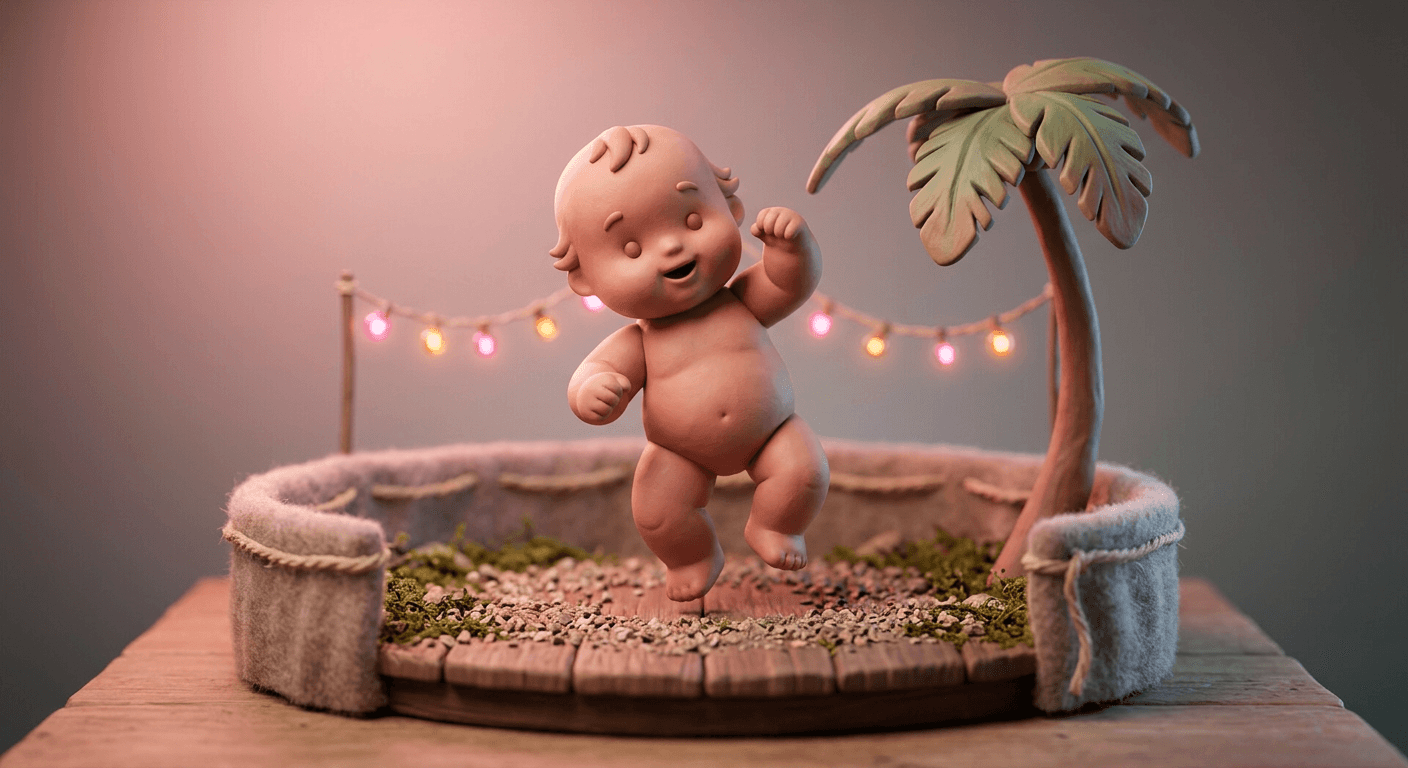
The reason these sound-specific variants matter is that a generic "baby dancing" prompt tends to produce generic hip-and-arm wiggling with no real character, while naming the actual bounce pattern, the beat placement, and the tempo of a specific viral style gives the video model something concrete to time the movement against. Prompt 8 is built so you can drop in whatever sound is currently trending on your feed by swapping just the bracketed tempo and step description, without having to rewrite the whole prompt from scratch every time a new sound takes over.
3) Group and Duo Dance Prompts
Once a solo version of this trend gets traction, the next natural move creators make is adding a second or third figure, siblings, a parent-and-baby pair, or a small line of figures dancing in sync.
Prompt 9: Mirrored duo dance, side by side
Animate these two toy-proportioned figurine babies performing a mirrored duo dance, standing side by side with a clear gap between them. Both figures bounce and sway in perfect mirror symmetry, the left figure leaning left while the right figure leans right on each beat, arms raised together at matching heights, knees bending in unison, so the pair reads as one synchronized shape rather than two separate movements. Camera holds a steady wide medium shot capturing both figures fully in frame with a very slow, even push-in across the whole clip. Soft three-point studio lighting spread evenly across both figures so neither one falls into shadow, a shared rim light along both outlines. Time the mirrored sway to a steady beat roughly every three quarters of a second, running for about five seconds and ending with both figures raising one arm together on the final beat, shallow tilt-shift depth of field, no distorted limbs on either figure, no watermark.
Prompt 10: Sibling call-and-response dance
Animate these two toy-proportioned figurine babies, one noticeably smaller in scale than the other to suggest a sibling pair, performing a call-and-response dance. The smaller figure performs a simple bounce move first, then the larger figure repeats a slightly bigger version of the same move a half beat later, alternating back and forth so the pair trades the movement between them rather than dancing in unison. Camera holds a medium two-shot with a subtle whip-style reframe that shifts focus slightly toward whichever figure is currently moving. Warm three-point studio lighting kept consistent across both figures, a soft rim light on each. Time each call-and-response exchange to about one second per figure, running through three full exchanges across a clip of roughly six seconds, ending with both figures bouncing together on the final beat, shallow tilt-shift depth of field, no distorted limbs, no watermark.
Prompt 11: Family line dance, three figures in a row
Animate three toy-proportioned figurine babies standing in a straight row, evenly spaced about one figure-width apart, performing a synchronized line dance. All three step to the side in unison, then bounce twice in place, then step back to center, repeating the pattern together with identical timing and matching arm positions throughout. Camera holds a wide steady shot capturing the full row with a slow lateral drift that keeps all three figures in frame the entire time. Soft three-point studio lighting spread evenly across the row with a consistent rim light tracing all three outlines. Time the step-bounce-step pattern to a clear four-count rhythm, roughly one second per count, running through two full repetitions across a clip of about eight seconds, ending with all three raising one arm together on the last beat, shallow tilt-shift depth of field, no distorted limbs on any figure, no watermark.
Prompt 12: Trio synchronized routine with a center break
Animate three toy-proportioned figurine babies performing a synchronized routine with a center breakout moment. All three start in unison with a matching shoulder bounce, then the center figure steps slightly forward and performs a brief solo spin while the two outer figures continue a simpler bounce in the background, before all three snap back into the same synchronized pose to finish together. Camera holds a medium-wide shot that gently pushes in toward the center figure during its solo moment, then pulls back out to the full trio for the finish. Warm three-point studio lighting with a slightly brighter key light on the center figure during its solo beat. Time the shared opening bounce to about two seconds, the center solo spin to one and a half seconds, and the synchronized finish to a final two seconds, shallow tilt-shift depth of field throughout, no distorted limbs on any figure, no watermark.
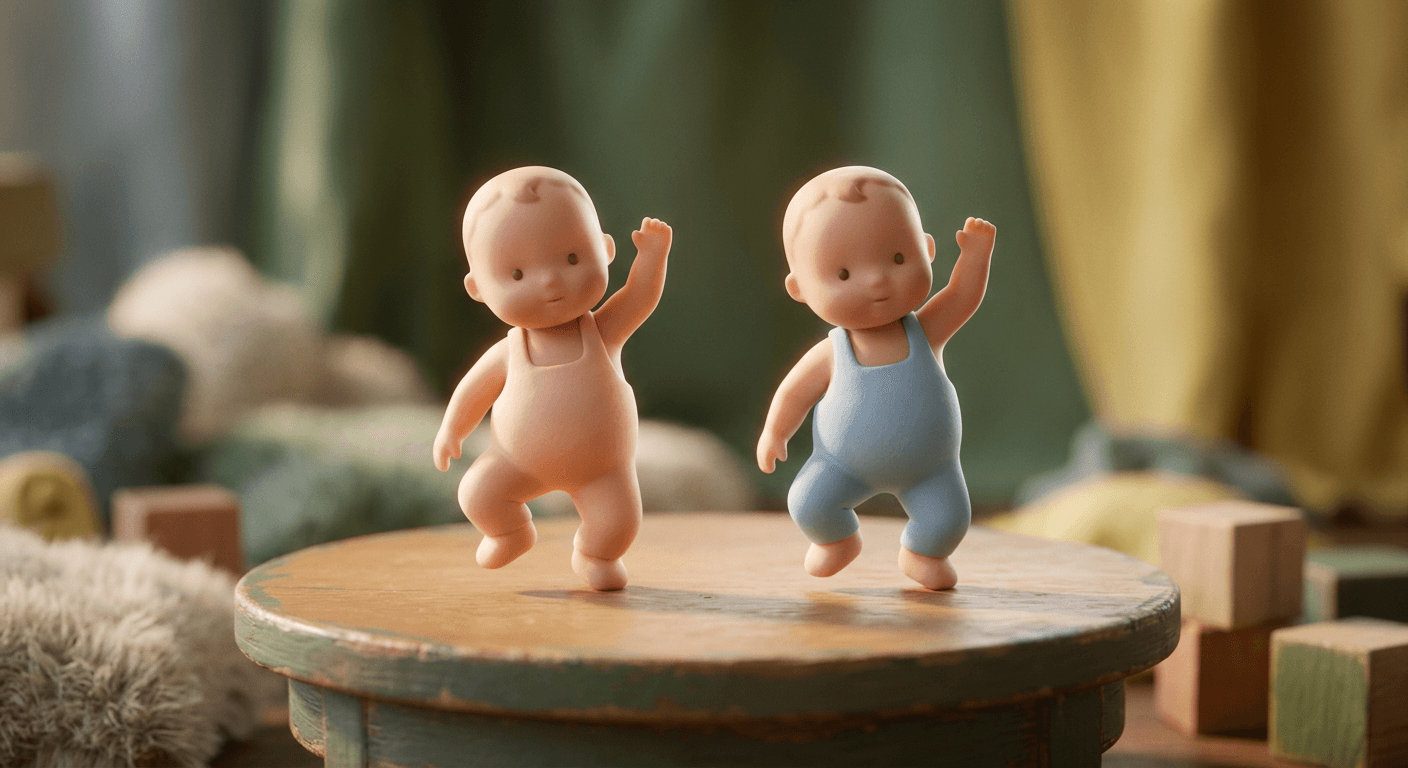
Group choreography is noticeably harder for a video model to keep consistent than a solo clip, since every added figure is another set of limbs that has to stay in sync with the beat and with each other. Keep group prompts to two or three figures at most and describe their spacing explicitly, side by side, in a row, one step apart, rather than leaving positioning to the model, which is the single biggest factor in whether a group dance reads as synchronized or as three separate animations happening to share a frame.
4) Holiday and Seasonal Dance Variants
Seasonal versions of a viral dance format are a reliable way to keep a single trend feeling fresh across months instead of burning out in a week, and creators are already doing this with the baby dance trend the same way they did with earlier figurine and diorama formats.
Prompt 13: Cozy winter holiday dance
Animate this toy-proportioned figurine baby, dressed in a simple knit-textured winter outfit, performing a cozy winter dance. The figure sways gently side to side with arms wrapped loosely and then opening outward on each beat as if warming up, small hops added on alternating beats, matte-clay fabric of the outfit moving slightly with the motion. Camera holds a steady medium shot with a slow, gentle push-in, framed against a softly blurred backdrop of tiny out-of-focus string lights. Warm three-point studio lighting with a golden key light and a cool blue rim light suggesting a winter evening glow. Time the sway to a relaxed pace of about one full cycle per second, running for roughly five seconds and ending with both arms raised in a small celebratory pose, shallow tilt-shift depth of field, no distorted limbs, no watermark.
Prompt 14: Playful costume dance for a fall event
Animate this toy-proportioned figurine baby wearing a simple, playful costume accessory such as a small soft cape or a rounded felt hat, performing a fun, slightly spooky-but-cute dance move. The figure does a small shuffling side step while raising both arms in a playful mock-spooky gesture, then drops into a crouch with a surprised pop back up on the beat, costume accessory moving naturally with the motion. Camera holds a medium shot with a quick snap-zoom timed to the pop-up moment. Warm three-point studio lighting with a slightly cooler purple-toned accent light mixed into the rim light for a seasonal mood. Time the shuffle to about one second, the crouch to half a second, and the pop-up reveal to a sharp quarter-second beat, running the full sequence for about four seconds, shallow tilt-shift depth of field, no distorted limbs, no watermark.
Prompt 15: Bright summer beach dance
Animate this toy-proportioned figurine baby, dressed in a simple rounded sun hat, performing a bright, breezy summer dance. The figure sways loosely with both arms swinging in wide relaxed arcs, hips shifting gently side to side, a small hop added every fourth beat, staged on a tabletop set with a hint of miniature sand texture and a tiny out-of-focus beach umbrella prop in the background. Camera holds a steady medium-wide shot with a slow lateral drift that reveals a little more of the miniature beach set as it moves. Bright, warm three-point studio lighting simulating strong midday sun with a soft fill light preventing harsh shadows. Time the sway to a relaxed beat of about one cycle per second, running for roughly six seconds and ending on a small joyful hop, shallow tilt-shift depth of field, no distorted limbs, no watermark.
Prompt 16: New Year countdown dance with confetti
Animate this toy-proportioned figurine baby performing a building, celebratory New Year countdown dance. The figure starts with a small, restrained bounce that grows steadily bigger and faster across the clip, arms rising higher with each bounce, culminating in both arms thrown up and a burst of tiny confetti-like particles rendered falling gently around the figure on the final beat. Camera holds a steady medium shot with a slow push-in that speeds up slightly as the bounce builds, landing on a slightly wider framing right as the confetti appears. Warm three-point studio lighting with a brief warm flash-style highlight timed to the confetti burst. Time the building bounce across the first four seconds, accelerating steadily, with the confetti burst and final held pose landing in the last one and a half seconds of a clip roughly five and a half seconds long, shallow tilt-shift depth of field, no distorted limbs, no watermark.
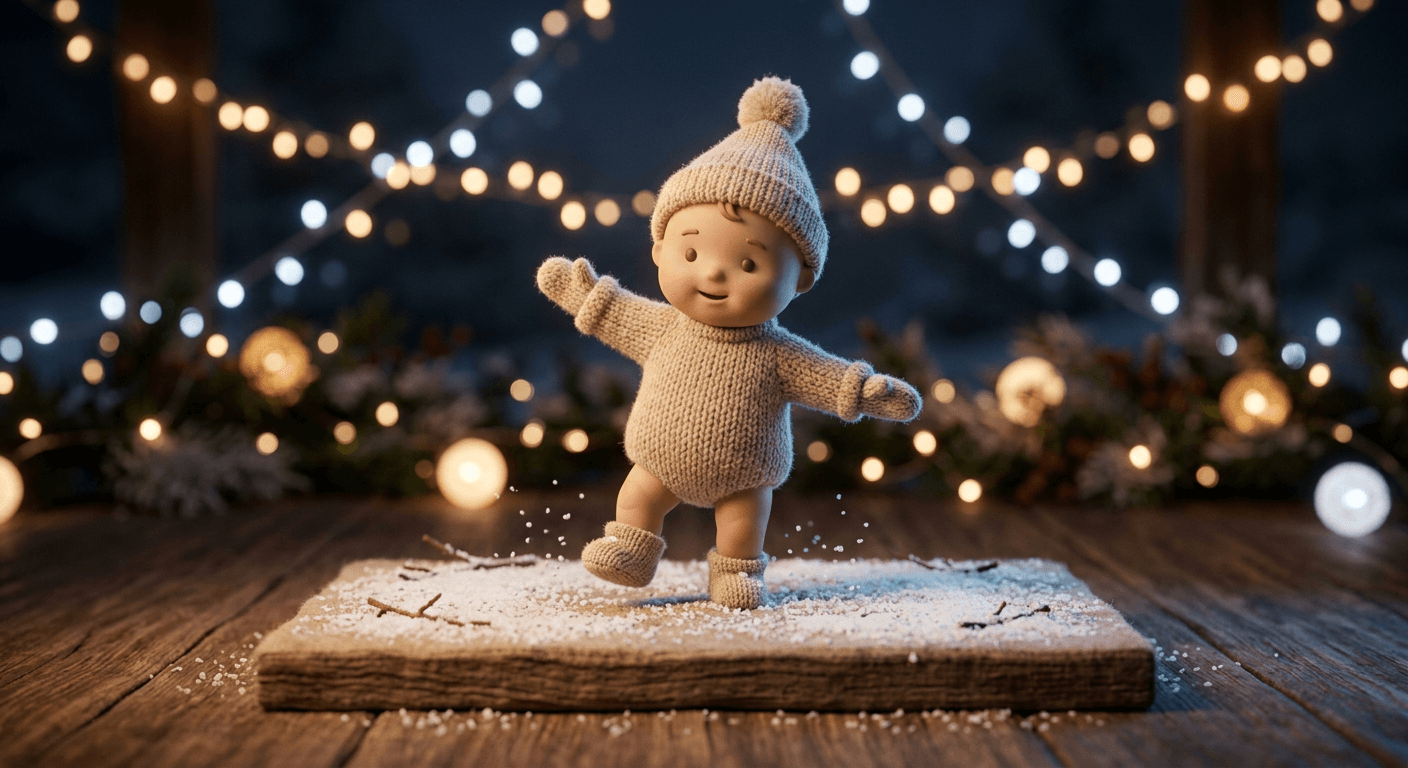
Seasonal props are also a simple way to keep a repeated format from feeling stale on your own page. If you post one dance clip a week, rotating the backdrop and outfit between these four seasonal takes gives an audience a reason to keep watching for what changes next, the same logic behind the themed weekly series our miniature diorama prompt pack recommends for that trend.
5) Pet and Object Dance Prompts
The natural next remix of any baby-focused trend is swapping in a pet or a favorite toy instead, and that crossover is already showing up in baby dance trend comment sections asking "now do the dog." These four keep the same choreography and camera language as the sections above, just applied to a different figure.
Prompt 17: Dog dance partner, matching bounce
Animate this toy-proportioned figurine baby standing beside a small matching matte-clay toy dog figure, both performing a synchronized bounce dance together. The baby figure bounces with both arms raised while the dog figure hops on its front paws in matching rhythm, both looking toward each other periodically as if dancing together rather than performing separately. Camera holds a steady medium two-shot capturing both figures with a slow, even push-in across the clip. Soft three-point studio lighting spread evenly across both figures, a shared soft rim light along both outlines. Time the shared bounce to about one cycle every three quarters of a second, running for roughly five seconds and ending with both figures paused mid-hop as a playful final pose, shallow tilt-shift depth of field, no distorted limbs or paws, no watermark.
Prompt 18: Cat dance partner, playful pounce step
Animate this toy-proportioned figurine baby dancing beside a small matte-clay toy cat figure performing a playful pounce-style step. The baby figure sways with a light bounce while the cat figure crouches low and does a small springing pounce motion in time with the baby's bounce, tail rendered with a gentle swaying motion for added life. Camera holds a medium two-shot with a subtle low-angle tilt that favors the cat figure's pounce motion slightly. Warm three-point studio lighting with a soft key light and a gentle rim light separating both figures from the blurred backdrop. Time the baby's sway to about one cycle per second and the cat's pounce to land on every other beat, running the sequence for about five seconds and ending with the cat mid-pounce beside the baby's raised arm, shallow tilt-shift depth of field, no distorted limbs or paws, no watermark.
Prompt 19: Teddy bear dance partner, classic sway
Animate this toy-proportioned figurine baby dancing while holding a small soft-textured teddy bear figure as a dance partner, arms wrapped gently around it. The pair sways together in a slow, tender rocking motion from side to side, the teddy bear's soft fabric texture moving slightly with the motion, the baby figure's head tilting gently against the bear on alternating sways. Camera holds a close, warm medium shot with a very slow, minimal push-in throughout. Soft three-point studio lighting with a warm, slightly lower-contrast key light for an intimate, cozy mood, a subtle rim light keeping both the figure and the bear readable against the softly blurred backdrop. Time the rocking sway to a slow, gentle pace of about one cycle every one and a half seconds, running for roughly five seconds and ending with a gentle small squeeze hold on the final beat, shallow tilt-shift depth of field, no distorted limbs, no watermark.
Prompt 20: Full stuffed-animal crew dance
Animate this toy-proportioned figurine baby standing at the center of a small semicircle of three or four soft-textured stuffed-animal figures, all performing a synchronized bounce dance together. The baby figure leads with a clear bounce and raised arms while the stuffed animals around it hop in matching rhythm, each with slightly different simple textures to stay visually distinct, all facing roughly toward the baby figure at the center. Camera holds a steady wide shot capturing the full semicircle with a slow, even push-in toward the center figure across the clip. Soft three-point studio lighting spread evenly across the whole group, a consistent rim light tracing every figure's outline. Time the group bounce to a shared beat roughly every three quarters of a second, running for about six seconds and ending with the whole group raising an arm or paw together on the final beat, shallow tilt-shift depth of field, no distorted limbs on any figure, no watermark.
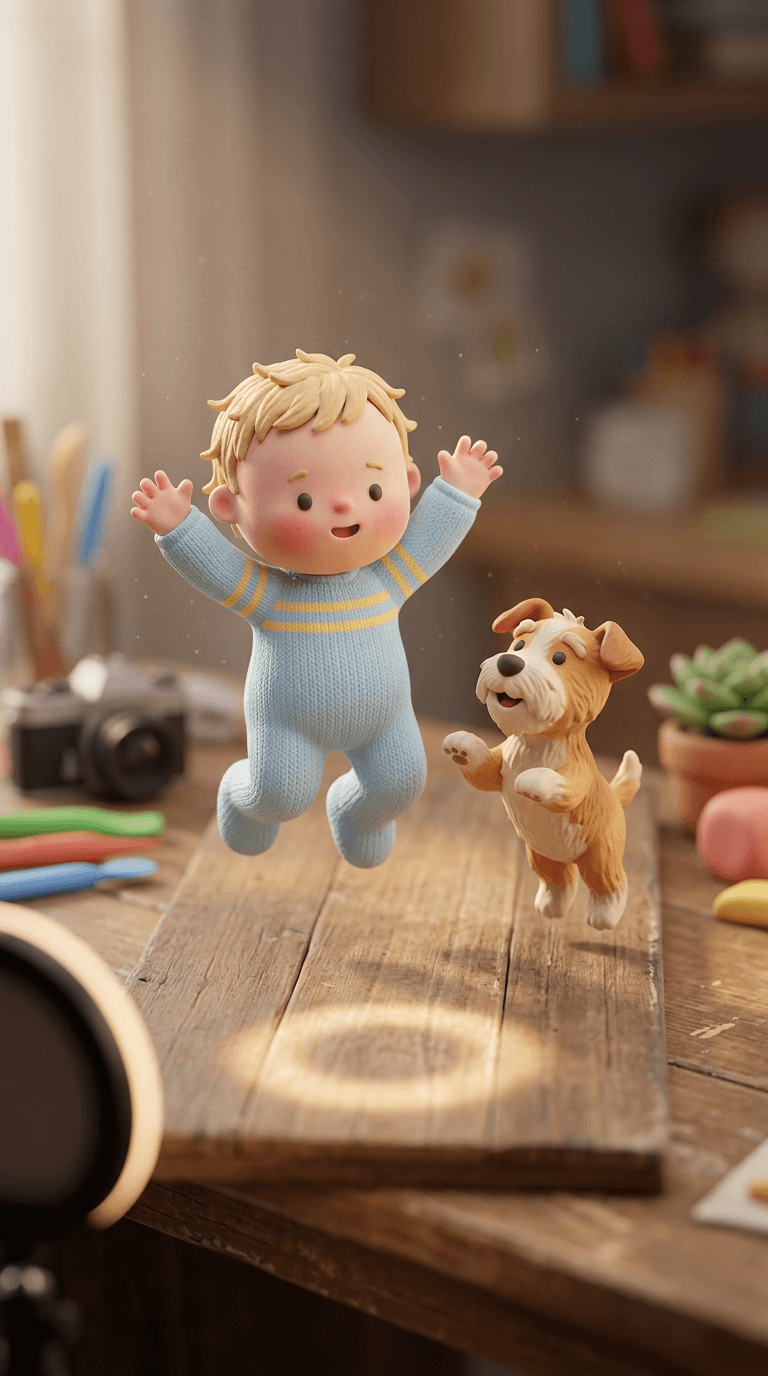
A pet or plush stand-in also sidesteps the entire sensitivity question this trend raises around real children even further, since a toy figurine dancing next to a toy dog is unambiguously a piece of stop-motion-style content rather than anything resembling a real photo of a real child. If you run a pet or toy account specifically, this group is worth leading with rather than treating as an afterthought.
How to Customize These Prompts
Every prompt above follows the same underlying structure: a clear description of the figure and its exact proportions and finish, a named dance move or style with real beat and tempo language, a specific camera angle and movement, a lighting setup, and a duration or pacing cue so the model knows how long the performance runs and where the beat lands. When you adapt any prompt to a new sound or style, keep all five pieces intact rather than dropping the tempo or pacing language, since that is usually the difference between a clip that looks beat-matched and one that looks like generic looping motion with music laid over it afterward.
The tempo description is worth being unusually specific about. "Bouncing on the beat" is vague enough that a model can interpret it almost any way, while "a firm downward bounce every half second with a slight pause on the upbeat" gives it an actual rhythm to animate against. If you already know the BPM of the sound you plan to pair the clip with, stating it directly, "bouncing at roughly 100 BPM," tends to produce noticeably tighter timing than a vague adjective like "upbeat" or "energetic."
Camera work matters just as much as the dance move itself for how a finished clip reads. A slow push-in toward the figure during the final beat of a routine reads as a satisfying payoff the same way a real dance video's final zoom does, while a locked-off wide shot the whole way through can make even a well-animated dance feel flat. Borrow the camera language from whichever prompt above already gets closest to the mood you want, and swap only the dance description and props underneath it.
Common Mistakes Creators Make With This Trend
- Starting from a cropped or off-center reference still. If the figure's feet, hands, or head are cut off in the source image, the video model has to invent that missing geometry once real movement starts, and that invented geometry is almost always where a clip starts to look wrong.
- Leaving tempo and beat placement vague. A prompt that just says "dances happily" with no timing language produces loose, unanchored movement that rarely lines up with a real trending sound once you add music in editing.
- Overloading a single clip with too many figures at once. Group dances above three figures are dramatically harder for a video model to keep synchronized, and a cluttered scene usually reads as chaotic rather than impressive.
- Skipping the still-image step and jumping straight to a lower-quality reference photo. A clean, well-lit, front-facing still image of the figure produces a visibly steadier animation than a blurry or awkwardly angled one, the same rule that governs almost every image-to-video workflow.
- Forgetting to trim and caption the finished clip before posting. A raw generated video without a beat-matched cut or on-screen captions loses most of its shareability compared to a version edited down to the trend's actual punchy, few-second format.
- Using a photorealistic reference photo of a real child when the goal is just to participate in the aesthetic. The toy-figurine diorama approach in this post gets the same comic timing and choreography without that concern, and it is worth defaulting to it even if the original trend format uses a real photo.
Bring These to Life with Miraflow AI
Every prompt in this pack is written for a still-to-motion workflow, and that is exactly what the Cinematic AI Video Generator in Miraflow AI is built to do, upload a reference still of your figure, apply one of the 20 dance prompts above, and get back a short directed clip without leaving the browser. If you want a clean starting still first, the AI Image Generator in Miraflow AI can generate the toy-figurine diorama reference image itself before you animate it. Once you have a finished dance clip, Text2Shorts turns it into a fully captioned, music-scored vertical video sized for TikTok, Instagram Reels, or YouTube Shorts, which matters here specifically since this trend lives and dies on being posted as a punchy, well-captioned vertical clip rather than a raw generated file. If your dance clips end up getting pulled into a longer highlight reel or a channel trailer, the AI Clipping tool in Miraflow AI can also cut a longer video down into several ranked, ready-to-post shorts automatically.
For more of this same photo-to-motion format applied to different subjects, our AI alive living photo prompts cover animating a still photo into subtle ambient motion rather than full choreography, and our AI concert jumbotron fancam prompts apply a similar single-photo transformation to a completely different viral aesthetic. If you are building out a whole channel around short-form video rather than one-off clips, our guide to turning a podcast into viral Shorts is a useful next read, and you can browse the full library of prompt packs on the Miraflow AI blog.
Frequently Asked Questions
What is the AI baby dance trend? It is a viral 2026 TikTok and CapCut format where a creator uploads a single still photo and an AI video tool animates that photo's subject into a full choreographed dance clip set to a trending sound. Tools built for this are often marketed under names like the "AI Sway Dance Filter," and the format has already split into recognizable sub-styles like a Miami-flavored "Spend Dat" bounce, a Brazilian funk step variant, and a looser "That's the Jawn" swing.
Do I need to upload a real photo of a baby to try this? No, and this post specifically recommends against it. Every prompt here is built around a toy-proportioned figurine baby rendered as a tabletop diorama scene rather than a photorealistic child, which produces the same choreography and comic timing the trend is known for without generating a photorealistic AI image of a real child.
Which Miraflow tool should I use for this? The Cinematic AI Video Generator handles the core still-to-motion transformation every prompt above depends on. If you want to generate the starting figurine still yourself first, the AI Image Generator is the right tool for that step, and Text2Shorts finishes the clip with captions and music for posting.
Why do some clips look stiff or off-beat compared to what I see on TikTok? Vague tempo language is the most common cause. A prompt that just says a figure is "dancing" gives the model no real rhythm to animate against, while naming a specific beat pattern and pace, like a bounce every half second, produces a visibly tighter, more believable result.
Can I use these prompts for a pet instead of a baby figure? Yes. The pet and object group above keeps the exact same dance and camera language applied to a dog, cat, or plush toy instead, and that crossover is already spreading as its own branch of the original trend.
How long should a finished clip be? Most viral clips in this trend run somewhere between three and eight seconds, just long enough to land one clear dance move and a payoff camera moment, which is why every prompt above includes an explicit duration and pacing cue rather than leaving clip length open-ended.
Conclusion
The AI baby dance trend has spread this fast because it combines two things that already perform well on their own, universally relatable baby content and a genuinely well-timed dance performance, into a format anyone can make from a single photo. The 20 prompts above cover the five ways creators are actually building on it right now, cute solo routines, the viral sound-specific styles, group and duo dances, seasonal variants, and the pet crossover, all built around a tasteful toy-figurine diorama look instead of a photorealistic child. Start with a clean, well-lit reference still, keep the tempo and camera language specific when you customize a prompt, and bring your first clip to life inside Miraflow's Cinematic AI Video Generator to see how close you can get to the routines taking over TikTok right now.