How to Use AI Clipping to Turn Long Videos into 10 Viral Shorts Automatically

Written by
Jay Kim
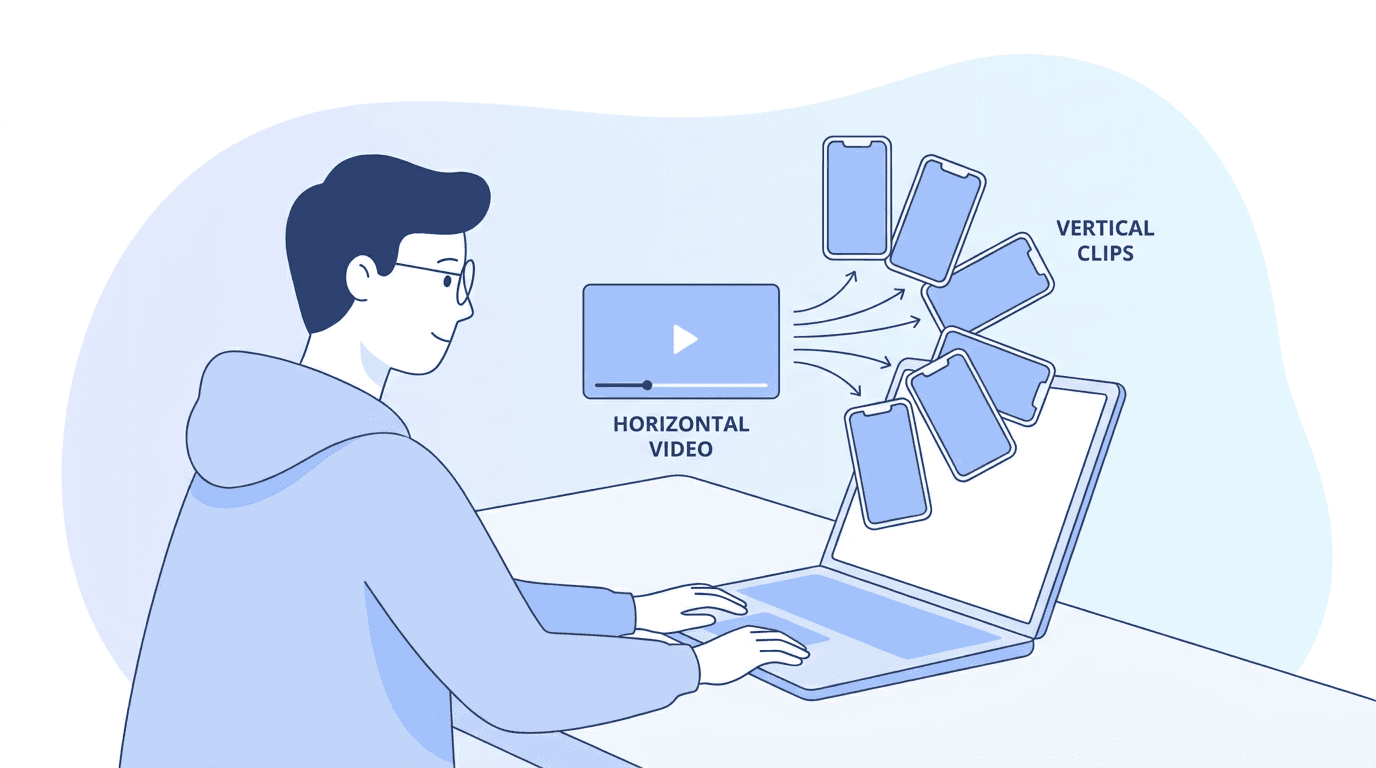
Learn how to use AI clipping to automatically turn one long YouTube video into 10 viral Shorts with face-tracking, captions, and virality scoring built in.
You have a 20-minute YouTube video with solid content, good retention, and real value packed into every section. But here is the problem: only a fraction of your potential audience will ever sit down and watch it all the way through. The rest are scrolling TikTok, swiping Instagram Reels, and flipping through YouTube Shorts, where content under 60 seconds dominates attention and engagement.
The strategic opportunity here is about multiplying the value of every piece of long-form content you create. A single 60-minute webinar can become 10 to 15 targeted short videos for social media, email campaigns, or learning modules.[3] The same principle applies to any YouTube video, podcast recording, tutorial, or livestream you have already published.
The challenge has always been time. Repurposing long videos into short videos follows the proverbial 80/20 rule: 80% of the effort is dedicated to curating, and 20% to editing.[1] Watching your own video back, finding the best moments, cutting them out, reformatting to vertical, adding captions, and exporting multiple clips can easily eat up an entire afternoon.
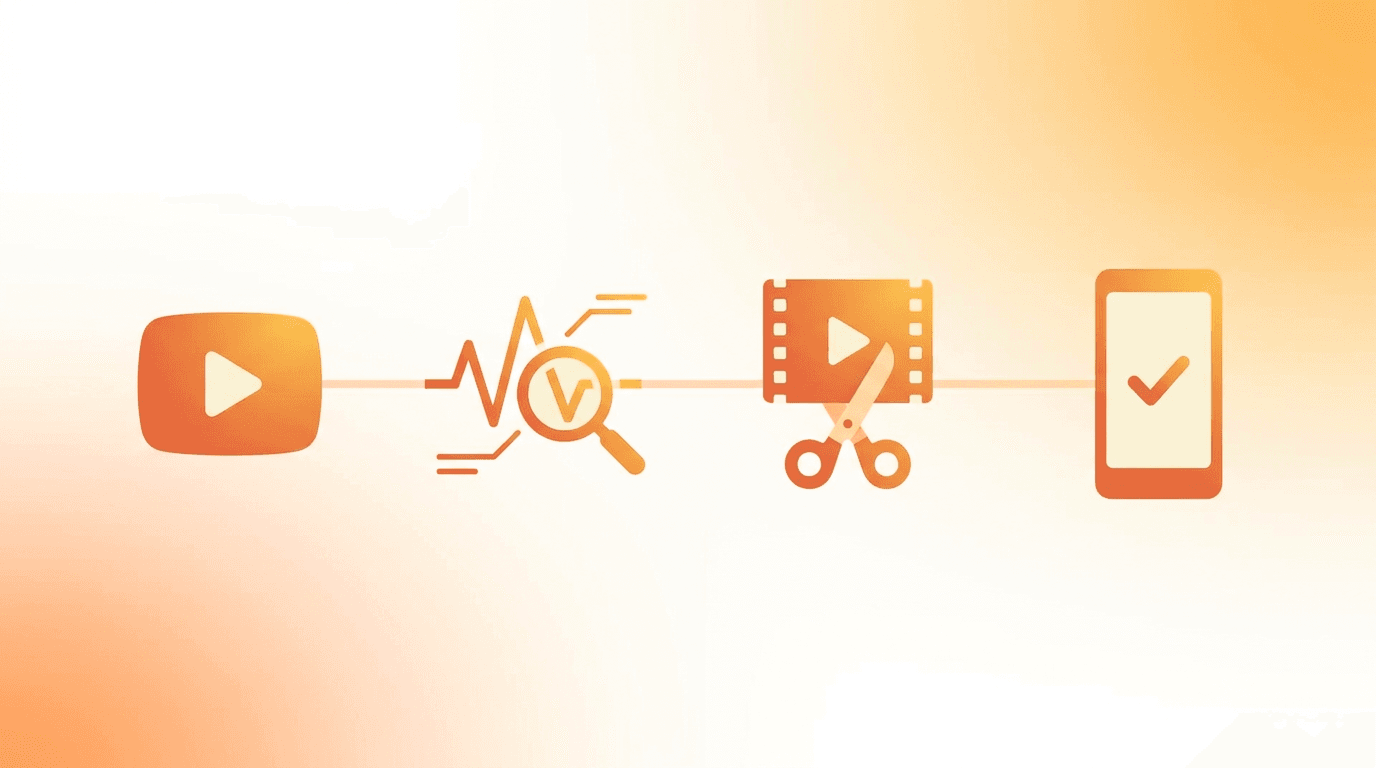
That is exactly the problem AI Clipping on Miraflow was built to solve. You paste a YouTube URL, and the AI automatically transcribes, analyzes, identifies the most viral moments, scores them, and delivers vertical clips with captions ready to post. This guide walks through the entire workflow, explains why it works, and shows you how to get the most out of every clip the AI generates.
Why Repurposing Long Videos Into Shorts Is the Highest ROI Content Strategy in 2026
If you are creating long-form videos and only publishing them in one place, you are leaving an enormous amount of value on the table. The data behind content repurposing makes a compelling case for every creator and marketer.
Short-form videos get 2.5 times more engagement than long-form on social platforms.[2] Creators who post both Shorts and long-form content see 3x faster channel growth than single-format creators, and YouTube Shorts now account for over 50 billion daily views, making them impossible to ignore.[5]
The economics are equally powerful. Companies implementing AI-driven content repurposing are reducing production costs by up to 65%.[2] AI-powered tools can reduce video repurposing time by 70 to 90%, turning a 4-hour manual process into a 30-minute automated workflow while often improving quality and engagement rates through data-driven optimization.[1]
A 20 to 30-minute long-form video typically yields 10 to 20 high-quality Shorts, depending on content density and pacing. Longer videos like hour-long podcasts or webinars can produce 30 or more clips.[8] That means a single video you have already filmed and published contains weeks worth of daily Shorts content, sitting there waiting to be extracted.
The YouTube Shorts revenue calculator 2026 breaks down exactly how Shorts views translate into earnings, and the math becomes very interesting when you realize you can generate 10 or more Shorts from content you have already created.
How the YouTube Shorts Algorithm Evaluates Repurposed Clips in 2026
Understanding how the Shorts algorithm works helps you make better decisions about which clips to publish and how to optimize them after the AI generates them.
The Shorts feed is a fully independent engine evaluating swipe-through rate, loop rate, and early-second engagement.[3] The single most important metric the 2026 Shorts algorithm rewards is Watch-Through Rate on the First Loop. When someone watches your Short all the way to the end, YouTube auto-loops it.[8] If they watch it again, even halfway through the second time, that is a massive signal to the algorithm that your content is sticky.[8]
When a Short appears in someone's feed, YouTube tracks whether they watched or swiped immediately. If 70% swipe away, the algorithm stops showing your Shorts. If 70% watch through, you get promoted aggressively, even with zero subscribers. The first frame is everything for Shorts.[6]
This has direct implications for how you use AI clipping. The AI identifies moments with strong hooks, emotional peaks, and clear value, which are exactly the qualities that drive high watch-through rates. But you should still review each clip to make sure the opening second grabs attention, because that first moment determines whether the algorithm gives your Short a chance or buries it.
One of the most consequential changes in late 2025 was YouTube's decision to fully decouple the Shorts recommendation engine from long-form. The YouTube Creator Academy now treats Shorts and long-form as separate growth strategies. Previously, poor Shorts performance could drag down your long-form recommendations, and vice versa. That connection is now severed.[3]
This means you can experiment freely with repurposed Shorts without risking your long-form channel performance. The YouTube Shorts algorithm update January 2026 guide covers the latest changes in detail, including the new dedicated Shorts search filter that creates an entirely new traffic source for your clips.
Step-by-Step: How to Use AI Clipping on Miraflow
The AI Clipping tool on Miraflow is designed to handle the entire repurposing process from a single YouTube URL. Here is exactly how it works, step by step.
Step 1: Paste Your YouTube Video URL
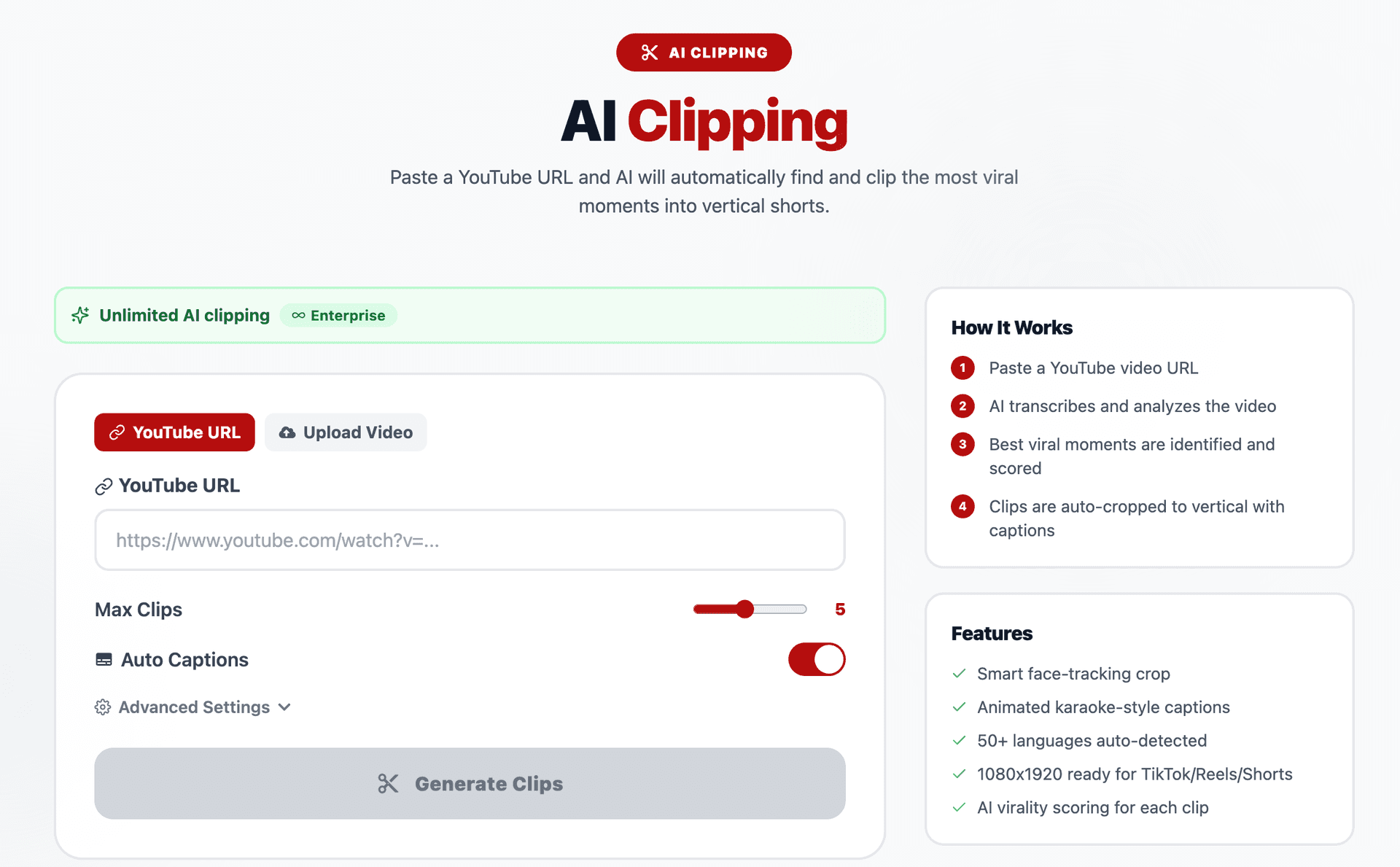
Go to miraflow.ai/ai-clipping and paste the URL of any YouTube video you want to repurpose. You can also upload a video file directly if you prefer to work with local content instead of a published YouTube video. The tool accepts both approaches, which makes it useful whether you are repurposing existing content or clipping a video before it goes live on your main channel.
Step 2: Configure Your Clipping Settings
Before you generate clips, you can customize several settings to match your specific needs.
Max Clips controls how many Shorts the AI will produce from your video. The default is 5, but you can increase this to get more clips from longer videos. For a 20-minute video, setting this to 10 is a good starting point. For hour-long content like podcasts or webinars, going higher will pull out more usable moments.
Auto Captions should almost always stay turned on. Captions are about more than accessibility. Captioned videos keep viewers on screen 53% longer and drive 31% more mobile engagement.[10] Captioned videos are 40% more likely to have viewers watch them for more extended periods than videos without captions.[9] Since many viewers watch Shorts with the sound off, captions are what keep them watching instead of swiping away.
Min Clip Duration and Max Clip Duration let you set the range for how long each clip should be. For YouTube Shorts, keeping the max at 60 seconds is standard. Data consistently shows Shorts under 40 seconds outperform longer ones on loop rate, so keeping your total length under 40 seconds can boost performance.[8] Setting your min to around 15 seconds and your max to around 45 seconds hits the sweet spot for most content types.
Language is set to auto-detect by default, which works well for most creators. The tool supports over 50 languages, so if your content is in a language other than English, the AI will detect and handle it automatically.
Step 3: Generate Clips
Click the Generate Clips button and the AI takes over from here. The process involves several stages that happen automatically.
First, the AI transcribes the entire video. Then it analyzes the content to identify the moments with the highest potential for engagement. Each potential clip is scored for virality based on factors like emotional intensity, information density, hook strength, and standalone value. The best moments are then auto-cropped from horizontal to vertical 9:16 format using smart face-tracking, and animated karaoke-style captions are overlaid on each clip.
The result is a set of clips that appear below the generator, each with its own virality score. You can preview each one, see how the AI ranked them, and decide which ones to use.
Step 4: Review, Download, and Post
Once your clips are generated, review them starting with the highest-scored clips first. Most AI-generated clips are publish-ready, but a quick review ensures captions are accurate, the framing looks good, and the clip has a clear beginning and end. You might want to trim a second or two from the start or end, or adjust elements to match your style.[8]
Each clip comes out at 1080x1920 resolution, which is the standard format for TikTok, Instagram Reels, and YouTube Shorts. You can download the clips and post them directly to any platform without additional formatting or conversion.
What Makes a Good Source Video for AI Clipping
Not every long-form video produces equally good Shorts when run through an AI clipper. Not every video is worth repurposing. A quick test: can you pull 5 to 10 standalone moments from it (tips, stories, mistakes, examples)? If yes, it is a repurposing goldmine.[6]
Here are the content types that consistently produce the best AI-clipped Shorts.
Tutorials and how-to videos work extremely well because they contain multiple discrete steps or tips. Each step can become its own standalone Short with a clear value proposition. A 15-minute cooking tutorial might contain 8 individual techniques, each of which works as its own clip.
Interviews and podcasts are ideal because conversations naturally produce quotable moments, surprising insights, and emotional reactions. The AI is especially good at detecting these peaks in energy and pulling them out as clips. The face-tracking feature keeps the speaker centered in the vertical frame even if the original video was shot in wide format.
Product reviews and comparisons contain built-in hooks like "the one feature that surprised me" or "why I would not recommend this for beginners." Each of these segments makes a compelling Short that can drive viewers back to the full video.
Educational explainer content generates strong clips because each concept or fact can stand alone. A 20-minute science explainer video might contain 12 individual facts or explanations, each of which works as a self-contained Short.
Livestream replays are often overlooked goldmines. Livestreams typically contain many off-the-cuff moments, audience interactions, and spontaneous reactions that feel authentic and engaging in short form.
Videos that perform poorly for clipping tend to be ones with a single continuous narrative that cannot be broken up, very low-energy talking head content without clear highlights, or heavily edited videos where the context of each section depends entirely on what came before.
The best approach is to repurpose your best-performing video first. You already know the message resonates, and repurposing amplifies a proven winner.[6] Check your YouTube analytics, find the video with the highest engagement, and start there.
7 Types of Viral Moments the AI Identifies in Your Videos
Understanding what the AI looks for when scoring clips helps you create better source content and make smarter decisions about which clips to prioritize. Here are the types of moments that tend to score highest for virality.
1. Strong Opening Hooks
Moments where you say something surprising, counterintuitive, or emotionally charged right at the start of a thought. Phrases like "most people get this completely wrong" or "here is what nobody tells you about X" naturally hook viewers and score high for clip potential.
2. Emotional Peaks
Sections where your voice, energy, or body language shifts dramatically. Laughter, excitement, frustration, or genuine surprise create emotional contrast that keeps viewers watching. These moments work especially well as Shorts because they feel authentic and unrehearsed.
3. Standalone Tips and Insights
Any self-contained piece of advice or information that delivers clear value without requiring context from the rest of the video. "Here is one trick that saved me 3 hours per week" works as a Short because the viewer gets the complete value without needing to watch the full video.
4. Controversy or Contrarian Takes
Statements that challenge common assumptions or popular opinions generate strong engagement because they provoke an emotional response. Viewers either agree passionately or disagree passionately, and both reactions boost engagement metrics.
5. Before and After Moments
Any demonstration of transformation, whether it is a design change, a code refactor, a recipe comparison, or a skill improvement, creates visual and narrative interest that holds attention.
6. Storytelling Segments
Brief personal stories or anecdotes that have a clear beginning, middle, and end within a short timeframe. These clips perform well because narrative structure is inherently engaging and satisfying to watch to completion.
7. Quotable Sound Bites
Concise, memorable statements that encapsulate a larger idea in a single sentence or two. These are the clips viewers share with friends, save for later, or comment on to express agreement or disagreement.
If you are planning your long-form videos with repurposing in mind, try to include several of these moment types deliberately. The AI prompts for TikTok content: 20 templates that get views guide includes hook templates you can use as inspiration for creating more clip-friendly content in your long-form recordings.
How to Optimize AI-Generated Clips Before Posting
The clips you get from AI Clipping are ready to post as-is, but spending a few extra minutes on optimization can significantly boost performance. Here is a checklist of optimizations to apply before publishing.
Write Platform-Specific Titles and Descriptions
Each platform has different norms for titles and descriptions. For YouTube Shorts, use a keyword-rich title that clearly states what the viewer will learn or experience. Use concise, keyword-rich titles that reflect the core value of your video. Include hashtags like #Shorts and niche-specific terms to help categorize your content.[2]
For TikTok, the caption serves as both hook and context. Keep it short and curiosity-driven. For Instagram Reels, use the caption to add context and include a call to action.
Add a Custom Thumbnail for YouTube Shorts
YouTube now allows custom thumbnails for Shorts, and this matters for search visibility. YouTube rolled out a dedicated "Shorts" content type filter in its search results in early 2026. This means your Short can now rank independently in search, separate from long-form videos, which is a huge new traffic source most creators are completely ignoring.[8]
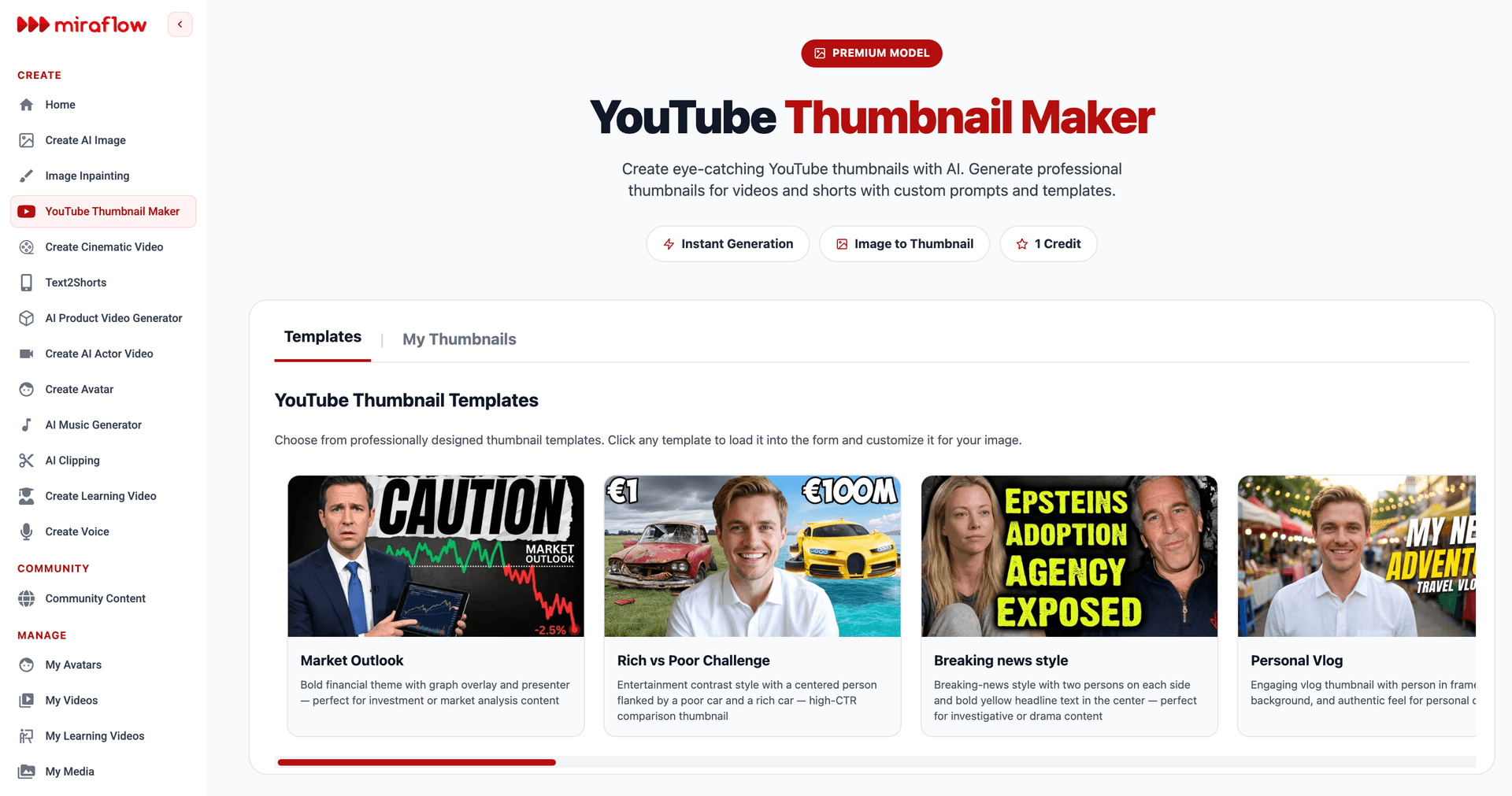
You can create Shorts thumbnails using the YouTube Thumbnail Maker on Miraflow, which supports both 16:9 video thumbnails and 9:16 Shorts thumbnails. Having a visually distinct thumbnail helps your Short stand out when viewers are searching or browsing.
Review the First 2 Seconds
71% of viewers decide within the first few seconds whether a video is worth continuing.[2] Watch the opening of each AI-generated clip and ask yourself: does this immediately grab attention? If the clip starts with a slow build or a transitional phrase like "and another thing," consider whether trimming the first second or two would create a stronger opening.
Verify Caption Accuracy
Auto-generated captions are accurate the vast majority of the time, but technical terms, proper nouns, and industry jargon can occasionally trip up any transcription system. Scan through the captions on each clip to catch any errors before posting. A misspelled word in a caption creates friction that can cause viewers to swipe away.
Batch Your Publishing Schedule
Posting Shorts 3 to 5 times per week earns algorithm favor. More frequent posting signals active channel status, and the algorithm boosts active channels.[5] Instead of posting all 10 clips on the same day, spread them across one to two weeks. This keeps your channel consistently active in the algorithm's view and gives each clip its own window to be tested by the recommendation system.
The Cross-Platform Advantage: One Clip, Three Platforms
The same workflow applies to TikTok, Instagram Reels, and other short-form platforms. Most AI clipping tools export in 9:16 format, which is the standard for all vertical video platforms. You can repurpose the same clips across multiple channels, adjusting captions or CTAs as needed for each platform's audience. This cross-platform strategy maximizes the ROI of your repurposing efforts and helps you grow on multiple fronts simultaneously.[8]
Short-form vertical video currently accounts for more than 60% of all social media consumption, and the format performs consistently across TikTok, Instagram, and YouTube Shorts. Brands that distribute the same creator video across three or more platforms with light adjustments like captions, aspect ratio, and opening hook report significantly lower content costs per impression over time.[4]
Here is how to adapt your AI-clipped Shorts for each platform.
YouTube Shorts: Focus on keyword-rich titles and descriptions. Add a custom thumbnail. Include a pinned comment with a link to the full video. This creates a funnel from Shorts viewers to long-form subscribers.
TikTok: Adjust the caption style to be more casual and hook-driven. Add trending hashtags relevant to your niche. TikTok audiences tend to prefer slightly faster pacing and more energetic delivery.
Instagram Reels: Use the caption space for context and a call to action. Add relevant hashtags. Reels benefit from strong visual composition in the first frame since Instagram shows a preview frame in the grid.
The YouTube Shorts best practices 2026 guide covers platform-specific optimization in more depth for the YouTube side of this workflow.
Creating a Shorts Funnel That Drives Long-Form Views
You use Shorts to funnel viewers to long-form content. You repurpose long-form content into multiple Shorts. This creates a flywheel where each format amplifies the other.[5]
The most effective way to use AI-clipped Shorts is as discovery content that leads back to your full video. Here is how to build that funnel.
End each Short with a natural cliffhanger. If the AI clips a moment where you are explaining step 3 of a 5-step process, the viewer naturally wants to know steps 4 and 5. The caption or pinned comment should say something like "Full breakdown in the link" to direct them to the long-form video.
Reference the full video in your YouTube Shorts description. YouTube allows you to link to other videos in the Short's description. Every Short you publish from a long-form video should include a direct link back to the source.
Create themed series from a single video. If you clip 10 Shorts from one video, give them a consistent naming convention like "Marketing Mistakes Part 1/10." This creates anticipation and makes viewers want to follow the series, which drives subscriptions.
Track which Shorts drive the most long-form views. After publishing, monitor which Shorts perform best in terms of views, watch time, and subscriber conversions. Use this data to refine your clipping strategy, focusing on the types of moments that resonate most with your audience. Over time, you will develop an intuition for which segments make great Shorts.[8]
How to Produce Shorts at Scale Without Burning Out
Short-form video dominates digital marketing in 2026, yet most creators and brands still struggle to produce enough content to stay visible. The problem is not a lack of ideas. It is the sheer volume required to compete on TikTok, Instagram Reels, YouTube Shorts, and LinkedIn. A winning short-form video strategy now demands efficiency, consistency, and smart repurposing rather than endless original production.[4]
The scalability of AI clipping is where this approach really shines. Here is what a sustainable weekly workflow looks like for a creator who publishes one long-form video per week.
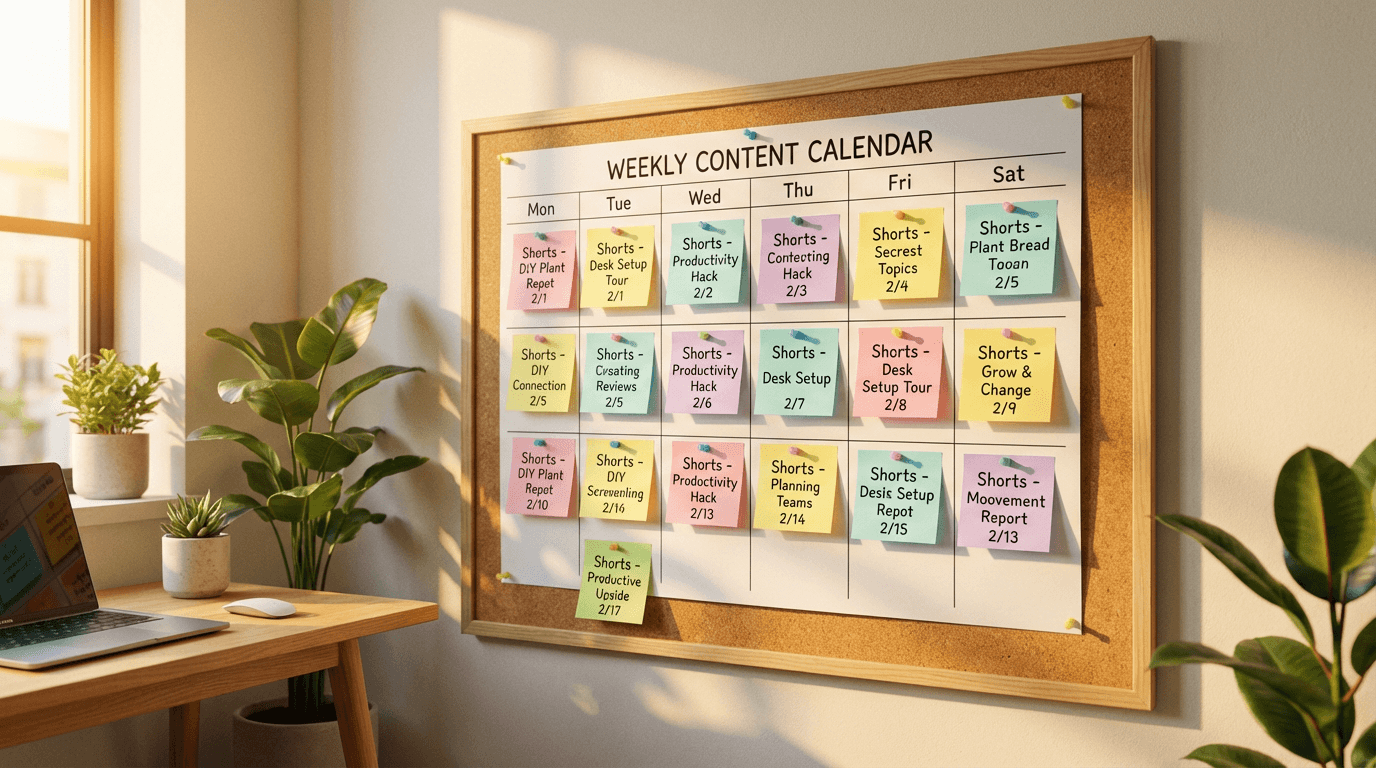
Monday: Publish your long-form video on YouTube.
Monday evening: Paste the YouTube URL into AI Clipping on Miraflow. Set max clips to 10. Generate clips.
Tuesday morning: Review all 10 clips. Select the top 7 based on virality score and your own judgment. Spend 15 minutes writing platform-specific titles and descriptions.
Tuesday through the following Monday: Post one Short per day across YouTube, TikTok, and Instagram. Each day takes roughly 5 minutes of uploading and scheduling.
This workflow produces 7 Shorts per week from a single long-form video, and the total additional time spent beyond creating the original video is approximately 30 to 45 minutes. Compare that to the hours you would spend manually editing each clip, and the efficiency gain is massive.
If you are a creator who publishes long-form content less frequently, you can still maintain a daily Shorts posting schedule by clipping from your back catalog. Go through your top-performing videos from the past 6 months and run each one through the AI clipper. A library of 20 long-form videos could produce 100 or more Shorts, giving you months of daily content.
Pairing AI Clips with AI-Generated Music and Thumbnails
One of the advantages of using Miraflow for clipping is that the rest of the content creation pipeline lives on the same platform. Once you have your clips, you can enhance them with custom background music and thumbnails generated within the same workspace.
The AI Music Generator lets you create original, copyright-free background music that you can layer under your clips. This is especially useful for clips where the original background audio is too quiet, contains copyrighted music, or where you want to add energy. The AI music for YouTube: copyright-free tracks in seconds guide covers how to generate tracks that match specific moods and video types.
For YouTube Shorts thumbnails, the YouTube Thumbnail Maker includes Shorts-specific templates in 9:16 format. Since YouTube now uses Shorts thumbnails in search results and on your channel page, having a visually compelling thumbnail can significantly increase the click-through rate on your clips. The AI prompts for before-after YouTube thumbnails pack includes templates designed to maximize clicks on Shorts and regular videos alike.
If you also produce original short-form content from scratch, the Text2Shorts generator handles the entire process from topic to finished vertical video, including script generation, visual creation, voice selection, and final assembly. It is a natural complement to AI clipping: one tool repurposes existing content, the other creates new content from scratch, and together they keep your Shorts feed consistently full.
10 Common Mistakes Creators Make When Repurposing With AI Clipping
Even with AI handling the heavy lifting, there are patterns that consistently separate creators who get results from those who do not. Avoiding these mistakes will make your repurposed Shorts perform significantly better.
1. Publishing Without Reviewing
AI-generated clips are impressively accurate, but no automated system is perfect. Always watch each clip before publishing. Check that the opening hook is strong, the captions are accurate, the face-tracking kept the subject in frame, and the clip ends at a natural point. Five minutes of review per clip prevents embarrassing errors.
2. Ignoring the Virality Score
The AI scores each clip for a reason. Start with the highest-scored clips and work your way down. The score is based on patterns that correlate with engagement, and while it is not perfect, publishing your top-scored clips first generally produces better results than publishing in random order.
3. Posting All Clips on the Same Day
Flooding a platform with 10 Shorts in one day does not give the algorithm time to test each one properly. Spread your clips across the week so each one gets its own window of algorithmic attention. Consistency is rewarded on social media platforms, and posting weekly is important to remain prominent in the algorithm.[5]
4. Using the Same Caption Across All Platforms
Each platform has its own audience expectations and algorithmic preferences. A YouTube Shorts title should be keyword-optimized. A TikTok caption should be casual and hook-driven. An Instagram Reels caption should provide context and end with a call to action. Taking 30 seconds to customize each caption dramatically improves results.
5. Neglecting to Link Back to the Full Video
If your Shorts are repurposed from a long-form video, always include a way for viewers to find the original. This is the entire point of the Shorts-to-long-form funnel, and missing this link means you are generating views without converting them into deeper engagement.
6. Clipping Only New Videos
Your back catalog is a goldmine. Videos published months or even years ago contain moments that are still relevant and valuable. Run your top 10 all-time performing videos through the AI clipper and you will have weeks of Shorts content immediately available.
7. Not Varying Clip Length
If every clip is exactly 30 seconds, the algorithm and your audience start to recognize the pattern. Mix it up. Some clips should be 15 seconds, others 45, others the full 60. Variety keeps your content feeling fresh and gives the algorithm more data about what your audience prefers.
8. Skipping Shorts Thumbnails
YouTube now allows custom thumbnails for Shorts, and having one makes your content stand out in search results and on your channel page. Use the YouTube Thumbnail Maker to generate thumbnails for your best-performing clips.
9. Not Tracking Performance by Clip Type
After publishing 20 or 30 clips, patterns will emerge. Maybe your audience responds best to clips that start with a question, or clips that feature a demonstration, or clips with high energy. Track which types of clips get the most views, watch-through rates, and subscribers, then feed those insights back into your clipping strategy.
10. Creating Shorts Only From Videos That Already Performed Poorly
If a long-form video did not resonate with your audience, the clips from it probably will not either. Start with your best content and work your way down. Repurposing amplifies quality, and it cannot create engagement from content that did not have it in the first place.
How to Use AI Clipping for Different Content Formats
The AI Clipping workflow works differently depending on the type of source content you are clipping. Here are specific strategies for the most common content formats.
Podcasts and Interview-Style Videos
Set your max clips to a higher number (10 to 15) since podcasts are typically long and contain many individual moments. Keep the max clip duration at 60 seconds since podcast clips often need a bit more time to develop a thought. The face-tracking crop is especially valuable here, keeping the speaker centered in the vertical frame even when the original recording was shot in wide format.
The best podcast clips tend to be moments of genuine surprise, disagreement between hosts, or concise explanations of complex topics. Look for clips where the energy shifts or where someone says something unexpected.
Tutorial and Educational Content
Set min clip duration to at least 20 seconds for tutorials, since viewers need enough time to understand the point being made. Educational clips work best when they contain one complete, standalone tip or explanation. If a clip requires context from earlier in the video to make sense, it probably will not perform well as a Short.
For creators producing educational content, the AI Image Generator can be used to create supplementary visual aids like diagrams, charts, and illustrations that enhance your educational Shorts when added in post-production.
Product Reviews and Comparisons
Product review clips that work best are the ones where you deliver a verdict or reveal a surprising feature. The "here is the one thing I did not expect" moment is gold for Shorts. Set max clips to around 8 for a typical 15 to 20 minute review, and prioritize clips where you demonstrate something visually.
Livestream Replays
Livestreams are uniquely well-suited for AI clipping because they contain natural, unscripted moments that feel authentic. Audience interactions, spontaneous reactions, and impromptu explanations all make excellent Shorts. Set your max clips higher for livestreams since they tend to be longer and contain more varied content.
Webinars and Presentations
Every long-form video contains 10 to 15 high-performing shorts waiting to be extracted.[9] This is especially true for webinars, which typically cover multiple distinct topics or sections. The key insight for webinar clipping is that the most engaging moments are usually the insights and takeaways, not the slide transitions or introductory framing.
For business users who need to create professional video content from webinar clips, the AI Actor Video feature on Miraflow can be used to generate presenter-style intros or outros that frame each clip with additional context.
Building a Content Ecosystem Around AI Clipping
The most successful creators in 2026 treat AI clipping as one component of a larger content ecosystem. Here is how to build a system where every piece of content feeds into and supports every other piece.
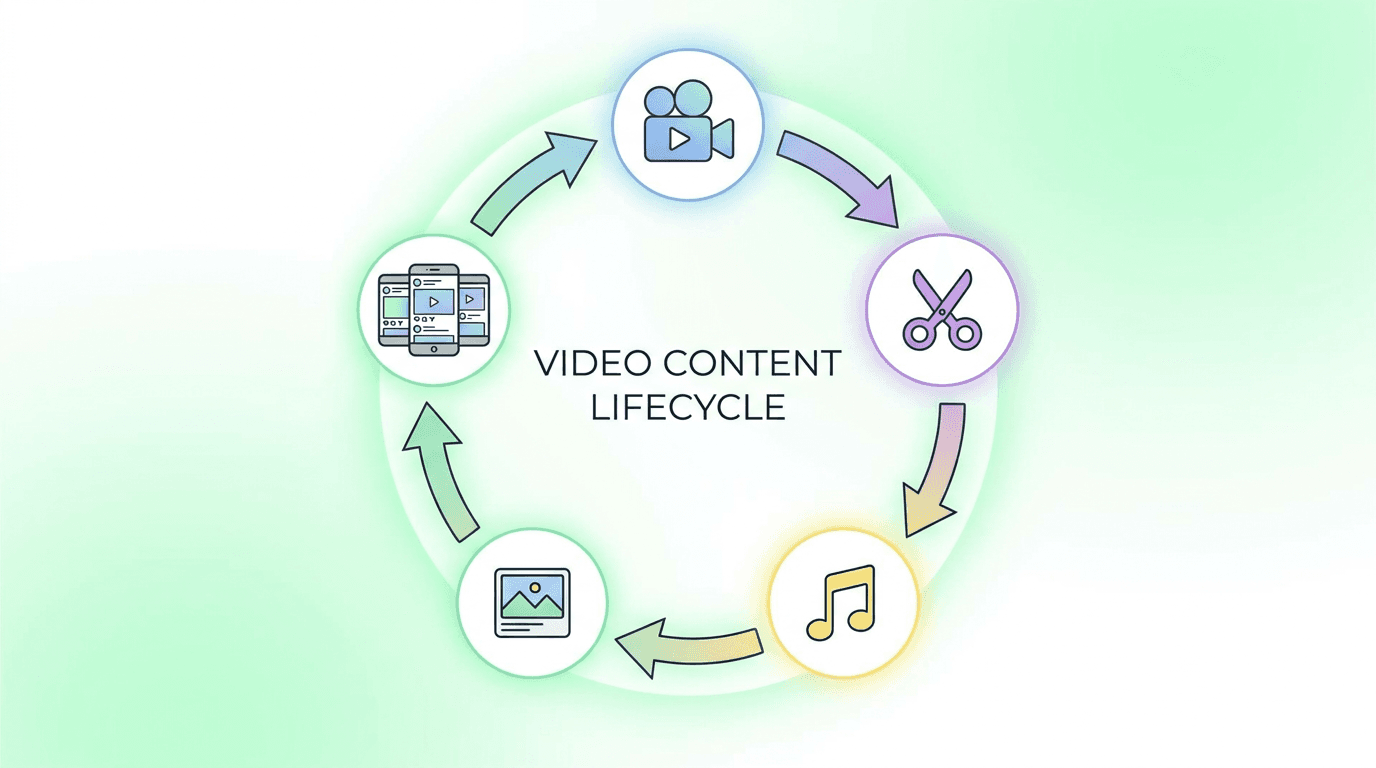
Start with one long-form video per week. This is your anchor content. Invest your production time here because everything else flows from it.
Clip it into 7 to 10 Shorts. Use AI Clipping on Miraflow to extract the best moments. Post one Short per day across your platforms.
Generate a thumbnail for each Short. Use the YouTube Thumbnail Maker to create custom Shorts thumbnails that boost search visibility.
Create background music for clips that need it. Use the AI Music Generator to produce original tracks that enhance the energy of your clips without risking copyright claims.
Produce supplementary original Shorts. For topics where you want to create fresh content rather than repurpose, the Text2Shorts generator handles the complete workflow from topic to finished vertical video with script, visuals, and voice.
Generate cinematic B-roll for premium content. The Cinematic Video Generator produces 8-second hyper-realistic video clips from text prompts, which can serve as polished intros, transitions, or visual accents in your Shorts.
Create images for social posts about your videos. The AI Image Generator can produce social media visuals, blog thumbnails, and promotional graphics for your content across every platform.
This entire pipeline lives within Miraflow, which means you can handle the full workflow from video to clips to thumbnails to music without switching between multiple platforms.
Measuring Success: The Metrics That Matter for Repurposed Shorts
Once you start publishing AI-clipped Shorts consistently, you need to track the right metrics to understand what is working and refine your strategy over time.

Watch-through rate is the most important metric for individual Shorts. Aim for a 70% or higher average view duration. That is the retention floor where the algorithm begins giving you meaningful distribution.[8]
Viewed vs. swiped away shows you how effectively your opening hook is working. If a clip has a high swipe-away rate, the first 2 seconds need to be stronger. You can find this metric in YouTube Studio's analytics for each Short.
Subscriber conversions per Short tells you which clips are driving channel growth. This is the metric that connects your Shorts strategy to long-term audience building.
Traffic to full video measures how effectively your Shorts are functioning as a funnel to your long-form content. If your Shorts generate millions of views but zero clicks back to the source video, your funnel needs work.
Cross-platform view totals give you the full picture when you are posting the same clip to YouTube, TikTok, and Instagram. Track total views across all three platforms for each clip to understand which moments resonate universally and which perform better on specific platforms.
The can you monetize faceless YouTube channels made entirely with AI guide covers the monetization side of this equation in detail, including how Shorts revenue is calculated and how to maximize earnings from repurposed content.
Conclusion
Turning one long-form video into 10 or more viral Shorts is no longer a time-intensive editing task. Repurposing long videos into viral short clips involves two critical components: intelligent curation and strategic editing.[1] AI clipping tools handle both of these automatically, from transcribing and analyzing your video to identifying the best moments, scoring them for virality, cropping them to vertical format, and adding captions.
The AI Clipping tool on Miraflow makes this workflow accessible from a single YouTube URL. You paste your link, configure your settings, click Generate Clips, and within minutes you have a set of publish-ready Shorts ranked by their predicted viral potential. The smart face-tracking crop keeps your subject centered in the vertical frame, the animated karaoke-style captions boost retention and accessibility, and the 1080x1920 output format is ready for TikTok, Instagram Reels, and YouTube Shorts without any additional conversion.
The creators who grow fastest in 2026 are the ones who extract maximum value from every piece of content they create. One long-form video per week, combined with consistent AI-clipped Shorts posted daily, creates a content flywheel that drives discovery through short-form and deepens engagement through long-form. The tools are available, the workflow is straightforward, and the results speak for themselves.
Start with your best-performing video. Paste the URL into the AI Clipping tool, generate your clips, and post your first repurposed Short today.
Frequently Asked Questions
How many Shorts can I generate from a single long-form video?
The number depends on the length and content density of your source video. A 20 to 30-minute video typically produces 10 to 20 usable clips. Longer content like hour-long podcasts can produce 30 or more. You can set the Max Clips parameter in the AI Clipping tool to control how many clips are generated per job.
Do I need to edit the clips after the AI generates them?
Most clips are publish-ready, but a quick review is recommended. Check that captions are accurate, the face-tracking crop looks good, and the opening hook is strong. Spending 2 to 3 minutes per clip on review will improve your overall results.
Will repurposed Shorts hurt my long-form video performance?
No. YouTube fully decoupled the Shorts recommendation engine from long-form in late 2025. Your Shorts performance and your long-form performance are evaluated independently, so experimenting with Shorts carries no risk to your main videos.
Can I post the same AI-clipped Short on YouTube, TikTok, and Instagram?
Yes. The clips are exported at 1080x1920 in 9:16 format, which is the standard for all vertical video platforms. You can post the same clip across all three platforms with minor adjustments to captions and titles for each platform's audience.
How often should I post Shorts from repurposed content?
Posting 3 to 5 Shorts per week is a strong starting point for most creators. Daily posting is ideal if you have enough clips, but consistency matters more than frequency. Maintaining a regular schedule signals to the algorithm that your channel is active.
Does AI Clipping work for videos in languages other than English?
Yes. The AI Clipping tool on Miraflow supports auto-detection across 50 or more languages. The transcription, analysis, and captioning all work automatically regardless of the source language.
What is the ideal length for an AI-clipped Short in 2026?
Data suggests that Shorts under 40 seconds tend to perform best for loop rate and watch-through rate. However, some content types like educational explainers may benefit from slightly longer clips up to 60 seconds. Setting your min clip duration to 15 seconds and max to 45 seconds is a good default range.
How does the virality scoring work?
The AI analyzes each potential clip for factors that correlate with high engagement, including hook strength, emotional intensity, information density, and standalone value. Each clip receives a score that predicts its relative potential for viral performance. Publishing your highest-scored clips first generally produces better results.