25 AI Headshot Prompts for LinkedIn and Professional Photos That Actually Look Like You (2026)

Written by
Aerin Kim
25 copy-paste AI headshot prompts for LinkedIn, resumes, and speaker bios, built around real camera, lighting, and identity-preservation language that keeps your actual face.
If your LinkedIn photo is still the one from a work conference three years ago, or a cropped vacation selfie, you are losing opportunities you never even see. Profiles with a professional headshot get roughly 14 times more profile views and 36 times more messages than profiles without one, and in 2026 almost nobody is booking a $150 to $400 studio session to fix that. They are generating one instead, in about the time it takes to write a good prompt.
That last part is where most people get stuck. A vague prompt like "professional headshot of me" hands the model too much room to invent a face that is not quite yours, smooth it into the uncanny plastic look recruiters have learned to spot instantly, or put you in front of a background that reads as generated rather than photographed. The fix is not a better tool, it is a better prompt, one that is specific about lighting, lens, wardrobe, and background while leaving your actual face alone.
This post gives you 25 ready-to-use AI headshot prompts, grouped by use case, built around the specific technical language that actually produces a photograph instead of an illustration. You can run every one of these directly in the AI Image Generator in Miraflow AI, which supports image-to-image generation from a real photo of you, so the output keeps your actual facial structure instead of inventing a stranger who looks vaguely similar.
Why AI Headshots Work Differently in 2026
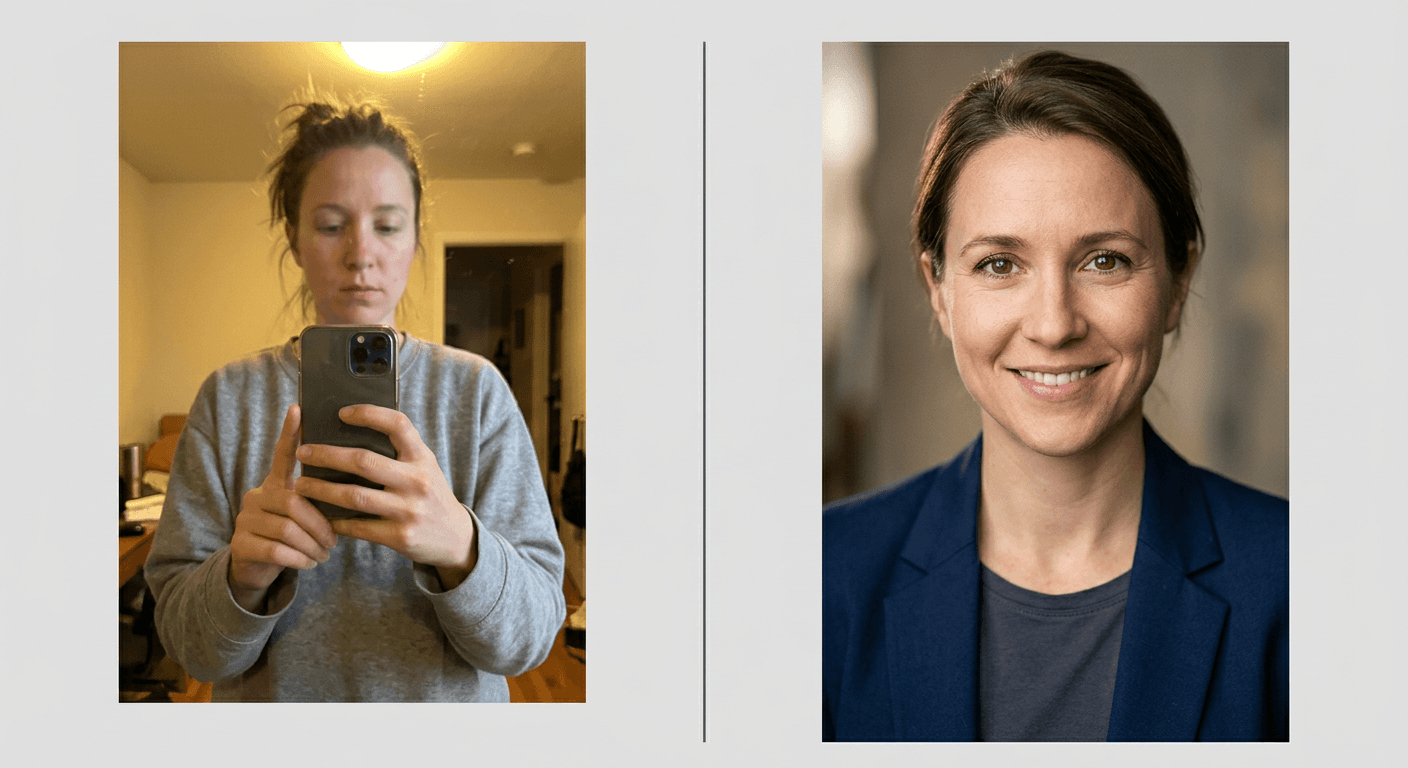
The technology got good enough that "does this look real" stopped being the interesting question. The interesting question now is "does this still look like the actual person," and 2026's biggest shift among recruiters and hiring managers is exactly that: authenticity over perfection. People who spend time reviewing candidate profiles have gotten fast at spotting the tell-tale signs of an over-processed AI photo: uniformly poreless skin, background blur that does not match the depth of field on the subject's face, eyes that catch light in a way no real lens produces, and a jawline or bone structure that is subtly, unplaceably different from the person's other photos.
The professionals winning more interview callbacks with an AI-generated headshot are not the ones who look like a slightly different, more symmetrical stranger. They are the ones who look like a genuinely better version of themselves, same face, same features, just photographed under better light with better wardrobe and a cleaner background than most people can arrange in their apartment on a Tuesday. That distinction, enhance the environment around the person instead of altering the person, is the single most important principle behind every prompt in this post.
Cost is the other half of why this shifted so fast. A traditional headshot session with a photographer, hair and makeup, and a same-day edit still runs $150 to $400 in most markets, and that buys you one outfit, one setting, and a handful of usable frames. Generating headshots costs a fraction of that and gets you dozens of variations, different backgrounds, different wardrobe, different platforms, in an afternoon.
The Anatomy of a Prompt That Actually Looks Like a Photograph
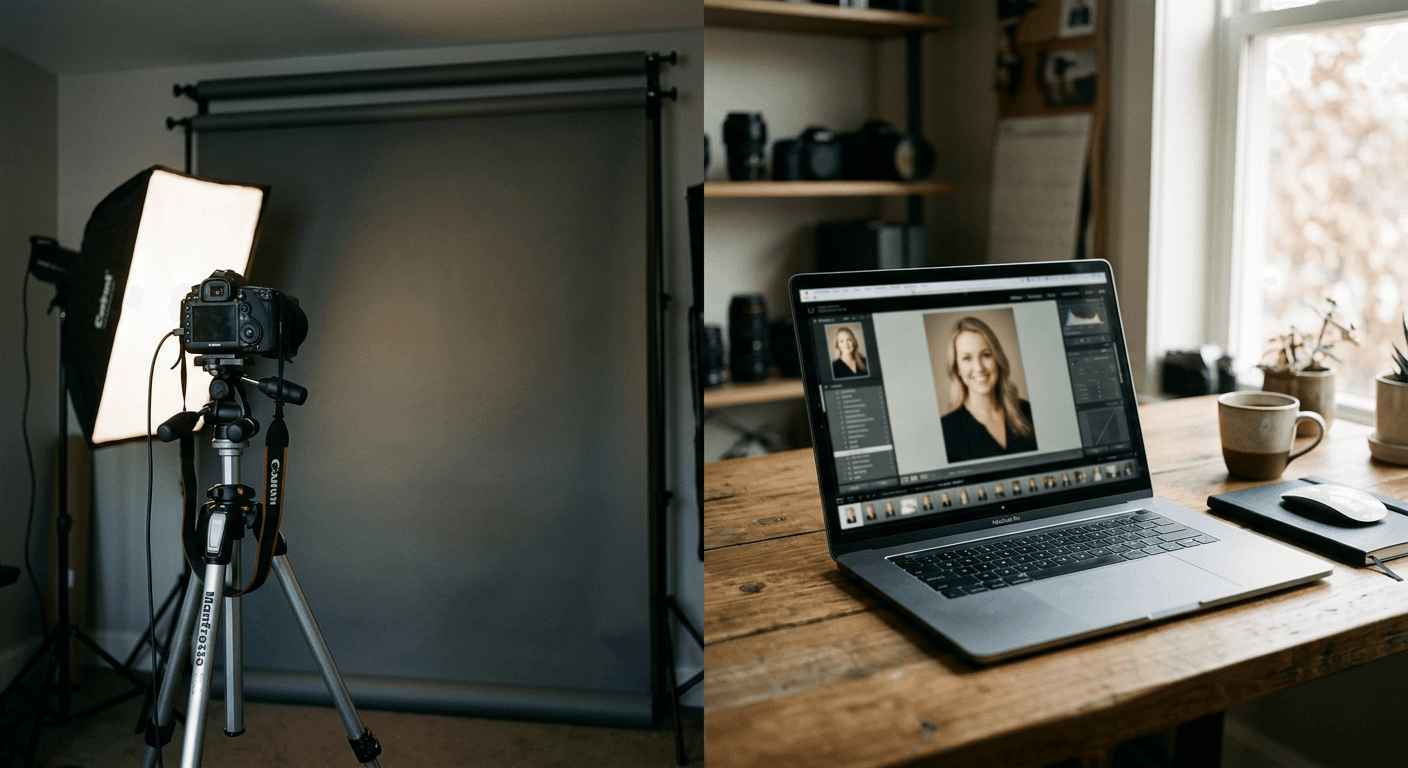
Before the prompt list, it helps to understand why some of these work and generic ones do not. Every strong headshot prompt in this post is built from five ingredients, in roughly this order of importance:
A real camera and lens reference. "Shot on an 85mm lens" or "shot on a 50mm lens at f/2.8" tells the model what kind of optical compression and background blur a real portrait lens produces, which is very different from the flat, everything-in-focus look a lot of raw AI output defaults to.
A specific, directional light source. "Soft studio lighting from the upper left with gentle fill light from the right" is close to a universal instruction that works across almost any professional headshot setting, because it describes how real studio strobes and reflectors are actually positioned, not just "good lighting."
A simple, described background, not an elaborate one. The strongest corporate headshots use plain, out-of-focus settings, a neutral seamless backdrop, a softly blurred office, a muted wall color, because a busy or highly detailed background is both less professional and harder for the model to render convincingly at the edges of a portrait crop.
Explicit instructions to preserve identity. Phrases like "preserve exact facial structure, natural skin texture, and real proportions" or "same face as the reference photo, no facial reshaping" push the model toward enhancing conditions rather than inventing a new face, which is the entire authenticity-over-perfection point above.
Wardrobe and framing described in plain, specific terms. "Tailored charcoal blazer over a white collared shirt, head-and-shoulders crop" gives the model something concrete to render instead of guessing at generic business attire that can look costume-like.
Every prompt below follows that structure. Feel free to swap the wardrobe color, background setting, or framing detail to match your actual industry and style, the framework underneath is what matters most.

1) LinkedIn and Professional Networking Headshots
Your LinkedIn photo does more work than any other single image in your professional life. These five are built specifically around what performs well on a platform where the photo displays small and needs to read clearly even as a thumbnail.
Prompt 1: The Classic Corporate Headshot
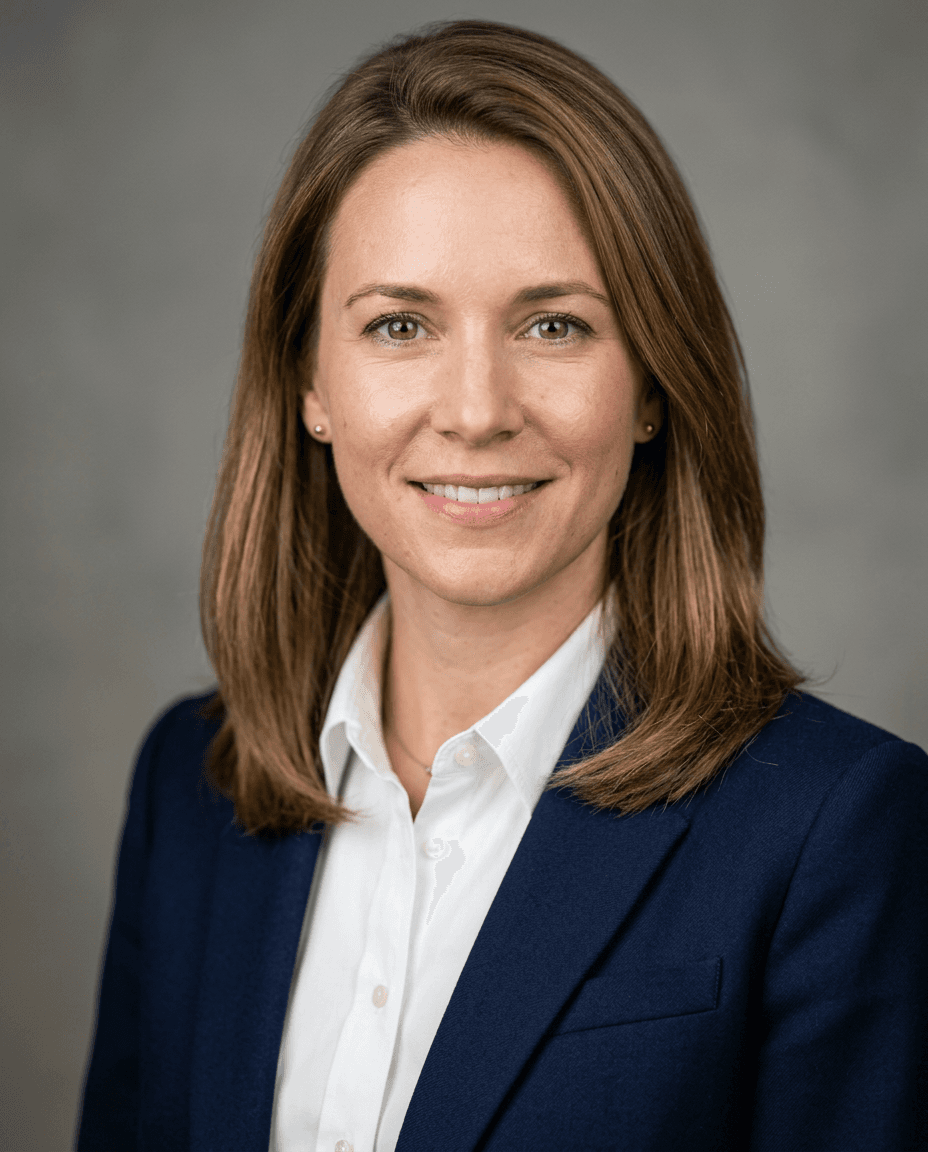
Professional headshot photo, head-and-shoulders crop, preserve exact facial structure and natural skin texture from the reference photo, no facial reshaping. Tailored navy blazer over a white collared shirt. Soft studio lighting from the upper left with gentle fill light from the right, shot on an 85mm lens at f/2.8 for natural background blur. Plain, softly out-of-focus neutral gray backdrop. Sharp focus on the eyes, natural skin pores visible, no plastic or airbrushed texture, confident closed-mouth smile, direct eye contact with the camera.
Prompt 2: The Approachable Modern Professional
Professional headshot, preserve exact facial features and proportions from the reference photo. Smart casual outfit, a fitted crewneck sweater in a muted color, no tie. Warm natural window light from the side, shot on a 50mm lens with a shallow depth of field. Softly blurred modern office interior visible behind the subject, out of focus. Genuine relaxed smile, natural skin texture, no over-smoothing, realistic catchlights in the eyes.
Prompt 3: The Executive Presence Shot
Executive-style professional headshot, preserve the subject's real facial structure and age-appropriate skin texture exactly as shown in the reference photo. Dark tailored suit jacket, crisp white shirt, no tie. Three-point studio lighting setup with a soft key light from the upper left, subtle rim light separating the subject from the background. Deep charcoal seamless backdrop, shot on an 85mm lens, tight head-and-shoulders crop. Serious but approachable expression, sharp focus on the eyes.
Prompt 4: The Creative Industry Headshot
Professional headshot for a creative industry profile, preserve exact facial identity from the reference photo. Relaxed button-up shirt in a muted earth tone, sleeves slightly rolled. Soft directional light through a large window, natural and unforced, shot on a 50mm lens. Background is a softly blurred exposed-brick or industrial loft wall, warm ambient tones. Genuine expression, natural skin texture with visible pores, no digital smoothing.
Prompt 5: The Consultant or Advisor Look
Clean, trustworthy professional headshot, preserve the subject's exact facial structure and natural skin texture from the reference photo. Light gray blazer over a pale blue shirt. Bright, even studio lighting from directly in front and slightly above, minimal shadow, shot on an 85mm lens. Plain white or very light gray seamless background. Confident, warm expression, sharp eye focus, realistic skin texture with no artificial smoothing.
2) Industry-Specific Headshot Styles
Different fields read differently in a headshot, and the wardrobe and lighting choices that work for a finance profile look slightly stiff on a designer's portfolio page. These five are built around specific industries.
Prompt 6: Tech and Startup Founder
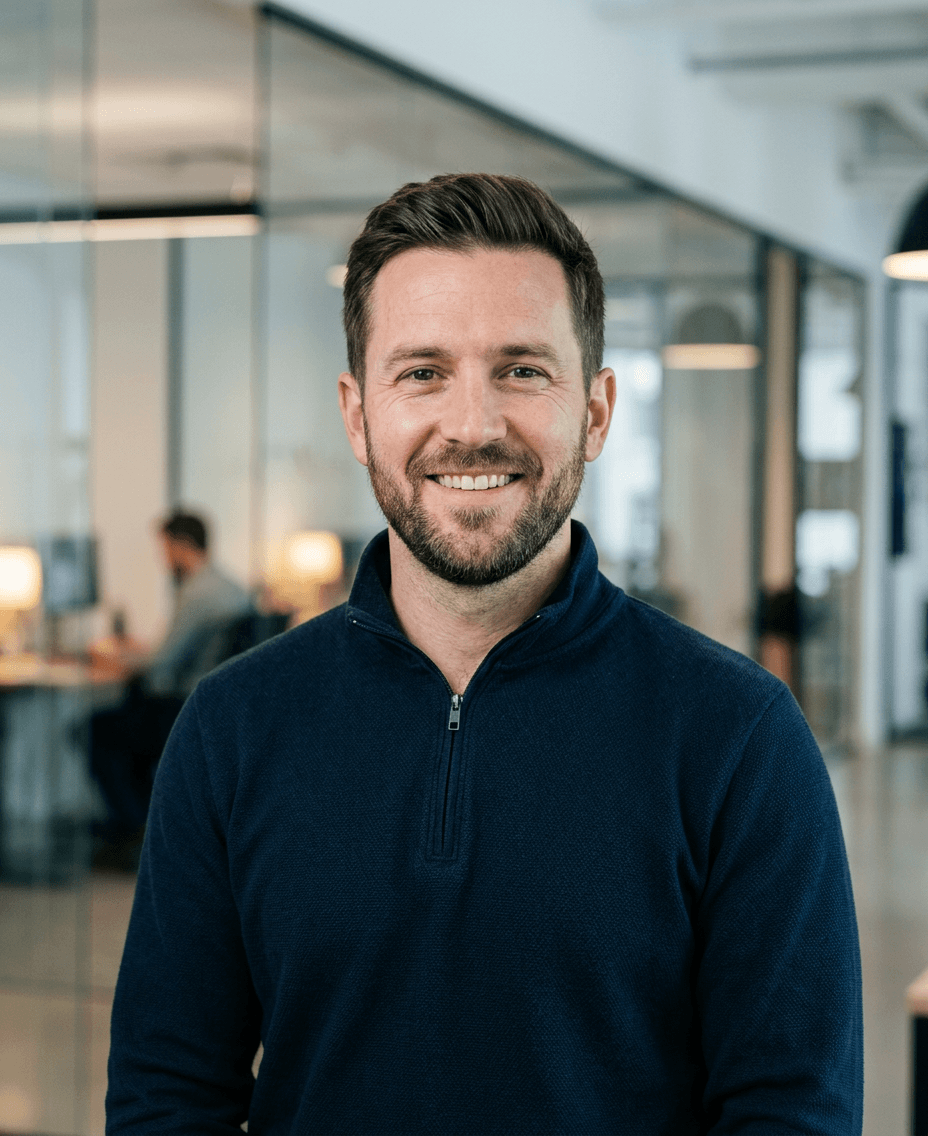
Professional headshot for a tech founder profile, preserve exact facial identity and natural skin texture from the reference photo. Simple dark quarter-zip pullover or plain crewneck, no blazer. Soft, even light with a slightly cool color temperature, shot on a 50mm lens with gentle background blur. Softly blurred modern office or plain light gray backdrop. Confident, relaxed expression, natural skin texture, no over-processing.
Prompt 7: Finance and Legal Professional
Formal professional headshot for finance or legal, preserve the subject's exact facial structure from the reference photo, no reshaping. Dark navy or charcoal suit, white shirt, subtly patterned tie. Classic three-point studio lighting, soft key light from the upper left with fill from the right, shot on an 85mm lens. Deep neutral gray or navy seamless backdrop. Composed, serious expression, sharp focus on the eyes, natural skin texture.
Prompt 8: Healthcare and Medical Professional
Clean, approachable professional headshot for a healthcare provider profile, preserve exact facial features and natural skin texture from the reference photo. White coat over a collared shirt, or scrubs in a solid muted color. Bright, soft, even lighting with minimal harsh shadow, shot on an 85mm lens. Plain light background, softly out of focus. Warm, trustworthy expression, natural skin texture with visible pores.
Prompt 9: Real Estate and Sales Professional
Warm, confident professional headshot for a real estate or sales profile, preserve exact facial identity from the reference photo. Well-fitted blazer in a warm neutral tone over a light shirt, no tie. Warm golden-hour style directional light from the side, shot on a 50mm lens with soft background blur. Background is a softly blurred exterior or bright modern lobby setting. Genuine, welcoming smile, natural skin texture.
Prompt 10: Academic or Speaker Profile
Thoughtful, credible professional headshot for an academic or public speaker profile, preserve exact facial structure and natural skin texture from the reference photo. Tweed or textured blazer over a simple sweater, elbow patches optional. Soft, even library-style lighting, shot on an 85mm lens. Background is a softly blurred bookshelf, out of focus. Calm, confident expression, direct eye contact, natural skin texture with no artificial smoothing.
3) Backgrounds and Settings
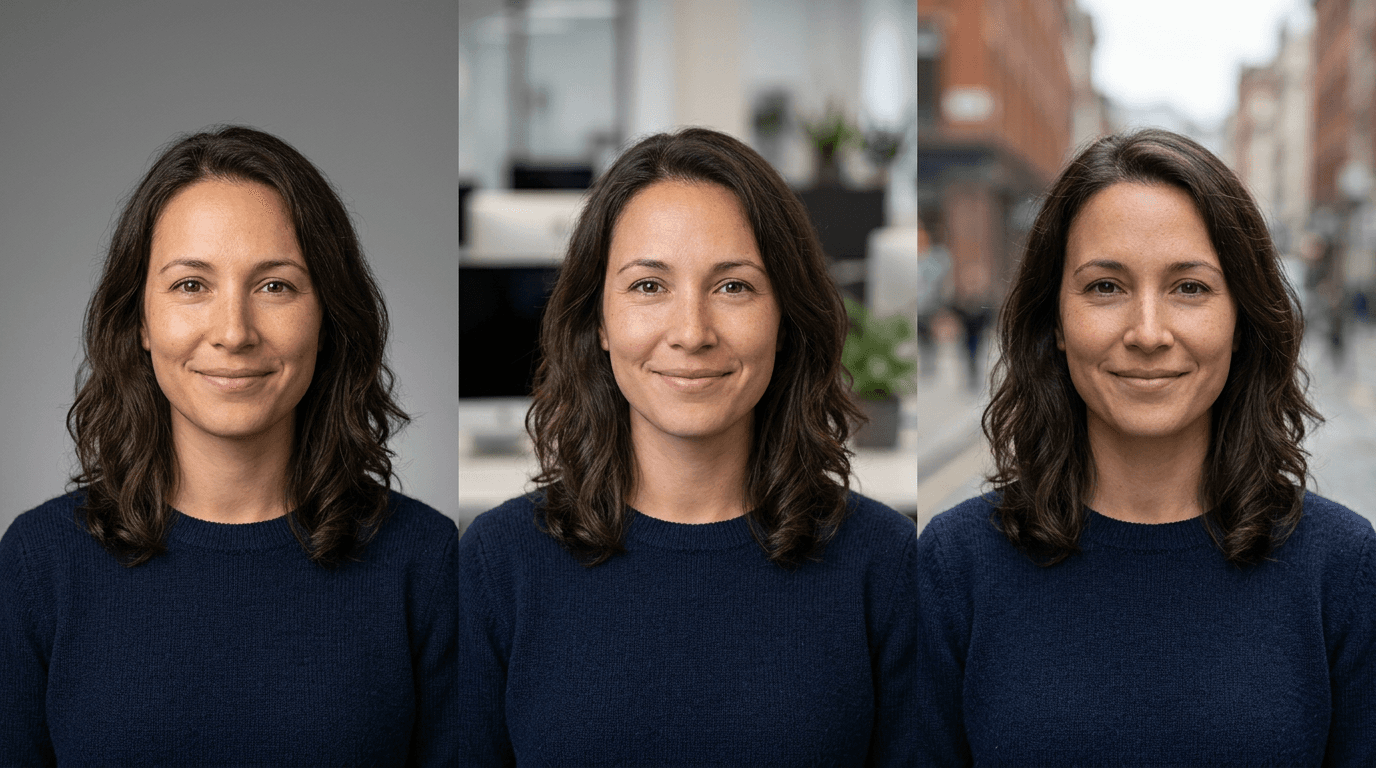
The background sets the entire tone of a headshot, and this group focuses purely on swapping the setting while keeping the same core photographic treatment, useful once you have a face-preserving base shot you like.
Prompt 11: Neutral Studio Backdrop
Same professional headshot composition, preserve exact facial identity from the reference photo. Plain seamless studio backdrop in a soft neutral gray, evenly lit with no visible seams or texture. Soft key light from the upper left, shot on an 85mm lens at f/2.8 for a clean, slightly blurred edge on the backdrop.
Prompt 12: Modern Office Interior
Same professional headshot composition, preserve exact facial identity from the reference photo. Background is a softly out-of-focus modern office interior, glass partitions and warm ambient lighting visible but not distracting, shot on a 50mm lens with a shallow depth of field so the background reads as pleasantly blurred, not sharp or busy.
Prompt 13: Outdoor Natural Light Setting
Same professional headshot composition, preserve exact facial identity from the reference photo. Outdoor setting with soft, overcast natural light, no harsh shadows on the face. Background is a softly blurred urban street or park setting, shot on an 85mm lens for strong background separation.
Prompt 14: Warm Bookshelf or Home Office
Same professional headshot composition, preserve exact facial identity from the reference photo. Background is a softly blurred warm home office setting, a bookshelf or wood paneling visible but out of focus. Warm, soft directional light from a window, shot on a 50mm lens.
Prompt 15: Solid Color Studio Wall
Same professional headshot composition, preserve exact facial identity from the reference photo. Plain solid-color studio wall in a muted sage green or soft blue, evenly lit with soft diffused light from directly in front. Shot on an 85mm lens, tight head-and-shoulders crop with a small amount of headroom.
4) Resume, Speaker Bio, and Portfolio Headshots
LinkedIn is not the only place a headshot has to work. These five are built for the specific crops and tones that resumes, conference speaker pages, and freelance portfolios actually need.
Prompt 16: Resume Headshot, Small Crop Ready
Compact professional headshot optimized for a small resume thumbnail, preserve exact facial identity from the reference photo. Simple collared shirt or blouse, no busy patterns. Bright, even, flattering light, shot on an 85mm lens, tight square crop centered on the face and shoulders, high contrast between subject and a plain light background so the photo still reads clearly at a small size.
Prompt 17: Conference Speaker Bio Photo
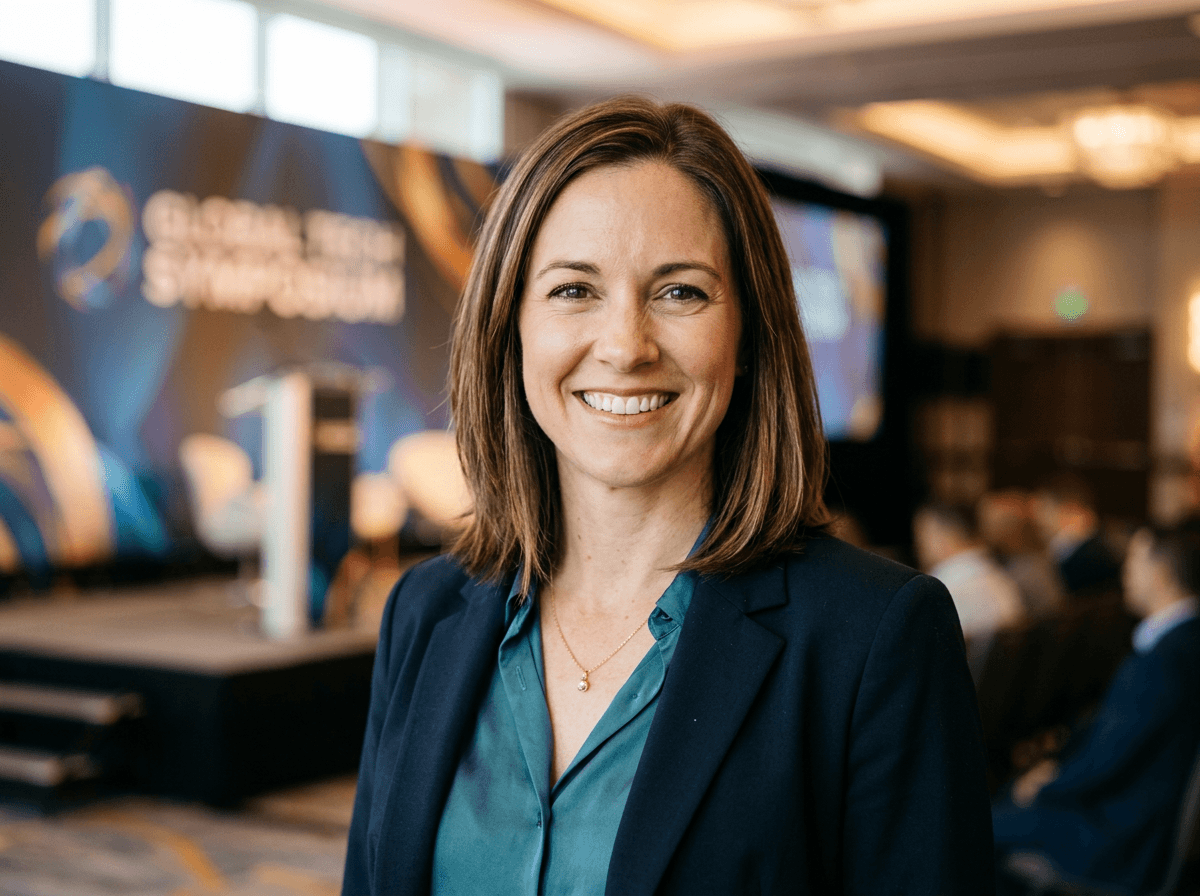
Confident, energetic professional headshot for a conference speaker one-sheet, preserve exact facial identity from the reference photo. Smart casual outfit appropriate for stage or panel appearances. Bright, even lighting from the front, shot on a 50mm lens with a wider crop that includes some shoulder and upper chest space for a speaker bio layout. Softly blurred stage or event backdrop.
Prompt 18: Freelance Portfolio Profile Photo
Approachable, personable professional headshot for a freelance profile on a platform like Upwork or a personal portfolio site, preserve exact facial identity from the reference photo. Casual but put-together outfit in a solid color. Soft natural window light, shot on a 50mm lens. Plain, softly blurred background, genuine warm smile, natural skin texture.
Prompt 19: Team or About Page Photo
Consistent, professional headshot designed to match a company team page style, preserve exact facial identity from the reference photo. Solid-color top matching a brand-neutral palette. Even, soft studio lighting from directly in front, shot on an 85mm lens, centered head-and-shoulders crop with consistent framing so it matches teammates' photos in a grid layout.
Prompt 20: Video Call and Zoom Profile Photo
Bright, clear professional headshot optimized for a small video call profile circle, preserve exact facial identity from the reference photo. Simple collared shirt. Bright, even, front-facing light with minimal shadow, shot on an 85mm lens, tight centered crop on the face with generous headroom so the photo still reads well when cropped into a circle.
5) Style and Presentation Variations
The last five cover common wardrobe, accessory, and presentation variations people actually search for, still built on the same identity-preserving foundation as everything above.
Prompt 21: Headshot With Glasses
Same professional headshot composition, preserve exact facial identity and existing glasses from the reference photo exactly as they are, no changing the frame style. Adjust lighting to avoid glare or reflection on the lenses, soft studio light from a slight angle rather than straight on. Shot on an 85mm lens, plain neutral background.
Prompt 22: Business Casual, No Blazer
Relaxed but polished professional headshot, preserve exact facial identity from the reference photo. Plain crewneck sweater or button-up shirt with no jacket, sleeves neat. Soft, warm natural light, shot on a 50mm lens. Plain, softly blurred background, genuine relaxed expression.
Prompt 23: Headshot With Natural Beard or Facial Hair
Same professional headshot composition, preserve exact facial identity and natural facial hair from the reference photo exactly as it appears, no altering the beard shape or density. Tailored blazer, soft studio lighting from the upper left, shot on an 85mm lens, plain neutral backdrop.
Prompt 24: Headshot With Hijab or Head Covering
Same professional headshot composition, preserve exact facial identity and the hijab or head covering from the reference photo exactly as worn, matching its color and fabric texture accurately. Tailored blazer or professional top, soft even studio lighting, shot on an 85mm lens, plain neutral background.
Prompt 25: Later-Career Executive Headshot
Professional headshot for an experienced, senior-level profile, preserve the subject's exact age-appropriate facial structure and natural skin texture from the reference photo, no age alteration in either direction. Tailored dark suit or blazer, soft flattering studio light from the upper left with gentle fill, shot on an 85mm lens. Plain neutral seamless background, composed and confident expression, natural skin texture with visible fine lines and pores intact.

How to Customize These Prompts for Your Face and Industry
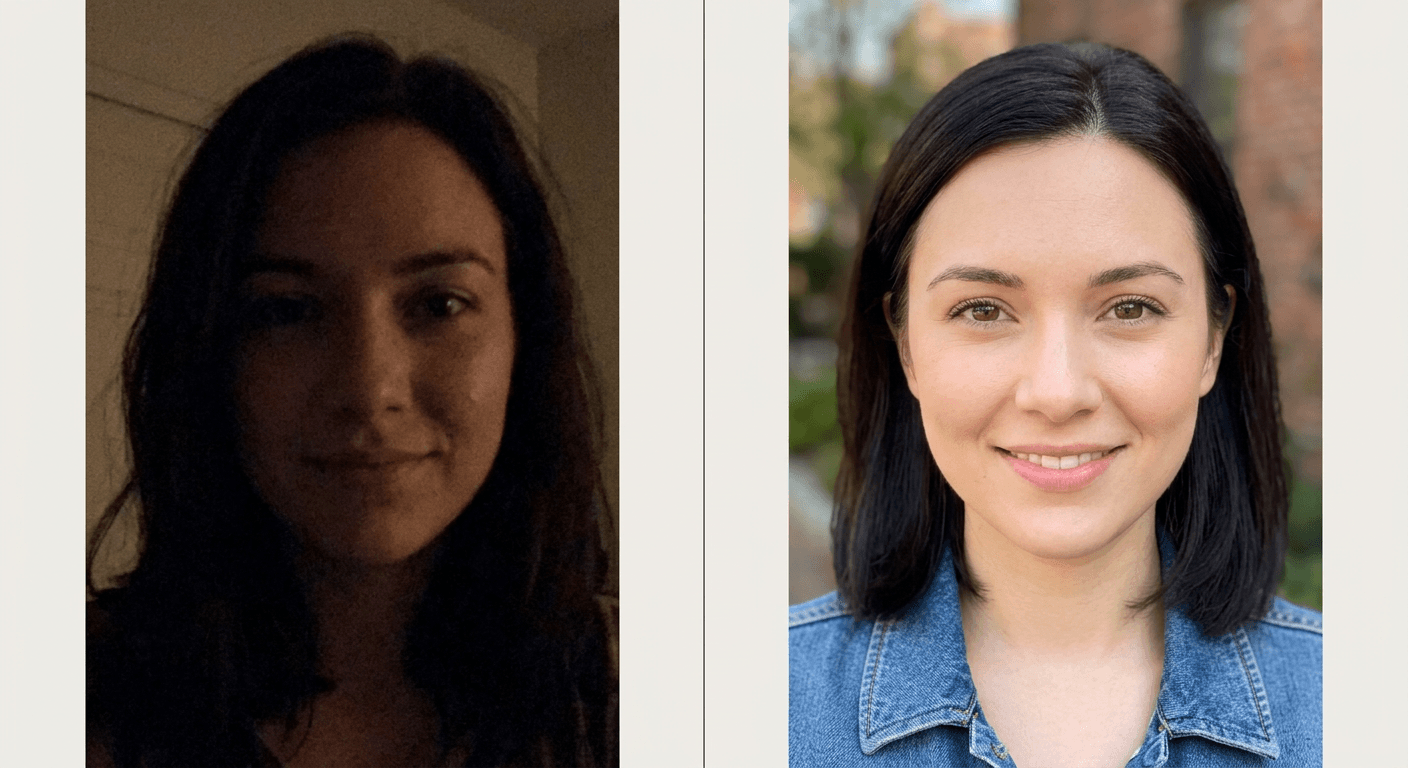
Start from a genuinely clear, well-lit reference photo of yourself, ideally one where your face is unobstructed and evenly lit, since the model has more real information to preserve from a clear source photo than a dark or blurry one. Run that reference through the AI Image Generator in Miraflow AI using image-to-image generation rather than text-to-image alone, which anchors the output to your actual face instead of generating a new one from description alone.
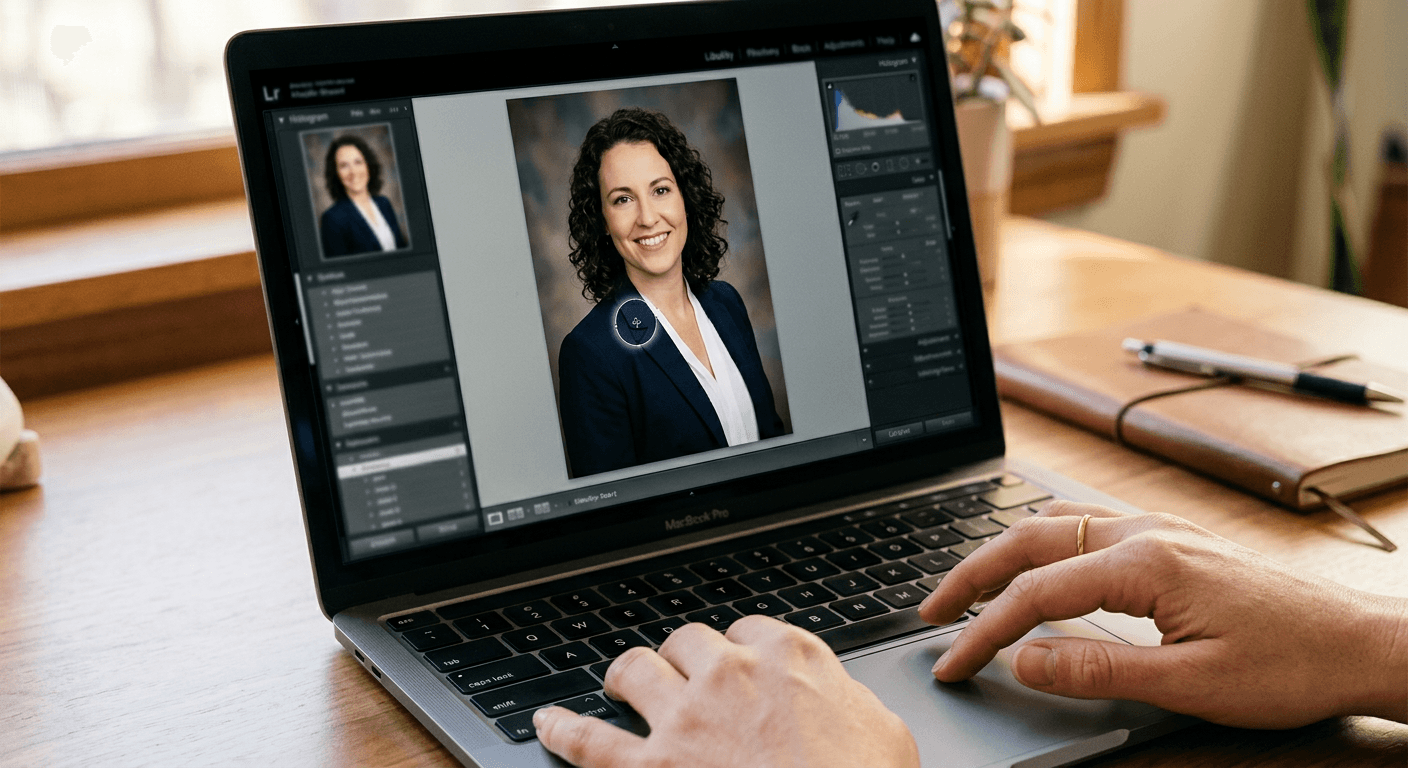
If a first result is close but not quite right, resist the urge to regenerate from scratch with a completely new prompt. Instead, use targeted inpainting to fix one specific area, a wrinkled collar, a stray hair, an odd shadow, while leaving the rest of the image, including your face, untouched. This is the same principle photographers use when they retouch a real photo instead of reshooting it: fix the specific flaw, do not remake the whole image.
Match your wardrobe color choice to your industry's actual norms rather than defaulting to navy for everything. Creative fields tolerate, and often reward, warmer and more textured wardrobe choices than finance or legal, where the safer, more neutral options in the prompts above tend to perform better with a traditional audience.
If you manage a team and need a consistent look across multiple people's headshots, for a company directory or about page, keep the lighting description, lens choice, and background identical across every person's prompt and only change the wardrobe and pose details. This is the same consistency principle covered in more depth in our guide to making consistent AI characters across multiple images, applied here to a team of real people instead of a single fictional character.
Common Mistakes People Make With AI Headshots
Using a low-quality or heavily filtered reference photo. The model can only preserve what it can actually see clearly. A dark, blurry, or already-filtered selfie gives it very little real facial information to anchor to, which is exactly when it starts inventing features that are not really yours.
Over-describing the face instead of the environment. The moment a prompt starts specifying eye color, nose shape, or jawline details instead of letting the reference photo carry that information, the output drifts further from actually looking like you. Describe the light, the lens, the wardrobe, and the background. Let the reference photo do the face.
Ignoring platform crop requirements. A gorgeous wide shot that gets center-cropped into a tiny circle for LinkedIn or Zoom can end up cutting off part of your face or looking oddly zoomed. Generate with the actual final crop and aspect ratio in mind, which is exactly why several of the prompts above specify a tight, centered head-and-shoulders framing rather than a looser composition.
Choosing a background that is too detailed or busy. A highly detailed bookshelf, a cluttered desk, or a bright patterned wall competes with your face for attention and, more practically, is one of the areas AI image generation still struggles to render perfectly at the edges of a portrait crop. Simple, softly blurred settings age better and look more intentional.
Mismatched lighting between the subject and background. If the described light source does not logically match the described setting, warm golden light on a face in front of what should be a cool fluorescent-lit office, the result reads as subtly wrong even to someone who cannot articulate why. Keep the light source description consistent with the setting you are asking for.
Treating one generated headshot as final without testing variations. Because generating a headshot costs a fraction of a photography session, there is no real reason to settle for the first output. Generate the same core prompt with two or three lighting or background variations and pick the one that actually looks most like a photo of you having a good day, not just the technically cleanest render.
Where to Actually Use Each Style
Not every headshot needs to do every job. Your LinkedIn photo can afford a slightly more polished, brand-forward look since it is seen thousands of times by people casually scrolling. A resume photo, where one is expected in your industry or region, should prioritize clarity at a small size over stylistic flair. A speaker bio photo benefits from a wider crop and more energy in the expression since it often runs alongside a full bio paragraph rather than standing alone. A team page photo should sacrifice some individual personality for consistency with your colleagues' photos, since a grid of five wildly different styles looks less professional than five slightly plainer but matching ones.
If you are building out a broader personal brand presence beyond a single headshot, styled photos for different platforms and contexts, our guide to AI prompts for personal branding photos covers fifteen additional archetypal looks, from startup founder to thought leader, that pair well with the corporate headshot foundation in this post. And if you also post regularly on LinkedIn itself, the accompanying post images matter almost as much as your profile photo. Our LinkedIn post image prompts for engagement and LinkedIn post images that get clicks guides cover that side of the same platform.
Getting the Photorealism Right
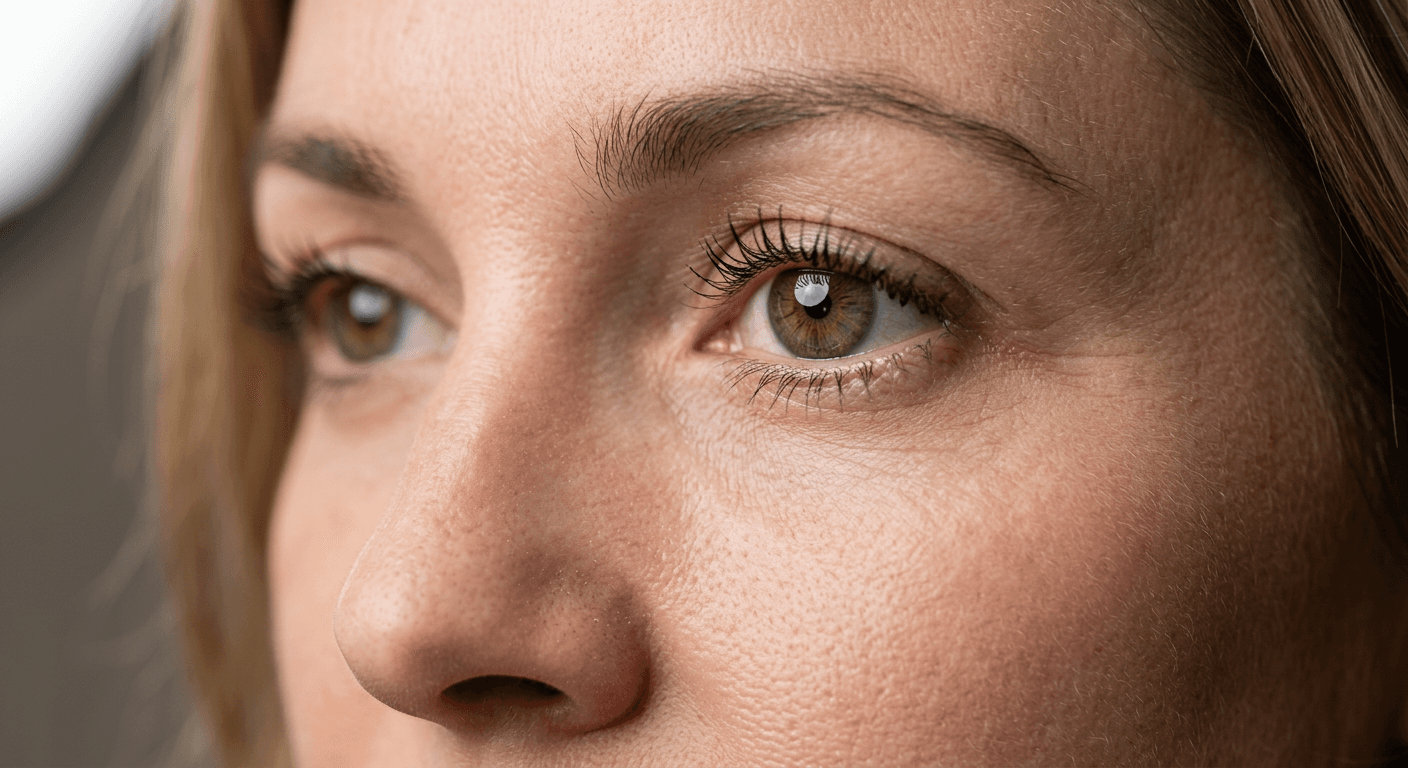
Everything in this post depends on the output actually reading as a photograph rather than an obviously generated image, since an uncanny or overly smooth headshot undermines the exact credibility it is supposed to build. If you want a deeper technical breakdown of the specific camera, lighting, and imperfection language that pushes AI output toward genuine photorealism, our guide on how to make AI images look like real photos covers ten additional prompt tricks, film grain, lens characteristics, subtle optical flaws, that apply directly to headshot generation as well. There is also a dedicated collection of 50 prompts built specifically to look like real photos if you want more raw material to pull from beyond headshots specifically.
For touch-ups after generation, a wrinkled collar, a stray flyaway hair, an odd reflection in glasses, Nano Banana image inpainting on Miraflow AI walks through exactly how to mask and fix one small region of a photo without regenerating the whole thing, which is the fastest way to take a 90 percent right headshot to something you would actually put on your profile.
How Miraflow AI Fits Into Your Headshot Workflow
Every prompt in this post is built to work with the AI Image Generator in Miraflow AI, which runs directly in the browser with no software to install. Upload a clear photo of yourself, paste in one of the prompts above using image-to-image generation so your actual face anchors the output, and generate several variations to compare side by side. If one comes back close but not perfect, the same tool's inpainting feature lets you mask and fix a single detail, a shadow, a wrinkle, a stray hair, without touching the rest of the image or regenerating your face from scratch. Once you have a headshot you're happy with, the YouTube Thumbnail Maker in Miraflow AI can also repurpose the same clear portrait into a face-forward thumbnail if you create video content under your own name.
Frequently Asked Questions
Will an AI headshot actually pass as a real photo on LinkedIn? Yes, when it is built correctly. The prompts in this post are specifically designed to preserve your real facial structure and add realistic imperfections like natural skin texture, so the result reads as a well-lit photograph rather than an obviously generated image. The mistakes to avoid, over-smoothed skin and mismatched lighting, are covered in the Common Mistakes section above.
Is it dishonest to use an AI-generated headshot for a professional profile? No, as long as the output still genuinely looks like you. The entire principle behind every prompt here is enhancing the environment around your real face, better light, better background, better wardrobe framing, rather than generating a different person. Think of it as the AI equivalent of hiring a photographer and stylist, not creating an avatar.
What is the best aspect ratio for a LinkedIn profile photo? LinkedIn crops profile photos into a circle from a roughly square source image, so generate at a 1:1 aspect ratio with generous headroom and a centered subject, so the crop does not accidentally clip your forehead or chin.
Can I use these prompts for a headshot with a headscarf, hijab, glasses, or a beard? Yes, prompts 21, 23, and 24 above are built specifically to preserve those exactly as they appear in your reference photo rather than altering or removing them, which is the correct approach for keeping the result authentic to how you actually look.
How many different headshot variations should I generate before picking one? Generate at least three to five variations of your preferred prompt, varying only the lighting or background slightly between them, since even small changes can meaningfully affect which one feels most natural. Because generation is fast and inexpensive compared to a photography session, there is little reason to settle for the very first result.
Do I need a professional camera or good lighting for my reference photo? No professional equipment is required, but a clear, well-lit, unobstructed photo of your face taken on any modern phone camera gives the model far more accurate information to work from than a dark, blurry, or heavily filtered one.
Can I generate headshots for my whole team in a consistent style? Yes. Keep the lighting, lens, and background description identical across every prompt and only vary the wardrobe and individual details, the same approach used for consistent characters across multiple images, so the resulting set looks like it came from one coordinated photo session rather than several different styles stitched together.
Why does my AI headshot sometimes look like a slightly different person? This usually happens when the prompt spends too much language describing facial features directly, competing with the reference photo, or when the source reference photo itself is unclear. Stick to describing the environment, lighting, and wardrobe, use a clear reference photo, and add an explicit instruction to preserve exact facial structure, as every prompt above does.
Conclusion
A professional headshot is one of the highest-leverage single images in your entire online presence, and in 2026 there is no good reason to still be using an outdated photo or paying several hundred dollars for a studio session that gets you one outfit and one setting. The 25 prompts above give you a real starting library across LinkedIn, industry-specific looks, backgrounds, and specific use cases like resumes and speaker bios, all built around the same core principle: describe the light, the lens, and the setting, and let a real reference photo carry your actual face. Start with Prompt 1 for a safe, universal corporate look, generate it through the AI Image Generator in Miraflow AI, and build out a small library of variations from there so you always have the right headshot for the right platform.