How to Make AI Images Look Like Real Photos: 10 Prompt Tricks That Actually Work

Written by
Jay Kim
Most AI images have a tell. These 10 prompt tricks eliminate it by introducing the specific optical details, lighting cues, and photographic imperfections that make generated images look real.
Most AI-generated images have a tell. Something about the lighting feels slightly off, the textures are too smooth, the depth looks painted rather than photographed, or the whole image has that unmistakable over-processed glow that signals "this was made by a machine." If you have been trying to generate images that genuinely pass for real photographs and keep falling short, the problem is almost certainly in how you are writing your prompts.
The gap between an AI image that looks obviously generated and one that could pass for a professional photograph comes down to a handful of specific prompt techniques. Most creators skip these entirely because they focus on what they want the image to show rather than how it should look. This guide covers the 10 prompt tricks that actually close that gap, with copy-paste examples for each one that you can test immediately.
Why Most AI Images Do Not Look Like Photos
Before getting into the techniques, it helps to understand why the problem exists in the first place. AI image generators are trained on massive datasets of images, but the way most people prompt them tends to produce outputs that look like idealized or stylized interpretations of reality rather than actual photographic captures.
Real photographs have imperfections built in: slight motion blur, lens distortion at the edges, grain from ISO sensitivity, chromatic aberration around high-contrast edges, dust, uneven bokeh, and the specific optical characteristics of whatever lens captured the image. These imperfections are actually what makes photographs feel real. When you generate an AI image without prompting for them, the generator defaults to a kind of perfect clarity that real cameras never actually produce.
The 10 techniques below work by introducing the right kind of photographic imperfection, specificity, and technical context into your prompts so the generator produces images that carry the visual signatures of a real camera rather than the visual signatures of a digital illustration.
All of these techniques can be applied directly inside Miraflow AI's image generator, which supports detailed text-to-image generation with enough prompt flexibility to apply every approach covered here.
Trick 1: Specify the Camera, Lens, and Focal Length
The single most impactful change you can make to any prompt trying to achieve photorealism is to describe the camera equipment used to take the fictional photo. When you specify a camera body, lens type, and focal length, the generator uses that technical context to apply the correct optical characteristics to the output.

Different lenses produce dramatically different images. A 35mm lens on a full-frame camera produces a naturally wide, slightly distorted perspective. An 85mm lens at f/1.8 creates beautiful background compression and soft bokeh. A 50mm lens is described as the most "natural" focal length because it approximates human visual perspective. Specifying the right lens for the scene you want pulls the image away from the generic AI look and toward a specific photographic aesthetic.
Portrait with natural background separation
Prompt
portrait of a young professional woman at a coffee shop, shot on Sony A7III with 85mm f/1.4 lens, shallow depth of field, soft creamy bokeh background, natural window light from camera left, slight catchlight in eyes, photorealistic, grain from ISO 800
Street scene with natural perspective
Prompt
busy city street market in morning light, shot on Leica M10 with 35mm Summicron f/2 lens, slight lens distortion at edges, people in soft motion blur, cobblestones wet from recent rain, photojournalism style, high ISO grain visible
Product shot with professional compression
Prompt
premium skincare product on marble surface, shot on Canon 5D Mark IV with 100mm macro f/2.8, tight focus on product label with natural falloff, studio softbox lighting from upper right, slight chromatic aberration at edges, commercial photography style
Trick 2: Add Film Grain and ISO Noise
One of the clearest signals that an AI image is generated rather than photographed is its perfect, noiseless quality. Real photographs, especially those taken in lower light or with higher ISO settings, have visible grain. That grain is not a flaw, it is a texture that makes images feel like they were captured in a real moment rather than rendered in a simulation.
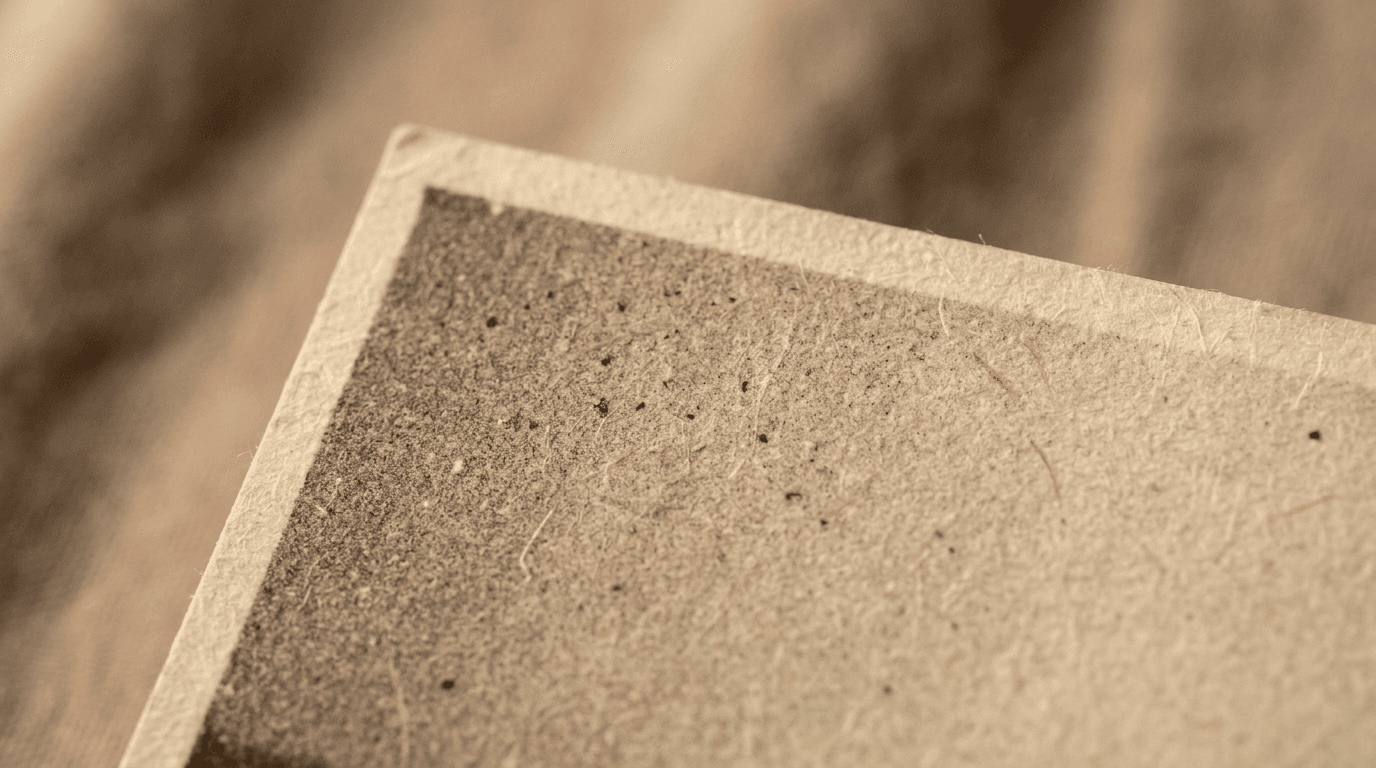
Adding specific ISO values and film grain descriptors to your prompt introduces this texture naturally. The difference between a prompt that says "photorealistic portrait" and one that says "photorealistic portrait, natural film grain, shot at ISO 1600" is often the difference between an image that looks generated and one that looks like a photograph.
Low-light interior scene with authentic grain
Prompt
woman reading by a lamp in a dim living room, warm amber interior lighting, shot at ISO 1600, natural film grain visible in shadow areas, slight vignetting at corners, photorealistic, candid moment aesthetic, no flash, 50mm f/1.8
Documentary-style street photography grain
Prompt
elderly man sitting on a bench in a park at dusk, long coat, thoughtful expression, shot on Fujifilm X-T4 with 23mm lens, Fujifilm Classic Chrome film simulation, strong grain, desaturated tones with warm highlights, documentary photography style
Trick 3: Describe the Lighting Source Precisely
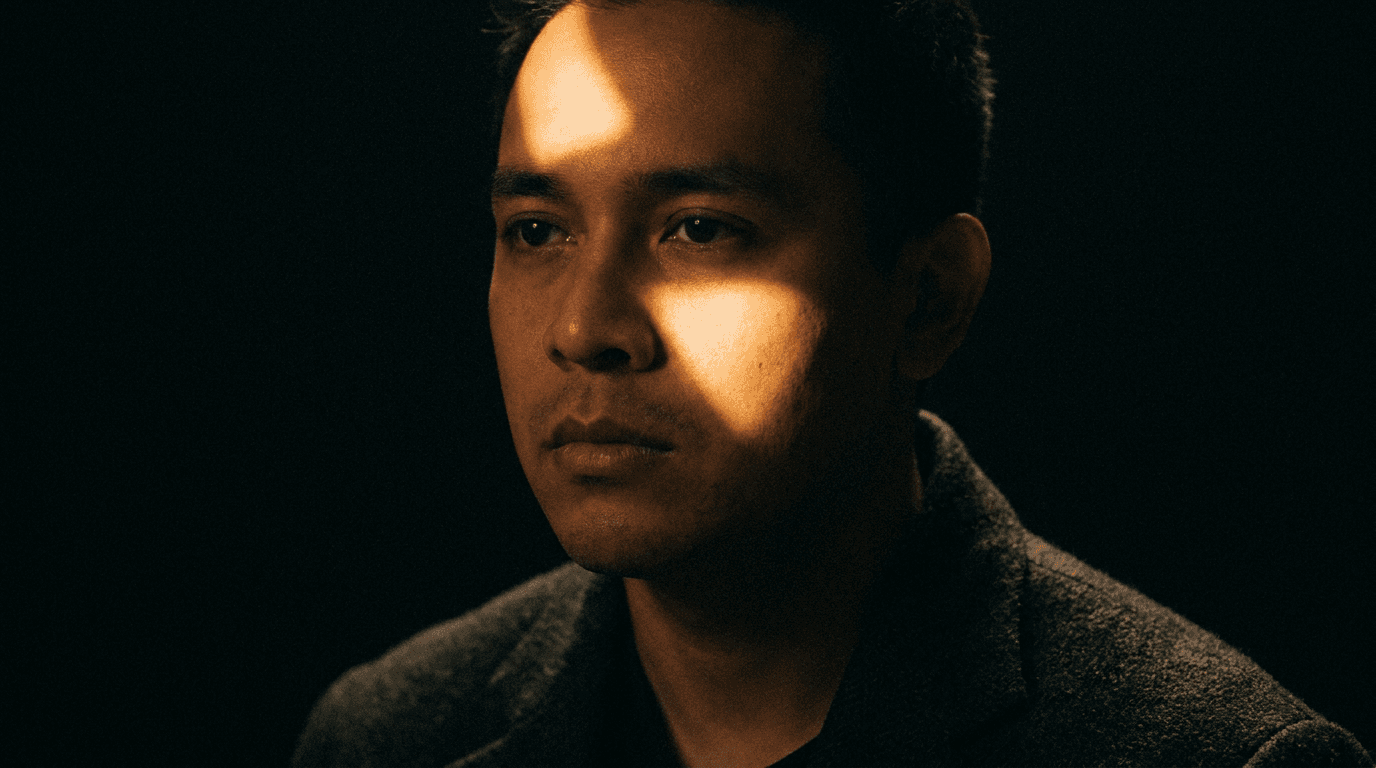
Generic lighting instructions produce generic results. Prompts that say "good lighting" or "well-lit" give the generator no specific information about where the light is coming from, what quality it has, or how it interacts with the subject and environment. Precise lighting descriptions are one of the most effective ways to make AI images look photographed rather than rendered.
Real photographic lighting has direction, quality (hard or soft), color temperature, and fall-off characteristics. When you describe these specifically, the generator applies them with the consistency that makes an image read as captured rather than created.
Golden hour outdoor portrait lighting
Prompt
woman standing in a field at golden hour, sunlight coming from low angle camera right, warm orange-gold rim lighting on hair and shoulders, slight lens flare from direct sun proximity, natural shadow on the left side of face, shot on 85mm f/1.8, photorealistic
Studio strobe with precise modifier
Prompt
male chef in professional kitchen, single large octabox softbox positioned at 45 degrees camera left, clean catchlight visible in eyes, slight shadow under chin, rim light from behind separating subject from dark background, commercial photography, Canon 5D 85mm f/2.8
Overcast natural light for even skin tones
Prompt
outdoor portrait on overcast day, soft diffused light with no harsh shadows, even skin tones, slight desaturation in the overall palette, urban background softly blurred, shot on full frame camera with 50mm lens, lifestyle photography style
Trick 4: Include Environmental Imperfections
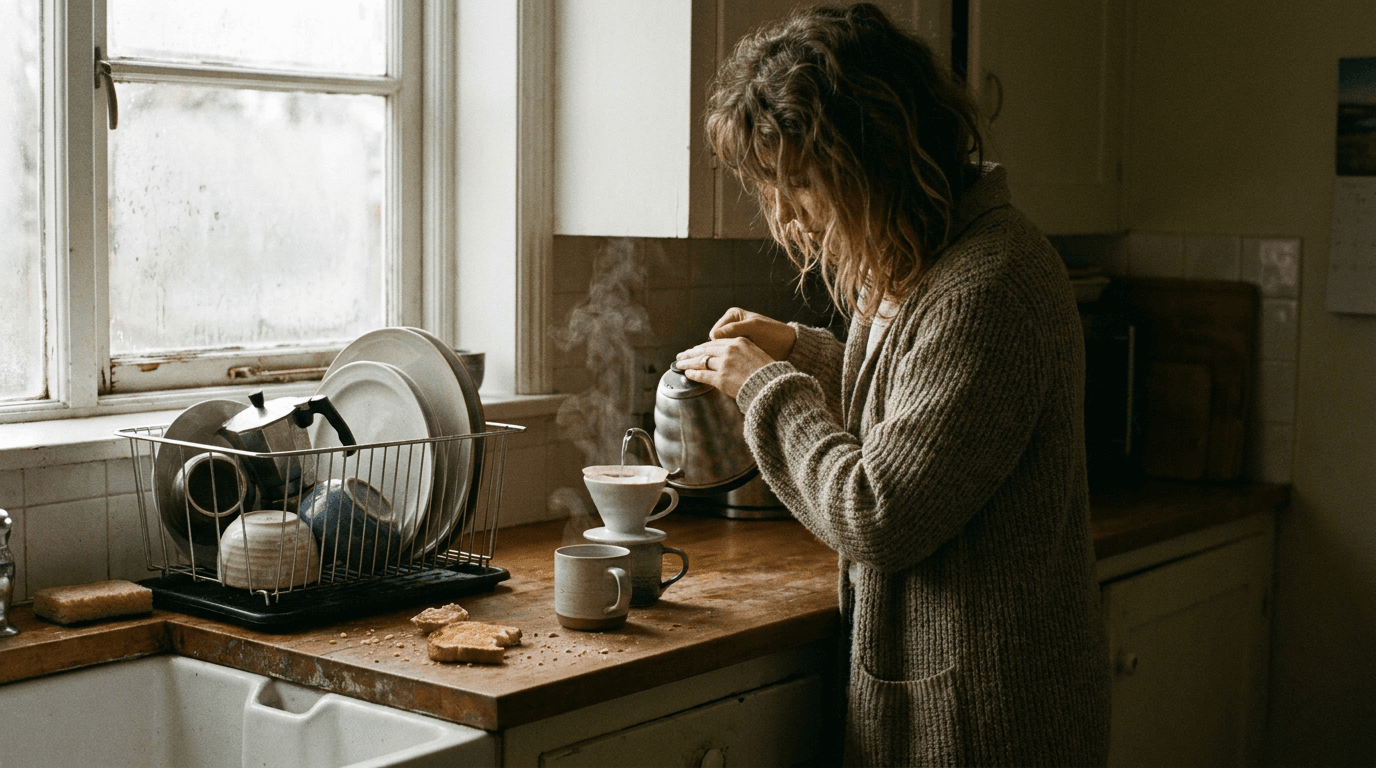
Real environments are never perfectly clean. There is dust in the air, smudges on windows, slight imperfections in surfaces, condensation on glasses, fingerprints on screens, and the general visual noise of a space that has actually been used. When you describe these environmental details in your prompt, the resulting image carries the texture of reality rather than the impossible cleanliness of a rendered environment.
Authentic kitchen scene
Prompt
home kitchen in the morning, woman making coffee, slight steam rising from mug, crumbs on the counter from breakfast, dishes drying by the sink, morning light through imperfect frosted window glass, candid lifestyle photography, natural colors, slightly desaturated, shot on 35mm f/2
Lived-in workspace with authentic detail
Prompt
creative professional's desk with slight clutter, multiple sticky notes on monitor, coffee ring stain on notepad, afternoon light casting long shadows across surface, dust particles visible in light beam, shallow depth of field pulling focus to laptop keyboard, photorealistic, 50mm macro
Trick 5: Describe Motion and Moments Rather Than Poses
Posed images look posed. Photographs that feel authentic almost always capture a moment in progress, a gesture mid-way through, an expression caught between two emotions, or movement that was happening when the shutter clicked. Describing your subjects as being in the middle of an action rather than positioned for a photograph produces dramatically more realistic outputs.
Instead of prompting "person smiling at camera," try "person mid-laugh turning toward camera." Instead of "chef cooking," try "chef shaking a pan with steam rising." The sense of captured motion is one of the most reliable signals the human eye uses to evaluate whether an image is real or posed.
Candid mid-action portrait
Prompt
young woman mid-laugh looking slightly away from camera, hand raised near mouth in natural gesture, outdoor cafe setting, friends blurred in background, candid moment, natural expression, shot on 35mm film camera, slight motion in hair, overcast light, photojournalism style
Active lifestyle shot with motion
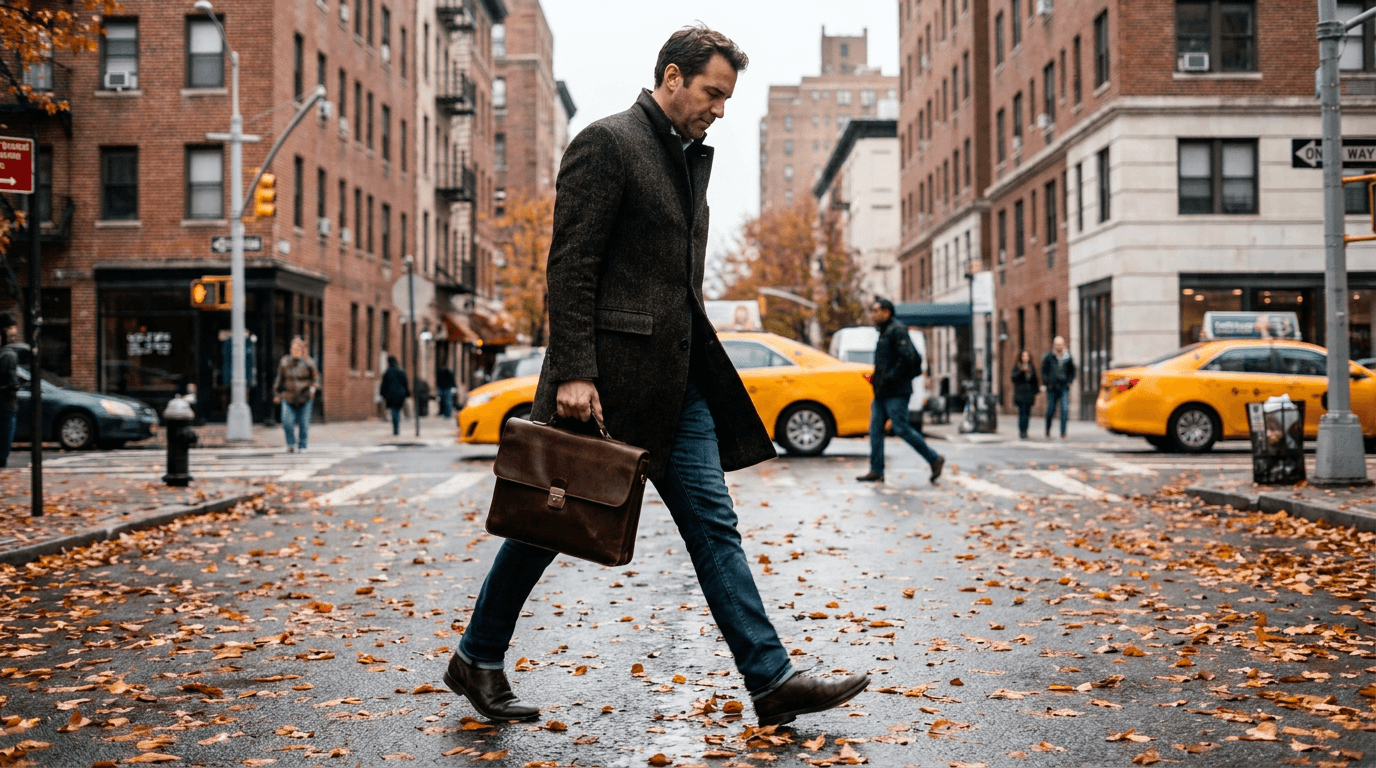
Prompt
man in his 30s walking on a city street with purpose, slightly blurred motion in legs and coat suggesting movement, briefcase in hand, looking slightly downward, autumn street with fallen leaves, shot at 1/60 shutter speed with 50mm lens, subtle motion blur on moving elements only, candid street photography
Trick 6: Use Real Location Specificity
Generic location descriptions produce generic visual environments. When you describe a location with specific regional characteristics, architectural details, or cultural context, the generator draws on much more specific visual references and produces an environment that looks like a real place rather than a composite of generic visual elements.
Compare "urban background" to "London city street with Georgian architecture, damp pavement reflecting street lights." The second prompt gives the generator enough specificity to produce something that looks like it was actually photographed in a real location rather than assembled from visual generalities.
Location-specific environmental portrait
Prompt
street portrait in Tokyo, narrow alley with Japanese lanterns, rain-wet reflective pavement, neon light reflections in puddles, person in foreground slightly out of focus, deep urban perspective behind, shot on 28mm lens, late evening, Fujifilm X100V film simulation, high ISO grain
Regional architecture with authentic atmosphere
Prompt
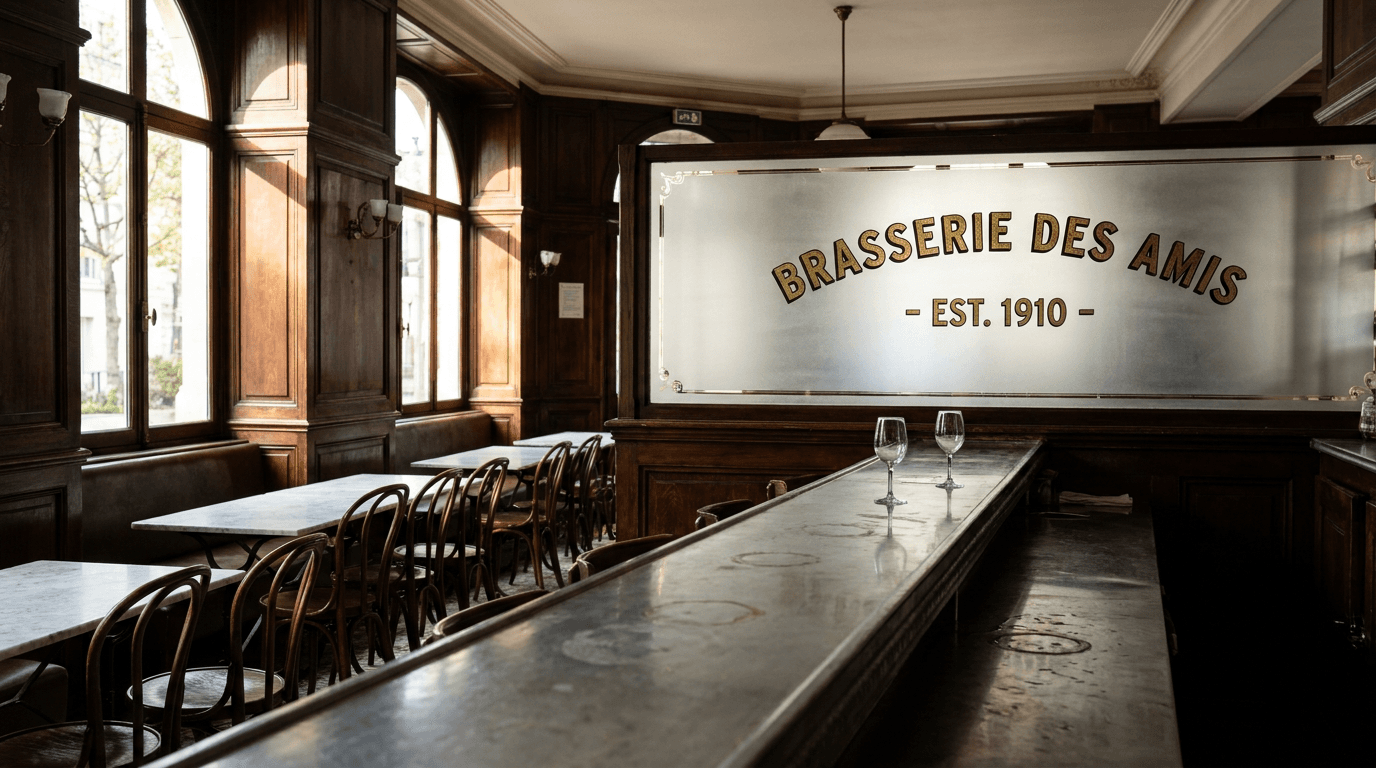
interior of a Parisian brasserie, dark wood paneling, zinc bar counter with water rings, frosted glass partition with vintage lettering, afternoon light through large windows, two empty glasses on a marble-topped table, no people, architectural photography, 24mm tilt-shift lens simulation
Trick 7: Specify Color Science by Film Stock or Camera Brand
Different cameras and film stocks render color differently. Fujifilm cameras are known for warm, slightly desaturated film-like tones. Canon renders skintones with a warm bias. Sony tends toward slightly cooler, more neutral tones. Film stocks like Kodak Portra 400 are famous for their warm, flattering skintone rendering and creamy highlights. Kodak Ektar has hyper-saturated landscape colors. Kodak Tri-X is the classic black-and-white photojournalism look.
Specifying the color science you want by referencing a real film stock or camera brand gives the generator a precise aesthetic target that produces much more specific and realistic color rendering than generic descriptors like "warm tones" or "natural colors."
Warm film-stock portrait
Prompt
woman at outdoor market, shot on Kodak Portra 400 film, warm creamy skintones, slightly underexposed shadows with rich shadow detail, golden hour light, gentle lens vignette, grain from film stock, 35mm film camera aesthetic, candid moment
High contrast black and white documentary
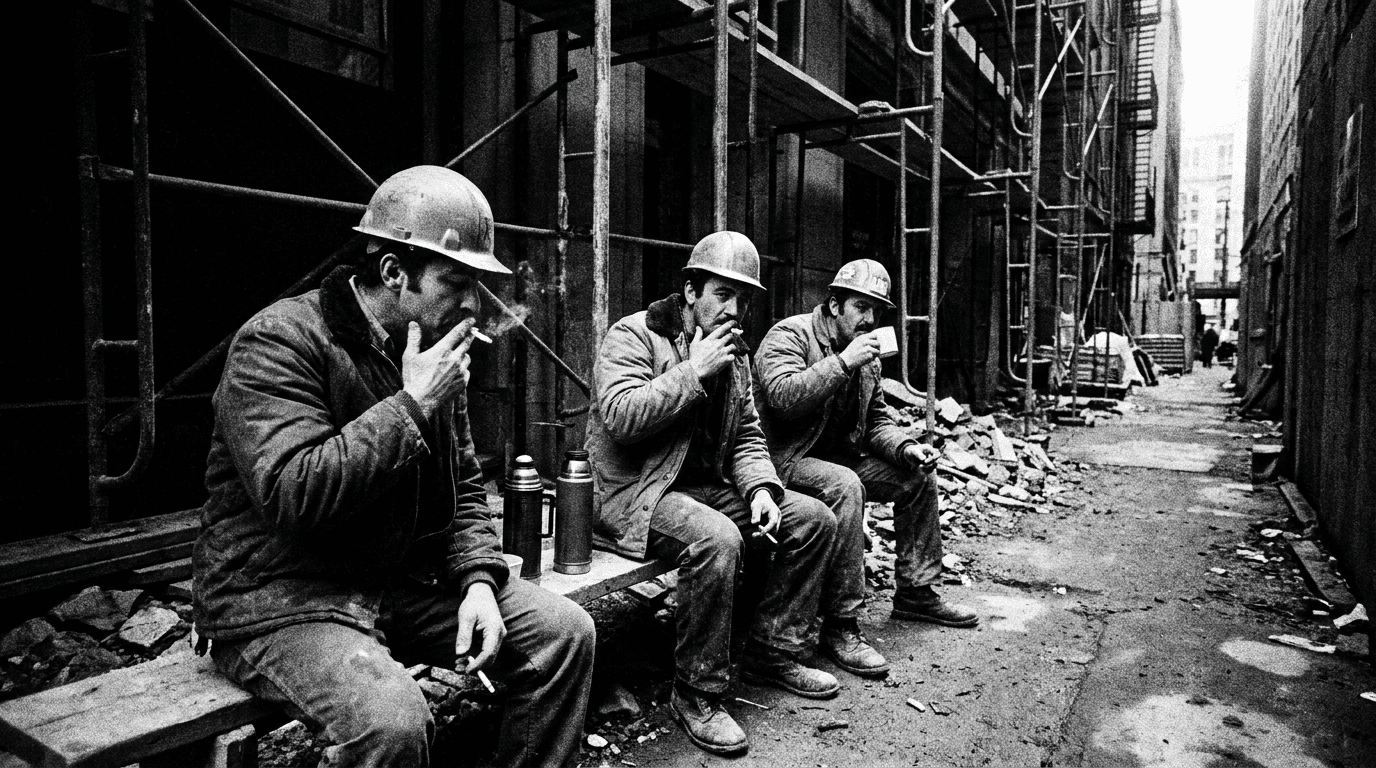
Prompt
construction workers on break, gritty urban environment, shot on Kodak Tri-X 400 pushed to ISO 1600, high contrast black and white, deep shadows, sharp highlights, classic photojournalism grain, wide angle 28mm perspective, documentary photography 1970s aesthetic
Cool Nordic color science landscape
Prompt
forest path in early morning fog, Scandinavian pine forest, shot on Hasselblad X2D with natural color science, cool desaturated tones with blue-green cast in shadows, pale diffused light, moisture in the air creating atmospheric depth, medium format aesthetic, no people
Trick 8: Add Depth Through Foreground Elements
One of the clearest ways to distinguish a photograph from a generated image is the presence of layered depth. Real photographs are three-dimensional captures of three-dimensional spaces. The most convincing ones tend to have foreground elements that partially frame the subject, creating a sense that the camera was inside the scene rather than looking at a flat composition.
Adding specific foreground elements to your prompt, even partially blurred ones that occupy only the corners or edges of the frame, creates the depth layering that makes an image feel like it was photographed rather than generated.
Framed environmental portrait
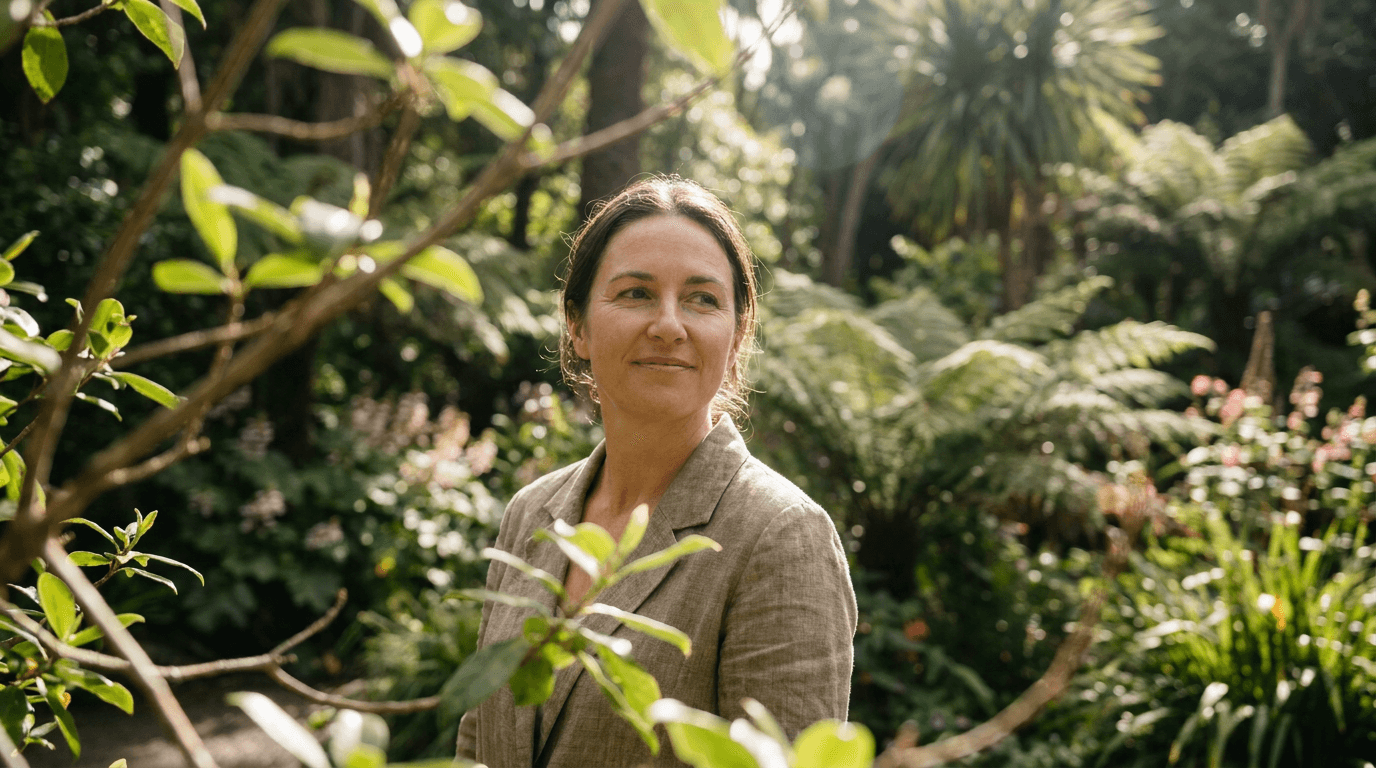
Prompt
portrait of a woman through slightly blurred foreground leaves and branches, botanical garden setting, subject in sharp focus in midground, deep background of layered foliage, dappled natural light, shot on 135mm f/2 telephoto, multiple depth layers visible from foreground to background, photorealistic
Architectural depth with leading lines
Prompt
interior corridor of a library with arched ceilings, shot through blurred wooden reading table in foreground, sharp focus on distant window with light streaming through, multiple depth layers from table to shelves to window, warm amber light, shot on Canon 24mm tilt-shift, architectural photography, photorealistic
Trick 9: Reference Real Photography Genres
AI image generators have absorbed the visual conventions of every major photography genre. By naming the specific genre your image should belong to, you activate a whole set of associated visual conventions, lighting choices, composition rules, and processing aesthetics that collectively make the image read as a genuine example of that genre.
Instead of prompting for a "photo of a person cooking," prompt for a "food editorial photography style portrait of a chef preparing sauce." The genre reference does far more work than any single descriptive element could.
These genre references work well:
- Editorial fashion photography
- Documentary photojournalism
- Fine art portrait photography
- Commercial lifestyle photography
- Food editorial photography
- Environmental portraiture
- Street photography
- Real estate architectural photography
- Landscape fine art photography
- Sports action photography
Editorial fashion genre reference
Prompt
editorial fashion photograph of a woman in oversized linen suit, urban rooftop location, late afternoon light, strong shadow play on textured concrete wall, unconventional pose leaning against railing, shot on Hasselblad with 80mm, editorial magazine aesthetic, slightly desaturated cool tones, no retouching feel
Commercial lifestyle genre reference

Prompt
commercial lifestyle photography of a family having breakfast, modern Scandinavian kitchen, warm morning light through large windows, natural candid interaction between family members, slightly elevated camera angle, shot on 35mm f/2, clean but lived-in aesthetic, warm neutral color palette
Trick 10: Add Subtle Optical Flaws
This is the most counterintuitive trick on the list, but it consistently produces the most convincing results. Adding specific optical flaws to your prompt tells the generator to include the subtle imperfections that real camera lenses produce. These flaws are so deeply associated with authentic photography that their presence makes the brain immediately read an image as photographed rather than generated.
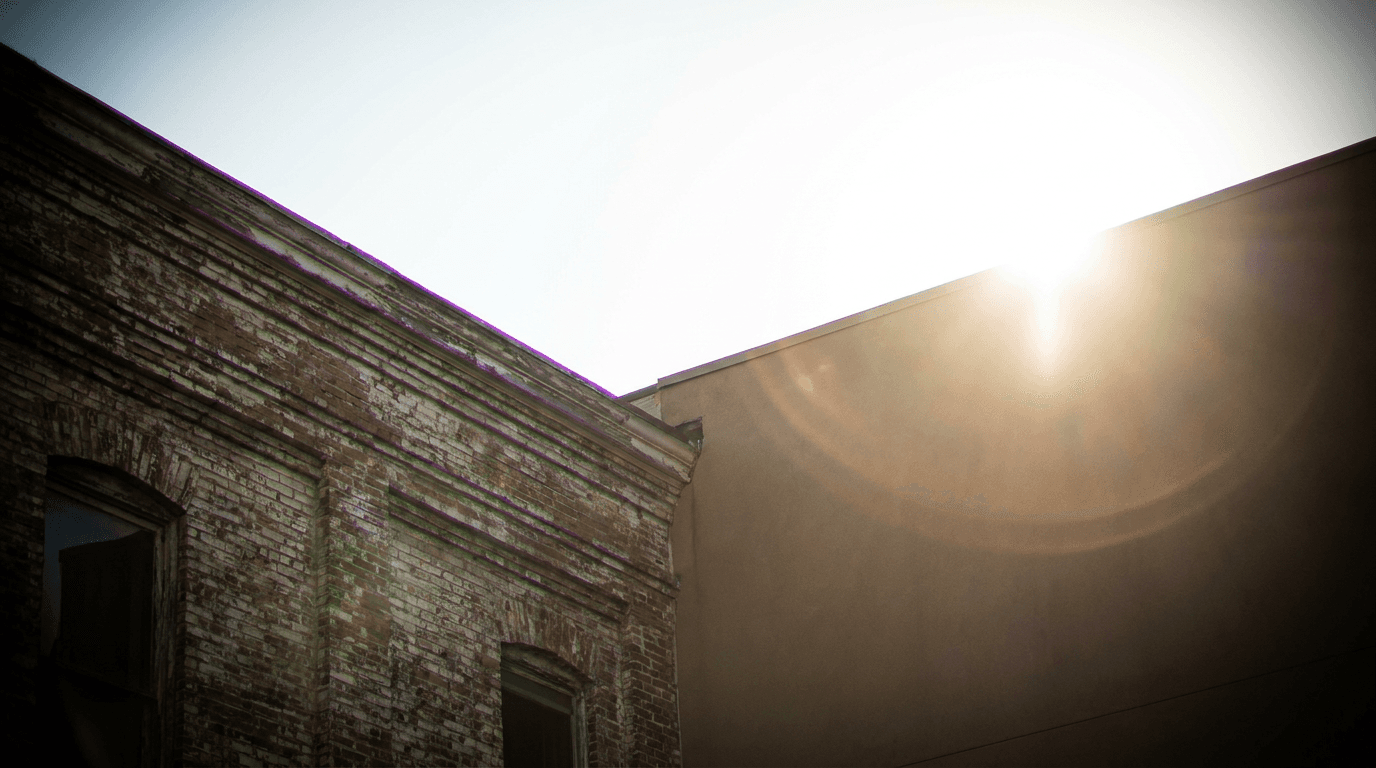
The most useful optical flaws to include are:
- Chromatic aberration (color fringing at high-contrast edges)
- Slight vignetting (darker edges and corners)
- Lens flare (when light sources are in or near the frame)
- Bokeh fringing (slight green or purple halo around out-of-focus elements)
- Field curvature (slight softness at the extreme edges of the frame)
- Focus breathing (the subject slightly less than perfectly sharp, as if the autofocus was tracking movement)
Portrait with natural optical flaws
Prompt outdoor portrait of a man in his 40s, natural light at midday, slight chromatic aberration visible at hair and shoulder edges against bright sky, gentle vignette darkening the corners, lens flare from sunlight just outside top left of frame, focus on eyes with very slight motion in rest of face, photorealistic, 85mm f/1.8
Landscape with authentic lens characteristics
Prompt coastal cliff landscape at sunrise, wide angle 16mm shot showing slight barrel distortion at edges, purple chromatic aberration fringing at the horizon where sky meets water, natural lens vignette, sun just entering bottom right corner creating strong flare streak, shot on Sony A7RIV, photorealistic landscape photography
Combining the Tricks: 5 Complete High-Realism Prompts
Each of the above techniques works on its own, but combining several in the same prompt produces results that are significantly more convincing than any single technique alone. Here are five complete prompts that layer multiple techniques for maximum photorealism.
Complete prompt: street portrait
Prompt
candid street portrait of a young woman mid-laugh, Tokyo alley setting with rain-wet pavement and neon reflections, shot on Fujifilm X-T4 with 35mm f/1.4 at ISO 1600, natural film grain, Fujifilm Classic Chrome color simulation, slight lens vignette, chromatic aberration at high-contrast edges, out-of-focus foreground railing in lower left corner, photojournalism style, candid moment mid-gesture
Complete prompt: professional interior
Prompt
commercial lifestyle photography of a female architect reviewing blueprints at a large drafting table, modern studio loft with exposed brick and large industrial windows, late afternoon sun casting long warm shadows across the surface, shot on Canon 5D Mark IV with 35mm f/2, slight motion blur in hands suggesting active work, natural ISO grain, commercial editorial style, foreground blurred coffee cup in lower right, chromatic aberration at window edges
Complete prompt: food editorial
Prompt
food editorial photograph of a rustic pasta dish in cast iron pan, shot on 100mm macro f/2.8, single large softbox from camera left, slight steam rising from surface, imperfect plating with sauce drips on pan edge, wooden table with slight water ring stain from earlier cup, shallow depth of field pulling to pasta texture, slight vignette, editorial food photography for a restaurant magazine
Complete prompt: landscape
Prompt
fine art landscape photograph of a mountain lake at dawn, Hasselblad medium format aesthetic, extremely high detail in foreground rocks with moisture and lichen texture visible, atmospheric haze creating depth layers from shore to mountain, Kodak Ektar 100 color science with hyper-saturated greens and deep blue water, slight barrel distortion from wide angle perspective, lens flare from low sun position behind leftmost peak, no people
Complete prompt: documentary portrait
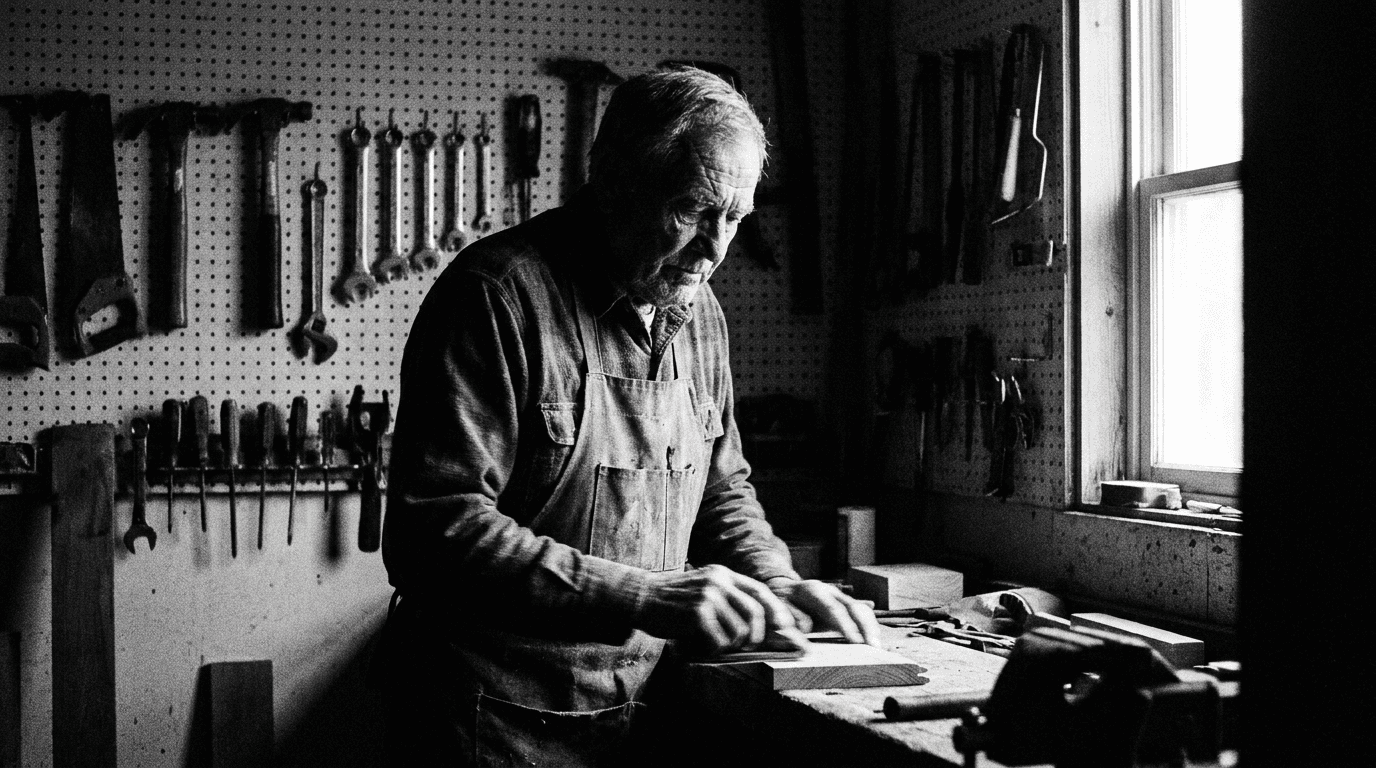
Prompt
documentary portrait of an elderly craftsman in his workshop, surrounded by tools hung on pegboard wall, deep natural shadows from single window light camera right, shot on Kodak Tri-X 400 pushed to ISO 3200, high contrast black and white, grain heavy in shadow areas, slight motion in subject's hands suggesting active work, 50mm lens on film camera, photojournalism style, no posed quality
All of these prompts can be used directly inside Miraflow AI's image generator. The text-to-image feature supports the full level of prompt detail shown here, and the image-to-image tool lets you use an existing image as a starting reference while applying these photorealistic techniques on top of it.
What to Avoid: 5 Prompt Mistakes That Make AI Images Look Generated
Understanding what makes images look realistic is easier to apply when you also know the specific mistakes that undermine photorealism.
Describing perfection Words like "perfect," "flawless," "pristine," and "ideal" push generators toward rendered idealism rather than photographic reality. Real photos are never perfect. Replace these with specific, grounded descriptions.
Using generic lighting words "Good lighting," "beautiful lighting," and "well-lit" give the generator no specific information. Every piece of lighting in a real photograph has a source, a direction, a quality, and a temperature. Describe those instead.
Omitting the camera perspective When a prompt has no camera reference, the generator defaults to a neutral, slightly elevated, perfectly centered perspective that reads as artificial. Specifying the camera position (slightly below eye level, from behind and to the left, elevated looking down at 30 degrees) introduces the kind of specific perspective choice that a real photographer would make.
Requesting symmetry Perfect symmetry in a photograph is extremely unusual and reads as artificially composed. Slight asymmetry in composition, in the subject's expression, and in the balance of visual elements is a strong realism signal. If your prompt is creating images that feel too balanced, add language that introduces slight natural asymmetry.
Using scene descriptions without sensory context Prompts that describe only what is in a scene without describing what it feels like, the temperature, the atmosphere, the time of day in terms of light quality, produce visually flat results. Adding sensory and atmospheric context to your prompts produces images with the environmental character that makes photographs feel like they were taken in real places rather than assembled from visual components.
How Miraflow AI Fits Into a Photorealism Workflow
For creators producing content that requires photorealistic AI images, whether for YouTube thumbnails, blog visuals, social media content, or product imagery, having a reliable image generation tool that can handle the level of prompt specificity described in this guide matters significantly.

Miraflow AI's image generator supports all of the prompt techniques covered here through its text-to-image interface. The image-to-image feature is particularly useful when you want to start from a reference photograph and apply photorealistic transformations to specific elements, like changing clothing, replacing backgrounds, or modifying product details, while preserving the photographic quality of the original.
The inpainting tool lets you select specific regions of an existing image and replace only those areas while keeping the rest of the photo intact. For creators who need to make targeted edits to product shots, portraits, or lifestyle images without regenerating the entire image, this is one of the most practically useful features in a photorealism workflow.
For creators building YouTube channel visuals specifically, the YouTube thumbnail maker combines photorealistic image generation with thumbnail-specific composition tools, letting you generate faces, upload your own face, add text, and fine-tune the output all in one place. For more on how AI thumbnails affect click-through rate and channel growth, AI YouTube thumbnail styles that get more views in 2026 covers the specific visual styles performing best in the current YouTube environment.
Applying These Techniques to YouTube Thumbnails
Photorealistic AI images are particularly valuable for YouTube thumbnails because thumbnails with photographic quality tend to earn higher click-through rates than obviously stylized or illustrated ones in most niches. Viewers have learned to associate photographic quality with professional production, which translates to higher perceived content value before the video is even watched.
When generating thumbnail images using these techniques, a few additional considerations apply. Thumbnail subjects should be positioned with expression and gesture that communicate the video's emotional promise clearly. The depth of field should be shallow enough to separate the subject from the background clearly at thumbnail size. The color contrast between subject and background should be high enough to remain readable at small sizes in the Shorts feed or search results.
For a full library of prompts designed specifically for high-CTR YouTube thumbnails, AI prompts for YouTube thumbnails has categorized prompt packs across different thumbnail styles and content niches. And if you want to understand what makes certain thumbnail visual styles generate more clicks than others in 2026, YouTube CTR in 2026 covers the click-through rate mechanics and visual factors that drive them.
Quick Reference: 10 Prompt Tricks at a Glance
For easy reference when you are actively generating images, here is the complete list of techniques covered in this guide:
Trick 1: Specify camera body, lens, and focal length to apply correct optical characteristics
Trick 2: Add film grain and ISO values to introduce authentic photographic texture
Trick 3: Describe the exact light source, direction, quality, and color temperature
Trick 4: Include environmental imperfections like dust, condensation, smudges, and surface wear
Trick 5: Describe subjects mid-action rather than posed, using specific gestures and expressions
Trick 6: Use real location specificity with regional architecture and cultural context
Trick 7: Reference specific film stocks or camera brands for authentic color science
Trick 8: Add foreground elements to create three-dimensional depth layering
Trick 9: Name the specific photography genre the image should belong to
Trick 10: Include subtle optical flaws like chromatic aberration, vignetting, and lens flare
Applying even three or four of these together in a single prompt will produce noticeably more realistic results than a basic description alone.
Conclusion
The gap between an AI image that looks generated and one that could pass for a professional photograph comes down almost entirely to prompt specificity. When you give the generator the technical context, environmental details, and optical imperfections that characterize real photography, it produces images that carry the visual signatures of a camera rather than the visual signatures of a rendering engine.
These 10 tricks work because they give the generator exactly the kind of specific, grounded visual information that produces photographic realism. Lens specifications apply correct optical characteristics. Film grain and ISO values introduce authentic texture. Precise lighting descriptions create the directional quality that makes photographs feel real. Environmental imperfections, mid-action descriptions, location specificity, and deliberate optical flaws all contribute to the collective effect of an image that reads as captured rather than created.
Start by adding camera specifications and film grain to your existing prompts and observe the difference. Then layer in lighting specificity and environmental detail. Each technique you add brings the output closer to photographic realism, and combining several in a single prompt produces results that are often genuinely difficult to distinguish from real photographs.
For creators building AI image workflows for thumbnails, social media, or content production, the Nano Banana prompt guide covers additional advanced prompting strategies for generating viral-quality visuals, and best AI prompts for YouTube thumbnails in 2026 provides copy-paste thumbnail prompts built specifically for high click-through performance.
FAQ
How do I make AI images look more realistic? The most effective approach is combining camera and lens specifications, specific lighting descriptions, film grain or ISO noise, and subtle optical flaws like chromatic aberration and vignetting in your prompt. Each of these elements introduces the visual characteristics of real photography that distinguish a captured image from a generated one.
What camera should I mention in an AI image prompt? Mentioning specific camera bodies like Sony A7III, Canon 5D, Fujifilm X-T4, or Hasselblad gives the generator optical and color science reference points that significantly affect the output. The lens specification matters even more than the camera body, since focal length and aperture determine depth of field, compression, and the visual perspective of the image.
Why do AI images look fake and how do you fix it? AI images look fake primarily because they default to impossible perfection: no grain, no optical flaws, no environmental imperfections, and too-even lighting. Fixing this requires deliberately introducing the imperfections that real photography carries, including film grain, lens distortion, chromatic aberration, natural lighting with direction and shadow, and environmental details that suggest a real space rather than a rendered one.
What is the best prompt for photorealistic AI portraits? A strong photorealistic portrait prompt combines a real camera and lens (Sony A7III, 85mm f/1.4), specific lighting (single large softbox at 45 degrees camera left, catchlight in eyes), film characteristics (shot at ISO 800, natural grain), a mid-action expression (mid-laugh, slightly turning), and subtle optical flaws (slight vignette, chromatic aberration at high-contrast edges). Combining all five elements produces results significantly more realistic than any single element alone.
Does specifying a film stock in AI prompts actually work? Yes, referencing specific film stocks like Kodak Portra 400, Fujifilm Provia, or Kodak Tri-X activates the color science associated with those stocks in the training data. Portra 400 prompts produce warm, skin-flattering tones with creamy highlights. Tri-X produces high-contrast black-and-white with heavy grain. The difference between using and not using film stock references in portrait prompts is reliably significant.
Can AI image generators produce images that look like real photos for YouTube thumbnails? Yes, with the right prompting techniques, AI-generated thumbnail images can achieve photographic quality that performs as well as or better than real photographs in terms of CTR. The key is combining photorealistic prompt techniques with thumbnail-specific composition choices: shallow depth of field for subject separation, high contrast between subject and background, and expressive mid-action facial expressions that communicate the video's emotional promise clearly.
What is chromatic aberration and should I add it to AI image prompts? Chromatic aberration is the color fringing that appears around high-contrast edges in real photographs, caused by different wavelengths of light focusing at slightly different distances through a lens. Adding "slight chromatic aberration at high-contrast edges" to a prompt introduces this subtle optical flaw, which is one of the strongest signals that convinces the visual system an image was captured by a real camera rather than generated digitally.