15 AI Prompts for LinkedIn Post Images That Get Clicks (Copy & Paste)

Written by
Jay Kim

Generic LinkedIn images get scrolled past. These 15 copy-paste AI prompts generate professional, credible visuals that stop the scroll and match LinkedIn's specific visual culture.
If you are posting on LinkedIn regularly and your content is not getting the engagement you expected, the image is usually the first thing to look at. LinkedIn's feed is text-heavy by default, and a post with a strong visual stops the scroll in a way that text alone rarely does. The problem most professionals run into is that generating LinkedIn images with AI produces results that look either too generic, too obviously artificial, or too casual for the platform's professional context.
LinkedIn has a specific visual language. Images that perform well there tend to feel credible, aspirational, and professionally grounded rather than playful or abstract. The AI prompts that work for Instagram or YouTube thumbnails often fall flat on LinkedIn because the aesthetic requirements are fundamentally different.
This guide gives you 15 copy-paste AI prompts specifically designed for LinkedIn post images in 2026, organized by content type, with notes on why each one works and how to adapt it to your specific topic or personal brand.
Why LinkedIn Post Images Matter More Than Most People Think
LinkedIn's algorithm treats posts with images differently from text-only posts. Visual posts tend to earn more initial impressions because they occupy more space in the feed and create a visual break in what is otherwise a stream of text. When an image also earns strong early engagement through clicks and reactions, the algorithm reads that as a signal to push the post to a wider audience beyond your immediate connections.
The type of image matters significantly. Generic stock photo aesthetics perform poorly on LinkedIn because the platform's audience has seen thousands of them and scrolls past without registering them consciously. Images that feel specific, professional, and contextually relevant to the post's topic stop the scroll because they signal that the content behind them is substantive rather than filler.
AI-generated images have a significant advantage here because you can generate something that is visually precise for your specific topic rather than relying on what stock libraries happen to have available. The challenge is writing prompts that produce professional, credible results rather than the over-saturated, hyper-stylized outputs that AI tends to default to without specific guidance.
All of the prompts in this guide can be generated inside Miraflow AI's image generator, which supports the detailed text-to-image prompting needed to produce professional-quality visuals for LinkedIn content.
What Makes a LinkedIn Image Actually Perform
Before getting into the prompts, understanding the visual qualities that drive LinkedIn engagement helps you adapt these prompts more effectively for your own content.
Credibility over perfection LinkedIn's audience responds well to images that feel authentic and professionally grounded rather than slick or overly polished. An image that looks like it could plausibly be a real photograph of a real workplace or professional situation tends to outperform one that looks like a stock photo composite or a clearly generated fantasy scene.
Context specificity Images that clearly relate to the post's topic perform better than abstract decorative visuals. If your post is about leadership decisions, the image should show something that visually communicates decision-making, authority, or strategy. If your post is about remote work culture, the image should show a specific aspect of that context rather than a generic office scene.
Human presence without posed quality LinkedIn images with people tend to outperform those without, but posed, stiff imagery underperforms candid, mid-action imagery. Prompts that describe people in the middle of genuine professional activities, rather than standing and smiling at the camera, produce images that feel more real and therefore more engaging.
Aspirational but grounded color palette LinkedIn's visual culture gravitates toward clean, professional color palettes with warm neutrals, deep blues, and confident earth tones. Overly saturated, bright, or playful color palettes read as off-brand for the platform's professional context.
The 15 Prompts: Organized by Content Type
Category 1: Leadership and Career Growth Posts
These prompts work for content about professional development, career transitions, leadership lessons, and personal growth stories.
Prompt 1: The Leadership Moment
For posts about making difficult decisions, leading through uncertainty, or reflecting on professional pivots.
Prompt
senior professional in a thoughtful pose at a large office window overlooking a city skyline, late afternoon golden light, tailored dark suit, hands clasped or touching chin in contemplative gesture, soft depth of field blurring the city background, photorealistic portrait style, warm ambient lighting, no text no logos
Prompt 2: The Career Milestone
For posts celebrating promotions, new roles, significant achievements, or reflecting on professional journeys.

Prompt
professional woman in her 30s in a modern bright office, standing confidently beside a large desk with organized materials visible, natural window light from the side, warm professional atmosphere, candid editorial photography style, slight depth of field, clean minimal background, genuine expression mid-moment, no text no logos
Prompt 3: The Strategy Session
For posts about business strategy, planning, decision frameworks, or organizational leadership.
Prompt
overhead flat lay of a strategy planning session on a large conference table, printed charts and frameworks spread across the surface, notebooks with handwritten notes, a few professional hands visible reaching across documents in discussion, warm overhead lighting, clean modern aesthetic, no screens visible, top-down architectural photography style, no text no logos
Category 2: Workplace Culture and Team Posts
These prompts work for content about company culture, team building, hiring, remote work, and organizational values.
Prompt 4: The Collaborative Team
For posts about teamwork, cross-functional collaboration, or building strong workplace relationships.

Prompt
small group of four diverse professionals gathered around a standing desk in a modern open-plan office, engaged in active discussion, one person pointing at a whiteboard with notes visible, candid interaction rather than posed group photo, bright natural light from large windows, warm casual professional atmosphere, photorealistic editorial style, no text no logos
Prompt 5: The Remote Work Reality
For posts about remote work culture, distributed teams, work-from-home productivity, or flexible work policies.
Prompt
professional working from a bright home office setup, dual monitors with blurred content, large window with natural daylight, clean organized desk with a notebook and coffee cup, focused working expression, mid-action moment reaching for a notebook, warm neutral interior tones, lifestyle photography aesthetic, slight depth of field on background, no text no logos
Prompt 6: The Hiring and Growth Post
For posts about team expansion, hiring philosophy, talent acquisition, or onboarding culture.
Prompt
two professionals in a light-filled modern meeting room, one interviewer and one candidate in an engaged conversation, candid mid-discussion moment, body language showing active listening, clean minimal interior with blurred background, warm professional lighting, editorial documentary photography style, no text no logos
Category 3: Business Insights and Thought Leadership
These prompts work for posts sharing industry analysis, business lessons, counterintuitive insights, or professional frameworks.
Prompt 7: The Data Insight Moment
For posts presenting research findings, performance data, business results, or analytical discoveries.
Prompt
professional analyst in a focused working state, large monitor showing colorful data visualizations and charts in the background slightly blurred, warm desk lamp creating ambient glow, late afternoon light mixing with screen glow, intent expression, hands on keyboard, editorial photography style, deep depth of field on subject with blurred background, no text no logos no readable screen content
Prompt 8: The Contrarian Insight
For posts presenting a surprising perspective, challenging a common assumption, or sharing an unconventional professional opinion.
Prompt
single professional standing in an empty modern corridor or atrium, slight distance from camera suggesting independent thinking, architectural space around them feeling expansive and open, cool modern lighting with warm accent from windows, editorial portrait photography style, wide angle perspective showing the environment as much as the person, no text no logos
Prompt 9: The Industry Trend Post
For posts analyzing industry shifts, technology adoption, market changes, or professional landscape evolution.

Prompt
modern tech-forward office interior with large digital displays in the background showing abstract data patterns, two professionals in conversation in the foreground slightly blurred, sharp focus on architectural details and the professional environment, clean minimal aesthetic, cool blue-neutral color palette, corporate editorial photography, no readable content on displays, no text no logos
Category 4: Entrepreneurship and Founder Content
These prompts work for founder stories, startup journeys, business building content, and entrepreneurship lessons.
Prompt 10: The Founder's Journey
For posts about building from scratch, startup lessons, early stage challenges, or entrepreneurship milestones.

Prompt
entrepreneur in early-stage office or co-working space, whiteboard behind them covered in hand-drawn diagrams and frameworks, slightly disheveled but purposeful environment suggesting active work, casual professional clothing, mid-action reviewing notes, natural light from exposed brick windows, candid documentary photography style, warm gritty aesthetic, no text on whiteboard visible, no logos
Prompt 11: The Late Night Building
For posts about dedication, putting in the work, the less visible side of entrepreneurship, or authentic effort.
Prompt
entrepreneur working alone at a startup office after hours, single desk lamp illuminating a cluttered productive workspace, laptop screen glow as secondary light source, papers and notebooks spread across desk, jacket draped over chair, focused determined expression, atmospheric moody lighting, photojournalism aesthetic, no readable text visible, no logos
Category 5: Professional Skills and Learning Content
These prompts work for posts about developing skills, professional education, mentorship, and career-building advice.
Prompt 12: The Skill Development Post
For posts about learning new capabilities, professional upskilling, or sharing technical knowledge.

Prompt
professional in a focused solo learning session, sitting at a clean bright desk with an open notebook full of handwritten notes beside a laptop, pen in hand mid-note, warm natural morning light, slight depth of field on background bookshelves, engaged and absorbed expression, lifestyle photography style with professional aesthetic, no text no logos
Prompt 13: The Mentorship Moment
For posts about mentoring, coaching, being mentored, or the value of guidance in professional growth.
Prompt
two professionals of different career stages in a coffee shop or informal meeting setting, older and younger professional in conversation, the senior figure leaning forward engaged in sharing knowledge, warm ambient cafe lighting, candid documentary moment rather than posed, shallow depth of field on background, genuine connection in body language, no text no logos
Category 6: Personal Brand and Values Posts
These prompts work for content about personal values, defining professional identity, authentic leadership, and building a personal brand.
Prompt 14: The Authentic Personal Brand Post
For posts introducing yourself, sharing your professional story, or expressing your core values and approach.
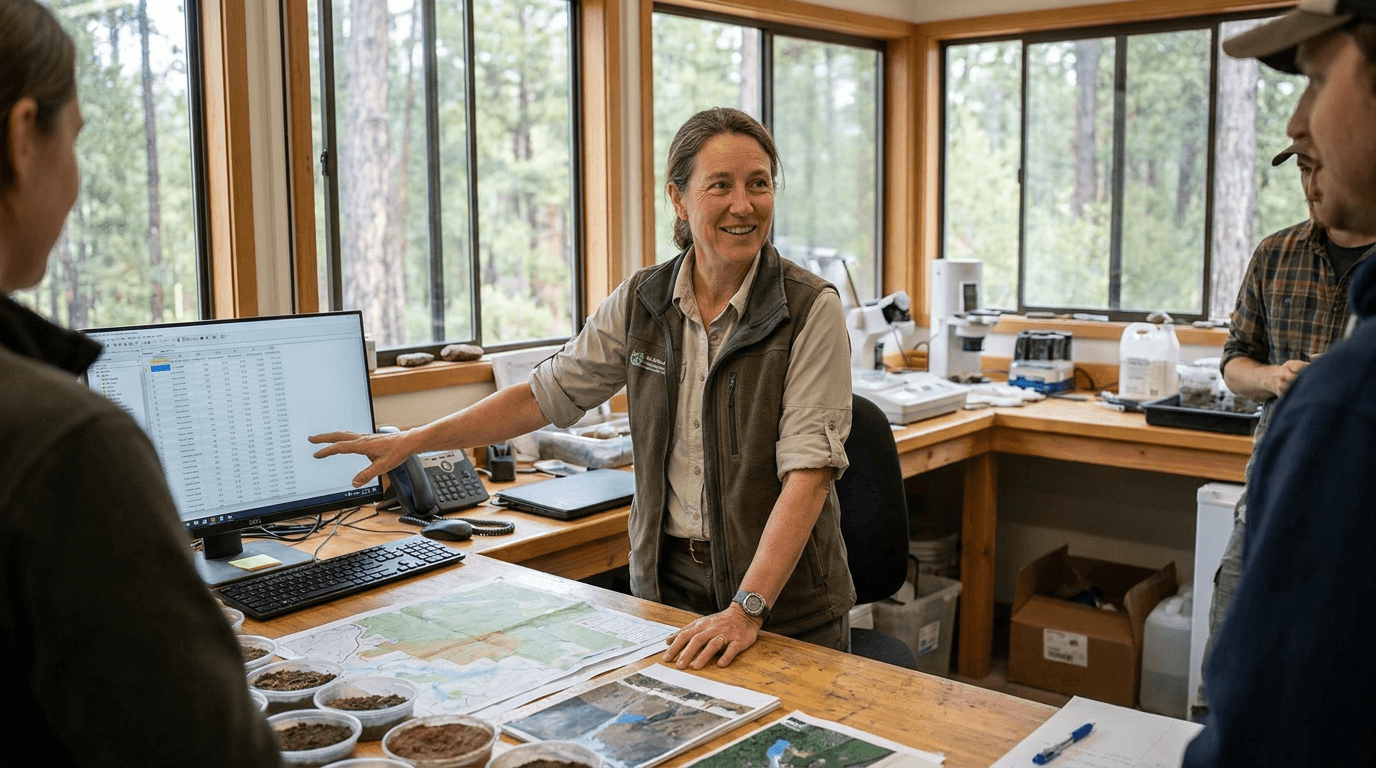
Prompt
candid environmental portrait in a professional setting that reflects the subject's field, person in natural working context rather than posed against a blank wall, engaged with their environment, warm confident body language, editorial portraiture style with location giving context clues about their work, photorealistic, natural lighting, genuine mid-moment expression, no text no logos
Prompt 15: The Milestone Reflection
For posts marking work anniversaries, end-of-year reflections, significant professional transitions, or looking back on growth.
Prompt
professional standing at a floor-to-ceiling window with a city view, facing away from camera in a contemplative pose suggesting reflection and forward thinking simultaneously, warm evening light from outside, tailored professional clothing, atmospheric and aspirational mood, slight silhouette effect with ambient room light keeping the figure visible, cinematic wide shot composition, no text no logos
How to Customize These Prompts for Your Personal Brand
Each of the prompts above is written to be usable as-is, but they perform even better when adapted to match your specific industry, audience, and visual identity. Here are the customization levers that matter most for LinkedIn specifically.
Industry context Adding specific industry details makes the image more contextually relevant to your audience. A finance professional's prompt should reference the visual environment of finance: trading floors, formal meeting rooms, financial documents. A creative director's prompt should reference design studios, mood boards, and collaborative creative environments. Adding one or two industry-specific environmental details significantly increases how relevant the image feels to your specific audience.
Demographic and diversity representation LinkedIn's audience is global and diverse. If your post is aimed at a specific demographic, adjusting the subject description to represent that demographic more precisely increases the relevance and resonance of the image with your intended readers.
Color palette alignment If you have an established personal brand color palette or your company has specific brand colors, adding those colors to the prompt as environmental details, clothing colors, or accent elements creates visual consistency across your content that helps build brand recognition over time.
Mood calibration The 15 prompts above cover a range of professional moods from contemplative to collaborative to aspirational. Match the mood of the image to the emotional register of the text in your post. An optimistic growth post pairs better with a bright, warm, forward-looking image. A post about difficult lessons pairs better with a more atmospheric, reflective image.
5 Common Mistakes That Make LinkedIn AI Images Look Wrong
Even with good prompts, certain patterns reliably produce images that feel off for LinkedIn's professional context. Recognizing these patterns helps you refine your prompts before generating.
Prompting for happiness rather than engagement "Smiling professional" produces the same bland stock photo energy that LinkedIn audiences scroll past reflexively. Descriptions of genuine engagement, focused expressions, thoughtful poses, and mid-action moments produce images that feel real because they capture work rather than the performance of work.
Over-styling for visual drama High contrast, dramatic lighting, and cinematic color grading work well for YouTube thumbnails but feel tonal mismatches for LinkedIn's professional context. LinkedIn images perform better with natural, grounded lighting that feels credible rather than cinematic.
Including too many people Group photos in AI-generated content often look slightly uncanny because generating multiple natural-looking faces and bodies in a single image is technically challenging. Prompts focused on one or two people tend to produce more convincing results than prompts calling for groups of four or more.
Ignoring the background environment The background of a LinkedIn image communicates context and credibility. A generic gradient background or an undefined blurred space reads as cheap and unspecific. Including a defined professional environment in your prompt, an office, a coffee shop, a conference room, a creative studio, anchors the image in a real professional context that adds credibility.
Using overly casual aesthetics LinkedIn sits at a specific point on the professional-casual spectrum. Images that feel too polished and corporate tend to get dismissed as advertising. Images that feel too casual read as mismatched with the platform's professional culture. The sweet spot is candid professional, meaning images that feel like they were captured during genuine professional activity rather than staged for a marketing shoot.
Applying These Prompts in a LinkedIn Content Workflow
For professionals posting on LinkedIn regularly, having an efficient image generation workflow that produces consistent, on-brand visuals matters more than any individual post's performance. Consistency of visual style across your posts builds visual brand recognition that makes your content more recognizable in the feed over time.
A practical LinkedIn visual workflow looks like this: choose the content category your post falls into, select the appropriate prompt from your library, customize it with your specific industry context and any demographic details, generate two to three variations, and select the one that best matches the emotional register of your post text.
Miraflow AI's image generator handles this workflow efficiently. You can generate multiple variations of the same prompt, use image-to-image features to iterate from a close-but-not-quite result, and use inpainting to adjust specific elements of a generated image without regenerating the entire thing. For professionals building a consistent visual identity across dozens of posts, the ability to refine within an existing image rather than starting from scratch each time is a meaningful workflow improvement.
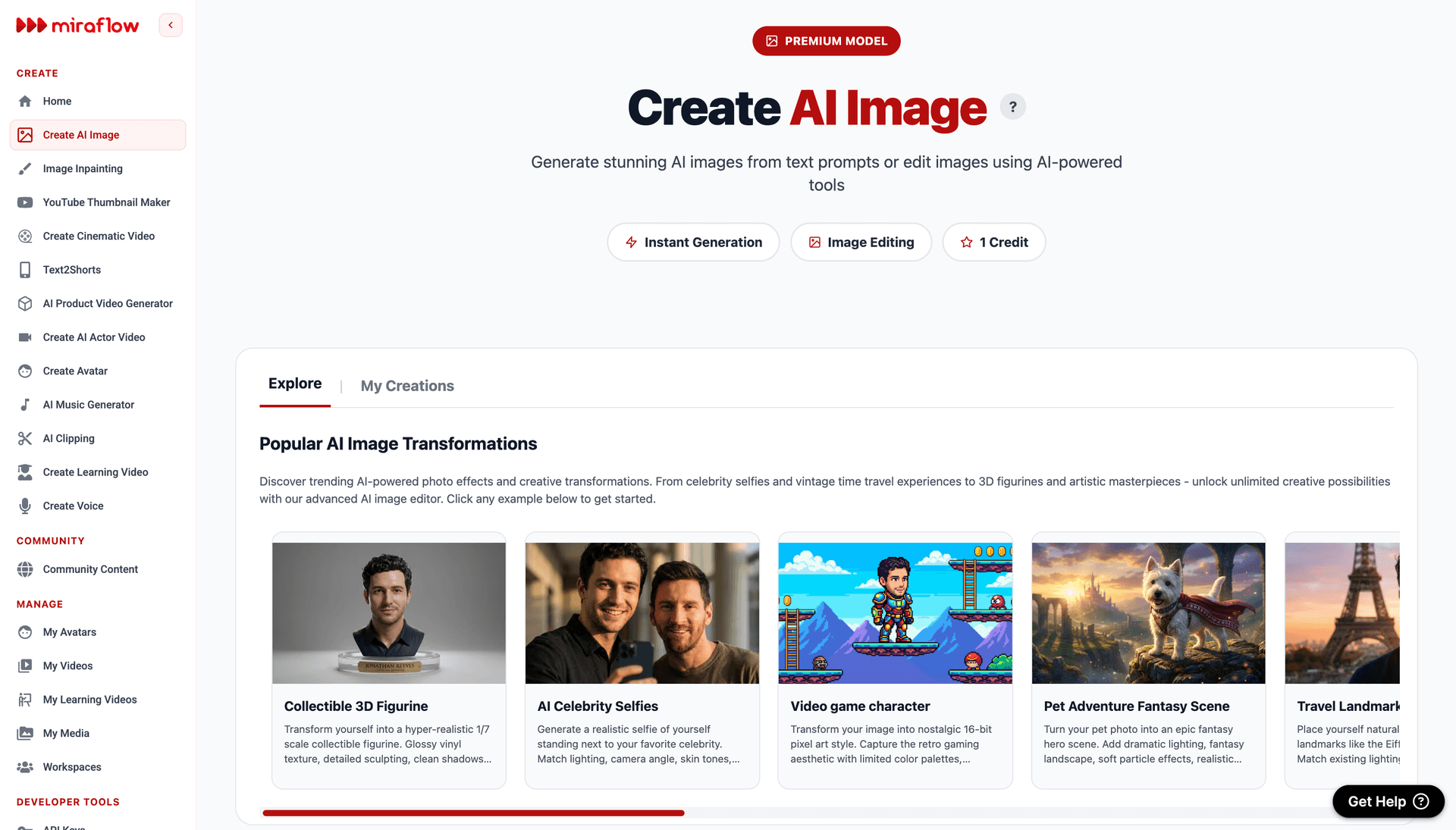
The same platform also handles thumbnail generation for any video content you share on LinkedIn, which becomes relevant if you are repurposing YouTube content for LinkedIn distribution. The YouTube thumbnail maker produces professional-quality thumbnails that work equally well as LinkedIn post cover images when the visual style is adjusted toward the professional register described in this guide.
Adapting These Prompts for Other Professional Platforms
While these prompts are optimized for LinkedIn, the underlying visual principles, credibility over perfection, candid over posed, specific over generic, apply to professional content across other platforms as well.
For Twitter or X, the same prompts work but you can allow for slightly more informal visual energy since the platform's tone is less formal than LinkedIn. For Instagram when used for personal branding or B2B content, the prompts benefit from slightly more visual flair and color richness than the LinkedIn-optimized versions here. For blog featured images covering professional topics, most of these prompts work directly with minimal adaptation.
If you are building a content pipeline that distributes professional content across multiple platforms simultaneously, Miraflow AI covers the full range from image generation to short-form video production. For creators repurposing professional content as short-form video for other platforms, the Text2Shorts feature can turn the same professional topics covered in a LinkedIn post into a fully produced Short for YouTube or Instagram with matching visual style.
For social media visual strategies beyond LinkedIn, AI prompts for Instagram post images in 2026 covers platform-specific visual prompting with a similar copy-paste format.
Building a 30-Day LinkedIn Visual Content Library
For professionals who want to build a bank of LinkedIn post images in advance rather than generating one at a time, the 15 prompts in this guide provide enough variety to cover a full month of diverse visual content without repetition.
A practical approach is to batch-generate images by category in one session. Generate three to four variations of each prompt type, select the best from each batch, and organize them by content category. When you need an image for a leadership post, a culture post, or a thought leadership piece, you draw from your pre-generated library rather than generating on demand.
This batching approach also makes visual consistency easier to maintain because you can evaluate images from the same session against each other and select a consistent aesthetic before publishing rather than making one-off decisions for each post.
For the video content side of a LinkedIn strategy, the same batching principle applies. Producing a week or month of short professional videos in a single session is significantly more efficient than producing one at a time, and the from prompt to reel Text2Shorts guide covers how to structure a batched AI video production session efficiently.
Bonus: 5 More Prompts for Specific LinkedIn Post Types
These additional prompts cover content types that appear frequently in professional LinkedIn feeds but were not covered in the primary 15.
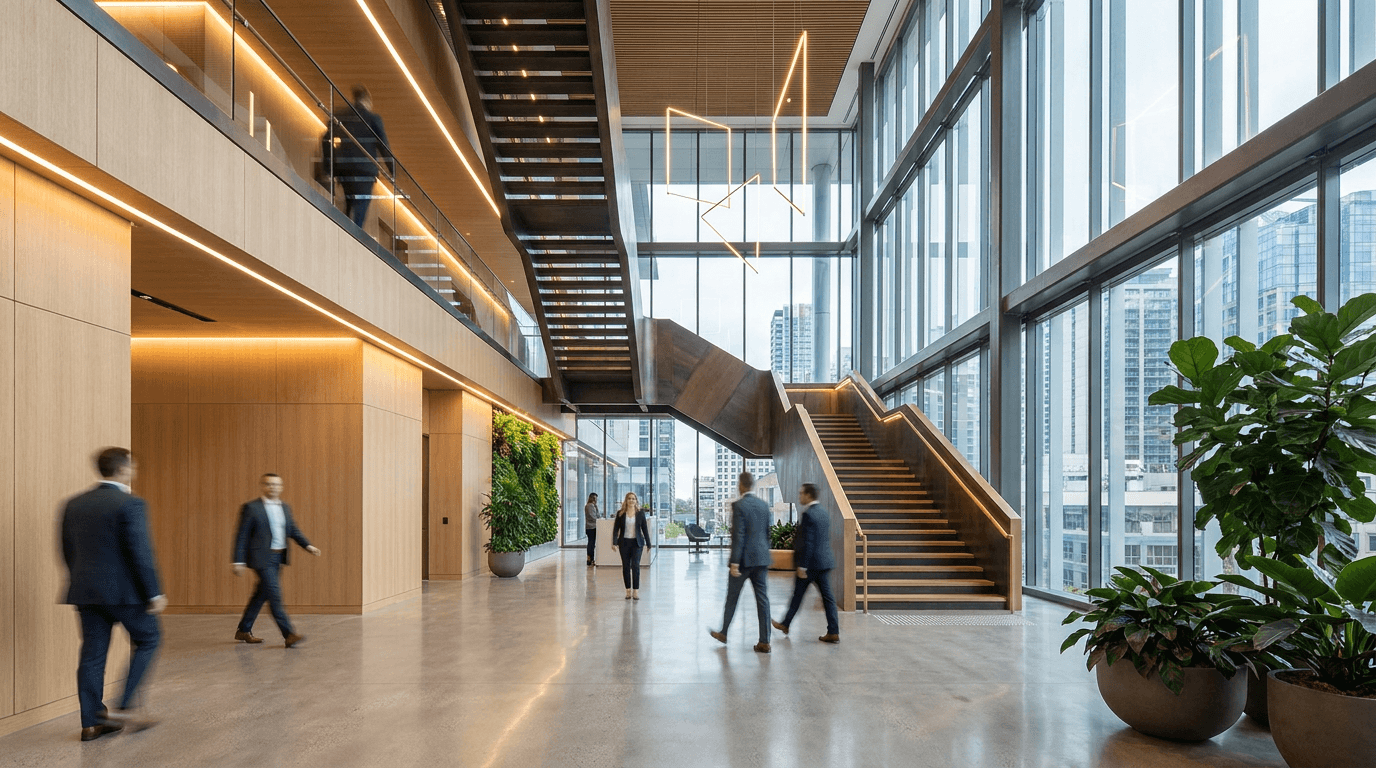
Company announcement post
Prompt
modern corporate lobby or atrium interior, clean architectural lines with glass and natural materials, warm professional lighting, a few blurred professionals walking in the background suggesting active business environment, wide architectural photography perspective, aspirational corporate aesthetic, no people in sharp focus, no text no logos
Product or service launch post
Prompt
clean product presentation on a minimal professional surface, single hero product in sharp focus with soft depth of field falling away from it, warm directional studio lighting creating slight shadow detail, premium commercial photography aesthetic, negative space for visual breathing room, no text no real branding
Industry event or conference post
Prompt
large modern conference hall interior from slightly elevated perspective, rows of professional seating facing a stage with neutral lighting, atmospheric depth from foreground seats to distant stage, professional event photography aesthetic, warm ambient lighting with cool accent from stage direction, no people, no text no logos no readable signage
Diversity and inclusion post
Prompt
diverse group of three professionals in an informal standing discussion in a bright modern office break area, genuine engaged interaction rather than posed group photo, varied professional ages and backgrounds represented, warm natural light, candid documentary style, coffee cups and casual professional clothing suggesting informal culture, no text no logos
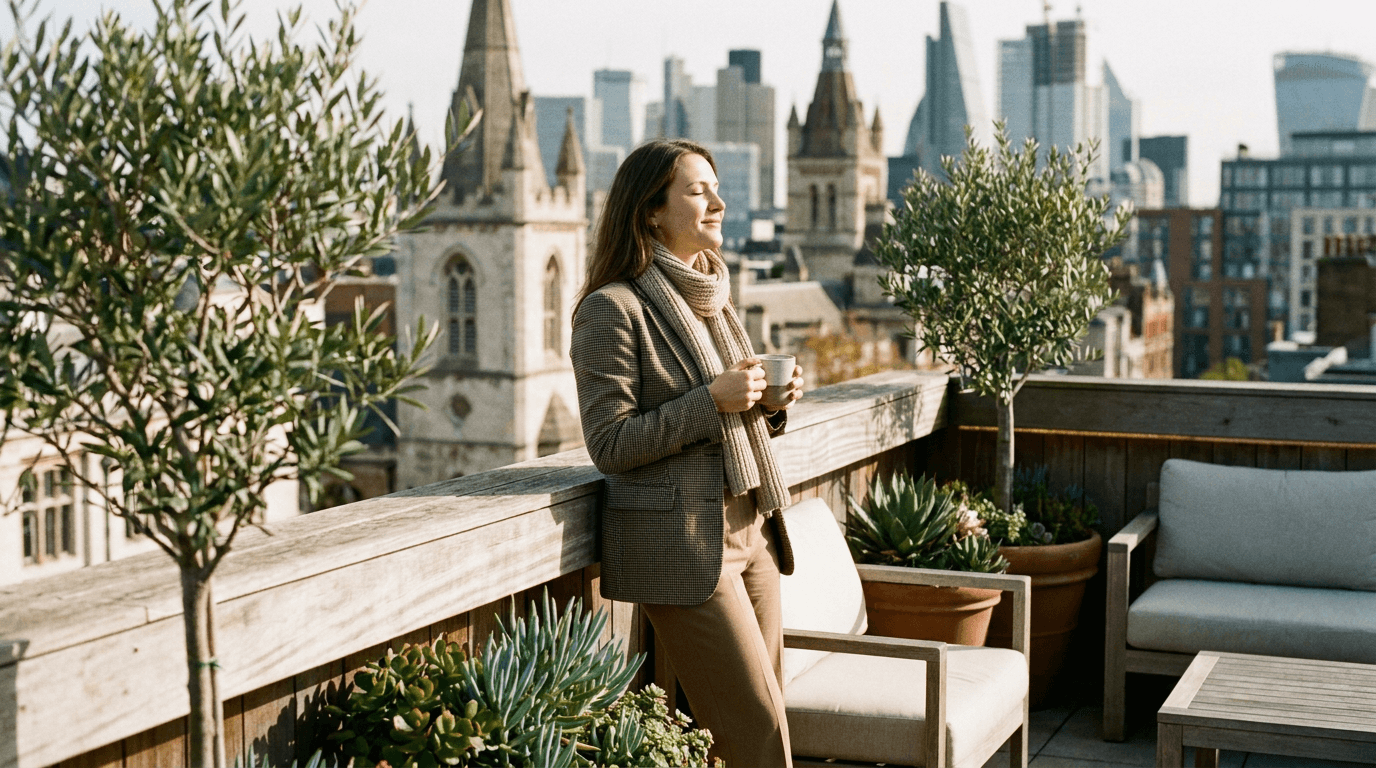
Work-life balance or mental health post
Prompt
professional taking a mindful break on an office terrace or rooftop, looking out at a city view with a warm drink in hand, relaxed but purposeful posture, mid-morning warm light, peaceful and grounded atmosphere, editorial lifestyle photography, slight blurring of background city, no text no logos
Conclusion
LinkedIn post images are one of the most underinvested elements of most professionals' content strategies in 2026. The platform's audience is trained to scroll past generic stock photo aesthetics, and the majority of AI-generated images fall into that same visual category without specific, professional-context-aware prompting.
The 15 prompts in this guide work because they are built around the specific visual qualities that LinkedIn's professional audience responds to: credibility over perfection, candid engagement over posed presentation, environmental specificity over generic context, and professional authenticity over corporate polish. Each prompt provides a complete starting point that produces usable results immediately while remaining customizable enough to fit any industry or professional niche.
Using these prompts consistently across your LinkedIn content builds a visual identity that makes your posts recognizable in the feed, which contributes to the follower growth and engagement rates that make LinkedIn a meaningful professional platform rather than just a digital resume.
For creators building a broader visual content strategy across platforms, the Nano Banana prompt guide covers advanced AI image prompting techniques for more stylized and viral visual formats, and the AI prompts for YouTube thumbnails guide provides the same copy-paste format for YouTube-specific visual content.
FAQ
What size should LinkedIn post images be in 2026? The recommended size for LinkedIn post images is 1200 x 627 pixels for standard posts and 1080 x 1080 pixels for square format posts. When generating AI images for LinkedIn, prompting for a horizontal or square composition depending on your preferred format helps the generator produce images that work well at LinkedIn's display dimensions.
Can AI-generated images perform as well as real photographs on LinkedIn? Yes, when the prompts are written to produce professional, credible results rather than obviously stylized AI outputs. The visual qualities that matter on LinkedIn, credibility, specificity, and authentic-feeling professional context, are all achievable with well-written prompts. The prompts in this guide are specifically designed to produce images that read as professionally photographed rather than obviously generated.
How do I make AI images look professional for LinkedIn? The key factors are using photorealistic prompt language, specifying natural lighting conditions, describing genuine professional environments rather than generic backgrounds, prompting for candid mid-action moments rather than posed presentations, and avoiding the over-saturated, over-processed aesthetic that AI generators default to without specific guidance. Adding camera specifications and slight photographic imperfections as described in photorealism prompting guides also helps significantly.
Should LinkedIn post images include people or focus on environments? Both work well, but images with people tend to generate more engagement on LinkedIn because the platform's audience responds to human presence and professional context simultaneously. Images of professional environments without people work well for company culture, workplace, and thought leadership posts where the environment itself communicates the message effectively.
How many LinkedIn images should I generate per post? Generating three to five variations per prompt and selecting the best one is a practical approach. AI image generators produce variable results even from the same prompt, and having a few options to choose from makes it easier to select an image that matches both the visual quality and the emotional register of your post text.
Can I use these prompts for other social media platforms? Yes, with adjustments to match each platform's visual culture. The prompts are optimized for LinkedIn's professional aesthetic, which is more formal and credible-focused than Instagram or Twitter. For Instagram professional content, adding slightly more visual richness and color is appropriate. For Twitter or X, the same prompts work with less formal professional context in the descriptions.
What is the best AI tool for generating LinkedIn post images? An AI image generator that supports detailed text-to-image prompting with enough flexibility to apply professional photography aesthetics is what you need. Miraflow AI's image generator supports the full level of prompt detail used in the prompts in this guide and also offers image-to-image editing and inpainting for refining results without starting from scratch.