20 AI Prompts for Shopify Product Photography — No Studio Required (Copy & Paste)

Written by
Jay Kim

20 ready-to-use AI prompts for generating professional Shopify product photo backgrounds and lifestyle scenes. No studio, no photographer — just copy, paste, and create images that convert.
You invested weeks building your Shopify store, selecting a clean theme, writing product descriptions, and configuring checkout. Then you photographed your products on your kitchen table with your phone, uploaded the images, ran your first ad campaign, and watched 500 visitors arrive and leave without buying a single item. Your conversion rate sat at 0.6 percent — well below even the platform average. Meanwhile, a competitor selling a nearly identical product had crisp, evenly lit product shots on clean backgrounds, lifestyle images showing the product in aspirational settings, and close-up texture shots that let buyers virtually touch the material. That store converted at 3.5 percent. Same product category, same price point. The difference was the photos.
Shopify's own data indicates that 75% of shoppers consider product photos "very important" when making a buying decision, ranking higher than reviews, product descriptions, and pricing.[9] Stores that upgrade their product photography typically see 20-40% increases in conversion rates.[9] That finding alone should reframe how every Shopify store owner thinks about their product images. Poor product photos signal poor product quality, even when the product itself is excellent. Blurry images, inconsistent lighting, cluttered backgrounds, and lack of detail shots create doubt in the customer's mind. They start wondering: "If the store cannot take decent photos, how good can the product be?"[9]
This is the fundamental reality of selling on Shopify in 2026: with over 4.4 million stores competing for attention, meeting platform requirements is not optional — it's the baseline for how your products are perceived.[2] Small Shopify sellers — many of them running stores out of spare bedrooms — are now putting up product imagery that looks indistinguishable from the work of a $300-an-hour studio.[1]
This guide gives you 20 copy-and-paste AI prompts engineered specifically for Shopify's image requirements, product page strategy, and conversion-driven ecosystem, along with the exact specs, design principles, and optimization strategies you need to make every product photo work harder — without ever stepping foot in a professional studio.
Why Product Photos Are the Highest-Leverage Conversion Factor on Shopify
Shopify is not just a store builder anymore. There are 6.81 million active Shopify stores globally. The U.S. has the most Shopify stores, with 3.75 million businesses running on the platform. Shopify serves over 875 million customers worldwide.[3] The platform has generated over $1.6 trillion in cumulative Gross Merchandise Volume (GMV), and continues to grow rapidly, with Shopify revenue reaching $11.6 billion in 2025.[1]
With that level of competition, your product images are doing the work of an entire sales floor. They must stop the scroll, earn the click, build trust, answer questions, and close the sale.
The Shopify platform average conversion rate sits at approximately 1.4% as of 2026. This means that for every 100 visitors to the average Shopify store, fewer than 2 complete a purchase.[1] Top 20% stores convert at 3.1%–3.5%, while top 10% stores achieve 4.7%–5.2% — stores with exceptional product-market fit, excellent UX, and high-quality owned-channel traffic.[1]
The gap between top performers and average stores is enormous — and photography is one of the most controllable factors. Product page quality drives the actual purchase decision. High-quality images (6+ per product), detailed descriptions, visible reviews, clear pricing, and prominent add-to-cart buttons are table stakes. Missing any of these elements costs you conversions.[2]
Product photography directly drives revenue because images are the primary information source online shoppers use to evaluate purchases. Shopify research found that 33.16% of customers prefer to see multiple photos and 60% want a 360° view. Poor visuals create doubt; strong visuals close the trust gap that text alone cannot.[5]
The economics of AI-generated product photography have made studio-quality imagery accessible to every store owner. Traditional product photography costs average $85-250 per SKU when you factor model fees, studio rental, and post-production. AI alternatives deliver comparable results at $3-12 per image.[8] Shopify stores (unlike marketplaces) own their entire visual narrative. AI-generated lifestyle images — products in aspirational home settings, outdoor environments, or styled vignettes — build brand world without the $2,000–$10,000 cost of location photography shoots. Modern AI maintains photorealistic quality that's indistinguishable from traditionally photographed scenes.[3]
Shopify Product Image Specs for 2026
Getting your image dimensions right on Shopify is not optional. Wrong image sizes kill your Shopify store in two ways: blurry photos that look unprofessional, and oversized files that slow your page to a crawl.[8]
Here is a complete breakdown of the specifications you need to know.
The ideal Shopify product image size is 2048 × 2048 pixels in square (1:1) format. This enables zoom on all devices, looks sharp on retina screens, and stays under the 20 MB file limit.[8] Use WebP or JPEG format, keep files under 200 KB each, and maintain consistent dimensions across your entire catalog.[8]
The maximum dimensions exist for a specific technical reason. On Shopify, upload images of up to 5000 x 5000 pixels with a file size of up to 20 MB. Square product images should be 2048 x 2048 pixels. Remember that for zoom functionality to work, your images must be more than 800 x 800 pixels.[1] However, maximum allowed is not the same as recommended. Shopify recommends 2048x2048 pixels for square product images. This is the sweet spot for zoom functionality on desktop and sharp rendering on retina mobile displays.[8]
For aspect ratio, square (1:1) is the safest default because it works across all Shopify themes without cropping. Some themes support custom ratios like 4:5 (portrait) or 3:2 (landscape), but 1:1 ensures consistency across your entire catalog.[8] Non-square images get padded with white space or cropped, creating inconsistent layouts.[7]
For file format, WebP is the best format for Shopify in 2026. It produces files 25-35% smaller than JPEG at equivalent quality. Shopify automatically serves WebP to supported browsers. Upload as JPEG or PNG and Shopify handles the conversion, or upload WebP directly for maximum control.[8] Shopify's own guidelines recommend keeping product photos between 200 KB and 500 KB. For mobile-heavy stores, staying under 300 KB is a stronger working target.[9]
For file size optimization, images account for roughly 40% of total page weight on the average website and on ecommerce pages that number is even higher. Every 1-second delay in mobile load time reduces conversions by about 7%.[9] Large product images are the #1 cause of slow Shopify stores. Compress images to under 500KB each for optimal load times.[7]
For number of images per product, Shopify allows up to 250 images per product, but 4 to 8 images is the ideal range for most products. Include a front view, back view, side or detail shots, and at least one lifestyle or context image. For clothing, a ghost mannequin image showing the garment's natural shape is particularly effective at driving conversions.[6]
The AI Image Generator on Miraflow supports custom aspect ratios, so you can generate images at Shopify's square 1:1 ratio without needing to crop or resize afterward.
How Shopify Handles Your Images Behind the Scenes
Understanding how Shopify processes your images is critical for getting the best results.
Shopify automatically generates a srcset of responsive image sizes from your uploaded original. This means the browser loads a smaller version on mobile devices and a larger version on desktop, optimizing both quality and speed without any extra work on your part. Uploading at 2048px gives Shopify a high-quality source to work from when creating those responsive variants.[6]
Shopify automatically converts images to WebP for browsers that support it when you upload JPG or PNG files.[2] This means your upload format affects initial quality but not necessarily the final delivered format. JPEG is the recommended upload format for product photography. It provides excellent quality at reasonable file sizes and handles photographic content (smooth gradients, complex colors, fine details) better than PNG in most scenarios.[3]
Over 70% of Shopify traffic comes from mobile devices in 2026, making mobile optimization a critical component. What looks perfect on a 27-inch desktop monitor might be illegible on a smartphone screen. Shopify automatically generates multiple image sizes from your uploaded files, serving appropriately sized versions based on the customer's device. However, this only works well if your source images are properly prepared.[2]
Shopify enables zoom automatically when your images are at least 2048x2048 pixels. Most modern themes include built-in zoom on hover or click.[8] If your images are below this threshold, the zoom produces a blurry, pixelated result that kills buyer confidence — especially for products where texture and detail matter.
What Makes a Shopify Product Photo Convert
The design principles that drive conversions on Shopify in 2026 differ from other platforms. Unlike marketplace listings, Shopify stores own their entire visual brand experience. Here is what the data and best practices reveal.
Clean, consistent hero images across your catalog. A strong hero image identifies the product immediately, looks clean on mobile, and stays visually consistent with the rest of your catalog. It should avoid clutter and present the product in a way that works on collection pages as well as product pages. On Shopify, this matters because collection-grid clarity can influence browsing efficiency and product discovery.[5]
Visual consistency above all. Consistent angles, backgrounds, lighting, and crop styles make your store easier to browse and more credible. They also help products feel related within a range or collection. In practical terms, consistency often matters more than artistic flair, especially for stores with many SKUs or frequent product launches.[5] Consistency is more important than perfection on Shopify. Your product images appear side-by-side in collections, search results, and the homepage. Inconsistent sizing, backgrounds, or styles create a disjointed, unprofessional look.[7]
White or neutral backgrounds for hero shots. Use a clean, neutral background for your main product image. While Shopify does not mandate white backgrounds like Amazon, clean backgrounds (white, light gray, soft gradients) keep the focus on your product and create a professional, consistent catalog. They also make your collection grid look cohesive.[10]
Lifestyle images in secondary slots. After your clean main images, add 1-2 lifestyle shots showing the product in use or in an attractive setting. These help shoppers visualize owning the product and consistently boost conversion rates.[10] White background photos convert better as the main image on marketplace listings and category grids; lifestyle photos convert better in ads, social feeds, and the rest of the PDP gallery.[1]
Lighting quality matters more than camera quality. Lighting matters more than the camera. Natural window light or a basic softbox kit will outperform expensive equipment in poor light.[7] The good news is that you do not need a professional studio or expensive camera to take photos that convert. A smartphone, natural light, and a clean background can produce product images that rival stores spending thousands on photography.[9]
For product-specific imagery across multiple e-commerce platforms, the 20 AI prompts for e-commerce product images guide provides additional prompts designed for various marketplace requirements.
Shopify's Built-In AI Image Tools: What They Can and Can't Do
Before diving into the prompts, it is important to understand what Shopify already offers natively and where external AI image generation adds value.
Shopify Magic is a set of AI tools integrated directly into the Shopify platform that helps you automate tasks and grow your business more efficiently. It can create custom images for products or marketing materials based on the description you provide. Shopify Magic lets you remove or customize image backgrounds and enables direct export to your device or Shopify store.[1]
AI-powered media generation can help you create professional product images quickly without specialized design skills. You can do the following actions with media generation: Color background (replace an image's background with a solid color), Generate (transform your image using simple natural language prompts to change backgrounds, lighting, or other aspects of the image).[2]
However, there are limitations. Shopify Magic employs a maximum image resolution of one megapixel (MP). Images smaller or larger than this will be scaled up or down, which might restrict image quality for specific use cases.[1] Background removal is the strongest image feature, producing clean results that match professional editing for standard product photography. AI-generated backgrounds are improving but still occasionally produce artifacts or unrealistic lighting. They work well for social media content and secondary product images but may not meet the quality standards needed for hero product photography on your store.[5]
Products with professional, branded backgrounds see 12–18% higher add-to-cart rates compared to generic supplier photos.[3] This means that whether you use Shopify Magic, external AI tools, or a combination of both, investing in professional-quality backgrounds for your product images directly impacts your bottom line.
Shopify doesn't claim ownership over images merchants create using media generation, nor restrict where they can use those images. Images created can be used for merchants' business purposes, both within and outside of Shopify. An invisible watermark is applied as metadata on content generated with AI, but this is undetectable to the human eye.[2]
The prompts in this guide are designed for external AI image generators like the AI Image Generator on Miraflow, which produce higher-resolution output and offer more precise control over scene composition, lighting direction, and color palette than Shopify's built-in tools. You can then upload the generated images directly to your Shopify product gallery.
The Product Image Gallery Strategy for Every Shopify Listing
Before diving into the prompts, you need to understand how to use your image gallery slots strategically. Shoot 5-7 photos per product: main shot, lifestyle, scale, detail, and packaging.[9] Shopify supports unlimited product images — use at least 5-7 per product: front, back, side, detail close-ups, and one lifestyle shot showing the product in context. More angles mean fewer customer questions and lower return rates.[10]
Here is the proven gallery formula that the prompts in this guide are designed to fill:
Image 1 — Hero shot: Clean product on a white or neutral background. This appears in collection grids, search results, and ads. It must communicate the product instantly at tiny sizes. Ensure your first image looks good at small sizes (300x300 or smaller) since this is how customers browse collections.[7]
Image 2 — Lifestyle context: The product in use or in its natural environment. This is where AI-generated backgrounds add the most value for Shopify stores.
Image 3 — Back or alternate angle: A different perspective showing features not visible in the hero shot.
Image 4 — Detail close-up: Texture, finish, craftsmanship, material quality shown up close. This is critical for zoom functionality.
Image 5 — Scale reference: Product next to a hand, ruler, or common object so buyers understand size.
Image 6 — Variation display: All color, size, or material options shown together. Variant-specific images are essential for products with multiple colors or styles. When a customer selects "Red," the product image should automatically switch to show the red version.[7]
Image 7 — Second lifestyle or packaging shot: Different context, or showing what the buyer will receive.
The prompts below are organized by these gallery types so you can generate exactly what each position needs.
20 AI Prompts for Shopify Product Photography (Copy & Paste)
Each prompt is designed for Shopify's recommended 2048 × 2048 pixel square format. You can paste these directly into the AI Image Generator on Miraflow, set the 1:1 aspect ratio, and generate immediately.
Clean Background Hero Shots (Image 1)
1. Pure white studio background
Best for: Any product category. The universal Shopify hero shot background that creates clean collection grids and professional catalog pages.

Prompt:
clean professional product photography background, pure white seamless infinity curve from horizontal surface to vertical backdrop, soft even studio lighting with large diffused light source from upper left creating gentle directional shadow, no harsh shadows, bright clean white with subtle warm tone, commercial product photography studio setup, generous clean center space for product placement, sharp and professional
2. Soft gradient studio background
Best for: Skincare, beauty, tech accessories, premium consumer products. Adds subtle visual interest while keeping the focus on the product.

Prompt:
minimal product photography background with soft gradient from warm white at the base to very light cool gray at the top, smooth seamless surface with no visible edges or seams, professional studio lighting with large softbox from the right creating clean even illumination, modern clean aesthetic suitable for premium product display, generous open center space for product placement, commercial photography quality
3. Light stone or concrete surface background
Best for: Skincare, supplements, candles, home fragrance, and products with a natural or minimalist brand identity.
Prompt:
overhead view of a light gray concrete or natural stone surface with subtle organic texture, smooth and clean with minimal variation, soft diffused overhead lighting creating flat even illumination with no harsh shadows, cool neutral tones with slight warmth, modern minimalist product photography surface, generous clean center space for product placement, commercial product photography aesthetic
Lifestyle Scene Backgrounds (Image 2)
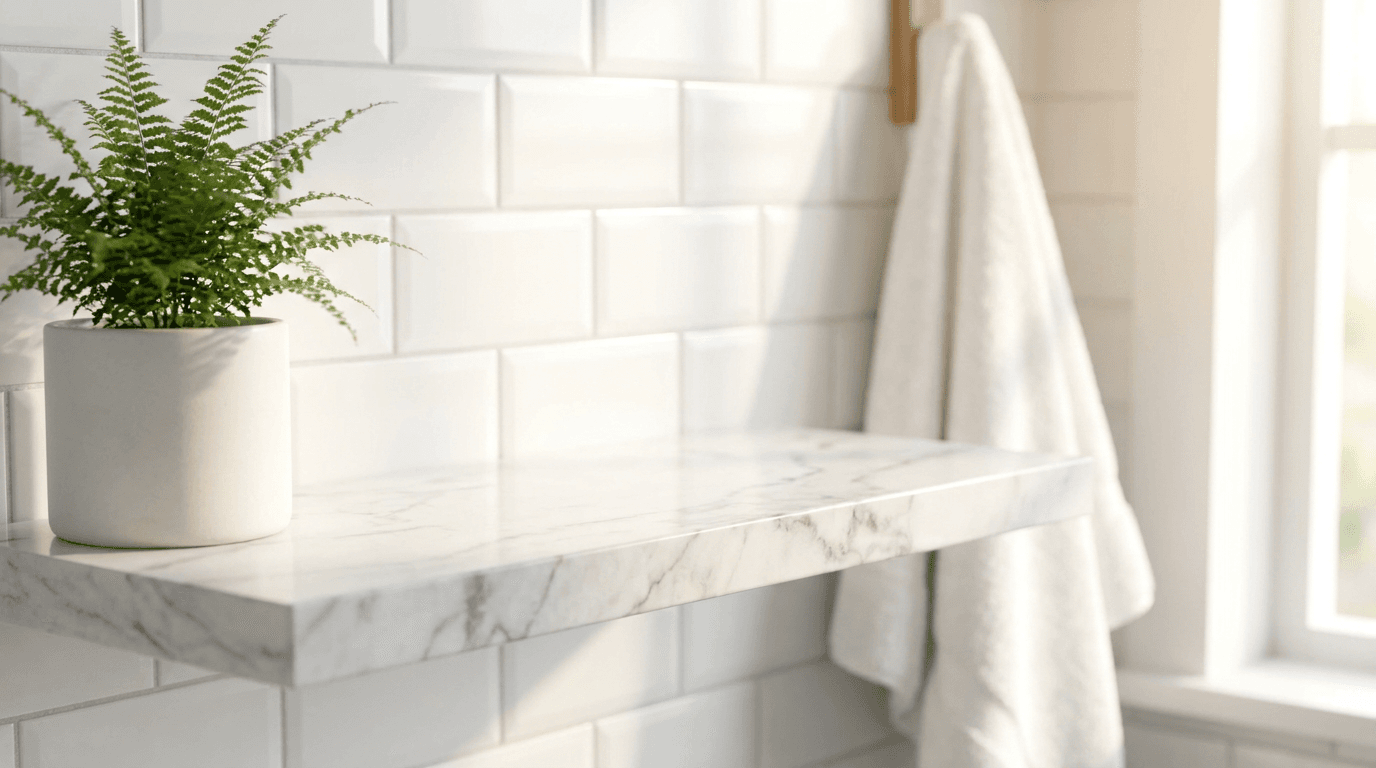
4. Modern bathroom shelf for skincare and beauty
Best for: Skincare, body care, bath products, grooming items, and wellness products.
Prompt:
bright modern bathroom scene with a clean white marble shelf against soft white subway tile wall, a small green plant in a minimalist ceramic pot on the left, a folded white towel in the soft background, warm natural morning light from the right creating a fresh spa-like atmosphere, clean and bright with white marble and green accents, generous open space on the shelf center for product placement, lifestyle product photography with shallow depth of field on background
5. Clean desk workspace for tech and accessories
Best for: Phone cases, laptop accessories, desk organizers, stationery, productivity tools, and tech gadgets.
Prompt:
bright modern minimalist desk scene with a clean white or light wood surface, a sleek laptop partially visible at the back edge slightly blurred, a small potted succulent in a white ceramic pot on the right, warm natural light from a large window creating bright even illumination, clean and organized modern workspace aesthetic with white warm wood and soft green accents, generous clear center space on the desk for product placement, professional lifestyle photography with shallow depth of field
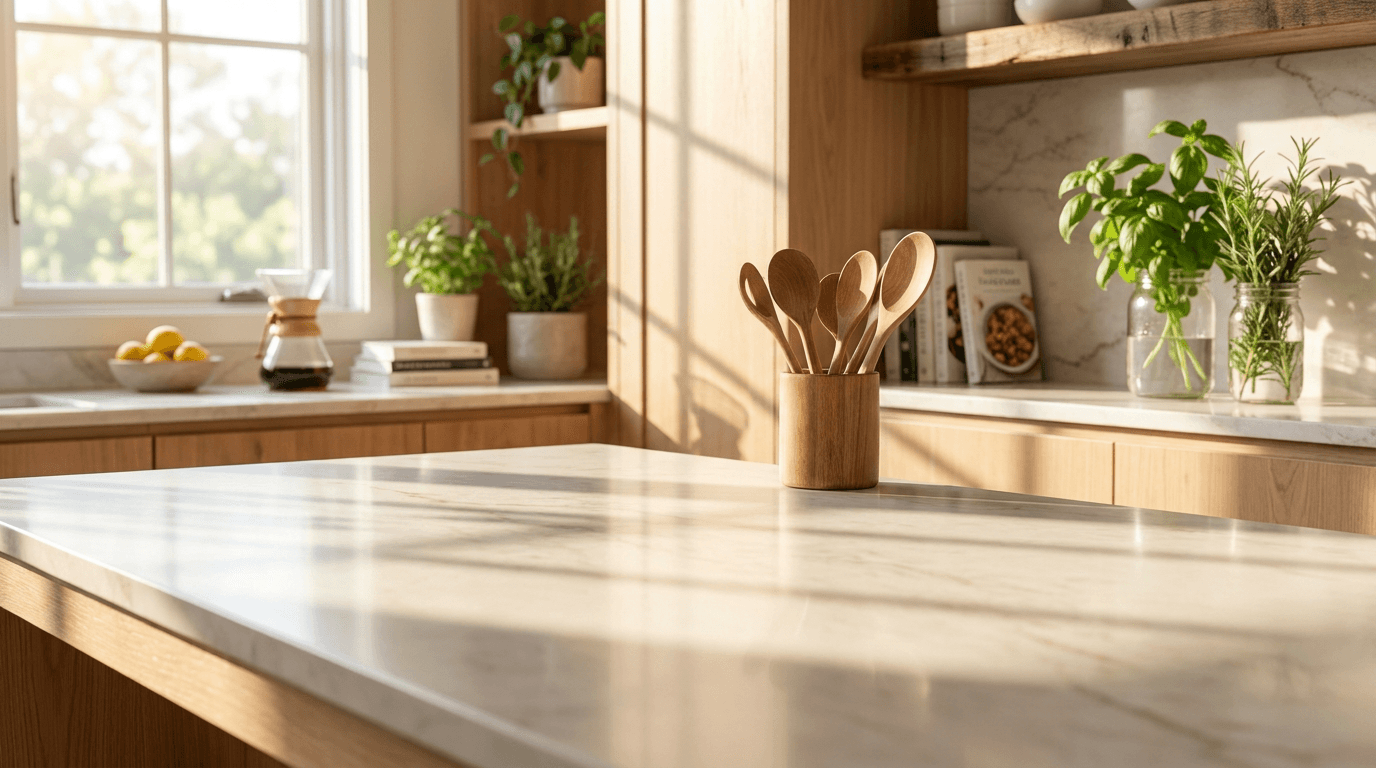
6. Kitchen counter for food and kitchen products
Best for: Kitchen tools, food products, supplements, water bottles, lunch containers, and cooking accessories.
Prompt:
bright clean modern kitchen scene with a white quartz or marble countertop, soft natural light streaming from a nearby window, a small wooden cutting board and fresh herbs in a glass jar slightly blurred in the background, clean whites natural wood and green accents, warm morning atmosphere with bright even illumination, generous clear center counter space for product placement, professional kitchen lifestyle photography
7. Living room scene for home décor and lifestyle
Best for: Candles, throw blankets, decorative objects, home fragrance, and lifestyle accessories.
Prompt:
bright cozy living room scene focused on a clean coffee table surface in warm natural wood or white, a soft cream knit throw blanket draped over a modern sofa arm visible in the blurred background, warm afternoon golden light creating an inviting atmosphere, a small stack of neutral-toned books and a dried eucalyptus sprig on one side, warm earth tones with cream beige and sage green, generous open table space in the center for product placement, lifestyle home photography with shallow depth of field
8. Outdoor scene for fitness and active products
Best for: Water bottles, fitness accessories, outdoor gear, sunscreen, athletic wear accessories, and active lifestyle products.
Prompt:
bright outdoor scene with warm sunlight and a clean natural stone or wooden bench surface, soft green foliage and blurred trees in the background, fresh morning golden light filtering through leaves, active and energetic outdoor atmosphere with natural greens warm wood and bright sky tones, generous clear center space on the surface for product placement, outdoor lifestyle product photography with warm bokeh and shallow depth of field
Detail and Texture Backgrounds (Image 4)
9. Macro-ready neutral bokeh background
Best for: Close-up shots of jewelry details, fabric texture, watch mechanisms, leather grain, or any product where material quality drives purchase decisions.

Prompt:
extreme close-up macro photography background with soft creamy out-of-focus neutral tones, warm beige to golden smooth bokeh, soft directional light from the left creating gentle gradation from light to slightly darker, professional macro product photography aesthetic with very shallow depth of field, warm and clean with plenty of space for sharp product detail to pop against soft background
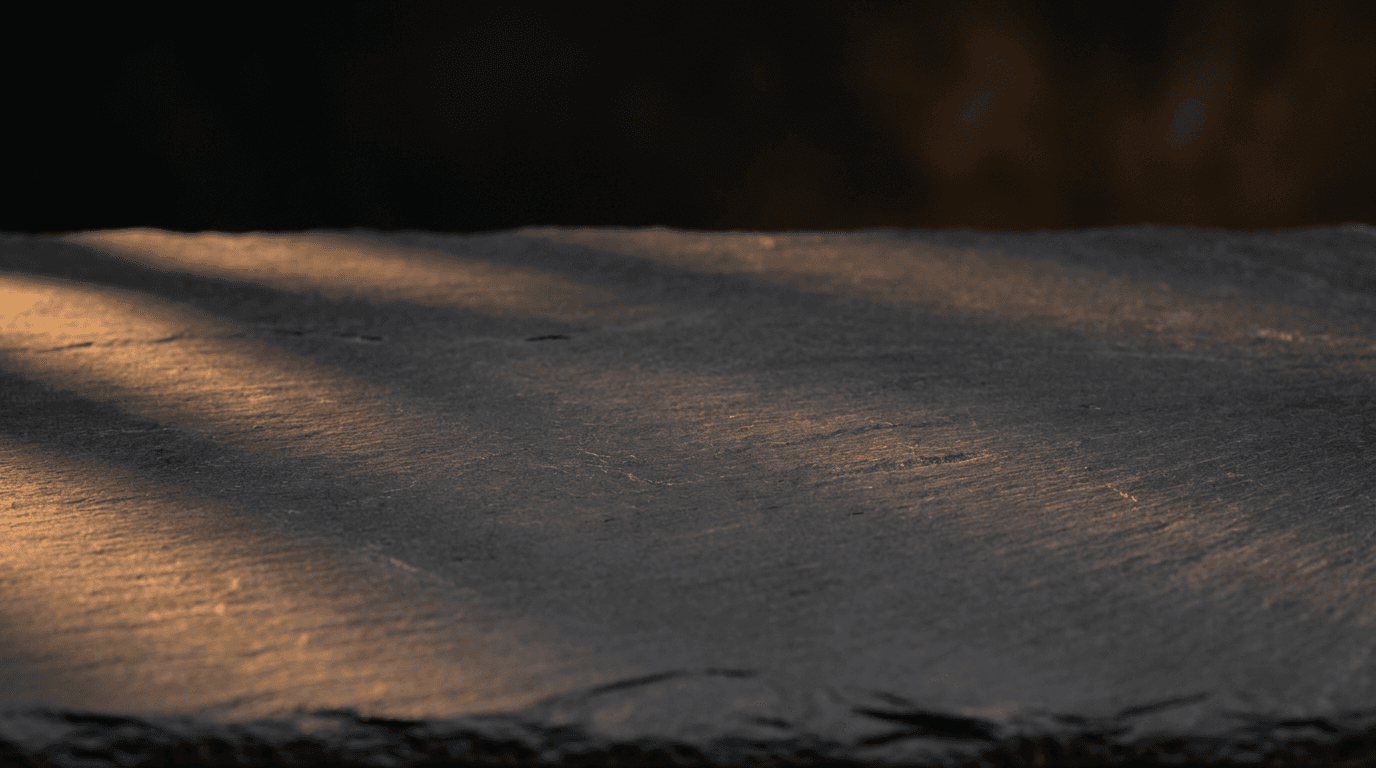
10. Dark premium surface for luxury products
Best for: Watches, fine jewelry, leather goods, premium spirits, high-end electronics, and any product positioned at a luxury price point.
Prompt:
dark matte black or charcoal slate surface with subtle natural texture, dramatic side lighting from the left creating rich moody atmosphere with defined shadow gradient, warm golden accent highlights catching the surface edges, background fading to deep black, professional luxury product photography aesthetic, rich deep tones with metallic warm light accents, generous clean center space for product placement
Flat-Lay and Arrangement Backgrounds (Image 6)
11. Minimal flat-lay surface for product collections
Best for: Product line displays, bundle sets, color variant flat-lays, and collection overview images.
Prompt:
clean bright white surface photographed directly from above with soft even overhead lighting and no harsh shadows, very subtle warm tone, minimal and clean with a faint natural shadow area where products would cast shadows, professional flat-lay product photography surface, generous open center space for arranging multiple products, bright and inviting commercial aesthetic
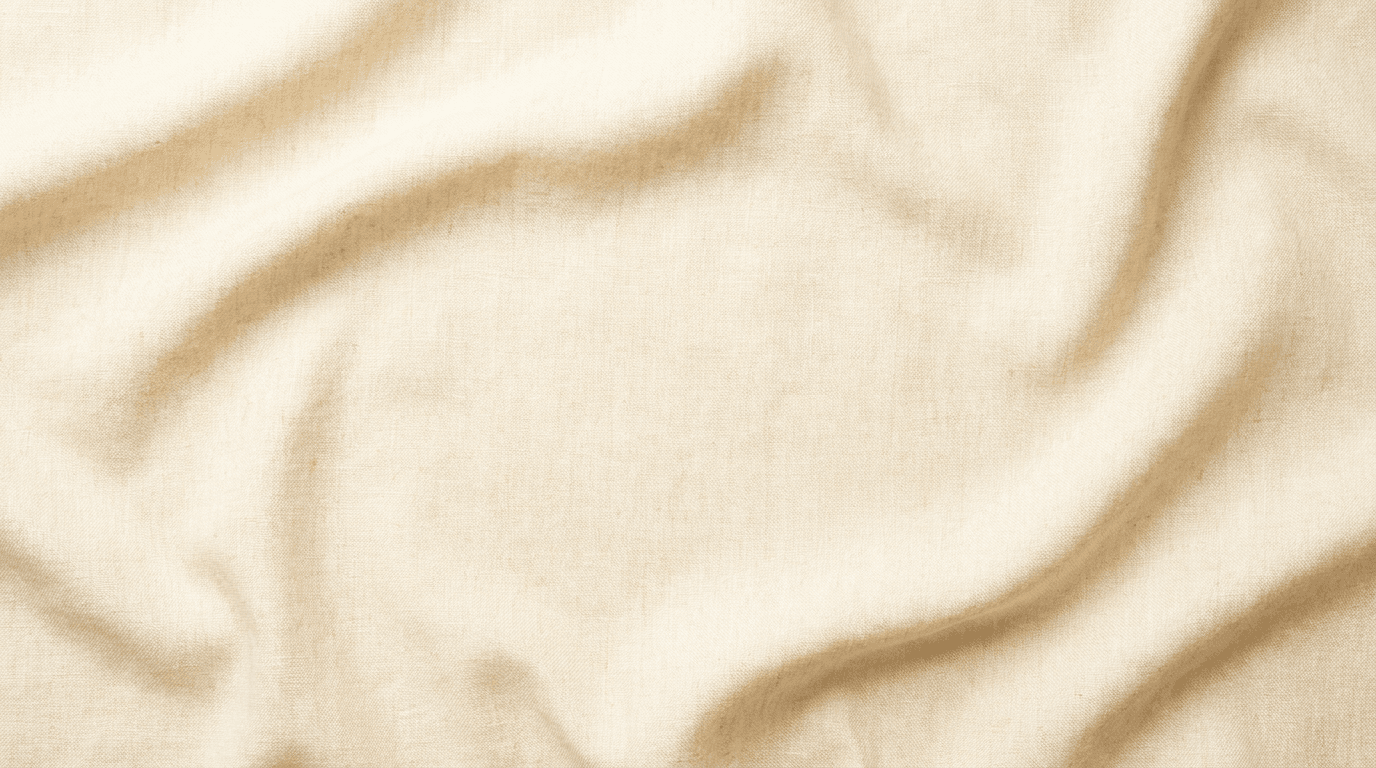
12. Textured fabric flat-lay for fashion and accessories
Best for: Jewelry flat-lays, accessory collections, fashion items, and lifestyle product groupings.
Prompt:
overhead view of a clean natural linen fabric surface in warm cream color with subtle woven texture, soft folds creating gentle organic depth without being messy, even diffused overhead lighting with soft natural shadows, warm neutral tone with slight golden undertone, professional styled flat-lay surface for product arrangement, generous clean center space, commercial product photography background
Wearable Product Backgrounds (Image 2 or Lifestyle)
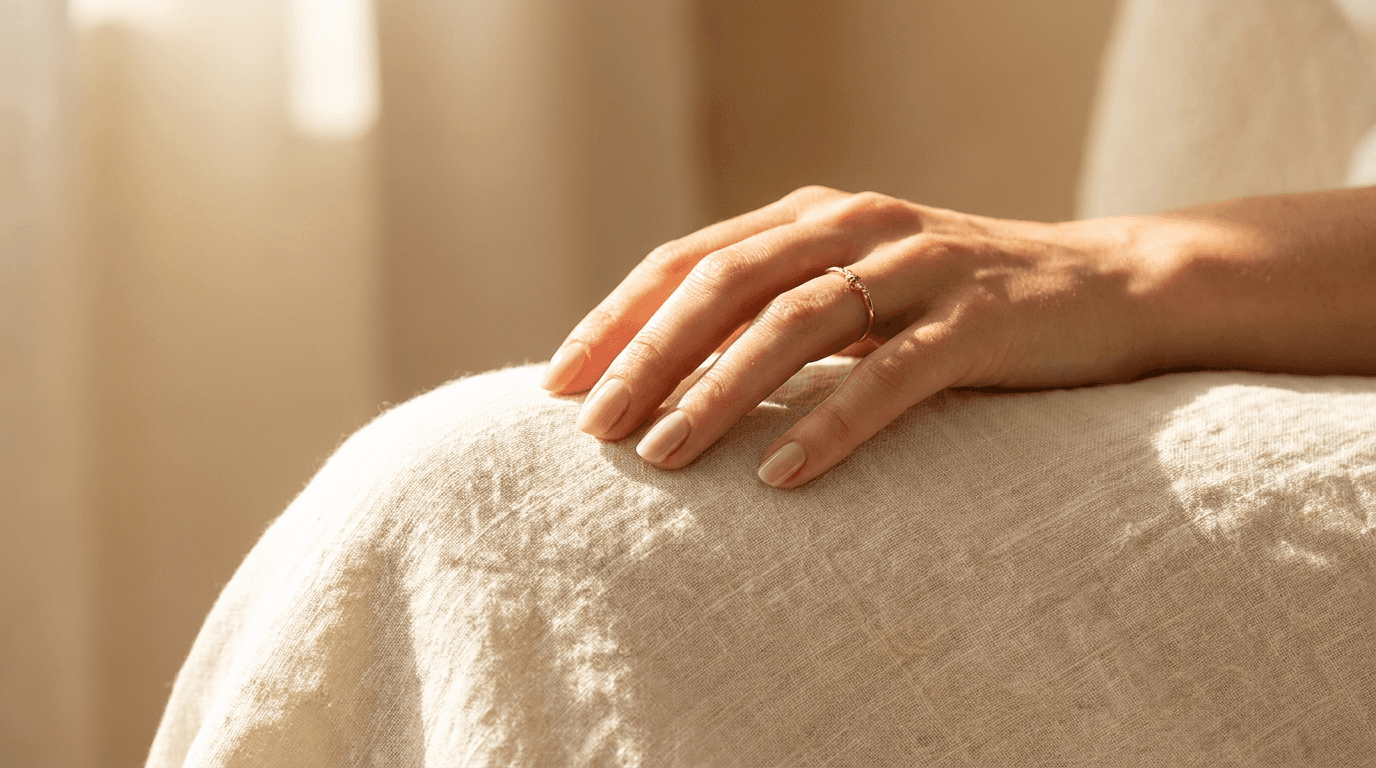
13. Hand and skin context for jewelry and accessories
Best for: Rings, bracelets, watches, nail products, and hand-related accessories shown in lifestyle context.
Prompt:
close-up of an elegant hand resting naturally on a warm neutral surface, soft natural light from the side highlighting skin texture, neutral nail color, relaxed natural pose with fingers slightly curved, warm skin tones against light cream background with soft golden light, professional jewelry lifestyle photography aesthetic, shallow depth of field with the hand in sharp focus and background softly blurred
14. Fashion lifestyle background with model context
Best for: Bags, scarves, hats, sunglasses, clothing accessories, and wearable products.
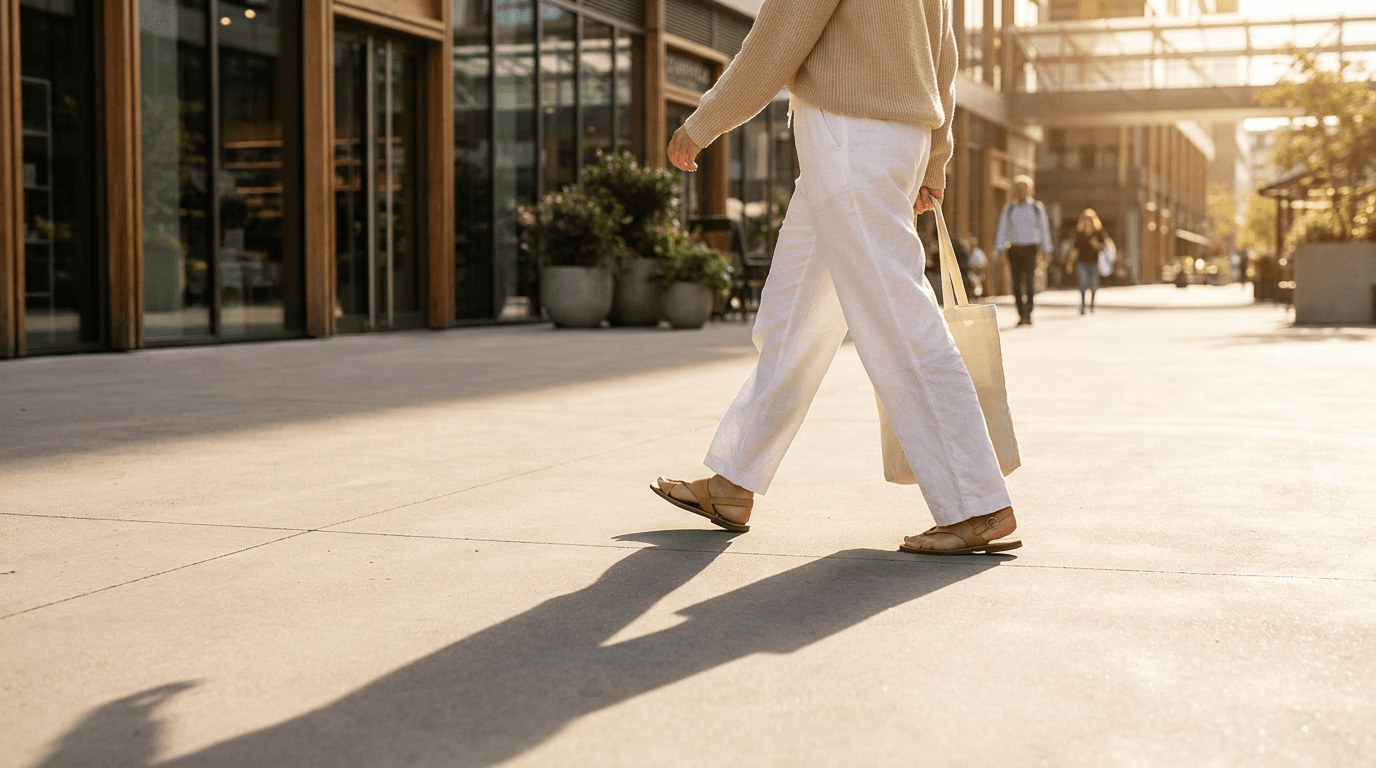
Prompt:
bright fashion lifestyle scene of a person walking through a modern urban street seen from the waist down, wearing simple neutral clothing in white and soft earth tones, warm afternoon golden sunlight creating long shadows on clean pavement, modern and aspirational street style aesthetic with warm tones, face not visible, clean and editorial fashion photography style with shallow depth of field
Digital Product and Mockup Backgrounds
15. Device mockup scene for digital products
Best for: Digital downloads, app screenshots, printable templates, ebook covers, and digital course materials.

Prompt:
bright clean overhead view of a modern tablet or laptop device on a warm light wooden desk surface, a small coffee cup and a minimalist pen beside it, the device screen showing a clean blank white display, warm natural morning light creating fresh bright illumination, modern professional workspace aesthetic with warm wood white and soft accent colors, styled digital product mockup photography
16. Print mockup on wall for art and poster products
Best for: Art prints, posters, wall art, photography prints, and framed products.
Prompt:
bright modern minimalist room scene with a clean white wall, a simple thin natural wood or matte black picture frame hanging centered on the wall, a small green plant on a modern side table visible below, warm natural afternoon light from a window creating soft wall shadows, clean and bright with warm neutral tones, the frame interior left as clean blank white, professional interior mockup photography
For creators who also make YouTube content about their products, the AI prompts for YouTube thumbnails guide covers complementary visual strategies for video content.
Seasonal and Holiday Backgrounds
17. Winter holiday scene
Best for: Holiday gifts, seasonal products, festive accessories, and winter collections.

Prompt:
warm cozy winter holiday scene on a rustic wooden surface with a few pinecones and a small sprig of fresh pine at the edges, tiny warm golden fairy lights creating soft bokeh in the blurred background, rich warm atmosphere with deep brown green gold and cream tones, generous clean center space for product placement, festive but uncluttered with natural earthy holiday elements, professional seasonal product photography styling
18. Summer fresh scene
Best for: Suncare products, outdoor accessories, summer fashion, beverages, and seasonal lifestyle items.
Prompt:
bright fresh summer scene with a clean white surface and soft natural light, a few scattered fresh citrus slices and green leaves at the edges, a small glass of water with ice slightly blurred in the background corner, bright airy natural light creating a fresh cheerful atmosphere, vibrant greens soft yellows and clean white tones, generous open center space for product placement, professional summer seasonal product photography
Brand-Building and Marketing Backgrounds
19. Branded color block background
Best for: Social media product shots, ad creatives, email marketing images, and any branded visual that needs to stand out in feeds.
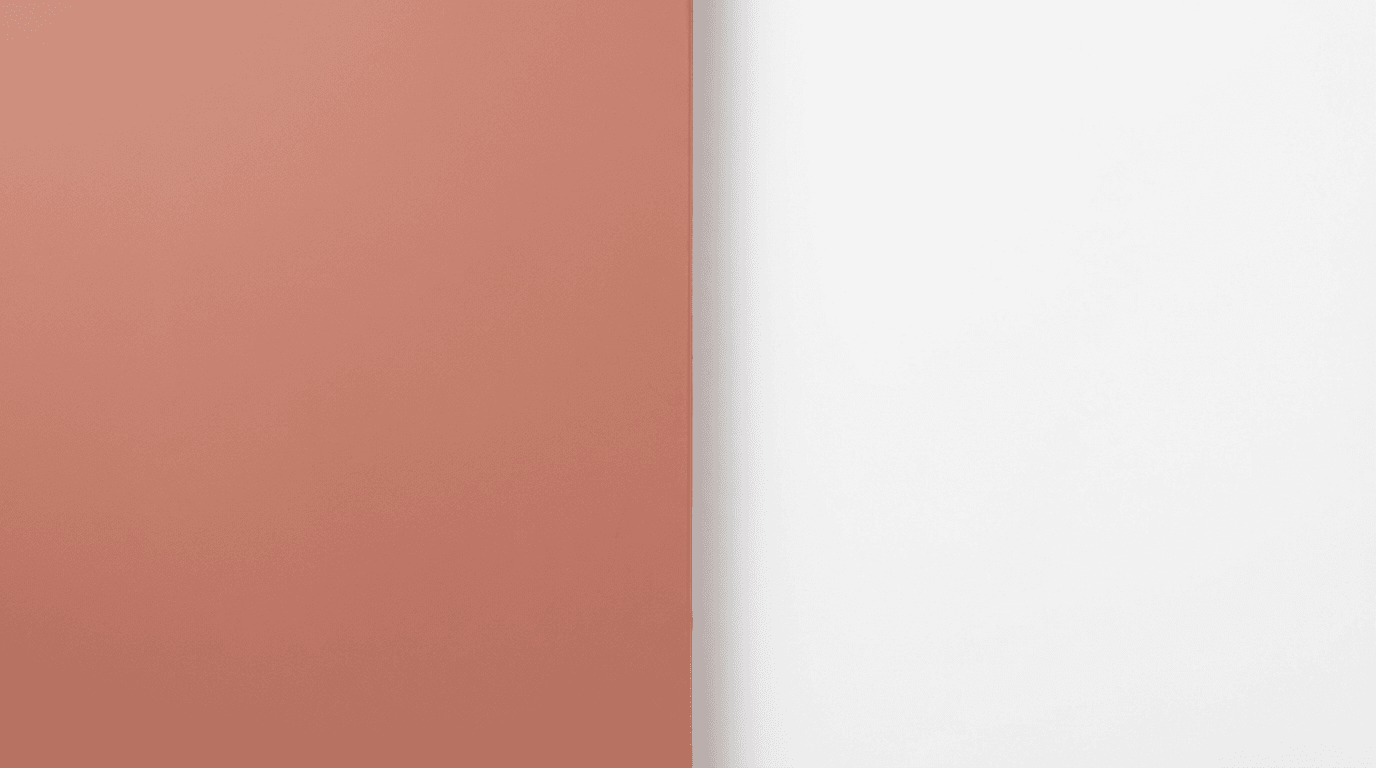
Prompt:
clean modern product photography background with a bold but sophisticated solid color block, split composition with a warm soft terracotta or dusty rose on the left half transitioning to clean white on the right, smooth matte surfaces with no texture, soft even studio lighting with no harsh shadows, geometric and modern with a premium fashion brand aesthetic, generous center space for product placement
20. Info card and feature highlight background
Best for: Size guides, ingredient lists, feature callouts, shipping information cards, and comparison graphics.
Prompt:
clean minimal background with a soft warm gradient from very light cream at the top to pale warm blush or soft sage at the bottom, subtle organic watercolor texture adding gentle visual warmth without competing with overlaid content, bright and clean with warm neutral tones, professional graphic design background suitable for product information overlay and text, maximum clean usable space
How to Use These Prompts with Your Real Product Photos
For physical product sellers, these AI-generated images serve as backgrounds and lifestyle contexts that you composite your real product photos into. Here is the workflow.
Step 1: Photograph your product on a plain background. Great product photography requires good lighting (natural window light), a clean background (white poster board, $5), and your smartphone.[9] Shoot near a large window during the day. Overcast days are ideal — cloud cover acts as a natural diffuser and eliminates harsh shadows.[7]
Step 2: Generate your lifestyle background. Use one of the prompts above (prompts 4-8 for lifestyle scenes) to generate the contextual background you want your product placed in. The AI Image Generator on Miraflow accepts custom aspect ratios, so generate at 2048 x 2048 pixels to match Shopify's recommended dimensions.
Step 3: Composite using AI background removal. Use an AI background removal tool to extract your product from its plain background, then place it into the AI-generated scene. Background removal and replacement is the most practical starting point. Tools like Photoroom and Remove.bg extract your product from its background and place it on clean white, solid color, or lifestyle backgrounds. Upload a photo of your product on a kitchen table, and AI generates versions showing it on a marble countertop, in a minimalist studio, or in a lifestyle setting.[6]
Step 4: Keep your hero shot clean and authentic. Your Image 1 hero shot should be a real, well-lit photo of your product on a clean background. Best practice is to use white-background images as the default "hero" and listing shots, and then supplement with 1-2 lifestyle/context images per product to round out the visual story.[9]
Step 5: Optimize before uploading. A practical optimization workflow: (1) Shoot or generate at 2,048px square, (2) compress to 200–400KB JPEG at 88–92% quality, (3) upload to Shopify, (4) verify zoom quality and page speed, (5) run Google PageSpeed Insights to confirm Core Web Vitals pass.[3]
How to Customize These Prompts for Your Product Category
The 20 prompts above cover a broad range of Shopify product categories. Here is how to adapt them to your specific niche.
For skincare and beauty sellers: Use prompt 4 (bathroom shelf) as your primary lifestyle background. The spa-like atmosphere matches the aspirational context beauty buyers respond to. Use prompt 10 (dark premium surface) for luxury-positioned skincare lines, and prompt 3 (stone surface) for natural or organic brands. Beauty converts well because purchase decisions are often emotionally driven and price points are moderate. Visual content is critical here.[2]
For fashion and apparel sellers: Use prompt 14 (fashion lifestyle) and modify it for indoor or outdoor settings appropriate to your brand. For accessories, prompt 13 (hand context) shows products in their natural context. In aggregated Shopify merchant data, on-model lifestyle outperforms flat lay by 20 to 30% on conversion across most apparel categories.[1]
For home goods and décor sellers: Prompts 6 (kitchen), 7 (living room), and 4 (bathroom) give you contextual scenes matching where buyers will use your products. Swap specific prop elements and color descriptors to match your brand palette.
For tech and electronics sellers: Use prompt 5 (desk workspace) for primary lifestyle shots and prompt 2 (gradient studio) for premium hero shots. Add descriptors like "modern," "minimal," and "clean lines" to match the tech aesthetic.
For food and supplement sellers: Use prompt 6 (kitchen counter) and modify with food-appropriate props. Add warm, appetizing color descriptors. Food and Beverage is the highest-converting Shopify vertical consistently, at 2.8-3.5%. Low price points, consumable products with repeat purchase behavior, and strong brand loyalty drive these numbers.[2]
For digital product sellers: Prompts 15 (device mockup), 16 (wall art frame), and 20 (info card background) are specifically designed for digital downloads and digital products where you have no physical item to photograph.
For creators managing both Shopify and Pinterest content, the AI prompts for Pinterest pins that drive saves guide covers complementary vertical-format visual strategies.
Image SEO: The Hidden Traffic Source Most Shopify Stores Ignore
A commonly overlooked optimization on Shopify is image SEO. Images make up the majority of page weight on a typical Shopify store. They're also the primary way shoppers evaluate your products before buying. Yet image optimization is one of the most neglected areas of ecommerce SEO. Bad alt text (or none at all), generic file names like IMG_4392.jpg, and uncompressed 3MB photos quietly tank your Core Web Vitals, kill your Google Image traffic, and make your products invisible to AI recommendation engines.[1]
Write descriptive alt text for every image. Write descriptive alt text. Every product image should have alt text that describes what is shown. Good alt text improves accessibility for screen reader users and helps your images rank in Google Image search. Instead of "IMG_4532.jpg," use "Navy blue cotton crew neck t-shirt front view." Shopify lets you add alt text directly in the product image editor.[6]
Mention the product name, color, material, and what view the image shows. Keep it under 125 characters. Do not start with "image of" or "photo of" because screen readers already announce it as an image.[2]
Rename files before uploading. Name your files descriptively before uploading — lowercase, words separated by hyphens, descriptive of the product. Then write good alt text on top of that. Yes, use hyphens to separate words in image file names, not underscores. Google treats hyphens as word separators in URLs and file names.[4]
Each image needs unique alt text. Many merchants copy-paste the product name for every image. Each image should describe its unique content - front view, back view, detail shot, etc.[8]
AI systems like ChatGPT, Perplexity, and Gemini use alt text and surrounding page context to understand what your products look like and what they do. When someone asks Perplexity "what's a good minimalist wallet for men," the AI reads your product page, including image alt text, to decide whether to recommend you. Empty alt text means the AI has less signal to work with. That's a competitive disadvantage you don't need.[1]
When you download your AI-generated background images and final composite images, rename every file with descriptive, keyword-rich names before uploading to Shopify. Include the product type, key material, color, and context. For example: "organic-face-serum-bathroom-shelf-lifestyle.jpg" or "black-leather-wallet-front-view-studio.jpg."
Building Visual Brand Consistency Across Your Shopify Store
Brand consistency directly impacts buyer behavior on Shopify — arguably more than on any other platform, because you control the entire visual experience.
The biggest challenge for growing Shopify stores is maintaining visual consistency as product catalogs expand. Products photographed weeks or months apart with different setups create a disjointed browsing experience. AI tools generate all images with identical lighting, styling, and composition parameters, creating the cohesive visual catalog that premium Shopify brands require.[3]
Here is how to build visual consistency using the prompts in this guide.
Choose one or two background types and use them everywhere. If your brand is clean and modern, use prompts 1 (white studio) and 2 (gradient) for all your hero shots. If your brand is warm and natural, use prompts 3 (stone) and 12 (linen) consistently. The backgrounds become your visual signature.
Lock in your lighting direction. All prompts in this guide specify the light direction. Pick one direction (left or right) and keep it consistent across all generations. Inconsistent lighting across products makes your collection grid look disjointed.
Standardize your accent colors. Each prompt includes color descriptors for background elements. Replace these with your brand's specific palette across all prompts. If your brand uses sage green and warm cream, modify every prompt to include those specific colors.
Test your theme before generating at scale. Before shooting hundreds of products, install your chosen theme and test how it displays various image dimensions. Upload a test product with different aspect ratio images. This test reveals which aspect ratio works best for your specific theme, preventing costly reshoots later.[2]
For product-specific studio-quality imagery, the 15 AI prompts for product photos guide goes deeper into lighting, angle, and material-specific prompt engineering.
The Mobile-First Imperative for Shopify Product Images
Mobile optimization is not optional for Shopify in 2026. Mobile devices account for approximately 79% of total traffic to Shopify stores, emphasizing the critical need for mobile optimization in e-commerce strategies.[3] The average mobile conversion rate for Shopify stores is 1.2%, while desktop conversion rates stand at 1.9%.[3]
This gap represents one of the largest conversion rate optimization opportunities available to most Shopify stores. The mobile conversion gap is driven by several compounding factors: smaller screens make product details harder to assess, checkout forms are more cumbersome on mobile keyboards, mobile users are more likely to be in browse/discovery mode than active purchase mode, and mobile page load speeds are often significantly slower than desktop due to image optimization and JavaScript execution time.[1]
Here are the specific mobile optimization principles for your product images:
Product must be clearly visible at thumbnail size. When browsing collection pages on mobile, your product images appear tiny. If the product cannot be immediately identified at small sizes, the image needs to be simpler and more product-focused.
Keep file sizes small for fast mobile loading. Target 150 KB per image on mobile. A product page with 6 images at 150 KB each loads in under 2 seconds on a typical 4G connection.[8] Shopify stores that load in under 2 seconds convert 2-3x better than stores that take 5+ seconds. Every additional second of load time drops conversion by 7-12%.[2]
Center your product with ample negative space. When designing banners, always place critical text and product imagery in the center 60% of the frame. Mobile devices crop the edges aggressively — some themes cut up to 40% of the horizontal width on small screens.[8] The same principle applies to product images: keep your product centered so it survives any crop variation on mobile.
Test on your phone before publishing. After uploading, check every product page on your mobile device. Verify that images look sharp, products are clearly visible, zoom works smoothly, and nothing critical is cut off.
Batch Generating Shopify Images for Efficient Catalog Management
There are 6.81 million active Shopify stores worldwide.[3] With that level of competition, volume and consistency matter. Here is a batch workflow for generating a full set of product images efficiently.
Step 1: Audit your current catalog. Identify which products have fewer than 5 images, which have poor-quality or inconsistent images, and which are your lowest-converting listings. These are your priority improvements.
Step 2: Select your prompt templates. Choose 4-5 prompts from this guide that match your product category and brand identity. These become your repeating visual templates.
Step 3: Generate all backgrounds in one session. Open the AI Image Generator on Miraflow and generate all your background images back to back. For each product, generate at least one hero background (prompts 1-3), one lifestyle background (prompts 4-8), and one detail background (prompt 9 or 10).
Step 4: Photograph all products in batch. Set up your lighting once and photograph all your products against a plain background in a single session. You don't need expensive gear — a smartphone, tripod, and good lighting are enough to start. A clean, neutral background keeps focus on your product and photographs consistently across sessions. Lighting matters more than the camera.[7]
Step 5: Composite, optimize, and export. Combine your real product photos with the AI-generated backgrounds, compress everything to under 300 KB, and export at 2048 x 2048 pixels in JPEG format.
Step 6: Upload with proper SEO metadata. Name every file descriptively, add unique alt text to every image, and organize your gallery using the image slot strategy outlined above.
This batch approach turns product image creation from a scattered, per-product task into a focused production session that can cover your entire catalog in a single weekend.
Using AI-Generated Mockups for Print-on-Demand and Dropshipping
For print-on-demand (POD) and dropshipping sellers on Shopify, AI-generated images serve an even more central role. When you source products from suppliers, you typically receive generic supplier photos that look identical to every other store selling the same product. This visual sameness kills differentiation and conversion.
AI tools replace this fragmented workflow with a 24/7 AI-powered virtual studio, allowing sellers to iterate faster and test more creatives without increasing overhead. For Shopify, Etsy, and Amazon sellers, this is not just about saving money — it is about competing effectively in a saturated market.[2]
For POD sellers, use the prompts in this guide to generate realistic lifestyle scenes, then composite your design mockups into those scenes. Generate a living room wall scene (prompt 16), then place your art print mockup into the frame. Generate a desk scene (prompt 5), then place your phone case design into the composition.
For dropshipping sellers, take the supplier's product photo, remove the background, and place the product into your brand's custom AI-generated scenes. This creates visual differentiation from every other store selling the same product, giving you a genuine competitive advantage.
For YouTube and TikTok content creators selling products on Shopify, the AI prompts for TikTok cover images guide covers vertical-format mockup techniques.
A/B Testing Your Product Images on Shopify
One of the biggest advantages Shopify stores have over marketplace listings is the ability to test different product images against each other. Shopify's experiments with AI-driven product image testing showed average conversion improvements of 18-27% across categories. The technology works by learning which visual elements correlate with purchase intent within specific demographic segments.[8]
Shopify's native A/B testing tools (or apps like Intelligems) let merchants test different product images against each other.[3] Here is how to structure your tests:
Test lifestyle vs. clean backgrounds in position 1. The strongest ecommerce listings use both, in a deliberate order, rather than choosing one. Image strategy is the single highest-leverage variable on a product detail page. Baymard Institute reports that 56% of users explore product images as their first action on a PDP, before reading description, price, or reviews.[1]
Test image order in the gallery. Sometimes moving your lifestyle shot from position 3 to position 2 — or showing your scale reference earlier — creates meaningful conversion lifts without generating any new images.
Test scene contexts. Generate the same product in two different lifestyle settings (e.g., kitchen vs. dining table for a cutting board) and measure which converts better. The strongest move for any specific catalog is to A/B test image order and image type on the top SKUs, where statistical significance is reachable within a reasonable window.[1]
Measure beyond conversion rate. Measure beyond conversion: time on page, add-to-cart rate, and return rate after 30 to 60 days.[1] A lifestyle image that increases conversion but misrepresents the product will increase returns, negating the benefit.
Avoiding Common Shopify Product Image Mistakes
Even with AI-enhanced images, certain mistakes can severely hurt your store performance.
Inconsistent aspect ratios across products. When aspect ratios and dimensions vary between products, the result is uneven grids, inconsistent cropping, and visual noise.[2] Standardize all your images to 2048 x 2048 square before uploading.
Using PNG for product photographs. Never upload PNG for product photos. A 2048×2048 product photo saved as PNG can hit 600-800 KB — three to four times larger than the same image in WebP. PNG is for logos and graphics with transparency, not product photography.[8]
Oversized files that kill page speed. Even though Shopify allows 20 MB files, loading a collection page with twelve 5 MB images creates a 60 MB page weight that will frustrate mobile users on slower connections.[2]
Blurry images that break zoom. When images are low-quality, pixelated, or too small, they can impact the perceived quality of your content. For an ecommerce website, this could lead to customers questioning the quality of your business or products.[1]
Leaving alt text blank. The most common error on Shopify stores. Blank alt text means search engines cannot index your images, and screen reader users get no information about the image.[8]
Using supplier photos without customization. Generic supplier images that look identical to every competitor create zero brand differentiation. AI-generated lifestyle backgrounds solve this problem at minimal cost.
Never testing on mobile. With nearly 80% of Shopify traffic coming from mobile devices, every product image must be verified on a phone screen before publishing. Check that products are clearly visible, text (if any) is readable, and zoom works properly.
Measuring the Impact of Your AI-Enhanced Product Photos
After implementing AI-enhanced images across your Shopify store, track these metrics to evaluate the impact.
Conversion rate by product. Bottom 25%: Below 0.5% conversion rate. Average (25th–75th percentile): 0.5%–2.2%. Top 20%: 3.1%–3.5%.[1] Compare individual product conversion rates before and after updating photos.
Category-specific benchmarks. Not all categories convert equally. Food and beverage runs the highest site CR (2.8% median). Apparel and beauty cluster around 2.0 to 2.5%. Supplements run lower (1.6%). Electronics runs lowest (1.0%) because AOV is $200+ on average.[9] Compare your results against your specific category, not against overall averages.
Page speed after image updates. Every image change should be followed by a PageSpeed Insights check. Google's own research shows that when load time goes from one to three seconds, bounce rates jump by about 32%. And according to the HTTP Archive's Web Almanac, images now make up over half of a typical webpage's total weight.[5]
Add-to-cart rate. This intermediate metric tells you the photos are working. Higher add-to-cart rates from product pages indicate that the visual presentation is building buyer confidence.
Return rate. Better product photography that accurately represents your product should reduce returns. The average ecommerce return rate sits around 19 to 20.5% in 2025 to 2026. Nearly half of online returns happen because the item did not match the description or photos.[1]
Track for at least 30 days after updating photos on any product listing. Changes in conversion take time to compound.
Cross-Platform Repurposing of Shopify Product Images
The images you generate for Shopify can be efficiently repurposed for other channels that drive traffic to your store.
Google Shopping and Merchant Center. Your clean, white-background hero shots (generated from prompts 1-3) are ideal for Google Shopping feeds. Google favors clean product images with no text overlays and solid white backgrounds for shopping ads.
Instagram and Facebook Ads. Your square-format images (generated at 2048 x 2048) are already Instagram-ready. Lifestyle images (prompts 4-8) work exceptionally well as ad creatives. Instagram posts featuring lifestyle images receive up to 24% more engagement than those with plain product shots.[6]
Pinterest. Your lifestyle images can be cropped to Pinterest's 2:3 vertical ratio with text overlay added. Pinterest is a powerful discovery channel for Shopify stores, especially in home décor, fashion, and food categories.
Email marketing. Product images need to work at small sizes in email clients. Your hero shots (prompts 1-3) work best for email because they are clean, load quickly, and communicate the product clearly even in compressed email formats. Email traffic converts at 4.2% — 3x the rate of paid social (1.1%).[1]
For creators managing content across LinkedIn as well, the AI prompts for LinkedIn post images guide covers professional-focused visual strategies.
Advanced Prompt Techniques for Shopify-Specific Images
As you become more comfortable with AI image generation for Shopify, these advanced techniques will help you extract higher-quality results.
Match your product's price point visually. If you sell premium products at higher price points, use prompt 10 (dark moody surface) and add descriptors like "editorial quality," "luxury presentation," and "premium brand aesthetic." If you sell everyday consumer products, use brighter, more accessible settings with casual styling.
Specify your Shopify theme's aesthetic. If your store uses a minimal, clean theme like Dawn, generate backgrounds with "clean minimal Scandinavian" descriptors. If you use a richer, more editorial theme, add "editorial," "lifestyle," and "aspirational" modifiers to your prompts.
Create seasonal variants of your best backgrounds. Take your most successful background prompt and create seasonal versions by swapping color palettes and prop descriptions. Your warm neutral desk scene becomes a holiday desk scene with the addition of "warm golden fairy lights" and "fresh pine sprig" descriptors.
Use texture-specific descriptors for material authenticity. Include phrases like "visible brushed metal finish," "organic cotton fabric with soft drape," or "natural wood grain with warm honey tones" to make backgrounds feel authentic and tactile to your target buyer.
Generate color-accurate backgrounds using complementary color theory. If your product is a specific color, generate backgrounds that complement without competing. Warm products against cool-toned backgrounds create visual separation, while analogous colors create harmony. Test both to see which converts better for your specific audience.
The Shopify Store Opportunity in 2026
The scale of the opportunity for Shopify sellers who invest in visual quality is enormous. With $11.56 billion in annual revenue, $300 billion in GMV, and 5.6 million active stores, Shopify has evolved from a simple ecommerce tool into the infrastructure layer of global digital commerce.[8]
AI hasn't replaced taste. The Shopify sellers winning right now aren't the ones with the most AI-generated images — they're the ones with the best art direction of those AI tools. Knowing what mood a product needs, which lifestyle context fits the target customer, and which images to keep versus discard is still a human skill. The technology has lowered the cost of execution, not the cost of judgment.[1]
The platform-wide average has risen from 1.5% in 2024 to 1.8% in 2026, driven largely by Shop Pay adoption, improved mobile experiences, and better app ecosystems that help merchants optimize without developer resources.[7] The gap between top performers and average performers within any single industry is typically 2-3x. A fashion store converting at 1.2% and another converting at 3.5% may sell nearly identical products — the difference is almost always in the store experience, checkout friction, page speed, and conversion optimization tools.[7]
The biggest advantage of AI-enhanced workflows is economic: you can test fifteen different visual concepts before committing to one, without any per-shoot cost. This iteration speed is what separates top Shopify sellers from struggling ones.
Conclusion
Shopify is a visual commerce platform where product photography is not just a nice-to-have but the primary driver of conversion, trust, and revenue growth. Consumers make a lot of quick judgments when shopping online. If you don't impress them or grab their attention, something else will. So it's important to make sure your online store offers a seamless and engaging journey for the customer.[4]
The 20 prompts in this guide cover every image position in your Shopify product gallery: clean studio backgrounds for hero shots, lifestyle context scenes for secondary images, detail and texture backgrounds, flat-lay surfaces, wearable product contexts, digital product mockups, seasonal scenes, and informational backgrounds. Each prompt is formatted for Shopify's recommended 2048 × 2048 pixel square format, designed with the clean, professional aesthetic that converts Shopify visitors into buyers, and built to work alongside your real product photography.
For physical product sellers, these prompts generate the professional backgrounds and lifestyle contexts that elevate your product photos from amateur to polished — without renting a studio, hiring a photographer, or buying expensive equipment. For digital product and dropshipping sellers, they create the compelling visual environments that differentiate your store from every competitor.
Start by selecting three to five prompts that match your product category, generate a batch of background images using the AI Image Generator on Miraflow, composite your real product photos into the scenes, optimize for file size and alt text, and update your lowest-converting products this week. With Shopify's mobile-first audience and the direct relationship between image quality and conversion rate, every visual improvement you make compounds into more sales over time.
Stop letting inconsistent lighting, cluttered backgrounds, and generic supplier photography limit your Shopify store's performance. Start generating product images that match the quality your brand deserves. Head to Miraflow and create your first batch of Shopify product backgrounds today.
Frequently Asked Questions
What is the best Shopify product image size in 2026?
The ideal Shopify product image size is 2048 × 2048 pixels in square (1:1) format. This enables zoom on all devices, looks sharp on retina screens, and stays under the 20 MB file limit.[8] Shopify supports images up to 5000 x 5000 pixels with a file size of up to 20 MB[1], but 2048 × 2048 is the recommended sweet spot.
How many product images should I have on Shopify?
Shopify allows up to 250 images per product, but 4 to 8 images is the ideal range for most products. Include a front view, back view, side or detail shots, and at least one lifestyle or context image.[6] Use at least 5-7 per product: front, back, side, detail close-ups, and one lifestyle shot showing the product in context.[10]
Should Shopify product photos have white backgrounds?
While Shopify does not mandate white backgrounds like Amazon, clean backgrounds (white, light gray, soft gradients) keep the focus on your product and create a professional, consistent catalog.[10] White background photos convert better as the main image on category grids; lifestyle photos convert better in ads, social feeds, and the rest of the PDP gallery.[1] The best strategy is to use both.
What file format should I use for Shopify product images?
WebP is the best format for Shopify in 2026. It produces files 25-35% smaller than JPEG at equivalent quality.[8] JPEG is the recommended upload format for product photography. It provides excellent quality at reasonable file sizes and handles photographic content better than PNG in most scenarios.[3] Shopify's own guidelines recommend keeping product photos between 200 KB and 500 KB. For mobile-heavy stores, staying under 300 KB is a stronger working target.[9]
What is a good Shopify conversion rate?
The Shopify platform average conversion rate sits at approximately 1.4% as of 2026.[1] If you calculate your conversion rate and find that it's above 3%, you can count yourself among the best-converting online stores.[6] Top 10% stores achieve 4.7%–5.2%.[1]
Can I use AI-generated images on my Shopify store?
Yes. Shopify doesn't claim ownership over images merchants create using media generation, nor restrict where they can use those images. Images created can be used for merchants' business purposes, both within and outside of Shopify.[2] Unlike some marketplaces, Shopify has no restriction on AI-generated product imagery — your store is your brand, and you control the visual experience.
Does Shopify have built-in AI image tools?
Shopify Magic is a suite of free AI-powered features that are integrated across Shopify's products and workflows. Shopify Magic combines all the power of Shopify with the latest advancements in AI technology.[9] Shopify Magic includes AI-powered image tools for creating product images and backgrounds. Background removal automatically removes backgrounds from product photos, replacing them with clean white or custom-colored backgrounds.[5]
How do I write good alt text for Shopify product images?
Mention the product name, color, material, and what view the image shows. Keep it under 125 characters. Do not start with "image of" or "photo of."[2] Each image should describe its unique content — front view, back view, detail shot, etc.[8]