AI Brief for Google AI Max: How to Write Natural-Language Campaign Guidance (2026)

Written by
Aerin Kim
Google's AI Brief lets you steer AI Max for Search in plain language instead of keyword lists. Real example briefs, a step-by-step guide, and common mistakes to avoid.
An ecommerce advertiser running AI Max for Search knows this exact frustration. Broad match expansion catches a search for "cheap protein powder" even though the brand only sells premium organic protein at a price point nowhere near "cheap," and there has never been a clean way to tell the system, in plain terms, what kind of shopper the brand actually wants to reach. Negative keywords catch some of it. Audience exclusions catch a little more. Neither one lets you actually explain yourself the way you would to a new account manager on their first day: here is who we are, here is what we never say, here is who we want to reach and how.
That changes with AI Brief, a new Gemini-powered feature Google is rolling out inside AI Max for Search campaigns in 2026. Instead of managing keyword-list mechanics and toggle settings directly, advertisers write an actual paragraph of guidance, in their own words, and Gemini applies it directly to how AI Max bids, matches, and writes ad copy. This post is a deep, practical walkthrough of what AI Brief actually is, how to write one well for a few different business types, where advertisers are likely to get it wrong, and how it fits into the rest of a marketer's workflow, including where a fast creative pipeline like Miraflow's AI Image Generator and Cinematic AI Video Generator comes in once your targeting and messaging guardrails are actually set.
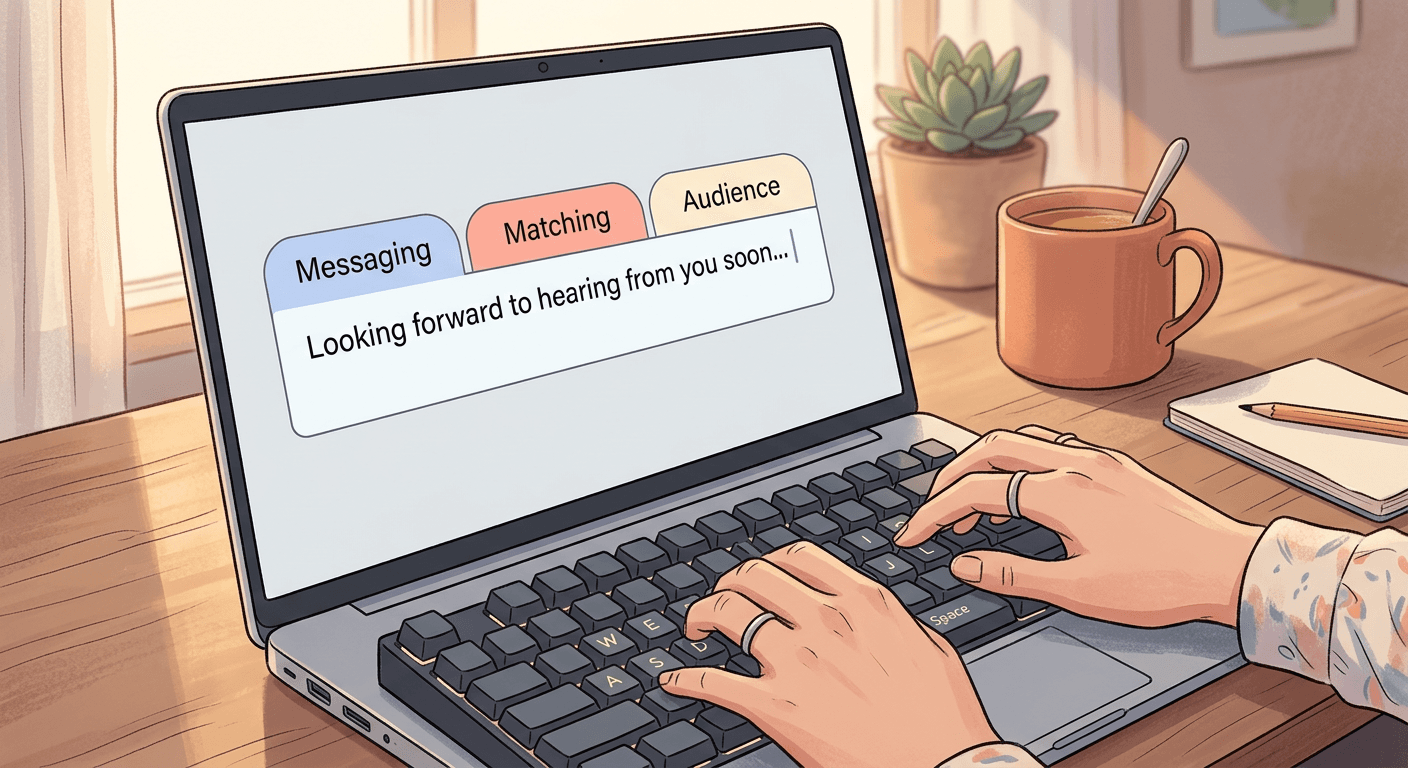
TL;DR: AI Brief organizes advertiser guidance into three categories, Messaging Guidelines (what ads should and shouldn't say), Matching Guidelines (which searches to capture or avoid), and Audience Guidelines (how to tailor messaging to specific segments), all written in natural language instead of manual toggles or keyword lists. It is rolling out in English for Search campaigns first, before extending to Shopping and Performance Max. Once your guardrails are set with a clear brief, the actual creative AI Max serves still has to be produced fast enough to keep up, which is where a browser-based tool like Miraflow's AI Image Generator for product and lifestyle imagery and its Cinematic AI Video Generator for video assets earns its place in the workflow below.
This sits inside a bigger shift already underway across Google Ads this year. Miraflow has covered the automatic migration of legacy campaigns onto AI Max and the delayed DSA migration timeline pushed to February 2027 in depth elsewhere, so this post will not re-explain that migration. AI Brief is a genuinely distinct feature sitting on top of that same AI Max infrastructure, and it deserves its own close look.
What AI Brief Actually Is and How It Works
AI Brief is a conversational, Gemini-powered input field that sits inside AI Max campaign setup and, once live, inside the ongoing management of a running campaign. Google's own announcement frames the shift plainly: instead of advertisers configuring AI Max through settings and uploaded data alone, they can now describe their business, audience, and brand guidelines the way they would brief a real person taking over the account. A Google spokesperson, Brendon Kraham, VP of Product Strategy for Search Ads and Commerce, described the shift to AdExchanger directly: "This is the first time we've brought into [campaign setup] more natural language." That is a meaningful claim from Google itself. Campaign setup inside Google Ads has always meant settings, checkboxes, and structured data. AI Brief is the first place inside that setup flow where a sentence written the way a person actually talks becomes a real input the system acts on.
The feature organizes everything an advertiser writes into three distinct guideline types, and understanding the boundary between them is the single most useful thing to get right before writing your first brief.
Messaging Guidelines control what the ads themselves say and do not say. This is the category for tone, claims, and hard brand-safety lines, the kind of thing that used to live in a brand style guide a copywriter had to remember by hand. Google's own example, confirmed across multiple sources including Search Engine Journal and the official Google Ads & Commerce blog, is a line as simple as "never mention prices." The word choice matters here. AI Brief is explicitly built to respond to directional language, "always" and "never" being the two words that carry the most weight, because they tell Gemini something closer to a hard rule than a stylistic preference. A messaging guideline that says "try to keep the tone friendly" is softer guidance the system will weigh against other signals. A messaging guideline that says "never use the word cheap" is closer to an instruction the system treats as a constraint.
Matching Guidelines control which searches the campaign should chase or avoid, the closest analog to what negative keywords and broad match tuning used to do by hand. Google's real example here, again confirmed across ppc.land's coverage and the official announcement, is "prioritize searches for healthy pantry staples," which reads less like a keyword and more like a category description. That distinction is the whole point. A matching guideline does not need to list every synonym and phrasing variant the way a manual negative keyword list does, because Gemini is doing the semantic work of figuring out which actual search queries fall inside or outside that category, including phrasings the advertiser never would have thought to type into a keyword list themselves.
Audience Guidelines control how the system reaches and tailors messaging to specific segments, pairing a description of who the audience is with what to say to them. Google's example, "for people who are health conscious, highlight our clean products," shows the structure clearly: describe the segment, then describe the message that segment should actually see. This is a genuinely different mechanic from a manual audience-exclusion list, which can only say who to avoid, not what to say differently to the people you keep. A manual approach might exclude a "budget shoppers" audience from a premium campaign entirely. An audience guideline instead lets the same campaign serve two different audiences with two different angles on the same product, without needing two separate campaigns and two separate manually written ad sets to do it.
Under the hood, AI Brief is not a fire-and-forget text box. Coverage from WordStream and other outlets describes a preview step built into the flow: after writing a brief, an advertiser sees sample ad copy, sample search queries, and how the system interpreted the guidance before the campaign actually goes live or before edited guidance takes effect. That preview loop is a real design choice worth appreciating. Every prior AI Max control, from broad match settings to Final URL expansion, asked an advertiser to turn something on and then wait for real spend and real performance data to reveal whether the system understood the intent correctly. AI Brief front-loads that check. You write the guidance, you see what the system thinks that guidance means in practice, in concrete sample ad copy and concrete sample search terms, and you can revise the sentence before a single dollar spends against a misreading.
One more mechanical detail worth knowing if your account already uses AI Max's existing text guidelines feature, the older, narrower control for keeping specific phrases out of ad copy. According to the official rollout coverage, existing text guidelines migrate automatically into Messaging Guidelines inside AI Brief once an account adopts the new feature, rather than requiring you to rewrite everything you had already configured from scratch. That is a meaningful detail for any account that already invested time building out text exclusions under the old system.

How to Write Your First AI Brief
Writing an effective AI Brief is closer to writing a short internal memo than filling out a form. The advertisers who get real value out of it treat it the way they would brief an actual new hire taking over the account cold, giving enough real context that a stranger could make good decisions on their own, not so little that the person is guessing, and not so much irrelevant detail that the important parts get buried.
Step 1: Separate the three guideline types before you write anything. Do not draft one long paragraph and hope the system sorts it out. Sit down with three actual headers, Messaging, Matching, and Audience, and force yourself to put each sentence you write under the right one. A sentence like "we only want serious buyers, not people comparison shopping for the cheapest option" is really doing two jobs at once, a matching instruction (which searches to prioritize) and a messaging instruction (do not lean on price as the hook). Splitting it into "avoid searches that signal pure price comparison shopping" under Matching and "never frame the product as the cheapest option available" under Messaging gives the system two clean, separate instructions instead of one that blends two different jobs.
Step 2: Use "always" and "never" specifically for the things that are genuinely non-negotiable. These two words carry real weight inside AI Brief precisely because they signal a hard boundary rather than a preference. If your legal team has told you a specific claim can never appear in ad copy, that is exactly the kind of line that belongs behind the word "never." If you have a softer preference, you generally want the tone to skew more premium than budget, phrase it as a preference rather than a hard rule, so the system still has room to make good judgment calls in ambiguous cases instead of treating every sentence as an absolute constraint.
Step 3: Write Matching Guidelines as categories, not keyword lists. The instinct coming from years of manual negative keyword management is to list out every bad phrasing you can think of. Resist that instinct. "Avoid searches related to DIY repair, since we only sell professional-installed units" gives Gemini a real category to reason about and extend to phrasings you never would have thought to list manually. A long list of specific negative phrases, ported over verbatim from your old negative keyword list, works against the point of a natural-language system built to generalize.
Step 4: Write Audience Guidelines as pairs, not just descriptions. A segment description alone, "health-conscious shoppers," tells the system who to look for but nothing about what to actually say to them once found. Always close the loop: who the segment is, and what specific angle or message to lead with for that segment. That pairing is what actually differentiates messaging across audiences inside a single campaign.
Step 5: Read the preview before you trust the brief. Use the sample ad copy and sample search queries the preview step surfaces as an actual check, not a formality to click past. If the sample ad copy still mentions something your messaging guideline told it never to mention, that guideline needs to be more specific, not just repeated louder.
Here are three real example briefs for different business types, written the way an advertiser should actually submit them, each one usable as a real starting template you can adapt to your own account.
An ecommerce brand selling premium, organic pantry staples might write something like this.
Messaging Guidelines: Always describe our pantry staples as organic and small-batch. Never mention prices, discount percentages, or the word cheap in ad copy. Always keep the tone warm and straightforward, never use urgency language like limited time or act now.
Matching Guidelines: Prioritize searches for healthy pantry staples, clean-label grocery swaps, and organic bulk cooking ingredients. Avoid searches related to bulk wholesale or restaurant-supply ordering, since we only sell retail-sized packaging direct to households.
Audience Guidelines: For people who are health conscious, highlight our clean ingredients and third-party lab testing. For people who cook from scratch regularly, highlight recipe versatility and shelf life instead of health claims.
A local, appointment-based service business, a boutique HVAC or plumbing company that only wants serious, high-value jobs, might write something closer to this.
Messaging Guidelines: Always mention same-day emergency availability when relevant to the search. Never promise a specific price or quote in ad copy, since every job is scoped on-site. Always mention that our technicians are licensed and background-checked.
Matching Guidelines: Prioritize searches signaling an active problem, like no heat, no AC, or water leak, especially with same-day or emergency language attached. Avoid searches related to DIY repair, replacement parts, or how-to guides, since we only offer full-service professional installs and repairs, not parts sales or advice.
Audience Guidelines: For homeowners searching during business hours, highlight our same-day appointment availability. For anyone searching late at night or on weekends, highlight our 24-hour emergency line first, before anything else in the ad.
A B2B SaaS company selling a mid-market project management tool, trying to avoid both enterprise procurement searches it cannot service and free-tier hobbyist searches that will never convert to paid, might write something like this.
Messaging Guidelines: Always frame the product around mid-market teams of 20 to 200 people. Never use the word free or imply a free-forever plan, since our lowest tier is a paid annual contract. Always mention our onboarding support team when the ad has room for a second line.
Matching Guidelines: Prioritize searches comparing project management tools for growing teams, and searches mentioning outgrowing spreadsheets or outgrowing a free tool. Avoid searches with enterprise procurement language like RFP, security questionnaire, or SOC 2 compliance, since our current plan is not built for that buying process yet. Avoid searches for free project management tools or personal to-do list apps.
Audience Guidelines: For people searching from a small team currently using spreadsheets, highlight how fast setup is compared to building a system from scratch. For people searching while comparing several named competitor tools, highlight our onboarding support and migration help rather than a feature-by-feature list.
Notice what all three examples share. Each one splits cleanly into the three guideline types instead of blending them into one paragraph. Each one uses "always" and "never" sparingly, only for the lines that genuinely cannot bend. And each one gives the system a real category to reason about in the Matching section rather than a list of keywords ported over from the old way of doing things. That structure is what separates a brief that actually changes campaign behavior from one that reads like marketing copy and gets largely ignored by the system underneath it.

Old Manual Controls vs. AI Brief: A Real Comparison
The honest way to evaluate AI Brief is to look at what it is actually replacing, task by task, rather than treating it as a totally new category of work. Most of what AI Brief does maps directly onto a manual process advertisers were already running, just through a slower, more fragmented set of tools.
| Advertiser goal | Old manual control | AI Brief equivalent | Example old-way input | Example AI Brief input |
|---|---|---|---|---|
| Control what ads say | Manual ad copy review and approval before every headline goes live | Messaging Guidelines | Weekly legal review checking no headline mentions a discount percentage | "Never mention prices or discount percentages" |
| Control which searches trigger ads | Negative keyword lists built and updated by hand, monitored against broad match | Matching Guidelines | A 50-line negative keyword list excluding DIY, cheap, and free | "Prioritize searches for healthy pantry staples, avoid bulk wholesale orders" |
| Reach segments with different messaging | Separate campaigns or ad groups per audience with manually written ad variants | Audience Guidelines | Duplicate campaign structure for a budget shopper ad group and a premium shopper ad group | "For people who are health conscious, highlight our clean ingredients" |
| Keep required legal text visible | Turning off Final URL expansion entirely so pinned disclaimer copy cannot be swapped out | New text disclaimer controls | Disabling FUE to protect one pinned compliance headline | Required disclaimer text guaranteed to appear even while FUE is active |
| Check whether the system understood your intent | No preview step, waiting for live performance data to reveal a mismatch | AI Brief's built-in preview | Launch, then check the Search Terms report a week later | Read sample ad copy and sample searches before turning the campaign on |
| Update guardrails over time | Filing a change request to edit a negative keyword list or re-approve ad copy | Editing the brief directly | Submit a request to the account manager and wait for the next review cycle | Edit a sentence in the guidelines and resave |
The pattern across every row is the same. The old way generally required either a person doing repeated manual maintenance, a negative keyword list edited weekly, ad copy reviewed line by line before launch, separate campaign structures built to serve separate audiences, or it required waiting for live performance data to reveal a problem after the fact, since there was no preview step for a broad match setting or a Final URL expansion toggle. AI Brief collapses several of those separate manual workflows into one place, written once and iterated on directly, with a preview step that catches misunderstandings before they cost real spend.
That does not make the old controls obsolete everywhere. Negative keywords still matter for hard technical exclusions, a specific competitor brand name you never want to bid on, for instance, where an exact, literal exclusion is genuinely the right tool rather than a semantic category. Audience exclusions still matter for legal or compliance reasons where you need a guaranteed, verifiable exclusion rather than a strong steering signal. AI Brief is best understood as a new, higher-level layer sitting on top of those older mechanics, not a wholesale replacement for every single one of them on day one.
Common Mistakes Advertisers Will Make
Writing a brief too vague to actually matter. A brief that says "we want quality customers and good messaging" gives the system almost nothing to act on differently than it already would without any brief at all. Vague adjectives like "quality," "good," and "relevant" do not function as instructions, because the system already optimizes toward whatever it infers "good" performance looks like from your conversion data. A brief only earns its keep when it says something the system could not already infer from performance signals alone, a specific price range never to mention, a specific search category to actively avoid even if it currently converts, a specific audience segment paired with a specific angle. Specificity is the entire value of AI Brief over the old system. A vague brief throws that value away.
Over-constraining the brief and starving the algorithm of reach. This is the opposite failure, and it is just as common, especially from advertisers coming from a background of tightly managed exact-match campaigns who bring that same instinct into a system built to generalize. Writing ten separate "never" rules, each one a narrow, specific exclusion, can box the system into such a narrow lane that it loses the room to find genuinely good, unexpected matches the way broad, AI-driven matching is supposed to find them in the first place. A useful gut check: if your Matching Guidelines section reads like a long list of individual exclusions rather than two or three real categories, you are likely recreating a manual negative keyword list inside a tool built to replace that exact approach, and you are probably narrowing reach more than the actual business risk justifies.
Treating the brief as set-and-forget instead of an iterating document. A brief written on day one, based on assumptions about the business and the audience, is a first draft, not a finished product. The preview step shows what the system currently understands, but real campaign performance over the following weeks is the better long-run signal for whether the brief is actually working. A matching guideline that seemed like the right boundary at launch can turn out to be excluding a search category that was quietly converting well, or a messaging guideline that felt like sound legal caution can turn out to be suppressing the exact claim that was driving the strongest ad copy. Revisit the brief on a real cadence, monthly at minimum for an active account, rather than writing it once during setup and never opening it again.
Confusing Matching Guidelines with a keyword list. Covered above in the writing guide, but common enough to repeat here as a standalone warning. Porting a long list of specific negative keyword phrases directly into the Matching Guidelines field, rather than describing the underlying category those phrases represent, undersells what the feature is actually built to do and produces a brief that behaves almost identically to the manual system it was meant to improve on.
Skipping the preview and finding out the hard way. The preview step exists specifically so a misunderstood guideline gets caught before it costs real spend, not after a week of underperformance shows up in a report. Advertisers under time pressure will understandably want to save a few minutes and skip straight to launch, but that preview is the single fastest way to catch a brief that reads clearly to a human but got interpreted differently than intended by the system.

Who Should Turn This On Now vs. Wait
The honest answer differs meaningfully by account size and by vertical, and treating AI Brief as a uniformly good idea for every account the moment it becomes available would be its own mistake.
Larger accounts with real historical performance data and an established negative keyword and audience-exclusion structure already in place have the most to gain from turning AI Brief on early, and the least risk in doing so. These accounts already know, in granular detail, what "good" traffic looks like for their business, which means the brief they write on day one is likely to be genuinely accurate rather than a set of untested guesses. A large ecommerce account with years of Search Terms report history behind it can translate real, proven exclusion patterns directly into sharp Matching Guidelines instead of writing speculative categories from scratch.
Smaller or newer accounts with thin performance history are the group best served by waiting, or at minimum by writing a deliberately conservative first brief and treating the following month as an active learning period rather than a set-and-forget launch. A new account without enough historical data to know what a bad search actually looks like in practice risks writing Matching Guidelines based on assumption rather than evidence, and an assumption-based exclusion is exactly the kind of mistake covered above, one that can quietly starve reach for a business that has not yet built up the account history to know better.
Regulated or compliance-heavy verticals, healthcare, finance, legal services, alcohol, and similar categories, should pay close attention to the new text disclaimer controls launching alongside AI Brief specifically, since Search Engine Journal's coverage frames this as solving a real gap: advertisers in these categories previously had to avoid Final URL expansion entirely if they needed guaranteed disclaimer text to survive automated landing page selection, since there was no way to pin required legal language while still letting the system choose the best-matching page. The new disclaimer controls let an advertiser guarantee specific required text always appears in ad copy, even when Final URL expansion is active and sending traffic to a page the advertiser did not explicitly set. For these verticals, AI Brief's Messaging Guidelines and the separate disclaimer controls are worth adopting together, and worth testing carefully with legal or compliance review of the preview output before anything goes live, rather than either skipped entirely out of caution or turned on without that review.
Local service businesses sit in an interesting middle position. They typically have less raw data volume than a national ecommerce account but often have very clear, well-understood boundaries around what makes a lead worth taking, a clean fit for Matching and Audience Guidelines even without years of Search Terms report history behind them, since the boundaries come from business knowledge rather than statistical pattern-matching. A boutique service business that has always known, from experience rather than data, that same-day emergency calls convert and DIY-research browsing does not, can translate that lived business knowledge into a specific, accurate brief on day one, even with a comparatively small account.
The rollout timing itself also shapes this decision for the moment. Since AI Brief is launching first for English-language Search campaigns, with Shopping and Performance Max following afterward, any advertiser whose spend leans heavily on Shopping or Performance Max simply has more time before this becomes a live decision for those campaign types, and can use that runway to watch how Search-campaign adopters handle the transition before writing their own first brief when the feature reaches their campaign type.
Where Miraflow Fits Once Your Guardrails Are Set
Once a brief is actually doing real work, setting the boundaries on what ads say, which searches to chase, and how to tailor messaging by audience, the next constraint an advertiser runs into is not strategy. It is production. AI Max still needs real image and video assets to actually serve against every one of those guidelines, and a sharp, well-written Audience Guideline describing two different segments is only as useful as the campaign's ability to actually show those two segments visually distinct creative, not just different headline text pulled from the same handful of stock product shots.
This is where a fast, browser-based creative workflow earns a real place next to a well-written brief rather than sitting downstream of it as an afterthought. Miraflow's AI Image Generator covers text-to-image generation, image-to-image editing, and inpainting, which matters specifically for an audience guideline like the health-conscious example above, where the fastest way to actually serve tailored creative to that segment is generating a lifestyle image that visually reinforces "clean ingredients" rather than reusing the same generic product shot the budget-focused segment sees. Need three visual variations to test against three different audience guidelines in the same campaign. The AI Image Generator produces them in minutes rather than waiting on a design queue that was never built to turn around campaign-specific variants this quickly.
Video assets follow the same logic, and matter more than ever now that AI Max increasingly serves across more surfaces as part of the broader rollout, including the eventual expansion into Shopping and Performance Max this post covered above. Miraflow's Cinematic AI Video Generator produces short cinematic clips suited to exactly this kind of asset need, a product-in-use scene for a Matching Guideline that prioritizes searches for a specific use case, a different tone and pacing for a segment a Messaging Guideline calls out by name. For a business already using Google's reporting changes covered in Miraflow's earlier AI Max piece to see exactly which channel and match source is carrying performance, pairing that visibility with genuinely fast creative iteration through the Cinematic AI Video Generator closes the loop between knowing what is working and actually being able to produce more of it quickly.
This pairs naturally with the account-level work Miraflow has already covered around getting more out of AI Max and Performance Max more broadly. If your account is also testing structured creative variations, Miraflow's piece on Performance Max asset experiments and the companion piece on running proper A/B tests on Performance Max assets are worth reading alongside this one, since a sharp AI Brief and a disciplined asset testing process solve two different halves of the same problem, one controls what the system tries, the other measures whether what it tried actually worked. Accounts leaning on local, store-driven traffic specifically should also look at Miraflow's piece on Performance Max local customer optimization, since Audience and Matching Guidelines both map cleanly onto the kind of local-intent signals that piece covers in depth. And for accounts already using Google's own creative tooling, Miraflow's coverage of the Gemini-powered Asset Studio video ad features is a useful companion read, since Asset Studio and AI Brief are two different pieces of the same broader Gemini-powered push inside Google Ads this year.

If a brief's Matching Guidelines send AI Max chasing a genuinely new search category the account has never targeted before, that is also a good moment to revisit budget allocation and campaign structure more broadly, not just creative. Miraflow's piece on running search experiments across multiple campaigns and budgets and the deeper look at Google's product value optimization changes for Shopping and Performance Max both cover ground that becomes directly relevant once a well-written brief starts genuinely shifting where a campaign's spend and volume land. And if your account is one of the many still adjusting to broad match and phrase match behavior shifting under AI systems more generally, Miraflow's look at Google's AI Mode phrase match testing is a related, useful read alongside this one, since it covers a different but related piece of the same broader shift toward AI reasoning about match intent rather than literal keyword mechanics.

Frequently Asked Questions
Is AI Brief available on every Google Ads account right now? It is rolling out gradually, in English, for AI Max Search campaigns first, according to Google's own announcement and corroborating coverage from Search Engine Journal and ppc.land. Shopping and Performance Max campaigns follow afterward, so availability depends on both your account's rollout timing and which campaign types you actually run.
Does AI Brief replace negative keywords entirely? No. AI Brief's Matching Guidelines are best used for describing real categories of searches to prioritize or avoid, the kind of semantic reasoning a keyword list was never well suited for. A hard, literal exclusion, a specific competitor brand name you never want to appear next to, for instance, is still often better handled as an exact negative keyword, a guaranteed exclusion rather than a strong steering signal.
What happens to my existing AI Max text guidelines if I adopt AI Brief? According to the rollout coverage, existing text guidelines migrate automatically into Messaging Guidelines inside AI Brief, so an account that already invested time configuring the older, narrower text-exclusion controls does not need to rebuild that work from scratch.
How is AI Brief different from Google's Ask Advisor agent? They solve different problems. Ask Advisor is a cross-product conversational agent spanning Google Ads, Analytics, Merchant Center, and Marketing Platform, meant to help an advertiser plan and analyze across tools. AI Brief is narrower and more operational, a natural-language input that directly configures how a specific AI Max campaign bids, matches, and writes copy. An advertiser could reasonably use Ask Advisor to help think through campaign strategy and then translate that strategy into an actual AI Brief inside AI Max.
Can I write an AI Brief that is too long? There is no official published character limit in the current coverage, but the practical guidance from advertisers already testing it is the same as writing any real brief for a person: include what genuinely changes a decision, cut anything that does not. A brief padded with generic marketing language that does not translate into a specific messaging, matching, or audience instruction adds length without adding real guidance the system can act on.
Will AI Brief hurt my Quality Score or ad rank if I write it too restrictively? An overly restrictive brief does not directly penalize Quality Score the way a policy violation would, but a brief that boxes the system into an unnecessarily narrow lane can reduce the volume of genuinely good matches AI Max is able to find, which shows up as reduced reach and impression volume rather than a Quality Score penalty specifically. That is the real-world cost of the over-constraining mistake covered above, less volume, not a scoring penalty.
Do I need to rewrite my AI Brief every time I launch a new product or promotion? Not every single time, but any meaningful shift, a new product line, a new price positioning, a seasonal promotion that changes what "prioritize" or "avoid" should actually mean for a few weeks, is worth a quick pass through the brief and the preview step before launch, rather than assuming a brief written for last quarter's positioning still reflects this quarter's reality.
Conclusion
AI Brief is a genuinely different kind of control than anything AI Max shipped with before it. Negative keywords, audience exclusions, and manual ad copy review all worked by restricting the system after the fact, hoping a list of things to avoid captured enough nuance to keep the campaign on target. AI Brief works by actually explaining the target in the first place, in the same kind of language you would use briefing a real person, split cleanly across Messaging, Matching, and Audience Guidelines, with a preview step that shows you what the system understood before a single dollar spends against a misreading.
Getting real value out of it comes down to the same discipline that makes any brief useful: be specific enough that the system learns something it could not already infer, reserve "always" and "never" for the lines that genuinely cannot bend, describe categories instead of porting over an old keyword list, and treat the whole thing as a living document you revisit rather than a form you fill out once during setup. Do that, and the campaign guardrails finally match how you would actually explain your business to a person. Once those guardrails are set, the real bottleneck becomes producing enough good creative to actually fill them, and that is exactly the gap Miraflow's AI Image Generator and Cinematic AI Video Generator are built to close, right inside the browser, without a production timeline standing between a sharp brief and the ads that actually go live against it.