Instagram Series Explained: Turn Your Reels Into a Binge-Watched Show

Written by
Aerin Kim

Meta is testing Series, a feature that bundles your Reels into episodes with a dedicated profile hub and a Watch Next button. Here is what it actually does and how to plan one.
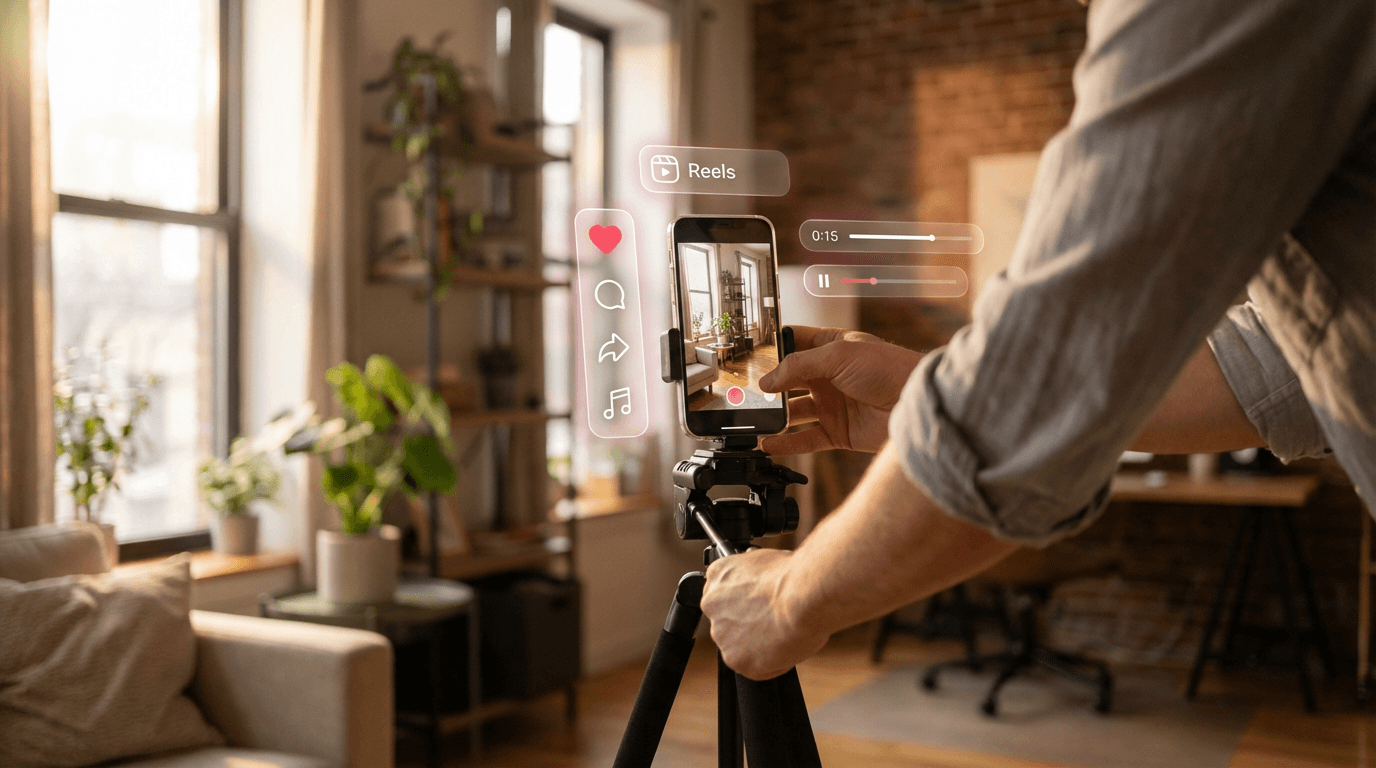
Meta is testing a feature that changes something that has been true about Instagram since Reels launched: your videos have always been standalone. Post part one of a tutorial today and part two next week, and Instagram treated them as two unrelated pieces of content, each fighting separately for a spot in someone's feed with no structural link between them. Series, currently in limited testing on Instagram and Facebook, fixes that by letting you bundle Reels, new or already published, into a single organized hub on your profile, complete with a Watch Next button that carries a viewer straight from one episode into the next. (TechCrunch)
This matters for a simple reason: the entire economics of short-form video reward repeated engagement from the same viewer, and until now Instagram had no built-in mechanism for turning a one-time viewer into someone who comes back for episode two. Series is Meta's answer to that gap, and it borrows the exact structure that makes streaming platforms sticky, an episode list, a next-up prompt, a reason to return, rather than the endless single-serving scroll Reels has always been built around.
What Instagram Series Actually Does
At its core, Series lets a creator group a set of Reels, whether they are brand new or already sitting in your existing grid, into a labeled bundle that gets its own dedicated page and its own tab on your profile. (TechCrunch) A viewer who stumbles onto any single episode in their main feed or the Reels tab sees an option to tap into the full series and browse every other episode in it, rather than only ever seeing that one video in isolation. (TechCrunch)
The feature creator Julia Broome, one of the first public testers, highlighted as the most meaningful addition is the Watch Next button, which automatically carries a viewer into the following episode the moment one finishes, the same mechanic Netflix and YouTube have used for years to keep a viewing session going. (RUSSH) Broome summarized the practical effect simply: viewers can now seamlessly binge a creator's content in order, episode after episode, instead of stumbling across pieces of it in a random sequence dictated by the algorithm. If you produce a lot of episodes and want to keep a consistent cover-image style across the whole run, the AI Image Generator on Miraflow is worth using for cover frames specifically, since a matching visual template across episodes is one of the simplest ways to signal that a set of videos belongs together. (RUSSH)
Viewers also get the ability to save an entire series at once rather than bookmarking individual Reels one at a time, which matters for anyone building longer-form educational or narrative content where a viewer genuinely intends to come back and finish watching later rather than consuming it in one sitting. (TechCrunch)

| Posting Reels Normally | Using Instagram Series | |
|---|---|---|
| Discovery | Each Reel competes separately in the feed or Reels tab | One Reel can pull a viewer into the full bundled hub |
| Continuation | Viewer has to search your profile for the next part | A Watch Next button moves them straight to the next episode |
| Profile presence | Reels sit in one undifferentiated grid or tab | Related episodes get their own dedicated hub and page |
| Save behavior | Viewer saves one video at a time | Viewer can save the whole series to watch later |
| Best fit | Standalone ideas, single-topic content | Themed, multi-part or recurring content |
Who Has Access Right Now
Series is not broadly available. Access is currently limited to a select group of creators and content producers who have already been posting serialized, multi-part content on Instagram and Facebook, and Meta has not announced a timeline for a wider rollout. (TechCrunch) If you do not see a Series option in your creator tools yet, that is expected. This is squarely a limited test, not a staged rollout with a known end date, which puts it in a similar early position to features like Instagram's TV app tests, still confined to a small footprint while Meta studies engagement data before deciding whether to expand it.
The practical implication is that you cannot plan a campaign around Series being live for your account by a specific date. What you can do is start structuring your content as if it were already available, so that the moment access does open up more broadly, you are not starting from zero.
The "10 Days of Healthier Baking" Example
Meta's own example of an ideal use case is instructive: a themed run of ten videos under a single umbrella idea, something like "10 days of healthier baking," bundled together so a viewer who enjoys day one can move straight into day two, three, and onward instead of hoping the algorithm happens to serve them the rest of the set. (TechCrunch)

What that example actually reveals is the format Series rewards. It is not built for a loose collection of unrelated Reels retroactively grouped together for the sake of using the feature. It works best for content that was conceived with a beginning, middle, and end, or at minimum a clear organizing theme and episode count, decided before the first video goes up. A recipe series with a fixed number of days, a skill broken into sequential lessons, a story told across a set number of parts, a behind-the-scenes look at a project from start to finish, these are the formats where a viewer genuinely benefits from being pointed to "the next one" rather than being left to guess whether more exists.
What This Could Look Like Across Different Niches
The baking example is specific, but the underlying format translates cleanly across almost any content category once you think about it as "a fixed run with a clear reason to keep watching" rather than "whatever Reels I happen to post this month."
A fitness creator could run a 21-day challenge series, each episode a single day's workout, with the Watch Next button doing the work a habit-tracking app normally does, nudging the viewer back tomorrow to keep the streak going. A tech reviewer could turn a single big comparison, five competing phones or five AI image models, into five short episodes instead of one long video that most viewers never finish, letting people binge the whole comparison in one sitting or spread it across a week. A small business could document a project from start to finish, a renovation, a product launch, a farm's growing season, as a numbered series that turns a one-time audience into a group of people checking back specifically to see how it ends. A travel creator could structure a single trip as a day-by-day series instead of one long recap video, giving each location or day its own episode while the trip itself provides the natural narrative arc that keeps someone watching through to the last stop.
What all four of these share is the thing Meta's own baking example has and a loose grab-bag of unrelated Reels does not: a viewer who watches episode one has an obvious, specific reason to want episode two, because the story or the challenge or the comparison is not actually finished yet. If your niche is closer to the tech comparison example, our guide to AI prompts for Twitter/X post images has a useful template structure for teasing each episode of a comparison series across other platforms too, since a series concept rarely needs to live on just one app.
How This Differs From Just Posting Reels in a Row
Creators have been making multi-part content on Instagram for years without any dedicated feature for it, usually by putting "Part 1," "Part 2" in the caption and hoping viewers either remember to check back or stumble onto the sequel organically. That approach has always leaked viewers between episodes. Someone who watches part one in their feed has no structural nudge to go find part two unless they specifically think to check your profile, and most viewers simply do not.
Series closes that leak in two specific ways a caption never could. First, the Watch Next button removes the friction entirely, since the platform itself, not the viewer's memory, carries them to the next episode. Second, the dedicated hub page means a new viewer who discovers episode seven of a series can immediately see the whole run exists and jump back to episode one, rather than only encountering that single clip with no visible context that a larger series is even out there. That second point matters more than it might seem: a huge share of an older video's future views come from new discovery long after it was first posted, and Series is the first mechanism that lets that late discovery convert into a multi-episode binge instead of a single isolated view.
Why Meta Is Doing This Now
As background, Series is not an isolated feature. It sits alongside a broader push Meta has been making toward television-like consumption patterns on Instagram, including a standalone TV app focused on Reels content currently being tested in India and South Korea, and a parallel "Short Drama" test that splits narrative content into cliffhanger episodes similar to the mini-drama format that has taken off elsewhere. Read together, these moves describe a consistent strategy: Instagram wants viewing sessions to look less like an endless single-serving scroll and more like sitting down to watch a show, because a platform where people return specifically to continue something they started is a platform with meaningfully higher return-visit behavior than one relying purely on algorithmic recommendation to bring people back.
That context matters for how seriously creators should treat this test. A single isolated feature test sometimes goes nowhere. A feature test that is one piece of a clearly coordinated, multi-pronged strategic push is a much stronger signal that Meta intends to keep investing in this direction regardless of whether Series specifically survives in its current form. Our breakdown of the Instagram Reels algorithm covers the discovery mechanics Series builds on top of, and our piece on Instagram's First Draft auto-editing tool is another recent example of Meta investing in tools that make producing more Reels, faster, a realistic habit rather than an occasional effort.
How to Plan a Series Before You Have Access
Even without the feature live on your account yet, there is real value in structuring upcoming content as if it will be. Miraflow's full content pipeline is built around exactly this kind of repeatable, idea-to-finished-video workflow, which makes it a natural fit for planning a series months before Instagram formally grants you access to the feature. A few concrete steps make that transition smooth whenever access does arrive.
Pick a fixed episode count and theme before you shoot anything. Open-ended series with no defined end tend to lose steam by episode four or five, both for the creator producing them and for the viewer trying to decide whether it is worth starting from episode one. A tightly scoped run, five parts, seven days, ten recipes, gives both sides a clear finish line.
Batch-produce episodes in advance rather than creating them one at a time on a rolling schedule. A series lives or dies on consistency, both in posting cadence and in production quality, and having several episodes finished and ready before the first one goes live protects you from a missed upload breaking the momentum a Watch Next button is specifically designed to build. This is also where a tool built for fast, repeatable video generation earns its keep: Text2Shorts turns a topic into a full script-to-video pipeline automatically, which makes producing five or ten similarly structured episodes in one sitting far more realistic than hand-editing each one from scratch. The same batching logic applies to any longer source footage you already have: if a past livestream, podcast, or long-form video already contains the raw material for several episodes, Miraflow's AI Clipping tool can pull the strongest moments out automatically and rank them, giving you a head start on episode selection instead of scrubbing through hours of footage by hand.
Keep visual branding consistent across every episode. A viewer who lands on episode six of your series should immediately recognize it belongs to the same run as episode one, through a consistent color palette, intro treatment, or thumbnail style, even before reading a caption. [[IMAGE:consistency]] If you produce your episode thumbnails or cover frames separately, the YouTube Thumbnail Maker on Miraflow works just as well for Reels cover images, and keeping the same template across every episode in a series is one of the simplest ways to make a bundled hub feel like a coherent show rather than a loose folder of unrelated clips.
Write the first three seconds of every episode as if a brand-new viewer, who has never seen episode one, just landed on it. Since a bundled series makes it trivially easy for someone to discover episode five before episode one, each individual episode still needs to work as a standalone hook, quickly signaling both what this episode covers and that it belongs to a larger run worth exploring, rather than assuming context the viewer does not have yet.
Decide your posting cadence before you publish episode one, and commit to it publicly if you can. Telling viewers up front, "new episode every Tuesday and Thursday for the next three weeks," gives the Watch Next mechanic something to work with even between the moments someone is actively bingeing, since a viewer who finishes the episodes available so far now has a concrete date to come back for the next one instead of an open-ended maybe.
Common Mistakes Creators Are Already Making With Episodic Reels
Even before Series is broadly available, the underlying habit of posting multi-part content has some recurring failure points worth avoiding now, since they will only become more visible once a dedicated hub makes your full series easy to browse in one place.
- Starting a series without deciding the episode count in advance, which leads to either an abrupt, unsatisfying ending or a run that drags on well past the point where viewers lose interest.
- Letting production quality drop noticeably between early and later episodes, which is far more visible in a bundled hub where viewers can compare episode one and episode eight side by side than it ever was in a scattered feed.
- Burying the series concept in a caption instead of making the theme obvious from the first few seconds of each episode, since a new viewer discovering episode four with no context needs to understand within seconds that a larger series exists and is worth exploring.
- Posting episodes too far apart. A viewer who finishes episode one and cannot find episode two for another two weeks loses the exact momentum a Watch Next style feature is meant to capture.
- Treating every unrelated topic as a "series" just to use the feature once it becomes available. A collection of loosely related Reels bundled together for the sake of using the tool reads as forced, and Meta's own example, a genuinely themed, sequential ten-part run, is the format that actually benefits from this structure.
How This Compares to YouTube's Own Episodic Push
Instagram is not the first major platform to bet on episodic structure for short-form content. YouTube has been building out its own Shows, Playlists, and Seasons features for a while now, organizing long-running channels into structured, season-based viewing the same way a streaming service organizes a show's catalog, which we covered in detail in our breakdown of YouTube Shows, playlists, and seasons. The instinct behind both moves is identical: a platform that can turn a single view into a multi-episode session captures more total watch time from the same viewer, which is valuable to the platform regardless of which specific engagement metric it optimizes for internally.
The meaningful difference is where each platform is starting from. YouTube already had strong long-form watch-time culture and playlists as a familiar mental model, so its episodic push is more of a refinement. Instagram's core habit has always been rapid, low-commitment scrolling, which makes Series a bigger behavioral ask, training an audience that is used to swiping past anything unfamiliar within a second to instead deliberately seek out and return to a specific creator's ongoing series. If Series succeeds, it will likely be because creators picked genuinely compelling, tightly scoped formats, closer to the baking example than to a loosely connected topic dump, strong enough to overcome that default scrolling habit rather than because the feature alone changed viewer behavior on its own.
What This Means for Monetization
Meta has confirmed it is exploring ways to monetize Series but has not shared specifics on what that could look like. (TechCrunch) That is worth taking seriously rather than dismissing as a distant maybe. Episodic content with a dedicated hub and a built-in continuation mechanism is exactly the structure that supports mid-series ad placements, sponsor integrations tied to a specific episode number, or a subscription unlock for an entire run, none of which map cleanly onto a single standalone Reel. Creators experimenting with related monetization formats in the meantime can also look at how TikTok's own monetization model has evolved beyond a flat per-view rate, since Meta has historically borrowed format ideas from whichever competitor's monetization experiment is working. Creators who get ahead of the format now, building genuine themed series rather than treating it as a novelty, will likely be better positioned if and when Meta does introduce a monetization layer built around it, the same way early YouTube creators who understood playlists and watch-time benefited once YouTube's own monetization systems began rewarding session length.
Frequently Asked Questions
Is Instagram Series available to everyone right now? No. It is in limited testing, currently available only to a select group of creators who have already posted serialized content, with no announced date for a broader rollout.
Can I turn my old Reels into a series retroactively? Yes, based on Meta's description, Series lets you bundle both new and already-published Reels together, so existing multi-part content you have already posted can be grouped once you have access.
Does Series work the same way on Facebook as it does on Instagram? Meta is testing the feature across both Instagram and Facebook, though the exact rollout pace may differ between the two apps since they have historically staged features at different speeds.
What kind of content works best for a series? Themed, sequential content with a clear beginning and a defined episode count performs best, similar to Meta's own "10 days of healthier baking" example, rather than a loosely related grab-bag of unrelated Reels bundled together after the fact.
Will Series replace posting individual Reels? No. Series is an organizational layer on top of Reels, not a replacement for them. A single standalone Reel with no planned follow-up still works exactly as it always has; Series specifically helps content that was designed as a multi-part run.
How is this different from an Instagram Guide or Highlight? Guides and Highlights are static collections a viewer has to seek out. Series is built around active continuation, with a Watch Next button that carries a viewer forward automatically, which is a meaningfully different, more passive viewing experience than clicking into a saved collection.
Conclusion
For more on producing consistent, high-frequency short-form content, see our guide on best times to post YouTube Shorts, since cadence discipline matters just as much for a Reels series as it does for a Shorts channel. Instagram Series is a small feature with an outsized signal behind it. Combined with Meta's parallel push into a dedicated Reels TV app and episodic drama formats, it points toward a platform that increasingly wants to function like a streaming service rather than a pure discovery feed. Access is limited for now, but the format it rewards, a tightly scoped, consistently produced, genuinely sequential run of episodes, is worth building toward before the feature reaches your account rather than after. Plan the episode count first, batch the production, keep the visual identity consistent from episode one through the finale, and you will be ready the moment Watch Next shows up on your own profile.